

Invoicing Evolution: How AI Powers the Best Smart Invoicing Platforms

Key Takeaways
- AI-powered invoicing processes invoices in 1 to 3 days, versus 10 to 20 days by hand.
- Automation pushes accuracy to 95-99% and drops cost per invoice from $12-$30 down to $1-$5.
- A team running 1,000 invoices a month gets back 50 to 80 hours.
- AI cash application matches incoming payments to open invoices on its own, hitting match rates as high as 95%.
- Data extraction tools reading PDFs, emails, and scans land 98% accuracy on standard files, 92% on messy ones.
- Weigh five things before you buy: automation depth, cash application accuracy, collections intelligence, integration difficulty, and time-to-value.
- Automated collections send personalized dunning across email, SMS, calls, and letters, and learn from how customers respond over time.
Quick Summary
The best smart invoicing platforms in 2026 all do one thing well: they shrink the gap between sending an invoice and getting paid. AI handles the tedious middle now. It pulls data off the invoice, matches payments to it, and fires off collections outreach without anyone touching a spreadsheet.
The hard numbers tell the story. Manual invoice processing takes 10 to 20 days. AI-powered systems finish the same work in 1 to 3 days. Accuracy climbs to 95 to 99%, and cost per invoice falls from $12-$30 to $1-$5. For a team processing 1,000 invoices a month, that’s 50 to 80 hours back on the clock.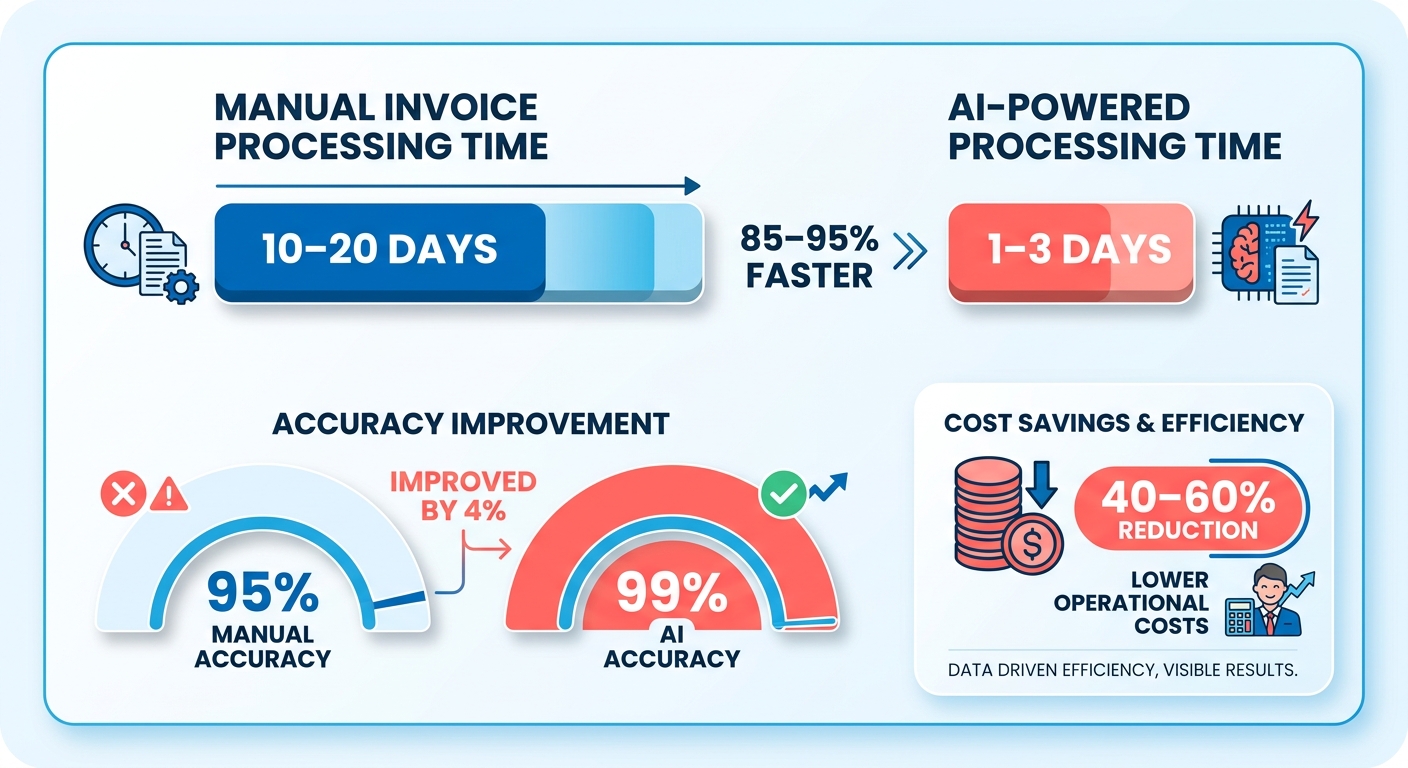
What Should You Compare in a Smart Invoicing Platform?
Five things: automation depth, cash application accuracy, collections intelligence, integration difficulty, and time-to-value. A tool that only generates pretty invoices isn’t smart. The real work starts after the invoice ships.
| Capability | What It Does | Time Savings | Integration Difficulty | AI Accuracy |
|---|---|---|---|---|
| AI cash application | Matches incoming payments to open invoices automatically | Eliminates manual reconciliation | Medium (bank + ERP sync) | Up to 95% match rates |
| Automated collections | Sends personalized dunning via email, SMS, calls, letters | Cuts chasing time to near-zero | Low | Learns from response patterns |
| AI data extraction | Reads PDFs, emails, scanned docs via OCR + ML | 1-3 days vs. 10-20 manual | Low | 98% standard, 92% complex |
| Recurring billing | Auto-generates and auto-charges saved payment methods | Removes repeat invoice creation | Medium | N/A |
| Reconciliation & reporting | Straight-through processing for electronic invoices | 70% faster month-end close | Medium (ERP-dependent) | 83% straight-through rate |
How Much Effort Does Implementation Take?
Most teams reach basic value fast. Recurring invoices and automated reminders take days, not months. The heavier lift is wiring up bank feeds and ERP systems for full cash application. That’s where the difficulty rating jumps from low to medium.
Organizations with advanced AP automation report a 57% reduction in processing errors and processing up to 5 times faster than traditional methods. Top performers get costs as low as $2.18 per invoice** against an industry average of **$10.89.
And the AI gets smarter as you use it. When your team corrects a match by hand, the system learns and improves the next one. That compounding effect is what separates genuinely smart tools from rule-based automation that never adapts.
Where AI Closes the Loop
The angle that matters most: turning overdue payments into proactive, personalized outreach. Old systems flagged a late invoice and stopped there. Smart platforms escalate on their own, picking the channel and tone based on the customer’s payment history.
Blixo pairs a matching engine for cash application with automated collections across email, SMS, phone, and mail, so a missed payment triggers the next best action instead of a manual to-do.
Skip AI-heavy invoicing if you send a handful of invoices a month. The setup won’t pay back. For any team drowning in reconciliation or chasing overdue accounts, the math is clear: automate it.
Why Smart Invoicing Matters
Late payments break businesses. A single invoice takes over 20 days to process by hand, and nearly 20% of those invoices carry errors from manual data entry. When cash sits trapped in overdue receivables, you can’t pay suppliers, cover payroll, or fund growth. That’s the real cost of a broken invoicing loop.
Smart invoicing closes the send-to-paid gap with AI. The best platforms in 2026 don’t stop at generating a clean invoice. They extract data, match incoming payments, flag exceptions, and trigger collections the moment a payment slips. This is where AI earns its keep, turning a passive document into an active driver of cash flow.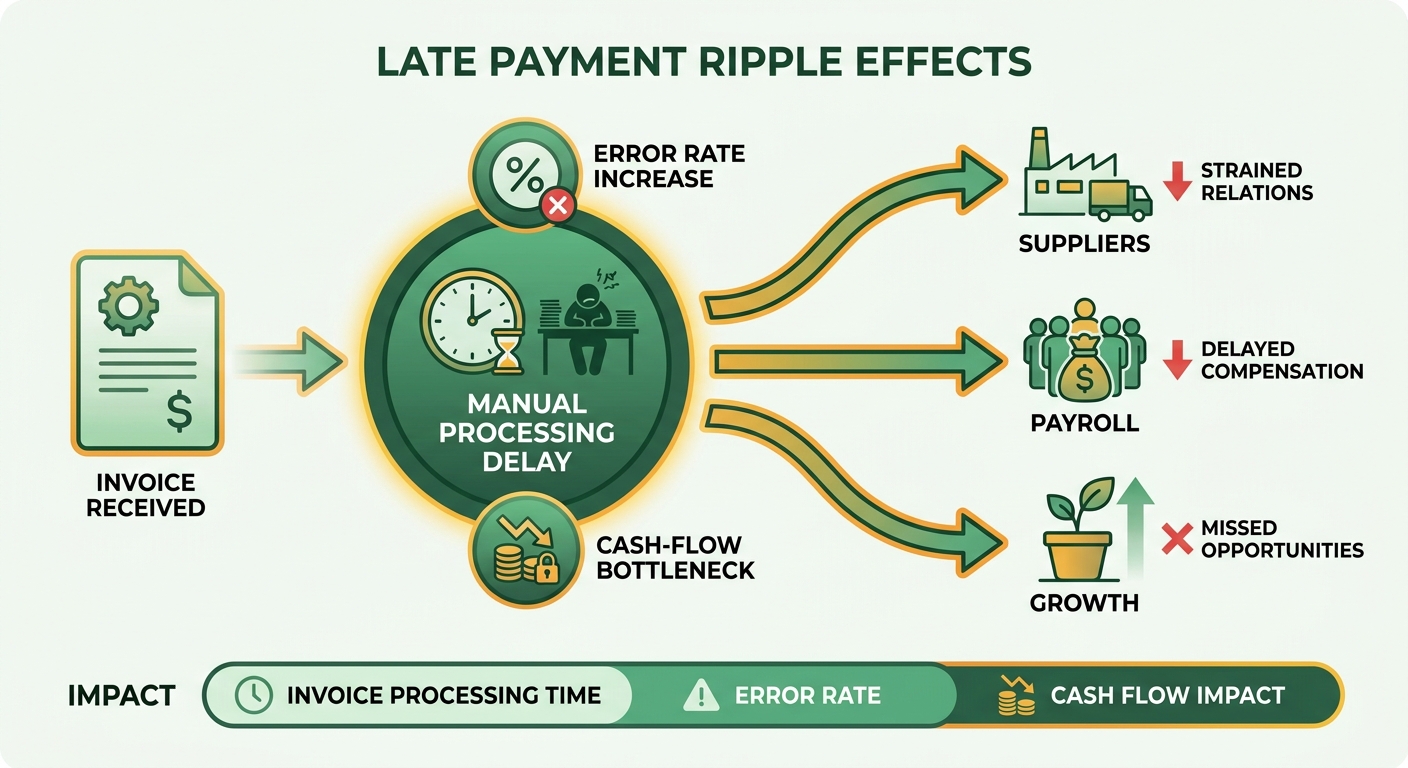
What Problems Does Smart Invoicing Actually Solve?
It kills the manual bottlenecks that delay payment: slow data entry, mismatched payments, and reactive collections. The impact shows up fastest in days sales outstanding, where automated dispute handling trims 15 to 20% off the time it takes to close an account and free up working capital.
The bigger win is what happens after the invoice goes out. Cash application matching, once a spreadsheet nightmare, now runs on its own. When a payment lands, AI ties it to the right invoice with nobody touching anything, even across partial payments and consolidated remittances that used to stall a whole team.
Fraud protection comes built in. AI flags forged, duplicated, or altered invoices in real time. Duplicate payments alone drain an estimated 0.1 to 0.5% of total spend at companies without automated controls, and anomaly detection catches those before a bad payment clears.
Who Benefits Most From AI-Powered Invoicing?
High-volume finance teams gain the most. 32% of enterprises process over 100,000 invoices a year, and manual handling at that scale burns money and staff hours. Automation redeploys that AP headcount toward analysis and vendor management instead of keying data.
The savings scale with volume. Mid-sized firms handling 5,000 to 10,000 invoices monthly save an average of $250,000 a year** after moving to AI automation. Enterprises above 100,000 invoices annually report savings around **$2.1 million in direct processing costs.
Real results back this up. One beverage bottler recovered $33.4 million with a 34-day resolution time, well ahead of the 90-day industry average. Not marginal gains. The difference between chasing cash and controlling it.
Why Proactive Collections Change the Game
The old model waited for payments to go overdue, then scrambled. AI flips that. It watches every invoice, spots slippage early, and launches personalized outreach automatically. No spreadsheet, no manual follow-up list.
This is the loop the top platforms are built around. Early, tailored reminders lift on-time payment rates by as much as 20%, and dynamic scheduling times each nudge to the moment an account is most likely to pay.
Those recovered hours go toward strategy, not data entry. That’s the shift worth paying for: collections that reach out before a customer forgets, in language tuned to that account. You stop reacting to overdue payments and start preventing them.
Core Technologies Driving Smart Invoicing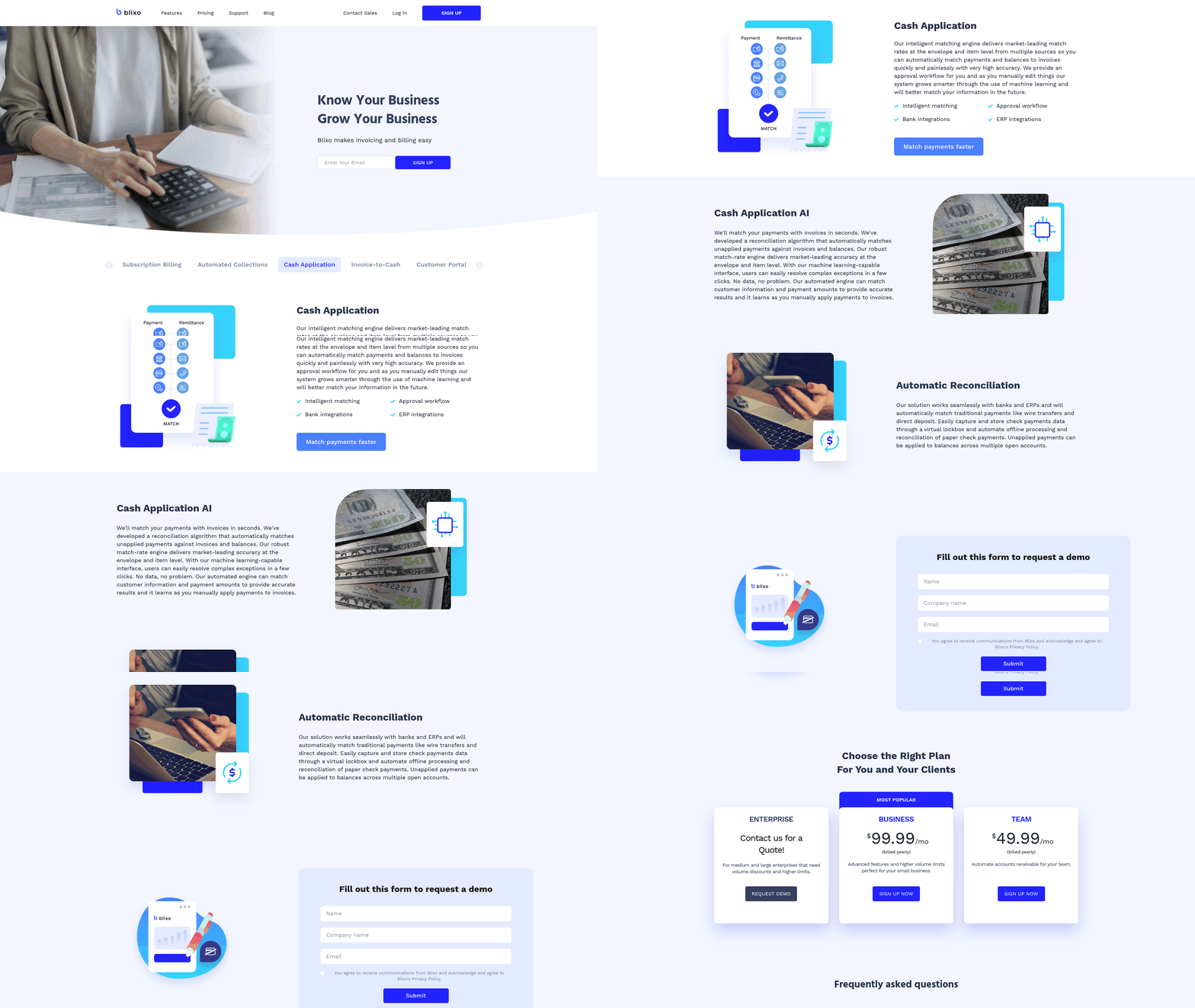
Four technologies power every smart invoicing system: optical character recognition (OCR), machine learning, natural language processing (NLP), and robotic process automation (RPA). Together they read an invoice, understand it, match it to a payment, and fire the next action without human data entry.
This stack is what separates real 2026 platforms from basic billing tools. The payoff shows up at the collections end. When these technologies extract clean data and match payments accurately, the system knows exactly which invoices are overdue and can push personalized outreach the moment cash slips.
How Do OCR and Computer Vision Read an Invoice?
OCR converts paper, image, or PDF invoices into machine-readable text. Computer vision goes further, capturing both the visual layout and the meaning of fields on the page.
OCR handles the first mile, turning static documents into structured fields. But raw OCR has limits. Accuracy runs 79-88% on clean scans and drops to 28-62% on blurred or skewed images. Even at high accuracy, one wrong character in an invoice number or bank detail can trigger costly rework.
That’s why modern platforms pair OCR with vision-aware models. The LayoutLM transformer captures semantic and visual cues together, beating older approaches on messy layouts. This matters most for infrequent, long-tail suppliers whose invoices never look the same twice.
What Does Machine Learning Add to Invoice Processing?
Machine learning lets the system learn from historical data and adapt to new invoice formats over time. It reads past invoices to sharpen extraction accuracy and drive automatic matching between purchase orders and payments.
The gains are concrete. Models trained on a company’s own vendor history keep improving with every document, so a format that failed last quarter clears cleanly today. AI-driven systems cut manual entry errors by 93.2% in banking deployments, and ML classifiers can route invoices to the correct GL code with over 90% precision once trained.
Matching is where ML closes the loop. High match rates mean the platform reconciles incoming payments instantly, so your team sees which accounts are genuinely overdue instead of chasing ghosts caused by unapplied cash.
How Do NLP and Automation Complete the Loop?
NLP interprets the unstructured text on an invoice, pulling meaning from free-form fields that fixed templates miss. RPA then runs the downstream steps: validation, approval routing, and follow-up.
NLP combined with OCR lets platforms read invoices in multiple languages and formats without custom rules for each vendor. That flexibility feeds straight into collections. When the system understands context, it can categorize an overdue account and match the tone and timing of outreach to that specific customer.
Automation ties it together. Systems cut processing from 15 minutes to under 3 minutes per invoice and run with minimal supervision. Anomaly-detection models flag forged or duplicated invoices in real time, protecting cash before it leaks.
The end state is proactive. Instead of a human noticing a late payment weeks later, the platform catches the slip the day it happens and launches follow-up automatically. That’s the line between passive billing and an active cash-collection engine.
Talent Retention and AI in Accounts Payable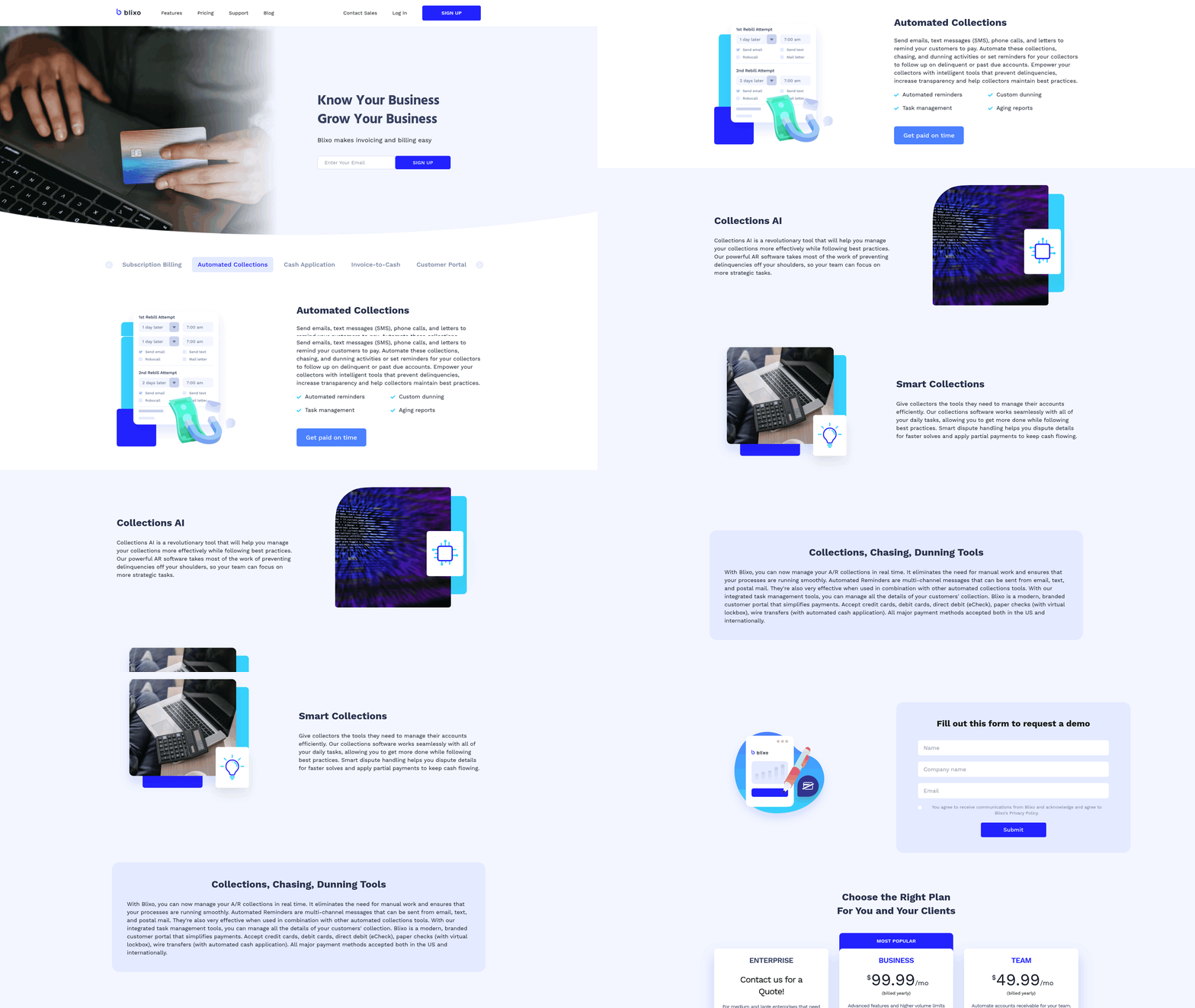
AI doesn’t replace your accounts payable team. It strips out the tedious work that drives people to quit. When the platform handles data capture, matching, and collections outreach, your AP staff stop keying numbers into spreadsheets and start managing exceptions and vendor relationships.
That shift matters for retention. Manual invoice work is repetitive and draining. Every keying error triggers rework that frustrates skilled staff and eats hours they’d rather spend elsewhere. Automation frees those people for analysis, dispute resolution, and the personalized collections follow-up that actually recovers cash.
How Does AI Improve Talent Retention in Accounts Payable?
AI keeps AP talent by cutting the grind and lifting the role. When a system processes invoices up to 5 times faster and pushes accuracy to 97-98%, your team spends its hours on judgment work instead of data entry. That turns a cost-center job into a strategic one.
Take the collections side. Instead of chasing overdue invoices one email at a time, your staff supervise AI that flags slipping payments and drafts personalized outreach automatically. They step in only for the tricky accounts. More engaging work, and engaged people stay.
The payoff shows up in the numbers. Finance teams that shift staff off manual entry report far lower turnover in AP roles, and roughly 80% of employees say automation gives them more time for work they find meaningful. Motivated teams focused on cash recovery beat those buried in keystrokes.
What Are the Challenges of Adopting AI in AP?
The biggest hurdle isn’t technology. It’s change management. Staff worry AI will take their jobs, so adoption stalls unless you show them it’s an assistant, not a replacement.
Integration is next. Your AI solution has to connect cleanly with existing ERP and accounting systems. Pick a platform that integrates without heavy customization and scales as your invoice volume grows.
Accuracy on messy inputs trips up a lot of rollouts. OCR reads clean scans well but drops sharply on blurred or skewed images. A human-in-the-loop review catches those flagged entries and keeps quality high while capturing your team’s institutional knowledge.
Best Practices for AI Adoption in AP
Start by mapping your current workflows. Find the pain points before you buy anything, so you know what the AI actually needs to fix.
Involve your AP team early. The Rillion team put it simply:
“AI systems are designed to learn and adapt, so take advantage of this by retraining and updating your AI model periodically.” - Rillion Team
A practical checklist for rolling out AI in accounts payable:
- Audit workflows first to pinpoint where errors and delays cluster.
- Choose a platform that fits your ERP without custom rebuilds.
- Involve AP staff in setup to drive adoption and gather feedback.
- Build in human review for flagged and complex invoices.
- Retrain the model regularly as new invoice formats appear.
- Reframe roles toward collections strategy and vendor management.
Training seals it. Teach your team to supervise the AI, read its analytics, and own the personalized collections outreach that closes the loop. That’s where retained talent earns its keep, and where overdue payments turn into recovered cash.
Future Trends in AI Invoice Processing
The next wave of invoice AI won’t stop at reading documents faster. It’s moving toward predicting when a customer will pay, matching cash the moment it lands, and reaching out before an invoice goes overdue. That’s where the 2026 platforms are already heading.
The shift is from reactive to proactive. Instead of chasing payments after they’re late, AI models forecast payment behavior and trigger personalized collections the second cash flow signals a problem. This closes the send-to-paid loop that older billing tools left wide open.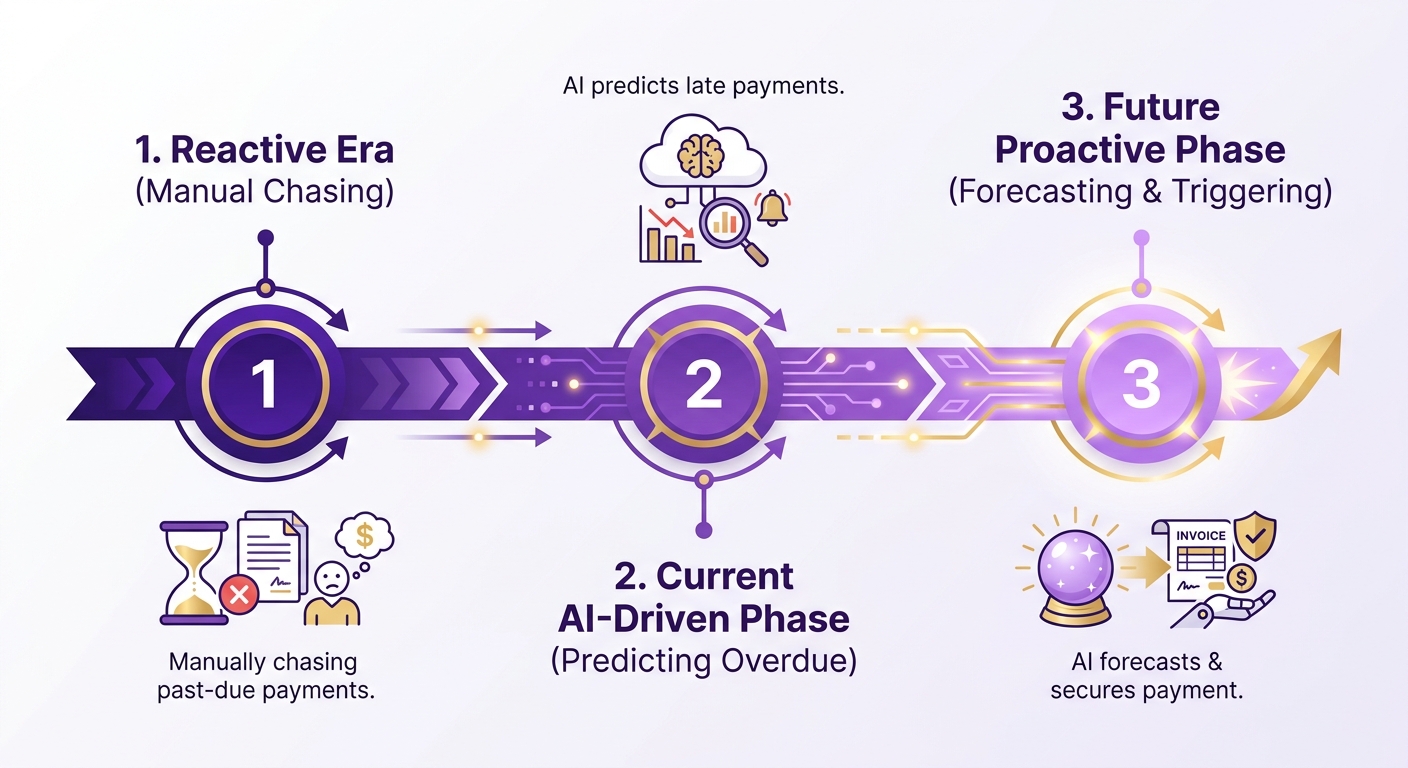
What Emerging Technologies Are Changing Invoice AI?
Transformer-based extraction is the biggest near-term change. Models like LayoutLM read invoice layout, text, and visual cues together, so they handle formats they’ve never seen before. This matters most for long-tail suppliers who bill infrequently and in wildly different formats.
Traditional OCR struggles here, especially on low-resolution scans. Transformer models close the gap between familiar and unfamiliar layouts, which means fewer exceptions land on a human’s desk.
Fraud detection is the other fast-moving frontier. AI flags forged, duplicated, or altered documents. For collections, that protection matters. You don’t want to chase a payment against an invoice that was manipulated in the first place.
How Will AI Reshape Accounts Payable and Cash Application?
AI is turning accounts payable into a predictive function, not a processing one. The real leap is payment-timing prediction: models trained on a customer’s past behavior can estimate a pay date within a few days of actual settlement. That forecast lets finance teams plan working capital instead of guessing at it.
Cash application is catching up fast. Remittance-matching engines can now reconcile split payments, short pays, and lump-sum deposits across multiple invoices automatically. When cash matches itself at that level, the system knows instantly which accounts are current and which need outreach.
That’s where collections intelligence comes in. Once payments match themselves, the platform ranks overdue accounts by risk and generates outreach tuned to each customer’s history. A reliable payer who’s a few days late gets a gentle nudge. A chronic delayer gets firmer, earlier contact.
Real-time payment rails push this further. Instant settlement networks mean a matched payment updates the ledger in seconds, so you see receivable gaps as they open rather than at month-end. Faster visibility, faster action.
What Challenges Still Hold AI Invoice Processing Back?
AI still needs a human safety net. Confidence scoring helps: models route low-confidence extractions to a reviewer while auto-processing the clean ones, so people spend time only where judgment adds value. Skip that layer and you risk sending collections outreach based on bad data.
Two practical limits stand out. First, paper and PDF invoices still dominate many supplier bases, so capture quality stays a real constraint on downstream matching. Second, AI models drift as invoice formats change. You have to retrain them periodically to keep extraction and matching sharp.
The honest read: AI won’t fully automate collections judgment yet. It handles capture, matching, and routine follow-up brilliantly. Disputes, negotiations, and relationship calls still belong to your team. The future isn’t a robot chasing payments. It’s AI clearing the busywork so your people run smarter, earlier, more personalized outreach.
Feature Checklist for Selecting an AI Invoicing Platform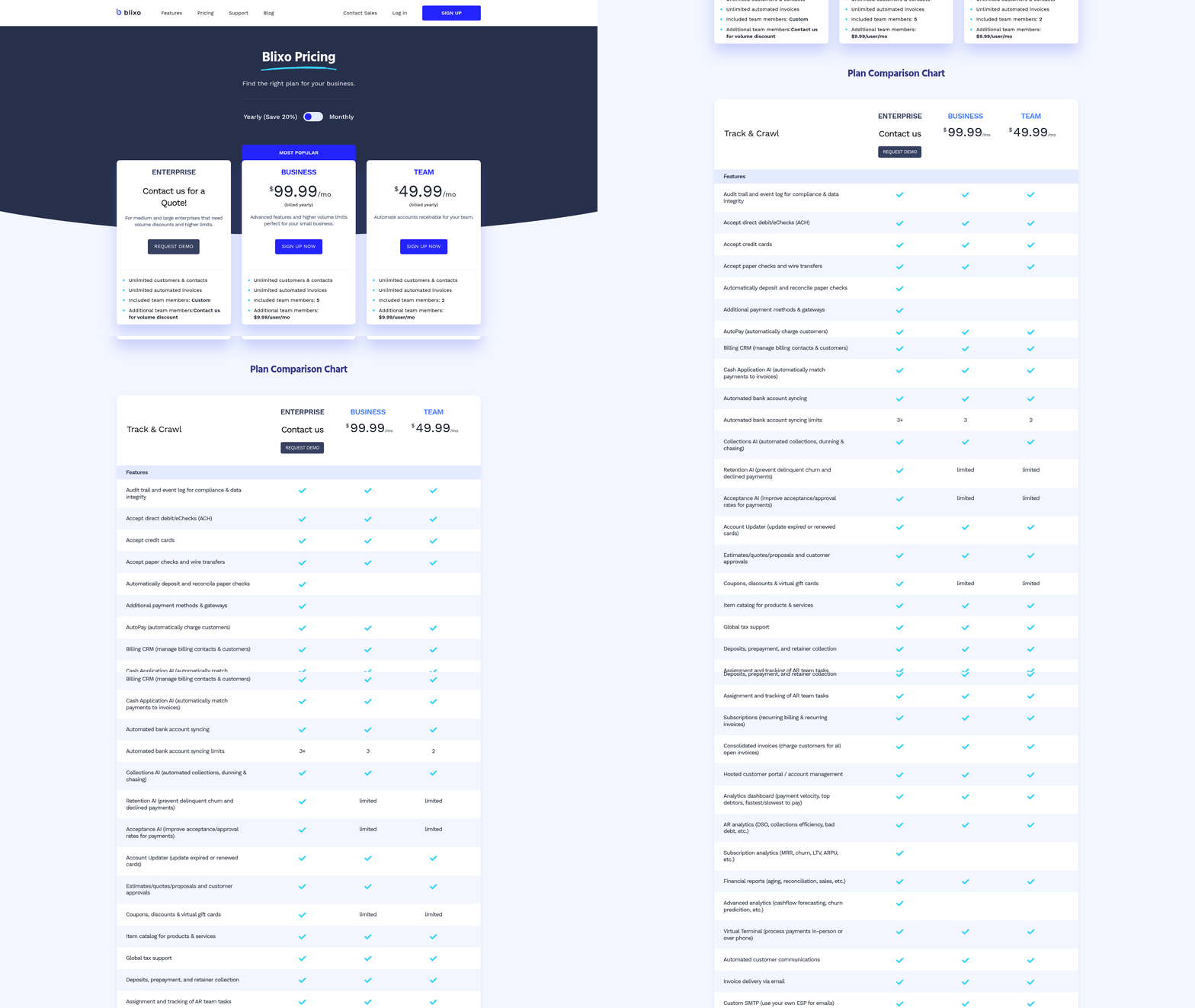
Picking the right platform comes down to one question: does it close the send-to-paid loop, or just print pretty invoices? The best 2026 platforms automate the full cycle, from data capture through cash application and collections outreach. Use this checklist to separate real automation from surface-level billing tools.
Score each platform on the categories below. A tool can nail data extraction and still fail you if it can’t match payments or trigger follow-up when cash slips. Judge the whole loop, not one piece.
What Core Features Should an AI Invoicing Platform Have?
The core four: automated data extraction, cash application matching, exception handling, and collections intelligence that acts the moment a payment goes overdue.
Start with extraction accuracy, but test it against your own documents, not the vendor’s demo set. Ask how the platform handles line-item detail, not just header fields. Multi-line invoices with mixed tax rates and partial quantities are where a lot of tools quietly break. Run a batch of your messiest real-world scans through a trial before you sign anything.
Then check what happens after extraction. Look for:
- Cash application matching that pairs incoming payments to open invoices automatically
- Exception handling that flags mismatches for human review instead of silently guessing
- Collections intelligence that sends personalized outreach when an invoice ages past due
- Multi-format capture across email, PDF, and scanned sources
- Confidence scoring on each extracted field so your team knows what to double-check
- Fraud detection that flags in real time
The collections piece is where most tools fall short. Extraction and matching are table stakes now. A platform that knows an invoice is late and does nothing is only half a solution.
How Do You Evaluate Security and Compliance?
The platform has to protect financial data, meet regulatory requirements, and keep a human in the loop for high-risk decisions. One financial services firm cut compliance risk simply by automating and standardizing its invoice workflow.
Ask where your data lives and how it moves. Look for encryption at rest and in transit, SOC 2 Type II certification, and role-based access controls that limit who can approve or edit payment records. Vendors that dodge these questions are telling you something.
Run through this compliance checklist:
- Human-in-the-loop review for flagged or low-confidence entries
- Audit trails on every extraction, match, and payment action
- Multi-language support if you invoice globally across regions
- Fraud and anomaly detection to catch forged or photoshopped invoices before they clear
And retrain your model periodically. AI systems learn and adapt, so a model tuned to your invoice mix stays accurate as formats and suppliers change.
Does It Integrate and Scale With Your Business?
The platform should connect to your existing ERP and accounting systems and handle volume growth without adding headcount. AI-enhanced ERP integrations report 65% faster processing than standard AP workflows.
Volume is the real test. Ask how the platform behaves during month-end and quarter-close spikes, when invoice traffic can jump 3-5x over a normal day. A tool that runs fine on a quiet Tuesday but queues for hours under load costs you the savings it promised. Ask vendors for peak-throughput numbers, not just averages.
Before you commit, map your current workflow and find the pain points. Involve your AP team in the choice. Their buy-in decides whether the tool gets used or ignored.
Frequently Asked Questions
1. Can small businesses with low invoice volume benefit from AI invoicing?
Businesses sending fewer than a handful of invoices monthly gain little from AI-heavy platforms, since setup effort won’t pay back. However, smaller firms using recurring billing or facing frequent overdue accounts may still benefit from automated reminders, which deploy in days with low integration difficulty.
2. How does AI invoicing handle invoices in multiple languages?
NLP combined with OCR lets platforms read invoices across multiple languages and formats without custom rules per vendor. This flexibility supports global invoicing and feeds collections intelligence, letting the system categorize overdue accounts and tune outreach tone to each customer’s context regardless of the original document language.
3. What happens when AI cannot confidently read an invoice?
Confidence scoring routes low-confidence extractions to a human reviewer while auto-processing clean documents. This human-in-the-loop layer catches blurred or skewed scans where OCR accuracy drops. Reviewers correct flagged entries, capturing institutional knowledge and preventing collections outreach based on inaccurate data.
4. How do AI invoicing platforms perform during month-end volume spikes?
Invoice traffic can jump 3-5x above normal during month-end and quarter-close periods. Evaluate platforms on peak-throughput numbers rather than averages, since tools that run smoothly on quiet days may queue for hours under load, erasing the cost savings the automation promised.
5. What security certifications should an AI invoicing platform have?
Look for SOC 2 Type II certification, encryption at rest and in transit, and role-based access controls limiting who can approve or edit payment records. Audit trails on every extraction, match, and payment action are essential. Vendors that avoid these questions signal weaker data protection standards.
6. Does AI replace accounts payable staff?
AI removes tedious data entry rather than replacing AP teams. Staff shift toward exception handling, dispute resolution, vendor management, and personalized collections. Roughly 80% of employees say automation gives them more time for meaningful work, and finance teams report lower AP turnover after moving off manual keying.
7. How accurately can AI predict when a customer will pay?
Payment-timing prediction models trained on a customer’s past behavior can estimate settlement dates within a few days of actual payment. This forecast helps finance teams plan working capital and lets platforms rank overdue accounts by risk, sending reliable payers gentle nudges and chronic delayers firmer, earlier contact.