

Invoice Processing Bottlenecks Slowing Your Cash Flow Down
Key Takeaways
- Poor invoice processing costs mid- to upper-midsized companies an estimated $2.3 million a month in lost efficiency.
- About 44% of companies say at least a quarter of their invoices run late every month.
- Most bottlenecks trace back to one thing: an invoice-to-cash loop that never closes without someone matching payments by hand.
- Manual data entry from paper and PDF invoices drives high error rates and slow posting. It’s also the easiest to fix, usually within weeks.
- The billing-to-cash disconnect is the hardest and highest-impact problem. Reconciling revenue in real time takes two to four months to get right.
- Slow approvals come from undefined approval paths, which push payments late and drive up days sales outstanding.
- Wiring invoice processing straight into automated cash application, instead of hiring more people, lets subscription revenue reconcile itself.
Quick Summary
Most invoice bottlenecks share one root: a billing cycle that won’t reconcile payments unless a person steps in. Invoices go out, payments trickle back, and your team burns hours matching the two. For SaaS companies on recurring and usage-based billing, that gap between billing and reconciled cash is exactly where momentum stalls.
The stakes are real. Research on mid- to upper-midsized companies points to millions in monthly operational losses from inefficient processing, with nearly half of surveyed organizations reporting chronic monthly delays on a big chunk of their billing. The fix isn’t more admin headcount. It’s linking your billing system directly to automated reconciliation.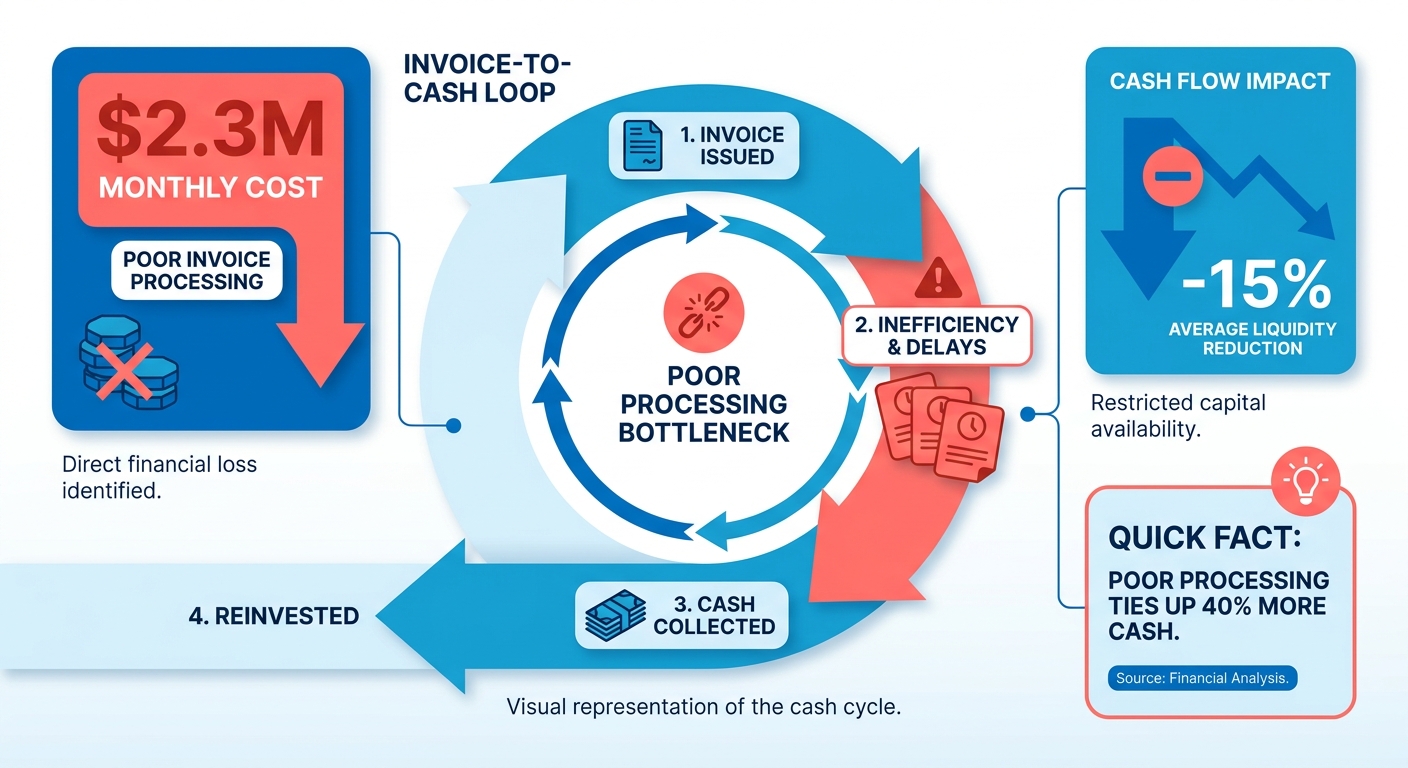
Which bottlenecks hurt cash flow most?
The biggest drains cluster around manual work, slow approvals, and the gap between billing and payment matching. Here’s how the common ones stack up.
| Bottleneck | Root Cause | Cash Flow Impact | Time to Fix | Difficulty |
|---|---|---|---|---|
| Manual data entry | Paper/PDF invoices keyed by hand | High error rates, slow posting | Weeks | Low |
| Slow approval workflows | No defined approval path | Delayed payments, higher DSO | Weeks | Medium |
| Manual cash application | Payments matched to invoices by hand | Weeks‑long reconciliation lag | 1‑3 months | Medium |
| No payment visibility | Data silos across tools | Broken cash flow forecasts | 1‑3 months | Medium |
| Billing‑to‑cash disconnect | Subscription billing separate from AR | Revenue not reconciled in real time | 2‑4 months | High |
Notice the pattern. The low‑difficulty items are worth doing, but the billing‑to‑cash disconnect is the one most competitors never touch. For a SaaS business, it’s the difference between knowing your real‑time reconciled revenue and guessing at it.
How much faster can automation get you paid?
Automated cash application can compress reconciliation from weeks to same‑day. One study measured average invoice processing time dropping from 7.2 days to 3.5 days, a 51% cut, with the average collection period improving from 45 to 28 days.
The results compound when data extraction is automated too. A cognitive automation rollout in aviation cut processing cycle times by 75% and manual effort by 80%, with straight‑through processing handling nearly 75% of incoming invoices untouched by a human.
Two more outcomes worth naming:
- One company boosted cash receipts by $6 million after switching to accounts receivable automation.
- Another saved 200 hours weekly by overhauling its billing and payment experience.
Where should SaaS teams start?
Start where your recurring revenue leaks: the handoff between subscription billing and cash application. If your billing system generates invoices but a person still matches incoming payments, you have a closed‑loop problem wearing a staffing‑problem costume.
Skip the heavy automation projects if you send a handful of invoices a month. The math doesn’t work at that scale. But run recurring or usage‑based billing at volume, and an intelligent matching engine that reconciles payments automatically pays back fast. Sources note positive ROI within 12‑18 months for organizations improving processing efficiency.
The core lesson: fix the small bottlenecks for quick wins, but close the invoice‑to‑cash loop if you actually want to protect cash flow.
Why slow invoicing quietly bleeds cash
Efficient invoice processing decides how fast billed revenue turns into cash you can actually spend. For SaaS companies with recurring and usage‑based billing, the real cost isn’t the invoice. It’s the gap between sending one and reconciling the payment against the right subscription. Close that gap and cash flow gets predictable.
Good invoice processing attacks that gap directly. Manual invoicing eats 5 to 10 minutes per invoice, a cumulative drag that delays your monthly close. Automated workflows compress that to seconds per document, which frees staff to move from data entry into analysis and planning.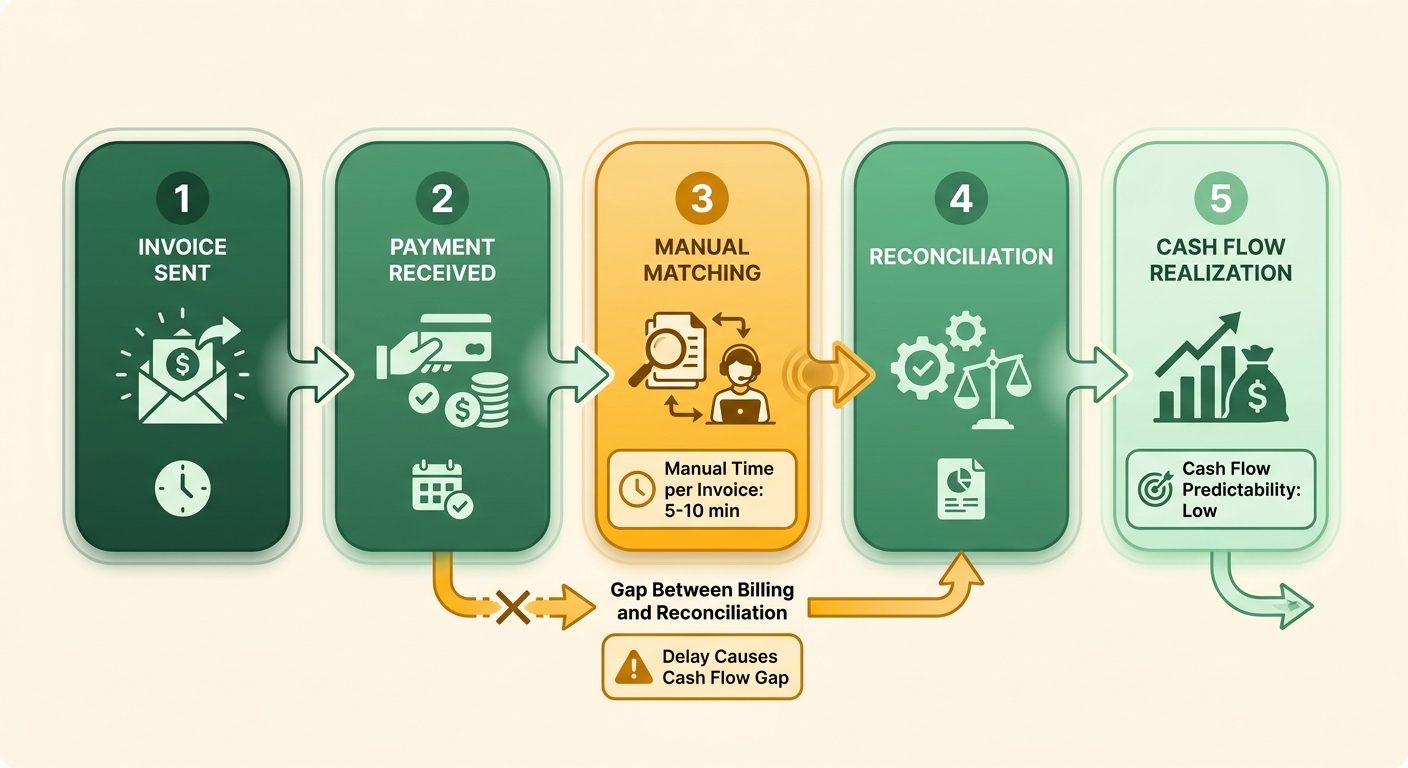
What does slow invoice processing actually cost you?
Slow processing drains cash three ways: late payment fees, longer collection cycles, and revenue that never gets recovered. When invoices lack clarity, a client’s internal systems flag them and payment stalls for weeks. Vague payment terms and missing follow‑up push Days Sales Outstanding higher, which throws off your cash flow forecast.
The numbers back it up. Businesses processing invoices manually pay $12 to $15 per invoice against roughly $3 for automated workflows. Manual entry also carries an error rate as high as 3.6%, and each flagged invoice can add days to the collection cycle while someone hunts down the discrepancy.
For a subscription business, that shift matters. Faster reconciliation means usage charges and renewals post to cash on time, not two billing cycles late.
Who benefits most from closing the invoice‑to‑cash loop?
SaaS companies with high invoice volume and recurring revenue gain the most, because their billing repeats constantly and reconciliation errors compound every month. Small teams benefit too. Automation lets one person handle work that used to need a full crew.
The bottleneck isn’t unique to software. In manufacturing, where suppliers send invoices in dozens of formats, accounts payable teams report spending up to 60% of their time on manual data entry and exception handling. The lesson translates: high volume plus varied formats equals manual chaos unless you automate the matching.
For SaaS, the matching problem is the payment side. Subscription invoices go out on schedule, but payments arrive in random amounts and timing. Without automated cash application, someone matches each one by hand. That manual step is where the loop breaks.
How does automation improve customer experience?
Automated invoice processing cuts the disputes that damage customer relationships and delay payment. Clear, itemized invoices with correct entity names and tax details stop the back‑and‑forth emails that drain your AR team. Fewer errors mean clients pay faster and trust your billing.
That matters because disputes are expensive. 54% of CFOs say their AR teams spend more than a quarter of the day resolving them. Every hour chasing a mismatched payment is an hour not spent forecasting or collecting.
Automated cash application fixes both sides at once. It matches payments to the right subscription invoice, clears the reconciliation backlog, and gives customers accurate account balances. That’s how invoice processing turns from a cost center into a cash accelerator.
Streamlining Invoice Capture and Processing
Invoice capture is where the invoice‑to‑cash loop either starts closing or starts leaking. For SaaS companies, the goal is to pull data off every invoice automatically, validate it against the right subscription, and route it without anyone retyping a line item. That’s what modern invoice processing solutions are built to do.
Get this stage right and reconciliation stops being manual. Automated data capture reduces entry errors, and companies that streamlined approval workflows reported faster processing. Manual work is the single biggest source of inefficiency here, so removing it is the highest‑value fix you have.
What are the best practices for invoice capture?
Automated data extraction and validation are the two non‑negotiables. Extraction pulls fields like amounts, dates, and entity details off the invoice. Validation checks those fields against your records before anything moves.
For SaaS billing, validation matters most. Vague payment terms and wrong corporate details cause payment delays, so your capture layer should confirm exact entity names, registration details, and tax numbers automatically. Clean data at capture is what lets cash application match a payment to a subscription later without a human.
A quick internal audit of your billing data heads off the endless back‑and‑forth emails. Build a standard checklist for invoice submissions and you cut those delays at the source.
Which automation tools actually move the needle?
OCR and machine learning are the workhorses of invoice capture. OCR reads the document. Machine learning classifies fields, handles varied formats, and gets more accurate over time. Generative AI now extends this, pushing data extraction and validation deeper inside the workflow.
The accuracy gains compound quickly. Modern extraction engines hit field‑level accuracy above 95% on structured invoices, and each processed batch trains the model to handle new vendor formats without manual template setup. Fewer exceptions land in a human queue as volume grows. For usage‑based SaaS billing, where invoice formats and line‑item counts shift month to month, that adaptability is what keeps capture from becoming a bottleneck when transaction counts spike.
Machine learning also feeds predictive analytics, which flags high‑risk accounts early so you intervene before a payment goes overdue and breaks your reconciliation forecast.
How do you build a structured invoice processing workflow?
Define a clear path from invoice arrival to posting, then automate each handoff. A structured approach turns a scattered process into repeatable steps with measurable milestones. The best practices for automating invoice processing all point to the same sequence.
-
Capture and extract. Ingest every invoice and pull data automatically with OCR and machine learning. No manual keying.
-
Validate and match. Check extracted fields against your records. For PO‑based invoices, run three‑way matching against tolerances so exceptions get flagged, not paid blind.
-
Route for approval. Send validated invoices down a defined approval path automatically. Centralized systems track every stage for full visibility.
-
Reconcile to subscription. Match posted invoices to incoming payments so subscription revenue reconciles itself. This is the step generic workflows skip.
The payoff shows up in throughput. Teams that move to straight‑through processing routinely clear the majority of invoices without a single touch, freeing staff to work only the genuine exceptions instead of every routine document.
Then track your own numbers. Measure cycle time, straight‑through processing rate, and exception volume. Those three tell you whether your loop is actually closing or just moving paper faster.
Implementing Automated Matching and Cash Application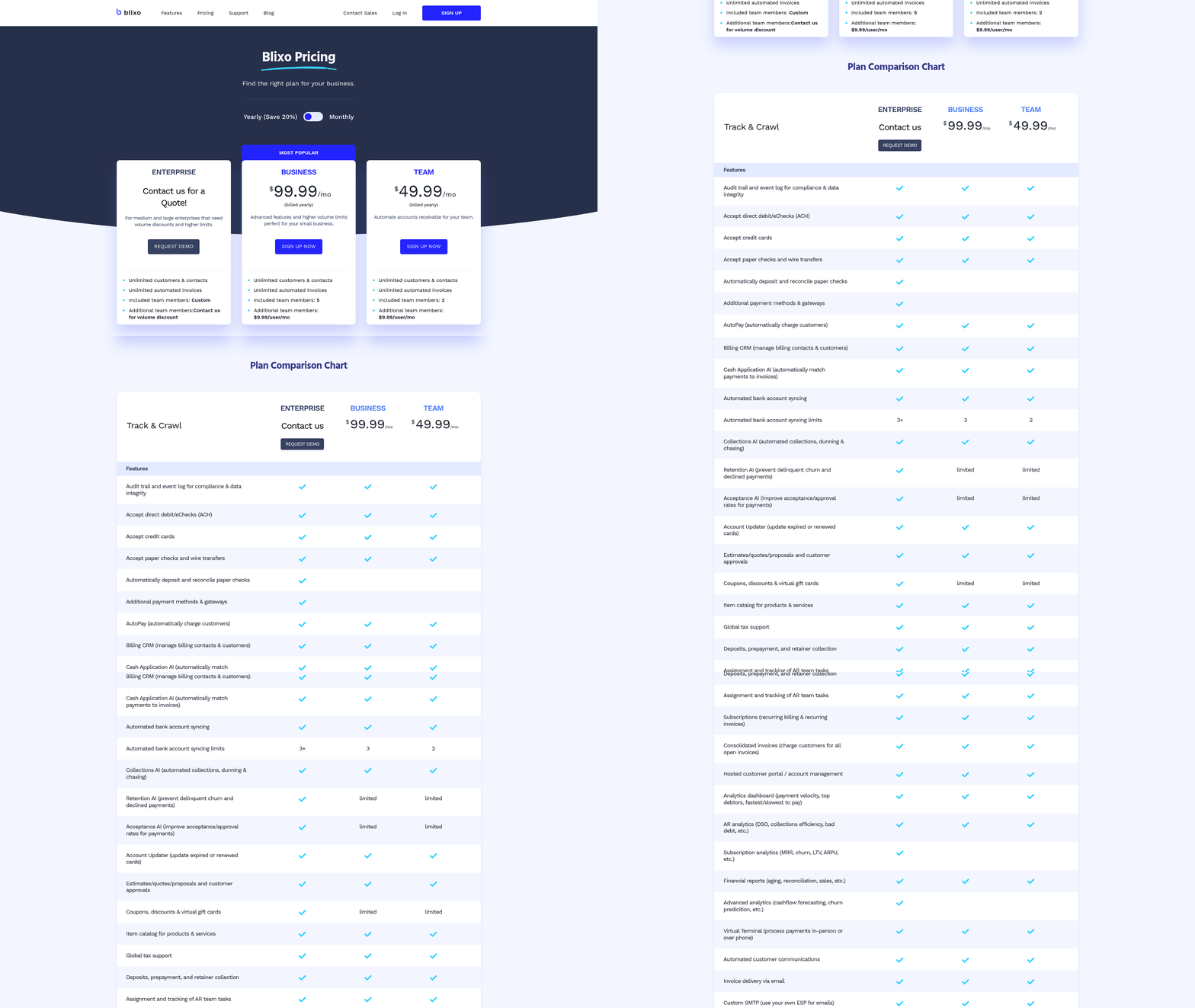
Automated cash application matches incoming payments to open invoices without anyone keying a thing. For SaaS companies, this is where the invoice‑to‑cash loop finally closes. Payment lands, the system ties it to the right subscription, and the ledger updates itself.
This is the stage most invoice processing solutions skip. They stop at sending the invoice. But billed revenue only becomes usable cash when the payment reconciles against the correct recurring or usage‑based charge. Get matching right and reconciliation stops being a weekly chore.
What are the benefits of automated matching?
Automated matching cuts manual errors and shortens the gap between payment and reconciled cash. Finance teams relying on manual keying typically see error rates between 1% and 4% on transactions touched by hand, and each error can take 20 to 30 minutes to trace and fix. Automated matching drives those touch errors close to zero, because the system handles the repetitive comparison work, not a person.
The impact shows up in unapplied cash too. Payments that land but can’t be matched sit in a suspense account, distorting your view of who actually paid. High‑performing AR teams keep unapplied cash under 5% of receipts; teams still matching by hand often run several times that. Every dollar stuck in suspense is revenue you’ve collected but can’t recognize yet.
The efficiency gain compounds for subscription billing. When matching is automatic, one person can oversee reconciliation that used to need a full team. Fewer hands on each payment means fewer mistakes and faster cash.
How do you implement data validation and reconciliation?
Start with data validation, then let reconciliation run against validated records. Validation confirms the payment amount, customer, and invoice reference line up with an open subscription charge before anything posts. Skip it and you push errors downstream into your close.
Here’s the sequence that works for recurring billing:
- Validate the payment against the subscription record. Confirm the amount matches the billed charge, including any usage‑based additions. This catches short‑pays and duplicate remittances before they hit the ledger.
- Match to the open invoice automatically. Tie the validated payment to its invoice using the customer and reference fields. Clean data here is what makes hands‑off matching possible.
- Reconcile and post. Update the ledger and mark the invoice paid. Automation removes the repetitive manual work that slows this down and introduces mistakes.
Forecasting models support this too, flagging payment patterns that deviate from historical baselines so teams can manage accounts before they hit cash flow. Predictive models catch high‑risk accounts early, so you intervene before a payment goes overdue rather than after.
Which tools power automated cash application?
Machine learning and AI drive the matching engine. These systems learn payment patterns, so they can match remittances that don’t line up perfectly. AI also produces cash‑flow insights, which matters when your revenue arrives in dozens of small recurring payments.
Automated payment collection tools handle the front end. They send reminders and speed up transactions, reducing late payments that stall the whole loop. That matters when 60% of U.S. small businesses hit cash flow problems from late payments.
To connect these tools to your accounting system, integrate at the reconciliation layer. Your matching engine should read open invoices from your ledger and write reconciled payments back to it. That two‑way link is what keeps subscription revenue posting without manual re‑entry.
Measure against clear targets. Track your match rate, the share of receipts sitting as unapplied cash, and the average time to post a reconciled payment. If your match rate is climbing toward the high‑90s and unapplied cash keeps shrinking, your cash application is doing its job.
Overcoming Common Challenges in Invoice Processing
Two challenges quietly strangle SaaS cash flow: limited payment options and manual follow‑up. Both stretch the gap between billing and reconciled cash. Fix them and the invoice‑to‑cash loop closes faster, with subscription revenue landing where it belongs. The right invoice processing solutions attack both at once instead of patching one and ignoring the other.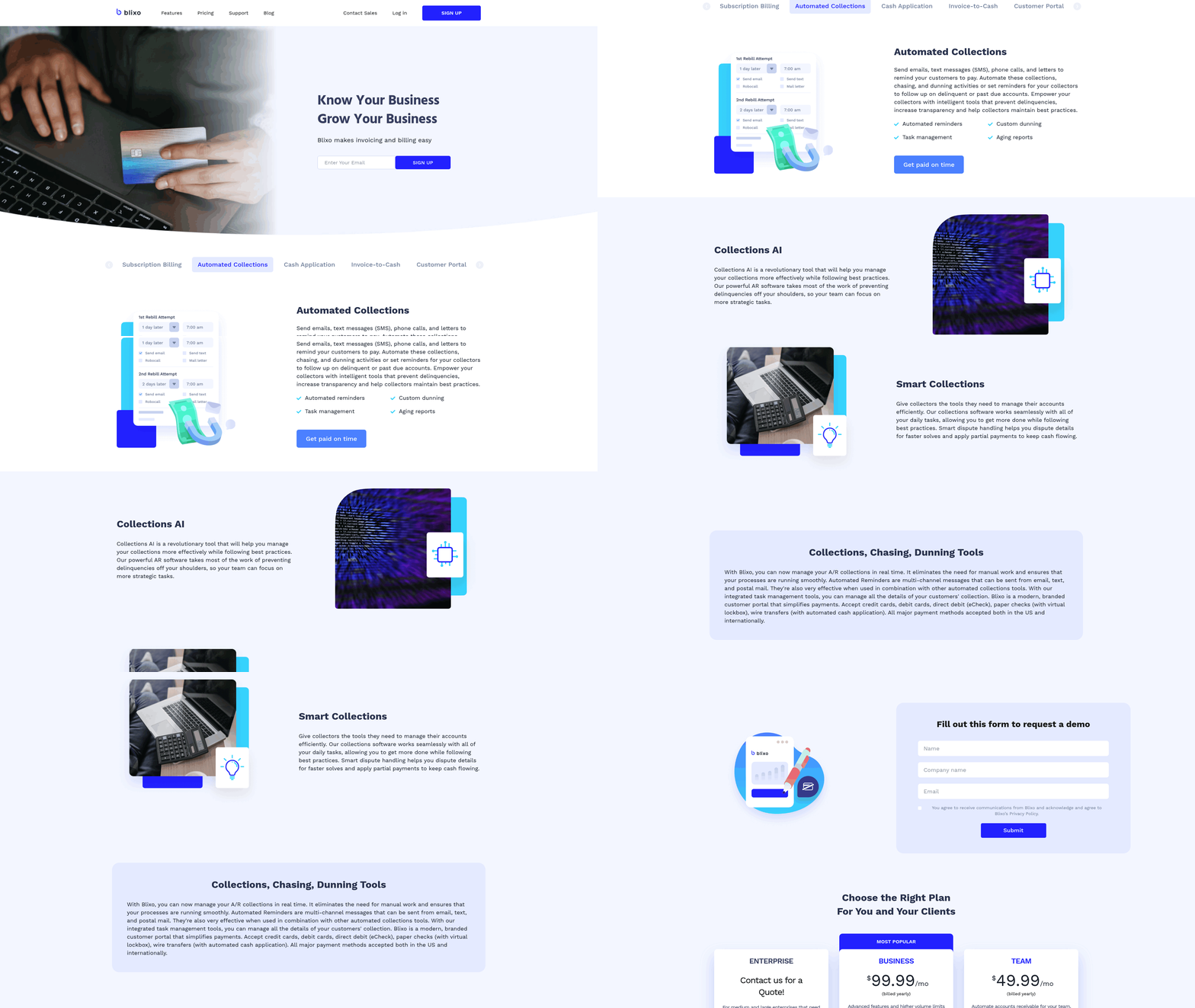
The pattern is consistent. Missing corporate details flag invoices inside a client’s internal systems, stalling payment. Neglected follow‑up pushes Days Sales Outstanding higher. Each delay adds a manual reconciliation task later. For usage‑based billing, it compounds: every unmatched payment is a subscription line someone has to chase down by hand.
How do you offer more payment options without breaking reconciliation?
Give customers direct ACH details and secure electronic transfer links, then feed every payment method back into automated cash application. More ways to pay only helps cash flow if the incoming payment still auto‑matches.
Clarity is the multiplier. Invoices need precise vendor and client identifiers to clear automated procurement gateways without triggering manual reviews. Itemized invoices head off the delays that come from clients questioning charges.
The payoff shows up in the numbers. One optimization study showed that refining these workflows meaningfully compresses the collection cycle. When customers can pick the method that fits their own accounts payable workflow, first‑attempt payment success climbs and fewer invoices bounce back for clarification. Faster, cleaner payments mean less manual matching downstream.
How do you automate follow‑up instead of chasing payments by hand?
Replace manual reminder emails with automated reminders tied to your billing schedule. Companies that automate reminders see fewer late payments, and structured follow‑up directly lowers overdue balances.
Manual follow‑up is a reconciliation problem in disguise. Every reminder you send by hand is time your team isn’t spending on the subscriptions that actually need attention. Monitoring tools can also flag accounts showing early signs of payment friction, so you address issues before the billing cycle ends.
For SaaS billing, automated follow‑up has to know which subscription each open invoice belongs to. That’s where follow‑up connects back to cash application. When the reminder, the payment, and the recurring charge all live in one system, a paid invoice reconciles itself and drops off the follow‑up list automatically.
What benchmarks tell you it’s working?
Track a handful of numbers to know whether your fixes are landing. Invoice processing time, payment collection period, and percentage of overdue accounts matter most for cash flow.
Real results give you targets. Teams that pair automated reminders with clean invoicing routinely push first‑pass match rates above 90%, so most payments reconcile with no human touch. A small business that automated invoicing cut DSO by 30%. Those are the gains a customer‑centric approach produces when clear communication and flexible payment options work together.
The customer‑centric piece ties it off. Clear, itemized invoices reduce disputes. Flexible payment options reduce friction. Automated follow‑up reduces awkward chasing. Do all three and you stop running a weekly scramble, because paid subscription revenue closes its own loop.
For a deeper look at the workflow behind these fixes, see 5 Invoice Management Bottlenecks & Solutions.
Frequently Asked Questions
1. How do usage-based billing models complicate cash application compared to flat-rate subscriptions?
Usage-based billing produces variable invoice amounts and shifting line-item counts each cycle, making payments harder to match. A flat $99 subscription always reconciles cleanly, but metered charges vary monthly. Machine learning matching engines adapt to these fluctuations, learning payment patterns so variable remittances still auto-match without manual intervention.
2. What is three-way matching and when should SaaS companies use it?
Three-way matching compares a purchase order, invoice, and receipt against tolerance thresholds before payment, flagging discrepancies automatically. It’s most relevant for PO-based invoices common in procurement rather than pure subscription billing. SaaS teams handling vendor accounts payable benefit, catching short-pays and duplicate remittances before they reach the ledger.
3. At what invoice volume does automation stop being worthwhile?
Companies sending fewer than a handful of invoices monthly rarely justify heavy automation investment, since setup costs outweigh savings at that scale. The math works best for recurring or usage-based billing at volume. Most organizations that modernize their billing infrastructure see a rapid return on investment as administrative overhead drops and cash flow predictability increases.
4. What is unapplied cash and why does it matter for revenue recognition?
Unapplied cash is payment received but not yet matched to a specific invoice, sitting in a suspense account. Leading finance departments prioritize rapid reconciliation to keep these unresolved balances at an absolute minimum, ensuring clear visibility into realized revenue. Every dollar stuck there is collected revenue you can’t recognize, distorting your view of who actually paid.
5. How does automated invoice processing reduce customer disputes?
Automated processing ensures all billing documents are generated with complete, verified corporate identifiers and itemized breakdowns, preventing the common administrative mismatches that trigger client-side holds. This matters because dispute resolution consumes a massive portion of the typical finance team’s daily schedule, pulling resources away from proactive cash management. Fewer errors mean clients pay faster and trust billing.
6. What benchmarks indicate cash application is actually working?
Track match rate, unapplied cash percentage, and average time to post a reconciled payment. A match rate climbing toward the high-90s alongside shrinking unapplied cash signals healthy performance. Additionally, monitor straight-through processing rate and exception volume to confirm your invoice-to-cash loop is genuinely closing.
7. How does predictive analytics improve collections before payments go overdue?
Predictive analytics analyzes historical payment behavior and customer data to identify accounts likely to experience payment friction. This allows AR teams to address potential delays proactively, stabilizing cash flow projections without waiting for an invoice to become severely delinquent. Proactive intervention protects reconciliation forecasts and reduces days sales outstanding.