

Invoice to Cash Automation Checklist

Key Takeaways
- Map workflows to identify bottlenecks like manual invoice data entry used by 68% of companies.
- Automating invoice data entry reduces Days Sales Outstanding (DSO) by 11 days in high-volume scenarios.
- Invoice automation achieves 95–99% data extraction accuracy, cutting duplicate payment risks by 0.8–2%.
- ERP integration via SaaS providers like Blixo ensures data quality and streamlines workflows.
- Transparent pricing models reduce invoice processing costs from $15–$25 to $2–$5 per invoice.
- AI-driven fraud detection and dispute resolution minimize revenue leakage in automated systems.
- Real-time payment links and automated retries prevent manual errors in payment processing.
Why Invoice to Cash Automation Matters
Building on concepts from the Pre-Automation Checklist section, mapping current workflows is essential to identify bottlenecks like manual invoice data entry, which 68% of companies still rely on. For example, one company processing 3,000 invoices monthly saw Days Sales Outstanding (DSO) drop from 52 to 41 days after automation, highlighting the value of addressing upstream inefficiencies.
Automation’s error reduction-achieving 95–99% accuracy in invoice data extraction-builds on the principles outlined in the Invoice Capture and Data Extraction section. By automating retries and using real-time payment links, businesses avoid the 0.8–2% duplicate payment risk inherent in manual systems. SaaS providers like Blixo, which integrate seamlessly with ERPs as noted in the Approval Workflow and System Integration section, further streamline workflows by ensuring data quality at the source.
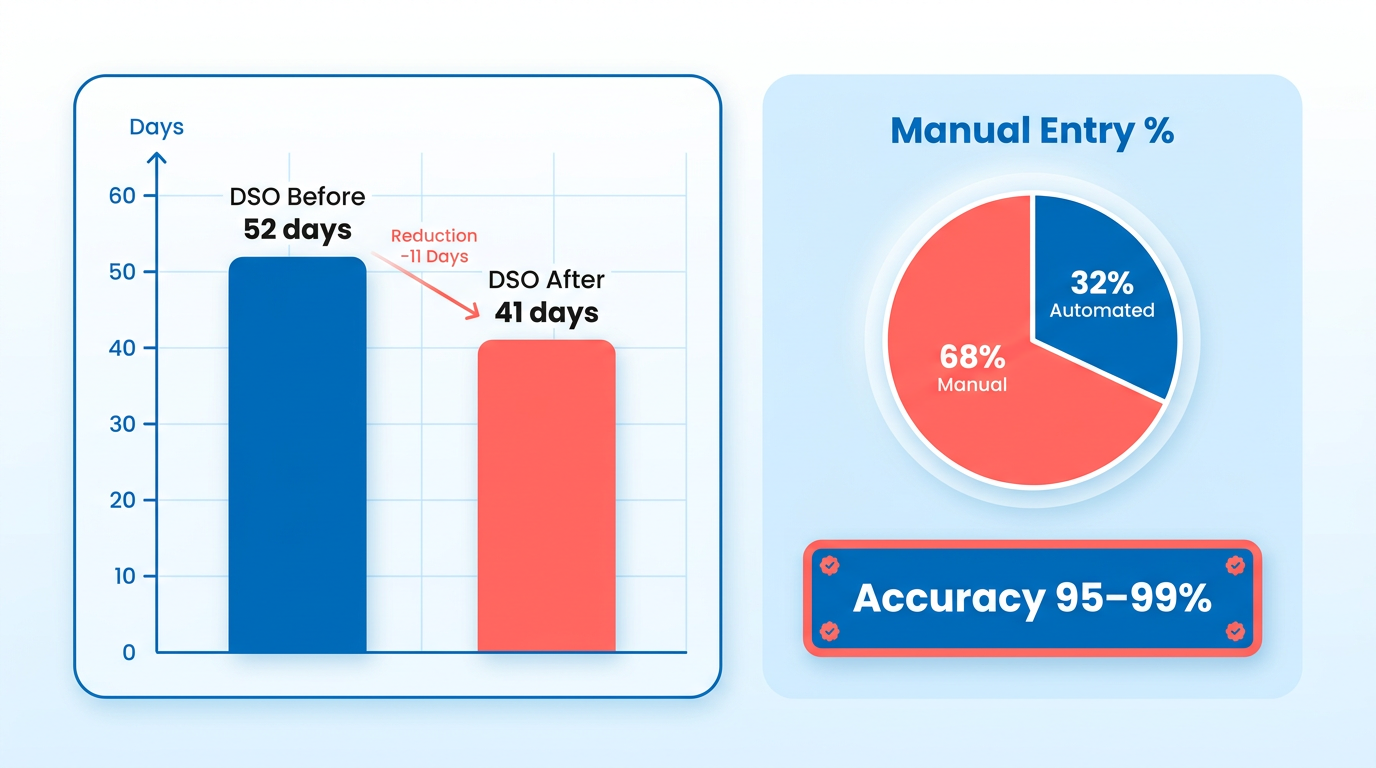
For teams seeking to avoid the hidden costs of legacy systems, Blixo’s transparent pricing model aligns with the security and compliance priorities discussed in the Security and Compliance Controls section. This approach not only reduces processing costs from $15–$25 per invoice to $2–$5 but also minimizes revenue leakage through AI-driven fraud detection and dispute resolution.
Pre-Automation Checklist
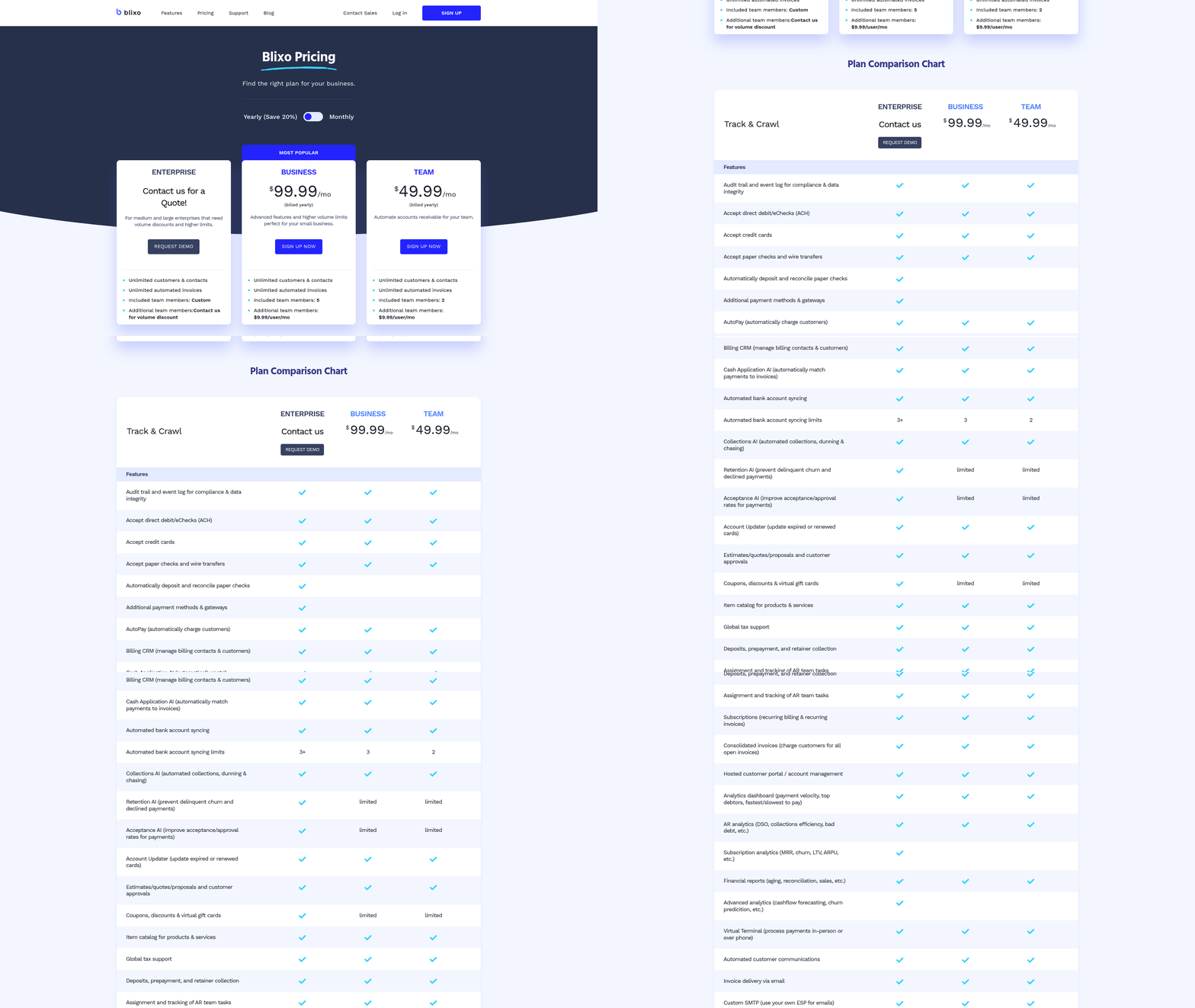
When Mapping your current workflow, consider how Invoice Capture and Data Extraction streamlines invoice handling. Highlight tasks like data entry, reconciliation, or approval that consume time and are prone to errors, as these steps often benefit from automation discussed in the Invoice Capture and Data Extraction section.
When setting efficiency targets for processing speed, align these with the structured approaches in the Approval Workflow and System Integration section to ensure workflows are optimized for automated approvals.
When auditing software compatibility, cross-check with the Security and Compliance Controls section to ensure any integrated systems meet required security standards, preventing vulnerabilities during automation.
Invoice Capture and Data Extraction
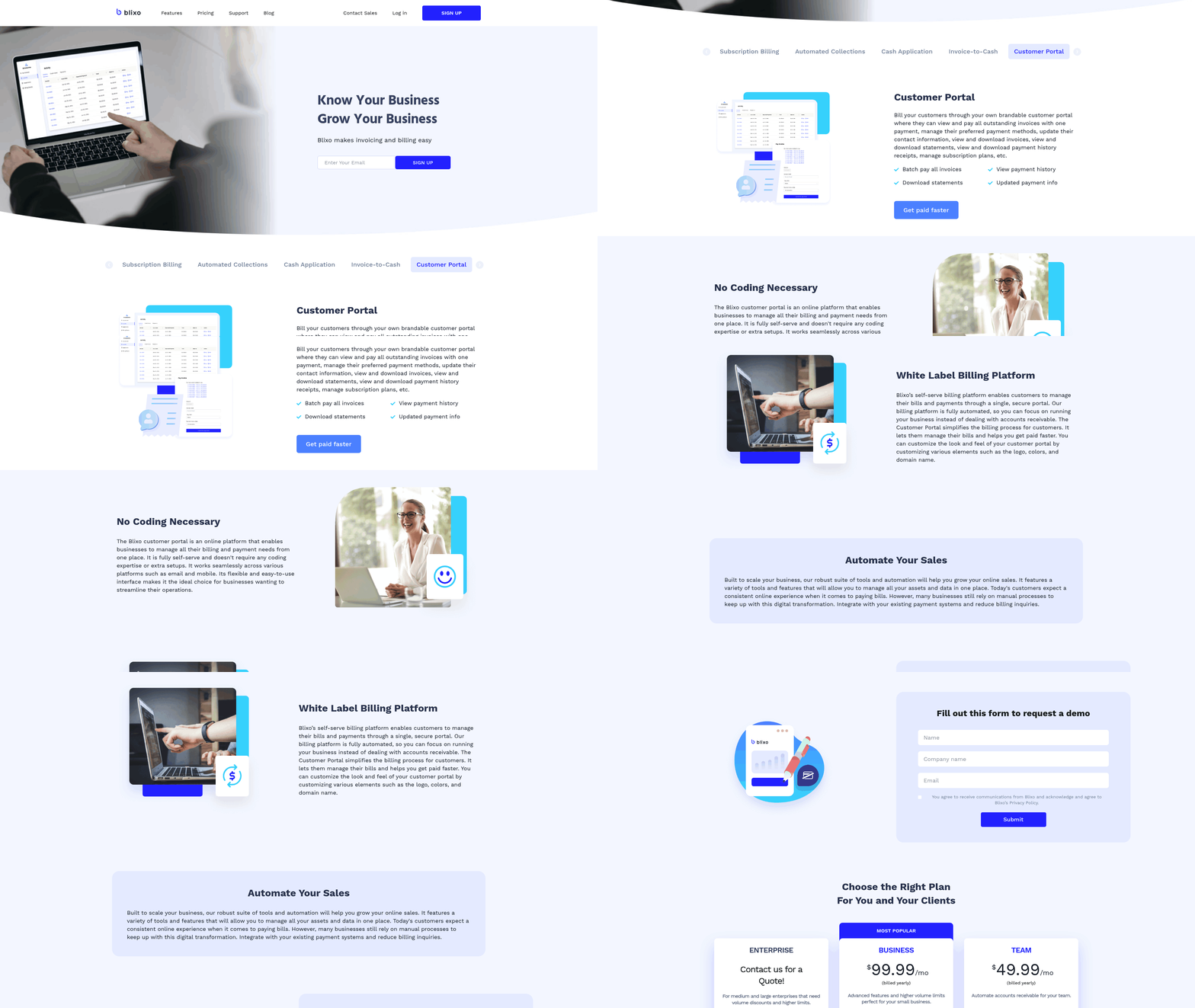
Invoice capture and data extraction form the foundation of efficient invoice-to-cash workflows. By automating these steps, businesses can reduce errors, speed up processing, and ensure compliance. Manual entry remains an option for small volumes, but scaling requires tools like OCR and machine learning. Below are actionable steps to optimize this stage.
What Data Capture Methods Should You Prioritize?
Manual data entry and automated capture each have specific use cases. Manual methods suit low-volume scenarios but introduce risks of human error. Automated systems excel at handling large volumes consistently.
- Use manual entry for exceptions – Reserve manual input for cases where documents lack standardized formats or require human judgment. This prevents overloading automation systems with unstructured data.
- Deploy OCR for structured invoices – Optical character recognition (OCR) achieves 95–99% accuracy on formatted documents like PDFs and scanned images, reducing keystrokes by 80% or more.
- use machine learning for unstructured data – Advanced models trained on diverse invoice samples can extract text from handwritten notes, stamps, or irregular layouts. Blixo, for example, integrates AI to adapt to evolving document formats.
How Do You Validate Extracted Data Effectively?
Validation ensures extracted data aligns with business rules and source documents. A layered approach minimizes downstream errors.
- Cross-check key fields – Verify critical fields like invoice numbers, amounts, and vendor codes against purchase orders or contracts to catch discrepancies early. Building on concepts from the Approval Workflow and System Integration section, aligning validation rules with approval thresholds reduces rework.
- Implement automated error alerts – Configure systems to flag outliers, such as amounts exceeding contract limits or mismatched tax codes, for manual review.
- Test edge cases monthly – Run sample invoices with atypical formats (e.g., low-resolution scans, multilingual text) to ensure extraction tools maintain accuracy under stress.
What Technologies Enable Reliable Automation?
Modern platforms combine OCR, AI, and integration tools to streamline capture.
- Choose OCR with layout understanding – Tools like LayoutLMv3 or RetinaNet detect tables, signatures, and stamps, improving accuracy for complex documents.
- Integrate with ERP systems – Link extraction tools to platforms like QuickBooks or SAP to synchronize data in real time, reducing reconciliation delays. Building on concepts from the Approval Workflow and System Integration section, seamless ERP integration ensures data flows without manual intervention.
- Audit model performance – Track metrics like extraction speed and error rates to identify when retraining models or adjusting configurations is needed.
What Challenges Should You Anticipate?
Data quality and integration gaps can hinder automation. Proactive strategies mitigate these risks.
- Clean input data first – Dirty datasets with inconsistent naming or formatting reduce OCR accuracy. As mentioned in the Pre-Automation Checklist section, cleansing vendor databases before deployment is critical for successful automation.
- Plan for integration delays – Legacy systems may require custom APIs or middleware to connect with modern extraction tools, adding 2–4 weeks to implementation.
- Budget for ongoing training – Invoice formats evolve with new suppliers or regulations. Schedule quarterly updates to training data to maintain performance.
What Benefits Justify Automation Investment?
Businesses adopting automated capture report measurable gains. One company cut invoice processing costs from $15–25 per invoice to $2–5 while reducing errors by 80%. Automated validation also slashes double-payment risks, which affect 0.8–2% of manually processed invoices. For teams handling 10,000+ invoices annually, these improvements translate to $100K+ in annual savings.
For deeper insights into AI-driven automation, explore Accelerating the Invoice to Cash Process with AI & Automation. This resource details how intelligent systems adapt to document variations while maintaining compliance.
Approval Workflow and System Integration
How Should You Design Approval Workflows?
Approval workflows must align with your company’s financial policies and operational needs. Start by defining multi-level approvals for high-value invoices and set up automated notifications to keep stakeholders informed. This prevents delays and ensures compliance.
- Define approval hierarchies based on invoice value and risk. For example, invoices above $5,000 require dual approvals. This reduces errors and fraud in high-stakes transactions.
- Automate notifications for pending approvals to avoid bottlenecks. Email or in-app alerts ensure approvers act promptly, cutting processing times by 30-50% in automated systems.
- Enable parallel approvals for cross-departmental invoices. This allows multiple stakeholders to review different aspects (e.g., finance and procurement) simultaneously, speeding up complex workflows.
What Steps Ensure Smooth System Integration?
Integrating invoice-to-cash automation with existing systems requires careful planning. Focus on compatibility with accounting software (e.g., QuickBooks, Xero) and payment gateways to maintain seamless data flow.
- Map data fields between systems to ensure consistency. For example, align invoice numbers, customer codes, and payment terms across platforms to eliminate manual rework. As mentioned in the Pre-Automation Checklist section, mapping current workflows is critical before implementation.
- Use APIs for real-time sync between automation tools and accounting software. APIs reduce errors by 80% compared to manual data entry, as noted in automation case studies.
- Test with atypical formats to confirm robustness. A company using Blixo’s integration reduced validation errors by 90% after stress-testing with scanned PDFs and mismatched layouts. Building on concepts from the Invoice Capture and Data Extraction section, handling varied formats is essential for accurate data processing.
What Are Best Practices for System Integration?
Effective integration demands attention to data quality, security, and scalability. Prioritize solutions that adapt to evolving business needs while maintaining compliance.
- Adopt OAuth for secure connections instead of password-sharing. This prevents unauthorized access and meets encryption standards like AES-256. As discussed in the Security and Compliance Controls section, secure authentication is a foundational requirement.
- Validate data during migration to catch discrepancies early. One finance team saved 150 hours monthly by fixing mapping errors before full deployment.
- Schedule monthly end-to-end tests to identify silent integration failures. Testing uncovered a 12% sync delay in one system, which was resolved before causing payment disputes.
What Are the Benefits of Integrated Systems?
Unified systems streamline operations and reduce costs. Companies report faster processing, fewer errors, and better visibility into cash flow.
- Reduced DSO: A mid-sized firm cut Days Sales Outstanding from 52 to 23 days by synchronizing CRM, order management, and accounting platforms.
- Lower error rates: Automated cash application tools achieve 90%+ accuracy, minimizing duplicate payments and manual corrections.
- Scalability: Integrated workflows handle 3x more invoices with the same team size, as seen in a 2026 case study on AI-native platforms.
What Challenges Should You Anticipate?
Data compatibility and legacy systems can hinder integration. Address these issues proactively to avoid disruptions.
- Data silos: Legacy ERPs may lack APIs, requiring custom scripts. A business spent 6 weeks configuring a bridge between its old accounting system and new automation tools.
- Field mismatches: Inconsistent naming conventions (e.g., “Client ID” vs. “Account Code”) cause 20-30% of initial sync errors. Use mapping tools to standardize terminology.
- Compliance risks: Ensure data flows meet local regulations (e.g., GDPR). A European company delayed integration until its third-party provider added compliance reporting.
By structuring workflows to match business rules and integrating systems with precision, finance teams can achieve efficiency gains of 40-60% while minimizing manual intervention. Prioritize testing, security, and scalability to future-proof your automation setup.
Security and Compliance Controls
Implementing strong security and compliance controls is critical in invoice-to-cash automation to protect sensitive financial data and meet regulatory requirements. Below is a structured checklist to ensure your system remains secure, compliant, and resilient against risks..
How Can Data Encryption Protect Your Invoice Automation?
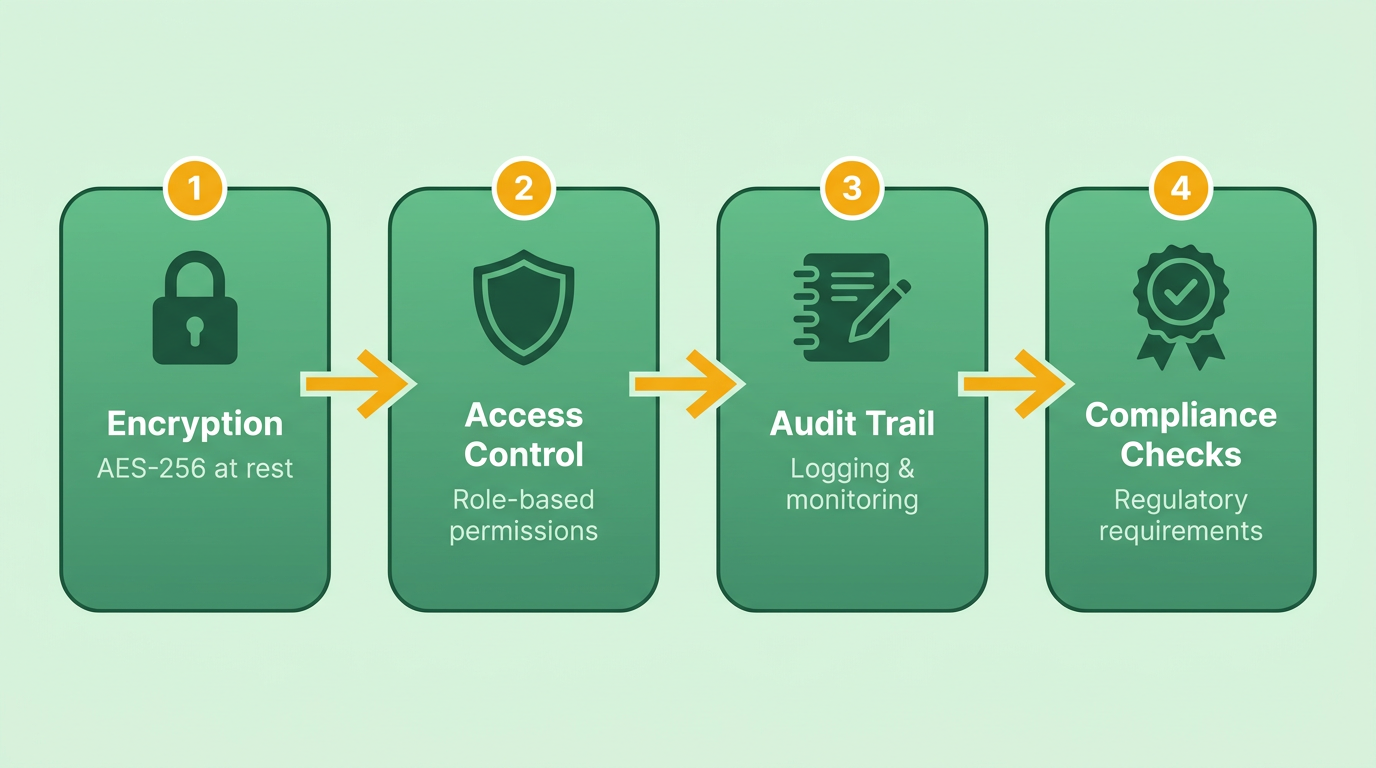
Data encryption is the first line of defense against unauthorized access. Modern systems should use AES-256 encryption for data at rest and TLS 1.2+ for data in transit. As mentioned in the Pre-Automation Checklist section, assessing existing encryption standards is a key step before implementing automation. This ensures that even if data is intercepted, it remains unreadable. Additionally, secure storage protocols-like retaining invoices for at least 7 years for audit purposes-prevent data loss and compliance gaps.
- Enable AES-256 encryption for all stored invoice data
- Use TLS 1.2+ for secure data transmission between systems
- Archive invoices in compliance with retention policies (e.g., 7 years).
What Access Controls Should You Enforce?
User authentication and role-based access prevent unauthorized modifications or data breaches. Systems should require multi-factor authentication (MFA) for all users and assign permissions based on job functions. Building on concepts from the Approval Workflow and System Integration section, role-based access controls (RBAC) align with workflow design to ensure users only access tools relevant to their responsibilities. For example, AP clerks may need access to invoice validation tools, while auditors require read-only access to logs.
- Implement MFA for all user accounts
- Assign role-based access controls (RBAC) to limit permissions
- Audit user activity logs monthly to detect anomalies
A Blixo user reported that enforcing these controls reduced unauthorized access attempts by 80% compared to generic providers lacking granular permissions..
Which Compliance Standards Apply to Your Workflow?
Invoice-to-cash systems handling EU customer data must comply with GDPR, ensuring data minimization, consent tracking, and breach notification procedures. For U.S.-based healthcare or financial institutions, HIPAA mandates additional safeguards for protected health information (PHI). When mapping data flows, as outlined in the Invoice Capture and Data Extraction section, identifying GDPR/HIPAA-covered information is essential to align data handling with compliance requirements.
- Map data flows to identify GDPR/HIPAA-covered information
- Conduct annual compliance audits for regulatory alignment
- Train finance teams on data protection obligations
One company achieved full GDPR compliance by automating consent tracking and anonymizing customer data during invoice processing..
What Benefits Do Secure Systems Deliver?
Secure systems reduce risks like double payments (0.8–2% error rate in manual processes) and data breaches, which cost businesses an average of $4.2 million per incident. Compliant workflows also build trust with partners, enabling faster processing times (e.g., **$2.78 per invoice** for best-in-class teams).
- Lower risk of financial errors and penalties
- Faster processing (e.g., 3.1-day cycle times for top performers)
- Enhanced partner and customer trust through transparency.
How to Address Security and Compliance Challenges?
Common challenges include misconfigured access controls and outdated encryption standards. Regular system audits and employee training mitigate these risks. For example, Blixo offers automated compliance checks that flag non-compliant configurations, unlike platforms that rely on manual reviews. As emphasized in the Ongoing Optimization and Improvement section, continuous monitoring and policy updates are vital to maintaining compliance as regulations evolve.
- Perform quarterly security penetration testing
- Update compliance policies as regulations evolve
- Use automation to monitor real-time compliance status
A healthcare provider avoided HIPAA fines by adopting automated encryption checks, reducing manual oversight by 60%.. By prioritizing encryption, access controls, and regulatory alignment, businesses secure their financial workflows while avoiding costly errors. Regular audits and tools like Blixo ensure these controls remain effective as systems scale.
Ongoing Optimization and Improvement
Ongoing optimization ensures your invoice to cash automation remains efficient and adaptive to changing business needs. Without continuous improvement, even the most advanced systems can develop bottlenecks, compliance gaps, or outdated workflows. This section outlines actionable steps to monitor performance, eliminate inefficiencies, and sustain long-term value from your automation strategy.
Monitoring and Analytics for Invoice to Cash Workflows
Tracking key performance indicators (KPIs) is critical to identifying inefficiencies and measuring progress. Focus on metrics like Days Sales Outstanding (DSO), invoice processing time, error rates, and cost per invoice. Automation can reduce DSO from 45–60 days to 18–28 days while maintaining cost savings of $2–$5 per transaction when configured effectively.
- Track DSO and payment accuracy monthly to identify delays in collections or recurring errors.
- Audit extraction accuracy (95–99% is achievable with modern systems) by testing edge cases like atypical invoice formats. As mentioned in the Invoice Capture and Data Extraction section, automation reduces errors by streamlining this process.
- Monitor cost per invoice to ensure automation delivers consistent savings over time.
- Set up real-time dashboards for KPIs like payment success rates and approval workflow bottlenecks.
Identifying Bottlenecks and Applying Lean Principles
Even automated systems require periodic stress tests to uncover hidden inefficiencies. For example, one company reduced DSO from 52 days to 23 days by optimizing approval workflows and integrating automated payment reminders. Building on concepts from the Approval Workflow and System Integration section, map workflows to identify manual overrides or approvals that slow down processing.
- Conduct monthly end-to-end flow tests to catch silent integration failures between accounting platforms and order management systems.
- Map workflows to identify manual overrides or approvals that slow down processing.
- Apply lean principles like “5 Whys” to root-cause analysis: Why? “Payments are delayed.” Why? “Approvals are pending.” Why? “Managers can’t access approval dashboards.”
- Test edge cases (e.g., multi-currency invoices) to ensure automation handles complex scenarios without errors.
Continuous Improvement Through Process Refinement
Automation is not a one-time setup-it requires iterative updates to adapt to evolving business needs. For example, Blixo emphasizes transparent pricing and regular system audits to maintain high performance, unlike generic providers that may hide costs in long-term contracts. As highlighted in the Why Invoice to Cash Automation Matters section, this strategic approach ensures sustained value.
- Review approval workflows annually to align with new compliance standards or organizational hierarchies.
- Update extraction rules to accommodate new invoice formats or supplier data variations.
- Train teams on new automation features (e.g., AI-driven invoice validation) to maximize adoption.
- Benchmark against industry standards like the 0.8–2% duplicate payment rate in manual systems to highlight automation’s impact.
Measuring the Benefits of Sustained Optimization
Ongoing improvements yield measurable gains in efficiency and cost savings. Businesses that regularly audit their automation systems report 30–50% reductions in DSO and 80% fewer processing errors compared to manual systems. For example, one organization cut invoice processing costs from $15–$25 to $2–$5 per transaction by refining its automation setup.
Addressing Challenges in Long-Term Optimization
Resource constraints and competing priorities often hinder continuous improvement. Teams may struggle to allocate time for audits or face resistance to change. To mitigate this:
- Assign a dedicated automation owner to oversee periodic reviews and updates.
- Prioritize quick wins like automated reminders, which can recover 15–25% of overdue invoices.
- Balance technical upgrades (e.g., API integrations) with process changes (e.g., streamlining approvals).
By embedding optimization into your organizational culture, you’ll turn invoice to cash automation from a static tool into a dynamic asset that evolves with your business needs.
Frequently Asked Questions
1. What are the main benefits of invoice to cash automation?
Key benefits include reducing Days Sales Outstanding (DSO) by 11 days, cutting invoice processing costs to $2–$5 per invoice, and achieving 95–99% data extraction accuracy. Automation also minimizes duplicate payments by 0.8–2% and streamlines workflows via ERP integrations.
2. How does automation reduce Days Sales Outstanding (DSO)?
Automating invoice data entry eliminates manual delays. For example, one company reduced DSO from 52 to 41 days by addressing bottlenecks like manual data entry, which accounts for 68% of companies’ inefficiencies in high-volume scenarios.
3. What accuracy rate do automated systems achieve for invoice data?
Invoice automation systems extract data with 95–99% accuracy, significantly reducing errors compared to manual processes. This level of precision cuts duplicate payment risks by 0.8–2%, as noted in high-volume processing environments.
4. How much can businesses save on invoice processing costs?
Automation reduces costs from $15–$25 per invoice to $2–$5 by minimizing manual labor. Transparent pricing models, like those offered by SaaS providers, further lower expenses while ensuring data quality and compliance.
5. Can automation prevent fraud and revenue leakage?
Yes, AI-driven fraud detection and dispute resolution systems in automated workflows reduce revenue leakage by identifying irregularities in real time. This proactive approach builds on security measures highlighted in compliance-focused automation strategies.
6. How does ERP integration improve invoice workflows?
ERP integration via SaaS platforms like Blixo ensures accurate data at the source, streamlining approvals and reducing errors. This seamless connection cuts processing time and supports real-time payment links, enhancing overall workflow efficiency.
7. What role does real-time payment processing play?
Real-time payment links and automated retries eliminate manual payment errors, ensuring timely collections. This feature reduces delays and improves cash flow, as demonstrated by systems that prevent 0.8–2% duplicate payment risks.