

Invoice to Cash vs Manual Processing

Key Takeaways
- Manual invoice processing plagues 73% of mid-sized companies and 35% of enterprises, creating bottlenecks and payment delays.
- Businesses lose 3–5% of annual earnings through manual invoice errors, late penalties, and inefficient labor.
- Automating invoice workflows can cut Days Sales Outstanding (DSO) by up to 25%, as seen in a chemicals company’s DSO drop from 52 to 41 days.
- Automated systems achieve 99% data extraction accuracy, outperforming 68% of companies still relying on manual data entry.
- A healthcare provider reduced dispute resolution time by 40% through automation, freeing staff for strategic tasks.
- Invoice automation saves 3–5% of annual earnings while reducing DSO and improving cash flow.
- Manual data entry errors affect 68% of companies, causing reconciliation challenges and operational inefficiencies.
Why Efficient Invoice Processing Matters
Efficient invoice processing is critical for businesses aiming to maintain healthy cash flow, reduce operational costs, and enhance customer satisfaction. Manual methods, which still plague 73% of mid-sized companies and 35% of enterprises, create bottlenecks that delay payments, increase errors, and strain financial teams. As mentioned in the Manual Processing: The Traditional Approach section, these inefficiencies persist despite automation alternatives being available. By automating this process, companies can cut costs by 3–5% of annual earnings and reduce Days Sales Outstanding (DSO) by up to 25%. Let’s explore how efficiency transforms financial operations..
What Are the Financial Costs of Manual Invoice Processing?
Manual processes are slow, error-prone, and costly. For example, businesses that rely on spreadsheets or paper-based systems often face 3–5% of earnings lost due to inefficiencies. These costs stem from late payment penalties, manual data entry errors, and the labor required to chase overdue invoices. A European chemicals company reduced its DSO from 52 to 41 days by switching to automation, demonstrating how streamlined workflows directly improve cash flow.
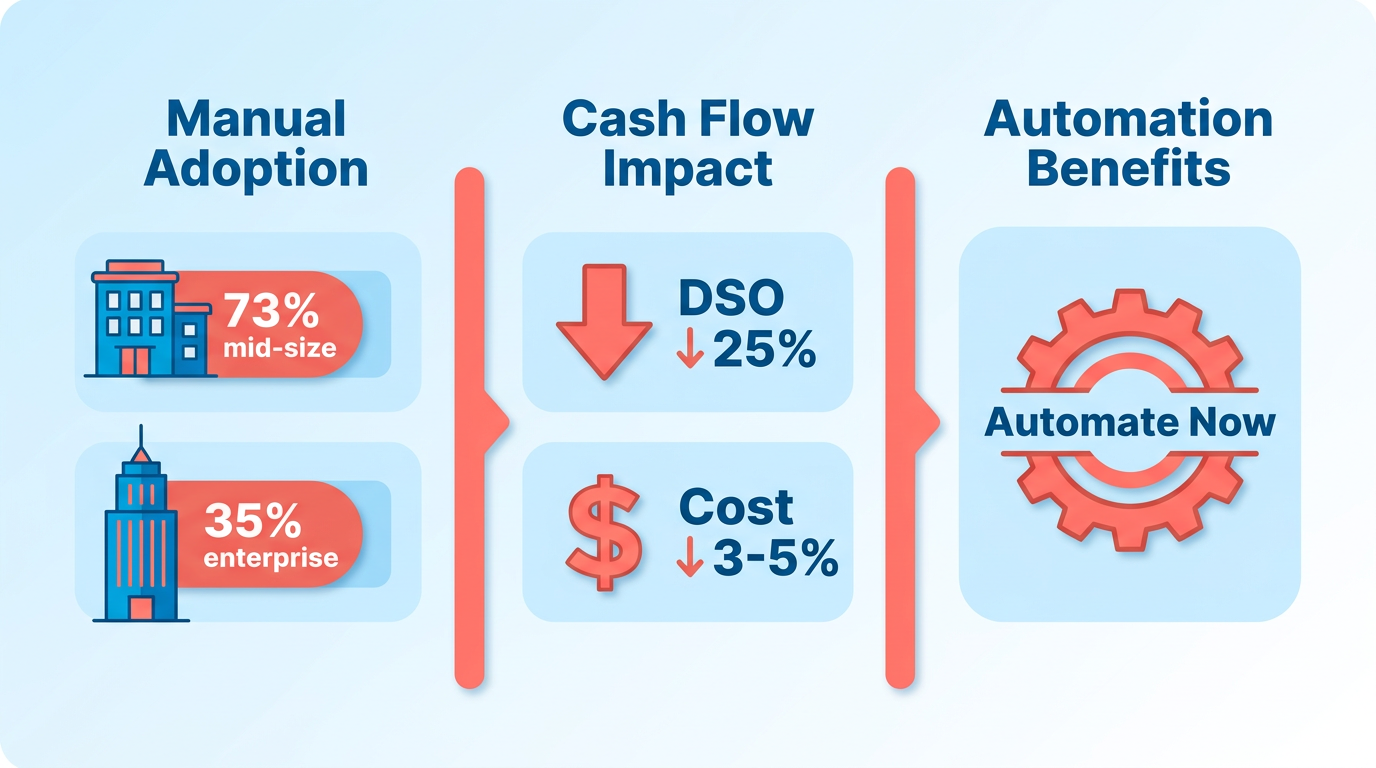
Consider the numbers: 68% of companies still manually enter invoice data, leading to delays and reconciliation challenges. Automated systems, by contrast, achieve 99% accuracy in data extraction, slashing errors and disputes. For instance, a healthcare provider automated dispute resolution and cut resolution time by 40%, freeing staff for strategic tasks..
How Does Inefficiency Impact Cash Flow and Customer Relationships?
Late payments disrupt operations for 93% of businesses, with small firms particularly vulnerable-48% of their invoices are paid late. This creates a ripple effect: delayed cash flow limits reinvestment, strains vendor relationships, and hampers growth. A consulting firm automated its collections and reduced its customer payment cycle from 45 to 30 days, while a SaaS company improved payment rates by sending automated reminders.
Customer satisfaction also hinges on efficiency. Manual processing often leads to incorrect invoices or delayed delivery, frustrating clients. Automated systems ensure timely, accurate billing and provide self-service portals for customers to track payments. One retail chain boosted customer satisfaction by integrating omnichannel payment options, reducing disputes and late payments..
Which Businesses Benefit Most from Automation?
Efficiency gains apply across industries and company sizes. High-transaction-volume businesses, like e-commerce firms, see 60% faster invoice cycles with automation. SaaS companies with subscription models rely on automation to manage complex billing structures, ensuring recurring payments are processed without errors. Even mid-sized firms, such as a tax accounting service, reduced DSO by 54 days through personalized automated follow-ups.
The benefits extend beyond finance teams. Sales and operations gain visibility into real-time cash positions, enabling better forecasting. For example, a global manufacturing company automated invoice generation and collections, reducing DSO by 25% and improving revenue recognition accuracy. Building on concepts from the Invoice to Cash: An Overview section, automation streamlines end-to-end workflows, enhancing financial transparency..
Comparing Manual vs. Automated Invoice Processing
| Feature | Manual Processing | Automated Processing |
|---|---|---|
| Error Rate | 5–10% due to human input | <1% (99% data extraction accuracy) |
| Time to Process Invoices | Hours to days per invoice | Seconds to minutes per invoice |
| DSO Impact | High (avg. 45+ days) | Reduced by 10–25% |
| Cost Savings | 3–5% of annual revenue lost | 20–30% reduction in operational costs |
Automation also enable strategic value. AI-powered platforms provide real-time financial insights, enabling proactive cash flow management. A 2025 Gartner report found 59% of CFOs use AI in finance, with plans to increase investments by 10% annually. As outlined in the Implementing Invoice to Cash: Best Practices and Considerations section, integrating AI into processing workflows supports scalable financial operations..
Key Challenges Solved by Efficient Processing
- Reduced Errors: Automated reconciliation cuts manual effort by 99%, minimizing disputes.
- Improved Transparency: Real-time dashboards track open invoices and payment statuses.
- Faster Collections: Multi-channel payment options and dunning automation speed up cash application.
For example, KlearStack’s platform automates invoice data capture, reducing administrative cleanup by 90%. Similarly, Billtrust processes $1 trillion annually, helping clients improve cash flow predictability..
The Bottom Line
Efficient invoice processing isn’t just about saving time-it’s about securing financial stability and competitive advantage. Companies that automate see 5.5 fewer days in DSO, 25% faster collections, and significant cost savings. As 73% of mid-sized firms still rely on manual methods, the opportunity to modernize is vast. By addressing inefficiencies, businesses can transform invoice-to-cash workflows into a strategic asset, ensuring agility and resilience in a digital economy.
Invoice to Cash: An Overview
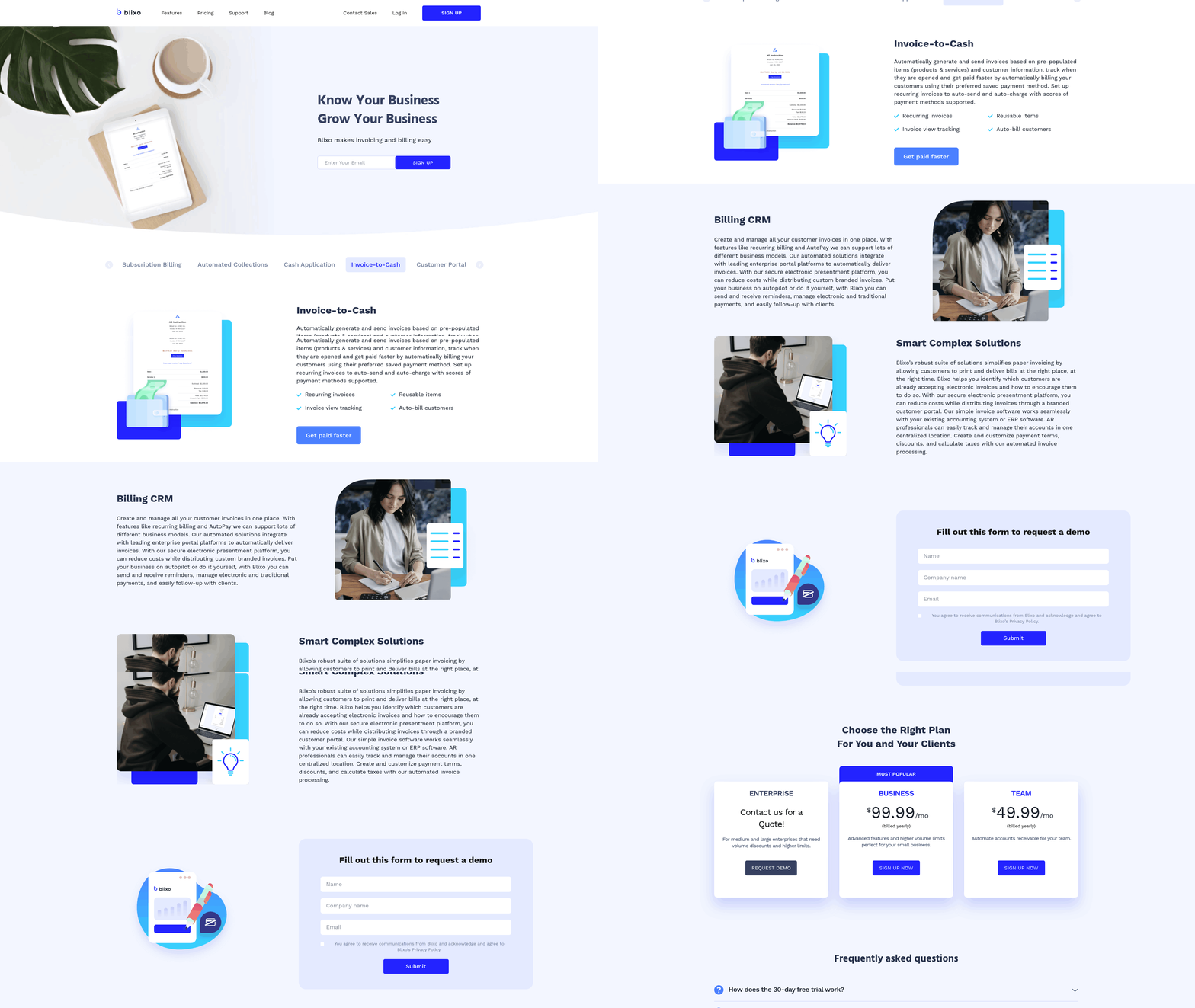
The core difference lies in speed, accuracy, and scalability. Manual processing relies on human intervention for tasks like data entry, follow-ups, and reconciliation, which are time-consuming and prone to errors. In contrast, Invoice to Cash use automation to handle these steps digitally. As mentioned in the Comparison of Invoice to Cash and Manual Processing section, automation reduces the customer payment cycle from 45 days to 30 days and cuts unapplied cash by up to 99%.
Automation in I2C delivers measurable advantages. First, it improves cash flow by accelerating payment cycles. Building on concepts from the Why Efficient Invoice Processing Matters section, efficient processing is critical for maintaining healthy cash flow and reducing late payments, which 93% of businesses face.
A strong I2C system integrates multiple components:
- Invoice Generation: Automated creation of invoices from ERP or CRM systems, validated against contract terms.
- Collections Management: Multi-channel dunning (email, SMS) and personalized reminders to reduce late payments.
- Cash Application: AI-powered matching of payments to invoices, reducing unapplied cash by up to 99%.
- Revenue Recognition: Automated tracking and reporting for compliance with accounting standards.
Implementation requires seamless integration with existing systems like QuickBooks or SAP. As discussed in the Implementing Invoice to Cash: Best Practices and Considerations section, training and data quality are critical-poor data upstream can derail automation efforts.
Manual Processing: The Traditional Approach
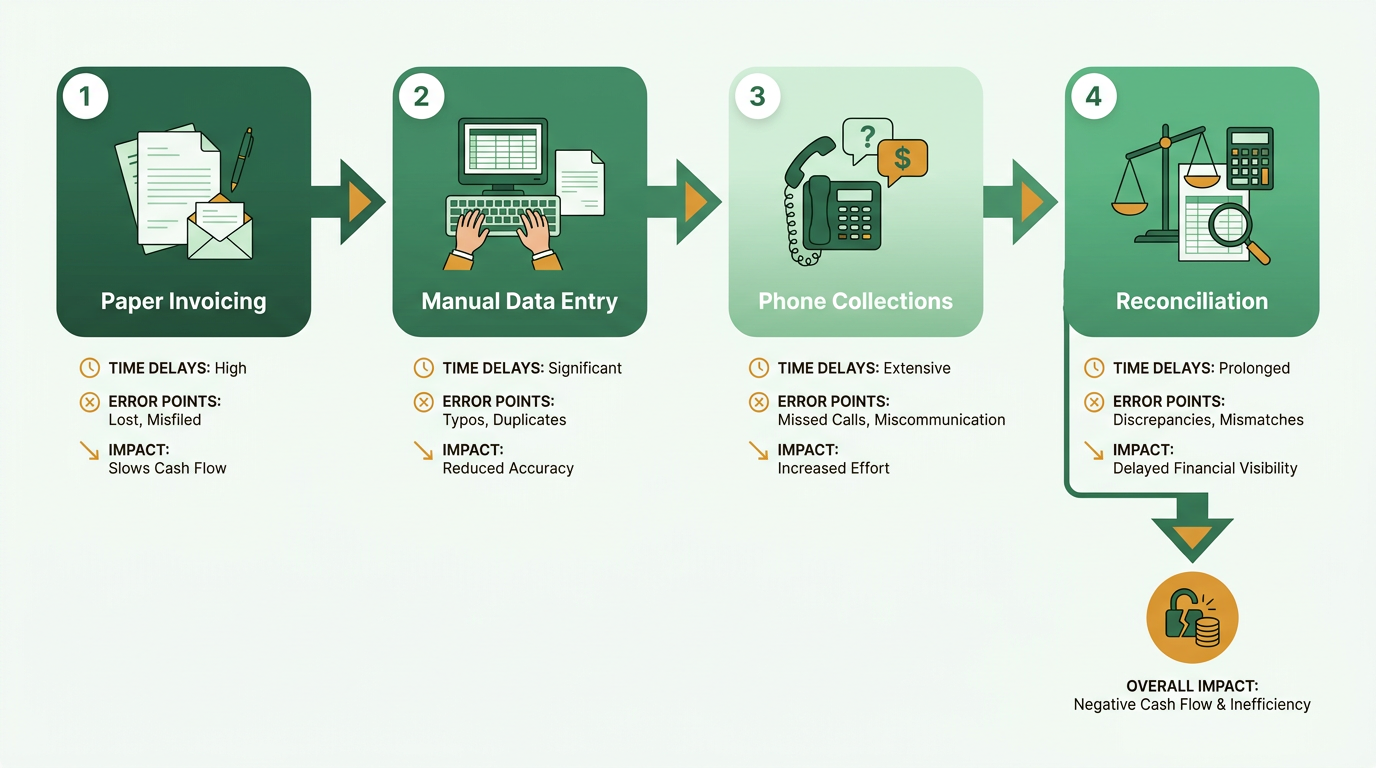
Manual processing remains a prevalent method in accounts receivable, with 35% of enterprises and 73% of mid-sized companies relying on it despite its drawbacks. This approach involves paper-based invoicing, manual data entry, and phone-based collections, creating a labor-intensive workflow that prioritizes human oversight over automation. While it offers flexibility for unique cases, its limitations in speed and accuracy often strain cash flow management. As mentioned in the Why Efficient Invoice Processing Matters section, efficient workflows are critical for maintaining healthy cash flow, a challenge manual systems frequently fail to address.
| Feature | Manual Processing | Invoice to Cash Automation |
|---|---|---|
| Error Rate | High (e.g., 68% manual data entry) | Low (up to 99% accuracy in data extraction) |
| Time to Process | Weeks or more (e.g., 45-day payment cycle) | 30 days or faster with automation |
| Scalability | Struggles with growth; manual effort increases | Scales efficiently with automation |
| Human Touch | Strong (personalized communication) | Maintains touch via automated templates |
How Manual Processing Works
Manual processing follows a linear workflow: invoice creation, data entry, and collections. Invoices are often printed and mailed, requiring recipients to manually track payments. Data entry involves transcribing invoice details into accounting systems, a task prone to errors when 68% of companies still rely on manual input. Collections depend on phone or email follow-ups, which can delay resolution of disputes. This method suits small operations but falters as transaction volumes grow. Building on concepts from the Invoice to Cash: An Overview section, automated systems streamline these steps by integrating digital tools for faster processing.
What Are the Benefits of Manual Processing?
Manual processing offers flexibility for custom requests and customization for niche scenarios. For example, a boutique service provider might tailor invoicing terms for clients with unique payment schedules. The human touch also fosters relationships-personalized calls can resolve disputes faster than automated systems. However, these advantages come at a cost: manual workflows are slow, error-prone, and unable to handle large-scale operations efficiently.
What Limitations Does Manual Processing Face?
The primary drawbacks include errors, inefficiencies, and scalability issues. Manual data entry introduces inaccuracies-93% of businesses face late payments, partly due to invoice errors. A mid-sized company using paper invoices might spend hours daily reconciling discrepancies. Scalability is another challenge: as transaction volumes rise, manual teams struggle to keep pace, leading to bottlenecks. For instance, a growing e-commerce firm using Excel for invoicing may find it impossible to track payments across multiple channels without automation.
Real-World Challenges of Manual Processing
Consider a mid-sized manufacturing firm that relies on paper invoices and manual data entry. When a client disputes an invoice due to a pricing mistake, the finance team must manually search for the original contract, causing delays. Meanwhile, collections depend on phone calls, which can strain relationships if follow-ups are inconsistent. These inefficiencies highlight why 35% of enterprises still use manual methods-often due to legacy systems or lack of resources-but also explain why many face cash flow disruptions. By contrast, businesses like the consulting firm in the Comparison of Invoice to Cash and Manual Processing section reduced payment cycles from 45 to 30 days by automating invoicing, a stark contrast to manual workflows.
For companies stuck in manual processing, the path forward involves evaluating bottlenecks and exploring automation tools that integrate with existing systems. While manual methods offer control in specific cases, their limitations in speed and accuracy make them unsustainable for long-term growth.
Comparison of Invoice to Cash and Manual Processing
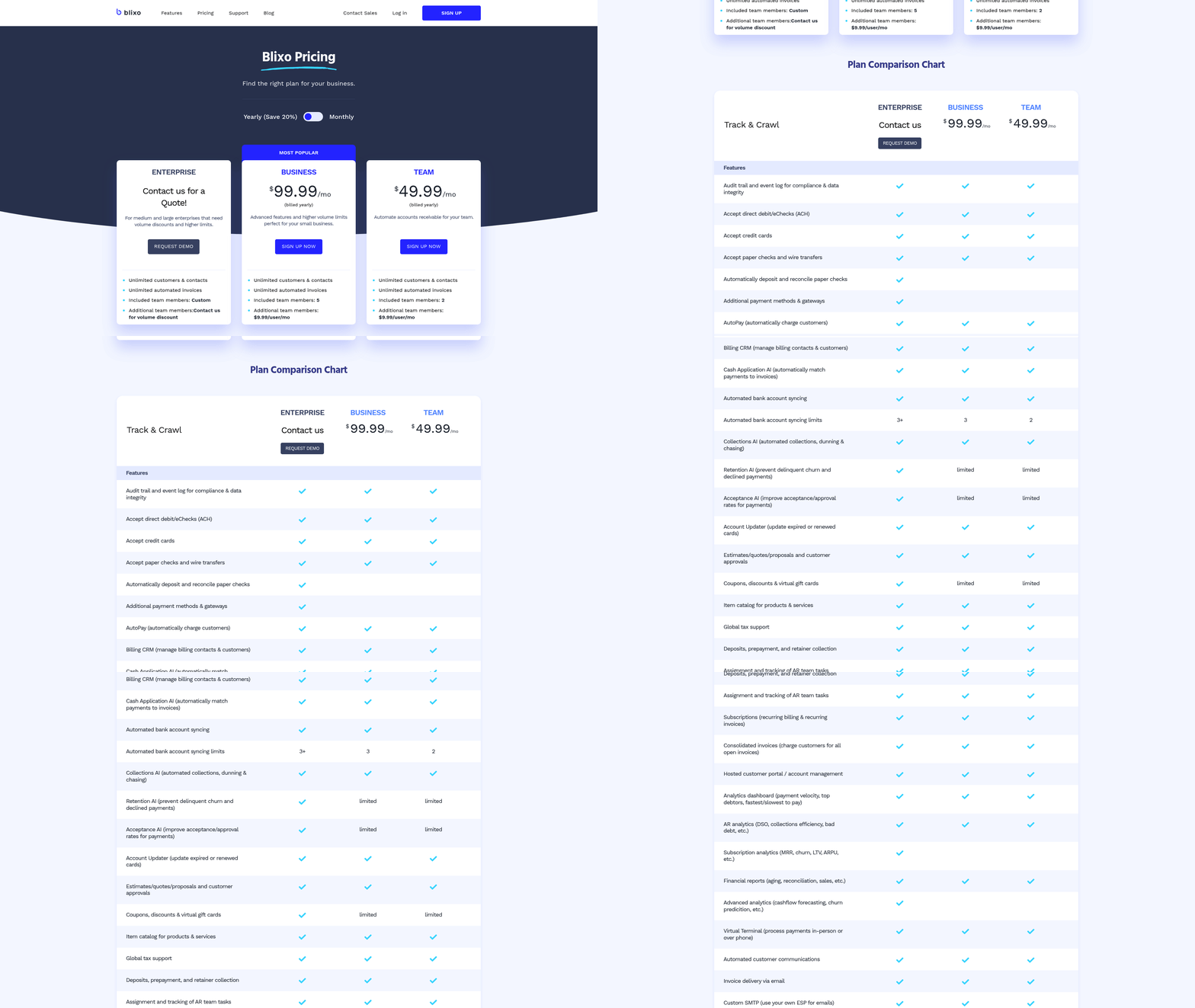
Businesses evaluating Invoice to Cash (I2C) automation versus manual processing must weigh efficiency, accuracy, and scalability. Key differences emerge in efficiency, accuracy, and cost, as detailed in the Key Metrics Comparison. For instance, automation cuts customer payment cycles by 15 days compared to manual methods, which see 93% of businesses facing late payments. Manual processing’s reliance on human input, however, aligns with the Manual Processing: The Traditional Approach section’s explanation of paper-based workflows and their inherent bottlenecks.
Automation’s strengths in scalability and accuracy become critical for enterprises with complex revenue streams, as highlighted in the Invoice to Cash: An Overview section. Conversely, manual workflows may initially suit small businesses but become unsustainable at scale. The Implementing Invoice to Cash: Best Practices and Considerations section further emphasizes the importance of ERP integration and training when transitioning from manual to automated systems.
By aligning tools with operational goals, businesses can optimize cash flow and reduce errors-whether through full automation or a hybrid approach, as discussed in the Overcoming Common Challenges in Invoice to Cash and Manual Processing section.
Implementing Invoice to Cash: Best Practices and Considerations
Implementing an Invoice to Cash (I2C) system requires careful planning to maximize efficiency and minimize disruptions. Start by prioritizing change management and training to ensure smooth adoption. Teams accustomed to manual processes may resist automation, so clear communication about the benefits-such as faster payments and reduced errors-is critical. For example, a consulting firm reduced its customer payment cycle from 45 to 30 days by automating reminders and collections, showcasing how structured training and stakeholder buy-in drive success [source case studies]. As mentioned in the Manual Processing: The Traditional Approach section, manual methods often lead to delays and errors, making automation a strategic shift.
Key Considerations for System Integration
When integrating an I2C system with ERP, CRM, and accounting software, focus on seamless compatibility and data quality. Legacy systems often struggle with unstructured data, leading to bottlenecks during automation. A European chemicals company, for instance, cut Days Sales Outstanding (DSO) from 52 to 41 days by deploying an AI-native platform that connected directly to its ERP, streamlining cash application and collections [source case studies]. Building on concepts from the Comparison of Invoice to Cash and Manual Processing section, poor data quality is a leading cause of automation failures, emphasizing the need for upstream validation of contract data and pricing rules.
Avoiding Common Pitfalls
User resistance and data migration errors are frequent hurdles. Address resistance by involving finance teams early in the planning phase and demonstrating automation’s benefits, such as shifting focus from repetitive tasks to strategic analysis. A high-transaction-volume business reduced invoice cycles by 60% by combining automated workflows with personalized communication, proving that automation complements-not replaces-human judgment [source case studies]. Overcoming Common Challenges in Invoice to Cash and Manual Processing highlights similar resistance issues, underscoring the importance of stakeholder engagement.
…
| Feature | Manual Processing | Automated Processing |
|---|---|---|
| Error Rate | High (3–5% cost of earnings) | Low (99% reduction in unapplied cash) |
| DSO Impact | 45–52 days | 30–41 days (case study results) |
| Cash Flow Visibility | Limited | Real-time tracking and reporting |
By aligning automation with strategic goals and prioritizing user adoption, businesses can transform their I2C processes into a competitive advantage. Start small, validate results, and scale gradually to ensure long-term success.
Overcoming Common Challenges in Invoice to Cash and Manual Processing

Businesses using Invoice to Cash (I2C) and Manual Processing face distinct challenges that impact efficiency, accuracy, and cash flow. Understanding these hurdles-and how to address them-is critical for optimizing financial operations. Below, we break down the common pain points for each approach, supported by real-world examples and actionable strategies..
What Challenges Do Invoice to Cash Systems Face?
Data migration issues, system downtime, and user resistance are frequent roadblocks in I2C implementations. Migrating legacy data to automated systems can introduce errors if not carefully managed. System downtime during transitions or updates disrupts workflows, delaying payments and collections. User resistance often stems from unfamiliarity with new tools or concerns about job displacement.
For example, a consulting firm in [source 12] reduced its payment cycle from 45 to 30 days through automation, but only after addressing initial pushback with targeted training. Similarly, a European chemicals company [source 8] cut Days Sales Outstanding (DSO) by 11 days using AI-native platforms, emphasizing the need for seamless integration with existing ERP systems.
Solutions include:
- Phased rollouts to minimize downtime and allow teams to adapt.
- Data validation tools to ensure accuracy during migration.
- Training programs tailored to different user roles, paired with change management strategies. Building on concepts from the Implementing Invoice to Cash: Best Practices and Considerations section, these strategies help mitigate disruptions during transitions..
Why Manual Processing Struggles with Errors and Scalability
Manual Processing is prone to human errors, inefficiencies, and scalability limits. Manual data entry in Excel or paper-based systems leads to inaccuracies, with 3–5% of earnings lost to errors [source 1]. Repetitive tasks like chasing late payments consume 30-50% of finance teams’ time [source 3]. As businesses grow, manual workflows become unsustainable, with 73% of mid-sized companies still relying on them [source 12].
As mentioned in the Manual Processing: The Traditional Approach section, this reliance highlights the urgent need for automation. A healthcare provider [source 10] reduced dispute resolution time by 40% through automation, demonstrating how manual processes create bottlenecks. Small businesses suffer disproportionately, with 48% of invoices paid late [source 7], straining cash flow.
Best practices for overcoming these issues:
- Automate repetitive tasks like invoice creation and payment reminders.
- Implement multi-channel communication (email, SMS, in-app) to streamline collections.
- Integrate with accounting software (e.g., QuickBooks, Xero) to reduce reconciliation errors..
How to Mitigate Risks Before They Escalate
Proactively identifying risks ensures smoother transitions and sustained efficiency. For I2C systems, poor data quality is a top failure cause [source 4], so cleaning up legacy data before automation is critical. Manual teams should audit workflows to pinpoint inefficiencies, such as inconsistent payment terms or delayed follow-ups.
As detailed in the Comparison of Invoice to Cash and Manual Processing section, automated systems achieve 1–2% error rates, whereas manual processes reach 3–5% [source 1]. Real-world success stories include a SaaS company that automated recurring billing and added AI-powered payment reminders, cutting late payments by 35% [source 12], and a global manufacturing firm that reduced DSO by 25% using AI-driven cash application [source 10].
Actionable tips:
- Map your current workflow to identify bottlenecks.
- Pilot automation on a small scale before full deployment.
- Monitor KPIs like DSO, invoice accuracy, and payment cycle time to track progress.
Conclusion and Recommendations
Businesses evaluating invoice to cash (I2C) automation versus manual processing must weigh efficiency, accuracy, and scalability. Key differences emerge in error rates, speed, and operational complexity. As mentioned in the Comparison of Invoice to Cash and Manual Processing section, manual processing introduces human errors and delays, with 93% of businesses facing late payments regularly. In contrast, I2C automation reduces payment cycles-cutting 45 days to 30 days in one case-and lowers Days Sales Outstanding (DSO) by up to 25%.
For companies prioritizing cash flow stability and operational efficiency, I2C automation offers clear advantages. Building on concepts from the Why Efficient Invoice Processing Matters section, automation streamlines tasks like invoice generation, payment reminders, and reconciliation, freeing finance teams to focus on strategic work. For example, a consulting firm reduced its payment cycle by 15 days, while a SaaS company improved collections with automated reminders.
However, adoption requires careful planning. Businesses should:
- Assess bottlenecks: Identify manual steps causing delays, like inconsistent payment chasing or invoice errors.
- Ensure system integration: Choose platforms compatible with existing ERP or accounting software (e.g., QuickBooks, Xero), as outlined in the Implementing Invoice to Cash: Best Practices and Considerations section.
- Train teams: Clear communication and training are critical to avoid resistance and ensure smooth adoption.
Mid-sized firms with high transaction volumes stand to gain the most, given their 73% reliance on manual systems. Small businesses, meanwhile, can use automation to avoid the 48% late payment rate common in their sector.
Frequently Asked Questions
1. What percentage of companies still use manual invoice processing?
73% of mid-sized companies and 35% of enterprises rely on manual invoice processing, causing bottlenecks and payment delays. This inefficiency persists despite automation solutions being available.
2. How much do businesses lose from manual invoice errors?
Businesses lose 3–5% of annual earnings annually due to manual invoice errors, late penalties, and inefficient labor, impacting cash flow and operational costs.
3. How does automation reduce Days Sales Outstanding (DSO)?
Automation can cut DSO by up to 25%. For example, a chemicals company reduced its DSO from 52 to 41 days by automating invoice workflows, improving cash flow.
4. What is the accuracy difference between manual and automated systems?
Automated systems achieve 99% data extraction accuracy, outperforming manual entry, which affects 68% of companies and leads to reconciliation errors.
5. How does automation improve dispute resolution time?
Automation reduces dispute resolution time by up to 40%, as seen in a healthcare provider’s case, allowing staff to focus on strategic tasks instead of manual reconciliation.
6. What are the financial benefits of invoice automation?
Invoice automation saves 3–5% of annual earnings by reducing DSO, minimizing errors, and cutting late penalties, while improving cash flow and operational efficiency.
7. What operational issues stem from manual data entry?
Manual data entry errors affect 68% of companies, causing reconciliation challenges, delayed payments, and increased labor costs to resolve inaccuracies.