

How to Use Invoice to Cash Automation

Key Takeaways
- Invoice-to-cash automation is a strategic necessity to eliminate bottlenecks and improve cash flow efficiency.
- Automating invoice-to-cash processes reduces Days Sales Outstanding (DSO) by 20–30% using AI-driven solutions.
- Automated workflows cut unapplied cash by 99% and trim DSO by one week, saving 5–10 hours weekly for AR teams.
- 70% of finance teams cite slow processing as their top manual invoice-to-cash pain point, with 57.9% struggling to scale operations.
- Manual data entry consumes 90% of administrative effort in invoice-to-cash processes, increasing error rates.
- Businesses with high DSO often face liquidity challenges, as delayed payments strain working capital.
- Manual invoice-to-cash workflows erode customer trust due to payment delays and operational inefficiencies.
Why Invoice-to-Cash Automation Matters
Why Invoice-to-Cash Automation Matters.
Invoice-to-cash (I2C) automation isn’t just a trend-it’s a strategic necessity for businesses aiming to thrive in today’s fast-paced economy. Manual processes create bottlenecks that delay payments, inflate operational costs, and erode customer trust. By automating this critical financial workflow, companies can transform their cash flow, reduce errors, and free up resources for higher-value tasks. Below, we break down why this shift matters for businesses of all sizes.
How Does Invoice-to-Cash Automation Impact Cash Flow?
A key metric in financial health is Days Sales Outstanding (DSO), which measures how quickly a company collects payments. Industry benchmarks show that businesses with high DSO often struggle with liquidity, as delayed payments strain working capital. Automation addresses this by accelerating collections and reducing errors. As mentioned in the Understanding the Invoice-to-Cash Stage Sequence section, streamlined workflows ensure smoother transitions between invoice delivery and payment processing. AI-driven solutions can cut DSO by 20–30% by automating tasks like invoice delivery, payment matching, and dispute resolution. One company using automation reduced unapplied cash by 99% and trimmed DSO by a week, saving 5–10 hours weekly for accounts receivable teams.
What Are the Hidden Costs of Manual Processes?
Manual invoice-to-cash workflows are time-consuming and error-prone. A 2025 study of 103 businesses revealed that 70% of finance teams cite slow processing as their top pain point, with 57.9% struggling to scale operations. Manual data entry alone accounts for 90% of administrative effort in some cases, while human errors-like mismatched payments or missed deductions-cost companies up to $2.5 million annually. These delays also hurt customer satisfaction, as late payments often lead to strained relationships and increased bad debt (up to 20% higher in unautomated systems).
Who Benefits Most from Automation?
While enterprises with complex operations are obvious candidates for automation, small and medium-sized businesses (SMBs) stand to gain just as much. SMBs often lack the resources to manage fragmented workflows manually, leading to missed revenue and operational inefficiencies. For instance, a mid-sized manufacturing firm automated its collections workflow, reducing the gap between shipments and payments by 40%. Enterprises, on the other hand, use automation to handle high transaction volumes and global compliance. Building on concepts from the Implementing Invoice-to-Cash Automation with Blixo section, businesses can tailor solutions to their scale. One company processed 50,000+ invoices seamlessly using cash application automation, improving accuracy to 99% and recovering 1–3% in lost revenue.
Real-World Results from Automated Systems
The benefits of automation aren’t just theoretical. A leading FMCG brand reconciled invoices and bank statements against retailer remittances in real time, cutting DSO by 20%. Another company automated parent-child payment hierarchies and currency conversions, achieving 98% accuracy in cash application. These outcomes align with broader industry trends as detailed in the Real Results: Measuring the Success of Invoice-to-Cash Automation section. AI-powered solutions can reduce manual effort by 90% and shorten the cash conversion cycle by up to 30 days. For businesses looking to replicate these results, SaaS providers like Blixo offer end-to-end automation with transparent pricing and scalable AI capabilities.
Why Act Now?
The cost of inaction is clear. Manual processes delay payments, inflate administrative overhead, and increase bad debt. Automation, however, turns these challenges into opportunities. By reducing DSO, streamlining collections, and improving visibility into receivables, businesses can reinvest savings into growth initiatives. For example, one organization recovered $33.4 million in overdue payments within 34 days using AI-driven tools-a stark contrast to the 90-day average in its sector.
For deeper insights, explore how AI reshapes I2C workflows or real-world automation case studies. The message is clear: automation isn’t optional-it’s a competitive edge.
Understanding the Invoice-to-Cash Stage Sequence
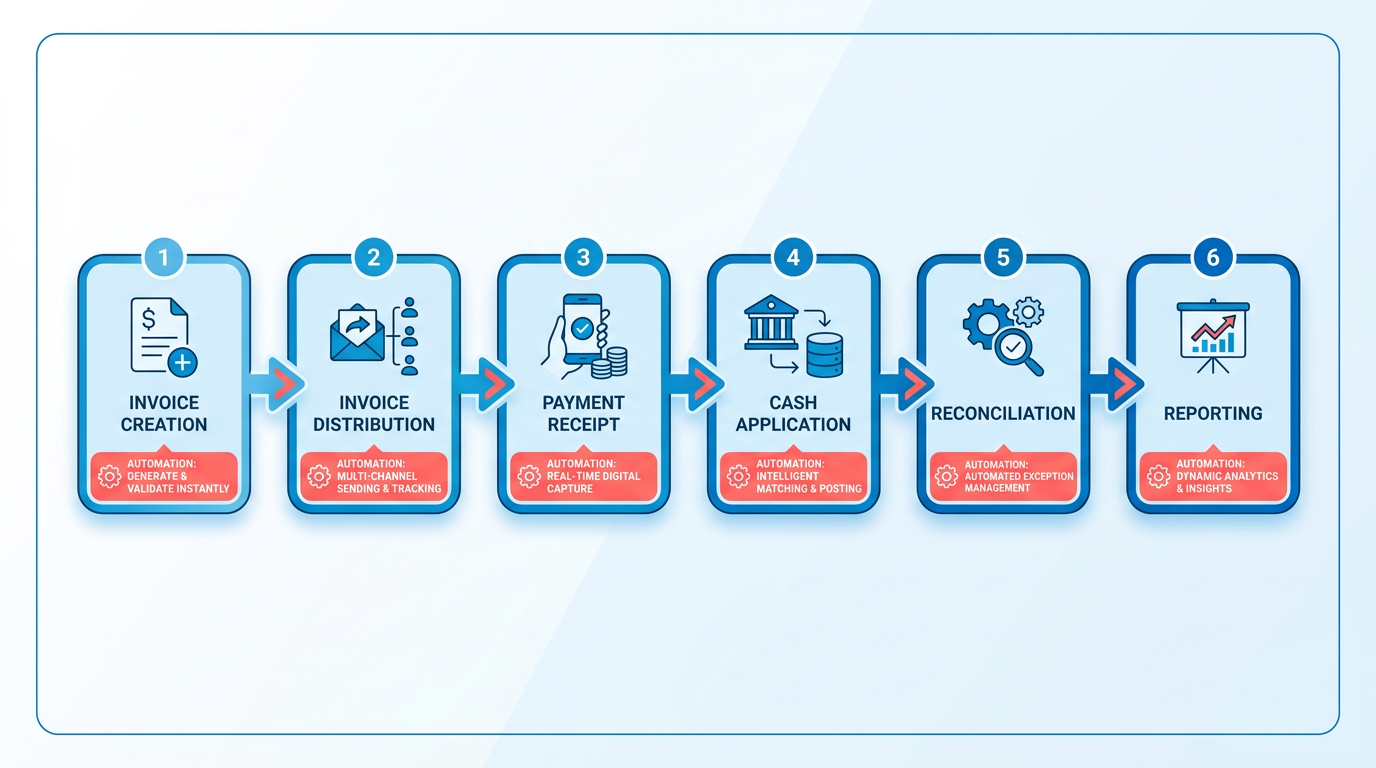
The invoice-to-cash (I2C) process transforms revenue into cash flow through six sequential stages, each critical to financial efficiency. Automation streamlines these steps, reducing errors, accelerating cash flow, and improving visibility. Below is a breakdown of each stage, supported by real-world outcomes and technical insights from industry practices..
1. Invoice Creation
How Automation Helps: Automating invoice creation eliminates manual data entry errors and speeds up processing. AI-driven systems generate accurate invoices by pulling data from ERP systems, ensuring consistency. As mentioned in the Real Results: Measuring the Success of Invoice-to-Cash Automation section, accurate invoice creation directly impacts bad debt reduction, with one company achieving a 20% improvement by flagging discrepancies before invoice delivery.
Best Practices:
- Integrate invoice creation with ERP platforms to ensure real-time data synchronization.
- Use AI to validate customer details and payment terms, reducing disputes.
Challenges:
- Legacy systems may lack compatibility with modern automation tools.
- Custom invoice formats require adaptable software to handle complexity..
2. Dunning
How Automation Helps: Automated dunning sends timely payment reminders to customers, reducing late payments. AI predicts which accounts are at risk of default and prioritizes collections. One provider reported a 30% improvement in net recovery by tailoring communication strategies (e.g., email, SMS) to customer preferences.
Best Practices:
- Deploy tiered reminders with escalating urgency based on payment history.
- Use analytics to identify patterns in delayed payments and address root causes.
Challenges:
- Over-automation can harm customer relationships if reminders feel intrusive.
- Balancing efficiency with personalization requires fine-tuned AI models..
3. Payment Collection
How Automation Helps: Automation streamlines payment collection by accepting multiple payment methods (ACH, credit cards, etc.) and matching payments to invoices in real time. As highlighted in the Real Results: Measuring the Success of Invoice-to-Cash Automation section, a solution with 90%+ auto-match accuracy reduced unapplied cash by 99%, freeing teams from manual reconciliation.
Best Practices:
- Enable self-service portals for customers to track payments and resolve issues instantly.
- Use multi-currency support for global transactions to simplify cross-border payments.
Challenges:
- Discrepancies in remittance data (e.g., missing payment notes) can delay matching.
- Integrating with diverse banking systems requires strong API capabilities..
4. Reconciliation
How Automation Helps: AI-powered reconciliation matches payments to invoices instantly, even with complex datasets. One platform achieved 99% accuracy by analyzing bank statements, credit notes, and remittances simultaneously. This cut reconciliation time by 40% for a manufacturing firm.
Best Practices:
- Prioritize multi-way matching engines to resolve partial payments and returns.
- Ensure real-time visibility into cash positions for financial planning.
Challenges:
- Poor-quality bank data (e.g., incomplete metadata) can reduce auto-match rates.
- Manual intervention is still needed for exceptions like disputes or adjustments..
5. Reporting
How Automation Helps: Automated reporting provides real-time dashboards for key metrics like Days Sales Outstanding (DSO) and bad debt ratios. A provider’s analytics tools reduced DSO by 30% by highlighting delayed receivables and forecasting cash flow gaps.
Best Practices:
- Customize KPIs to align with business goals (e.g., collections efficiency, customer satisfaction).
- Use drill-down capabilities to investigate anomalies in payment trends.
Challenges:
- Overloading reports with data can obscure actionable insights.
- Ensuring data security across cloud-based reporting platforms is critical..
6. Revenue Recognition
How Automation Helps: Automation ensures compliance with accounting standards by matching revenue to recognized periods. As outlined in the Why Invoice-to-Cash Automation Matters section, compliance with accounting standards is crucial for financial accuracy. AI tools flagged $1.3 million in annual interest savings for a client by aligning payments with revenue recognition rules.
Best Practices:
- Configure software to auto-apply accounting rules (e.g., ASC 606, IFRS 15).
- Track revenue milestones in real time for accurate forecasting.
Challenges:
- Complex contracts with multi-element billing require advanced logic.
- Manual overrides may be necessary for unique revenue scenarios..
Cross-Stage Automation Strategies
To maximize impact, apply automation holistically:
- Integration: Choose platforms compatible with 50+ ERPs and 110+ banks for seamless data flow, as discussed in the Implementing Invoice-to-Cash Automation with Blixo section.
- Scalability: Prioritize solutions that handle high-volume transactions (e.g., 50,000+ invoices monthly).
- Adaptability: Use AI to evolve with changing customer behaviors and regulatory requirements.
By automating each stage, businesses can reduce operational costs by up to 90% while improving cash flow predictability. The next step is selecting a solution that aligns with your specific needs, ensuring both technical and financial scalability.
Implementing Invoice-to-Cash Automation with Blixo
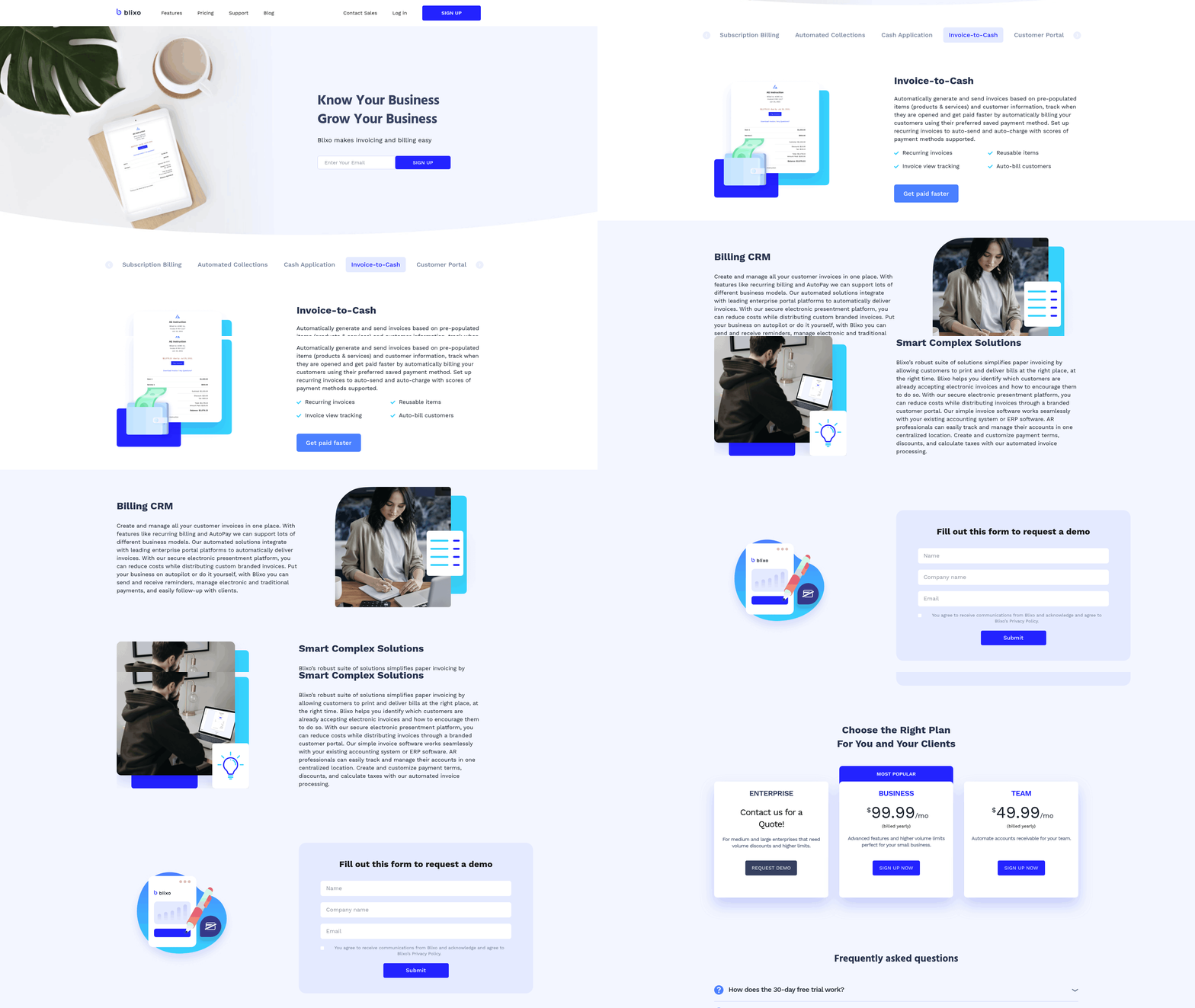
Implementing invoice-to-cash automation with Blixo streamlines financial operations by using AI-driven tools, seamless integrations, and customizable workflows. Below is a structured guide to deploying Blixo’s SaaS service, supported by real-world results and best practices..
What Features Does Blixo Offer for Invoice-to-Cash Automation?
Blixo automates invoice-to-cash processes using AI agents, multi-way matching engines, and real-time ERP integrations. Its SaaS service reduces manual effort by up to 90% while achieving 99% accuracy in payment matching. Key features include:
- AI-powered cash application: Handles complex scenarios like partial payments, parent-child invoice hierarchies, and currency fluctuations.
- Multi-modal data ingestion: Processes bank statements, remittance advices, and invoices from PDFs, Excel, or API feeds.
- Real-time reconciliation: Matches payments to invoices across ERP systems, eliminating delays in cash posting.
- Automated collections workflows: Sends payment reminders and tracks DSO metrics to accelerate receivables.
For example, one company reduced manual cash application tasks by 70% after Blixo’s AI matched payments against invoices, even with poor-quality bank data. These results align with the Real Results: Measuring the Success of Invoice-to-Cash Automation section, which highlights measurable improvements in DSO and automation rates..
How Do You Set Up Blixo for Invoice-to-Cash Automation?
- Onboard and Configure Workflows. Begin by defining user roles and mapping invoice-to-cash workflows. Blixo’s setup includes:
- Importing historical invoice and payment data.
- Defining rules for payment allocation (e.g., prioritizing early payment discounts).
- Setting up automated notifications for exceptions like unmatched payments.
Tip: Use Blixo’s pre-built templates for common workflows to save configuration time.
-
Integrate with ERP and Payment Systems. Connect Blixo to your ERP (e.g., SAP, Oracle) via API or cloud-native SaaS links. This ensures real-time synchronization of invoice data and payment status. As mentioned in the Understanding the Invoice-to-Cash Stage Sequence section, ERP integration is critical for aligning payment data with each stage of the revenue cycle. For instance, a manufacturing firm automated bank statement reconciliation by linking Blixo directly to its ERP, cutting DSO by a week.
-
Train AI Matching Rules. Use Blixo’s multi-layered scoring model to fine-tune how AI matches payments to invoices. This includes:
- Teaching the system to recognize naming conventions for vendors or customers.
- Handling edge cases like short-pays or multi-currency transactions.
- Testing the model with historical data to ensure accuracy before full deployment..
What Are Common Challenges in Implementation?
Challenge 1: Data Quality Issues Legacy systems may have inconsistent invoice numbers or missing remittance data. Solution: Blixo automatically requests missing remittance details and uses fuzzy matching to align payments with invoices.
Challenge 2: Integration Complexity Connecting Blixo to legacy ERPs can require custom API configurations. Building on concepts from the Overcoming Common Challenges and Obstacles section, Blixo’s API-first architecture and cloud-native platform simplify data flow. A retail company automated credit note generation by integrating Blixo with its sales scheme data.
Challenge 3: Change Management Teams may resist shifting from manual processes. Solution: Provide role-specific training and highlight time savings. One finance team reduced cash application hours from 40 to 5 per week after Blixo’s automation.
Real Results: Measuring the Success of Invoice-to-Cash Automation
Measurable Outcomes of Invoice-to-Cash Automation
Invoice-to-cash automation delivers tangible results, with businesses reporting 20–30% reductions in Days Sales Outstanding (DSO) and up to 99% accuracy in cash application. For example, one global food company optimized working capital by 20% while saving over $100,000 in operational costs. Another enterprise streamlined 50,000+ invoices using automation, reducing manual effort by 90%. These outcomes highlight how automation accelerates cash flow, minimizes errors, and enhances financial visibility. As mentioned in the Understanding the Invoice-to-Cash Stage Sequence section, automation streamlines each step of the process, directly contributing to such efficiency gains.
Real-World Case Studies and Data Points
Case Study 1: A consumer goods leader implemented automated ACH transactions and saw 2X growth in two years, with transaction efficiency doubling. Case Study 2: A logistics firm reduced unapplied cash by 99% using AI-driven remittance matching, translating to $1.3 million in annual savings. Case Study 3: A healthcare technology company automated collections workflows, achieving 75% faster revenue recognition and 99% accuracy in payment matching.
These examples align with industry benchmarks:
- 20–30% improvement in DSO from automated collections.
- 90–99% accuracy in cash application and remittance processing.
- 30–50% reduction in manual effort across invoice reconciliation and dispute resolution.
Surveys reinforce these trends. In a recent study, 63% of finance professionals rated automation as “very important” for improving cash flow, while 70% cited slow processing as a key pain point. Automation addresses these challenges by cutting resolution times from 90 days to under a month in some cases.
Best Practices for Measuring Success
To evaluate automation effectiveness, focus on these metrics:
- DSO: Track changes in average days to collect receivables.
- Cash Flow Velocity: Measure how quickly cash moves from invoice to bank account.
- Error Rates: Compare manual vs. automated processes for accuracy.
- Automation Coverage: Calculate the percentage of tasks automated (e.g., 80% of invoice matching).
For example, a retail company reduced DSO from 45 to 28 days by automating credit checks and collections. Another business cut unapplied cash from 12% to less than 1% using real-time remittance capture. Regular audits and KPI dashboards help identify bottlenecks, such as late payments or mismatched invoices.
Common Challenges and Solutions
Challenge 1: Integration Complexity Many organizations struggle to connect automation tools with legacy ERP systems. A phased approach-starting with high-impact areas like cash application-reduces risk. Building on concepts from the Overcoming Common Challenges and Obstacles section, incremental implementation ensures smoother adoption.
Challenge 2: Data Quality Issues Poor data hygiene can skew automation results. One manufacturer improved accuracy by 40% after cleansing customer payment records.
Challenge 3: Change Management Resistance from finance teams is common. Training programs and pilot projects (e.g., automating 30% of invoices first) ease adoption. As detailed in the Implementing Invoice-to-Cash Automation with Blixo section, Blixo’s user-friendly interfaces and customizable workflows further simplify this transition.
Blixo addresses these hurdles with AI-driven integration, real-time error detection, and user-friendly interfaces. For instance, its SaaS service supports 110+ banks and 50+ ERPs, ensuring seamless data flow. By combining agentic AI with customizable workflows, Blixo enables businesses to achieve 20–30% cost savings and 70% faster dispute resolution, as seen in deployments across logistics, healthcare, and retail.
For deeper insights, explore invoice-to-cash automation case studies or how AI transforms financial operations.
Overcoming Common Challenges and Obstacles
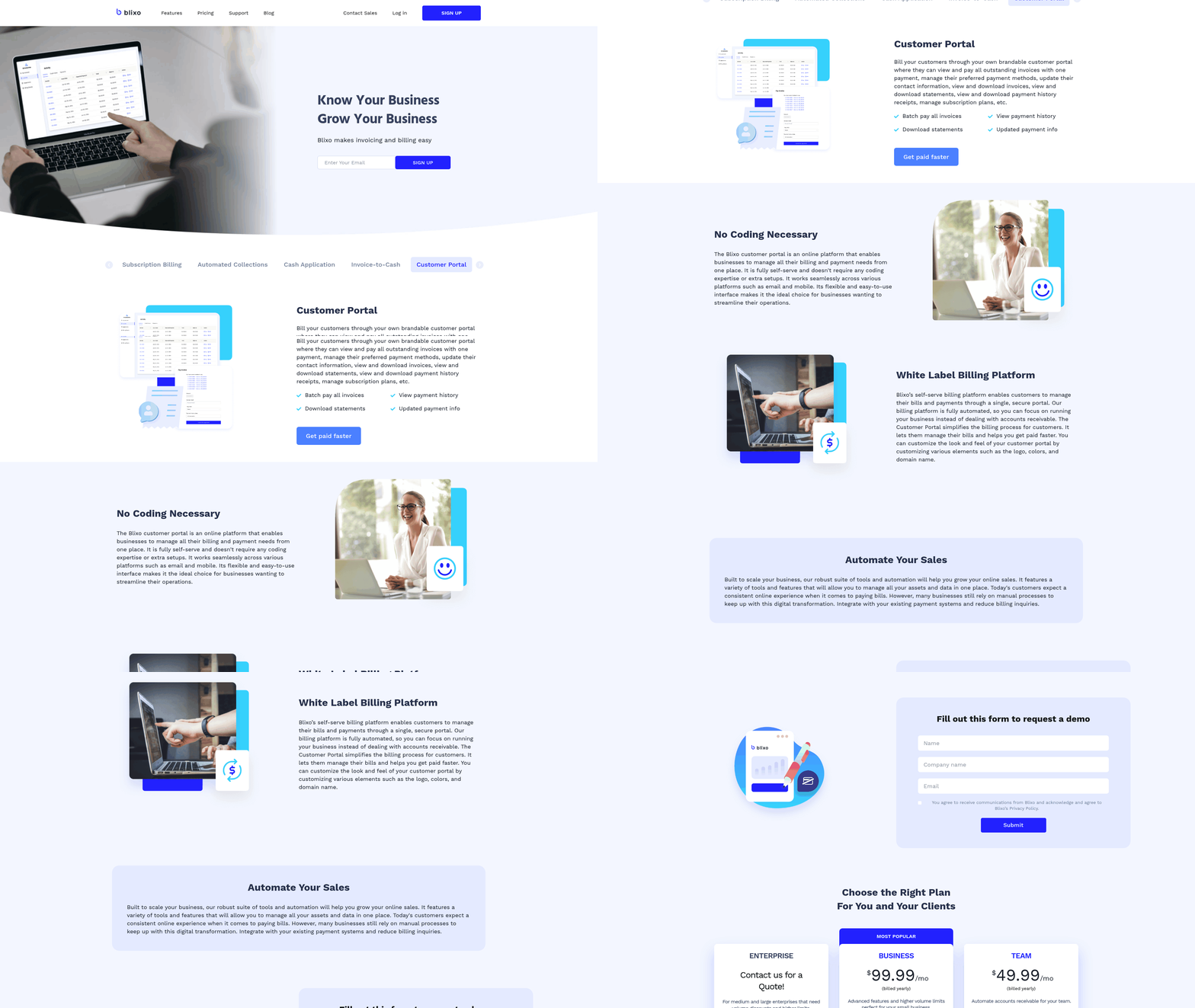
In the Implementing Invoice-to-Cash Automation with Blixo section, Blixo’s transparent pricing and customizable integrations are highlighted as tools to address technical compatibility issues. Building on concepts from the Real Results: Measuring the Success of Invoice-to-Cash Automation section, maintaining AI accuracy ensures outcomes like 20–30% reductions in Days Sales Outstanding (DSO). As mentioned in the Understanding the Invoice-to-Cash Stage Sequence section, poor data governance risks compounding errors across stages, underscoring the need for standardized data preparation.
Conclusion and Next Steps
Implementing invoice-to-cash automation with Blixo transforms financial operations by reducing manual effort, accelerating cash flow, and improving accuracy. By automating processes like invoice creation, payment tracking, and reconciliation, businesses can cut Days Sales Outstanding (DSO) by up to 25%, reduce unapplied cash by 95%, and achieve 99% accuracy in cash application. These results, as detailed in the Real Results section, not only enhance operational efficiency but also strengthen financial visibility and customer satisfaction.
What Are the Next Steps for Implementing Blixo?
To begin, assess your current invoice-to-cash workflows to identify pain points such as delayed payments, manual data entry, or reconciliation errors. As emphasized in the Why Invoice-to-Cash Automation Matters section, addressing these inefficiencies is critical to avoiding costly delays and errors. Blixo’s modular design allows phased implementation, starting with automating high-impact areas like payment processing or collections. Next, integrate Blixo with your existing ERP systems (e.g., SAP, Oracle) using APIs or pre-built connectors. This ensures seamless data flow and real-time updates.
Configuration involves customizing workflows to align with your business rules, such as setting up automated reminders for overdue invoices or defining approval hierarchies. Blixo’s AI-driven tools, like its cash application engine, handle complex scenarios-from partial payments to multi-currency transactions-reducing errors and freeing staff to focus on strategic tasks. Finally, train your finance team on Blixo’s interface and use its dashboards to monitor KPIs like DSO and payment accuracy.
How Can You Access Support and Resources?
Blixo provides comprehensive documentation, onboarding guides, and 24/7 customer support to streamline adoption. For technical queries, consult their API references or integration playbooks. For broader strategy questions, their team offers workshops on optimizing workflows and maximizing ROI. Building on concepts from the Overcoming Common Challenges section, Blixo addresses typical implementation hurdles by offering sandbox environments for testing configurations and role-based training modules tailored to different teams. For example, one company reduced manual cash application tasks by 90% within six weeks using Blixo’s guided onboarding.
Common challenges during implementation often revolve around data migration and user adoption. Blixo addresses these by offering sandbox environments for testing configurations and role-based training modules tailored to different teams. For example, one company reduced manual cash application tasks by 90% within six weeks using Blixo’s guided onboarding.
Why Should You Prioritize Automation Now?
Manual invoice-to-cash processes risk costly errors, late fees, and strained customer relationships. With Blixo, businesses gain real-time visibility into cash flow, reduce bad debt, and enable early-payment discounts. Start by setting clear automation goals, such as cutting DSO by 20% within a quarter, and measure progress using Blixo’s analytics tools.
“Blixo’s automation cut our invoice processing time from days to hours, giving our team back 200+ hours annually.” – Finance Director at a mid-sized manufacturer
For deeper insights, explore how to automate invoice-to-cash or review AI-driven process optimization strategies. Take the next step today: contact Blixo’s team to schedule a demo or access free trial resources.
Frequently Asked Questions
1. What is invoice-to-cash automation and why is it important?
Invoice-to-cash automation streamlines financial workflows to reduce payment delays, cut operational costs, and improve cash flow. It addresses manual inefficiencies, such as slow processing (70% of finance teams cite this as a pain point), and reduces errors that cost companies up to $2.5 million annually.
2. How does automation impact Days Sales Outstanding (DSO)?
Automation reduces DSO by 20–30% through AI-driven invoice delivery, payment matching, and dispute resolution. One business cut DSO by one week and unapplied cash by 99%, improving liquidity and freeing 5–10 hours weekly for accounts receivable teams.
3. What are the hidden costs of manual invoice-to-cash processes?
Manual workflows cost $2.5 million annually due to errors like mismatched payments. They consume 90% of administrative effort, slow processing (70% of teams’ top pain point), and hinder scalability for 57.9% of finance operations.
4. How much time does automation save for AR teams?
Automation saves 5–10 hours weekly for accounts receivable teams by eliminating manual data entry and streamlining workflows. This time can be redirected to higher-value tasks like customer engagement and financial analysis.
5. Why does manual processing hurt customer trust?
Manual delays cause late payments, eroding customer trust and increasing bad debt. Operational inefficiencies strain relationships, while 90% of administrative effort on data entry slows resolution of disputes and queries.
6. Can automation scale for growing businesses?
Yes, automation addresses scalability challenges 57.9% of finance teams face. Automated workflows handle increased transaction volumes without proportional cost increases, ensuring consistent performance as businesses expand.
7. What specific errors does automation reduce?
Automation cuts human errors in data entry, payment matching, and deductions. It reduces unapplied cash by 99% and minimizes missed deductions, which are the leading causes of financial discrepancies in manual systems.