

Invoice Processing Checklist for Timely Payments

Key Takeaways
- Timely invoice processing prevents $120 billion in annual U.S. losses from late payment delays.
- 40% of small businesses face cash flow gaps due to delayed invoicing, per the National Small Business Association.
- Maine’s 18% invoice delays highlight how contract volume spikes disrupt payment timelines.
- Central Michigan University processes 70% of payments in 7–10 days via strict documentation rules.
- Automating workflows cuts invoice processing times by 50%, as seen with Blixo’s clients.
- New York State Comptroller mandates 1-day rejection of incomplete invoices to avoid processing delays.
- Late payments strain vendor relationships, with 18% of invoices delayed due to operational inefficiencies.
Why Timely Invoice Processing Matters
Timely invoice processing is a cornerstone of financial health for businesses of all sizes. Late payments can lead to cash flow disruptions, strained vendor relationships, and even legal complications. For example, Maine’s Department of Health and Human Services reported that 18% of invoices faced delays due to increased contract volumes, highlighting how operational inefficiencies directly impact payment timelines. By prioritizing structured invoice workflows, businesses can avoid these pitfalls and maintain smooth financial operations.
What Industry Statistics Reveal About Late Payments
Late payments cost U.S. businesses an estimated $120 billion annually in lost productivity and administrative overhead. Small businesses, in particular, are vulnerable-40% report cash flow gaps due to delayed invoicing, according to the National Small Business Association. For instance, a freelancer relying on weekly payments might struggle to cover expenses if a client takes 30 days to settle an invoice. Conversely, organizations like Central Michigan University demonstrate the benefits of streamlined processes: completing 70% of payments within 7–10 business days by enforcing strict documentation requirements.
Challenges Solved by Timely Invoice Processing
Late payments often stem from disorganized workflows. Common issues include missing documentation, unclear approval chains, and manual errors. For example, the New York State Comptroller mandates that agencies reject incomplete invoices within one business day-a rule that reduces back-and-forth and keeps payment cycles short. Similarly, Blixo’s automated systems cut processing times by 50% for clients, ensuring vendors receive payments faster. These practices address three critical challenges:
- Cash Flow Management: Timely payments ensure businesses can meet operational costs, payroll, and supplier obligations.
- Compliance: Adhering to deadlines (like New York’s 15-day rule for small businesses) avoids interest penalties and legal disputes.
- Vendor Relationships: Delays erode trust. A survey by Planergy found that 68% of vendors prioritize working with partners who pay on time. As mentioned in the Verifying and Approving Invoices section, rigorous verification steps minimize errors that delay approvals.
Who Benefits Most from Timely Processing
While all businesses gain from efficient invoicing, small enterprises and freelancers face the steepest consequences from delays. A solo consultant charging $150/hour could lose $2,250 monthly if payments are delayed by two weeks. Timely processing also empowers organizations to use early-payment discounts. For example, New York State offers 2% discounts for invoices paid within 10 days of receipt-saving businesses thousands annually.
The Role of Invoice Processing in Cash Flow Health
Cash flow is the lifeblood of any organization. Late invoices create a ripple effect: delayed supplier payments may disrupt production, while unpaid bills strain credit scores. Central Michigan University’s 7–10 day payment window, achievable with complete paperwork, illustrates how structured processes stabilize cash flow. Similarly, Blixo’s clients report a 30% improvement in liquidity by automating approval workflows and reducing human error. Building on concepts from the Implementing an Automated Invoice Workflow section, automation ensures consistency and reduces processing bottlenecks.
How Timely Payments Boost Customer Satisfaction
Vendors and clients alike value reliability. When a company consistently pays on time, it builds trust that translates to repeat business. For example, a vendor working with New York State under the 15-day prompt payment rule can reinvest funds faster, improving their own service delivery. Conversely, late payments lead to disputes-35% of businesses cite payment delays as a primary cause of vendor attrition. By aligning with best practices (like using Blixo’s tools or following New York’s SFS eInvoicing guidelines), companies turn invoicing into a competitive advantage. As highlighted in the Completing the Timely Payment Checklist section, systematic checks ensure accuracy and prevent avoidable delays.
Incorporating these strategies isn’t just about avoiding penalties-it’s about fostering a financial ecosystem where all parties thrive. Whether you’re a freelancer or a Fortune 500 enterprise, timely invoice processing ensures operational stability and long-term success.
Assigning Roles and Responsibilities for Invoice Processing
Assigning roles and responsibilities for invoice processing ensures clarity, accountability, and efficiency. A well-defined workflow prevents delays, reduces errors, and aligns team efforts. Let’s break down how to structure this process effectively.
Understanding the Invoice Processing Workflow
A typical invoice processing workflow includes receiving invoices, verifying details, approving payments, and reconciling records. Each step requires specific roles to maintain accuracy and compliance. For example:
- Data Entry Specialist: Captures invoice details into the accounting system.
- Procurement Manager: Verifies invoices against purchase orders and contracts, as detailed in the Verifying and Approving Invoices section.
- Accounts Payable (AP) Clerk: Reviews for accuracy and initiates payment.
- Finance Manager: Finalizes approvals and oversees reconciliation.
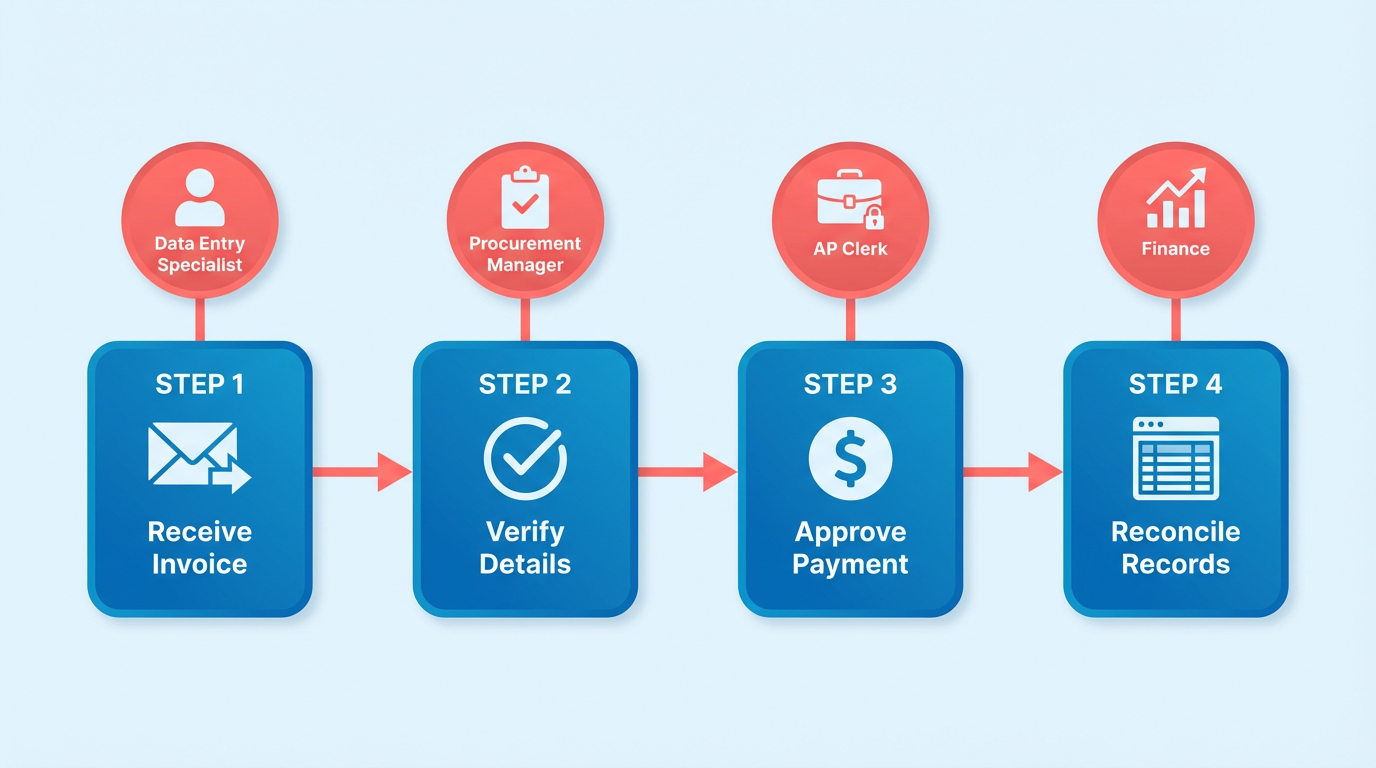
By mapping roles to these tasks, teams avoid duplication and ensure every invoice is handled systematically.
Defining Roles and Responsibilities
Clear responsibilities eliminate ambiguity and streamline decision-making. Assign tasks based on expertise and workflow needs:
- Data Entry: Focus on accurate input of supplier details, amounts, and due dates.
- Approval: Verify invoices match contracts and purchase orders to prevent overpayments.
- Payment Processing: Ensure timely payments by coordinating with banks or payment platforms.
- Reconciliation: Match processed invoices with financial records to identify discrepancies.
Tools like Blixo automate data entry and validation, reducing manual errors by up to 40%. Building on concepts from the Implementing an Automated Invoice Workflow section, Blixo integrates role-based access controls, ensuring only authorized users can approve payments.
Establishing a Chain of Command
A clear hierarchy prevents bottlenecks and accelerates approvals. For instance:
- AP Clerk reviews invoices and flags discrepancies.
- Department Manager approves invoices within their budget.
- Finance Director handles exceptions or high-value invoices.
Document this chain in a workflow diagram and share it with the team. Regular training sessions reinforce expectations and resolve role overlaps.
using Automation for Efficiency
Automation transforms invoice processing by minimizing manual tasks. For example, Blixo’s AI extracts invoice data from PDFs and matches it to purchase orders automatically. This reduces data entry time by 50% and eliminates human errors in fields like vendor codes or tax rates. As mentioned in the Why Timely Invoice Processing Matters section, automation also ensures adherence to payment deadlines, which is critical for maintaining vendor relationships and financial stability.
Automation also enforces compliance by flagging missing approvals or duplicate invoices. One company reduced processing time by 30% after implementing role-based workflows paired with Blixo’s automation tools.
Real-World Example: Role-Based Success
A mid-sized manufacturing firm faced delays due to unclear roles in invoice processing. By defining specific responsibilities-such as assigning procurement staff to verify contracts and finance teams to reconcile accounts-they cut approval times by 40%. They also adopted Blixo to automate data entry, which lowered error rates from 8% to 2%.
This approach highlights how structured roles and automation improve both speed and accuracy. Teams should audit workflows quarterly to adjust roles as business needs evolve.
Verifying and Approving Invoices
Why Verification and Approval Are Critical
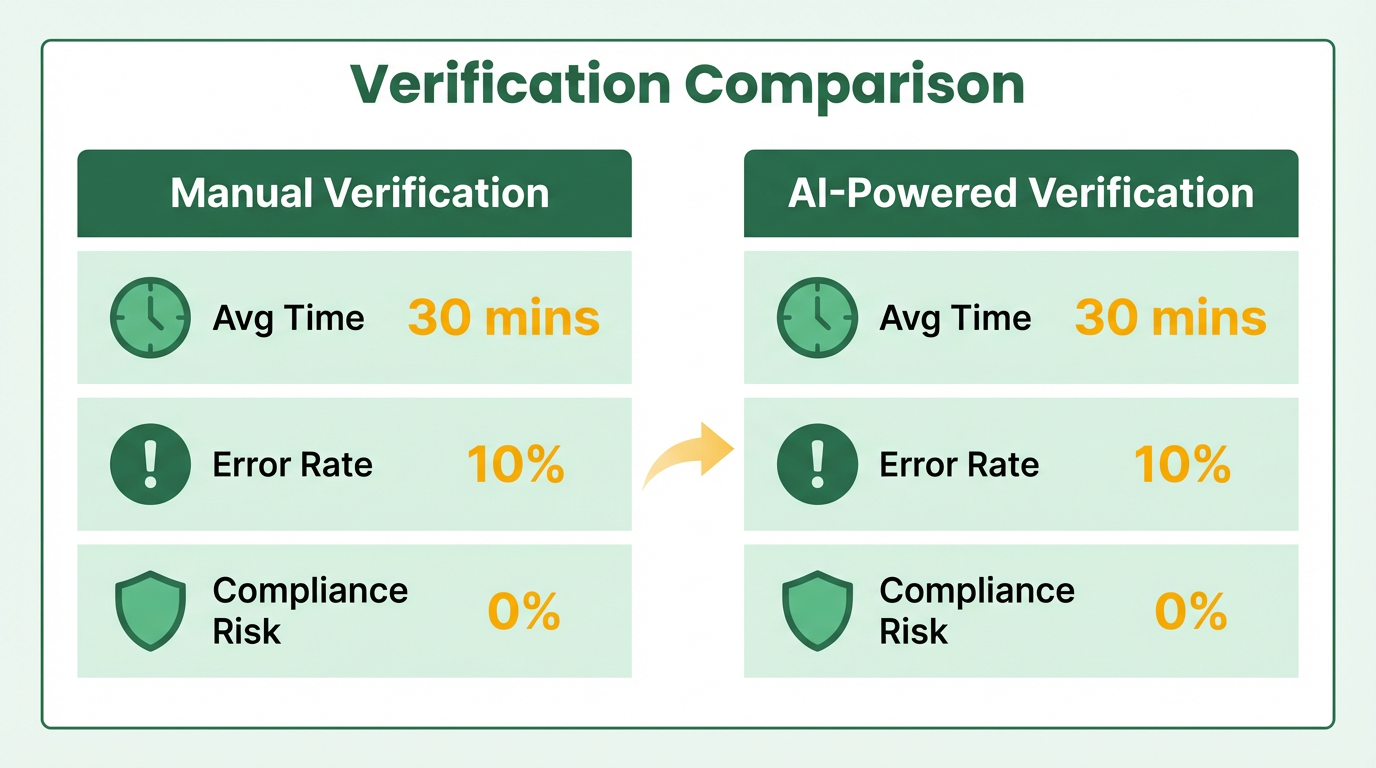
Before approving an invoice, verifying its details ensures accuracy and compliance. Errors in dates, amounts, or vendor information can delay payments, trigger compliance risks, or lead to overpayments. A structured approval process defines who can authorize payments and under what conditions, reducing bottlenecks. Automation tools, like AI-powered platforms, accelerate verification and reduce manual errors, as highlighted in the Implementing an Automated Invoice Workflow section. Here’s how to implement these steps effectively..
Verifying Invoice Details
Invoice verification starts with cross-checking critical data against contracts, purchase orders (POs), and delivery confirmations. For example, New York State mandates that invoices include a vendor ID, invoice date, PO number, and itemized line details to avoid rejection. Missed fields, such as a missing PO number, can delay payments by 30 days or more, underscoring the importance of timely processing discussed in the Why Timely Invoice Processing Matters section.
- Match invoice dates with service delivery Verify that the invoice date aligns with the actual delivery or service completion. For instance, the Maine Department of Health and Human Services processes invoices within 25 working days, but delays occur if delivery dates are unverified. Assigning clear roles for these checks, as outlined in the Assigning Roles and Responsibilities for Invoice Processing section, ensures accountability.
- Confirm amounts against contracts Discrepancies between the invoice total and the agreed rate may indicate errors or fraud. Central Michigan University reports 7–10 business day processing times only if amounts match POs exactly.
- Validate vendor details Ensure the vendor’s name, address, and payment method (e.g., direct deposit) are accurate. The Government of Newfoundland and Labrador rejects invoices lacking this information, causing delays..
Establishing Approval Workflows
A clear approval process prevents unauthorized payments and streamlines decision-making. Define spending thresholds: For example, New York State requires invoices over $10,000 to be approved by a department head. Automation can enforce these rules by routing invoices to the correct approver based on amount or vendor type, aligning with the structured workflows described in the Assigning Roles and Responsibilities for Invoice Processing section.
- Assign approval authorities Set roles for approvers (e.g., managers for under $5,000, executives for over $50,000).
- Use multi-tiered approvals for high-value invoices For instance, a $100,000 invoice might require a department head, finance manager, and CFO to approve.
- Integrate with compliance policies If an invoice lacks a required tax form (e.g., W-9), the system should automatically flag it for correction..
using Automation for Efficiency
AI-powered tools like Blixo reduce manual verification tasks by matching invoices to POs, scanning for errors, and routing approvals. For example, Blixo’s system can process 1,000 invoices in hours that would take weeks manually, using optical character recognition (OCR) to extract data from PDFs.
- Automate PO-invoice reconciliation Blixo’s AI cross-checks line items, quantities, and prices against POs, flagging mismatches instantly.
- Enable real-time approval workflows Set up automated email or app notifications for approvers. Blixo users report a 40% reduction in approval times after implementing this feature.
- Generate audit-ready documentation Automated systems timestamp every action, creating a clear trail for compliance audits..
Real-World Example: Streamlining with Blixo
A mid-sized manufacturing firm adopted Blixo’s SaaS service to handle 500+ monthly invoices. Before automation, their AP team spent 15 hours weekly correcting rejections due to missing PO numbers or mismatched amounts. After implementing Blixo, the system:
- Flagged incomplete invoices instantly, reducing rejections by 60%.
- Automatically routed $5,000+ invoices to senior managers, cutting approval delays by 35%.
- Generated audit logs for every step, ensuring compliance with internal controls. The result? Payments were consistently processed within 10 business days, aligning with Central Michigan University’s best practices..
Maintaining Audit Trails
All verified invoices must be documented for audit purposes. Store copies in a centralized system, and ensure metadata like approver names and timestamps are preserved. New York State’s Business Services Center requires vendors to submit invoices via secure portals, linking each payment to a digital trail.
- Digitize all invoices Convert paper invoices to PDFs with OCR for searchable text.
- Track revisions and approvals Maintain a version history for invoices that require corrections.
- Archive for compliance Retain records for at least seven years, as mandated by many financial regulations, including checks outlined in the Completing the Timely Payment Checklist section.
By combining rigorous verification, structured approvals, and automation, businesses can ensure timely, compliant payments while minimizing errors.
Managing Payment Withholds and Discrepancies
Payment discrepancies-such as missing documentation, incorrect amounts, or mismatched invoices-can delay payments and strain vendor relationships. As mentioned in the Why Timely Invoice Processing Matters section, these issues risk late fees, compliance violations, or disputes. For example, New York State mandates 15-day prompt payments for eligible small businesses, with financial penalties for late processing if the invoice is complete and electronic. Resolving discrepancies quickly ensures compliance and maintains trust with suppliers.
How to Establish a Clear Process for Managing Withholds
A structured workflow prevents bottlenecks. Start by defining specific triggers for payment withholds, such as incomplete forms, unapproved purchase orders, or missing tax documentation (e.g., W-9 for U.S. vendors). Building on concepts from the Assigning Roles and Responsibilities for Invoice Processing section, Central Michigan University’s checklist emphasizes sending invoices to a dedicated email or mail address to avoid misrouting, while Ohio State’s SIR process routes invoices automatically based on transaction type.
- Define withhold criteria: Use policy documents to outline when payments are withheld (e.g., unapproved expenses, missing receipts).
- Automate routing: Tools like Workday’s SIR system assign invoices to the correct approvers based on spend category, reducing manual intervention.
- Communicate with vendors: If an invoice is flagged for review, notify suppliers immediately via email or portal alerts, as seen in Ohio State’s SIR notifications.
The Role of Automation in Resolving Discrepancies
Automation reduces human error and speeds up resolution. As mentioned in the Implementing an Automated Invoice Workflow section, machine learning algorithms can flag anomalies, such as invoice amounts that deviate from historical averages or mismatched purchase orders. New York State’s eInvoicing system, for instance, validates invoices against purchase orders in real time, catching discrepancies before approvals are finalized.
- Use AI for pattern recognition: Blixo’s SaaS service employs machine learning to detect discrepancies in line items, tax calculations, or supplier details, resolving 80% of issues before manual review.
- Enable self-service portals: Let vendors update their information or resubmit corrected invoices via a portal, as recommended in NYS’s eInvoicing guidelines.
- Track resolution timelines: Set internal SLAs, such as resolving 90% of discrepancies within 24 hours, to maintain accountability.
Ensuring Proper Documentation and Audit Trails
Every discrepancy must be recorded to support audits and legal compliance. Ohio State’s SIR process mandates detailed logs for approvals, rejections, and invoice revisions, while Central Michigan University requires W-9 forms for 1099 reporting.
- Centralize records: Store all documentation-original invoices, correspondence, and resolution notes-in a single system, such as Blixo’s audit trail feature.
- Assign unique identifiers: Use sequential numbers or timestamps to track each discrepancy, as outlined in NYS’s invoice submission rules.
- Review regularly: Conduct monthly audits to identify recurring issues, such as frequent mismatches between invoice line items and purchase orders.
Real-World Example: Automated Discrepancy Resolution in Action
A university implemented an automated invoice system similar to Ohio State’s SIR process, integrating AI to validate invoices against contracts and purchase orders. Drawing from the Verifying and Approving Invoices section, the system flagged a $500 invoice discrepancy caused by a currency conversion error, alerted the accounts payable team, and generated a corrected payment without vendor intervention.
By combining clear policies, automation, and rigorous documentation, organizations can minimize payment withholds, avoid compliance risks, and maintain vendor trust. Tools like Blixo streamline these workflows, ensuring discrepancies are resolved faster than traditional manual processes.
Implementing an Automated Invoice Workflow
Implementing an automated invoice workflow reduces manual errors, speeds up processing, and ensures compliance with policies. By using tools like cloud-based software and AI-driven analytics, businesses can streamline payments, improve vendor relationships, and free up staff for higher-value tasks. Below is a structured approach to setting up this system.
Why Automate Invoice Processing?
Automation eliminates repetitive tasks, minimizes human errors, and accelerates payment cycles. For example, Central Michigan University’s checklist shows that complete, structured invoices processed through automated systems result in payments within 7–10 business days. Manual workflows, in contrast, often lead to delays due to missing documentation or miscommunication. As mentioned in the Assigning Roles and Responsibilities for Invoice Processing section, clear roles help enforce compliance and reduce bottlenecks in manual systems.
- Reduce manual errors by automating data entry and validation
- Accelerate processing with real-time status tracking and alerts
- Ensure compliance by enforcing required documentation (e.g., W-9 forms, routing IDs)
Choosing the Right Automation Tools
Not all systems fit every business. Prioritize platforms that integrate with your existing accounting software and support scalable workflows. For instance, New York State’s eInvoicing system allows vendors to submit invoices electronically via the Statewide Financial System (SFS), cutting processing time and providing real-time status updates.
- Opt for cloud-based solutions for remote access and 24/7 availability
- Verify integration capabilities with systems like QuickBooks or SAP
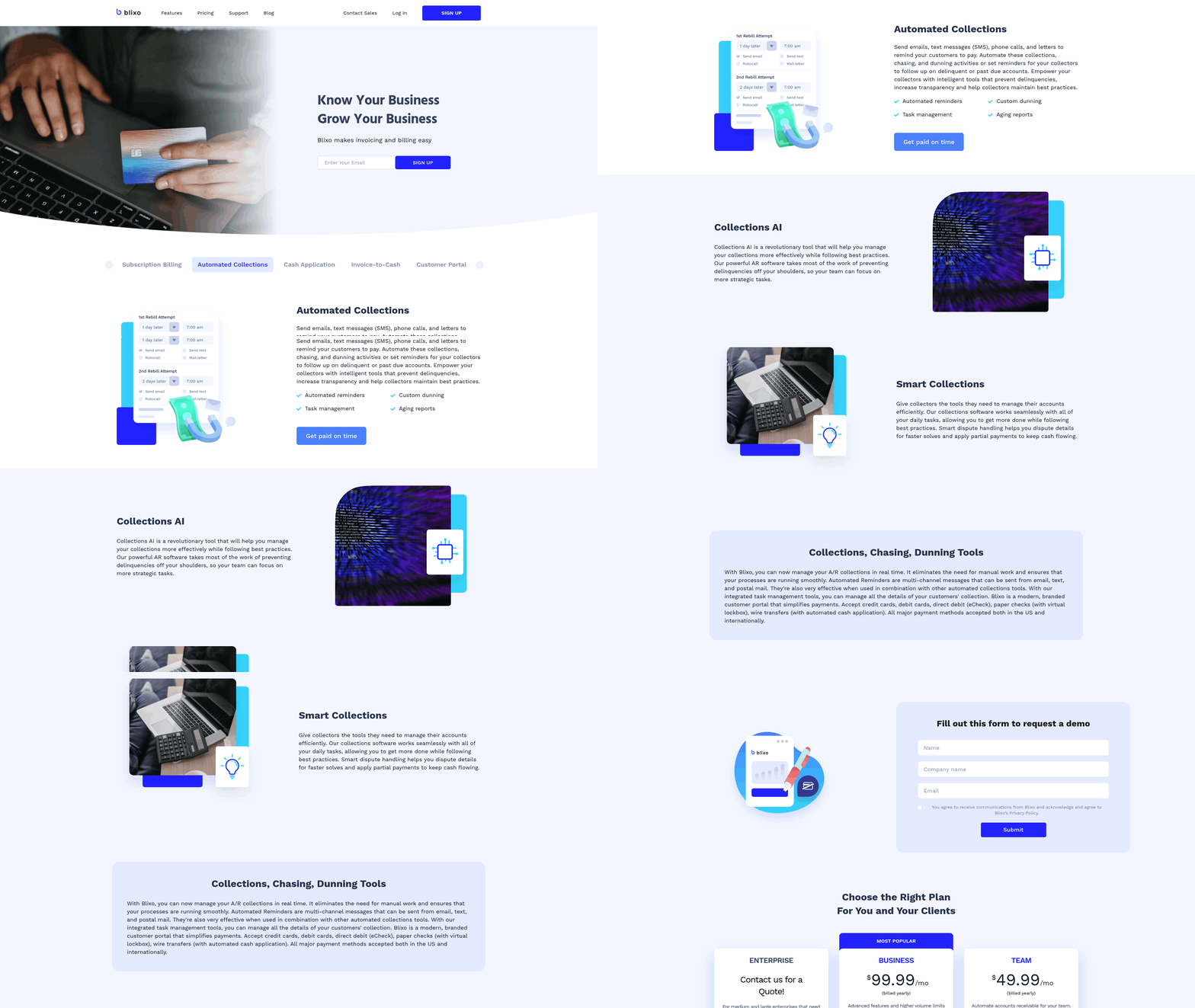
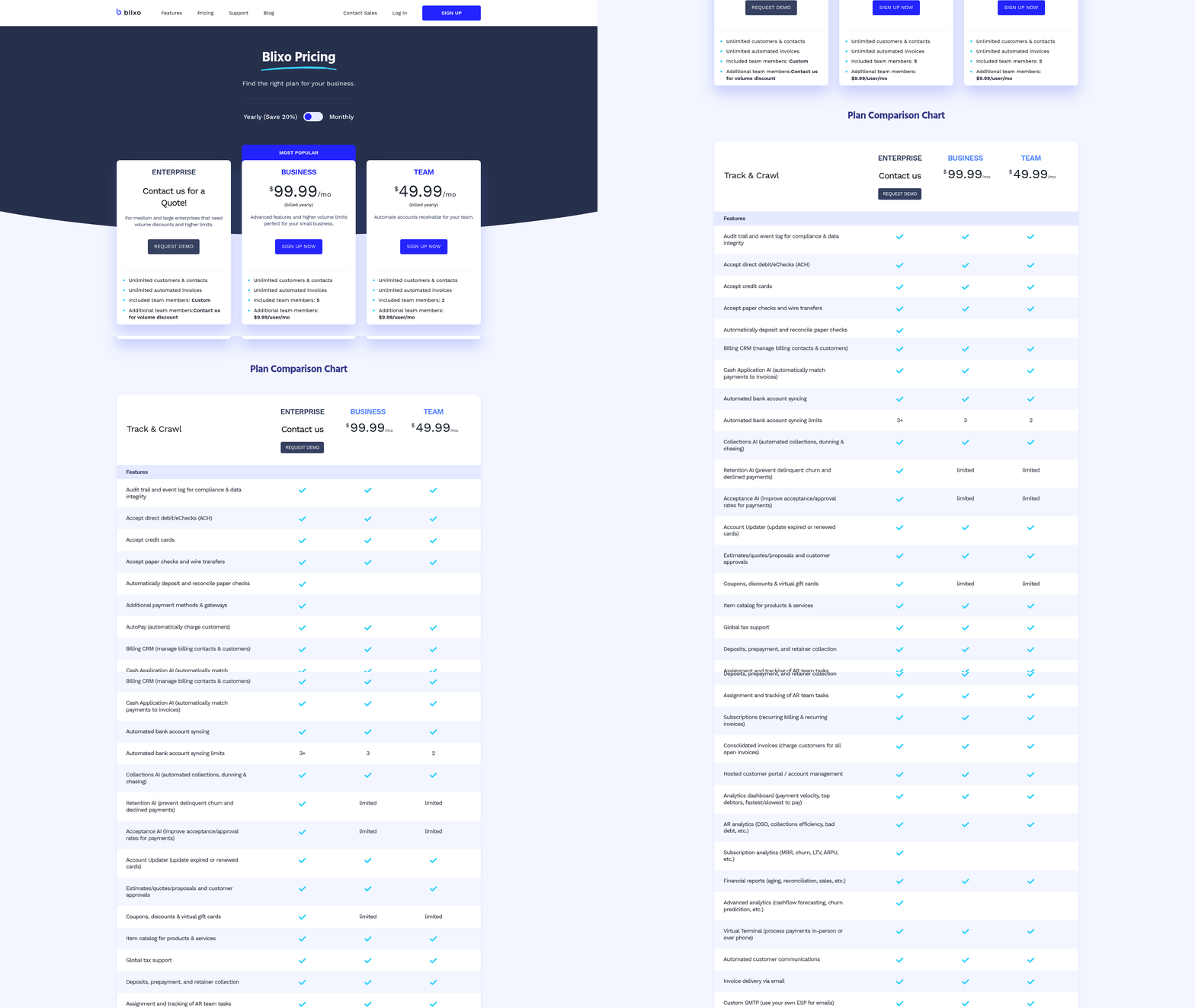
- Evaluate ease of use-Blixo, for example, offers intuitive interfaces and transparent pricing
Training Your Team for Success
Even the best tools fail without proper training. Ensure all stakeholders-from accounts payable staff to vendors-understand how to submit, track, and resolve invoice issues. Building on concepts from the Assigning Roles and Responsibilities for Invoice Processing section, consistent training reinforces clarity in workflows and reduces confusion during transitions.
- Host onboarding sessions for all team members and vendors
- Create a troubleshooting guide for common issues (e.g., file size limits, missing routing IDs)
- Assign a point of contact for urgent support
using AI and Machine Learning
AI enhances automation by predicting bottlenecks and flagging anomalies. For example, predictive analytics can identify invoices at risk of delay due to missing information, while machine learning models improve accuracy in data extraction over time. Unlike generic providers, Blixo incorporates AI to automate 80% of routine invoice reviews, reducing processing time by up to 70%.
- Use AI for data extraction (e.g., vendor details, payment terms)
- Enable anomaly detection to flag discrepancies in amounts or codes
- use predictive insights to prioritize high-risk or time-sensitive invoices
Real-World Automation Success
A government agency implemented an automated workflow similar to New York State’s system, reducing payment delays and saving 50% on administrative costs. By enforcing electronic submissions, integrating with existing financial systems, and training staff on new protocols, they achieved 15-day payment turnaround for eligible vendors. This mirrors the success of businesses adopting SaaS providers like Blixo, which centralizes invoice tracking and compliance checks. As outlined in the Completing the Timely Payment Checklist section, structured automation supports adherence to payment deadlines and reduces administrative overhead.
- Adopt a phased rollout to test automation with low-volume vendors first
- Monitor KPIs like processing time, error rates, and payment accuracy
- Iterate based on feedback to refine workflows and resolve pain points
By combining structured checklists, integrated tools, and AI-driven insights, businesses can transform invoice processing from a reactive task to a strategic advantage.
Completing the Timely Payment Checklist
Ensuring Team Roles and Responsibilities Are Clear
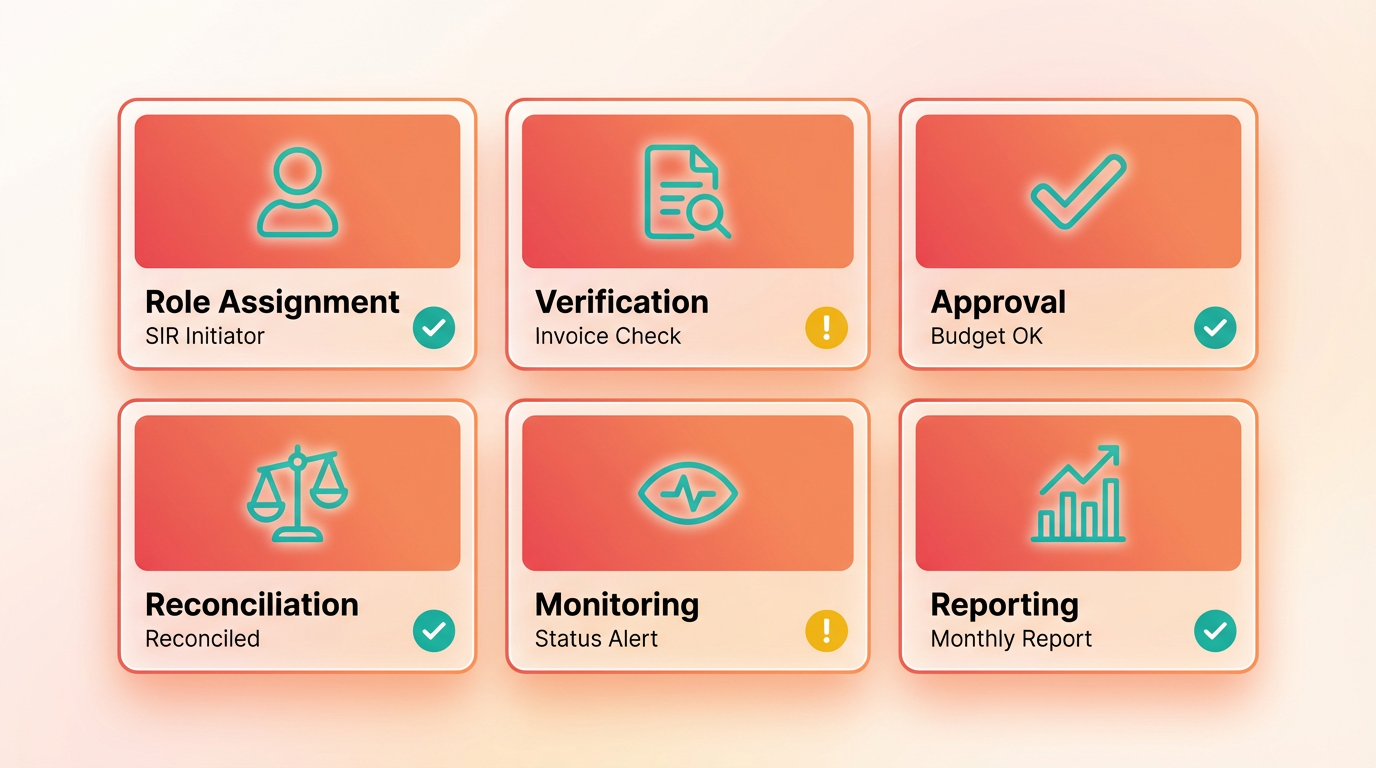
A fragmented understanding of roles leads to bottlenecks and missed deadlines. Ohio State University’s Supplier Invoice Request (SIR) process assigns specific tasks to each team member, from initiating requests to final approvals. Clear ownership accelerates decision-making and accountability. As mentioned in the Assigning Roles and Responsibilities for Invoice Processing section, defining roles explicitly is crucial for streamlined operations.
- Define roles explicitly: For instance, the SIR initiator creates the request, while Cost-Center Managers approve budgets.
- Provide training: Regular workshops ensure staff understand tools like Blixo, which automates routing and alerts for approval delays.
- Assign escalation paths: If an approver misses a deadline, the checklist should outline who to notify next.
Blixo’s SaaS service addresses this by assigning tasks to specific users and sending automated reminders. This reduces human error and ensures deadlines are met, even during high-volume periods.
Identifying and Addressing Discrepancies
Discrepancies-such as mismatched quantities or missing documentation-can halt payments. Maine’s Department of Health and Human Services (DHHS) faced delays due to a 35% increase in contract volume. By implementing a centralized audit process, they reduced processing time by 15%. Building on concepts from the Managing Payment Withholds and Discrepancies section, creating a feedback loop with vendors improves accuracy in future submissions.
- Conduct weekly audits: Review a sample of invoices for accuracy, flagging issues like missing purchase orders or incorrect payment terms.
- Create a feedback loop: Share common errors with vendors to improve future submissions.
- Use Blixo’s anomaly detection: The platform flags outliers, such as duplicate invoices or unexpected price changes.
For example, a vendor submitted an invoice without a required W-9 form. Blixo’s system automatically rejected it, notifying the vendor of the missing document and preventing a 90-day payment delay.
using Automation to Streamline the Process
Manual invoice processing is prone to delays and errors. Automation tools like Blixo digitize workflows, ensuring consistency and speed. As discussed in the Implementing an Automated Invoice Workflow section, automating data entry reduces input time significantly.
- Automate data entry: Use OCR technology to extract invoice details, reducing input time by 50-70%.
- Enable real-time tracking: Blixo’s dashboard lets teams monitor invoice status, from receipt to payment.
- Set up alerts: Notifications trigger if an invoice lacks required fields or exceeds approval thresholds.
Frequently Asked Questions
1. What is the annual cost of late payment delays in the U.S.?
Late payments cost U.S. businesses $120 billion annually in productivity and administrative losses. This includes $40 billion in cash flow gaps for small businesses alone, as reported by the National Small Business Association.
2. How do small businesses suffer from delayed invoicing?
Forty percent of small businesses face cash flow gaps due to delayed invoicing, risking payroll and operational costs. For example, a freelancer relying on weekly payments could struggle if a client delays for 30 days.
3. What causes invoice processing delays in organizations?
Invoice delays stem from missing documentation, unclear approval chains, and manual errors. Maine’s 18% invoice delays highlight how contract volume spikes disrupt timelines without structured workflows.
4. How does automation improve invoice processing?
Automation reduces invoice processing times by 50%, as seen with Blixo’s clients. Central Michigan University processes 70% of payments in 7–10 days using automated workflows and strict documentation rules.
5. What is an example of a strict invoice policy?
New York State Comptroller mandates agencies to reject incomplete invoices within 1 business day. This rule minimizes delays and ensures compliance with payment deadlines.
6. How can businesses avoid late payment penalties?
Enforce clear documentation rules and automate workflows. Central Michigan University’s 70% on-time payment rate demonstrates the effectiveness of structured processes and rapid rejection of incomplete invoices.
7. What percentage of invoices are delayed due to inefficiencies?
Eighteen percent of invoices face delays from operational inefficiencies. This includes errors like missing paperwork or unclear approval steps, which strain vendor relationships and cash flow.