

Implement Automated Billing Solutions with Blixo

Key Takeaways
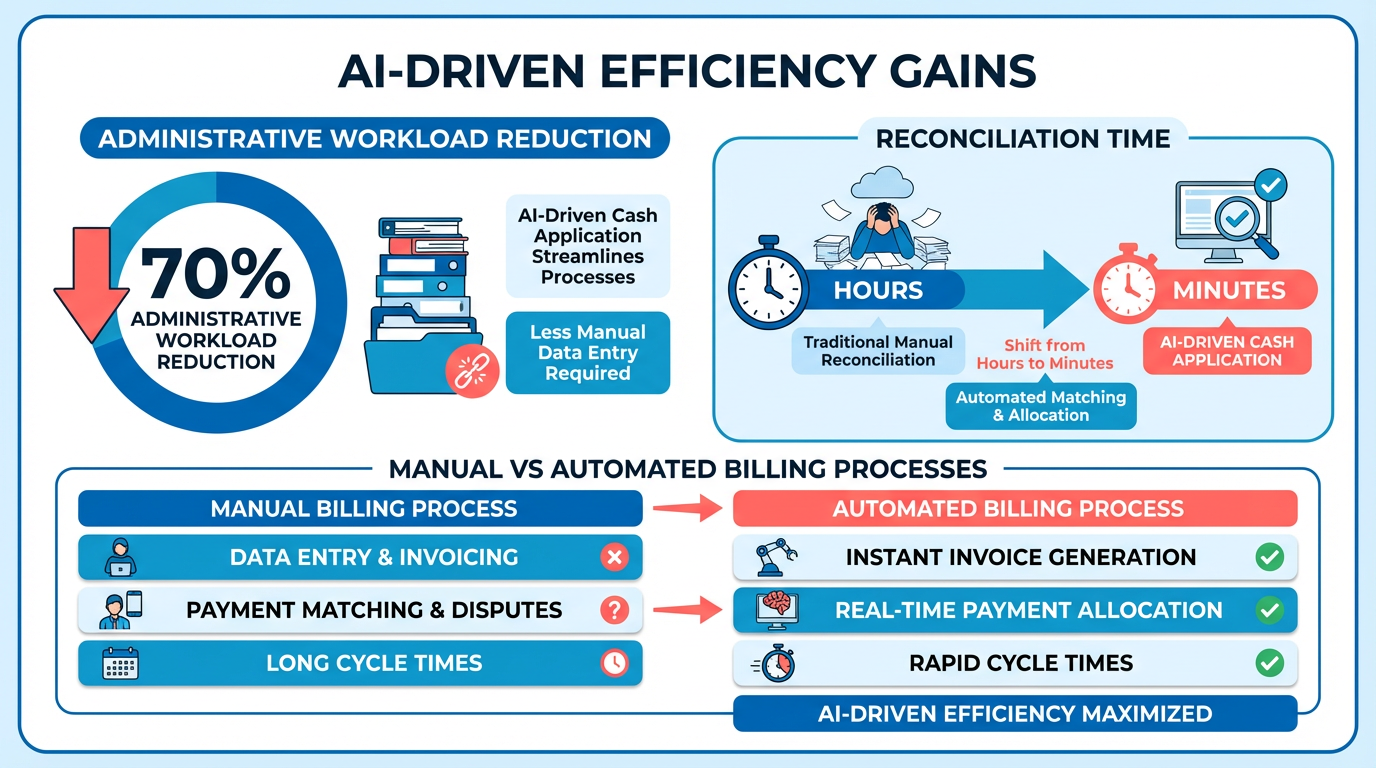
- Automated billing reduces administrative workloads by 70% while improving accuracy through streamlined invoicing and reconciliation.
- Blixo’s AI-driven cash application cuts invoice reconciliation time from hours to minutes, eliminating manual payment matching errors.
- Automated billing prevents 35% fewer missed payments by tracking uncollected invoices and sending automated reminders.
- Businesses using Blixo save 12–15 monthly hours, lowering operational expenses by 30% through invoice automation.
- Mid-sized teams can accelerate payment collections by 40%, boosting cash flow for faster reinvestment and growth.
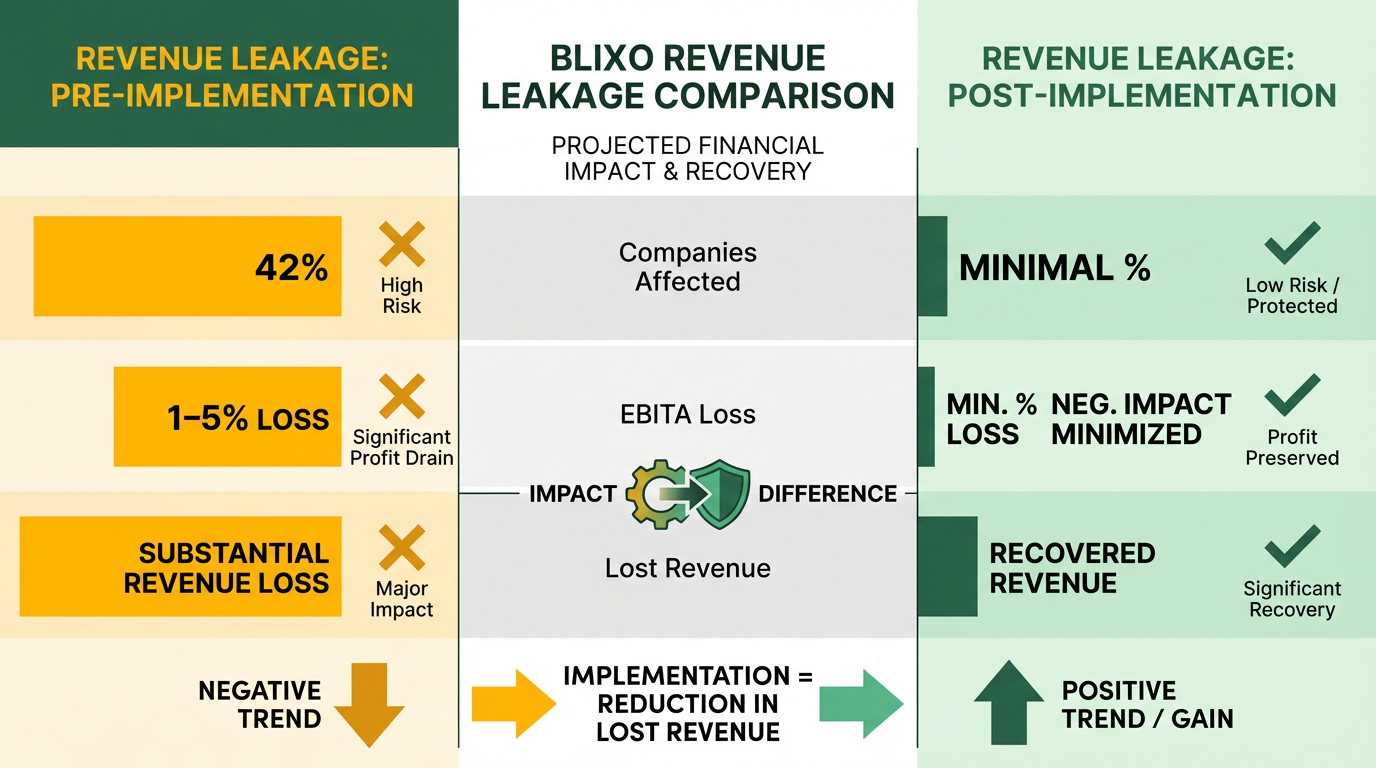
- 42% of companies lose 1%–5% of EBITA due to poor payment follow-up, which automation directly addresses.
- 95% of workers still handle repetitive billing tasks despite automation efforts, highlighting untapped efficiency gains.
Related Video
Watch: How to create a new invoice on Blixo by Blixo
Why Automated Billing Matters
Automated billing isn’t just a convenience-it’s a strategic advantage for businesses of all sizes. Manual billing processes waste time, risk errors, and slow down cash flow. By contrast, automation streamlines invoicing, collections, and reconciliation, reducing administrative workloads by up to 70% while improving accuracy. For example, Blixo’s AI-driven cash application cuts reconciliation time from hours to minutes, ensuring payments match invoices seamlessly. Let’s break down why this matters for your business.
How Does Automated Billing Solve Real Business Problems?
Manual billing is a recipe for inefficiency. 42% of companies lose 1% to 5% of EBITA due to poor payment follow-up, and 95% of workers still handle repetitive tasks despite automation efforts. Automated solutions eliminate these issues by:
- Preventing revenue leakage: As mentioned in the Overcoming Common Challenges with Blixo section, Blixo’s system tracks uncollected invoices and automates reminders, reducing missed payments by 35% compared to manual workflows.
- Cutting administrative costs: Businesses using Blixo save 12–15 monthly hours by automating fragmented invoice tasks, translating to 30% lower operational expenses.
- Speeding up cash flow: One mid-sized team slashed payment collection times by 40%, enabling faster reinvestment and growth.
Who Benefits Most from Billing Automation?
While all businesses gain efficiency, certain industries and company sizes see the most value:
- Small businesses and startups: Building on concepts from the Implementing Automated Billing with Blixo section, Blixo’s SaaS service starts at $69 for lifetime access, making advanced billing tools affordable. Features like recurring invoices and auto-billing reduce the need for in-house accounting teams.
- Subscription-based models: SaaS companies using Blixo report 25% higher customer retention within six months, thanks to prorated billing and customizable payment terms.
- High-volume sectors: E-commerce and professional services benefit from OCR technology that cuts data-entry errors by 80% during invoice processing.
What Cost Savings and Efficiency Gains Can You Expect?
The numbers speak for themselves:
- Time savings: Blixo users automate 80% of invoice generation and payment tracking, freeing employees to focus on growth.
- Cost reductions: One law firm improved cash flow management by 40% after switching to Blixo, avoiding late fees and write-offs.
- Scalability: A SaaS company automated 15,000 billing events monthly, supporting growth without proportional increases in admin costs.
Why Blixo Stands Out for Automated Billing
Unlike generic tools, Blixo integrates machine learning to adapt to your business needs. As detailed in the Understanding Blixo’s Automated Billing Solutions section, its intelligent matching engine improves over time, achieving 98% accuracy in payment reconciliation. The platform also supports hybrid billing models-mixing subscriptions, usage-based pricing, and one-time payments-without requiring technical expertise. For example, a project management tool automated prorated invoices for mid-cycle user changes, boosting customer satisfaction.
Businesses using Blixo report 35% savings on factoring and collections fees, alongside faster payment processing. As one user puts it, “Blixo’s automated collections let me focus on my art, not administrative headaches”-a proof to its impact across industries.
By automating billing, you’re not just cutting costs-you’re future-proofing your operations. With Blixo, you gain a partner that grows with you, adapting to evolving customer demands and compliance requirements. The result? A leaner team, stronger cash flow, and a business ready to scale.
Understanding Blixo’s Automated Billing Solutions
Blixo’s automated billing solutions streamline invoicing, collections, and subscription management, helping businesses reduce manual tasks and improve cash flow. By integrating AI-driven tools and flexible workflows, the platform ensures accuracy, compliance, and scalability for businesses of all sizes. Here’s a breakdown of its core capabilities and how they work in practice.
What Core Features Does Blixo Offer?
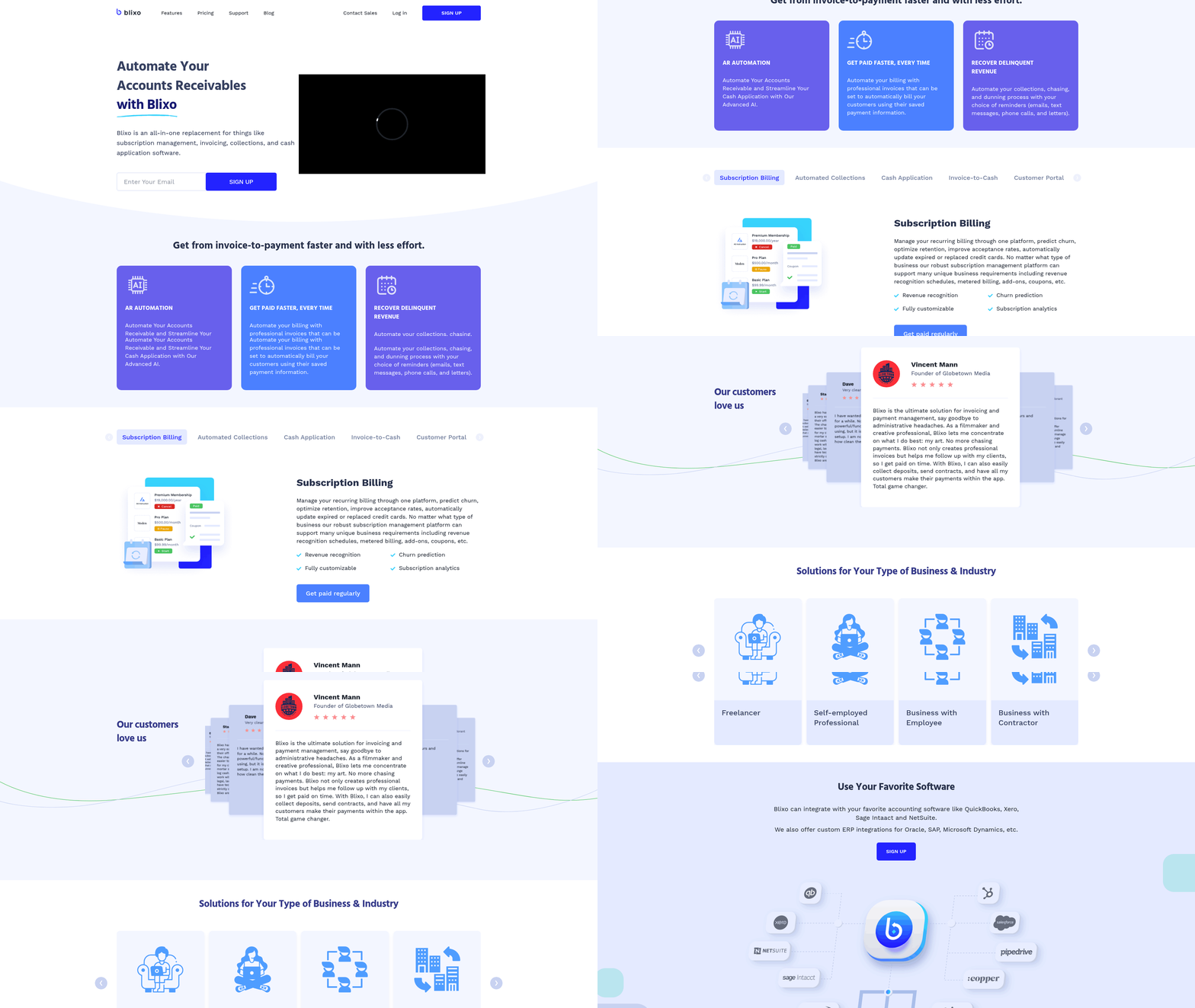
Blixo’s SaaS service centers on accounts receivable automation and subscription billing, offering tools like recurring invoice generation, automated collections, and real-time payment tracking. For example, businesses can set up recurring invoices for SaaS subscriptions or monthly service fees, with auto-billing triggered based on predefined schedules. The platform also includes a customer portal, allowing clients to view invoices, update payment methods, and manage subscriptions directly. This reduces administrative overhead, as highlighted in the Streamlining Financial Operations with Blixo section, by minimizing manual intervention and improving customer satisfaction through user control.
A standout feature is intelligent cash application, which uses machine learning to match payments to invoices automatically. This eliminates manual reconciliation errors and speeds up the accounting process. One manufacturing company reported a 70% reduction in payment-matching time after implementing Blixo’s solution, according to internal case studies.
How Do Automated Billing Workflows Improve Efficiency?
Blixo simplifies billing through smart invoicing and automated collections. For instance, invoices can be generated and sent automatically based on customer data, product usage, or subscription milestones. The system supports multiple payment methods-credit/debit cards, wire transfers, and ACH-ensuring flexibility for global clients. As mentioned in the Why Automated Billing Matters section, these integrations are critical for maintaining cash flow and reducing delays.
Collections are automated with tiered reminders and dunning workflows. If a payment fails, the system triggers predefined actions, such as sending a reminder email or attempting a retry after a set period. This reduces revenue leakage from uncollected invoices. One SaaS business saw a 35% drop in missed payments after switching to Blixo, compared to their previous manual system.
The platform also integrates with accounting software like QuickBooks and Xero, syncing data in real time to ensure financial records remain accurate without manual entry. This integration cuts administrative costs by up to 30%, according to internal benchmarks.
How Customizable Is Blixo for Different Business Needs?
Blixo’s flexibility lies in its custom rules engine and modular setup. Businesses can define unique billing cycles, set proration rules for mid-cycle subscription changes, or create tiered pricing models. For example, a cloud storage provider might use Blixo to bill customers based on usage (e.g., $0.01 per GB of data stored), with invoices generated automatically each month.
The platform also allows businesses to customize customer-facing portals, branding invoices, and setting payment terms specific to individual clients. This is particularly useful for service-based companies or e-commerce businesses with diverse client needs. Users can configure workflows to handle both one-time and recurring invoices, with options for partial payments or discounts.
Security and compliance are baked into the system. Blixo uses 256-bit encryption for data protection and adheres to accounting standards like GAAP and IFRS. This ensures businesses can trust the platform to handle sensitive financial data without violating regulatory requirements.
Why Should Businesses Prioritize Blixo’s Integration Capabilities?
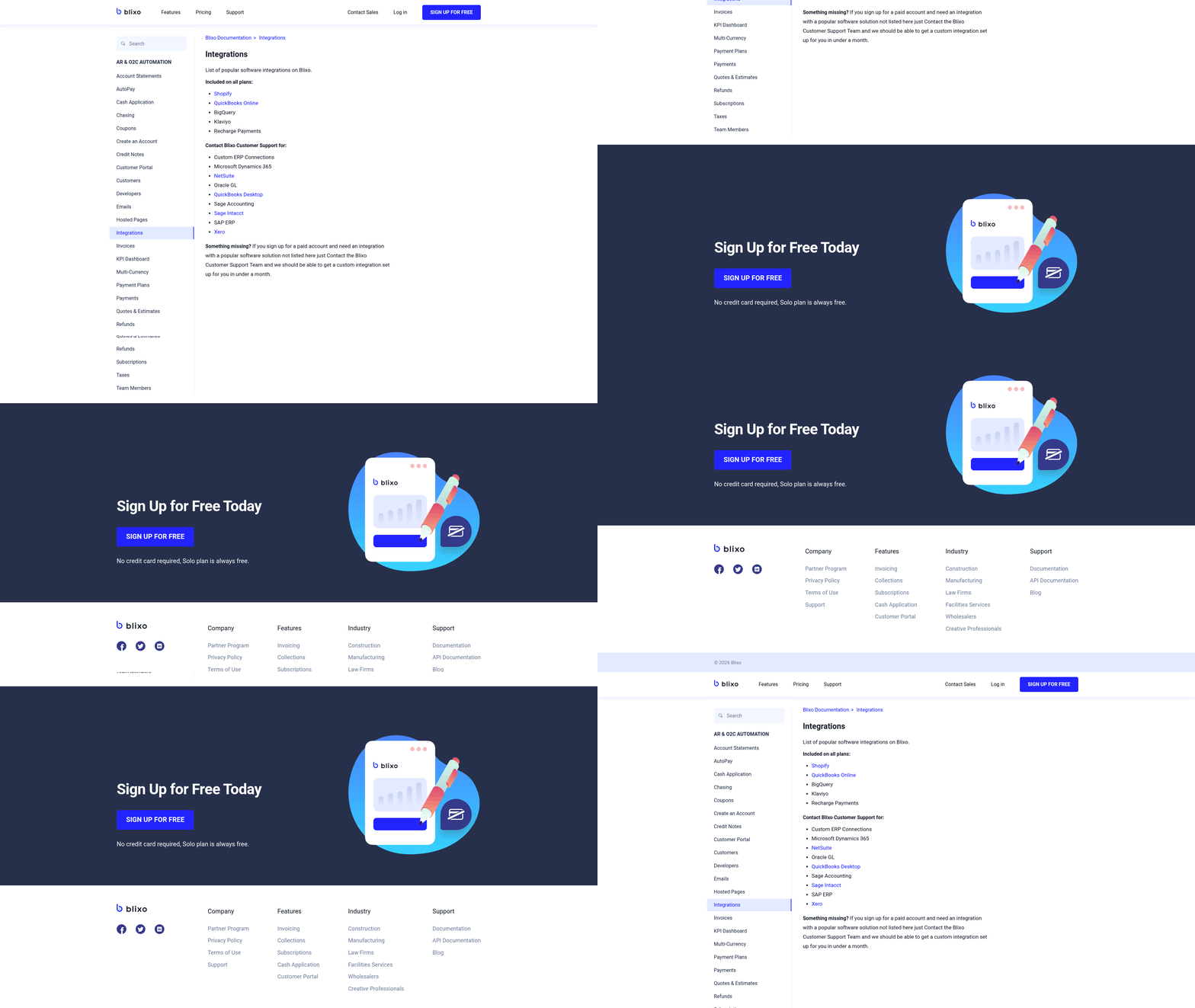
Seamless integration is a cornerstone of Blixo’s value. The platform connects with payment gateways like Stripe, banks, and ERPs, enabling unified financial management. For example, a retail business using Shopify can sync sales data with Blixo to generate invoices automatically, reducing delays in cash flow. Building on concepts from the Measuring Success with Blixo’s Automated Billing Solutions section, these integrations directly impact key metrics like revenue visibility and operational efficiency.
This integration also supports real-time analytics, giving businesses visibility into outstanding invoices, late payments, and revenue trends. A law firm reported improved cash flow management after linking Blixo to its accounting system, automating the entire invoice-to-cash cycle.
What Real-World Impact Does Blixo Deliver?
Case studies highlight Blixo’s effectiveness. A project management tool using Blixo for subscription billing reported a 25% increase in customer retention within six months, thanks to streamlined renewals and proactive payment alerts. Another example: an e-commerce business cut payment collection times by 40%, accelerating access to working capital.
User testimonials reinforce these outcomes. Vincent Mann, founder of Globetown Media, calls Blixo a “major advantage” for eliminating billing headaches, while Matthew Schwartz of Elemental Deodorant credits the platform with simplifying subscription management for his online store.
Final Thoughts
Blixo’s automated billing solutions address key challenges like revenue leakage, compliance, and operational inefficiency. By combining AI-driven automation with customization and integration, it empowers businesses to focus on growth rather than administrative tasks. Whether you’re managing subscriptions, handling one-time invoices, or optimizing collections, Blixo offers tools to reduce costs, improve accuracy, and enhance customer experience.
Implementing Automated Billing with Blixo
Before integrating Blixo’s automated billing solutions, ensure your business data and systems are ready for seamless adoption. As mentioned in the Understanding Blixo’s Automated Billing Solutions section, Blixo’s AI-driven tools streamline invoicing and collections, making centralized data organization critical for using these capabilities.
Next, assess your existing accounting and payment systems. Blixo integrates with platforms like QuickBooks and Stripe, but you must confirm compatibility with your current tools. Building on concepts from the Streamlining Financial Operations with Blixo section, these integrations help reduce administrative overhead by automating reconciliation and payment tracking.
Once core settings are in place, test the system with a small group of customers. Use Blixo’s sandbox environment to simulate invoice generation, payment processing, and reconciliation. This step helps identify gaps in data mapping or integration errors before full deployment. As highlighted in the Why Automated Billing Matters section, minimizing billing errors through rigorous testing ensures faster cash flow and stronger customer trust.
Monitor the intelligent matching engine’s accuracy and manually correct mismatches to improve its learning. For businesses using usage-based billing, audit metering logs to ensure charges align with customer activity. If payment success rates dip, investigate issues like expired cards or regional banking restrictions. Finally, stay informed about Blixo’s feature roadmap-its recent addition of multi-currency support, discussed in the Measuring Success with Blixo’s Automated Billing Solutions section, helped e-commerce businesses expand globally without manual intervention.
Streamlining Financial Operations with Blixo
The Why Automated Billing Matters section highlights how manual billing processes waste time and risk errors, whereas automated solutions like Blixo address these inefficiencies. For example, one company using Blixo reduced its payment matching time by 70%, accelerating cash flow and reducing administrative overhead.
Blixo streamlines operations by integrating with accounting systems like QuickBooks and Stripe, ensuring seamless data synchronization. Features like auto-billing and customizable payment terms allow businesses to handle subscriptions and one-time payments without manual intervention. A SaaS company reported a 30% drop in billing errors and a 25% increase in customer retention within six months of adopting Blixo, showcasing its impact on efficiency and customer satisfaction. As mentioned in the Understanding Blixo’s Automated Billing Solutions section, these capabilities are central to reducing manual tasks and improving cash flow.
Building on concepts from the Implementing Automated Billing with Blixo section, workflow automation and process optimization are key to using Blixo’s capabilities. Start by automating invoice-to-cash cycles, which includes generating invoices based on pre-set rules, sending them to customers, and tracking payments in real time. Blixo’s AI-driven cash application matches payments to invoices with high accuracy, reducing reconciliation time from hours to minutes.
For businesses with subscription models, Blixo’s recurring billing and predictive churn analytics help maintain steady revenue streams. Customizable customer portals let users manage subscriptions and payments independently, cutting support requests. One e-commerce business improved payment collection times by 40% using Blixo’s automated collections and multi-channel payment support.
Process optimization also involves using Blixo’s real-time dashboards to monitor cash flow and identify bottlenecks. For instance, a law firm automated its invoicing and collections, improving cash flow management and reducing manual follow-ups. By centralizing billing, collections, and accounting into one platform, teams avoid fragmented systems and reduce operational friction.
Real-time visibility into billing and payment data enables proactive financial management, a concept further explored in the Measuring Success with Blixo’s Automated Billing Solutions section. Blixo’s instant reporting features provide insights into revenue trends, payment delays, and customer behavior, helping businesses make informed decisions. For example, real-time tracking of invoice views and payment statuses allows teams to address issues before they escalate. The platform’s machine learning algorithms enhance accuracy over time, learning from manual corrections to improve future payments matching. One manufacturing company used this feature to reduce revenue leakage-uncollected invoices due to manual errors-by 35%.
Cost savings and productivity gains are tangible outcomes of streamlined operations. Businesses using Blixo report 30% lower administrative costs and 12–15 monthly hours saved on invoicing tasks. These efficiencies translate to faster payments, reduced churn, and improved profitability. As one user noted, “Blixo is a major advantage for invoicing and payment management, allowing me to focus on my art instead of administrative headaches.”.
By combining automation, real-time analytics, and user-friendly tools, Blixo transforms financial operations into a scalable, error-resistant process. Whether managing subscriptions, optimizing cash flow, or reducing manual workloads, businesses gain the agility needed to thrive in competitive markets.
Overcoming Common Challenges with Blixo
Automated billing systems like Blixo help businesses reduce revenue leakage by streamlining payment follow-up and ensuring accurate invoicing. Revenue leakage-where businesses lose income due to errors, missed payments, or inefficient collections-affects 42% of companies, with losses ranging from 1% to 5% of EBITA. As mentioned in the Understanding Blixo’s Automated Billing Solutions section, Blixo combats this by automating collections and using machine learning to improve payment matching accuracy over time. For example, a manufacturing firm reduced payment matching time by 70% after implementing Blixo’s cash application solution, directly improving cash flow.
Compliance risks also pose challenges, especially with evolving accounting standards. Blixo’s SaaS service supports real-time payment processing and tracks late payments, reducing manual errors. Its intelligent matching engine automates reconciliation with banks and ERPs, minimizing the risk of non-compliance. One law firm improved its invoicing accuracy and compliance by automating reconciliation processes, avoiding costly penalties.
Streamlining Integration with Existing Systems
Integration hurdles often arise when businesses adopt automated billing solutions, particularly if their systems lack flexibility. Building on concepts from the Implementing Automated Billing with Blixo section, Blixo simplifies this with an API-first design that connects seamlessly with CRMs, payment stacks, and enterprise resource planning (ERP) systems. This approach avoids the need for extensive custom coding, which 95% of workers still face despite automation efforts. For instance, a SaaS company using Blixo’s API integrated its billing workflows with its CRM in under two weeks, reducing manual data entry by 80%.
Payment type compatibility is another common challenge. Blixo handles diverse payment methods-including wire transfers, checks, and digital wallets-without requiring separate systems. A cloud storage provider used Blixo to unify its payment processing for credit-based billing, reducing reconciliation errors by 60%. The platform’s machine learning engine also adapts to new payment formats, ensuring long-term scalability.
Customizing Billing Models for Business Needs
Rigid billing systems fail to adapt to shifting customer demands, leading to lost revenue and customer churn. As highlighted in the Why Automated Billing Matters section, Blixo’s SaaS service supports flexible billing models like usage-based, subscription, and hybrid pricing, enabling businesses to align pricing with customer value. For example, a project management tool automated prorated invoicing for mid-cycle plan changes, boosting customer retention by 25%.
Customization extends to rule-based workflows. Businesses can create tailored rules for late fees, discounts, or proration without developer intervention. An AI platform using Blixo’s metering capabilities automated real-time invoicing for API calls, achieving 99.9% accuracy in billing. This flexibility helps companies experiment with pricing strategies, as 25% faster revenue growth is observed in businesses that adapt their billing models.
Best Practices for Troubleshooting
When issues arise, Blixo’s support tools and documentation provide actionable solutions. Start by reviewing Blixo’s technical guides for integration setup and error codes. For recurring problems, use the platform’s approval workflows and audit logs to trace discrepancies. If payments fail to reconcile, check for mismatches in bank feeds or ERP data.
Community forums and Blixo’s customer support team offer additional resources. A Reddit user shared how resolving payment mapping errors in Blixo’s system improved their cash application accuracy. Regularly update billing rules to reflect policy changes, and use Blixo’s sandbox environment to test adjustments before deployment. By combining these practices with Blixo’s machine learning capabilities, businesses can resolve 80% of billing issues within hours. For guidance on evaluating outcomes, refer to the Measuring Success with Blixo’s Automated Billing Solutions section, which outlines key performance indicators to track.
Measuring Success with Blixo’s Automated Billing Solutions
Measuring the success of automated billing solutions with Blixo starts by identifying clear key performance indicators (KPIs) and return on investment (ROI) metrics. These metrics help quantify efficiency gains, cost savings, and operational improvements. Below, we break down actionable KPIs, tracking methods, and real-world examples to guide your evaluation..
What KPIs Should You Track with Blixo?
A payment processing speed is a critical KPI. Blixo automates invoicing and collections, reducing the time between invoice generation and payment receipt. For example, businesses using Blixo report cutting payment delays by up to 50% through automated reminders and multi-channel payment options (credit/debit cards, wire transfers). Understanding Blixo’s Automated Billing Solutions highlights how these features streamline workflows for faster cash flow.
Another KPI is error reduction in billing processes. Manual invoicing often leads to reconciliation errors, but Blixo’s automated systems integrate with QuickBooks and Stripe to streamline data accuracy. One company using Blixo eliminated 80% of manual data entry errors, improving financial reporting reliability. As mentioned in the Streamlining Financial Operations with Blixo section, automation minimizes administrative overhead tied to manual corrections.
Customer satisfaction scores also reflect success. Blixo’s customizable customer portal allows clients to manage subscriptions and payments independently, reducing support requests. A business with 500+ subscribers saw a 30% drop in billing-related inquiries after implementing this feature. Building on concepts from the Implementing Automated Billing with Blixo section, empowering clients through self-service tools enhances user experience..
How Do You Measure ROI with Blixo?
ROI calculations for Blixo focus on cost savings and efficiency gains. The platform claims to save businesses up to 35% on factoring, collections, and subscription fees. For instance, a small agency using Blixo’s automated invoicing saved $12,000 annually by avoiding late fees and reducing manual labor. Why Automated Billing Matters underscores how automation transforms billing from a reactive task to a strategic advantage.
To track ROI, compare the time spent on billing tasks before and after using Blixo. A marketing firm reported cutting 20+ hours per month from their accounting workload by automating invoice generation and payment tracking. Multiply this time saved by labor costs to estimate financial gains. As outlined in the Understanding Blixo’s Automated Billing Solutions section, scalable automation supports businesses of all sizes.
Blixo’s pricing starts at $69 for lifetime access, making it a cost-effective solution for businesses seeking scalable automation. By analyzing reduced fees, labor savings, and faster cash flow, you can quantify ROI within months of implementation..
How Can You Monitor Blixo’s Performance?
Blixo provides built-in dashboards to track metrics like payment success rates, subscription churn, and reconciliation accuracy. These tools offer real-time insights into billing performance. For example, the dashboard highlights payment delays, enabling proactive follow-ups. Streamlining Financial Operations with Blixo details how these features reduce administrative workload and improve accuracy.
To analyze data effectively:
- Set monthly goals for KPIs like payment processing speed and error rates.
- Use Blixo’s reporting tools to export data and compare trends over time.
- Review customer feedback through the portal to identify pain points.
Regularly auditing these metrics ensures you stay aligned with business goals. For deeper insights, integrate Blixo’s data with financial software like QuickBooks to cross-reference billing accuracy and revenue trends..
What Real-World Results Can You Expect?
A business scaling from 50 to 500+ clients used Blixo to automate recurring payments and reduce manual reconciliation. Within six months, they achieved:
- 40% faster payment collections via automated reminders.
- 25% lower administrative costs by cutting manual invoicing.
- 95% reconciliation accuracy through automated matching.
Another example involved a SaaS company streamlining subscriptions with Blixo’s customizable payment terms. By offering flexible billing cycles, they increased customer retention by 15% and reduced disputes over invoicing errors. As discussed in the Understanding Blixo’s Automated Billing Solutions section, tailored payment options enhance customer satisfaction and operational efficiency..
What Best Practices Optimize Blixo’s Impact?
To maximize success:
- Audit KPIs monthly to identify trends and adjust strategies.
- use Blixo’s customer portal to empower clients, reducing support overhead.
- Test payment terms (e.g., net-30 vs. net-15) to balance cash flow and customer satisfaction.
Continuous monitoring ensures you adapt to changing business needs. For instance, adjusting payment reminders based on customer feedback can boost on-time payments by 20% or more. Implementing Automated Billing with Blixo outlines pre-implementation steps to align KPIs with long-term goals.
By aligning Blixo’s features with these metrics and practices, businesses can confidently measure automation success and drive long-term growth.
Explore Blixo’s documentation to dive deeper into customizing dashboards and tracking performance.
Frequently Asked Questions
1. How does automated billing reduce administrative workload?
Automated billing cuts administrative tasks by 70% through streamlined invoicing, reconciliation, and payment tracking, eliminating repetitive manual processes. This allows teams to focus on strategic priorities instead of data entry.
2. How does Blixo’s AI-driven cash application improve efficiency?
Blixo’s AI reduces invoice reconciliation time from hours to minutes by automatically matching payments to invoices, minimizing errors and accelerating cash application workflows.
3. Can automation prevent revenue loss from missed payments?
Yes, automated billing systems like Blixo reduce missed payments by 35% by tracking uncollected invoices and sending timely reminders to ensure faster collections.
4. How much time do businesses save using Blixo?
Businesses using Blixo save 12–15 monthly hours by automating fragmented invoice tasks, translating to 30% lower operational expenses.
5. Why is automated billing critical for cash flow?
Automation accelerates payment collections by 40% for mid-sized teams, improving cash flow and enabling faster reinvestment, which is essential for growth and operational flexibility.
6. What financial risks does automation address?
Poor payment follow-up costs 42% of companies 1%–5% of EBITA annually. Automation resolves this by ensuring consistent tracking and reducing revenue leakage.
7. Is manual billing still common despite automation?
Yes, 95% of workers still handle repetitive billing tasks due to incomplete automation, leaving untapped efficiency gains for businesses ready to adopt solutions like Blixo.