

How to Automate Accounts Receivable

Key Takeaways
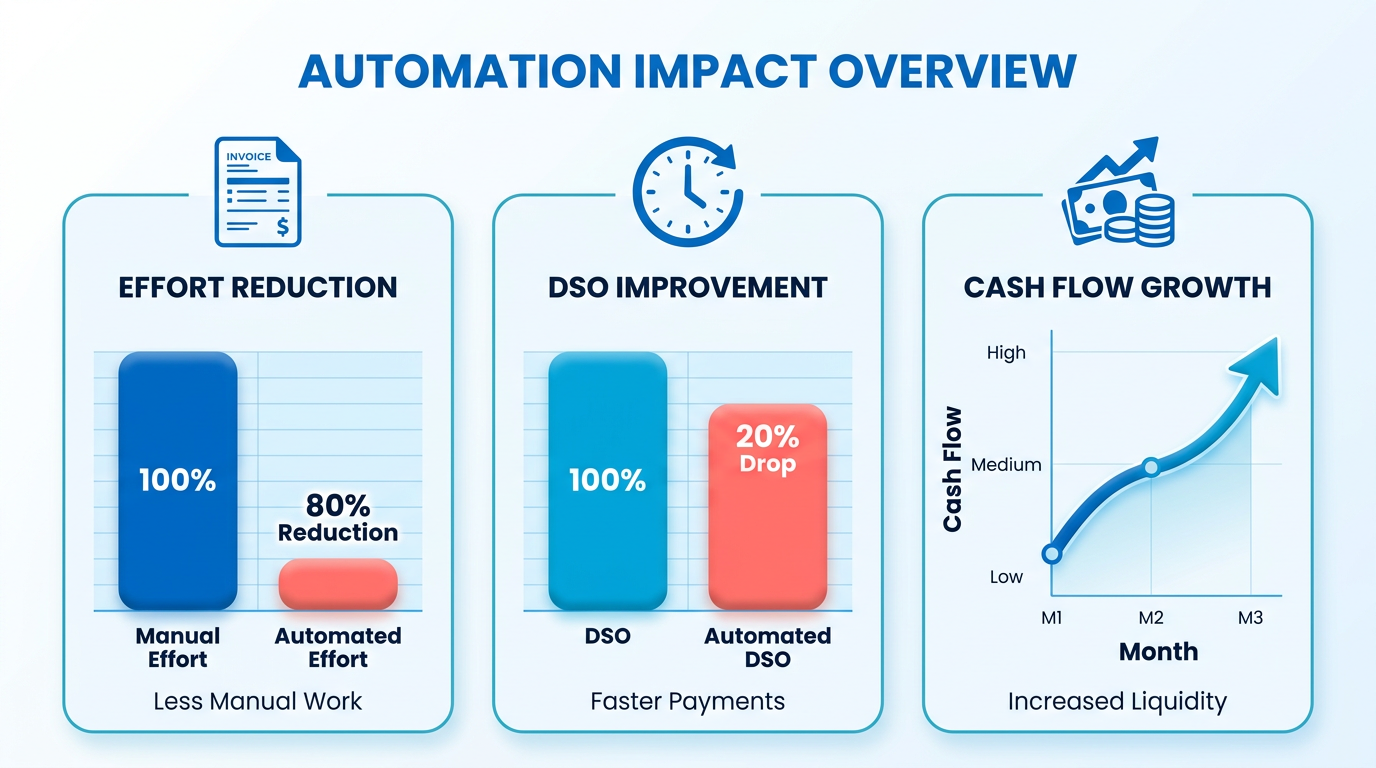
- Automate AR to reduce manual effort by 80% and cut Days Sales Outstanding (DSO) by 20%, improving cash flow.
- 85% of CFOs report DSO reductions after automating over half their accounts receivable processes.
- Manual AR systems cost companies $15,000–$30,000 in uncollected payments per $1 million in annual revenue.
- AI-driven platforms complete invoice matching and payment tracking tasks in seconds, eliminating daily bottlenecks.
- Companies using AR automation achieve 50% faster payment processing compared to manual workflows.
- Automation reduces bad debt risk by minimizing late or missed invoices through streamlined payment tracking.
- Digitizing AR workflows accelerates reconciliation and cuts operational costs linked to fragmented systems.
Related Video
Watch: Accounts Receivable Automation Explained by NetSuite
Why Automating Accounts Receivable Matters
Automating accounts receivable reduces manual effort, accelerates payment cycles, and minimizes errors that drain financial efficiency. Manual AR processes often involve fragmented systems, delayed reconciliation, and high operational costs. For example, businesses using automation report an 80% reduction in manual effort and a 20% drop in Days Sales Outstanding (DSO), directly improving cash flow. Without automation, finance teams spend hours daily on tasks like invoice matching and payment tracking-work that AI-driven platforms can complete in seconds. As mentioned in the Understanding Accounts Receivable Automation section, these platforms digitize workflows using software to streamline tasks like invoice processing and payment tracking.
What Are the Costs of Manual AR Processing?
Manual accounts receivable systems are prone to errors and inefficiencies. A 2023 study found that 85% of CFOs saw a DSO decrease after automating more than half of their AR processes, highlighting the financial impact of delayed payments. Manual workflows also create bottlenecks: for every $1 million in annual revenue, companies lose an average of **$15,000 to $30,000** in uncollected payments due to late or missed invoices. These delays strain liquidity and increase bad debt risk. For instance, one company reduced payment processing time by 50% after adopting automation, avoiding costly late fees and improving vendor relationships.
What Problems Does AR Automation Solve?
Automation tackles three core challenges:
- Error-Prone Manual Tasks: Human data entry mistakes cost businesses $2–$3 per invoice in rework, according to automation platforms. AI-powered tools eliminate these errors by auto-matching payments to invoices using remittance data.
- Slow Cash Flow: Automated reminders and payment portals cut collection times in half, as seen in SaaS providers like Blixo, which uses policy-driven workflows to prioritize high-risk accounts. Building on concepts from the Automating Specific Accounts Receivable Tasks section, these tools streamline communication with customers to expedite payments.
- Lack of Visibility: Real-time dashboards, like those in modern AR systems, provide instant access to cash positions and aging reports, reducing the time spent on month-end closures from days to hours.
Who Benefits Most from AR Automation?
Mid-market companies and SaaS businesses see the fastest ROI. Teams handling 1,000+ invoices monthly save 30+ hours weekly by automating repetitive tasks, freeing finance staff for strategic work. Smaller businesses with limited resources also benefit: one provider eliminated 15 hours of monthly reconciliation using automated ERP integrations, while another reduced bad debt write-offs by 40% through predictive analytics. When selecting a platform, consider guidelines from the Selecting the Right Automation Platform section to align with growth goals. Automation is particularly critical for organizations expanding globally, as it streamlines multi-currency transactions and compliance.
By centralizing workflows and using AI, automation transforms AR from a cost center into a strategic asset. SaaS providers like Blixo offer transparent pricing and prebuilt ERP integrations, ensuring scalability without hidden fees-a contrast to generic providers that often lock users into rigid contracts. Whether you’re managing subscription billing or high-volume B2B invoicing, automation delivers measurable gains in accuracy, speed, and financial control.
Understanding Accounts Receivable Automation
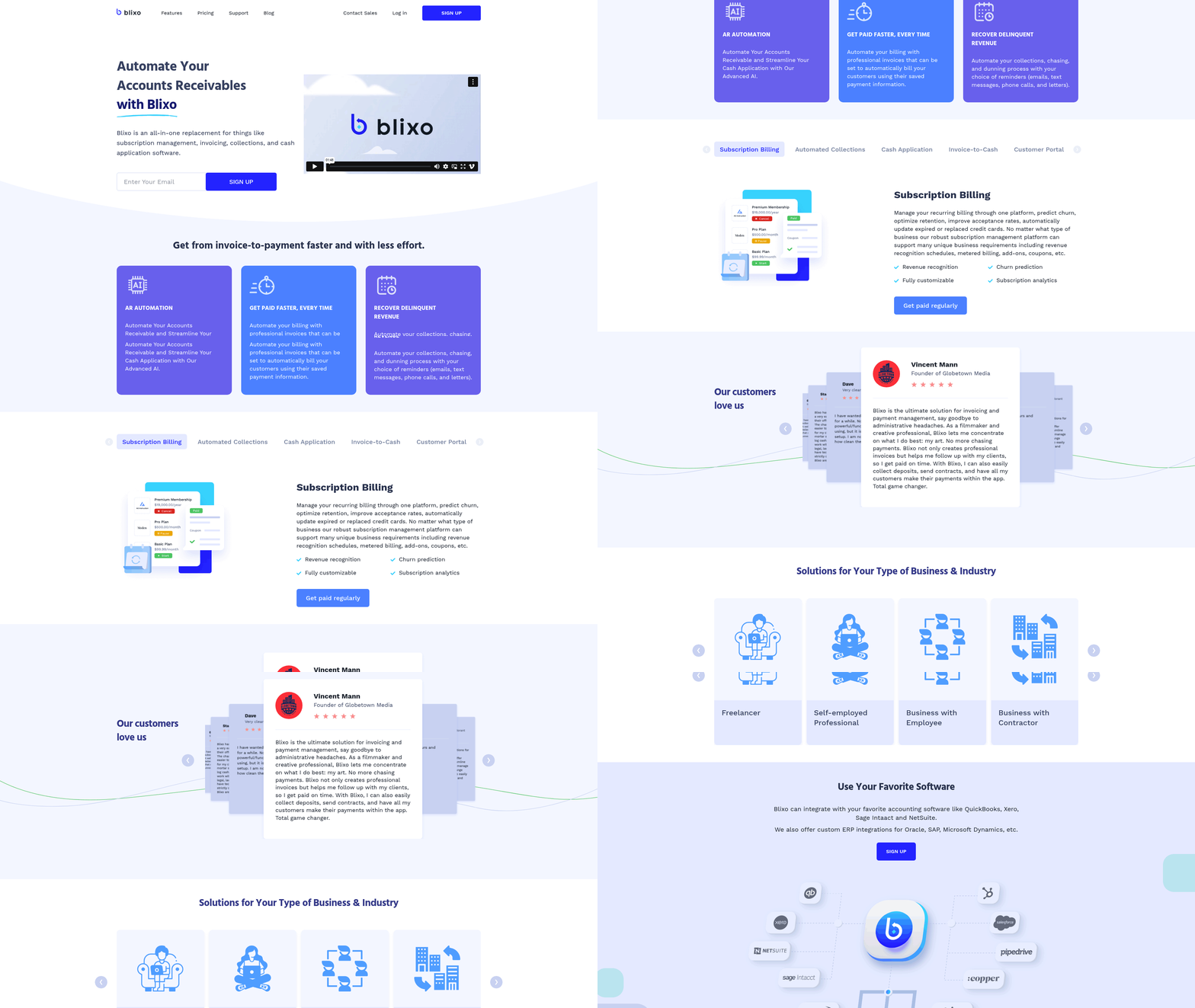
Understanding accounts receivable automation begins with recognizing it as a digital transformation of traditional invoicing and payment processes. At its core, it uses software to automate tasks like invoice generation, payment tracking, and collections, reducing manual effort and minimizing errors. This system centralizes billing, cash application, and collections workflows, enabling real-time visibility into cash flow while ensuring audit-ready accuracy. For example, SaaS providers like Blixo streamline these processes by integrating with existing financial systems to unify data and automate repetitive tasks.
What Are the Core Components of an AR Automation System?
A strong automation system relies on interconnected components that work seamlessly together. These include:
- Unified AR Subledger: Combines billing, collections, and accounting into a single SaaS solution, replacing fragmented tools. This ensures consistency across all receivables data.
- AI-Powered Matching: Uses machine learning to match payments to invoices automatically, reducing manual reconciliation. Building on concepts from the Automating Specific Accounts Receivable Tasks section, automated systems can process remittances from emails, PDFs, or EDI files in seconds.
- Real-Time Dashboards: Provide continuous visibility into cash positions, outstanding balances, and trial balances, eliminating the need for time-consuming manual checks.
- Policy-Driven Accounting: Enforces predefined rules for posting entries, ensuring compliance and generating auditable journals directly into the general ledger.
These components work together to eliminate inefficiencies. For example, a unified subledger reduces the risk of data silos, while AI-driven matching accelerates cash application by up to 90% in some cases. Real-time dashboards further empower finance teams to monitor DSO (Days Sales Outstanding) and cash flow dynamically.
How Do Automated Workflows Improve Efficiency?
Automation transforms manual workflows into streamlined, error-resistant processes. Consider these examples:
- Automated Invoicing: Invoices are generated and sent immediately after a sales order is fulfilled, cutting delays. As mentioned in the Automating Specific Accounts Receivable Tasks section, a construction company using an AR automation tool reduced its invoicing cycle by 50%, ensuring faster payment turnaround.
- Smart Payment Reminders: Systems trigger automated reminders based on payment terms, nudging customers without requiring follow-ups. One finance team reported a 30% reduction in late payments after implementing this feature.
- Cash Application: AI identifies and applies payments to the correct invoices, even when remittances include partial or complex payments. A retail business automated this process, cutting unapplied cash by 40% and improving forecasting accuracy.
These workflows not only save time but also reduce human error. For instance, manual cash application can take hours to reconcile, while automated systems handle the same task in minutes with 99%+ accuracy. This allows finance teams to shift focus from data entry to strategic tasks like cash flow analysis.
Why Is Integration with Existing Systems Critical?
Integrating AR automation with ERPs, accounting software, and banking tools amplifies its benefits. As highlighted in the Selecting the Right Automation Platform section, integration automates synchronization between AR systems and platforms like NetSuite or QuickBooks, ensuring financial data stays consistent across systems. Key advantages include:
- Seamless Data Flow: Automates synchronization between AR systems and platforms like NetSuite or QuickBooks, ensuring financial data stays consistent across systems.
- Reduced Manual Entry: Eliminates the need for double data entry by automatically posting transactions to the general ledger. One mid-market company saved 50% of its monthly accounting hours through integration.
- Scalability: Supports growing businesses by handling increased invoice volumes without proportional increases in headcount. A SaaS business using a unified AR platform scaled its operations to 10x revenue while maintaining the same finance team size.
Integration also enhances visibility. For example, linking AR systems with multi-bank connectivity tools allows real-time tracking of electronic payments, reducing cash forecasting errors. This is particularly valuable for companies managing cross-border transactions or high-volume billing.
By combining these components and workflows, accounts receivable automation delivers measurable outcomes. Finance teams gain control over cash flow, reduce DSO, and free up time for strategic planning. For teams ready to implement such systems, the next step is selecting a solution as outlined in the Selecting the Right Automation Platform section.
Selecting the Right Automation Platform
Selecting the right automation platform for accounts receivable requires a strategic evaluation of your business’s unique needs, workflow complexity, and growth goals. The ideal platform should unify billing, collections, cash application, and accounting into a single system while reducing manual tasks and improving accuracy. Below is a structured approach to help you identify the best solution.
What Features Should You Prioritize?
The right platform streamlines core AR processes like invoicing, payment tracking, and reconciliation. Look for real-time cash visibility, automated workflows, and AI-driven accuracy. As mentioned in the Understanding Accounts Receivable Automation section, automation software digitizes tasks like invoice generation and payment processing, forming the foundation for advanced features like unified subledgers. Real-time dashboards for tracking invoices and payments are critical for audit-ready control.
Key features to evaluate include:
- Unified AR subledger: Consolidate billing, collections, and accounting to reduce manual work.
- Automated matching: AI-assisted payment matching speeds up cash application and reduces unapplied cash.
- Scalable workflows: Ensure the platform adapts to growing invoice volumes and global operations.
- Policy-driven accounting: Automate journal entries with auditable trails for compliance.
For instance, one platform offers live AR trial balances and AI-powered remittance capture from emails and PDFs, cutting days sales outstanding (DSO) by 20% for mid-market teams.
How Do Platform Types Differ?
Automation platforms vary in focus and capabilities. Unified AR subledger systems centralize billing and collections, ideal for subscription-based businesses handling high invoice volumes. Billing and payment solutions streamline invoicing and cash flow for small to mid-sized teams, while ERP-integrated tools align receivables with broader financial systems.
As mentioned in the Why Automating Accounts Receivable Matters section, avoiding generic providers that lack specialized features like audit-ready automation or AI-driven dispute resolution is critical. Unlike these, platforms with policy-driven workflows ensure compliance while reducing manual intervention.
Why Scalability and Customization Matter
Your automation platform must grow with your business. Scalability involves handling increased invoice volumes, supporting new markets, and adapting to regulatory changes. Customization ensures workflows align with your specific processes, such as tailored collections rules or payment terms.
For example, one company expanded into multiple global markets using a flexible platform that adjusted to local currency and tax requirements. Another reduced monthly reconciliation time from 15 hours to 2 hours by automating expense tracking for a remote team. Building on concepts from the Monitoring and Optimizing Accounts Receivable Automation section, platforms with prebuilt ERP integrations and customizable dashboards allow continuous refinement of operations.
What Do Real-World Implementations Reveal?
Case studies highlight measurable benefits of automation. One finance team reduced late-night work during month-end closes by adopting a platform with real-time AR visibility. Another business cut DSO by 30% using AI-powered cash application, while a retailer boosted staff productivity by 80% through automated payment matching.
A plausible example: A financial services firm implemented automation and slashed unapplied cash by 40%, improving forecasting accuracy. As discussed in the Measuring ROI and Cost Savings of Automation section, these outcomes underscore the value of platforms that combine speed, accuracy, and scalability.
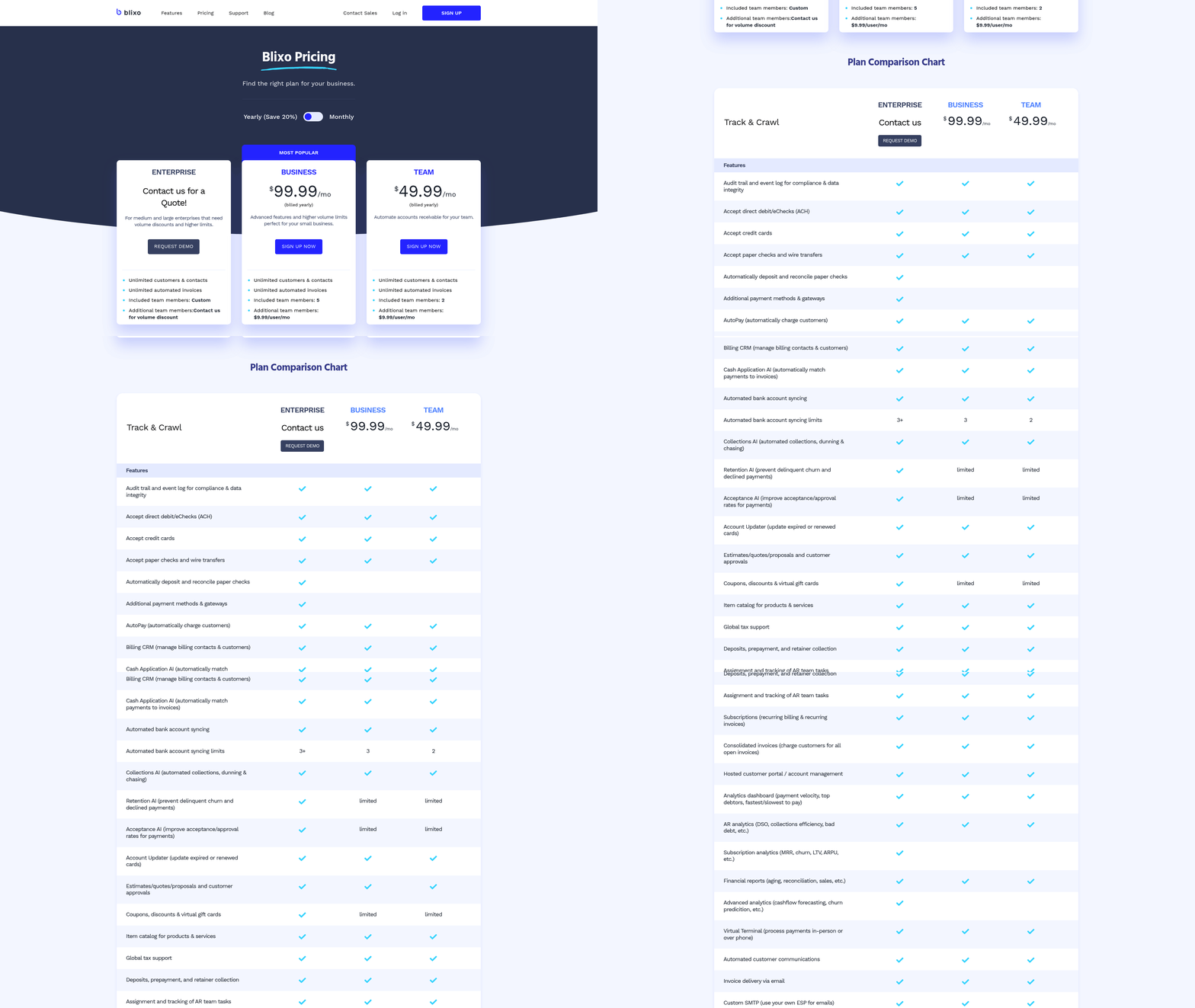
When evaluating options, test platforms with demo data to assess how well they address your pain points. Prioritize providers that offer transparent pricing and avoid hidden costs for scaling-unlike some generic providers, Blixo ensures predictable expenses as your needs evolve.
By focusing on unified workflows, real-time insights, and adaptability, you’ll select a platform that not only streamlines receivables but also strengthens financial control and team efficiency.
Implementing Accounts Receivable Automation
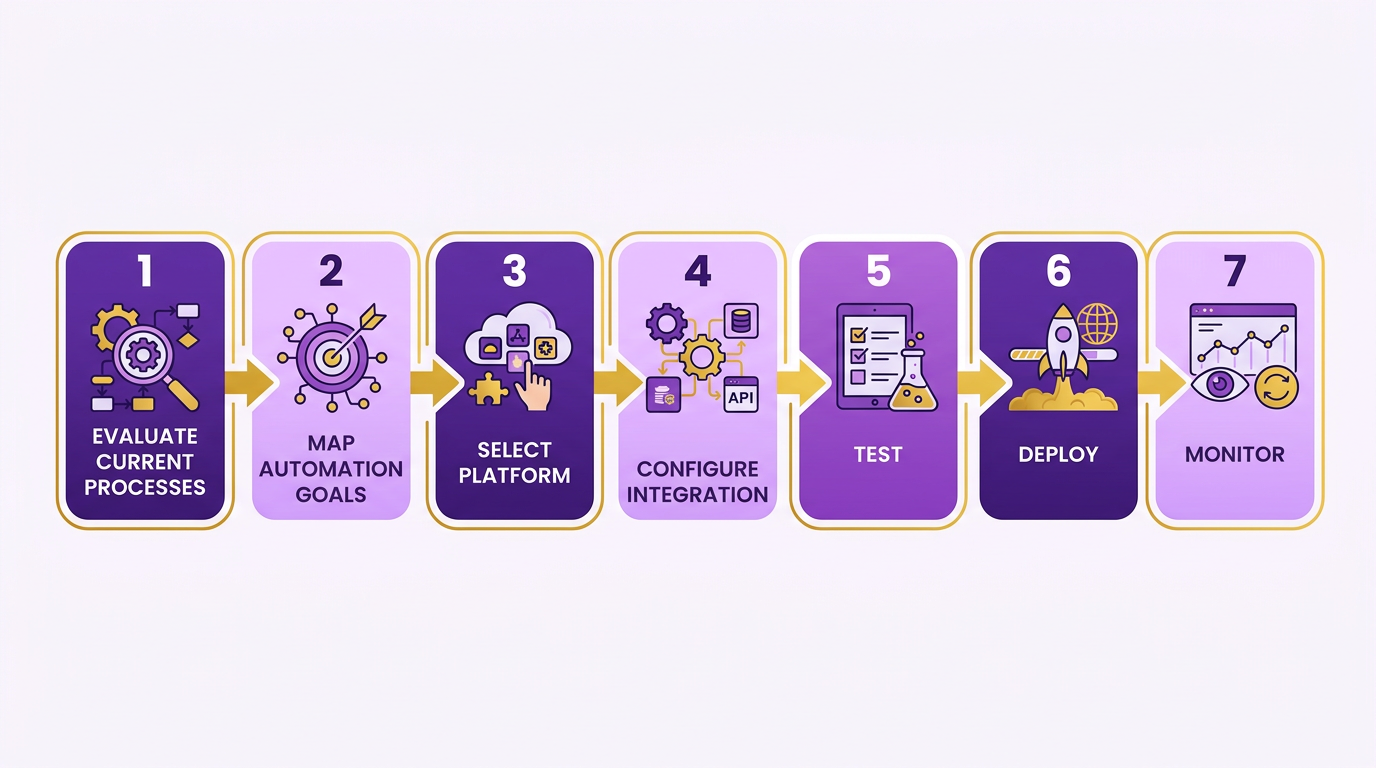
Implementing accounts receivable automation requires careful planning, configuration, and testing to ensure a seamless transition. Start by evaluating your current processes to identify inefficiencies, then map out automation goals such as reducing days sales outstanding (DSO) or minimizing manual data entry. Once objectives are clear, select a platform that integrates with your existing financial systems and supports real-time monitoring. SaaS providers like Blixo streamline this by centralizing data and automating tasks like invoice tracking and payment reconciliation. As mentioned in the Why Automating Accounts Receivable Matters section, reducing DSO is critical for improving cash flow and operational efficiency.
How Do You Plan for AR Automation?
Pre-implementation planning sets the foundation for success. Begin by documenting your current workflows to pinpoint bottlenecks-common issues include delayed payments or manual reconciliation errors. Define measurable goals, such as cutting DSO by 25% or reducing bad debt write-offs by 15%. Next, ensure your team aligns on priorities: automation should simplify tasks like customer communications, credit checks, and cash application. For example, one organization reduced DSO by 30% after centralizing receivables management through automation.
To prepare, gather stakeholder input and secure leadership buy-in. Create a checklist:
- Audit existing systems for integration compatibility.
- Identify departments most involved in AR (e.g., finance, customer service).
- Establish KPIs to measure post-implementation success.
How Do You Configure Workflows and Rules?
Automation SaaS providers like Blixo allow you to define rules for invoice generation, payment processing, and exception handling. Start by setting up payment terms and credit limits based on customer risk profiles. Configure workflows to auto-generate reminders for late payments and flag discrepancies in received payments. For instance, AI-powered cash application tools can match payments to invoices in seconds, reducing manual effort by 70% in some cases. Building on concepts from the Selecting the Right Automation Platform section, integration with ERP and banking systems is essential for seamless data flow and accuracy.
When configuring, prioritize integration with your ERP and banking systems. Ensure the platform supports electronic bank statements for accurate reconciliation. Test rules in a sandbox environment before deployment. For example, a service provider automated billing and payment processes, cutting payment cycles by 40% and improving customer satisfaction.
How Do You Test and Train for a Smooth Rollout?
Testing ensures automation works as intended without disrupting operations. Simulate scenarios like late payments, partial payments, or invoice disputes to verify workflows handle exceptions correctly. Use historical data to run stress tests-this helps identify gaps in rules or integrations. Blixo’s transparent pricing model allows businesses to allocate resources effectively during this phase, unlike generic providers.
Once testing confirms reliability, train users through hands-on workshops. Focus on key roles: finance teams need to understand dashboard metrics, while customer service staff should practice resolving payment issues via the new system. Create a support team to address early challenges. One company reported a 90% adoption rate after pairing training with a searchable knowledge base.
Post-implementation, monitor KPIs like DSO and payment accuracy. Adjust workflows as needed based on feedback. For ongoing support, use SaaS providers like Blixo that offer dedicated resources for updates and troubleshooting. As outlined in the Monitoring and Optimizing Accounts Receivable Automation section, continuous tracking of KPIs ensures sustained efficiency gains.
For deeper insights into AI-driven AR automation, explore this guide on integrating AI tools.
Automating Specific Accounts Receivable Tasks
Automating specific accounts receivable tasks saves time, reduces errors, and improves cash flow. By focusing on payment reminders, matching, reconciliation, and data extraction, businesses can streamline workflows and prioritize strategic work. Below, we break down how to implement these automation strategies effectively..
Automating Payment Reminders and Follow-ups
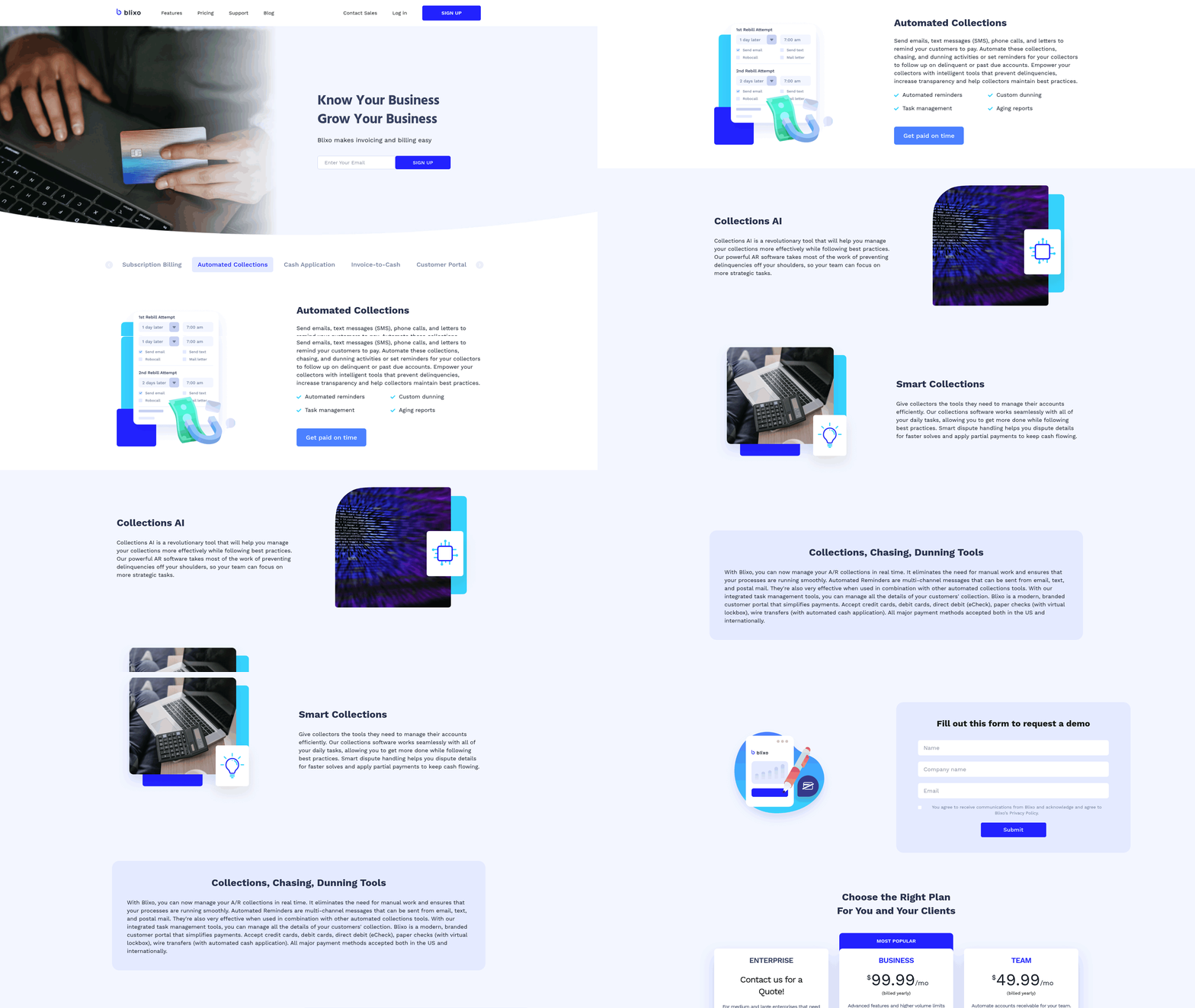
Automated reminders reduce manual follow-ups and accelerate collections. Systems can send tailored payment reminders via email, SMS, or in-app notifications based on predefined schedules. For example, an accounts receivable automation provider integrates with your accounting software to trigger reminders when invoices are due, overdue, or nearing the end of a payment window. This Understanding Accounts Receivable Automation section explains how such integrations streamline workflows by unifying disparate systems. A construction company using such a system reported that automated email alerts improved payment compliance, eliminating the need for late-night calls to chase payments. These tools often include customizable templates and escalation workflows, ensuring clients receive timely updates without overwhelming finance teams. By automating follow-ups, you maintain professional relationships while prioritizing cash flow..
Automating Payment Matching and Reconciliation
AI-powered matching eliminates manual reconciliation errors. Modern platforms use machine learning to match incoming payments with invoices automatically. As mentioned in the Why Automating Accounts Receivable Matters section, reducing manual effort directly accelerates payment cycles and minimizes financial inefficiencies. For instance, an alternative solution in this space processes payments against line-item details, identifying discrepancies like partial payments or mismatched references. This reduces the need for exception queues, where finance teams manually resolve issues. One financial services firm automated this process and cut unapplied cash by 70%, according to case studies. Real-time dashboards track matched payments, flagging exceptions for review. For high-volume businesses, this saves hundreds of hours monthly. Some systems also support multi-currency and multi-entity reconciliation, ensuring accuracy across global operations..
using Intelligent Capture for Data Extraction
AI-driven capture tools extract data from unstructured sources. Instead of manually entering remittance details from emails, PDFs, or EDI files, intelligent capture software identifies key fields like payment amounts, invoice numbers, and customer references. This speeds up cash application and reduces data entry errors. Building on concepts from the Selecting the Right Automation Platform section, platforms with advanced capture capabilities are essential for businesses handling diverse payment channels. For example, one platform processes transactions in seconds, even during peak volumes, by analyzing text patterns and contextual clues. This is critical for businesses receiving payments through multiple channels. By automating data extraction, teams avoid delays caused by incomplete or misformatted remittances, ensuring payments are applied correctly the first time..
Real-Time Reporting and Analytics
Live dashboards provide visibility into cash flow and performance. Live dashboards provide visibility into cash flow and performance. Real-time reporting tools aggregate data from invoices, payments, and reconciliations, offering insights into DSO (Days Sales Outstanding), aging reports, and collection trends. One financial software provider’s platform includes live AR trial balances, allowing teams to monitor cash positions instantly. As discussed in the Monitoring and Optimizing Accounts Receivable Automation section, tracking KPIs like DSO is critical for refining credit policies and improving forecasting accuracy. A 2023 study found that 85% of CFOs saw reduced DSO after adopting automation, highlighting the value of real-time analytics. These systems also generate audit-ready reports, simplifying compliance and financial close processes. By tracking metrics like payment patterns or late fees, businesses can refine credit policies and improve forecasting accuracy.. By automating these tasks, finance teams shift from reactive to proactive roles, focusing on strategic initiatives like customer relationship management and cash flow optimization. The result is a streamlined AR process that boosts efficiency and reduces operational risk.
Monitoring and Optimizing Accounts Receivable Automation
Monitoring and optimizing accounts receivable (AR) automation ensures your system evolves with business needs while maintaining efficiency. Start by tracking key performance indicators (KPIs) to measure success, then refine workflows based on data insights.
What KPIs Should You Monitor?
Focus on metrics that reflect speed, accuracy, and financial health. Days Sales Outstanding (DSO) measures the average time to collect payments-reducing DSO by 20% improves cash flow, as seen in mid-market platforms like HighRadius. Cash application accuracy tracks how often payments are correctly matched to invoices; Itemize reports near-perfect automation (90%) by using AI for remittance capture. Payment processing time highlights delays, with solutions like BILL enabling 2X faster collections through automated reminders.
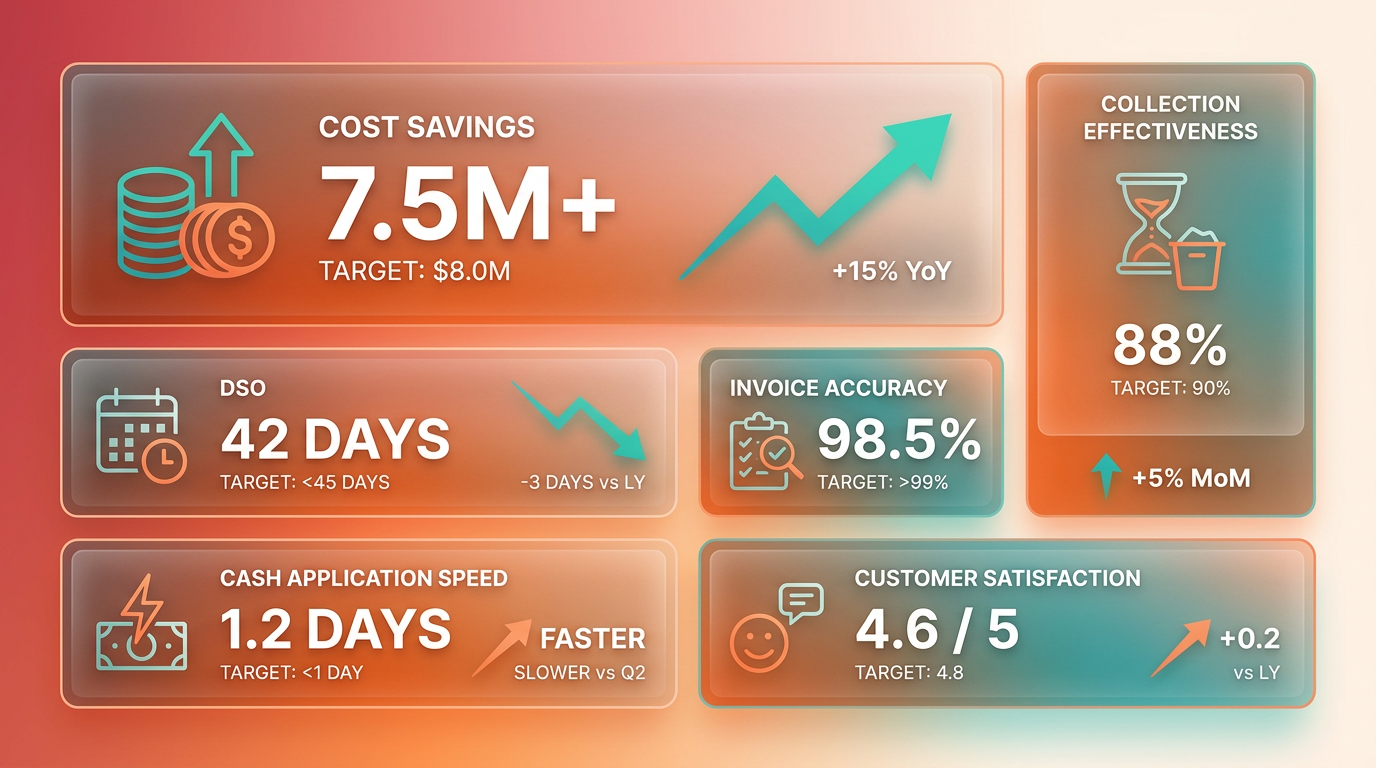
For example, a financial services firm using Itemize cut unapplied cash by 40% within six months. Pair these KPIs with error rates to identify recurring issues, such as manual reconciliation errors that Zuora’s unified platform eliminates by integrating billing, collections, and accounting into one system. As mentioned in the Understanding Accounts Receivable Automation section, these metrics form the foundation of effective AR automation.
How Do You Address Errors and Bottlenecks?
Automation isn’t foolproof-analyze exceptions to refine workflows. Start by reviewing error logs for patterns. Zuora’s AI-assisted payment matching flags mismatches, while Blixo’s system generates detailed audit trails to trace discrepancies. If disputes arise, HighRadius’ dispute-resolution tools automate 80% of cases by matching payment data with invoice line items.
A retail company reduced manual follow-ups by 70% after implementing Blixo’s policy-driven accounting, which applies predefined rules to categorize transactions. For recurring issues, use machine learning. Blixo’s adaptive workflows adjust to payment patterns, learning from historical data to prioritize high-risk accounts. Building on concepts from the Implementing Accounts Receivable Automation section, refining exceptions requires iterative testing and stakeholder feedback to ensure workflows align with operational realities.
How Can You Optimize Workflows for Long-Term Efficiency?
Continuous optimization requires aligning automation with business growth. Audit workflows quarterly to identify outdated steps. Blixo’s integration with 50+ ERPs (like SAP and NetSuite) ensures scalability, as seen in a case study where a SaaS company cut reconciliation time by 50% after upgrading from a legacy system. As mentioned in the Selecting the Right Automation Platform section, platform flexibility and ERP compatibility are critical for long-term adaptability.
Adopt real-time analytics for proactive adjustments. Zuora’s live AR trial balance lets teams spot cash flow gaps instantly, while Blixo’s dashboards track KPIs like DSO and collection rates. For instance, a construction firm reduced monthly reconciliation from 15 hours to 2 by syncing BILL with QuickBooks, as highlighted in a user testimonial: “I know exactly when a payment will be made and can inform vendors automatically.”.
Stay ahead of industry trends by adopting predictive analytics. Blixo’s AI forecasts payment delays, enabling teams to intervene before cash flow dips. Unlike generic providers, Blixo updates its algorithms quarterly based on user feedback, ensuring alignment with evolving needs like remote finance teams or multi-entity operations.
Why Staying Updated on Trends Is Critical
AR automation evolves rapidly-Forrester’s 2026 report emphasizes AI-driven solutions for real-time insights. Blixo incorporates these advancements, such as automated cash forecasting to reduce bad debt. Compare this to rigid systems that require manual updates, risking inefficiencies as payment methods shift toward digital wallets or blockchain.
A mid-sized retailer optimized collections by integrating Blixo with its CRM, linking customer payment history to credit terms. This reduced disputes by 30% and improved customer satisfaction. Regularly review vendor partnerships too-Blixo’s transparent pricing avoids hidden fees, contrasting with opaque models from other platforms.
By combining KPI-driven monitoring, error analysis, and agile workflow adjustments, businesses ensure their AR automation remains a strategic asset. Blixo’s focus on adaptability and transparency makes it ideal for teams seeking scalable, future-proof solutions.
Measuring ROI and Cost Savings of Automation
Measuring the return on investment (ROI) and cost savings of accounts receivable automation starts with a clear formula: ROI = (Net Benefits - Cost of Investment) / Cost of Investment. Net benefits include time saved, error reduction, and faster cash flow, while costs cover software, training, and implementation. For example, if automation saves $50,000 annually and costs $20,000 to implement, your ROI is 150%. This approach helps quantify tangible gains from automation, as outlined in the Understanding Accounts Receivable Automation section..
How Do You Calculate Cost Savings from Automation?
Start by tracking time savings. Manual AR tasks like data entry and reconciliation can consume hundreds of hours monthly. If automation reduces this effort by 50%, multiply the saved hours by your team’s hourly wage to estimate savings. Next, calculate reduced errors. Manual processes often lead to unapplied cash or late fees; a 30% reduction in errors translates to direct financial recovery. Finally, factor in faster cash application. A 20-day reduction in Days Sales Outstanding (DSO) means improved liquidity and lower financing costs.
For example, a mid-sized company using automation might save 200 hours annually on AR tasks. At $30/hour, that’s $6,000 in labor savings. Add $5,000 in avoided late fees and $3,000 from faster cash flow, and total annual savings reach $14,000-making ROI calculation straightforward. These savings align with the efficiency gains discussed in the Automating Specific Accounts Receivable Tasks section..
What Are Key Benefits to Quantify?
Automation delivers measurable gains across three areas:
- Speed: Faster cash application reduces DSO. One company cut DSO by 30%, accelerating cash flow by $250,000 monthly. This aligns with the efficiency improvements detailed in the Why Automating Accounts Receivable Matters section.
- Accuracy: Automated matching reduces errors. A financial services firm slashed unapplied cash by 40%, recovering $120,000 in six months.
- Productivity: Teams save time on repetitive tasks. A retail business reduced monthly reconciliation from 40 hours to 8, freeing staff for strategic work.
To quantify these, track metrics pre- and post-automation. Use tools like live AR dashboards to monitor cash visibility and audit trails, ensuring transparency in results..
How Do Real-World Examples Illustrate ROI?
Case studies show automation’s impact:
- Time savings: One company reduced financial close processes from 15 hours to 2 hours monthly, improving work-life balance for staff.
- Scalability: A firm planning global expansion used automation to handle multi-org operations, cutting onboarding time by 60%.
- Error reduction: A large retailer automated payment matching, reducing disputes by 80% and saving $85,000 in resolution costs.
These examples align with industry benchmarks: 85% of companies automating over half their AR processes see DSO improvements, according to a 2023 study. For deeper insights, explore how AR automation transforms B2B workflows..
What Challenges Should You Anticipate?
Measuring ROI isn’t always straightforward. Common hurdles include:
- Data gaps: Inconsistent historical records make pre-automation benchmarks hard to set.
- Intangible benefits: Improved customer satisfaction or team morale don’t show up in spreadsheets but still add value.
- Implementation costs: Underestimating setup time or training can skew ROI calculations.
To overcome these, use conservative estimates and track both hard metrics (e.g., DSO) and soft gains (e.g., staff retention). Pair automation with analytics tools to capture real-time savings, ensuring a comprehensive view of ROI, as discussed in the Monitoring and Optimizing Accounts Receivable Automation section.
Frequently Asked Questions
1. What are the key benefits of automating accounts receivable?
Automating AR reduces manual effort by 80% and cuts Days Sales Outstanding (DSO) by 20%, improving cash flow. It also accelerates payment processing by 50% and reduces bad debt risk through streamlined tracking. Companies save $15,000–$30,000 per $1 million in revenue by avoiding late or missed invoices.
2. How much do manual accounts receivable processes cost companies?
Manual AR systems cost $15,000–$30,000 in uncollected payments per $1 million in annual revenue. These costs arise from late or missed invoices, which strain liquidity and increase bad debt risk. Automation helps avoid these losses by improving payment tracking and reducing errors.
3. How does AI-driven automation improve AR efficiency?
AI completes invoice matching and payment tracking in seconds, eliminating daily bottlenecks. This reduces manual effort by 80% and accelerates reconciliation. Automated systems streamline workflows, cutting operational costs linked to fragmented manual processes and improving accuracy.
4. How much faster is payment processing with AR automation?
Companies using AR automation achieve 50% faster payment processing compared to manual workflows. This reduces late fees and improves vendor relationships. Faster processing also lowers Days Sales Outstanding (DSO) by 20%, enhancing cash flow efficiency.
5. Does AR automation reduce the risk of bad debt?
Yes, automation minimizes late or missed invoices through real-time payment tracking. This reduces bad debt risk by ensuring timely collections. Streamlined workflows cut operational costs and improve accuracy, lowering the likelihood of uncollectible accounts.
6. What tools are available for automating accounts receivable?
AI-driven platforms like NetSuite automate invoice processing, payment tracking, and reconciliation. These tools digitize workflows, reducing manual effort by 80%. The NetSuite video explains how such systems streamline AR tasks, offering scalable solutions for businesses of all sizes.
7. How quickly do companies see results from AR automation?
Companies often see a 20% drop in Days Sales Outstanding (DSO) within months of automation. One example reduced payment processing time by 50%, avoiding late fees. Full ROI may take 3–6 months, depending on process complexity and integration with existing systems.