

How AR Automation Clears Aging Buckets Without Adding Collections Staff

Before we get into it, the short version:
- AR automation can reduce DSO by addressing internal delays such as missed follow-ups, manual invoice errors, and slow cash application that contribute to billing lag.
- Invoices aging beyond 90 days often carry higher write-off risk, and collection rates tend to decline once accounts cross that threshold.
- A meaningful share of late B2B payments can stem from manual invoicing errors such as wrong amounts, missing PO numbers, or outdated contact information.
- Automated dunning sequences can be configured to trigger reminders at set milestones—for example, a reminder at day 31, an escalation at day 61, and a hold at day 90—so accounts do not age passively.
- Real-time ERP integration can update aging buckets as payments arrive, which may allow collectors to prioritize high-value, high-risk accounts more automatically.
- Automation can be configured to address upstream breakdowns by routing disputed charges early and triggering risk-based credit holds before balances become uncollectible.
In short: automation fixes what you control
Accounts receivable automation can shorten the time between invoice and cash by reducing the internal delays you actually control: tracking overdue accounts, sequencing follow-up, matching payments. Public materials from AR automation vendors suggest some adopters report lower DSO and better cash visibility, though automation can’t make customers pay faster. It removes friction in your process. It doesn’t promise a dramatic collections improvement on its own.
The pattern in many implementations we’ve seen is similar: automation helps teams intervene sooner and reduces the amount of receivables that quietly drift into older buckets. Late payment is often not a single collections failure but a chain of operational misses. An invoice goes out late. A reminder is skipped. A dispute is not routed. A payment is not applied promptly. Automation can tighten that chain so finance teams are not relying on calendar reminders, spreadsheets, or individual collectors to catch every exception.
What automation tackles first
Automated invoice delivery can cut billing lag by issuing invoices shortly after the billing event, so customers receive them sooner. Reminder workflows can then follow a defined cadence based on invoice age, customer behavior, and balance size. Collections prioritization can rank the worklist by value and recovery likelihood, so your team focuses on the accounts that matter most. Real-time AR aging and built-in cash application can produce cleaner aging reports and faster reconciliation, which may improve forecast accuracy and working capital visibility.
Automation won’t fix a customer’s ability or willingness to pay. An overly aggressive dunning sequence can strain relationships. The win is in removing the delays you own: missed follow-up, preventable invoice defects, slow dispute routing, and cash application backlogs. That’s how the same AR team may manage more accounts without turning every month-end into a manual chase.
Why aging buckets matter
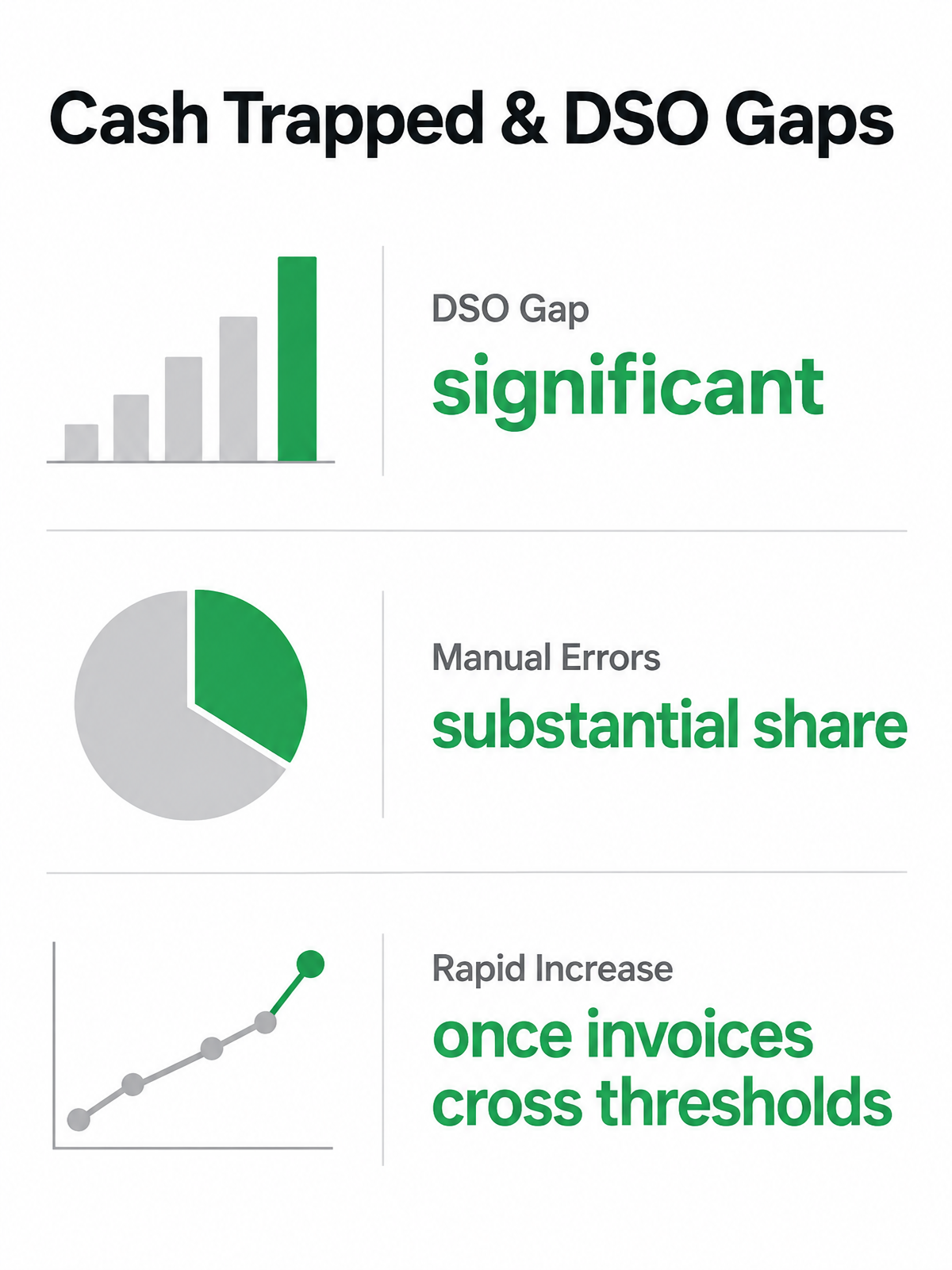
Your outstanding invoices aren’t just numbers on a balance sheet. Large enterprises can face meaningful trapped cash in receivables, and DSO gaps often separate top performers from median ones. That gap can compound when invoices age past key thresholds.
In our experience working with subscription businesses, the problem isn’t always that customers refuse to pay. Many delays start with basic invoice quality: the billing amount doesn’t match the contract, the purchase order is absent, or the invoice lands with someone who no longer approves payments. By the time finance finds the issue, the receivable has already moved out of the early follow-up window and into a bucket where recovery requires more effort.
The financial cost of aging past 90 days
Once an invoice crosses 90 days past due, your likelihood of collecting often deteriorates. Current invoices tend to have lower loss rates. Balances over 90 days can carry materially higher write-off risk. When receivables aged beyond 90 days represent a meaningful share of your total AR, that can be a forward signal of cash-flow strain and potential write-offs ahead, not a lagging indicator you can afford to ignore.
The pattern across many industries is similar: overdue B2B invoices tie up cash that could otherwise fund payroll, growth, implementation work, or debt reduction. SaaS companies with enterprise clients often feel this pressure acutely because long approval chains, procurement requirements, and contract amendments can all delay payment even when the customer intends to stay. The issue is broader than collections. It’s an invoice-to-cash operating model problem.
Why accounts receivable automation addresses root causes
Hiring another collections clerk to chase late-stage invoices misses the point. Accounts receivable automation can be configured to handle the upstream breakdowns that let invoices age in the first place: it can route disputed charges early, apply policy-driven credit controls, and match payments automatically so your existing team can focus on exception management rather than data entry. Finance leaders often report that automation improves invoice tracking, which matters because weak visibility is what allows small process errors to become systematic AR leakage.
Skip automation if your AR balance is small enough that manual follow-up costs less than software. For everyone else, the ROI calculation should compare the cost of delayed intervention against the cost of proactive workflows, not just current headcount against software fees.
Automation mechanics: how AR platforms tackle aging
Accounts receivable automation can reduce aging by connecting three core mechanics: real-time invoice visibility, rule-based collections workflows, and predictive credit scoring. Together, they can give finance teams a live operating view instead of a static report that only explains what went wrong after the month closes.
Real-time AR data and collections prioritization
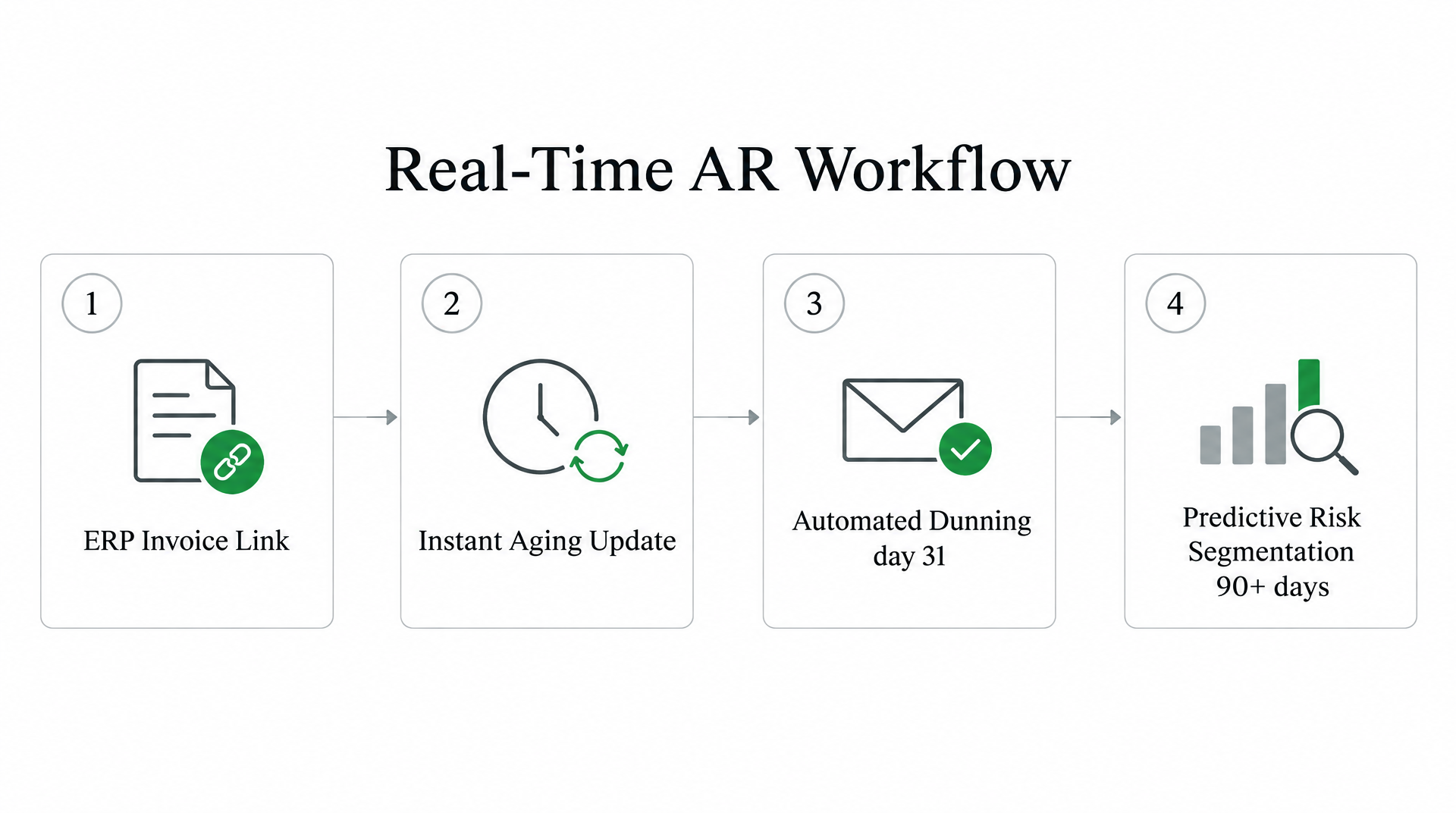
An automation platform can be configured to link directly to your ERP’s invoice data, so the collections team isn’t working from exported spreadsheets that are stale by the time they’re reviewed. This visibility can let you rank accounts by days overdue and customer value. High-risk, high-value accounts can move to the top of the worklist, while lower-priority balances can stay in automated follow-up until they require human judgment.
That prioritization matters because most AR teams don’t have time to treat every overdue invoice the same way. A small balance from a historically reliable customer doesn’t need the same level of attention as a strategic account with a large open balance, a recent dispute, and deteriorating payment behavior. Automation can turn those distinctions into rules, so collectors spend their time where the cash impact and risk are highest.
Rule-based workflows and dispute routing
Automation can be configured to flag invoices with missing documentation, mismatched POs, or payment disputes when they arrive, before they become entrenched problems. Disputes can route to the right resolver immediately, so a billing error doesn’t sit unaddressed in someone’s inbox. When your team resolves the root cause early, the invoice can move back into the normal collection path rather than aging further.
The system can also be configured to apply incoming payments automatically, matching them to open invoices so cash doesn’t sit unapplied. This can eliminate the reconciliation delay that can make an account look delinquent even after the customer has paid. For finance leaders, that cleaner signal is useful: collectors stop chasing balances that are already settled, and managers get a more reliable picture of true exposure.
Predictive segmentation
Some platforms offer predictive credit-risk models trained on historical payment timelines and customer behavior. These can identify which accounts are more likely to become collection problems before they reach the oldest bucket. This segmentation can allow you to apply stricter terms, request prepayment, or escalate to external collections only where the risk justifies it, rather than applying blanket policies to every customer.
The practical value isn’t just prediction. It’s differentiated treatment. Reliable customers can receive lighter-touch reminders that preserve the relationship, while accounts showing worsening behavior can trigger earlier review. That balance can help reduce aging without turning the collections process into a one-size-fits-all escalation engine.
Real‑world impact: companies that cleared buckets without hiring
Companies that automate accounts receivable often find they can clear aging buckets without expanding their collections team. The pattern appears across industries: when payment delays stem from operational friction rather than genuine customer disputes, automation can remove the bottleneck that would otherwise require more staff.
We see this outcome when companies adopt AR automation systems. Some businesses report that overdue balances shrink because the system can catch exceptions earlier and route them for action automatically. The impact isn’t just faster follow-up. It’s fewer accounts slipping through the cracks in the first place.
What changed without new hires
The difference lies in automating the operational friction that causes aging: dispute routing, documentation handoffs, payment matching, and prioritization logic. When an invoice becomes overdue, automation can assign it based on customer risk and account value instead of waiting for someone to notice it on an aging report. When a payment arrives, intelligent matching can apply it to the correct invoice without creating a manual reconciliation queue.
The value comes from scale. Manual teams spend a surprising amount of time deciding what to work next, checking whether a payment has posted, looking for missing backup, and asking other departments to resolve billing questions. When the system handles repetitive triage work, the existing finance team can manage a larger AR load. Hiring another clerk would add capacity. Automation adds control.
What I’d actually do
Before you configure a single dunning rule, audit your AR data. Automating bad data only scales the problem faster. We see teams spend weeks setting up accounts receivable automation workflows, then discover that their customer records include duplicate contacts, outdated payment terms, and invoices that can’t be routed cleanly because required billing fields are incomplete.
Clean your customer file first. Standardize payment terms, validate contact emails, and reconcile any invoices sitting in limbo because your system doesn’t know where to route them. Predictive models rely on historical AR records, payment timelines, aging schedules, and DSO trends. Feed them incomplete data and your risk scoring will flag the wrong accounts while high-value late payers slip through.
Your aging bucket structure shapes how fast you act. A healthy AR schedule often keeps the majority of the total balance in the Current bucket. When older receivables begin taking up too much of the total balance, you’re looking at cash-flow strain and potential write-off exposure. Catching accounts while they’re still early enough to resolve isn’t just faster collections. It’s protecting revenue you’ve already reported.
Pilot with a limited customer segment before rolling automation across your entire book. Pick a mix of payment behaviors—some reliable, some chronically late—and test your escalation rules against real account histories. Monitor DSO movement weekly during the pilot and adjust reminder cadences based on what actually moves payments, not what sounds reasonable in a planning session.
Common pitfalls we see: setting the same dunning sequence for every customer regardless of payment history, treating middle-aged receivables as harmless until they become severe, and failing to train staff on exception handling when automation flags a dispute it can’t resolve. Automation handles routine follow-up. Your team still needs to own the exceptions that signal deeper credit risk.
Frequently Asked Questions
How does AR automation reduce DSO if it can’t force customers to pay faster?
It can reduce the avoidable time inside your own process. Invoices can be delivered sooner, follow-up can happen consistently, disputes can be routed to the right owner, and payments can be posted more quickly. Customers still control when they pay, but automation can prevent your team from losing days or weeks to internal lag before action begins.
What happens to invoices that sit in a middle aging bucket—say, 61-90 days—while we focus on 90+ accounts?
They should not be ignored until they become severe. A good AR automation setup can treat that middle bucket as an intervention zone: accounts are reviewed for risk, balance size, dispute status, and customer history, then routed to the right next step. That keeps collectors from spending all their time on the oldest balances while newer problems quietly worsen.
Should we clean our AR data before configuring automation workflows?
Yes. Automation depends on reliable inputs: customer contacts, payment terms, invoice fields, dispute codes, and payment history. If those records are messy, the workflow may send reminders to the wrong person, escalate the wrong account, or misclassify risk. Data cleanup is the foundation for useful automation rather than faster confusion.