

Essential Accounts Receivable Automation Tools Checklist
Related Video
Watch: Accounts Receivable Automation Explained by NetSuite
Key Takeaways
- 87% of businesses report faster process speeds with automation, reducing invoicing and collections delays (Stripe).
- High-volume businesses cut Days Sales Outstanding (DSO) to 55 days with automation, down from 78 days manually (Stripe).
- 85% of CFOs note reduced DSO after automating at least half of AR tasks (NetSuite).
- 75% of companies see improved customer service due to consistent, error-free communication (Stripe).
- One business reduced billing mistakes by 40% using automated payment matching (HighRadius).
- A construction firm automated payment reminders, saving 20+ hours monthly on follow-ups (Stripe).
- Automation can help businesses get paid up to twice as quickly by streamlining invoicing and collections (Sage).
Why Accounts Receivable Automation Matters
Key Industry Statistics
Modern businesses rely on accounts receivable (AR) automation to streamline operations and improve financial health. Industry data highlights its transformative impact:
- 87% of businesses report faster process speeds with automation, reducing delays in invoicing and collections (Stripe).
- 75% of companies see improved customer service due to consistent, error-free communication (Stripe).
- High-volume businesses (over 20,000 monthly invoices) cut Days Sales Outstanding (DSO) to 55 days with automation, compared to 78 days manually (Stripe).
- 85% of CFOs note reduced DSO after automating at least half of AR tasks (NetSuite).
Real-World Operational Improvements
Automation reduces manual effort and boosts productivity across teams:
- Error rates drop significantly-one business cut billing mistakes by 40% using automated payment matching (HighRadius). As mentioned in the Core Functionalities of an AR Automation Solution section, these tools eliminate manual data entry by pulling information from sales orders, contracts, or CRM systems.
- Productivity gains allow finance teams to focus on strategic tasks. For example, a construction firm automated payment reminders, saving 20+ hours monthly on follow-ups (Stripe).
- Faster cash flow is achievable: automation can help businesses get paid up to twice as quickly by streamlining invoicing and collections (Sage).
Challenges Addressed by Automation
Manual processes create bottlenecks and risks. Automation solves these pain points:
- Eliminates manual data entry errors, ensuring accurate invoices and payments (Paystand).
- Reduces payment processing delays-automated reminders and portals cut late payments by up to 30% (Paystand). Building on concepts from the Implementation and Integration Considerations section, seamless integration with ERP and CRM systems ensures these reminders and portals operate efficiently.
- Simplifies compliance with real-time tracking and reporting, minimizing audit risks (Stripe).
Who Benefits Most
Both small and large businesses gain value from AR automation:
- Small businesses reduce administrative burdens. Automated invoicing tools let startups collect payments 2X faster, improving cash flow (Sage).
- Enterprises scale efficiently. One large firm processed 72M invoices annually with automation, cutting DSO by 10 days (Esker). As discussed in the Vendor Evaluation Criteria and Decision Matrix section, selecting the right vendor is critical to achieving these scalability benefits.
- Global operations benefit from multi-currency support and localized invoicing, enabling seamless cross-border transactions (Stripe).
Proven Success Through Case Studies
Real-world examples demonstrate automation’s impact:
- A wholesale business automated invoicing, reducing payment delays and improving liquidity by 30% (Stripe).
- A mid-sized firm cut DSO by 10 days using AI-driven prioritization, recovering $20M in stalled payments (HighRadius).
- A nonprofit slashed monthly reconciliation time from 15 hours to 2 hours, boosting team productivity (BILL). These case studies align with the metrics outlined in the Success Metrics and ROI Measurement section, where tracking liquidity improvements and productivity gains are key indicators of automation success.
By addressing inefficiencies and enhancing accuracy, AR automation is no longer optional-it’s essential for businesses aiming to thrive in a competitive market. Tools like Blixo offer scalable solutions tailored to these needs, ensuring transparency and adaptability for organizations of all sizes.
Core Functionalities of an AR Automation Solution
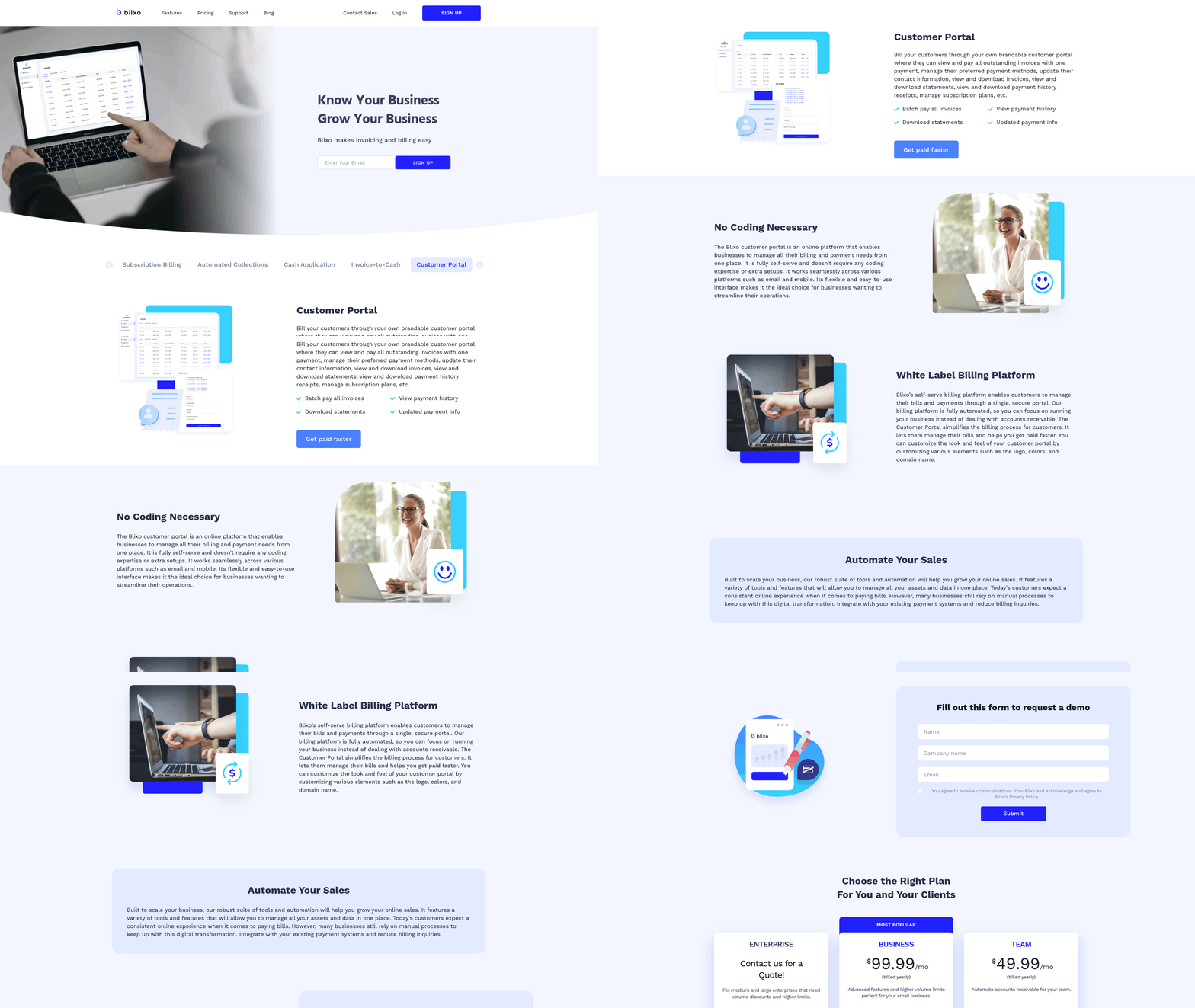
Automated invoicing and billing generation form the backbone of any AR automation solution. These tools eliminate manual data entry by pulling information from sales orders, contracts, or CRM systems to generate accurate, error-free invoices. Customization is essential-businesses must tailor invoice layouts, payment terms, and language to align with brand standards and regional compliance. For example, Stripe Invoicing supports over 135 currencies and 25 languages, enabling global operations to issue localized invoices seamlessly. Recurring billing features are equally critical for subscription-based models, allowing automatic invoice generation on predefined schedules. This ensures consistent revenue streams while reducing administrative overhead.
Automated Invoicing and Subscription Management
A strong AR solution streamlines both one-time and recurring invoicing. Key features include:
- Customizable invoice templates: Adjust layouts, add company branding, and embed payment terms to reflect business policies.
- Integration with CRM/ERP systems: Automate data flow from sales records to invoicing, minimizing delays and errors. As mentioned in the Implementation and Integration Considerations section, seamless connectivity with existing platforms is crucial for operational efficiency.
- Recurring billing automation: Schedule invoices for subscriptions or retainer agreements, with options to adjust frequencies or pause schedules.
- Multi-currency and tax handling: Generate invoices in local currencies and apply tax rules dynamically based on customer location.
Subscription and recurring billing management requires advanced scheduling capabilities. Systems should let businesses define payment cycles (monthly, quarterly, annual) and send automated reminders before due dates. For instance, Sage Intacct customers report 250% ROI by automating recurring invoices, reducing manual follow-ups. As highlighted in the Success Metrics and ROI Measurement section, such automation directly contributes to measurable financial improvements. Tools like BILL also allow users to set up unique numbering for recurring invoices, ensuring clarity for both businesses and customers.
Collections and Dunning Workflows
Timely collections depend on proactive, automated workflows that escalate overdue payments efficiently. Dunning management-structured follow-ups for late payments-should include tiered notifications via email, SMS, or phone. HighRadius, for example, uses AI-driven worklists to prioritize high-risk accounts, reducing past-due balances by 20%. Key elements to include:
- Tiered payment reminders: Send escalating alerts (e.g., initial reminder, final notice, collections handoff) with customizable templates.
- Multi-channel notifications: Automate outreach via email, text, or integrated phone systems to maximize response rates.
- Escalation rules: Define thresholds for when cases move to in-house collections or third-party agencies.
- Customer portals: Allow clients to view invoices, make payments, and update contact details independently, reducing back-and-forth.
AI-Powered Cash Application and Reconciliation
Cash application-the process of matching payments to invoices-is a prime candidate for AI. Machine learning algorithms analyze payment patterns to resolve discrepancies faster than manual processes. As discussed in the Why Accounts Receivable Automation Matters section, AI significantly reduces days sales outstanding (DSO) and improves accuracy. HighRadius claims its AI achieves 90% automation in remittance capture, slashing DSO by 10%. Blixo use similar technology to match payments against invoices in real time, reducing errors and accelerating ledger updates.
This functionality includes:
- Automated payment matching: Use AI to link incoming payments to open invoices, even when remittance data is incomplete.
- Exception handling: Flag unmatched payments for review while resolving 90%+ of cases autonomously.
- Real-time reconciliation: Sync with banking systems to verify payments instantly, ensuring accurate financial records.
Real-Time Reporting and Analytics
Financial visibility hinges on real-time dashboards that track key metrics like DSO, aging receivables, and cash flow trends. Tools like Paystand offer integrated analytics to identify bottlenecks, while NetSuite links AR automation to ERP systems for holistic reporting. These insights empower finance teams to forecast cash needs and adjust collection strategies dynamically.
Core reporting features should include:
- Interactive dashboards: Visualize payment trends, DSO, and aging reports with drill-down capabilities.
- Customizable KPIs: Track metrics relevant to your business, such as on-time payment rates or customer-specific performance.
- Export and integration: Share reports with stakeholders or integrate with BI tools for deeper analysis.
By combining these functionalities, an AR automation solution transforms reactive processes into proactive, data-driven operations. For example, a construction firm using automated payment reminders for milestone billing reduced administrative hours by 40%. Similarly, wholesale businesses issuing instant invoices via integrated systems saw liquidity improve by 55 days compared to manual workflows. The right tools eliminate guesswork, ensuring consistent cash flow and stronger customer relationships.
Implementation and Integration Considerations
Integration with Core Systems. Your implementation should ensure seamless connectivity with existing systems. AR automation requires integration with ERP, CRM, and accounting platforms to automate data flow, reduce manual entry, and maintain consistent records. As mentioned in the Core Functionalities of an AR Automation Solution section, these integrations enable automated invoicing by pulling data from sales orders and contracts, streamlining the entire billing process. For example, Blixo’s SaaS service provides API integrations for ERP systems like SAP and Oracle, ensuring real-time updates between invoicing and financial records.
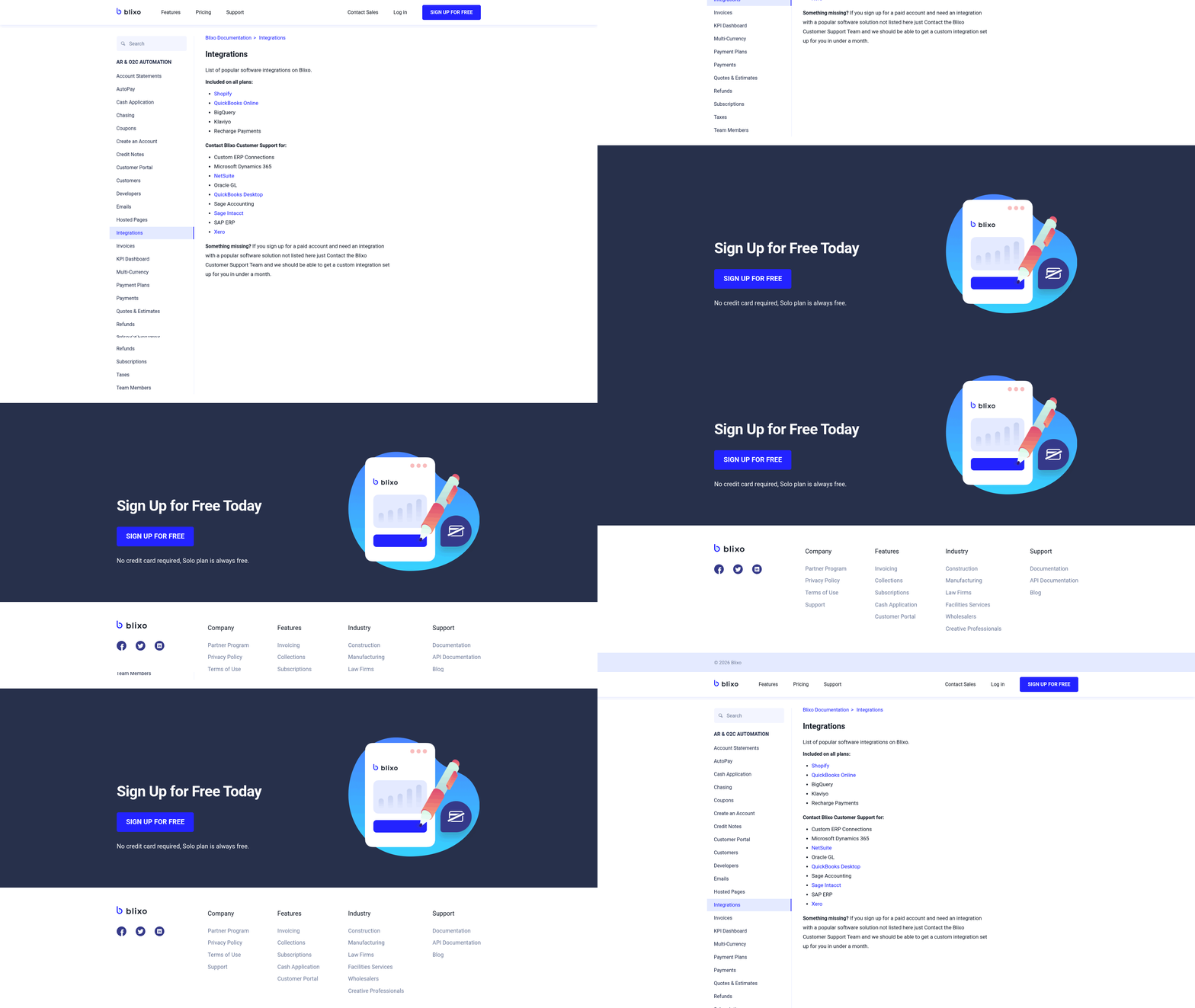
- Enable API integration with ERP and CRM systems to automate data flow APIs streamline synchronization of customer data, invoices, and payments. Without this, manual reconciliation becomes error-prone and time-consuming.
- Map data fields between AR automation and accounting software Consistent data mapping ensures invoice numbers, payment terms, and customer details align across platforms. Misaligned fields can cause discrepancies in reporting.
- Validate compatibility with legacy systems Many businesses use older accounting software. Test integrations to ensure backward compatibility and avoid workflow disruptions.
Security and Compliance
Protecting sensitive financial data is non-negotiable. Encryption, access controls, and audit trails should be prioritized to meet regulatory standards like GDPR or PCI-DSS. For instance, Blixo’s SaaS service uses AES-256 encryption for data at rest and TLS 1.3 for data in transit.
- Implement role-based access controls (RBAC) Limit permissions to users based on job functions. For example, accounts receivable clerks may only view invoices, while managers can approve discounts.
- Enable encryption for all data transfers and storage Unencrypted data risks exposure during transmission or breaches if stored locally. Cloud-based systems should enforce end-to-end encryption.
- Conduct regular compliance audits Verify that the solution adheres to regional data privacy laws. Automated compliance reports can simplify audits for internal or external stakeholders.
Scalability and Customization
Your AR automation must adapt to business growth and unique workflows. Building on concepts from the Vendor Evaluation Criteria and Decision Matrix section, selecting a solution with scalable infrastructure ensures it aligns with long-term growth objectives. Cloud-based infrastructure allows for dynamic scaling, while flexible configuration ensures the system evolves with your needs.
- Choose a cloud-native platform with auto-scaling capabilities On-premise solutions may require hardware upgrades during growth. Cloud platforms like Blixo use load balancing to handle increased transaction volumes without downtime.
- Configure workflows to match business rules Customizable workflows let teams set automated reminders for late payments or apply early-discount policies. Rigid systems may force businesses to alter their processes.
- Assign user-specific permissions for team roles Define permissions for finance managers, collections agents, and external auditors. For example, auditors might only have read-only access to payment histories.
Change Management and Training
User adoption determines implementation success. Even the best tools fail if teams lack training or support.
- Develop a phased rollout plan with pilot teams Start with a small group to identify workflow gaps. One company reduced adoption resistance by 40% using a two-week pilot before full deployment.
- Provide role-specific training sessions Accounts payable clerks need different training from executives reviewing cash flow analytics. Interactive tutorials and FAQs help reduce reliance on IT support.
- Establish a dedicated support channel for troubleshooting A helpdesk or chatbot can resolve issues faster than generic email support. Blixo offers 24/7 support for urgent outages, minimizing downtime.
By addressing these categories, businesses can ensure their AR automation solution aligns with operational needs while maintaining security, scalability, and user engagement.
Vendor Evaluation Criteria and Decision Matrix
Vendor evaluation starts with defining clear criteria that align with your business goals. The right accounts receivable (AR) automation vendor should address specific pain points like reducing Days Sales Outstanding (DSO), minimizing manual tasks, and improving cash flow visibility. Below is a structured framework to assess vendors, including a decision matrix template to prioritize options based on weighted scoring.
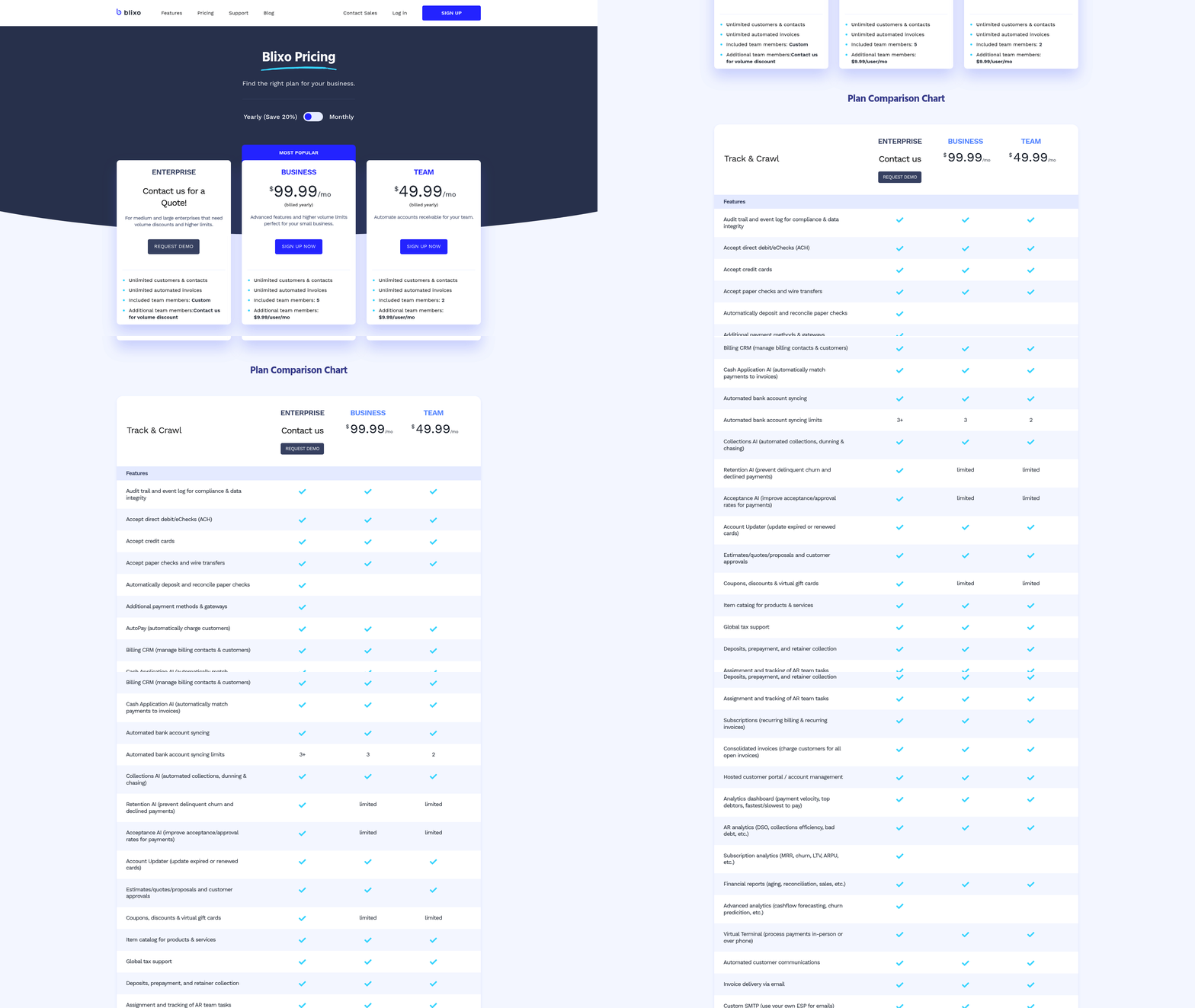
What Key Criteria Should You Evaluate?
Focus on these core areas to ensure the vendor meets operational, financial, and strategic needs:
-
[ ] Feature alignment with business needs Prioritize platforms offering automation for invoicing, payment tracking, collections, and reconciliation. For example, AI-driven cash application reduces manual payment allocation by up to 90% (source). As mentioned in the Core Functionalities of an AR Automation Solution section, these features form the backbone of effective AR automation.
-
[ ] Scalability and integration capabilities Verify compatibility with existing systems like ERP, POS, or CRM. Enterprise solutions often require integration with over 70 platforms, while SMB tools may activate within days (source). Building on concepts from the Integration and Implementation Considerations section, seamless connectivity ensures minimal disruption during deployment.
-
[ ] Pricing transparency and flexibility Avoid hidden costs. Look for vendors with predictable pricing models, such as Blixo’s transparent structure, which includes no unexpected fees for core features (source).
-
[ ] Vendor reputation and customer support Review case studies and user feedback. One company improved cash collection by 30% using a provider’s AI-powered tools, while another reduced DSO by 10 days (source).
-
[ ] Implementation and onboarding timelines Factor in resource requirements. Enterprise deployments may take weeks to months, while SMB solutions often launch in under a week (source).
-
[ ] Ongoing maintenance and updates Ensure the vendor provides regular updates and bug fixes. Platforms with AI-driven automation, like HighRadius, offer continuous improvements to reduce DSO by 10% annually (source).
How Do You Build a Decision Matrix?
A decision matrix helps quantify vendor strengths and weaknesses. Use this template to assign weights to criteria based on priority:
| Criteria | Weight (1–5) | Vendor A Score | Vendor B Score | Vendor C Score |
|---|---|---|---|---|
| Core feature set | 5 | 4 | 3 | 5 |
| Integration capabilities | 4 | 5 | 4 | 3 |
| Pricing flexibility | 3 | 4 | 5 | 2 |
| Customer support quality | 4 | 3 | 5 | 4 |
| Implementation timeline | 2 | 5 | 3 | 4 |
| Total Score | 4.2 | 4.0 | 3.8 |
Example: Assign weights to criteria (e.g., features = 5, pricing = 3). Score each vendor on a 1–5 scale, multiply by weights, and sum totals. This method highlights the best fit for your priorities.
Why Is Vendor Reputation Critical?
Reputation reflects reliability and long-term value. Check for:
-
[ ] Independent reviews and ratings Look for platforms rated 4.5+ stars on G2 or Capterra. One G2 reviewer noted, “The AI-driven collections tool cut our past-due accounts by 20% in three months.”.
-
[ ] Case study results Prioritize vendors with proven outcomes. For instance, a provider helped a business recover $20M in invalid deductions through automated payment matching (source).
-
[ ] Customer testimonials Seek quotes from users in similar industries. A finance manager shared, “The automated reminders reduced our manual follow-ups by 70%” (source).
Use this framework to shortlist vendors that balance functionality, cost, and support. The decision matrix ensures objective comparisons, while reputation checks mitigate risks of poor service or hidden costs. For deeper insights, explore this guide on AR automation benefits.
Success Metrics and ROI Measurement
Measuring the success of accounts receivable automation requires tracking specific metrics and calculating ROI to ensure the solution delivers tangible value. Start by defining key performance indicators (KPIs), then evaluate cost savings and revenue growth, followed by implementation efficiency. Regularly review dashboards and learn from real-world examples to refine your strategy. Building on concepts from the Core Functionalities of an AR Automation Solution section, automation streamlines invoicing and billing, directly impacting metrics like Days Sales Outstanding (DSO).
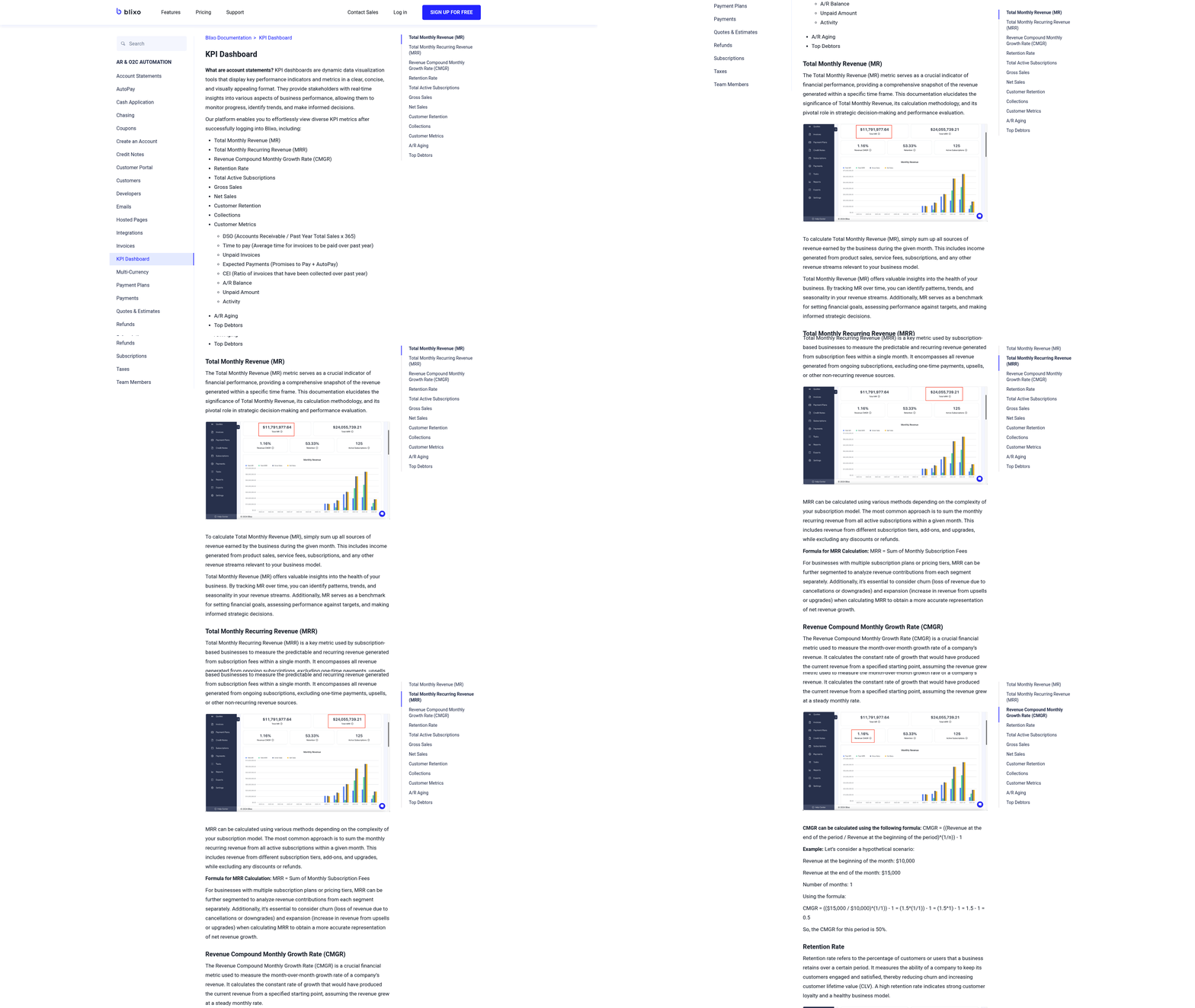
What KPIs Should You Track for AR Automation?
Focusing on the right KPIs ensures your automation strategy aligns with financial goals. Track these metrics to measure efficiency and cash flow improvements:
- Days Sales Outstanding (DSO): A lower DSO means faster cash collection. For example, automation can reduce DSO by up to 10 days for some businesses, accelerating cash flow. This improvement stems from streamlined processes outlined in the Core Functionalities of an AR Automation Solution section.
- Cash Flow Velocity: Measure how quickly payments are received. Automated reminders and real-time tracking can shorten payment cycles by 2x in some cases.
- Payment Accuracy Rate: Automation minimizes errors. One provider achieves 90%+ accuracy in payment matching, reducing manual corrections.
- Collections Efficiency Index (CEI): This metric evaluates how effectively your team collects receivables. A 10–30% improvement is common with AI-driven prioritization tools.
How Do You Calculate ROI for AR Automation?
Quantifying ROI involves comparing implementation costs to savings and revenue gains. Use this framework to evaluate financial impact:
- Initial Investment: Include software licensing, integration, and training costs. As mentioned in the Implementation and Integration Considerations section, seamless connectivity with ERP and CRM systems affects these expenses.
- Cost Savings: Calculate reductions in labor hours (e.g., 40% productivity boost for AR teams) and error-related expenses. One company saved $20M by resolving invalid deductions automatically.
- Revenue Growth: Faster collections improve working capital. A 10% DSO reduction can free up €107B+ in annual transactions for large enterprises.
- Break-Even Timeline: Divide total savings by implementation costs. Many businesses recover costs within 6–12 months.
Example formula: ROI (%) = [(Net Savings + Revenue Growth) / Total Investment] × 100
What Metrics Indicate Successful Implementation?
Adoption and efficiency are critical during rollout. Monitor these factors to ensure smooth integration:
- User Adoption Rate: Track how many team members use the tool daily. Unlimited user access, like Blixo’s model, supports high adoption. For deeper insights, explore The Essential Guide to Accounts Receivable Automation. By aligning metrics with business goals and using continuous monitoring, you can ensure your AR automation delivers sustained value.
Frequently Asked Questions
1. What are the main benefits of accounts receivable automation?
Automation reduces invoicing delays, cuts Days Sales Outstanding (DSO), and improves customer service. For example, 87% of businesses report faster process speeds, and 75% see error-free communication, enhancing client trust and satisfaction.
2. How much can automation reduce Days Sales Outstanding (DSO)?
High-volume businesses cut DSO from 78 to 55 days using automation. Additionally, 85% of CFOs report lower DSO after automating half their AR tasks, according to Stripe and NetSuite data.
3. Does automation help reduce billing errors?
Yes, automation minimizes errors by eliminating manual data entry. One business reduced billing mistakes by 40% using automated payment matching, as demonstrated by HighRadius.
4. Can automation improve customer service?
Yes, 75% of companies report better customer service due to consistent, error-free communication. Automated systems ensure accurate invoicing and timely updates, fostering trust and reducing disputes.
5. How much time can automation save teams?
Automation saves significant manual effort. A construction firm saved 20+ hours monthly by automating payment reminders, as noted in Stripe’s case study, allowing teams to focus on strategic tasks.
6. What industries benefit most from AR automation?
High-volume businesses with 20,000+ monthly invoices see the greatest DSO improvements (55 days vs. 78 days manually). However, all industries benefit from faster cash flow and reduced errors, per Stripe and Sage.
7. How does automation address payment delays?
Automated reminders and payment portals reduce late payments by up to 30%, as cited in Paystand’s research. This streamlines collections and ensures businesses get paid up to twice as quickly, according to Sage.