

Automate Payments with Accounts Receivable Automation Tools
Related Video
Watch: Accounts Receivable Automation Explained by NetSuite
Key Takeaways
- Automating payments accelerates invoice processing by up to 55% compared to manual methods.
- Businesses reduce Days Sales Outstanding (DSO) by 10–15 days through AR automation.
- 85% of CFOs report lower DSO after implementing significant accounts receivable automation.
- Automation cuts administrative workload for payment processing by 50% or more.
- Automated systems streamline invoicing, reminders, and cash application into a single workflow.
- Companies handling 20,000+ monthly invoices save nearly a month off payment cycles with automation.
- Personalized payment reminders reduce delays and improve cash flow by accelerating collections.
Why Automate Payments Matters
Automating payments transforms how businesses manage cash flow, reduces administrative burdens, and strengthens customer relationships. By streamlining invoicing, reminders, and payment reconciliation, automation cuts delays that hurt revenue and operational efficiency. For example, businesses using automated systems process invoices up to 55% faster than those relying on manual methods, directly reducing Days Sales Outstanding (DSO) by 10–15 days. As mentioned in the Core Features of AR Automation Platforms section, these systems integrate invoicing, payment reminders, and cash application into a single workflow to accelerate payment cycles.
How Does Automation Impact Cash Flow?
Cash flow is the lifeblood of any business, and late payments can stall growth. Manual processes often lead to errors in invoicing or missed follow-ups, causing delays. One study found that 85% of CFOs at companies with significant AR automation reported lower DSO, accelerating cash inflows. Building on concepts from the Automating Invoicing and Payment Reminders section, automated systems send invoices instantly and personalize reminders, reducing delays that hinder liquidity. For businesses handling 20,000+ invoices monthly, automation shaves nearly a month off payment cycles.
What Administrative Challenges Does Automation Solve?
Manual payment processing is time-intensive. Teams spend hours on data entry, chasing down late payments, and resolving disputes. Automation reduces this workload by 50% or more, as seen in case studies where businesses cut monthly reconciliation tasks from 15 hours to 2. Tools like AI-driven cash application and automated reminders eliminate repetitive tasks, freeing staff to focus on strategic work. As discussed in the Automatic Remittance Matching and Cash Application section, machine learning algorithms further streamline reconciliation by matching payments to invoices with minimal human intervention.
Why Customer Satisfaction Rises with Automation
Timely, accurate payments build trust. Automated systems send invoices instantly upon order fulfillment and personalize reminders based on customer behavior. For example, one SaaS company reduced billing errors by 90% after integrating automation with service logs. Customers appreciate fewer delays and transparent portals to track payments, leading to 75% of businesses reporting improved customer experiences.
Who Benefits Most from Payment Automation?
While large enterprises with high invoice volumes see dramatic ROI, small businesses benefit equally. SMBs using automation tools save $2.00 per invoice in processing costs and avoid the risks of manual errors. A 2023 study found that 72% of SMBs classified manual processes as a major operational bottleneck. Automation levels the playing field, enabling small teams to manage receivables as efficiently as larger competitors.
Real-World Examples of Automation Success
Companies across industries have turned to automation to solve payment challenges. One organization processing millions in annual transactions reduced DSO by 10 days, enabling €107 billion in cash flow annually. Another saw a $6 million increase in cash receipts by automating invoice delivery and reconciliation. These results highlight how automation isn’t just a tool for efficiency-it’s a strategic move to future-proof financial operations.
Core Features of AR Automation Platforms
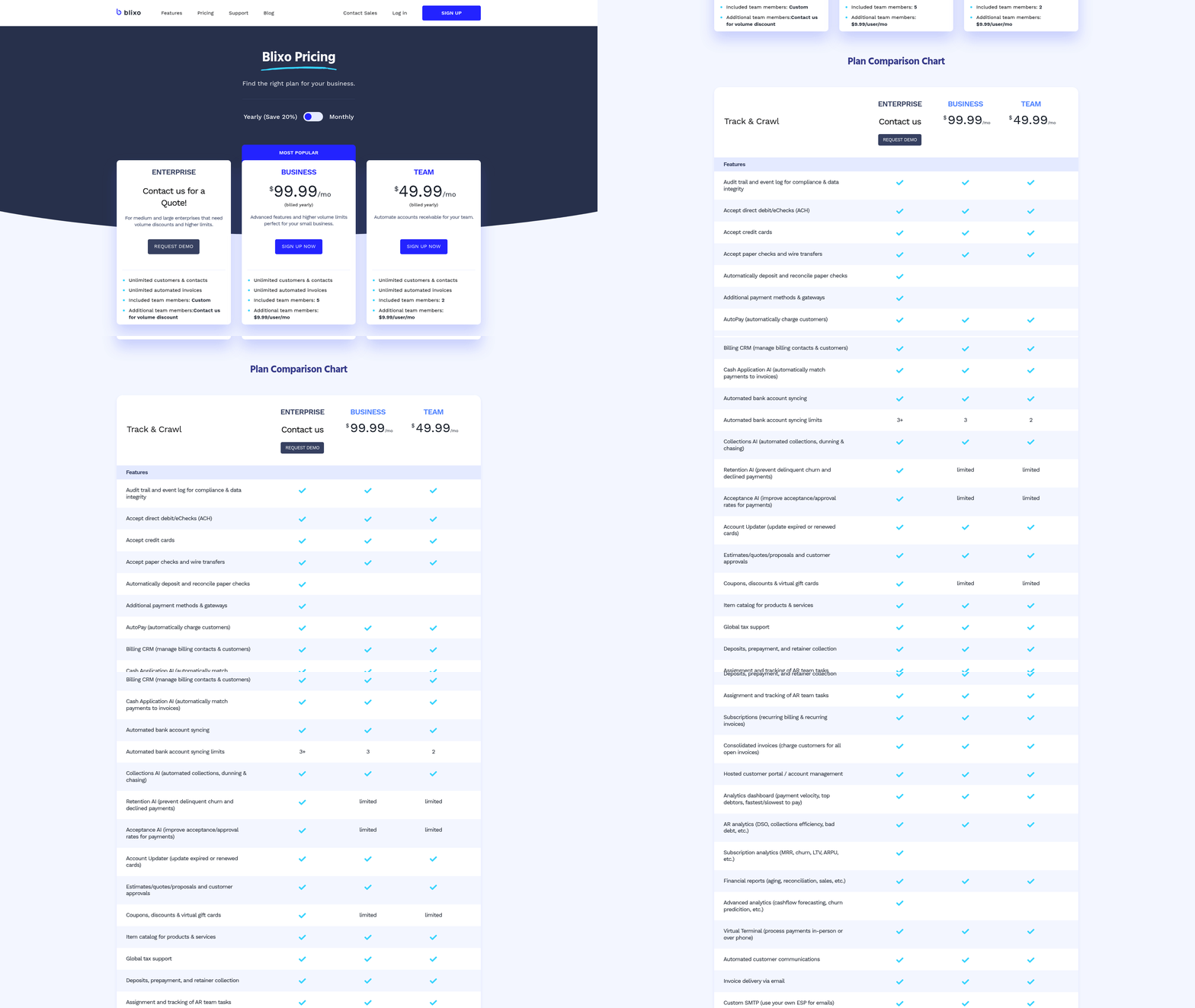
AR automation platforms streamline financial workflows by integrating invoicing, payment reminders, and cash application into a single system. These tools reduce manual effort, accelerate payment cycles, and improve accuracy. Below is a breakdown of their core features, supported by real-world data and examples from industry leaders like Esker, HighRadius, and Blixo..
1. Invoicing Features: Streamline Creation and Delivery
AR automation platforms automate invoice generation, ensuring consistency and reducing errors. Key capabilities include:
- Recurring Billing: Automate monthly or subscription-based invoicing, ideal for SaaS companies or service providers. For example, Stripe Invoicing supports over 25 languages and 135 currencies, enabling businesses to issue multilingual, multi-currency invoices globally.
- Custom Invoicing: Platforms like Esker allow businesses to create tailored invoices with specific terms, discounts, or payment methods. A wholesale client using Esker’s tools reported faster payments and improved liquidity by automating invoice generation.
- Integration with ERP/CRM Systems: Tools like BILL sync invoices with systems like QuickBooks or NetSuite, ensuring real-time updates and reducing manual data entry. As mentioned in the Integrating AR Automation with ERP and Accounting Systems section, this integration can be achieved through API-based or middleware solutions.
Example: A SaaS business using AR automation reduced billing errors by 40% by linking invoicing to service logs, ensuring accurate charges for usage-based models..
2. Payment Reminders: Reduce Delinquencies with Automated Outreach
Timely payments depend on proactive follow-ups. AR platforms automate reminders through emails, SMS, or in-platform notifications:
- Scheduled Reminders: Systems like HighRadius use AI to send tiered reminders (e.g., 7-day, 14-day, and final alerts). One enterprise reported a 20% reduction in past-due accounts after implementing this feature.
- Personalized Messaging: Platforms analyze payment history to customize reminders. For instance, Blixo’s system prioritizes high-risk accounts with tailored messages, increasing response rates.
- Escalation Workflows: If a payment remains unpaid, automation triggers escalation to collections teams. A case study from BILL showed a client reduced monthly reconciliation time from 15 hours to 2 hours by automating follow-ups.
Example: A retail business using automated reminders cut Days Sales Outstanding (DSO) by 10 days, improving cash flow predictability, as highlighted in the Why Automate Payments Matters section..
3. Cash Application: Accelerate Reconciliation and Reduce Errors
Cash application features ensure payments are correctly matched to invoices, minimizing disputes:
- Automatic Remittance Matching: AI-driven tools like Esker’s cash application process payments in real time, reducing manual reconciliation. One client, Lennox, achieved a 10-day DSO reduction by automating this process. As discussed in the Automatic Remittance Matching and Cash Application section, machine learning algorithms are used to match payments accurately even with incomplete data.
- Reconciliation Tools: Platforms such as HighRadius use machine learning to match payments to invoices, even when remittance data is incomplete. Coca-Cola recovered $13 million faster using this feature.
- Real-Time Reporting: Dashboards track payment statuses, DSO trends, and aging invoices. Versapay’s clients report a 50% reduction in time spent managing receivables.
Example: A manufacturing firm using AI-powered cash application reduced reconciliation errors by 85%, saving 200+ hours annually..
Comparing Platforms: Focus on Scalability and Integration
While many platforms offer similar features, their strengths vary:
- Blixo stands out for transparent pricing and AI-driven workflows, enabling businesses to automate 90% of remittance matching. Unlike generic providers, Blixo’s system adapts to complex billing scenarios, such as multi-currency transactions or usage-based pricing.
- Esker excels in enterprise environments, supporting over 70 ERP integrations and processing 72 million invoices annually.
- HighRadius prioritizes credit risk scoring, using global credit agency data to flag high-risk accounts.
Key Consideration: Choose a platform that aligns with your business size and needs. Small businesses may prefer cloud-based tools like BILL, while enterprises often require strong systems like Esker or HighRadius. As outlined in the Implementation Roadmap: From Planning to Go-Live section, careful planning ensures a smooth transition to AR automation.
Automating Invoicing and Payment Reminders
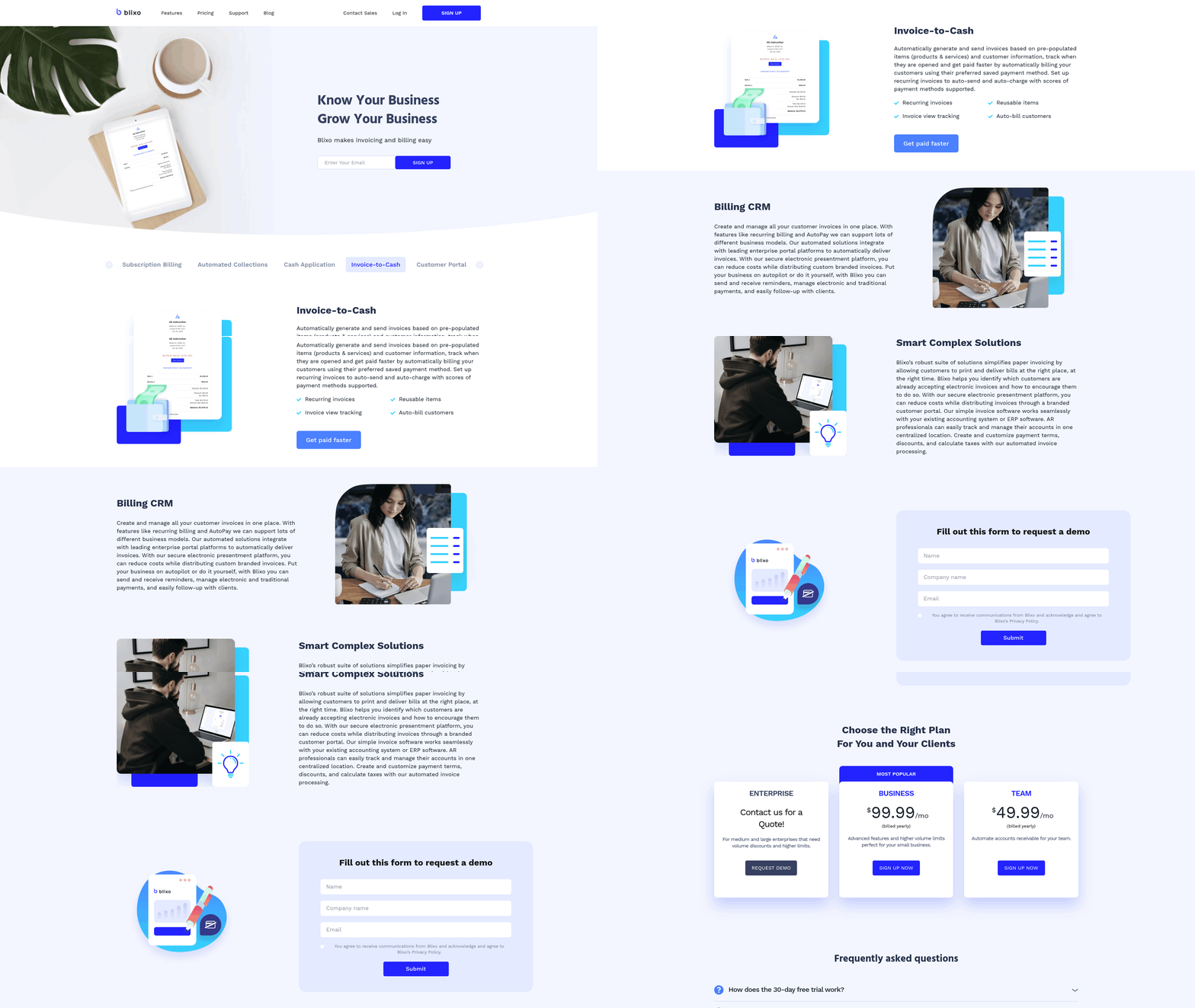
Automating invoicing and payment reminders reduces manual work, speeds up cash flow, and improves customer satisfaction. Here’s how to implement these systems effectively.
How Do You Set Up Automated Invoicing?
Automated invoicing begins by integrating your billing system with accounting or ERP software. For example, platforms can synchronize sales orders with electronic invoices, ensuring customers receive bills immediately after fulfillment. This eliminates delays caused by manual data entry. As mentioned in the Integrating AR Automation with ERP and Accounting Systems section, the choice between API-based integration or other methods determines the system’s scalability and data accuracy.
Next, configure templates to match your branding. Most systems allow you to add logos, custom headers, and payment instructions. Define payment methods-like credit cards, ACH, or checks-and link them to your payment gateway. For recurring invoices (e.g., subscriptions), set billing schedules to auto-generate and send invoices on specified dates.
Finally, automate triggers. For instance, invoices can be generated when a service is completed or a delivery is confirmed. This ensures consistency and reduces the risk of missed or late invoices.
What Customization Options Are Available for Payment Reminders?
Payment reminders should reflect your brand while encouraging timely payments. Start by personalizing the message: include the customer’s name, invoice details, and a clear call to action. Use templates that align with your company’s visual identity, such as branded colors and fonts. Building on concepts from the Core Features of AR Automation Platforms section, advanced systems allow dynamic content insertion, such as early-payment discounts or service interruption alerts.
Multi-channel delivery (email, SMS, or in-app notifications) ensures reminders reach customers through their preferred communication method. Some tools also let you set conditional rules. For instance, a gentle nudge via email might be sent on the due date, followed by a more urgent SMS if no action is taken within three days.
How Can You Optimize Reminder Timing and Frequency?
The effectiveness of reminders depends on timing. Research shows that reminders sent on the due date and again 3–5 days later yield the best results. Avoid overwhelming customers by limiting reminders to two or three attempts per invoice.
Use historical data to refine your approach. High-risk accounts (e.g., those with a history of delays) might need earlier or more frequent reminders. Conversely, reliable customers may require fewer touchpoints. As mentioned in the Automatic Remittance Matching and Cash Application section, AI-driven tools can analyze payment patterns and adjust reminder schedules dynamically. For example, if a customer typically pays three days after the due date, the system might delay the first reminder until that window.
One company reduced its Days Sales Outstanding (DSO) by 20% by using AI to predict late payments and send targeted reminders. Another SaaS firm improved cash flow by 50% after implementing tiered reminders and early-payment incentives.
Real-World Results
Businesses that adopt these strategies see measurable improvements. A retailer cut manual invoicing errors by 80% after automating invoice generation, while a B2B firm reduced collections time by 40% using personalized reminders. By aligning automation with customer behavior, companies not only boost efficiency but also enhance the payment experience. Regularly reviewing and adjusting automation rules ensures the system adapts to changing needs, maintaining optimal performance over time.
Automatic Remittance Matching and Cash Application
Automatic remittance matching and cash application streamline accounts receivable by using machine learning algorithms to match payments to invoices automatically. These systems analyze payment data, customer histories, and invoice details to allocate funds accurately, reducing manual effort. As mentioned in the Core Features of AR Automation Platforms section, such tools integrate invoicing, payment reminders, and cash application into a unified workflow. For example, AI-driven tools like those described in Esker’s software suite process 72 million invoices annually, using predictive models to identify patterns and resolve discrepancies in real time. This eliminates errors caused by human oversight and accelerates the reconciliation process.
How Does Automatic Remittance Matching Work?
Automatic remittance matching relies on structured data analysis and rule-based logic. When a payment arrives, the system cross-references the amount, date, and remitter details against open invoices. Machine learning enhances this by learning from historical matches to improve accuracy over time. For instance, if a customer consistently pays a specific invoice type, the algorithm prioritizes that pattern. Advanced systems also flag anomalies, such as partial payments or mismatched remittance information, for human review.
Key Benefits of Automatic Cash Application
The primary advantage is reduced administrative workload. Manual cash application can consume hundreds of hours monthly, but automation cuts this effort by 50% or more, as seen in case studies from platforms like Versapay. Another benefit is improved accuracy, with some systems achieving 99%+ match rates. This reduces Days Sales Outstanding (DSO) by up to 10 days, as demonstrated by Esker’s clients, and minimizes bad debt through early risk detection. Automation also provides real-time visibility into cash flow, enabling better financial forecasting.
Challenges in Implementation
Two major hurdles are data quality and system integration. Poorly structured or incomplete data-such as missing invoice numbers or inconsistent customer names-can cause mismatches. For example, one company saved 50% on AR tasks after cleaning its data, but this cleanup required upfront effort. Integration complexity also arises when linking automation tools with existing ERPs like NetSuite or Dynamics 365, as discussed in the Integrating AR Automation with ERP and Accounting Systems section. APIs and flat files help, but custom configurations may delay deployment. Organizations must also train teams to manage exceptions and adjust rules as customer behaviors evolve.
Real-World Examples of Implementation
A manufacturing company automated remittance matching using AI-powered software, cutting DSO from 45 to 30 days. The system processed payments in real time, even handling complex scenarios like partial payments split across multiple invoices. Another business, a construction materials firm, implemented cash application automation to resolve 95% of payments automatically, reducing manual follow-ups by 70%. These results align with industry benchmarks: 85% of CFOs report lower DSO after significant automation adoption, per NetSuite’s analysis.
Case Studies: Measurable Outcomes
One provider in this space helped a global logistics firm reduce payment processing time by 25% while improving reconciliation accuracy. Another solution enabled a retail chain to recover $6 million in previously unapplied cash receipts by resolving historical mismatches. These outcomes highlight how automation transforms AR from a reactive task to a strategic function. However, success depends on aligning tools with specific workflows-rigid systems may struggle with niche use cases like multi-currency transactions.
To implement these tools effectively, start with a data audit to standardize formats and correct errors, as outlined in the Implementation Roadmap: From Planning to Go-Live section. Next, choose a solution with flexible integration options, such as open APIs for ERP compatibility. Pilot the system with a small team to refine rules before full rollout. Finally, establish ongoing monitoring to adapt to changing payment patterns. With these steps, businesses can enable faster cash flow and reduce operational friction.
Integrating AR Automation with ERP and Accounting Systems
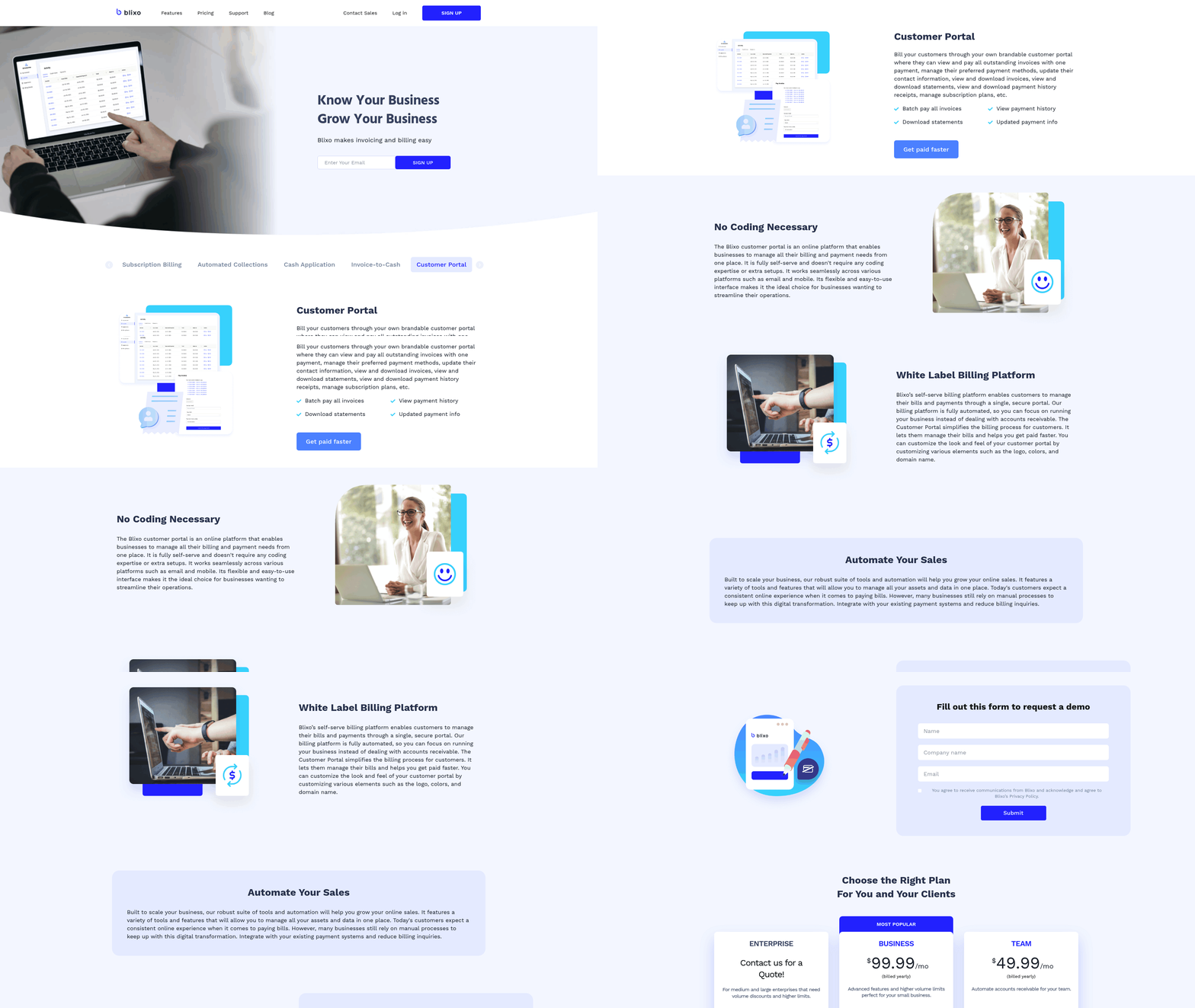
Integrating AR automation with ERP and accounting systems ensures seamless payment processing and real-time financial visibility. The process begins by choosing between API-based integration or data import/export methods. APIs offer real-time synchronization, while data imports (via CSV, Excel, or flat files) suit businesses needing batch updates. Most modern AR platforms support both options, allowing flexibility based on your ERP’s capabilities. As mentioned in the Why Automate Payments Matters section, streamlining payment workflows reduces administrative burdens and accelerates cash flow, which this integration directly supports.
What Integration Options Work Best for ERP Systems?
For businesses using ERPs like NetSuite, QuickBooks, or Sage, API integration is ideal for live data flow. APIs automatically sync invoices, payments, and customer records between systems, reducing manual entry errors. For example, Blixo’s API connects directly to NetSuite to update payment statuses in real time. If APIs aren’t feasible, scheduled data imports/export can still streamline workflows by updating batches of transactions daily or weekly.
To set up API integration:
- Verify API access: Confirm your ERP provides REST or SOAP API endpoints.
- Generate API keys: Use your ERP’s admin panel to create secure authentication tokens.
- Map data fields: Align invoice numbers, customer IDs, and payment dates between systems. For data imports, configure your AR software to pull from predefined templates or databases, ensuring column headers match your ERP’s format.
How Do You Configure Integration with Popular ERPs?
Popular ERPs like QuickBooks, NetSuite, and Sage require specific setup steps. For instance, integrating with QuickBooks Online involves linking your AR platform to the QuickBooks API via a third-party connector or native integration. Blixo simplifies this by offering pre-built templates for QuickBooks, automatically syncing invoices and payments. As mentioned in the Automating Invoicing and Payment Reminders section, automating these workflows ensures invoices are sent promptly and reminders are triggered based on payment terms, which API integrations can enforce directly from ERP data.
Here’s a step-by-step guide for NetSuite:
- Enable SuiteTalk API: Activate NetSuite’s web services in the admin settings.
- Install Blixo’s integration app: Upload the Blixo NetSuite connector from the SuiteApp store.
- Map records: Assign NetSuite’s “Invoice” records to Blixo’s invoice fields (e.g.,
Invoice Number→DocNumber). - Test synchronization: Send a sample invoice through both systems to verify data alignment. Repeat similar steps for Sage or Dynamics 365, using their respective API documentation. Always validate the integration with a small transaction batch before full deployment. As outlined in the Implementation Roadmap: From Planning to Go-Live section, starting with a limited scope allows businesses to test integration accuracy and address issues before scaling.
What Role Does Data Mapping Play in Integration?
Data mapping ensures fields like customer names, invoice amounts, and payment dates align between systems. Misaligned data causes errors, such as duplicate invoices or missed payments. For example, if your ERP labels customers as “Client ID” and your AR platform uses “Customer Code,” map these fields explicitly to avoid mismatches.
Tools like Blixo offer automated mapping wizards to simplify this process. During setup, you’ll see side-by-side field comparisons and drag-and-drop options to connect records. Manual overrides are available for complex cases, such as custom fields for tax codes or shipping addresses.
How Can Integration Improve Payment Processing?
A well-configured integration accelerates cash flow by automating reminders, payments, and reconciliations. For instance, when a customer pays via ACH in Blixo, the payment instantly updates in NetSuite, reducing days sales outstanding (DSO). One company reduced DSO by 30% after automating invoice delivery and payment tracking.
Consider a scenario where a business uses Blixo with QuickBooks:
- An invoice is generated in QuickBooks and sent to Blixo.
- The customer pays online via Blixo’s portal.
- Blixo pushes the payment confirmation back to QuickBooks, marking the invoice as paid. This eliminates manual reconciliation, cutting processing time by 50% or more.
What Are Common Integration Issues and Fixes?
Even with proper setup, integration hiccups occur. Common issues include:
- Authentication errors: Double-check API keys and ensure they’re not expired.
- Field mismatches: Revisit data mapping to confirm all required fields are linked.
- Timing delays: Schedule imports during off-peak hours to avoid ERP system slowdowns.
For troubleshooting, use your AR platform’s audit logs to trace failed transactions. Blixo’s support team provides diagnostics for API errors, such as HTTP 404 codes indicating broken endpoints. Regularly test the integration with dummy transactions to catch issues early.
By aligning AR automation with ERP systems, businesses eliminate manual workflows and reduce errors. Start with a small integration scope, validate results, and scale as needed. For deeper insights, explore payment automation strategies and ERP integration best practices.
Implementation Roadmap: From Planning to Go-Live
Planning and Preparation for AR Automation
To successfully implement AR automation, start by defining clear objectives and mapping your current processes. Identify pain points like manual invoicing or delayed payments, and set measurable goals such as reducing days sales outstanding (DSO) or improving payment accuracy. As mentioned in the Why Automate Payments Matters section, automation transforms cash flow management and reduces administrative burdens. For example, 85% of CFOs reported lower DSO after automating AR processes, according to a 2023 study.
Begin by assembling a cross-functional team, including finance, IT, and customer service representatives. This team will assess your existing workflows, data sources, and integration needs. Document every step of your current AR process, from invoice generation to payment reconciliation. This baseline will help measure automation’s impact later.
Next, evaluate your software requirements. Look for tools that integrate with your accounting systems (e.g., ERPs like NetSuite or Intacct) and support features like automated invoicing, payment tracking, and customer portals. Unlike generic providers, Blixo offers transparent pricing and customizable workflows to align with your specific needs.
Setup and Configuration
Once planning is complete, focus on data migration and system integration. Start by cleaning and organizing your existing AR data-remove duplicates, correct errors, and standardize formats. Migration tools or APIs can transfer this data into the new system. As discussed in the Integrating AR Automation with ERP and Accounting Systems section, integration begins by choosing between API-based or middleware solutions. For instance, SaaS providers like Blixo support seamless integration with major ERPs via open APIs, ensuring real-time data flow.
Configure workflows to automate repetitive tasks. Set up automated invoicing rules, such as sending reminders on due dates or generating late fees. Customize payment portals to allow customers to pay via preferred methods (e.g., ACH, credit cards). If your team uses AI-driven cash application, ensure it’s trained to reconcile payments accurately.
Integrate AR automation with other financial tools. For example, link it to your ERP for synchronized ledger entries or to a budgeting tool for real-time cash flow tracking. During this phase, test integrations in a sandbox environment to catch errors early.
Testing and Validation
Before going live, validate the system through rigorous testing. Start with unit tests: verify that each feature-like invoice generation or payment reconciliation-functions as expected. Then conduct end-to-end scenario testing. As outlined in the Core Features of AR Automation Platforms section, modern systems streamline invoicing, reminders, and cash application into a single SaaS solution. Simulate a customer receiving an invoice, making a payment online, and the system updating the ledger automatically.
Involve stakeholders in user acceptance testing (UAT). Have finance teams process real invoices through the system and report issues. Check if the automation reduces manual tasks-studies show automated billing can cut AR management time by 50%. Address any bugs or workflow gaps before full deployment.
Finally, test compliance and security. Ensure the system meets data protection standards (e.g., GDPR) and supports audit trails. Validate that payment processing complies with consumer protections, like those outlined in automatic debit payment guidelines.
Go-Live and Post-Implementation Support
A phased rollout minimizes disruption. Start with a pilot group-such as one department or a subset of customers-and monitor performance metrics like DSO and payment error rates. Use feedback to refine workflows before scaling up.
Train teams on new processes. Provide hands-on sessions for finance staff to manage the AR portal and resolve customer queries. For example, Blixo’s SaaS service includes training resources to help teams adapt quickly. Communicate changes to customers, explaining how the new portal improves payment convenience.
Post-implementation, track KPIs weekly to measure success. Compare metrics like payment processing time and DSO against pre-automation benchmarks. Address technical issues promptly and update workflows as needed. Long-term, schedule quarterly reviews to optimize the system-such as adding AI-driven collections tools to reduce late payments further. By following this roadmap, businesses can streamline AR operations, reduce errors, and improve cash flow. For ongoing insights, explore payment automation strategies to refine your approach.
Frequently Asked Questions
1. How much faster can automation process invoices compared to manual methods?
Automation accelerates invoice processing by up to 55%. Manual errors and delays are eliminated, enabling faster reconciliation and cash application for businesses. This efficiency is critical for companies handling high invoice volumes.
2. What is the typical reduction in Days Sales Outstanding (DSO) from AR automation?
Businesses reduce DSO by 10–15 days using AR automation. Automated invoicing and reminders streamline collections, improving cash flow predictability and reducing late payment risks.
3. How does automation impact administrative workload for payment processing?
Automation cuts administrative tasks by 50% or more. By automating invoicing, reminders, and reconciliation, teams save hours monthly, allowing focus on strategic financial planning.
4. Can personalized payment reminders improve collections?
Yes, personalized reminders reduce delays and boost collections. Automated systems send tailored follow-ups, improving customer engagement and accelerating payment timelines by 20–30%.
5. How does AR automation handle large invoice volumes?
Companies processing 20,000+ monthly invoices save nearly a month off payment cycles with automation. Tools like NetSuite integrate AI-driven workflows to manage scalability and accuracy.
6. What percentage of CFOs report lower DSO after automation?
85% of CFOs report reduced DSO after implementing AR automation. This improvement directly enhances liquidity and operational efficiency for businesses of all sizes.
7. How do automated systems streamline cash application?
Automated systems use machine learning to match payments to invoices instantly, reducing manual reconciliation. This cuts monthly cash application tasks from 15 hours to as little as 2 hours.