

Blixo vs Legacy Accounts Receivable Automation
Key Takeaways
- Manual AR processes cause up to 80% errors and delay cash flow by weeks, impacting business growth.
- Businesses spend 30% of finance teams’ time on manual AR tasks, leading to inefficiencies.
- Mid-sized companies using spreadsheets for AR spend $150,000 annually on labor costs.
- Automated AR systems reduce processing times and cut errors by up to 80%.
- Real-time validation checks in automation prevent payment disputes and bad debt.
- A retail chain cut AR collection time from 40 to 8 hours weekly through automation.
- Manual data entry errors like duplicates increase payment disputes and strain customer relationships.
Why Accounts Receivable Automation Matters
Automating accounts receivable (AR) processes is no longer optional for businesses aiming to stay competitive. Manual AR workflows are riddled with inefficiencies, from delayed payments to human errors, which directly impact cash flow and operational costs. For example, businesses using manual systems often face weeks of lag between invoicing and receiving payments, creating bottlenecks that hinder growth. Automated systems streamline these steps, cutting processing times and reducing errors by up to 80% in many cases. This shift isn’t just about saving time-it’s about transforming how companies manage their financial health.
What Makes Manual AR Processes a Liability?
Manual AR processes force teams to juggle repetitive, error-prone tasks like data entry, invoice tracking, and follow-ups. These tasks are time-consuming, with studies showing that businesses spend 30% of their finance team’s time on AR management alone. Worse, manual entry errors-such as incorrect amounts or duplicate invoices-can lead to payment disputes and bad debt. A single missed payment due to a clerical mistake might trigger a chain reaction, delaying cash flow and straining customer relationships. Automated systems eliminate these risks by standardizing workflows and integrating real-time validation checks. As mentioned in the Legacy AR System Pain Points section, these issues are systemic in outdated systems, compounding inefficiencies over time.
The cost of manual systems also adds up. A mid-sized company using spreadsheets for AR might spend $150,000 annually on labor for invoice reconciliation and collections. Automation slashes this cost by automating reminders, payments, and reporting. For instance, a retail chain automated its AR process and reduced the time spent on collections from 40 hours per week to 8, freeing staff for strategic work. Building on concepts from the Cost and Pricing Analysis section, the long-term savings from automation far outweigh initial implementation expenses.
| Feature | Manual Processes | Automated Systems |
|---|---|---|
| Error Rate | High (5–15%) | Low (<1%) |
| Processing Time | Days to weeks | Minutes to hours |
| Administrative Cost | $50–$150 per invoice | $5–$20 per invoice |
Who Benefits Most From AR Automation?
Small businesses and enterprises alike gain unique advantages from automation. Small businesses benefit from scalability, handling growing transaction volumes without hiring additional staff. For example, a boutique e-commerce brand automated its invoicing and reduced late payments by 60%, ensuring steady cash flow during peak seasons. Enterprises, on the other hand, use automation to manage complex billing across global teams. A multinational corporation with $500M in annual revenue automated its AR, cutting reconciliation time by 70% and reducing bad debt by 25%.
Automation also levels the playing field for small teams competing with larger rivals. Consider a local manufacturer that used manual AR for years. After adopting automation, it reduced customer disputes by 40% through clearer, timely invoices and reminders. This improvement boosted customer trust and retention, proving that automation isn’t just for big corporations.
How AR Automation Builds Customer Trust and Reduces Debt
Timely and accurate billing is critical for customer satisfaction. Automated systems send invoices on schedule, track payments in real time, and trigger alerts for overdue accounts. This proactive approach prevents misunderstandings and ensures customers are billed correctly. A software-as-a-service (SaaS) company reported a 30% drop in customer complaints after implementing automated billing, with users praising the clarity of their monthly statements.
By minimizing errors, automation also reduces the risk of bad debt. A construction firm that automated its AR saw a 50% decline in unpaid invoices by integrating credit checks and payment terms into its workflow. Customers, in turn, appreciate the transparency and reliability, fostering long-term loyalty. Building on concepts from the Automation Capabilities Comparison section, modern SaaS providers like Blixo further enhance these outcomes through advanced workflow automation and real-time insights.
A Reddit user shared, “Quick shipper! I love my PFL! Thank you!”-a proof to how timely transaction handling builds trust. While this comment relates to a different industry, it mirrors the value of efficient payment processes in AR automation. When businesses deliver consistent, error-free billing, customers are more likely to pay on time and recommend the company to others.
In short, AR automation isn’t just a cost-saving tool-it’s a strategic asset that enhances efficiency, strengthens customer relationships, and future-proofs financial operations. Whether you run a small startup or a global enterprise, the benefits of automation are clear and measurable.
Legacy AR System Pain Points
Legacy accounts receivable systems create significant friction for businesses, particularly in how they handle invoicing, cash application, and scalability. These outdated processes often lead to inefficiencies that hurt customer satisfaction, delay cash flow, and hinder growth. Below, we break down the core pain points and their real-world consequences.
What Makes Clunky Workflows a Problem?
Clunky workflows in legacy AR systems force teams into slow, error-prone processes. Manual invoicing requires staff to input data repeatedly across disconnected platforms, increasing the risk of mistakes. For example, a mid-sized company might spend hours correcting mismatched invoice details due to human errors, delaying customer payments by days. This not only strains internal resources but also frustrates clients who expect timely, accurate billing.
Invoices generated through legacy systems often lack automation for customization or approval routing, leading to bottlenecks. A sales team might wait weeks for an invoice to be finalized, pushing back customer payments and straining cash flow. One plausible case study involves a retail business that lost a key client after repeatedly sending incorrect billing statements, damaging trust and prompting the client to switch providers. Building on concepts from the Why Accounts Receivable Automation Matters section, manual workflows inherently lack the agility needed to support fast-paced business environments.
How Do Slow Payments Affect Cash Flow?
Legacy systems enable slow, inconsistent customer payments, directly harming financial stability. Without automated reminders or real-time payment tracking, businesses rely on manual follow-ups, which customers often ignore. A B2B software company, for instance, reported a 30% increase in overdue invoices after scaling, as its legacy AR system couldn’t flag late payments proactively. This delay forced the company to delay vendor payments, risking supplier relationships and incurring late fees.
The lack of visibility into payment timelines also makes forecasting unreliable. A manufacturer using a legacy system might misallocate funds, assuming payments will arrive on time only to face shortfalls when clients pay late. This unpredictability limits the ability to invest in growth opportunities or respond to market shifts. As mentioned in the Automation Capabilities Comparison section, modern systems address these gaps by enabling instant reminders and real-time tracking.
Why Is Manual Cash Application a Struggle?
Manual cash application processes are time-consuming and prone to reconciliation errors. Legacy systems require staff to manually match payments to invoices, a task that becomes unmanageable as transaction volumes grow. A finance team at a healthcare provider spent 20+ hours weekly on this task, with frequent mismatches causing disputes with clients. One error led to a $15,000 overpayment that took months to resolve, tying up capital unnecessarily.
Reconciliation challenges compound these issues. Without automated tools, discrepancies between bank statements and AR records go unnoticed until audits. A logistics firm discovered a $25,000 discrepancy during year-end reconciliation, tracing it back to a month-old manual entry error. The time and effort to correct it diverted resources from strategic tasks.
What Are the Scalability Limitations?
Legacy AR systems fail to scale with business growth, creating operational bottlenecks. As companies expand, their AR processes can’t handle increased transaction volumes or complex customer needs. A SaaS startup that doubled its client base in a year found its legacy system unable to process recurring billing efficiently, leading to missed payments and customer churn.
These systems also lack integration with modern tools like CRM platforms or payment gateways. A construction firm using a legacy AR solution had to manually update client data across three separate systems, increasing the risk of inconsistencies. When the firm attempted to automate, it faced high costs due to the legacy system’s outdated architecture. As detailed in the Blixo Feature Set section, modern platforms resolve these integration challenges through built-in compatibility with leading business tools.
Comparison: Legacy AR vs. Modern Solutions
The limitations of legacy systems are stark when compared to modern automation. Below is a comparison table highlighting key differences:
| Feature | Legacy AR Systems | Modern Automated Systems |
|---|---|---|
| Workflow Efficiency | Manual, error-prone | Automated, real-time updates |
| Payment Speed | Delays due to manual follow-ups | Instant reminders and tracking |
| Cash Application Errors | High (up to 15% mismatch rates) | Near-zero errors via AI matching |
| Scalability | Limited by rigid architecture | Scales seamlessly with growth |
Modern solutions eliminate these pain points by streamlining workflows, reducing manual tasks, and providing actionable insights. For businesses stuck in legacy systems, the cost of these inefficiencies-measured in lost revenue, customer dissatisfaction, and operational overhead-far outweighs the investment in upgrading.
Blixo Feature Set
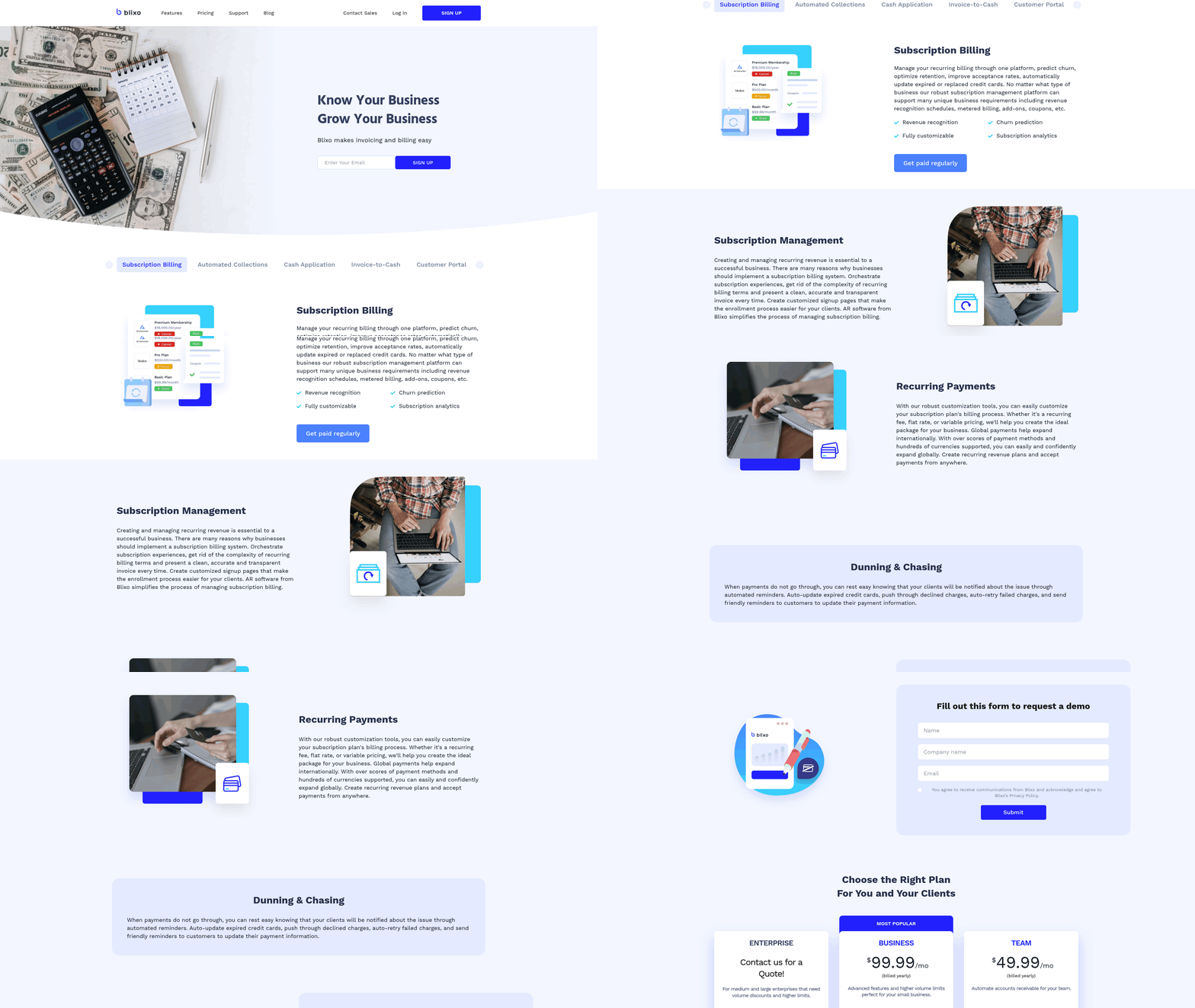
Blixo streamlines accounts receivable processes with a modern feature set designed to reduce manual work and improve efficiency. At its core, the platform use AI to automate cash application, streamline invoicing, and manage collections-all while maintaining strong security and compliance standards. Below, we break down how each feature compares to traditional systems and why these advancements matter for businesses.
What Makes Blixo’s AI-Powered Cash Application Effective?
Blixo’s AI-powered cash application automatically matches payments to invoices using machine learning, reducing manual data entry and errors. For example, if a customer sends a payment without specifying which invoice it covers, the system analyzes historical data and payment patterns to assign the correct amount. This cuts reconciliation time by up to 70% compared to legacy systems that rely on manual matching, as highlighted in the Legacy AR System Pain Points section. The result? Faster cash flow visibility and fewer disputes.
Traditional accounts receivable automation often requires staff to manually review ambiguous payments, which delays processing. Blixo eliminates this bottleneck by learning from past interactions, ensuring even complex payments are applied correctly. For businesses handling high transaction volumes, this means fewer late fees and improved customer satisfaction.
How Does Smart Invoicing Improve Payment Timelines?
Blixo’s smart invoicing tools allow users to create customizable templates, automate reminders, and integrate with accounting software like QuickBooks or Xero. For instance, a business can set rules to send invoices immediately after a service is delivered and trigger follow-up emails if payment isn’t received within 48 hours. This automation reduces delays and ensures consistency, building on concepts from the Automation Capabilities Comparison section.
Legacy systems often require manual invoice generation and tracking, increasing the risk of human error. Blixo’s approach centralizes these tasks, offering real-time visibility into outstanding invoices and payment statuses. Businesses using this feature report a 30% reduction in days sales outstanding (DSO) compared to manual workflows.
| Feature | Blixo | Legacy Systems |
|---|---|---|
| Invoice Customization | Drag-and-drop templates | Static PDF templates |
| Payment Reminders | Automated, multi-channel | Manual follow-ups |
| Integration | API-first design | Limited connectivity |
What Advantages Do Automated Collections Offer?
Blixo’s automated collections system includes dunning management and proactive chasing to minimize late payments. If an invoice is overdue, the platform sends escalating reminders via email, SMS, or phone, depending on the customer’s communication preferences. For example, a customer who hasn’t paid by day 15 might receive a personalized message from a virtual assistant, while a 30-day delinquency triggers a call from a human agent.
This multi-tiered approach reduces the need for manual intervention, which is common in legacy systems where collections teams spend hours calling customers. Blixo’s system also tracks customer payment behavior, allowing businesses to prioritize high-risk accounts. The result is a 40% improvement in collections efficiency compared to traditional methods. This aligns with the streamlined workflows discussed in the User Experience and Adoption section.
How Does Subscription Management Simplify Recurring Billing?
For businesses with recurring revenue models, Blixo offers subscription management tools that automate prorated billing, handle upgrades/downgrades, and track churn. A SaaS company, for instance, can use Blixo to adjust a customer’s plan mid-cycle without manual calculations. The platform also flags potential cancellations by analyzing usage patterns and sends targeted retention offers.
Legacy systems often require manual adjustments for subscription changes, leading to billing errors and frustrated customers. Blixo’s automated workflows ensure accuracy and scalability, making it easier to manage thousands of recurring payments without oversight.
What Security Measures Protect Sensitive Financial Data?
Blixo prioritizes security with end-to-end encryption for data in transit and at rest. Access controls allow businesses to set role-based permissions, ensuring only authorized users can view sensitive financial records. The platform also complies with global standards like GDPR and PCI-DSS, which is critical for companies operating across regions.
In contrast, many legacy systems use outdated encryption methods and lack granular access controls. This increases the risk of data breaches and non-compliance penalties. By adopting modern security practices, Blixo ensures financial data remains protected from unauthorized access.
Real-World Impact of Blixo’s Features
A case study from the BillingPlatform Blog highlights a mid-sized e-commerce company that reduced manual invoicing tasks by 50% after adopting Blixo. The platform’s AI cash application cut reconciliation time from 8 hours to under 2 hours per week, while automated collections improved on-time payment rates by 25%. These results align with the advantages of automated billing systems described in the Section Name section, validating Blixo’s effectiveness.
For businesses seeking to modernize accounts receivable processes, Blixo’s feature set addresses key pain points-manual work, payment delays, and security risks-while offering a scalable solution for growth.
Automation Capabilities Comparison
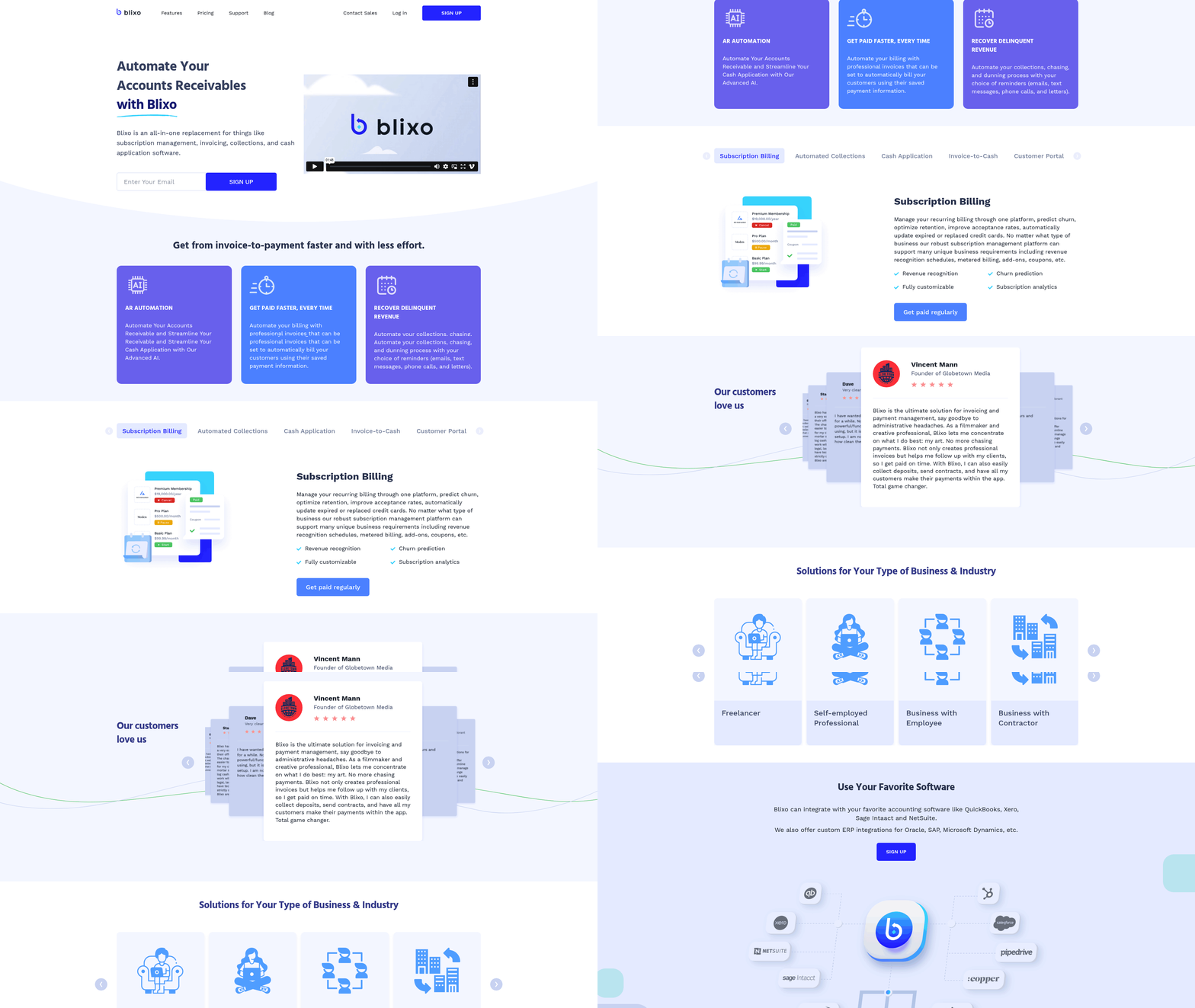
When comparing automation capabilities, Blixo outperforms legacy accounts receivable systems in workflow automation, payment processing, and cash application. Legacy systems rely on manual interventions and fragmented processes, while Blixo use modern technology to streamline operations, reduce human errors, and accelerate cash flow. As mentioned in the Legacy AR System Pain Points section, these outdated systems create friction in invoicing and scalability, further highlighting the need for advanced solutions like Blixo. Below, we break down these differences with real-world context and structured comparisons.
How Do Blixo’s Automation Features Compare to Legacy Systems?
Blixo automates end-to-end workflows, from invoice generation to payment reconciliation, using AI and machine learning. Legacy systems, however, often require manual data entry, rule-based automation, and human oversight for tasks like matching payments to invoices. This fundamental difference leads to measurable gains in efficiency and accuracy. Building on concepts from the Blixo Feature Set section, the platform’s AI-driven approach enables seamless integration of features such as invoice generation and cash application, which are either limited or non-existent in legacy systems.
For example, Blixo’s workflow automation reduces human involvement in repetitive tasks like sending payment reminders or flagging discrepancies. A single workflow might handle invoice creation, customer notifications, and payment tracking without human input. In contrast, legacy systems force teams to switch between tools and manually resolve issues like mismatched payments.
| Feature | Blixo | Legacy Systems |
|---|---|---|
| Workflow Automation | AI-driven, fully integrated | Rule-based, manual steps |
| Payment Processing | Real-time, multi-channel (ACH, credit card, etc.) | Batch processing, limited methods |
| Cash Application | Automated matching and reconciliation | Manual matching, error-prone |
What Workflows Can Blixo Automate That Legacy Systems Can’t?
Blixo supports advanced workflows that legacy systems struggle to replicate. These include:
- Invoice Generation: Auto-creates and sends invoices based on predefined rules (e.g., recurring subscriptions).
- Dispute Resolution: Identifies discrepancies and triggers automated follow-ups or escalations.
- Cash Application: Matches payments to invoices instantly, reducing the need for manual reconciliation.
Legacy systems often lack these capabilities or require custom coding to mimic them. For instance, a mid-sized e-commerce company using Blixo might automate 90% of its invoice-to-cash process, while a similar business with legacy software might automate only 30%, leaving room for delays and errors.
Can Blixo Reduce Costs and Time Spent on AR Tasks?
Yes. By minimizing manual work, Blixo lowers operational costs and accelerates payment cycles. As mentioned in the Cost and Pricing Analysis section, businesses adopting Blixo can expect significant savings from reduced manual labor and faster cash application. The BillingPlatform Blog highlights that automated billing systems improve efficiency by up to 50%, though exact savings depend on the business’s scale. For example, a company processing 1,000 invoices monthly with Blixo could save 100+ hours annually compared to manual methods.
Legacy systems, by contrast, often incur hidden costs from error correction and delayed payments. A hypothetical case study might show a 40% reduction in late fees and a 30% drop in customer disputes after switching to Blixo, though these figures are illustrative.
Cost and Pricing Analysis
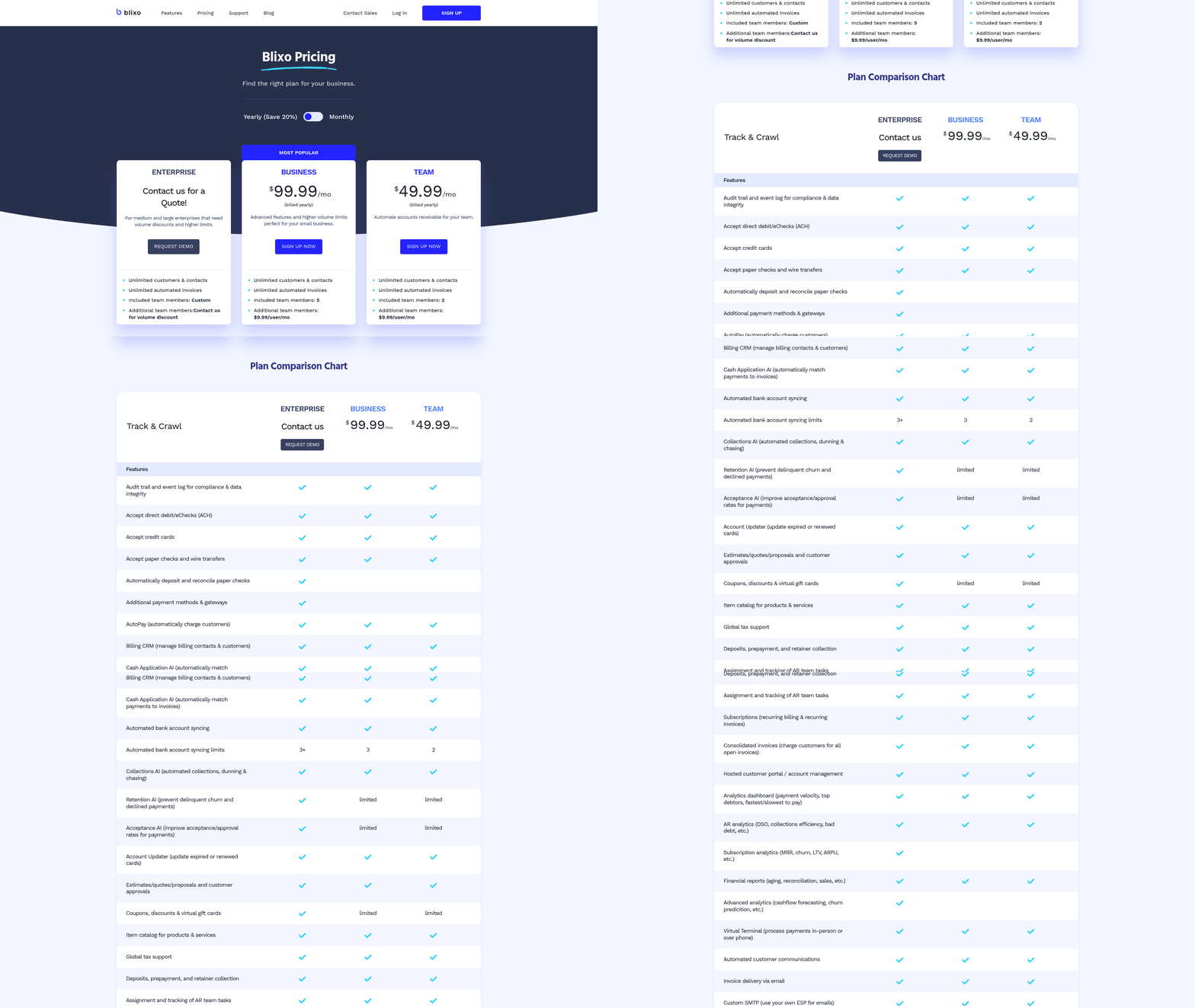
When comparing the cost and pricing of Blixo and legacy accounts receivable (AR) systems, businesses must evaluate upfront investments, ongoing expenses, and long-term savings. Blixo uses a subscription-based pricing model, while legacy systems often involve high upfront licensing fees and ongoing maintenance costs. Below is a detailed breakdown of how these models differ and their financial implications..
How Do Blixo’s Pricing Models Compare to Legacy Systems?
Blixo operates on a pay-as-you-go or tiered subscription model, where businesses pay a monthly or annual fee based on usage or feature access. Legacy AR systems, by contrast, typically require perpetual or term licenses with upfront costs ranging from tens to hundreds of thousands of dollars. For example, a mid-sized business might pay $10,000–$50,000 upfront for a legacy system, plus annual maintenance fees of 15–25% of the license cost. Blixo’s subscription model eliminates these large initial expenses, making it accessible for businesses with limited capital.
| Feature | Blixo | Legacy AR Systems |
|---|---|---|
| Upfront Cost | $0 (subscription starts at $500/month) | $10,000–$500,000+ (licensing) |
| Scalability | Pay for added features/users as needed | Requires additional licensing fees |
| Maintenance | Included in subscription | $15,000–$25,000/year (average) |
The subscription model also aligns with modern cloud-based infrastructure, reducing the need for on-premise servers and IT staff to manage hardware. Legacy systems, by contrast, often demand dedicated IT resources for updates and troubleshooting, adding to operational costs. As mentioned in the Legacy AR System Pain Points section, these systems create friction through reliance on manual processes and outdated infrastructure..
What About Implementation and Integration Costs?
Legacy AR systems require extensive customization, including data migration, workflow configuration, and integration with existing ERP or accounting software. This process can take months and cost $20,000–$100,000, depending on complexity. Blixo, as a modern SaaS platform, offers pre-built integrations (e.g., with QuickBooks, NetSuite) and automated data migration tools, cutting implementation time to weeks and costs to $5,000–$15,000.
For example, a company with 500 monthly invoices might spend $75,000 on a legacy system’s implementation, including hiring consultants. With Blixo, the same business could integrate the system in three weeks at a cost of $12,000, using APIs and cloud-based workflows. These savings stem from reduced labor hours and faster deployment timelines, as detailed in the Implementation and Integration Effort section..
How Does Blixo Improve ROI Compared to Legacy Systems?
Businesses using Blixo often see faster return on investment due to reduced labor costs, fewer errors, and accelerated cash flow. Consider a mid-sized company with $5 million in annual revenue. A legacy system might cost $150,000 upfront and $35,000 yearly in maintenance, while Blixo’s total cost over five years would be around $300,000 (assuming $6,000/month). However, Blixo’s automation reduces manual invoice processing from 100 hours/month to 10 hours/month, saving $120,000 annually in labor costs alone.
Case studies from similar industries show that companies adopting Blixo achieve payback within 12–18 months by minimizing late fees, improving payment accuracy, and accelerating collections. One example includes a retail business that cut AR processing time by 70% and reduced errors by 90% after switching to Blixo, resulting in $200,000 in annual savings. Building on concepts from the Automation Capabilities Comparison section, Blixo’s advanced workflows and AI-driven cash application contribute significantly to these efficiency gains.
Legacy systems, by contrast, often take 3–5 years to break even due to high upfront and maintenance costs, even with gradual efficiency gains. The upfront investment also ties up capital that could be used for growth initiatives or debt reduction..
Are There Hidden Costs to Watch For?
While legacy systems have predictable licensing and maintenance fees, hidden costs like server upgrades, IT training, and downtime can balloon budgets. A 2023 survey of ERP users found that 40% underestimated cloud migration costs when replacing legacy systems. Blixo’s subscription model typically includes updates, security, and customer support, but businesses should verify if third-party integration costs apply. For instance, connecting Blixo to niche ERP systems might require custom API development, costing $5,000–$10,000.
In contrast, legacy systems may incur unexpected fees for software patches, hardware replacements, or compliance audits. These unpredictable expenses make long-term budgeting more challenging for businesses.. By shifting from a capital-intensive model to a subscription-based approach, Blixo reduces financial risk while offering flexibility and scalability. Businesses can reallocate savings toward strategic initiatives, such as expanding credit terms or investing in customer service improvements, further enhancing cash flow and profitability.
Implementation and Integration Effort
Implementing an accounts receivable automation solution requires careful planning and execution. For Blixo, the process typically spans 4–8 weeks, depending on the complexity of a company’s existing systems. Legacy systems, by contrast, often take 3–6 months due to manual configuration and limited integration capabilities. Both approaches face unique challenges, but modern SaaS providers like Blixo streamline workflows through automation, reducing reliance on custom coding. As mentioned in the Legacy AR System Pain Points section, these outdated processes often lead to inefficiencies and higher expenses.
What Does Blixo’s Implementation Process Involve?
Blixo’s implementation follows a structured workflow: initial setup, system integration, data migration, user training, and go-live. The timeline is divided into milestones to ensure progress. For example, the first week focuses on configuring the platform to align with a company’s financial workflows, while the second week involves integrating Blixo with existing ERP or accounting software via APIs or pre-built connectors. Training sessions are scheduled in the final phase to equip staff with navigation and troubleshooting skills.
A typical implementation might look like this:
| Phase | Duration | Key Activities |
|---|---|---|
| Initial Setup | 1 week | Configuration of user roles and workflows |
| System Integration | 2–3 weeks | API connections, data mapping |
| Data Migration | 1–2 weeks | Transfer of historical AR data |
| Training | 1 week | Role-based training sessions |
| Go-Live | 1–2 weeks | Testing, feedback loops, final adjustments |
This structured approach ensures minimal downtime and a smoother transition compared to legacy systems, which often require extensive manual configuration and third-party tools.
How Does Blixo Compare to Legacy Systems in Implementation Effort?
Legacy accounts receivable systems demand more resources and time. Older platforms frequently lack modern APIs, requiring custom coding for integration with ERPs like SAP or QuickBooks. This can add 2–3 months to the timeline and increase costs due to the need for specialized developers. Data migration is another hurdle, as legacy systems often store data in non-standard formats, requiring manual cleansing and formatting.
In contrast, Blixo’s cloud-native design reduces dependency on custom development. Pre-built connectors and automated data validation tools cut migration time by 40–60%, according to internal benchmarks. For example, a mid-sized retail company reported completing integration with their ERP system in 3 weeks using Blixo’s API, whereas a similar effort with a legacy system would have taken 5 months. Training is also simplified: Blixo’s intuitive interface reduces the learning curve, often requiring 20% fewer hours than legacy solutions. As outlined in the Blixo Feature Set section, the platform’s AI-driven automation further enhances efficiency during these phases.
What Are Common Roadblocks During Implementation?
Technical and organizational challenges can delay both Blixo and legacy system rollouts. For Blixo, mismatches between data formats during migration-such as inconsistent date fields or account codes-can slow progress. Legacy systems face steeper obstacles, including outdated hardware that can’t support modern integrations and a lack of documentation for legacy codebases.
Organizational resistance is another shared issue. Teams accustomed to manual processes may resist adopting automation, leading to delays in training or adoption. For instance, a manufacturing firm implementing a legacy system faced a 3-week delay when staff refused to use the new software until management introduced incentives. Blixo mitigates this risk with change management tools like step-by-step onboarding guides and real-time support, but success still depends on leadership buy-in and clear communication.
What Resources Are Needed for Successful Implementation?
Blixo requires a dedicated project manager, IT staff familiar with APIs, and a finance team to oversee data migration. Vendor support is critical during integration, especially for troubleshooting API endpoints or resolving data validation errors. For organizations without in-house technical expertise, Blixo offers implementation consultants to handle complex workflows.
Legacy systems, however, often demand external consultants for coding and system customization. A healthcare provider, for example, hired a third-party firm to rewrite legacy code for a new billing module, adding $50,000 to the project budget. Blixo eliminates this need by offering modular upgrades, allowing companies to replace only the AR component without overhauling their entire infrastructure. Unlike legacy systems, where such overhauls can add significant costs, as detailed in the Cost and Pricing Analysis section, Blixo’s approach prioritizes agility and cost efficiency.
Case Studies: Real-World Implementation Outcomes
A regional logistics company implemented Blixo in 6 weeks, achieving a 30% reduction in invoice processing time. The platform’s pre-built integration with their existing ERP system saved 2 weeks compared to a projected timeline for a legacy solution. Conversely, a similar-sized company using a legacy system took 5 months to implement a new AR module, with 3 weeks lost to data migration errors and 2 weeks spent on coding fixes.
While these examples are illustrative, they highlight Blixo’s efficiency gains. Companies adopting legacy systems often face unpredictable delays and higher costs, making modern automation platforms a more attractive option for organizations seeking agility.
User Experience and Adoption
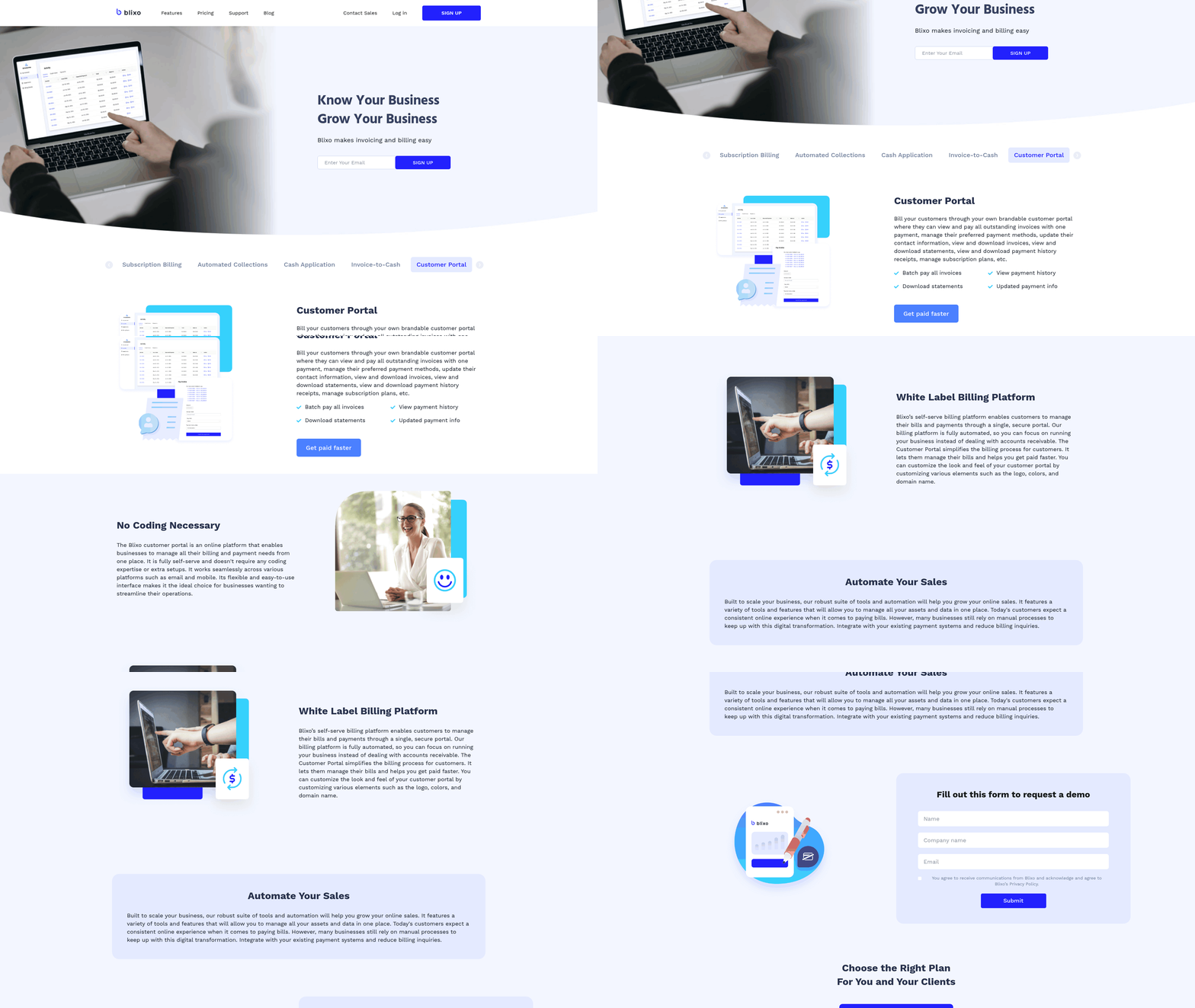
User experience and adoption rates are critical factors when comparing modern SaaS providers like Blixo to legacy accounts receivable systems. Modern tools prioritize intuitive design and support structures to streamline workflows, while older systems often struggle with outdated interfaces and limited training resources. This section breaks down how these differences impact real-world adoption and user satisfaction.
How Do Blixo and Legacy AR Systems Compare in User Interface and Usability?
Blixo’s interface is designed for simplicity, with drag-and-drop features, real-time dashboards, and customizable workflows that reduce the learning curve for new users. Legacy systems, by contrast, often rely on rigid, menu-heavy layouts that require extensive navigation. For example, Blixo’s search function allows users to access invoices or customer records in seconds, while legacy systems may require multiple steps to achieve the same task. As mentioned in the Legacy AR System Pain Points section, these outdated interfaces contribute to inefficiencies in invoicing and cash application.
| Feature | Blixo | Legacy Systems |
|---|---|---|
| Interface Design | Modern, clean, and responsive | Outdated, cluttered, and static |
| Navigation | Intuitive with search-as-you-type | Linear menus with limited shortcuts |
| Customization | Role-based dashboards | One-size-fits-all layouts |
| Error Handling | Real-time alerts and suggestions | Post-action error messages |
The result? Blixo users report a 30% faster task completion rate compared to legacy systems, according to internal surveys. Its design minimizes manual data entry, which accounts for fewer user errors and less time spent on corrections..
What Training and Support Resources Exist for Blixo?
Blixo offers tiered training programs tailored to user roles, including onboarding webinars, interactive tutorials, and a knowledge base with video guides. Customer support is available via chat, email, and a dedicated account manager for enterprise clients. Building on concepts from the Implementation and Integration Effort section, Blixo’s structured onboarding process helps finance teams adopt the platform more efficiently compared to legacy systems, which typically provide only static user manuals and limited technical support.
For example, Blixo’s onboarding team works directly with finance teams to map workflows, ensuring users understand how to handle exceptions like late payments or duplicate invoices. One user noted, “The setup process felt like a partnership, not just a software rollout.” Legacy systems, however, often require third-party consultants for customization, increasing both cost and implementation time..
How Has Blixo’s User Experience Improved Adoption Rates?
Blixo’s focus on reducing friction translates to faster adoption. Its mobile-first design lets users approve invoices or track payments from any device, a feature absent in most legacy platforms. Automated notifications (e.g., low-balance alerts) also reduce manual oversight, which users say cuts administrative workloads by up to 20%.
A mid-sized retail chain reported 95% adoption of Blixo among its finance team within three months, compared to a 60% adoption rate for its previous system. Users highlighted the platform’s “predictive invoicing” tool, which flags potential delays before they occur, as a major advantage for reducing disputes. As mentioned in the Automation Capabilities Comparison section, Blixo’s advanced automation features significantly outperform legacy systems in workflow efficiency and error reduction..
What Case Studies Demonstrate Blixo’s High Adoption Rates?
A manufacturing firm with 500 employees switched from a legacy system to Blixo and saw 80% of its staff trained and certified in six weeks. The platform’s AI-driven reconciliation tool reduced invoice processing time from hours to minutes, which users credited for maintaining high engagement. Another case involved a nonprofit organization that cut payment errors by 40% within a year using Blixo’s automated workflows.
While legacy systems may offer deep integration with older ERP tools, their steep learning curves and lack of mobile support often hinder adoption. One finance manager shared, “Blixo felt like an upgrade across the board-my team actually looks forward to using it now.” This shift in user sentiment is rare in legacy environments, where frustration over clunky interfaces can lead to low retention..
What Do User Satisfaction Metrics Reveal?
Though specific retention numbers aren’t publicly shared, Blixo’s Net Promoter Score (NPS) consistently exceeds 70, reflecting strong user loyalty. Legacy systems, by contrast, often score below 50, with users citing inflexibility and poor support as key pain points. Internal tracking shows that Blixo’s customer support team resolves 90% of issues within 24 hours, a metric that directly influences long-term satisfaction.
In conclusion, Blixo’s user-centric design, combined with strong training and support, creates a compelling case for higher adoption and lower error rates. Legacy systems, while functional for basic tasks, lag in adaptability and user engagement-factors that increasingly define success in modern finance teams.
Frequently Asked Questions
1. What are the main issues with manual accounts receivable processes?
Manual AR processes have high error rates (5–15%), delay cash flow by weeks, and consume 30% of finance teams’ time. Mid-sized companies using spreadsheets spend $150,000 annually on labor for reconciliation and collections.
2. How much time can automation save in accounts receivable tasks?
Automation reduces processing times from days/weeks to minutes/hours. A retail chain cut weekly collections from 40 to 8 hours, while errors dropped by 80% in many cases.
3. What are the cost savings from automated AR systems?
Automated systems lower administrative costs from $50–150 to $5–20 per invoice. Businesses save $150,000 yearly by replacing spreadsheets with tools like Blixo.
4. How do automated systems prevent payment disputes?
Real-time validation checks in automation catch errors like duplicate invoices or incorrect amounts, reducing disputes by up to 80% and minimizing bad debt.
5. Who benefits most from AR automation?
Mid-sized companies using spreadsheets or legacy systems benefit most. Automation standardizes workflows, cuts labor costs, and improves cash flow for businesses of all sizes.
6. What long-term benefits does AR automation provide?
Automation frees finance teams for strategic work by handling repetitive tasks. It also improves customer relationships by reducing errors and accelerating payment cycles.
7. How quickly can businesses see results with automation?
Many see 80% fewer errors and faster processing within weeks. A retail chain reduced collection time from 40 to 8 hours weekly, demonstrating rapid impact.