

Collect Online Payments and Auto-Reconcile Every Transaction in Blixo

Key Takeaways
- Manual payment collection quietly drains small SaaS teams. The workload and the errors both compound each billing cycle on a recurring payment system.
- Payment fraud affects a large share of organizations, with paper checks often cited among the more vulnerable payment methods.
- Automation isn’t about removing people from collections. It redirects attention to the exceptions where customer relationships are actually won or lost.
- Manual reconciliation breaks down as transaction volume grows. It introduces errors, hides outstanding balances, and stretches the monthly close.
- Automated matching puts accuracy first, then gives you clear visibility into open balances and a stronger audit trail when you need one.
- Reclaiming even a fraction of manual matching hours lets a two- or three-person team shift capacity back toward revenue work.
- Automated systems can be configured to flag unusual payment requests and enforce dual-authorization rules, catching problems before money moves.
Why manual collection is costing you more than you think
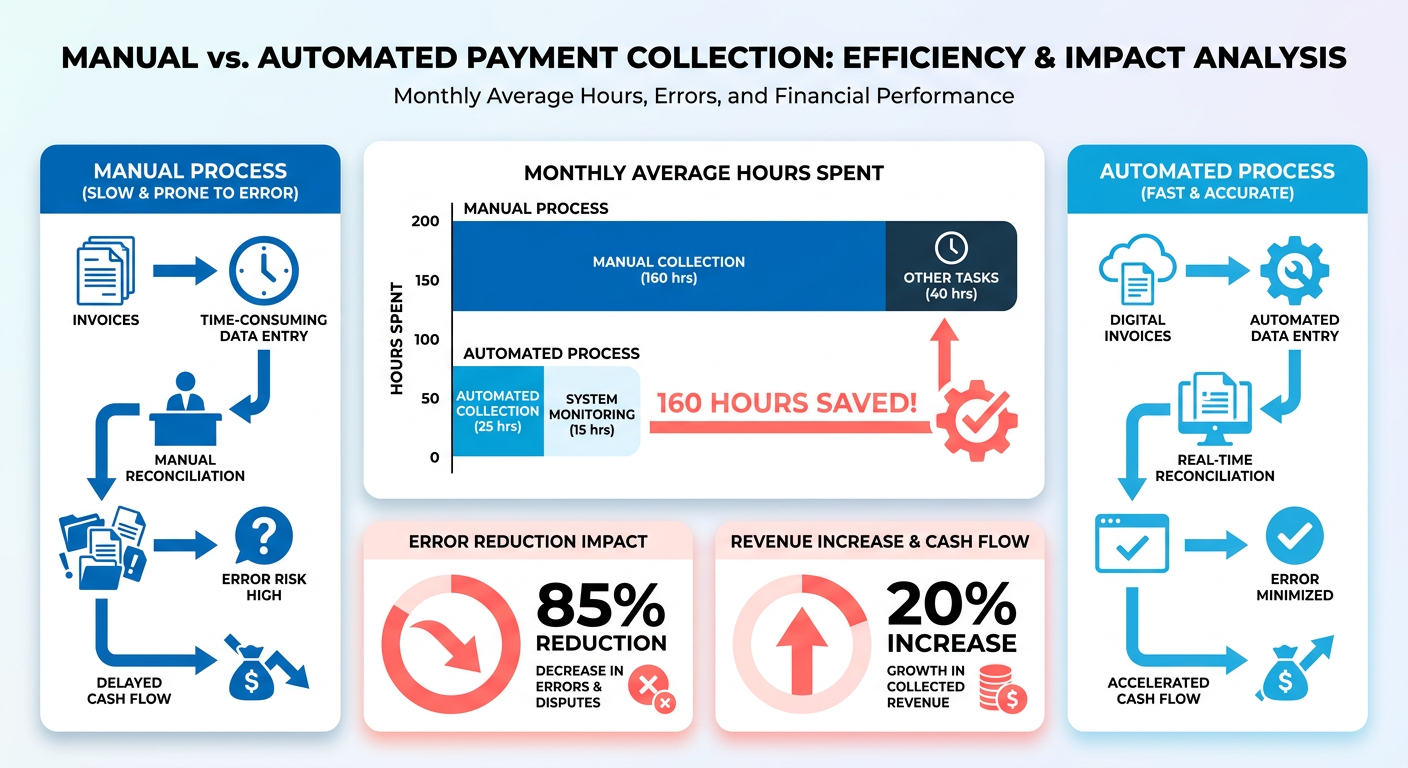
Manual payment collection quietly drains a small SaaS team. Every card charge, bank deposit, and invoice match has to be found, checked, and posted by hand. Run a recurring payment system and that work compounds each cycle. So do the errors.
For founders who bill on subscriptions, automation isn’t about removing people from collections. It’s about moving your attention to the moments that actually need a human. A recurring billing system that auto-reconciles the routine matches frees you to handle the handful of exceptions yourself, where a real conversation changes the outcome.
Why manual reconciliation scales badly
When reconciliation is done by hand, the admin load grows with your customer base. Teams end up hunting mismatched line items, which delays the monthly close and blurs the true state of accounts receivable. Automated matching resolves those discrepancies at the entry point, so you get clarity on cash flow now and cleaner audits later.
For a lean startup, reclaiming even a slice of the hours spent on manual matching changes what you can build. Many teams find that automating routine reconciliation shifts capacity back toward product and customer acquisition.
Fraud is the other hidden cost. Paper checks and manual payment methods stay highly vulnerable to interception and alteration. Automated platforms can reduce that risk by verifying transaction details digitally and can be configured to require multiple internal approvals on high-value transfers, helping stop unauthorized activity before funds leave your account.
Can automation and personal collections coexist?
There’s a genuine tension in the space: some tools push for zero human touch, others insist on human review based on match confidence. Both are right, just for different transactions.
The goal isn’t zero human involvement. It’s exception-driven automation. The engine clears every clean, high-confidence match on its own and routes only the anomalies to your team. Those flagged items are usually the accounts that benefit from direct outreach, so you resolve billing issues with targeted communication while the system handles the volume.
Blixo can be configured to reconcile routine transactions automatically, and its collections features let you send reminders and manage follow-up for the accounts that need attention.
What about settlement speed?
Reconciliation software isn’t your only bottleneck. Card deposits typically settle within a few business days minus fees, while bank feeds can pull data on a regular schedule. The rail you collect on shapes your cash flow as much as the matching engine does.
So pair fast-settling collection methods with automated matching. Pick a payment method that clears quickly, then let auto-reconciliation post it the moment the feed updates.
Who gets the most out of this? Founders running recurring or usage-based billing, small teams with no dedicated finance hire, and any business where late reconciliation is already blurring the cash picture. If you invoice a handful of clients once a quarter, it’s likely overkill. If you bill dozens of customers a month, it can earn back its cost quickly.
Setting up online payment collection in Blixo
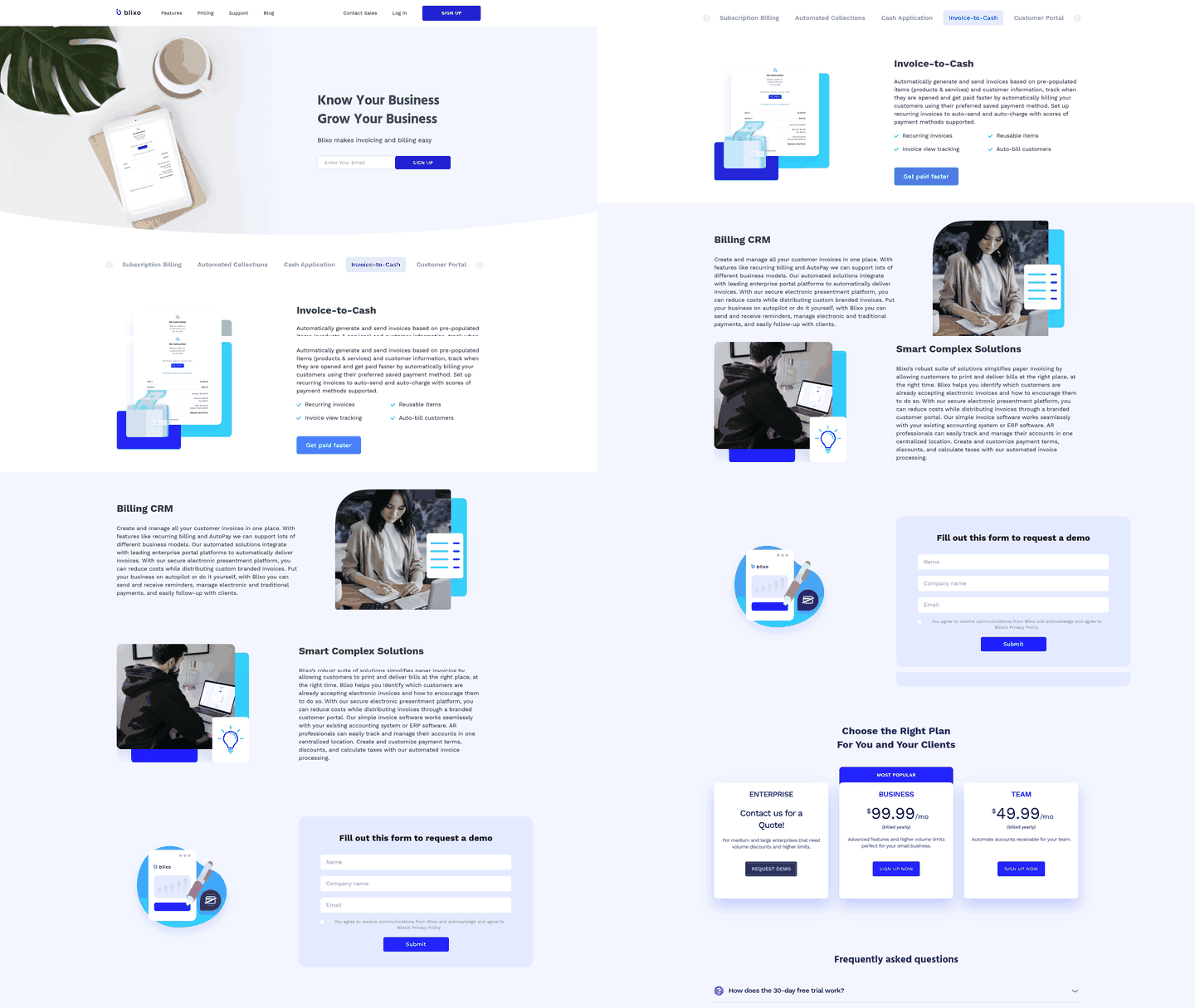
Getting paid online in Blixo starts with connecting a payment gateway, then letting the platform match each incoming payment to the right invoice. The point isn’t just to accept cards. It’s to design your recurring payment system so every transaction identifies itself, which is what makes hands-off reconciliation work.
Here’s the principle we build around: a payment that carries a unique identifier can be matched deterministically, not guessed. When your billing setup ties each charge to a customer and an invoice the moment it’s created, the match downstream is exact. That’s the difference between a setup that reconciles itself and one that produces exceptions all day.
How do you connect a payment gateway in Blixo?
Start by linking your gateway credentials, then map your payment methods to how you invoice. You authorize the connection, choose which methods to accept (cards, ACH, wire), and set the currency rules that apply.
One thing to keep in mind for cross-border billing: ACH credit transfers are generally USD-based. If you serve US customers, ACH credit is a clean fit. If you bill internationally, lean on card and wire so you’re not forcing customers onto a rail their bank won’t process.
Set your default currency and payment terms before you go live. These feed every invoice you send, so getting them right once saves you from correcting them per customer later.
Example: setting up card and ACH collection
A subscription business billing many accounts monthly might enable card charges for standard tiers and ACH credit for enterprise clients who prefer bank transfers.
For those bank-transfer customers, some gateways can assign each one a unique virtual bank account number. When a client sends funds, the payment lands already tagged to them. No memo-field guessing, no manual lookup. That removes the guesswork from matching and frees the team for higher-value work.
Whether you assign a virtual account number per customer or embed the invoice number in the payment reference, the underlying strategy is the same: make the payment self-identifying at the source. That one design choice keeps auto-matching reliable as volume grows.
What settings make reconciliation and reporting stronger?
Turn on automatic matching rules and confidence thresholds, then set overpayment and underpayment handling. Blixo can be configured to reconcile the routine matches and surface only the ones that need your eyes.
Configure how partial payments post, whether overpayments become credits, and when a payment should flag for review instead of auto-applying. These rules decide how much lands in your exceptions queue versus clears silently. As a starting point, you might auto-apply anything that matches on both amount and invoice ID, and route anything with a mismatch above a small tolerance you set to manual review.
The audit trail can come as a byproduct of this. Because an automated match can record its source data and the rule it applied, you get reporting-ready evidence without extra effort. That same record can shorten month-end close, since your team can trace a posted payment back to its rule and gateway reference rather than rebuilding the history by hand.
One practical tip: if a payment ever arrives outside your gateway, mark the invoice paid manually so your records stay clean. For failed charges, platforms can offer recovery workflows that handle the retry sequence.
Auto-reconciling transactions in Blixo

The recurring payment system can be set up to reconcile most transactions without supervision. When payment data flows in from your gateway, whether that’s card charges, ACH transfers, or wire payments, the matching engine runs a set of rules that pair each incoming amount to the open invoice it belongs to. If the amount, date, and customer identifier all align within tolerance, the match can post automatically. The transactions that reach your inbox are the ones outside those rules: partial payments, mismatched amounts, or transfers missing a reference number.
The value is concentrating human judgment where it counts. Automation handles the clean matches, leaving your team on the anomalies. A customer who underpays might have a billing dispute that needs a direct resolution, and a wire missing a reference number needs manual verification. The platform can route those cases to your review queue and let the routine volume clear silently.
How the matching engine decides what reconciles automatically
The engine can extract three identifying attributes from each incoming payment: amount, date, and a unique reference tied to the customer or invoice. When all three match an open invoice inside your tolerance window, the payment can post and the invoice can be marked paid without a manual step.
Tolerance thresholds matter because real-world payments rarely hit the invoice total exactly. Card processors often deduct fees before depositing, so the payment can arrive slightly under the invoiced amount. Rules can recognize that variance as a match if it falls inside your configured range. Bank transfers can clear late too, so a payment initiated early in the week might not show in your ledger for several days. The engine can account for that lag and pair the transaction to the invoice even when the posting date drifts from the due date.
The reference field is what makes this reliable at scale. We encourage you to design collection so every payment carries a unique identifier: an invoice number in the payment memo, a virtual account number per customer, or a transaction ID your gateway attaches. When that identifier is present and unambiguous, the match can be deterministic. The engine pairs the payment to the invoice the reference points to, even when the amount is slightly off or the date drifted. That’s the line between a system that reconciles itself and one that hands you exception queues to work through by hand.
What happens when a payment doesn’t match automatically
Payments that fail the rules land in your exceptions queue, flagged with the reason: partial amount, missing reference, date outside the tolerance window, or no open invoice for that customer. You decide how to handle it from there. In many cases the fix is quick. Review the flagged transaction, identify the right invoice, apply the payment.
This hybrid approach balances automation with oversight. Because the engine can absorb the routine matches, you review what needs a human. Those exceptions tend to be a customer disputing a line item, a new client omitting the invoice number on a wire, or an overpayment that needs to become a credit memo.
The same pattern shows up with chargebacks and reversals. When a customer initiates a chargeback, the reversal appears in your ledger as a negative transaction. The engine can flag it as an exception because it’s a dispute, not a routine settlement variance. You investigate the reason, gather documentation, and decide whether to contest or write off the amount. The platform doesn’t automate that call. It surfaces the transaction so you can make it with full context.
How bank integrations and matching rules work together
Blixo can integrate with your bank to import statement data. Once it’s in the system, the matching rules run against it to pair each bank transaction with the corresponding payment record your gateway sent earlier. This two-step reconciliation, gateway to invoice and then bank to gateway, keeps your ledger reflecting both what customers paid and what actually cleared your account.
The bank integration closes the loop. When your gateway records a payment, the system can expect a matching deposit in your bank feed within a few days. It pairs the bank statement line to the gateway record, accounts for processing fees, and confirms the funds cleared. If the deposit doesn’t appear on time, the system can flag the discrepancy so you can check whether the processor delayed the payout.
You configure the rules to fit your payment mix. If most revenue comes from card transactions with standard fees, set a tolerance range that accommodates the deduction. If you also take wire transfers that arrive at full invoice value, tighten those rules to expect zero variance. The engine can apply the right rule set based on payment type, which helps keep false positives low.
Our recommendation: start with wider tolerances in your first billing cycle, then tighten them as you learn your patterns. A small fixed variance can represent a large share of a low-value invoice, so a tolerance that looks tight might still miss real discrepancies. Adjust based on your actual fees and settlement lags, not what you assume they should be. You want a ruleset that auto-matches clean payments and surfaces genuine exceptions, not one that either flags everything or misses problems.
Audit trail and reporting features in Blixo
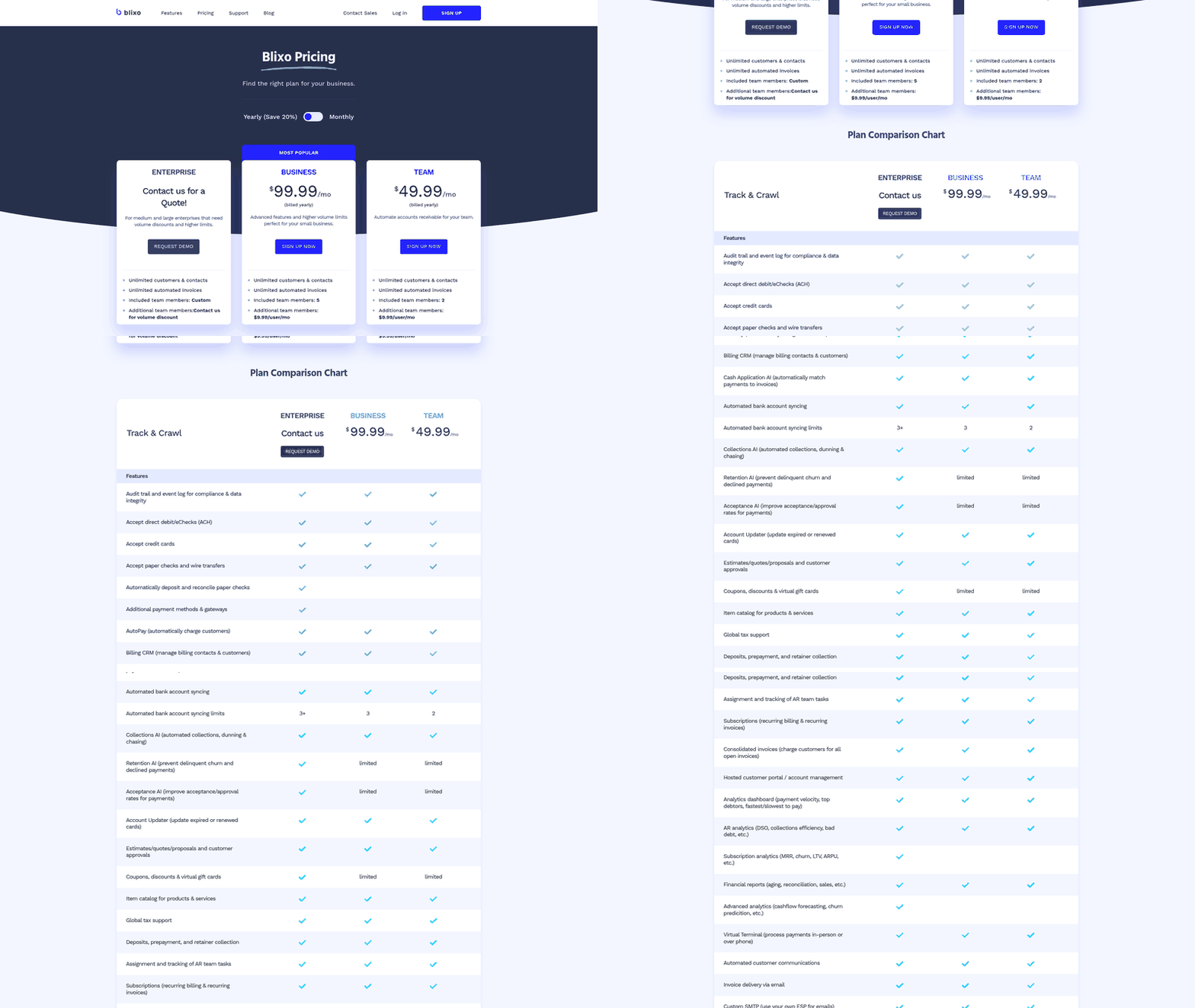
Every automated match can leave a record. That’s the quiet advantage of running your recurring payment system on automation: the audit trail need not be a separate feature you switch on. It can be a byproduct of how reconciliation already works.
When payments match to invoices, the system can log the source data and the match decision. So the same process that saves you the manual work also produces the evidence you need later. In a recurring billing setup, every charge, retry, and adjustment can carry its own paper trail without anyone typing a note.
What Blixo’s audit trail actually captures
The audit trail can record the full history of each transaction: which payment came in, what amount and date it carried, which invoice it matched, and whether a human or a rule made the call. That gives you a defensible record for both financial analysis and compliance. Some reconciliation engines use natural language processing to pull identifying features like description, amount, date, and account number straight from raw transaction data, then map them to accounting codes. That same extraction is part of what makes an entry auditable. If a match can identify itself, it can help explain itself.
Since paper-based and manual payment methods stay highly susceptible to fraud, a clean audit trail is a primary line of defense. When you can trace a payment back to its source data quickly, a suspicious entry stands out.
How to use Blixo’s reporting for financial analysis
Start with aging reports and payment history, then filter by customer, date range, or payment method to see where cash is actually landing. Reporting in Blixo can turn your reconciled data into a real-time view of revenue instead of a month-end guessing game.
For a small SaaS founder, the practical use looks like this. Pull a report on last quarter’s recurring charges. See which subscriptions auto-reconciled cleanly and which threw exceptions. The pattern tells you where your billing setup leaks time, so you fix the root cause instead of chasing symptoms.
Your reports stay complete across the payment methods and bank integrations Blixo supports. You’re not missing entries just because data arrived in an unexpected format.
Tips for customizing reports and staying compliant
Set your reports to the cadence your team runs on. Weekly for cash flow, monthly for revenue recognition, quarterly for a compliance snapshot. A few habits keep the data trustworthy:
- Filter before you export: narrow by payment method or customer so the numbers answer one question at a time.
- Reconcile on a fixed schedule: consistent timing keeps your audit trail continuous, which auditors care about.
- Review exceptions weekly: the handful of unmatched payments are where errors and fraud can hide.
The goal is to kill surprises. When your reconciliation and your records come from the same engine, the numbers you report and the numbers you defend are the same. That keeps your books honest and leaves you free to focus on customer relationships.
Frequently Asked Questions
1. Does auto-reconciliation work if my customers pay by check or wire transfer without invoice numbers?
Auto-reconciliation relies on unique identifiers like invoice numbers or virtual account numbers. Wire transfers without memo fields and checks without references will typically land in your exceptions queue, where you manually match them to the correct invoice. The engine auto-matches payments carrying clear identifying data.
2. How tight should I set my matching tolerance for processing fees?
Start with a tolerance that covers your standard processing fees plus a small buffer—for example, if your card processor charges a known percentage, allow that percentage plus a little headroom initially. Monitor your first month’s matches, then tighten the range. Too narrow a tolerance flags legitimate fee differences as exceptions, while too wide a tolerance can miss real discrepancies on low-value invoices.
3. Can I reconcile payments that arrive before the invoice is sent?
Blixo matches incoming payments to open invoices, so early payments without a corresponding invoice will typically flag as exceptions. You can hold them as unapplied credits or manually apply them once the invoice exists. Design your billing cycle so invoices generate before payment deadlines to avoid this scenario.
4. What happens if a customer disputes a charge after it auto-reconciled?
Chargebacks and reversals appear as negative transactions in your ledger and can be set to flag as exceptions rather than auto-match. You investigate the dispute, gather supporting documentation, and decide whether to contest or write off the amount. The original reconciliation record remains intact for your audit trail.
5. How does dual-authorization prevent fraud in an automated system?
Automated systems can be configured to enforce approval rules before payments execute, requiring two people to sign off on unusual requests—such as large transaction amounts, new vendor accounts, or sudden payment method changes. This establishes a control checkpoint, unlike manual processes where a single compromised user might initiate and approve their own transactions without oversight.
6. Do I lose control over customer relationships when collections are automated?
Automation routes high-confidence matches straight through and surfaces low-confidence ones for your review. You still handle every exception personally—such as partial payments, disputes, or missing references—which are precisely the interactions where direct communication helps resolve outstanding issues. The engine simply removes the repetitive matching work that does not require human judgment.
7. How do I reconcile payments from multiple currencies if my gateway settles everything in USD?
Your bank statement shows the converted USD amount after settlement. Blixo can match that deposited amount to the original invoice, accounting for both the processing fee and the currency conversion spread. Set your tolerance wide enough to cover typical FX fluctuations, then review flagged variances to confirm they fall within expected ranges.