

Automated Invoice Processing Cloud Service for Finance Teams

Key Takeaways
- Automated invoice processing can substantially cut per-invoice costs while shrinking cycle times from weeks to days.
- AI-powered cognitive systems can raise straight-through processing rates and shorten cycle times in some pilots.
- OCR with workflow rules handles clean, structured invoices well but tends to struggle with varied semi-structured formats that call for machine learning.
- Unified AR automation platforms can deliver high auto-posting rates for SaaS companies managing recurring and usage-based billing workflows.
- Cloud-based invoice automation serves dual purposes by reducing AP and AR manual work while feeding revenue data that can help identify churn risks.
- Setup difficulty varies significantly across approaches, with AI systems generally requiring higher initial investment compared to the medium effort of OCR rule-based tools.
- Manual and legacy AR systems tend to cost considerably more per invoice than automated alternatives while offering little to no straight-through processing.
The short version
An automated invoice processing cloud service pulls invoicing, matching, approvals, and payment into one workflow. Finance teams stop rekeying data and chasing status. In practice, that means lower administrative overhead and faster processing.
For SaaS companies with recurring billing, a cloud-based setup does double duty. Beyond simplifying daily accounting, it provides the visibility needed to identify billing anomalies early. That second job is where most buyers under-invest.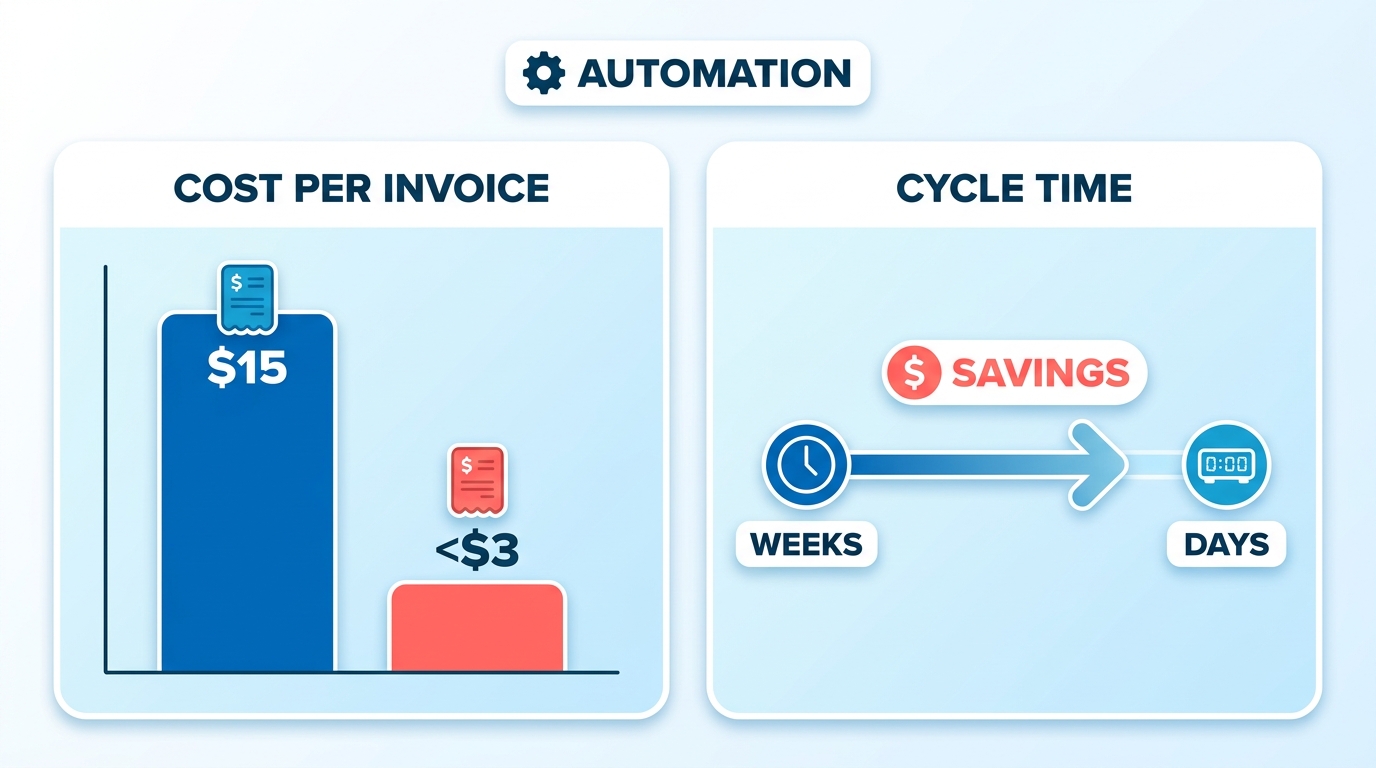
Which approach fits your invoice volume?
Match the tool to how varied your invoices are, not to a feature checklist. Standardized layouts require less sophisticated logic. Diverse billing formats demand advanced pattern recognition. The main approaches compare like this:
| Approach | Cost per invoice | Cycle time | Straight-through rate | Setup difficulty | Best for |
|---|---|---|---|---|---|
| Manual / legacy AR | Highest | Weeks | None | Low (but high ongoing effort) | Very low volume |
| OCR + workflow rules | Lower | Days | Moderate to high | Medium | Clean, structured invoices |
| Cognitive / AI (IDP) | Lower | Days | High | High | Varied, semi-structured formats |
| Unified AR automation | Lower | Days | High auto-post | Medium | SaaS recurring + usage billing |
The AI edge is real but specific. In complex operational environments, cognitive systems can achieve high extraction accuracy on unstructured documents. For plain invoices, OCR plus rules already handles headers and line items reliably. Don’t pay for cognitive automation you won’t use.
Time and cost savings you can expect
Expect a meaningful cut in cost per invoice and faster approvals once automation is live. Some finance teams report a noticeable reduction in processing time after switching on invoice capture, with manual effort per invoice dropping considerably.
Payback tracks with volume. Some organizations report meaningful annual savings by automating AP. Setup usually runs a few weeks for a pilot on a subset of vendors or customers, then scales from there. Start narrow, prove the numbers, then expand. That beats a big-bang rollout that stalls on adoption.
Where automation actually pays off for SaaS teams
The exception queue is the real prize. Straight-through processing never hits 100%, so the invoices that don’t clear automatically are your signal. For a SaaS business, these anomalies can highlight accounts that may need customer success intervention.
The same automation that trims AP cost can help protect recurring revenue. Timelier billing data lets you forecast cash flow and intervene on a shaky account before renewal. Consolidating operations without updating the underlying workflow can create friction. Pairing structural changes with software that handles the heavy lifting while routing exceptions to the right team members makes the difference.
Why this actually matters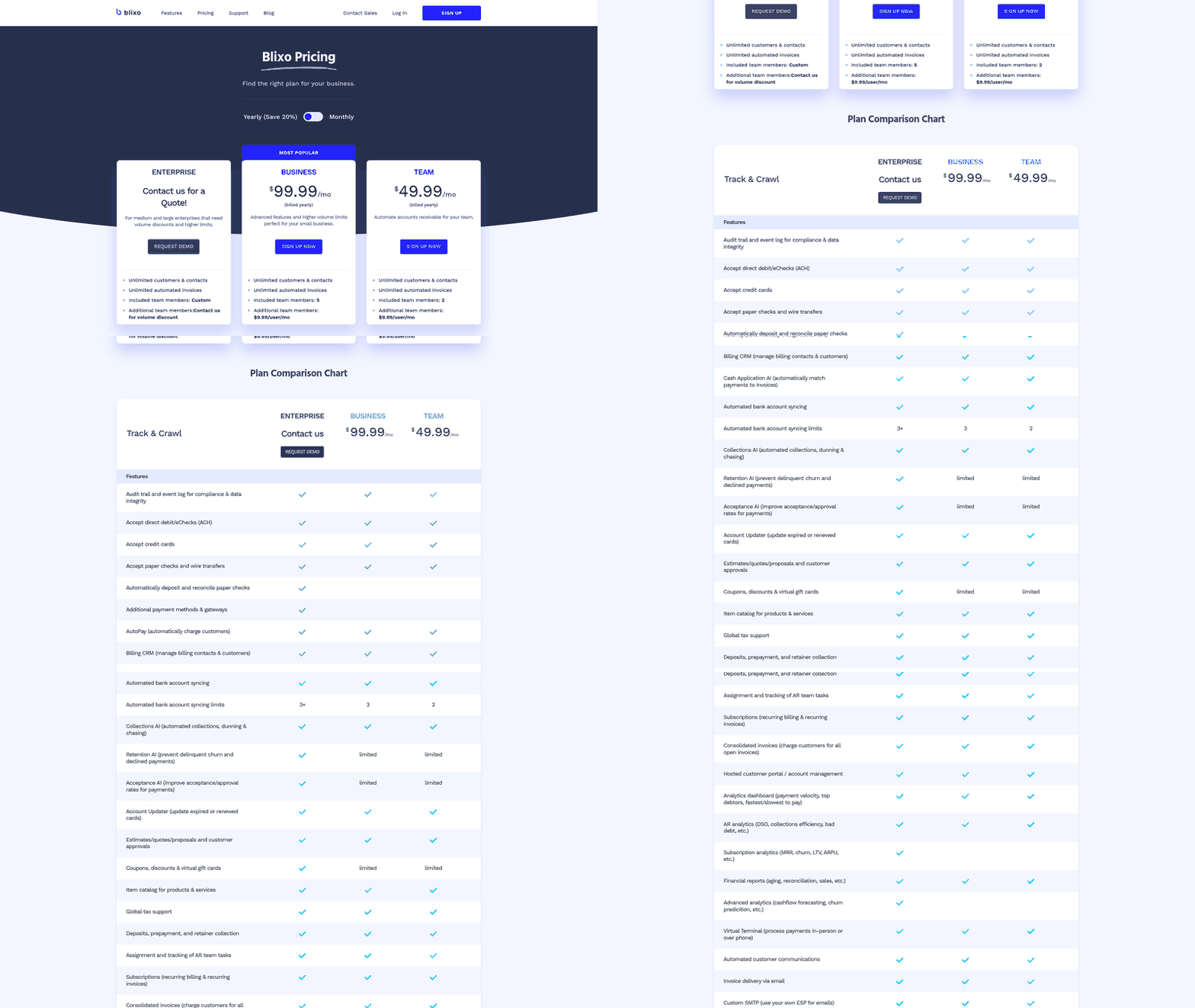
An automated invoice processing cloud service earns its keep by fixing two problems at once. It streamlines the billing lifecycle while providing visibility into payment delays. For SaaS companies running recurring billing, this proactive insight is what tends to justify the investment.
The case is straightforward. Modern systems can significantly reduce the resource hours required for data entry and cut cycle times. Manual environments also bleed money: organizations can lose a share of annual revenue to fraud and duplicate payments. That’s the real price of rekeying data by hand.
What manual invoicing actually costs you
Manual invoicing costs far more than the labor line. Slow processing is a top complaint across finance teams, and it delays cash while burying the numbers you need to act.
Only a fraction of organizations run fully automated workflows today, and many name slow processing as their single biggest pain point. That lag compounds. Late payments can cost businesses significantly, and firms that stick with manual processes tend to report higher invoice error rates—errors that trigger disputes, damage vendor relationships, and eat up time that could go toward strategic work. Many CFOs now treat automation as part of their digitization work, so this is no longer a fringe bet.
Who benefits most from automation
Small teams often gain the most, which cuts against the idea that serious automation is an enterprise-only play. Modular cloud tools lower the entry barrier for firms without legacy systems or a big budget, so a lean finance team can auto-post the bulk of its invoices without adding headcount.
Enterprises win on scale and control. Companies with high invoice volumes tend to see the fastest return, often recouping implementation costs relatively quickly through reduced labor and faster payment cycles.
Consolidating accounts payable across multiple locations without updating the workflow can backfire. Efficiency gains occur when software redistributes the administrative load first, ensuring that centralization does not merely relocate the bottleneck.
How automation doubles as churn prevention
For a SaaS company, that forecast is an early-warning system, not just a finance report.
When a transaction fails or requires manual review, it often points to underlying customer friction. These flags—such as outdated payment methods or disputed line items—can be early indicators of account dissatisfaction.
Addressing these issues promptly prevents administrative friction from damaging the customer relationship. Unresolved billing disputes can make clients feel neglected, which is a common driver of customer attrition. Resolving these issues quickly preserves trust. For teams still fighting delays, Blixo’s automated collections—reminders by email, text, phone, and letter—target the delinquent accounts where the drag usually hides.
Strategic framework for adopting automated invoice processing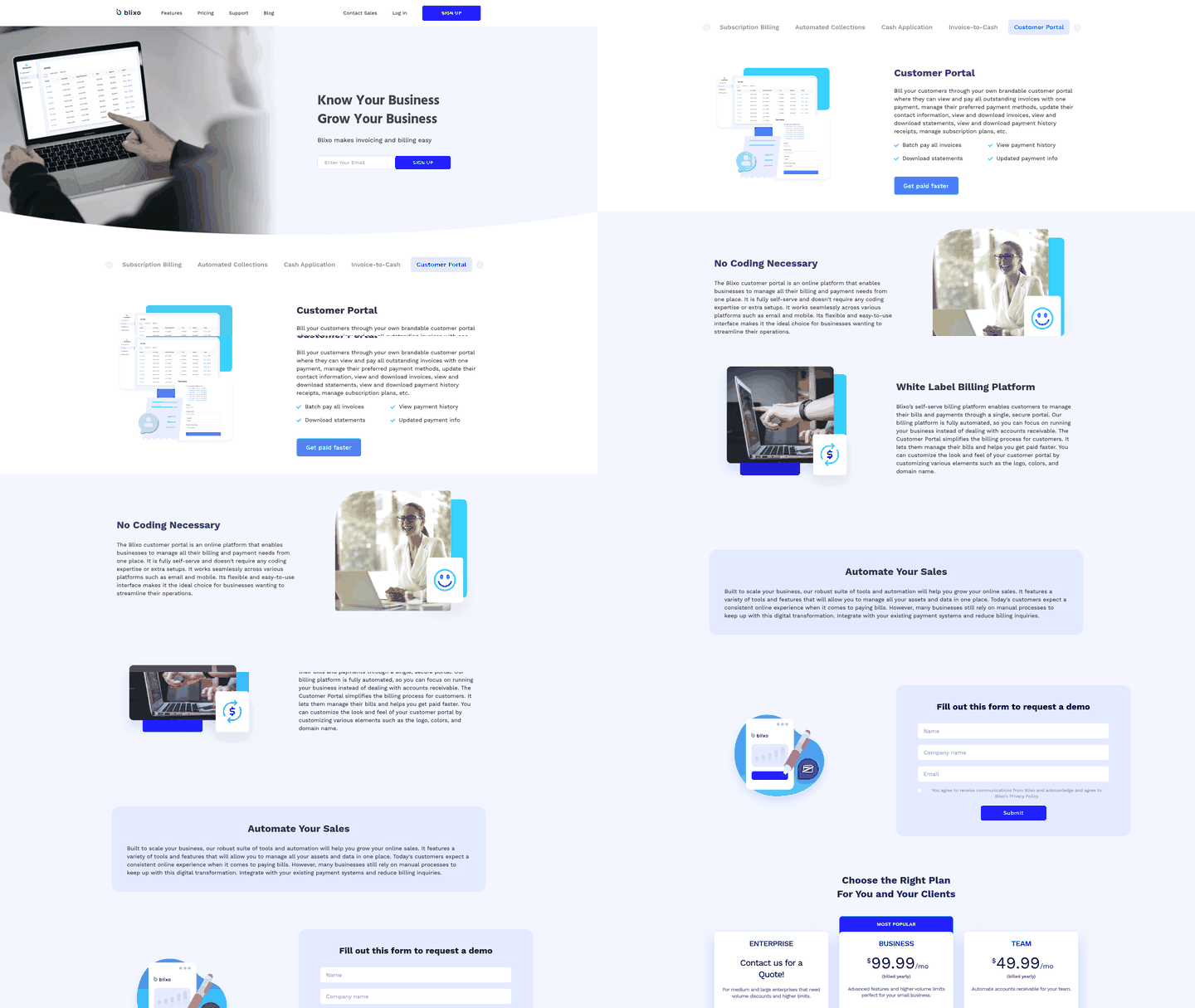
The gap between success and stalled projects is rarely the cloud invoice automation software itself—it’s the change management around it.
How to choose the right vendor
Assess vendor capabilities based on document complexity rather than feature checklists. Standard templates are easily handled by basic extraction rules. Highly variable layouts require machine learning models that adapt to changing document structures.
Weigh these criteria in order:
- ERP and billing integration: The system should sync invoice, payment, and subscription data without rekeying. This is the feed your forecasting depends on.
- Exception handling: Ask how corrections retrain the model. Every exception should make the next batch smarter.
- Fraud and duplicate controls: Built-in detection catches problems before approval, not after payment.
- Scalability: The platform should absorb seasonal spikes without added headcount.
For SaaS teams, integration capabilities tend to outrank other criteria. A tool that unifies invoicing and collections turns the same automation into a cash-flow forecasting engine, and clean data drives more reliable forecasts.
What the implementation roadmap looks like
Start narrow, prove value, then expand. Run the pilot on a subset of vendors or a single customer segment before touching the whole book.
- Audit and clean your data. Standardize vendor records and invoice fields first. Dirty inputs sink even strong models.
- Configure approval and matching rules. Set two-way and three-way matching with sensible tolerance thresholds.
- Pilot on a scoped segment. Test against invoices that represent your typical volume and complexity.
- Design the exception queue deliberately. This is where the real work lives. Route flagged invoices to the right approver based on dollar threshold, vendor category, or account history.
- Scale on results, not the calendar. Wait until pilot metrics stabilize before expanding scope.
Consolidating accounts payable without updating the underlying workflow can introduce friction, and manual centralization can extend approval cycles rather than shorten them. Real efficiency gains require pairing structural changes with software that handles the heavy lifting while routing exceptions to the right team members.
Which metrics prove it’s working
Track straight-through processing rate, cost per invoice, cycle time, and exception volume weekly. Your goal is not perfection—it’s consistent improvement and a shrinking exception queue.
For a SaaS business, monitoring these metrics helps identify operational bottlenecks before they impact customer relationships. Flagged invoices can be routed to account managers quickly, allowing teams to resolve billing discrepancies before they escalate. This approach ensures the automation pipeline supports both back-office efficiency and customer retention.
Frequently Asked Questions
1. Can I start with just one part of my invoicing process instead of automating everything at once?
Yes, piloting automation on a scoped segment—such as a single vendor group or customer type—allows you to prove value before a full rollout. This phased approach lets you refine exception routing and stabilize performance metrics before scaling across the entire organization.
2. Why would my straight-through processing rate never reach 100 percent?
Unpredictable factors like formatting changes, disputed line items, or outdated payment details will always require human intervention. Rather than viewing these exceptions as system failures, finance teams can treat them as opportunities to proactively resolve billing discrepancies and maintain customer trust.
3. What happens if my invoices are messy or semi-structured instead of clean?
Standard OCR tools struggle with varied formats because they rely on rigid templates. In contrast, cognitive AI systems use machine learning to recognize patterns across inconsistent layouts, allowing them to extract data from diverse documents with less manual reconfiguration.
4. How does invoice automation actually prevent customers from leaving?
Billing friction is a common driver of customer dissatisfaction. By automating the invoicing process, finance teams can identify payment failures and billing disputes sooner. Resolving these issues quickly prevents administrative errors from damaging the customer relationship, keeping accounts active and healthy.
5. Will centralizing accounts payable save money even without automation?
Often not. Simply consolidating accounts payable without updating the underlying workflow can increase processing delays because it concentrates manual bottlenecks in one place. Centralization tends to deliver savings when paired with automation that allows standard invoices to clear automatically, leaving staff to focus on exceptions.
6. What volume justifies the setup effort for cognitive AI invoice processing?
High-volume operations with highly diverse invoice formats tend to see the fastest return on cognitive AI. If your organization handles many unique layouts, the reduction in manual data entry can justify the setup effort. For simpler, standardized billing, less complex tools are often sufficient.
7. How do I know if my pilot is actually working before I scale?
Monitor key performance indicators weekly to ensure the system is processing documents faster and with fewer errors. Rather than aiming for immediate perfection, look for steady operational improvements. Expanding the system’s scope should depend on these metrics stabilizing rather than following a rigid timeline.