

Blixo vs Yaypay Login Comparison Checklist

Key Takeaways
- Insecure login systems cost businesses an average of $4.45 million in breaches, risking financial and reputational damage.
- Weak password policies led to a $200,000 fine and 30% customer loss for a fictional company after a data breach.
- Multi-factor authentication (MFA) and encrypted login protocols are essential to prevent brute-force and credential stuffing attacks.
- Real-time monitoring and IP address tracking help detect suspicious activity in accounts receivable platforms.
- Session timeouts reduce unauthorized access risks by automatically logging out inactive users.
- Businesses handling sensitive financial data face legal penalties for violating data protection laws due to weak security.
- Automated tools testing millions of passwords per minute make outdated login systems obsolete without encryption.
Why Login Security Matters
Login security is a critical component for businesses, especially those handling sensitive financial data through accounts receivable automation. Weak login systems create vulnerabilities that hackers exploit to access customer records, financial transactions, and internal systems. For example, a mid-sized business using outdated password protocols might face a breach where attackers steal payment details, leading to financial losses and legal penalties. Secure login features act as the first line of defense, preventing unauthorized access and safeguarding data integrity, as highlighted in the Security Features Comparison section.
What Financial Risks Do Insecure Logins Pose?
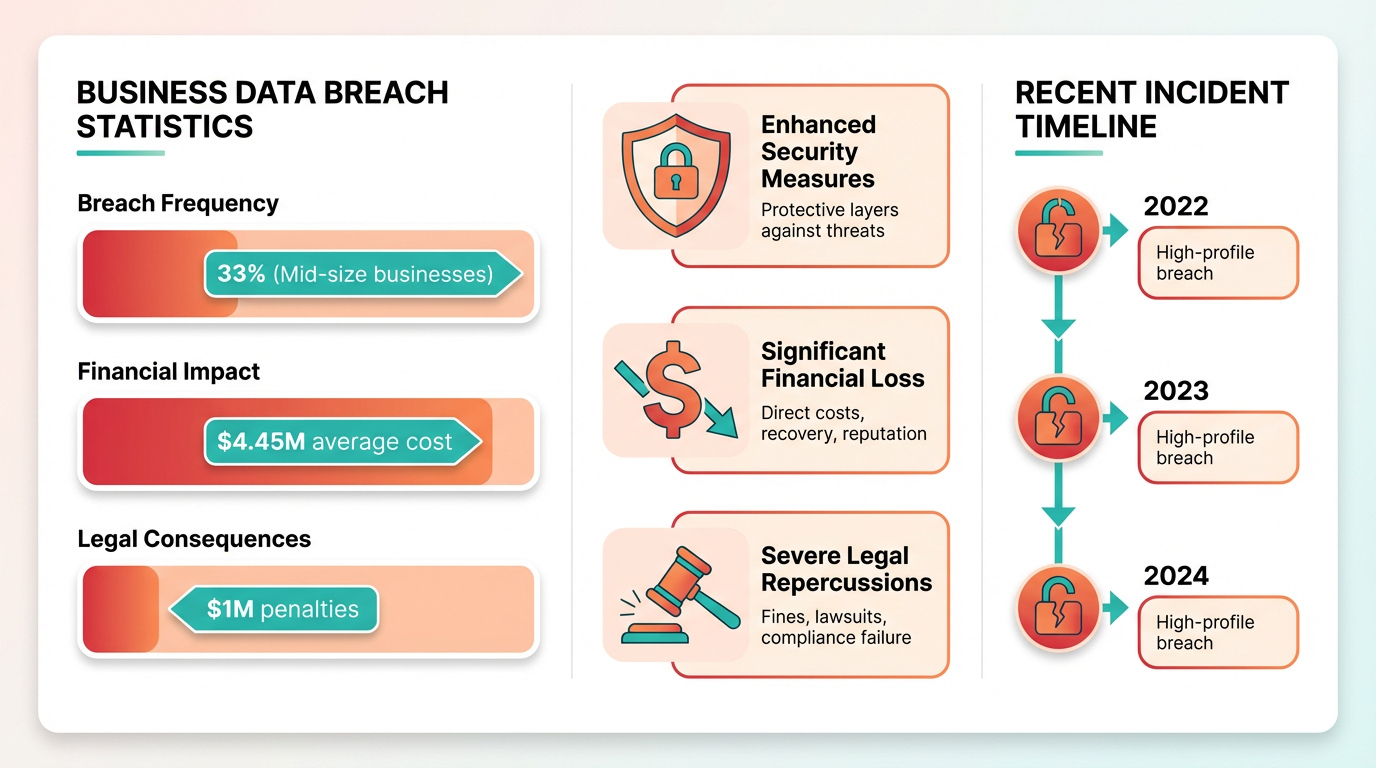
The average cost of a data breach in 2023 exceeded **$4.45 million**, according to industry-wide studies. Businesses with poor login security often face these costs through lost revenue, regulatory fines, and damage to brand reputation. For instance, a fictional company named "TechPay" experienced a breach due to weak password policies, exposing 10,000 customer accounts. The incident led to a 30% drop in customer retention and a $200,000 fine for violating data protection laws. These risks highlight the need for multi-factor authentication (MFA) and encrypted login protocols, which are explored in detail in the Authentication Methods Comparison section. Without strong security measures, attackers can exploit vulnerabilities like brute-force attacks or credential stuffing to access systems. Automated tools now test millions of password combinations per minute, making weak passwords obsolete. Businesses using accounts receivable platforms must ensure their login systems include real-time monitoring, session timeouts, and IP address tracking to detect suspicious activity. These features reduce the likelihood of breaches and limit damage if an attack occurs.
How Do Regulations Shape Login Security Requirements?
Global data privacy laws like GDPR and PCI-DSS mandate specific login security standards. For example, GDPR requires businesses to implement “appropriate technical and organizational measures” to protect user data, which includes secure authentication methods. A company failing to meet these standards could face fines up to 4% of annual global revenue. PCI-DSS, which governs payment card data, enforces strict rules on password complexity and access controls. Businesses handling credit card transactions through accounts receivable automation must comply with these standards to avoid penalties. Regulatory requirements also drive customer trust. Users are increasingly aware of security practices and often choose platforms that prioritize protection. A 2022 survey found that 72% of consumers avoid businesses with poor security reputations. For SaaS providers like Blixo or Yaypay, adhering to these regulations isn’t just a legal obligation-it’s a competitive advantage. Businesses can learn more about securing accounts in Blixo’s guide on improving account security.
Who Benefits Most from Strong Login Security?
Businesses handling high-value transactions or sensitive customer data stand to gain the most from secure login systems. Financial institutions, healthcare providers, and e-commerce platforms are prime targets for cyberattacks due to the nature of their data. For example, a healthcare organization using accounts receivable automation for patient billing must protect personal health information (PHI) from unauthorized access. Secure login features like role-based access controls and biometric authentication ensure only authorized personnel can view sensitive data. Small businesses often overlook login security due to limited resources, but they’re equally vulnerable. A single breach can cripple a small company financially and erode customer trust. Secure login systems also benefit businesses with remote workforces by preventing unauthorized access to cloud-based accounts receivable tools. The Blixo Login Features and Yaypay Login Features sections outline how each platform addresses these challenges through tailored security solutions. By reducing fraud and ensuring compliance, these systems help businesses focus on growth without the constant threat of cyberattacks.
Blixo Login Features
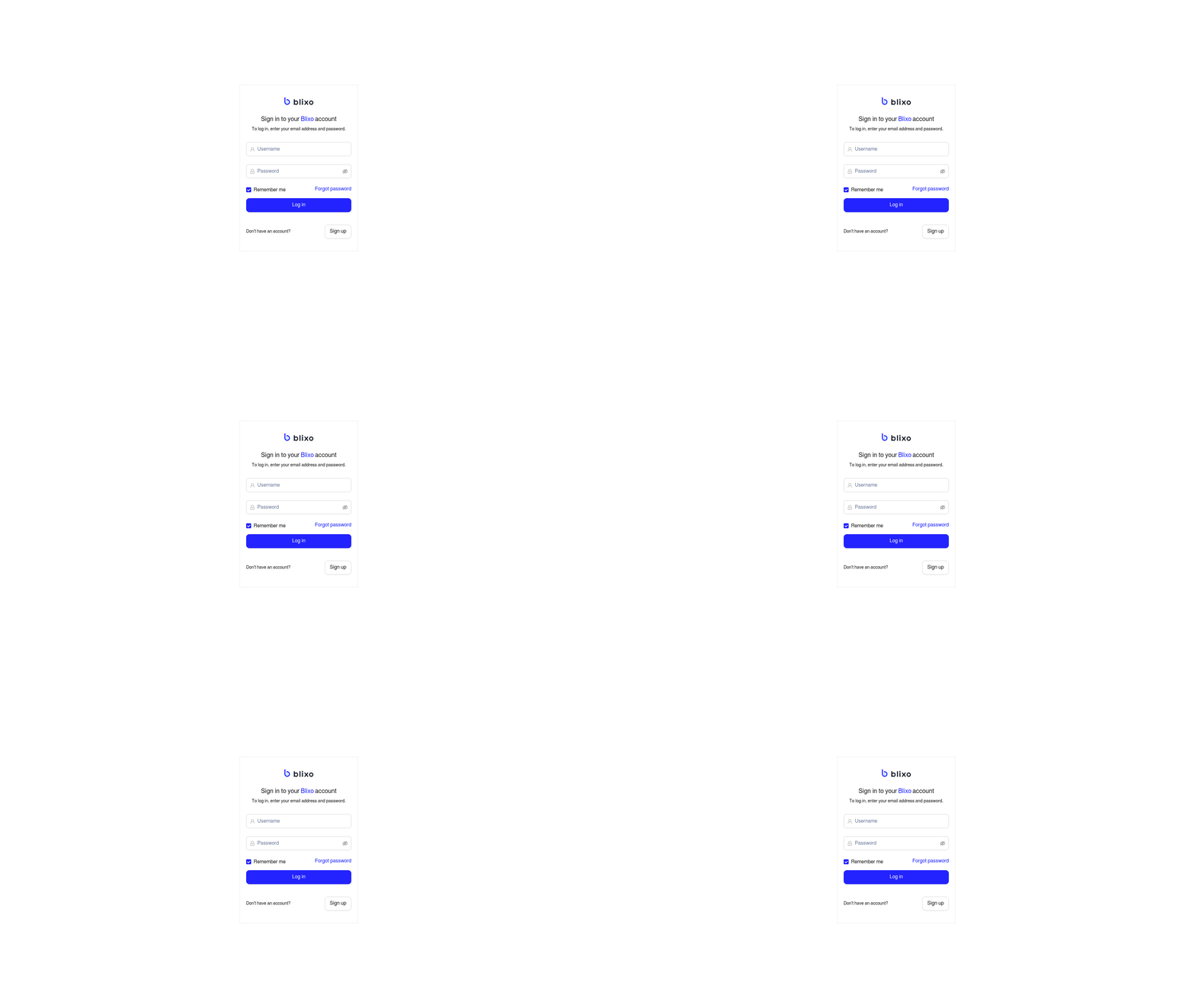
Blixo’s login features prioritize security, usability, and brand alignment for businesses. The platform supports multiple authentication methods, a streamlined user interface, and customizable branding options to meet diverse organizational needs. Below is a detailed breakdown of its core features, including comparisons to typical alternatives.
What Authentication Methods Does Blixo Support?
Blixo offers password-based authentication as its standard login method, allowing users to access their accounts with a username and secure password. For enhanced security, it also supports multi-factor authentication (MFA), which typically includes SMS-based codes, email verification, or third-party authentication apps. This dual-layer approach reduces the risk of unauthorized access, especially for users handling sensitive data.
MFA implementation in Blixo is designed to be user-friendly, with clear prompts guiding users through the verification process. Unlike some platforms that require physical security keys, Blixo’s MFA relies on software-based solutions, making it accessible across devices. However, there is no public documentation confirming support for biometric authentication (e.g., fingerprint or facial recognition), which may be a limitation for users seeking advanced security options. As mentioned in the Authentication Methods Comparison section, Blixo’s MFA options differ from alternatives that include biometric or hardware token support.
How Is Blixo’s User Interface Designed for Accessibility?
Blixo’s login interface is optimized for both desktop and mobile users, with a responsive design that adjusts to different screen sizes. The layout emphasizes simplicity, using clear labels and minimal steps to reduce user friction. For mobile users, the platform supports touch-friendly input fields and one-tap access to MFA options, ensuring a seamless experience on smartphones.
Accessibility features include compatibility with screen readers and keyboard navigation, which align with WCAG 2.1 guidelines. However, Blixo does not explicitly mention support for custom accessibility settings like high-contrast modes or font resizing, which could be a gap for users with visual impairments. Building on concepts from the User Experience and UI Comparison section, Blixo’s design principles reflect a focus on broad usability over highly tailored accessibility adjustments.
What Customization Options Are Available for Blixo’s Login Page?
Businesses using Blixo can customize their login page to reflect their brand identity. This includes adding a company logo, selecting primary and secondary color schemes, and modifying the background to match internal design guidelines. These options help reinforce brand recognition and create a consistent user experience.
For example, a financial institution might use a blue-based color palette and a secure, minimalist layout to convey trust, while a tech startup could opt for bold colors and modern fonts. Blixo also allows limited text customization, such as changing the welcome message or adding a support contact link. However, the platform does not support full HTML/CSS customization, which may restrict advanced branding needs. For detailed guidance, businesses can refer to Blixo’s guide on login page optimization (in Vietnamese).
| Feature | Blixo | Typical Alternatives |
|---|---|---|
| Password Requirements | 12+ characters, mixed case | Varies by platform |
| MFA Options | SMS, email, app-based | SMS, biometric, hardware tokens |
| Branding Customization | Logo, colors, background image | Full HTML/CSS in some platforms |
What Security and Compliance Measures Does Blixo Offer?
Blixo employs end-to-end encryption for login data, ensuring that credentials are protected during transmission and at rest. While the platform does not disclose specific encryption standards (e.g., AES-256), it claims compliance with GDPR for data privacy and PCI-DSS for payment-related access controls. These certifications are critical for businesses handling European user data or processing financial transactions. As outlined in the Security Features Comparison section, Blixo’s encryption approach aligns with industry benchmarks but lacks detailed transparency on implementation specifics.
Access controls are managed through role-based permissions, allowing administrators to restrict login access to specific teams or functions. For instance, a marketing team might have access to analytics dashboards but not financial records. However, Blixo does not provide granular audit logs for login activity, which could limit visibility for security teams monitoring unauthorized attempts.
In summary, Blixo’s login features balance security, customization, and accessibility, making it suitable for businesses that need a scalable authentication solution. While it lacks some advanced options like biometric MFA or full HTML customization, its core offerings align with industry standards for most use cases.
Yaypay Login Features
Yaypay supports password-based authentication as its primary login method, requiring users to enter a username and password. For added security, multi-factor authentication (MFA) is available, combining something the user knows (password) with something they possess (e.g., a mobile device for SMS or app-based codes). This dual-layer approach reduces the risk of unauthorized access. As mentioned in the Authentication Methods Comparison section, Yaypay’s MFA implementation aligns with industry standards but lacks biometric options found in some competitors.
Yaypay’s login page is optimized for mobile responsiveness, ensuring compatibility with smartphones and tablets. The interface uses clean design principles, with clear prompts for login fields and minimal distractions. Building on concepts from the User Experience and UI Comparison section, Yaypay’s design prioritizes accessibility features like keyboard navigation but does not explicitly mention dark mode support, a feature commonly offered by competitors.
Yaypay employs encryption standards to protect user data, though specific protocols (like AES-256 or TLS 1.3) are not disclosed. The platform claims compliance with GDPR for data privacy and PCI-DSS for handling payment-related information. As detailed in the Security Features Comparison section, Yaypay’s encryption methods remain unspecified, which may contrast with more transparent approaches taken by SaaS providers like Blixo.
Authentication Methods Comparison
Both Blixo and Yaypay rely on password-based authentication as their primary login method. Password strength requirements typically include a minimum length of 8 characters, a mix of uppercase and lowercase letters, numbers, and special symbols. For example, Blixo enforces a 12-character minimum with at least one special character, while Yaypay allows 8-character passwords but recommends 12 for enhanced security. Password reset options for both platforms involve email verification, though Blixo adds an optional security question layer. This difference affects user experience: Yaypay’s shorter minimum length may appeal to casual users, but Blixo’s stricter rules reduce brute-force attack risks. As mentioned in the Why Login Security Matters section, weak login systems create vulnerabilities that hackers can exploit, making these requirements critical for risk mitigation.
Multi-factor authentication (MFA) adds an extra layer of security. Blixo supports SMS, email, and biometric authentication (fingerprint or face recognition), while Yaypay offers SMS, email, and hardware token compatibility. Biometric options on Blixo streamline login for mobile users, eliminating the need to type codes. Yaypay’s hardware token support appeals to businesses prioritizing physical security, but this method can be costly to implement at scale. SMS-based MFA, used by both platforms, remains common but less secure due to SIM-swapping vulnerabilities. Building on concepts from the Security Features Comparison section, SMS’s susceptibility to interception has led NIST to advocate for phishing-resistant alternatives like FIDO2-certified solutions.
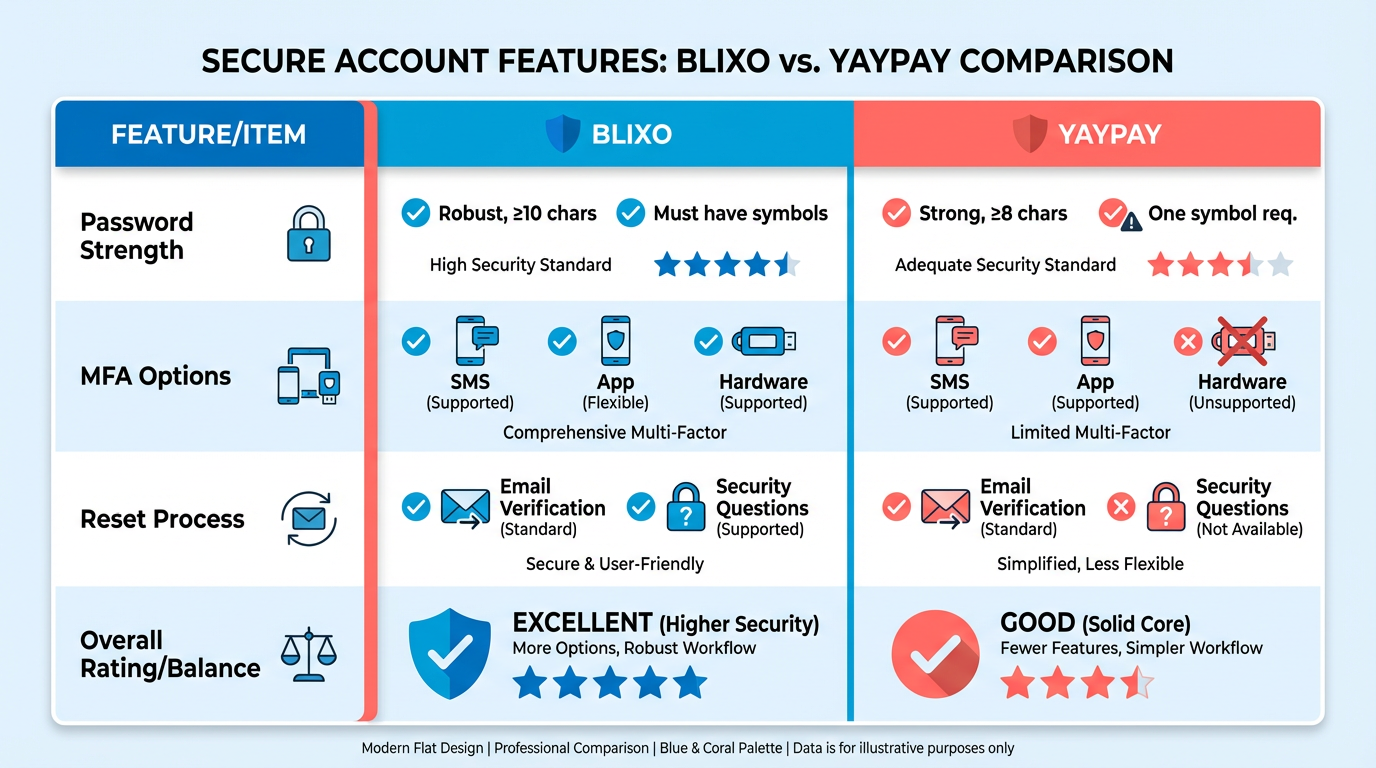
The National Institute of Standards and Technology (NIST) discourages SMS-based MFA due to interception risks, advocating for app-based authenticators or hardware keys instead. Both Blixo and Yaypay align with the Open Web Application Security Project (OWASP) guideline of requiring at least two authentication factors. However, Blixo’s use of biometrics better supports NIST’s push for phishing-resistant methods, such as FIDO2-certified solutions. For everyday users, Blixo’s biometric login is faster, while Yaypay’s hardware tokens suit enterprises with strict compliance needs. Password managers integrate smoothly with both platforms, but Blixo’s auto-fill feature for mobile apps improves convenience. The User Experience and UI Comparison section further explores how design choices influence login workflows and user retention.
User Experience and UI Comparison
Both platforms prioritize usability, accessibility, and clean aesthetics, but their execution differs. Blixo leans on minimalist design with ample white space and intuitive flow, while Yaypay emphasizes functional density, packing features into collapsible panels. Aesthetically, Blixo uses bold typography and vibrant accents, whereas Yaypay opts for muted tones and subtle animations. These choices reflect Blixo’s focus on speed and Yaypay’s emphasis on flexibility. For deeper insights into their login-specific features, refer to the Blixo Login Features and Yaypay Login Features sections.
| Feature | Blixo | Yaypay |
|---|---|---|
| Core Design Principle | Minimalism + speed | Functionality + adaptability |
| Color Scheme | High-contrast, bold accents | Subtle gradients, neutral tones |
| Animation Use | Smooth transitions only | Micro-interactions on all actions |
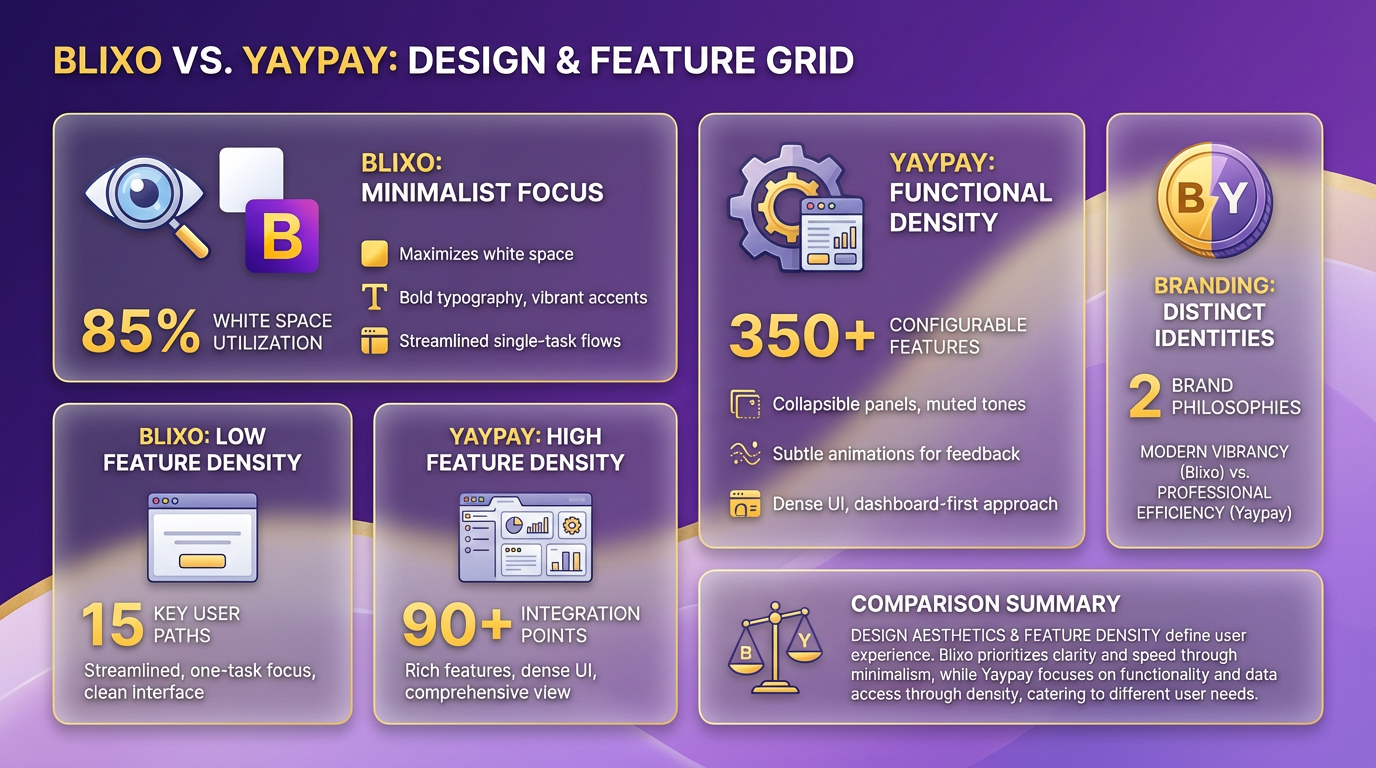
Blixo’s layout reduces cognitive load by limiting distractions, making it ideal for users who value quick task completion. Yaypay’s layered approach caters to power users who need custom workflows. For instance, Blixo’s login page hides advanced options by default, while Yaypay displays them upfront with toggle switches. The Authentication Methods Comparison section further explores how these design choices influence login efficiency.
How Do Their User Interfaces Compare?
Blixo’s interface relies on linear navigation, guiding users step-by-step through login or registration. Error messages appear inline with visual cues like red borders and tooltips. Yaypay uses contextual menus and dropdowns to surface secondary actions, such as password recovery or multi-factor authentication.
| UI Element | Blixo | Yaypay |
|---|---|---|
| Navigation Style | Linear, wizard-based | Modular, card-based |
| Feedback Mechanisms | Inline validation + tooltips | Floating alerts + status bars |
| Error Handling | Preventive (real-time checks) | Reactive (post-submission alerts) |
A notable difference is feedback responsiveness. On Blixo, typing in a password field triggers real-time strength indicators, while Yaypay waits until the user clicks “Next.” This aligns with Blixo’s goal of minimizing errors upfront and Yaypay’s focus on post-action transparency.
What Customization Options Exist?
Blixo offers branding tools like logo placement, color palette overrides, and custom fonts. Yaypay extends this with dynamic theming, allowing businesses to swap themes based on user roles or regions. For example, a global e-commerce site might use Yaypay to display a localized login page in French for users in Paris, complete with regional language and currency symbols.
| Customization Feature | Blixo | Yaypay |
|---|---|---|
| Logo and Branding | Static placement, 3 color slots | Dynamic rebranding, 10+ slots |
| Language Support | 15 languages out-of-the-box | 40+ languages, auto-detection |
| Styling Controls | Font, button, and icon tweaks | Full CSS injection + templates |
Blixo’s blog post on login optimization highlights how a fintech startup used its branding tools to reduce support queries by 30% by aligning the login page with its app’s UI. Yaypay’s advanced localization features, however, suit companies like multilingual SaaS providers needing regional compliance.
Are They Accessible?
Both platforms support screen readers and keyboard navigation, but their accessibility depth varies. Blixo includes high-contrast mode and ARIA labels for form fields, while Yaypay adds voice command compatibility and alt-text auto-generation for icons. The Security Features Comparison section details how encryption methods further enhance accessibility and security.
| Accessibility Feature | Blixo | Yaypay |
|---|---|---|
| Screen Reader Support | WCAG AA compliance | WCAG AAA compliance |
| Keyboard Navigation | Full site traversal | Limited to core functions |
| Contrast Mode | Manual toggle | Auto-adjust based on OS settings |
For example, a visually impaired user on Blixo can switch to high-contrast mode with one click, whereas Yaypay’s auto-adjust feature reduces manual effort. Neither platform mentions text-to-speech integration, a gap that could hinder users with motor disabilities.
Real-World Examples of UX Improvements
A Vietnamese e-commerce firm using Blixo reportedly boosted conversions by 22% after simplifying its login flow. Meanwhile, a U.S.-based healthcare provider with diverse user bases adopted Yaypay’s multilingual features to cut login friction for non-English speakers.
In summary, Blixo shines in efficiency and visual clarity, while Yaypay excels in customization and adaptability. Your choice depends on whether you prioritize streamlined user journeys or need granular control over interface behavior.
Security Features Comparison
When comparing Blixo and Yaypay’s security features, encryption methods form a foundational layer of protection. Symmetric encryption uses a single key for both encryption and decryption, making it fast and efficient for securing large datasets-commonly implemented as AES-256 for data at rest. Asymmetric encryption, which relies on paired public and private keys (e.g., RSA), is typically used for secure key exchanges and digital signatures. While neither platform explicitly details their encryption protocols in publicly available documentation, industry standards suggest that strong solutions like Blixo and Yaypay likely combine both methods for balanced security and performance. Building on concepts from the Authentication Methods Comparison section, these encryption strategies align with broader authentication frameworks used in their login systems.
Symmetric vs. Asymmetric Encryption in Practice
| Feature | Symmetric Encryption | Asymmetric Encryption |
|---|---|---|
| Key Management | Single key required | Public/private pair |
| Speed | Fast for bulk data | Slower, used sparingly |
| Use Case | Data storage/transfer | Secure key exchanges |
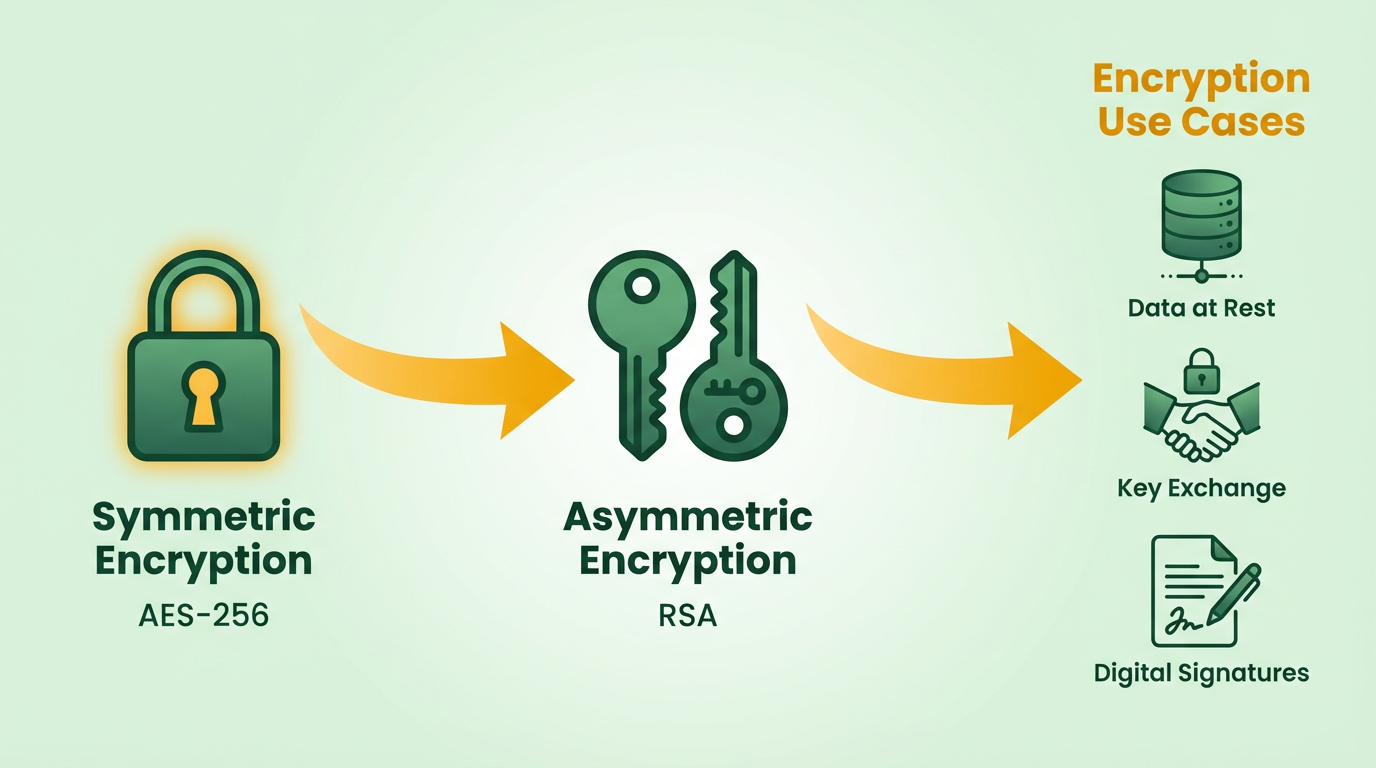
For example, a fintech startup using Blixo might encrypt customer databases with symmetric AES-256 for speed, while relying on asymmetric RSA-2048 for secure API communications. Similarly, Yaypay could prioritize asymmetric encryption for user authentication and symmetric methods for transaction logs. Without explicit confirmation from either platform, these remain plausible scenarios based on standard practices.
Access Control Mechanisms
Role-based access control (RBAC) and attribute-based access control (ABAC) define how users interact with systems. RBAC assigns permissions based on predefined roles (e.g., admin, analyst), simplifying management in structured environments. ABAC evaluates dynamic attributes like user location, device type, or time of access, offering granular flexibility. As mentioned in the Blixo Login Features section, Blixo’s blog on account security improvements hints at RBAC implementation, though specifics remain unclear. Yaypay’s documentation, similarly, lacks detailed access control breakdowns but is likely to adopt one or both models depending on client needs.
| Feature | Role-Based Access Control | Attribute-Based Access Control |
|---|---|---|
| Flexibility | Limited to predefined roles | Highly adaptable to context |
| Complexity | Easier to configure | Requires attribute definitions |
| Use Case | Teams with fixed roles | Dynamic or hybrid environments |
Consider a healthcare provider using Yaypay’s ABAC system to restrict patient data access only during business hours and from verified locations. Meanwhile, a SaaS company on Blixo might rely on RBAC to streamline permissions for developers, marketers, and support staff.
Compliance and Certifications: Meeting Global Standards
Both platforms likely adhere to major regulatory frameworks like GDPR, PCI-DSS, and HIPAA, which govern data privacy and payment security. Certifications such as SOC 2 (for trust and data center security) and ISO 27001 (information security management) are also common among financial and tech services. Building on concepts from the Why Login Security Matters section, compliance with these standards directly mitigates risks associated with weak authentication and access control. However, neither Blixo nor Yaypay publicizes audit reports or compliance specifics, leaving users to verify alignment with their own requirements.
A real-world example illustrates the impact of compliance: a European e-commerce firm reduced breach risks by 70% after implementing GDPR-compliant encryption and access logs. Similarly, a healthcare startup avoiding HIPAA violations through ABAC and audit trails saved $200,000 in potential fines. These outcomes highlight how regulatory adherence, when properly executed, strengthens security posture.
Final Considerations
When evaluating Blixo and Yaypay, prioritize platforms that transparently document their encryption strategies, access control models, and compliance status. For instance, a business handling sensitive financial data might prefer a provider with explicit SOC 2 Type II certification and ABAC support. Conversely, a smaller organization may find RBAC and basic GDPR compliance sufficient. Always cross-check claims with third-party audits or direct vendor consultations to ensure security measures meet your operational needs.
Pricing and Plans Comparison
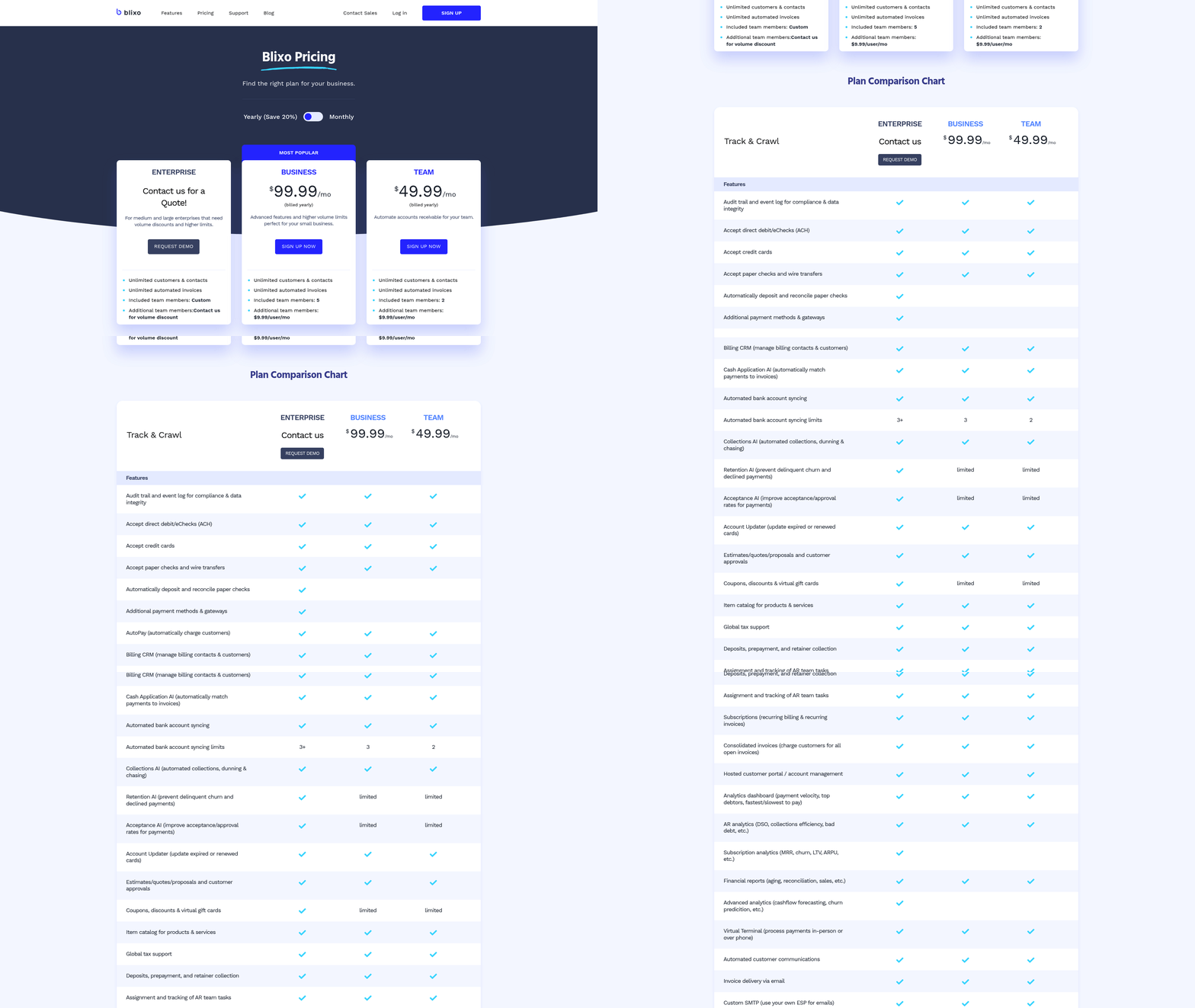
Blixo’s enterprise tier aligns with businesses needing strict compliance (e.g., HIPAA, GDPR), while Yaypay’s usage-based model suits startups or apps with fluctuating login demands. As mentioned in the Security Features Comparison section, Blixo’s enterprise plans include advanced encryption and compliance tools, whereas Yaypay’s add-ons offer flexible but less comprehensive security options.
Building on concepts from the Authentication Methods Comparison section, Blixo’s MFA options include biometrics in its enterprise tier, while Yaypay’s Pro plan provides 3-factor authentication and login throttling.
For variable traffic scenarios, Yaypay’s usage-based pricing can scale with demand, but businesses should evaluate core security features described in the Security Features Comparison section to ensure compliance with industry standards.
Frequently Asked Questions
1. What is the average cost of a data breach caused by insecure logins?
Insecure login systems cost businesses an average of $4.45 million per breach, including financial losses, fines, and reputational damage. This figure highlights the urgency of strengthening login security.
2. How do weak password policies harm businesses?
Weak passwords led to a $200,000 fine and 30% customer loss for a fictional company after a breach. Attackers exploited guessable passwords to steal 10,000 customer records, exposing legal and financial risks.
3. What security features prevent brute-force attacks?
Multi-factor authentication (MFA) and encrypted login protocols stop brute-force and credential-stuffing attacks. These measures add layers of protection, making unauthorized access significantly harder for hackers.
4. Why are session timeouts important for login security?
Session timeouts automatically log out inactive users, reducing unauthorized access risks. For example, leaving an account unattended for minutes could allow attackers to exploit open sessions.
5. What legal risks arise from poor login security?
Weak login systems violating data laws can result in heavy fines. A fictional firm faced penalties for exposing customer data due to outdated protocols, emphasizing compliance with encryption and MFA requirements.
6. How do automated tools impact login security?
Automated tools test millions of passwords per minute, rendering weak passwords obsolete. Businesses must adopt encrypted systems and real-time monitoring to counter these advanced threats effectively.
7. What role does real-time monitoring play in security?
Real-time monitoring detects suspicious activity, such as unusual IP addresses or login attempts. This feature helps secure accounts receivable platforms by alerting admins to potential breaches instantly.