

Automated vs Manual Accounts Receivable Payment Methods
Key Takeaways
- 94% of U.S. businesses use manual AR processing, causing missed follow-ups, delayed payments, and rising operational costs.
- **Manual invoice processing costs $8.78 per transaction**, compared to $1.77 with automation, highlighting automation’s cost efficiency.
- 81% of U.S. invoices are 30+ days past due, with 48% delayed by customer excuses in manual systems, straining cash flow.
- Automation reduces Days Sales Outstanding (DSO) by 25 days, accelerating cash availability for global enterprises.
- Slow collections cost some businesses $67,000 daily, emphasizing the financial risks of inefficient manual AR workflows.
- 65% of invoice-related emails are ignored in manual systems, compounding late payments and operational inefficiencies.
- Manual AR processes increase bad debt risk, with a 23-day average DSO rise directly linked to uncollectible accounts.
Why Accounts Receivable Payment Methods Matter
Efficient accounts receivable (AR) payment methods are critical for maintaining healthy cash flow, reducing operational costs, and fostering strong customer relationships. Inefficient processes, whether manual or outdated, create bottlenecks that slow down collections, increase bad debt, and strain finance teams. For example, 94% of U.S. businesses still rely on manual processing, leading to missed follow-ups, delayed payments, and rising operational costs as transaction volumes grow. This inefficiency isn’t just a minor inconvenience-it directly impacts profitability. Businesses with manual AR systems often face 81% of invoices being 30+ days past due and 48% of payments delayed due to customer excuses, highlighting systemic issues in traditional workflows. As mentioned in the Manual Accounts Receivable Payment Methods section, these manual techniques include paper checks and in-person payments, which amplify delays and errors.
How Inefficient AR Processes Impact Cash Flow and Profitability
Manual AR processes break down at scale, creating compounding costs. For every invoice handled manually, the average cost is $8.78**, compared to just **$1.77 with automation. Beyond direct costs, inefficiencies lead to indirect losses, such as delayed cash flow and lost discounts. A global enterprise, for instance, reduced its Days Sales Outstanding (DSO) by 25 days through automation, accelerating cash availability. Without efficient AR methods, businesses risk trapped working capital-some losing $67,000 daily due to slow collections.
Real-world examples underscore these risks. A mid-sized law firm reported 65% of invoice-related emails ignored, while 81% of U.S. invoices are past due, often due to poor follow-up. Manual AR also increases bad debt: 23-day average DSO increases in manual workflows directly correlate with higher uncollectible accounts. These challenges aren’t just theoretical-they erode trust, disrupt operations, and limit growth.
Real-World Benefits of Automated AR Solutions
Automation tackles these issues head-on. Consider AJ Tutoring, which boosted collection efficiency by 97% using automated workflows. Similarly, Immigrant Law Group slashed billing time by 70% through online payment systems. These results reflect broader trends: automated reminders reduce average collection periods by 30%, and AI-driven platforms lower bad debt reserves by 15%. For large enterprises, automation scales effortlessly. A Global 2000 company cut DSO by 20-40% by automating invoice delivery, dunning, and cash application. Small businesses benefit too: InvoiceSherpa helped firms reduce operational costs while improving payment timing. The financial impact is clear-Laticrete alone saw $6 million in increased cash receipts after adopting AR automation.
Who Gains the Most from Automation?
While all businesses benefit, certain groups see transformative results:
| Business Type | Manual AR Pain Points | Automation Benefits |
|---|---|---|
| Small Businesses | High labor costs, missed follow-ups | $1.77/invoice vs $8.78 manually; 60-80% time savings |
| Large Enterprises | Scalability issues, compliance risks | 20-40% DSO reduction; centralized data for 10,000+ invoices |
| High-Volume Industries | Error-prone manual reconciliation | AI-powered cash application; 99.5% accuracy in payment matching |
Industries like manufacturing, legal services, and healthcare, which handle complex billing cycles, see the most value. For example, TireHub saved 200 hours weekly by automating billing, while Elite Group improved budgeting control using AI-driven payment chasers.
Key Challenges Automated AR Solves
Automation addresses three core issues:
- Administrative Workload:
- Manual processes consume 3-10 hours monthly chasing invoices.
- Automation reduces this to hours per month by sending scheduled reminders and enabling self-service payments.
- Compliance Risk:
- Manual data entry errors and inconsistent follow-ups increase audit risks.
- Automated controls enforce consistent rule application, reducing compliance gaps.
- Customer Experience:
- 65% of invoice emails are ignored due to poor tracking.
- Automated systems provide real-time dashboards and branded payment portals, improving transparency and satisfaction.
Experts agree: Chris Couch notes automation “transforms billing efficiency,” while Zuzanna Kruger emphasizes its role in freeing finance teams to focus on strategic tasks.
The Role of AR Payment Methods in Cash Flow Health
Efficient AR methods aren’t just about speed-they’re about predictability. Automated systems offer real-time analytics, enabling proactive management of aging receivables and cash flow forecasts. For example, IntelliChief clients use real-time data to reduce DSO by 20+ days, ensuring steady liquidity.
Without automation, businesses risk operational paralysis. Manual workflows increase DSO by an average of 23 days, directly affecting growth. Conversely, automation’s 20-40% DSO reduction ensures faster reinvestment of capital. Building on concepts from the Comparing Automated and Manual Accounts Receivable Payment Methods section, the cost disparity between manual ($8.78/invoice) and automated ($1.77/invoice) processes underscores the urgency of modernization.
In short, choosing the right AR payment methods isn’t optional-it’s a strategic imperative. As Prabhu states, “AR automation removes work that shouldn’t require a human.” By adopting these tools, businesses secure not just efficiency, but resilience in an increasingly competitive market.
“Automation is not about replacing agents but enabling them to focus on high-value tasks that require human judgment.”. Expert Insight
For further reading on transitioning from manual systems, explore How to End Manual Accounting Systems.
Manual Accounts Receivable Payment Methods
Manual accounts receivable payment methods rely on human-driven processes for invoicing, tracking, and collecting payments. Common techniques include paper checks, manual bank transfers, and in-person credit card transactions. These methods remain in use due to their simplicity and low initial setup costs. However, they struggle to scale efficiently, often leading to delays, errors, and increased operational burdens. Understanding their structure and limitations is critical for businesses evaluating payment workflows, as emphasized in the Why Accounts Receivable Payment Methods Matter section.
What Are the Most Common Manual Payment Methods?
Manual payment methods typically involve physical or manually processed transactions. Checks dominate in B2B scenarios, with 26% of B2B payments still relying on this method in 2025. Bank transfers, such as ACH (Automated Clearing House) transactions, are also prevalent for recurring payments but require manual initiation. Credit card payments processed through physical terminals or online portals without automation fall into this category too. These methods lack integration with digital systems, making reconciliation and tracking time-consuming.
For example, a small business owner might mail invoices and wait for customers to send checks, then manually deposit them at the bank. This workflow introduces multiple touchpoints where errors or delays can occur. While these methods work for low-volume operations, they become unsustainable as transaction volumes grow.
What Are the Key Advantages of Manual Methods?
The primary benefits of manual payment methods stem from their accessibility and cost structure. Setup costs are minimal, often requiring only basic tools like checkbooks or bank accounts. Businesses without technical expertise can manage these processes without software investment. Additionally, simplicity is a strength in small-scale operations. Manual methods avoid the learning curve associated with digital tools, making them appealing to businesses with limited resources.
For instance, a local bakery accepting cash or checks from regular customers faces no upfront costs for these payment types. The lack of automation also means no subscription fees or integration expenses. However, these advantages diminish as transaction volumes rise, highlighting the trade-off between initial affordability and long-term efficiency.
What Are the Major Disadvantages of Manual Methods?
Manual payment methods are error-prone, slow, and risky. Data entry mistakes, such as transposed numbers or mismatched invoices, are common in manual systems. These errors can lead to disputes, delayed payments, and lost revenue. Security risks are another concern: paper checks and unencrypted bank transfers are vulnerable to fraud or theft.
Processing times also hinder cash flow. Manual bank transfers can take 1–3 business days, while checks may take even longer. A 2023 study found that 81% of invoices in the U.S. are 30 days past due, partly due to the inefficiencies of manual follow-ups. For example, a mid-sized manufacturer using manual methods might miss payment deadlines for 20% of its invoices, straining vendor relationships and increasing bad debt reserves.
How Do Manual Methods Impact Cash Flow and Profitability?
The indirect costs of manual processes are significant. Businesses using manual methods spend an average of $8.78 per invoice compared to $1.77 for automated systems, a contrast explored in depth in the Comparing Automated and Manual Accounts Receivable Payment Methods section. Delays in collections extend the Days Sales Outstanding (DSO) by up to 23 days, tying up working capital. Consider a retail chain with $5 million in annual sales: a 23-day DSO delay could reduce available cash by $315,000 annually.
Real-world challenges are evident in industries like healthcare and legal services, where 65% of invoice-related emails are ignored due to manual tracking. A law firm relying on handwritten invoices and postal checks might face $67,000 in daily cash flow losses due to delayed collections. These scenarios underscore how manual methods hinder scalability and profitability, especially in competitive markets.
| Feature | Manual Methods | Automated Methods |
|---|---|---|
| Processing Time | 1–7 business days | Real-time or same-day |
| Error Rate | High (up to 99.5% per invoice) | Near-zero with automation |
| Cost Per Invoice | $8.78 | $1.77 |
| Scalability | Limited by staff capacity | Scales with transaction volume |
While manual methods offer initial affordability, their inefficiencies create hidden costs that outweigh short-term savings. Businesses with growing transaction volumes or tight cash flow margins often find automation necessary to avoid operational bottlenecks, as detailed in the Automated Accounts Receivable Payment Methods section.
Automated Accounts Receivable Payment Methods
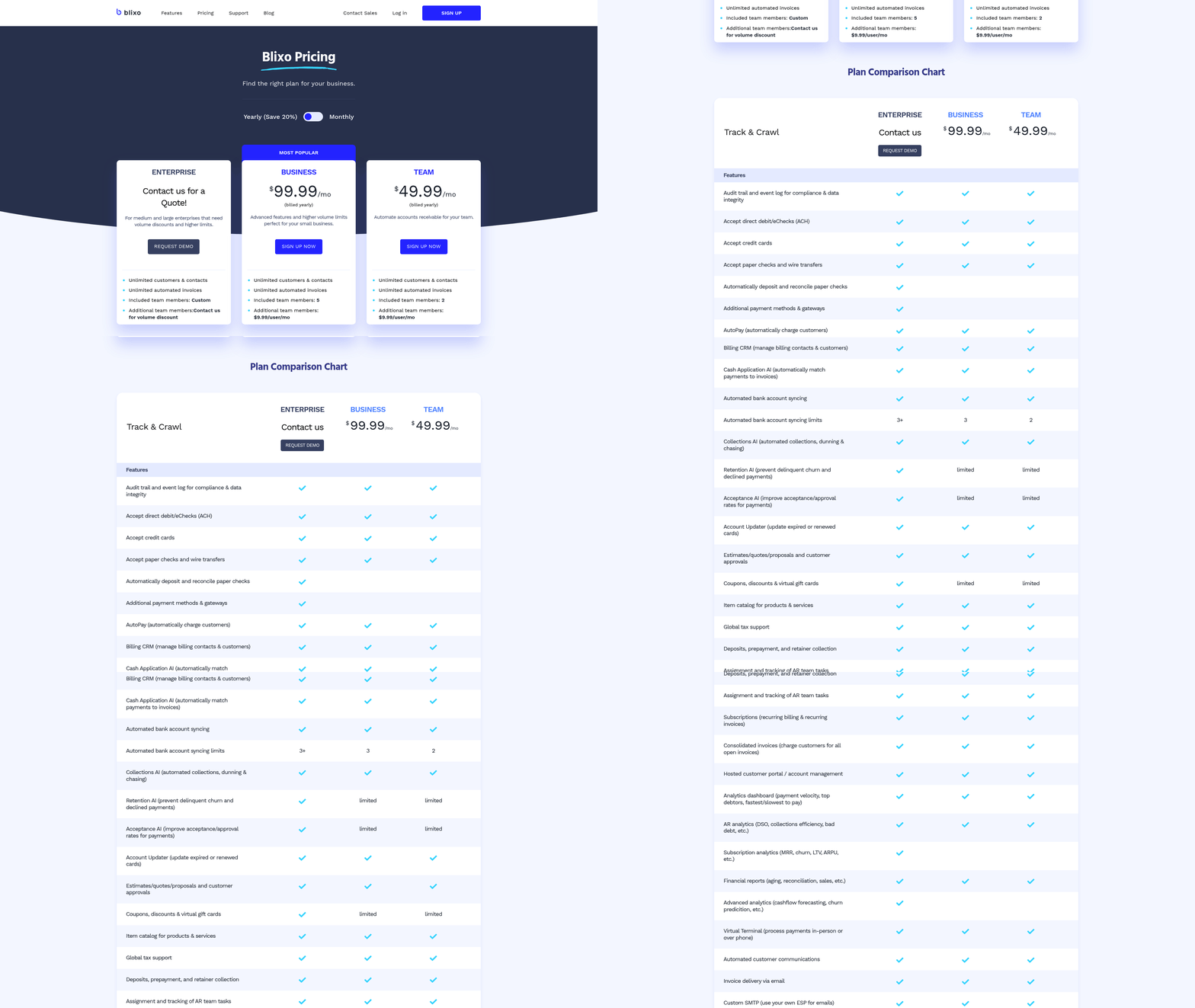
Automated accounts receivable (AR) payment methods streamline invoice delivery, payment processing, and collections using digital tools. These systems replace manual tasks like paper invoices, spreadsheet tracking, and phone follow-ups with software-driven workflows. Key methods include online invoicing platforms, payment gateways, Automated Clearing House (ACH) transfers, and AI-powered cash application tools. By reducing human intervention, they accelerate cash flow and minimize errors, offering advantages over the manual processes described in the Manual Accounts Receivable Payment Methods section.
What Are the Common Automated Payment Methods?
Automated AR systems use several technologies to improve efficiency. Online invoicing platforms like QuickBooks or Xero generate and send digital invoices instantly, while payment gateways (e.g., Stripe or PayPal) enable customers to pay via credit card or bank transfer. ACH transfers automate direct bank-to-bank payments, ideal for recurring bills, and virtual lockboxes allow customers to submit payments through secure portals. AI-driven tools, such as those from Invoiced or Bill.com, match payments to invoices automatically, reducing reconciliation time. These methods contrast sharply with the limitations of manual systems outlined in the Manual Accounts Receivable Payment Methods section.
What Are the Advantages of Automation?
Automation significantly reduces processing delays and errors. For example, 81% of U.S. invoices are 30 days past due under manual systems, but automated reminders cut this by up to 30%. Automated workflows also lower operational costs: manual AR costs $8.78 per invoice, while automation reduces it to $1.77. This cost comparison aligns with the broader analysis in the Comparing Automated and Manual Accounts Receivable Payment Methods section. Real-world results include AJ Tutoring, which boosted collection efficiency by 97% using Invoiced’s workflows, and Laticrete, which increased cash receipts by $6 million through AR automation.
What Challenges Do Businesses Face?
Despite benefits, automation requires upfront investment. Implementation costs vary, but software licenses start at $41/month, and full integration with ERP systems like SAP or Oracle can take weeks. Security risks also persist: 69% of businesses report rising late payments, partly due to cyberattacks targeting payment portals. For integration best practices, refer to the Implementing Automated Accounts Receivable Payment Methods section.
Real-World Impact on Cash Flow and Profitability
Automated AR systems directly improve cash flow by reducing Days Sales Outstanding (DSO). A Global 2000 enterprise cut DSO by 25 days using IntelliChief’s AI tools, while a manufacturing firm improved cash flow by 30% through automated reminders. By resolving late payments faster, businesses retain trapped working capital-an average loss of $67,000 daily for delayed collections. Immigrant Law Group reduced billing time by 70% with online systems, freeing staff for strategic tasks.
When Does Automation Pay Off?
Businesses with high transaction volumes or recurring payments benefit most. For example, Fyorin’s automated payment chaser reduced late payments while maintaining customer satisfaction. Startups like AssemblyAI saved 100+ hours monthly by automating accounts payable with Brex Bill Pay. However, small businesses with low invoice volumes may find automation less cost-effective unless they prioritize scalability.
How to Choose the Right Tools
Prioritize systems that integrate with your existing infrastructure. Eleven streamlines workflows for accounting platforms like QuickBooks, while Bill.com is tailored for small-to-midsize businesses. Evaluate features like AI-driven matching, multi-currency support, and compliance controls. For integration steps, see the Implementing Automated Accounts Receivable Payment Methods section. For instance, n8n automates dunning sequences, and IntelliChief uses Intelligent Capture to extract data from documents.
By automating AR, businesses not only cut costs but also enhance customer experience through consistent, transparent communication. As 83% of firms struggle with partial automation, adopting these tools ensures competitiveness in cash-constrained markets.
Comparing Automated and Manual Accounts Receivable Payment Methods
Automated and manual accounts receivable (AR) payment methods differ significantly in efficiency, cost, and risk. Automated systems process payments through digital tools like ACH transfers, electronic invoicing, and payment gateways, while manual methods rely on paper checks, cash, or human data entry. These differences shape everything from processing speed to customer satisfaction. Here’s a breakdown of their key contrasts.
How Do Processing Times Differ Between Automated and Manual AR Methods?
Automated systems drastically reduce processing times by eliminating manual steps. For example, electronic payments can clear within seconds, and invoices are matched to payments automatically using software. Manual processes, however, often take days or weeks due to delays in mailing checks, data entry errors, or the need for physical reconciliation. A business with 1,000 invoices might process all payments in hours with automation but could require weeks manually, depending on staff workload.
| Processing Time Comparison | Automated | Manual |
|---|---|---|
| Invoice-to-Payment Cycle | 1–3 days | 7–14 days |
| Payment Clearance | Instant–1 day | 3–5 days |
| Reconciliation Time | Real-time | 2–3 days |
What Are the Cost Implications of Each Method?
Automated systems require upfront investment in software or platforms but reduce long-term labor costs. They minimize errors that lead to late fees or returned payments, which are common in manual workflows. Manual methods, as outlined in the Manual Accounts Receivable Payment Methods section, avoid initial setup costs but incur higher ongoing expenses due to staff time spent on data entry, follow-ups, and error correction. For instance, a mid-sized business might spend $200,000 annually on manual AR staff but cut this to $80,000 after automation, according to industry benchmarks.
| Cost Comparison | Automated | Manual |
|---|---|---|
| Setup Costs | High (software, integration) | Low |
| Labor Costs | Low (after setup) | High |
| Error-Related Costs | Minimal | Significant |
How Do Security Risks Compare?
Manual methods are more vulnerable to fraud and human error. Paper checks can be lost or forged, and manual data entry mistakes might lead to overpayments or missed payments. Automated systems mitigate these risks through encryption, fraud detection algorithms, and audit trails. For example, an automated platform might flag a payment from a new vendor as suspicious, requiring verification before processing. However, automation isn’t foolproof-cyberattacks remain a risk if software isn’t updated regularly.
Real-World Impact: Case Example
A manufacturing company with $50 million in annual revenue switched from manual to automated AR. Before automation, its accounts team spent 20 hours weekly reconciling invoices and chasing late payments. Post-automation, reconciliation time dropped to 5 hours weekly, and late payment rates fell by 40%. The company also reduced staff from four to two in the AR department, reallocating resources to strategic tasks. This transition reflects the advantages of automation over the manual processes described in the Manual Accounts Receivable Payment Methods section, while aligning with efficiency gains highlighted in guides like How to Automate Accounts Receivable: A Step‑by‑Step Guide.
Customer Experience and Scalability
Customers prefer automated methods for their convenience. Online portals allow payers to view invoices, schedule payments, and receive instant confirmations. Manual processes frustrate users with delayed responses and potential errors. Scalability is another concern: Automated systems handle growth seamlessly, while manual workflows become unmanageable as transaction volumes rise. A small business with $1 million in annual revenue might manage manually, but a company scaling to $10 million would struggle without automation.
Technology’s Role in Transitioning to Automation
Modern AR automation use tools like robotic process automation (RPA) and AI to streamline workflows. RPA, discussed in the Robotic Process Automation (RPA) in Accounting section, can extract data from invoices, match payments, and flag discrepancies without human intervention. Integration with ERP systems ensures real-time data visibility. However, successful transitions require careful planning-businesses must map existing workflows, train staff, and test systems to avoid disruptions.
In summary, automation offers speed, cost savings, and security advantages over manual AR methods. While the upfront investment can be daunting, the long-term benefits-reduced errors, faster cash flow, and improved customer satisfaction-often justify the shift. Businesses considering automation should evaluate their size, transaction volume, and risk tolerance to determine the best approach.
Implementing Automated Accounts Receivable Payment Methods
Implementing automated accounts receivable payment methods requires a structured approach to ensure efficiency and accuracy. The process begins with selecting a payment gateway that supports your business’s specific needs, such as handling multiple payment types (credit cards, ACH, digital wallets) and integrating seamlessly with your accounting software. Next, configure the gateway to align with your invoicing workflows, ensuring automatic payment processing and real-time transaction updates. Testing is critical to identify gaps, like missed payment notifications or failed transactions, before full deployment. Once validated, launch the system with clear communication to clients about the new payment options. Below, we break down the key steps, best practices, and lessons learned from businesses that have transitioned to automation.

How to Set Up Automated Payment Systems
To implement automated AR payment methods, start by evaluating your current invoicing and payment processes. Identify pain points like delayed payments, manual data entry errors, or limited customer payment options. This audit guides your selection of a payment gateway and invoicing platform. For example, if your business frequently handles international transactions, prioritize a gateway with multi-currency support.
Once you choose a payment gateway, integrate it with your accounting software. Most modern platforms, like QuickBooks or Xero, offer APIs or pre-built connectors for major gateways. During integration, map payment data fields (e.g., invoice numbers, amounts) to ensure automatic reconciliation. Test the connection by processing sample transactions and verifying that payment records sync correctly. A business in the retail sector might use this step to confirm that customer payments update inventory and accounts receivable balances simultaneously. As mentioned in the Manual Accounts Receivable Payment Methods section, this contrasts with manual processes that rely on paper checks and spreadsheets, which lack real-time visibility.
Best Practices for Configuring Automated Systems
Security and user experience should drive your configuration choices. Enable encryption and tokenization to protect sensitive payment data, complying with standards like PCI-DSS. For instance, a healthcare provider automating patient billing would need strong encryption to meet HIPAA requirements. Additionally, simplify the customer payment journey by embedding payment links in invoices and offering mobile-friendly portals. A construction company might reduce late payments by allowing clients to pay via mobile apps instead of mailing checks.
Regularly review your system’s performance metrics, such as payment success rates and processing times. If you notice frequent failed transactions, investigate whether the issue stems from outdated gateway settings or incorrect billing information. A SaaS business that noticed a 15% drop in failed payments after updating its gateway’s fraud detection rules illustrates the value of ongoing monitoring. Building on concepts from the Comparing Automated and Manual Accounts Receivable Payment Methods section, automation reduces the risk of human error and accelerates reconciliation compared to manual methods.
Common Pitfalls and How to Avoid Them
Integration issues and overlooked security risks are frequent hurdles. When connecting a payment gateway to your accounting software, ensure both systems use compatible data formats. For example, a mismatch in date fields (e.g., MM/DD/YYYY vs. DD/MM/YYYY) could cause reconciliation errors. Test the integration thoroughly using sandbox environments before going live.
Another pitfall is underestimating the need for staff training. Employees must understand how to generate automated invoices, troubleshoot payment errors, and interpret system reports. A wholesale distributor that provided hands-on workshops for its finance team reduced manual intervention in payments by 40% within three months.
Real-World Examples and Lessons Learned
Several businesses have streamlined their AR processes through automation. A mid-sized e-commerce company automated its invoicing and payment collection, cutting the time spent on manual data entry by 60%. By setting up recurring payments for subscription-based clients, it also reduced late fees by 30%. Key lessons include starting with a pilot group of customers to test the system and gradually scaling up.
Another example is a manufacturing firm that integrated its payment gateway with its ERP system, enabling real-time visibility into cash flow. However, it initially faced challenges with duplicate payments due to misconfigured settings. Regular audits and updating rules for duplicate detection resolved the issue.
The Role of Ongoing Monitoring
Automation isn’t a set-it-and-forget-it solution. Schedule monthly reviews of payment logs, reconciliation reports, and customer feedback to identify areas for improvement. For example, if clients report difficulty locating payment portals, consider adding direct links in email communications. Additionally, stay updated on gateway fee changes or software updates that could impact your workflow. A logistics company that automated its AR but neglected to monitor gateway fee structures ended up with unexpected costs-highlighting the need for proactive management.
By following these steps and learning from real-world examples, businesses can maximize the benefits of automated accounts receivable systems while minimizing risks.
The Future of Accounts Receivable Payment Methods
The future of accounts receivable (AR) payment methods is being reshaped by technologies that prioritize speed, accuracy, and scalability. Emerging tools like artificial intelligence (AI) and robotic process automation (RPA) are already streamlining workflows, reducing errors, and accelerating cash flow. These innovations eliminate manual bottlenecks while providing real-time insights into receivables, ensuring businesses stay agile in a competitive market. Below, we break down how these technologies work, their real-world applications, and why adapting to them is critical.
What Emerging Technologies Are Shaping AR Payment Methods?
AI and RPA are at the forefront of AR transformation. AI-powered platforms analyze payment patterns, predict delays, and automate collections through intelligent workflows. RPA, on the other hand, handles repetitive tasks like invoice processing and data entry with precision. Together, they reduce days sales outstanding (DSO) and free up finance teams for strategic work.
For example, AI-enabled systems integrate with existing ERP platforms (SAP, Oracle, NetSuite) to extract invoice data, match payments, and send automated reminders. This cuts manual effort and reduces DSO by up to 25 days, as seen in a Global 2000 enterprise case study. RPA complements this by automating high-volume tasks, such as reconciling payments or updating ledgers, with minimal human intervention.
How Do AI and RPA Improve AR Efficiency?
AI and RPA deliver efficiency gains through automation and predictive analytics. Consider these benefits:
| Feature | AI in AR | RPA in AR |
|---|---|---|
| Speed | Processes payments in real time | Completes tasks 24/7 without delays |
| Accuracy | Reduces errors by 70%+ via machine learning | Eliminates manual data entry mistakes |
| Cost | Lowers operational costs by 30% | Cuts labor expenses for repetitive tasks |
A manufacturing company improved cash flow by 30% using automated reminders powered by AI, while TireHub saved 200 weekly hours by overhauling billing with RPA. These tools also enhance customer experiences by ensuring timely invoicing and transparent payment tracking. As mentioned in the Comparing Automated and Manual Accounts Receivable Payment Methods section, these advancements highlight the efficiency gains of automated systems over traditional manual processes.
Real-World Examples of AR Automation Success
Businesses adopting AI and RPA report transformative results. Laticrete, a construction materials company, boosted cash receipts by $6 million through AR automation, using AI to track receivables and optimize collections. Similarly, AssemblyAI, an AI firm with 80+ employees, integrated Brex Bill Pay to centralize invoice approvals, reducing time spent on manual workflows.
RPA’s impact is equally significant. A Global 2000 firm reduced DSO by 25 days by automating invoice matching and payment reconciliation. These examples highlight how automation turns AR from a reactive process into a proactive revenue driver.
Why Adapting to New Payment Technologies Matters
The shift to automated AR isn’t just about efficiency-it’s a competitive necessity. Sixty-nine percent of businesses have seen late payments rise in the last year, and 77% of collections teams lack updated processes. Building on concepts from the Why Accounts Receivable Payment Methods Matter section, firms that digitize AR not only cut costs but also attract talent: 73% of finance leaders say automation improves hiring and retention.
Staying ahead requires a phased approach. Start with high-volume tasks like invoicing and reminders, then expand to predictive analytics and AI-driven collections. As outlined in the Implementing Automated Accounts Receivable Payment Methods section, early adopters gain a 20–30% edge in cash flow, while those clinging to manual methods risk inefficiencies and customer dissatisfaction.
In summary, AI and RPA are redefining AR by merging speed, accuracy, and scalability. Businesses that adopt these tools today will lead in tomorrow’s fast-paced financial market.
Conclusion and Recommendations
Automated accounts receivable (AR) systems outperform manual methods in efficiency, accuracy, and scalability, while manual processes struggle with rising transaction volumes and compliance demands. Businesses using automation reduce costs by 75% (from $8.78 to $1.77 per invoice) and cut Days Sales Outstanding (DSO) by 20–40%, accelerating cash flow and reducing late-payment risks. Manual workflows, however, remain prevalent-94% of U.S. businesses rely on them-leading to inefficiencies like delayed payments and missed follow-ups. Below is a structured analysis of findings and actionable steps for businesses evaluating automation..
Automated vs Manual AR: Key Differences
| Feature | Manual Processes | Automated Systems |
|---|---|---|
| Cost per invoice | $8.78 | $1.77 |
| DSO reduction | No improvement | 10–40% decrease |
| Error rate | High (up to 99.5% error reduction with automation) | Near-zero errors with AI integration |
| Scalability | Breaks at scale, increasing costs | Scales efficiently without added staff |
| Compliance risk | Higher due to inconsistent tracking | Reduced via automated rule enforcement |
When to Prioritize Automation
Automation is critical for businesses facing high-volume transactions, tight compliance requirements, or cash flow bottlenecks caused by delayed payments. For example, Agencies using automation collect faster and handle larger portfolios with smaller teams, while TireHub saved 200 hours weekly by streamlining billing. Start with invoice delivery automation for immediate impact, followed by dunning sequences and cash application tools. A phased rollout minimizes disruption and ensures teams adapt smoothly.
“Automation is not about replacing agents but enabling them to focus on high-value tasks that require human judgment.” – Expert from
Best Practices for Implementation
- Choose integrated platforms: Opt for systems compatible with your ERP (SAP, Oracle, NetSuite) to ensure seamless data flow and real-time analytics. Building on concepts from the Implementing Automated Accounts Receivable Payment Methods section, integration compatibility is a foundational step in deployment.
- Customize workflows: Tailor automated dunning sequences and payment reminders to match your brand’s communication style.
- Monitor performance: Use dashboards to track metrics like DSO, bad debt reserves, and collection efficiency. Regular audits catch anomalies early.
- Train teams strategically: Focus training on high-impact areas like exception handling and customer support, not routine data entry.
Emerging trends like AI-driven predictive analytics and blockchain-based payment verification are set to redefine AR automation, offering deeper insights and fraud prevention. As mentioned in the The Future of Accounts Receivable Payment Methods section, these innovations will further enhance automation’s role in financial operations. For now, businesses should prioritize tools with AI-enabled cash application and self-service payment portals to reduce manual oversight.
Long-Term Maintenance and Adaptation
Automation is not a “set-it-and-forget-it” solution. Regularly update workflows to reflect changing customer behaviors and regulatory requirements. For instance, AI-enabled platforms can adapt dunning strategies based on payment patterns, while real-time analytics help forecast cash flow gaps. Building on the findings from the Comparing Automated and Manual Accounts Receivable Payment Methods section, businesses must recognize that automation’s benefits compound over time with continuous optimization.
Businesses that delay automation risk operational stagnation and competitiveness loss. The upfront investment-typically $41/month or less for small businesses-pays off within 6–18 months through reduced labor costs and improved collections.
For those transitioning from manual systems, start small: automate invoice delivery, then layer in dunning and reporting. Use case studies like Laticrete’s $6 million cash flow boost or Immigrant Law Group’s 70% billing time reduction as benchmarks. By aligning automation with strategic goals, businesses can transform AR from a reactive process into a proactive growth driver.
Frequently Asked Questions
1. Why do 94% of U.S. businesses still use manual AR processing?
94% of U.S. businesses rely on manual AR due to outdated systems and resistance to change, despite higher costs and inefficiencies like missed follow-ups and delayed payments.
2. How much more expensive is manual invoice processing compared to automation?
Manual invoice processing costs $8.78 per transaction, while automation reduces this to $1.77, cutting costs by 70% and improving efficiency.
3. What impact does automation have on Days Sales Outstanding (DSO)?
Automation reduces DSO by 25 days on average for global enterprises, accelerating cash availability and improving liquidity through streamlined payment tracking.
4. How do manual AR processes contribute to bad debt risk?
Manual AR increases bad debt risk by 23 days in average DSO. Delays in follow-ups and ignored communications lead to higher uncollectible accounts.
5. What are the financial risks of inefficient AR workflows?
Inefficient AR workflows cost some businesses $67,000 daily due to slow collections. Delays result in 81% of U.S. invoices being 30+ days past due.
6. How does automation improve invoice follow-ups?
Automation reduces the 65% email ignore rate in manual systems by sending timely reminders and tracking communications, cutting late payments and operational inefficiencies.
7. What are the main drawbacks of manual AR payment methods?
Manual AR methods cause 81% of invoices to be 30+ days late, cost $8.78 per transaction, and increase bad debt due to errors and missed follow-ups.