

Accounts Receivable Software Features Finance Teams Need

Key Takeaways
- Effective AR software centers on four jobs: smart invoicing, automated collections, AI-powered cash application, and self-service customer portals.
- DSO improvement tends to track how much of your AR workflow you automate more than which single tool you own. Broader automation coverage generally correlates with larger reductions.
- Smart invoicing auto-generates and auto-charges recurring invoices and is typically one of the quicker, lower-difficulty capabilities to stand up.
- Automated collections uses behavior-based email, SMS, and call reminders and generally takes a bit longer to implement, at medium setup difficulty.
- The core value is speeding up cash collection without turning every past-due reminder into a relationship risk.
Related Video
Watch: NetSuite Accounts Receivable Software: Reports & Dashboards by NetSuite
Quick Summary
The accounts receivable software features that matter most for subscription SaaS teams cluster into four jobs: smart invoicing, automated collections, AI-powered cash application, and a self-service customer portal. Integrating these capabilities helps accelerate cash flow while maintaining customer relationships.
Here’s our read on the features, what each one takes to stand up, and the payoff you should expect. The primary driver of success tends to be process coverage—ensuring your software handles the end-to-end lifecycle rather than isolated tasks.
Which Features Should You Compare First?
Start with the features that touch cash directly. The table below sums up the core four, plus rough effort and difficulty estimates based on typical rollouts. Treat the ranges as directional; they vary with your systems and data.
| Feature | What it does | Time to implement | Setup difficulty | Cash impact |
|---|---|---|---|---|
| Smart invoicing | Auto-generates and auto-charges recurring invoices | 1-2 weeks | Low | Gets invoices out same-day, no manual entry |
| Automated collections | Behavior-based email, SMS, and call reminders | 2-4 weeks | Medium | Cuts past dues by keeping follow-up consistent |
| AI cash application | Matches payments to invoices automatically | 3-6 weeks | Medium-High | Frees hours of daily reconciliation |
| Customer portal | Self-service pay, statements, payment methods | 1-3 weeks | Low | Fewer “what do I owe?” tickets |
| ERP/bank integrations | Syncs data across finance systems | 2-8 weeks | High | Single source of truth for revenue |
What Makes These Features Worth the Setup?
The payoff is real. In one industry survey, 93% of finance leaders confirmed their AR automation delivered expected ROI. When collections run automatically across emails, texts, phone calls, and letters, delinquent revenue you’d otherwise write off has a better chance of landing back in your account.
Our take: these features aren’t rivals competing for budget. They’re a sequence, and different vendors specialize in different layers of it. Point solutions like Upflow focus on collections and AR workflow, Agicap centers on cash flow and collections visibility, and Fazeshift targets AI cash application, while all-in-one platforms like Blixo aim to cover the sequence end to end. AI cash application gives you speed, behavior-tailored collections protect the recurring relationship, and human oversight stays on complex accounts. Some platforms, including Blixo, offer matching that can be configured to improve as your team corrects matches, so reconciliation can get more hands-off over time.
Your Feature Checklist Before You Buy
Run through this before committing. Each item maps to a cash or customer-experience win.
- Recurring invoice generation with auto-charge so bills go out and collect without manual touches.
- Behavior-based collections that flex reminders to how each customer actually pays, instead of one rigid cadence that annoys good payers.
- AI-driven cash application with an approval workflow, so matching can improve as your team corrects it.
- A branded self-service portal where customers pay, download statements, and update cards on their own.
- Native ERP and bank integrations so your revenue data reconciles in real time.
- Aging reports and analytics to spot delinquency risk before it becomes a write-off.
Skip heavy AR automation if you send only a handful of invoices a month. The setup effort likely won’t pay back until recurring billing volume justifies it.
Why AR Software Matters
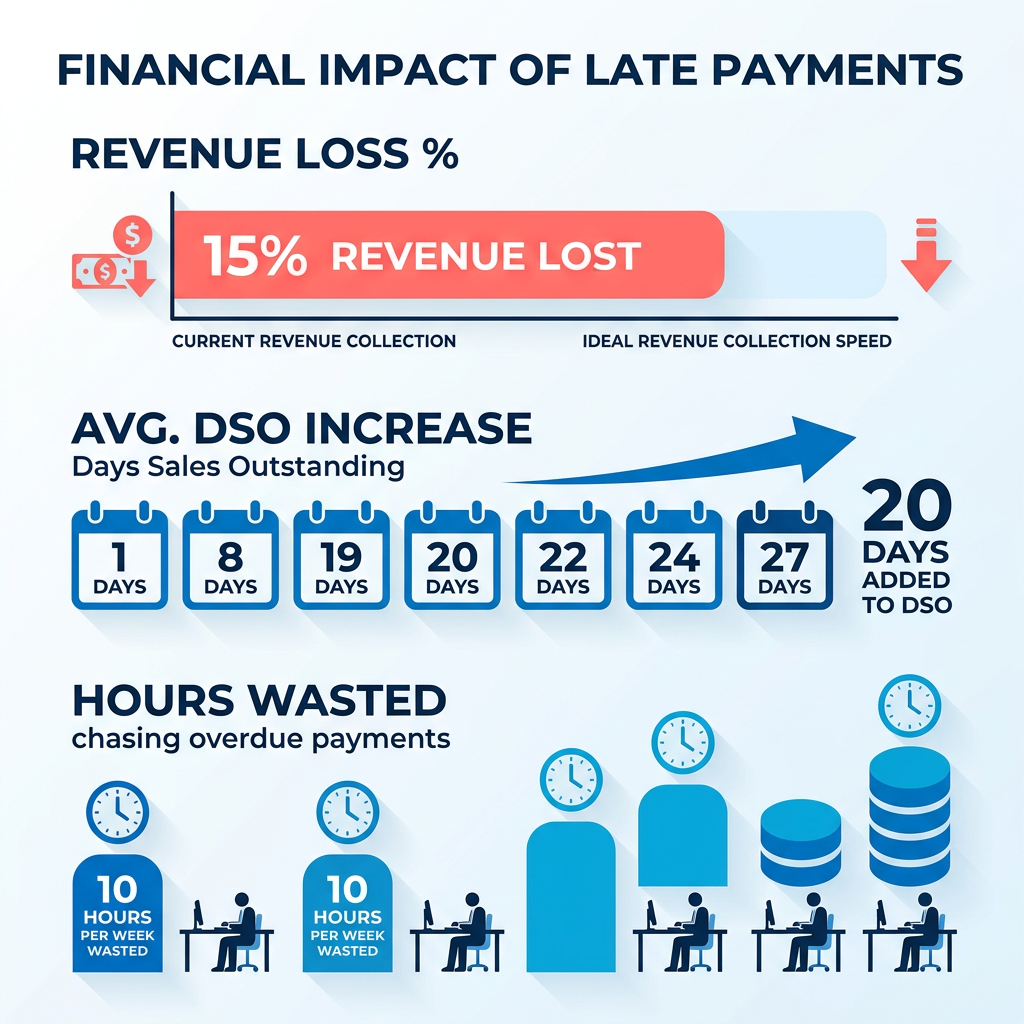
Late payments quietly drain more from subscription businesses than most finance teams realize. When invoices sit unpaid, working capital stalls, forecasting gets shaky, and your team burns hours chasing money that should already be in the bank. The strongest accounts receivable software features exist to fix exactly this: they compress the gap between billing a customer and getting paid.
Subscription revenue relies on customer lifetime value, so billing touchpoints must remain professional and frictionless. The right tooling helps preserve customer goodwill while systematically reducing outstanding balances.
What Problems Does AR Software Actually Solve?
Manual AR is slow, error-prone, and expensive. Software targets the three tasks that eat the most time: invoicing, collections follow-up, and cash application. Automating those closes the loop between a sent invoice and a reconciled payment.
The payoff shows up in ways finance teams can measure. Companies report Days Sales Outstanding dropping by 15–30 days after implementation, which directly improves cash flow predictability. Teams also cite reclaiming meaningful time previously spent on manual reconciliation and follow-up tasks, freeing capacity for strategic work instead of administrative churn.
- Replace manual invoice creation with automated generation to cut data-entry errors and speed up billing cycles
- Automate payment matching so incoming funds reconcile against open invoices without a human touching a spreadsheet
- Trigger collections reminders on schedule so no past-due account slips through the cracks
Who Gets the Most Out of It?
Both small teams and large enterprises benefit, but for different reasons. High-volume operations chase headcount savings and speed. Organizations processing thousands of monthly transactions report being able to handle 3–5x the invoice volume with the same finance team size. Error rates in cash application can drop substantially when machine learning handles the matching logic.
Smaller and mid-sized SaaS teams win on consistency. When you’re billing anywhere from dozens to a couple hundred customers each month, automation helps ensure nobody falls through the cracks during growth phases. As volume climbs, automated dunning sequences can help maintain collection rates without adding headcount, whereas manual processes tend to break down as you scale.
- Align your software configuration with your transaction volume to optimize operational efficiency.
- Prioritize ERP and accounting integrations early, since multi-entity billing breaks fast without them
Should AI Run AR End-to-End, or Keep a Human in the Loop?
Sources genuinely disagree. One camp argues for hyper-automation where AI handles the full receivables cycle autonomously. Another insists automation should support human judgment, not replace it in complex cases.
Our take: split it by risk. Full autonomy fits standardized, high-volume transactions where speed wins. But for your enterprise SaaS accounts, where a mishandled dunning message can churn recurring revenue, keep a person reviewing the touchy cases.
- Let AI run the routine, low-risk collections and cash application at full speed
- Route complex or relationship-sensitive accounts to a human before any escalation goes out
If you want to prioritize these capabilities in practice, Blixo brings smart invoicing, automated collections, and AI-powered cash application together in one platform, so you can put the right features to work without stitching together separate tools.
Core Features of AR Software
The features that move the needle for subscription teams cluster around four jobs: invoicing, collections, cash application, and self-service. Get them talking to each other and you shorten the gap between billing and getting paid. Keep them siloed and you’re back to manual reconciliation.
Here’s what separates a checklist from a system. The four jobs share data, so a payment logged in cash application should ideally close the invoice, quiet the dunning sequence, and update the dashboard without anyone lifting a finger. When AR teams map their process end to end, many find the biggest time sink isn’t any single task but the handoffs between them. That’s where connected features earn their keep.
What Invoicing and Collections Features Should You Check?
Invoicing and collections are where recurring revenue lives or dies. Automated delivery gets invoices out on time, and behavior-tailored dunning keeps the follow-up from feeling robotic.
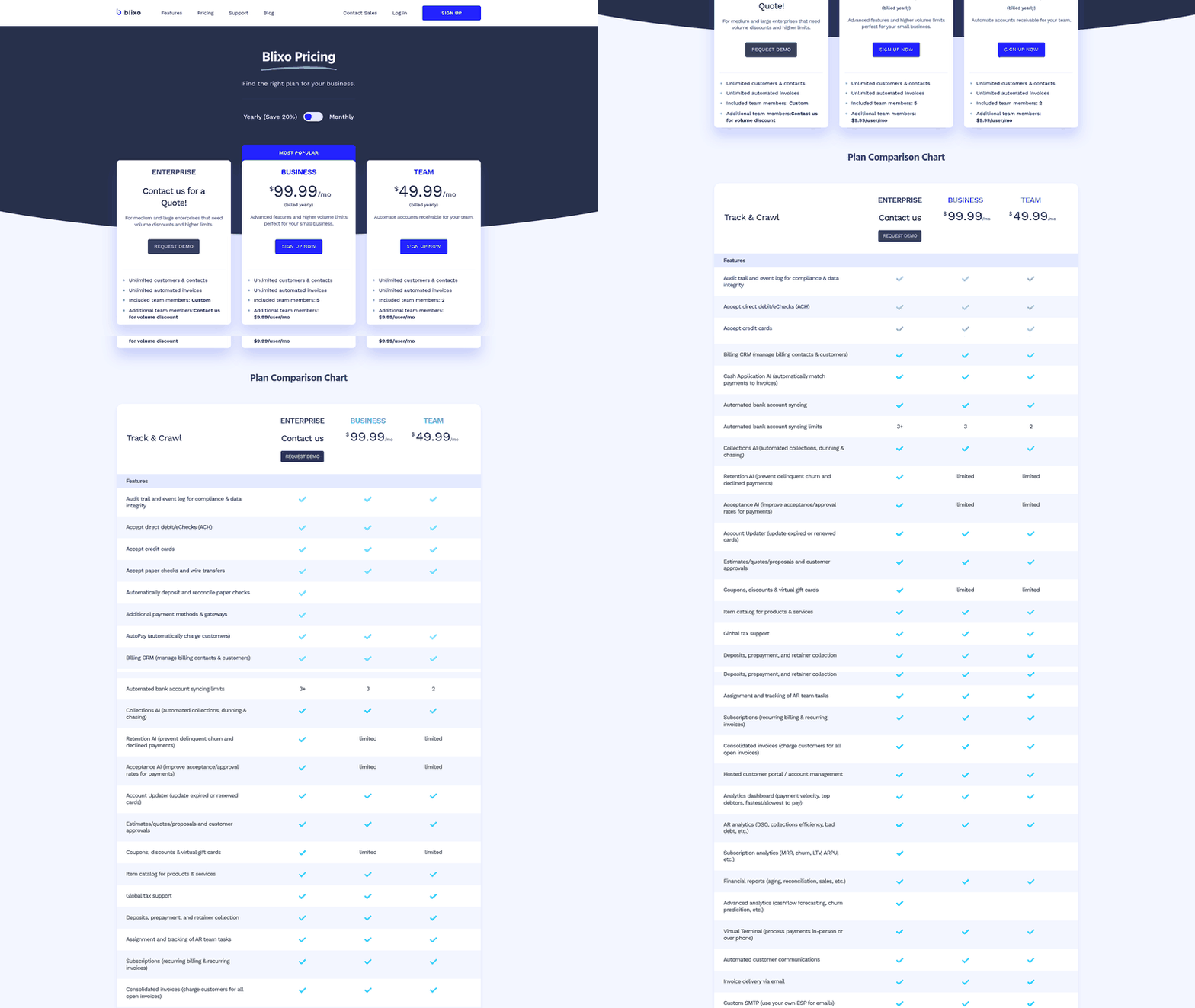
- Recurring and automated invoicing with email plus a branded online portal, so invoices go out on schedule without manual keying. Businesses using automated reminders and invoicing report fewer late payments.
- Multi-currency support for customers billing across borders, which subscription SaaS teams often hit early as they expand.
- Behavior-tailored dunning that flexes reminder tone and timing to each customer’s payment history. Uniform blasts tend to get ignored; tailored outreach can earn faster responses and help keep the relationship intact.
- Uniform credit policy under personalized collections. Standardize underwriting for fairness and scale, then individualize the outreach on top. These operate at different layers and both belong in your stack.
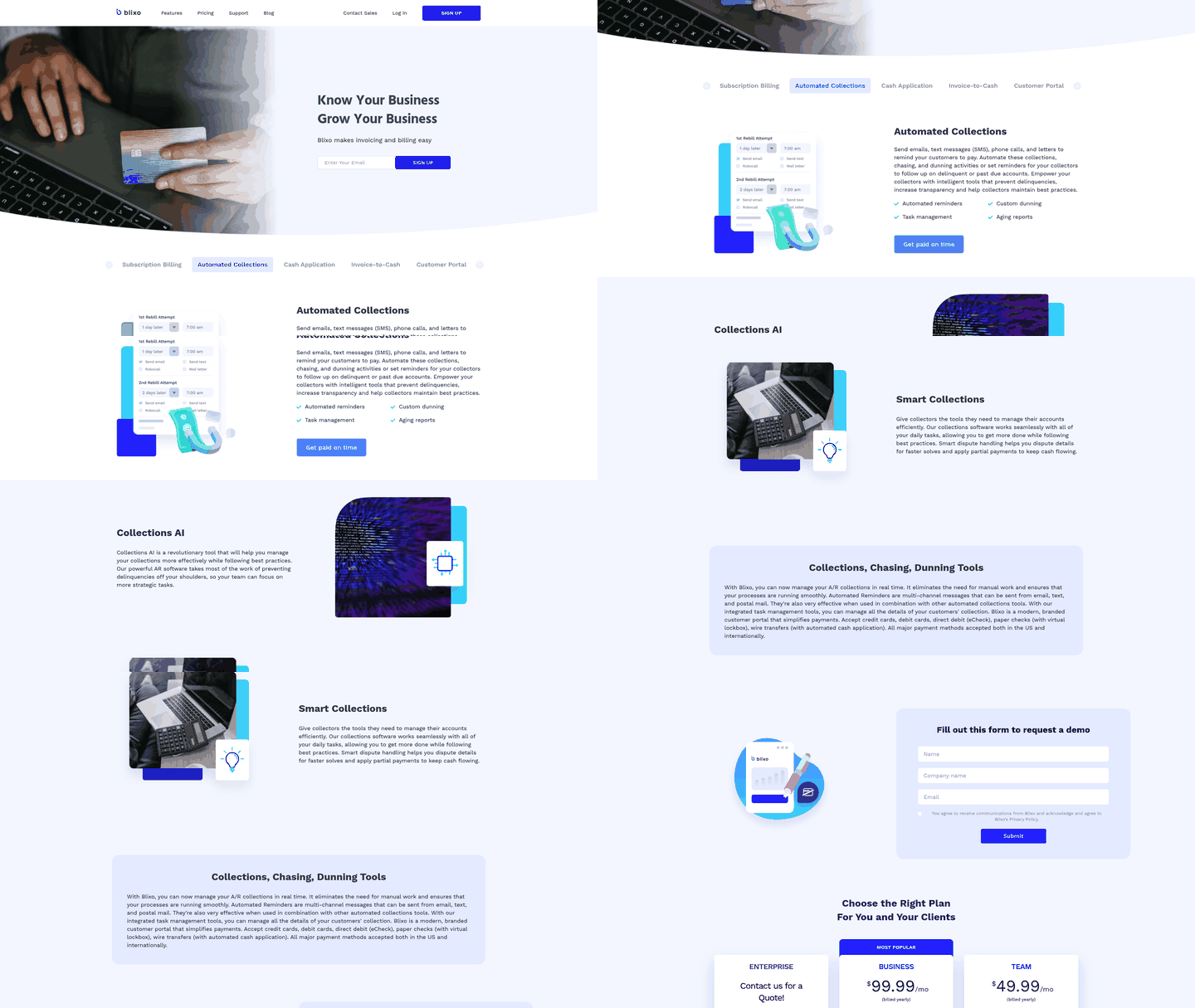
Blixo can pull these together with recurring invoices, custom dunning, and automated reminders across email, SMS, phone, and letters, so follow-up stays consistent without manual work.
How Does AI-Driven Cash Application Work?
Cash application is the process of matching incoming payments to open invoices and closing them out. AI-driven matching reads payment data, pairs it to the right invoice, and posts it without a human touching a spreadsheet. Teams running this have seen payment posting run up to 10 times faster.
- AI-powered payment matching to auto-reconcile deposits against open invoices and flag only the exceptions.
- Human-in-the-loop for complex accounts. While routine matching runs automatically, exceptions need a clear escalation path. When the system flags an ambiguous payment, it should route to a team member with full customer history context to help prevent billing disputes.
Which Reporting, Security, and Integration Features Matter?
Real-time reporting turns AR from a rear-view mirror into a planning tool. You want dashboards tracking DSO, aging balances, and cash forecasts, refreshed off live data rather than last month’s export.
- Configurable, role-based dashboards showing aging, open invoices, and payment history so each team sees the metrics it owns.
- Task lists and automated alerts that flag items needing action right away, keeping follow-ups from slipping.
- Two-way ERP and accounting integration to keep data consistent and kill duplicate entry. Non-negotiable for multi-entity billing.
- SOC 2 Type II and PCI DSS compliance plus data encryption and access controls, since you’re handling payment data at scale.
Our read: the features aren’t competitors, they’re a sequence—and, as noted above, different vendors specialize in different layers of that sequence. Speed from AI cash application, retention from tailored collections, and oversight where it counts.
Payment Processing and Acceptance
The payment features in your AR software determine how fast customers can actually pay you, which can matter more than any dunning sequence. We see teams lose DSO not because customers won’t pay, but because the payment path adds friction. The right setup removes that friction without creating new reconciliation work for your finance team.
Here’s what payment processing capability should deliver: multiple methods customers already use, automated reconciliation that matches payments to invoices without manual intervention, and security standards that protect both sides of the transaction. When these three work together, you shrink the gap between a customer deciding to pay and cash landing in your account.
What Payment Methods Should Your AR Software Accept?
Your platform generally needs ACH, credit cards, and debit cards as the baseline. ACH is often the lowest-cost option for B2B transactions, but some customers prefer card payments for rewards or cash flow timing. Blixo supports a range of payment methods and lets your customers manage their preferred payment method through a brandable customer portal. Larger accounts often use ACH to avoid processing fees. Smaller customers may lean toward cards because their procurement teams treat subscriptions like operational expenses, not vendor relationships.
Virtual cards deserve attention if you work with mid-market or enterprise buyers. Corporate card programs increasingly issue single-use virtual cards for vendor payments, and AR systems that can’t accept them can force customers back to manual check requests. Some providers have also reported that applying predictive analytics and GenAI to collections workflows improved response times and cash flow visibility (EY).
Virtual and commercial cards also carry a processing-cost angle worth understanding. Card networks generally set lower interchange rates for commercial card transactions that pass richer transaction data—commonly called Level 2 (fields such as sales tax and a customer code) and Level 3 (line-item detail like item descriptions, quantities, and unit costs). AR and payment systems that can submit this enhanced data may help qualifying commercial and virtual card transactions settle at more favorable interchange rates, which can offset some of the cost of card acceptance. Whether you actually see savings depends on your processor, your card mix, and how much transaction detail your system passes.
Mobile payment support matters when your customer base includes field teams or distributed decision-makers. Mobile-optimized payment pages let users complete transactions from a phone without app downloads or desktop handoffs. Blixo’s customer portal lets your customers view and pay outstanding invoices, so the person approving the invoice can settle it from anywhere.
How Does Automated Payment Processing Reduce Errors and Cost?
Automated processing reduces the manual data entry that creates reconciliation mismatches. When payments flow directly into your AR system with invoice references attached, cutting manual data entry lets finance teams focus on resolving payment discrepancies rather than typing numbers.
Error reduction shows up in two places. First, automated systems can validate payment amounts against invoice totals before processing, catching discrepancies your customers might miss. Second, the system logs transactions with timestamps and audit trails, which removes some of the guesswork when a customer claims they paid but your records show otherwise.
The cost savings can compound over time. Finance teams using automated payment processing report cutting administrative overhead while maintaining higher transaction volumes. One VP of Financial Services noted a $2.5M decline in costs alongside volume increases after implementing automation. The savings tend to come from headcount reallocation, not layoffs. Your team shifts from data entry to exceptions management and customer support.
What Security and Compliance Features Protect Payment Data?
PCI-DSS compliance is non-negotiable if you accept card payments. The standard requires encrypted transmission, secure storage, and regular security audits. AR platforms handling payment processing at high transaction volumes should maintain the appropriate PCI level (Level 1 covers the highest volumes). Blixo can auto-bill customers using their saved payment information and keeps collection centralized in one platform, which can help keep card handling out of your day-to-day workflows.
GDPR requirements apply when you process payments from EU customers or store their payment information. The regulation mandates explicit consent for data processing, the right to deletion, and breach notification within 72 hours. Your AR system should log consent events, provide self-service data access through the customer portal, and support deletion workflows.
AI-powered fraud detection adds another security layer worth considering. Machine learning algorithms can flag unusual payment patterns, like sudden changes in payment methods or amounts that don’t match invoice history. EY Ireland deployed an AI collection assistant that automates payment tracking and flags anomalies before they become disputes. Such systems learn normal payment behavior for each customer and surface deviations for review.
Encryption standards should cover data at rest and in transit. Look for strong encryption for stored payment data (such as AES-256) and modern transport encryption (such as TLS 1.3). Your payment processor should also support 3D Secure authentication for card transactions, which is designed to shift liability for certain fraudulent charges from your business to the card issuer.
Implementation and ROI Assessment
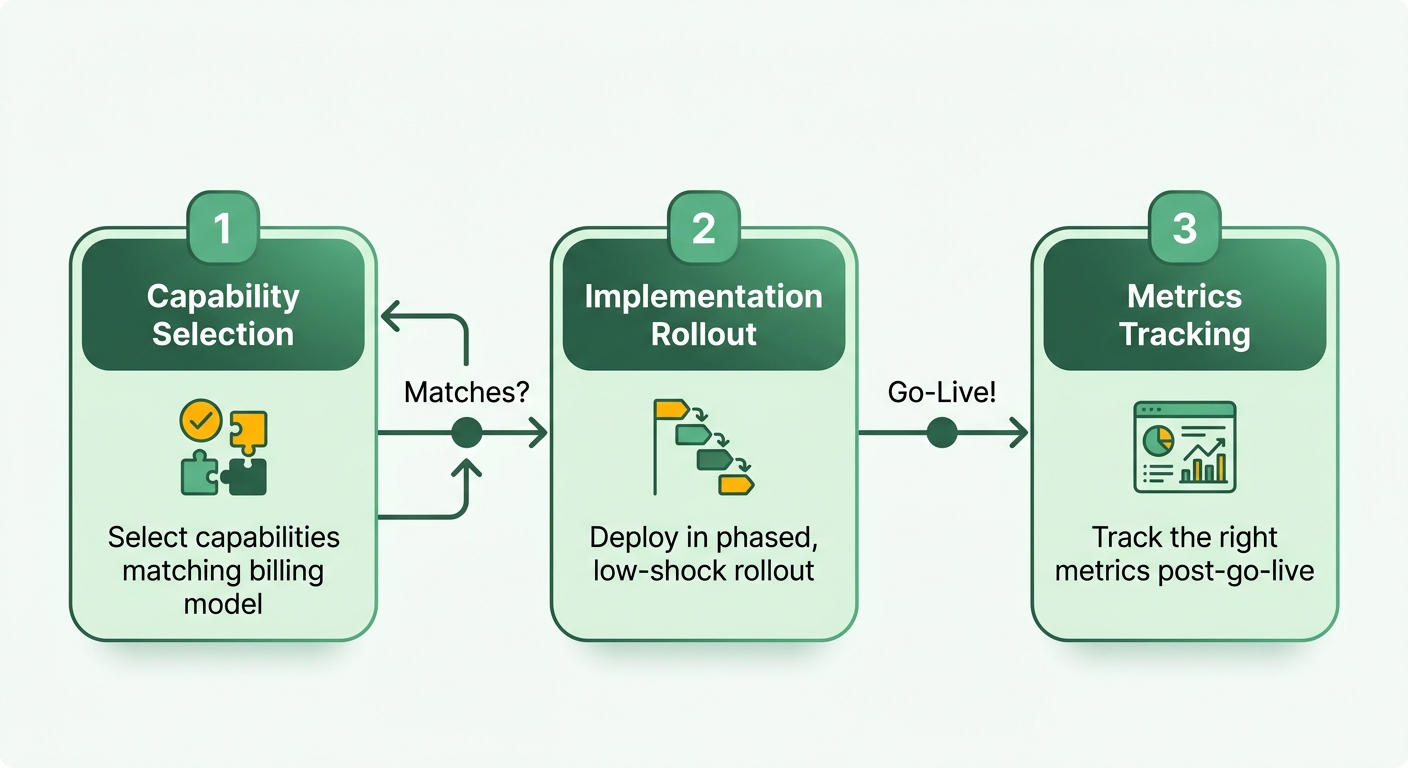
Getting value from AR software comes down to three moves: pick capabilities that match how you bill, roll them out without shocking your team, and track the right metrics once you go live. We treat this as a sequence, not a shopping list. Buy every feature at once and you risk an implementation nobody adopts.
To maximize value, select features that let your team scale operations gradually, starting with high-friction areas before expanding to full workflow integration.
Which Features Should You Prioritize First?
Prioritize features that address your immediate bottlenecks, such as slow payment reconciliation or high rates of manual data entry.
- AI-powered cash application to streamline reconciliation, reducing the hours your team spends matching bank deposits to open invoices.
- Customizable dunning workflows that let you adjust communication frequency based on customer segments.
- Two-way ERP and accounting integration so data stays consistent and you’re not re-keying entries across systems.
- Approval gates for high-value accounts, ensuring manual review before any formal collection notices are sent.
Establish clear rules for when the system can act autonomously and when it must pause for approval. Small-balance accounts can often be fully automated, while enterprise accounts may require manual sign-off.
How Do You Manage the Rollout and Train Your Team?
Successful implementation often depends more on adoption than on the tool itself. Sequence the rollout, train against real workflows, and give your team a reason to trust the automation before you scale it.
- Pilot with one segment before a full rollout, so you catch integration gaps early.
- Map current workflows first and configure the software to fit them, rather than forcing your team into a one-size-fits-all process.
- Train on exception handling, not just the happy path, since that’s where confidence in automation is won or lost.
- Assign clear ownership across finance, sales, and customer success so collections tasks don’t stall between teams.
How Do You Measure ROI After Go-Live?
Track DSO reduction and efficiency gains as your two headline numbers. Real deployments show a range: one automation user reported a 50% cut in DSO and 90% lower processing costs, while automated invoicing has helped businesses get paid twice as fast.
- DSO reduction measured against your pre-implementation baseline, month over month.
- Time saved per invoice cycle, tracking faster payment posting as a direct efficiency signal.
- Cost per collected dollar, since headcount savings show up here.
- Retention on collected accounts, so you confirm faster cash isn’t costing you customers.
One company doubled its revenue while pushing current aging to 96% with a customized collections setup. Another saved close to $600,000 by automating a payment-processing bottleneck. The lesson we take from both: the financial return depends on how deeply the software integrates into your daily operations.
FAQ
What are the essential features of accounts receivable software?
The essential features cluster into four jobs: smart invoicing with auto-generation and auto-charging, automated collections with behavior-based reminders, AI-powered cash application for payment matching, and a self-service customer portal. These work together to compress the gap between billing and getting paid.
How does AR automation improve Days Sales Outstanding?
AR automation can reduce DSO by cutting manual delays in invoicing, matching payments faster through AI cash application, and triggering timely collections reminders. Teams report DSO reductions of 15–30 days after implementation, with more heavily automated workflows tending to see larger reductions.
What payment methods should AR software support?
At minimum: ACH, credit cards, and debit cards. Virtual cards matter for mid-market and enterprise buyers. Mobile-optimized payment pages help when your customer base includes distributed decision-makers. Multi-currency support becomes necessary as you expand across borders.
How long does AR software implementation typically take?
It varies with your systems and data, but as rough estimates: smart invoicing is often among the quickest at low setup difficulty, automated collections tends to take a bit longer at medium difficulty, AI cash application is more involved at medium-high difficulty, and ERP and bank integrations usually represent the highest complexity.
What security standards should AR software meet?
PCI-DSS compliance for card payment handling (with the level matching your transaction volume). GDPR compliance for EU customers. Strong encryption for stored payment data and in transit. SOC 2 Type II attestation. 3D Secure authentication for card transactions.
Should AI handle collections autonomously or keep humans in the loop?
Split by risk. Let AI run routine, low-risk collections and cash application at full speed. Route complex or relationship-sensitive accounts to a human before any escalation goes out. Small-balance accounts can often be fully automated; enterprise accounts may require manual sign-off.
What ROI should I expect from AR automation?
Reported outcomes include DSO reductions of 15–30 days, cost savings in the hundreds of thousands, and the ability to handle 3–5x the invoice volume with the same team size. In one survey, 93% of finance leaders confirmed their AR automation delivered expected ROI. Results depend on how deeply the software integrates into daily operations.
How do I choose which AR features to implement first?
Start with your biggest bottleneck. If payment reconciliation eats hours daily, prioritize AI cash application. If past-due accounts are slipping through, implement automated collections first. If manual invoice generation delays billing cycles, begin with smart invoicing.
References
[1] The ROI of Accounts Receivable Automation - https://www.versapay.com/resources/the-roi-of-accounts-receivable-automation
[2] Accounts Receivable Automation Benefits - https://www.blackline.com/blog/accounts-receivable-automation-benefits/
[3] Accounts Receivable Automation - https://www.bill.com/learning/accounts-receivable-automation
[4] How Generative AI Could Accelerate Collections in Insurance - https://www.ey.com/en_ie/insights/financial-services/how-generative-ai-could-accelerate-collections-in-insurance
[5] PCI Security Standards - https://www.pcisecuritystandards.org/
[6] GDPR Official Website - https://gdpr.eu/
[7] Future Payments Case Study - https://www.highnote.com/case-studies/future-payments
Frequently Asked Questions
1. How much time does it actually take to implement AI-powered cash application compared to the other AR features?
AI-powered cash application generally takes longer to implement because it requires deeper integration with your bank feeds and ERP system to map matching logic accurately. By comparison, customer portals and smart invoicing usually require less backend configuration, while automated collections setup depends largely on drafting your communication templates and setting up dunning triggers.
2. Should small SaaS companies wait until they hit a certain revenue threshold before automating AR?
Rather than waiting for a specific revenue milestone, evaluate your transaction volume and team capacity. If your finance team spends more time chasing late payments and manually matching deposits than on strategic planning, it may be time to automate. Starting earlier can help prevent operational bottlenecks before they affect your cash flow.
3. What happens when AI cash application incorrectly matches a payment to the wrong invoice?
Typically the system flags the transaction and routes it to an exception queue for manual review. Once a team member links the payment to the correct invoice, many systems can use that correction to handle similar transaction patterns more accurately over time.
4. Can you use behavior-based collections without appearing inconsistent to customers who compare notes?
You can, when the underlying payment terms, credit limits, and penalties remain identical for all accounts. The variation is in the communication channel and frequency—for example, a gentle reminder to a historically prompt payer versus quicker outreach to a chronically late account.
5. Why do enterprise accounts need human oversight when other invoices can run fully automated?
Enterprise accounts often involve complex procurement structures, custom billing terms, and multiple stakeholders. An automated dunning email sent to the wrong department can create unnecessary friction, whereas an account manager can resolve billing discrepancies directly through established relationship channels.
6. How does virtual card acceptance specifically improve cash flow compared to traditional card payments?
Many enterprise buyers use virtual cards to enforce internal spend controls and simplify their own reconciliation. If your system cannot process these payments, buyers may have to route invoices through slower alternative methods, which can extend your collection cycle. Systems that pass Level 2 and Level 3 transaction data may also help qualifying commercial card payments settle at more favorable interchange rates, though this depends on your processor and card mix.
7. What metric proves whether your AR automation investment actually paid off beyond just DSO reduction?
One useful measure is the percentage of clean-pass transactions—invoices that are generated, paid, and reconciled without any manual intervention. A rising clean-pass rate tends to correlate with reduced administrative overhead and can indicate that your automated workflows are functioning efficiently.