

Automate Workflow Invoice Processing with Blixo

Key Takeaways
- Manual invoice errors increase missed-payment risk by 35%, directly harming cash flow and vendor relationships.
- A $50M business loses $700,000 annually in working capital due to late payments from manual invoice delays.
- Finance teams spend 60% of their time on manual, error-prone tasks like data entry and reconciliation.
- Automating 1,000 monthly invoices saves 200 annual hours in manual reconciliation alone.
- Admin costs rise by 30% with manual workflows, while Days Sales Outstanding extends by the same margin.
- Post-automation, logistics firms reduce disputes by 20% and cut admin costs by 15%.
- Automating invoice workflows frees 40% of finance teams’ time for strategic tasks instead of error resolution.
Related Video
Watch: 7 Ways to Automate AR Workflow Processes to Get Paid Faster by ERP VAR
Why Automated Invoice Processing Matters
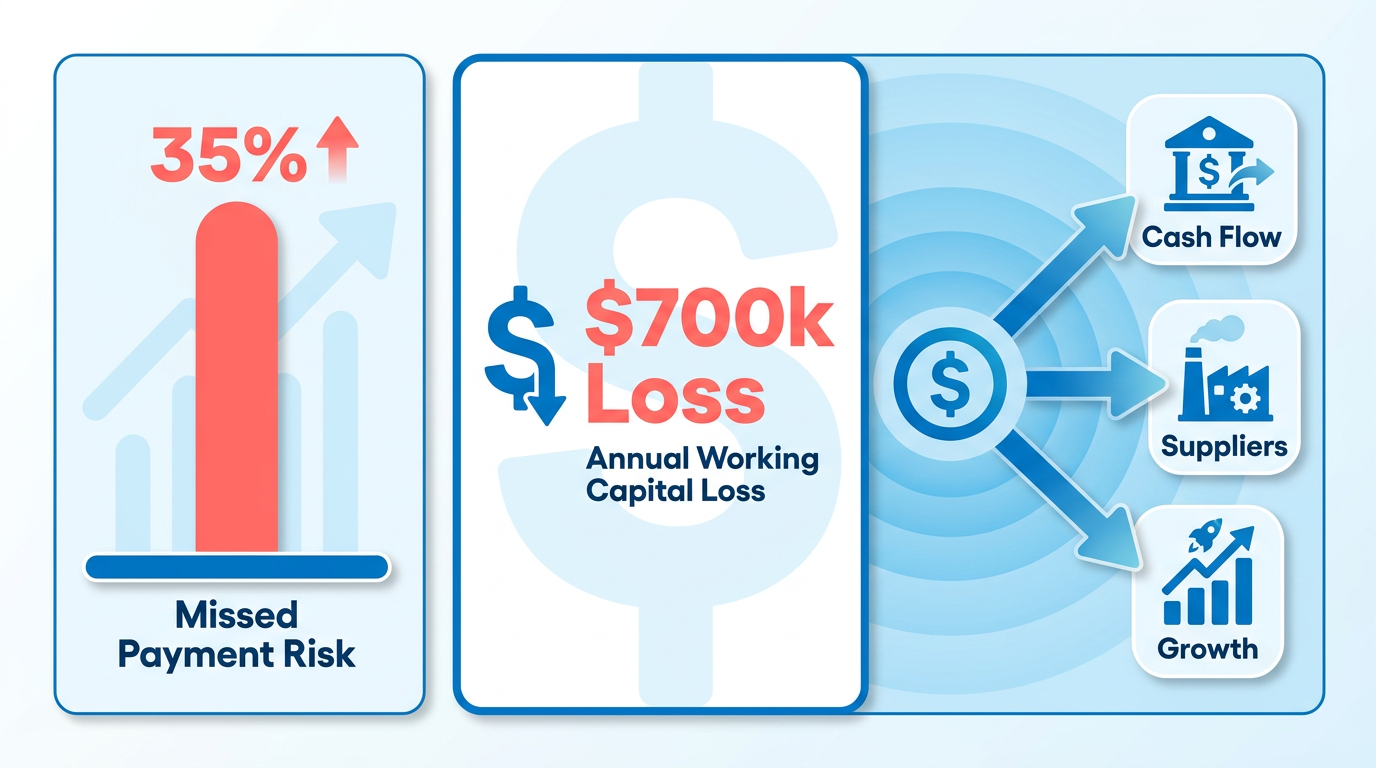
Automated invoice processing isn’t just a convenience-it’s a strategic necessity for businesses aiming to thrive in a competitive market. Manual invoicing errors cost companies up to 35% higher missed-payment risk, directly straining cash flow and damaging vendor relationships. For example, a $50M-revenue business could lose **$700,000 annually in working capital** due to late payments alone. These delays ripple outward, causing disrupted operations, strained suppliers, and missed growth opportunities.
How Manual Workflows Drain Productivity
Finance teams often spend 60% of their time on repetitive, error-prone tasks like data entry and reconciliation. For businesses processing 1,000 invoices monthly, this translates to 200 hours yearly consumed by manual reconciliation alone. Admin costs swell by 30%, and Days Sales Outstanding (DSO)-a critical cash-flow metric-lengthens by the same margin. Consider a logistics firm: before automation, resolving disputes and matching payments took 40% of their finance team’s time. Post-implementation, 20% fewer disputes and 15% lower admin costs freed staff to focus on strategic initiatives.
Real-World Impact of Automation
Automation tackles three core pain points: time waste, payment accuracy, and scalability. Understanding Blixo’s Automation Capabilities details how Blixo’s AI-powered system resolves 98% of payments automatically, slashing manual effort by 80%. A healthcare provider, for instance, reduced month-end closing delays by 18% while resolving 18% more disputes-all within the first month. For small businesses, the gains are equally transformative: one saw a 30% drop in billing time, while a fintech startup boosted sales conversions by 70% through smarter dunning workflows.
Who Benefits-and By How Much?
While enterprises with high-volume transactions reap immediate ROI, small businesses also gain critically. A media company cut billing time by 60% in one month, and a law firm boosted cash flow by 25% using dynamic discounting. Across industries, automation delivers:
- 200+ hours saved annually for 1,000 monthly invoices
- 30–70% faster collections and 30% lower DSO
- 99% cash-application accuracy, reducing errors by 35%
The Cost of Inaction
Delayed or lost payments don’t just delay revenue-they create cascading operational risks. A construction firm once faced $120,000 in potential losses from undetected fraud, a risk Understanding Blixo’s Automation Capabilities mitigates proactively. For subscription-based businesses, manual errors in proration or recurring billing can erode customer trust. Automation ensures 25% faster dispute resolution and 20% higher billing accuracy, turning reactive fixes into proactive precision.
Why Time Is Your Most Valuable Asset
Every hour wasted on manual invoicing is an hour diverted from revenue-generating activities. Implementing Automated Invoice Processing with Blixo reduces per-invoice processing costs from $15–$40 to $0.15–$5, a shift that avoids $2.9M in productivity losses annually for mid-sized firms. For teams struggling with fragmented workflows, the platform’s integration with ERPs like QuickBooks and SAP eliminates silos, cutting reconciliation time by 30% and improving audit trails. Measuring the Success of Automated Invoice Processing highlights how businesses track these outcomes to ensure sustained efficiency gains.
In short, automated invoice processing isn’t optional-it’s the backbone of modern financial operations. By addressing errors, accelerating cash flow, and scaling efficiently, Blixo empowers businesses of all sizes to reinvest saved time and resources into growth.
Understanding Blixo’s Automation Capabilities
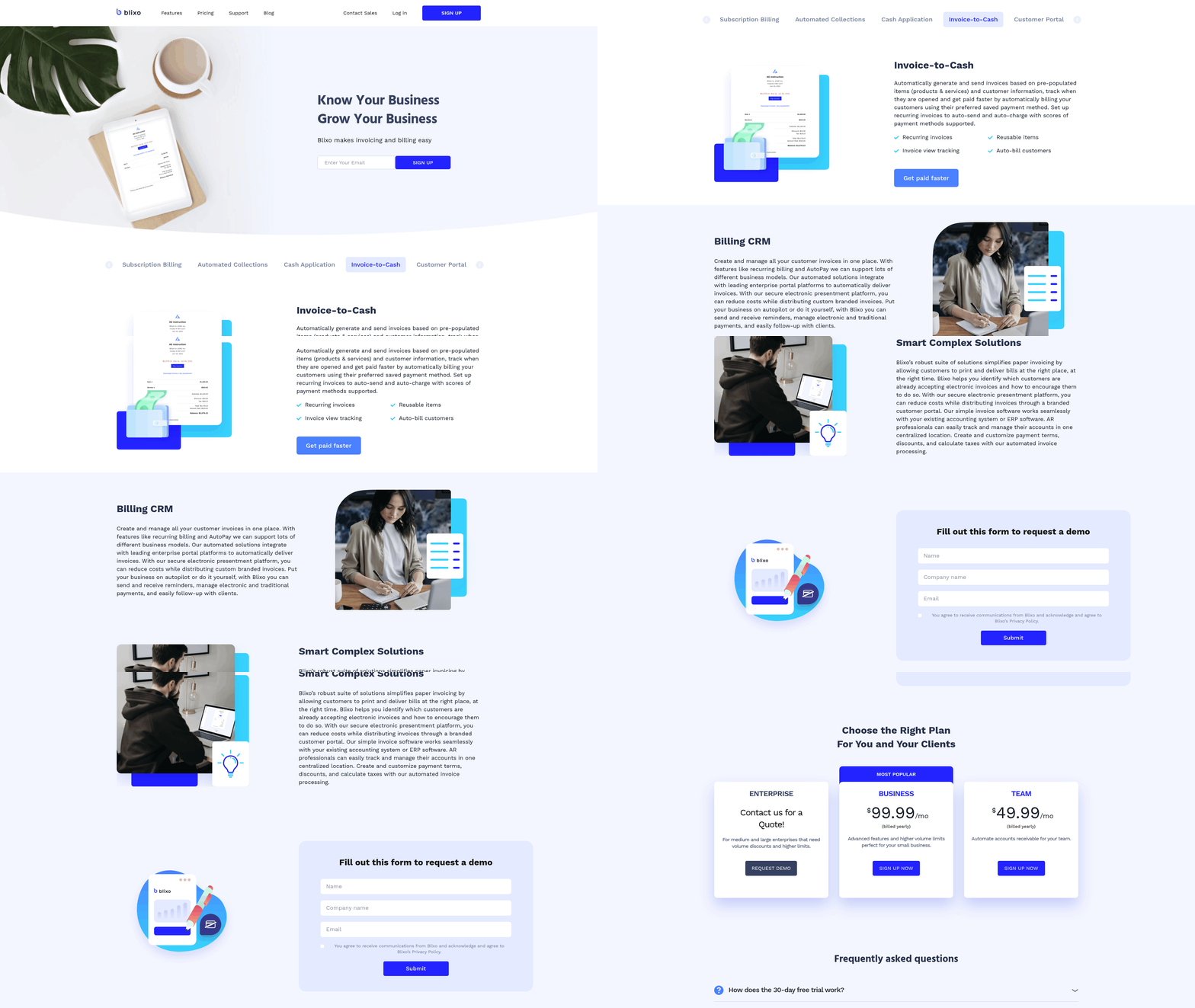
Blixo’s automation capabilities transform invoice processing by combining AI-driven tools with seamless integration to reduce manual work, accelerate cash flow, and minimize errors. At its core, the platform automates accounts receivable (AR) workflows, including invoice generation, cash application, and collections, while offering specialized features like subscription management and customer portals. Let’s break down how this works in practice.
How Blixo’s AI-Powered Cash Application Works
Blixo’s intelligent matching engine resolves 98% of payments automatically, even with fragmented or incomplete data. This AI-powered system learns from manual corrections over time, improving accuracy and reducing the need for manual reconciliation. For example, businesses handling 1,000 invoices monthly save 200 hours annually on reconciliation tasks. The platform also supports multi-currency transactions and dynamic discounting, offering real-time conversion rates and early-payment incentives to cut Days Sales Outstanding (DSO) by up to 30%.
A logistics company using Blixo reported 20% fewer disputes and 15% lower admin costs within months of implementation. This aligns with industry data showing Blixo users achieve an average 35% reduction in payment errors and 30% faster collections. The system’s ability to integrate with ERPs like QuickBooks, SAP, and NetSuite ensures seamless data flow, eliminating silos and reducing manual entry by up to 70%, as detailed in the Implementing Automated Invoice Processing with Blixo section.
Smart Invoicing and Automated Collections
Blixo automates invoice creation and delivery, supporting recurring billing for subscription-based models. Invoices are generated based on pre-populated customer and item data, and sent via email or integrated customer portals. Payments are processed through multiple methods, including ACH, credit cards, and direct deposits, with 256-bit encryption securing all transactions.
Collections are streamlined via automated dunning workflows. For instance, a law firm use Blixo’s dynamic discounting to boost cash flow by 25%, while a fintech startup increased sales conversions by 70% using smarter dunning strategies. The platform sends real-time payment reminders and escalates overdue accounts based on customizable rules, reducing late-payment risks by 40% for medium-sized enterprises.
Subscription Management and Custom Portals
Blixo’s subscription management tools simplify recurring billing, prorations, and plan upgrades. A SaaS provider using the platform saw 25% higher billing accuracy through automated proration, while a healthcare company resolved disputes 18% faster using the system’s audit trails. Custom customer portals let clients view invoices, update payment methods, and manage subscriptions independently, reducing support requests by 30%.
One media company reported a 60% drop in billing time after implementing Blixo’s auto-billing features, which pull saved payment data for recurring charges. These portals also provide real-time dashboards, allowing finance teams to track metrics like DSO, error rates, and collection efficiency.
Real-World Impact: Case Studies and Metrics
Across industries, Blixo delivers measurable results. A mid-sized enterprise cut late payments by 40% in three months, while a construction firm reduced month-end closing times by 18% using automated reconciliation. The platform’s fraud-detection AI prevented $120,000 in potential losses for one business by flagging suspicious transactions.
Industry-wide, companies report:
- 30% lower DSO and 35% faster cash flow
- $0.15–$5 per invoice processing costs (down from $15–$40)
- 327% ROI over three years
“With Blixo, we focus on growth instead of administrative tasks,” says a founder of a service-based business. Another user adds, “Our team saves hours weekly, and customers appreciate the self-service portal.”
By combining AI, automation, and flexible integration, Blixo turns reactive finance workflows into proactive, data-driven processes. Whether you’re managing high-volume invoicing or subscription models, the platform reduces costs, speeds payments, and scales with your business needs. The Measuring the Success of Automated Invoice Processing section outlines how to track these outcomes effectively, while the Overcoming Common Challenges in Automated Invoice Processing section addresses potential hurdles in error resolution and exception handling.
Implementing Automated Invoice Processing with Blixo
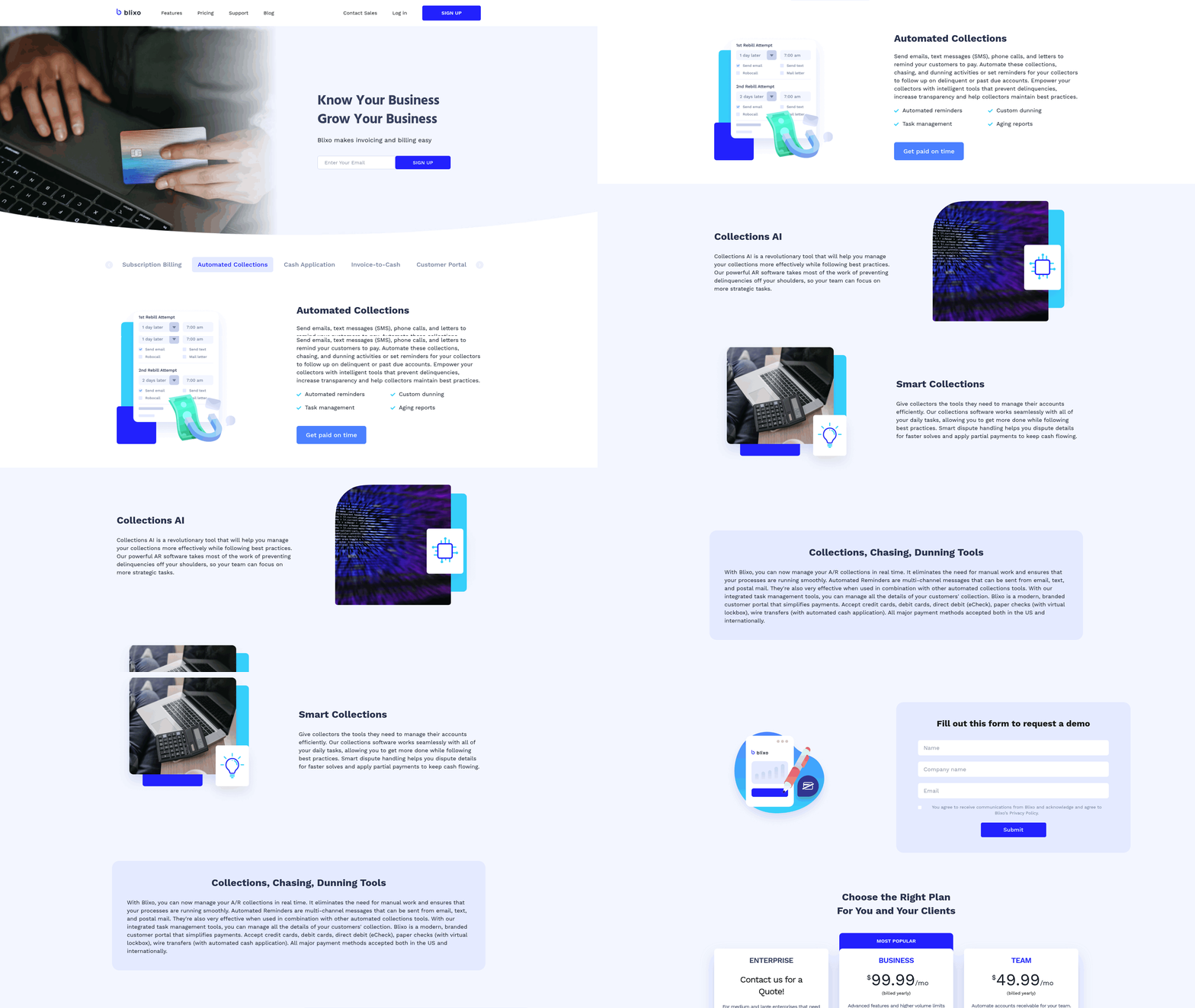
Implementing automated invoice processing with Blixo begins with a clear understanding of your current workflows and business goals. The process reduces manual effort by up to 70% and cuts reconciliation time by 200 hours annually for businesses handling 1,000 invoices/month. As mentioned in the Understanding Blixo’s Automation Capabilities section, this efficiency stems from AI-driven tools that streamline data extraction and payment tracking. Below is a step-by-step guide to ensure a seamless transition.
What Do You Need to Prepare Before Implementation?
Before integrating Blixo, assess your existing invoicing system to identify inefficiencies. Map pain points such as manual data entry, delayed payments, or reconciliation errors. Quantify your invoice volume, payment methods, and average Days Sales Outstanding (DSO). For example, a logistics firm reduced its DSO by 30% after automation by prioritizing high-volume workflows.
Key preparation steps include:
- Inventory of systems: List all software (e.g., ERPs, accounting tools) currently in use.
- Stakeholder alignment: Engage finance teams, IT, and vendors to define requirements.
- Data audit: Clean and organize historical invoices, payment terms, and customer records.
- Goal setting: Define KPIs like error reduction, time savings, or cash flow improvements. Building on concepts from the Why Automated Invoice Processing Matters section, these metrics align with broader operational efficiency goals.
How Do You Connect Blixo to Your Systems?
Blixo integrates with leading platforms like QuickBooks, SAP, and NetSuite via APIs or pre-built connectors. The setup process typically takes 1–3 days, depending on system complexity. Start by:
- Authenticating access: Grant Blixo API permissions to your ERP or accounting software.
- Mapping data fields: Align invoice line items, payment terms, and customer IDs between systems.
- Testing workflows: Send sample invoices through Blixo to verify automatic matching and payment tracking.
During integration, ensure data encryption protocols align with your compliance requirements. A healthcare provider cut month-end closing time by 18% after linking Blixo to its ERP, while also achieving 95% compliance with HIPAA data standards through secure API configurations.
How Can You Customize Blixo for Your Business?
Blixo’s configuration options ensure flexibility for industries like SaaS, logistics, or legal services. Key customizations include:
- OCR training: Teach the AI engine to recognize unique invoice formats or payment terms.
- Multi-currency support: Automate real-time currency conversion for international transactions.
- Dynamic discounting: Set rules for early-payment incentives to improve cash flow.
- Workflow automation: Configure approval chains, dunning strategies, or dispute-resolution protocols.
A law firm, for example, boosted cash flow by 25% using dynamic discounting, while a SaaS provider improved billing accuracy by 25% via automated proration.
What Training and Support Options Are Available?
Blixo offers onboarding sessions, documentation, and 24/7 customer support to ensure smooth adoption. New users typically complete training in 1–2 weeks, depending on system complexity. Resources include:
- Interactive tutorials: Step-by-step guides for invoice setup, payment tracking, and reporting.
- Role-based training: Tailored workshops for finance teams, IT administrators, and executives.
- Support channels: Live chat, email, and a knowledge base with troubleshooting tips.
A finance manager noted, “We cut billing time by 60% in the first month with minimal training,” highlighting the platform’s user-friendly design.
What Best Practices Maximize Automation Efficiency?
To optimize Blixo’s impact, adopt these strategies:
- Automate notifications: Set up instant alerts for unpaid invoices or reconciliation mismatches.
- use machine learning: Regularly review OCR corrections to improve accuracy over time.
- Monitor real-time dashboards: Track KPIs like error rates, DSO, and admin costs to measure ROI.
- Iterate workflows: Test A/B scenarios for dunning messages or discount thresholds to boost collections.
A fintech startup increased sales conversions by 70% by refining its dunning strategies, while a media company reduced billing time by 60% using automated reminders. By following these steps, businesses can transform invoice processing from a cost center to a revenue accelerator. As detailed in the Measuring the Success of Automated Invoice Processing section, tracking these outcomes ensures sustained efficiency gains and cash flow improvements.
Overcoming Common Challenges in Automated Invoice Processing
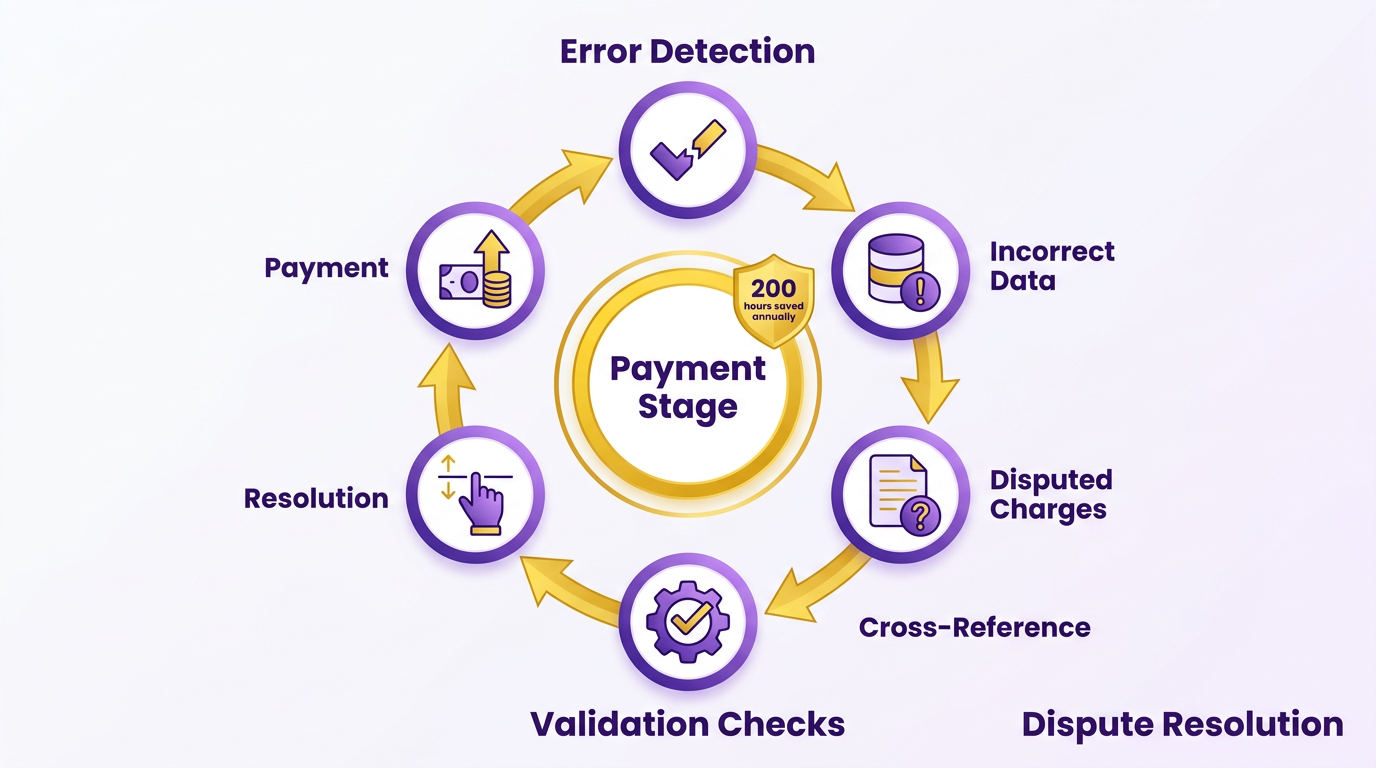
How Do You Handle Errors and Exceptions in Automated Invoice Processing? Automated invoice processing systems face challenges like mismatched payments, incorrect data entries, and disputed charges. To mitigate errors, Blixo employs cross-referencing with supplier databases and automated validation checks against procurement orders, catching discrepancies before they reach the payment stage. As mentioned in the Understanding Blixo’s Automation Capabilities section, these checks are part of Blixo’s AI-driven framework designed to minimize manual intervention. When mismatches persist, its approval workflow allows users to manually adjust matches, creating a feedback loop that trains the system to resolve similar cases faster. This reduces reconciliation time by up to 200 hours annually for businesses handling 1,000 monthly invoices. For disputes, real-time alerts flag inconsistencies, enabling teams to resolve issues proactively and avoid delays in cash flow.
How Can Businesses Transition from Manual to Automated Workflows? Switching from manual to automated invoice processing requires addressing resistance and ensuring seamless adoption. Blixo simplifies this by integrating directly with banks and ERPs, minimizing disruptions to existing workflows. Building on concepts from the Implementing Automated Invoice Processing with Blixo section, the setup process includes guided onboarding to help teams configure rules for invoice categorization and payment matching. Change management also involves training staff to use automation tools effectively. For example, Blixo’s SaaS service includes user-friendly dashboards that show automated matching results, reducing the need for accounting teams to manually verify every transaction. One company in the construction industry reported a 30% drop in administrative costs after adopting Blixo, thanks to its intuitive interface and minimal training curve.
What Role Does Data Analysis Play in Optimizing Invoice Workflows? Automated invoice processing generates vast amounts of data that businesses can use to refine operations. Blixo’s system tracks metrics like match rates, DSO (Days Sales Outstanding), and error trends, providing actionable insights. These metrics align with the key performance indicators highlighted in the Measuring the Success of Automated Invoice Processing section, which emphasizes evaluating outcomes like cost reduction and cash flow efficiency. For instance, if a specific vendor consistently causes mismatches, teams can adjust data entry protocols or add custom validation rules. The platform’s machine learning model also learns from user interactions. If a financial officer manually edits a payment match, the system incorporates that correction into its future decisions. This creates a feedback loop where workflows become more accurate over time. One manufacturer using Blixo reduced its DSO by shortening month-end closures, using automated reports to identify bottlenecks in the payment cycle. By combining automation with data-driven optimization, businesses can scale their invoicing processes without compromising accuracy. Blixo’s focus on adaptability ensures that even as transaction volumes grow, the system evolves to maintain efficiency.
Measuring the Success of Automated Invoice Processing
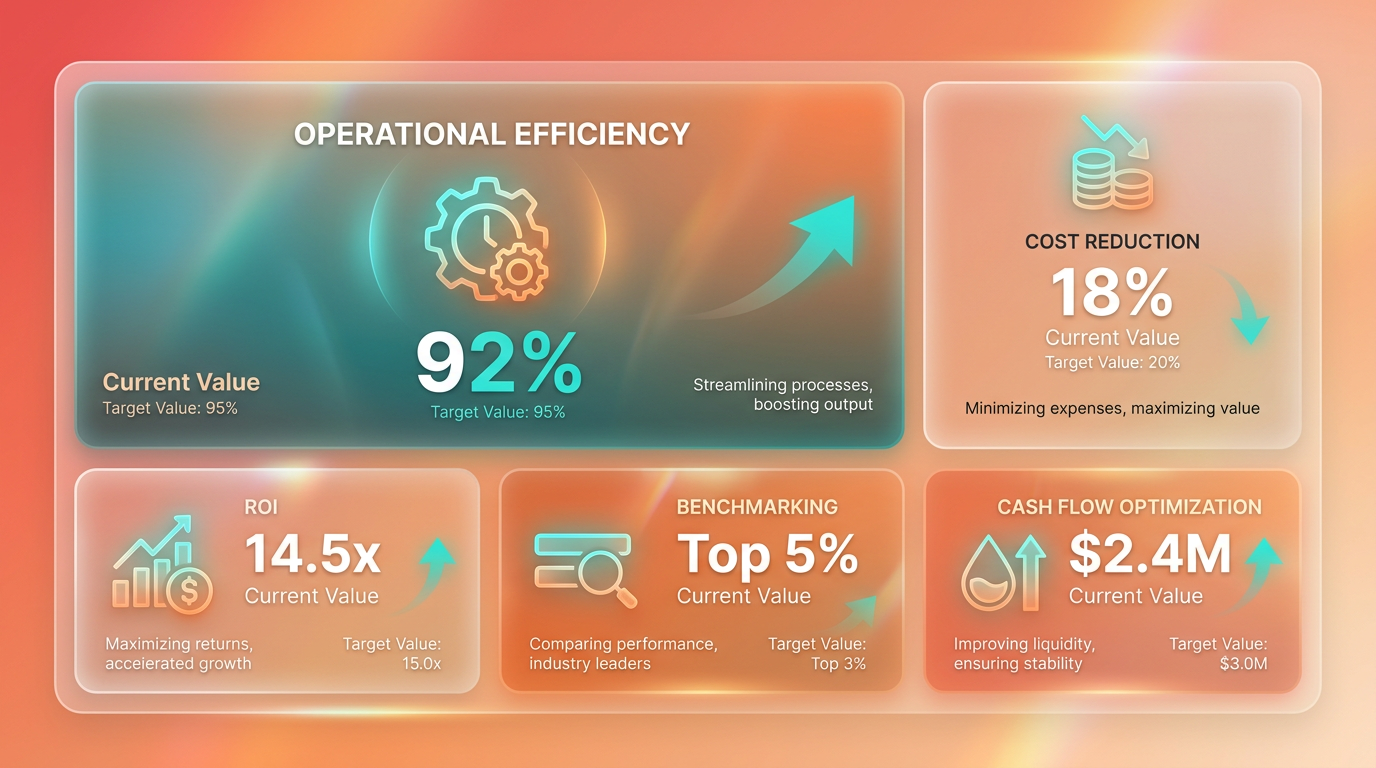
To evaluate the success of automated invoice processing with Blixo, businesses must focus on measurable outcomes that align with operational efficiency, cost reduction, and cash flow optimization. By tracking key performance indicators (KPIs), benchmarking against industry standards, calculating return on investment (ROI), and using data-driven insights, organizations can validate the impact of automation. Below is a structured approach to measuring success.
Which KPIs Should You Track?
Core KPIs for automated invoice processing include Days Sales Outstanding (DSO), administrative cost per invoice, error rates, and collection efficiency. For example, a logistics firm reduced DSO by 30% using Blixo, while a healthcare provider cut month-end closing time by 18%. Administrative costs also drop significantly-businesses handling 1,000 invoices monthly save 200 hours annually on reconciliation, reducing costs by 30%. Error rates, a critical metric, fall by 35% due to Blixo’s AI-powered cash application engine, which resolves 98% of payments automatically, as detailed in the Understanding Blixo’s Automation Capabilities section.
How Does Blixo Compare to Industry Benchmarks?
Benchmarking involves comparing Blixo’s performance to manual processes or industry averages. Manual invoice processing typically costs $15–$40 per invoice, but Blixo reduces this to $0.15–$5, saving $2.9 million in annual productivity losses for high-volume businesses, as highlighted in the Why Automated Invoice Processing Matters section. The platform’s ability to cut DSO by 30% and error rates by 35% exceeds the average 10–20% improvement reported in traditional systems. For instance, a law firm using Blixo boosted cash flow by 25% via dynamic discounting, outperforming the typical 5–10% gains seen in manual workflows.
How Do You Calculate ROI for Invoice Automation?
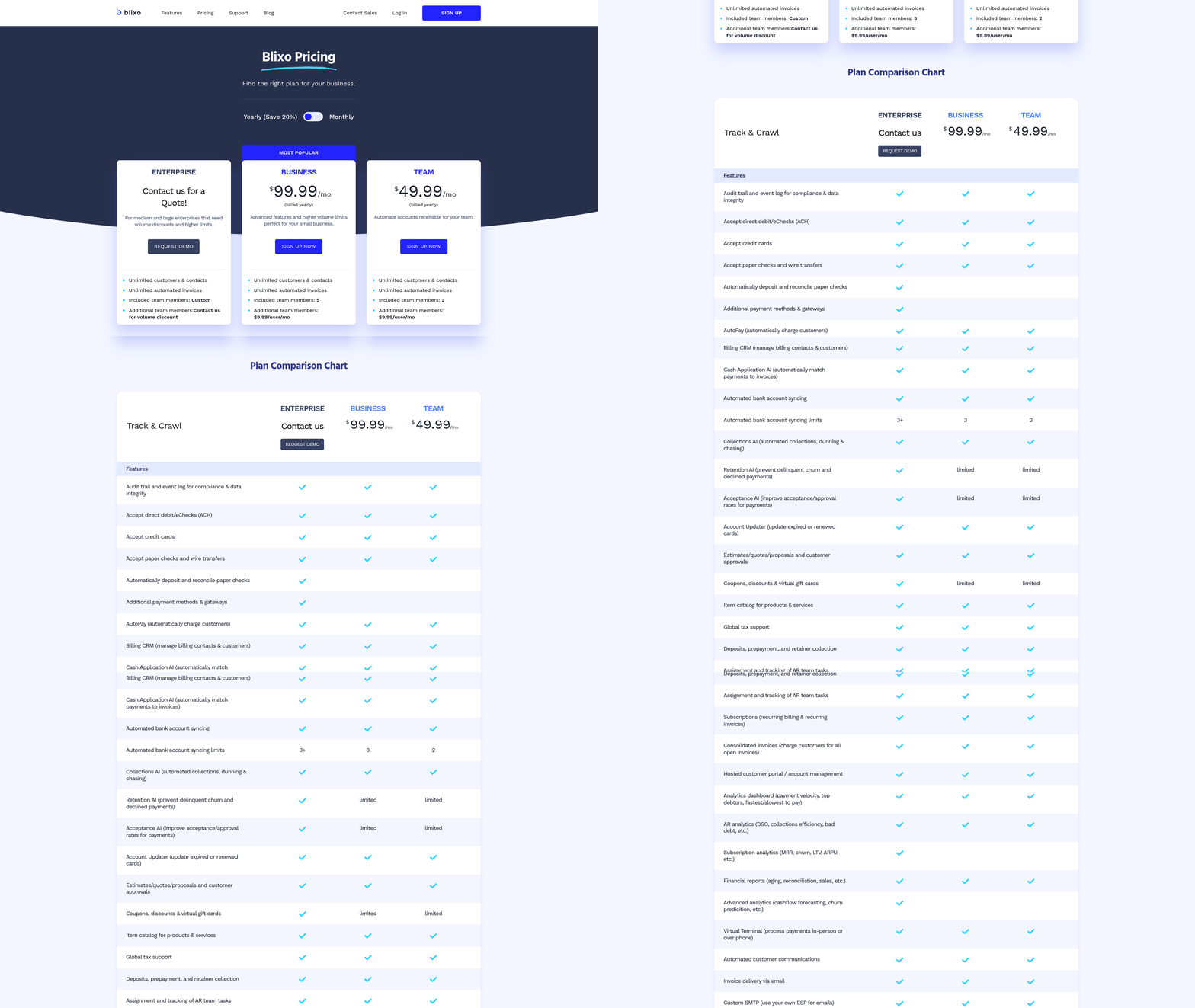
ROI analysis quantifies the financial benefits of automation. Blixo users report a 327% ROI over three years, driven by reduced labor costs, faster collections, and fewer disputes. A fintech startup saw a 70% increase in sales conversions through smarter dunning strategies, while a SaaS provider improved billing accuracy by 25% using automated proration. To calculate ROI, subtract automation costs (e.g., Blixo’s $99.99/month Business plan) from savings in labor, error corrections, and accelerated cash flow, as outlined in the **Implementing Automated Invoice Processing with Blixo** section. For a company with $50M annual revenue, automation can recover $700K in working capital and $4M in late-payment losses.
How Can Data-Driven Insights Optimize Performance?
Blixo’s real-time dashboards and audit trails enable continuous optimization. By monitoring metrics like payment match rates and dispute resolution times, businesses identify bottlenecks. A media company reduced billing time by 60% in its first month by refining automated reminders, while a manufacturing firm cut reconciliation disputes by 20% using machine learning insights. The platform’s adaptive OCR engine improves accuracy over time, learning from user corrections to minimize manual intervention.
What Real-World Results Have Businesses Achieved?
Case studies highlight tangible improvements. A logistics firm saved 15% in admin costs and reduced disputes by 20%, while a healthcare provider resolved 18% more billing conflicts. A mid-sized enterprise cut late payments by 40% in three months, avoiding $120K in potential fraud-related losses via Blixo’s AI. These results underscore automation’s role in transforming accounts receivable from a cost center to a revenue accelerator.
Future-Proofing Your Invoicing Workflows
Future-proofing your invoicing workflows starts with embracing automation powered by AI and machine learning. These technologies don’t just streamline tasks-they evolve with your business, adapting to new challenges and opportunities. Blixo’s intelligent matching engine, for example, uses machine learning to improve accuracy and speed over time, reducing manual effort by up to 50% in real-world cases. This section explores how to use emerging trends, foster innovation, and stay agile in a rapidly changing financial market.
How Can AI and Machine Learning Future-Proof Invoicing?
AI-driven systems like Blixo’s cash application engine learn from every transaction, refining their ability to match payments to invoices. This reduces errors and accelerates reconciliation. For instance, one business reported cutting invoice reconciliation time in half after implementing Blixo’s solution. Machine learning also identifies patterns in payment delays or discrepancies, flagging potential issues before they escalate. By automating repetitive tasks, your team gains bandwidth to focus on strategic initiatives.
To maximize AI’s potential, integrate platforms that support continuous learning. Blixo’s approval workflow lets users manually adjust matches, teaching the system to prioritize common corrections. Over time, this creates a self-improving cycle. Unlike static tools, AI adapts to evolving business needs, ensuring your workflows stay efficient even as payment methods or regulatory requirements shift. As mentioned in the Overcoming Common Challenges in Automated Invoice Processing section, handling exceptions through manual overrides remains crucial during the transition to full automation.
What Role Does Innovation Play in Staying Ahead?
Innovation isn’t just about adopting new tools-it’s about experimenting with how they’re used. Blixo’s integration with banks and ERPs allows businesses to test hybrid workflows, blending automation with human oversight. For example, a law firm automated its accounts receivable process, reducing outstanding invoices by streamlining collections. This flexibility lets companies trial features like real-time revenue tracking or subscription billing models without overhauling existing systems.
To foster innovation, allocate time for teams to explore automation’s edge cases. Blixo’s system supports traditional payments like wire transfers while also accommodating emerging methods. This dual approach ensures you’re prepared for industry shifts, such as increased adoption of blockchain-based transactions. By staying curious about how technology can reshape invoicing, you’ll identify opportunities others overlook.
How Do You Future-Proof Against Regulatory and Market Changes?
Regulatory requirements and market demands evolve constantly. A future-proof invoicing system must adapt without disrupting operations. Blixo’s integration with ERPs and banks simplifies compliance by centralizing data and ensuring consistency across platforms. When new rules emerge-like changes to tax reporting or data privacy laws-automated workflows reduce the risk of manual errors during transitions.
Change management also requires proactive communication. Blixo’s real-time dashboards provide visibility into cash flow and reconciliation status, making it easier to adjust strategies mid-cycle. For example, a construction company used these insights to reallocate resources during a supply chain disruption, avoiding payment delays. Regularly auditing workflows and updating automation settings ensures your system aligns with both internal goals and external standards.
Why Is Continuous Improvement Critical for Automation?
Even the most advanced systems need fine-tuning. Blixo’s machine learning model improves with each transaction, but human feedback accelerates this process. Teams can review flagged discrepancies, teaching the system to recognize edge cases. One manufacturer reduced manual reconciliation time by 70% by refining Blixo’s matching rules to match their unique payment patterns.
Continuous improvement also involves monitoring performance metrics. Track how automation impacts key indicators like days sales outstanding (DSO) or error rates. Blixo’s single source of truth for revenue data makes this analysis straightforward. If a particular workflow slows down during peak seasons, adjust approval thresholds or add temporary automation rules. Regular optimization ensures your system doesn’t just survive-it thrives. Building on concepts from the Implementing Automated Invoice Processing with Blixo section, refining workflows post-implementation is essential for long-term success.
How Can Data-Driven Forecasting Reduce Future Risks?
Predictive analytics turns historical invoicing data into actionable insights. Blixo’s real-time revenue tracking helps forecast cash flow gaps, enabling proactive adjustments to collections or credit terms. For example, a subscription-based business used these forecasts to preemptively tighten payment terms, reducing late fees by 30%.
Combine this with scenario modeling to test how changes-like adopting a new payment method-might impact workflows. Blixo’s integration with multiple banking platforms allows businesses to simulate transitions smoothly. By identifying bottlenecks early, you’ll avoid costly disruptions and stay ahead of competitors relying on outdated manual processes. As mentioned in the Measuring the Success of Automated Invoice Processing section, tracking metrics like DSO and error rates provides concrete evidence of automation’s impact on risk reduction.
By embedding these strategies into your invoicing operations, you’ll build a system that not only meets today’s demands but scales with tomorrow’s challenges. Automation isn’t a one-time fix-it’s a continuous journey of adaptation, powered by tools like Blixo that prioritize intelligence, flexibility, and growth.
Frequently Asked Questions
1. How much money can a business lose due to manual invoice errors?
A $50M business loses $700,000 annually in working capital from late payments caused by manual invoice delays. Missed-payment risk rises 35%, straining cash flow and vendor trust.
2. How much time do finance teams save with automation?
Automating 1,000 monthly invoices saves 200 annual hours in manual reconciliation. Teams reclaim 40% of their time for strategic tasks instead of error resolution.
3. What are the cost savings from automated invoice processing?
Admin costs drop 15% post-automation, and Days Sales Outstanding shortens by 30%. Logistics firms cut dispute resolution time by 40%, improving operational efficiency.
4. How does automation affect vendor relationships?
Automated processing reduces disputes by 20%, ensuring timely payments and stronger vendor trust. Manual errors that damage relationships drop by 35%.
5. What specific benefits does Blixo offer for invoice processing?
Blixo’s AI resolves 98% of payments automatically, slashing manual work. It reduces errors, accelerates approvals, and integrates seamlessly with existing financial systems.
6. What is the impact of automation on dispute resolution?
Automation cuts disputes by 20% and reduces resolution time by 40%. Accurate data matching and real-time alerts minimize errors that trigger vendor conflicts.
7. How does automation improve cash flow?
Automating invoices reduces late payments by 35%, shortening Days Sales Outstanding by 30%. This speeds up working capital turnover and avoids $700K+ annual losses.