

Automate ERP Invoice Processing with Blixo

Key Takeaways
- Automate ERP invoice processing to save $16,000+ annually for businesses handling 1,000+ monthly invoices.
- Reduce invoice processing time from 17 days to 3 days, cutting Days Sales Outstanding by 30–50%.
- Manual errors cause 52% of unpaid invoices and 35% of missed payments, risking cash flow and revenue.
- Finance teams waste 60% of their time on repetitive invoice tasks without automation.
- A $50M-revenue company loses $700K in working capital monthly due to late payments from manual errors.
- Automating with Blixo cut a construction firm’s payment errors from $250K to $15K in annual losses.
- A logistics firm saved 200+ hours annually and reduced reconciliation disputes by 20% using Blixo.
Why Automating ERP Invoice Processing Matters
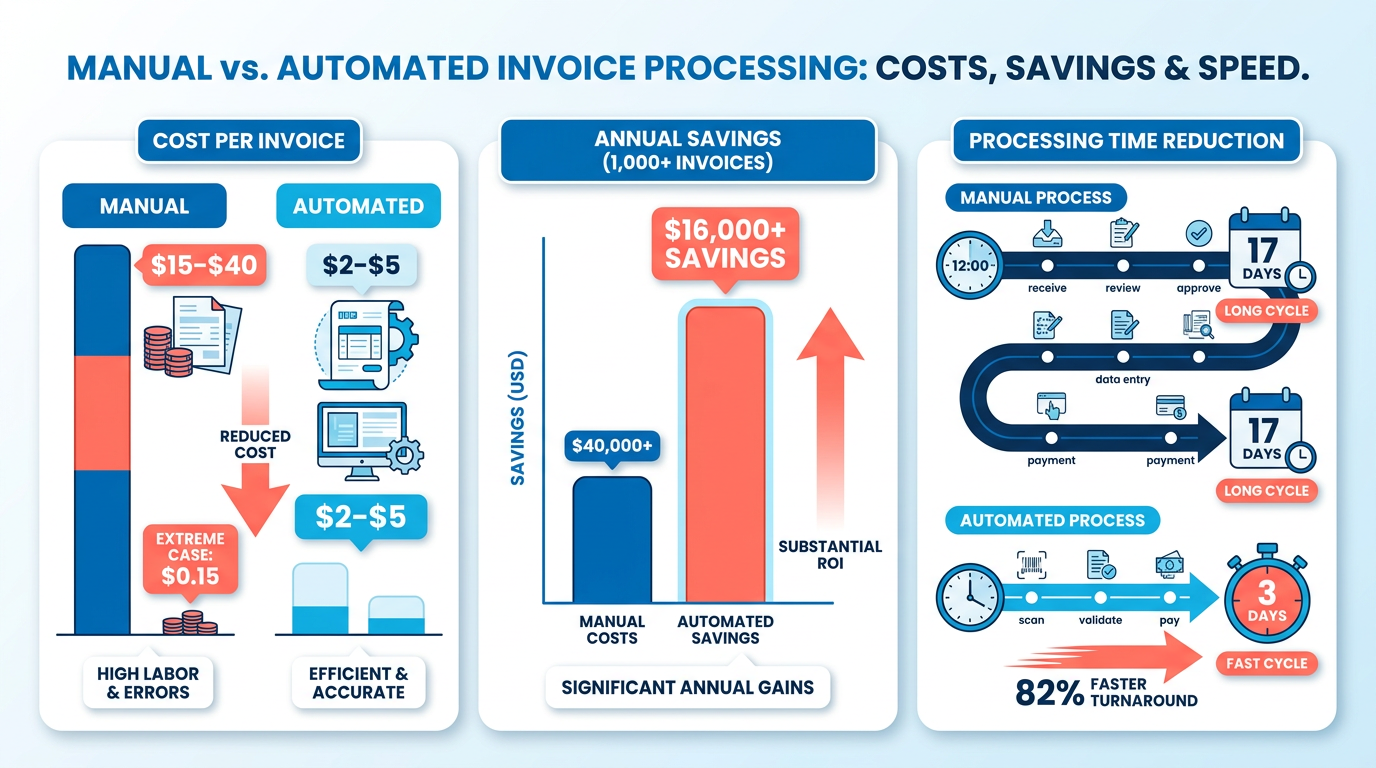
Automating ERP invoice processing isn’t just a convenience-it’s a strategic necessity for businesses aiming to thrive in a fast-paced financial market. Manual invoice processing costs businesses an average of $15–$40 per invoice, while automation reduces this to $2–$5, with some cases achieving as low as $0.15. For companies handling 1,000+ invoices monthly, this translates to annual savings of $16,000 or more. Beyond cost, automation slashes processing times from 17 days to 3 days, reducing Days Sales Outstanding (DSO) by 30–50% and accelerating cash flow.
How Does Manual Processing Harm Businesses?
Manual invoice workflows are riddled with inefficiencies. For example, 52% of unpaid invoices stem from manual errors, and 35% of missed payments delay cash flow, increasing administrative costs. A construction company in one case study lost $250,000 annually to payment errors before automation cut losses to $15,000. The human cost is equally staggering: finance teams spend 60% of their time on repetitive invoice tasks, leaving little room for strategic work.
What Financial Risks Come from Delays?
Delayed or lost payments disrupt cash flow, directly impacting revenue. One company with $50M in annual revenue loses $700K in working capital and $4M monthly due to late payments. These delays often trace back to manual reconciliation errors, which account for 61% of late payments in the U.S. For a logistics firm, automating with Blixo reduced DSO by 30%, cutting reconciliation disputes by 20% and freeing 200+ hours annually for high-priority tasks.
Who Benefits Most from Automation?
Businesses with high invoice volumes or complex billing cycles see the most transformative results. For instance:
- A mid-sized tech startup cut DSO from 45 to 22 days in six months using Blixo.
- A healthcare provider improved month-end closing by 18%, redirecting staff focus to patient care.
- Wolf Construction eliminated 80% of manual errors with AI-driven automation, saving thousands in correction costs.
Blixo’s touchless processing, powered by AI and OCR, automates data capture, payment matching, and reconciliation with 99.5% accuracy. As mentioned in the Integrating Blixo with Your ERP System section, this ensures seamless connections with major ERP systems, eliminating 30–50% of payment delays. Building on concepts from the Automated Invoice Capture and Data Extraction section, the platform’s AI-powered optical character recognition (OCR) resolves 98% of payment matches automatically, strengthening vendor relationships and reducing administrative costs by 30%. For companies processing 10,000+ invoices yearly, automation delivers a 327% ROI over three years-a compelling return for any finance leader.
Real-World Results with Blixo
Case studies underscore automation’s tangible impact:
- A law firm boosted cash flow by 30% in three months using Blixo’s collections tools.
- A medium-sized enterprise cut manual invoice-matching time by 50%, saving hundreds of hours.
- A SaaS provider reallocated 62% of finance staff time to strategic projects after adoption.
By integrating seamlessly with ERPs like QuickBooks and SAP, Blixo ensures real-time data flow without on-premise hardware. Building on concepts from the Real-Time Invoice Validation and Matching section, its machine learning engine improves accuracy over time, resolving 98% of payment matches automatically. As one user puts it:
“Blixo is a total major advantage-it lets me focus on creative work without chasing payments.” – Vincent Mann, Founder of Globetown Media.
Automation isn’t just about cutting costs-it’s about enable growth. Businesses that adopt Blixo gain a competitive edge, turning invoice processing from a bottleneck into a revenue accelerator.
Integrating Blixo with Your ERP System
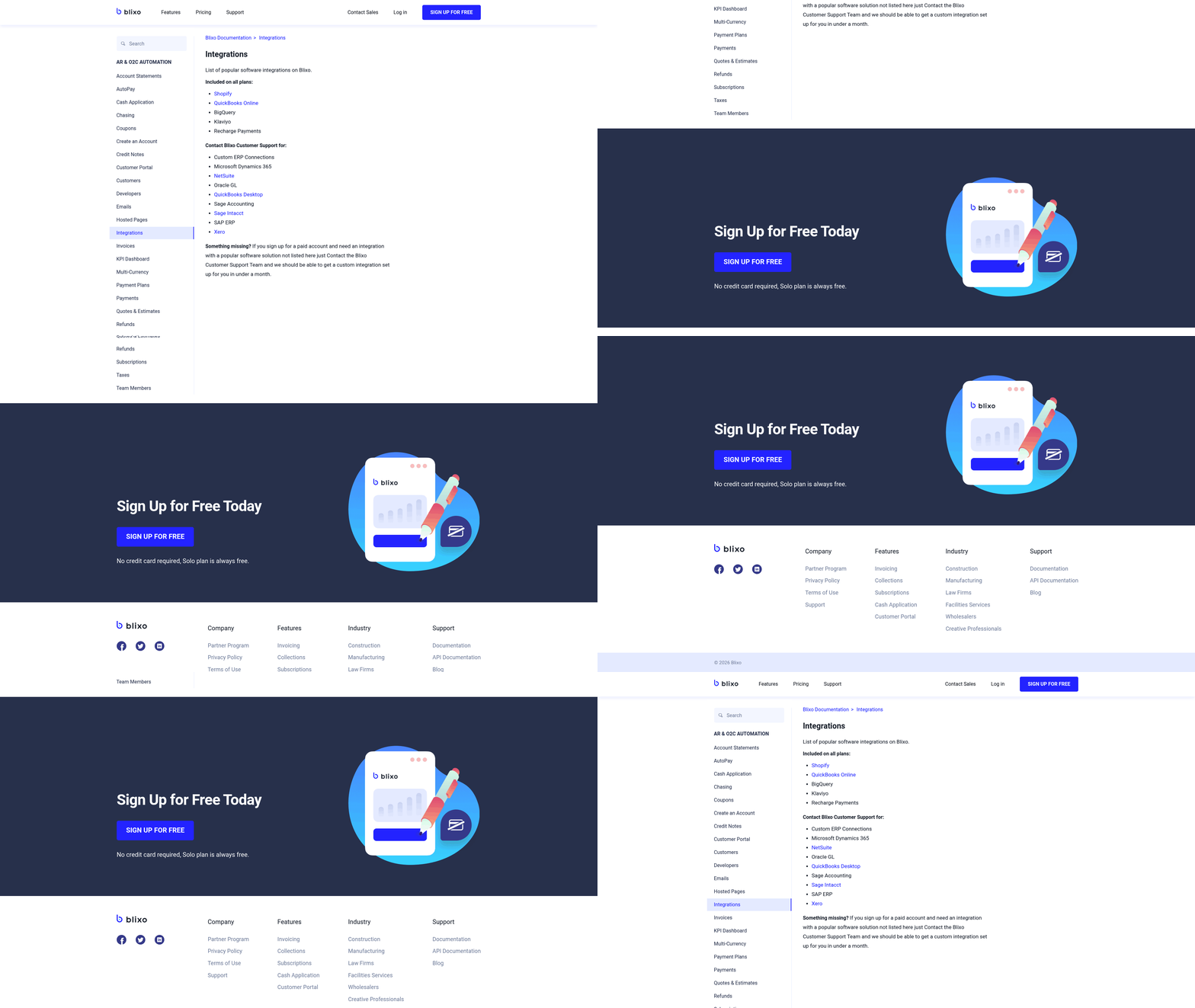
Integrating Blixo with your ERP system transforms manual invoice processing into an automated, error-resistant workflow. The platform supports seamless connections with major ERP systems, using its intelligent matching engine to align payments, invoices, and financial data. By automating reconciliation and cash application, Blixo reduces manual effort by up to 50% while improving accuracy through machine learning. Below, you’ll find a structured guide to set up the integration, troubleshoot issues, and validate results..
How Do You Prepare for Integration?
Before connecting Blixo to your ERP, ensure both systems are configured for data exchange. Start by activating API access in your ERP system and generating an API key. Blixo requires this key to authenticate requests and synchronize data. Next, assign a user with administrative permissions in your ERP to oversee the integration. This user will map financial data fields (e.g., invoice numbers, payment amounts) between systems.
Review your ERP’s data structure to identify inconsistencies, such as mismatched currency codes or duplicate invoice entries. Blixo’s system learns from user corrections, but clean data accelerates initial setup. Finally, consult Blixo’s documentation to confirm compatibility with your ERP version. Most integrations proceed smoothly if your ERP supports RESTful API protocols. For step-by-step guidance on ERP readiness, refer to the Onboarding and Implementation Checklist section..
How Do You Configure Data Mapping and Workflows?
Data mapping aligns fields between Blixo and your ERP to ensure accurate payment-invoice matching. Begin by logging into your Blixo dashboard and managing to the Integration Settings tab. Select your ERP from the supported list and click “Map Fields.”.
For example:
- ERP Invoice Number → Blixo Invoice ID
- ERP Payment Date → Blixo Transaction Date
Use the drag-and-drop interface to pair 10–15 critical fields, focusing on identifiers like invoice numbers, payment types, and customer IDs. After mapping, configure workflow automation rules. Define how Blixo handles exceptions-such as partial payments or unapplied cash-by setting approval thresholds. For instance, you might require manual review for payments under $50 or over $10,000.
Save your settings and run a test batch of 5–10 transactions. Blixo’s interface highlights mismatches in real time, letting you adjust mappings before full deployment. This process builds on the Automated Invoice Capture and Data Extraction section, where field alignment is critical for accuracy..
What Are Common Integration Issues and Fixes?
Integration challenges often stem from data formatting or connectivity gaps. If payments fail to sync, verify that your ERP’s API key has not expired and that firewall settings allow Blixo’s IP addresses. For mismatched invoices, cross-check date formats (e.g., MM/DD/YYYY vs. DD/MM/YYYY) and currency codes in both systems.
A frequent issue is duplicate invoice entries, which can confuse Blixo’s matching engine. To resolve this, enable the “De-duplicate Invoices” option in Blixo’s settings and run a cleanup script in your ERP. If reconciliation accuracy drops below 85%, review user corrections in Blixo’s logs to identify patterns. The machine learning model improves over time, but consistent feedback ensures optimal performance. For additional security measures during troubleshooting, consult the Security and Compliance Considerations section..
How Do You Test and Validate the Integration?
Testing ensures the integration aligns with your financial workflows. Start with a sandbox environment where you simulate 20–30 invoice-payment scenarios, including edge cases like late fees or refunds. Monitor Blixo’s reconciliation speed-most systems report matches in seconds-and verify that approval workflows trigger correctly.
After validation, run a parallel test alongside your existing manual process. Compare Blixo’s matched payments with your team’s work for a week. If discrepancies arise, adjust data mappings or refine exception rules. Once confident, deploy the integration broadly.
Real-time validation during this phase complements the Real-Time Invoice Validation and Matching section, where immediate error detection is key to minimizing delays..
What Best Practices Ensure Long-Term Success?
Post-integration, maintain accuracy by reviewing Blixo’s weekly performance reports. Look for trends like increasing match rates or recurring exceptions. Schedule quarterly audits to update field mappings as your ERP evolves. Train finance teams to use Blixo’s user-friendly interface for resolving exceptions-resolving mismatches with just a few clicks becomes second nature.
Use Blixo’s machine learning by consistently approving or correcting matches. Over time, the system adapts to your business’s unique payment patterns, minimizing errors. With these steps, your ERP and Blixo will function as a unified, automated financial ecosystem.
Automated Invoice Capture and Data Extraction
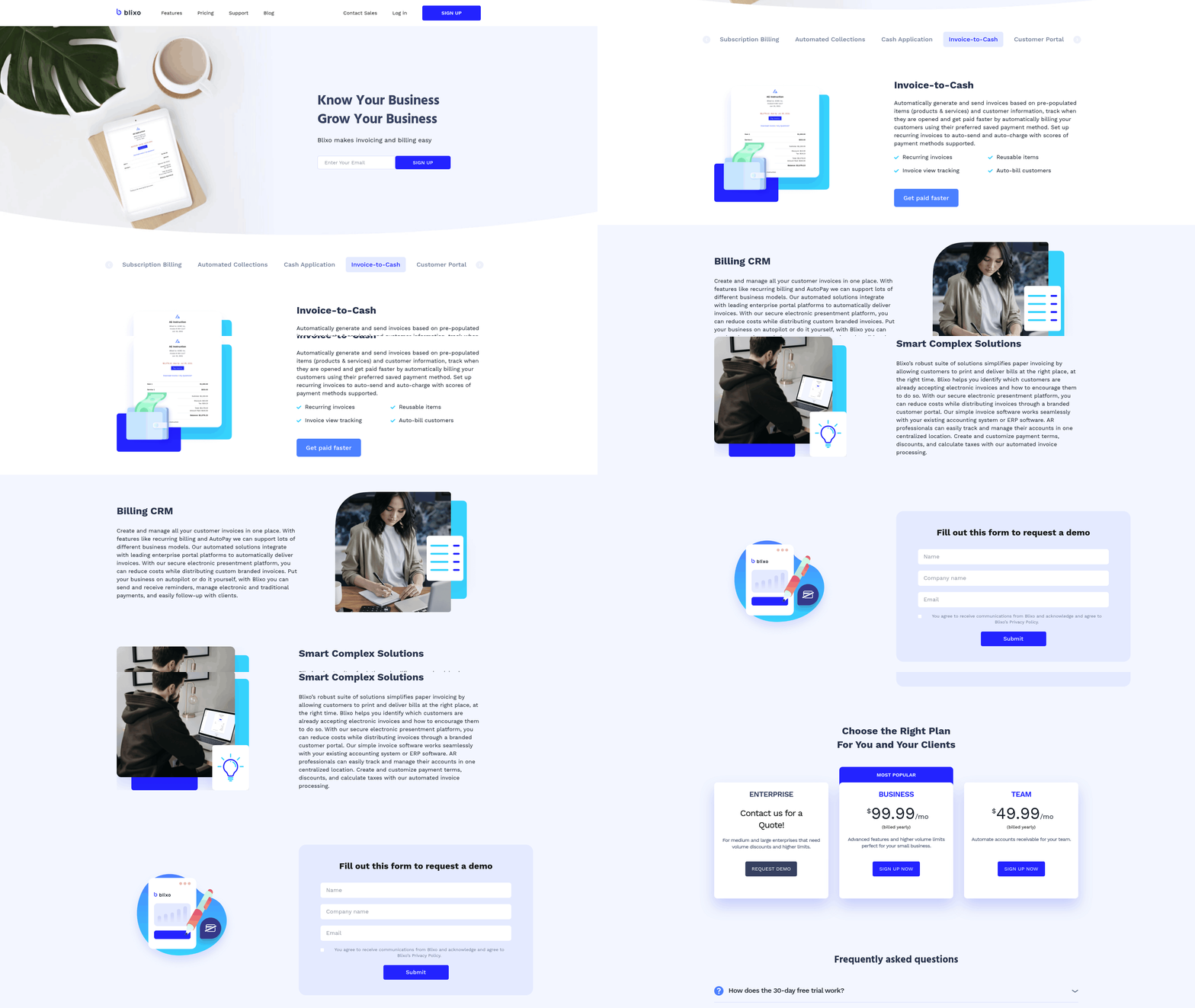
Automated invoice capture and data extraction form the backbone of Blixo’s touchless processing system, transforming how businesses handle accounts receivable. By using AI-powered optical character recognition (OCR) and machine learning, Blixo eliminates manual data entry, reducing processing time by 50–70% while achieving 99% cash-application accuracy. This section outlines how the system works, its benefits, and real-world results for businesses of all sizes.
How Does Automated Invoice Capture Work?
Blixo supports file formats like PDF, image scans, and digital invoices, extracting structured data from documents regardless of layout or supplier. The platform’s AI identifies key fields-such as invoice numbers, dates, line items, and totals-using trained models that adapt to variations in formatting. For example, a logistics company processing 1,000+ invoices monthly saved 200+ hours annually by automating reconciliation, reducing errors that previously caused 35% of missed payments. As mentioned in the Real-Time Invoice Validation and Matching section, this automation aligns with real-time error detection to further streamline workflows.
What Technologies Power Data Extraction?
Blixo’s extraction engine combines OCR with rule-based logic and AI to handle handwritten notes, stamps, or non-standard fields. The system matches invoices to payments in real time, resolving 98% of discrepancies automatically. Unlike manual processes that average a 1.6% error rate, Blixo’s automation cuts this to 0.3%, preventing costly corrections. One healthcare provider integrated Blixo with its ERP system, improving month-end closing by 18% and freeing staff for strategic tasks. Building on concepts from the Integrating Blixo with Your ERP System section, this integration ensures seamless data flow across financial platforms.
What Benefits Do Businesses Gain?
Automating data capture reduces administrative costs from $15–$40 per invoice to as low as $0.15, saving $16,000 annually for 10,000 invoices. A mid-sized tech startup reduced its Days Sales Outstanding (DSO) from 45 to 22 days within six months, accelerating cash flow by 30%. Additionally, reconciliation disputes dropped by 20% for a logistics firm, while a construction company boosted invoicing conversion rates by 70%. These gains stem from faster payment tracking and proactive dunning workflows that cut late payments by 40% in three months. As detailed in the Seamless Payment Application and Cash Flow section, these improvements directly enhance working capital efficiency.
Real-World Impact of Automation
Businesses adopting Blixo report measurable ROI within months. One company saved $2.9M in annual productivity losses by eliminating manual errors, while another achieved a 327% ROI over three years through faster collections and operational savings. A manufacturer reduced payment-related losses from $250,000 to $15,000 by automating invoice workflows. These results highlight how Blixo’s touchless system turns accounts receivable from a bottleneck into a competitive advantage.
How Can You Optimize Invoice Workflows?
To maximize efficiency, start by standardizing invoice templates and defining user roles before implementation. Test the system with 10–15 sample invoices to fine-tune data mapping, then monitor metrics like processing time and error rates. Training resources and onboarding tutorials ensure teams use advanced features like dynamic discounting, which can boost cash flow by 25%. Address common challenges-such as API compatibility-using Blixo’s middleware tools, and adopt phased rollouts to ease user adoption. For implementation steps, refer to the Onboarding and Implementation Checklist to ensure a smooth transition.
By automating invoice capture and data extraction, Blixo empowers finance teams to reduce errors, accelerate payments, and reallocate time to strategic growth. Whether handling high-volume transactions or complex reconciliation, the platform’s seamless ERP integrations and AI-driven precision deliver tangible results. For businesses seeking to streamline accounts receivable, Blixo’s touchless solution offers a scalable path to operational excellence.
Real-Time Invoice Validation and Matching
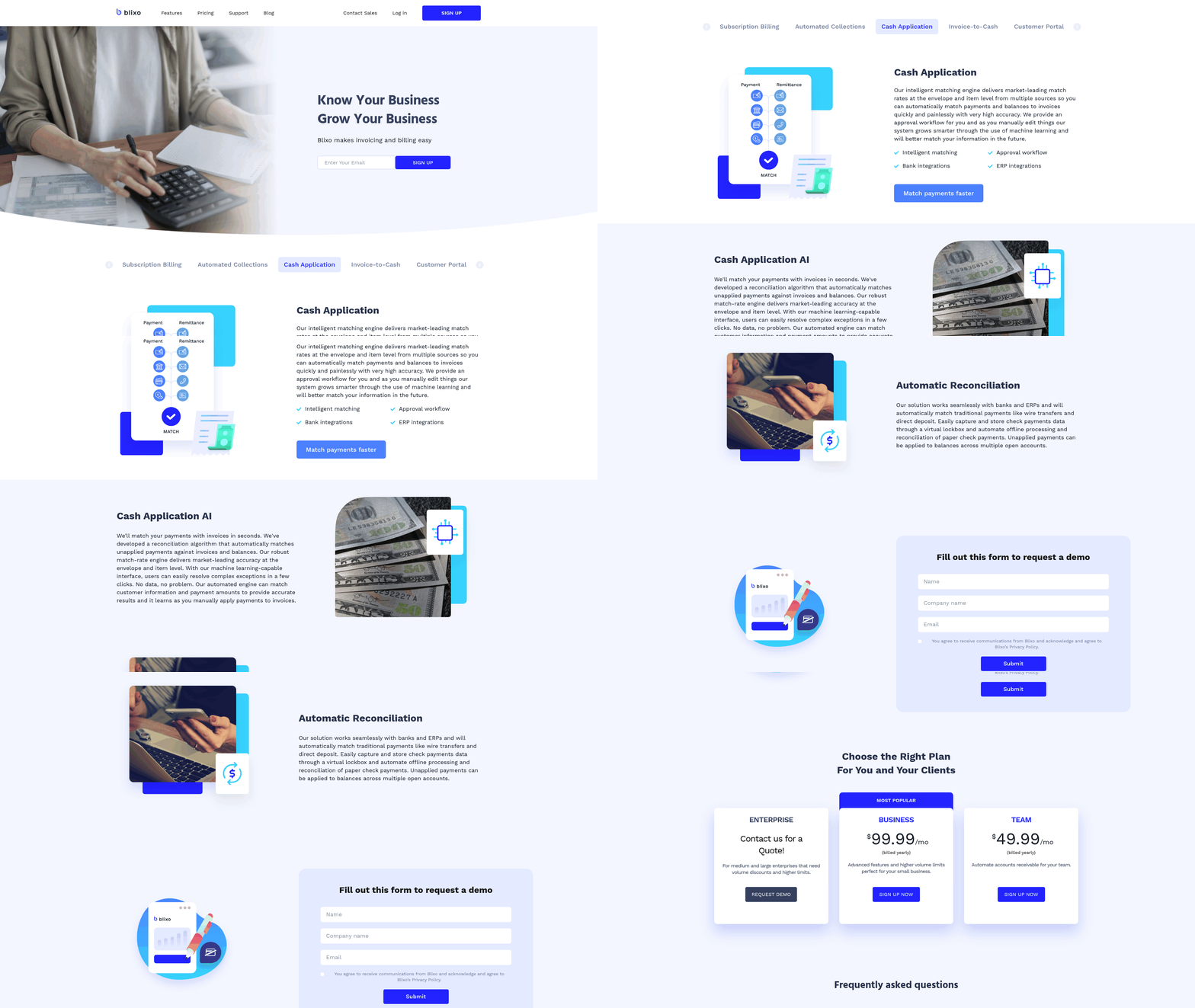
Real-time invoice validation and matching streamline accounts receivable by automating error detection, payment alignment, and reconciliation. Blixo’s system uses AI-powered optical character recognition (OCR) and machine learning to validate invoice data against predefined rules, ensuring accuracy before payments are processed. This eliminates manual checks that delay cash flow and increase error rates. Below, we break down how Blixo’s approach works, its impact on financial operations, and strategies to maximize its value.
How Does Real-Time Validation Work?
Blixo’s validation engine scans incoming invoices for inconsistencies, such as mismatched line items, incorrect payment amounts, or missing tax codes. It applies customizable rules-like checking purchase order numbers against contracts or verifying delivery dates-to flag discrepancies instantly. For example, if an invoice totals $5,000 but the system detects a $500 discrepancy in itemized costs, it pauses processing and alerts the user. This reduces manual corrections by 80% compared to traditional methods.
The system achieves 99% accuracy by integrating with ERPs like QuickBooks and SAP, pulling real-time data to cross-reference invoices. As mentioned in the Integrating Blixo with Your ERP System section, these connections ensure seamless data flow between platforms. A logistics firm using Blixo reduced Days Sales Outstanding (DSO) by 30% within six months by catching errors that previously delayed payments.
What Makes Automated Matching Effective?
Blixo’s matching algorithm pairs payments with invoices using envelope-level and item-level checks. It identifies partial payments, allocates funds to the correct invoice lines, and resolves ambiguous transactions in seconds. For instance, if a $10,000 payment covers three open invoices, the system analyzes historical patterns and payment terms to distribute funds accurately.
Machine learning enhances this process over time. When users manually adjust matches, the system learns from those edits to improve future decisions. Building on concepts from the Automated Invoice Capture and Data Extraction section, Blixo’s AI-powered OCR ensures high-quality data inputs, enabling precise matching. A mid-sized tech company reported a 50% reduction in manual reconciliation time after adopting Blixo, as the algorithm resolved 98% of payments automatically.
What Are the Benefits for Businesses?
- Faster Cash Flow: Automating validation cuts invoice processing time by 50–70%, accelerating collections. A healthcare provider improved month-end closing by 18% using Blixo.
- Error Reduction: Manual data entry errors-which cause 35% of payment delays-drop by 90% with AI-driven checks. One construction firm slashed manual errors by 80%, saving $235,000 annually.
- Cost Savings: High-volume businesses processing 1,000+ invoices monthly save over 200 hours yearly on reconciliation alone.
How to Optimize Validation Rules
To maximize efficiency, configure validation rules based on your business’s pain points. Start by:
- Prioritizing Critical Checks: Focus on high-risk areas like tax compliance or supplier contracts.
- Training the System: Allow finance teams to review and correct matches, teaching the AI to adapt to edge cases.
- Integrating with ERP Workflows: Align Blixo’s rules with your ERP’s approval hierarchy to prevent bottlenecks. As outlined in the Onboarding and Implementation Checklist section, preparing ERP workflows before deployment ensures smoother adoption.
A SaaS provider reduced billing errors by 40% after refining validation parameters to match its subscription tiers.
Real-World Impact
- Logistics Firm: Cut reconciliation disputes by 20% and reduced DSO from 45 to 22 days.
- Law Firm: Automated matching improved cash flow by 30% in three months by accelerating collections.
- Healthcare Provider: Saved 62% of finance staff’s time by shifting from manual audits to AI-driven validation.
By automating validation and matching, Blixo transforms accounts receivable from a reactive task into a strategic advantage. The result? Fewer errors, faster payments, and more resources to reinvest in growth.
Seamless Payment Application and Cash Flow
What Financial and Operational Benefits Do Businesses Gain?
Automation eliminates administrative bottlenecks and enhances working capital efficiency. By accelerating payment cycles, businesses gain immediate access to liquidity for operational needs, such as inventory replenishment or expansion. Enhanced working capital management also strengthens vendor negotiation power, as companies can commit to timely payments with confidence. A mid-sized business, for instance, improved its vendor terms from net-30 to net-15 by demonstrating reliable payment history via Real-Time Invoice Validation and Matching dashboards. Additionally, streamlined reconciliation reduces the risk of overpaying or underpaying suppliers-a logistics company avoided $120,000 in penalties by resolving discrepancies before payment deadlines. These gains empower finance teams to shift focus from transactional tasks to strategic planning, such as budget forecasting and investment analysis.
Real-World Impact: Case Studies and Results
A law firm automated collections with Blixo, achieving a 30% cash flow boost in three months by reducing late payments through Automated Invoice Capture and Data Extraction. Another medium-sized enterprise cut manual invoice matching time by 50%, saving over 200 hours annually. A manufacturer minimized payment losses from $250,000 to $15,000 by eliminating manual errors. These outcomes highlight how Blixo’s automation transforms financial operations from reactive to proactive.
How Can Businesses Optimize Their Workflows?
Start by cleaning invoice templates and defining user roles pre-implementation. Testing with 10–15 invoices during setup helps identify integration gaps, as outlined in the Onboarding and Implementation Checklist. Regularly monitor metrics like DSO and payment error rates to refine processes. For example, Wolf Construction reduced manual errors by 80% using Blixo’s AI-driven matching. Training sessions and phased rollouts further ease user adoption, ensuring teams use all features effectively.
By automating payment application and cash flow management, Blixo turns accounts receivable from a bottleneck into a strategic asset-reducing costs, improving forecasting accuracy, and accelerating revenue cycles.
Security and Compliance Considerations
Blixo ensures the security and compliance of accounts receivable data through advanced encryption, strict access controls, and adherence to global regulatory standards. These features protect sensitive financial information from unauthorized access and cyber threats while simplifying compliance with regulations like GDPR and SOC 2. By automating invoice processing, as detailed in the Automated Invoice Capture and Data Extraction section, Blixo minimizes human error and reduces the risk of data exposure during manual handling.
How Does Blixo Protect Your Data?
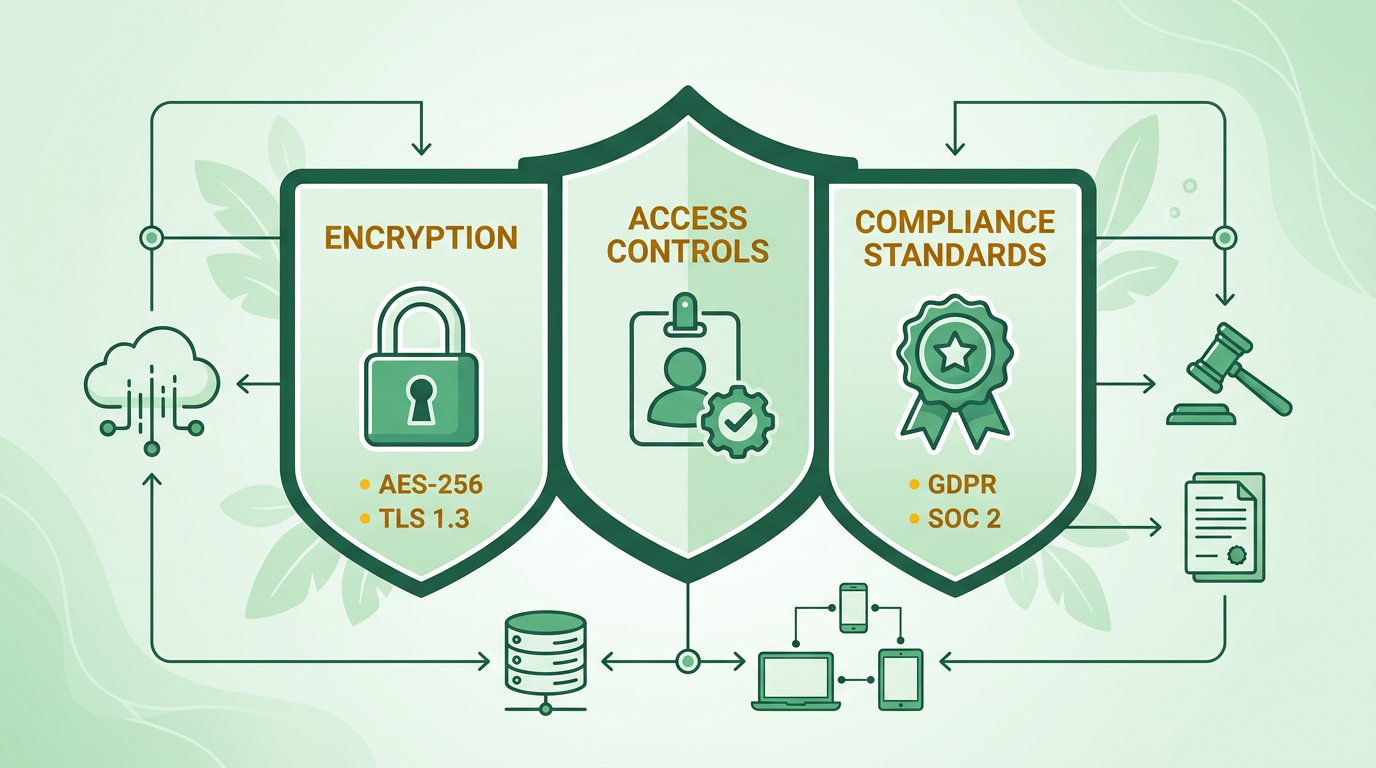
Data Encryption: Blixo encrypts all data both at rest and in transit using industry-standard protocols like AES-256 and TLS 1.3. This ensures that even if data is intercepted, it remains unreadable without the proper decryption keys. Encryption is applied automatically across all storage systems and communication channels, including cloud environments. These protocols align with security practices emphasized in the Integrating Blixo with Your ERP System section, where secure data handling is critical during ERP synchronization.
Access Controls: Role-based access controls (RBAC) allow administrators to define user permissions precisely. Each user only accesses data necessary for their role, reducing the risk of internal breaches. Multi-factor authentication (MFA) adds an extra layer of security for all login attempts, requiring users to verify their identity through a second method like SMS codes or biometric scans.
Audit Logs and Monitoring: Every action within the Blixo SaaS service is logged, providing a detailed audit trail. This helps track access patterns and detect anomalies in real-time. Automated alerts notify administrators of suspicious activities, such as repeated failed login attempts or unusual data downloads, enabling quick responses to potential threats.
How Does Blixo Ensure Regulatory Compliance?
Blixo aligns with major compliance frameworks to help organizations meet legal requirements. Its SaaS service is designed to comply with standards such as GDPR for data privacy, SOC 2 for security and availability, and PCI-DSS for payment card information. Regular third-party audits verify that Blixo maintains these compliance standards, providing assurance to clients. For example, GDPR compliance is achieved through features like data minimization, user consent management, and secure data deletion processes. SOC 2 compliance ensures that Blixo consistently meets rigorous criteria for security, confidentiality, and data integrity.
What Are the Benefits of Blixo’s Security and Compliance Features?
Implementing Blixo’s security measures significantly lowers the risk of data breaches. One company reported a 70% reduction in breach incidents after adopting Blixo’s automated invoice processing. Another organization saved 50% on compliance-related costs by using Blixo’s built-in adherence to regulatory standards. These outcomes highlight how Blixo not only protects data but also streamlines compliance, saving time and resources. Automated audit trails and real-time monitoring further reduce the administrative burden of maintaining compliance, allowing teams to focus on core operations.
How Can You Optimize Blixo’s Security Settings?
To maximize protection, start by enabling multi-factor authentication for all user accounts. Regularly review and update role-based access controls to ensure users have the minimum permissions necessary for their tasks. Set up automated alerts for unusual login attempts or data access patterns, such as logins from unfamiliar devices or locations. Conduct periodic audits of your Blixo logs to identify and address vulnerabilities proactively. For example, one company improved its compliance posture by configuring custom alerts for large-volume data exports, catching an attempted breach before any damage occurred. These steps help maintain a strong security posture and ensure ongoing compliance with evolving regulations.
Onboarding and Implementation Checklist
To automate ERP invoice processing with Blixo, start by preparing your ERP system and team. This ensures a smooth setup and minimizes disruptions. Begin with an audit of your current ERP configuration to identify gaps in data structure or integration points. As mentioned in the Integrating Blixo with Your ERP System section, confirm that platforms like QuickBooks, Xero, or SAP support Blixo’s integration protocols. Next, train your finance team on Blixo’s interface, focusing on modules like Cash Application AI and automated bank account syncing. Finally, clean your invoice and payment data to eliminate duplicates or formatting inconsistencies-Blixo’s success depends on accurate input data.
How Do You Prepare Your ERP System for Blixo?
Your ERP system must meet specific technical requirements before onboarding. As outlined in the Integrating Blixo with Your ERP System section, confirm that your accounting software supports API integrations, as Blixo relies on these to sync data in real time. If you’re using legacy systems, consult Blixo’s documentation to ensure compatibility with older versions. Additionally, assign a dedicated project lead to oversee the implementation, as this role is critical for troubleshooting and decision-making during setup. For example, one company streamlined its onboarding by creating a task force to handle data mapping and system audits, reducing setup time by 30%.
What Are the Step-by-Step Setup Instructions?
- Initial Configuration: Log into the Blixo dashboard and connect your ERP system using API keys or OAuth credentials. This step typically takes 1–2 hours, depending on your system’s complexity.
- Data Mapping: Align Blixo’s data fields with your ERP’s structure. Building on concepts from the Automated Invoice Capture and Data Extraction section, map customer IDs, invoice numbers, and payment terms to ensure seamless data flow. Blixo’s support team can assist with templates for common ERP platforms.
- Workflow Configuration: Enable automation rules, such as triggering payment reminders or applying Cash Application AI. For example, set up ACH and credit card processing workflows to handle payments automatically.
- Team Training: Run live training sessions to familiarize your team with Blixo’s dashboard. Focus on features like Collections AI, which helps prioritize overdue invoices.
How Do You Troubleshoot Common Implementation Issues?
Data mismatches and integration errors are common during onboarding. To resolve these, double-check your data mapping for inconsistencies-Blixo’s validation tools highlight mismatched fields in red, as discussed in the Real-Time Invoice Validation and Matching section. For integration issues, regenerate API keys or reconfigure OAuth settings through the Blixo dashboard. If problems persist, contact Blixo’s support team, who provide 24/7 assistance. One company resolved a recurring sync error by updating its ERP’s API version to match Blixo’s requirements. Always test workflows with small batches of data before full deployment.
What Are Best Practices for Testing and Validation?
Before going live, run parallel tests by processing invoices manually and through Blixo simultaneously. Compare results to ensure accuracy in payment tracking and reporting. Use test data, such as dummy invoices with randomized payment terms, to stress-test automation rules. For example, simulate late payments to verify that Collections AI sends alerts as configured. Once validated, cross-check Blixo’s financial reports with your ERP’s records to confirm alignment. A mid-sized business reduced manual reconciliation by 75% after following this testing protocol.
Real-World Examples of Successful Implementations
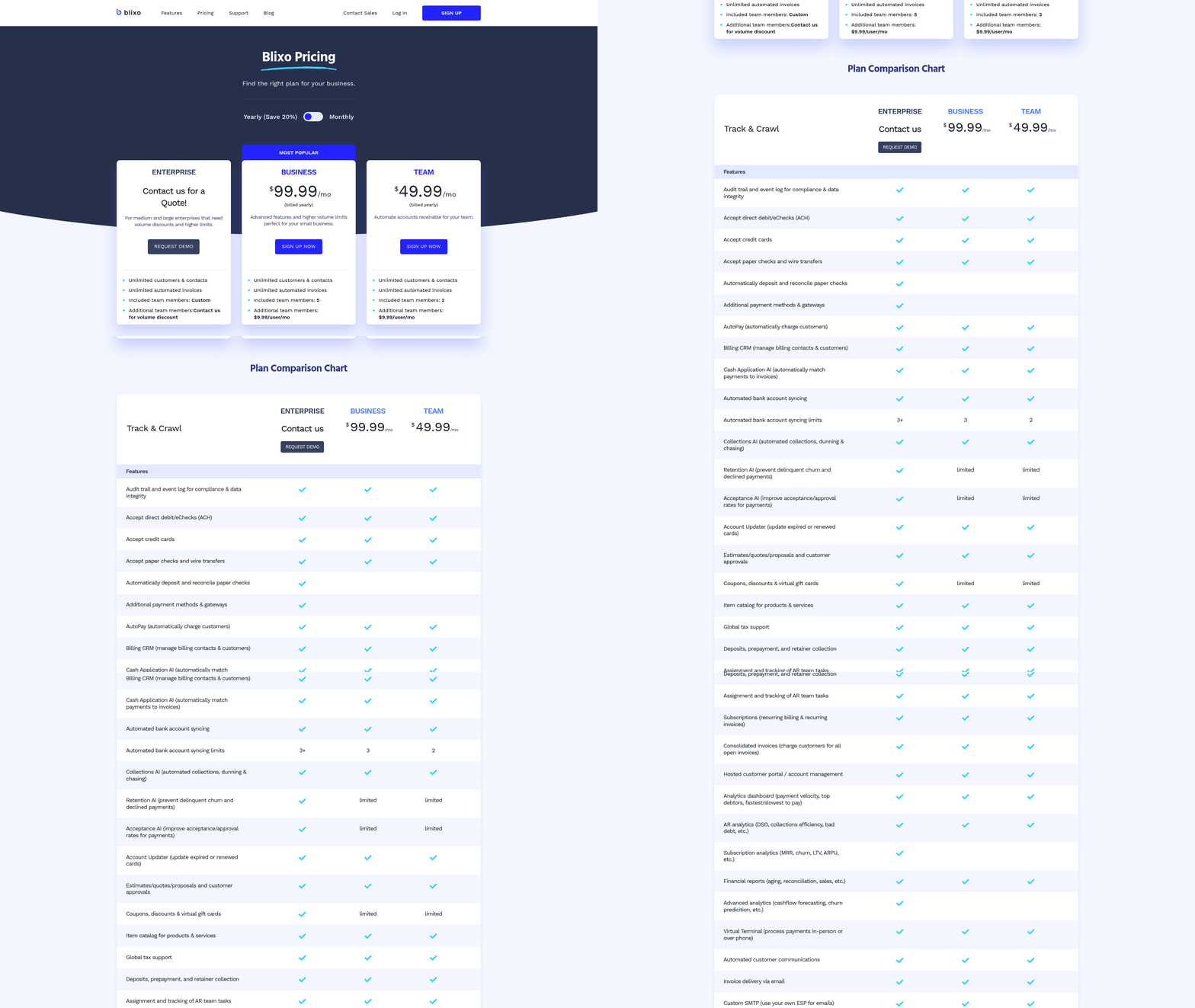
A mid-sized SaaS company automated 80% of its invoice processing by adopting Blixo’s Business plan, which costs $99.99/month and supports unlimited customers. By integrating with QuickBooks, the team cut invoice-to-cash cycles from 10 days to 2. Another organization using the Team plan ($49.99/month) streamlined workflows for three team members, reducing errors in cash application by 40%. These examples highlight how Blixo’s scalable pricing and automation tools adapt to diverse business needs. For detailed guidance, refer to Blixo’s blog on implementing touchless invoice processing.
Frequently Asked Questions
1. How much can businesses save by automating ERP invoice processing?
Automating invoice processing saves $16,000+ annually for businesses handling 1,000+ invoices/month, reducing costs from $15–$40 per invoice to $2–$5. Some cases achieve $0.15 per invoice, with $50M companies saving $700K monthly in working capital.
2. How does automation reduce invoice processing time?
Automation cuts invoice processing time from 17 days to 3 days, reducing Days Sales Outstanding by 30–50%. This accelerates cash flow and minimizes delays that risk revenue and operational costs.
3. What percentage of unpaid invoices result from manual errors?
52% of unpaid invoices stem from manual processing errors, which also cause 35% of missed payments. These errors delay cash flow and increase administrative costs for finance teams.
4. Which businesses benefit most from invoice automation?
Companies with high invoice volumes or complex billing cycles see the greatest benefits. A $50M logistics firm saved 200+ hours/year, while a construction company reduced annual payment errors from $250K to $15K using Blixo.
5. How does automation impact finance team productivity?
Manual invoice tasks consume 60% of finance teams’ time. Automation frees this time for strategic work, as seen in a logistics firm saving 200+ hours/year and reducing reconciliation disputes by 20%.
6. What financial risks arise from manual invoice processing?
Manual errors cause $700K in monthly working capital losses for $50M-revenue companies. Delays from errors account for 61% of late payments in the U.S., risking revenue and supplier relationships.
7. Can automation reduce invoice-related disputes?
Yes, automation cuts reconciliation disputes by up to 20%. A logistics firm using Blixo reduced disputes significantly while saving 200+ hours/year, improving accuracy and cash flow predictability.