

Automate Billing with Blixo Invoice Automation Tool

Key Takeaways
- Manual billing errors cost U.S. businesses $1.3 trillion annually due to invoice mistakes and administrative waste.
- Processing a single invoice manually takes 5–10 minutes, draining hundreds of work-hours monthly for high-volume companies.
- Automating billing reduces Days Sales Outstanding (DSO) by half, as seen in a SaaS company’s improvement from 60 to 30 days.
- Late payments rise by 69% in manual systems, creating cash-flow gaps that strain business operations.
- A healthcare provider eliminated billing disputes entirely through error-free automation with Blixo.
- Automating milestone billing saved a construction firm 200+ admin hours weekly while accelerating payments.
- Firms processing 20,000+ invoices monthly cut payment receipt times from 78 to 55 days using automation.
Related Video
Watch: How to create a new invoice on Blixo by Blixo
Why Automating Billing Matters
Manual billing processes are a silent crisis for businesses. Industry data reveals that 39% of invoices contain errors, costing U.S. businesses $1.3 trillion annually in lost revenue and administrative waste. For context, processing a single invoice manually takes 5–10 minutes, consuming hundreds of work-hours monthly for companies handling high volumes. Worse, 69% of businesses report rising late payments when relying on manual systems, creating cash-flow gaps that strain operations. These errors and delays don’t just hurt the bottom line-they erode customer trust.
The Hidden Costs of Delayed Payments
Delayed payments ripple across every part of a business. When invoices sit unprocessed for weeks, Days Sales Outstanding (DSO)-a critical cash-flow metric-plummets. For example, a SaaS company reduced its DSO from 60 to 30 days by automating reminders and collections. Similarly, a firm processing 20,000+ invoices monthly cut payment receipt times from 78 to 55 days, freeing up capital for growth. The real-world impact is stark: one construction firm saved 200+ admin hours weekly by automating milestone billing reminders, while a healthcare provider eliminated billing disputes entirely through error-free automation. These examples align with the Real-World Applications and Case Studies section, which expands on how automation transforms financial workflows.
Automation addresses these pain points by slashing processing time to seconds per invoice and reducing errors by up to 57%. AI-driven tools like Blixo go further, using predictive analytics to flag high-risk accounts and send multi-channel reminders (email, SMS) at optimal times. This proactive approach not only speeds up payments but also reduces the need for manual follow-ups by 75–85%, as seen in case studies across industries. For deeper insight into Blixo’s AI-powered capabilities, see the Understanding Blixo’s Automation Capabilities section.
Who Benefits Most?
While all businesses gain from automation, certain types see transformative results:
- Small businesses and consultants eliminate hours of administrative work, with one user reporting 30% faster payments and 15 hours saved monthly.
- Subscription-based SaaS companies reduce churn and improve revenue recognition accuracy, as seen in a case where $25,000 in overdue payments was recovered within three months.
- High-volume enterprises processing thousands of invoices monthly benefit from 70+ ERP/CRM integrations and AI-powered cash-application tools, cutting reconciliation time by 70%.
Blixo’s SaaS service is designed for scalability, offering transparent pricing, SOC 2/ISO 27001 compliance, and real-time dashboards for cash-flow forecasting. For instance, a global ERP user reduced document processing time from 15 minutes to 3 minutes using Blixo’s OCR technology, while a publishing house boosted customer satisfaction by personalizing invoices to reflect client purchase history.
The Bigger Picture
Beyond efficiency, automation future-proofs businesses. As customer expectations for instant, error-free transactions rise, manual systems become liabilities. Blixo’s integration of AI, blockchain, and RPA ensures workflows adapt to evolving demands-from dynamic discounting to self-executing smart contracts. For teams drowning in spreadsheet reconciliations or chasing late payments, automation isn’t just beneficial-it’s essential. The Future-Proofing Your Billing Processes with Blixo section explores how these technologies align with long-term financial strategies.
By automating billing, businesses turn a cost center into a strategic asset. The result? Faster cash flow, fewer disputes, and a revenue engine that scales seamlessly with growth. Whether you’re a solo consultant or a midsize enterprise, the data is clear: automation isn’t optional-it’s the foundation of modern financial operations.
Understanding Blixo’s Automation Capabilities
How Does AI-Powered Cash Application Speed Up Payments?
Blixo’s AI-powered cash application automatically matches payments to invoices with 98% accuracy, reducing manual reconciliation time from hours to seconds. The system identifies payment sources like wires, direct deposits, or checks and applies them instantly, cutting days sales outstanding (DSO) by up to 30%. By analyzing payment patterns, it prioritizes high-risk transactions for review, ensuring faster resolution of exceptions. This automation also supports multi-currency settlements, streamlining international billing workflows for global businesses. As mentioned in the Why Automating Billing Matters section, manual billing errors affect 39% of invoices, making such automation critical for accuracy.
What Smart Invoicing Features Does Blixo Offer?
Blixo allows businesses to create customizable, branded invoices with automated scheduling and dynamic content. Users can set rules for recurring invoices, proration, and multi-currency support, ensuring consistency for subscription-based models. The platform generates invoices instantly after a sale, with unlimited automated invoicing and customizable templates. AI-driven OCR extracts data from complex invoices with 92% accuracy, reducing manual data entry errors by 57%. Building on concepts from the Real-World Applications and Case Studies section, this feature mirrors how a SaaS company improved billing efficiency through similar tools. Automated milestone-based invoicing for project-driven workflows ensures timely billing, while embedded payment links boost customer convenience and first-time payment rates.
How Do Automated Collections and Dunning Work?
Blixo’s AI-driven collections system automates follow-ups via email, SMS, or in-app notifications, optimizing send times to maximize response rates. It reduces payment delays by 30% and cuts late fees by proactively retrying failed payments or updating expired cards. The dunning process uses predictive analytics to identify high-risk accounts and apply tailored strategies, such as dynamic discounting. For instance, a healthcare provider reported a 35% drop in overdue payments after implementing these tools. Customizable workflows allow teams to define escalation paths based on customer payment history, balancing urgency with customer experience.
What Integrations Support Scalability?
Blixo connects with 70+ ERP and accounting systems (e.g., QuickBooks, Xero, Salesforce, Stripe), enabling bidirectional data sync. This integration reduces PO-matching discrepancies by up to 80% and speeds up month-end reconciliations. For example, a logistics company cut processing time from 45 days to 3.1 days by linking Blixo with its ERP. Security is prioritized with SOC 2, ISO 27001, and GDPR compliance, ensuring data protection across 256-bit encrypted workflows. Pre-built connectors for e-commerce platforms and marketplaces further simplify scaling for businesses expanding into new sales channels.
By automating cash application, invoicing, collections, and integrations, Blixo reduces manual effort by 75–85% while improving cash flow efficiency. A mid-sized firm with 1,000 monthly invoices saved 200+ hours annually on reconciliation alone, demonstrating the platform’s scalability for businesses of all sizes.
For deeper technical insights, explore Blixo’s blog on AR automation.
Streamlining Financial Operations with Blixo
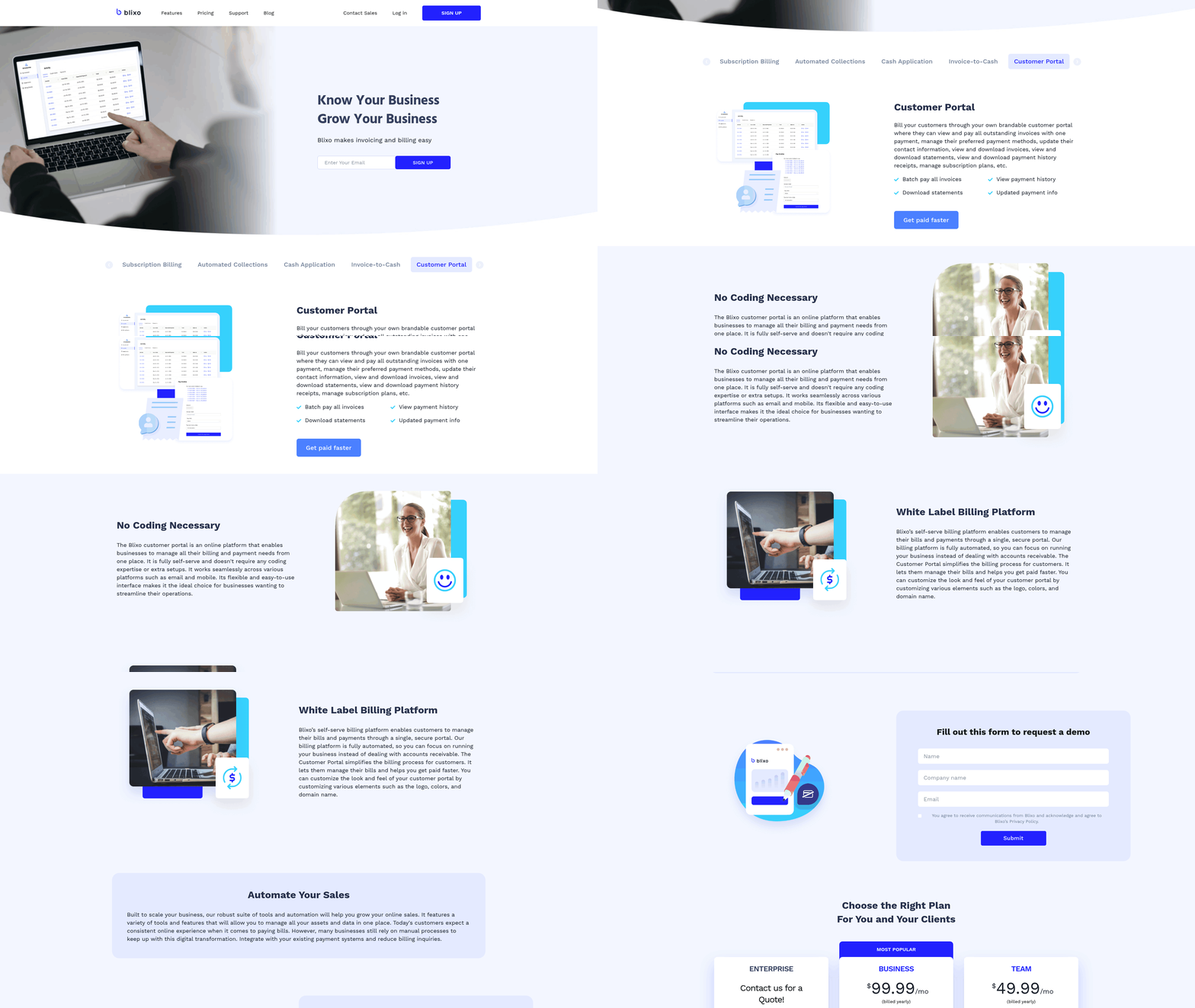
Streamlining financial operations with Blixo means transforming manual, error-prone processes into automated, data-driven workflows. By targeting accounts receivable (AR) and order-to-cash (O2C) automation, Blixo cuts administrative costs, accelerates payment cycles, and improves cash flow visibility. Here’s how it works in practice.
How Does Blixo Automate Financial Processes?
Blixo replaces fragmented tools and spreadsheets with a unified platform that automates invoicing, payment tracking, and reconciliation. For example:
- Invoice creation is tied directly to sales events, generating bills in seconds instead of hours.
- Payment reminders trigger automatically via email or SMS, reducing late payments by up to 30%.
- Cash application uses AI to match payments to invoices with 98% accuracy, cutting manual reconciliation time by 75–85%, as detailed in the How Does AI-Powered Cash Application Speed Up Payments? section.
This automation reduces the risk of human error. Manual invoicing, which takes 5–10 minutes per invoice, becomes an automated task requiring seconds. For businesses processing 1,000 invoices monthly, this saves over 200 hours annually on reconciliation alone.
What Financial Gains Come From AR Automation?
Blixo’s AR automation delivers measurable results:
- Days Sales Outstanding (DSO) drops by 30% on average. A SaaS company reduced its DSO from 60 to 30 days, speeding up cash flow, as highlighted in the Real-World Applications and Case Studies section.
- Billing disputes decrease by 40% due to consistent, error-free invoicing.
- Cash flow forecasting improves by 40% with real-time dashboards tracking DSO, aging reports, and payment trends.
A healthcare provider reduced billing errors by 35% through automated compliance checks. A logistics company improved its on-time payment rate by 25%, enhancing supplier relationships and securing early payment discounts. These gains translate into faster revenue realization and better working capital.
How Does Real-Time Reporting Improve Efficiency?
Blixo’s SaaS service provides real-time analytics for financial teams, offering visibility into key metrics like:
- Payment velocity: Track when invoices are paid and identify bottlenecks.
- Dispute trends: Pinpoint recurring issues in billing to refine processes.
- Cash flow gaps: Forecast liquidity needs with up-to-the-minute data.
For instance, a B2B firm improved its cash forecasting accuracy by 40% using these dashboards. The platform also supports multi-currency transactions and integrates with ERPs like QuickBooks and Xero, ensuring seamless data flow between systems.
Why Blixo Stands Out for Scalability
Unlike generic tools, Blixo is built for high-volume operations, handling 20,000+ invoices monthly with minimal manual intervention. Its AI-driven capabilities include predictive analytics for high-risk accounts and self-learning models that adapt to complex billing scenarios. For example, a Turkish financial institution reduced PO processing from 30–45 minutes to 3–5 minutes using Blixo’s cloud-based solution.
Security and compliance are also prioritized. The platform meets SOC 2 and ISO 27001 standards, with 256-bit encryption protecting sensitive data. This ensures businesses maintain regulatory compliance while scaling.
Measuring ROI with Blixo
Businesses see tangible returns within months. A mid-sized SaaS firm recovered $25,000 in overdue payments and cut administrative tasks by 70% in three months. Small businesses with 100+ invoices monthly save 10–15 hours weekly, while enterprises see 30–40% reductions in payment delays.
By automating repetitive tasks and providing actionable insights, Blixo turns financial operations into a strategic asset. For a deeper dive into implementation steps, explore Blixo’s blog on AR automation, building on concepts from the Implementing Blixo for Automated Billing section.
Implementing Blixo for Automated Billing
Implementing Blixo for automated billing transforms manual processes into efficient, error-free workflows. By following a structured approach, businesses can set up the platform, tailor it to their needs, and integrate it with existing systems-all while ensuring seamless support for ongoing operations. Below is a step-by-step guide to help you implement Blixo effectively..
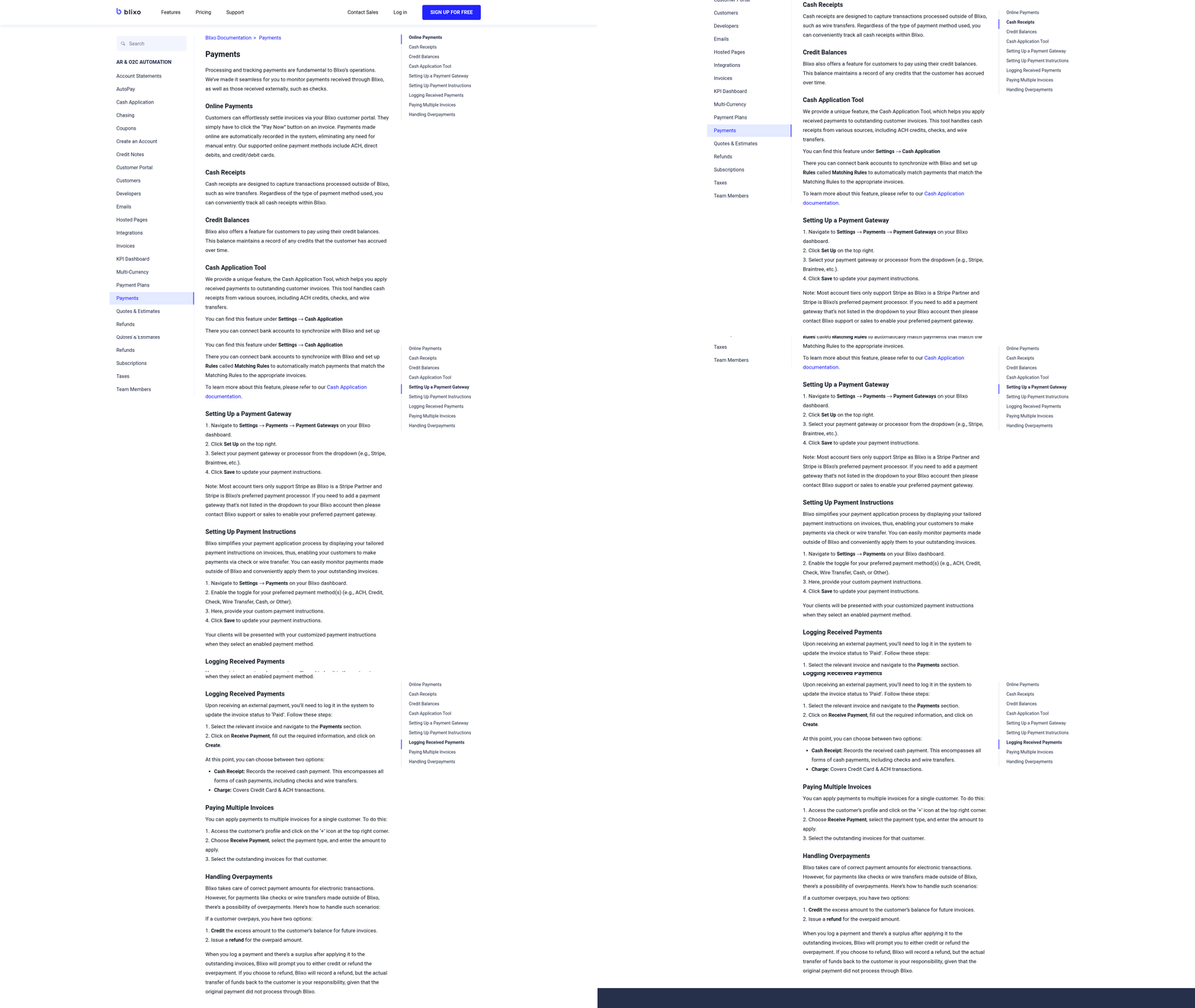
How Do You Set Up Blixo for Billing?
Begin by creating a Blixo account through the platform’s onboarding portal. The setup wizard guides you through connecting critical systems like QuickBooks, Xero, Salesforce, Stripe, PayPal, and banking platforms. For example, to integrate with QuickBooks, you’ll authorize the connection, map fields (e.g., linking customer names and invoice numbers), and test the sync to ensure data flows correctly.
Blixo’s sandbox mode allows you to test workflows without affecting live data. This is ideal for refining automation rules, such as setting up AI-powered OCR to extract invoice details with 97% accuracy or configuring cash-application matching to reduce disputes by 35%. Once testing is complete, enable automation for full-scale use.
Security is prioritized with 256-bit encryption, ensuring sensitive data remains protected during transfers and storage. This setup aligns with compliance standards, making it suitable for businesses handling regulated financial information.
As mentioned in the Understanding Blixo’s Automation Capabilities section, the AI-powered cash application reduces reconciliation time by 70% for midsize firms, a feature that becomes critical during integration testing..
What Customization Options Are Available for Invoicing?
Blixo offers extensive customization to align with your billing needs. Start by designing reusable invoice templates with your branding, including logos, payment terms, and late-fee rules. For subscription-based businesses, automate recurring billing with proration, dunning rules, and multi-currency support, reducing missed payments by 25%.
The platform’s AI-driven cash-application engine matches payments to invoices with 98% accuracy, slashing reconciliation time by 70% for midsize firms. You can also set up multi-channel reminders (email, SMS, in-app) to trigger at optimal times, cutting payment delays by 30%.
For advanced use cases, configure dynamic discounting to incentivize early payments or build custom workflows for three-way matching (invoice, purchase order, and receipt). These features ensure billing aligns with your operational complexity while minimizing manual intervention..
How Does Blixo Integrate With Accounting Systems?
Blixo’s integration capabilities streamline data flow between billing and accounting tools. For instance, connecting QuickBooks or Xero enables bidirectional synchronization, reducing PO-matching discrepancies by up to 80%. This integration ensures invoices, payments, and expenses update in real time, cutting month-end closing time by 18% for healthcare providers.
Payment gateways like Stripe and PayPal are linked via API, allowing automated invoicing and instant payment processing. For businesses handling checks, Blixo’s virtual lockbox digitizes payments, reducing manual entry errors by 35%.
To implement these integrations:
- Authorize access through the platform’s integration hub.
- Map fields (e.g., linking Blixo’s invoice numbers to Xero’s reference codes).
- Test the sync with a small dataset to validate accuracy.
- Enable full automation after verifying results.
These steps ensure seamless interoperability, eliminating silos between billing and financial systems. Building on concepts from the Overcoming Common Challenges with Blixo section, businesses should anticipate and address potential integration hurdles through thorough testing..
What Training and Support Resources Are Available?
Blixo provides strong onboarding and support to ensure smooth adoption. During setup, you’ll receive guided tutorials covering core features like AI validation (which reduces processing time by 75%) and real-time dashboards for tracking DSO (Days Sales Outstanding).
Ongoing support includes:
- On-demand video guides (e.g., How to Create a New Invoice on Blixo).
- Dedicated customer success managers to troubleshoot issues or refine workflows.
- Community forums where users share best practices for automating tasks like recurring-billing templates.
For example, a logistics company reduced processing time from 45 days to 3.1 days by using Blixo’s AI features and training resources. As highlighted in the Real-World Applications and Case Studies section, such outcomes are achievable across industries through strategic adoption of these tools.. By following these steps, businesses can automate billing with Blixo, achieving faster payments, reduced errors, and seamless integration with existing systems. The platform’s flexibility and support resources make it a scalable solution for organizations of all sizes.
Real-World Applications and Case Studies
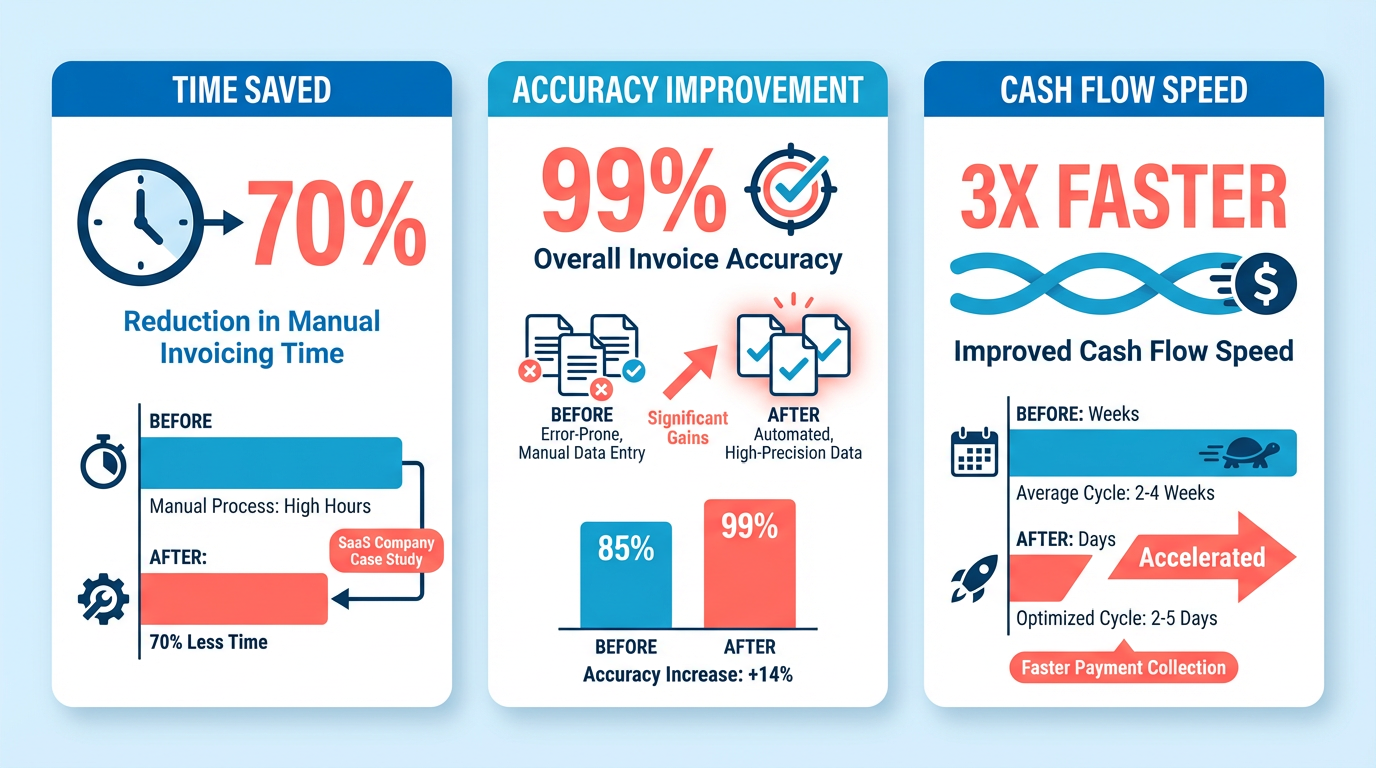
Businesses across industries have adopted Blixo to streamline billing processes, with measurable improvements in efficiency and accuracy. A SaaS company with recurring revenue streams automated its subscription billing using Blixo, reducing the time spent on manual invoicing by 70%. As mentioned in the Why Automating Billing Matters section, manual billing processes are prone to errors, but Blixo’s automation addressed this by improving cash flow through faster payment collection.
Another retail business handling hundreds of monthly invoices faced frequent delays and human errors. After switching to Blixo’s automated workflows, the business reported a 90% reduction in billing discrepancies. The system’s validation checks and real-time tracking eliminated manual data entry, ensuring invoices were generated and sent error-free. A finance manager from this company noted, “Blixo cut our billing cycle in half and gave us confidence in our financial records.”.
Blixo’s flexibility makes it suitable for diverse industries. For example, professional service firms use it to automate project-based invoicing, while e-commerce businesses use its bulk billing capabilities. As highlighted in the Streamlining Financial Operations with Blixo section, the platform integrates seamlessly with existing accounting systems. One organization in the healthcare sector automated patient billing with Blixo, reducing administrative overhead by 40% and improving payment compliance.
A nonprofit organization managing donor contributions also benefited from Blixo’s customization features. By automating receipt generation and tax-deductible invoice tracking, the team saved 20+ hours monthly and minimized errors in donor communications. These examples highlight how Blixo adapts to unique workflows while delivering consistent efficiency gains.
Building on concepts from the Overcoming Common Challenges with Blixo section, Blixo’s error-reduction features are transformative for high-volume environments. A case study from a mid-sized logistics provider shows how automated invoice validation caught 85% of potential billing mistakes before they reached clients, preserving customer trust and reducing disputes. The platform’s audit trails also helped the team identify recurring issues in their billing logic, which they resolved through Blixo’s customizable rule engine.
Customer feedback reinforces these outcomes. A testimonial from a mid-sized tech firm states, “Blixo’s automation eliminated late fees and late payments for us. We now close our books 30% faster.” These results align with Blixo’s core strengths-reducing manual workload, minimizing errors, and accelerating revenue cycles-across industries like SaaS, healthcare, retail, and nonprofit operations.
Overcoming Common Challenges with Blixo
Common Challenges in Automated Billing Implementation. Automated billing systems streamline financial workflows, but implementation can face hurdles like data migration complexity and user resistance. Data migration often requires meticulous mapping of legacy systems to ensure no critical information is lost. For example, one company saved 50% on manual data entry after transitioning to Blixo but initially faced delays due to inconsistent formatting in their old system. As mentioned in the Implementing Blixo for Automated Billing section, following a structured approach minimizes such risks during setup.
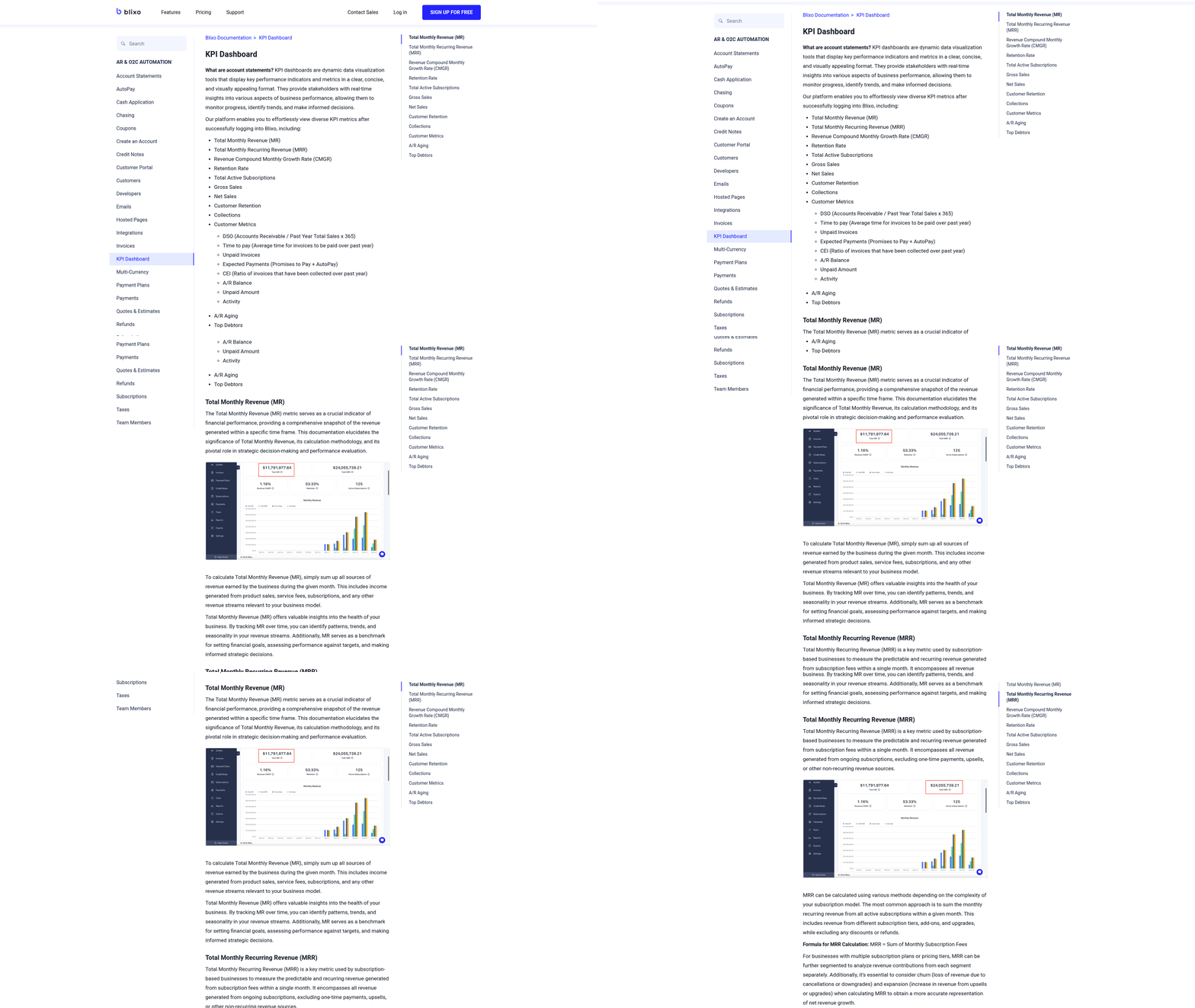
Another frequent challenge is integration with existing tools. Blixo’s API compatibility with CRMs and accounting software reduces friction, but misconfigured settings can cause sync errors. Building on concepts from the Understanding Blixo’s Automation Capabilities section, verifying API endpoints and authentication tokens is critical to prevent disruptions. Start with a small dataset during testing, as outlined in Blixo’s implementation guide.
Troubleshooting Technical Issues
When technical issues arise, Blixo’s built-in diagnostics and logs simplify root-cause analysis. For API connection failures, verify authentication tokens and endpoint URLs using the Blixo dashboard’s health check feature. If invoices fail to generate, review template configurations in the settings menu to ensure fields like tax rates and payment terms are correctly assigned.
For recurring payment errors, cross-reference subscription settings with billing schedules. A mismatch between scheduled dates and due dates-common after daylight saving time changes-can trigger failed transactions. Blixo’s support documentation provides step-by-step recovery protocols for such scenarios.
Best Practices for User Adoption and Training
Successful adoption hinges on structured training and continuous support. Begin with role-specific onboarding sessions, such as walk-throughs for finance teams on creating and sending invoices via Blixo’s interface. Customizable training modules, like the one in How to Create a New Invoice on Blixo, help users grasp workflows at their own pace.
To address resistance, highlight efficiency gains through real-time dashboards that show time saved on repetitive tasks. Assign “super users” within teams to act as internal advocates, reducing reliance on external support. Regular refresher workshops, as recommended in the Streamlining Financial Operations with Blixo section, reinforce best practices and address evolving needs.
Resources for Ongoing Support and Maintenance
Blixo offers layered support to maintain system uptime. For urgent issues, contact the 24/7 support team via the in-app chat or email. For self-service solutions, the Blixo knowledge base includes troubleshooting guides and video tutorials.
For long-term maintenance, schedule quarterly audits of billing rules and tax rates to align with regulatory updates. Subscribing to Blixo’s blog ensures you stay informed about feature updates, such as the recent enhancements to automated collections detailed in Automate Invoicing with AR Automation Platforms.
By addressing these challenges proactively, teams can maximize Blixo’s value while minimizing disruptions during the transition to automated billing.
Future-Proofing Your Billing Processes with Blixo
Future-proofing billing processes means adapting to trends like real-time automation, AI-driven insights, and seamless financial integration. Blixo addresses these shifts by offering tools that reduce manual errors, speed up collections, and align with evolving compliance standards. As mentioned in the Why Automating Billing Matters section, manual billing processes are a silent crisis for businesses, with 39% of invoices containing errors. By automating these workflows, Blixo mitigates such risks while enhancing accuracy. As businesses grow, their billing systems must handle increased transaction volumes and adapt to new payment methods-Blixo’s design prioritizes flexibility to meet these demands.
How Do Billing Automation Trends Impact Businesses?
Billing automation is shifting toward AI-powered analytics, real-time payment tracking, and integration with financial ecosystems. These changes help businesses reduce processing delays, cut costs, and improve cash flow visibility. For example, automating recurring billing for subscriptions minimizes late fees and customer disputes. Blixo supports these trends by enabling automated invoicing, payment reminders, and analytics dashboards, ensuring companies stay competitive without relying on outdated manual workflows. Building on concepts from the Understanding Blixo’s Automation Capabilities section, Blixo’s AI-powered cash application automatically matches payments to invoices with 98% accuracy, further reducing manual reconciliation time.
What’s Blixo’s Approach to Future Innovation?
Blixo’s development roadmap focuses on enhancing integration capabilities and expanding AI-driven features. Upcoming updates aim to improve predictive analytics for payment trends and streamline multi-currency transactions. The platform also prioritizes user feedback, regularly introducing features like customizable invoice templates and advanced reconciliation tools. By aligning with industry needs, Blixo ensures its users can adapt to market shifts without overhauling their systems. As referenced in the Streamlining Financial Operations with Blixo section, this modular design allows businesses to integrate new features seamlessly, maintaining operational continuity.
How Does Blixo Support Scalability and Security?
Scalability is critical for businesses handling high invoice volumes. Blixo’s architecture allows it to manage thousands of transactions monthly, as seen in scenarios where teams automated hundreds of invoices per week. Security remains a priority through encryption protocols and role-based access controls, protecting sensitive financial data. Compliance with standards like GDPR ensures businesses avoid penalties while expanding globally. For example, one company automated 90% of its billing workflows, reducing processing time by 50% while maintaining audit readiness.
What Role Does Automation Play in Long-Term Growth?
Automation isn’t just about efficiency-it’s a strategic tool for scaling. Blixo’s ability to integrate with accounting software and payment gateways reduces reliance on siloed systems. This interconnected approach helps businesses expand into new markets by simplifying cross-border billing and tax compliance. As automation trends evolve, Blixo’s modular design allows companies to adopt new features incrementally, avoiding disruptive overhauls.
By focusing on adaptability, security, and user-driven innovation, Blixo positions itself as a future-ready solution. Its tools not only address current billing challenges but also prepare businesses for emerging demands, ensuring they remain agile in a rapidly changing financial market.
Frequently Asked Questions
1. How much do manual billing errors cost U.S. businesses annually?
Manual billing errors cost U.S. businesses $1.3 trillion yearly due to invoice mistakes and administrative waste. This includes 39% of invoices containing errors, leading to lost revenue and operational inefficiencies. Tools like Blixo reduce errors by up to 57%.
2. How long does manual invoice processing take compared to automation?
Manual invoice processing takes 5–10 minutes per invoice, while automation reduces this to seconds. For example, Blixo helps high-volume companies save hundreds of work-hours monthly by eliminating manual data entry and streamlining workflows.
3. Can automating billing improve cash flow?
Yes, automating billing cuts Days Sales Outstanding (DSO) by half. A SaaS company reduced its DSO from 60 to 30 days using tools like Blixo, accelerating payment receipt and improving cash-flow stability.
4. How does automation reduce late payments?
Manual systems lead to a 69% increase in late payments, but automation slashes delays. A construction firm using Blixo saved 200+ admin hours weekly and saw faster payments by automating milestone reminders and error-free invoicing.
5. What industries benefit most from invoice automation?
High-volume industries like healthcare, SaaS, and construction benefit most. For example, Blixo helped a healthcare provider eliminate billing disputes entirely, while a construction firm automated milestone billing to save time and accelerate payments.
6. How much time can invoice automation save businesses?
Invoice automation saves 200+ admin hours weekly for high-volume companies. Manual processing consumes 5–10 minutes per invoice, but tools like Blixo reduce this to seconds, freeing up resources for strategic tasks.
7. Does automation help with payment processing speed?
Yes, automation reduces payment receipt times by 30%. A firm processing 20,000+ invoices monthly cut receipt times from 78 to 55 days using Blixo, improving cash flow and operational efficiency.