

Accounts Receivable Software Features That Finance Teams Need
Accounts Receivable Software Features That Actually Move Cash

Key Takeaways
- Finance teams should prioritize AR features that reduce involuntary churn and speed cash recovery over platforms boasting the longest feature checklists.
- Highly automated firms cut billing errors by up to 52% through automated invoicing combined with recurring billing capabilities.
- AR software that integrates tightly with subscription management outperforms sprawling suites treating recurring revenue like one-off invoices.
- Days Sales Outstanding serves as the key metric for measuring whether AR features deliver real-world financial impact.
- AI-powered cash application automatically matches incoming payments to their corresponding invoices, removing a manual reconciliation burden.
- Preventive features that stop payment failures before they occur deliver more value than tools that only chase overdue accounts afterward.
- Automated invoicing paired with subscription platforms delivers immediate results at low setup complexity for SaaS and recurring-billing businesses.
Related Video
Watch: NetSuite Accounts Receivable Software: Reports & Dashboards by NetSuite
What Actually Matters in AR Software
Most accounts receivable platforms share the same core: automated invoicing, payment tracking, overdue reminders. The real differentiator is how well they handle complex billing cycles and prevent revenue leakage before it compounds. For finance teams managing recurring revenue, the question isn’t “what features does it have?” but “does it prevent the failures that cause involuntary churn?”
The table below breaks down critical features by their real-world impact on Days Sales Outstanding (DSO), setup complexity, and whether they prevent payment failures or just document them after the fact.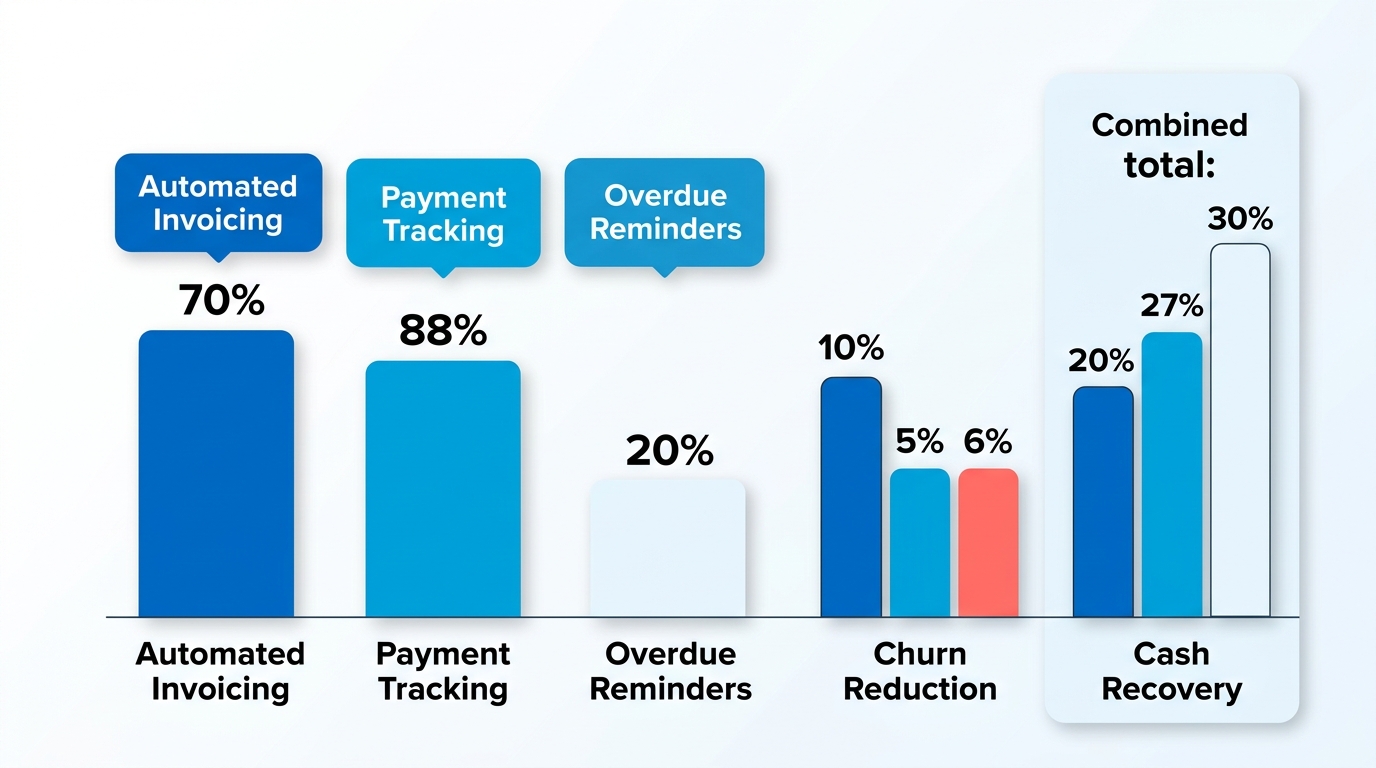
| Feature | Primary Impact | Setup Complexity | Time to See Results | Best For |
|---|---|---|---|---|
| Automated invoicing + recurring billing | Eliminates manual invoice generation; minimizes billing discrepancies in recurring accounts | Low (if integrated with subscription platform) | Immediate | SaaS, subscription businesses, agencies with retainers |
| AI-powered cash application | Matches payments to invoices automatically; one provider reports customers get paid 2X faster | Medium (requires bank/ERP integration) | 2-4 weeks | High transaction volume, multi-currency operations |
| Smart collections workflows | Tailors reminder cadence to customer behavior; one UK company cut late payments 30% after automating | Low to medium | 1-2 billing cycles | B2B with varied customer payment patterns |
| Real-time payment tracking + dashboards | Surfaces at-risk accounts early; tracks DSO and Collection Effectiveness Index (CEI) live | Low | Immediate | Teams managing 50+ active invoices |
| Customer self-service portal | Lets customers update payment methods, view statements, pay multiple invoices in one transaction | Medium (requires white-label setup) | 2-3 weeks | Businesses where payment-method updates cause involuntary churn |
| Multi-currency + international payments | Simplifies cross-border invoicing; one business improved cash flow after adopting multi-currency AR | Medium | 1-2 weeks | Companies with global customers or remote teams |
| ERP/CRM/accounting integrations | Creates single source of truth; eliminates duplicate data entry and reconciliation errors | High (depends on existing stack) | 4-8 weeks | Mid-market and enterprise with complex tech stacks |
Preventive vs Reactive Features
Preventive features stop payment failures before they happen. Automated card updater services refresh expired credit card details in the background—not a convenience feature for subscription businesses, but a churn prevention mechanism. Real-time dashboards that flag accounts with outdated payment methods let you intervene before the invoice goes out. One case study from a financial services team showed that predictive AI insights (originally built for credit-risk scoring) doubled as an early-warning system for at-risk subscriptions by predicting bad debt and churn.
Reactive features recover revenue after a payment fails or goes overdue. Collections workflows, dunning automation, and aging reports all fall here. They matter, but they’re playing defense. For SaaS businesses, the bigger churn lever is invoicing accuracy: recurring billing is where errors compound month over month, and each mistake chips away at customer trust. Integrated billing plus AR automation addresses both involuntary churn and DSO in one motion—something generic AR platforms miss when they treat subscriptions like one-off invoices.
Implementation Timelines
Expect 2-4 weeks for a basic automated invoicing and collections setup if your current billing system is already structured. 4-8 weeks if you’re integrating with an ERP like NetSuite or SAP—those projects require data mapping, testing, and often a phased rollout to avoid disrupting live billing. One mid-market team reported that centralizing AR operations in-house (moving from spreadsheets to a unified platform) took six weeks but cut their close time by 79%.
Cash application is the wildcard. If your bank supports direct API connections and your invoice volume is predictable, you’ll see market-leading match rates within two weeks. If you’re reconciling payments from multiple sources (ACH, wire, credit card) with inconsistent remittance data, budget a month for the matching engine to learn your patterns. The approval workflow helps: as you manually correct mismatches, the system’s machine learning improves future accuracy.
Setup Difficulty
Low difficulty: Automated invoicing, payment tracking dashboards, basic collections reminders. These are plug-and-play if you’re starting from a modern accounting platform. The blocker is usually internal—getting your team to trust the automation instead of spot-checking every invoice.
Medium difficulty: Customer portals, multi-currency support, smart collections workflows. The setup itself is straightforward, but white-labeling the portal to match your brand and mapping dunning sequences to customer segments takes iteration. Reminder timing often needs adjustment based on customer type—enterprise clients may need longer grace periods than SMB accounts.
High difficulty: ERP integrations, AI-powered credit-risk analysis, multi-entity AR consolidation. These require buy-in from IT, clean data hygiene before migration, and often a systems integrator if your ERP is heavily customized. The payoff is a single source of truth that eliminates reconciliation errors, but expect at least one false start during testing.
Why AR Software Actually Matters
Selecting the right accounts receivable software requires looking beyond basic feature checklists. The primary goal for recurring-billing businesses is to establish a seamless flow between billing events and cash collection. When these systems operate in silos, finance teams face administrative bottlenecks that slow down overall operations.
The data backs this up. Businesses automating over 50% of their AR processes report a 32% reduction in Days Sales Outstanding, and 62% of companies saw DSO improve after implementing automation. Manual dunning is often the hidden cost: teams relying on spreadsheets and email reminders recover roughly 20% less on failed subscription payments than teams running automated retry sequences. But most AR platforms fall short for SaaS: they bolt invoicing onto an existing suite rather than building it into the subscription lifecycle. That gap creates the friction—failed payment retries, incorrect prorations, manual dunning workflows—that turns a billing hiccup into permanent churn.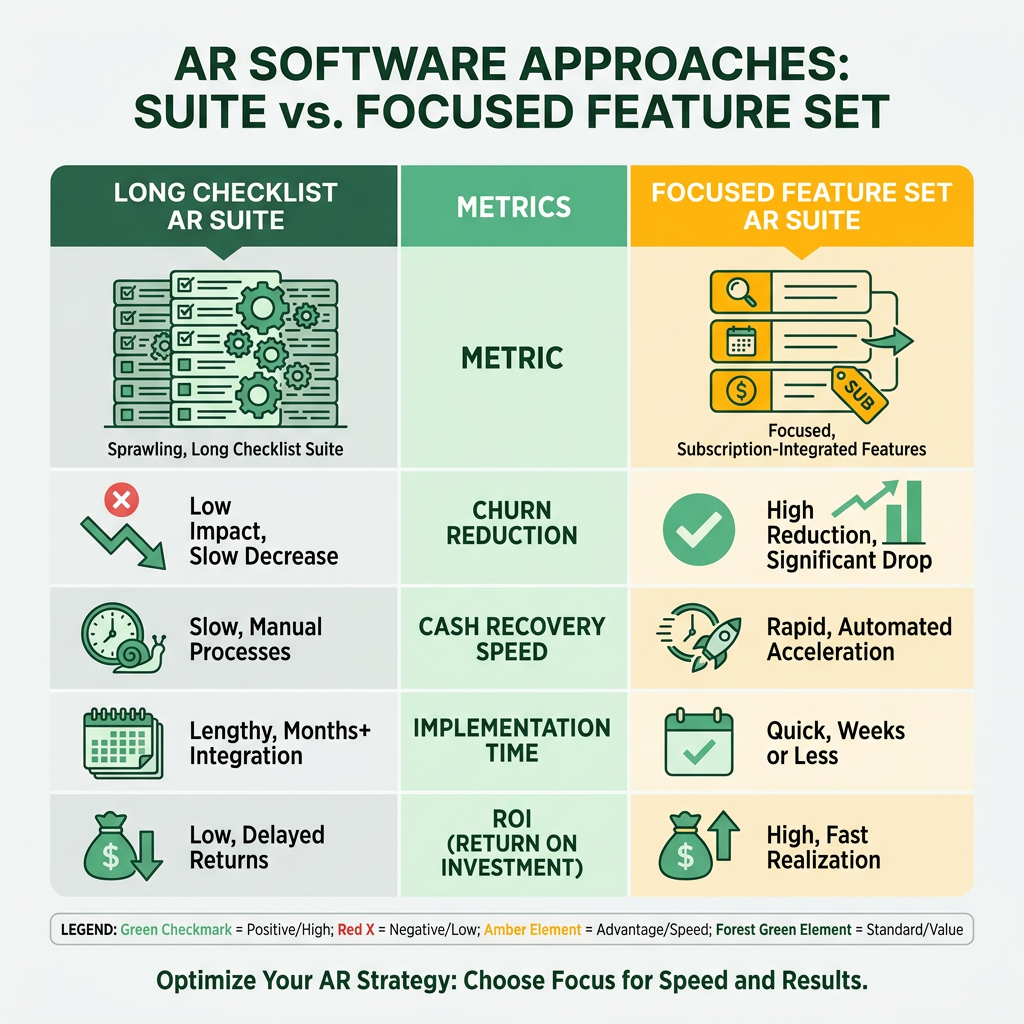
The Subscription-Billing Integration Gap
Most accounts receivable software assumes linear invoicing: you bill, the customer pays, you close the loop. Subscription businesses don’t work that way. You need prorated billing when a customer upgrades mid-cycle, automated retry logic when a card expires, and usage-based invoicing that pulls from metered data. Finance teams spend hours each month reconciling subscription changes in their billing system with payment records in their AR platform because the two don’t share a data model.
A platform that integrates subscription billing with AR automation eliminates that reconciliation layer. When a customer downgrades, the system adjusts the invoice, updates the payment schedule, and triggers the appropriate dunning sequence—all without manual intervention. For SaaS founders tracking Monthly Recurring Revenue, this isn’t a convenience feature. It’s the difference between accurate revenue recognition and a spreadsheet full of manual adjustments.
Real-Time Visibility vs Retroactive Cleanup
The standard AR playbook is reactive: invoice goes out, payment doesn’t arrive, collections team chases it down. By the time you’re sending overdue reminders, you’ve already lost weeks of cash flow. Real-time dashboards that track DSO, Collection Effectiveness Index, and overdue ratios let you spot problems before they compound. Companies using platforms with predictive analytics report identifying high-risk accounts early enough to intervene before payment failures stack up.
Credit-risk scoring—the kind that evaluates customers and adjusts terms automatically—serves double duty in subscription businesses. By analyzing payment delays and dispute frequencies, integrated systems that combine credit evaluation, aging analysis, collection management, and financial reporting help identify accounts that may require proactive outreach. For a SaaS founder, these flags translate directly into renewal-risk alerts, allowing customer success teams to step in before a contract lapses.
Automation That Preserves Relationships
Automated collections get a bad reputation because most implementations are blunt instruments: same reminder cadence for every customer, no context, no personalization. Collections workflows tailored to customer behavior—sending early reminders to slow payers, skipping nagging emails for customers with perfect payment history—improve response rates without damaging relationships. A mid-market subscription business that switched from a fixed reminder schedule to behavior-based dunning recovered failed payments an average of four days faster while cutting reminder volume nearly in half.
The technical requirements matter here. Two-way integrations with platforms like Salesforce and Stripe ensure payment data flows into your CRM, so your customer-success team knows when an account is at risk. A branded customer portal where clients manage invoices and payment methods reduces friction. Smart cash application that auto-matches payments to invoices—achieving high straight-through-processing rates even for complex scenarios—frees your team from manual reconciliation. These aren’t luxury features. They’re the baseline for streamlining invoicing with receivables automation software.
Skip sprawling enterprise platforms if you’re an early-stage SaaS company with straightforward billing. The setup complexity and cost don’t justify the ROI until you’re managing multi-entity billing or high transaction volumes. For most subscription businesses, a platform that natively handles recurring billing, integrates with your payment processor, and automates dunning will cut DSO faster than a feature-rich suite that requires custom workflows for every edge case.
Automation Features That Prevent Revenue Leakage
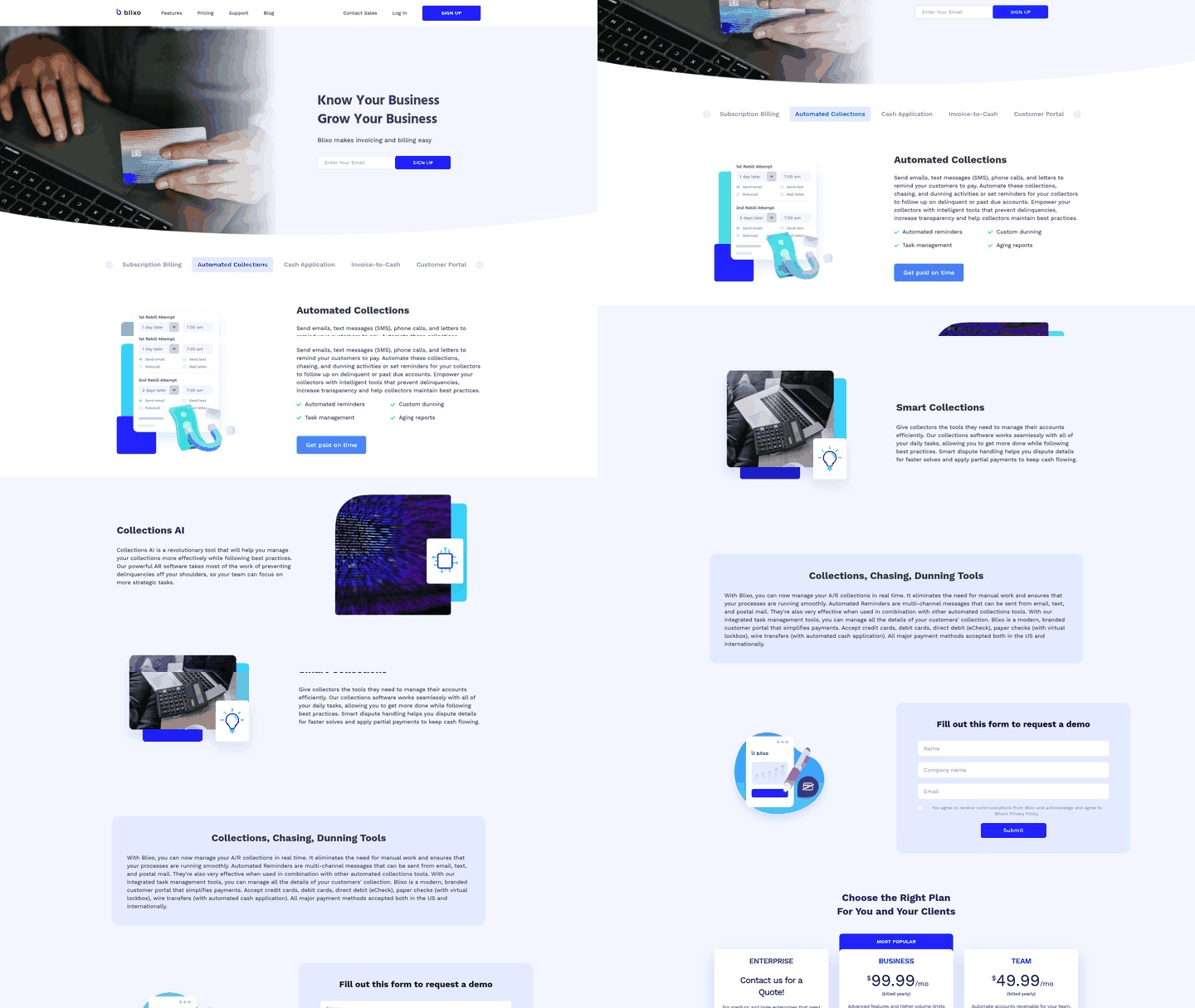
Automated invoicing, dunning, and payment matching are the three places where subscription revenue leaks. Manual invoicing introduces errors that trigger disputes, missed dunning lets failed payments slip through renewal cycles, and slow reconciliation hides churn signals until it’s too late. When evaluating accounts receivable software features, the automation layer determines whether you’re preventing churn or just documenting it.
The subtle win from automated invoicing isn’t just speed. It’s eliminating the invoicing errors that lead to payment failures—such as incorrect amounts or billing address mismatches. An integrated billing and AR system catches these discrepancies at invoice generation, preventing the transaction from bouncing in the first place. Studies of failed subscription charges attribute roughly 9% of involuntary churn to preventable data mismatches that a validation step at invoice creation would have caught.
Recurring Billing and Payment Recovery
- Automated retry logic with dynamic schedules: Failed payments get retried at optimal times (avoiding weekends, payday clustering) rather than generic 3-day intervals that miss recovery windows
- Pre-dunning alerts: Customers receive a heads-up 3-5 days before the card is charged, giving them time to update expired payment methods before the transaction fails
- Dunning campaign automation: Overdue accounts trigger escalating email sequences without manual intervention, and the system pauses campaigns when a payment method is updated to avoid annoying customers who just fixed the issue
Ricoh adopted AR automation for invoicing and payment processing and saw DSO drop alongside improved customer satisfaction. That second metric matters more than most founders realize: aggressive collections can recover cash short-term but damage retention long-term. Smart dunning differentiates between “forgot to update the card” and “can’t afford the renewal.” The software should surface that distinction in real time, not after you’ve burned the relationship with a collections agency referral.
AI-Powered Cash Application and Reconciliation
- Intelligent payment matching: The system links partial payments, multi-invoice checks, and wire transfers to the correct customer accounts automatically, optimizing matching rates for complex payment scenarios
- Exception routing: Unmatched payments land in a prioritized queue with context so your team resolves edge cases quickly
- Real-time reconciliation dashboards: Finance teams see cash position update as payments clear, not at end-of-day batch runs, which matters when you’re managing tight liquidity
The deeper benefit of automated reconciliation is that it turns your AR data into a churn early-warning system. When payment patterns shift—a customer who always paid on day 3 suddenly pays on day 28, or starts making partial payments—that’s a retention risk signal. Manual reconciliation buries those patterns in noise; automated systems flag them before the renewal fails. Finance teams running weekly cash-application reviews catch these shifts a full billing cycle earlier than teams reconciling monthly.
HPE implemented AR automation to streamline invoicing and reported significant efficiency gains, but what moves the needle for SaaS founders is the integration between subscription management and AR. Most platforms bolt AR onto existing billing systems, which means dunning logic operates without visibility into plan changes, usage patterns, or customer health signals. Integrated platforms avoid this gap by combining billing and receivables data in one system, so finance teams and customer success teams work from the same information. That shared context helps prevent involuntary churn that siloed AR automation misses entirely.
For finance teams deciding between feature breadth and tight integration, the evidence leans toward integration. Eliminating manual data transfers between CRM, billing, and AR platforms removes the reconciliation lag that lets churn signals sit unnoticed, and it cuts the double-entry work that drains finance headcount during close. When these systems share a single source of truth, you stop reconciling data and start acting on it.
Payment Processing That Prevents Involuntary Churn
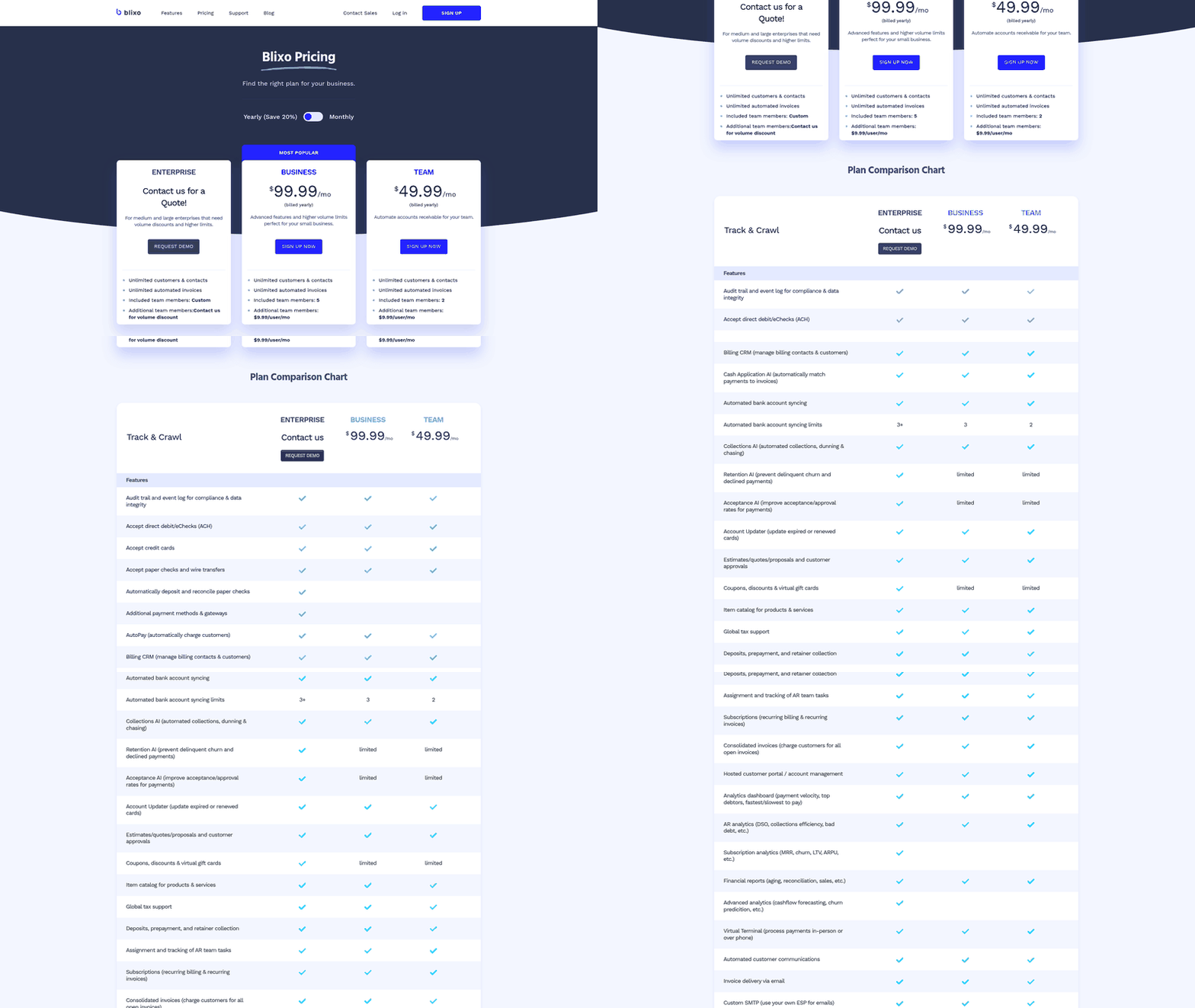
Our payment acceptance layer is built around two principles: failed payments are the single largest source of involuntary churn in subscription businesses, and every payment method you add cuts addressable market friction. When accounts receivable software features treat payment processing as an afterthought—bolting on a single gateway integration without retry logic or multiple payment options—they document revenue loss instead of preventing it.
The mechanics matter more than the automation percentage. Most involuntary churn traces back to a narrow set of failure points: a card that expired between billing cycles, an issuer that declined a cross-border charge, or a customer whose only supported method was the one you didn’t accept. For SaaS founders, the revenue gap isn’t late payments—it’s customers who wanted to renew but couldn’t. Recovery rates on these failures climb sharply when you combine intelligent retry timing with a second payment option, since a declined card often clears on a bank transfer. International customers face this friction most acutely: multi-currency invoicing and flexible payment acceptance eliminate the “your payment method isn’t accepted” churn trap that blocks otherwise willing customers from paying.
Payment Methods That Actually Reduce Churn
Your payment acceptance stack needs credit card processing, ACH/bank transfers, and digital wallet options at minimum. Credit cards cover the majority of B2B SaaS transactions, but card failures spike at renewal—expired cards, issuer declines, international transaction blocks. ACH processing gives you a direct bank option that sidesteps card network friction entirely, critical for customers with procurement policies that prohibit card payments. Digital wallets matter less for initial purchase and more for international renewals where local payment preferences (iDEAL in Netherlands, SEPA in EU) determine whether a customer can pay at all.
The integration architecture determines whether these payment methods actually prevent churn or just give customers more ways to fail. Some platforms integrate multiple payment gateways as primary and fallback routes for different transaction types. When a card payment fails on the primary gateway, advanced systems retry through a secondary gateway before triggering dunning. One provider’s standard AR suite centralizes customer communications and invoice collaboration for mid-market teams, but payment routing stays static. That design works for one-off invoicing. For subscription billing, static routing means a single gateway outage or issuer block kills renewals across your entire customer base until you manually intervene.
Security Standards That Enable Payment Options
PCI-DSS compliance and GDPR data handling aren’t checklist items—they determine which payment methods you can legally offer and which markets you can sell into. PCI-DSS Level 1 certification (the highest tier) lets you handle card data directly, store payment methods for recurring billing, and offer saved payment options at checkout. Lower compliance tiers force you to offload card handling to a third-party processor, which adds latency, limits your retry logic, and introduces another failure point in the payment chain.
GDPR matters more for international expansion than most AR platforms acknowledge. Multi-currency invoicing is table stakes for selling into EU markets, but GDPR-compliant payment tokenization is what lets you process renewals without re-collecting payment data every billing cycle. When a German customer saves their SEPA direct debit details, you need GDPR-compliant storage and explicit consent workflows, or the first renewal attempt triggers a data protection violation. Some AR platforms offer multi-currency invoicing but force manual payment re-entry at renewal because their payment vault doesn’t meet EU data residency rules. That compliance gap shows up as involuntary churn in your renewal cohort analysis.
Why Cloud-Based Processing Matters for Subscription Revenue
Cloud-based payment processing handles subscription billing’s unpredictable payment volume spikes that on-premise systems can’t manage. Your payment volume doesn’t scale linearly with customer count—it spikes at cohort renewal dates, annual subscription anniversaries, and failed-payment retry windows. One enterprise-focused provider limits A/R support headcount growth by offloading payment processing to cloud infrastructure that auto-scales during retry surges. When 10,000 subscriptions hit their annual renewal on the same day and 8% of cards fail on first attempt, your payment processor needs to handle the initial transaction wave plus the retry cascade without degrading performance or dropping transactions.
Cloud-based payment systems also enable geographic payment routing that on-premise setups can’t match. When a Tokyo-based customer renews, routing their transaction through a Japan-based payment processor cuts decline rates because local issuers flag cross-border transactions as fraud risks. Region-specific payment routing routes transactions based on billing address—not for cost optimization, but because transaction success rates improve when payments flow through domestic processors the issuing bank recognizes.
The reliability advantage matters more than the scalability story. Payment processor uptime directly determines your revenue capture rate during renewal windows. A cloud provider with SOC 2 Type II certification guarantees contractual uptime SLAs that translate to revenue protection—when the processor promises 99.95% uptime, you can model the maximum revenue at risk from payment downtime. On-premise payment infrastructure has no such guarantee, and a four-hour outage during a major renewal cohort costs you both the immediate failed transactions and the extended dunning cycle to recover them.
Customer Self-Service and Reporting That Reduces Support Load
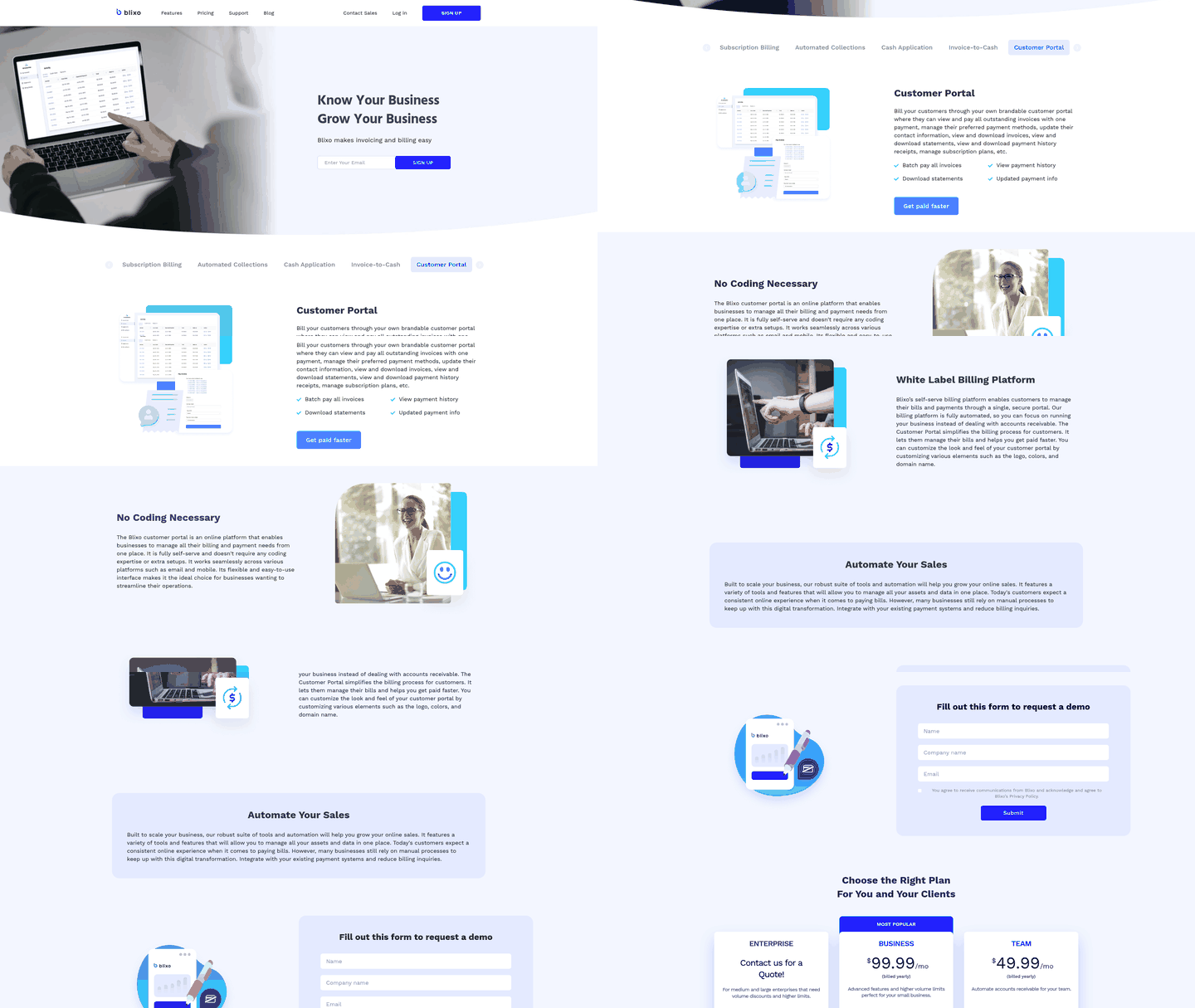
The self-service portal is where reporting stops being an internal finance tool and starts cutting your support load. When we evaluate accounts receivable software features for subscription businesses, we look for two things a portal must do: let customers resolve their own billing questions, and surface the data that predicts churn before it hits your MRR. Most platforms nail the first and ignore the second.
The same reporting engine that generates an aging report can flag an at-risk account weeks before the renewal fails. Treating these as separate modules wastes the signal. We build them as one layer.
What a Customer Self-Service Portal Should Include
A strong portal gives customers full visibility into their own account without emailing your team. That means invoice and payment history, downloadable receipts, saved payment methods, and the ability to update card details before a renewal fails.
This directly attacks involuntary churn. When a customer can fix an expiring card at 11pm without waiting for support, you recover revenue that would otherwise silently drop off. For teams selling across borders, multi-currency invoice access matters too. UK businesses and other international sellers benefit from portals that show invoices and payments in the customer’s own currency, which cuts disputes rooted in exchange-rate confusion.
- Invoice and payment history access so customers self-serve instead of opening tickets
- Self-service card and payment method updates to prevent failed renewals before they happen
- Multi-currency invoice display for international accounts to reduce currency disputes
- Real-time payment status so customers see cleared payments without contacting you
Reporting Features That Actually Move Cash Flow
The reports that matter forecast the future, not just document the past. AR aging tells you where money is stuck today. Cash flow forecasting tells you what your runway looks like next quarter. For SaaS founders, that second view is the one investors ask about.
This is where integration beats feature breadth. Two research findings pull in the same direction: unifying financial, sales, and operational data removes the silos that make reporting stale, and AI-driven analytics let finance teams make proactive decisions rather than reactive interventions. Combine those with subscription revenue data and your runway projection updates automatically as renewals process. Standalone collections tools that treat AR as a bolt-on can’t do this.
- Accounts receivable aging reports to prioritize collections by risk and value
- Cash flow forecasting tied to subscription renewals so runway updates in real time
- Real-time dashboards built around daily workflows, not static month-end snapshots
- Churn prediction that flags at-risk subscribers before they lapse
That churn-prediction piece is the cross-over. The same signals that show an account slipping on payments or letting a card expire also predict which subscribers are about to leave. Our subscription management layer pairs churn prediction with retention tools, so you can trigger a save motion, not just a collections call.
One honest carve-out: if you invoice a handful of enterprise clients on annual contracts, a full self-service portal is overkill. You already know every account by name. Portals earn their keep when you’re managing hundreds or thousands of recurring subscribers where one-to-one support doesn’t scale. That’s exactly where Blixo’s brandable customer portal and automated collections carry the load for you.
Implementation: Map Your Data Before You Migrate
When we evaluate accounts receivable software features for subscription businesses, implementation speed and integration depth determine whether you see results in weeks or waste months chasing CSV imports and API gaps. A platform that treats your ERP, CRM, and payment gateway as separate data silos forces your team to reconcile discrepancies manually—exactly the friction you paid to eliminate. Our approach is to start with the integrations that touch recurring revenue first, then layer in reporting and workflow automation once the data pipeline is clean.
Pre-Implementation: Audit Your Data
Read your existing invoice, payment, and customer files before you commit to a migration timeline. One high-precision connector manufacturer ran a bad-debt ratio of 13.7–14.4% versus an industry average of 5% because their AR system couldn’t flag overdue accounts until they hit 12 months past due—by then, over 6.5 million CNY sat in the “uncollectible” bucket each month. When they built a structured credit-evaluation module that scored customers on a 0–100 scale and automated early reminders seven days before invoices came due, interviewees reported significant improvements in collection efficiency and operational convenience. The lesson: if your current data can’t feed an aging dashboard with 0–30, 31–90, and 90+ day buckets, migration will surface problems you didn’t know existed. Clean that data before you flip the switch, or your new platform will inherit the mess.
- Audit your current AR data quality. Check for duplicate customer records, missing payment terms, and inconsistent invoice numbering schemes that will break automated workflows
- Identify which integrations are non-negotiable. If your subscription billing runs through a specific payment gateway, confirm the AR platform supports two-way sync before signing a contract
- Set a realistic migration window. Plan for one to two weeks of parallel testing where both old and new systems run side-by-side so you catch reconciliation gaps before turning off the legacy setup
Integration Architecture: Single Source of Truth or Reconciliation Nightmare
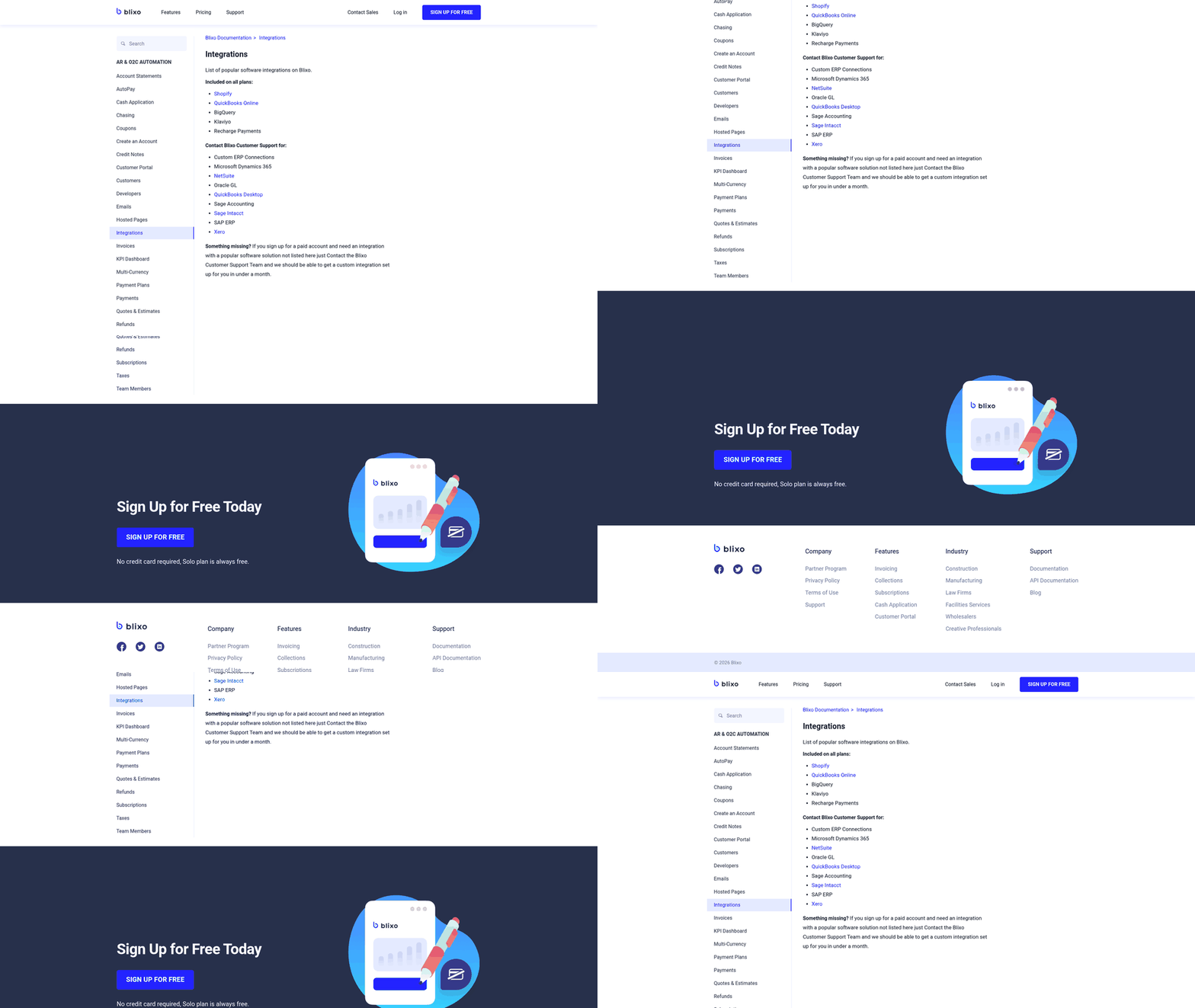
We connect to major ERP systems and accounting platforms because fragmenting your financial data across disconnected tools turns every month-end close into a fire drill. When AR software pulls customer records from your CRM, invoice data from your ERP, and payment status from your gateway without a unified ledger, your finance team spends hours matching transactions instead of analyzing cash flow. Platforms that offer seamless integrations with systems like QuickBooks, NetSuite, and Xero ensure data consistency across your stack—no manual exports, no version-control chaos, no “which number is correct” standups.
Connecting your billing engine directly to your general ledger ensures that payment updates flow automatically across systems. For SaaS founders tracking burn rate and runway, this means your AR platform can feed cash-flow forecasting instead of waiting for month-end reports. A unified platform pairs subscription management with analytics and automatic cash application, so your reconciled real-time revenue data lives in one source of truth instead of scattered across standalone collections tools.
- Test your two-way sync before go-live. Create a test invoice in your ERP, confirm it flows into AR software with correct line items and payment terms, then log a payment and verify it posts back to the ERP ledger without manual intervention
- Map custom fields and workflows. If your sales team uses custom CRM fields to flag high-value accounts or payment preferences, confirm the AR platform can ingest and act on those fields in dunning logic
- Set up automated cash application. Payment matching should happen in seconds, not hours, so your finance team sees real-time DSO and collection-effectiveness metrics
Change Management: Training and User Adoption
Staff training on each module matters more than feature count. The number one reason software rollouts stall is not missing features—it’s teams reverting to spreadsheets because no one showed them how the new workflows map to their daily job. A dunning specialist who understands why an account sits in the 31–90 bucket will adjust outreach tone and timing far more effectively than one following a fixed reminder script. Skip the generic “here’s where to click” training and build role-specific onboarding: your dunning specialist needs to understand aging buckets and collection-success-rate tracking, your CFO needs real-time turnover ratio and bad-debt ratio dashboards, and your customer success team needs visibility into payment issues before they escalate to disputes.
- Create role-based training paths. Dunning managers need collection workflow training, finance analysts need reporting and KPI configuration, and customer success needs read-only portal access to resolve billing questions without looping in accounting
- Run a pilot with a subset of high-value accounts. Test your automated reminders, payment portal, and escalation rules on 10–20 accounts before rolling out to your full customer base so you catch tone or timing issues early
- Schedule monthly system reviews. Credit scoring weights, dunning cadences, and aging thresholds should evolve as your customer mix changes, so treat AR software as a living system that needs regular tuning, not a set-it-and-forget-it tool
FAQ
What are the most important features in accounts receivable software?
The most important features depend on your billing model. For subscription businesses, automated recurring billing, intelligent dunning with retry logic, and tight integration between billing and payment systems matter most. For high-volume B2B invoicing, AI-powered cash application and real-time aging reports deliver the biggest impact. The common thread: features that prevent payment failures before they happen outperform tools that only chase overdue accounts.
How does AR automation reduce DSO?
AR automation reduces DSO by eliminating delays at every stage of the payment cycle. Automated invoicing sends invoices the moment they’re due rather than waiting for manual processing. Smart dunning sends reminders at optimal times based on customer behavior rather than fixed schedules. AI-powered cash application matches payments to invoices in seconds instead of hours. Companies automating over 50% of their AR processes report a 32% reduction in DSO because the system acts faster than humans can.
What integrations should I prioritize when implementing AR software?
Start with integrations that touch recurring revenue: your payment gateway, subscription billing platform, and general ledger. Two-way sync between these systems ensures payment updates flow automatically without manual reconciliation. Next priority: CRM integration so your customer success team sees payment issues before they escalate to churn. ERP integrations matter most for mid-market and enterprise businesses managing multi-entity billing or complex approval workflows.
How long does it take to implement AR software?
Basic automated invoicing and collections setup takes 2-4 weeks if your current billing system is already structured. ERP integrations take 4-8 weeks because they require data mapping, testing, and phased rollout. Cash application setup depends on your bank’s API support: 2 weeks for direct connections, 4 weeks if you’re reconciling payments from multiple sources. Plan for 1-2 weeks of parallel testing where both old and new systems run side-by-side before turning off your legacy setup.
What’s the difference between AR software and subscription billing platforms?
AR software manages the receivables lifecycle: invoicing, payment tracking, collections, reconciliation. Subscription billing platforms manage the subscription lifecycle: pricing, provisioning, usage metering, plan changes. The gap: most AR software treats subscriptions like one-off invoices, which breaks when you need prorated billing, usage-based charges, or automated retry logic tied to plan status. Integrated platforms that combine subscription management with AR automation eliminate this gap by sharing a single data model.
How do I choose between a standalone AR tool and an integrated billing platform?
If you’re an early-stage SaaS company with straightforward recurring billing, an integrated platform delivers faster ROI because it handles both subscription management and AR automation without requiring custom integrations. If you’re mid-market or enterprise with complex billing needs (multi-entity, multi-currency, custom approval workflows), a standalone AR tool with deep ERP integration may better fit your existing tech stack. The deciding factor: can the platform prevent involuntary churn, or just document it?
What metrics should I track to measure AR software effectiveness?
Days Sales Outstanding (DSO) measures how long it takes to collect payment after invoicing. Collection Effectiveness Index (CEI) measures what percentage of outstanding receivables you actually collect. Involuntary churn rate measures how many customers lapse because of failed payments rather than intentional cancellation. Bad debt ratio measures how much revenue you write off as uncollectible. Track these monthly. If DSO and involuntary churn aren’t dropping within 2-3 billing cycles after implementation, your AR software isn’t working.
References
[1] NetSuite AR Features - https://www.netsuite.com [2] PCI-DSS Compliance Standards - https://www.pcisecuritystandards.org [3] GDPR Data Protection - https://gdpr.eu [4] QuickBooks Integration - https://quickbooks.intuit.com [5] Xero Accounting Platform - https://www.xero.com [6] Salesforce CRM Integration - https://www.salesforce.com [7] Stripe Payment Processing - https://www.stripe.com [8] iDEAL Payment Method - https://www.ideal.nl
Frequently Asked Questions
1. When should an early-stage SaaS company avoid enterprise AR platforms?
Early-stage companies with low transaction volumes and simple billing structures should avoid these platforms. The overhead of custom workflow configuration and high licensing fees can delay your return on investment. Instead, focus on lightweight tools that connect directly to your primary payment gateway to handle basic dunning and invoicing.
2. Why do multi-currency invoicing platforms still cause churn at renewal?
Offering multiple currencies is only half the battle. If the underlying payment vault cannot securely store and reuse payment credentials across borders due to regional compliance restrictions, customers must manually re-enter their details at renewal. Any friction introduced during the renewal window increases the likelihood that a customer will abandon the service.
3. Does adding more payment methods actually reduce churn?
Expanding payment options helps capture customers who prefer bank transfers or regional digital wallets over credit cards. However, this only reduces churn if your system can automatically route failed transactions to alternative methods or gateways. Without dynamic routing, additional payment options simply create more points of failure.
4. How much time separates a basic AR setup from a full ERP integration?
A standard out-of-the-box setup typically wraps up in less than a month, provided your customer data is clean. In contrast, connecting your AR software to an enterprise resource planning system requires extensive data mapping and testing to ensure ledger accuracy, which often extends the timeline by several weeks.
5. How can AR data act as a churn early-warning system?
By monitoring payment timelines, finance teams can identify accounts that are experiencing cash flow issues or administrative friction. A sudden delay in payment settlement or a request for partial payments often indicates a declining commitment to the service, allowing account managers to intervene before the contract is up for renewal.
6. Why does cloud-based payment processing matter for subscription revenue?
Subscription billing creates concentrated transaction spikes on specific renewal dates rather than a steady daily stream. Cloud-based infrastructure scales dynamically to process these high-volume batches and subsequent retries simultaneously, ensuring that system slowdowns do not lead to failed transactions.
7. Can automated collections damage customer relationships?
Yes, sending generic, aggressive reminders to long-term clients with strong payment histories can create unnecessary friction. Tailoring the tone and frequency of your outreach based on past payment reliability helps maintain positive relationships while still securing outstanding funds.