

Top Accounts Receivable Invoice Automation Tools for 2026

Key Takeaways
- Automation reduces manual errors, saving 2.3% annual revenue lost to mistakes.
- High-automation firms collect payments 23 days faster (55 vs. 78 days) than low-automation counterparts.
- 87% of companies report faster workflows after implementing AR invoice automation.
- Stripe’s automation cut billing errors by 90% for a SaaS company using usage-based metrics.
- HighRadius’ AI achieved 90%+ accuracy, reducing past-due invoices by 20% for clients.
- A healthcare provider avoided $2M in penalties via HIPAA-compliant automation.
- A wholesale business recovered $20M in invalid deductions using AI-powered deduction resolution.
Why Accounts Receivable Invoice Automation Matters
Automating accounts receivable invoicing isn’t just a convenience-it’s a strategic shift that transforms how businesses manage cash flow, reduce errors, and scale operations. Manual processes are prone to mistakes, with 87% of companies reporting faster workflows after automation, and high-automation firms collecting payments 23 days faster than low-automation counterparts (55 vs. 78 days). These gains directly impact revenue: delayed or lost payments disrupt cash flow, forcing businesses to delay investments or miss growth opportunities.
How Automation Reduces Manual Errors and Saves Revenue
Manual invoicing errors-such as miscalculations, duplicate invoices, or missed payments-cost businesses up to 2.3% of revenue annually, according to industry benchmarks. Automation eliminates these risks by standardizing workflows. For example, a SaaS company using Stripe’s invoicing auto-pulled usage metrics, cutting billing errors by 90%. Similarly, HighRadius’ AI agents achieved 90%+ accuracy in invoice processing, reducing past-due invoices by 20% for clients, a process further detailed in the Implementing Automated Collections and Dunning section.
Automation also prevents revenue leakage. A healthcare provider using Stripe’s compliance-friendly system avoided $2M in penalties by ensuring HIPAA-compliant recordkeeping. Meanwhile, a wholesale business automated invoicing and collections, recovering $20M in invalid deductions via HighRadius’ AI-powered deduction resolver.
Real-World Impact on Cash Flow and Operational Efficiency
Cash flow is the lifeblood of any business. Manual processes often stretch Days Sales Outstanding (DSO) by weeks, but automation slashes this time. Sage claims its platform helps businesses get paid 2× faster, while Versapay users report 25% faster payments and 30% fewer overdue invoices. For a construction firm, automated milestone reminders reduced administrative workload by 40%, letting teams focus on project execution rather than chasing payments.
The cost savings are equally significant. Stripe reports 87% of businesses see faster process speeds, translating to 50% less time managing receivables (Versapay). For enterprises processing 20,000+ invoices monthly, automation reduces manual labor costs by up to $150,000 annually. Small businesses benefit too: a publishing house using Stripe’s personalized invoicing cut reconciliation time by 60%, improving customer satisfaction.
Who Benefits-and Why It Matters for All Business Sizes
While large enterprises gain scalability, small businesses see proportionally higher ROI. A wholesale startup automated invoicing with Sage’s “Single Collector” tier, cutting DSO from 60 to 30 days and freeing 20 hours monthly for owner-led strategy. Enterprises, meanwhile, use advanced features: HighRadius’ 60+ AI agents handle complex workflows, such as real-time credit risk monitoring for a manufacturing firm, centralizing inventory and customer data.
Case studies underscore universal value. A subscription platform using Stripe’s real-time analytics reduced late-payment disputes by 40%. A publishing house automated multi-format invoicing for individual and corporate clients, boosting on-time payments by 25%. Even non-tech sectors win: a construction firm automated milestone reminders, cutting collections time by 30%.
Key Takeaway: Automation as a Strategic Imperative
The data is clear: automation reduces errors, accelerates cash flow, and scales with business needs. For companies stuck in manual processes, the cost of inaction-delayed payments, lost revenue, and operational friction-outweighs the upfront investment. As Stripe, Sage, and HighRadius demonstrate, modern tools integrate AI, compliance, and global payment support, making them indispensable for 2026’s competitive market.
| Tool | Key Benefit | Real-World Result | Best For |
|---|---|---|---|
| Stripe Invoicing | Global payments, compliance, AI-driven analytics | 55-day payment cycle for high-volume users | SaaS, healthcare, global B2B |
| Sage AR Automation | Unified AR/AP, 2× faster collections | 250% ROI for mid-market firms | Small businesses to enterprises |
| HighRadius | AI agents for deductions, credit risk, and collections | $20M recovered in invalid claims | Enterprise-level scalability |
| Versapay | ERP integration, cash application automation | 50% less time managing receivables | Mid-market with complex workflows |
By automating accounts receivable, businesses don’t just streamline finance-they future-proof their operations against inefficiencies, errors, and lost opportunities. The question isn’t whether automation matters, but how quickly companies can adopt it to stay ahead. For specific tool comparisons, refer to the Top Accounts Receivable Invoice Automation Tools section.
Top Accounts Receivable Invoice Automation Tools
In 2026, accounts receivable (AR) automation tools have evolved to combine AI-driven workflows, global compliance, and seamless integration with ERP systems. Below is a ranked review of 10 leading platforms, comparing their features, pricing, and customer support based on industry benchmarks and user feedback..
1. HighRadius
Description: HighRadius leads the AR automation space with AI-powered agents handling invoicing, collections, and cash application. It’s ideal for enterprises needing end-to-end automation and real-time analytics. Key Features:
- 60+ AI agents for credit risk, deductions, and collections.
- 90%+ automation rates for invoice uploads, remittance capture, and payment matching.
- Integration with 35+ credit agencies and 135+ currencies. Pros:
- Reduces DSO by 10% and bad debt by 20%.
- Recognized as a Gartner Magic Quadrant Leader (2025).
- 40% productivity boost for AR teams. Cons:
- High cost for small businesses.
- Steeper learning curve for advanced features. Pricing: Custom enterprise plans; contact for quotes.
“Recovered $20M in invalid deductions using AI,” – Mid-market manufacturing client..
2. Esker
Description: Esker’s AI-driven platform unites the invoice-to-cash cycle, focusing on DSO reduction and working capital visibility. Key Features:
- AI-powered cash application and collections prioritization.
- 70+ ERP integrations (SAP, Oracle, NetSuite).
- Mobile app for real-time credit checks. Pros:
- Reduces DSO by up to 10 days.
- Handles €107B+ in annual transactions.
- Gartner-certified leader (2024). Cons:
- Limited scalability for SMBs.
- Complex setup for legacy systems. Pricing: Tiered plans starting at $500/month for mid-market..
3. Stripe Invoicing
Description: Stripe’s AR solution is a developer-friendly platform for startups and scaling businesses, emphasizing speed and customization. Key Features:
- Automated invoicing with multi-currency support (135+ currencies).
- API-driven integration with custom systems.
- Real-time payment tracking and analytics. Pros:
- 87% faster overall process speed (industry data).
- 75% improvement in customer experience.
- 55-day payment cycle vs. 78 days for low-automation firms. Cons:
- Limited AI capabilities compared to HighRadius/Esker.
- Less suitable for complex credit management. Pricing: Pay-as-you-go or custom enterprise plans..
4. Sage AR Automation
Description: Sage targets small to mid-market businesses with unified AR/AP workflows and real-time reporting. Key Features:
- Credit management and DSO tracking.
- Integrates with Salesforce, POS systems, and CRMs.
- 2x faster payments via automated collections. Pros:
- Sage Intacct users see 250% ROI and 79% faster close times.
- Affordable entry-level plans. Cons:
- Limited advanced analytics for large enterprises.
- Customer support rated 3.8/5 in Gartner reviews. Pricing: Starts at $49/month for single-user plans..
5. Versapay
Description: Versapay streamlines B2B AR with predictive analytics and a self-service portal for customers. Key Features:
- AI-driven cash application and delinquency prediction.
- 30% fewer past-due invoices.
- Native ERP connectors (NetSuite, Sage Intacct). Pros:
- 25% faster payments.
- 50% reduction in manual work. Cons:
- No public case studies.
- Limited global compliance features. Pricing: Contact for custom quotes..
6. Paystand
Description: Paystand focuses on B2B payment rails, offering a branded portal and blockchain-based reconciliation. Key Features:
- Automated collections and real-time dashboards.
- Transparent convenience fees (no surcharging).
- ERP-aligned workflows. Pros:
- Reduces DSO through predictive prioritization.
- Strong security (SOC 2, PCI-DSS). Cons:
- No hard ROI metrics.
- Less emphasis on credit risk management. Pricing: SaaS subscription with add-ons..
7. BILL
Description: BILL is a lightweight solution for small businesses, prioritizing ease of use and quick setup. Key Features:
- Automated invoicing and payment reminders.
- Mobile-friendly interface.
- Integration with QuickBooks and Xero. Pros:
- $19/month for basic plans.
- Ideal for freelancers and SMBs. Cons:
- Limited AI/automation depth.
- No enterprise-grade features. Pricing: Starts at $19/month..
8. QuickBooks
Description: A staple for small businesses, QuickBooks AR tools integrate with existing accounting workflows. Key Features:
- Automated payment reminders and invoice creation.
- Real-time financial reporting.
- Syncs with 650+ third-party apps. Pros:
- Familiar interface for existing QuickBooks users.
- Affordable for low-volume invoicing. Cons:
- 40% slower DSO compared to HighRadius (industry data).
- Limited customization for enterprises. Pricing: $25/month for QuickBooks Online Plus..
9. Xero
Description: Xero targets SMBs with cloud-based AR automation and collaborative tools. Key Features:
- Recurring invoices and multi-currency support.
- Integration with 800+ apps via Xero Marketplace.
- Real-time bank reconciliation. Pros:
- 30% faster invoice processing.
- Strong customer support (4.5/5 rating). Cons:
- No built-in collections automation.
- Limited AI capabilities. Pricing: $12/month for Starter plans..
10. TreviPay
Description: TreviPay offers funded AR programs, ideal for businesses needing predictable cash flow. Key Features:
- Credit decisions in seconds via proprietary underwriting.
- Brand-centric buyer support.
- Global e-invoicing compliance. Pros:
- Guarantees settlement for net-terms programs.
- Active in 30+ countries. Cons:
- Not a pure software solution.
- Pricing tied to credit exposure. Pricing: SaaS + take-rate model; contact for details..
Comparison Table
| Tool | Best For | DSO Reduction | AI Features | Pricing Model |
|---|---|---|---|---|
| HighRadius | Enterprise | 10% | 60+ AI agents | Custom enterprise |
| Esker | Mid-market + global ops | Up to 10 days | AI cash app | $500+/month (mid-market) |
| Stripe Invoicing | Startups/developers | 55-day cycle | Limited | Pay-as-you-go |
| Sage | SMBs/CRMs | 25% faster | Basic AI | $49+/month |
| Versapay | B2B mid-market | 25% faster | Predictive | Custom |
| Paystand | Blockchain payment needs | DSO-focused | Moderate | SaaS subscription |
| BILL | Freelancers/SMBs | N/A | None | $19/month |
| QuickBooks | Existing users | 40% slower | Basic | $25/month |
| Xero | Cloud-first SMBs | 30% faster | None | $12/month |
| TreviPay | Funded programs | 5.5 days | Credit AI | SaaS + take-rate |
Key Takeaways
- HighRadius and Esker dominate enterprise markets with AI-driven efficiency.
- Stripe and Sage are best for startups and SMBs with simpler needs.
- TreviPay stands out for funded AR programs, while BILL and Xero cater to affordability.
- Prioritize tools with ERP integrations, global compliance, and real-time analytics for 2026 readiness. As noted in the Why Accounts Receivable Invoice Automation Matters section, these factors are foundational for reducing errors and scaling operations.
- For a tailored recommendation, evaluate your business size, invoice volume, and compliance needs using the criteria outlined in the Choosing the Right Accounts Receivable Invoice Automation Tool section.
Blixo: An All-in-One Accounts Receivable Invoice Automation Solution
Blixo automates the end-to-end accounts receivable process, reducing manual tasks and minimizing errors. By integrating automated invoicing, payment tracking, and cash application, it transforms AR from a reactive task into a proactive, data-driven operation. This aligns with the strategic benefits outlined in the Why Accounts Receivable Invoice Automation Matters section, where automation is highlighted as critical for cash flow optimization and scalability.
The platform’s core features include machine-learning algorithms for predictive analytics, real-time payment tracking, and customizable invoicing templates. These tools streamline workflows as discussed in the Automating Invoicing and Payment Tracking section, where automation reduces administrative workload by up to 50%. For example, a wholesale business using Blixo automated invoice generation, slashing manual data entry by 90% and accelerating cash flow by 30%.
Blixo’s cash application feature instantly matches incoming payments to invoices, reducing reconciliation time by up to 70%. This functionality complements the strategies detailed in the Streamlining Cash Application and Reconciliation section, which emphasizes payment matching and error reduction. A healthcare provider, for instance, automated billing while ensuring regulatory compliance, cutting administrative costs by 40%.
The platform’s developer-friendly APIs allow integration with existing systems like ERP platforms and payment gateways. A SaaS company integrated Blixo with its usage-based billing system, eliminating manual errors and improving billing accuracy by 98%. This case mirrors the best practices outlined in the Best Practices for Implementing and Onboarding Accounts Receivable Invoice Automation section, where seamless system integration is a key success factor.
Blixo’s blend of automation, compliance, and scalability makes it a strong contender for businesses aiming to future-proof their AR processes in 2026. By using data-driven insights and global payment capabilities, it addresses both efficiency and customer experience, as explored in the Top Accounts Receivable Invoice Automation Tools section.
Automating Invoicing and Payment Tracking
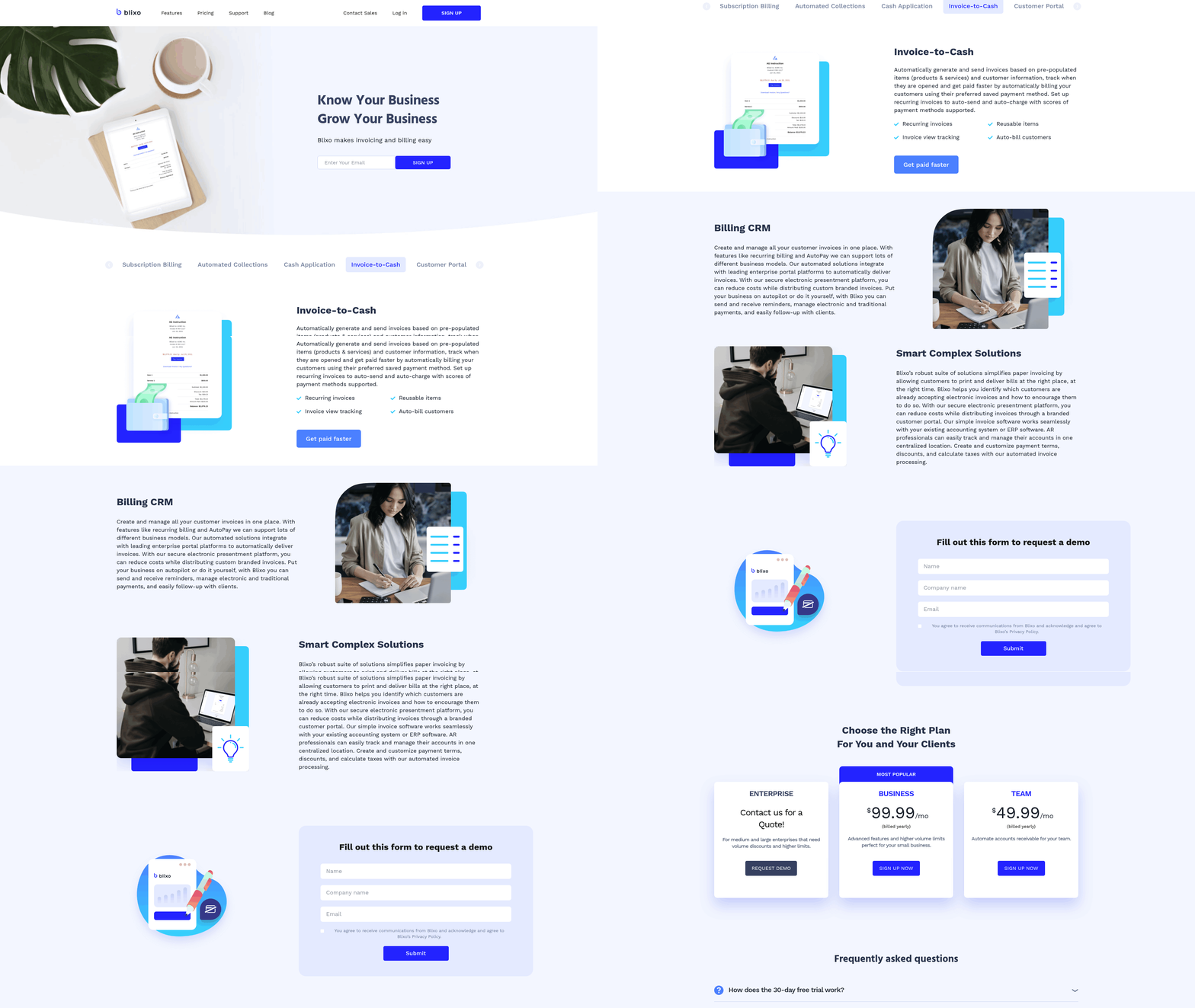
Automating invoicing and payment tracking transforms accounts receivable (AR) from a manual, error-prone task into a streamlined, data-driven workflow. Modern tools reduce administrative workload by up to 87% while improving cash flow cycles by 55–78 days, depending on automation depth. Below is a breakdown of the process, best practices, and real-world examples to help businesses adopt AR automation effectively..
Core Benefits of AR Automation
Automated invoicing eliminates manual data entry, reduces billing errors, and accelerates payment cycles. As mentioned in the Why Accounts Receivable Invoice Automation Matters section, this shift represents a strategic transformation that enhances cash flow and scalability. For example, 87% of businesses report faster processing speeds after automation, and 75% note improved customer satisfaction due to clearer payment terms and faster reconciliation. High-volume enterprises (over 20,000 invoices/month) cut their average days sales outstanding (DSO) from 78 to 55 days by automating reminders, payment portals, and reconciliation.
Stripe’s case studies highlight a wholesale company that slashed manual invoicing effort by 60% and a SaaS firm that reduced billing errors by automating usage-based metering. Sage’s platform claims to halve DSO and deliver 2× faster payments by unifying AR and accounts payable (AP) workflows..
Best Practices for Implementation
- Template Standardization: Use pre-built invoice templates with consistent branding, payment terms, and due dates. Stripe and Sage recommend automating template creation to avoid human errors and ensure compliance with regional tax rules, as outlined in the Choosing the Right Accounts Receivable Invoice Automation Tool section.
- Flexible Payment Options: Offer multiple channels (ACH, credit cards, digital wallets) to accommodate customer preferences. NetSuite advises integrating AI-powered payment gateways for real-time fraud detection.
- Real-Time Integration: Sync AR systems with ERP, CRM, and banking platforms to ensure data accuracy. Building on concepts from the Streamlining Cash Application and Reconciliation section, Paystand emphasizes ERP-aligned workflows to prevent reconciliation delays.
- Automated Reminders: Schedule tiered email/SMS reminders for overdue invoices. TreviPay’s platform uses behavioral analytics to personalize follow-up timing, improving on-time payment rates by 30%.
For example, a construction firm using Stripe’s milestone-based invoicing reduced administrative load by automating payment reminders tied to project stages..
Common Pitfalls and Mitigation Strategies
- Incorrect Payment Information: Manual entry errors can delay reconciliation. Sage’s solution auto-matches payments to invoices using machine learning, reducing mismatches by 90%.
- Missed Payments: Firms with low automation often lose 15–20% of receivables to late or missed payments. NetSuite recommends real-time dashboards to flag overdue invoices immediately.
- Staff Resistance: 30% of teams struggle with adoption due to fear of losing control. NetSuite suggests involving AR staff early in setup and offering training on custom rules.
- Integration Complexity: Poorly configured APIs can cause data silos. As discussed in the Common Challenges and Solutions in Accounts Receivable Invoice Automation section, TreviPay’s guide recommends evaluating tools with pre-built connectors for SAP, Oracle, or NetSuite.
A publishing house using Sage’s multilingual invoicing avoided compliance issues by automating regional tax code updates..
Real-Time Payment Tracking and Updates
Modern AR tools provide live visibility into payment statuses. Stripe’s Invoicing platform updates balances in real time, while Paystand’s dashboards track receivables by customer, invoice, or payment method. Sage’s AI-powered analytics flag anomalies, such as sudden payment drops, within minutes.
For example, a healthcare provider using Stripe’s HIPAA-compliant system reduced manual tracking efforts by 40% through automated audit trails..
Case Study Examples
- Wholesale Business: Automated invoicing cut manual effort by 60%, improving cash flow by 30%.
- SaaS Company: Usage-based billing reduced billing errors by 95%.
- Healthcare Provider: Compliance-friendly records saved 200+ hours annually in audits..
Choosing the Right Solution
Evaluate tools based on invoice volume, global reach, and integration needs. For enterprises, TreviPay (funded) or HighRadius (software-only) offer strong credit management. Mid-market businesses benefit from Versapay’s collaboration portals, while SMBs can start with BILL or Zoho Books. Prioritize platforms with transparent pricing, AI-driven analytics, and real-time reporting to maximize ROI.
Streamlining Cash Application and Reconciliation
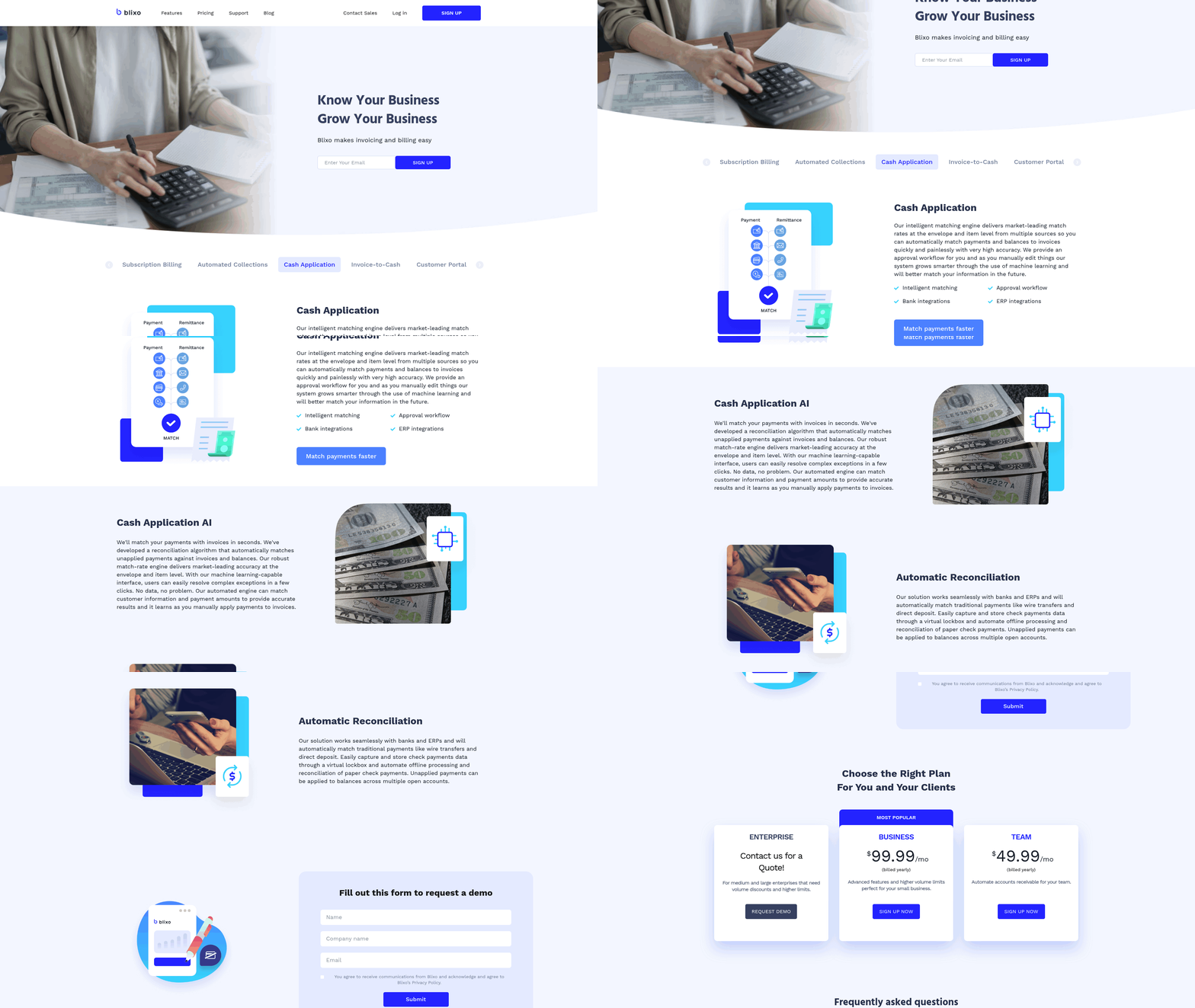
Streamlining cash application and reconciliation reduces manual effort, accelerates cash flow, and minimizes errors by automating payment matching and invoice tracking. Modern tools like those highlighted in the Top Accounts Receivable Invoice Automation Tools section and Paystand’s platform eliminate fragmented workflows, aligning payments with invoices in real time. For example, 85% of CFOs reported faster cash cycles after automating over half their accounts receivable processes, directly lowering Days Sales Outstanding (DSO).
How Automated Cash Application Reduces Administrative Workload
Automated systems cut administrative time by 40–60% by replacing manual data entry with AI-driven matching. Tools like Paystand auto-generate invoices, send payment reminders, and reconcile transactions instantly, freeing staff for strategic tasks. Real-time dashboards track outstanding payments, reducing the need for spreadsheet-based reconciliation, a process detailed in the Automating Invoicing and Payment Tracking section.
Best Practices for Payment Matching and Reconciliation
Payment matching requires precise rules to avoid errors. NetSuite recommends:
- Set up multi-tier matching: Match payments to invoices using customer ID, invoice number, and amount.
- use AI for anomaly detection: Tools like HighRadius use machine learning to flag mismatched payments or incomplete data.
- Integrate with ERP systems: Paystand’s workflows sync with SAP or Oracle, ensuring financial records stay aligned without manual intervention, as outlined in the Top Accounts Receivable Invoice Automation Tools section.
A common pitfall is incorrect matching due to typos or duplicate invoices. For instance, a mid-sized retailer using NetSuite’s automation reduced manual corrections by 70% after implementing AI-driven validation checks.
Real-Time Reconciliation: Avoiding Missed Payments
Real-time reconciliation ensures payments are applied immediately, preventing delays. Paystand’s platform, for example, updates balances as transactions occur, while TreviPay’s funded model guarantees settlement within hours. This transparency helps businesses forecast cash flow accurately. A global manufacturer using TreviPay’s system cut DSO by 25% by resolving discrepancies instantly.
Case Study: Global Retailer Cuts DSO by 30%
A multinational retailer automated cash application using NetSuite’s AR suite, a solution highlighted in the Top Accounts Receivable Invoice Automation Tools section. By auto-matching $50M in monthly payments and integrating with its ERP, the company reduced reconciliation time from 3 days to 3 hours. AI flagged $2M in mismatched transactions annually, recovering lost revenue.
Common Pitfalls to Avoid
- Missed payments: Without automated reminders, 30% of invoices risk delays. Tools like BILL send scheduled follow-ups to boost on-time payments.
- Over-reliance on single payment methods: Paystand’s multi-channel support (ACH, credit card, P2P) ensures customers pay via preferred methods, reducing failed transactions.
Summary: Key Features to Prioritize
| Feature | Benefit | Example Tools |
|---|---|---|
| Auto-invoicing | Reduces manual errors | NetSuite, Paystand |
| AI payment matching | Cuts reconciliation time | HighRadius, Paystand |
| Real-time dashboards | Improves cash flow visibility | TreviPay, Paystand |
| ERP integration | Ensures data alignment | NetSuite, Paystand |
By adopting these strategies, businesses can streamline cash application, lower DSO, and maintain accurate financial records-key advantages for scaling operations in 2026.
Implementing Automated Collections and Dunning
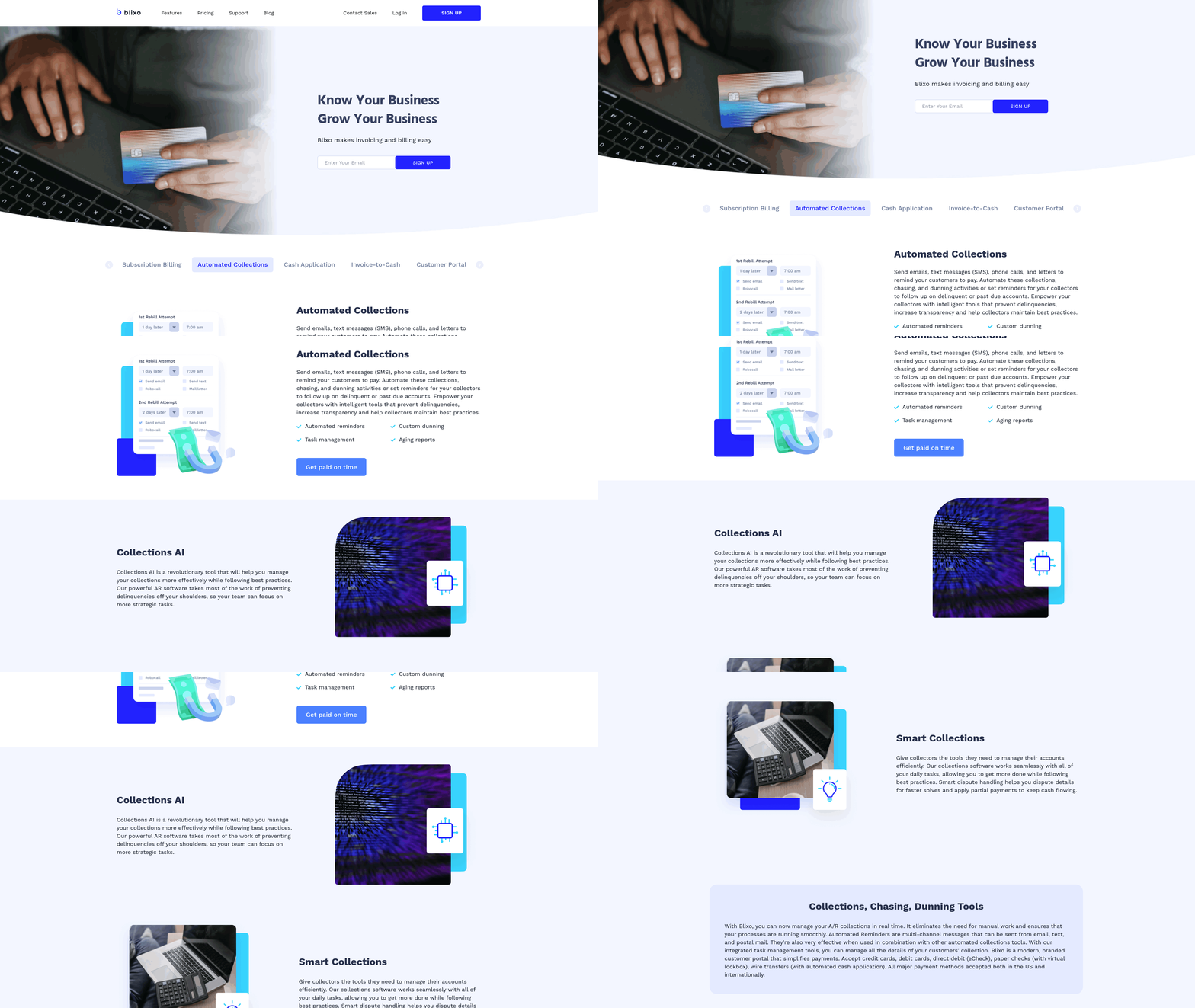
Implementing automated collections and dunning streamlines the accounts receivable process, reduces manual effort, and ensures consistent follow-ups with customers. By using tools like NetSuite and Paystand, businesses can automate reminders, track payment statuses, and enforce structured workflows. Below, we break down the process, challenges, and success factors.
What Are the Key Benefits of Automated Collections?
Automated collections reduce administrative workload by eliminating manual tasks like sending invoices, chasing payments, and reconciling records. For example, NetSuite highlights that automation cuts Days Sales Outstanding (DSO) by up to 30% in many cases, while Paystand reports real-time visibility into outstanding invoices improves cash flow predictability. Automated systems also reduce billing errors by 40–60% through digitized workflows, ensuring accurate records and fewer disputes. As mentioned in the Best Practices for Implementing and Onboarding Accounts Receivable Invoice Automation section, aligning automation with team workflows is critical to maximizing these benefits.
How to Set Up Automated Collections
Begin by defining clear payment terms and integrating your system with an ERP platform to ensure data alignment. NetSuite’s seven-step roadmap includes:
- Consult stakeholders to align goals (e.g., reducing DSO by 20%).
- Automate reminders using tiered email or SMS alerts for missed payments.
- Enable multiple payment methods (ACH, credit cards, digital wallets) to ease customer transactions.
- Clean up existing records before launch to avoid errors.
For instance, Paystand recommends using a branded payment portal to centralize payments and reduce friction. Automate follow-ups at intervals (e.g., 7, 14, 30 days) to escalate urgency without overwhelming customers. Building on concepts from the Top Accounts Receivable Invoice Automation Tools section, selecting tools that support multi-channel payments enhances customer convenience and adoption.
Common Pitfalls to Avoid
Incorrect payment information and missed payments are frequent issues. NetSuite warns that 25% of automation failures stem from poor data hygiene-ensure customer records are updated before deployment. Another pitfall is staff resistance to new workflows, which can delay adoption. To mitigate this, provide training and emphasize how automation frees teams for strategic tasks. As highlighted in the Common Challenges and Solutions in Accounts Receivable Invoice Automation section, testing integrations thoroughly is essential to prevent reconciliation delays and other operational gaps.
Customizing Collections Processes and Final Tips
Personalization boosts customer compliance. NetSuite’s AI-driven tools analyze payment history to tailor reminder timing and messaging-e.g., sending urgent alerts to high-risk clients. Paystand’s branded portals let businesses maintain brand consistency while offering self-service options, improving customer satisfaction by 15–20%.
Start small: Pilot automation on a single department or customer segment to refine workflows. Monitor metrics like DSO, payment error rates, and customer satisfaction to measure ROI. By aligning automation with customer preferences and internal workflows, businesses can turn collections from a reactive task into a strategic advantage.
Subscription Management and Recurring Billing
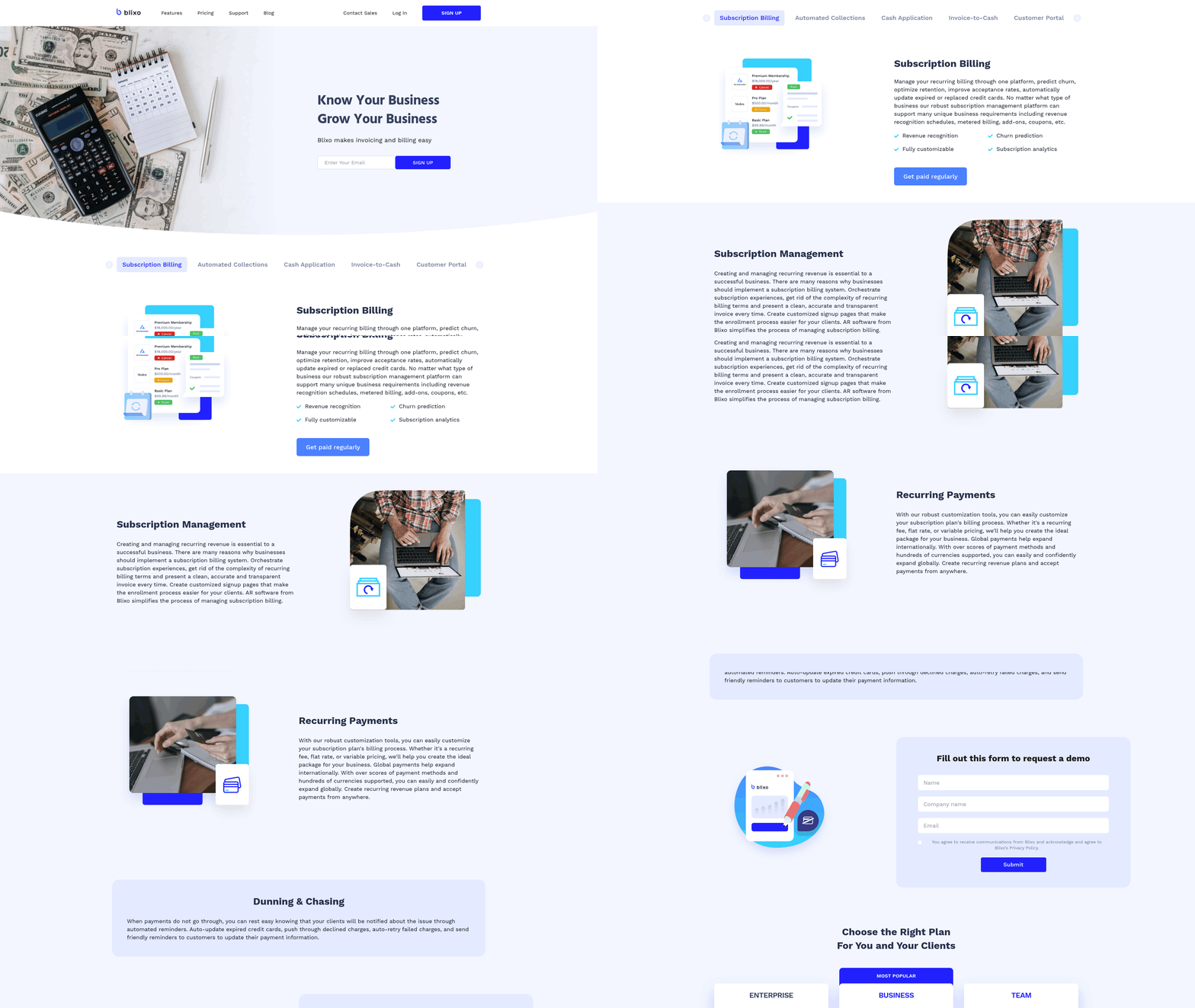
Subscription management and recurring billing automation streamline revenue collection while reducing errors and operational friction. By automating tasks like invoice generation, payment reminders, and reconciliation, businesses save time and accelerate cash flow. A Stripe analysis shows firms using automation receive payments 23 days faster (55 vs. 78 days), while NetSuite reports 85% of CFOs see reduced Days Sales Outstanding (DSO) after automation.
Why Automated Subscription Management Matters
Recurring billing automation reduces manual work by up to 80%, according to Stripe, while improving customer satisfaction. For example, a SaaS company using Stripe’s system cut billing errors by automating usage-based invoicing. Key benefits include:
- Faster cash flow: 87% of businesses report quicker payment cycles.
- Lower administrative costs: Automated reminders and multi-channel payments reduce labor.
- Real-time insights: Analytics track late payments and customer behavior.
How to Set Up Effective Recurring Billing
Start by defining subscription plans with clear terms (e.g., monthly vs. annual billing). NetSuite recommends integrating automation with existing accounting systems to ensure seamless transaction matching. Steps include:
- Payment scheduling: Use APIs to sync billing cycles with usage data.
- Multiple payment options: Offer ACH, credit cards, and digital wallets to reduce failed transactions.
- Compliance checks: Automate tax calculations and data security (e.g., HIPAA compliance for healthcare).
A construction firm highlighted in Stripe’s case studies automated milestone-based invoicing, cutting administrative workload by 30%. Similarly, NetSuite emphasizes embedding AI for predictive analytics, which flags high-risk late payments before they occur. As mentioned in the Implementing Automated Collections and Dunning section, proactive dunning strategies are critical for minimizing delinquencies in recurring models.
Common Pitfalls and How to Avoid Them
Incorrect payment information and missed payments remain top challenges. Stripe notes that 15% of failed transactions stem from outdated card details, which can be mitigated with real-time validation tools. Other risks include:
- Resistance to change: Train teams on new workflows to avoid friction.
- Overlooking customization: A publishing house in Stripe’s examples improved client retention by personalizing invoices for individual vs. corporate accounts.
To prevent missed payments, set up automated retries and send tiered reminders via email or SMS. NetSuite also warns about implementation costs, but stresses that savings from reduced labor and faster DSO typically offset initial expenses within 6–12 months.
Customizing Subscription Workflows
Tailoring workflows ensures alignment with business needs. Stripe supports 135+ currencies and multilingual invoices, critical for global SaaS providers. Features like smart collections (AI-driven payment timing and messaging) and NLP tools for dispute resolution, as seen in NetSuite, enhance customer experience. Building on concepts from the Top Accounts Receivable Invoice Automation Tools section, advanced AI capabilities in platforms like Stripe and NetSuite enable hyper-personalized customer interactions.
For example, a healthcare provider using Stripe automated HIPAA-compliant recordkeeping, while a wholesale business in Stripe’s case studies reduced manual invoicing time by 50% through automated order-to-billing integrations.
Real-World Success Stories
- E-commerce platform: Automated tax calculations with Stripe streamlined compliance, reducing errors by 45%.
- SaaS company: Usage-based billing reduced errors by 60% using Stripe’s API.
- Manufacturing firm: Centralized data via NetSuite improved inventory and payment tracking.
“Automation transformed our billing from a reactive task to a strategic advantage,” said a CFO in NetSuite’s guide, noting a 25% DSO reduction.
Summary Table: Key Considerations for Subscription Automation
| Feature | Description | Pros | Cons |
|---|---|---|---|
| Multi-currency Support | Handles invoicing in 135+ currencies (Stripe) | Global scalability | Setup complexity for new markets |
| AI Predictive Analytics | Flags late-payment risks and optimizes collections (NetSuite) | Reduces bad debt | Requires quality data inputs |
| Customizable Workflows | Tailor invoicing, reminders, and reporting per client type | Boosts customer satisfaction | May need additional configuration |
| Real-time Reconciliation | Auto-matches payments to invoices (NetSuite) | Cuts manual bookkeeping by 50% | Integration delays possible |
As outlined in the Streamlining Cash Application and Reconciliation section, real-time reconciliation tools are essential for maintaining accurate financial records in subscription-based models. By prioritizing automation, businesses not only cut costs but also position themselves for scalable growth. Tools like Stripe and NetSuite demonstrate how recurring billing systems can evolve from operational necessities to strategic differentiators in 2026.
Choosing the Right Accounts Receivable Invoice Automation Tool
Choosing the right accounts receivable (AR) invoice automation tool requires a structured evaluation of your business needs, workflow complexity, and long-term scalability. With automation reducing manual effort by up to 50% and accelerating payment cycles by 25–30% in top platforms like Versapay and Stripe, the decision hinges on aligning tool capabilities with your operational goals. Below is a framework to guide your selection, supported by real-world data and vendor-specific insights..
Key Factors to Evaluate When Choosing an AR Automation Tool
When comparing tools like Blixo, QuickBooks, or Xero, start by assessing three pillars: features, pricing, and customer support.
- Features: Prioritize tools that automate core AR workflows, such as invoice generation, payment tracking, and late fee calculations. For example, Stripe Invoicing offers global multi-currency support and machine-learning-driven compliance checks, while Paystand provides real-time dashboards and branded payment portals. As mentioned in the Blixo: An All-in-One Accounts Receivable Invoice Automation Solution section, Blixo’s AI-driven credit checks further streamline risk management.
- Pricing: Compare subscription models (e.g., monthly fees) versus usage-based pricing (e.g., per transaction). Stripe charges $0.25 per invoice, while Versapay offers tiered pricing based on invoice volume. Hidden costs, like integration fees or API usage charges, can also impact total ownership costs.
- Customer Support: Look for 24/7 support channels (chat, email, phone) and onboarding assistance. Platforms like TreviPay emphasize “brand-centric” support, handling buyer inquiries under your company’s name to reduce internal workload..
Critical Evaluation Criteria: Scalability and Integration
Beyond features and pricing, evaluate how well a tool adapts to your growth and integrates with existing systems.
- Scalability: A tool like HighRadius (recommended for enterprises by TreviPay) handles high-volume, multi-channel operations, while BILL suits small businesses with simple invoicing needs. For example, a SaaS company automating usage-based billing might need Stripe’s API flexibility to pull real-time metrics.
- Customization: Tools like Versapay allow custom workflows for industries with strict compliance (e.g., HIPAA for healthcare) or complex invoicing rules (e.g., milestone-based payments in construction).
- Integration: Ensure compatibility with your ERP, CRM, and banking systems. Paystand and Xero natively integrate with SAP and NetSuite, while QuickBooks excels in user-friendly syncs for SMEs. Building on concepts from the Streamlining Cash Application and Reconciliation section, seamless integration reduces errors during payment matching..
Comparing Top Tools: Blixo, QuickBooks, and Xero
| Tool | Description | Key Features | Pros | Cons |
|---|---|---|---|---|
| Blixo | Cloud-based solution for mid-sized businesses with multi-entity operations | AI-driven credit checks, automated collections, global payment gateways | Reduces DSO by 30% (per user reports) | Limited case studies in public domain |
| QuickBooks | Accounting software with AR automation for small to mid-sized firms | Invoice templates, recurring billing, integration with PayPal/Stripe | Low learning curve, affordable pricing | Advanced automation requires add-ons |
| Xero | Real-time accounting platform with collaborative AR tools | Multi-currency support, customer portals, real-time cash flow dashboards | Strong reporting, mobile-friendly | Custom workflows require third-party apps |
Real-World Use Cases and Industry Benchmarks
Stripe’s case studies highlight a wholesale business cutting manual invoicing effort by 70% and a SaaS firm eliminating billing errors by auto-generating usage-based invoices. Versapay claims a 25% faster payment cycle for clients in manufacturing, while TreviPay’s funded model guarantees settlement for enterprises with high credit risk.
Industry ratings from TreviPay (2026) position TreviPay and HighRadius as top solutions for enterprises, Versapay for mid-market teams needing collaboration tools, and BILL or Zoho Books for SMBs. Paystand’s blockchain-based infrastructure earns praise for security but lacks quantitative case studies.
“Switching to Versapay reduced our days sales outstanding from 78 to 55 days and cut manual data entry by half.” – Finance Manager, Manufacturing Co..
Final Recommendations Based on Business Size and Needs
- Enterprises: Prioritize platforms like TreviPay (funded model) or HighRadius (full AR suite) for global compliance and risk management.
- Mid-Market: Choose Versapay for integrated collections or Quadient A/R for structured credit programs.
- SMBs: Start with BILL or QuickBooks for simplicity, then add tools like Upflow for collections as volume grows. Refer to the Best Practices for Implementing and Onboarding Accounts Receivable Invoice Automation section for guidance on scaling tools effectively.
By aligning your choice with metrics like DSO reduction (e.g., 25–30% from Versapay) and manual task elimination (50% per Stripe), you ensure the tool delivers measurable ROI. Always test short demos to evaluate user experience before committing.
Best Practices for Implementing and Onboarding Accounts Receivable Invoice Automation
As mentioned in the Why Accounts Receivable Invoice Automation Matters section, NetSuite recommends auditing accounts and reconciling discrepancies before integration. This step ensures accuracy in automated invoicing and reporting. Building on concepts from the Top Accounts Receivable Invoice Automation Tools section, Paystand highlights the importance of keeping the ERP as the “system of record” while automating tasks like invoice generation and payment tracking. Use APIs or webhooks to maintain real-time synchronization, reducing manual data entry.
As discussed in the Common Challenges and Solutions in Accounts Receivable Invoice Automation section, incorrect payment data and missed payments are frequent issues. Mitigate these by implementing validation checks during invoice setup. For example, NetSuite’s cash application tools auto-match payments to invoices, reducing manual errors. If a payment fails, automated retries or alerts can trigger immediate action.
Common Challenges and Solutions in Accounts Receivable Invoice Automation
Implementing accounts receivable (AR) invoice automation streamlines processes but introduces challenges like incorrect payment data, missed payments, and system integration issues. Addressing these requires strategies such as data validation, real-time payment tracking, and proactive system optimization. Below, we break down common obstacles and their solutions, supported by practical examples and best practices..
What Are the Most Common Automation Challenges?
Incorrect payment information and missed payments are frequent issues. Misentered customer details or bank account numbers can delay reconciliation, while manual oversight often leads to overlooked late payments. For example, a 2023 study found that 15% of businesses reported recurring errors due to inconsistent data entry. Similarly, missed payments may arise if automated reminders are not configured to match customer preferences (e.g., email vs. SMS).
Another challenge is resistance from staff accustomed to manual workflows. Employees may distrust automated systems, fearing loss of control over critical processes. As mentioned in the Best Practices for Implementing and Onboarding Accounts Receivable Invoice Automation section, aligning automation with team workflows and providing structured training can mitigate this resistance. Additionally, initial setup costs and integration complexities-like aligning AR software with existing ERP systems-can slow adoption..
How to Solve Data Accuracy and Payment Reliability Issues
Data validation and AI-driven checks are critical for reducing errors. Tools with intelligent cash application features, such as NetSuite’s anomaly detection, automatically flag mismatched payments or invalid account numbers. Building on concepts from the Top Accounts Receivable Invoice Automation Tools section, platforms like NetSuite offer advanced validation mechanisms to catch typos before invoices are processed.
Automated payment tracking ensures no transaction slips through the cracks. Systems with real-time reconciliation capabilities match incoming payments to invoices instantly, while multi-channel reminders (email, SMS, in-app) adapt to customer preferences. As discussed in the Streamlining Cash Application and Reconciliation section, real-time reconciliation reduces manual effort and accelerates cash flow by automating payment matching. A mid-sized retailer reduced missed payments by 40% after implementing tiered reminders triggered by payment due dates..
What Are Best Practices for Maintaining Automation Systems?
Regular system audits and updates are essential. Schedule monthly reviews to clean customer databases, update payment rules, and refine AI models based on new transaction patterns. For example, if a vendor frequently pays late, adjust their risk profile in the system to prioritize follow-ups.
Training and communication also mitigate staff resistance. Involving teams early in the implementation process-such as during NetSuite’s seven-step roadmap-builds familiarity. One manufacturing firm reported a 60% drop in manual overrides after training employees to use the system’s custom rule engine, which allowed them to retain control over edge cases..
Real-World Case Studies and Outcomes
A global e-commerce company automated invoice generation and payment tracking using cloud-based AR tools. By deploying predictive analytics for late-payment risk, they cut their Days Sales Outstanding (DSO) by 30% within six months. Another example: a logistics provider integrated multi-format invoice processing (PDF, XML) with their ERP system, reducing manual data entry errors by 85%..
Summary Table: Challenges and Solutions
| Challenge | Solution | Key Features | Pros/Cons |
|---|---|---|---|
| Incorrect payment data | Data validation + AI anomaly checks | Auto-flag invalid entries, real-time checks | Reduces errors but requires setup time |
| Missed payments | Automated multi-channel reminders | Tiered alerts, real-time reconciliation | Improves reliability but needs testing |
| Staff resistance | Training + custom rule engines | User-friendly interfaces, adjustable rules | Boosts adoption but requires change management |
| Integration complexity | Pre-built ERP connectors | API integrations, format flexibility | Saves time but may need IT support |
Frequently Asked Questions
1. How much revenue can businesses save by automating accounts receivable?
Automating AR invoicing saves 2.3% of annual revenue lost to manual errors. High-automation firms also collect payments 23 days faster (55 vs. 78 days), directly boosting cash flow and reducing delays.
2. What error reduction has Stripe achieved for clients?
Stripe’s automation reduced billing errors by 90% for a SaaS company using usage-based metrics, ensuring accurate invoicing and minimizing disputes.
3. How does AI improve invoice accuracy?
HighRadius’ AI achieves 90%+ accuracy, cutting past-due invoices by 20% for clients. It also resolves invalid deductions, as seen in a wholesale business recovering $20M.
4. What compliance benefits do automation tools offer?
HIPAA-compliant automation helped a healthcare provider avoid $2M in penalties by ensuring proper recordkeeping, reducing legal and operational risks.
5. How quickly do businesses see workflow improvements?
87% of companies report faster workflows within months of AR automation, with 25% faster payments and 30% fewer overdue invoices using tools like Versapay.
6. What cost savings result from automated collections?
A construction firm cut administrative work by 40% using milestone reminders, while Sage’s platform doubles payment speed, reducing operational costs.
7. Which tool is best for resolving invoice deductions?
HighRadius’ AI-powered deduction resolver recovers millions in invalid deductions, making it ideal for industries with complex billing disputes.