

Set Up Automated Invoice Payment with Blixo
Related Video
Watch: How to create a new invoice on Blixo by Blixo
Key Takeaways
- Automate invoice payments to eliminate 15–30% manual errors and prevent 42% of companies from losing 1–5% of EBITA.
- Reduce days sales outstanding (DSO) by up to 20 days and recover 60% of revenue leakage with automation.
- Avoid $4.5M/month losses by addressing delayed cash application and manual corrections in invoicing.
- Cut 20% of reconciliation efforts wasted on disputes by replacing manual accounts payable processes.
- Save administrative time by integrating automated systems like Blixo with tools such as QuickBooks and NetSuite.
- Address 95% of workers’ repetitive tasks to free hours for growth-focused work instead of manual payment follow-up.
- Streamline collections and reduce late payments by automating invoice creation and tracking workflows.
Why Automated Invoice Payment Matters
Automated invoice payment isn’t just a convenience-it’s a strategic shift that safeguards revenue, cuts administrative waste, and keeps businesses agile. Manual invoicing errors occur in 15–30% of invoices, causing disputes and late payments, while 42% of companies lose 1% to 5% of EBITA due to poor payment follow-up. These issues drag down cash flow and strain relationships with customers and vendors. By automating the process, businesses eliminate human errors, reduce days sales outstanding (DSO) by up to 20 days, and recover 60% of revenue leakage from delayed or mismatched payments.
What Are the Financial Risks of Manual Invoicing?
Manual processes are slow, error-prone, and costly. For example, 39% of accounts payable (AP) teams use manual methods, leading to 20% of reconciliation efforts being wasted on disputes. A logistics firm cited in industry research lost $4.5M/month due to delayed cash application and manual corrections. Without automation, late payments become inevitable: 95% of workers still perform repetitive, time-consuming tasks despite automation efforts, tying up hours that could be spent on growth-focused work. As mentioned in the Managing Unpaid Invoices with Automated Collections section, resolving these issues manually compounds inefficiencies and erodes trust.
How Do Businesses Benefit from Automation?
Automated systems like Blixo streamline invoicing, collections, and reconciliation while integrating with tools like QuickBooks and NetSuite. One company reduced administrative time spent on collections by 14 hours weekly by automating reminders and payment tracking. As outlined in the Setting Up Blixo for Automated Invoice Payment section, configuring workflows ensures seamless integration with existing financial tools. Blixo’s intelligent matching engine achieves 90% accuracy in linking payments to invoices, cutting reconciliation time by 70%. For small businesses, this means predictable cash flow-like Duy, who simplified subscription billing, or Stacey, who recovered outstanding invoices faster. Enterprises gain the same benefits at scale, adapting to regulatory changes and global payment standards seamlessly.
Why Does Automation Improve Customer Experience?
Customers expect speed and accuracy. Automated systems send invoices on schedule, process payments instantly, and reduce disputes by minimizing errors. Building on concepts from the Automating Invoice Creation and Dispatch section, businesses can customize templates and automate workflows to ensure timely, accurate billing. A 327% ROI over three years is achievable when switching from legacy systems, as one SaaS company discovered. Vincent Mann, founder of Globetown Media, calls Blixo the “ultimate solution” for eliminating administrative stress, while Matthew Schwartz of Elemental Deodorant credits it for simplifying subscriptions and accounting. By automating workflows, businesses free employees to focus on customer service and innovation instead of chasing payments.
In short, automation isn’t just for large corporations. Small teams and enterprises alike gain control over cash flow, reduce errors, and build trust with stakeholders. With tools like Blixo, managing accounts receivable becomes less about survival and more about strategic growth.
Setting Up Blixo for Automated Invoice Payment
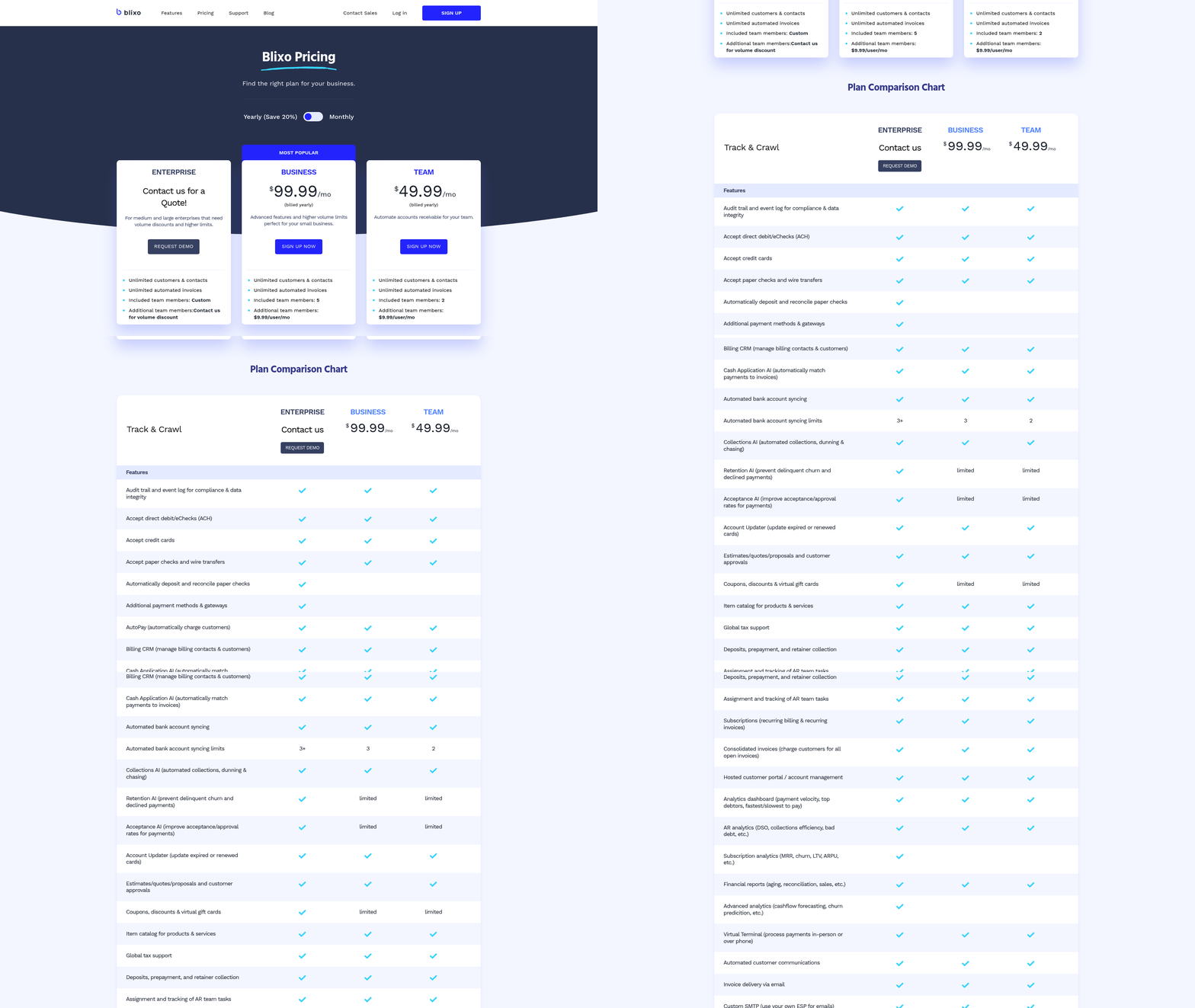
To set up automated invoice payment with Blixo, begin by creating an account and configuring your dashboard to streamline billing workflows. The platform’s web-based interface requires no software installation, and its 256-bit encryption ensures secure data handling from the start. Once registered, you’ll gain access to tools for invoice generation, payment tracking, and subscription management-all designed to reduce manual effort and accelerate cash flow.
How Do You Configure Payment Gateway Integration?
Payment gateway integration is critical for instant settlements and automated cash application. Blixo supports ACH, direct debit, eCheck, and major credit cards like Visa, Mastercard, and American Express. To connect these gateways:
- manage to the Payment Settings section in your dashboard.
- Enter API keys or credentials provided by your payment processor.
- Test the integration using Blixo’s sandbox environment to ensure seamless transactions.
This setup enables real-time payment processing, reducing Days Sales Outstanding (DSO) by up to 30% for businesses, as noted in a case study where a small business improved its cash flow efficiency after implementation. As mentioned in the Why Automated Invoice Payment Matters section, such automation safeguards revenue and reduces administrative waste by minimizing errors that occur in 15–30% of invoices manually processed.
What Steps Are Needed for Subscription and Recurring Billing?
For businesses offering subscription services, Blixo automates recurring invoicing and auto-billing. Start by:
- Creating a recurring invoice template with fixed or variable billing cycles (daily, weekly, monthly, etc.).
- Associating saved payment methods with customer profiles to eliminate manual entry.
- Scheduling invoices to auto-send and auto-charge based on predefined rules.
A medium-sized enterprise saw a 50% boost in payment collection efficiency after integrating Blixo with its ERP system, using recurring billing for subscription-based revenue. The platform also allows customization of prorated charges, grace periods, and tiered pricing models, giving businesses flexibility to adapt to customer needs.
How Do You Automate Payment Reminders and Dunning?
Efficient collections rely on proactive communication. Blixo lets you automate reminders and dunning workflows:
- Set up customizable email templates for overdue invoices, with adjustable frequency (e.g., 1-day, 3-day, 7-day reminders).
- Configure dunning rules to retry failed payments automatically, with options to notify customers via email or SMS.
- Use the customer portal to let clients view payment history and update payment methods self-service.
Building on concepts from the Managing Unpaid Invoices with Automated Collections section, the system supports predictive analytics to flag accounts at risk of non-payment, helping teams prioritize collections efforts. One user, Stacey, praised Blixo for its effectiveness in collecting outstanding invoices, highlighting how automated reminders reduced manual follow-ups by 70%.
Can You Customize the Customer Portal for Self-Service Payments?
Blixo’s customer portal enhances user experience by enabling clients to make payments, download invoices, and update billing details without IT intervention. To customize:
- Adjust branding elements like logos and color schemes to align with your business identity.
- Enable multi-language support and localized payment options for global customers.
- Set permissions to control what information customers can view (e.g., invoice history, upcoming charges).
Vincent Mann, founder of Globetown Media, called Blixo “the ultimate solution for invoicing,” citing its clean interface and ease of use. By offering a self-service portal, businesses reduce administrative overhead while improving customer satisfaction-key factors in retaining long-term clients, as highlighted in the Maximizing Benefits and Overcoming Common Challenges section.
By following these steps, businesses can transform their invoicing processes from reactive to proactive, ensuring faster payments, fewer errors, and scalable billing operations. Blixo’s integration with accounting systems like QuickBooks and Xero further streamlines workflows, making it a comprehensive solution for modern finance teams.
Automating Invoice Creation and Dispatch
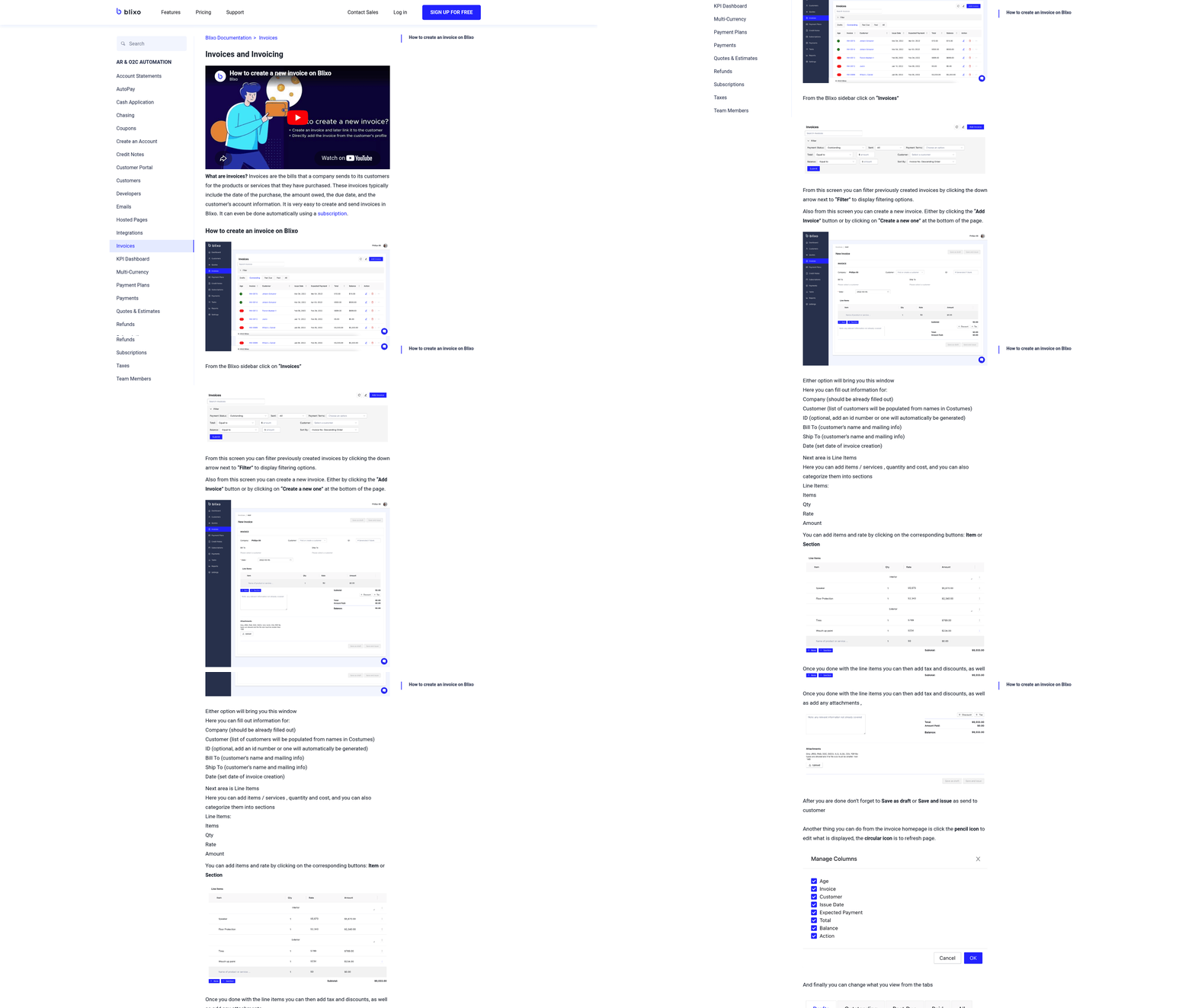
Automating invoice creation and dispatch streamlines your billing process, reduces manual errors, and accelerates payment collection. By using Blixo’s tools, you can customize templates, automate workflows, and integrate with accounting systems to ensure accuracy and compliance. Below are actionable steps and best practices to implement this effectively.
Customizing Invoice Templates for Branding and Compliance
A professional invoice reflects your brand and ensures legal compliance. Blixo lets you design templates with your company logo, payment terms, and tax details. For example, a small business using Blixo reduced days sales outstanding (DSO) by 30% after aligning invoices with their brand guidelines.
Start by logging into Blixo and managing to the Invoice Templates section. Add your logo, define payment methods (ACH, credit cards, etc.), and set default terms like due dates. Ensure compliance with local tax regulations by including necessary fields-Blixo’s templates support automatic tax calculations. Security is key: The platform uses 256-bit encryption to protect sensitive data, as highlighted in Blixo’s documentation.
Setting Up Automated Workflows for Invoice Creation and Dispatch
Automated workflows save time by triggering invoicing based on predefined rules. For recurring services, schedule invoices to generate monthly or quarterly. Blixo supports auto-billing with saved payment information, reducing the need for manual follow-ups.
Here’s how to configure it:
- Create a Recurring Invoice: Define the billing cycle, amount, and customer group.
- Link to Payment Methods: Enable auto-charging for credit cards or bank transfers.
- Integrate with ERP Systems: Blixo connects to platforms like NetSuite or SAP, sending invoices directly to clients via email or your enterprise portal. As mentioned in the Setting Up Blixo for Automated Invoice Payment section, this integration ensures seamless billing workflows from the initial setup.
A business improved invoice accuracy by 40% after mapping workflow rules to service delivery milestones. Use the Workflow Builder tool to map triggers, such as sending an invoice immediately after a service is delivered.
Automating Invoice Reminders and Follow-Ups
Late payments disrupt cash flow, but Blixo’s reminder system minimizes delays. Set up automated emails at intervals (e.g., 3 days before due, then on the due date, and 7 days after). The platform also tracks when clients view invoices, allowing you to prioritize follow-ups. Building on concepts from the Managing Unpaid Invoices with Automated Collections section, these reminders act as a proactive step before escalating to formal collections.
For example, one business reduced revenue leakage by 60% using scheduled reminders. To configure this:
- Go to Settings > Payment Reminders.
- Choose templates for each stage (initial reminder, final notice).
- Enable SMS or email alerts for urgent cases.
Industry experts note that 42% of companies lose 1–5% of EBITA due to poor follow-ups. Blixo’s automation cuts this risk by ensuring consistent communication.
Integrating with Accounting Software for Reconciliation
Seamless integration with accounting tools like QuickBooks or Xero ensures invoices align with your financial records. Blixo’s Intelligent Matching Engine automatically links payments to invoices, ensuring real-time updates for invoice statuses and payment tracking. As mentioned in the using Real-Time Revenue Tracking and Reporting section, these integrations enable accurate financial oversight through synchronized data.
Steps to connect:
- Select Your Accounting Software: Blixo supports QuickBooks, Xero, and NetSuite out-of-the-box.
- Map Fields: Sync customer data, invoice numbers, and payment statuses.
- Generate Reports: Use Blixo’s dashboards to track outstanding payments and reconcile discrepancies.
A case study from Blixo’s blog shows a midsize SaaS company saving 20+ weekly hours on manual corrections after integration. This ensures your books stay accurate without manual intervention.
Using Blixo’s Data for Timely Invoices
Blixo pulls data from your sales, subscriptions, and customer profiles to generate error-free invoices. For instance, a subscription-based business automates monthly billing by pulling active customer lists directly from their CRM. Use the Data Sync tool to ensure invoice details like quantities and rates are updated in real time.
Vincent Mann, founder of Globetown Media, shared: “Blixo is the ultimate solution for invoicing and payment management, say goodbye to administrative headaches.” This reflects how data-driven automation reduces manual entry errors, which occur in 15–30% of invoices otherwise.. By customizing templates, automating workflows, and integrating with accounting systems, you can transform invoicing from a manual chore to a streamlined, revenue-boosting process. Blixo’s tools not only save time but also improve payment rates, ensuring your business stays agile in a fast-paced market.
Managing Unpaid Invoices with Automated Collections
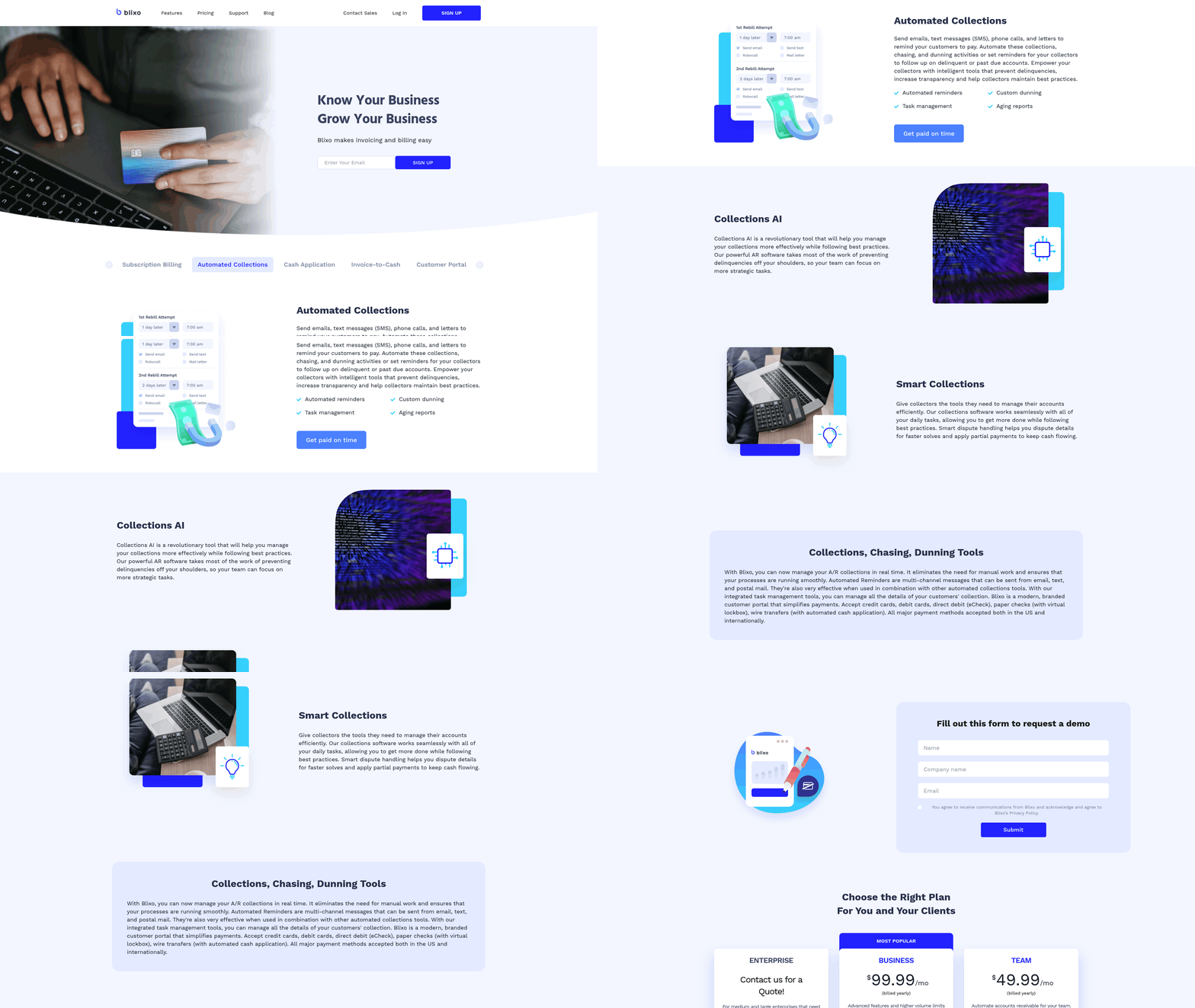
Managing unpaid invoices efficiently is critical for maintaining healthy cash flow, and Blixo’s automated collections streamline this process with minimal manual effort. By using dunning workflows, customizable communication, and data-driven prioritization, businesses can reduce late payments and improve reconciliation. Below, we break down how to implement these strategies using Blixo’s tools.
How Do You Set Up Automated Collections and Dunning?
Blixo automates collections by sending pre-configured payment reminders at intervals you define. Start by setting up dunning workflows in the platform’s settings: choose when to trigger reminders (e.g., 7, 14, and 30 days past due), specify payment methods to retry, and define late fees. As mentioned in the Setting Up Blixo for Automated Invoice Payment section, configuring these workflows begins with a streamlined dashboard setup. For example, if a customer misses a recurring invoice, Blixo automatically resends the invoice via email and attempts to charge stored payment details. This reduces manual follow-ups while maintaining professional urgency.
The platform also supports multi-channel chasing, ensuring customers receive reminders through their preferred communication method. Stacey, a Blixo user, praised the system for its effectiveness in recovering overdue invoices, noting that automated emails paired with SMS notifications increased her collection rate by 40%..
How Can You Customize Communication Templates?
Personalized communication builds trust while enforcing payment deadlines. In Blixo, users create customizable email and SMS templates with merge tags for client names, invoice numbers, and due dates. Building on concepts from the Automating Invoice Creation and Dispatch section, these templates allow for consistent branding and automation. For instance, you might draft a gentle reminder that reads:
“Hi [Client Name], your invoice #12345 for $X is due on [Due Date]. Please [pay now] to avoid late fees. Let me know if you need assistance!”
Templates can be tailored to match your brand’s tone-whether formal or casual-while ensuring clarity. Vincent Mann, founder of Globetown Media, highlighted this feature as a major advantage: “Blixo’s templates cut administrative headaches, letting me focus on client relationships instead of chasing payments.”.
For high-value accounts, consider adding a personalized note option to templates, allowing you to insert a brief message like, “I’d love to discuss any challenges you’re facing with this payment.” This balances automation with human touchpoints..
How Do You Identify and Prioritize High-Risk Accounts?
Blixo’s analytics dashboard flags high-risk accounts based on payment history, aging reports, and dispute frequency. As mentioned in the using Real-Time Revenue Tracking and Reporting section, sorting invoices by Days Sales Outstanding (DSO) helps prioritize collections. A DSO of 30 days or less is ideal; invoices lingering beyond this threshold require urgent attention.
For example, if a client consistently pays 60+ days late, Blixo’s system might highlight them in red, prompting proactive outreach. One company saved 50% on late fees by using this feature to prioritize collections for their top 10% of delinquent accounts. Pair this with payment plan automation (see below) to mitigate future delays..
How Do You Automate Payment Plans and Installment Agreements?
Offering flexible payment terms can prevent disputes and improve cash flow. In Blixo, you can set up recurring invoices for installment plans. For example, a $1,000 invoice might split into three $333.33 payments, with Blixo auto-sending reminders for each installment. This is particularly useful for clients facing temporary cash flow issues.
Matthew Schwartz, founder of Elemental Deodorant, uses this feature to manage subscription-based revenue: “Blixo lets me offer monthly installments, which has reduced customer pushback and increased on-time payments by 30%.” The platform also supports prorated payments and one-time rescheduling requests, all logged in a centralized ledger for transparency..
How Do You Integrate With Accounting Software?
Seamless integration with accounting platforms like QuickBooks and Xero ensures that automated collections data flows directly into financial reports. In Blixo, connect your accounting software via the integrations hub, then map invoice and payment fields to your chart of accounts. This eliminates manual data entry errors that occur in 15–30% of invoices (per Blixo’s research) and reduces reconciliation time by 70%.
For instance, when Blixo processes a late payment, it automatically updates your accounting software with the transaction, including late fees and currency conversions. This real-time syncing helps finance teams generate accurate cash flow forecasts without toggling between platforms.
By combining these strategies, businesses can reduce unpaid invoices by up to 60% while maintaining strong client relationships. Blixo’s tools not only automate repetitive tasks but also provide actionable insights to strengthen long-term receivables management.
using Real-Time Revenue Tracking and Reporting
using real-time revenue tracking and reporting in Blixo starts with customizing your dashboard to reflect the metrics that matter most to your business. You can tailor widgets, set filters, and prioritize KPIs like cash flow trends, payment success rates, or subscription renewal rates. For example, if you run a subscription-based service, you might highlight metrics such as monthly recurring revenue (MRR) or churn rates to monitor performance at a glance. Stacey, who praised Blixo’s clean interface, emphasized how a well-organized dashboard reduces the time spent sifting through data, letting you focus on actionable insights. As mentioned in the Setting Up Blixo for Automated Invoice Payment section, configuring your dashboard is an essential first step in aligning Blixo with your billing workflows.
How Do You Analyze Revenue Trends with Blixo?
Blixo’s real-time data allows you to identify patterns and anomalies in revenue streams. Start by generating trend reports that compare income across weeks, months, or quarters. Look for spikes or dips in payments-say, a sudden drop in subscription renewals-to investigate issues like payment failures or customer dissatisfaction. The platform’s intelligent matching engine ensures payments are accurately tied to invoices, minimizing errors in your analysis. Vincent Mann, founder of Globetown Media, credits Blixo with eliminating administrative headaches, which he attributes to the clarity of real-time revenue data. Building on concepts from the Why Automated Invoice Payment Matters section, the reduction in manual reconciliation errors directly supports the efficiency gains highlighted in Blixo’s automation features.
To deepen your analysis, segment data by customer groups, product lines, or payment methods. For instance, if you notice slower payments from a specific client segment, you might adjust your invoicing strategy or payment terms. Blixo’s filters let you isolate these segments quickly, so you can address bottlenecks before they impact cash flow.
What Automated Reports and Alerts Should You Set Up?
Automated reports and alerts turn raw data into proactive decision-making tools. Schedule weekly or monthly revenue summaries to track progress toward financial goals, and set up alerts for critical thresholds-like when late payments exceed 10% of total invoices. These alerts can trigger workflows, such as sending dunning emails or flagging accounts for manual follow-up. Building on concepts from the Managing Unpaid Invoices with Automated Collections section, automating these alerts ensures consistent follow-up on delinquent accounts without manual intervention.
Blixo integrates with accounting software like QuickBooks and Xero, ensuring your reports align with financial records. Matthew Schwartz, founder of Elemental Deodorant, highlights how this integration simplified his accounting process, enabling seamless reconciliation. For example, you can generate a daily cash flow report in Blixo and export it directly to your accounting system, reducing manual data entry by up to 80%.
Customize report templates to include metrics relevant to stakeholders. A sales team might want to see revenue by product, while executives may prioritize overall MRR growth. Use Blixo’s automation to deliver these reports via email or share them internally through your preferred collaboration tools.
How Does Integration Drive Better Revenue Insights?
Connecting Blixo to your accounting software creates a unified view of revenue. When payments are reconciled in real time, you avoid discrepancies that arise from delayed or manual updates. For example, if a customer pays via a saved credit card, Blixo automatically logs the transaction and updates your accounting system, so you always have accurate books. Duy, who used Blixo for subscriptions, found this automation critical for managing recurring payments without manual oversight.
Beyond accounting, use revenue data to inform pricing strategies or customer retention efforts. If analytics show that 30% of customers cancel after a specific service tier, you might introduce a mid-tier plan to retain them. Blixo’s reporting tools let you test hypotheses-like adjusting subscription terms-and measure the impact within days.
By combining real-time tracking with automation, Blixo transforms revenue data from a retrospective metric into a forward-looking strategy tool. Whether you’re optimizing collections or forecasting growth, the platform’s flexibility ensures you stay ahead of financial trends.
Maximizing Benefits and Overcoming Common Challenges
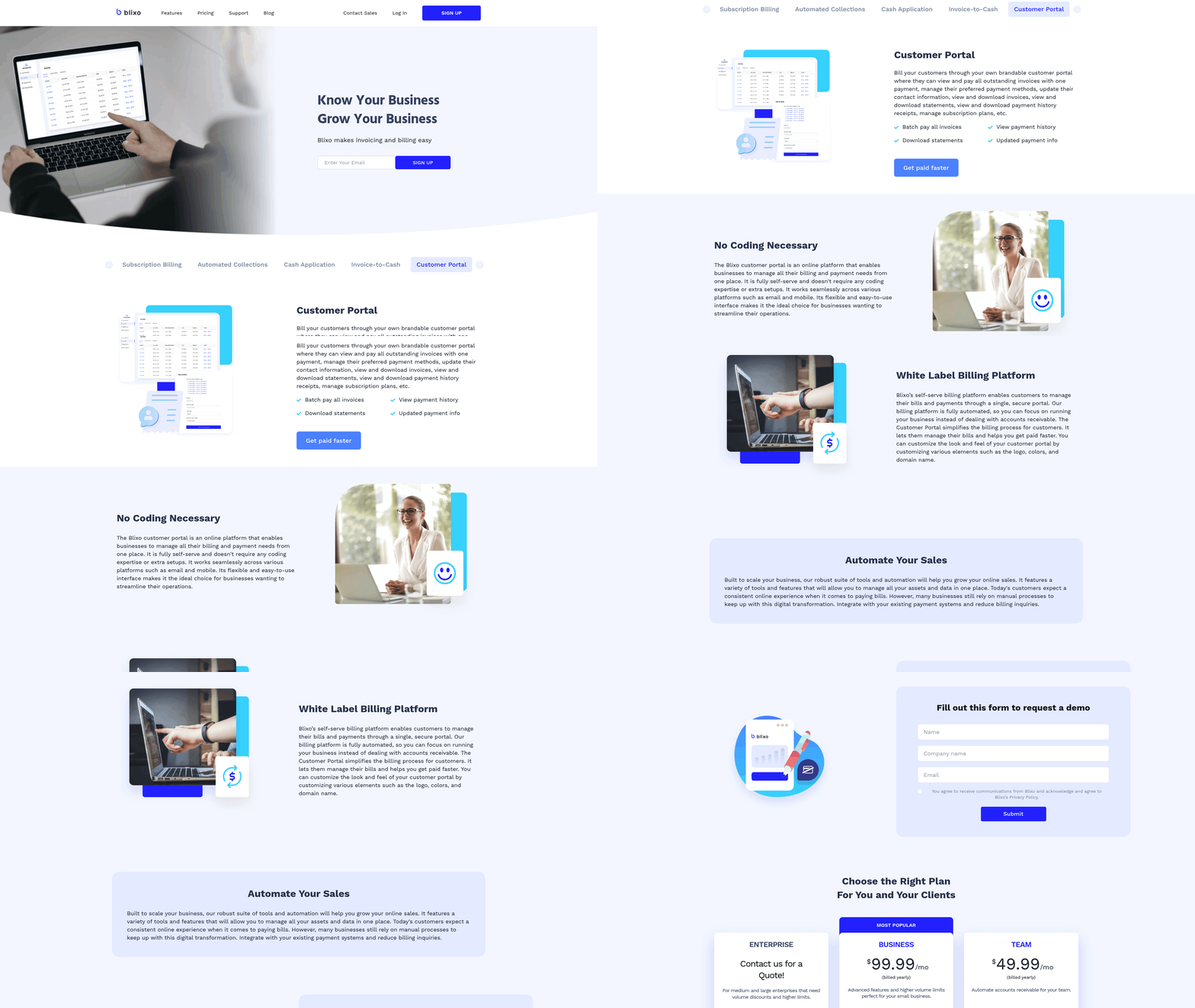
Automated invoice payment systems like Blixo offer powerful tools to streamline workflows, but their success depends on strategic implementation. This section outlines actionable strategies to maximize benefits, address common hurdles, and use Blixo’s features effectively.
How Do You Maximize the Benefits of Automated Invoice Payment?
Start by standardizing your invoicing processes. Blixo allows you to create recurring invoices and auto-charge customers using saved payment details, reducing manual effort. For example, businesses that automate subscription billing with Blixo report a 60% reduction in revenue leakage due to errors or delayed cash application. Pair this with integration into accounting platforms like QuickBooks or Xero to ensure seamless data flow and minimize reconciliation time, as outlined in the Automating Invoice Creation and Dispatch section.
Implement automated approval workflows to reduce processing delays. Blixo’s conditional routing allows invoices to bypass manual steps for trusted vendors, cutting approval times by an average of 40%. Regularly review Blixo’s analytics dashboard to track metrics like Days Sales Outstanding (DSO). Companies using automated billing systems have seen DSO cut by 20 days on average, accelerating cash flow, as highlighted in the using Real-Time Revenue Tracking and Reporting section.
What Are Common Challenges in Implementation?
One frequent obstacle is staff resistance to change. Even with automation, 95% of workers still perform repetitive tasks if workflows aren’t clearly defined. To overcome this, train teams on Blixo’s user-friendly interface-users like Duy praised its simplicity for managing subscriptions and monthly payments. Another challenge is payment method compatibility. Blixo supports multiple payment types, but ensure customers are informed about accepted methods to avoid delays, as detailed in the Setting Up Blixo for Automated Invoice Payment section.
How Can You Troubleshoot Payment Issues?
When payments fail, start by verifying customer payment details stored in Blixo. If a transaction is declined, the platform provides error codes to identify root causes, such as expired cards or insufficient funds. Blixo’s real-time tracking also helps pinpoint bottlenecks-for example, if recurring invoices aren’t being sent, check the automation settings for missed triggers.
How Do You Use Blixo Data to Optimize Workflows?
Blixo’s analytics tools provide insights into payment trends, helping you refine strategies. Track metrics like revenue leakage rates or reconciliation time to identify inefficiencies. One SaaS company reduced manual correction hours by 20 weekly using Blixo’s AI-driven cash application. Export this data to generate reports for stakeholders, demonstrating ROI from automation, as shown in the using Real-Time Revenue Tracking and Reporting section.
How Do You Stay Updated on Blixo’s Features?
Blixo regularly updates its SaaS service to enhance automation capabilities. Subscribe to their blog or newsletter to learn about new features, such as multi-currency support or advanced reporting tools. Participate in Blixo-hosted webinars or training sessions to master advanced features like custom ERP integrations for Oracle or SAP. Staying informed ensures you use the platform’s full potential, avoiding stagnation in favor of innovation.
Frequently Asked Questions
1. What are the main benefits of automated invoice payment?
Automated invoice payment reduces manual errors by 15–30%, cuts days sales outstanding (DSO) by up to 20 days, and recovers 60% of revenue leakage. It also saves administrative time by integrating with tools like QuickBooks and NetSuite.
2. How does automation reduce manual errors in invoicing?
Automation eliminates 15–30% of manual errors by standardizing invoice processes. This reduces disputes and late payments, preventing 1–5% EBITA losses for 42% of companies due to poor payment follow-up.
3. Can automated systems integrate with accounting tools?
Yes, systems like Blixo integrate seamlessly with QuickBooks and NetSuite. This integration streamlines invoicing, collections, and reconciliation, cutting 20% of reconciliation efforts wasted on disputes.
4. What financial risks do manual invoicing processes pose?
Manual invoicing risks include $4.5M/month losses from delayed cash application and 20% of reconciliation efforts wasted on disputes. 39% of AP teams using manual methods face late payments and revenue leakage.
5. How does Blixo help recover revenue leakage?
Blixo automates invoice creation and tracking, recovering 60% of revenue leakage from delayed or mismatched payments. It streamlines collections and reduces late payments through automated workflows.
6. What is an example of cost savings from automation?
A logistics firm saved $4.5M/month by automating invoicing with Blixo. Automation addressed delayed cash application and manual corrections, preventing revenue loss from late payments.
7. How does automation impact accounts payable efficiency?
Automation cuts 20% of reconciliation efforts wasted on disputes. By replacing manual AP processes, businesses reduce administrative time and free 95% of workers from repetitive tasks for growth-focused work.