

Automated Invoice Payment Checklist for Blixo
Related Video
Watch: Blixo Review & Tutorial - Manage Subscriptions, Invoicing & Collections | Passivern by Passivern
Key Takeaways
- Automated invoice systems reduce payment delays by 40% and cut operational costs by 30%.
- Manual invoice processes cause a 40% longer payment cycle time, leading to 15% annual revenue loss.
- Blixo’s automation reduces invoice errors from 10% to under 1%, preventing customer disputes.
- Administrative teams save 30% of their time by automating dispute resolution and invoice chasing.
- Automation accelerates cash flow by minimizing late payments and expediting revenue recognition.
- Processing 1,000 invoices manually results in 100 errors monthly, but automation reduces this to fewer than 10.
- Businesses using automation recover 15% more revenue annually compared to manual systems.
Why Automated Invoice Payment Matters
Automated invoice payment systems are no longer a luxury-they’re a necessity for businesses aiming to stay competitive. Manual processes are slow, error-prone, and costly, with studies showing they can delay payments by up to 40% and increase operational costs by 30%. By automating these workflows, businesses like those using Blixo’s SaaS service enable faster cash flow, reduce administrative burdens, and minimize errors that damage customer relationships. Let’s break down why this shift matters and who benefits most.
How Manual Invoice Processes Drain Business Efficiency
Manual invoice management creates bottlenecks that harm revenue and operational agility. For example, a 40% increase in payment cycle time is common in businesses relying on spreadsheets or paper-based systems. This delay directly impacts cash flow, with some companies losing up to 15% of revenue annually due to late or missed payments. Administrative teams often spend 30% of their time resolving payment disputes or chasing down missing invoices, which diverts resources from strategic growth initiatives.
Consider a scenario where an accounts payable team manually processes 1,000 invoices monthly. Even a 10% error rate (100 invoices) can lead to delays, customer dissatisfaction, and late fees. As mentioned in the ****Setting Up Blixo for Automated Invoice Payment section, Blixo’s automation capabilities reduce these errors to less than 1%, ensuring smoother operations and faster revenue recognition.
Real-World Gains from Automated Invoice Payments
Businesses that automate invoice payments see measurable improvements in efficiency and profitability. One company using Blixo’s SaaS service reported cutting payment processing time in half while reducing late payment penalties by 70%. Another saw a 50% drop in administrative workload by automating invoice approvals and collections. These outcomes aren’t isolated-Blixo’s case studies confirm that businesses achieve faster payment cycles, improved customer satisfaction, and better financial forecasting with automated workflows.
For example, a subscription-based business using Blixo’s automated billing system reduced manual reconciliation tasks by 80%, allowing staff to focus on customer retention strategies. Building on concepts from the ****Implementing Intelligent Cash Application and Reconciliation section, the same system also flagged payment failures in real time, reducing churn from failed transactions by 35%. These results align with Blixo’s core principle: automation isn’t just about speed-it’s about creating a seamless experience for customers and finance teams alike.
Who Benefits Most from Automation-And Why
While all businesses stand to gain from automation, certain groups see the most immediate impact:
- Small businesses with limited staff benefit from eliminating time-consuming manual tasks.
- Enterprises with high invoice volumes reduce errors and improve scalability.
- Subscription-based industries (e.g., SaaS, recurring services) enhance customer retention through automated dunning and billing.
As mentioned in the ****Setting Up Blixo for Automated Invoice Payment section, Blixo’s tools are designed to meet these needs. For small teams, it streamlines invoice creation and payment tracking. For large enterprises, it integrates with ERP systems to unify order-to-cash workflows. The platform’s analytics also provide visibility into cash flow, helping finance leaders make data-driven decisions.
Blixo’s Role in Modernizing Financial Operations
Blixo goes beyond basic automation by offering end-to-end solutions for invoice management, collections, and subscription billing. Its Accounts Receivable (A/R) automation feature, for instance, streamlines invoicing and collections through automated payment reminders and credit checks. This reduces days sales outstanding (DSO) by up to 50%, ensuring businesses get paid faster. The platform’s Order-to-Cash (O2C) automation further reduces operational costs by integrating order processing, invoicing, and cash application into a single workflow.
Real-time data visibility is another key differentiator. **Building on the insights from the **Monitoring Payment Status and Analytics section, Blixo’s dashboards provide instant insights into payment statuses and credit risks, enabling proactive financial management. For businesses in high-volume industries, this transparency minimizes write-offs and accelerates decision-making. As one user testimonial from Blixo’s documentation states, “Automation with Blixo ensures we get paid faster, allowing us to focus on growing our business.”.
By addressing pain points like delayed payments, administrative overload, and operational inefficiencies, Blixo’s automated invoice payment system delivers tangible value across industries. Whether you’re a small business owner or a finance leader at a large enterprise, the benefits of automation are clear: faster payments, fewer errors, and a stronger bottom line.
Setting Up Blixo for Automated Invoice Payment
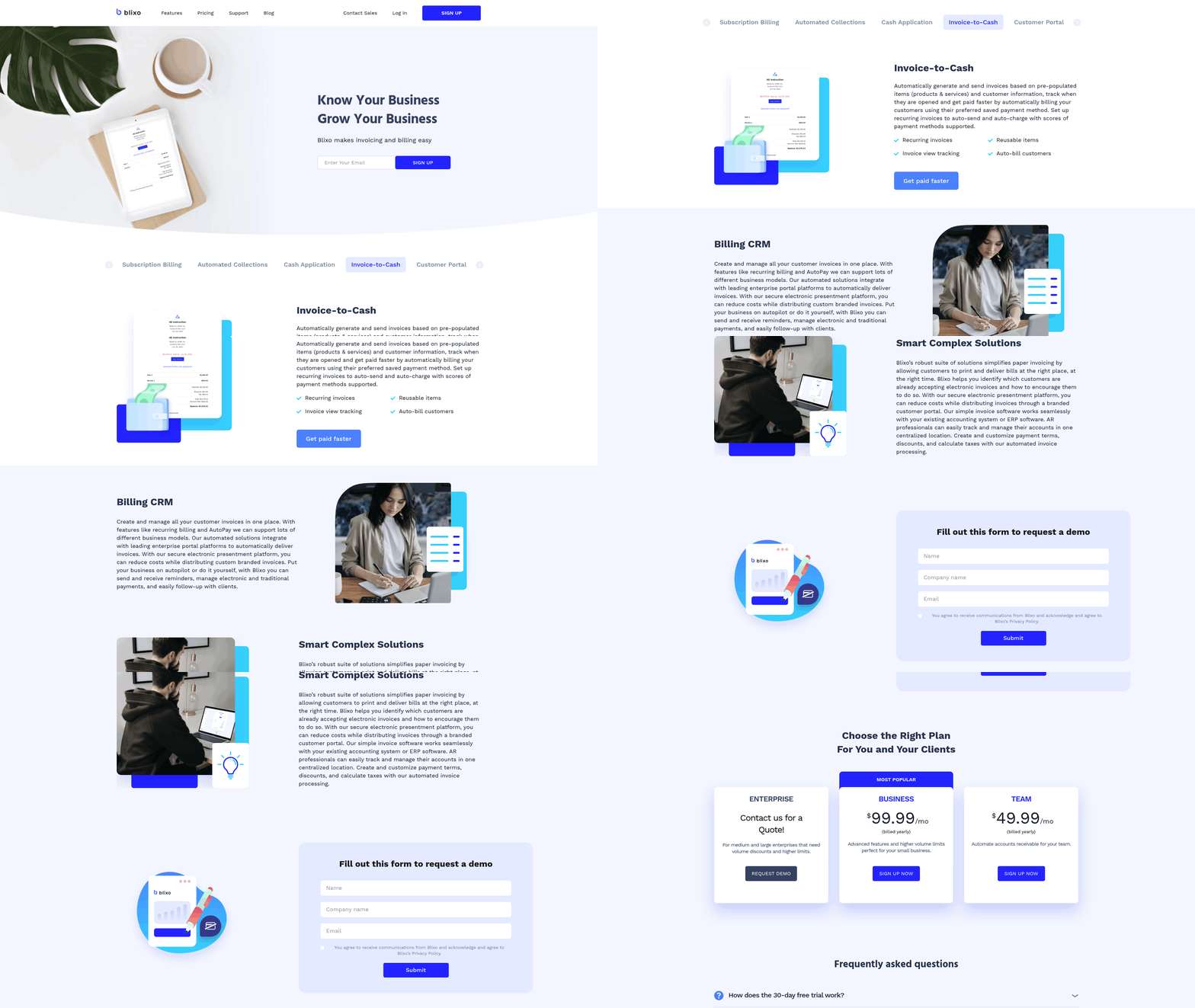
Setting up Blixo for automated invoice payment requires a structured approach to ensure seamless integration, efficient workflows, and minimal errors. By using Blixo’s automation capabilities, businesses can reduce payment cycles by up to 40% and improve cash flow visibility. Below is a step-by-step checklist to guide you through the setup process, organized by key functional areas.
How Do I Integrate Blixo With Accounting Software?
Integrating Blixo with accounting systems like QuickBooks or Xero ensures synchronized financial data and eliminates manual entry. Start by accessing Blixo’s integrations dashboard, where you’ll find pre-built connectors for major platforms. Authenticate the connection using your accounting software credentials, then map Blixo’s invoice and payment fields to corresponding accounts in your system. This alignment guarantees that every transaction in Blixo updates your accounting records in real time, reducing discrepancies and saving time. As mentioned in the Implementing Intelligent Cash Application and Reconciliation section, proper data mapping is critical for automating payment matching and reducing manual errors.
- Activate the integration in Blixo’s settings under “Accounting Software” Direct integration minimizes manual reconciliation and ensures accurate financial reporting.
- Map invoice and payment categories to your accounting system Misaligned fields can cause errors in revenue tracking and tax reporting.
- Test the sync with a sample transaction before full deployment A test run identifies connectivity issues or configuration gaps early.
What Payment Reminders and Schedules Should I Configure?
Automated reminders reduce late payments and improve customer relationships. In Blixo, manage to the Payment Notifications section to define reminder rules. For example, set a first reminder 7 days after invoicing, a second reminder 3 days before the due date, and a final notice on the due date. Customize email templates to include your branding and payment instructions, ensuring clarity for recipients. Building on concepts from the Providing a Customer Self-Service Portal section, consistent branding across communications enhances customer trust and engagement.
- Create tiered reminder schedules based on payment terms Tiered alerts increase the likelihood of timely payments without overwhelming customers.
- Personalize email templates with your company logo and contact details Professional templates reflect brand consistency and build trust.
- Enable SMS or app notifications for urgent reminders Multi-channel communication accommodates customer preferences.
How Do I Set Up Payment Methods and Reconciliation Rules?
Blixo supports multiple payment methods, including credit cards and bank transfers, to streamline customer payments. Add payment gateways via the Payment Methods tab, ensuring compliance with security standards like PCI DSS for card transactions. For reconciliation, use Blixo’s Automatic Reconciliation Rules to match incoming payments with invoices based on criteria like invoice number or customer name.
- Add and verify payment gateways (e.g., Stripe, PayPal) in the settings Verified gateways reduce payment failures and processing delays.
- Set default payment methods for recurring invoices Default options simplify the customer experience and speed up transactions.
- Define reconciliation rules for cash application Rules like “Match exact invoice amounts” automate reconciliation and reduce manual intervention.
What Testing Steps Ensure System Reliability?
Before going live, validate every component of your automated system. Run test payments through each configured method to confirm successful processing. Use Blixo’s Test Mode to simulate scenarios like late payments or failed transactions without affecting real data. Review reconciliation reports to ensure they align with your accounting records. As mentioned in the Monitoring Payment Status and Analytics section, regular audits of reconciliation logs help identify mismatches and optimize system performance.
- Simulate end-to-end payment workflows in Test Mode Test Mode identifies configuration flaws without financial risk.
- Check payment confirmation alerts for accuracy Misconfigured alerts can confuse customers and harm trust.
- Audit reconciliation logs for mismatches Unresolved mismatches indicate gaps in rule logic or data mapping.
By following this checklist, businesses can implement Blixo’s automated invoice payment system efficiently. As one company noted, “Streamlined processes led to 30% faster payment collection and fewer disputes,” highlighting the tangible benefits of automation. Regularly revisit these settings to adapt to changing business needs and payment trends.
Implementing Intelligent Cash Application and Reconciliation
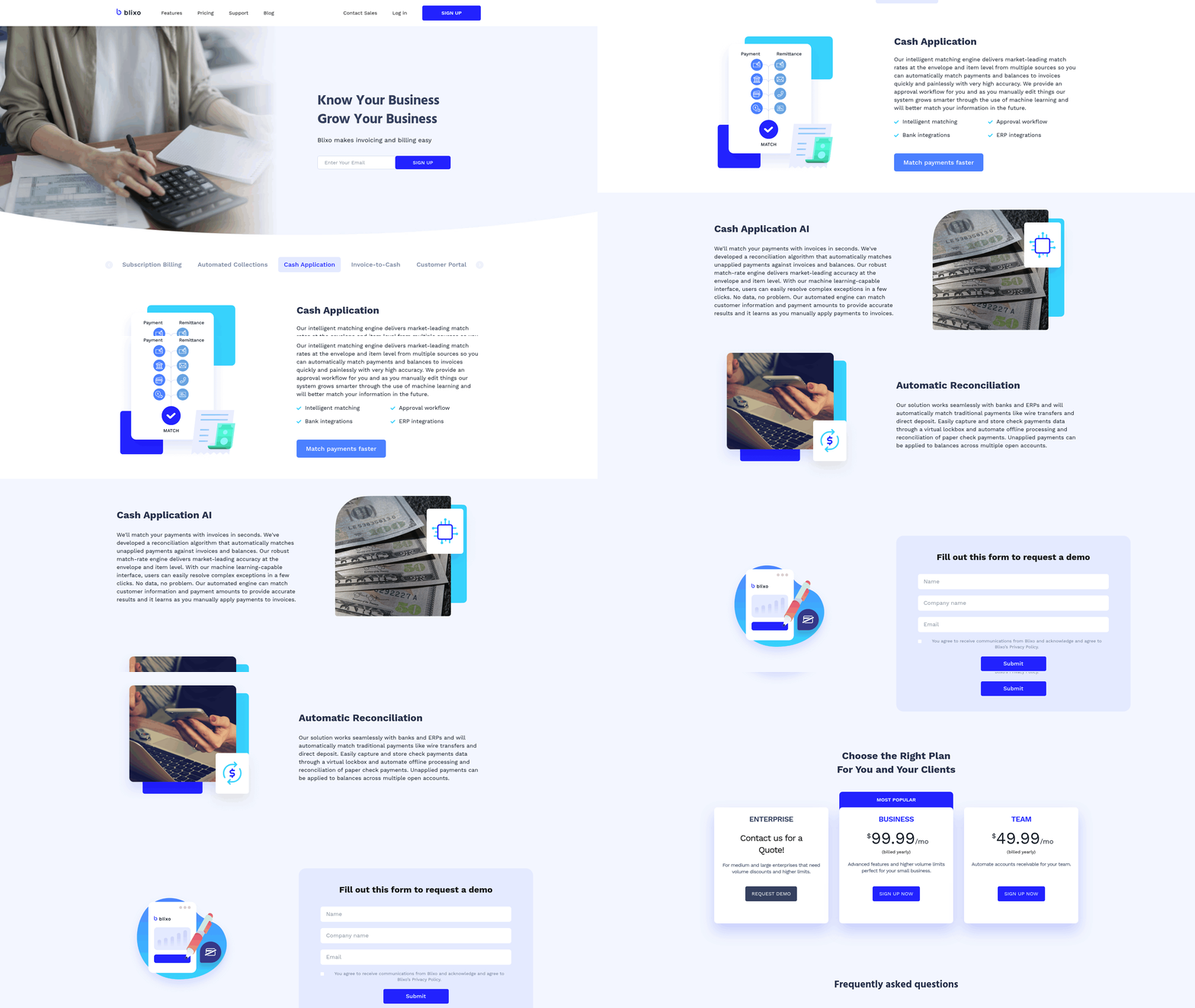
Implementing intelligent cash application and reconciliation in Blixo streamlines financial processes by automating payment matching, reducing manual errors, and ensuring real-time visibility into cash flows. Here’s how to configure these features effectively.
How Do Automatic Reconciliation Rules Work?
Automatic reconciliation rules act as the foundation for matching incoming payments to the correct invoices. Start by defining matching criteria such as invoice number, payment amount, due date, and customer name. Blixo allows you to set thresholds for partial matches-for example, tolerating a 5% amount difference due to rounding errors. Next, configure payment allocation rules to specify how funds are distributed when multiple invoices are involved. For instance, prioritize applying payments to invoices with earlier due dates. Finally, test these rules with sample transactions to ensure accuracy before enabling them company-wide.
- Define matching criteria for payment-invoice alignment (e.g., invoice number, amount, customer details)
- Set tolerance thresholds for discrepancies like currency rounding or minor amount differences
- Map payment allocation priorities (e.g., oldest invoices first, largest amounts first)
What Settings Should You Configure for Cash Application?
Properly configuring cash application settings ensures payments are processed correctly. Begin by linking payment methods (ACH, credit card, wire transfer) to their respective processing workflows. Use bank account mapping to assign incoming payments to the correct general ledger accounts. For example, a wire transfer from a customer might map to the “Accounts Receivable” account. Regularly review these mappings to avoid misclassifications. Building on concepts from the Setting Up Blixo for Automated Invoice Payment section, ensure workflows align with your organization’s payment protocols.
- Link payment methods to workflows (e.g., ACH, credit card, manual entry)
- Map bank accounts to appropriate ledger entries for accurate financial reporting
- Test configurations with low-risk transactions to verify accuracy
How to Enable Real-Time Reconciliation and Notifications?
Real-time cash application minimizes delays by processing payments as they’re received. To activate this, manage to real-time reconciliation settings and enable automatic processing for eligible transactions. Set up notifications and alerts for exceptions, such as mismatched payments or unapplied funds. For example, receive an email if a payment doesn’t match an invoice within 1% amount variance. These alerts help teams address issues before they escalate.
- Turn on real-time reconciliation for immediate payment-invoice matching
- Configure alerts for discrepancies (e.g., unmatched payments, amount mismatches)
- Assign escalation rules for unresolved issues (e.g., notify managers after 24 hours)
What Role Does Blixo’s Intelligent Matching Engine Play?
Blixo’s intelligent matching engine uses machine learning to analyze historical payment patterns and improve accuracy over time. Train the engine by uploading past transactions, allowing it to recognize common customer behaviors. For example, if a customer consistently pays 10% late, the engine can flag those payments for review. This reduces manual work while maintaining compliance with internal controls.
- Upload historical payment data to train the matching engine
- Monitor the engine’s suggestions and adjust rules as needed
- Review flagged exceptions manually to refine future matches
How to Troubleshoot Cash Application Issues?
Payment discrepancies and mismatches are common but manageable. If a payment isn’t applied correctly, start by checking reconciliation logs to identify where the process failed. Common issues include missing invoice numbers, incorrect amount formatting, or mismatched customer codes. Adjust rules to address these gaps-like tightening amount tolerances or adding new matching fields. As mentioned in the Monitoring Payment Status and Analytics section, using dashboards can further aid in identifying trends and resolving systemic issues.
- Review reconciliation logs to trace mismatched transactions
- Adjust matching rules for recurring discrepancies (e.g., stricter amount tolerances)
- Conduct monthly audits to identify systemic issues in cash application
By combining automated rules, real-time monitoring, and intelligent tools, Blixo transforms cash application from a reactive task into a proactive, error-resistant process. Regular maintenance and rule refinements ensure it adapts to changing business needs.
Providing a Customer Self-Service Portal
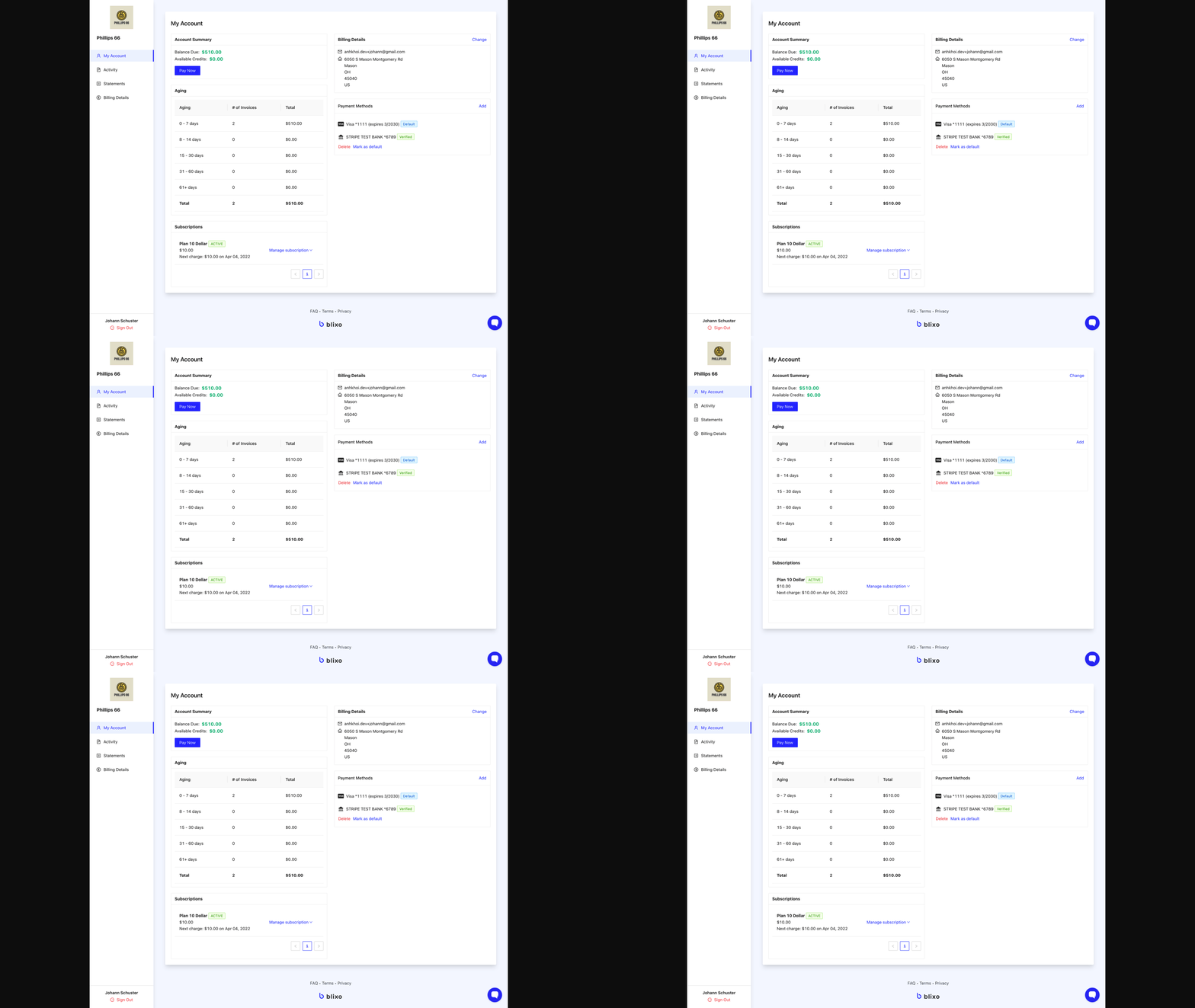
Creating a customer self-service portal in Blixo streamlines invoice payments, reduces manual work, and boosts customer satisfaction. By customizing portals to reflect your brand and configuring secure payment options, you empower clients to manage their accounts independently. Below is a structured checklist to guide you through the setup process.
How Do You Set Up Custom Customer Portals?
Custom portals enhance trust and professionalism by aligning with your brand identity. Start by accessing Blixo’s admin dashboard and selecting Custom Portals.
- Upload branding assets: Add your logo, brand colors, and fonts to maintain consistency with your company’s visual identity. This ensures customers recognize the portal as part of your service.
- Enable portal access controls: Assign unique login credentials to clients, allowing them to view only their invoices and payment history. This protects sensitive data.
- Customize portal templates: Choose from pre-designed templates or adjust layouts to match your website’s style. A cohesive design improves user experience.
What Payment Options Should You Configure?
Offering diverse payment methods accommodates customer preferences and accelerates transaction processing.
- Enable credit card payments: Integrate Blixo’s PCI-compliant payment gateway to securely accept major credit cards. Instant processing reduces delays in revenue tracking. Building on concepts from the Setting Up Blixo for Automated Invoice Payment section, ensure these integrations align with your automated payment workflows.
- Set up bank transfer options: Allow customers to pay via ACH or wire transfer by linking their bank accounts through Blixo’s financial integrations.
- Add automated reconciliation: Configure the system to match payments with invoices automatically, minimizing manual accounting errors.
How Can You Improve Payment Tracking and Transparency?
Real-time updates and clear payment history keep clients informed and reduce disputes.
- Activate payment status dashboards: Customers can check if invoices are outstanding, paid, or overdue through an interactive portal. As mentioned in the Implementing Intelligent Cash Application and Reconciliation section, these dashboards ensure real-time visibility into cash flow.
- Send automated payment notifications: Configure email alerts for successful transactions, failed payments, or upcoming due dates.
- Sync with accounting software: Integrate Blixo with your accounting system to ensure payment records are updated in real time.
How Does the Portal Reduce Support Requests?
A well-designed portal minimizes customer confusion and reliance on your team for basic tasks.
“Since implementing Blixo’s portal, our support team handles 40% fewer payment-related inquiries.” – Customer Success Manager
- Provide self-service FAQs: Embed a searchable knowledge base within the portal to address common questions about payment methods and due dates.
- Automate late fee calculations: Let the system apply penalties based on predefined rules, eliminating disputes over manual estimations.
How Do You Customize Workflows for Specific Needs?
Tailoring the portal to your business processes ensures it aligns with unique requirements.
- Add custom fields: Include fields for project codes, purchase orders, or client-specific notes to streamline invoice categorization.
- Design approval workflows: Set up multi-step approvals for invoices or payments, ensuring compliance with internal policies.
By following this checklist, you create a streamlined, secure, and user-friendly experience for clients. Regularly review portal analytics in Blixo to identify areas for improvement, such as reducing checkout steps or adding new payment methods. For deeper insights into automation, explore this guide on AR & O2C workflows.
Monitoring Payment Status and Analytics
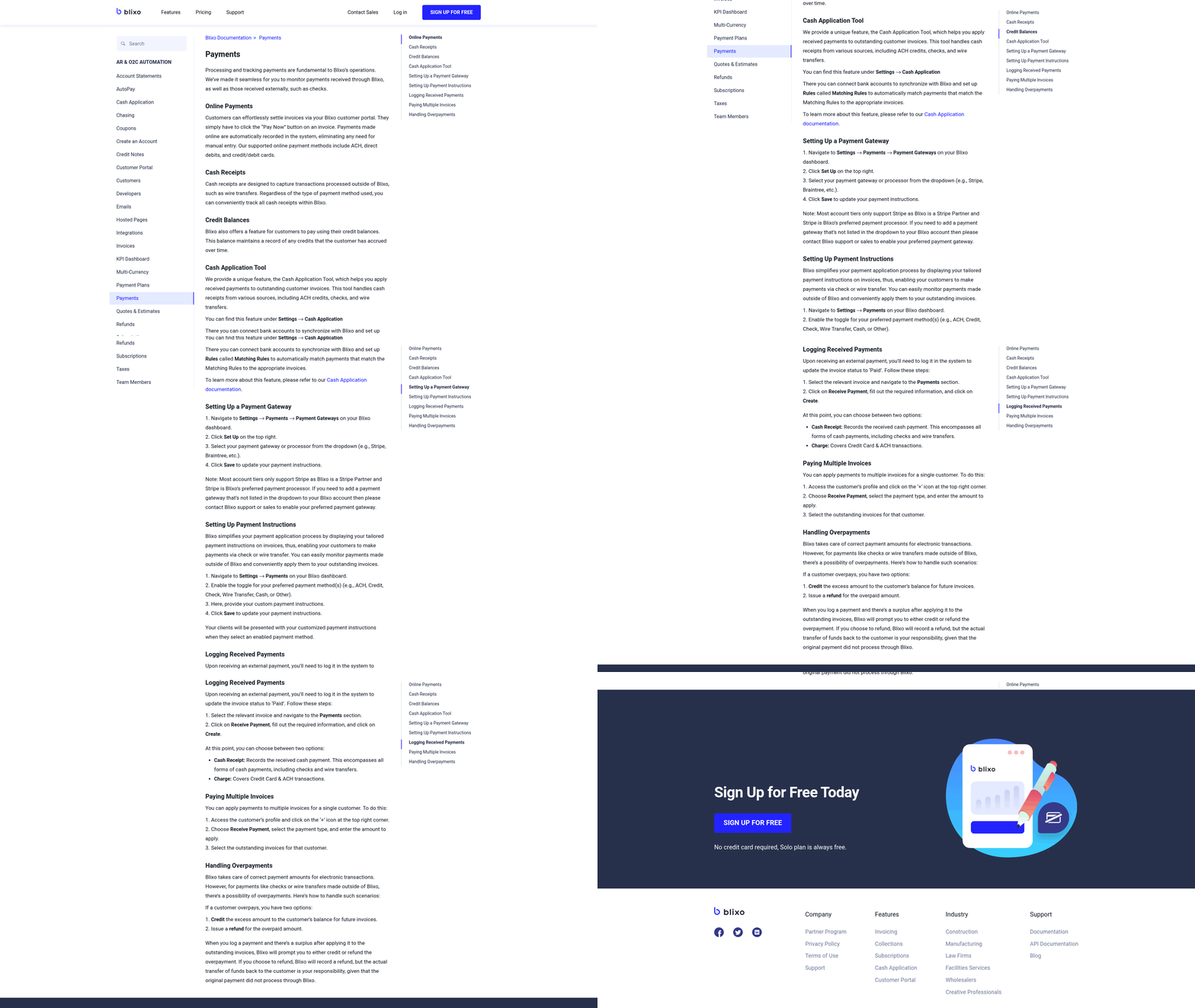
Monitoring payment status and analytics in Blixo ensures visibility into your financial operations, helping you track receivables, identify bottlenecks, and optimize cash flow. By using custom dashboards, KPIs, and automated alerts, you can streamline payment tracking and make data-driven decisions. Below is a structured guide to implementing these tools effectively.
How to Set Up Custom Dashboards for Payment Monitoring
Custom dashboards in Blixo let you centralize payment data, making it easier to track metrics in real time. Start by selecting widgets that align with your financial priorities.
- Add payment status widgets to visualize outstanding, paid, and overdue invoices. These widgets help you quickly identify high-risk accounts or delayed payments.
- Include analytics widgets for revenue trends, such as monthly payment growth or average days to settle invoices. This visibility supports proactive financial planning.
- Customize layouts to prioritize metrics most critical to your business. For example, if late payments are a recurring issue, place overdue invoice counters front-and-center.
Blixo’s flexible dashboard builder allows drag-and-drop customization, ensuring teams can focus on the metrics that matter most.
What Key Performance Indicators Should You Track?
Tracking KPIs helps measure the health of your payment processes and customer relationships. Focus on metrics that reflect efficiency, revenue stability, and client behavior.
- Monitor payment rates to assess on-time payment percentages. A declining rate may signal client dissatisfaction or operational inefficiencies.
- Track revenue growth by comparing monthly or quarterly payment totals. Consistent growth indicates strong cash flow management.
- Analyze customer behavior by identifying patterns, such as clients who frequently delay payments or consistently settle invoices early.
These KPIs act as early warning systems. For instance, a sudden drop in on-time payments could prompt a review of your invoicing process or client communication strategies, as mentioned in the Setting Up Blixo for Automated Invoice Payment section.
How Can Analytics Tools Identify Trends?
Blixo’s analytics tools go beyond raw data by highlighting trends in payment patterns and customer behavior. Use these insights to refine your financial strategies.
- Generate payment pattern reports to spot seasonal fluctuations or recurring delays. For example, you might notice slower payments during specific months, allowing you to adjust cash flow forecasts.
- Use customer behavior insights to segment clients based on payment reliability. High-risk clients can be flagged for closer monitoring or tailored follow-up protocols.
- Export data for deeper analysis if you need to share findings with stakeholders or integrate insights into financial models.
By reviewing these trends, you can adjust billing terms, improve client onboarding, or address systemic issues in your payment workflows. Integrating these insights with the Providing a Customer Self-Service Portal section’s strategies can further enhance customer satisfaction and payment efficiency.
How to Configure Alerts and Notifications
Automated alerts ensure you never miss critical payment milestones or delays. Configure notifications to match your team’s workflow and responsiveness goals.
- Set up payment reminders for clients approaching their due dates. Timely reminders reduce late payments and improve customer relations, building on concepts from the Why Automated Invoice Payment Matters section.
- Configure overdue notifications to trigger alerts when invoices pass their due dates. These notifications can be sent to specific team members or integrated with task management tools.
- Adjust alert settings based on urgency. For example, high-value overdue invoices might require immediate escalation to senior staff.
Proactive alerts prevent small delays from becoming major cash flow issues.
How to Optimize Payment Processes With Data
Use the insights from Blixo’s analytics to refine your payment workflows and financial operations.
- Review analytics to adjust terms. If data shows that 30-day payment terms lead to frequent delays, consider shortening them for high-risk clients.
- Improve collections by focusing follow-up efforts on accounts most likely to delay payments, using customer behavior patterns identified in dashboards.
- Enhance financial operations by aligning forecasting with historical payment trends. For example, if data reveals a consistent lag in payments during Q4, adjust your budgeting accordingly.
By integrating analytics into your workflow, you reduce manual oversight and create a more predictable revenue cycle.
Frequently Asked Questions
1. How does automated invoice payment reduce payment delays?
Automation cuts payment delays by 40% through streamlined workflows, ensuring invoices are processed faster and reducing manual bottlenecks. Blixo’s system accelerates cash flow by minimizing late payments and expediting revenue recognition.
2. What error rate improvement does automation provide?
Automated systems reduce invoice errors from 10% to under 1%, preventing disputes and ensuring accuracy. Blixo’s automation identifies and corrects errors before payment, improving customer satisfaction.
3. How much time do administrative teams save with automation?
Teams save 30% of their time by automating dispute resolution and invoice chasing. Blixo’s tools reduce manual tasks, allowing staff to focus on strategic initiatives instead of repetitive administrative work.
4. What revenue gains can businesses expect from automation?
Automated systems recover 15% more annual revenue compared to manual processes. By reducing late fees and accelerating payments, businesses like those using Blixo see faster cash flow and improved profitability.
5. How do manual processes impact payment cycle time?
Manual invoice management increases payment cycle time by 40%, leading to revenue loss and operational inefficiencies. Automating workflows with tools like Blixo cuts this delay in half, improving overall financial performance.
6. What are the cost savings from automation?
Automation reduces operational costs by 30% by eliminating manual errors, late fees, and administrative overhead. Blixo’s system minimizes errors to fewer than 1% of invoices, saving time and resources.
7. Can automation prevent customer disputes?
Yes, automation reduces invoice errors from 10% to under 1%, preventing 90% of disputes. Blixo’s tools ensure accurate billing, fostering trust and reducing conflicts over incorrect charges or delayed payments.