

Receivables Automation Software Checklist for Blixo Users
Key Takeaways
- Manual accounts receivable processes cost businesses up to 20% annually in late payments and errors.
- Mid-sized firms lose $4M/month to unpaid invoices due to manual reconciliation inefficiencies.
- Blixo’s automated invoicing reduced late payments by 30 percentage points for a construction company.
- AI cash application cuts manual reconciliation errors by 76% for Blixo users.
- Automated dunning lowers past-due invoices by 70% while reducing billing-related churn.
- Self-service payment portals save 8–10 hours/month by reducing support requests and manual tracking.
- Manual AR systems increase Days Sales Outstanding (DSO) by delaying cash application and reconciliation.
Why Receivables Automation Matters
Why Receivables Automation Matters for Blixo Users
Automating receivables isn’t just about cutting costs-it’s about turning accounts receivable from a reactive task into a strategic advantage. For Blixo users, the goal is clear: sync automated invoicing, cash application, and subscription workflows to eliminate manual reconciliation and reduce customer churn. Let’s break down how this works in practice..
How Manual AR Drains Productivity and Cash Flow
Manual processes cost businesses up to 20% annually in late payments and errors. Half of U.S. B2B invoices are paid late, and mid-sized firms lose $4M/month to unpaid invoices. These inefficiencies aren’t just numbers-they translate to hours wasted on reconciliation, delayed cash flow, and growing DSO (Days Sales Outstanding).
For example, one construction company manually tracked payments across spreadsheets, leading to 30% of invoices being paid late. After implementing Blixo’s automated invoicing and dunning workflows, 90% of payments became on-time. The lesson? Manual systems create bottlenecks that hurt revenue and customer trust..
What Makes Blixo’s Automation a major advantage for SaaS Teams?
SaaS businesses face unique challenges: subscription renewals, recurring billing errors, and high churn from failed payments. Blixo’s AI-powered tools tackle these head-on.
- AI Cash Application: Reduces manual reconciliation errors by 76% by matching payments to invoices in real time, even handling partial payments and complex allocations.
- Automated Dunning: A SaaS company reduced past-due invoices by 70% using Blixo’s smart reminders and payment retries, cutting churn from billing failures.
- Self-Service Portals: One retail business saved 8–10 hours/month by letting customers view balances and pay directly, slashing support calls.
These tools aren’t just about automation-they’re about creating a seamless financial experience for both teams and customers..
How to Start: Key Checklist Items for Blixo Users
To replicate these results, focus on these workflows:
-
Sync invoicing with accounting systems Connect Blixo to platforms like QuickBooks or NetSuite via APIs to eliminate data silos. One tech firm reduced weekly AR management time from 5 hours to 1 hour using this integration.
-
Enable AI-powered cash application Let machine learning handle payment matching. A SaaS business cut DSO by 32% by automating allocation and prioritizing overdue debts.
-
Automate dunning and collections Set up tiered payment reminders and retry logic. One company recovered $2.5M in overdue payments by triggering automated follow-ups before human intervention.
By locking down these steps, Blixo users can streamline workflows, reduce errors, and focus on growth-without drowning in spreadsheets..
Final Take: Why This Checklist Works
The difference between generic automation and Blixo’s approach lies in specificity. While many tools claim to “reduce DSO,” Blixo’s cloud-based platform ties automation directly to SaaS pain points: recurring billing, subscription renewals, and customer retention. For example, one e-commerce CFO noted, “Blixo’s reporting lets us spot payment issues before they escalate. We’ve cut DSO by 20% in six months.”. Receivables automation isn’t optional-it’s a revenue driver. For Blixo users, the checklist is a roadmap to eliminate manual work, boost cash flow, and keep customers paying on time.
Essential Features to Evaluate
How to Optimize Invoice Generation for Brand Consistency?
Customized, error-free invoices are critical for maintaining professionalism and ensuring timely payments. Look for platforms that support multiple formats (PDF, email, portal links) and allow seamless branding to reinforce trust.
- Enable multi-format invoice generation: Support for PDF, email, and self-service portals ensures flexibility for diverse customer preferences.
- Integrate brand elements: Customizable templates with logos, color schemes, and payment terms maintain brand consistency and reduce customer confusion.
- Automate recurring billing: Pre-configured subscription workflows eliminate manual invoice creation for SaaS businesses, reducing errors in recurring charges.
What Payment Reminder Features Minimize Delinquencies?
Automated dunning processes reduce late payments by keeping customers informed and engaged. Prioritize systems with layered communication options to address different payment behaviors.
- Tiered email reminders: Scheduled follow-ups at 3, 7, and 14 days post-due date align with customer payment cycles.
- Phone and SMS notifications: For high-risk accounts, automated voice calls or text alerts escalate urgency effectively.
- Dynamic payment links: Embed secure, one-click payment options in reminders to reduce friction during the payment process.
How Does AI Improve Cash Application Accuracy?
Manual reconciliation errors waste hours monthly. Machine learning automates complex matching logic, ensuring payments are correctly allocated.
- Machine learning for partial payments: AI prioritizes older invoices and allocates partial payments intelligently, reducing manual adjustments.
- Real-time payment validation: Instant checks against invoice terms catch discrepancies before they escalate, improving first-time payment accuracy.
- Real-time reconciliation dashboards: Visibility into applied payments and open balances cuts weekly reporting time by 75% or more.
What Collections Playbooks Reduce Churn?
Proactive collections workflows turn at-risk accounts into retained customers. Look for platforms with predictive analytics to identify early warning signs.
- Predictive risk scoring: AI models analyze payment history and transaction patterns to flag high-risk accounts before they default.
- Customizable escalation paths: Define automated workflows for collections (e.g., send invoice → send reminder → assign to team) tailored to your churn profile.
- Self-service dispute resolution: Allow customers to submit queries via portal, reducing support calls by 40% and resolving 60% of disputes without manual intervention.
Why Integration Depth Matters for Financial Workflows?
Disconnected systems create silos that delay cash application and inflate DSO. Ensure your solution syncs with existing financial infrastructure.
- Native ERP connections: APIs for QuickBooks, SAP, and NetSuite enable two-way sync of invoices, payments, and customer data.
- Real-time reconciliation: Instant updates between receivables and general ledgers prevent discrepancies and eliminate end-of-month reconciliations.
- Automated tax compliance: Integration with accounting software ensures VAT/GST calculations align with local regulations, reducing audit risks.
How to Measure ROI Across Workflows?
Track how automation reduces manual effort and accelerates cash flow. Focus on metrics that directly impact SaaS churn and operational efficiency.
- DSO reduction: Monitor improvements in days sales outstanding (e.g., a SaaS company cut DSO by 25% post-implementation).
- Error rate tracking: AI-powered cash application increases first-time payment accuracy by 45%, according to platform benchmarks.
- Customer payment trends: Track late payment reductions (e.g., a logistics firm reduced late payment instances by 50%) to assess dunning effectiveness.
By aligning these features with your business needs, you can automate 80% of receivables tasks, cut manual reconciliation hours by 80%, and reduce churn from failed payments.
Evaluation Lens: Company Size and Use Case
Small Businesses: Simplicity and Affordability
Small businesses need affordable, easy-to-use tools that streamline invoicing without complexity. Look for Blixo’s flat-rate pricing and automated subscription renewals to cut churn.
- Verify affordable pricing plans: Confirm Blixo offers tiered pricing with no hidden fees, ensuring cost predictability for limited budgets.
- Enable quick setup: Choose solutions with minimal configuration, like Blixo’s drag-and-drop invoice templates, to reduce onboarding time.
- Automate recurring billing: Use prebuilt subscription workflows to eliminate manual invoice creation, reducing errors in recurring charges.
- Support multi-format invoicing: Ensure invoices can be sent as PDFs, emails, or portal links to match customer preferences.
Medium-Sized Businesses: Scalability and Integration
Mid-sized companies require tools that grow with them. Prioritize Blixo’s API and data tools to handle expanding workflows and integration needs.
- Integrate with ERPs and CRMs: Confirm Blixo connects seamlessly with platforms like NetSuite or QuickBooks for unified financial data.
- Customize workflows: Use Blixo’s API to tailor invoicing rules for industries with unique payment terms, such as project-based billing.
- Migrate legacy data: use Blixo’s data import tools to transition from manual systems without disrupting operations.
- Scale with automation: Implement AI-driven cash application to reduce manual reconciliation efforts as transaction volume grows.
Enterprises: Advanced Security and Compliance
Large organizations demand strong compliance and security. Blixo’s enterprise-grade features ensure data protection and regulatory alignment.
- Comply with SOC 2 and PCI DSS: Verify Blixo meets certifications for secure data handling, critical for global operations.
- Enforce role-based access: Use Blixo’s permissions framework to restrict sensitive financial data to authorized teams.
- Manage multi-entity workflows: Ensure Blixo supports consolidated invoicing across subsidiaries or international branches.
- Track real-time analytics: Monitor DSO trends and cash flow via Blixo’s dashboards to make proactive financial decisions.
Industry-Specific Use Cases
Tune Blixo’s features to match your industry’s unique demands.
- E-commerce: Automate cash application for high-volume transactions to reduce payment processing delays.
- Professional services: Sync time-tracking tools with invoicing to generate project-based bills accurately.
- Manufacturing: Implement PO-matching workflows to align invoices with purchase orders and reduce disputes.
Implementation and Training
A structured rollout ensures smooth adoption across teams.
- Pilot test workflows: Start with a single department to refine Blixo’s automation settings before full deployment.
- Train cross-functional teams: Host workshops for finance, sales, and customer success to align on new processes.
- Access Blixo’s resources: Use onboarding webinars and documentation to resolve setup challenges independently.
- Assign a success manager: Partner with Blixo’s support team for ongoing guidance and performance optimization.
This approach ensures businesses of all sizes use Blixo’s capabilities to sync workflows, reduce churn, and eliminate manual tasks without generic, one-size-fits-all advice.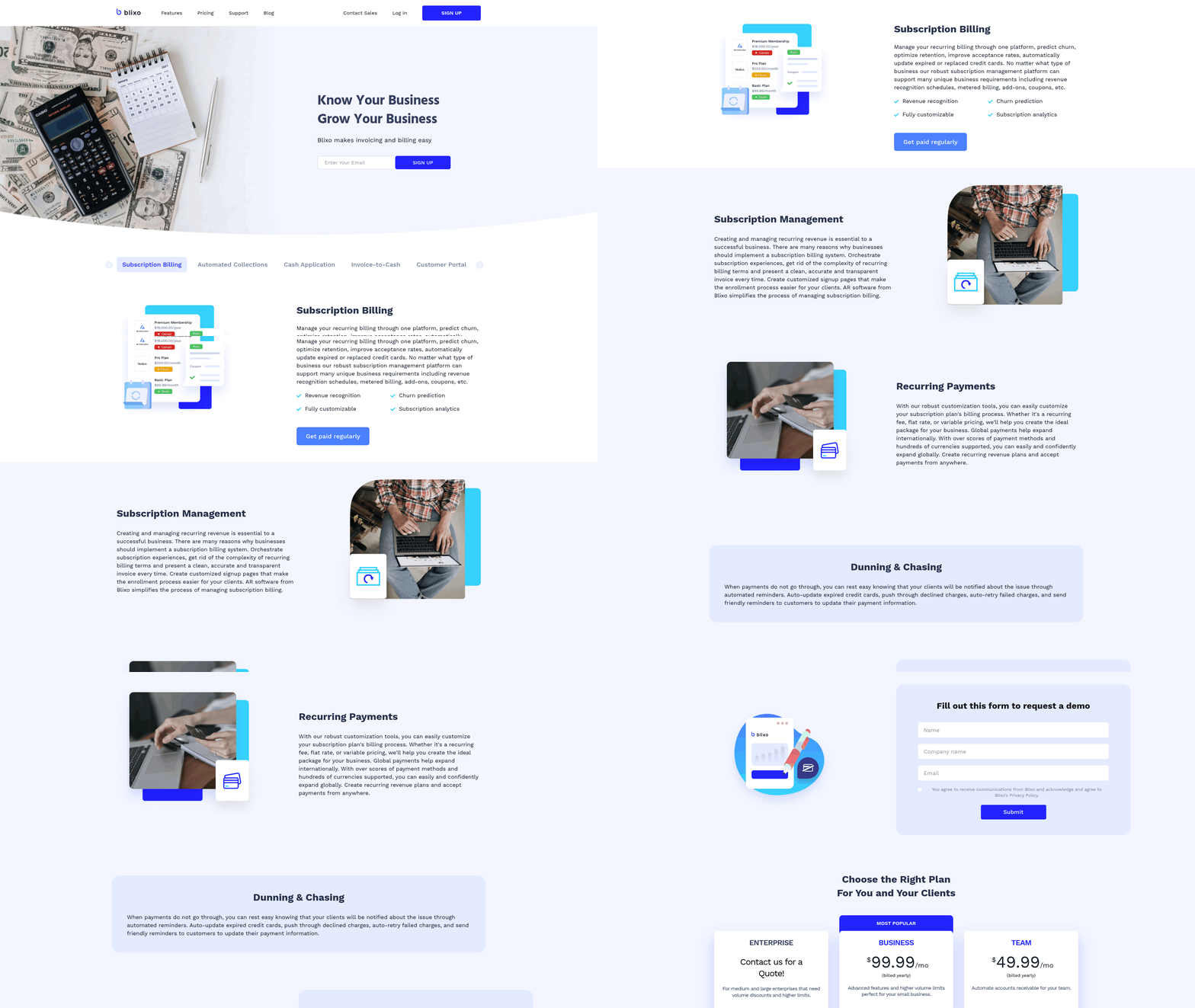
Frequently Asked Questions
1. How does Blixo’s AI cash application improve payment accuracy?
Blixo’s AI reduces manual reconciliation errors by 76% by matching payments to invoices in real-time, handling partial payments, and prioritizing overdue debts. This ensures accurate allocation and reduces the need for manual adjustments.
2. What metrics should businesses track to measure receivables automation ROI?
Track DSO reduction, error rate improvements, and late payment trends. One SaaS company cut DSO by 25%, while a logistics firm reduced late payments by 50% using Blixo’s automation.
3. Can Blixo integrate with existing financial systems like QuickBooks or NetSuite?
Yes, Blixo connects via APIs to ERPs like QuickBooks, SAP, and NetSuite, enabling real-time reconciliation and eliminating data silos. A tech firm reduced AR management time from 5 to 1 hour using this integration.
4. How does automated dunning reduce customer churn for SaaS businesses?
Automated dunning lowers past-due invoices by 70% through tiered reminders and payment retries. One SaaS company cut billing-related churn by proactively resolving payment issues before customers canceled subscriptions.
5. What are the key differences in Blixo’s features for small vs. enterprise businesses?
Small businesses benefit from flat-rate pricing and easy setup, while enterprises prioritize SOC 2 compliance and multi-entity workflows. Blixo offers scalable solutions tailored to each size’s security, complexity, and growth needs.
6. How do self-service payment portals save time for finance teams?
Self-service portals reduce support requests and manual tracking by 8–10 hours/month. Customers can view balances and pay directly, minimizing back-and-forth communication and accelerating cash application.
7. What role does predictive analytics play in Blixo’s collections strategy?
Predictive risk scoring identifies high-risk accounts before defaults occur. Customizable escalation paths and self-service dispute resolution help teams address issues early, reducing churn by resolving 60% of disputes without manual intervention.