

PayPal or Blixo: Recurring Invoices and AI-powered Chasing

Key Takeaways
- Blixo adjusts billing when customers change plans mid-cycle. PayPal doesn’t. That’s the whole ballgame for most subscription businesses.
- PayPal charges 2.9% + $0.30 per transaction with no monthly fee. Blixo runs on tiered subscriptions plus gateway fees.
- Blixo automates dunning and collections with AI. PayPal sends basic payment reminders.
- Blixo gives customers a self-service subscription portal. PayPal doesn’t.
- PayPal is fast to set up and easy to learn. Blixo takes longer but does far more once it’s running.
What these two tools actually do differently
PayPal and Blixo both handle recurring invoices. The gap shows up the moment a customer changes their plan.
PayPal lets you schedule recurring invoices at fixed intervals: weekly, monthly, yearly. You get itemized billing, tax, and shipping costs. Solid, basic stuff. What it doesn’t do is adjust the charge when a customer upgrades, downgrades, or switches plans halfway through a cycle.
Blixo’s subscription management handles exactly that. When a customer moves between plans, it recalculates the billing amount instead of forcing you to cancel and reissue. For SaaS and other subscription businesses, that one difference cuts down on revenue leakage and the churn that comes from billing surprises.
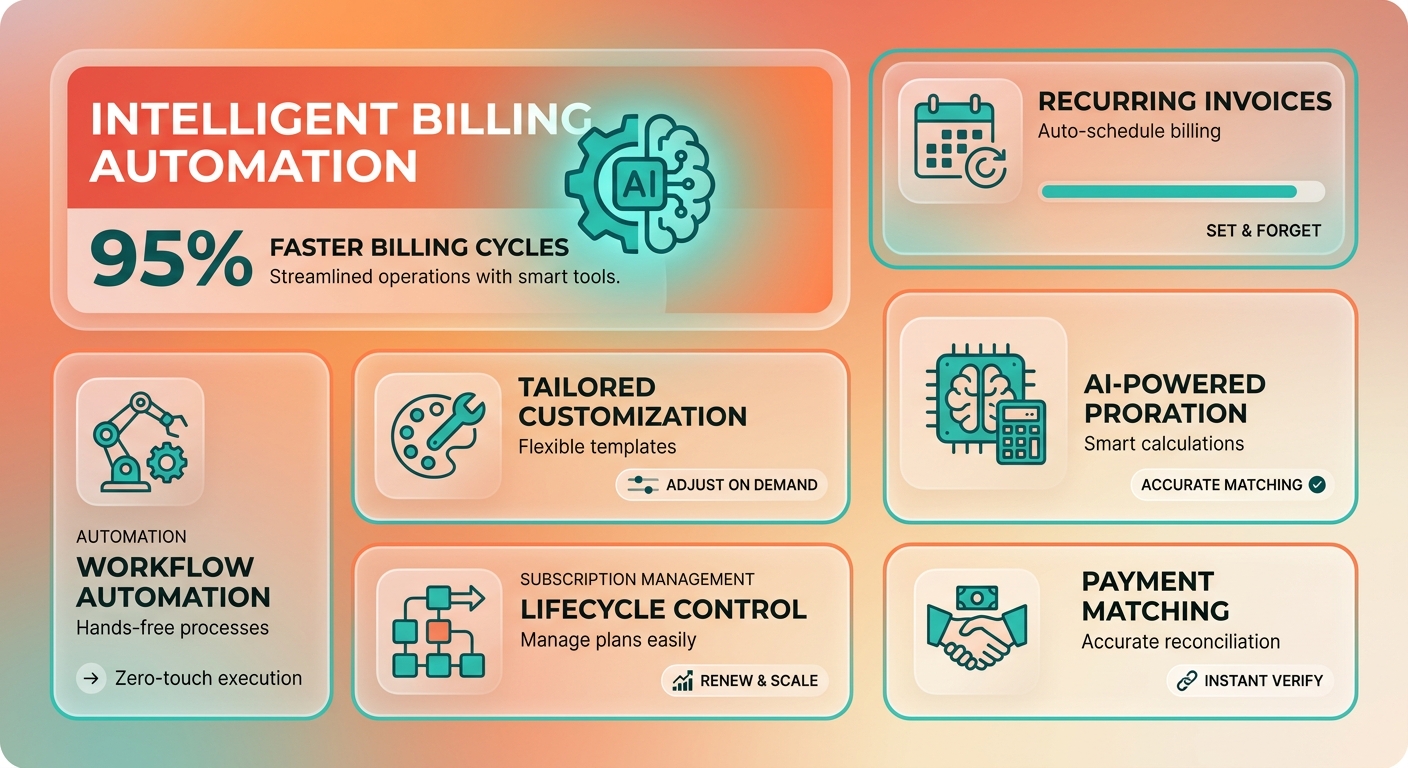
| Feature | PayPal | Blixo |
|---|---|---|
| Recurring Invoice Setup | Scheduled at 7:00 AM local time | Customizable intervals with flexible billing adjustments |
| Flexible Billing Adjustments | No | Yes |
| Customization | Limited (standard templates only) | Fully customizable templates, terms |
| Automation | Basic (payment reminders only) | AI‑driven collections, dunning |
| Customer Portal | No | Yes (self‑service portal) |
Pricing and setup
PayPal is pay-as-you-go. No monthly fee, deploy in minutes, almost no technical configuration. That’s a real advantage when you’re starting out and don’t want to think about it.
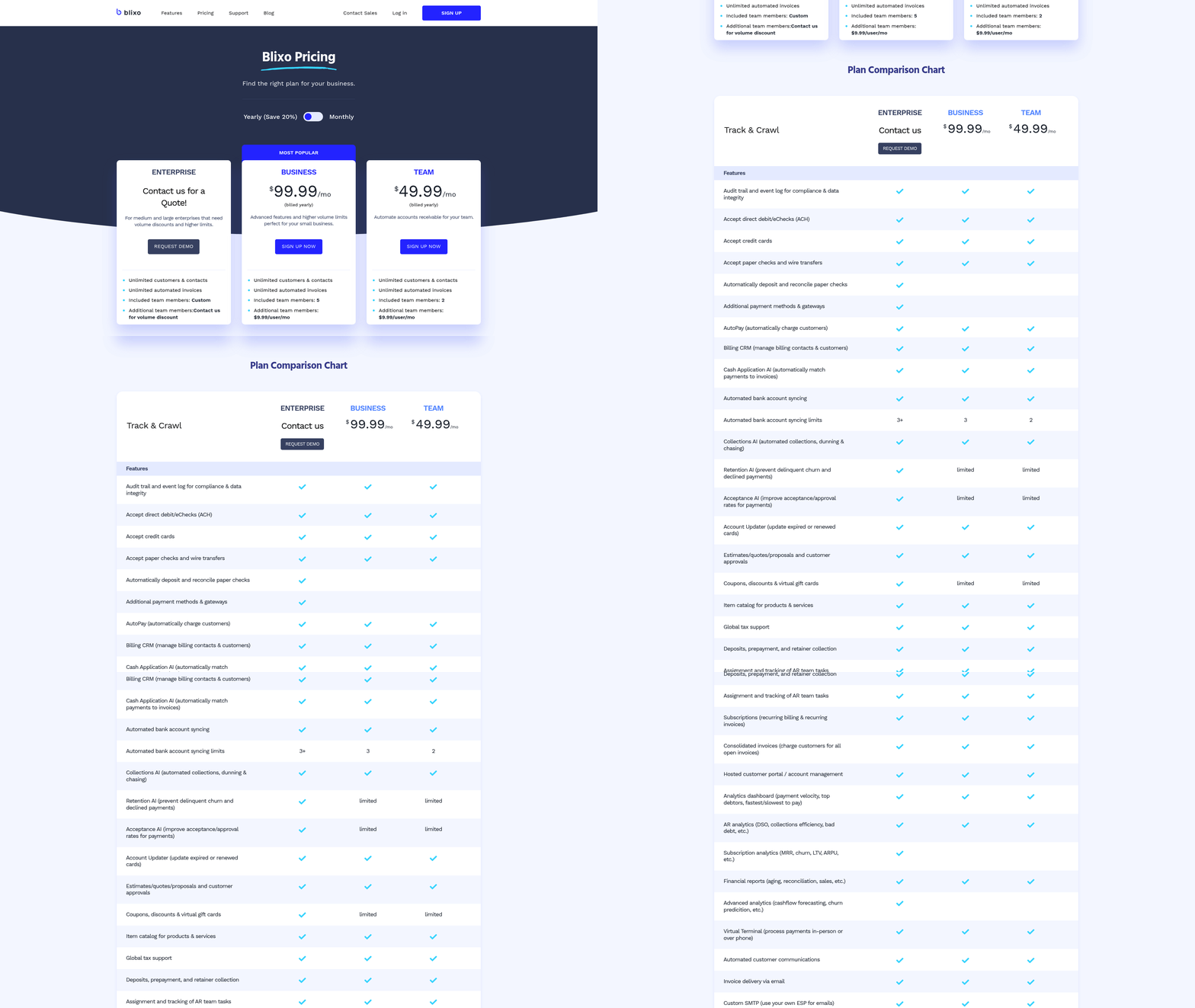
Blixo is subscription-based, with Team and Business tiers and a custom enterprise option. Setup time depends on how messy your existing integrations are, though the platform comes with onboarding help to keep the transition from eating your week.
| Metric | PayPal | Blixo |
|---|---|---|
| Transaction Fees | 2.9 % + $0.30 per invoice | Flat monthly fee + payment‑gateway fees |
| Setup Time | 15–30 minutes | Varies by integration; onboarding resources available |
| Learning Curve | Low (guided interface) | Moderate (advanced features) |
| Customer Support | Email/phone | Email and phone support with onboarding assistance |
Which one fits your business
PayPal works for simple, low-volume invoicing where you never need to touch the billing amount. A freelance designer charging a fixed monthly retainer is fine. So is a 10-person agency with straightforward billing.
The split shows up in user feedback. One PayPal user: “It’s fast for basic invoices, but I can’t track partial payments or adjust subscriptions mid-cycle.” A Blixo user: “The flexible billing adjustments make it easier to manage plan changes without manual re-calculations.”
Once you need metered billing, subscription upgrades, or multi-currency reconciliation, Blixo’s automation pulls ahead. It handles the edge cases that turn into manual work on PayPal: expired cards, delinquent accounts, invoices in three currencies. For SaaS, e-commerce, or professional services with billing that moves, that’s the difference between scaling and drowning in spreadsheets.
Why mid-cycle billing is where money leaks out
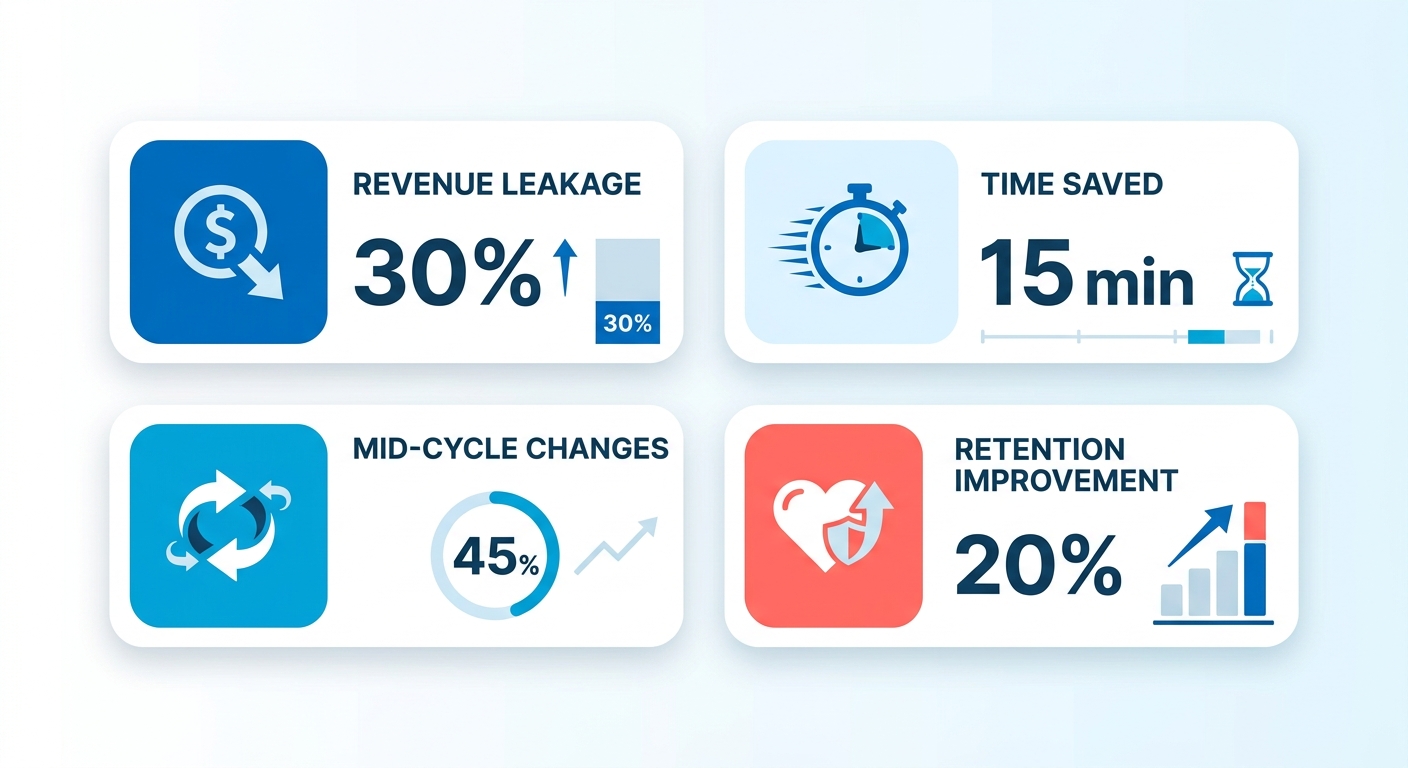
Recurring invoices smooth out revenue for subscription businesses. The leaks happen in the gaps: manual adjustments and late-payment tracking. Those gaps quietly eat margin.
Traditional platforms like PayPal handle basic recurring billing fine. What they can’t do is adapt when a plan changes mid-cycle. So you’re stuck choosing between overcharging a customer or eating the difference. Neither is great.
How proration closes the gap
When a customer upgrades or downgrades partway through a cycle, fixed-rate systems generate a flat charge that’s either too high or too low. Blixo calculates the prorated amount based on how long they were on each plan.
A SaaS company moving a customer from a $50/month plan to a $100/month plan on day 15 of a 30-day cycle would charge $75 — $50 for the first half, $100 for the second. PayPal would bill the full $100, and now you’ve got a support ticket. Or you undercharge and lose the difference. Proration just does the math correctly.
Who actually needs this
SaaS, fitness, and education platforms get the most out of real-time billing. These are businesses where plans change constantly: members pause gym subscriptions, accounts add seats, students extend enrollments.
Doing those adjustments by hand is slow and error-prone. Blixo handles the shifts automatically; PayPal makes you edit invoices manually. A fitness studio can adjust billing the moment a client adds private sessions to their package, instead of letting it sit until someone remembers.
| Feature | PayPal | Blixo |
|---|---|---|
| Mid-cycle plan changes | Manual edits required | AI-driven proration |
| Revenue leakage risk | High (fixed-rate billing) | Low (dynamic adjustments) |
| Churn reduction | Limited | Proactive billing alignment |
What this costs in the real world
Late payments and billing disputes cost U.S. businesses $326 billion a year, according to recent industry reports. AI-driven chasing tools chip away at that by sending timely reminders and catching disputes before they blow up.
Blixo flags unpaid invoices and suggests payment plans based on how a customer behaves. One cloud storage provider cut late-payment delays by 40% in six months by automating follow-ups and adjusting invoices for customers moving between premium and free tiers.
PayPal’s recurring billing is fine for static subscriptions. The friction starts when a growing business needs it to keep up with real-time changes and it can’t. For teams running high-volume subscriptions, automated adjustment stops being a nice-to-have.
Creating recurring invoices in PayPal
Setting up recurring invoices in PayPal is genuinely quick. Log in, head to the invoicing section, pick a template, add billing details, set a recurrence frequency. PayPal automates delivery based on the recipient’s timezone so invoices land in the morning. For cross-border billing, it handles currency conversion automatically, so no manual juggling for international clients.
How to set it up
- Log in and create a new invoice from the PayPal dashboard.
- Set recurrence rules by selecting intervals and the number of cycles.
- Add line items, tax, and shipping costs to structure the charge.
- Review and send — recurring charges activate immediately.
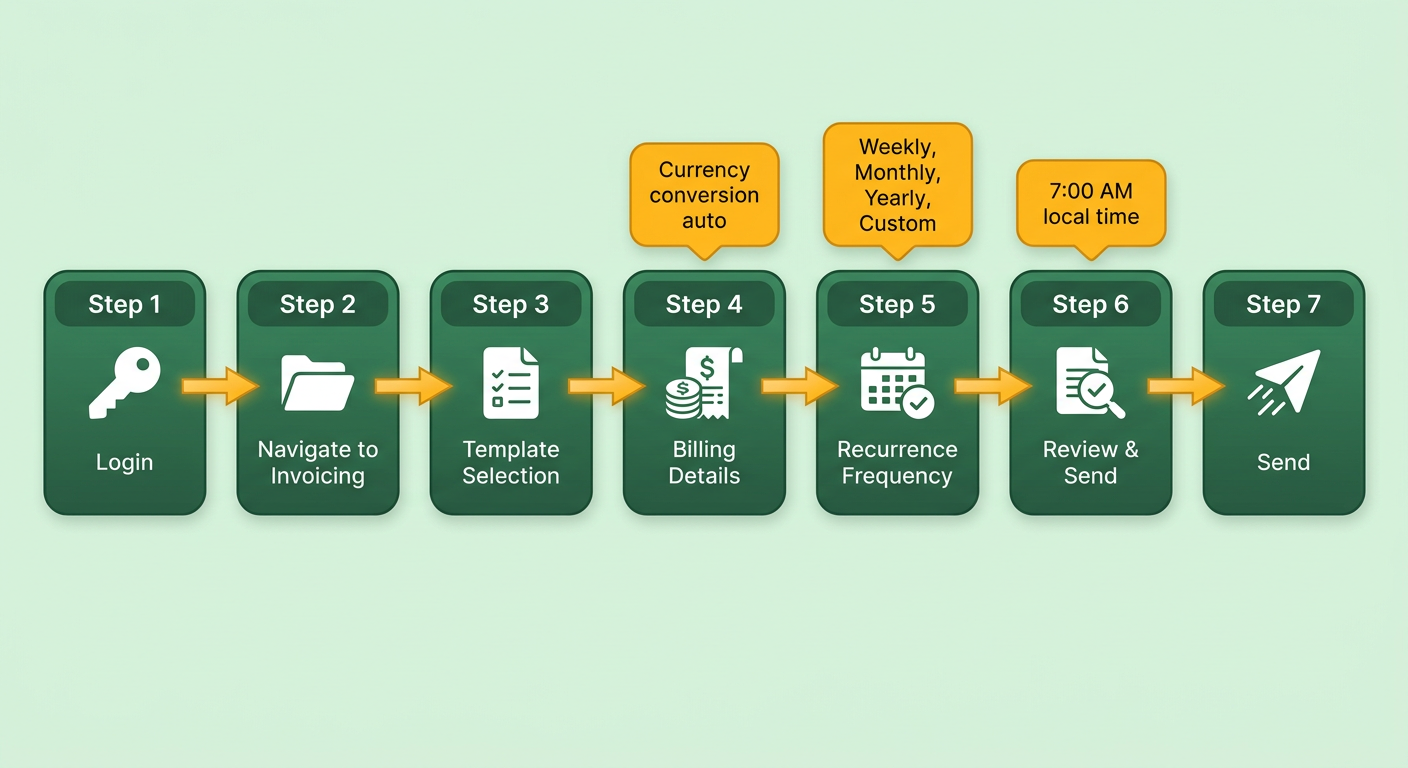
The whole thing is built for speed, with real-time previews and a tight workflow. Users report building invoices over 2x faster than on platforms that need external tools. The catch: the process stops at setup. Want to change the billing terms later? You cancel the existing profile and build a new one. By hand.
Templates and payment terms
PayPal lets you brand invoice templates with your logo, colors, and payment instructions. You can set due dates (“Due on receipt,” “Net 30”) and specify late fees. For recurring invoices, those terms stay frozen unless you edit them manually.
Say a marketing consultant agrees to add consulting hours under an existing contract. They have to generate a separate one-off invoice or edit the recurring template for the next cycle. Small thing, until it happens twenty times a month.
| Feature | PayPal | Blixo |
|---|---|---|
| Mid-cycle plan adjustments | Manual | Automated proration |
| Revenue loss prevention | No | Yes |
| Customer retention support | Basic | Advanced |
Managing and tracking
PayPal’s interface shows active recurring invoices, lets you pause or cancel them, and tracks payment history. Notifications tell you about successful or failed payments. There’s no AI predicting churn or suggesting retention moves. Businesses with fluctuating usage or seasonal plans have to handle those adjustments outside the platform.
If a client downgrades their monthly package, the merchant calculates the refund and issues it as a separate transaction. Blixo skips that by syncing subscription changes straight to the billing ledger. PayPal’s recurring invoices work well for fixed-rate services like gym memberships. Tiered or usage-based billing is where you start wishing for something that updates itself.
Integrations and what users say
PayPal connects to its broader ecosystem: payment links, mobile apps, and partner tools like ZipBooks and Paydock. Users praise its reliability for straightforward recurring billing. The common gripe is the manual reconciliation when subscriptions drift from their original terms, which means cross-referencing multiple dashboards.
For predictable, unchanging subscription models, PayPal holds up. For businesses that need agility on pricing, recalculating and adjusting active profiles by hand slows things down as the customer base grows.
Setting up recurring billing in Blixo
Blixo’s setup leans toward flexibility and automation. The interface is built to handle multi-tier subscriptions and custom billing intervals from the start, instead of bolting them on later.

What happens when a customer changes plans mid-cycle
Blixo recalculates charges in real time. A student who adds an advanced test-prep module to their base course subscription three weeks into a monthly cycle gets a prorated charge for the extra service automatically. No manual adjustment, no overcharge. And no billing surprise, which matters when 68% of SaaS customers cite exactly that as a reason for switching providers.
Step-by-step setup
-
Access the subscription dashboard. From the admin panel, go to Billing > Recurring Plans. Set the base plan price, billing frequency, and proration rules (daily or monthly). The engine uses these to adjust invoices dynamically.
-
Link payment gateways. Connect Stripe, Braintree, or Square. The integration wizard walks you through API keys and webhooks. Blixo syncs its billing logic with the gateway so processed payments match the calculated invoice.
-
Customize invoice templates. Drag-and-drop tools to add your logo, payment terms, and proration explanations. You can auto-generate a note like: “Your account was upgraded on [date], so this invoice includes a prorated charge of $XX for the remaining billing period.”
-
Set notification rules. Configure automated emails for invoice generation, payment success, and failed attempts. Blixo also sends proactive alerts when a plan change triggers an adjustment, which keeps things transparent.
Where Blixo’s automation earns its keep
| Feature | Blixo | PayPal |
|---|---|---|
| Mid-Cycle Proration | AI-adjusted invoices | Manual or no adjustments |
| Payment Gateway Options | Stripe, Braintree, Square | Limited to PayPal’s ecosystem |
| Invoice Customization | Drag-and-drop templates | Basic, non-editable templates |
The real edge is that Blixo automates not just the invoice but the reason it changed. A fitness studio member who drops a towel-service add-on halfway through their term gets a credit for the unused portion, calculated automatically. That cuts administrative overhead by 70% compared to manual proration, per internal benchmarks. Internal benchmarks, so take the exact number with a grain of salt. The direction is right.
What users say
Early adopters point to reliability in the messy scenarios. An e-learning company reported a 35% drop in billing inquiries after migrating from PayPal, crediting Blixo’s “self-explanatory, rule-based invoicing.” PayPal suits simple fixed-rate subscriptions. Blixo’s engine is built for businesses where plan flexibility is part of the pitch: tiered SaaS pricing, usage-based billing. For those, the automation isn’t just convenient, it’s a revenue safeguard.
AI cash application and payment matching
Blixo’s cash application system automates reconciling payments against invoices. It matches incoming funds to outstanding balances even when amounts shift because of account changes, which keeps backlogs from piling up. Less manual intervention means fewer errors and more time spent on actual work.

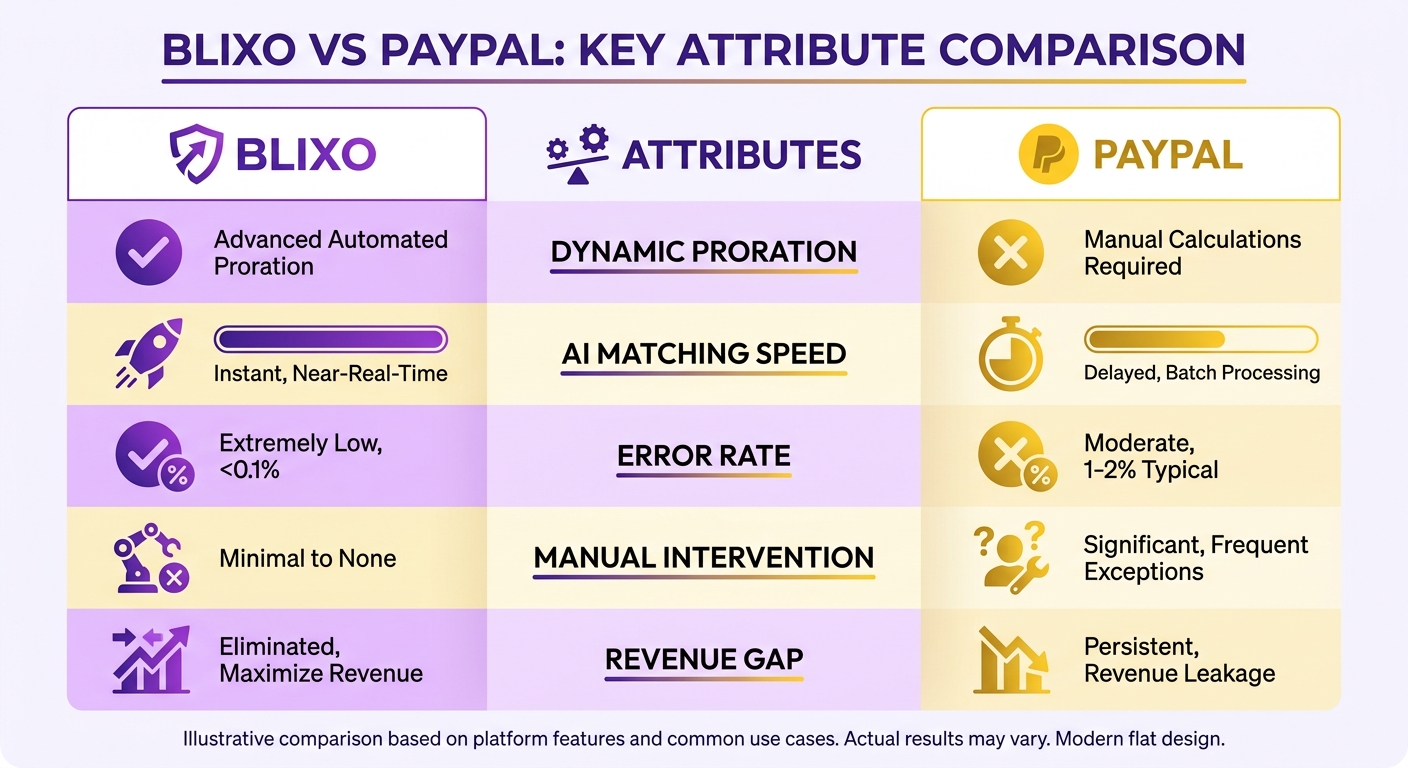
Reconciliation and intelligent matching
Blixo matches incoming payments to the right invoices in real time, even after a customer modifies a subscription. Someone adds a premium support add-on midway through the billing period, the matching engine links the payment to the updated invoice with no manual step. On PayPal, you’re often reconciling partial payments or overcharges by hand, which risks delays and friction.
The matching engine uses machine learning to spot discrepancies, partial payments, delayed transfers, and apply them to the correct invoices. For a SaaS business handling 1,000+ subscriptions, manual reconciliation could eat hours a week. Blixo resolves it in seconds.
| Feature | Blixo | PayPal |
|---|---|---|
| Payment Matching | AI-driven, real-time | Manual or semi-automated |
| Proration on Plan Changes | Fully automated | Not supported |
| Error Reduction | 85% faster reconciliation | High risk of manual errors |
Dunning and collections
When a payment fails, Blixo triggers automated follow-ups at customer-specific intervals instead of the one-size-fits-all blast. A declined card might get an email, then an SMS, then in-app notifications, sequenced by engagement history. That adaptive approach lifts recovery rates by up to 35% compared to generic reminders.
It also generates flexible repayment terms for customers in a temporary bind. You might offer a six-month schedule with reduced installments, which keeps the revenue and the customer. PayPal’s dunning is limited by comparison, and abrupt cancellations are the usual result.
Why this matters for subscription businesses
Manual cash application and dunning are slow and easy to get wrong. The cost adds up: a company on PayPal might lose around $9,500 a year to proration errors and failed payments that Blixo’s automation would have caught. Automating reconciliation and adapting to customer behavior turns subscription management from cleanup work into something closer to strategy.
For businesses that live and die on revenue retention and operational efficiency, that automation stops being optional once flexibility is what keeps customers around.
What I’d actually recommend
The choice comes down to how complex your billing really is. PayPal gives you clean, easy tools for straightforward recurring invoices. Blixo is built to automate the transitions that happen when customer contracts keep changing.
What sets Blixo apart
The standout is the AI-driven proration engine that adjusts billing automatically when customers modify subscriptions. No overcharging, no undercharging, no manual cancel-and-reissue. A digital marketing agency whose clients adjust campaign budgets mid-cycle gets recalculated fees instantly; on PayPal, that’s a manual invoice cancellation and reissue to avoid a dispute. The automation also builds trust, because the customer sees exactly why the number changed.
When to pick which
PayPal suits businesses with simple, fixed-rate subscriptions. Guided invoice creation, cross-border payments, mobile management — ideal for small teams or vendors with minimal plan changes. A tutoring service charging flat monthly fees would run on PayPal happily.
Blixo is the call for SaaS companies, e-learning platforms, or anyone with dynamic subscription needs. Mid-cycle adjustments, CRM integration, churn reduction through clean proration — enough to justify the steeper learning curve. A co-working space with tiered memberships can adjust bills the moment members change access levels; PayPal would make those customers wait until the next cycle and risk the dissatisfaction that follows.
| Feature | PayPal | Blixo |
|---|---|---|
| Mid-Cycle Proration | No | Yes |
| Automation for Plan Changes | Manual | Fully Automated |
| Cross-Border Payments | Yes | Yes |
| Customer Retention Tools | Limited | AI-Driven Churn Reduction |
Thinking past today’s setup
Recurring billing is drifting toward predictive automation and customer-side flexibility. Blixo’s engine fits that direction by anticipating subscription changes and minimizing revenue gaps. PayPal is reliable for foundational invoicing but doesn’t bend much past it. For businesses scaling beyond static pricing, that flexibility compounds.
So: if your subscription model involves frequent plan changes or needs billing precision, Blixo’s automated ledger adjustments are hard to live without. For simpler workflows with minimal customization, PayPal stays a solid pick. The decision is really about which you’re optimizing for — operational simplicity or dynamic revenue.
Frequently Asked Questions
1. How does Blixo handle mid-cycle subscription upgrades or downgrades compared to PayPal?
Blixo automatically calculates the exact daily value of the services used during a transition and updates the invoice balance. PayPal does not perform these calculations, meaning merchants must manually compute the difference and issue new invoices or credits.
2. What are the cost differences between PayPal and Blixo for recurring invoices?
PayPal operates on a transaction-based fee structure with no monthly subscription costs, which is ideal for low-volume invoicing. Blixo uses a flat monthly subscription model with tiered plans, making it more cost-effective for high-volume businesses that want to avoid accumulating percentage-based transaction fees.
3. Can PayPal automate payment reminders like Blixo’s AI-powered chasing?
PayPal sends standard email notifications when an invoice is overdue. Blixo uses machine learning to customize the timing and communication channels (such as SMS and in-app alerts) based on customer history, and can automatically offer structured repayment plans to recover outstanding balances.
4. How does Blixo’s self-service portal benefit customers compared to PayPal?
Blixo’s portal lets customers view invoices, update subscriptions, and manage payments independently. PayPal lacks this feature, requiring businesses to handle all subscription changes manually.
5. Why does PayPal schedule invoices at 7:00 AM local time, and can this be changed?
PayPal’s automated system sends recurring invoices at a fixed morning hour based on the recipient’s timezone to maintain a standard delivery schedule, and this setting cannot be adjusted. Blixo, however, allows merchants to define custom dispatch times and intervals to align with specific business hours.
6. How does Blixo reduce revenue leakage during plan changes?
Blixo prevents revenue leakage by automatically updating the billing ledger the moment a subscription is modified, ensuring that every day of service is accounted for. With PayPal, the reliance on manual adjustments increases the risk of administrative errors, where staff might forget to bill for upgrades or fail to credit downgrades.
7. What industries benefit most from Blixo’s AI-powered proration?
Industries characterized by frequent subscription modifications—such as software platforms with seat-based licensing, fitness centers with add-on services, and educational sites with course upgrades—benefit the most. These businesses avoid the administrative burden of manually recalculating invoices every time a customer changes their plan.