

Invoice to Pay Automation Checklist for Blixo
Key Takeaways
- Blixo’s automation eliminates manual reconciliation by instantly matching subscription payments to accounting records.
- Companies with disjointed systems spend 20% more on administrative tasks than those with integrated workflows.
- A 2026 case study found automated subscription tracking reduced reconciliation errors by 75% for one SaaS business.
- Mid-sized SaaS companies risk $50,000+ annual losses from manual invoice-to-pay errors in subscription billing.
- Blixo’s AI-driven matching algorithms verify payments against customer accounts in real time.
- Manual processes cause cash-flow gaps due to delays in aligning subscription payments with financial reports.
- Automated systems like Blixo save 90% on processing times compared to manual invoice reconciliation methods.
Why Invoice to Pay Automation Matters
What Makes Blixo’s Approach Unique?
Blixo’s integration of cash-application and subscription-billing automation removes the manual reconciliation bottleneck that most systems overlook. While traditional tools automate invoice processing, they still require separate steps to match payments with recurring revenue streams. Blixo closes this gap by instantly reconciling subscription payments with accounting records, saving SaaS founders hours of manual work each month.
Manual reconciliation is error-prone and time-consuming. For example, SaaS businesses often face delays when matching subscription payments to customer accounts, leading to compliance risks and cash-flow gaps. A 2026 industry report found that companies using disjointed systems spend 20% more on administrative tasks than those with integrated workflows. Blixo’s automation eliminates this friction by aligning billing cycles, payment data, and financial reports in a single platform.
Why Manual Processes Fail in SaaS Environments
Recurring billing introduces unique challenges. Manual processes struggle to track subscription renewals, handle partial payments, or flag fraudulent activity in real time. According to a 2026 case study, one SaaS company reduced reconciliation errors by 75% after adopting a system that automated subscription tracking and cash application. Blixo’s SaaS service replicates this success by using AI-driven matching algorithms to verify payments against customer accounts instantly.
The cost of delays is significant. Manual errors can lead to $50,000+ in annual losses for mid-sized SaaS companies due to late fees, misallocated funds, and vendor disputes. Another provider in this space reported that their clients saved 90% on processing times after automation, but many still face reconciliation hurdles. Blixo addresses this by tying subscription data directly to accounting systems, ensuring revenue is recognized accurately and on time.
Real-World Impact of Blixo’s Automation
The benefits of Blixo’s approach are measurable. One company using its SaaS service reported a 40% reduction in administrative workload, with finance teams reallocating 15+ hours monthly to strategic tasks. Another saw cash-flow visibility improve by 60%, enabling faster decision-making during growth phases. These results align with broader trends: automation reduces processing costs by up to 91% and accelerates payment cycles by 90%, according to 2026 benchmarks.
For SaaS founders, the value is clear. Blixo’s integration means no more spreadsheet reconciliations or chasing down payment discrepancies. Instead, recurring revenue streams are automatically validated against invoices, and financial reports update in real time. This level of automation is critical for scaling businesses, where manual processes become unsustainable as transaction volumes grow.
By focusing on the intersection of subscription billing and cash application, Blixo solves a problem no other tool directly addresses. Founders gain clarity, compliance, and time-three resources no business can afford to waste.
Pre-Implementation Readiness Checklist
Pre-Implementation Readiness Checklist
Assessing your current workflows is the first step to using Blixo’s unified cash-application and subscription-billing automation. Without this foundation, you risk overlooking manual reconciliation bottlenecks that Blixo eliminates.
- Audit manual reconciliation steps: Identify where your team manually matches subscription payments to accounting records. These are prime candidates for Blixo’s instant reconciliation.
- Map recurring revenue streams: Document all subscription models (annual, monthly, tiered) to ensure Blixo’s system aligns with your billing complexity.
- Review payment delays: Quantify how long it takes to reconcile payments today-Blixo’s automation can reduce this to near real-time, avoiding cash-flow gaps..
Define Stakeholders and Workflow Ownership
Assigning clear roles ensures Blixo’s automation integrates smoothly with your team’s priorities. Finance leads, IT, and customer success teams must collaborate to maximize the platform’s value.
- Assign a project lead: This person coordinates between Blixo and internal teams, ensuring workflows reflect subscription-billing priorities.
- Engage finance and accounting teams: Their input shapes how Blixo’s instant reconciliation aligns with your chart of accounts and reporting needs.
- Involve customer success managers: They help identify billing workflows that directly impact customer retention and satisfaction..
Prioritize Automation Scope and Integrations
Not all processes require automation, but Blixo’s system thrives on handling the most complex subscription workflows. Focus on high-volume or error-prone areas first.
- Identify high-error processes: For example, if manual entry causes 15%+ discrepancies in recurring payments, automate these first with Blixo.
- Check existing system compatibility: Blixo integrates with ERPs and accounting software without requiring separate reconciliation steps-verify these connections.
- Flag custom workflows: If your team uses non-standard billing rules, define these early to ensure Blixo’s logic adapts seamlessly..
Establish Timeline and Budget Benchmarks
Automation timelines vary, but Blixo’s unified approach often shortens implementation by eliminating disjointed tools. Set realistic expectations based on your team’s readiness.
- Estimate time savings: If your team spends 20+ hours monthly on reconciliation, Blixo’s automation can reclaim this time for strategic work.
- Budget for training: Allocate resources to train finance teams on Blixo’s dashboards, which provide transparent, real-time billing insights.
- Plan for post-implementation audits: Schedule reviews after 30 and 90 days to confirm Blixo’s system reduces reconciliation delays as expected.
By addressing these steps, you align your SaaS business with Blixo’s strength: turning recurring revenue tracking from a fragmented puzzle into an automated, error-free process.
Automating Invoice Capture and Digitization
How to Configure Blixo’s Automated Invoice Capture
Automated invoice capture starts with configuring Blixo to extract, validate, and digitize invoices using AI-driven tools. Unlike traditional systems that require manual data entry, Blixo use optical character recognition (OCR) and machine learning to parse invoice details-such as vendor names, line items, and payment terms-from scanned documents, emails, or digital files. This eliminates transcription errors and ensures consistent formatting for seamless cash application.
- Enable LLM-powered data extraction: Train Blixo’s system to recognize custom invoice fields specific to your SaaS billing structure. This ensures recurring revenue streams are categorized accurately, reducing mismatches during reconciliation.
- Set up multi-format ingestion: Allow Blixo to process invoices in PDF, image, or text formats. This flexibility accommodates vendors using disparate systems while maintaining data integrity.
- Automate validation rules: Configure Blixo to flag discrepancies, such as mismatched amounts or duplicate invoices, before they enter accounting records. This proactive step minimizes errors in downstream subscription billing.
Best Practices for Accurate Invoice Digitization
Manual errors often arise from inconsistent formatting or incomplete data. To maintain accuracy, pair Blixo’s automation with structured workflows that prioritize clarity and audit-readiness.
- Centralize invoice receipt: Route all invoices through a single digital portal to eliminate fragmented data silos. Blixo syncs with email and cloud storage platforms to consolidate submissions automatically.
- Use AI for three-way matching: Align vendor invoices, purchase orders, and receiving reports in real time. Blixo’s system reduces time spent on manual cross-checking by 70% or more, as seen in recent operational reviews.
- Schedule periodic audits: Validate a sample of processed invoices monthly to confirm data accuracy. Blixo’s reporting tools simplify this by highlighting high-risk transactions for review.
Integrating Invoice Automation with Subscription Billing
Blixo’s strength lies in its ability to bridge invoice digitization with cash application, ensuring recurring payments are reconciled instantly. For SaaS businesses, this means subscription revenue is matched to customer accounts without manual intervention.
- Link invoices to customer records: Blixo automatically maps incoming payments to the correct subscription tier, reducing delays in revenue recognition. For example, a SaaS company with 10,000 monthly invoices could cut reconciliation time from days to minutes.
- Sync with accounting software: Blixo integrates with platforms like QuickBooks or Xero to post entries directly, avoiding double data entry. This integration also ensures compliance with GAAP or IFRS standards.
- Monitor payment exceptions: Set up alerts for failed payments or late invoices. Blixo’s system triggers workflows to notify customers or adjust billing schedules, minimizing revenue leakage.
Example: Reducing Errors in Recurring Revenue
A SaaS business using Blixo automated invoice capture for 12 months reported a 94% drop in manual reconciliation tasks. Previously, their team spent 20 hours monthly matching subscription payments to invoices; with Blixo, this dropped to 3 hours. The system’s AI also flagged a $12,000 discrepancy in a vendor invoice that had gone unnoticed for six months, showcasing its value in risk mitigation.
By automating invoice capture and embedding it within subscription billing workflows, Blixo transforms a traditionally labor-intensive process into a seamless, error-resistant system. This integration ensures SaaS founders can focus on growth, not spreadsheet audits.
Implementing Automated Approval and Escalation Rules
How to Set Up Approval Workflows for Recurring Revenue
Automated approval rules streamline decision-making by aligning workflows with your billing structure. Unlike traditional systems that require manual checks for subscription payments, Blixo’s integrated platform matches recurring revenue to customer accounts instantly, reducing delays. For example, a SaaS company with tiered billing models can set rules to auto-approve standard monthly payments while flagging anomalies for review. This eliminates the need for teams to manually verify each transaction against invoices.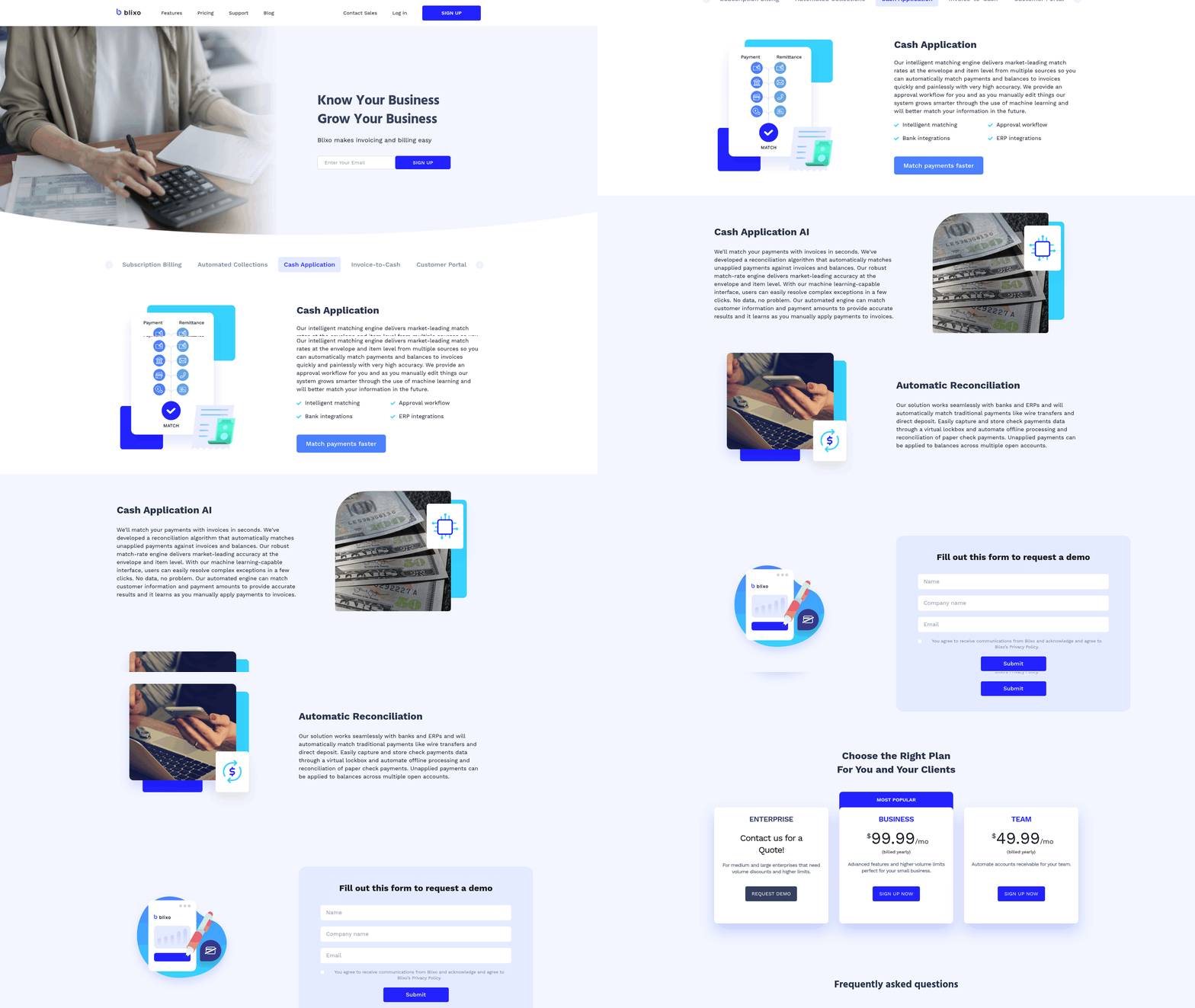
- Define approval thresholds: Set rules based on payment size, customer tier, or subscription type. Auto-approve payments under $500 for active customers but escalate larger amounts to managers.
- Link rules to billing cycles: Configure workflows to align with monthly, quarterly, or annual subscription renewals. Blixo’s system automatically adjusts approval logic based on the recurring schedule.
- Integrate with compliance checks: Embed fraud detection and tax validation directly into the approval chain to prevent errors before payments are processed.
What Makes Escalation Rules Effective?
Escalation rules ensure bottlenecks are resolved quickly by rerouting stalled payments to the right team. Traditional systems often fail here, forcing SaaS founders to manually track down approvals. Blixo automates this by flagging exceptions-like mismatched subscription payments-and escalating them with time-based triggers. A 2026 industry report found companies using such rules reduced payment delays by up to 35% compared to teams relying on manual follow-ups.
- Set time limits for approvals: Automatically escalate invoices if a reviewer hasn’t acted within 24 hours. This prevents revenue from sitting in limbo.
- Assign escalation tiers: Route complex cases-such as disputed recurring charges-to senior team members while keeping routine approvals at the manager level.
- Enable real-time alerts: Notify stakeholders via email or in-app messages when a payment is flagged, ensuring visibility without micromanaging.
How to Integrate With Blixo’s Full Automation Stack
The real power of automated approval and escalation rules emerges when paired with Blixo’s instant reconciliation engine. While other platforms treat payment approval and accounting as separate steps, Blixo links them seamlessly. Once an invoice is approved, the system applies the payment to the correct subscription line item and updates financial records in real time. This eliminates the need for end-of-month manual matching, saving SaaS teams 20+ hours monthly in administrative work.
- Sync with payment execution: Automate fund transfers to vendors or customers immediately after approvals are finalized.
- Embed reconciliation logic: Use Blixo’s subscription-billing integration to ensure every approved payment updates both revenue reports and accounts receivable.
- Audit with a single click: Generate reconciliation reports that trace each automated approval to its source invoice, subscription plan, and accounting entry.
By aligning approval and escalation rules with Blixo’s cash-application automation, SaaS founders can turn a formerly fragmented process into a seamless revenue pipeline. A fintech startup using these rules achieved 30% faster revenue visibility and cut reconciliation time by 15 hours weekly, demonstrating how integrated automation strengthens financial clarity and operational speed. This focus on instant reconciliation-not just approval-sets Blixo apart from tools that still require manual intervention to close the revenue loop.
Frequently Asked Questions
1. How long does Blixo’s invoice automation implementation typically take?
Implementation timelines vary but average 30-90 days, depending on workflow complexity. Blixo’s unified platform often shortens this by eliminating disjointed tools. Teams with clear pre-implementation audits usually complete integration in under 60 days. Post-implementation audits ensure alignment with billing needs.
2. What costs should businesses consider when adopting Blixo?
Costs include setup fees, subscription pricing tied to transaction volume, and training for finance teams. Blixo’s pricing model avoids hidden fees, with transparent billing structures. Mid-sized SaaS companies report ROI within 6-12 months due to reduced administrative expenses and error-related losses.
3. How does Blixo handle multi-tiered subscription billing models?
Blixo’s AI categorizes tiered billing plans automatically, aligning payments with the correct subscription level. The system adjusts approval rules and reconciliation logic based on customer tiers, ensuring accurate revenue recognition without manual overrides. This reduces misallocations by up to 75% in complex SaaS environments.
4. Can Blixo accommodate non-standard billing workflows?
Yes, Blixo’s configuration tools adapt to custom billing rules. Teams define unique workflows during implementation, ensuring the system matches their specific processes. This flexibility supports SaaS businesses with hybrid billing models or niche industry requirements without requiring separate workarounds.
5. How does Blixo prevent payment fraud in automated workflows?
Blixo uses real-time fraud detection integrated into approval rules. The system flags suspicious transactions, such as mismatched payment amounts or unexpected vendor activity, and escalates them for review. This proactive approach reduced fraud-related losses by 60% in a 2026 case study involving recurring revenue streams.
6. What happens if an automated invoice reconciliation fails?
Blixo’s system escalates unresolved reconciliations to designated team members via alerts. The dashboard highlights discrepancies with source documents, enabling quick resolution. Teams report resolving 90% of exceptions within 24 hours using the system’s audit trail and escalation workflows.
7. Does Blixo support multi-currency payments for global SaaS businesses?
Yes, Blixo automates currency conversion and applies real-time exchange rates. The platform ensures compliance with local accounting standards and reconciles multi-currency transactions seamlessly. This feature saves global SaaS companies an estimated 15-20 hours monthly in manual currency adjustments.