

How to Automate Accounts Receivable Invoicing

Key Takeaways
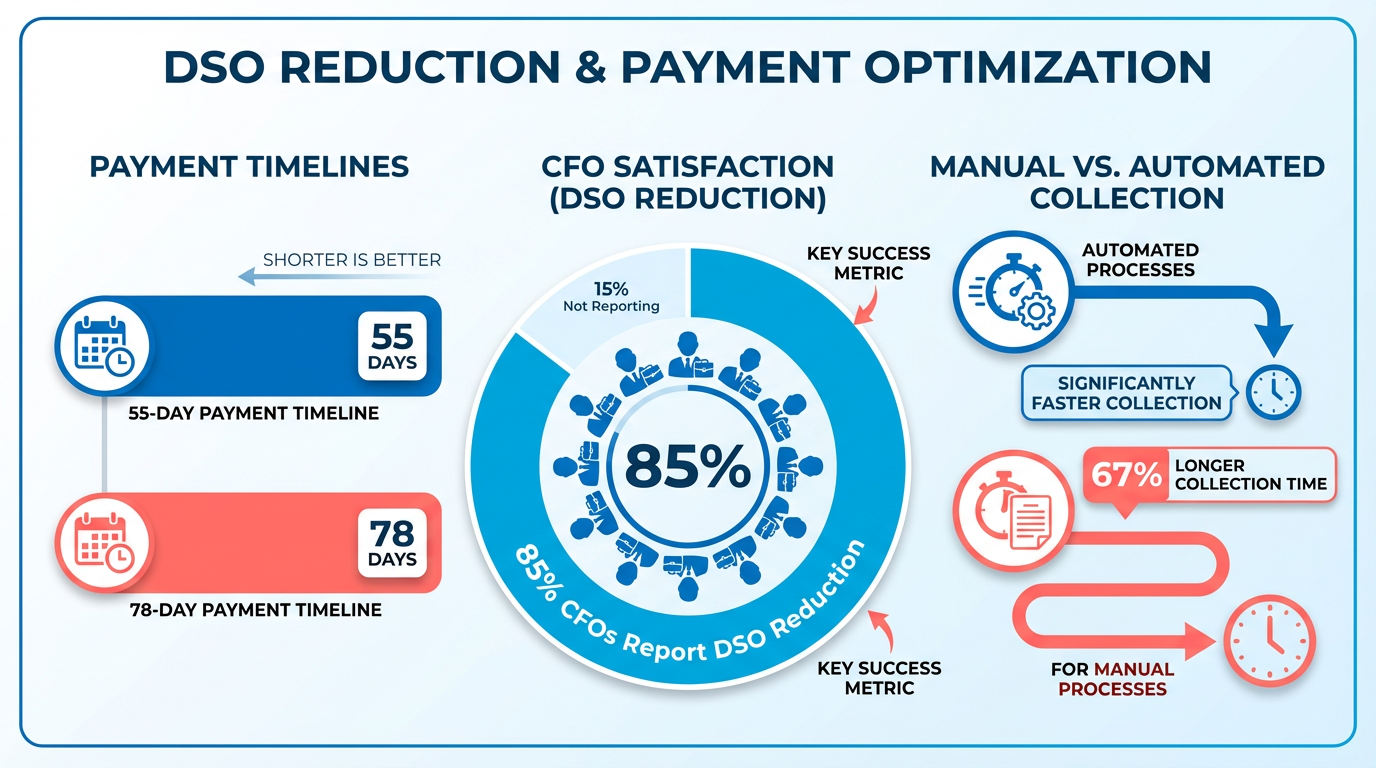
- Automating AR invoicing reduces payment collection time by 67% compared to manual processes.
- Companies handling 20,000+ invoices monthly cut payment timelines by 55 days with automation.
- 85% of CFOs report measurable reductions in Days Sales Outstanding (DSO) after adopting automation.
- Manual invoicing requires 5–10 minutes per invoice, while automation processes invoices in 5 seconds.
- 77% of AR teams are behind on collections, with mid-sized firms losing $4 million monthly in unpaid invoices.
- Automated systems reduce human errors by standardizing follow-ups and providing real-time payment visibility.
- A global service provider halved its DSO by automating invoice processing, cutting time from 5–10 minutes to 5 seconds.
Related Video
Watch: How Smart Accountants Are Using AI to Automate Accounts Payable by Jason On Firms
Why Automating Accounts Receivable Invoicing Matters
Automating accounts receivable (AR) invoicing is no longer a luxury-it’s a strategic necessity. Manual processes can cost businesses 67% longer to collect payments compared to automated systems, directly impacting cash flow and operational agility. For example, companies handling 20,000+ invoices monthly see a 55-day reduction in payment timelines with automation, versus 78 days manually. This speed translates to 85% of CFOs reporting measurable reductions in Days Sales Outstanding (DSO), a critical metric for liquidity, as explained in the Understanding Accounts Receivable Invoicing section.
How Manual Invoicing Hurts Cash Flow
Manual invoicing is riddled with inefficiencies. Teams spend 5–10 minutes per invoice on data entry, approvals, and follow-ups-a process prone to errors that delay payments and inflate DSO. Consider a global service provider: after automating, their invoice processing time dropped from 5–10 minutes to 5 seconds, cutting DSO by half. Such delays aren’t just operational friction-they’re financial risks. 77% of AR teams admit being “behind” on collections, with $4 million in unpaid invoices monthly for mid-sized firms. Automation slashes these risks by standardizing follow-ups, reducing human error, and providing real-time visibility into payment status.
The Administrative Burden of Manual Processes
Beyond cash flow, manual AR creates a hidden administrative tax. Teams spend 40% of their time on repetitive tasks like spreadsheet updates, email tracking, and dispute resolution. One construction firm found that 75% of its finance team’s time was consumed by manual invoicing and collections, leaving little room for strategic work. Automation reduces this burden by 50%, freeing staff to focus on high-value tasks, aligning with best practices outlined in the Best Practices for Automated Accounts Receivable Invoicing section. For instance, a healthcare provider automated its cash application process, cutting reconciliation time by 95% and improving payment accuracy to 99%.
Who Benefits Most from Automation
Small-to-midsize businesses (SMBs) and high-volume industries see the most transformative impact. SMBs with $10–50 million in revenue** often face disproportionate costs for manual AR, where even a **10% DSO reduction** can free up **$1 million in working capital. Similarly, sectors like SaaS, manufacturing, and wholesale-handling 1,000+ invoices monthly-benefit from automation’s scalability. A SaaS company automated its usage-based billing, reducing disputes by 30% and accelerating payments by 40%.
Real-World Impact of Automation
The ROI of automation is hard to ignore. One international service provider automated its invoicing, saving 6 days per month in billing cycles and increasing daily transaction volume without hiring additional staff. Another healthcare organization reduced late payments from 50% to 15% by implementing automated reminders and a customer portal. These wins aren’t isolated: 87% of businesses with AR automation report faster processes, while 75% note improved customer satisfaction due to streamlined payment experiences. Addressing challenges like scalability and integration, as detailed in the Common Challenges and Solutions for Automated Accounts Receivable Invoicing section, ensures these benefits are sustained long-term.
By automating AR invoicing, businesses don’t just cut costs-they future-proof their operations. The result is a system that accelerates cash flow, minimizes administrative drag, and scales with growth. For companies still relying on spreadsheets and email, the question isn’t if to automate, but when.
Understanding Accounts Receivable Invoicing
Understanding accounts receivable (AR) invoicing is critical for businesses aiming to maintain healthy cash flow and operational efficiency. Accounts receivable refers to the money owed to a company by customers for goods or services delivered on credit. As mentioned in the Why Automating Accounts Receivable Invoicing Matters section, manual processes can cost businesses 67% longer to collect payments compared to automated systems, directly impacting liquidity. This process forms the backbone of a business’s liquidity, as timely invoicing ensures faster cash conversion, reduces bad debt risk, and supports accurate financial forecasting. For example, a construction team struggling with manual invoicing spent 75% of their time on paper mailings and manual collections, delaying payments and straining resources. This example highlights how inefficiencies in AR invoicing can directly impact a company’s ability to manage working capital.
What Are the Core Components of the Invoicing Process?
The AR invoicing process involves three main stages: invoice creation, invoice delivery, and payment tracking. Each step requires precision to avoid errors and delays.
- Invoice Creation: This includes generating accurate invoices with correct pricing, terms, and payment details. Manual entry here often leads to human errors, such as incorrect amounts or missing line items.
- Invoice Delivery: Timely delivery via email, portals, or EDI ensures customers receive invoices promptly. Delays here can extend payment cycles, as seen in a case where a healthcare provider faced 75% slower processing due to manual checks.
- Payment Tracking: Monitoring payments and sending reminders for overdue invoices is essential. Without automation, teams may miss follow-ups, resulting in 50% of B2B invoices in the U.S. being paid late, per industry data.
Why Manual Invoicing Causes Major Pain Points
Manual AR processes are prone to errors, delays, and lost payments-issues that can cripple cash flow. A mid-sized company in the RPC case study lost $800K in overdue invoices exceeding 90 days due to inconsistent follow-ups. Manual data entry alone accounts for 49% of AR teams’ frustrations, with 67% longer processing times compared to automated workflows. For instance, a company relying on spreadsheets and paper trails spent 4.5 hours daily reconciling payments manually, a task automated systems can complete in minutes.
These challenges are compounded by poor visibility into payment statuses. Without real-time tracking, businesses risk misallocating cash or missing disputes. A healthcare service provider, for example, spent hours daily manually matching payments to invoices-a task that automation reduced by 75% while improving accuracy to 96%.
How Automation Addresses AR Invoicing Challenges
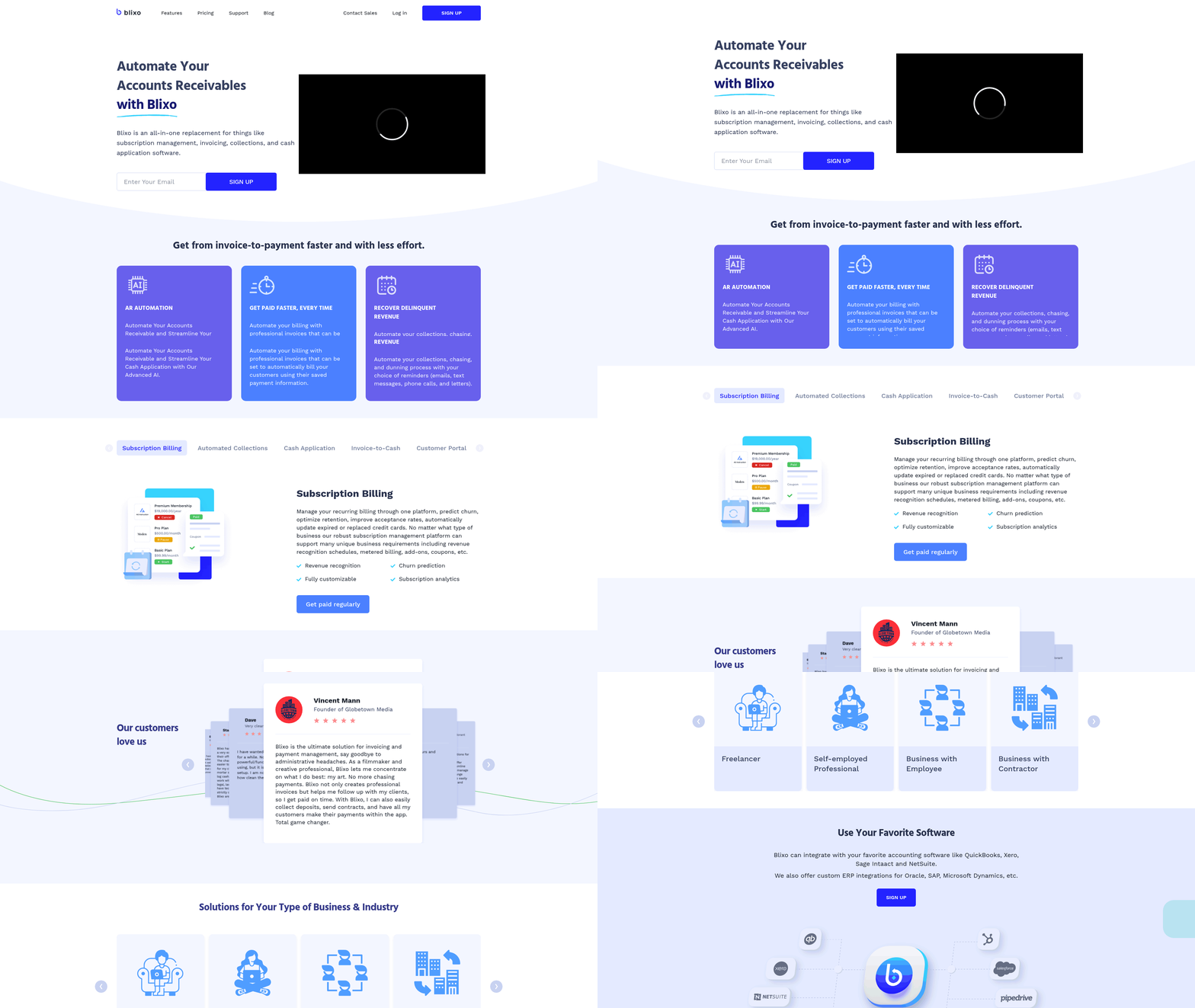
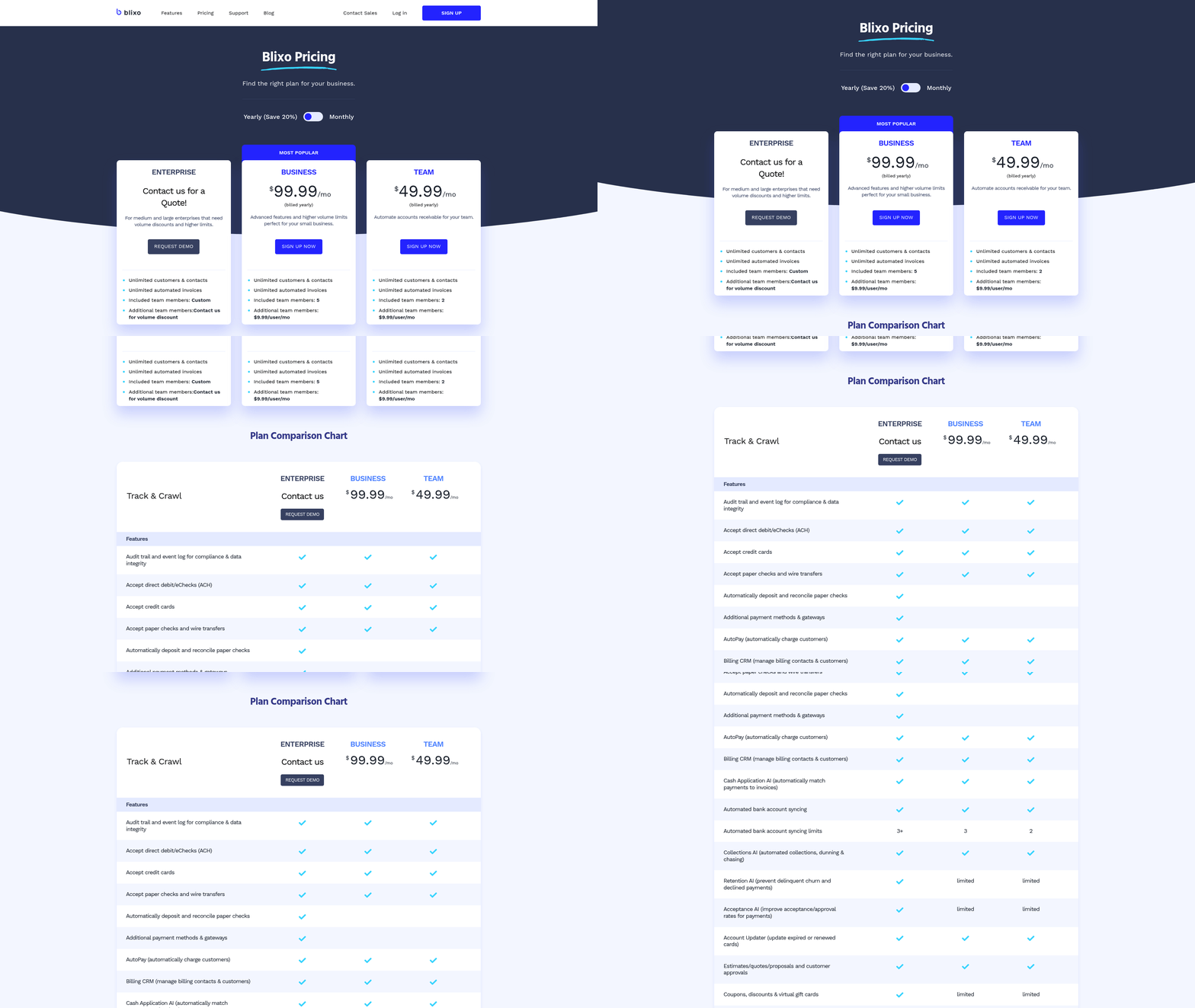
Automation transforms AR from a reactive task into a strategic asset. By digitizing invoice creation, delivery, and tracking, businesses eliminate manual errors and accelerate collections. For example, Blixo’s platform uses AI to match payments instantly, reducing disputes and freeing teams to focus on high-value tasks. Building on concepts from the Automating Accounts Receivable Invoicing: Key Considerations section, Blixo offers transparent pricing and integrates seamlessly with ERPs, ensuring data consistency.
Key benefits include:
- Faster Cash Conversion: Automated reminders cut Days Sales Outstanding (DSO) by 30% on average.
- Cost Reduction: Automation can slash AR-related costs by up to 90%, as noted in a 2026 industry report.
- Real-Time Insights: Dashboards track aging receivables, dispute resolution, and payment trends, enabling proactive decision-making.
By adopting automation, businesses not only mitigate the risks of manual invoicing but also position themselves to scale efficiently. For instance, a company using Blixo automated 12,000 monthly invoices, reducing billing time by six days and improving cash flow predictability. As outlined in the Best Practices for Automated Accounts Receivable Invoicing section, such automation shifts invoicing from a cost center into a revenue-enhancing function.
Automating Accounts Receivable Invoicing: Key Considerations
Automating accounts receivable invoicing requires careful consideration of integration, customization, and security to ensure efficiency and compliance. A seamless connection with existing systems is foundational, as disjointed workflows can lead to data silos and operational delays.
Integration with Existing Systems
Integration ensures that automated invoicing aligns with your accounting and enterprise resource planning (ERP) systems. For example, Blixo’s SaaS service syncs with ERPs like NetSuite and QuickBooks, enabling real-time data flow for invoicing, payment tracking, and cash application. This synchronization reduces manual data entry and minimizes errors. A critical consideration is verifying that the automation tool supports two-way integration, allowing updates in the ERP to reflect in the invoicing system and vice versa. Without this, discrepancies can arise, leading to delayed collections and reconciliation challenges. As outlined in the Implementing Automated Accounts Receivable Invoicing section, proper setup of these integrations is crucial during deployment.
Customization for Branding and Workflow
Customization is essential to maintain brand consistency and adapt workflows to specific business needs. Automated systems should allow for personalized invoice templates, including logos, color schemes, and payment terms. Workflow configuration is equally important-businesses must define rules for automated reminders, dispute resolution, and approval processes. For instance, a company might set up tiered escalation paths where overdue invoices trigger emails, followed by phone calls if no response is received. Flexibility in these configurations ensures the system aligns with customer preferences and internal policies. Building on concepts from the Best Practices for Automated Accounts Receivable Invoicing section, effective workflows often require iterative testing and refinement.
Security and Compliance
Data security is paramount in automated invoicing, as systems handle sensitive financial information. Encryption of data both in transit and at rest is a non-negotiable feature. Access controls, such as role-based permissions, prevent unauthorized users from modifying invoices or viewing sensitive records. Compliance with standards like GDPR or PCI-DSS is also critical, particularly for businesses operating in regulated industries. A strong system will include audit trails to monitor access and changes, providing transparency and accountability.
Real-World Example: Blixo’s Client Success
A Blixo client, a mid-sized manufacturing firm, integrated automated invoicing with their ERP system, reducing manual processing time by 70%. By using Blixo’s customization tools, they standardized invoice formats and configured automated follow-ups based on payment history. The result was a 20% reduction in Days Sales Outstanding (DSO) and a 30% improvement in cash forecasting accuracy. This case highlights how integration and customization can transform receivables management, reinforcing the strategic importance emphasized in the Why Automating Accounts Receivable Invoicing Matters section.
Benefits of Cloud-Based Solutions
Cloud-based platforms offer scalability and flexibility, making them ideal for growing businesses. Unlike on-premise systems, cloud solutions can scale with increasing invoice volumes without infrastructure overhauls. They also provide real-time analytics, enabling teams to monitor DSO and payment trends from anywhere. For example, cloud integrations with payment processors allow instant payment confirmations, accelerating cash flow. Additionally, these platforms often include AI-driven features like fraud detection and predictive analytics, further enhancing operational efficiency.
By prioritizing integration, customization, and security, businesses can implement automated invoicing systems that drive efficiency, reduce risks, and support long-term growth.
Implementing Automated Accounts Receivable Invoicing
Implementing automated accounts receivable invoicing requires a structured approach that balances technical setup, user training, and rigorous testing. Below is a step-by-step guide to streamline the process, ensuring accuracy, efficiency, and long-term success.
Configuring the Automated System
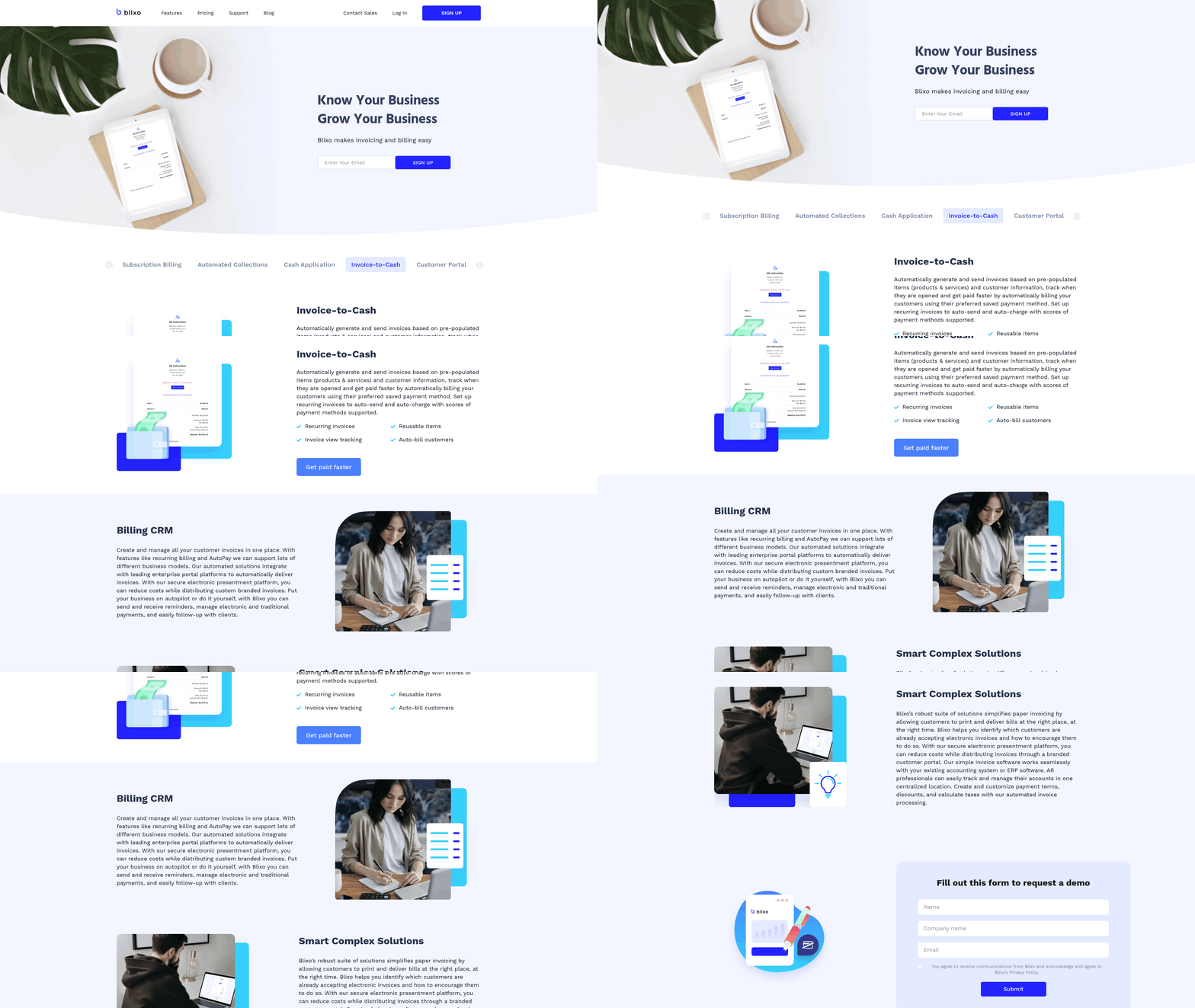
Start by mapping your current workflow to identify inefficiencies, such as manual invoice creation or delayed payment tracking. Cleanse your data-verify billing contacts, remove duplicates, and standardize payment terms-to prevent errors downstream. Integrate your system with major ERPs and CRMs (e.g., NetSuite, QuickBooks) to automate invoice syncing and reduce manual entry. For instance, Blixo’s SaaS service supports seamless two-way data transfer, ensuring real-time updates between your accounting software and customer portals. Building on concepts from the Automating Accounts Receivable Invoicing: Key Considerations section, prioritize integration compatibility and data security during setup.
Next, customize templates and rules. Design branded invoice templates that align with your brand guidelines and include clear payment instructions. Set up automated reminders with tiered escalation rules based on customer segments (e.g., high-value clients receive personalized follow-ups). Configure payment portals to allow customers to pay via ACH, credit card, or bank transfer, reducing friction. A global employer-of-record firm, for example, reduced invoice processing time from 5–10 minutes to 5 seconds using automated workflows and API integrations.
Training Users for Success
Train accounting and administrative staff on core functionalities: invoice generation, dispute resolution, and payment tracking. Role-specific training is critical-collections teams should master escalation protocols, while finance staff need to interpret real-time dashboards for DSO monitoring. For administrative roles, emphasize data entry best practices to maintain clean customer records.
Include a change-management strategy: Host workshops to address concerns about automation replacing jobs. Emphasize that automation frees staff to focus on strategic tasks like resolving disputes or negotiating payment plans. One company reported a 50% reduction in manual work after training teams to use AI-driven analytics for forecasting cash flow.
Testing and Quality Assurance
Before full deployment, simulate scenarios to test error handling. For example, if a payment fails due to incorrect bank details, does the system flag the issue and notify the customer? Run end-to-end tests for high-value invoices to ensure discounts or late fees are applied correctly. Use a sandbox environment to validate integrations with payment processors and ERPs, mimicking peak-volume conditions.
Monitor payment tracking and reconciliation in real time. A strong system should automatically match payments to invoices, even if customers send remittances without invoice numbers. A B2B-centric provider like Blixo uses AI to apply payments accurately, reducing manual reconciliation time by 95%. Schedule weekly audits to catch discrepancies early, and establish SLAs for resolving errors (e.g., disputes resolved within 24 hours).
Example of Real-World Impact
A mid-sized firm adopted automated invoicing and achieved 34% faster payments and a 26% increase in monthly invoice volume without hiring additional staff. By automating reminders and enabling self-service portals, they reduced DSO by 1.5 days and improved customer satisfaction. The system’s real-time analytics also flagged a 20% drop in on-time payments for one client, prompting early intervention to resolve a billing dispute before it escalated. As mentioned in the Why Automating Accounts Receivable Invoicing Matters section, such outcomes highlight the strategic value of automation in maintaining cash flow.
Ongoing Support and Maintenance
Automation isn’t a “set-it-and-forget-it” solution. Schedule monthly reviews to update customer segmentation rules, adjust payment terms based on market conditions, and refine AI-driven reminders. For instance, a 72-day average implementation period for a B2B platform includes quarterly check-ins to align the system with evolving business goals.
Invest in user support tools like chatbots or knowledge bases to assist staff with troubleshooting. Regularly update training materials to reflect new features-such as AI-powered dispute resolution tools-and conduct refresher sessions for teams. One company discovered a 16-minute savings per invoice after adding machine learning to match payments automatically, but this required continuous monitoring to adapt to new data patterns. Best practices for sustaining these gains are detailed in the Best Practices for Automated Accounts Receivable Invoicing section.
By combining rigorous setup, targeted training, and proactive maintenance, businesses can transform accounts receivable into a streamlined, customer-friendly process that accelerates cash flow and reduces operational costs.
Best Practices for Automated Accounts Receivable Invoicing
To streamline automated accounts receivable invoicing, start by defining clear automation rules that align with your business’s payment terms and customer behavior. For example, set triggers for sending reminders at 7, 15, and 30 days past due, and configure escalation paths for high-risk accounts. As mentioned in the Implementing Automated Accounts Receivable Invoicing section, this step aligns with the structured approach required during technical setup. Segment customers based on factors like payment history or contract value to tailor communication-prioritize follow-ups for strategic clients while applying stricter terms for late-paying accounts. This ensures consistency while maintaining a personalized touch.
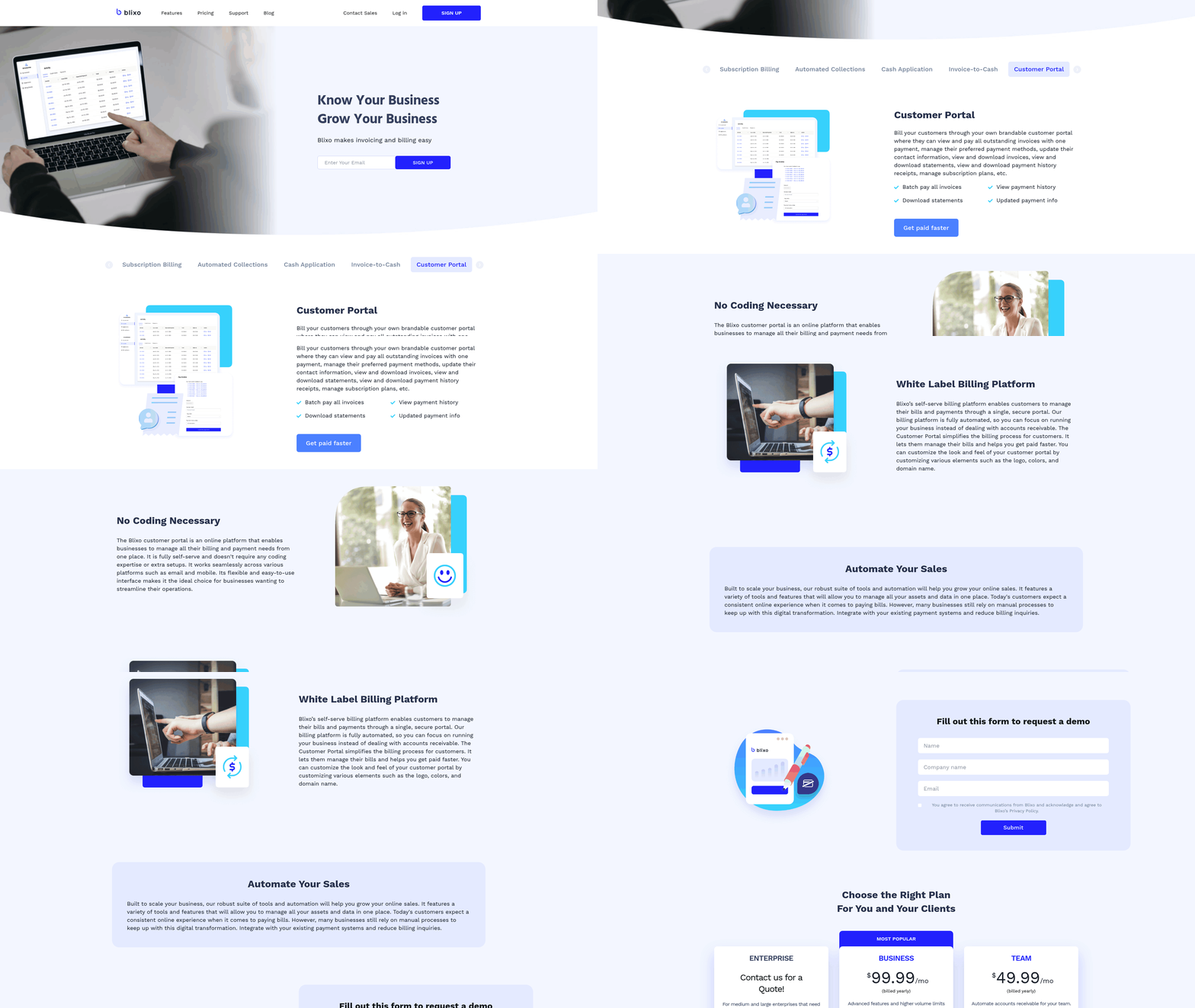
Real-time updates and alerts are essential for monitoring cash flow and resolving disputes quickly. Building on concepts from the Automating Accounts Receivable Invoicing: Key Considerations section, automated systems should sync with bank feeds and ERP platforms to provide instant visibility into payment statuses, reducing manual reconciliation efforts by up to 95%. Set up alerts for overdue invoices, duplicate payments, or discrepancies, enabling teams to act swiftly. One company reduced its Days Sales Outstanding (DSO) by 34% by using real-time dashboards to track payment trends and forecast cash flow, a benefit highlighted in the Why Automating Accounts Receivable Invoicing Matters section.
A global employer-of-record (EOR) firm automated its invoicing process, cutting invoice generation time from 5–10 minutes to 5 seconds and reducing payroll calculation time by 80%. This allowed a single employee to handle 6,000 invoices daily-a task previously requiring an entire team. Another organization improved customer satisfaction by implementing self-service portals, enabling clients to view invoices, pay, and resolve disputes online. These changes led to a 21.25% increase in customer satisfaction scores and a 70% reduction in overdue accounts.
Regularly review and update your automation settings to adapt to evolving business needs. As outlined in the Common Challenges and Solutions for Automated Accounts Receivable Invoicing section, auditing payment terms, customer segments, and reminder schedules quarterly ensures alignment with current policies. For instance, if a customer’s payment behavior shifts, adjust their follow-up strategy to avoid over-automating and damaging relationships. Use analytics to identify bottlenecks-such as recurring disputes or delayed payments-and refine workflows accordingly. A construction firm, for example, optimized its milestone invoicing rules, reducing billing errors by 40% and accelerating cash collection.
Automated invoicing improves customer retention by offering flexibility and transparency. Provide multiple payment options (ACH, credit cards, partial payments) and embed clear due dates, late fees, and contact details in invoices. A healthcare provider saw a 75% faster cash application process by integrating AI to match payments automatically, reducing manual reconciliation. Personalized communication-like sending reminders via preferred channels (email, SMS)-also boosts on-time payments by 30%, as noted in the Why Automating Accounts Receivable Invoicing Matters section.
By combining structured automation rules, real-time tracking, and continuous optimization, businesses can achieve faster collections, fewer errors, and stronger customer relationships-key drivers of long-term financial stability.
Common Challenges and Solutions for Automated Accounts Receivable Invoicing
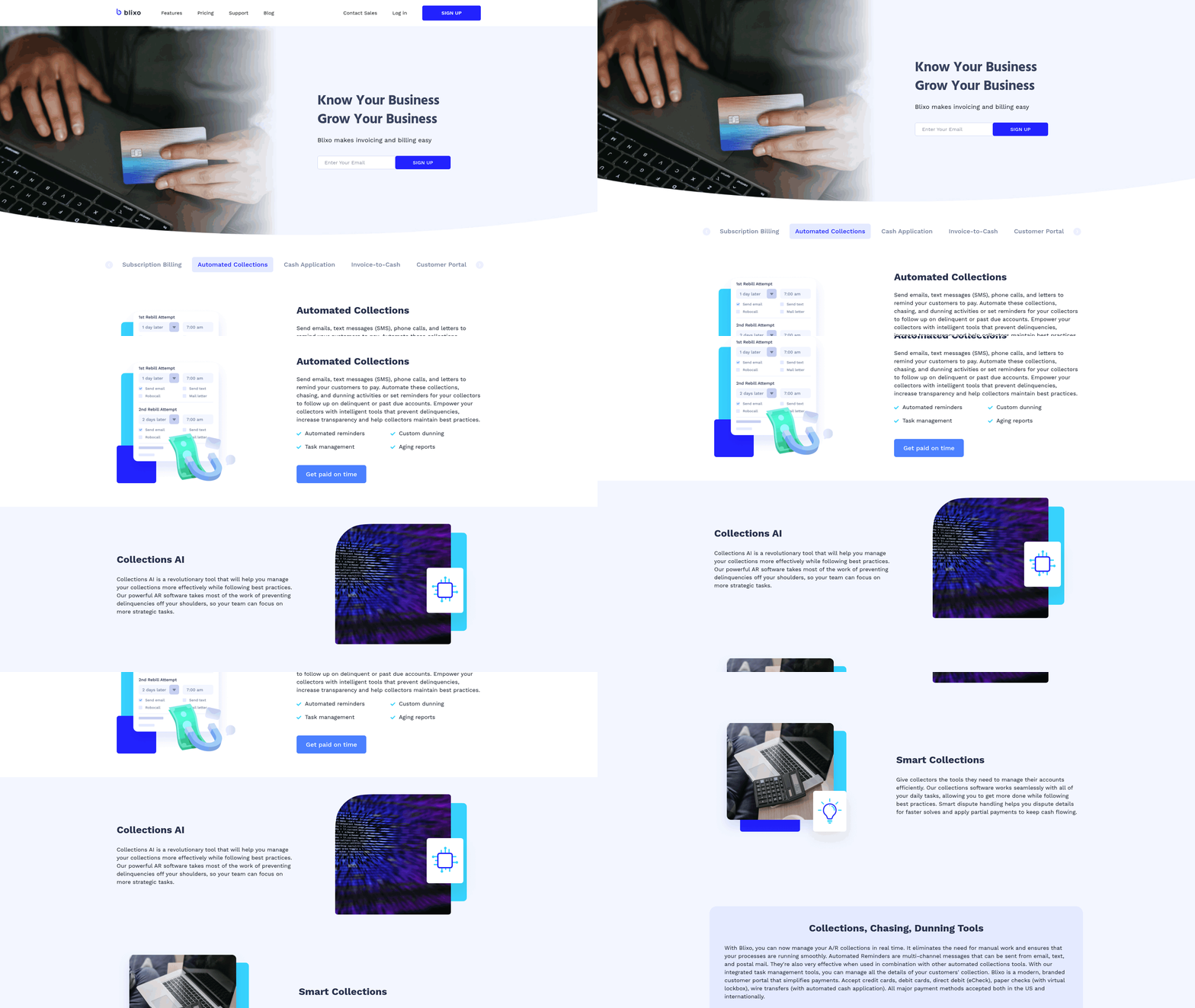
Automated accounts receivable (AR) invoicing streamlines cash flow but introduces challenges that require proactive management. Addressing these issues ensures the system operates efficiently, maintains customer trust, and delivers long-term value. Below are the most common obstacles and strategies to overcome them, supported by insights from real-world implementations.
Common Challenges in Automated AR Invoicing
Data Quality Issues Automated systems rely on accurate, consistent data. Poorly maintained records-such as outdated customer contacts, duplicate entries, or mismatched invoice line items-can cause errors in billing and payment tracking. For example, incorrect payment terms may lead to disputes or delayed collections. As mentioned in the Best Practices for Automated Accounts Receivable Invoicing section, maintaining data accuracy is a foundational step for minimizing errors.
Integration Complexity Connecting AR automation with existing systems like ERPs, CRMs, and payment processors is critical but often complex. Misconfigurations during integration can disrupt workflows, leading to data silos or incomplete synchronization. A lack of seamless integration may also limit visibility into payment status or customer history. Building on concepts from the Implementing Automated Accounts Receivable Invoicing section, a phased rollout approach helps identify and resolve integration gaps early.
Over-Automation Risks While automation reduces manual effort, excessive reliance on automated workflows can backfire. Generic, impersonal reminders or overly aggressive escalation rules may frustrate customers. Additionally, over-automation without human oversight can lead to missed opportunities for relationship-building or nuanced problem-solving.
Solutions to Overcome These Challenges
Prioritize Data Hygiene Before Automation Clean and standardize data before deploying automated systems. This includes verifying customer contact details, consolidating duplicate records, and aligning invoice templates with contractual terms. For instance, one company reduced billing errors by 40% after dedicating time to audit and update its database prior to automation.
Adopt Phased Integration Start by integrating core systems like the ERP or accounting software, then expand to payment gateways and customer portals. Use APIs or middleware that support bidirectional data flow to ensure real-time updates. Blixo, for example, offers customizable integration tools as outlined in the Automating Accounts Receivable Invoicing: Key Considerations section, simplifying connections while maintaining data integrity.
Balance Automation with Human Oversight Implement rules that flag exceptions for manual review. For example, set thresholds for invoice amounts or dispute resolution that require human intervention. Regularly audit automated communication templates to ensure they align with brand tone and customer expectations.
Frequently Asked Questions
1. How much time does AR automation save compared to manual invoicing?
Automation reduces invoice processing time from 5–10 minutes to just 5 seconds per invoice, accelerating payment collection by 67% and reducing Days Sales Outstanding (DSO) by up to 55 days for high-volume companies.
2. How does automation reduce Days Sales Outstanding (DSO)?
Automated systems standardize follow-ups, eliminate manual errors, and provide real-time payment visibility, leading to measurable DSO reductions reported by 85% of CFOs and cutting DSO in half for some businesses.
3. What financial losses do companies face with manual invoicing?
Mid-sized firms lose $4 million monthly due to delayed collections, while manual processes cost businesses 67% longer payment times, directly harming cash flow and operational efficiency.
4. Can automation prevent human errors in invoicing?
Yes, automation reduces human errors by standardizing workflows and minimizing manual data entry, ensuring consistent follow-ups and accurate payment tracking for improved financial reliability.
5. How quickly do businesses see results from AR automation?
Companies handling 20,000+ invoices monthly reduce payment timelines by 55 days within months, with 77% of AR teams reporting faster collections and improved cash flow within 3–6 months of implementation.
6. What are the key benefits of real-time payment visibility?
Real-time visibility enables proactive follow-ups, reduces payment delays, and provides instant insights into outstanding invoices, helping teams prioritize collections and lower DSO effectively.
7. How does automation impact AR team productivity?
Automation alleviates administrative burdens by streamlining invoice processing, allowing teams to focus on strategic tasks while reducing manual work by 90% or more.