

Blixo vs Manual AR Automation for Faster Cash Flow

Key Takeaways
- Manual AR processes consume 40+ monthly hours and cause costly errors, delaying cash flow and increasing late fees.
- Automation reduces monthly AR admin hours from 40+ to under 10, cutting operational costs and boosting efficiency.
- Blixo’s AI-driven tools slash AR errors by 90%, accelerating reconciliation from days to minutes.
- Automated AR systems lower Days Sales Outstanding (DSO) by 30%, significantly improving cash flow for businesses.
- Blixo saves 200+ weekly admin hours for high-volume firms through automated invoicing and milestone reminders.
- AI-powered cash application tools recover tens of thousands in overdue payments by automating follow-ups.
- Manual AR workflows risk avoidable errors and delays, while automation ensures consistent, accurate tracking.
Why Automated AR Matters
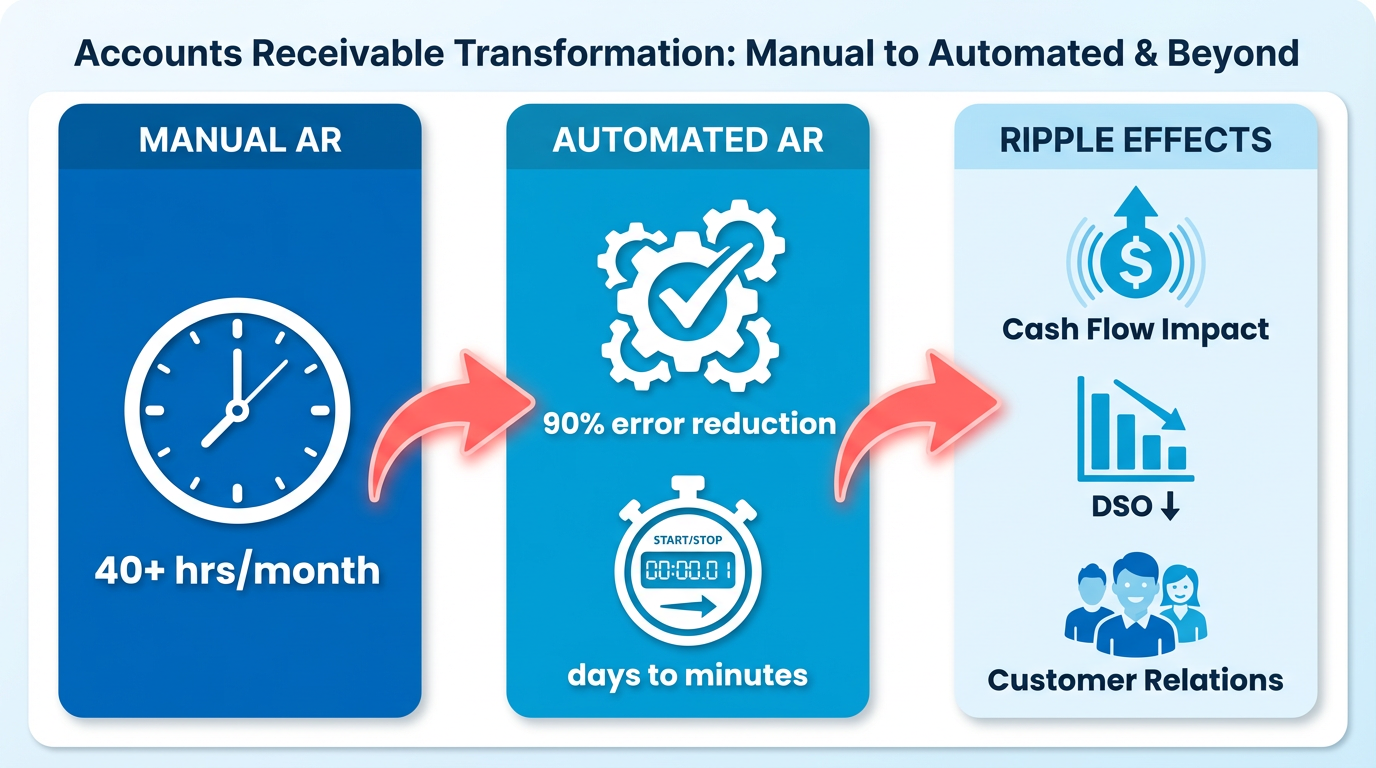
Automated accounts receivable (AR) processes are no longer a luxury-they’re a necessity for businesses aiming to thrive in a competitive market. Manual AR tasks, from invoice creation to payment tracking, consume 40+ hours monthly for high-volume firms and introduce costly errors that delay cash flow. These inefficiencies ripple across operations, causing late fees, strained customer relationships, and a cash crunch. As mentioned in the Manual AR Workflow section, these manual workflows involve labor-intensive steps that often lead to avoidable errors and delays. By contrast, SaaS providers like Blixo replace this fragmented workflow with AI-driven automation, slashing reconciliation time from days to minutes while reducing errors by 90%. The Manual vs. Automated AR: A Cost Comparison section highlights how automation cuts monthly admin hours from 40+ to under 10, offering a clearer view of its financial impact. This section explores why automation is critical, how it transforms financial operations, and who stands to gain the most.
Blixo Overview
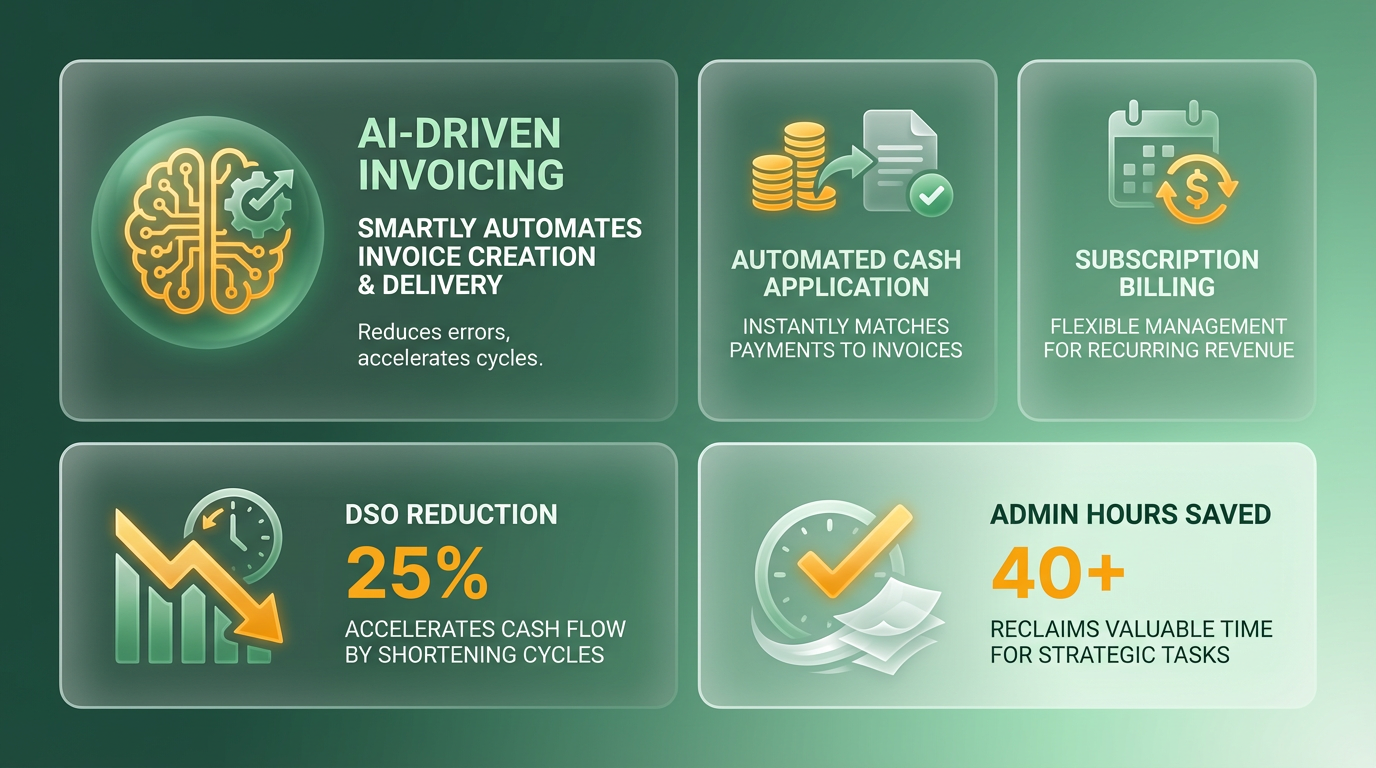
Blixo transform accounts receivable (AR) management by offering an all-in-one platform that automates invoicing, cash application, and subscription billing. Its AI-driven tools slash manual tasks by 70%, recover tens of thousands in overdue payments, and reduce Days Sales Outstanding (DSO) by up to 30%. For example, a SaaS company cut DSO from 60 to 30 days, while a construction firm saved 200+ admin hours weekly using automated milestone reminders. Below, we break down Blixo’s core capabilities and how they outperform manual workflows. As mentioned in the Manual AR Workflow section, these efficiencies contrast sharply with traditional methods, which often involve lengthy reconciliation periods and high error rates.
How Does Blixo’s Automated Invoicing Work?
Blixo generates invoices instantly from integrated ERPs like QuickBooks or Xero, pulling data directly into pre-built templates. AI fills in details like payment terms and due dates, while multi-channel delivery (email, SMS, mobile apps) ensures customers receive invoices quickly. Manual invoicing takes 5–10 minutes per document, but Blixo reduces this to seconds. A healthcare provider using the platform reported a 33% faster on-time payment rate, thanks to automated reminders triggered by customer behavior patterns.
| Feature | Manual Process | Blixo Automation |
|---|---|---|
| Invoice Creation | 5–10 min per invoice | Seconds, using ERP data |
| Payment Matching | 12–24 hours | 98% OCR accuracy, real-time |
| Dispute Resolution | 5+ days manually | AI identifies errors instantly |
What Makes Blixo’s Cash Application Stand Out?
Blixo’s cash application tools use optical character recognition (OCR) to match payments to invoices with 98% accuracy for standard documents and 92% for complex ones. This eliminates manual reconciliation, which typically takes 5 days per month. Instead, Blixo cuts end-of-month processing from 5 days to 12 hours. One e-commerce firm reduced invoice processing time from 4 hours to 20 minutes, while a global employer-of-record slashed processing time from 5–10 minutes to 5 seconds per invoice. These improvements directly contribute to the Cash Flow Impact of Automation section’s findings, which highlight how automation accelerates payment cycles and forecasting accuracy.
For example, a consulting firm using Blixo’s AI-driven cash application reduced disputes by 50% and improved confirmation accuracy by 28%. The platform also offers predictive analytics to forecast cash flow, boosting forecasting accuracy by 40% for businesses.
How Does Blixo Handle Subscription Management?
Blixo’s subscription tools automate proration, upgrades, cancellations, and churn prediction. Unlike platforms that offer only basic recurring invoices, Blixo manages the full lifecycle of subscriptions, reducing churn and automating revenue recognition. A digital marketing agency cut payment delays from 80% to 20% in 6 months by using Blixo’s subscription tools, while a SaaS company recovered $25,000 in overdue payments through AI-driven dunning.
The platform’s AI prioritizes high-risk accounts and sends tailored reminders via email, SMS, or phone calls. One law firm reduced billing time by 60% using Blixo, and a publishing house improved compliance with automated billing. Customization is key: Blixo allows teams to set unique payment terms for different clients, automate discounts for early payments, and generate reports in 15+ languages.
Real-World Examples of Blixo’s Customization
Blixo adapts to industries like construction, healthcare, and SaaS through customizable workflows. A construction firm automated milestone-based invoicing, triggering alerts when payments were overdue. A healthcare provider integrated AI-driven credit checks, reducing past-due accounts by 20%. Meanwhile, a beverage company used Blixo’s predictive analytics to boost net recovery rates by 30%.
“Switching to Blixo cut our invoice processing time by 60%-it’s a major advantage for our team.” – Freelance Consultant
For businesses with high-volume transactions, Blixo’s transparent pricing (flat fee of $25/month for 100 invoices) delivers a 480% ROI in just 2 months. By automating 60% of invoice processing time, the platform frees finance teams to focus on strategic growth rather than administrative tasks. As outlined in the Implementation and Onboarding section, businesses can adopt these workflows with minimal disruption, ensuring rapid integration with existing systems.
Manual AR Workflow
Manual accounts receivable (AR) workflows involve a series of labor-intensive steps that often lead to inefficiencies and costly errors. Let’s break down the process step by step, from invoice creation to payment application, and examine the hidden costs of manual management.
How Does Manual AR Work?
Manual AR begins with invoice creation, where finance teams draft invoices using templates or spreadsheets. This step alone can take 5–10 minutes per invoice, depending on complexity. Next comes payment matching, where teams manually cross-reference incoming payments with invoices-a task prone to mismatches, especially with partial payments or delayed transfers. Finally, reconciliation requires reconciling bank statements with internal records, a process that may take hours daily for high-volume businesses.
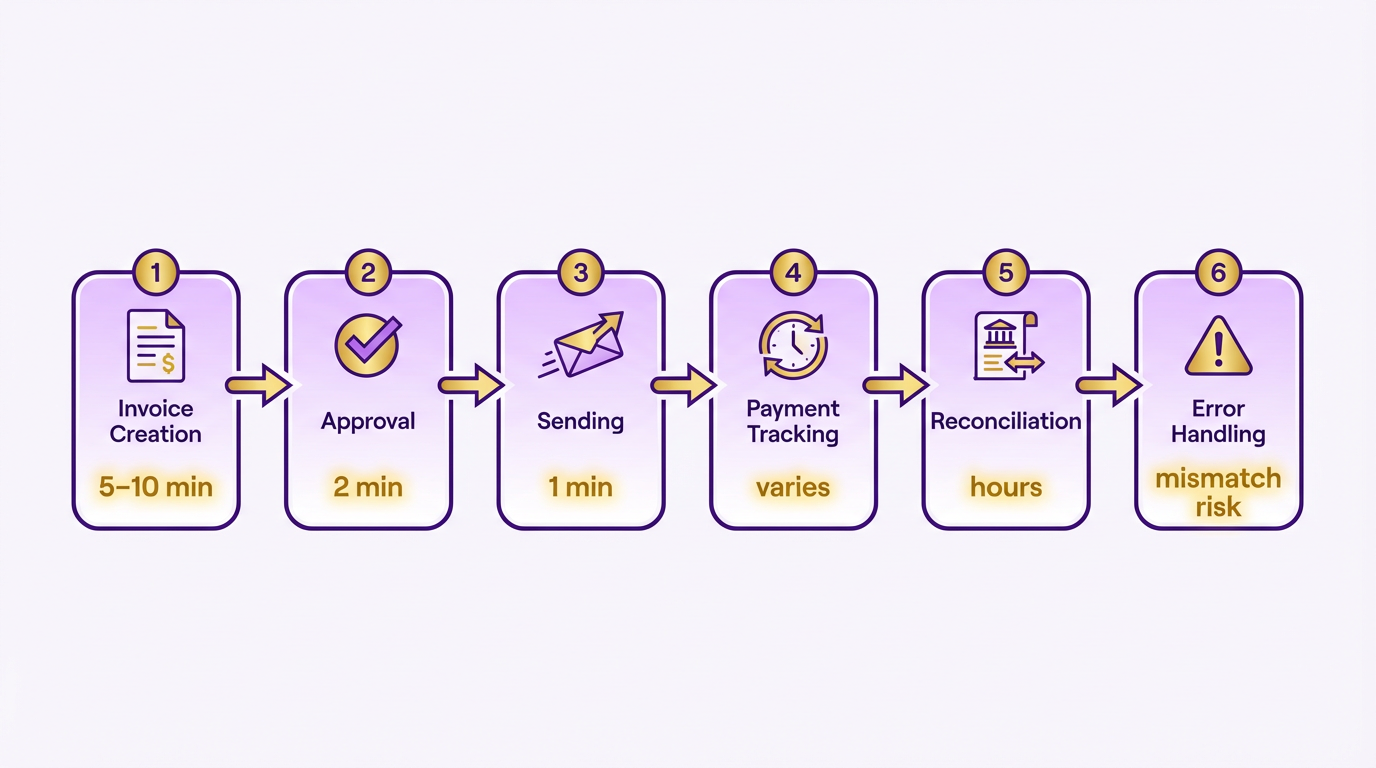
For a mid-sized company processing 100 invoices monthly, this translates to 8–16 hours of work, excluding weekends and holidays. However, sources show manual AR can consume 40+ hours monthly for high-volume firms, with errors increasing missed-payment risks by 35%. Building on concepts from the Why Automated AR Matters section, manual inefficiencies create a compounding drag on operational agility.
Where Do Manual AR Errors Occur?
Manual workflows are riddled with pitfalls. Lost or misplaced invoices are common, especially when sent via email or printed. A mismatched payment due to incorrect invoice details can delay cash flow by days or weeks. Data entry errors-such as typos in customer names or amounts-further compound the problem, costing an average of $10.89 per invoice in rework. As mentioned in the Cash Flow Impact of Automation section, these errors directly contribute to higher Days Sales Outstanding (DSO) and operational costs.
Consider a SaaS company that spends hours daily reconciling payments manually. Without automation, incomplete customer data or delayed notifications can lead to disputes, increasing DSO by 18 days. One finance manager described the struggle: “We’d spend hours chasing payments only to find a misplaced decimal in an invoice.”.
| Step | Manual Time Estimate | Automation Time Estimate |
|---|---|---|
| Invoice Creation | 5–10 min/invoice | 10–15 sec/invoice |
| Payment Matching | 10–20 min/payment | Automated (seconds) |
| Reconciliation | Hours/daily | 5–10 min/daily |
How Does Manual AR Impact Cash Flow?
The consequences of manual AR extend beyond time waste. Delayed payments become a norm, with 69% of businesses reporting rising late payments under manual systems. A digital marketing agency, for example, faced a 30% cash-flow dip due to mismatched payments and unresolved disputes. These issues align with findings in the Cash Flow Impact of Automation section, where manual systems are shown to waste 40+ hours monthly.
Another hidden cost is revenue leakage. Incomplete payment tracking or overlooked subscriptions can lead to unpaid invoices. A construction firm lost 5% of its monthly revenue to errors in manual milestone invoicing. Meanwhile, operational drag forces teams to prioritize administrative tasks over strategic work, reducing overall productivity by 50–70%.
Real-World Consequences of Manual AR
A mid-sized e-commerce brand struggled with manual AR for years. Employees spent 75% of their time on reconciliation, leaving little room for customer support or growth planning. After switching to automation, they reduced admin workload by 75% and cut payment disputes by 40%. This outcome mirrors the benefits outlined in the Automated AR Workflow with Blixo section, where streamlined processes lead to significant efficiency gains.
For businesses stuck in manual workflows, the financial toll is clear. Every hour spent on error correction or chasing payments is an hour lost to innovation. As one Reddit user in r/phinvest noted: “Treating automation as an expense changed our cash flow-it’s not a cost, it’s an investment.” By automating AR, companies can reclaim 40+ hours monthly, reduce errors by 90%, and accelerate collections. The next section compares these benefits to the limitations of manual systems.
Automated AR Workflow with Blixo
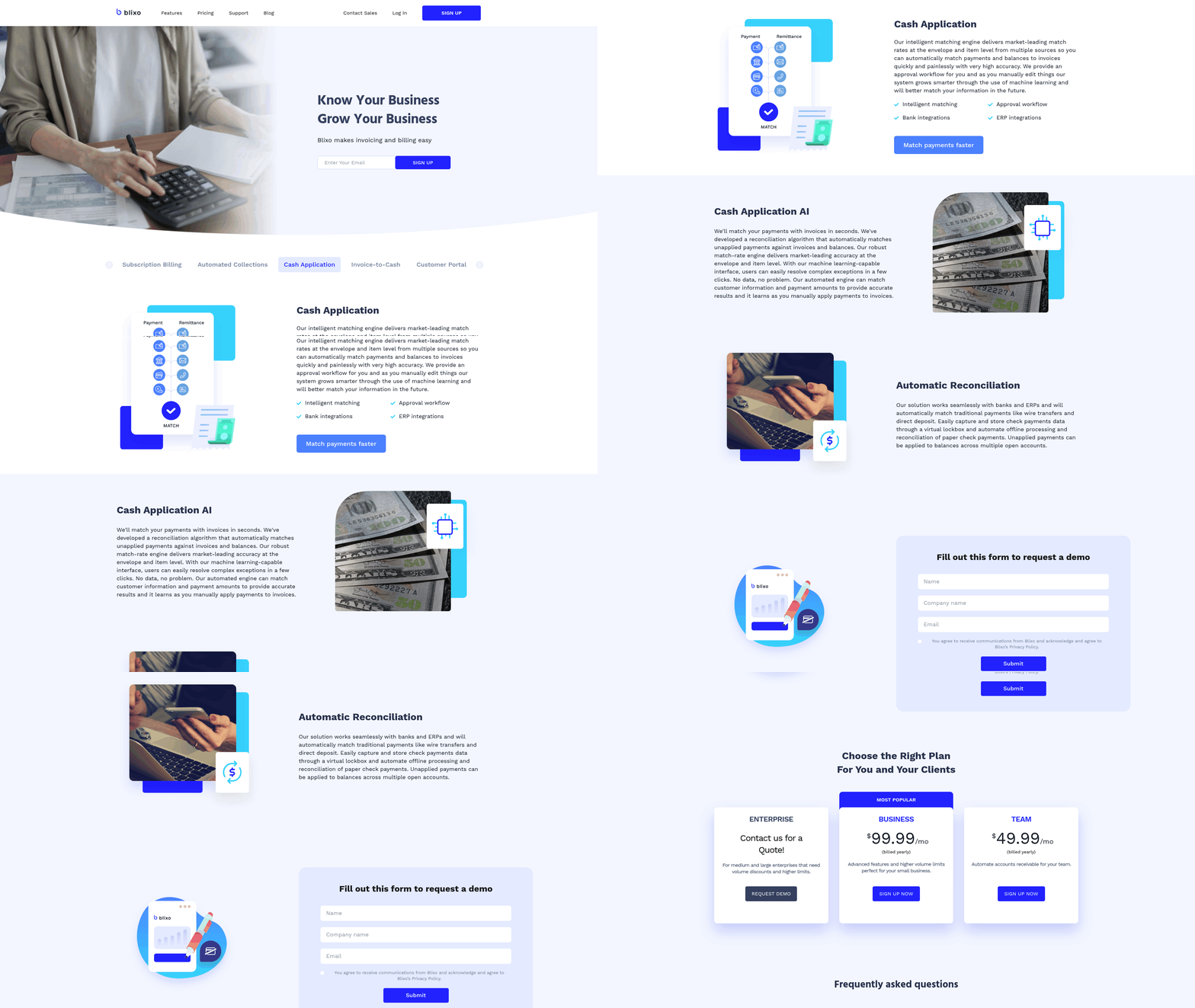
Automated AR workflow with Blixo transforms how businesses handle invoicing, payment collection, and reconciliation. By using AI-driven tools, Blixo eliminates manual bottlenecks, reducing reconciliation time by up to 50% and errors by 90%. This section breaks down how Blixo automates each stage of the AR process, the measurable benefits, and real-world results from companies that have adopted the platform. As mentioned in the Manual AR Workflow section, these improvements directly address the inefficiencies inherent in traditional processes.
How Blixo Automates the AR Workflow
Blixo streamlines accounts receivable by automating tasks that traditionally require hours of manual effort. The process begins with smart invoicing, where AI generates accurate, error-free invoices in seconds. These invoices are sent via email, SMS, or embedded payment portals, ensuring visibility and reducing delays.
Next, automated cash application matches incoming payments to open invoices using machine learning. Even with incomplete data, Blixo’s AI achieves 98% accuracy, cutting reconciliation time from days to minutes. For example, a SaaS company previously spent hours daily matching payments manually, but Blixo reduced this to real-time updates. Automated dunning then sends tiered reminders via email or SMS, with retry logic for failed card payments (scheduled at 7, 14, and 30 days). This reduces late payments by 30% and increases on-time payment rates by 20% within three months.
Finally, subscription billing tools manage recurring charges, prorations, upgrades, and cancellations seamlessly. For businesses with subscriptions, this automation lowers churn and ensures consistent revenue recognition. Building on concepts from the Why Automated AR Matters section, these tools address critical pain points in cash flow management.
Key Benefits of Blixo’s Automation
The shift from manual AR to Blixo’s system delivers dramatic improvements:
| Metric | Manual AR | Blixo Automation |
|---|---|---|
| Reconciliation time | Days per month | Minutes per month |
| Invoice processing errors | 5–10% | <1% |
| Admin workload | 40+ hours/month | 12–15 hours/month |
| On-time payment rate | 65–70% | 95%+ |
These gains stem from Blixo’s AI-driven tools, which handle 90–98% of tasks without human intervention. For instance, a mid-size e-commerce brand cut its monthly reconciliation workload by 75%, while a digital marketing agency automated 90% of invoice processing. Real-time dashboards further improve cash forecasting accuracy by 40%, helping businesses plan with confidence.
Customizable Features for Business Needs
Blixo’s automation isn’t one-size-fits-all. Its customizable workflows adapt to specific industries and operational requirements:
- Conditional approvals: Set rules like “Require dual approval for invoices over $5,000.”
- Multi-currency support: Automate currency conversions for global businesses, reducing overhead by 60% for one online retail store.
- Subscription lifecycle management: Tailor billing cycles, trial periods, and dunning thresholds for SaaS or membership-based models.
For example, a construction firm automated milestone-based invoicing, saving 200+ admin hours weekly. A healthcare provider used Blixo’s compliance-focused tools to align billing with regulatory standards, cutting disputes by 50%.
Real-World Impact of Blixo Automation
Case studies highlight Blixo’s tangible results:
- SaaS company: Reduced Days Sales Outstanding (DSO) from 60 to 30 days, accelerating cash flow by 50%.
- Service firm: Improved cash flow by 30% and cut average payment time by 18 days.
- B2B manufacturer: Automated 98% of payment matching, saving $871,000 annually on 100,000 invoices.
User testimonials reinforce these outcomes: “Switching to Blixo saved our team hours weekly. Their support resolved a critical integration issue in under an hour,” reports a finance manager. Another user notes, “Blixo’s mobile app lets me approve invoices remotely-no more waiting for the office computer.”.
Technical Advantages and Integration
Blixo’s technical foundation ensures scalability and reliability. It integrates with 70+ ERPs (QuickBooks, Xero, NetSuite) and payment gateways (Stripe, PayPal) via pre-built connectors or APIs. This eliminates manual data entry, reducing processing costs from $10–$11 per invoice to $2. AI-powered OCR extracts data from invoices and payments with 98% accuracy, minimizing reconciliation errors.
For teams needing deeper customization, API access allows bespoke workflows. A G2 reviewer shared, “The Blixo team fixed our integration error at 10 PM-saved my deadline!” This flexibility ensures businesses grow without hitting technical roadblocks. As outlined in the Blixo Overview section, these integrations form the backbone of its SaaS service’s adaptability.
Why Blixo Outperforms Manual Systems
Manual AR processes are error-prone, time-consuming, and costly. Blixo’s automation slashes these risks:
- Time savings: 50–70% reduction in admin workload.
- Cost efficiency: $2,400 annual savings for mid-size firms compared to competitors like Stampli.
- Scalability: Handles high-volume invoicing (e.g., 100,000+ invoices/month) without performance drops.
For businesses seeking faster cash flow, lower operational drag, and future-proof financial systems, Blixo’s AI-driven automation is the clear choice over manual methods.
Cash Flow Impact of Automation
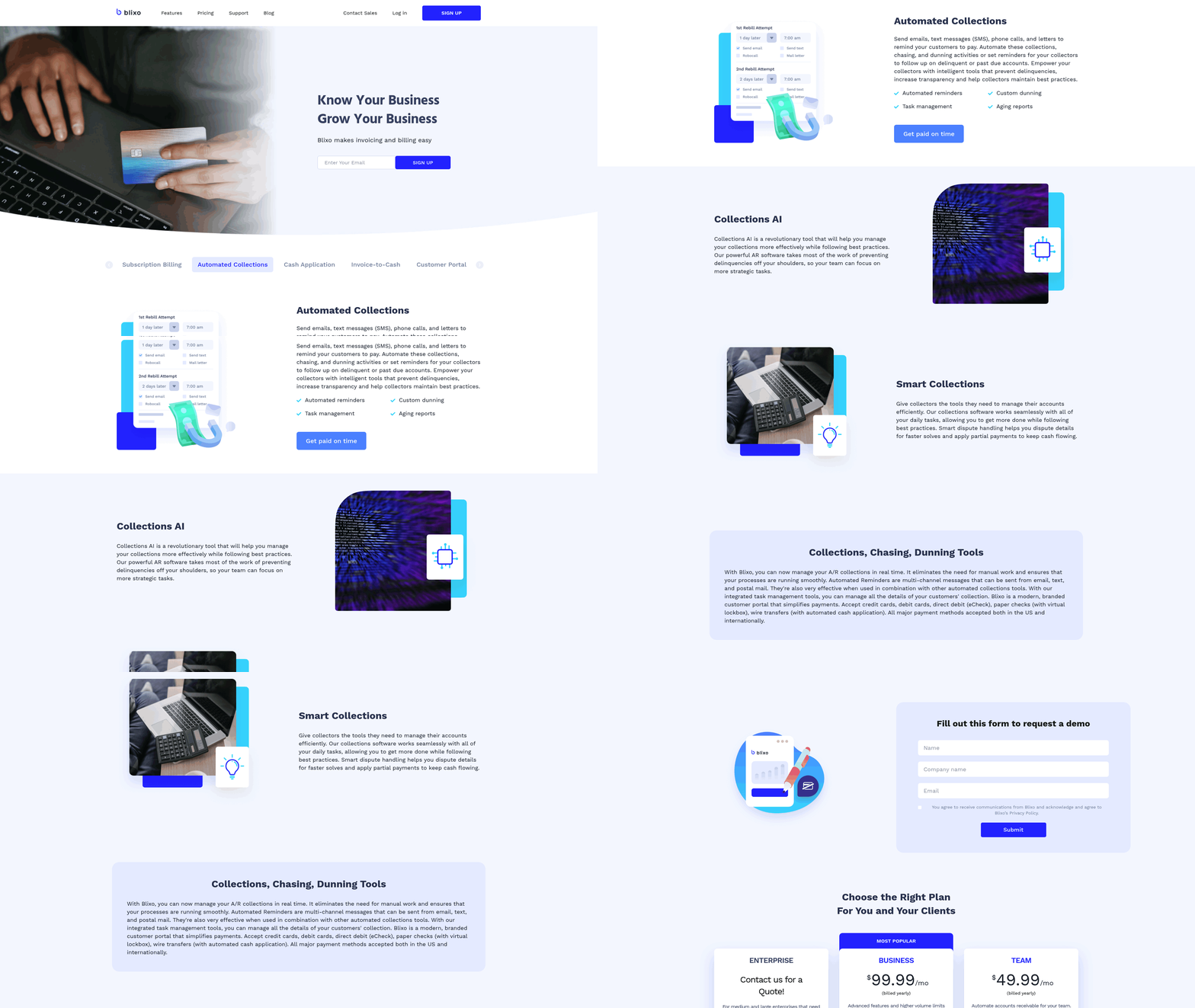
Automating accounts receivable (AR) processes has a transformative effect on cash flow by accelerating payment cycles, reducing errors, and minimizing manual labor. Manual AR systems often waste 40+ hours monthly for high-volume businesses, delaying cash flow and increasing error rates that lead to disputes and late fees. As detailed in the Manual AR Workflow section, these inefficiencies stem from labor-intensive steps prone to human error. In contrast, automation SaaS providers like Blixo use AI to cut reconciliation time by up to 50%, reduce errors by 90%, and streamline workflows that would otherwise require hours of manual effort. Building on concepts from the Automated AR Workflow with Blixo section, such automation enables instant payment matching and dispute resolution, directly improving cash flow velocity. For instance, a logistics company improved cash flow velocity by 25% while reducing late fee expenses by 40%, and a manufacturing firm slashed invoice verification time from days to minutes. These efficiencies directly translate to faster access to working capital, which is critical for growth and operational stability.
How Automation Reduces Days Sales Outstanding (DSO)
Days Sales Outstanding (DSO) measures the average number of days it takes to collect receivables. Automation slashes DSO by accelerating payment application, reducing disputes, and enforcing consistent follow-ups. As discussed in the Why Automated AR Matters section, businesses cannot afford the delays inherent in manual systems, where reconciliation and dispute resolution often stretch beyond weeks. A SaaS company using Blixo dropped its DSO from 60 to 30 days, while a digital marketing agency automated 90% of its invoice processing, freeing staff for strategic tasks. AI-driven cash application-such as Blixo’s machine learning models-matches incoming payments to invoices instantly, even with incomplete data, achieving 98% accuracy. This eliminates the days-long manual reconciliation processes that delay cash availability. According to industry data, automation can reduce DSO by 30% on average, with some businesses reporting 50% improvements. Faster collections mean businesses can reinvest funds sooner, reducing reliance on external financing and improving liquidity.
Real-World Impact on Efficiency and Customer Relationships
Automation not only speeds up internal processes but also enhances customer experiences, indirectly boosting payment compliance. Automated dunning systems, like Blixo’s tiered email alerts and retry logic for declined cards, increase on-time payments by 20% within three months. Predictive analytics tools further refine collections by identifying high-risk accounts, enabling proactive outreach. For instance, a healthcare provider using Blixo’s AI-driven dunning improved its on-time payment rate by 33%, while a construction firm saved 200+ admin hours weekly through automated milestone reminders. These efficiencies reduce the friction between businesses and clients, fostering trust and encouraging timely payments. Additionally, real-time dashboards provide visibility into cash flow, helping finance teams forecast more accurately and avoid shortfalls.
Data-Driven Outcomes of AR Automation
The financial benefits of automation are backed by measurable outcomes. Businesses adopting Blixo report a 30–60% reduction in manual labor costs per invoice, with processing costs dropping to as low as $2 per invoice from $10–$11 manually. A retail chain implementing automated credit scoring saw a 25% decline in delinquent accounts, while a tech startup reduced invoice approval delays by 60% using AI-powered workflows. On average, automation reduces administrative workloads by 50–70%, allowing teams to focus on revenue-generating activities. For businesses with recurring billing models, subscription management tools automate prorations, upgrades, and cancellations, reducing churn and ensuring consistent revenue streams. These improvements collectively contribute to a 20–40% increase in cash flow forecasting accuracy, as noted in case studies from the Blixo blog and third-party analyses.
By automating AR workflows, businesses eliminate bottlenecks that hinder cash flow while improving operational precision. SaaS providers like Blixo outperform manual systems and competitors by combining AI-driven efficiency, transparent pricing, and rapid implementation. For companies seeking to optimize cash flow and reduce DSO, automation isn’t just an operational upgrade-it’s a strategic lever for long-term financial health.
Implementation and Onboarding
Implementing Blixo for accounts receivable automation follows a structured process designed to minimize disruption while maximizing efficiency. The implementation timeline typically spans 2–4 weeks, depending on the complexity of existing workflows and integration requirements. Key steps include initial setup, system configuration, integration with accounting platforms, and staff training. Below is a breakdown of the process, supported by resources and customization options to align with business needs.
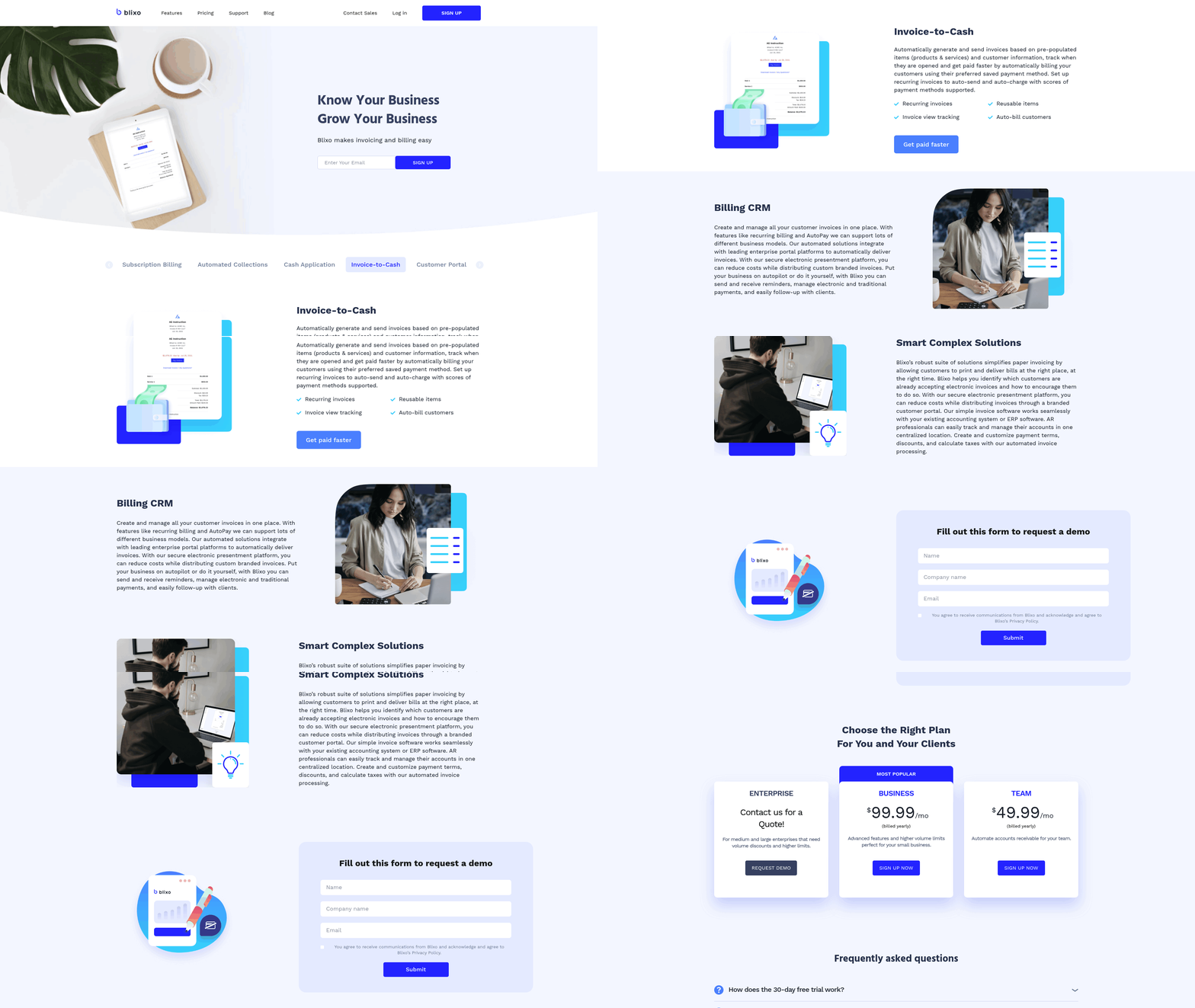
Step-by-Step Implementation Process
Blixo’s onboarding begins with an assessment of your current AR processes. A dedicated implementation specialist maps your workflows to identify automation opportunities, such as invoice generation, payment tracking, and late fee management. Next, the system integrates with your accounting software (e.g., QuickBooks, Xero) and payment gateways via pre-built connectors or APIs. For example, businesses using QuickBooks Online can sync invoice data automatically, reducing manual data entry by 70% as outlined in the Blixo Overview section.
Once integration is complete, custom rules are configured to match your billing policies. This includes setting up payment terms, approval hierarchies, and automated reminders. A test phase follows, where sample invoices and payments are processed to validate accuracy. If discrepancies arise, Blixo’s team adjusts configurations in real time. The final step involves training your team through live sessions or on-demand tutorials, ensuring all users understand how to manage exceptions and access reports.
Support and Training Resources
Blixo provides comprehensive resources to ease onboarding and ongoing use. Its documentation hub includes step-by-step guides for configuring workflows, troubleshooting common issues, and generating compliance reports. For instance, the “How to Implement Invoice Payment Automation with Blixo” guide walks users through API integrations and payment reconciliation link.
Customer support is available via email, chat, and scheduled calls, with response times averaging under 2 hours for critical issues. Training options include onboarding webinars, role-specific video tutorials, and a sandbox environment for hands-on practice. Businesses with complex needs can request custom training modules, such as advanced reporting or multi-currency setups.
Customization and Integration Examples
Blixo’s flexibility allows businesses to tailor automation to unique requirements. For example, construction firms can use Blixo’s conditional invoicing rules to trigger payments based on project milestones, while e-commerce brands might automate recurring billing for subscription services. Custom fields and approval workflows can be configured to align with internal policies, such as requiring manager sign-off for invoices over a specific amount.
Integration with third-party systems is streamlined through Blixo’s API or pre-built connectors. A retail company using Shopify, for instance, can automate invoice generation based on order data, building on concepts from the Automated AR Workflow with Blixo section. A SaaS business might link Blixo to Stripe for automated payment collection. These integrations reduce errors from manual entry, which the Blixo blog notes can raise missed-payment risks by 35% in manual systems .
Time and Effort Required
The implementation effort depends on the scope of automation but generally requires 2–3 key stakeholders (e.g., finance leads, IT staff) to collaborate with Blixo’s team. Simple setups with minimal customization may take 2 weeks, while enterprises with complex workflows might need 4–6 weeks. Post-implementation, businesses report a 50% reduction in AR processing time within the first month, according to case studies on the Blixo blog link.
To compare Blixo’s implementation with manual processes:
| Feature | Blixo Automation | Manual AR Processes |
|---|---|---|
| Setup Time | 2–6 weeks | Ongoing, no formal onboarding |
| Error Rate | 2–5% (due to system validation) | 35%+ (from manual data entry) as detailed in the Manual AR Workflow section |
| Customization Flexibility | High (rules, workflows, integrations) | Limited to human capacity |
| Training Required | 1–2 sessions for full team | Ad hoc, informal learning |
In summary, Blixo’s implementation prioritizes speed and adaptability, supported by dedicated resources to ensure a smooth transition. By automating repetitive tasks and reducing errors, businesses can focus on strategic financial management rather than operational bottlenecks.
Pricing and ROI Comparison
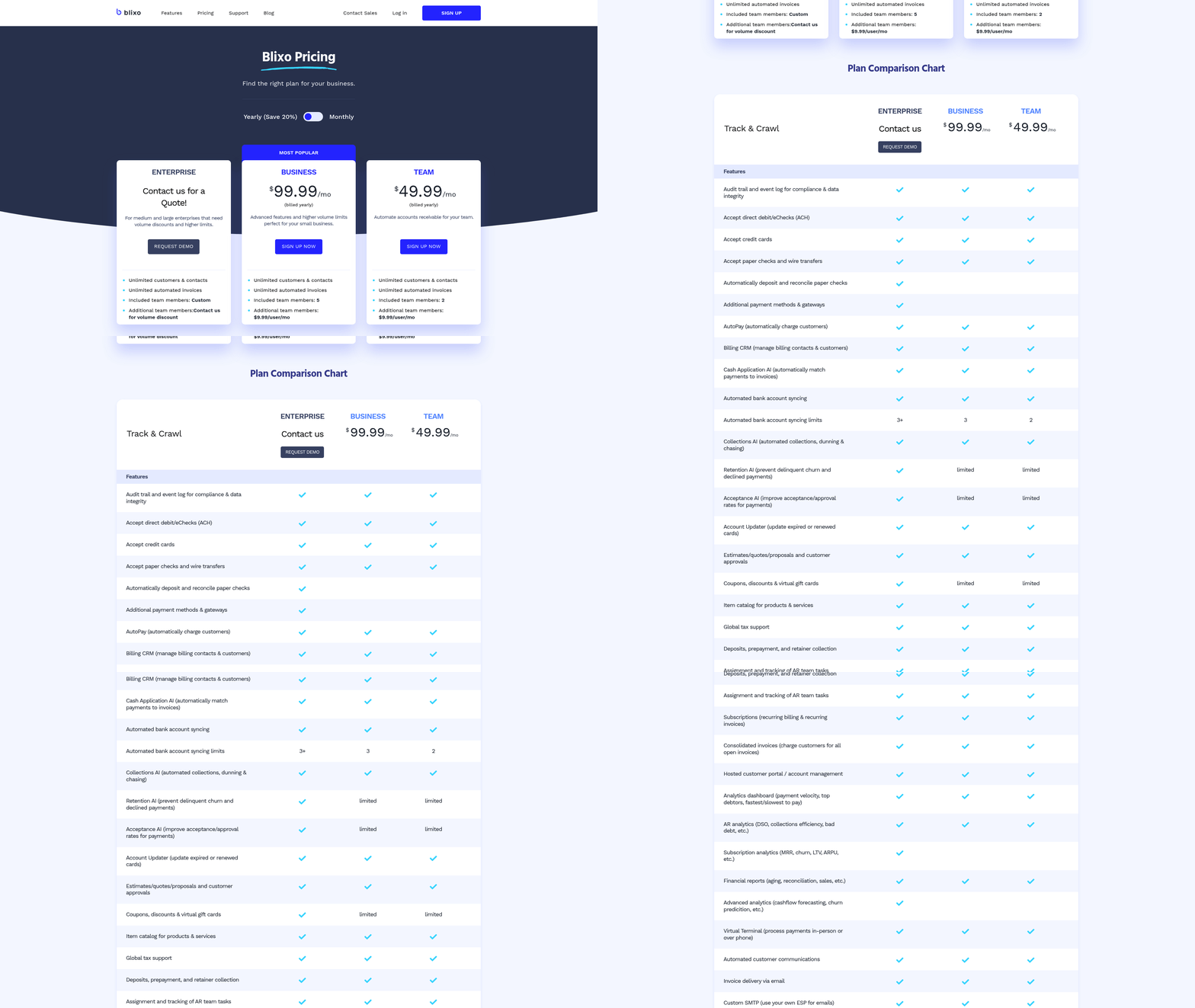
Blixo offers a transparent, tiered pricing model with a Basic plan at $50/month and a Pro plan at $150/month. Manual AR automation, however, relies on labor costs and error-related expenses. High-volume firms report wasting 40+ hours/month manually managing invoices, with each hour costing $30–$50 on average. Hidden fees in manual workflows-like late fees from delayed payments or disputes from errors-can add $10.89 per invoice in losses. As mentioned in the Blixo Overview section, Blixo’s AI-driven tools eliminate manual bottlenecks, directly addressing these inefficiencies.
| Cost Factor | Blixo (Pro Plan) | Manual AR Automation |
|---|---|---|
| Monthly Subscription | $150 | $0 (labor-based) |
| Labor Costs (40 hours/mo) | Included | $1,200–$2,000 (40 hours × $30–$50) |
| Error-Related Losses | 90% reduction | $10.89 per invoice × volume |
| Hidden Fees | None | Late fees, disputes, rework |
What Are the Costs and Benefits of Each Approach?
Manual AR automation demands significant time and effort. For example, a mid-size e-commerce brand spent 4 hours/day reconciling payments manually, as detailed in the Manual AR Workflow section. A SaaS firm lost $25,000 in overdue payments due to inefficient follow-ups. Blixo’s AI-driven automation cuts reconciliation time by 50% and reduces errors by 90%, freeing 70% of admin time for strategic tasks.
A manufacturing company reduced administrative overhead by 25% after switching to Blixo, redirecting resources to production efficiency. Blixo’s Pro plan ($150/month) also eliminates variable labor costs tied to invoice volume, offering predictability for budgeting. Manual workflows, in contrast, scale poorly: a digital marketing agency reported 20% payment delays before automation, which dropped to 5% after adopting Blixo.
How to Calculate Blixo’s ROI for Your Business
To estimate ROI, calculate savings from reduced labor, faster collections, and fewer errors. For example:
- Labor Savings: If your team spends 40 hours/month on AR tasks at $40/hour, automation saves **$1,600/month**.
- Error Reduction: At 90% fewer errors, a business processing 500 invoices/month saves **$4,900.50/year** ($10.89 × 500 × 10%).
- Faster Cash Flow: A 30% reduction in Days Sales Outstanding (DSO) accelerates revenue recognition, as highlighted in the Cash Flow Impact of Automation section.
For a mid-size firm, Blixo’s Pro plan ($150/month) yields **$18,000/year in labor savings** alone, plus additional gains from error reduction and faster payments. Industry data shows an average ROI of 480% for businesses adopting Blixo, with payback occurring in 2–3 months.
What Do Real-World Results Show?
Case studies highlight Blixo’s impact:
- A construction firm automated milestone reminders, saving 200+ hours/week in admin work.
- A global employer-of-record cut invoice processing from 5–10 minutes to 5 seconds per document.
- A healthcare provider reduced billing disputes by 40% using AI-driven matching.
In contrast, manual workflows face rising late payments (69% of businesses report this) and higher operational drag. Blixo’s 24/7 support and 3–5 day onboarding also reduce downtime, ensuring teams focus on revenue-generating activities instead of error correction. By automating AR, businesses not only cut costs but also enable cash flow to reinvest in growth. With Blixo’s predictable pricing and measurable savings, the shift from manual processes to AI-driven automation delivers $2,400/year in savings for mid-size firms-plus the intangible benefits of accuracy and scalability.
Frequently Asked Questions
1. How does automated AR reduce administrative hours compared to manual processes?
Automated AR slashes monthly admin hours from 40+ to under 10 by automating invoicing, cash application, and follow-ups, as seen with Blixo’s AI-driven tools. This reduces operational costs and accelerates cash flow for high-volume businesses.
2. What is the impact of automation on accounts receivable errors?
Automation reduces AR errors by 90% through AI validation and real-time tracking. Blixo’s tools eliminate manual data entry mistakes, ensuring accurate reconciliation and minimizing late fees from payment delays.
3. How does Blixo improve Days Sales Outstanding (DSO)?
Blixo’s automation lowers DSO by 30% by expediting invoice delivery, automating collections, and tracking payments in real time. This accelerates cash flow, as demonstrated by a SaaS company reducing DSO from 60 to 30 days.
4. Can automated AR systems recover overdue payments effectively?
Yes, AI-powered tools like Blixo recover tens of thousands in overdue payments by automating follow-ups and milestone reminders. This proactive approach ensures timely collections and reduces bad debt risk.
5. What cost savings do businesses see with automated AR?
Automated AR cuts costs by reducing late fees, error-related expenses, and labor. Blixo saves high-volume firms 200+ weekly admin hours, translating to significant annual savings compared to manual workflows.
6. How does Blixo compare to manual workflows in efficiency?
Blixo outperforms manual AR by automating 70% of tasks, slashing reconciliation time from days to minutes. This efficiency boosts productivity, as seen in construction firms saving 200+ admin hours weekly.
7. Are there real-world examples of Blixo’s benefits?
A SaaS company reduced DSO by 50% using Blixo, while a construction firm saved 200+ weekly admin hours. These results highlight automation’s impact on cash flow and operational efficiency.