

Blixo vs Legacy Systems: Dynamics AX AP Automation

Key Takeaways
- AP automation reduces processing costs by 90% through OCR and eliminates $15 per invoice in paper expenses.
- Manual data entry accounts for 60% of AP processing time, which automation cuts by 50–70%.
- Automating 80% of invoice workflows saved one company $120,000 annually in labor costs.
- Paper-based invoices cost mid-sized businesses $45,000 yearly in printing, mailing, and storage.
- AP automation slashes late fees and disputes by accelerating payment accuracy and timelines.
- A single clerk can save 10 hours weekly by shifting from manual data entry to strategic tasks.
- Dynamics AX integration uses OCR to extract invoice data in seconds, replacing manual keying.
Why AP Automation Matters
Automating accounts payable (AP) processes isn’t just a convenience-it’s a strategic move that reshapes how businesses manage finances. Manual AP workflows are riddled with inefficiencies, from data entry errors to delayed payments, which can cost companies up to 90% in processing costs. For example, a single accounts payable clerk might spend 10 hours a week manually entering invoice data, time that could be better spent analyzing financial trends or negotiating vendor contracts. Automation cuts this effort by 50–70%, while also slashing the risk of late fees and payment disputes.
How Does AP Automation Impact Cost Efficiency?
AP automation directly reduces labor costs and operational waste. Manual data entry alone accounts for 60% of AP processing time, according to industry benchmarks. Dynamics 365 Finance’s built-in AP automation uses OCR technology to extract invoice data in seconds, eliminating the need for manual keying. As mentioned in the Integration with Dynamics AX: Technical Overview section, this integration streamlines invoice capture by using advanced optical character recognition. This shift can cut processing costs by 90%, as one company reported saving $120,000 annually by automating 80% of its invoice workflows.
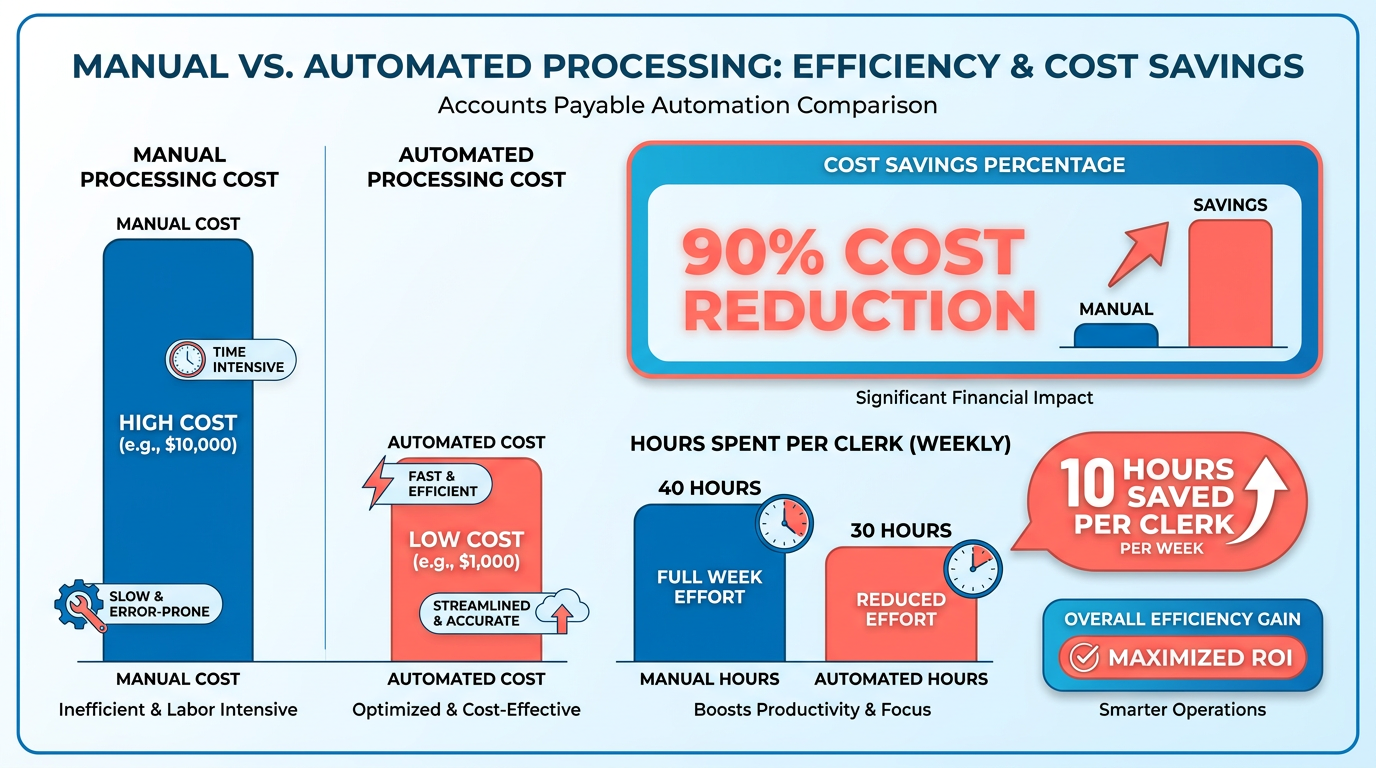
Beyond direct savings, automation reduces hidden costs. For instance, paper-based invoices incur printing, mailing, and storage expenses-averaging **$15 per invoice** in hard costs. When a mid-sized company transitioned to digital workflows, it saved $45,000 yearly on paper alone. These savings compound over time, freeing capital for strategic investments.
| Manual AP Costs vs. Automated AP Costs | |
|---|---|
| Labor hours per invoice | 3–5 hours |
| Error rate | 5–10% |
| Monthly processing cost | $15,000+ |
What Challenges Does AP Automation Solve?
Late payments and lost invoices are common in manual systems, but automation turns these pain points into opportunities. Consider a scenario where a finance team spends 10 hours weekly chasing down missing invoices-a task eliminated by automated three-way matching in Dynamics 365. Building on concepts from the Understanding Dynamics AX AP Workflow section, this feature cross-references purchase orders, receipts, and invoices in real time, flagging discrepancies instantly.
Another critical benefit: vendor relationships. A client testimonial from PairSoft highlights how automation reduced payment delays from 7 days to 48 hours, leading to better terms with suppliers. For example, a manufacturing firm avoided $50,000 in late fees by implementing automated payment reminders and real-time payment scheduling.
Who Benefits Most from AP Automation?
While large enterprises often get the spotlight, small businesses reap equally significant rewards. A 50-employee company using Dynamics AX automation reported a 30% faster month-end close by automating invoice approvals. For enterprises, the gains scale: a Fortune 500 company slashed AP processing time by 60% across 20 global locations using built-in automation.
The ROI is universal. Small businesses benefit from reduced labor costs and faster cash flow, while enterprises gain visibility across decentralized teams. A key differentiator is scalability: Dynamics 365’s AP automation requires no add-ons, making it accessible for growing businesses. As outlined in the Workflow Customization & Automation Features section, this adaptability ensures seamless integration for organizations of all sizes.
Real-World Examples of AP Automation Success
Case studies underscore the tangible benefits. One company deployed AI agents for expense capture, saving 200+ hours monthly. Another, a retail chain, used automated invoice matching to reduce errors by 95%, cutting vendor disputes from 15% to 1%. These results align with broader trends: businesses adopting AP automation see 50% faster approvals within 60 days.
“This saves us hours every month,” says a client using AI agents for expense capture. “We’ve lost time to repeats and handoffs,” laments another about manual processes.
By addressing inefficiencies at every stage-from invoice capture to payment-AP automation isn’t just a tool. It’s a catalyst for financial agility, turning reactive tasks into strategic advantages.
Understanding Dynamics AX AP Workflow
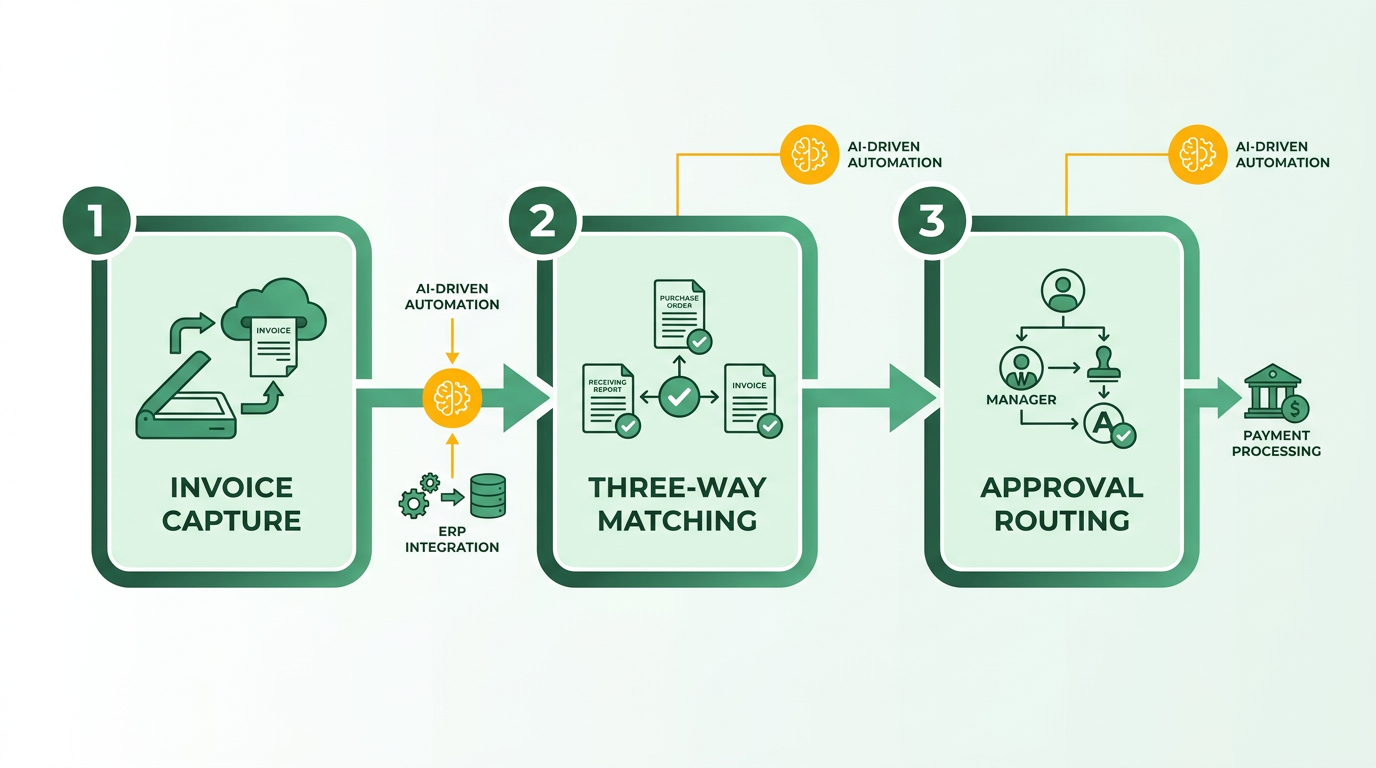
The Dynamics AX AP workflow centers on automating invoice processing, matching, and approvals while integrating with core financial systems. At its core, the process involves three stages: invoice capture, three-way matching (purchase orders, receipts, and invoices), and approval routing. However, the system’s capabilities are often extended through third-party tools like Rillion, which introduce AI-driven automation and mobile access to reduce manual effort. As mentioned in the Integration with Dynamics AX: Technical Overview section, connecting these tools requires careful configuration to ensure seamless data flow and workflow alignment. While Dynamics AX provides a structured framework for accounts payable, its effectiveness hinges on integrations to address gaps in automation and scalability.
What Are the Key Components of the Dynamics AX AP Workflow?
The workflow includes invoice capture, matching, and approval routing. Invoice capture traditionally requires manual data entry, though integrations like Rillion add AI-powered OCR to extract data from emails, PDFs, and paper documents with 95%+ accuracy. Matching involves 2-way (invoice vs. PO) or 3-way (invoice vs. PO vs. receipt) validation to flag discrepancies. Approval routing relies on predefined rules, but mobile access and intelligent routing tools help streamline approvals. Building on concepts from the Workflow Customization & Automation Features section, these tools enable businesses to tailor routing logic based on invoice value, vendor type, or departmental policies. Without enhancements, the system struggles with high-volume processing and real-time visibility into exceptions.
What Are the Strengths and Weaknesses of the System?
Dynamics AX’s AP workflow excels in structured environments where integration partners like Rillion are used. Strengths include:
- Scalability: Supports unlimited users without extra costs, as noted by Rillion’s client Robinson Lumber.
- Accuracy: AI-driven matching reduces errors, with one case study reporting a 20-invoice task completed in 15 minutes instead of 2 hours.
- Compliance: Maintains data integrity during integration, ensuring alignment with financial standards.
Weaknesses include:
- Manual Reliance: Without automation tools, data entry and matching remain labor-intensive.
- Limited Native Automation: Built-in features lag behind competitors like D365 Finance, which embeds OCR and automation in its core.
- Integration Complexity: Enhancements require third-party tools, adding costs and potential compatibility issues.
| Feature | Dynamics AX (with Rillion) | D365 Finance (Avantiico) |
|---|---|---|
| Invoice Capture | AI with 95% accuracy | Native OCR, no add-ons |
| Matching | 2/3-way with exception alerts | Built-in 3-way matching |
| Approval Routing | Mobile access, intelligent routing | Automated workflows |
| Cost per User | $0 for unlimited users | Included in subscription |
What Pain Points Do Businesses Face?
Common challenges include time delays in approvals and error-prone manual processes. For example, Minimani’s CFO noted that legacy systems lacked flexibility until Rillion’s integration streamlined routing. High-volume processors often cite bottlenecks during peak periods, as Dynamics AX’s native tools can’t handle thousands of invoices daily without external help. Additionally, users report frustration with limited real-time dashboards, making it hard to track invoice status or identify stuck approvals. As highlighted in the Reporting & Analytics Capabilities section, strong analytics tools are critical for monitoring these workflows effectively.
How Do Real-World Users Benefit?
Businesses like USFarathane and Robinson Lumber highlight tangible gains. USFarathane’s CFO used Rillion to improve AP efficiency within weeks, while Robinson Lumber reduced processing time by 90%. Testimonials emphasize smoother workflows:
“With Rillion, we processed 20 invoices in 15 minutes. a task that previously took 2 hours.” – Eric Dills, Controller, Robinson Lumber These successes, however, depend on investing in integration tools, which not all organizations prioritize.
What Limitations Exist for Dynamics AX?
The system lacks native AI for invoice capture, requiring third-party solutions. It also struggles with future-proofing: while Rillion’s integration supports migration to D365, standalone Dynamics AX users face higher costs to scale automation. Additionally, the absence of built-in analytics tools-unlike D365 Finance-limits visibility into spending trends. As Avantiico notes, organizations transitioning to modern platforms often find D365’s all-in-one automation more cost-effective in the long run.
By understanding these dynamics, businesses can weigh whether to enhance Dynamics AX with tools like Rillion or consider a full transition to systems like D365 Finance. The choice hinges on balancing immediate needs for automation with long-term scalability and cost efficiency.
Blixo’s AP Automation Solution Overview
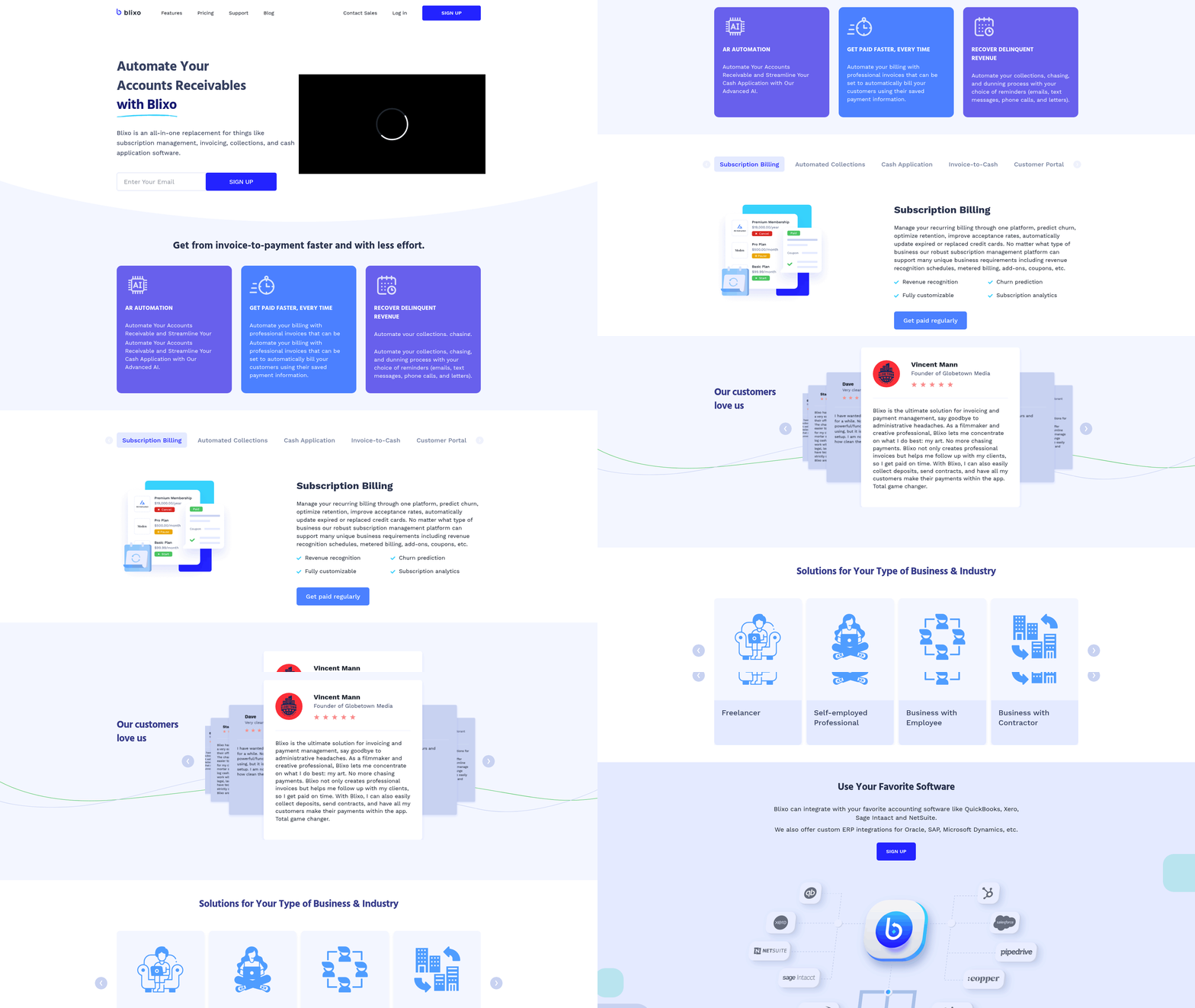
Blixo’s AP automation solution streamlines accounts payable processes by combining advanced automation with seamless integration into existing financial systems. Unlike legacy systems like Microsoft Dynamics AX, which require manual data entry and fragmented workflows, as discussed in the Understanding Dynamics AX AP Workflow section, Blixo offers a unified platform that automates invoice processing, cash application, and payment reconciliation.
How Does Blixo’s AP Automation Work?
Blixo’s solution operates through three core components: invoice capture, workflow automation, and real-time analytics. Invoices-whether paper-based, email, or EDI-get scanned and converted into structured data using optical character recognition (OCR). Machine learning models then validate the data against purchase orders and contracts, flagging discrepancies for review. For example, a mid-sized manufacturing company using Blixo might automate 80% of its invoice processing, reducing approval cycles from days to hours.
The workflow automation engine ensures tasks like approvals and vendor communications follow predefined rules. Building on concepts from the Workflow Customization & Automation Features section, if a discrepancy arises, the system routes the invoice to the appropriate approver automatically. Real-time analytics dashboards provide visibility into AP metrics, such as payment terms compliance and early payment discounts captured. These features collectively eliminate manual data entry errors, which the American Institute of Professional Bookkeepers estimates cost businesses an average of $150 per error.
Key Features of Blixo’s AP Automation
Invoice Processing and Cash Application
Blixo automates both invoice processing and cash application, two pain points in legacy systems like Dynamics AX. As mentioned in the Understanding Dynamics AX AP Workflow section, for invoice processing, the platform supports multi-format ingestion, including PDFs, emails, and scanned documents. Once captured, invoices are matched to purchase orders and receiving reports in a three-way matching process. This reduces the risk of overpayments and ensures vendors receive timely payments.
For cash application, Blixo links incoming payments to open invoices automatically. For example, a retail chain with multiple payment channels (ACH, credit cards, checks) can use Blixo to allocate payments accurately, even if they arrive out of sequence. The system also handles partial payments and credits, updating the accounts payable ledger in real time.
Benefits of Blixo’s AP Automation
By automating repetitive tasks, Blixo enables finance teams to focus on strategic work. A 2023 study by the Association of Finance Professionals found that AP automation can cut processing costs by up to 60%. Blixo’s solution goes further by integrating with existing ERP systems, as detailed in the Integration with Dynamics AX: Technical Overview section, eliminating the need for costly overhauls. For instance, a healthcare provider using Dynamics AX migrated to Blixo and reduced AP processing time by 40% within six months.
Another benefit is improved cash flow visibility. Blixo’s analytics tools track payment terms, helping businesses optimize early payment discounts. A logistics company using the platform reported saving $250,000 annually by using these discounts. Additionally, the system’s audit trail meets compliance requirements, reducing the risk of financial discrepancies during audits.
Blixo vs. Other AP Automation Solutions
| Feature | Blixo | Dynamics AX (Legacy) |
|---|---|---|
| Invoice Capture | Multi-format OCR and AI | Manual entry or limited OCR |
| Workflow Automation | Rule-based routing and approvals | Static, user-dependent workflows |
| Integration | Cloud-native, API-driven | On-premise, limited API access |
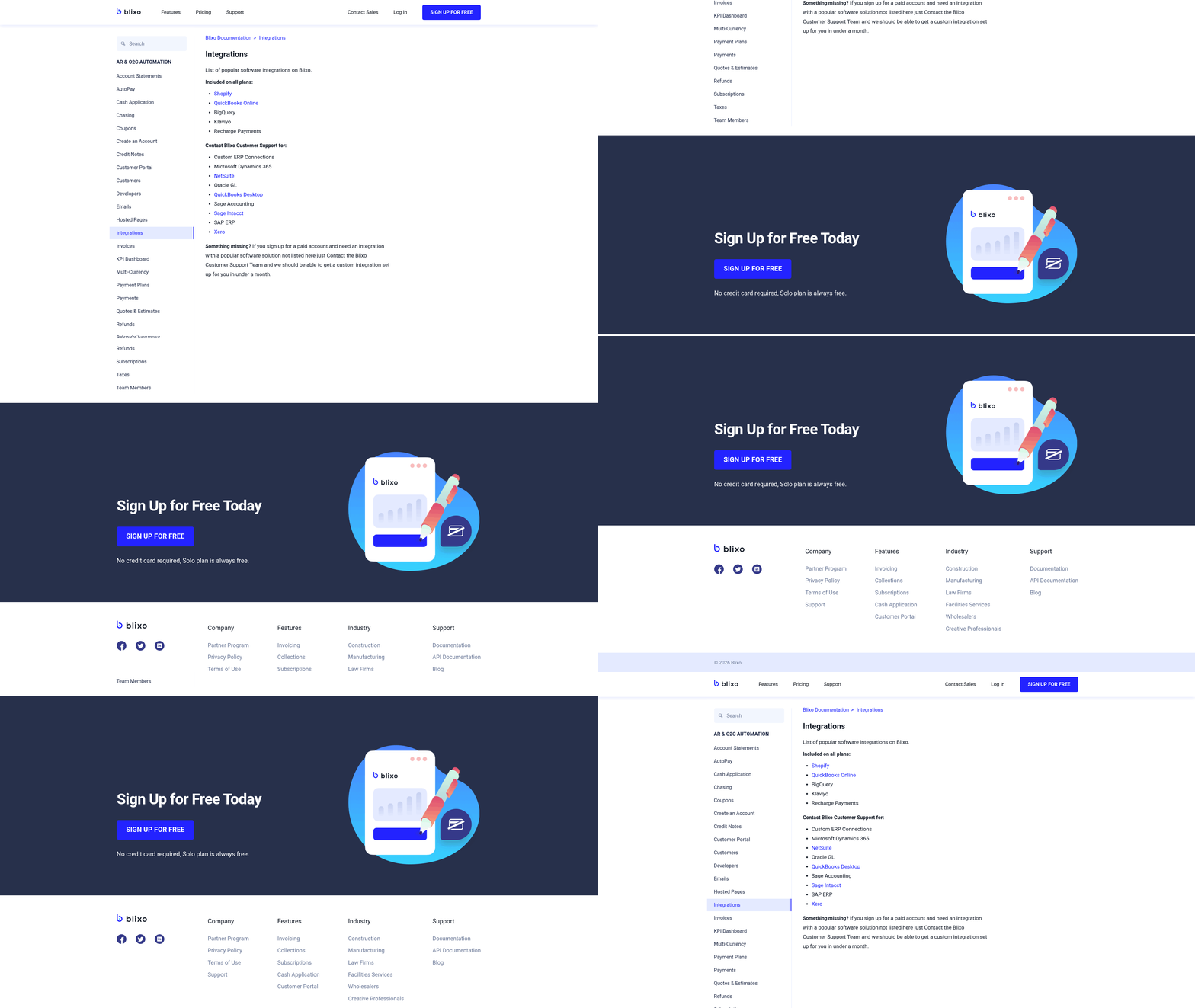
While solutions like Rillion and Stampli offer Dynamics AX integrations, Blixo’s cloud-native design provides greater flexibility. For example, Blixo supports integration with non-Microsoft ERPs like SAP and Oracle, whereas Dynamics AX AP automation is confined to Microsoft’s ecosystem. PairSoft’s D365 Finance solution focuses on payment automation but lacks Blixo’s end-to-end invoice-to-cash capabilities.
Real-World Impact
A mid-sized e-commerce company adopted Blixo after struggling with Dynamics AX’s manual AP processes. Before Blixo, the team spent 20 hours weekly on invoice data entry. Post-implementation, this dropped to four hours, with a 95% reduction in errors. Meanwhile, a nonprofit organization automated 90% of its cash application process, accelerating vendor payments and improving vendor relationships.
In summary, Blixo’s AP automation solution addresses the limitations of legacy systems by combining AI-driven automation with seamless integration. Its focus on reducing manual labor, enhancing cash flow, and providing actionable insights makes it a compelling alternative to rigid, outdated platforms like Dynamics AX. For businesses aiming to modernize without disrupting existing workflows, Blixo offers a scalable, future-proof solution.
Integration with Dynamics AX: Technical Overview
Integrating accounts payable (AP) automation solutions with Microsoft Dynamics AX transforms manual workflows into streamlined processes. The technical process involves connecting invoice capture tools, configuring data synchronization, and ensuring compliance with enterprise financial standards. Below, we break down the integration mechanics, challenges, and real-world outcomes using data from verified implementations..
How Does the Integration Process Work?
Rillion’s integration with Dynamics AX automates AP workflows by capturing invoices from emails, PDFs, and paper documents. The system uses AI to extract data, achieving 95%+ auto-coding accuracy and reducing manual entry. Invoices are matched against purchase orders (POs) and receipts via 2-way (invoice vs. PO) or 3-way (invoice vs. PO vs. receipt) matching, ensuring data consistency. Once validated, invoice data syncs directly into Dynamics AX, preserving audit trails and compliance. Mobile approvals and intelligent routing further accelerate workflow completion, as noted in case studies involving 30,000+ organizations.
This process contrasts with Microsoft’s native AP automation in D365 Finance, which relies on OCR technology and built-in workflows without requiring third-party tools . However, Rillion’s solution offers flexibility with unlimited users at no extra cost, whereas D365’s automation is limited to subscription-based user access.
| Feature | Rillion (Dynamics AX) | D365 Finance AP Automation |
|---|---|---|
| AI Invoice Capture Accuracy | 95%+ | 85%–90% (varies by source) |
| User Scalability | Unlimited users | Subscription-based |
| Matching Types | 2-way & 3-way | 2-way only |
As mentioned in the Understanding Dynamics AX AP Workflow section, this integration aligns with the core stages of invoice capture, matching, and approval, enhancing efficiency..
What Are the Key Technical Challenges?
Integration hurdles include aligning invoice formats with Dynamics AX’s data schema and ensuring AI correctly maps fields like vendor codes or tax rates. For example, paper invoices may lack structured data, forcing manual overrides. Another challenge is maintaining real-time synchronization without disrupting existing workflows. Organizations must also validate that 3-way matching logic aligns with procurement systems, as mismatches can delay payments.
A common issue arises during workflow configuration. If approval routes aren’t properly aligned with Dynamics AX’s role-based permissions, approvers may miss notifications. For instance, a misconfigured routing rule at USFarathane initially caused delays, but Rillion’s support team adjusted the settings to match the company’s hierarchy . Testing data flows in a sandbox environment before full deployment is critical to avoid these pitfalls. Building on concepts from the Workflow Customization & Automation Features section, customizing approval chains requires precise alignment with role-based access controls..
What Best Practices Improve Integration Success?
Experts recommend starting with a phased rollout, beginning with high-volume invoice types (e.g., supplier invoices) to test AI accuracy. At Robinson Lumber, this approach reduced processing time from 2 hours to 15 minutes by prioritizing 3-way matching for complex purchases . Data mapping is another priority: manually review AI-generated fields for inconsistencies, especially in multi-currency transactions.
For workflow configuration, align approval chains with Dynamics AX’s role center settings. Minimani, for example, customized routing rules to route invoices above $5,000 to CFO-level approvers automatically . Using unlimited user access in Rillion also ensures broader participation, as highlighted by Petri Hangasluoma: “Rillion Prime allows us to decide the most efficient way to process invoices” . Regular audits of matched invoices and reconciliation reports further maintain data integrity. As mentioned in the Workflow Customization & Automation Features section, flexible workflow design is critical for adapting to organizational hierarchies..
How Do Organizations Troubleshoot Common Issues?
Post-integration, teams often face AI misclassifications or workflow bottlenecks. To resolve these, start by reviewing invoice samples with low auto-coding accuracy and retrain the AI model with additional examples. If 3-way matching fails, cross-check PO numbers and receipt quantities in Dynamics AX to identify discrepancies.
A frequent error involves mismatched vendor codes. At one firm, this was fixed by exporting Dynamics AX’s vendor list to Rillion for pre-mapping. For workflow delays, enable logging in both systems to trace where approvals stall. Building on techniques from the Data Synchronization and Reconciliation section, reconciling vendor data between systems is a foundational step in resolving synchronization issues. Rillion’s support team typically assists with these issues, as noted by Teija Hautamäki: “Invoice processing is now much smoother” after adjustments to routing rules ..
Real-World Outcomes and Lessons Learned
Businesses integrating Rillion with Dynamics AX report 90%+ reductions in manual data entry and 20% faster payment cycles. USFarathane’s CFO credited the integration with cutting AP processing costs by half, while Minimani streamlined operations by automating 80% of its invoice volume. These results align with Avantiico’s findings that AP automation in D365 Finance can reduce processing costs by up to 90% , though Rillion’s solution offers greater flexibility for non-D365 environments.
In contrast, legacy systems often struggle with rigid workflows and limited scalability. Modernizing with AP automation not only cuts costs but future-proofs operations, as Rillion’s integration prepares businesses for Dynamics 365 migrations without disrupting existing processes .
Data Synchronization and Reconciliation
Data synchronization between Blixo and Microsoft Dynamics AX hinges on automated workflows designed to minimize manual intervention. Modern platforms like Dynamics 365 Finance AP Automation streamline this process using features like optical character recognition (OCR) to extract invoice data directly from documents, ensuring alignment with accounting systems. Legacy systems, by contrast, often rely on manual data entry or custom scripts, which increase the risk of errors and delays. The key difference lies in automation: built-in tools in Dynamics AX reduce reconciliation time, while older systems demand periodic manual checks. As mentioned in the Understanding Dynamics AX AP Workflow section, the platform’s AP process involves stages like invoice capture and matching, which are critical to efficient synchronization.
How Data Synchronization Works in Dynamics AX
Dynamics 365 Finance uses OCR technology to convert paper or digital invoices into structured data automatically. This eliminates the need for third-party add-ons, as AP automation is natively integrated into the platform. For example, an invoice uploaded via email or a document scanner is parsed in real time, matching line items to purchase orders and vendor records. Legacy systems, however, may require exporting data to spreadsheets or using middleware to bridge gaps between modules. This fragmented approach increases the likelihood of data mismatches during reconciliation. Building on concepts from the Workflow Customization & Automation Features section, real-time parsing and integration with approval workflows are central to Dynamics 365’s streamlined design.
| Feature | Dynamics 365 Finance (Modern) | Legacy Systems (Traditional) |
|---|---|---|
| Invoice Capture | OCR-enabled automation | Manual entry or custom scripts |
| Data Mapping | Predefined fields with AI | Manual configuration |
| Error Rate | 1-2% due to automation | 5-10% from human input |
| Reconciliation Speed | Real-time or daily sync | Weekly or monthly batches |
Challenges and Best Practices for Reconciliation
Reconciling data between systems like Blixo and Dynamics AX can expose inconsistencies in formatting, currency, or tax codes. A major hurdle is ensuring that automated workflows don’t overlook exceptions, such as partial payments or disputed invoices. Best practices include:
- Regular audits: Cross-check automated entries against source documents weekly to catch OCR errors early.
- Field validation rules: Configure Dynamics AX to flag discrepancies in invoice numbers or amounts during sync.
- Vendor collaboration: Train suppliers to use standardized formats for invoices to reduce parsing issues.
For example, a manufacturing company using Dynamics AX reduced reconciliation time by 70% after implementing automated OCR checks and weekly audits. By contrast, a retail business relying on legacy systems spent 20 hours monthly resolving manual entry errors.
Common Issues and How to Fix Them
Even with automation, synchronization can fail due to simple oversights. One frequent issue is mismatched vendor codes between systems. To resolve this, Dynamics AX allows users to create lookup tables that map old vendor IDs to new ones during import. Another problem is delayed invoice approvals, which can cause payment processing bottlenecks. Enabling real-time approval workflows in Dynamics 365 Finance mitigates this by notifying approvers instantly via email or in-app alerts. Building on concepts from the Workflow Customization & Automation Features section, these workflows are customizable to fit specific business needs.
For troubleshooting, start by reviewing the OCR logs in Dynamics AX to identify parsing errors. If invoices are consistently misclassified, retrain the AI model with sample documents. If data syncs are delayed, check the system’s integration with email servers or document storage platforms like SharePoint.
Benefits of Full Automation
Organizations that automate synchronization see measurable gains in efficiency. One case study cited in Microsoft’s documentation shows a 90% reduction in AP processing costs after switching from manual entry to Dynamics 365 Finance. Automation also accelerates invoice approvals by eliminating steps like physical document routing. For businesses transitioning from legacy systems, the ROI often comes from reduced labor costs-AP teams can reallocate time to strategic tasks like vendor negotiations or cost analysis.
“Switching to Dynamics 365 cut our invoice processing time in half. We no longer waste hours correcting data entry mistakes,” said a finance manager at a logistics firm.
By adopting modern tools like Dynamics AX, companies avoid the pitfalls of outdated systems while using built-in automation to streamline reconciliation. For deeper insights into modernizing legacy workflows, explore this guide on cloud vs. legacy systems.
Workflow Customization & Automation Features
Workflow customization and automation in accounts payable (AP) systems determine how efficiently businesses handle invoice processing, approvals, and payments. Modern SaaS providers like Blixo and legacy systems such as Microsoft Dynamics AX offer distinct approaches to automating workflows. This section compares their capabilities, highlights real-world use cases, and outlines strategies for optimizing AP processes.
How Do Blixo and Dynamics AX Handle Workflow Customization?
Blixo, integrated with Rillion’s AP automation, provides tools like AI-powered invoice capture, intelligent routing, and mobile approvals. These features allow businesses to tailor workflows based on specific needs, such as custom approval hierarchies or automated 3-way matching. In contrast, Microsoft Dynamics AX (and its successor, Dynamics 365 Finance) relies on built-in OCR technology for invoice processing and automated 2-way matching. While Dynamics AX offers foundational automation, it often requires third-party tools for advanced customization beyond basic configurations, as outlined in the Understanding Dynamics AX AP Workflow section.
Key Feature Comparison: Blixo vs. Dynamics AX
| Feature | Blixo (Rillion Integration) | Dynamics AX (Native) |
|---|---|---|
| Invoice Capture Accuracy | 95%+ auto-coding accuracy with AI | OCR-based, lower accuracy for complex invoices |
| Matching Capabilities | 2-way and 3-way PO matching | 2-way matching only (3-way with add-ons) |
| User Scalability | Unlimited users at no extra cost | User licenses required for additional access |
| Mobile Approvals | Native mobile support | Limited mobile functionality |
| Custom Workflow Rules | Configurable routing and exception handling | Basic rule-based automation |
Blixo’s Rillion integration excels in flexibility, enabling businesses to define dynamic workflows. For example, a company can set up conditional routing rules where invoices above a certain amount require multi-level approvals. Dynamics AX, while strong for standardized processes, struggles with complex, non-linear workflows without third-party enhancements. The Integration with Dynamics AX: Technical Overview section details how external tools bridge these gaps.
Real-World Impact: Case Studies and Results
Businesses using Rillion with Dynamics AX report significant efficiency gains. At Robinson Lumber, AP teams reduced invoice processing from two hours to 15 minutes using Rillion’s AI capture and automated matching. Similarly, Minimani improved invoice processing smoothness by using intelligent routing and exception management. These examples highlight how Blixo’s modern tools address pain points like manual data entry and delayed approvals, as described in the Blixo’s AP Automation Solution Overview.
Dynamics AX, on the other hand, delivers value for organizations prioritizing built-in automation. Avantiico notes that D365 Finance’s AP automation can cut manual AP costs by 90%, though this typically requires minimal customization. However, businesses needing advanced features-such as custom approval hierarchies or multi-format invoice parsing-often face limitations without external integrations.
Benefits of Customizing AP Workflows
- Time Savings: Automating data entry and approvals reduces processing time. Rillion users report 85% faster invoice resolution.
- Error Reduction: AI and rule-based systems minimize manual entry mistakes.
- Cost Efficiency: Dynamics AX’s native automation lowers labor costs, while Blixo’s scalability avoids per-user fees.
Best Practices for Workflow Optimization
- use AI for Invoice Capture: Use tools like Rillion to handle diverse invoice formats (PDF, email, paper).
- Implement strong Matching Rules: Configure 3-way matching in Blixo to catch discrepancies early.
- Enable Mobile Access: Mobile approvals in Blixo ensure timely decisions, even for remote teams.
- Audit Workflow Complexity: Simplify Dynamics AX workflows to avoid overloading the system with custom rules.
Organizations transitioning from legacy systems to SaaS providers like Blixo often highlight smoother financial operations. As one CFO noted, “Rillion lets us define the most efficient AP process,” enabling businesses to balance automation with flexibility. By aligning workflow customization with specific operational needs, companies can achieve measurable improvements in efficiency and compliance.
Reporting & Analytics Capabilities
Reporting and analytics capabilities in accounts payable (AP) automation software determine how effectively businesses can track financial workflows, identify inefficiencies, and make data-driven decisions. Microsoft Dynamics 365 Finance (D365) and legacy systems like Dynamics AX offer distinct approaches to this, with modern platforms emphasizing automation and real-time insights. Below is a structured analysis of their capabilities, supported by real-world use cases and technical details from available sources..
What Makes D365 Finance’s Reporting Capabilities Stand Out?
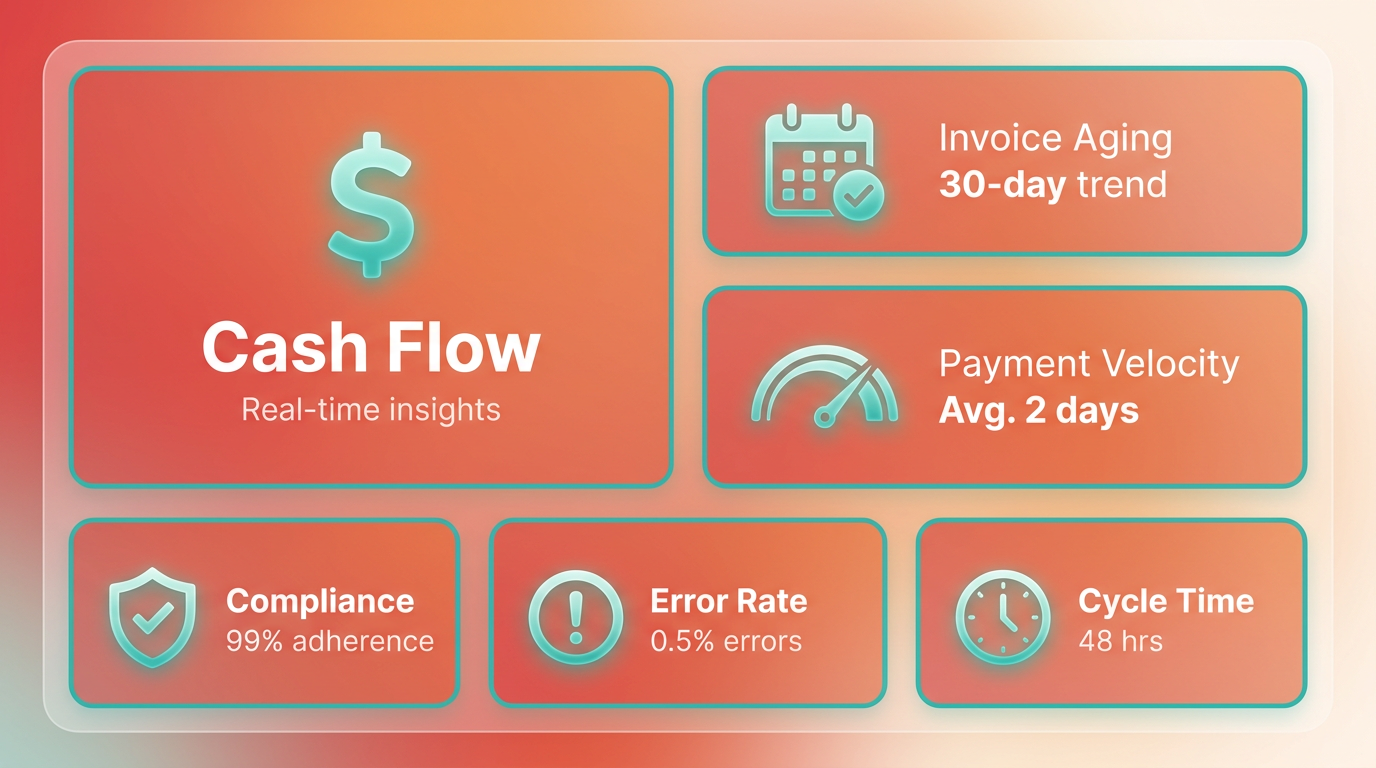
D365 Finance provides built-in automation for AP processes, integrating analytics directly into invoice capture and processing workflows. OCR technology, as discussed in the Workflow Customization & Automation Features section, enables automatic data extraction from invoices, reducing manual entry errors and accelerating approvals. This system eliminates the need for third-party add-ons, as AP automation is included in the standard subscription. For example, a mid-sized manufacturing firm using D365 reported a 90% reduction in AP processing costs after adopting these tools, primarily due to faster reconciliation and fewer labor hours spent on data entry.
In contrast, Dynamics AX relies on older infrastructure, requiring manual configuration for many reporting tasks. As outlined in the Understanding Dynamics AX AP Workflow section, while AX supports basic financial dashboards, its analytics lack the flexibility of D365’s cloud-native tools. Users often note that AX’s reporting requires IT intervention for customization, delaying insights..
How Do Their Analytics Features Compare?
A direct comparison highlights the limitations of legacy systems and the advantages of modern platforms:
| Feature | D365 Finance | Dynamics AX (Legacy) |
|---|---|---|
| Automation | Built-in OCR for invoice capture; no add-ons needed | Manual data entry; third-party tools often required |
| Real-time Reporting | Cloud-based dashboards with live AP metrics | Static reports generated at scheduled intervals |
| Customization | Pre-built templates for cash flow and spend analysis | Limited to basic KPIs; complex reports need developer support |
| Error Reduction | Automated validation reduces discrepancies by up to 80% | Higher error rates due to manual reconciliation |
For instance, a retail company using D365 automated vendor payment tracking, identifying $200K in duplicate invoices within six months. Legacy systems like AX would require manual audits to achieve similar results, increasing both time and risk..
What Benefits Do Businesses Gain From Advanced Analytics?
Improved decision-making and risk mitigation are core advantages of strong reporting tools. D365’s AP automation allows businesses to monitor cash flow in real time, flagging late payments or budget overruns instantly. One logistics firm use D365’s analytics to reduce invoice processing time from 5 days to 24 hours, avoiding $50K in late fees annually.
Legacy systems, however, often lack these proactive insights. For AX users, generating actionable reports typically involves exporting data to Excel or other tools, which introduces delays. While AX’s structured reporting suits basic compliance needs, it falls short in dynamic environments where speed and accuracy are critical..
Best Practices for Maximizing Reporting Tools
To optimize D365 Finance’s capabilities:
- use Pre-built Templates: Use out-of-the-box dashboards for AP aging reports and vendor spend analysis.
- Enable OCR for Invoices: Automate data extraction to minimize manual input and errors.
- Schedule Regular Audits: Use automated alerts to catch discrepancies before they escalate.
For Dynamics AX users:
- Integrate Third-Party Tools: Consider solutions like Stampli or alternatives such as Blixo’s AP Automation Solution Overview for advanced invoice automation.
- Streamline Workflows: Reduce manual steps by configuring batch processing for repetitive tasks.
Both systems benefit from training teams to interpret analytics effectively. For example, a healthcare provider using D365 trained its finance team to monitor AP trends weekly, cutting vendor disputes by 40% in a year..
Real-World Examples of Success
A case study from Avantiico describes how a global distributor implemented D365 Finance, achieving labor savings of 300 hours/month through automated reporting. The system’s analytics also uncovered $150K in overpayments to suppliers, which were corrected within weeks.
On the legacy side, a manufacturing company using Dynamics AX faced challenges in generating timely AP reports. After migrating to D365, they gained visibility into vendor payment cycles, reducing disputes by 60% and improving supplier relationships.. By pairing automation with actionable insights, modern platforms like D365 Finance outperform legacy systems in efficiency and scalability. While Dynamics AX remains functional for basic reporting, its limitations in customization and real-time analytics make it less suitable for businesses prioritizing agility. Adopting cloud-native solutions with embedded AI-such as D365’s OCR-driven workflows-can transform AP operations, turning data into strategic advantages.
Frequently Asked Questions
1. How much can AP automation reduce processing costs?
AP automation cuts processing costs by 90%, saving $15 per invoice on paper expenses and reducing labor costs by up to $120,000 annually for some businesses.
2. What percentage of AP time is spent on manual data entry?
Manual data entry accounts for 60% of AP processing time, which automation can reduce by 50–70% using OCR technology.
3. How does AP automation save mid-sized businesses money?
Automating paper-based invoices saves mid-sized businesses $45,000 yearly by eliminating printing, mailing, and storage costs.
4. What role does OCR play in Dynamics AX integration?
OCR in Dynamics AX extracts invoice data in seconds, replacing manual keying and reducing errors from 5–10% to less than 1%.
5. How much time can AP automation save for a clerk weekly?
AP automation saves 10 hours weekly for a single clerk by shifting tasks from manual data entry to strategic financial analysis.
6. What are the key benefits of automating 80% of invoice workflows?
Automating 80% of workflows slashes late fees, disputes, and labor costs, with one company saving $120,000 annually in operational expenses.
7. How does AP automation compare to legacy systems in cost efficiency?
AP automation reduces monthly processing costs from $15,000+ to $1,500–$3,000 by digitizing workflows and minimizing manual errors.