

Automated Accounts Receivable Checklist for Timely Payments
Key Takeaways
- Automated AR systems reduce invoice processing time by 50% and achieve 99% cash application accuracy.
- Late payments cost the average company $4 million monthly in unpaid invoices and disrupt revenue predictability.
- Automating payment reminders cuts overdue accounts by 70%, as shown by a case study using dunning automation.
- 50% of U.S. B2B invoices are paid late, directly impacting business cash flow and operational planning.
- A construction company increased timely payments to 90% of customers through automated invoicing and digital payment portals.
- Real-time payment-invoice reconciliation saves businesses hundreds of hours monthly by eliminating manual reconciliation.
- 77% of AR teams struggle with collections, highlighting the need for automation to address persistent late payment challenges.
Why Automated Accounts Receivable Matters
Automated accounts receivable (AR) systems are a critical tool for businesses aiming to streamline cash flow, reduce errors, and strengthen customer relationships. By replacing manual processes with automation, companies can address persistent challenges like late payments, disjointed workflows, and inefficient reconciliation. Let’s break down why this shift matters for businesses of all sizes..
How Late Payments Impact Businesses
Late payments disrupt cash flow, creating operational bottlenecks and financial uncertainty. Industry data reveals stark realities: 77% of AR teams are behind in collections, and the average company deals with $4 million in unpaid invoices monthly. Additionally, 50% of B2B invoices in the U.S. are paid late, directly affecting revenue predictability. These delays force businesses to delay investments, strain supplier relationships, and risk penalties for missed obligations. For example, a construction company that automated its invoicing and reminders-as outlined in the Automating Invoice Generation and Dispatch section-saw 90% of customers switch to timely online payments, drastically reducing collection time..
What Automated AR Solves
Automation tackles manual inefficiencies head-on. Human errors in invoicing-such as incorrect amounts or delayed delivery-can lead to disputes and late fees. Automated systems ensure 99% accuracy in cash application and reduce invoice processing time by 50%, as noted in case studies. For instance, one company slashed overdue accounts by 70% by implementing automated payment reminders and self-service portals-building on concepts from the Streamlining Payment Reminders and Dunning Automation section. These tools also eliminate the need for manual reconciliation by matching payments to invoices in real time, saving hundreds of hours monthly..
Who Benefits Most from Automation
Small to mid-sized businesses (SMBs) and enterprises with complex billing systems gain the most from automation. SMBs often lack the resources for dedicated AR teams, making automation a cost-effective solution to avoid missed payments. Enterprises with high transaction volumes benefit from scalable systems that handle multi-currency transactions, recurring billing, and compliance with standards like ASC 606. For example, a healthcare provider using automation reduced cash application time by 75%, freeing staff to focus on strategic tasks rather than data entry..
Real-World Results of Automation
Businesses adopting AR automation see measurable improvements in cash flow and operational efficiency. A financial services firm improved cash flow by 25% after implementing automated follow-ups and centralized tracking. Similarly, a retail company using AI-driven tools reduced Days Sales Outstanding (DSO) by 30%, accelerating revenue recognition. These outcomes highlight how automation transforms AR from a reactive process into a proactive revenue driver..
Why Blixo Stands Out
Unlike generic platforms, Blixo offers tailored automation that integrates seamlessly with existing systems like ERPs and CRMs-as detailed in the Implementing Real-Time Cash Application and Reconciliation section. Its AI-powered features-such as predictive payment alerts and real-time dispute resolution-address specific pain points like missed payment deadlines and manual reconciliation errors. One business using Blixo reported a 30% faster payment cycle, demonstrating how targeted automation can outperform one-size-fits-all solutions.. By addressing late payments, reducing operational friction, and improving transparency, automated AR systems turn a traditionally reactive function into a strategic asset. Whether you’re managing a small team or a global enterprise, the right automation tools can stabilize cash flow, enhance customer satisfaction, and position your business for sustained growth.
Automating Invoice Generation and Dispatch
Building on concepts from the Why Automated Accounts Receivable Matters section, integrating with accounting systems reduces manual data entry by 67%, cutting errors and audit risks. For instance, a finance team in source avoided data mismatch by testing integrations, a process detailed in the Implementing Real-Time Cash Application and Reconciliation section. Automated delivery and reminders, as outlined in the Streamlining Payment Reminders and Dunning Automation section, further reduce delays by 20% through tailored follow-ups.
Streamlining Payment Reminders and Dunning Automation
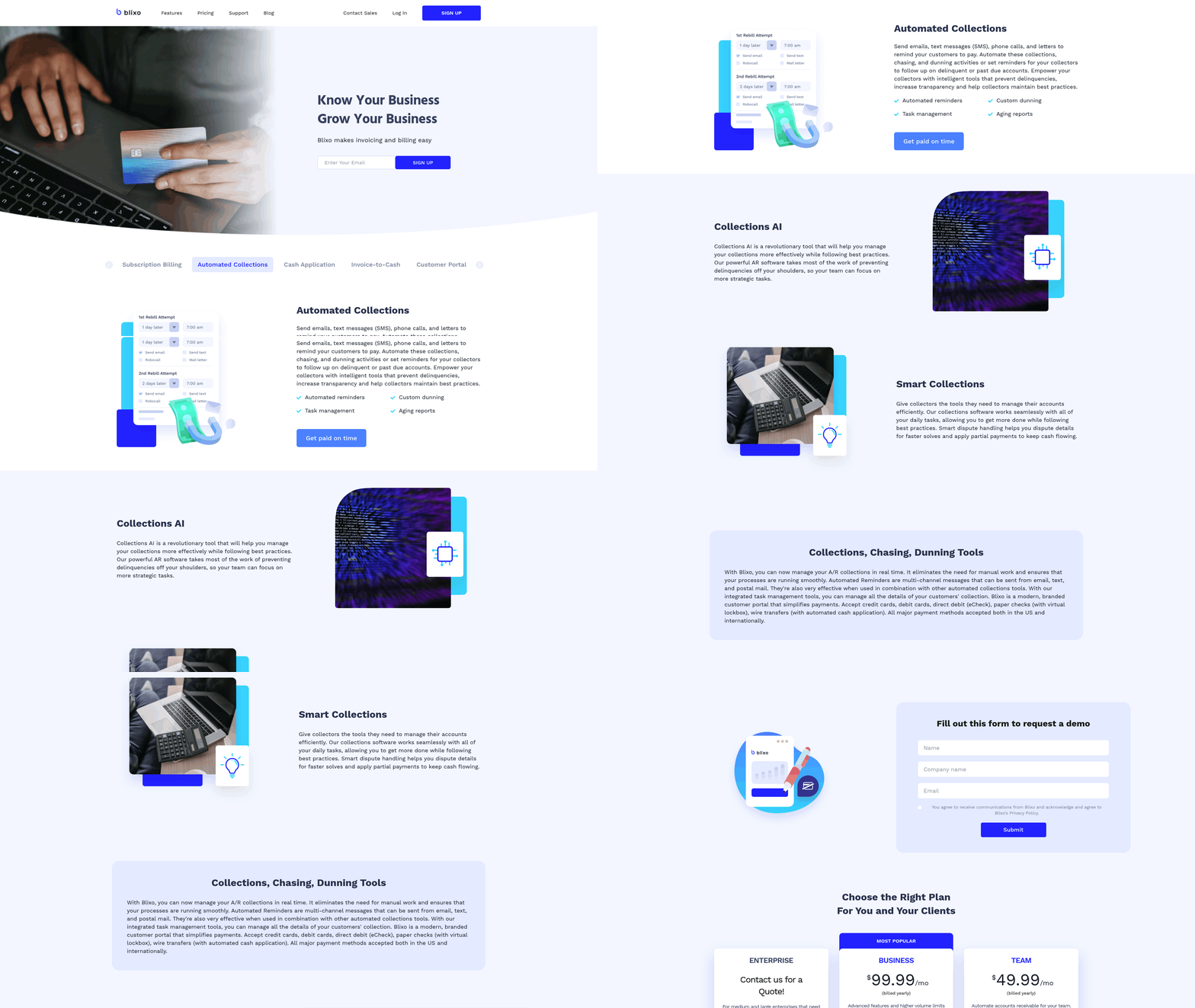
Building on concepts from the Why Automated Accounts Receivable Matters section, automated payment reminders should adapt to each customer’s payment patterns and communication preferences. Start by analyzing historical data to identify late-payers or those with inconsistent payment schedules. For example, if a customer pays 10 days after the due date on average, schedule the first reminder 5 days before the due date and follow up 3 days post-due. Tools like Blixo use machine learning to predict risk levels and customize reminder timing, ensuring urgency is proportional to the customer’s likelihood of delay.
- Segment customers by risk level (e.g., high-risk for late payments vs. consistent payers).
- Configure reminders via email, SMS, or in-app notifications based on customer preferences.
- Set dynamic due dates that adjust for holidays or regional banking holidays.
This approach reduces manual intervention while improving response rates. A financial services firm in reported a 30% reduction in overdue invoices after implementing behavior-based reminders, demonstrating the value of data-driven automation.
Best Practices for Designing Dunning Notices
Dunning notices should balance professionalism with clarity to encourage timely payments without damaging customer relationships. Use a tiered escalation strategy: start with polite reminders, then introduce penalties or late fees for non-payment. Always include clear payment instructions, invoice details, and a direct contact method. Avoid aggressive language-phrases like “final notice” or “immediate action required” can alienate customers.
- Personalize messages with the customer’s name and specific invoice details.
- Offer multiple payment options (e.g., credit card, ACH, or digital wallets).
- Include a payment portal link for instant transactions.
A case study from highlights how Laticrete boosted cash receipts by $6 million using structured dunning workflows. Their system sent three escalating reminders, each with clearer deadlines and consequences, reducing late payments by 70%.
Example: Blixo’s 30% DSO Reduction
Blixo implemented automated reminders that reduced its Days Sales Outstanding (DSO) by 30% within six months. By analyzing customer payment history, the system prioritized high-risk accounts with tailored follow-ups. For instance, customers who paid via check received earlier reminders due to longer processing times, while digital-payment users got fewer alerts. This targeted strategy cut manual tracking efforts by 40%, freeing staff to focus on complex collections.
Integration with Accounting Systems
Seamless integration with accounting software ensures payment reminders align with invoice data and financial records. As mentioned in the Automating Invoice Generation and Dispatch section, Blixo’s SaaS service syncs with systems like QuickBooks, Xero, and NetSuite via APIs, automatically updating payment statuses and triggering reminders when invoices fall past due. This eliminates data silos and ensures real-time visibility into cash flow.
- Map invoice fields (e.g., due date, amount) to automation triggers.
- Set up alerts for discrepancies between payment records and accounting software.
- Use a unified dashboard to monitor collections progress across all channels.
Unlike generic providers, Blixo offers pre-built templates for popular accounting tools, reducing setup time by up to 70% as noted in .
Common Challenges and Solutions
Challenge: Customers ignore automated reminders due to generic messaging. Solution: Use AI to personalize content with the customer’s payment history (e.g., “You paid 80% of invoices on time last quarter-keep it up!”).
Challenge: Integration complexity with legacy systems. Solution: Opt for modular automation platforms that support incremental adoption, as recommended in .
Challenge: Over-reliance on automation leading to missed nuances. Solution: Combine automated workflows with manual reviews for high-value accounts, ensuring flexibility for disputes or payment plans.
By addressing these issues proactively, businesses can maintain high collection rates while preserving customer trust.
Implementing Real-Time Cash Application and Reconciliation
Real-time cash application and reconciliation eliminate delays by automatically matching payments to invoices as they occur. This requires integrating payment data, customer information, and accounting systems into a single automated workflow. Below is a structured approach to implementing these processes effectively.
How Do You Set Up Automated Cash Application?
Automated cash application starts with linking customer payment data to your accounting system. This ensures payments are applied to the correct invoices instantly.
- Integrate payment gateways with ERP systems: Use APIs to connect platforms like QuickBooks or SAP with payment processors. This allows real-time data flow without manual entry, as discussed in the Automating Invoice Generation and Dispatch section for integration best practices.
- Map customer payment details to invoices: Automate the matching of bank transactions to open invoices using AI-driven matching rules. For example, Blixo uses machine learning to identify payment patterns, reducing errors.
- Enable multi-channel payment support: Accept credit cards, ACH, and direct bank transfers through a unified interface to streamline cash inflows.
What Are Best Practices for Real-Time Reconciliation?
Daily reconciliation ensures discrepancies are resolved immediately, avoiding compounding errors.
- Use automated alerts for unmatched payments: Set up notifications for transactions that don’t match invoices, allowing teams to investigate within hours instead of days.
- use real-time dashboards: Tools like Blixo provide live views of cash flow, highlighting overdue invoices and payment statuses.
- Standardize invoice and payment formats: Consistent naming conventions (e.g., invoice numbers, customer IDs) reduce mismatches during reconciliation, a key step outlined in the Creating a Comprehensive Implementation Checklist section.
Can You Share a Real-World Example of Automation Success?
A healthcare service provider implemented cash application automation, reducing reconciliation time by 75%. By automating payment matching and integrating with their ERP system, their finance team shifted from spending 20+ hours weekly on manual reconciliations to just 5 hours. This allowed staff to focus on strategic tasks like improving patient billing accuracy.
How Do You Integrate Automated Systems with Accounting Tools?
Seamless integration avoids data silos and ensures consistency across platforms.
- Sync with accounting software: Tools like Blixo connect to QuickBooks, Xero, or NetSuite to replicate transactions in real time, aligning with the structured approach in the Automating Invoice Generation and Dispatch section.
- Automate journal entries: Reduce manual bookkeeping by letting the system generate accounting entries as payments are processed.
- Validate data with audit trails: Maintain logs of all automated actions to ensure compliance and traceability.
What Challenges Might You Face, and How to Solve Them?
Common obstacles include data mismatches and system compatibility issues.
- Address incomplete customer data: Clean your records before automation. Use Blixo’s data validation tools to flag missing contact or invoice details, a step emphasized in the Creating a Comprehensive Implementation Checklist section.
- Resolve integration conflicts: Test workflows in a sandbox environment before full deployment to identify compatibility gaps with legacy systems.
- Train staff on new workflows: Provide hands-on training for finance teams to manage exceptions and interpret automated reports.
By automating cash application and reconciliation, businesses can cut manual work, reduce errors, and accelerate cash flow. SaaS providers like Blixo offer tailored solutions to handle these processes, ensuring alignment with existing financial systems and scaling efficiently as transaction volumes grow.
Creating a Comprehensive Implementation Checklist
Creating a comprehensive implementation checklist for automated accounts receivable requires a structured approach to ensure efficiency, accuracy, and alignment with business goals. Below is a step-by-step guide to help you build a tailored checklist:.
1. Assess Current Accounts Receivable Processes
Understanding your existing workflows is the foundation for successful automation. Start by mapping out every step of your AR process, from invoice generation to payment collection. Identify pain points such as manual data entry, delayed invoicing, or inconsistent follow-ups. For example, one financial services firm improved cash flow by 25% after adopting a checklist that prioritized invoice accuracy and customer communication.
- Document workflows: Map out invoice creation, delivery, payment tracking, and collections. Highlight manual tasks and bottlenecks. As mentioned in the Automating Invoice Generation and Dispatch section, automating invoice creation can significantly reduce delays.
- Audit data quality: Review historical invoices for errors, delays, or missing information that automation could resolve.
- Engage stakeholders: Interview finance teams, sales, and customer service to uncover unmet needs..
2. Define Objectives and Scope
Set clear goals for automation, such as reducing Days Sales Outstanding (DSO) or minimizing late payments. For instance, companies using automated systems report a 30% reduction in overdue invoices. Align these goals with your team’s capacity and budget.
- Prioritize KPIs: Track metrics like DSO, payment error rates, and staff productivity to measure success.
- Scope automation: Decide which tasks to automate first (e.g., recurring invoicing, payment reminders) based on impact and complexity. Building on concepts from the Streamlining Payment Reminders and Dunning Automation section, consider tailoring reminders to customer behavior.
- Budget and tools: Allocate funds for software, training, and integration with existing systems like ERPs or CRMs..
3. Build a Project Plan and Timeline
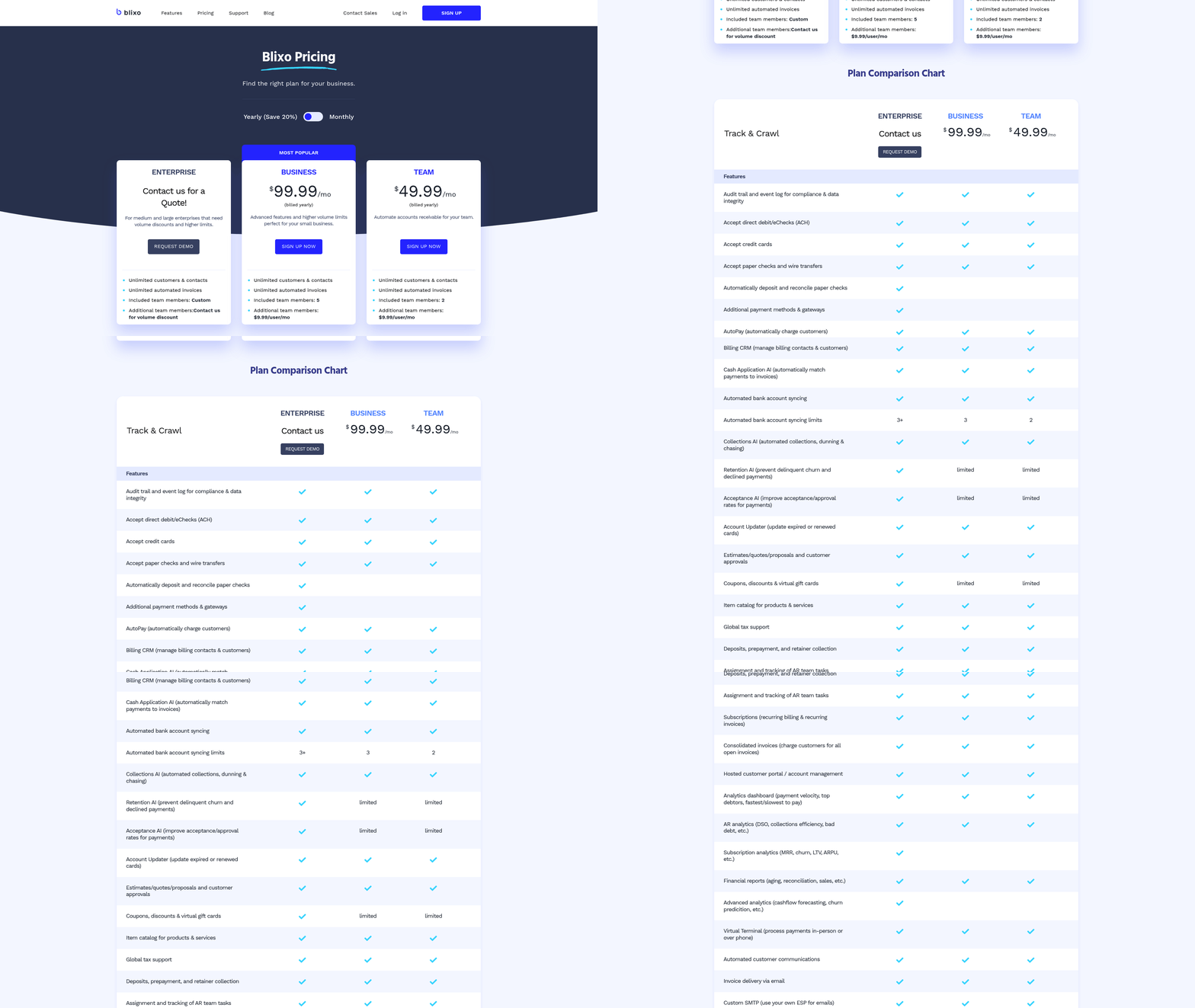
A phased rollout ensures smoother adoption. Start with a pilot project to test automation tools in a controlled environment. For example, Blixo’s transparent pricing model allows businesses to scale gradually without unexpected costs.
- Create a roadmap: Assign deadlines for tasks like software selection, data migration, and staff training.
- Assign roles: Designate a project manager and cross-functional team members to oversee implementation.
- Schedule testing: Run test scenarios to validate automation accuracy before full deployment..
4. Allocate Resources and Train Teams
Automation requires both technical and human resources. Allocate budget for tools like Blixo, which integrates with existing systems to streamline workflows. As highlighted in the Implementing Real-Time Cash Application and Reconciliation section, seamless integration with accounting software is critical for real-time data matching. Invest in training to ensure staff can manage automated processes effectively.
- Assign a budget: Include costs for software, integration, and ongoing maintenance.
- Train employees: Host workshops on using automation tools and interpreting performance data.
- Assign accountability: Designate team leads for monitoring automation performance and resolving issues..
5. Address Common Challenges
Resistance to change and integration hurdles are common. For example, one company faced delays due to incompatible systems but resolved it by choosing a flexible platform. Proactively mitigate risks by:
- Testing integrations: Ensure automation tools work seamlessly with your accounting software.
- Managing change: Communicate benefits like reduced manual work and faster payments to ease adoption.
- Monitoring for errors: Set up alerts for discrepancies in automated invoicing or payments..
6. Monitor and Optimize
Post-implementation, continuously refine your checklist based on feedback and performance data. For example, a business reduced payment delays by 20% after optimizing automated reminders.
- Review KPIs monthly: Adjust workflows if DSO or error rates don’t improve.
- Gather feedback: Ask teams for insights on automation usability and gaps.
- Update the checklist: Add new tasks as processes evolve or technology advances..
Real-World Example
A mid-sized company struggling with manual invoicing adopted automation to streamline collections. By implementing automated reminders and integrating with their CRM, they reduced late payments by 30% within six months. This example highlights how prioritizing automation for high-impact tasks can yield measurable results.
By following this checklist, businesses can transform their AR processes, ensuring timely payments and improved cash flow. Start small, iterate, and scale based on what works best for your team.
Frequently Asked Questions
1. How much can automated AR systems reduce invoice processing time?
Automated AR systems cut invoice processing time by 50%, achieving 99% cash application accuracy and significantly improving efficiency. This reduction is supported by case studies showing streamlined workflows and error minimization.
2. What financial impact do late payments have on businesses?
Late payments cost the average company $4 million monthly in unpaid invoices, disrupting revenue predictability and operational planning. This is compounded by 50% of U.S. B2B invoices being paid late.
3. Can automation improve customer payment behavior?
Yes, automated payment reminders and self-service portals reduce overdue accounts by 70%. A construction company example shows 90% of customers shifted to timely payments with digital tools.
4. How do automated systems save time in reconciliation?
Real-time payment-invoice reconciliation saves hundreds of hours monthly by eliminating manual processes, reducing errors, and ensuring accurate cash application tracking.
5. Which businesses benefit most from AR automation?
Small to mid-sized businesses and enterprises with complex billing systems gain the most. SMBs without dedicated AR teams benefit from reduced errors and faster collections.
6. What percentage of AR teams struggle with collections?
77% of AR teams struggle with collections, highlighting automation as a critical solution to address late payment challenges and improve cash flow predictability.
7. How does automation impact customer relationships?
Automation strengthens customer relationships by reducing disputes through accurate invoicing and providing self-service portals, leading to 90% timely payments in some cases.