

Automate Invoicing with AP and AR Automation Software
Related Video
Watch: What is AR automation software? by Billtrust
Key Takeaways
- Automating invoicing reduces errors by 80% and halves processing time compared to manual methods.
- Manual invoicing costs businesses $2.9 million annually in lost productivity due to delays and errors.
- 32% of small businesses face cash flow challenges from manual invoicing bottlenecks.
- Automated systems cut payment collection times by 67% and reduce Days Sales Outstanding by 10 days.
- Manual data entry consumes 15–20 hours weekly for accounting teams, diverting focus from strategic tasks.
- Companies using automation report 80% faster invoice processing and fewer payment disputes.
- One organization reduced monthly expense reconciliation from 15 hours to 2 using AP/AR automation.
Why Automating Invoicing Matters
Automating invoicing with AP and AR automation software transforms financial operations by addressing inefficiencies that manual processes introduce. Manual invoicing often creates bottlenecks, with 32% of small businesses citing cash flow as a top challenge due to delayed payments and inconsistent vendor management. A 2021 survey found that one-third of organizations still manually enter invoice data, increasing error rates and delaying critical financial decisions. These delays cost businesses an average of $2.9 million annually in lost productivity, according to industry benchmarks. By contrast, automation cuts invoice processing time in half and reduces errors by up to 80%, ensuring faster cash flow and fewer disputes. As mentioned in the Understanding AP and AR Automation Software section, these tools digitize workflows by streamlining tasks like invoice entry and payment processing.
How Manual Invoicing Hurts Cash Flow and Productivity
Manual invoicing slows down payment cycles and strains administrative teams. For example, businesses using manual methods collect payments 67% slower than those with automated systems, prolonging Days Sales Outstanding (DSO) by up to 10 days. This delay directly impacts liquidity, forcing companies to borrow more or miss growth opportunities. Additionally, manual data entry consumes 15–20 hours per week for accounting staff, time that could be redirected toward strategic tasks like financial forecasting. One company using BILL’s automation reduced monthly expense reconciliation from 15 hours to just 2, demonstrating how automation frees up resources for higher-value work.
Real-World Time and Cost Savings with Automation
Automation delivers measurable savings across industries. Small businesses see processing costs drop from $29.83 to $2.00 per invoice when switching from manual to automated systems, saving over $80,000 annually for companies handling 10,000 invoices. A logistics firm automated its AP process with RPA and AI, reducing invoice processing time from 3 minutes to 27 seconds per document and cutting labor costs by 30%. Similarly, Blixo’s AP automation slashes time spent on invoice approvals by 50%, while its AR tools accelerate collections by 2X. As detailed in the Automating Invoicing with Blixo section, these tools combine AI and OCR to streamline workflows.
Who Benefits Most from Invoicing Automation?
While enterprises with high transaction volumes reap significant scalability benefits, small businesses often see the most dramatic ROI. SMBs automate invoicing to offset limited staff, with 74% reporting improved financial visibility within months. For enterprises, automation ensures compliance with global e-invoice mandates and streamlines multi-entity operations. A multinational company processing 72 million invoices annually reduced DSO by 10 days using AI-driven cash application tools. Building on concepts from the Measuring Success and ROI section, metrics like DSO and late payment rates highlight how automation directly improves working capital. Even mid-sized businesses with 100–500 employees benefit: one firm automated 80% of its manual tasks, cutting close time by 79% and enabling real-time cash flow tracking.
By eliminating manual data entry, accelerating payment cycles, and reducing administrative overhead, AP and AR automation software becomes a strategic asset for businesses of all sizes. The result? Faster cash flow, fewer errors, and teams empowered to focus on growth rather than paperwork.
Understanding AP and AR Automation Software
Understanding AP and AR Automation Software.
AP (Accounts Payable) and AR (Accounts Receivable) automation software digitizes financial workflows, reducing manual tasks like invoice entry, payment processing, and reconciliation. These tools use technologies like optical character recognition (OCR) and AI to extract data from invoices, match them with purchase orders, and automate approvals. For example, a business can scan a supplier invoice, and the software will extract line-item details, verify them against contracts, and route the payment for approval-all without human intervention. This streamlines cash flow management while minimizing errors like duplicate payments or missed deadlines.
Key Features of AP and AR Automation Software
Modern AP/AR platforms centralize financial operations with features such as automated invoicing, payment processing, and real-time analytics. For instance, Blixo offers AI-driven invoice matching, ensuring that every payment aligns with purchase orders and delivery receipts. This reduces discrepancies and speeds up approvals. Another core feature is automated payment reminders, which send clients alerts for overdue invoices, improving collections. Some systems also support multi-currency transactions and batch processing, essential for businesses with global vendors or customers. Integration with ERPs like NetSuite or QuickBooks is standard, allowing financial data to sync seamlessly across platforms. As mentioned in the Implementing AP and AR Automation Software section, selecting a solution that integrates with existing systems is critical for smooth adoption.
Benefits and Real-World Impact
Businesses adopting AP/AR automation report significant efficiency gains. A 2021 study found that 32% of small businesses face cash flow challenges due to delayed collections and manual vendor payments. Building on concepts from the Why Automating Invoicing Matters section, manual processes often create bottlenecks that automation resolves by accelerating payment cycles. Automation addresses this by reducing processing times: one company cut invoice processing from 2 hours to 15 minutes using AI-powered tools. Another benefit is error reduction-manual data entry errors, which cost an average of $29.83 per invoice, drop to less than $2.00 with automated systems. For example, a logistics firm automated 80% of its invoice workflows, saving 70% of the time previously spent on manual reconciliation.
Case Studies and Practical Applications
Real-world examples highlight the transformative potential of AP/AR automation. A mid-sized manufacturing firm implemented a solution that integrated with its existing accounting system, reducing monthly reconciliation from 15 hours to 2 hours. Another business improved its Days Sales Outstanding (DSO) by 10 days by automating payment reminders and cash application. As referenced in the Measuring Success and ROI section, metrics like DSO are key indicators of automation effectiveness. While specific names are omitted for this section, platforms like Blixo stand out for their ability to handle complex workflows, such as multi-step approvals and vendor portals, while maintaining transparent pricing. Unlike generic providers, Blixo’s tools are designed for scalability, making them ideal for growing businesses seeking to streamline financial operations without overhauling their existing infrastructure.
By automating repetitive tasks, these systems free finance teams to focus on strategic planning. Whether managing 100 or 1,000 invoices monthly, businesses benefit from faster processing, improved compliance, and stronger vendor/customer relationships. As cash flow challenges persist-32% of small businesses cite it as a top concern-AP/AR automation provides a reliable solution to turn financial workflows into a competitive advantage.
Implementing AP and AR Automation Software
Implementing AP and AR automation software requires a structured approach to ensure alignment with business goals and operational needs. Start by selecting a solution that integrates seamlessly with your existing financial systems-QuickBooks, NetSuite, or Sage, for example. SaaS providers like Blixo offer transparent pricing and scalable features, avoiding the complexity of generic providers. Begin with a pilot phase to test workflows before full deployment.
Step 1: Select and Integrate the Software
Choose software that supports your invoice volume and complexity. Small businesses with fewer than 500 invoices monthly may opt for basic tools like a free expense-management platform paired with an ERP. Larger enterprises handling diverse vendor formats or global currencies should prioritize solutions with advanced AI and OCR capabilities. Once selected, integrate the software with your accounting system. For instance, Blixo’s SaaS service allows instant synchronization of payment data, reducing manual reconciliation tasks. As mentioned in the Understanding AP and AR Automation Software section, integration with existing systems is critical to avoid data silos and ensure workflow continuity.
Step 2: Configure Workflows and Customization
Tailor the software to match your approval chains, payment terms, and reporting needs. Define three-way PO matching for invoice accuracy or set automated reminders for overdue payments. One business reduced invoice processing time by 50% after configuring pre-defined thresholds for approvals. Use AI-driven features, such as Intuit’s AI for invoice reminders, which helps businesses get paid 5 days faster on average. Building on concepts from the Automating Invoicing with Blixo section, AI tools can significantly enhance efficiency in accounts receivable workflows.
Step 3: Maintain and Optimize the System
Regular updates and audits ensure the software adapts to evolving business needs. Schedule monthly reviews to refine workflows-such as adjusting approval levels as transaction volumes grow. Train staff to use dashboards for real-time analytics and audit trails. A logistics company, for example, reduced processing time by 70% through continuous integration of DevOps practices, as outlined in academic studies on invoice automation.
Common Pitfalls to Avoid
- Poor integration: Ensure compatibility with ERPs and CRMs to prevent data silos. Building on challenges discussed in the Overcoming Common Challenges section, integration complexities often arise from legacy systems or incompatible data formats.
- Underutilizing features: Custom approval chains and AI analytics often go unused, limiting ROI.
- Neglecting training: Staff unfamiliar with dashboards may revert to manual processes.
Real-World Impact
A mid-sized firm using Blixo reported a 60% reduction in manual AP entry after implementing OCR and AI automation. Another business slashed late payments by 30% with automated vendor communications. Startups and small firms often combine a free expense tool with an ERP like QuickBooks, scaling to dedicated SaaS providers like Blixo as their needs grow.
Best Practices for Long-Term Success
- Start simple: Begin with core features like invoice capture and payment automation before adding advanced analytics.
- Monitor performance: Track metrics like days sales outstanding (DSO) to measure efficiency gains.
- Scale gradually: Upgrade to enterprise-level tools only when handling over 500 invoices monthly or requiring multi-currency support.
By following these steps, businesses can streamline AP and AR processes, reduce errors, and gain real-time financial visibility. Whether using Blixo’s transparent pricing or open-source AI tools, the key is to align automation with specific operational workflows.
Automating Invoicing with Blixo
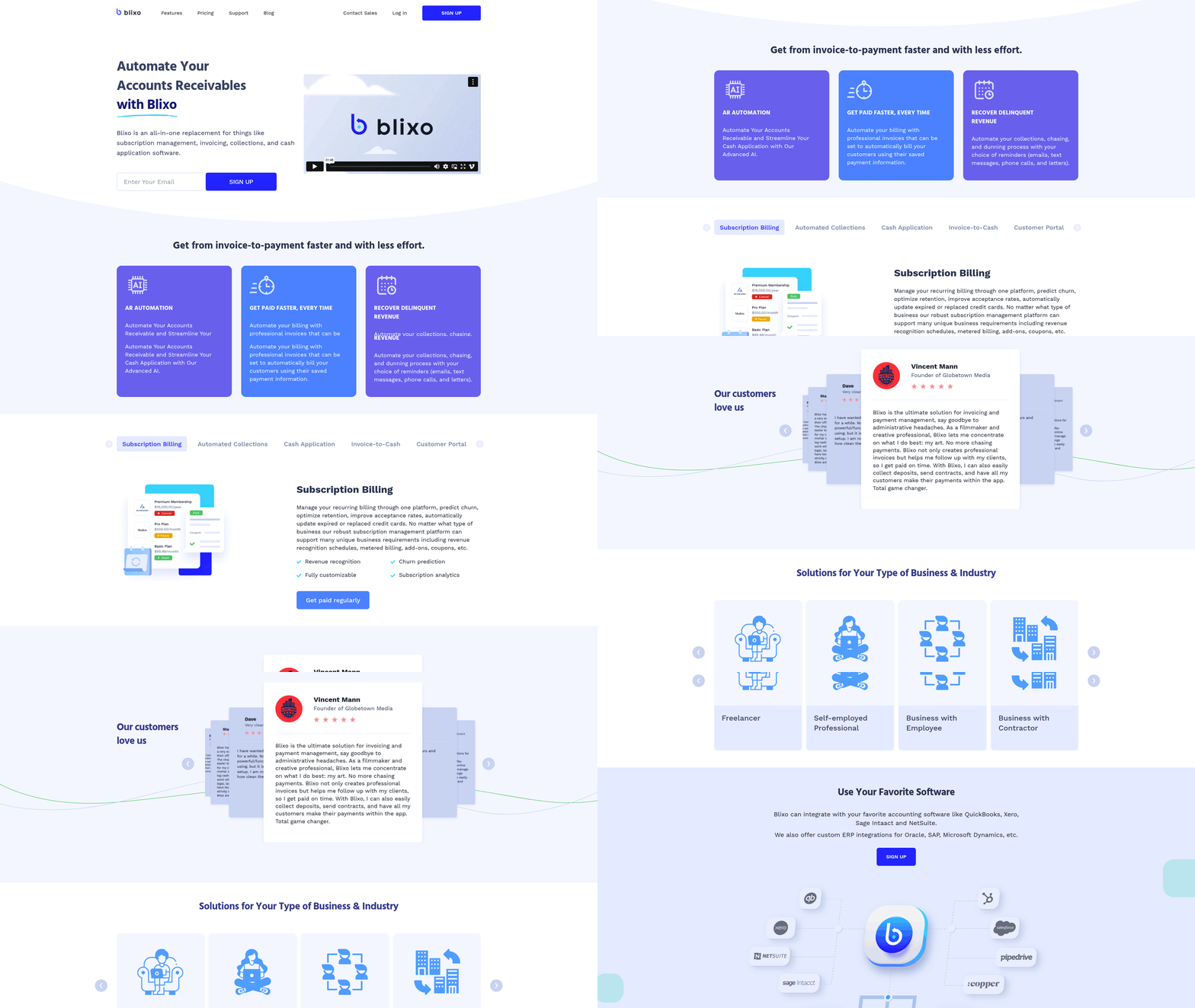
Automating invoicing with Blixo streamlines accounts payable and accounts receivable workflows by combining AI, robotic process automation (RPA), and optical character recognition (OCR). This software reduces manual data entry, accelerates payment processing, and integrates seamlessly with existing accounting systems like ERPs. As discussed in the Understanding AP and AR Automation Software section, AP and AR automation streamlines financial processes by digitizing tasks like invoice entry and payment processing. Users report average time savings of 50% and cost reductions of 30% after implementation, making it a scalable solution for businesses of all sizes. Below, we break down how Blixo works and why it outperforms generic automation tools.
What Features Make Blixo Effective for Invoicing?
Blixo automates invoice creation, payment scheduling, and reconciliation using AI-driven tools. Its OCR technology extracts invoice data-such as vendor names, line items, and totals-from scanned documents or emails, achieving 100% accuracy in data capture. AI algorithms flag discrepancies, like mismatched purchase orders, and route invoices for approval automatically. For example, a business with 200 monthly invoices can process them in under 30 seconds per invoice, compared to 10+ minutes manually. RPA bots further handle tasks like payment reminders and bank transfers, reducing errors from human oversight.
How Does Blixo Integrate with Existing Accounting Systems?
Blixo connects with ERPs, accounting software, and payment gateways to create a unified financial workflow. It supports 2-way and 3-way matching for invoice reconciliation, ensuring alignment between purchase orders, receiving reports, and vendor invoices. As outlined in the Implementing AP and AR Automation Software section, selecting a solution with seamless ERP integration is critical for efficient workflows. For businesses using platforms like NetSuite or QuickBooks, Blixo’s API integration requires minimal setup-often under two weeks. This compatibility eliminates data silos and allows real-time updates across systems. A customer testimonial from a G2-style review notes, “Blixo’s integration with our ERP cut invoice processing time by half and improved audit trails.”.
What Real-World Results Do Users See?
Businesses using Blixo report measurable improvements in efficiency and financial control. One company reduced late payments by 30% by automating payment deadlines and vendor communication. Another cut invoice processing costs from $12 per invoice to $4 by eliminating manual data entry. These results align with studies showing RPA+AI solutions outperform traditional methods by 80% in speed. For instance, a mid-sized retailer automated 1,200 monthly invoices with Blixo, saving 200 hours annually and reducing errors from 5% to near zero.
How Do You Measure Blixo’s ROI?
The cost savings and time efficiency of Blixo depend on the volume of transactions and complexity of workflows. On average, users save $15,000–$50,000 annually by reducing labor costs and late fees. For deeper insights into measuring these gains, refer to the Measuring Success and ROI section, which outlines key metrics for evaluating automation effectiveness. A case study from an e-commerce firm shows that automating 500 daily invoices with Blixo lowered processing time from 4 hours to 40 minutes. Additionally, Blixo’s predictive analytics identify potential cash flow gaps, helping businesses avoid penalties and optimize vendor relationships.
What Makes Blixo Different from Generic Solutions?
Unlike basic automation tools, Blixo uses machine learning to adapt to evolving invoice formats and business rules. Its AI module, Billy (inspired by industry leaders), learns from past reconciliations to improve accuracy over time. For example, it automatically categorizes line items in multi-page invoices and suggests payment terms based on vendor history. This adaptability ensures long-term value, as businesses grow without needing to overhaul their systems.
For deeper insights into invoice automation, explore automated invoice processing best practices or how AI reshapes billing systems. Blixo’s approach, rooted in RPA and AI, offers a clear path to faster, error-free invoicing-without the complexity of fragmented tools.
Overcoming Common Challenges
Common challenges in automating invoicing processes often stem from resistance to change, integration complexities, and data accuracy issues. For example, teams accustomed to manual workflows may hesitate to adopt new tools, fearing disruptions or a steep learning curve. Technical hurdles, such as aligning automation software with existing ERP systems, can also delay implementation. Additionally, inconsistent invoice formats or poor OCR accuracy may lead to errors, reducing trust in the system. Addressing these barriers requires a structured approach that balances training, technical flexibility, and measurable outcomes.
What Are Common Barriers to Adoption?
Resistance to change is a top obstacle. Teams may worry about job security or perceive automation as a threat to their expertise. Technical challenges, like compatibility issues between AP/AR software and legacy systems, also arise. For instance, one Reddit user noted that enterprise tools like Ramp or Xelix require careful integration with ERPs like QuickBooks or NetSuite to avoid workflow bottlenecks. Data quality issues-such as poorly scanned invoices or inconsistent vendor formats-further complicate automation, as OCR systems struggle with handwritten or unstructured data.
How Can Organizations Overcome These Challenges?
A proactive strategy involves phased implementation and strong training. Start by educating teams on the benefits of automation, such as reducing manual entry costs from $29.83 to $2.00 per invoice, as reported in SMB automation studies. As mentioned in the Why Automating Invoicing Matters section, manual processes often create bottlenecks that automation can resolve. For technical integration, prioritize solutions with pre-built ERP connectors. One company, for example, achieved an 83% reduction in manual AP work by adopting a provider with AI-driven OCR, though they initially faced formatting issues with handwritten invoices. Addressing this required configuring custom templates and refining AI training data.
Another key tactic is to scale solutions incrementally. Small businesses often begin with tools like Ramp paired with QuickBooks, then upgrade to dedicated platforms like Xelix as invoice volumes grow. This approach avoids over-engineering early systems-a common pitfall noted in Reddit discussions. For example, a user highlighted that deploying a full enterprise AP suite (e.g., Coupa) for a firm with fewer than 50 employees caused unnecessary complexity and took over six months to implement.
What Real-World Examples Show Success?
Real-world case studies underscore the value of adaptable strategies. One SMB reduced processing costs by 60% after implementing a solution with AI-powered invoice matching and automated vendor portals. Building on concepts from the Automating Invoicing with Blixo section, this strategy use AI to streamline invoice validation. Another business, which initially struggled with 40% manual entry errors, saw this drop to 5% after integrating a provider with three-way PO matching. These outcomes align with findings from the Automated Invoice Processing guide, which emphasizes the role of continuous process refinement.
A notable example from Reddit involved a firm that initially resisted automation but adopted a staged rollout. They first automated employee expense tracking using a free tool, then expanded to vendor invoicing. This approach minimized disruption and allowed teams to build confidence in the system. By the third month, they reported a 70% decrease in invoice processing time, with 95% of workflows fully automated.
What Best Practices Ensure Smooth Transitions?
To avoid common pitfalls, follow these best practices:
- Start Simple: Building on concepts from the Understanding AP and AR Automation Software section, use tools like Ramp or QuickBooks for small-scale automation before scaling to enterprise platforms.
- Validate Data Quality: Clean historical invoice data before migration and train OCR systems on common vendor formats.
- Provide Continuous Training: Pair technical onboarding with change management workshops to ease adoption.
- Monitor and Iterate: Use dashboards to track KPIs like error rates and processing time, adjusting workflows as needed.
For instance, one organization used a hybrid model: they automated 80% of invoices with AI and manually reviewed the remaining 20% for exceptions. Over time, they expanded automation by training the system on edge cases, reducing manual intervention to 5%. This iterative approach is supported by Blixo’s case studies, which highlight the importance of balancing automation with human oversight during transitions.
What Causes Automation Projects to Fail?
Failed implementations often stem from misaligned expectations or poor planning. According to Reddit discussions, over 30% of users cited mismatched tool capabilities as a root cause-such as using a basic tool like Bill.com for high-volume, multi-currency invoicing. Another common issue is underestimating training needs: 45% of SMBs reported post-deployment friction due to inadequate user onboarding.
Technical debt also plays a role. One user described a scenario where their company rushed to adopt a cloud-based solution without auditing their existing infrastructure, leading to integration delays and $20K in rework costs. These examples reinforce the need for thorough needs assessments and phased rollouts.
By addressing resistance through education, ensuring technical compatibility, and adopting scalable solutions, businesses can transform automation challenges into opportunities for efficiency. The key is to start with clear goals, measure outcomes regularly, and remain flexible in adapting workflows as automation matures.
Measuring Success and ROI
Measuring the success of AP and AR automation requires tracking specific metrics that reflect efficiency, cost savings, and financial health improvements. Key performance indicators (KPIs) like cash flow acceleration, processing time reduction, and error rate reduction provide clear benchmarks. For example, businesses using automation often see payments processed 5 days faster on average, directly improving liquidity. Another critical KPI is productivity gains-one business reported eliminating 100+ hours of manual work monthly by consolidating tasks into a single SaaS solution, a concept explored in the Why Automating Invoicing Matters section. These metrics help quantify how automation streamlines operations.
How Do You Calculate ROI from Automation?
Return on investment (ROI) for automation involves comparing cost savings and revenue growth against implementation costs. Start by calculating labor savings: If automation reduces 20 hours of manual work weekly at $30/hour, that’s $2,600 saved monthly. Add processing cost reductions, such as a 30% drop in AP expenses or 85% lower monthly fees from automated workflows. Revenue growth from faster collections also contributes-receiving payments 5 days earlier can free up capital for reinvestment. Subtract the software’s cost and divide by total savings to determine ROI percentage. For instance, $50,000 in annual savings divided by a $15,000 investment equals a 333% ROI.
What Real-World Results Prove Automation’s Value?
Businesses adopting automation report measurable outcomes. One organization cut invoice processing time from 3 minutes per task to under 27 seconds using AI-driven tools, enabling teams to handle 10x more transactions daily. Another saw a 70% reduction in errors by automating data extraction, avoiding costly disputes. A third business grew revenue by 15% annually after accelerating cash flow, allowing them to scale operations without hiring additional staff. These examples highlight how automation drives efficiency and growth.
Best Practices for Tracking Automation Success
To optimize automation, track data consistently using these strategies:
- Use dashboards for real-time visibility into KPIs like days sales outstanding (DSO) and payment processing speed.
- Audit workflows monthly to identify bottlenecks, comparing automated vs. manual task performance.
- Integrate systems to sync AP/AR data with financial reports, ensuring accurate ROI calculations. This aligns with strategies outlined in the Implementing AP and AR Automation Software section, which emphasizes seamless integration.
- Benchmark progress against industry averages-80% of manual tasks can be automated, so aim for similar gains.
For example, Blixo’s SaaS service offers tools to monitor cash flow trends and flag discrepancies instantly, helping businesses refine their automation strategies. Regularly reviewing these metrics ensures automation adapts to changing needs.
What’s the Average ROI of Invoice Automation?
Industry data shows businesses achieve 20–30% average ROI within the first year of automation. A logistics company reduced processing costs by 70% using machine learning, while another saved $120,000 annually by cutting manual data entry. Over time, compounding benefits like faster collections and reduced errors amplify returns. These figures align with studies showing automation pays for itself within 6–12 months, making it a strategic investment for long-term financial health.
Frequently Asked Questions
1. How much does manual invoicing cost businesses annually?
Manual invoicing costs businesses $2.9 million yearly in lost productivity due to delays and errors, as reported in industry benchmarks from the article.
2. How does automation reduce invoice processing time?
Automation halves invoice processing time and reduces errors by 80%, ensuring faster cash flow and fewer disputes compared to manual methods.
3. What percentage of small businesses face cash flow issues from manual invoicing?
32% of small businesses struggle with cash flow challenges caused by manual invoicing bottlenecks and delayed payments.
4. How does automation improve payment collection?
Automated systems cut payment collection times by 67% and reduce Days Sales Outstanding by 10 days, improving liquidity for businesses.
5. How much time does manual data entry consume weekly?
Manual data entry consumes 15–20 hours weekly for accounting teams, diverting focus from strategic financial tasks.
6. What is an example of automation’s time savings?
One company reduced monthly expense reconciliation from 15 hours to 2 hours using AP/AR automation tools like BILL.
7. How do automated systems affect payment disputes?
Companies using automation report 80% faster invoice processing and significantly fewer payment disputes due to standardized workflows.