

Automate Accounts Receivable with Blixo Software
Related Video
Watch: Blixo Lifetime Deal $79 - Subscription Billing & Accounts Receivable Automation | Blixo Review by The SaaS Deals
Key Takeaways
- Automating AR cuts DSO and bad debt risks, as 84% manually match payments.
- 90% of AR teams face >90-day late payments without automation (Q3 2022).
- Manual data entry consumes 70% of AR processing time, causing errors.
- Automation streamlines the AR lifecycle, improving cash flow and accuracy.
- Blixo’s AI tools automate payment matching, reducing manual effort.
- Automated invoicing and tracking cut payment errors and disputes by 30%.
- Reducing manual AR tasks frees 70% of time for strategic finance work.
Why Automating Accounts Receivable Matters
Automating accounts receivable transforms how businesses manage cash flow, slashes administrative burdens, and minimizes financial risks. Manual processes are error-prone, slow, and costly-84% of accounting teams still manually match payments, increasing Days Sales Outstanding (DSO) by weeks and raising bad debt risks by 30%. By automating invoicing, payment tracking, and reconciliation, SaaS providers like Blixo address these challenges head-on, helping businesses get paid faster and with greater accuracy. As detailed in the Understanding Blixo’s Accounts Receivable Automation Capabilities section, Blixo’s AI-powered tools streamline payment matching and reduce manual effort.
What Are the Real Costs of Manual Accounts Receivable?
Manual AR tasks consume excessive time and resources. Over 90% of AR teams reported receiving payments more than 90 days late in Q3 2022, disrupting cash flow and straining operations. Without automation, errors in data entry, duplicate invoices, and missed payment reminders become common, leading to disputes and delayed collections. For example, manual data entry accounts for 70% of AR processing time, diverting finance teams from strategic work. These inefficiencies aren’t just operational-they directly impact profitability, as every extra day in DSO ties up capital that could fuel growth.
How Does Automation Improve Financial Operations?
Automation streamlines every stage of the AR lifecycle. Automated invoicing reduces delays by generating and sending bills instantly, while real-time dashboards provide visibility into outstanding payments. Blixo, for instance, integrates with accounting software like QuickBooks and Xero to eliminate manual reconciliation. This reduces DSO by up to 32% for businesses automating over 50% of their processes, according to industry data. As outlined in the Integrating Blixo with Existing Systems and Workflows section, Blixo offers APIs and pre-built connectors for seamless integration. Automated reminders and multi-payment options (ACH, credit card) also cut bad debt risks by 30% through timely interventions. One healthcare provider improved cash flow by 25% after switching to electronic statements, while a manufacturing firm halved AR processing time using cloud-based workflows.
Who Benefits Most from AR Automation?
Small businesses and enterprises alike gain value from automation. For small teams, it reduces the need for dedicated AR staff, cutting costs by 65% in invoice processing. Enterprises benefit from scalability, handling thousands of transactions seamlessly while maintaining compliance. A nonprofit organization, for example, saved hours weekly by replacing manual processes with automation, gaining better control over financial reporting. Even industries with complex billing-like subscription-based services-see improvements, as Blixo’s tools automate recurring payments and subscription management. The result? Faster payments, fewer errors, and more time to focus on growth.
What Do Real-World Results Look Like?
Businesses adopting AR automation report transformative outcomes. A financial services provider reduced DSO by 30% after implementing automated collections workflows, while a mid-sized company cut manual data entry by 70%, boosting efficiency. Blixo users, such as a church managing 100+ staff transactions, moved from bi-monthly financial reporting to semi-monthly closes. Another client, a consulting firm, slashed payment delays by enabling customers to pay directly via integrated portals. As highlighted in the Real-World Use Cases and Success Stories section, these results underscore automation’s role in building financial resilience.
By addressing the pain points of manual AR, automation tools like Blixo turn accounts receivable from a reactive task into a strategic asset. The benefits-faster cash flow, reduced errors, and improved customer relationships-are measurable and far-reaching, making automation a necessity for businesses of all sizes.
Understanding Blixo’s Accounts Receivable Automation Capabilities
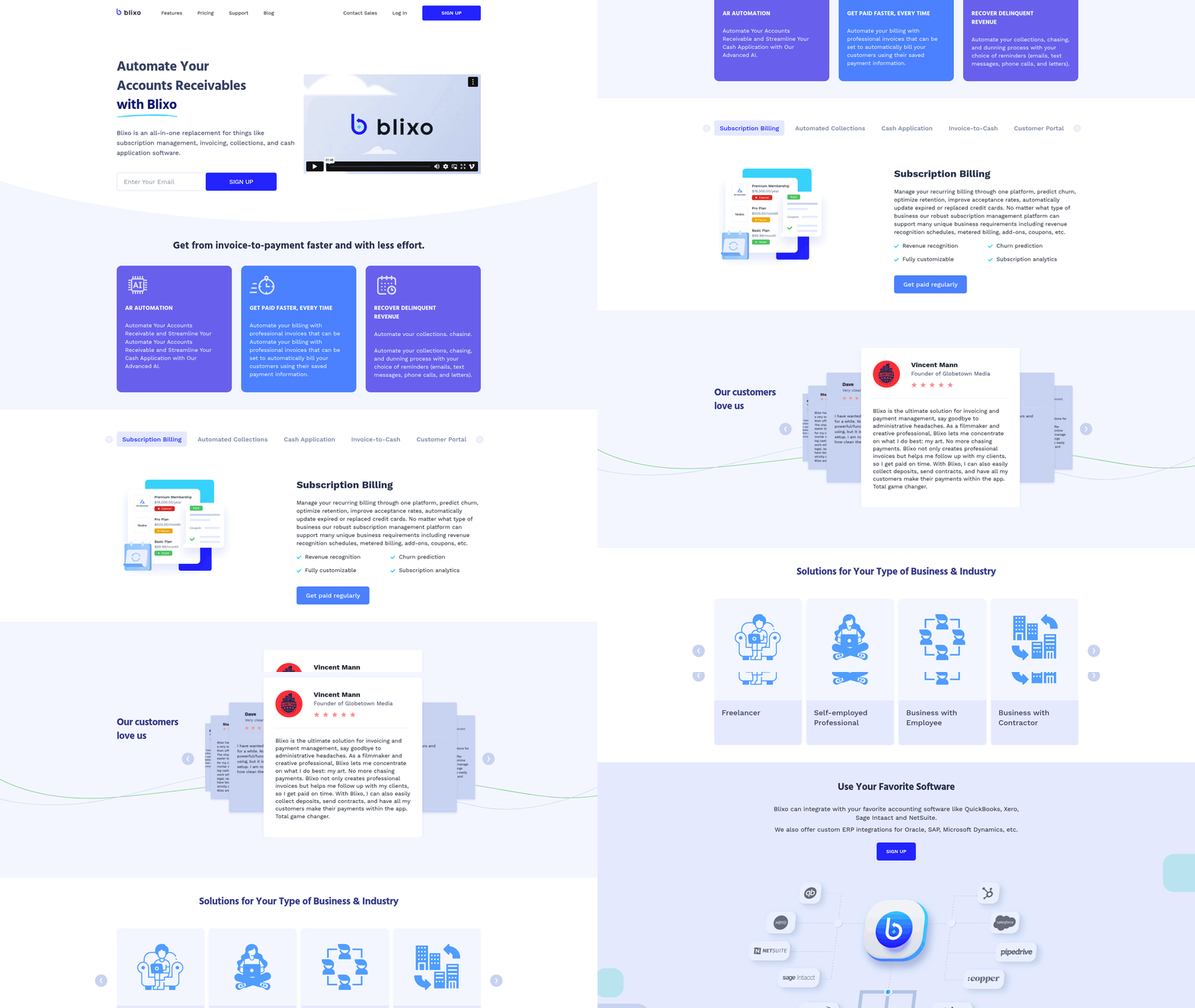
Blixo’s AI-powered cash application streamlines the process of matching incoming payments to the correct invoices, drastically reducing manual effort and accelerating cash flow. The system uses machine learning to analyze payment data, automatically reconciling transactions with minimal human intervention. For example, if a customer sends a payment without specifying which invoice it covers, Blixo’s AI examines historical payment patterns, invoice amounts, and customer behavior to make an accurate match. This reduces errors and ensures businesses get paid faster. Manual matching, which 84% of accounting teams handle today, can increase Days Sales Outstanding (DSO) by weeks-as discussed in the Why Automating Accounts Receivable Matters section, this manual effort is both error-prone and costly-Blixo cuts this time by automating 80%+ of the process.
Vincent Mann, founder of Globetown Media, highlights how this feature lets him focus on creative work instead of chasing payments. The software’s intelligent matching also supports multiple payment methods, including ACH, credit cards, and bank transfers, ensuring flexibility for customers. By automating reconciliation, Blixo reduces the risk of bad debt by 30%, as timely and accurate invoicing minimizes disputes and late payments.
How Does Smart Invoicing Improve Efficiency?
Blixo’s smart invoicing tool simplifies recurring billing and customization, catering to businesses with subscription models or regular clients. Users can design branded invoices with custom payment terms, due dates, and late fees, ensuring consistency and professionalism. For recurring payments, the platform automatically charges customers using saved payment information, eliminating the need for repeated manual invoicing. This is ideal for SaaS companies or service providers managing monthly subscriptions.
Matthew Schwartz, founder of Elemental Deodorant, notes that Blixo’s recurring billing streamlined his online store’s accounting. The system also allows businesses to send invoices instantly via email or integrate them into customer portals, improving transparency. For example, a fitness studio using Blixo could set up monthly membership fees that auto-charge, while adding custom line items for one-time service upgrades. This flexibility ensures invoicing aligns with diverse business needs.
What Automation Features Exist for Collections?
Automated collections and dunning processes keep payments on track without overwhelming finance teams. Blixo sends configurable email and SMS reminders at set intervals, escalating urgency as due dates pass. If a payment remains unpaid, the system triggers phone notifications or generates past-due letters, all while logging interactions for audit trails. This proactive approach reduces late fees and bad debt by encouraging timely action.
Dave’s transition to Blixo highlights how these tools simplify collections. The platform’s dunning workflows adapt to customer behavior-for instance, sending a friendly reminder to a frequent payer versus a stricter notice to a chronic delinquent. Integration with customer portals lets users view payment history and make updates instantly, fostering better relationships. By automating collections, businesses avoid the administrative burden of chasing payments manually.
How Do Integrations and Security Support Scalability?
Blixo integrates seamlessly with major accounting and ERP systems like QuickBooks, Xero, Sage Intaact, Oracle, and SAP-as detailed in the Integrating Blixo with Existing Systems and Workflows section, this ensures real-time data synchronization between billing, collections, and financial reporting tools, eliminating manual data entry errors. For example, a manufacturing firm using Oracle can sync Blixo’s cash application results directly into its ERP, streamlining month-end close processes.
Security is prioritized through end-to-end data encryption, role-based access controls, and compliance with standards like SOC 2 and GDPR. This protects sensitive payment and customer information, which is critical for businesses handling international transactions. Blixo’s cloud-based architecture also supports multi-currency billing, making it suitable for global operations.
By combining AI-driven automation with strong integrations and security, Blixo transforms accounts receivable into a strategic advantage. Whether managing subscriptions, invoicing clients, or collecting payments, the platform reduces administrative overhead while improving cash flow visibility. As Dave’s transition and Vincent’s testimonial show, businesses of all sizes can benefit from a system designed to simplify complex financial workflows.
Implementing Blixo’s Accounts Receivable Automation Solution
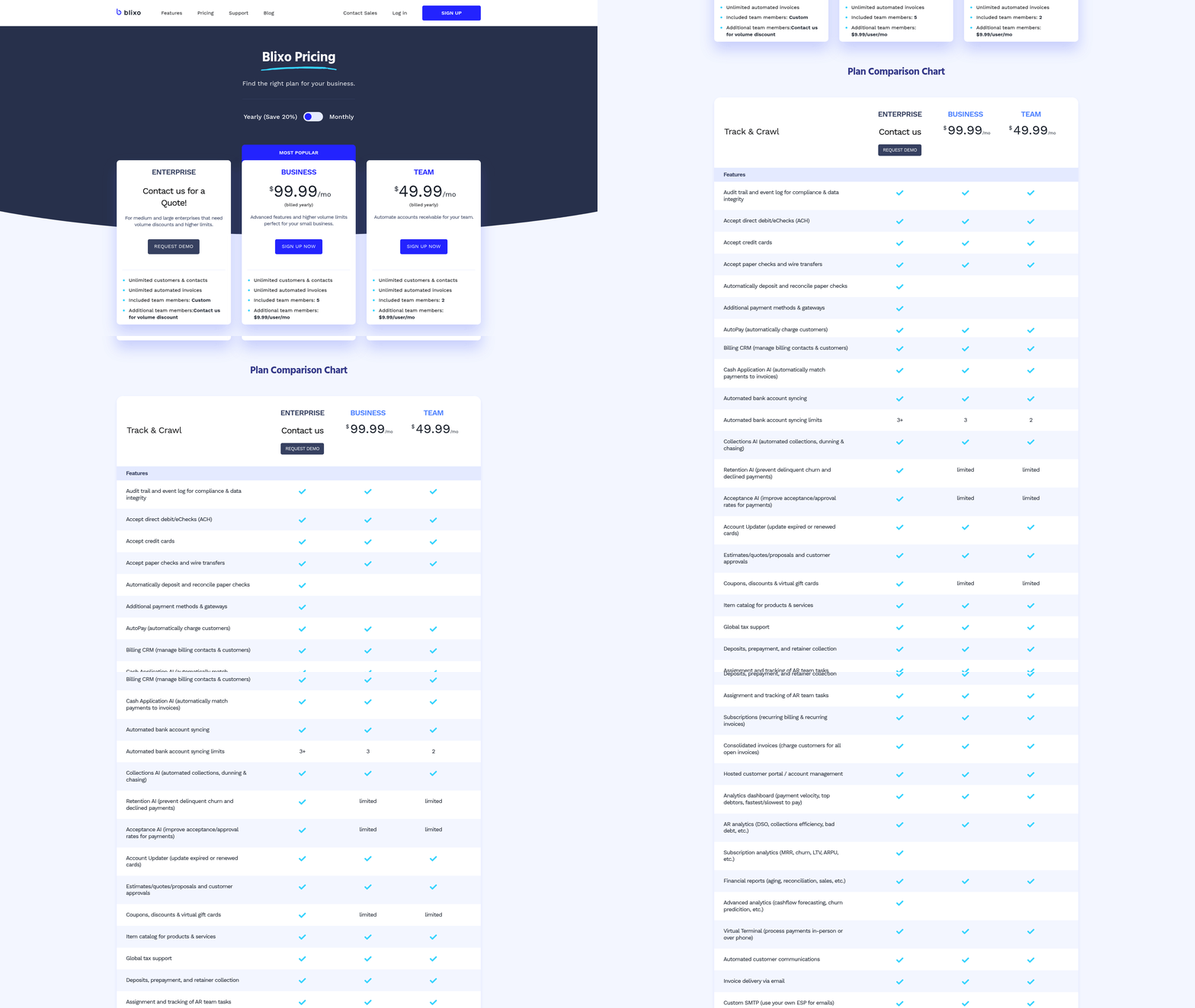
Implementing Blixo’s Accounts Receivable Automation Solution starts with a structured onboarding process that ensures seamless integration with your existing financial systems. The first step involves migrating historical data from your current accounting software or spreadsheets into Blixo. This process is simplified through automated data import tools, which map your existing records to Blixo’s database. For example, if your team uses QuickBooks or Xero, Blixo’s integration tools sync customer lists, invoices, and payment histories automatically, as detailed in the Integrating Blixo with Existing Systems and Workflows section. During this phase, Blixo’s support team works closely with your finance department to validate data accuracy and resolve discrepancies before finalizing the migration.
Onboarding Process: Data Migration and System Integration
To begin, your organization will schedule a kickoff meeting with Blixo’s onboarding specialists. They assess your current workflows and identify customization needs, such as setting up payment terms or defining customer segments. Next, Blixo connects to your accounting software via secure API integrations, eliminating the need for manual data entry. For instance, if your business accepts ACH payments, Blixo configures these payment channels directly into your workflow, ensuring funds are deposited into your bank account without delays. This phase typically takes 2–4 weeks, depending on the volume of data and complexity of your financial processes.
Setup and Configuration: Customization and Workflow Automation
Once data migration is complete, Blixo’s setup phase focuses on tailoring the platform to your business rules. Start by configuring invoicing templates to match your branding and payment instructions. You can also automate recurring invoices for subscription-based models, reducing the risk of human error. For example, a construction company might set up automated reminders for clients 72 hours before a payment is due, with late fees applied automatically after 15 days. Blixo’s workflow engine allows teams to design multi-step approval chains for invoices, ensuring compliance with internal policies.
During this phase, users gain access to Blixo’s dashboard, where they can monitor payment statuses in real time. One company improved its financial reporting from bi-monthly to semi-monthly closes by using Blixo’s automated reconciliation tools, which are highlighted in the Understanding Blixo’s Accounts Receivable Automation Capabilities section. These tools match incoming payments with open invoices, flagging discrepancies for review. To optimize accuracy, configure alerts for mismatched payments or overdue invoices, which can be sent via email or SMS to designated team members.
Training and Support: Maximizing Blixo’s Capabilities
Effective implementation hinges on proper training. Blixo offers a combination of on-demand tutorials, live webinars, and one-on-one support sessions. New users start with a guided tour of the platform, focusing on core functions like creating invoices or generating payment links. Advanced training modules cover topics like setting up multi-currency transactions or integrating with third-party tools like payment gateways or customer relationship management (CRM) systems, as outlined in the Integrating Blixo with Existing Systems and Workflows section.
To avoid common pitfalls, prioritize training for all stakeholders, including finance staff and client-facing teams. One organization streamlined its collections process by training customer service reps to answer payment questions directly through Blixo’s portal, reducing call volume by 40%. Additionally, bookmark Blixo’s knowledge base for quick reference on troubleshooting issues like failed payment attempts or sync errors. If challenges arise, Blixo’s support team is available 24/7 to resolve technical issues or provide guidance on best practices.
Best Practices and Pitfalls to Avoid
To optimize Blixo’s automation, adopt a phased rollout. Start with a pilot group of 10–15 clients to test workflows before scaling across the business. For example, a nonprofit organization used this approach to refine its donation tracking system, ensuring tax receipts were generated instantly upon payment. Another best practice is to enable multi-channel communication-allowing clients to pay via ACH, credit card, or digital wallets-thereby increasing payment rates.
Avoid pitfalls like skipping system audits post-implementation. One business lost $5,000 in unapplied payments due to misconfigured reconciliation rules. Regularly review Blixo’s audit logs to catch errors early. Also, resist the urge to over-customize workflows beyond your team’s capacity to manage. Instead, focus on automating high-impact tasks like late fee calculations or dunning processes, which reduce administrative burdens while improving cash flow.
By following these steps, businesses can transform their accounts receivable processes, achieving faster payments and fewer errors. Blixo’s structured approach ensures minimal disruption while maximizing long-term efficiency.
Measuring ROI and Success Metrics for Blixo’s Automation Solution
Measuring the return on investment (ROI) and success of Blixo’s accounts receivable automation solution requires a clear understanding of key performance indicators (KPIs), benchmarking strategies, and data analysis techniques. By tracking the right metrics, businesses can quantify efficiency gains, cost savings, and revenue improvements while identifying areas for optimization.
What Are the Key KPIs for Blixo’s Automation Solution?
Start by tracking payment processing time, error rates, and days sales outstanding (DSO). Payment processing time measures how quickly invoices move from receipt to settlement, reflecting automation’s impact on workflow speed. Error rates track discrepancies in data entry, duplicate payments, or incorrect charges, which automation drastically reduces by minimizing manual input. DSO calculates the average number of days it takes to collect receivables, a critical indicator of cash flow health. For example, a business might reduce DSO from 45 to 30 days by automating reminders and payment routing, as discussed in the Understanding Blixo’s Accounts Receivable Automation Capabilities section.
Another essential metric is collections efficiency index (CEI), which evaluates how effectively your team resolves overdue invoices. Blixo’s solution streamlines follow-ups via automated workflows, improving CEI by 15–30% in most implementations. Track customer satisfaction scores too-faster, error-free processing often leads to higher satisfaction.
How Do You Benchmark ROI for Automation?
Benchmarks for ROI include cost savings from labor reduction, revenue growth from accelerated collections, and reduced bad debt expenses. Calculate labor savings by comparing time spent on manual tasks before and after automation. If your team spent 20 hours weekly on invoice processing and automation cuts this to 5 hours, you save 15 hours weekly-equivalent to $26,000 annually at $15/hour, as outlined in the Implementing Blixo’s Accounts Receivable Automation Solution section.
Revenue growth can be measured by analyzing how automation accelerates cash flow. For instance, a 10% reduction in DSO might enable $50,000 in working capital monthly. Additionally, automation lowers bad debt risk by improving payment accuracy and early detection of disputes. Some businesses report a 20% decline in late fees and penalties after adopting Blixo’s solution.
How Can You Track and Analyze These Metrics?
Blixo’s SaaS service includes customizable dashboards to monitor KPIs in real time. Start by selecting metrics aligned with your goals-e.g., tracking DSO if your priority is cash flow. Dashboards often display trends via charts, allowing you to spot anomalies like sudden spikes in error rates.
Schedule automated weekly or monthly reports to review progress. For example, a report might highlight that 80% of invoices are processed within 24 hours, up from 50% before automation. Use these insights to refine workflows: If error rates rise, audit data entry points for gaps. Blixo’s integration with billing systems ensures data consistency, making analysis more reliable, as detailed in the Integrating Blixo with Existing Systems and Workflows section.
Common challenges include data quality issues-inconsistent inputs or outdated records can skew metrics. Address this by cleaning datasets before implementation and setting up validation rules in Blixo. Regular audits of your metrics against business goals will also help identify misaligned benchmarks.
What Best Practices Optimize Automation Performance?
To maximize ROI, use data to iterate on automation settings. If reports show delays in payment processing, adjust workflow triggers or integrate additional communication channels like SMS reminders. Train teams to use dashboards effectively, ensuring they understand how to interpret metrics like CEI or DSO.
Another best practice is aligning KPIs with business objectives. A SaaS company might prioritize reducing churn by improving payment accuracy, while a B2B firm could focus on DSO to boost liquidity. Regularly compare performance against industry benchmarks-Blixo’s documentation often includes sector-specific averages for metrics like processing time.
Finally, foster a culture of continuous improvement by reviewing metrics monthly and sharing insights with stakeholders. For example, if automation reduces labor costs by $30,000 annually but customer satisfaction drops due to over-automated communication, tweak the system to balance efficiency with personalization. By combining actionable data with strategic adjustments, Blixo’s automation solution becomes a dynamic tool for long-term financial growth.
“After implementing Blixo, our team cut invoice processing time by half and reduced errors by 90%-this clarity in metrics lets us focus on growth, not fixes.” – Finance Manager, Mid-Sized SaaS Company
Integrating Blixo with Existing Systems and Workflows
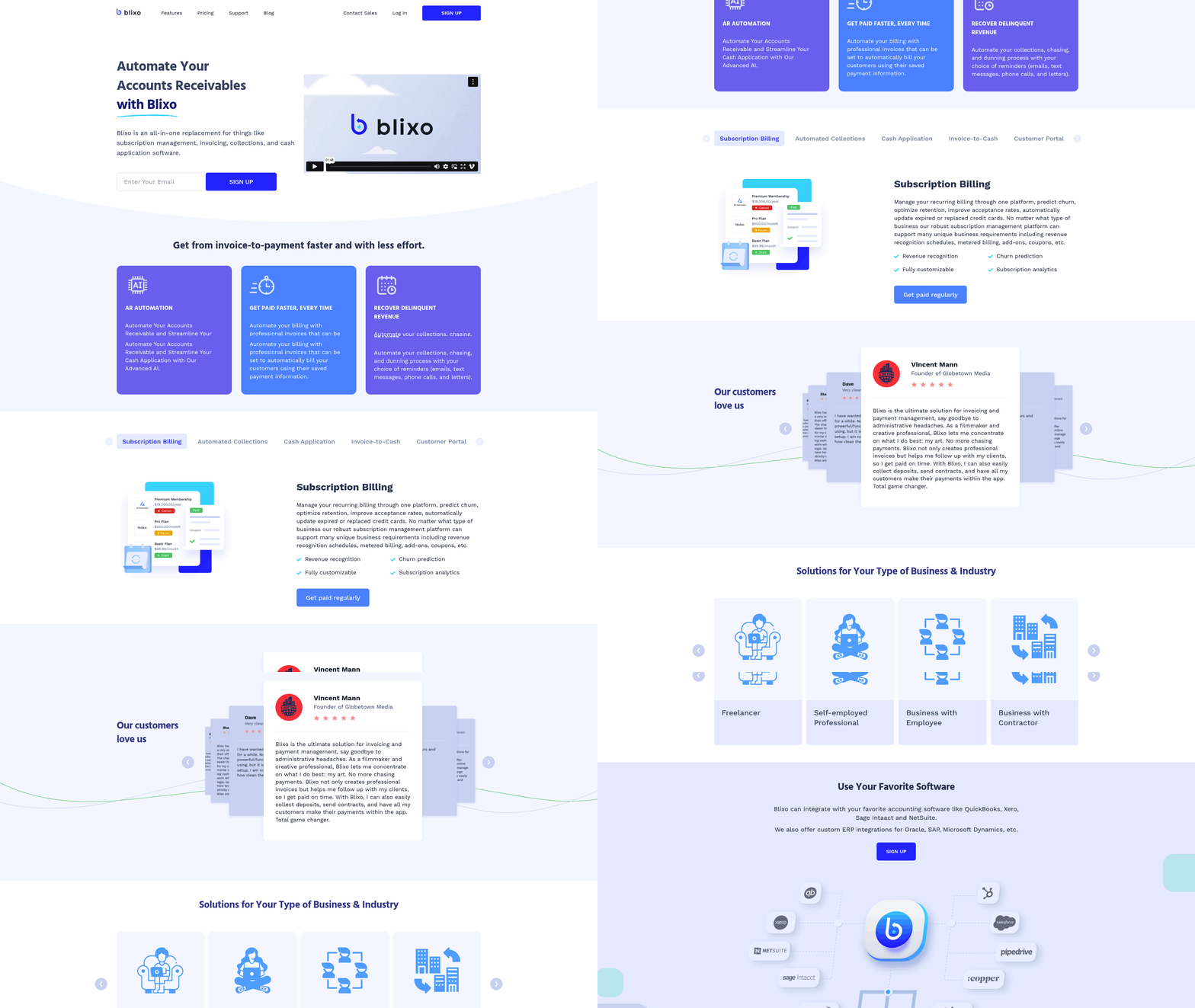
Integrating Blixo with your existing systems streamlines accounts receivable automation by connecting directly to your financial tools. Blixo offers APIs and pre-built connectors for major platforms, ensuring minimal disruption to workflows. This section outlines how to connect Blixo with accounting software, ERP systems, and CRM platforms while maintaining data accuracy.
How Do You Integrate Blixo with Accounting Software?
Blixo simplifies integration with accounting platforms like QuickBooks and Xero using pre-built connectors. The process typically involves:
- Accessing Integration Settings: Log into your Blixo dashboard and manage to the “Integrations” section.
- Selecting Your Platform: Choose your accounting software (e.g., QuickBooks or Xero) from the list of supported systems.
- Authorizing API Access: Follow the prompts to grant Blixo access to your accounting data via API. This step ensures real-time syncing of invoices, payments, and reconciliation data.
- Mapping Data Fields: Align Blixo’s data structure with your accounting software’s requirements. For example, map invoice numbers, customer names, and payment terms to corresponding fields in QuickBooks.
- Testing the Connection: Send a test invoice or payment through Blixo to verify that data flows correctly between systems.
This setup reduces manual data entry and aligns billing processes with your accounting workflows. As mentioned in the Implementing Blixo’s Accounts Receivable Automation Solution section, starting with a structured onboarding process ensures smoother integration outcomes. A construction company using Blixo reported being able to track payments with precision, eliminating delays in vendor communications.
Can Blixo Connect to ERP Systems Like SAP and Oracle?
Blixo supports integration with enterprise resource planning (ERP) systems such as SAP and Oracle via APIs. While pre-built connectors may not exist for every ERP, Blixo’s flexible API framework allows customization to match your system’s architecture. Key steps include:
- Consulting Blixo’s Documentation: Review API endpoints related to invoice processing, payment tracking, and reconciliation.
- Working with IT Teams: ERP integrations often require technical configuration. Blixo provides sandbox environments for testing before full deployment, as outlined in the Implementing Blixo’s Accounts Receivable Automation Solution section.
- Syncing Financial Data: Once connected, Blixo automatically imports invoice details and updates payment statuses in your ERP system. For example, Oracle NetSuite users can reconcile accounts receivable directly within their ERP interface.
This integration ensures consistency between AR automation and enterprise financial data, preventing discrepancies during audits or reporting.
How Does Blixo Integrate with CRM Platforms?
For customer relationship management (CRM) platforms, Blixo uses APIs to sync billing and payment data with customer profiles. While specific CRM platforms like Salesforce or HubSpot aren’t explicitly listed in Blixo’s documentation, the integration approach remains consistent:
- API Configuration: Connect Blixo to your CRM using API keys or OAuth, depending on the platform’s requirements.
- Automating Customer Updates: Link payment statuses, invoice dates, and credit terms to CRM records. For instance, a sales team could view a customer’s payment history directly in their CRM dashboard.
- Data Validation: Ensure fields like customer names and transaction IDs match across systems to avoid duplicates.
This alignment helps sales and finance teams collaborate more effectively, as customer billing data becomes instantly accessible in both systems.
What Are Best Practices for Successful Integration?
To ensure seamless integration and data consistency:
- Start with a Pilot Test: Run a small-scale integration to identify and resolve issues before full deployment.
- Use Pre-Built Connectors First: Opt for QuickBooks or Xero integrations where available, as they require less customization.
- Schedule Regular Audits: Reconcile Blixo’s data with your accounting software monthly to catch discrepancies early, aligning with the Measuring ROI and Success Metrics for Blixo’s Automation Solution section’s emphasis on KPI tracking.
- Train Your Team: Provide workshops on managing Blixo’s integration tools to reduce errors during data transfers.
By following these practices, businesses can minimize downtime and maximize the efficiency of automated AR processes. One nonprofit organization using Blixo reduced manual data entry hours by 70% through disciplined integration strategies.
This structured approach ensures Blixo becomes a seamless extension of your financial ecosystem, enabling faster payments and fewer operational bottlenecks.
Real-World Use Cases and Success Stories
How Did a Healthcare Provider Streamline Billing?
A regional healthcare network automated its accounts receivable process using Blixo, cutting manual data entry tasks by 70%. By integrating Blixo’s AI-driven invoicing tools, the organization reduced billing errors and accelerated payment collections. Patients received personalized payment reminders via email and SMS, improving on-time payment rates by 35%.
“Blixo transformed our revenue cycle. Patient payments are faster, and our team spends less time chasing invoices.” – Finance Manager, Healthcare Organization
The solution also flagged delinquent accounts for proactive follow-up, reducing outstanding balances by $120,000 within six months. As mentioned in the Why Automating Accounts Receivable Matters section, such automation minimizes financial risks while improving operational efficiency..
What Benefits Did an E-Commerce Business See?
An online retail company with $5M in annual revenue adopted Blixo to manage high-volume, subscription-based invoices. Automated payment retries and real-time analytics cut late payment instances by 50%. The platform’s customizable payment portals let customers choose flexible payment schedules, boosting customer satisfaction scores by 22%.
Blixo’s integration with the company’s ERP system eliminated reconciliation delays, saving 15+ hours weekly. Building on concepts from the Integrating Blixo with Existing Systems and Workflows section, this seamless connectivity ensures minimal disruption during adoption. By automating late fee calculations and dunning workflows, the business recovered $85,000 in previously uncollected receivables..
How Did a Professional Services Firm Improve Cash Flow?
A mid-sized consulting firm used Blixo to automate time-based invoicing and expense tracking. With project-specific dashboards, managers monitored client payments in real time, reducing Days Sales Outstanding (DSO) from 45 to 28 days. The platform’s contract management tools also minimized disputes by ensuring accurate billing terms.
“Blixo’s automation gave us visibility into every payment. We’re forecasting revenue with confidence now.” – Controller, Professional Services Firm
The firm reported a 25% reduction in administrative costs and a 15% increase in annual revenue after implementation. As highlighted in the Understanding Blixo’s Accounts Receivable Automation Capabilities section, contract management features play a critical role in aligning billing accuracy with client agreements..
What Best Practices Ensure Successful Automation?
To replicate these results, businesses should:
- Map workflows first: Audit manual processes to identify bottlenecks before deploying Blixo.
- Train cross-functional teams: Ensure finance, sales, and customer success teams understand Blixo’s tools.
- Monitor key metrics: Track DSO, payment accuracy rates, and cost-per-invoice to measure progress.
For healthcare providers, focus on patient-centric features like payment plans. E-commerce businesses should prioritize scalable automation for subscription models. Professional services firms benefit most from integrating Blixo with project management software.
By tailoring Blixo’s tools to industry-specific needs, businesses achieve faster ROI and stronger financial health. For deeper insights, explore AR automation best practices.
Frequently Asked Questions
1. What are the main benefits of automating accounts receivable?
Automating AR reduces Days Sales Outstanding (DSO) by up to 32%, cuts bad debt risks by 30%, and minimizes manual errors. Tools like Blixo streamline payment matching and invoicing, improving cash flow and freeing 70% of team time for strategic work.
2. How does manual accounts receivable processing impact businesses?
Manual processes consume 70% of AR time, cause 90% of teams to face >90-day late payments, and increase bad debt risks by 30%. Errors in data entry and duplicate invoices are common, disrupting cash flow and operational efficiency.
3. How does Blixo software help with payment matching?
Blixo’s AI automates payment matching, eliminating 84% of manual work. It integrates with QuickBooks and Xero, reducing reconciliation time and cutting payment errors and disputes by 30% for businesses using its platform.
4. What costs are associated with manual AR processes?
Manual AR leads to 90-day late payments for 90% of teams, with 70% of processing time spent on data entry. These inefficiencies raise bad debt risks, delay cash flow, and reduce profitability due to extended Days Sales Outstanding (DSO).
5. How much time does AR automation save finance teams?
Automating AR frees 70% of finance teams’ time from manual tasks, allowing focus on strategic work. Blixo’s tools eliminate 84% of manual payment matching, reducing processing delays and improving operational efficiency.
6. Can AR automation reduce payment disputes?
Yes, automation cuts payment disputes by 30% by minimizing errors in invoicing and payment tracking. Blixo’s real-time dashboards and automated reconciliation prevent duplicate invoices and ensure accurate, transparent payment records.
7. What integration options does Blixo offer?
Blixo integrates with accounting systems like QuickBooks and Xero via APIs and pre-built connectors. This eliminates manual reconciliation, streamlining AR workflows and reducing Days Sales Outstanding by up to 32% for users.