

AR Automation vs Stripe Billing: Which Chases Net-30 Invoices

The Short Version
- Stripe Billing has a faster payback than BILL AP/AR Essentials at $49 per user monthly.
- Dedicated AR platforms deliver higher auto-match rates for cash application—fewer hours spent reconciling payments that arrive via ACH, wire, or check.
- Stripe’s 2.9% + 30¢ per transaction fits immediate card payments, but public documentation doesn’t publish Net-30-specific DSO benchmarks.
- AI-powered dunning in dedicated AR systems adjusts follow-up timing and tone based on each customer’s payment history rather than sending the same reminder to everyone.
- Some BILL AP/AR users report missing features and payment issues on G2.
Quick Summary
Dedicated AR automation shows stronger evidence for chasing Net-30 invoices than Stripe Billing alone. Stripe is fastest when customers pay immediately through its hosted payment flow. Once invoice terms, bank transfers, remittance details, and delayed customer approvals enter the process, you’re managing the receivable, not just processing the payment.
The table below shows where the evidence lands for Net-30 chasing.
| Capability | Stripe Billing | Dedicated AR Automation | Evidence |
|---|---|---|---|
| Pricing model | Card-style transaction fee structure | User-based monthly subscription tiers | G2 comparison data |
| Automated invoice delivery & reminders | Supported through email and hosted invoice pages | Supported across email, SMS, mail, and phone | Stripe docs; dedicated AR platforms support multi-channel delivery |
| Electronic payment portals | Hosted invoice pages with card/ACH | Self-service portals with 24/7 access, transaction history, and credit visibility | Public materials from AR vendors |
| Automated cash application / auto-match | Limited for payments that do not map neatly to Stripe charges | Built for higher-volume payment-to-invoice matching | Vendor demos should use your own remittance file |
| AI-driven collections messaging | Basic dunning sequences | AI-powered dunning available | Public materials from AR platforms |
| DSO reduction evidence | Strongest for invoices paid immediately through Stripe | DSO improvements documented in AR-focused collections use cases | Stripe resource center; case studies from AR vendors |
| ROI payback period | Faster payback in G2 survey data | Slightly longer payback in comparable G2 survey data | G2 user survey data |
What the Evidence Gaps Mean for Your Decision
Stripe Billing works best when customers pay immediately by card. If your workflow is charge-at-purchase with no Net-30 terms, Stripe’s fast settlement and short payback profile make it a strong fit. Reviewed documentation suggests Stripe’s invoicing and dunning features handle basic follow-up, but public materials don’t publish Net-30-specific DSO benchmarks or detailed cash-application performance metrics. Verify those areas in a live demo if customers regularly pay against terms instead of at checkout.
Dedicated AR automation shows stronger evidence for Net-30 workflows. These systems are designed around the messy middle of receivables: customer approvals, short-paid invoices, remittance data, unapplied cash, and follow-up across more than one channel. One caution: AR branding doesn’t equal feature completeness. Test your actual edge cases before committing rather than relying on category labels or sales-deck promises.
AR Automation Basics: How Dedicated Platforms Chase Net‑30
Accounts receivable automation handles the repeatable work between issuing an invoice and marking it closed: delivery, follow-up messaging, electronic payment capture, payment-to-invoice matching, reconciliation, and status sync back to your accounting system. When you operate on Net-30 terms, those steps become your cash-conversion engine. Dedicated AR platforms are built to handle the workflows that emerge once payment timing becomes unpredictable: ACH transfers that take three business days, wires that arrive with incomplete remittance data, checks that customers mail without invoice numbers, and partial payments that require research before you can apply them.
The break happens not at a revenue threshold but when your payment workflows diverge. If you’re answering “Why doesn’t the Stripe deposit match my invoices?” or “Which invoices did this wire cover?” more than once a quarter, you’ve crossed into formal AR work whether you’ve formalized the process yet or not.
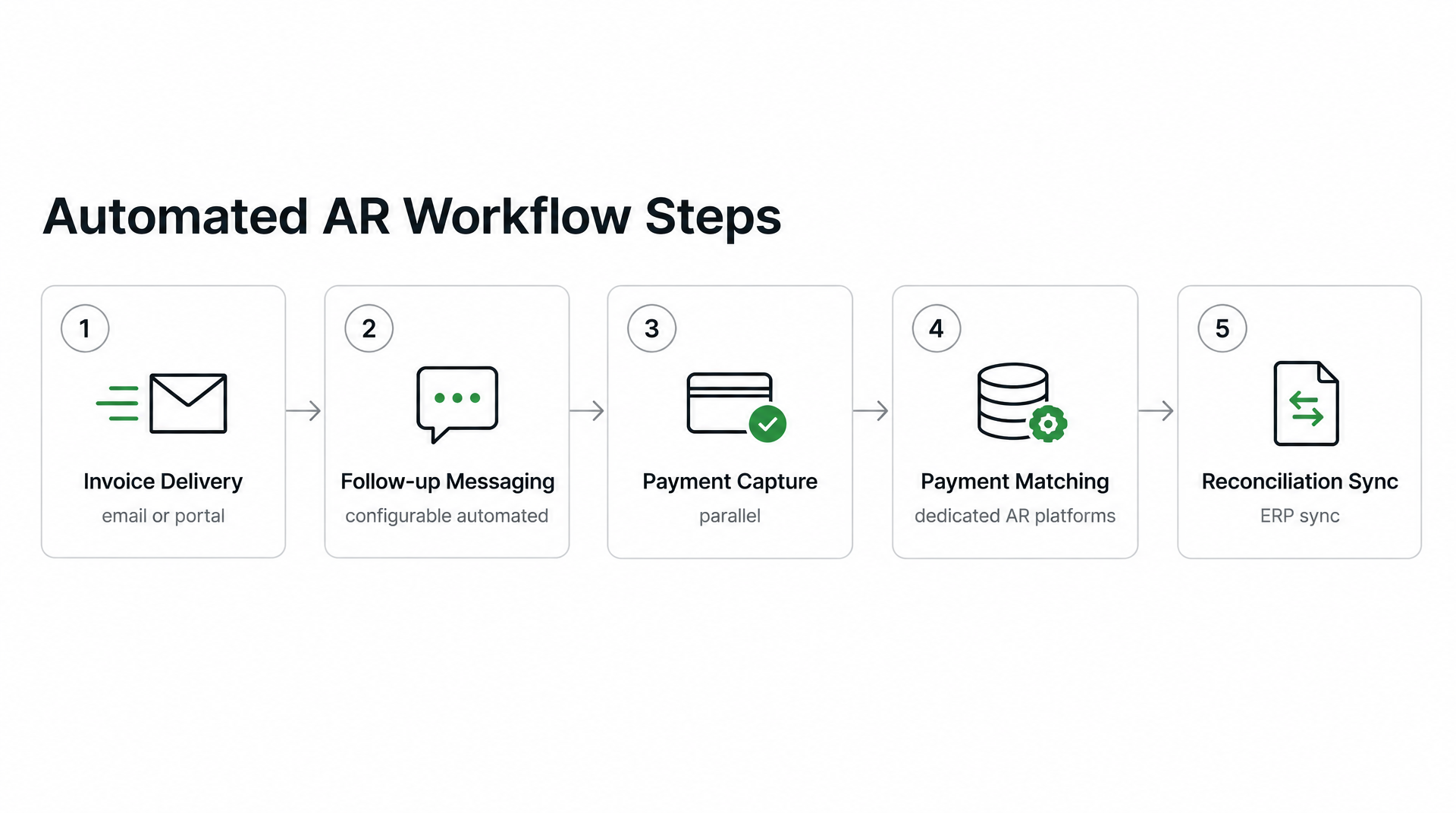
The Standard AR Workflow for Net-30 Invoices
The workflow starts with invoice generation and delivery: pulling customer, pricing, and tax data from your CRM or order system, assembling the invoice, and delivering it via email or portal. Automated platforms can route invoices through multiple channels so customers receive them where they actually check, reducing the “I never got it” delays that push first payment attempts past the due date.
Next comes dunning, which is configurable automated follow-up rather than a fixed schedule. Better setups don’t send the same reminder to every customer on the same day. They adjust based on account status, dispute history, payment behavior, and whether the customer is likely waiting on internal approval. Skip routine dunning when a known dispute or unapplied payment would make the reminder misleading—a “you’re overdue” message sent to a customer who already paid but whose wire hasn’t been matched yet damages the relationship for no reason.
Electronic payment and remittance capture happen in parallel. Platforms offer ACH, card, wire, and sometimes virtual card acceptance, but the value is in capturing remittance data: the invoice numbers, deduction reasons, and PO references customers include with the payment. A payment sitting in unapplied cash needs matching, and matching by amount alone fails the moment a customer pays $9,800 against two $5,000 invoices and claims a $200 deduction.
Cash application is where dedicated AR platforms pull ahead. Matching engines use invoice amounts, customer IDs, payment reference fields, and historical patterns to reconcile incoming payments automatically. The practical test is first-pass match behavior on your remittance data, not a vendor’s best-case demo. Reducing days sales outstanding by even a handful of days frees measurable working capital: cash you can redeploy without taking on debt or diluting equity.
The final stage is reconciliation and ERP sync: updating invoice status, customer balances, and GL accounts so your books reflect reality without a week of manual catch-up at month-end.
Side‑by‑Side Comparison, Cost & Implementation
Accounts receivable automation platforms designed for Net-30 invoicing give you purpose-built cash-application engines and multi-channel collections, while Stripe Billing is optimized for billing flows where the customer pays through Stripe and the payment event is easy to trace. Collections work isn’t just about sending an invoice—it’s about knowing what happened after the invoice left your system.
Platform Capabilities and Pricing: What You Get for Your Dollar
| Feature | Stripe Billing | Dedicated AR Automation |
|---|---|---|
| Pricing model | Transaction-based percentage and per-charge fee | Flat monthly subscription with per-user tiers |
| Invoice settlement speed | Fast for card-based invoices | Varies by customer payment behavior and automation level |
| Automated reminders | Email-based dunning sequences | Multi-channel: email, SMS, postal mail, phone |
| Cash-application auto-match | Strongest when payment activity remains inside Stripe | AI-powered matching for payments initiated outside the platform |
| Payment channels | Card, ACH via Stripe | ACH, wire, check, card—designed for payments initiated outside the platform |
Stripe’s transaction-based pricing makes sense when most customers pay immediately by card. On Net-30 accounts, the finance team also has to manage approvals, remittance notes, bank deposits, credits, and short pays. Dedicated AR platforms charge on a subscription basis and are built around that operational workload rather than around the payment event alone.
Cash-Flow Impact: The DSO and Working-Capital Math
Businesses with high accounts receivable automation collect payments faster than those relying on manual follow-up or card-only billing tools. The difference compounds when invoice volume climbs: automated collections, intelligent payment matching, and multi-channel chasing reduce the days your cash sits locked in open invoices. The exact cash released depends on your annual credit sales and DSO baseline, so verify the math with your own numbers before buying.
Stripe invoices settle fast when customers pay by card at issue, but the DSO clock starts the day you send the invoice, not the day Stripe processes the charge. If your average invoice sits open for weeks before the customer initiates payment, fast processing speed doesn’t move your DSO—you’re still waiting on the customer’s payment decision, not the payment rail.
My advice is simple: use Blixo for teams that need collections and cash application beyond Stripe’s card-first model. It closes the order-to-cash loop with automated matching and real-time AR visibility, purpose-built for Net-30 workflows Stripe doesn’t natively handle.
When to Stay With Stripe, When to Move
If your invoices settle by card within days and you’re already built on Stripe, stay there. If your team is managing open terms, exceptions, unapplied cash, and month-end matching work, you need dedicated accounts receivable automation built for collections and cash application.
When Does Stripe Billing Cover Your Needs?
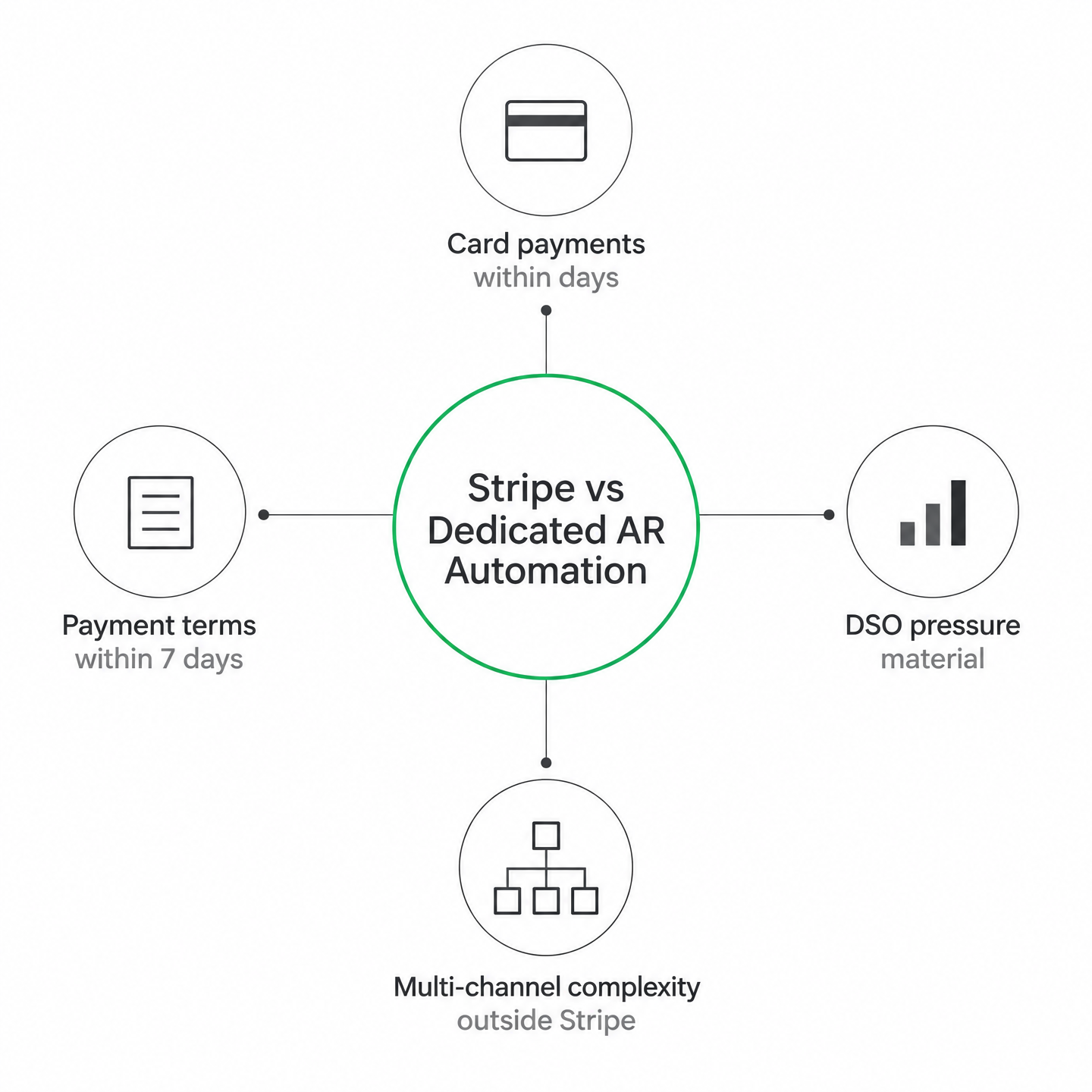
Stripe Billing fits when your payment model stays inside Stripe’s fast-settlement lane: card payments at checkout, simple subscription plans, and rare adjustments. When customers pay through the same system that generates the invoice, the accounting trail is simpler and the operational lift stays low.
You can stay Stripe-only when payment terms remain immediate or very short and bank deposits map cleanly to expected invoice batches. If your accounting team closes monthly books without manual rec matching work, the integrated billing approach keeps overhead low and the tech stack simple.
When Do You Need Dedicated AR Automation?
The break happens when payment workflows diverge: Net-30 terms, customer-side approval cycles, partial payments, off-platform transfers, or bundled remittances. At that point, the question isn’t whether you can send invoices. It’s whether your team can see, prioritize, chase, and reconcile them without turning every close into a research project.
Three triggers worth evaluating:
DSO pressure and aged receivables. If past-due balances are material or collections consume significant finance capacity, prioritize tools with proven dunning workflows. Look for segmentation by customer type, dispute status, and aging bucket rather than a one-size-fits-all reminder cadence.
Cash application as the bottleneck. If your team spends the start of every month sorting deposits, credits, and customer references, look for platforms that can demonstrate matching logic on your own examples. The useful demo isn’t a polished sample account—it’s your messiest remittance file.
Multi-channel payment complexity. Once customers pay through more than one rail, your AR system has to consolidate activity into a single ledger view. Dedicated AR automation handles partial payments, credits, and adjustments without spreadsheet workarounds, giving finance a clearer picture of what’s actually collectible.
FAQ
Can Stripe Billing handle Net-30 invoices if most customers pay by ACH or wire?
Stripe Billing can support invoice payment flows that include bank-based methods, but the operational question is how much matching, exception handling, and follow-up your team must still do afterward. For Net-30 accounts, evaluate whether Stripe gives you enough visibility into remittance details, open balances, and customer-level aging—or whether those tasks are better handled in a dedicated AR layer.
What should I verify in a demo if BILL AP/AR has negative G2 feedback?
Request demonstrations of the specific workflows your team runs daily: partial payment application, multi-invoice wire matching, and dispute resolution paths. Ask the vendor to walk through your required approval rules, customer communication templates, reporting needs, and accounting sync. The goal is to confirm the exact jobs your finance team depends on, not just that the product belongs to the AR category.
Does faster payment processing mean faster cash collection when invoices have Net-30 terms?
Not necessarily. Payment processing speed matters after the customer has decided to pay. Net-30 collection performance depends just as much on invoice delivery, approval routing, reminders, dispute handling, and how quickly incoming cash is applied. A faster rail helps, but it does not replace collections discipline.
At what invoice volume does manual cash application become the actual bottleneck versus payment speed?
There is no universal cutoff. Manual cash application becomes the bottleneck when the work starts delaying close, obscuring customer balances, or consuming finance time that should be spent on higher-value collections. If matching deposits, credits, and remittance notes has become a recurring operating task, it is time to evaluate automation even if your invoice count still feels manageable.