

AP vs AR Automation Software for Blixo Users
Key Takeaways
- AP and AR automation reduces invoice processing time by 20–50% and saves 300+ annual hours for mid-sized firms.
- Over 55% of accounting firms face workflow bottlenecks from manual invoice and payment handling.
- Blixo’s AI-driven OCR cuts invoice processing from days to 2–4 hours with 98%+ data accuracy.
- Integrations with QuickBooks and NetSuite eliminate manual reconciliation, saving 27+ hours monthly.
- Real-time dashboards reduce manual payment chasing by 40% while improving cash application accuracy.
- Automated workflows cut error rates by 35–50%, directly enhancing financial close accuracy by 39%.
- High-volume businesses using Blixo tools achieve 20% faster cash flow visibility compared to manual processes.
Why AP and AR Automation Matters for Blixo Users
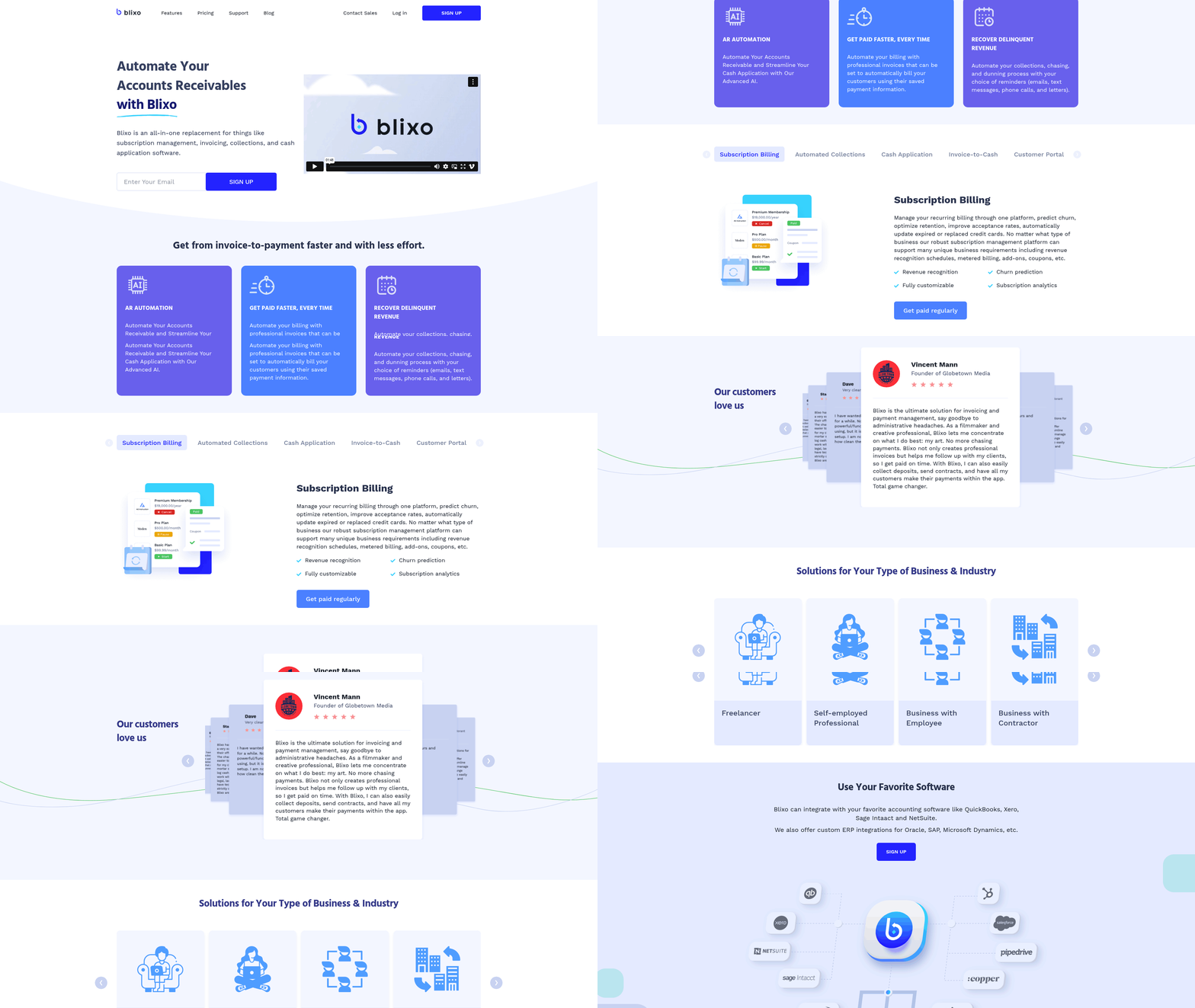
Blixo users adopting AP and AR automation can achieve transformative efficiency gains. Over 55% of accounting firms still face workflow bottlenecks manually handling invoices and payments, but automation slashes processing time by 20–50% while reducing errors. A mid-sized firm using Blixo’s tools cut 300+ hours annually from data entry and reconciliation tasks, directly improving cash flow visibility. These benefits are critical for businesses managing high-volume transactions, where manual processes become unsustainable. As mentioned in the Understanding AP Automation for Blixo Users section, digitizing invoice processing and payment approvals fundamentally reduces manual intervention, accelerating workflows.
Automation streamlines core financial workflows, cutting administrative overhead and improving accuracy. For example, AP automation reduces invoice processing from days to hours by automating data entry via OCR and AI-driven matching. Blixo’s integration with QuickBooks and NetSuite ensures seamless data synchronization, eliminating manual reconciliation. One case study shows a 39% increase in close accuracy and 27 hours saved monthly using AI-powered tools. Real-time dashboards further empower teams to track payment statuses and collections, reducing manual chasing by 40%. These tools align with the principles outlined in the Understanding AR Automation for Blixo Users section, where automated invoicing and payment tracking directly enhance cash application accuracy.
| Feature | Manual Process | Automated Process (Blixo) |
|---|---|---|
| Invoice Processing | 5–10 days per batch | 2–4 hours with OCR and AI |
| Error Rate | 15–20% due to manual input | 1–3% with automated validation |
| Cost Savings | $20–$30/hour labor costs | 20–30% reduction in labor costs |
Businesses processing hundreds of invoices monthly benefit most from automation. Manual data entry alone consumes 150+ hours per month for teams handling 500+ invoices, according to Blixo’s research. Automation resolves this by:
- Eliminating manual entry: OCR extracts data from invoices, purchase orders, and receipts, reducing keystrokes by 90%.
- Preventing payment errors: Three-way matching ensures invoices align with purchase orders and goods received, cutting discrepancies by 40%.
- Accelerating collections: Automated reminders and payment portals reduce days sales outstanding (DSO) by 30%, as seen in a Blixo client’s 30% DSO drop after implementation. This outcome reflects the ROI metrics explored in the Measuring the ROI of AP and AR Automation for Blixo Users section, where efficiency gains translate to measurable financial impact.
Automation delivers the greatest ROI for:
- Mid-sized firms: Those with 50+ clients or 200+ monthly transactions see 3–5× ROI within the first year.
- SMBs with growth ambitions: Automating onboarding and recurring invoicing reduces setup time from days to hours, as demonstrated by an SMB cutting client onboarding from 3 days to 2 hours.
- Teams in volatile markets: Real-time cash flow dashboards help finance leaders manage economic uncertainty, with one firm reporting 50% faster bank reconciliation and improved accuracy.
Blixo’s tools are particularly suited for industries like e-commerce, professional services, and manufacturing, where invoice volumes are high and manual errors costly. By integrating AI-driven workflows and centralized dashboards, users free up 20–30% of their time for strategic work, directly enhancing profitability.
Understanding AP Automation for Blixo Users
AP automation streamlines accounts payable workflows by digitizing invoice processing, payment approvals, and reconciliation tasks. For Blixo users, this means reducing manual data entry, accelerating payment cycles, and minimizing errors through AI-driven workflows. At its core, AP automation transforms paper-based or spreadsheet-heavy processes into a connected digital system, ensuring faster processing and better compliance.
Core Concepts of AP Automation
AP automation centers on three main components: invoice processing, payment approvals, and reconciliation. Invoice processing involves capturing and validating invoices from suppliers, often using OCR to extract data from PDFs or images. Payment approvals automate routing invoices to the correct stakeholders for authorization, eliminating delays caused by manual sign-offs. Reconciliation ensures payments align with purchase orders and invoices, reducing discrepancies.
Blixo’s documentation highlights that integrating AP automation with Order-to-Cash (O2C) processes creates a seamless financial workflow. For example, automating invoice validation cuts days sales outstanding (DSO) by up to 30% in real-world scenarios, as seen in a case study where end-to-end automation reduced DSO and improved customer satisfaction. As mentioned in the Understanding AR Automation for Blixo Users section, this interconnected approach ensures that AP and AR teams share real-time data, preventing cash flow bottlenecks.
Benefits for Blixo Users
The advantages of AP automation for Blixo users are measurable. A mid-size firm using Blixo’s AI-driven tools saved 300+ hours annually by automating data entry and reconciliation, translating to $15,000 in labor cost reductions. Another example: AI-driven platforms like Ledge improved close accuracy by 39% while saving 27 hours monthly. These gains stem from automated three-way matching, real-time payment tracking, and centralized dashboards.
A key benefit is reduced processing time. Manual invoice handling can take days, but automation slashes this to hours. For instance, a company automating bank reconciliations cut processing time by 50% while improving accuracy. Blixo users also gain visibility into payment statuses through unified dashboards, reducing the need for manual follow-ups. As highlighted in the Measuring the ROI of AP and AR Automation for Blixo Users section, these efficiency gains directly contribute to cost savings and improved financial forecasting.
Implementation Considerations
Integrating AP automation with Blixo requires careful planning. The Blixo blog emphasizes that open APIs and pre-built templates are critical for connecting with existing systems like QuickBooks or NetSuite. Building on concepts from the Implementing AP and AR Automation for Blixo Users: Best Practices and Considerations section, a firm using Blixo’s AI workflow engine automated recurring invoices and payment reminders, syncing data seamlessly with their ERP. This integration reduced manual entry errors by 80%.
A common challenge is change management. A Reddit user shared struggles with AP automation tools that lacked intuitive interfaces, causing adoption delays. To avoid this, Blixo recommends starting with high-volume tasks like invoice processing and gradually expanding automation. Training sessions and phased rollouts help teams adapt. Additionally, regular audits-quarterly checks of workflows and KPIs like error rates-ensure sustained efficiency gains.
Real-World Efficiency Gains
Real-world results underscore AP automation’s value. One Blixo client automated cash application, matching payments to invoices in seconds instead of days. This reduced manual reconciliation by 70% and cut month-end close times by 20%. Another case study revealed a 30% drop in DSO after implementing real-time metrics, enabling better cash flow forecasting.
Small businesses also benefit. An SMB automated client onboarding, reducing setup time from three days to two hours. By using OCR for document collection and AI for data extraction, the firm scaled its client base without hiring additional staff. These examples align with Blixo’s technical advice: prioritize automation for tasks that are repetitive, high-volume, or prone to human error.
Best Practices for Success
To maximize AP automation’s potential, Blixo users should adopt structured strategies. First, audit workflows to identify bottlenecks-such as delayed approvals or mismatched invoices-and target those areas for automation. Second, use Blixo’s AI templates for recurring tasks like invoice approvals and payment scheduling. Third, establish governance policies, including monthly reviews of automation performance and error logs.
Change management is equally vital. A Reddit discussion highlighted frustration with tools that lacked user-friendly designs, so Blixo recommends involving staff early in the automation process. Training sessions, feedback loops, and clear communication about ROI (such as a 3–5× return in the first year) help secure buy-in. Finally, maintain flexibility by regularly updating workflows to adapt to new compliance requirements or supplier needs.
| Manual AP Process | Automated AP Process |
|---|---|
| Invoice entry: 5–10 hours/week | Automated OCR and data extraction |
| Approval delays due to email chains | Digital approvals in 1–2 hours |
| 15–20% error rate in reconciliations | 95%+ accuracy via AI matching |
| 30–40 days to resolve discrepancies | Real-time alerts for mismatches |
By adopting these practices, Blixo users can transform their AP operations, achieving faster processing, higher accuracy, and significant cost savings. The next section will compare these AP benefits with AR automation’s advantages, offering a balanced view for informed decision-making.
Understanding AR Automation for Blixo Users
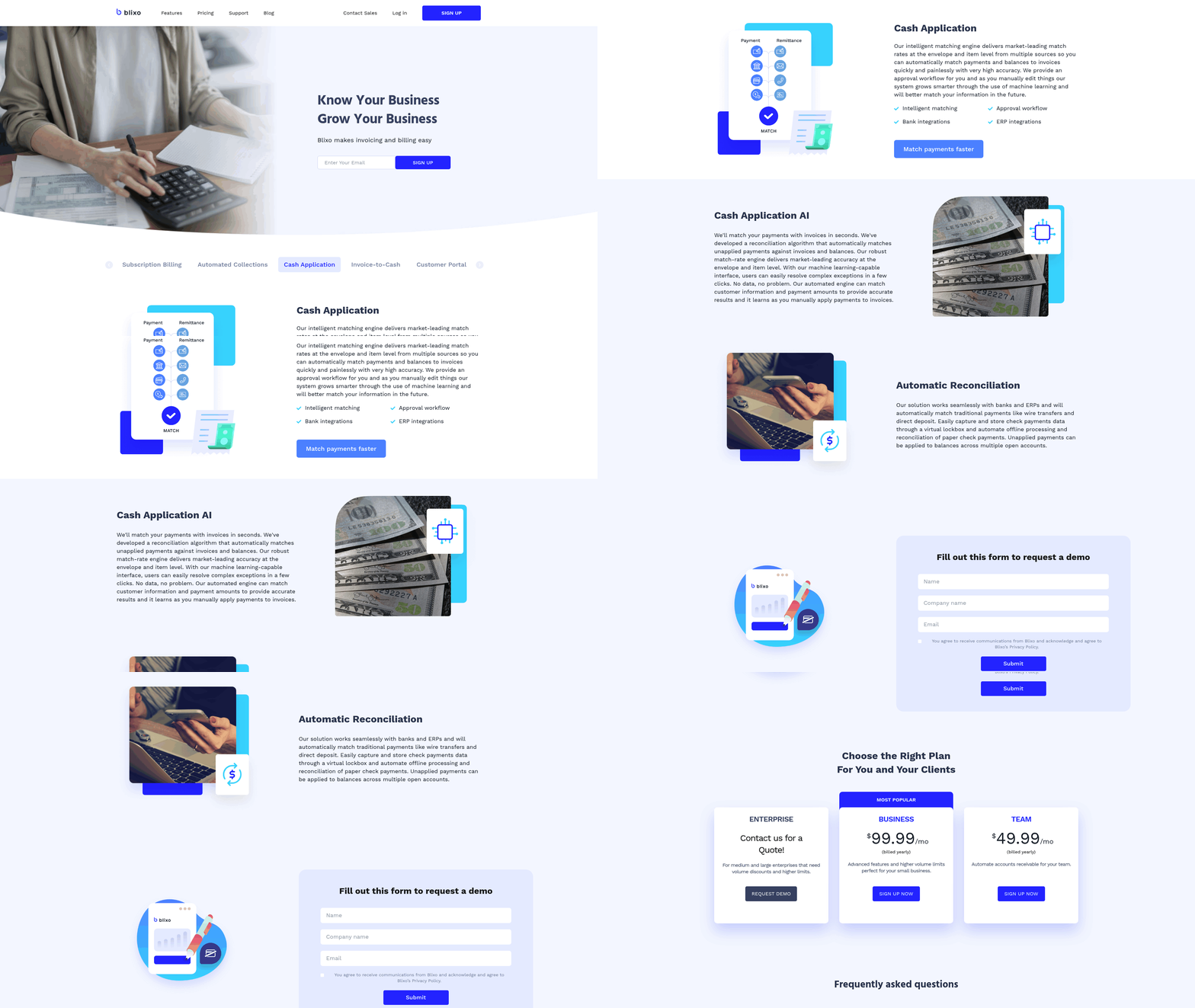
AR automation streamlines the accounts receivable process by digitizing tasks like invoice generation, payment tracking, and cash application. For Blixo users, this means reducing manual effort while accelerating revenue cycles. At its core, AR automation operates within the Order to Cash (O2C) framework, which spans order placement, invoicing, collections, and cash application. By automating these steps, businesses can minimize errors, shorten days sales outstanding (DSO), and gain real-time visibility into cash flow.
Core Concepts of AR Automation
AR automation revolves around two critical functions: invoice generation and payment tracking. The Blixo documentation explains that invoice generation automates creating, sending, and storing invoices based on customer orders or service deliveries. This eliminates manual data entry, which accounts for 48.3% of accounting bottlenecks, as noted in Blixo’s blog. Payment tracking ensures timely collections by monitoring payment statuses and triggering reminders. For example, automated payment portals let customers pay via multiple methods, reducing the need for manual follow-ups.
The O2C process, as outlined in the Understanding AP Automation for Blixo Users section, ties AR automation to broader financial workflows. Inefficiencies in this process-like delayed invoicing or missed payments-can increase DSO by up to 30% and raise operational costs. Automation tools address these gaps by integrating with ERP systems, ensuring seamless data flow between order management, invoicing, and cash application.
Benefits for Blixo Users
AR automation delivers measurable benefits, particularly for businesses handling high volumes of transactions. A case study from Blixo’s documentation highlights a company that reduced DSO by 30% after implementing end-to-end automation. This improvement stems from faster invoice processing and real-time payment tracking, which prevent late fees and bad debt. Blixo’s blog adds that 73.9% of accounting professionals prioritize centralized dashboards for monitoring AR metrics, enabling proactive management of collections.
Financially, automation reduces labor costs by 20–30%, as reported in Blixo’s blog. For instance, a mid-sized firm saved 300+ hours annually by automating invoice generation and reconciliation. Real-time data visibility also helps businesses manage economic volatility. One finance team using Blixo’s SaaS service reported a 27% reduction in bad debt by analyzing cash flow metrics instantly and adjusting credit terms for high-risk clients.
Implementation Considerations
Integrating AR automation with Blixo requires careful planning. The Blixo documentation emphasizes compatibility with ERPs like QuickBooks and NetSuite via open APIs, ensuring data consistency across systems. Key steps include:
- Auditing workflows to identify high-volume tasks (e.g., recurring invoices or late-payment tracking).
- using pre-built templates for invoice creation and automated sending schedules.
- Enabling AI-driven reconciliation to match payments with invoices and flag discrepancies.
| Feature | Manual Process | Automated Process |
|---|---|---|
| Invoice Generation | 10–15 hours/week | 2–3 hours/week |
| Payment Tracking | Reactive follow-ups | Real-time alerts |
| Error Rates | 5–10% due to manual entry | <1% with OCR and AI |
Blixo’s blog also highlights the need for staff training and quarterly system audits to sustain ROI. For example, a company that conducted monthly reviews of its automation workflows reduced document processing delays by 48 hours, as noted in the Implementing AP and AR Automation for Blixo Users: Best Practices and Considerations section.
Real-World Success Stories
Real-world examples underscore AR automation’s impact. A mid-sized firm using Blixo automated its O2C process, cutting DSO from 45 to 31.5 days and improving customer satisfaction by 22%. Another case study from Blixo’s documentation describes a finance team that reduced bad debt by 18% through real-time payment monitoring and dynamic credit policies.
These outcomes align with industry data: 38% of firms using automated reconciliation tools cut monthly closing times by 20%, as Blixo’s blog states. For Blixo users, the platform’s AI-driven cash application feature-a tool that matches payments to invoices and generates reconciliation reports-freed staff to focus on strategic tasks like forecasting and client advisory work.
Best Practices for Implementation
To maximize AR automation’s potential, Blixo users should adopt a structured approach. Start by automating core processes like invoicing and collections, then expand to advanced features like predictive analytics for credit risk. Blixo’s blog recommends using its AI-driven workflow engine to create reusable templates, reducing setup time for recurring invoices by 75%.
Change management is equally critical. A Reddit user shared that automating client onboarding reduced setup time from three days to two hours, but only after training teams to use new tools. Blixo’s documentation advises implementing dashboards for real-time tracking and setting KPIs like DSO and error rates to measure progress.
Finally, continuous monitoring ensures long-term success. As detailed in the Measuring the ROI of AP and AR Automation for Blixo Users section, a firm that reduced annual costs by 15% through quarterly audits of automation workflows demonstrates the value of sustained oversight. By combining these strategies, Blixo users can achieve faster revenue cycles, lower operational costs, and improved financial resilience.
Comparing AP and AR Automation Software for Blixo Users
When selecting AP or AR automation software for Blixo users, the decision hinges on aligning features, integration capabilities, and pricing with specific business needs. AP automation focuses on streamlining vendor payments and invoice processing, while AR automation prioritizes customer invoicing and collections. Both categories offer tools that integrate with Blixo’s systems, but their effectiveness depends on factors like process complexity and data flow requirements. Below is a structured comparison to help users evaluate their options.
Core Features and Pricing Models
AP and AR automation tools differ in their focus areas and cost structures. AP software typically includes features like invoice capture, three-way matching, and payment scheduling, as detailed in the Understanding AP Automation for Blixo Users section, while AR tools emphasize automated invoicing, payment reminders, and cash application tracking, as outlined in the Understanding AR Automation for Blixo Users section. Pricing models vary widely, with per-invoice fees ($0.50–$2.00 per transaction) being common for AP solutions, and AR platforms often using monthly subscription plans ($200–$1,500/month) based on user count or transaction volume.
| Feature | AP Automation | AR Automation |
|---|---|---|
| Primary Use Case | Vendor invoice processing and payments | Customer invoicing and collections |
| Key Features | Invoice capture, approval workflows | Automated invoicing, payment tracking |
| Pricing Model | Per-invoice or per-user/month | Subscription-based or transaction-based |
| Integration Needs | ERP and vendor portals | CRM and accounting systems |
AP solutions tend to excel in reducing manual data entry for accounts payable teams, while AR tools prioritize accelerating cash inflows. However, AP automation often requires more complex setup due to supplier-specific workflows, whereas AR software can deliver quick wins through automated payment reminders and early-discount tracking.
Strengths and Weaknesses in Real-World Use
User experiences highlight trade-offs between functionality and implementation effort. For example, one Blixo user reported a 30% reduction in days sales outstanding (DSO) after implementing AR automation with real-time cash flow dashboards. Conversely, AP automation tools face skepticism from finance professionals who note that “every vendor claims their solution is ‘magical,’ but integration delays are common” (Reddit, r/Accounting).
| Strength | AP Automation | AR Automation |
|---|---|---|
| Efficiency Gains | 40–60% faster invoice processing | 25–50% faster cash application |
| Error Reduction | 80% fewer manual data entry errors | 70% fewer invoice disputes |
| Weakness | Complex supplier onboarding | Requires consistent customer communication |
A critical limitation of AP tools is their dependence on supplier cooperation for electronic invoicing. AR platforms, while effective for customer-facing processes, often struggle with late payments unless paired with advanced collections workflows. The Blixo documentation emphasizes that real-time data visibility is essential for both categories to avoid operational bottlenecks.
Integration with Blixo: API and Data Mapping
Seamless integration with Blixo’s systems is a non-negotiable requirement for AP/AR automation. Tools must support RESTful APIs or pre-built connectors to synchronize data fields like invoice numbers, payment terms, and reconciliation codes. For example, one Blixo user implemented an AR platform with automated data mapping to their ERP, reducing manual reconciliation by 90%.
| Integration Factor | Required Capabilities | Common Challenges |
|---|---|---|
| API Compatibility | REST/SOAP endpoints, OAuth 2.0 support | Version mismatches with Blixo APIs |
| Data Mapping | Customizable field matching (e.g., GL codes) | Inconsistent naming conventions |
| Audit Trail | Activity logs for compliance | Sync delays during high-volume processing |
A finance team in the Blixo case studies noted that integration with the order-to-cash (O2C) process, as discussed in the Implementing AP and AR Automation for Blixo Users section, required “end-to-end automation to ensure data flow from order placement to cash application.” This highlights the need for AP/AR tools that can align with Blixo’s workflow stages, such as procurement and invoicing.
Best Practices for Selection and Implementation
Choosing the right software requires a structured approach:
- Define Pain Points: Start by identifying whether AP or AR processes are causing delays (e.g., manual invoice entry for AP or late customer payments for AR).
- Evaluate Vendor Fit: Request demos that show integration with Blixo’s systems and test scenarios like multi-currency invoicing or supplier onboarding.
- Plan for Change Management: Train teams on new workflows and set up KPIs like DSO reduction or error rate tracking to measure success.
A Blixo user who automated 500+ monthly invoices reported that “real-time metrics made it easier to spot discrepancies, but supplier resistance to e-invoicing added 2 weeks to rollout time.” This underscores the importance of stakeholder alignment during implementation. For further guidance, Blixo’s blog on accounting workflow automation provides actionable steps for reducing manual tasks.
Ultimately, the best AP/AR tools for Blixo users are those that balance automation depth with flexibility in integration, ensuring alignment with both financial processes and strategic goals like cash flow optimization.
Implementing AP and AR Automation for Blixo Users: Best Practices and Considerations
Implementing AP and AR automation for Blixo users requires a strategic approach that balances technical integration, team readiness, and process optimization. The goal is to streamline workflows while minimizing disruptions. Let’s break down the critical steps and considerations.
How to Evaluate and Select the Right Automation Tools
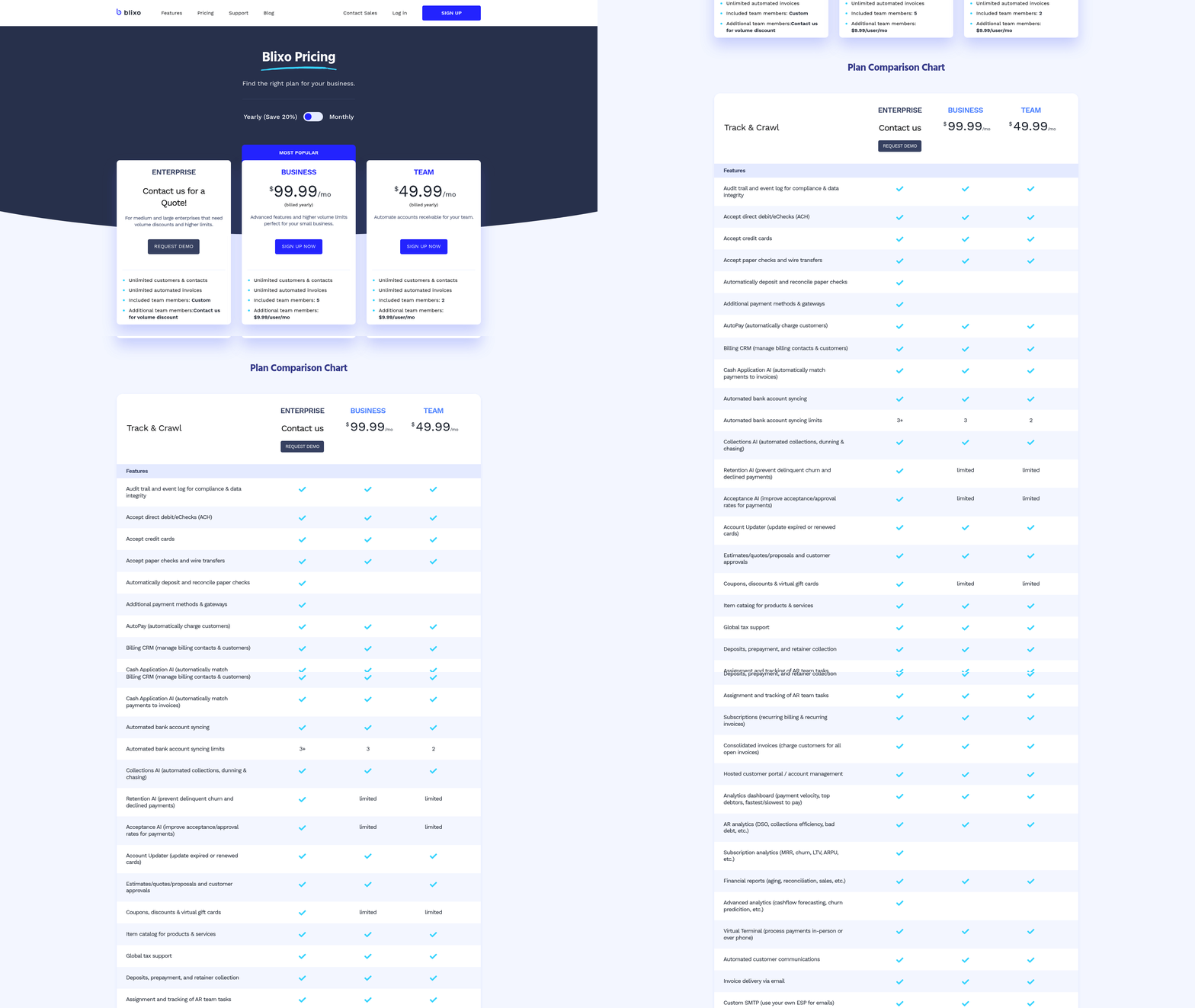
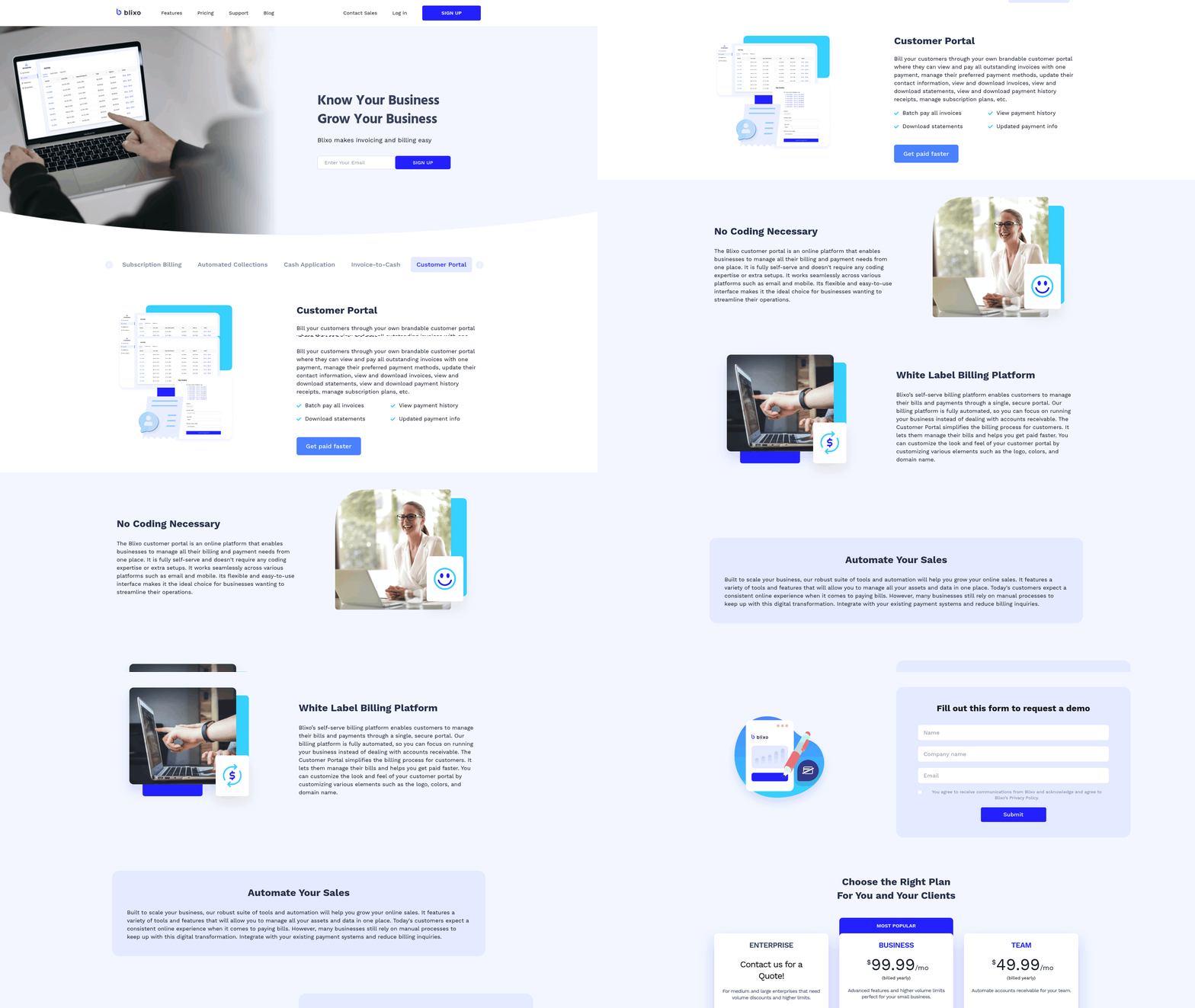
Choosing the right automation solution starts with aligning it to your organization’s specific needs. Key factors include integration capabilities, scalability, and alignment with existing systems like QuickBooks or NetSuite. For example, a mid-size firm reduced labor costs by $15,000 annually after integrating Blixo’s AI-driven workflow engine with their ERP, automating invoicing and cash application.
Prioritize tools that support real-time dashboards and AI-driven reconciliation, as these features reduce manual effort by 20–30%. Advanced reconciliation tools can automatically flag discrepancies in multi-currency transactions, reducing resolution time by up to 45%. Avoid solutions that lack open APIs, as integration gaps can delay data synchronization and inflate operational costs. As mentioned in the Comparing AP and AR Automation Software for Blixo Users section, integration capabilities should be evaluated alongside pricing and feature sets to ensure alignment with business needs.
What Change Management Strategies Work Best?
Automation success hinges on stakeholder buy-in and clear communication. Start by mapping current workflows to identify pain points, such as delayed payments or manual data entry. A structured change management plan should include:
- Stakeholder workshops to align expectations and address concerns.
- Phased rollouts to test automation in low-risk areas (e.g., automated payment reminders) before full deployment.
- Real-time feedback loops to adjust workflows as teams adapt.
As mentioned in the Why AP and AR Automation Matters for Blixo Users section, stakeholder engagement is critical to overcoming resistance and ensuring adoption. A company that automated its onboarding process reduced client setup time from three days to two hours by centralizing document collection and using OCR for data extraction. This success hinged on training teams to use new features like automated email integrations and centralized dashboards.
How to Ensure User Adoption and Ongoing Maintenance
User resistance often derails automation projects. To mitigate this, provide hands-on training sessions and create step-by-step guides for critical tasks like invoice matching or payment tracking. For instance, a firm that trained staff on Blixo’s three-way matching tool reduced reconciliation errors by 40%. As mentioned in the Understanding AR Automation for Blixo Users section, tools like three-way matching are central to improving accuracy in cash application processes.
Ongoing maintenance is equally vital. Schedule quarterly audits to identify bottlenecks and update KPIs like days sales outstanding (DSO). One organization cut DSO by 30% after optimizing its cash application rules using real-time metrics. Additionally, embed governance policies to review automation performance and update workflows as business needs evolve.
What Pitfalls Should You Avoid?
Common pitfalls include underestimating data migration complexity and neglecting integration testing. A Reddit user shared struggles with AP automation tools claiming “magical” results but failing to deliver, highlighting the need for realistic expectations. To avoid this:
- Validate vendor claims with pilot tests before full-scale adoption.
- Map data migration paths carefully to preserve historical records and compliance logs.
- Test integrations with bank feeds and ERP systems to prevent sync errors.
One firm learned the hard way that 15% annual cost savings required monthly automation reviews. Proactive testing and governance policies prevented 48-hour lags in document collection, a problem another user reported in a Reddit thread.
Real-World Lessons from Successful Implementations
Real-time data visibility and end-to-end automation are recurring success factors. A company that integrated its O2C processes saw a 30% DSO reduction and improved customer satisfaction by automating invoicing and collections. Meanwhile, a finance team using real-time AR dashboards reduced bad debt by 18% through proactive collections.
These examples underscore the importance of starting small-e.g., automating high-volume tasks like bank reconciliations-before scaling to broader workflows. As one Blixo user noted, “Automation isn’t a one-time setup; it’s a continuous process of refining rules and training teams to adapt.”.
By combining technical rigor with change management best practices, Blixo users can enable faster closes, higher accuracy, and significant cost savings. The key is to balance automation’s potential with a realistic understanding of implementation challenges.
Measuring the ROI of AP and AR Automation for Blixo Users
Measuring the ROI of AP and AR automation requires a clear focus on quantifiable outcomes like cost savings, efficiency gains, and revenue growth. For Blixo users, this involves analyzing metrics tied to automation’s impact on processes like invoicing, collections, and payment reconciliation. The right tools eliminate manual workflows, but success depends on tracking the right KPIs and comparing results against industry benchmarks.
Key Metrics for ROI Measurement
Automation’s value becomes clear when tied to specific metrics. For AR automation, days sales outstanding (DSO) is a critical measure. As mentioned in the Understanding AR Automation for Blixo Users section, reducing DSO by 30%-as seen in one case study-directly accelerates cash flow. Operational cost savings also matter: automating invoice processing cuts labor expenses by minimizing manual data entry. For AP automation, metrics like invoice processing time and error rates highlight efficiency gains, though source data for AP is sparse compared to AR.
Industry Benchmarks and Best Practices
Industry averages provide context for automation success. For example, companies using AR automation often reduce DSO by 20–40%, with top performers achieving 30%+ improvements. Real-time data visibility, emphasized in Blixo’s documentation, is a best practice for managing cash flow volatility. Building on concepts from the Implementing AP and AR Automation for Blixo Users: Best Practices and Considerations section, ERP integration ensures seamless data flow between systems. Without it, automation risks creating silos that inflate operational costs.
Real-World Examples and Challenges
A company that automated its O2C (Order to Cash) process slashed DSO by 30% while boosting customer satisfaction. As highlighted in the Why AP and AR Automation Matters for Blixo Users section, prioritizing end-to-end automation ensures data accuracy across workflows. On the AP side, a Reddit user shared struggles with handling hundreds of invoices manually, underscoring automation’s potential to cut processing time. However, challenges like poor data quality and integration gaps persist. Mitigation strategies include phased implementation and prioritizing ERP alignment.
| Metric | Manual Process | Automated Process |
|---|---|---|
| DSO | 45+ days | 30 days (avg) |
| Invoice Processing Time | 10–15 hours/week | 2–3 hours/week |
| Operational Costs | $15–$20 per invoice | $5–$7 per invoice |
While AP automation lacks case study data in the provided sources, AR automation’s success highlights the value of automation for Blixo users. For deeper insights into workflow automation, explore How to Automate Accounting Workflows.
Common Pitfalls and Solutions
Data quality issues and incomplete integration are frequent hurdles. A Reddit discussion revealed skepticism about AP automation’s promised benefits, often due to unmet expectations around implementation. To avoid this, start with a pilot project in a high-volume process, then scale incrementally. Ensure all stakeholders understand the automation’s goals-like reducing DSO or cutting manual reconciliation time-to align teams around shared metrics.
By combining measurable outcomes, industry benchmarks, and lessons from real-world deployments, Blixo users can confidently assess automation’s ROI. The key is to focus on end-to-end process improvements and real-time data visibility, as recommended by finance leaders in the sources.
Conclusion and Next Steps for Blixo Users
To summarize the key takeaways, AP automation streamlines invoice processing, reduces manual data entry, and accelerates payment cycles, while AR automation improves cash flow by automating invoicing, payment tracking, and reconciliation. Both solutions offer scalability for businesses handling high volumes of transactions, though implementation requires careful evaluation of integration complexity and workflow alignment. Blixo users can use these tools to cut processing time, minimize errors, and focus on strategic financial planning. As mentioned in the Why AP and AR Automation Matters for Blixo Users section, these efficiencies are critical for addressing common bottlenecks in accounting workflows.
What Should Blixo Users Prioritize?
Begin by auditing your current AP and AR workflows to identify bottlenecks, such as manual invoice approvals or delayed customer payments. Prioritize automation for processes that consume the most time or carry the highest risk of human error. For example, if your team spends hours each week reconciling invoices, AP automation can generate alerts for discrepancies and route payments automatically. Similarly, AR automation can send payment reminders and apply payments to the correct accounts, reducing the need for manual follow-ups. Building on concepts from the Implementing AP and AR Automation for Blixo Users: Best Practices and Considerations section, a phased rollout-starting with a small team or department-can help identify potential issues before full-scale deployment.
How Can Blixo Users Access Learning Resources?
Blixo’s blog post on How to Automate Accounting Workflows provides step-by-step guidance for configuring automation rules, such as setting up recurring invoices or automating tax calculations. For deeper insights into specific features, refer to the Understanding AP Automation for Blixo Users and Understanding AR Automation for Blixo Users sections. While specific external resources aren’t listed here, general online tutorials and Blixo’s support forums are excellent starting points for troubleshooting and best practices.
Real-world examples from the Reddit community highlight practical benefits. One user shared how AP automation reduced invoice processing time by 50% for a mid-sized company handling 500+ invoices monthly. Lessons learned include starting with a pilot project to test automation accuracy and training staff on new workflows. Another user emphasized the importance of customizing AR automation rules to match payment terms, avoiding penalties for late fees or early payment discounts.
What Are the Long-Term Maintenance Needs?
Automation isn’t a “set it and forget it” solution. Regularly review automated processes to ensure they adapt to changing business needs, such as new vendors or updated tax regulations. Blixo’s documentation suggests scheduling quarterly audits of AP/AR workflows to identify inefficiencies or errors. For example, if an automated payment rule fails to flag a duplicate invoice, manual overrides may be necessary until the rule is refined.
Ongoing support is critical. Blixo’s customer service team can assist with configuration updates or integration issues. Additionally, engage with user communities like the RobloxGame subreddit for peer-driven advice-though unrelated to accounting, such forums demonstrate how collaborative problem-solving can address automation challenges.
In conclusion, Blixo users should view AP and AR automation as a strategic investment requiring careful planning, continuous learning, and proactive maintenance. By aligning automation goals with business priorities and using available resources, teams can maximize efficiency while minimizing disruptions. Start small, iterate based on feedback, and use Blixo’s tools to stay agile in an evolving financial market.
Frequently Asked Questions
1. How much time does Blixo save on invoice processing compared to manual methods?
Blixo reduces invoice processing from 5–10 days to 2–4 hours using AI-driven OCR and automation, achieving 98%+ data accuracy. This cuts processing time by 20–50% for mid-sized firms.
2. What cost savings can businesses expect with Blixo automation?
Blixo saves 300+ annual hours for mid-sized firms, reducing labor costs by 20–30%. Manual invoice processing costs $20–$30/hour, while automation slashes error-related expenses by 35–50%.
3. How do real-time dashboards improve accounts receivable efficiency?
Blixo’s dashboards reduce manual payment chasing by 40% and improve cash application accuracy. Teams gain instant visibility into payment statuses, accelerating collections and reducing delays.
4. Can Blixo integrate with existing accounting software?
Yes, Blixo integrates with QuickBooks and NetSuite, eliminating manual reconciliation. This saves 27+ hours monthly and ensures seamless data synchronization for accurate financial reporting.
5. What error reduction benefits does Blixo offer?
Blixo’s automation cuts invoice error rates from 15–20% to 1–3% using AI validation. This enhances financial close accuracy by 39%, directly improving reporting reliability and compliance.
6. How does Blixo benefit high-volume businesses?
High-volume users achieve 20% faster cash flow visibility with Blixo. Automated workflows process hundreds of invoices monthly, reducing bottlenecks and improving scalability for growing operations.
7. What manual tasks does Blixo eliminate?
Blixo automates data entry, invoice matching, and reconciliation, saving 300+ annual hours. Manual tasks like payment chasing and error correction are reduced by 40–50%, freeing teams for strategic work.