Accounts Receivable Automation Checklist for Blixo Users
Key Takeaways
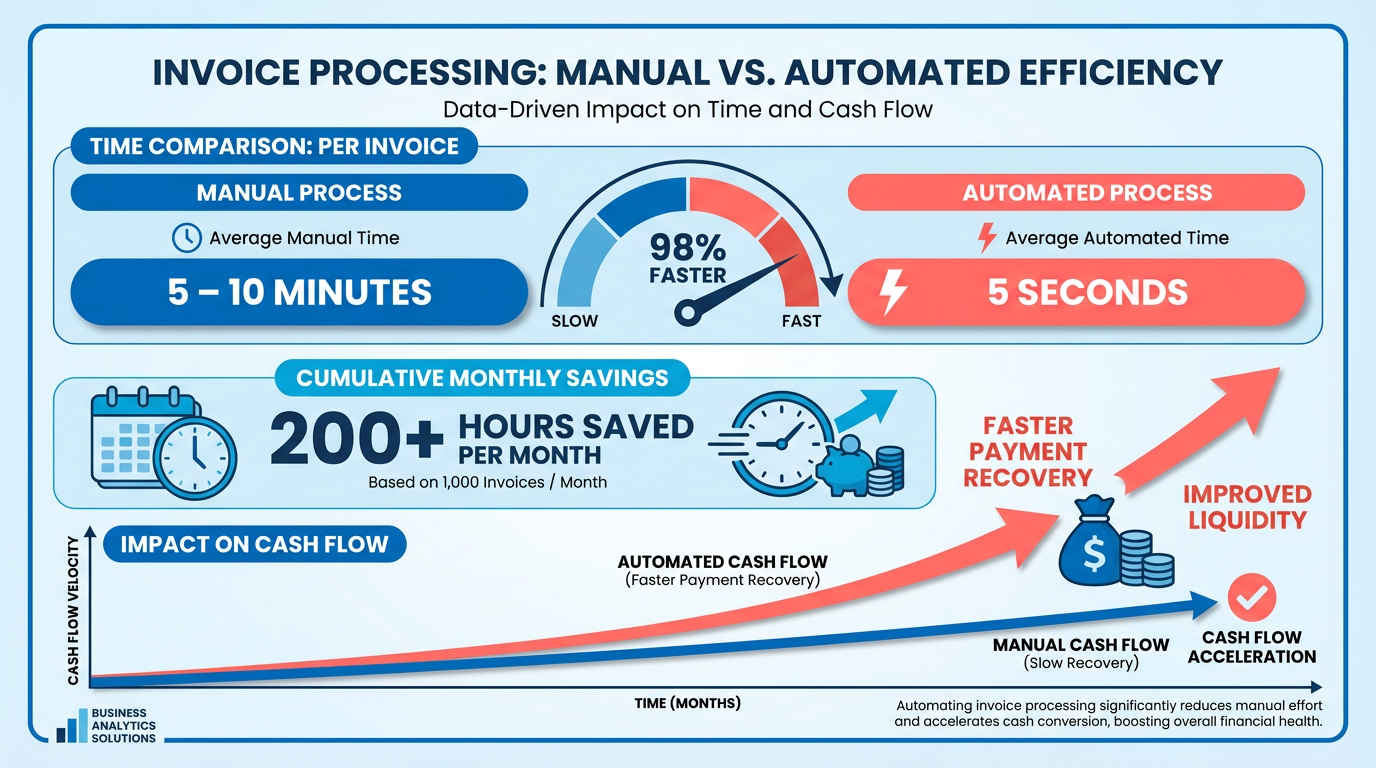
- Automate invoice processing to reduce manual effort from 5–10 minutes per invoice to just 5 seconds.
- Cut late payments by 69% and billing disputes by 40% through automation, improving cash flow accuracy.
- Achieve a 30% reduction in Days Sales Outstanding (DSO) with Blixo’s automated collections tools.
- Reduce payment receipt timelines from 78 to 55 days for businesses processing 20,000+ monthly invoices.
- Save 40–60% in costs by automating accounts receivable workflows, aligning with industry benchmarks.
- Streamline reconciliation and payment tracking, eliminating hundreds of hours of manual work monthly.
- A global employer of record cut invoice processing time from 5–10 minutes to 5 seconds using automation.
Related Video
Watch: Blixo Lifetime Deal $79 - Subscription Billing & Accounts Receivable Automation | Blixo Review by The SaaS Deals
Why Accounts Receivable Automation Matters for Blixo Users
How Automation Transforms Manual Processes
Businesses using manual accounts receivable processes waste 5–10 minutes per invoice, adding up to hundreds of hours lost each month. Automation slashes this effort by handling invoice generation, payment tracking, and reconciliation in seconds. For example, one global employer of record reduced invoice processing time from 5–10 minutes to 5 seconds using automation. This efficiency isn’t just about speed-it directly impacts cash flow. Manual processes also lead to 69% of businesses reporting increased late payments, while automation reduces billing disputes by 40% by minimizing human errors. Building on concepts from the Blixo’s Automation Features and Benefits section, Blixo’s tools further streamline these workflows.
Real-World Impact of Blixo Automation
Blixo users see measurable improvements in cash flow and operational efficiency. A mid-sized company cut its Days Sales Outstanding (DSO) by 30% after implementing Blixo’s automated collections. Another business processing 20,000+ monthly invoices reduced payment receipt timelines from 78 to 55 days. These results align with industry benchmarks: 40–60% cost savings are reported by companies automating AR processes. For service-based businesses, Blixo’s clean interface and subscription billing tools streamline recurring payments, as noted by user Stacey, who praised the platform for simplifying her workflows. As mentioned in the Measuring Success with Key Metrics section, tracking metrics like DSO and AR turnover ratio helps quantify these improvements.
Who Benefits Most from Blixo’s Automation
Businesses with high invoice volumes or complex billing cycles gain the most from Blixo. For instance, a law firm integrating Blixo with its ERP system reduced invoice processing time by 40%, while a SaaS company automated subscription management, cutting DSO from 60 to 30 days. The platform’s support for multiple payment methods (ACH, credit cards) and integrations with QuickBooks, Xero, and NetSuite makes it ideal for companies needing seamless financial workflows. As outlined in the Scalability and Integration Considerations for Blixo Users section, these integrations require minimal technical infrastructure, ensuring accessibility for businesses of all sizes. Small businesses also benefit: Founder Vincent Mann highlighted how Blixo eliminated payment chasing, letting him focus on creative work.
Addressing Common AR Challenges
Automation tackles persistent issues like slow or inconsistent customer payments and manual cash application. Blixo’s customizable dunning processes and automated reminders ensure late payments are addressed proactively. Its intelligent matching engine also reduces the time spent reconciling payments by matching transactions to invoices with high accuracy. For businesses struggling with inconsistent cash flow, Blixo’s subscription billing tools provide predictability, as seen in Duy’s experience managing monthly payments with minimal effort.
Measuring Success with Key Metrics
Tracking metrics like AR turnover ratio and DSO helps quantify automation’s impact. A high turnover ratio indicates efficient collections, while a low DSO means faster cash conversion. Blixo users report 75% better customer experiences and 30% faster collections, directly improving their AR turnover. For example, a construction firm saved 200+ administrative hours weekly by automating payment reminders for project milestones. These metrics not only reflect operational efficiency but also strengthen financial stability.
Blixo’s Automation Features and Benefits
Blixo’s automation tools streamline accounts receivable workflows, reducing manual tasks and accelerating cash flow. By integrating payment matching, cash application, and collections into a single SaaS solution, businesses can minimize errors, shorten payment cycles, and improve customer communication. As mentioned in the Why Accounts Receivable Automation Matters for Blixo Users section, automation is critical for addressing inefficiencies in manual processes, and Blixo’s tools directly support this goal. Here’s how each feature contributes to a more efficient financial process.
What Makes Automated Payment Matching Effective?
Automated payment matching eliminates the guesswork of reconciling payments with invoices. Blixo’s intelligent matching engine uses advanced algorithms to link incoming payments directly to the correct invoices, achieving high accuracy even with complex transactions. This reduces manual data entry errors and ensures faster reconciliation. For example, a law firm using Blixo cut invoice processing time by 40% after integrating the platform with its ERP system, allowing staff to focus on higher-value tasks. Building on concepts from the Scalability and Integration Considerations for Blixo Users section, seamless ERP integration is a key factor in maximizing automation benefits.
- Enable automated matching: Let Blixo cross-reference payments with invoices using payment method, amount, and invoice number.
- Review unmatched payments: Address discrepancies quickly with built-in alerts for manual review.
- Generate real-time reports: Track reconciliation success rates to identify recurring issues.
How Does Cash Application Streamline Operations?
Blixo’s cash application feature automates the process of applying customer payments to outstanding invoices, reducing delays in updating financial records. By integrating with accounting platforms like QuickBooks and Xero, it ensures seamless data flow and minimizes the risk of double-counting or missed payments. A mid-sized company reported a 30% reduction in Days Sales Outstanding (DSO) after adopting Blixo’s cash application, accelerating access to working capital.
- Set up accounting integrations: Connect Blixo to your existing software for real-time updates.
- Track cash flow visibility: Use dashboards to monitor applied payments and outstanding balances.
- Resolve disputes faster: Access audit trails to quickly verify payment history.
Why Automated Collections Improve Customer Relationships
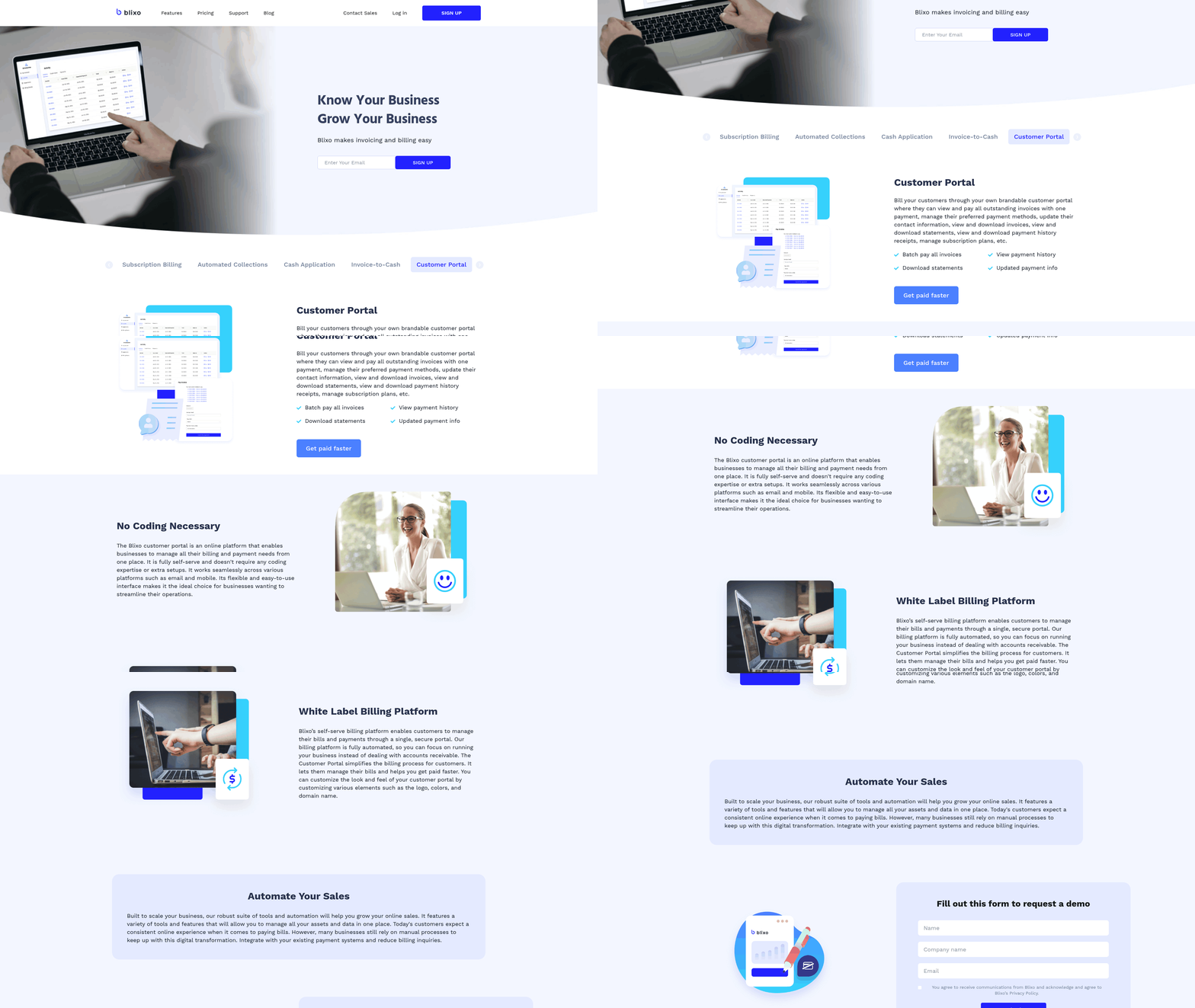
Blixo’s collections tools automate follow-ups while maintaining a professional tone with customers. Customizable dunning workflows send timely reminders for overdue payments, reducing the need for manual intervention. Vincent Mann, founder of Globetown Media, credits Blixo with freeing up his time by handling payment chasing automatically. Automated collections also include a customer portal, letting clients view invoices and make payments on their schedule, which improves satisfaction and reduces friction.
- Customize dunning workflows: Set rules for when and how to send reminders (email, SMS, or in-app).
- Assign priority to high-risk accounts: Flag overdue invoices for urgent follow-ups.
- Offer flexible payment options: Accept ACH, credit cards, and other methods to ease customer payments.
What Benefits Can You Expect?
Businesses using Blixo often report faster payment recovery and a 30–50% drop in administrative workload. By automating repetitive tasks like invoicing and reconciliation, teams save hundreds of hours annually. For instance, an e-commerce business using Blixo’s subscription billing feature reduced manual billing errors by 90%, ensuring consistent revenue streams. These efficiencies translate to better cash flow management and more predictable revenue forecasting.
- Reduce DSO: Faster payment processing improves your accounts receivable turnover ratio.
- Lower operational costs: Automating collections and cash application cuts labor expenses.
- Boost customer satisfaction: Transparent communication and easy payment options enhance trust.
Real-World Impact: A Mid-Sized Company’s Success
A mid-sized SaaS provider struggled with a 45-day DSO before implementing Blixo. After using automated collections and cash application, the company reduced its DSO to 32 days within six months. The platform’s recurring billing feature also cut subscription management time by 70%, allowing the finance team to focus on strategic growth initiatives. As outlined in the Implementation Checklist for Blixo Users section, proper setup is key to achieving such results. As one user noted, “Blixo turns accounts receivable from a headache into a streamlined process.”.
By using these automation features, businesses can transform their financial operations-minimizing errors, accelerating cash flow, and building stronger customer relationships.
Implementation Checklist for Blixo Users
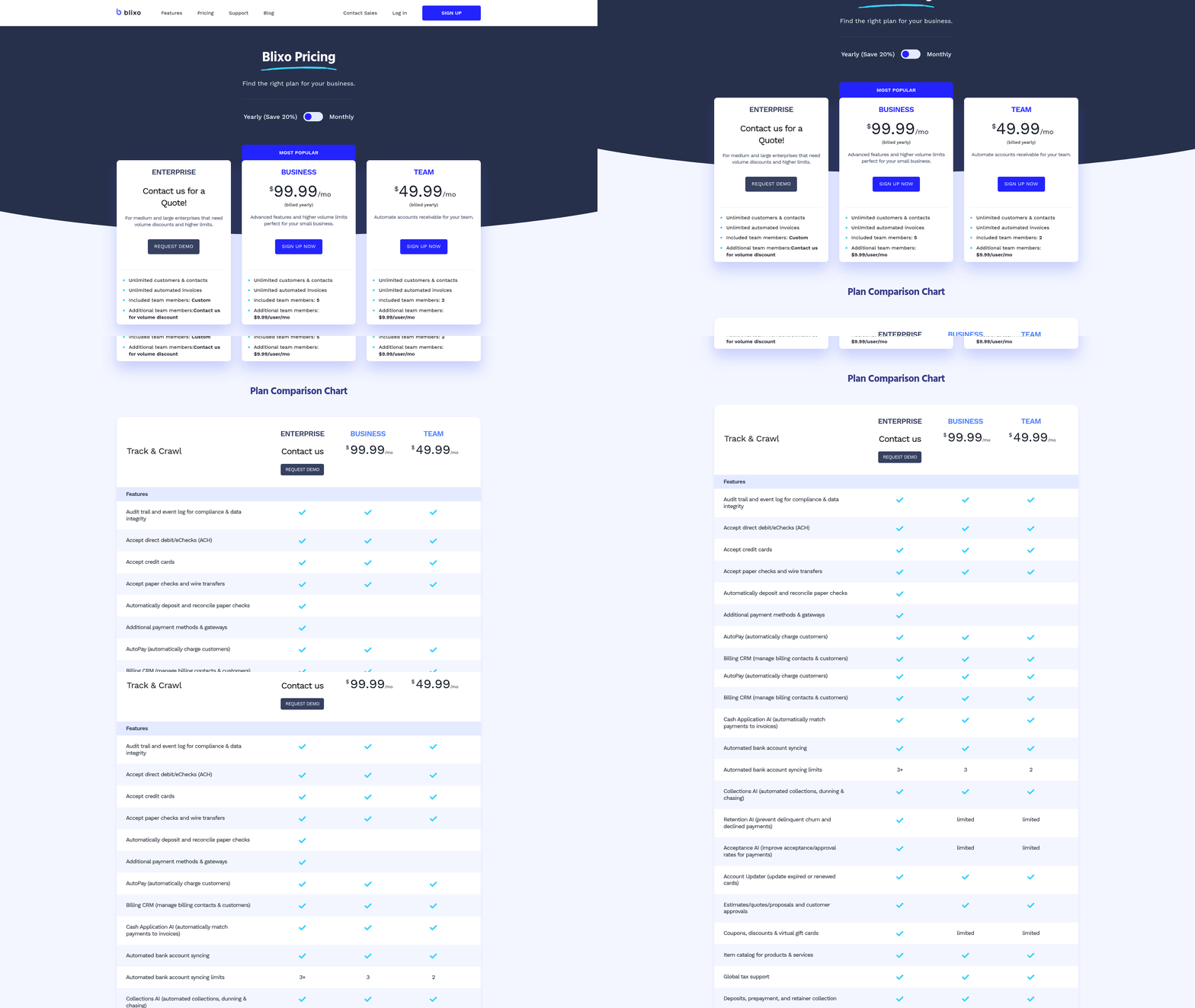
- Connect your accounting software (e.g., QuickBooks, Xero) using Blixo’s integration tools. This ensures real-time synchronization of invoice data. For details on compatibility and setup requirements, refer to the Scalability and Integration Considerations section.
- Customize invoice templates with branded logos and payment terms. Clear communication reduces customer confusion and speeds up payments. These templates use features outlined in the Blixo’s Automation Features and Benefits section.
- Integration errors: Double-check API keys and data fields when linking Blixo to your accounting software. Incomplete connections cause data silos. For guidance on avoiding such issues, see the Scalability and Integration Considerations section.
Scalability and Integration Considerations for Blixo Users
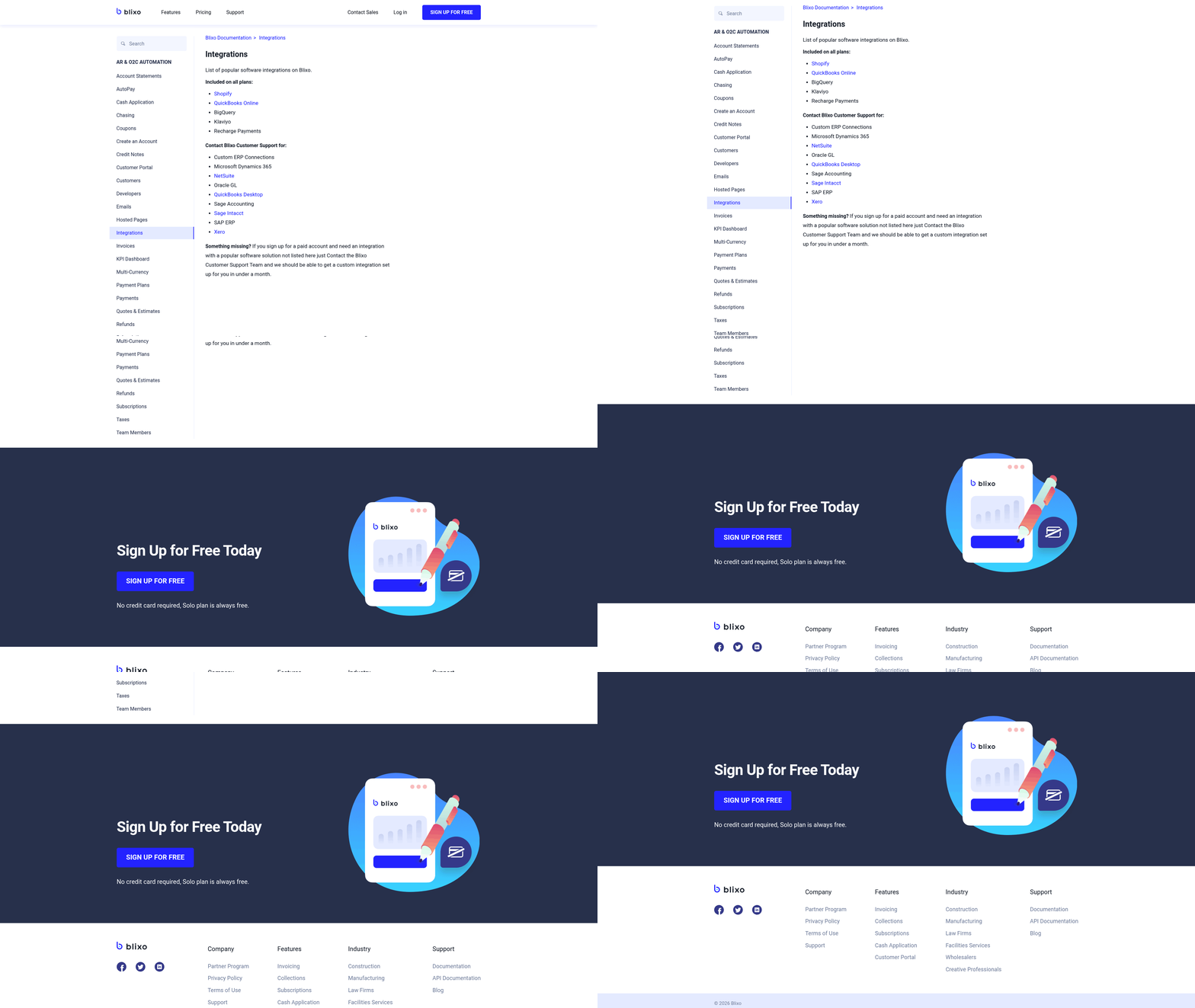
Blixo’s automation features require minimal technical infrastructure, making them accessible for businesses of all sizes. Since the platform is web-based, no software installation is needed-users access it through a browser. Ensure your team has stable internet connectivity and modern browsers like Chrome, Firefox, or Safari. Blixo supports integration with accounting systems and ERPs, so verify that your current financial software is compatible with API-based connections. As mentioned in the Blixo’s Automation Features and Benefits section, these integrations use Blixo’s payment matching and cash application tools to streamline workflows.
- Confirm your team uses supported browsers for seamless access
- Validate internet reliability for uninterrupted usage
- Check compatibility with your existing accounting or ERP system
The platform handles recurring invoices, auto-billing, and multiple payment methods (ACH, Visa, Mastercard, American Express), which are critical for scaling operations. A growing SaaS company processed 500% more invoices monthly after implementing Blixo’s auto-billing, without increasing their finance team. Building on concepts from the Implementation Checklist for Blixo Users section, upgrading allows you to use advanced automation workflows.
- Use recurring invoice templates to manage growing client bases
- Enable auto-billing to reduce manual effort as transaction volume rises
- Upgrade to the Business plan ($99.99/month) for advanced analytics and automation
Blixo streamlines workflows by connecting with accounting software, CRMs, and ERPs. Integration reduces manual data entry, minimizes errors, and ensures real-time financial tracking. A law firm, for instance, cut invoice processing time by 40% after linking Blixo to its ERP system. As outlined in the Blixo’s Automation Features and Benefits section, integrating with CRMs centralizes customer data for more efficient billing processes.
- Connect Blixo to your accounting software for synchronized financial records
- Integrate with your CRM to align customer data with billing processes
- Use API compatibility to link with ERPs or other business tools
Linking Blixo with other systems enhances efficiency and accuracy. Automated data flow prevents discrepancies between platforms, while centralized dashboards provide visibility into cash flow. For example, one company saved 50% of its billing team’s time by automating invoice generation and payment tracking. Building on concepts from the Why Accounts Receivable Automation Matters for Blixo Users section, this integration reduces the manual effort highlighted in traditional AR processes.
- Eliminate duplicate data entry across platforms
- Improve data accuracy with real-time synchronization
- Reduce manual reconciliation efforts
Best Practices and Next Steps for Blixo Users
Review automation workflows monthly to confirm recurring invoices, auto-billing, and payment methods (like ACH or credit cards) are functioning as intended. Even minor misconfigurations can delay cash flow, a risk highlighted in the Implementation Checklist for Blixo Users section when configuring initial workflows.
Audit integration health with your accounting systems. A law firm, for example, saw a 40% drop in invoice processing time after ensuring Blixo’s integration with its ERP system remained optimized, a practice aligned with the Scalability and Integration Considerations for Blixo Users section on maintaining system compatibility.
Update payment rules and customer data quarterly. If a client’s billing address or preferred method changes, automation can fail silently without manual checks, emphasizing the need for proactive adjustments covered in the How Automation Transforms Manual Processes section.
Start with the documentation. Blixo’s guides explain features like 256-bit encryption and multi-currency support, ensuring teams understand security and compliance basics, as detailed in the Blixo’s Automation Features and Benefits section.
Track KPIs to identify gaps. If your team spends too much time fixing failed auto-payments, it may signal a need for better customer onboarding or updated payment rules, a challenge addressed in the Why Accounts Receivable Automation Matters for Blixo Users section on reducing manual errors.
Following these practices reduces manual errors, accelerates receivables, and builds trust in automation. For instance, a logistics firm avoided $15,000 in late fees by refining payment rules after tracking recurring failure patterns, a compounding benefit described in the How Automation Transforms Manual Processes section.