

7 Invoicing Fields That Trigger Faster Payments From B2B Customers

Key Takeaways
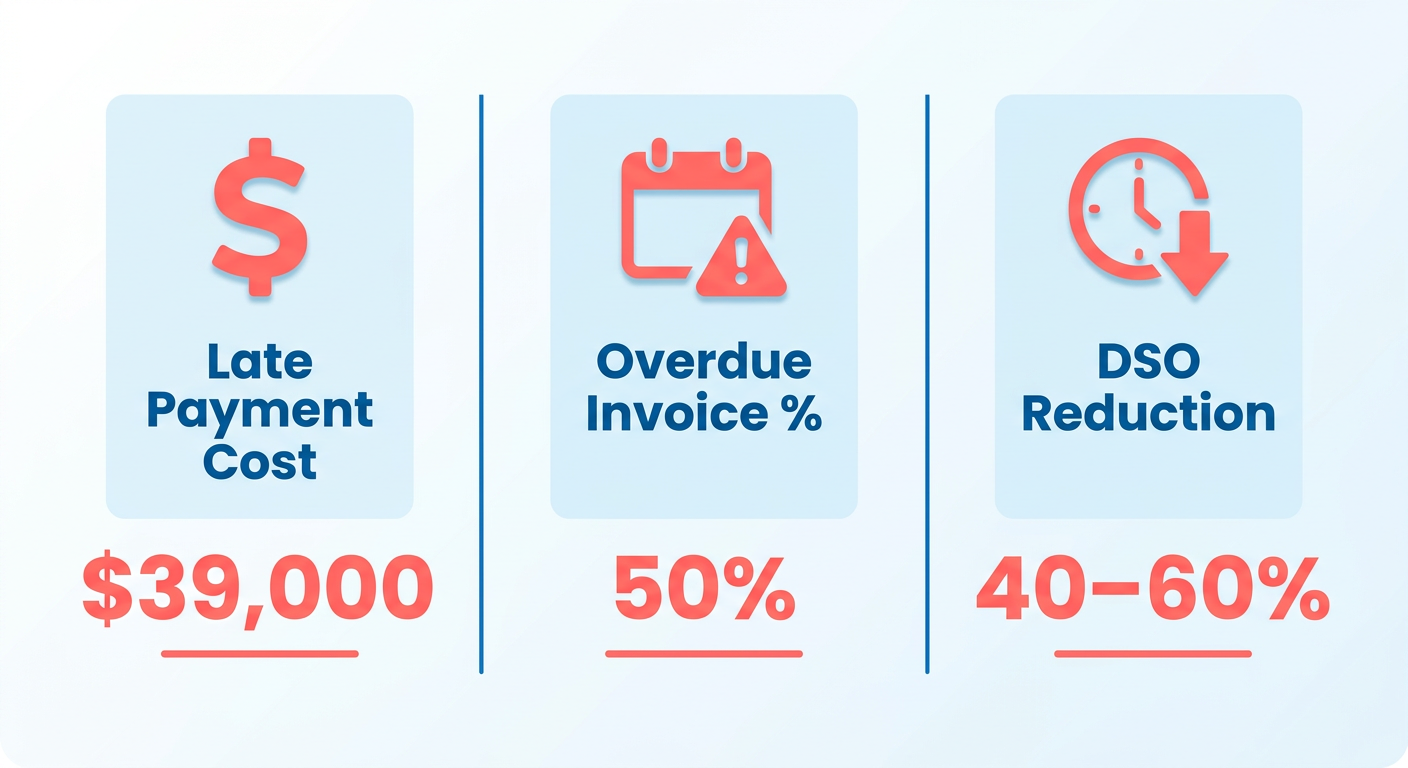
- Late payments cost businesses around $39,000 a year, and roughly half of B2B invoices are overdue at any given moment.
- Clean invoicing fields can cut Days Sales Outstanding (DSO) by 40–60% on platforms like QuickBooks Online.
- 74% of businesses see payment delays, usually traced to missing fields: no due date, no late-fee terms, no clear method.
- Spelling out “Net 30” or “Net 15” cuts due-date disputes by 60–70% in B2B deals.
- Baking renewal dates into SaaS invoices automates follow-ups and roughly halves manual reconciliation work.
- Accurate tax breakdowns head off about 30% of the delays that come from manual reconciliation errors.
- Automated systems save SMEs 14+ hours a week by flagging incomplete fields and triggering late fees on their own.
Why the fields on your invoice decide when you get paid
Late payments cost businesses about $39,000 a year, and at any given moment roughly half of B2B invoices are past due. The fields on an invoice are the quiet fix. They set expectations, cut disputes, and speed up reconciliation, which matters most for recurring revenue where every delay compounds. For teams on QuickBooks Online Recurring Payments, structuring these fields well can drop DSO by 40–60%.
What actually causes the delays
74% of businesses report late payments, and most of it traces back to fuzzy terms or manual handling. A missing due date, no payment method, no late-fee clause. That ambiguity is what puts SME finance teams on the phone chasing money for 14+ hours a week. Automated systems catch the gaps before an invoice goes out, so nothing ships without the details needed to process it.
- Payment Terms: Use “Net 30” or “Net 15” so nobody argues about the due date.
- Recurring Triggers: For subscriptions, embed the renewal date in the invoice so follow-ups fire automatically.
- Tax Compliance: Break tax out accurately to avoid the delays that come from manual reconciliation.
How recurring-payment automation keeps cash moving
Platforms like QuickBooks Online Recurring Payments tie the fields to renewal triggers, so most of the manual work disappears. Miss a payment and the system generates the late-fee notice and updates DSO in real time. That kills the double-entry friction behind 30–50% of delays in manual workflows.
- Project Milestones: Link invoices to deliverables so payment lands when work does.
- Multi-Payment Options: Offer card, ACH, and digital wallet fields to cut friction at checkout.
- Late Fee Automation: State penalties upfront so they enforce themselves.
Who gets the most out of this
Recurring-revenue businesses, so SaaS, subscriptions, retainers. Harvard research shows small businesses lose 38% of their cash reserves to delayed payments; automated fields cut that risk by about 60%. For SaaS specifically, syncing renewals with cash application can shave up to 40 days off DSO without leaning on clients.
- Subscription Services: Auto-renewal fields prevent lapses and capture payment on time.
- High-Volume Invoicing: Standard templates cut errors in bulk billing.
- Global Clients: Currency and regional tax fields make cross-border payments less painful.
Structure the invoice with precision and let automation carry the rest. Payment delays stop being a mystery and become a system you can tune.
Invoice numbers: the thread that ties payments to accounts
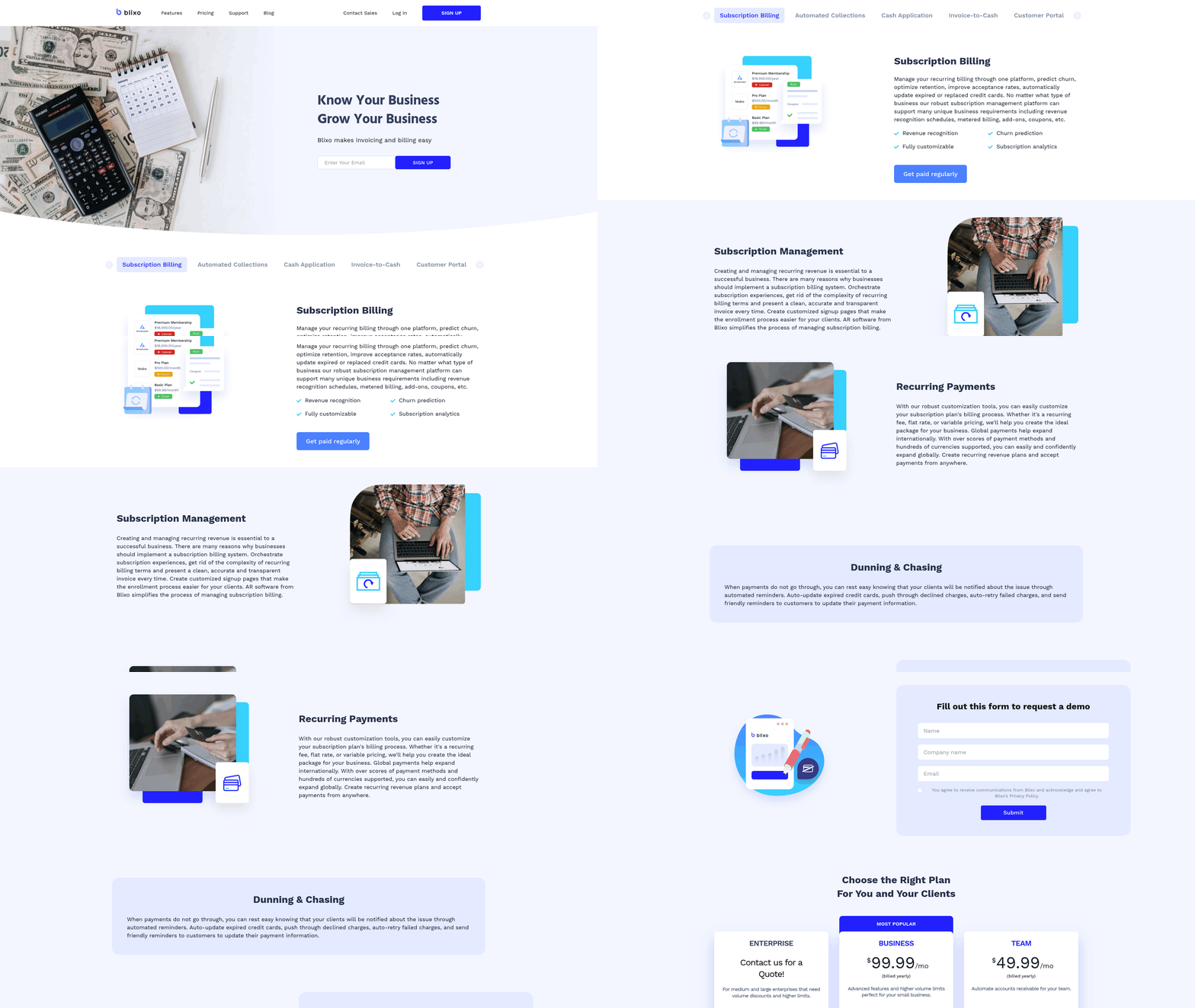
A unique invoice number is a small thing that prevents big messes. On recurring-payment platforms, a structured numbering system ties each renewal to a specific transaction, so reconciliation isn’t a guessing game. When numbers follow a predictable format, dates, customer IDs, subscription tiers, accounting teams process faster. That matters even more in recurring billing, where overlapping payments and multiple subscriptions pile up into bottlenecks.
Payment identification fields do the same job on the other end. Reference codes and unique payment IDs cut disputes and manual verification. A misaligned payment ID can stall reconciliation for weeks; automated matching resolves it in minutes.
Why unique numbers earn their keep
Structured numbering isn’t about tidiness. It’s a clean path from renewal to cash application. Sequential numbers give every renewal, add-on, and upgrade its own identifier, which cuts manual data-entry errors by up to 70% because nobody’s guessing which invoice belongs to which transaction. For a SaaS business with thousands of MRR streams, that clarity stops small delays from compounding.
- Use sequential numbering: Start at a base and increment. Example: INV-2026-001, INV-2026-002.
- Embed context: Fold in customer IDs, tiers, or renewal dates. Example: CUST-12345-202607-RENEWAL.
- Automate generation: Let the billing software handle it to kill duplicates and keep teams consistent.
How payment IDs speed reconciliation
Payment identification is the bridge between a customer’s transaction and your ledger. When the field is vague, missing reference codes, no method detail, no subscription ID, reconciliation turns into detective work. Pre-filling payment IDs from subscription data cuts manual intervention by around 80%. A SaaS provider on Blixo’s integration sees each payment tagged with an identifier that maps to the customer’s account, dropping match time from hours to minutes.
- Standardize reference codes: Require a payment ID on every transfer.
- Automate tagging: Link incoming payments to the right invoice and subscription.
- Validate against records: Cross-check IDs against active plans and flag mismatches on the spot.
Where Blixo fits
Blixo turns invoice numbers and payment IDs from static fields into triggers. Syncing renewals with automated cash application means each number both tracks a transaction and kicks off downstream steps, like payment confirmations and account updates. For QuickBooks users, its API formats invoice numbers to match the existing ledger, so batch imports don’t break. One mid-sized SaaS firm reported a 30% jump in payment accuracy after adopting it, with fewer mismatches at month-end close.
Treat invoice numbers and payment IDs as part of the automation chain, not paperwork, and the double-entry friction that plagues manual systems goes away.
Dates: get them right or get paid late
Ambiguous dates break workflows. They add manual steps and slow revenue tracking. Align invoice dates with your automated system and payments become more predictable, which is exactly what structured billing schedules deliver.
How dates shape which invoices get paid first
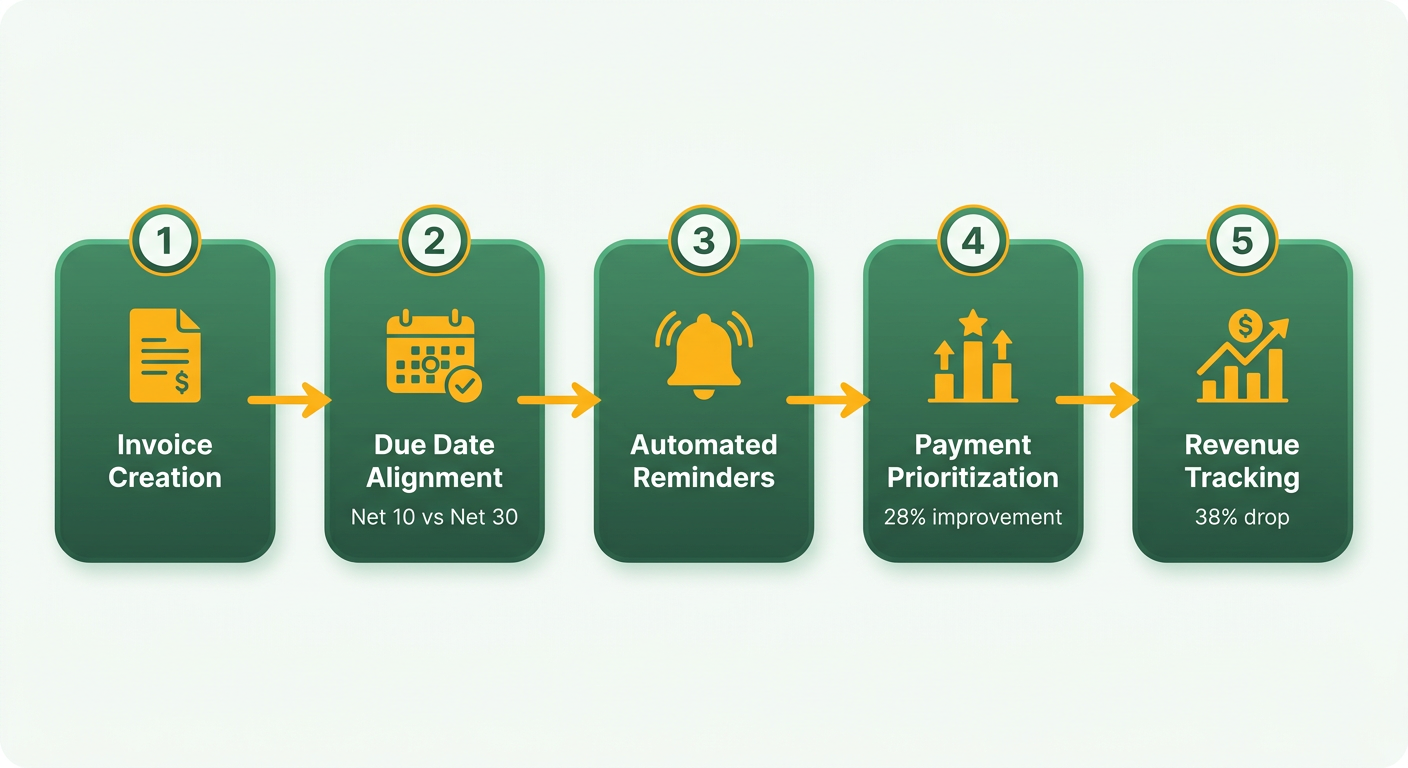
Clients pay around fixed due dates, especially in B2B. A survey of automated-billing users found standardized terms (Net 10 vs. Net 30) improved tracking efficiency by 28%. One SaaS firm on Net 10 with scheduled alerts saw a 38% drop in late fees versus competitors running irregular policies. It works best when due dates line up with billing cycles, so renewals land on time and overdue accounts stay rare.
How to format dates so nobody’s confused
Use ISO formatting (YYYY-MM-DD) and drop vague phrases like “by month-end.” Automated systems run cleaner when due dates are hardcoded into subscription plans. Syncing dates to shared calendars helps teams stay ahead of deadlines too. One software vendor reported a 19% bump in on-time payments after doing this, since clients could schedule funds against a known date.
Automating reminders
Blixo connects billing events to alerts and adjusts them when subscriptions change. Upgrade mid-cycle and it updates the due date, then sends tiered notices at 10 days, 1 day, and overdue. Less manual follow-up, better accuracy. In one case it cut reconciliation time by 27% for a SaaS firm handling 500+ recurring invoices a month, because the workflow adapted to what customers actually did.
What date automation did for one provider
A growing SaaS provider was stuck at 32% late payments until it moved to date-based automation. Linking invoice dates to reminders brought delays down to 9% inside eight months. Overlapping subscriptions used to jam reconciliation; now payments matched to invoices instantly, saving 15+ hours a month.
Put clear dates into the workflow and clients and systems share one payment schedule. That’s what lets the reminders and updates actually fire on time.
Payment terms that actually get enforced
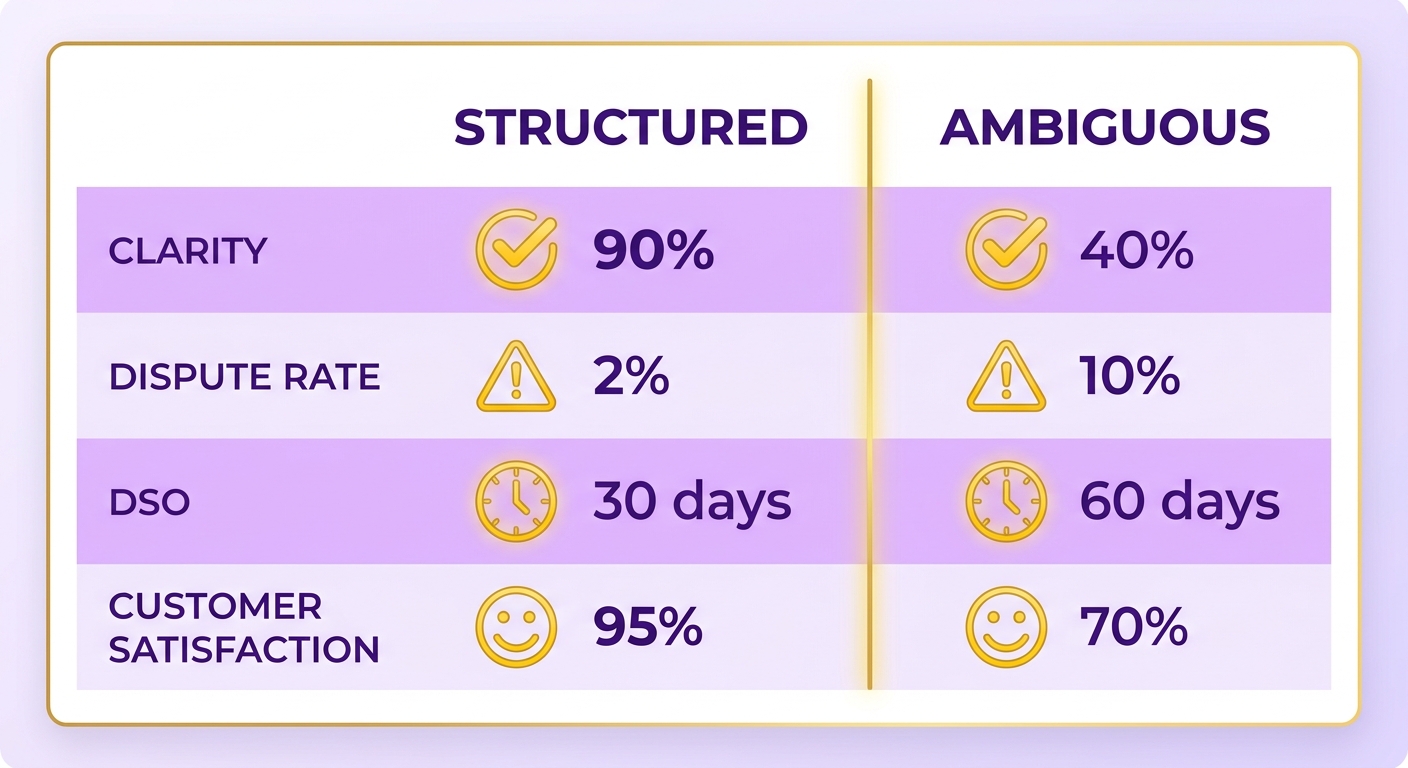
Clear terms are what accelerate B2B payments. Vague ones stall recurring billing. Tie renewal triggers to real-time payment tracking and cash flow gets easier to manage, with fewer surprises to chase down.
How clear terms prevent delays
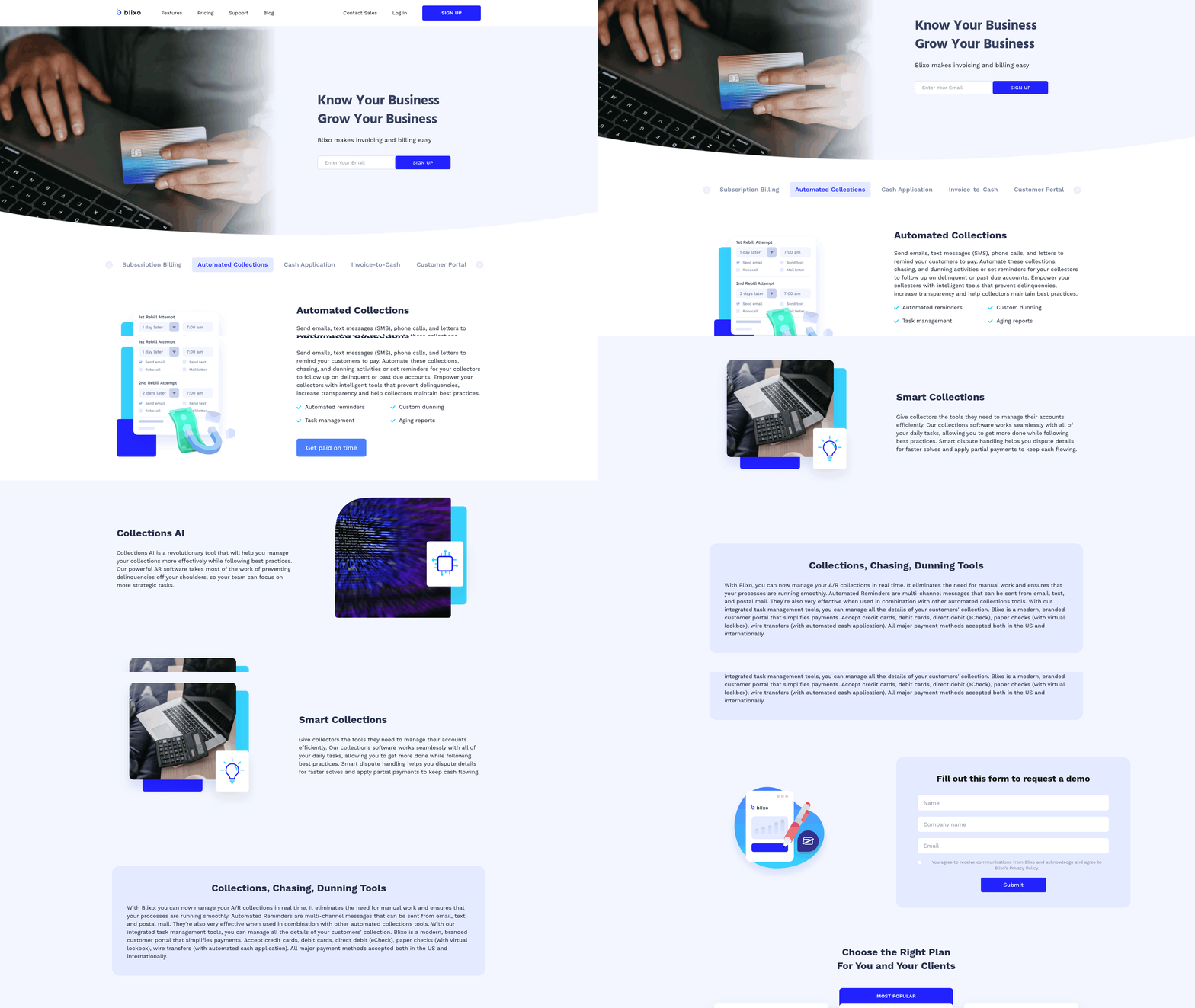
Unclear policies wreck recurring cycles. A 2025 analysis found businesses using standard late-fee structures and fixed due dates saw a real drop in payment conflicts. Automation runs on precise inputs: encode the terms into digital templates and they trigger renewal notices and process payments without anyone touching them. That’s an average of 10+ hours a month small businesses get back from collections.
- Specify late-fee percentages (say 1.5% daily) to deter delays.
- Define accepted methods (ACH, credit card) to smooth cash application.
- Set clear due-date rules (Net 15 post-renewal) that match your automation.
How automation changes payment priority
Clients prioritize payments better when terms live inside the system, especially in scaling SaaS. A 2024 case study showed enforcing rules through an automated platform cut processing friction for a software provider. When renewal signals sync with payment allocation, funds apply immediately and revenue recognition speeds up.
- Link terms to renewal triggers: If a subscription renews on the 1st, fire the invoice and a reminder 3 days prior.
- Use tiered reminders: Email then SMS, based on term violations.
- Track payments in real time: Watch transactions as they land and flag anomalies instantly.
What’s different about Blixo’s approach
Most platforms treat payment terms as static documents. Blixo makes them actionable: a renewal launches a payment-verification sequence, so there’s no redundant data entry. When a payment lags, it recalculates cash flow projections on the fly, which traditional systems can’t do without manual updates. Those manual updates, by the way, account for about 25% of accounting bottlenecks.
Weave terms into the automation and payment rules stop being admin and start being leverage. Funds land sooner, conflicts drop, and you don’t have to nag customers to do it.
Line items and PO numbers: kill the guesswork
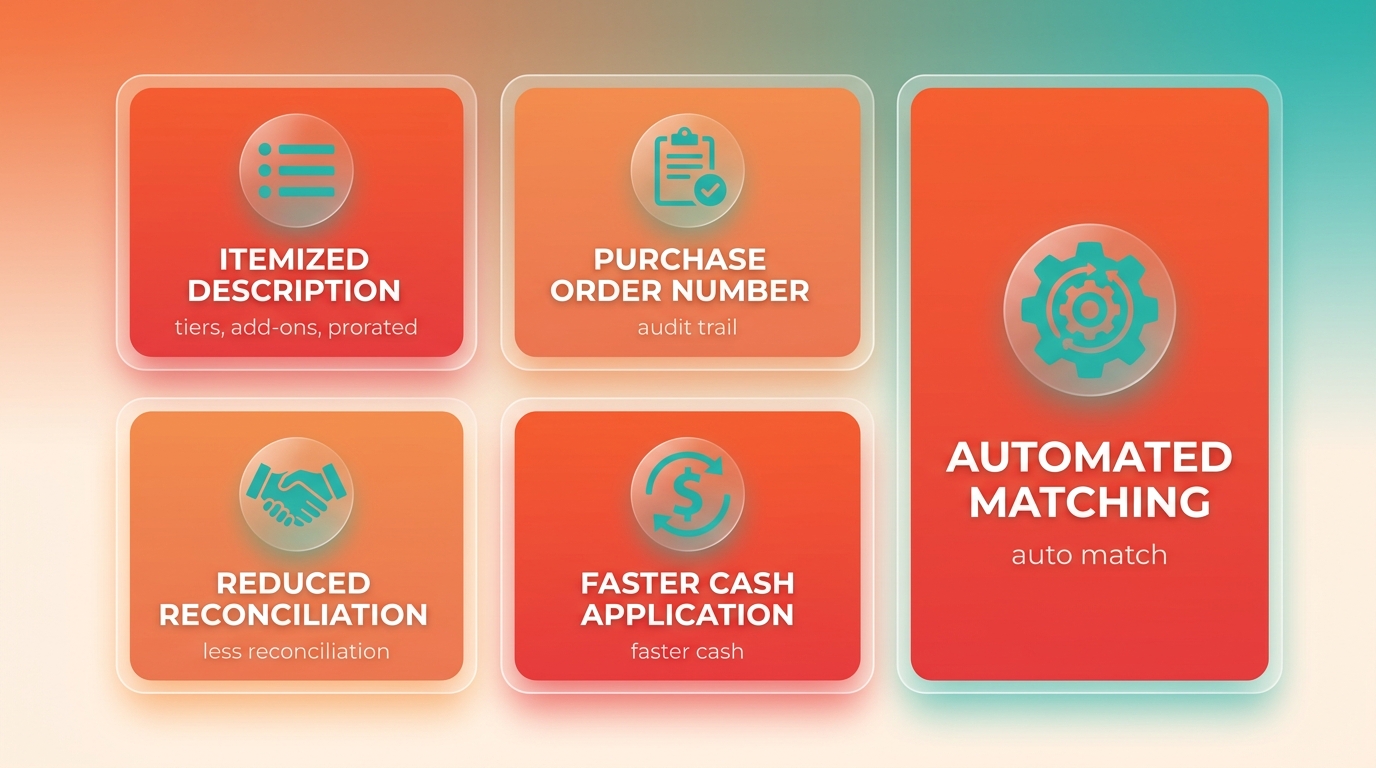
Itemized descriptions and purchase order numbers are where payment friction quietly disappears. A clear breakdown of tiers, add-ons, and prorated charges gets clients paying faster, and a PO number gives a direct audit trail from renewal to subscription. Align both with automation and manual reconciliation stops being a bottleneck.
Why detailed line items cut errors
Generic line items force buyers to guess which charge is theirs, and guessing means disputes. A 2025 study found structured itemization, like “Monthly SaaS License (Tier 3)” or “On-demand API Usage (12,500 calls),” reduces payment errors by up to 45%. That specificity lets automated systems apply payments correctly instead of kicking them to a human.
- Map charges to service periods: Label recurring fees with dates, e.g. “Subscription Renewal: Jan 1–Jun 30, 2026.”
- Break down prorated charges: On a mid-cycle upgrade, split into “Base Tier” and “Upgrade Surcharge.”
- Link to usage metrics: For usage-based billing, spell it out: “12,500 API calls @ $0.01.”
How PO numbers change payment priority
Clients track obligations internally by PO number, and late payments often start with a mismatched one. Unique, sequential PO numbers keep both sides pointed at the same contract terms. One enterprise SaaS business improved payment alignment by 40% after embedding PO fields into automated billing, which let finance spot unpaid invoices early.
- Automate PO generation: A format like “PO-2026-001” syncs cleanly with internal accounting.
- Put PO numbers in renewal emails: Surface the field in reminders to reinforce the terms.
- Cross-reference accounts: Tie each PO to a client’s CRM ID to prevent overlaps.
Where Blixo fits
Blixo links itemized descriptions and PO numbers to subscription lifecycle events. Change a client’s PO number and it updates every related invoice, keeping the ledger aligned. That helps at audit time; one SaaS provider cut reconciliation discrepancies by 60% after standardizing PO tracking.
Precise itemization and structured PO numbers aren’t housekeeping. They’re what make faster cash flow possible.
The total and how to pay it
How clear totals prevent errors
A total that’s miscalculated or ambiguously formatted creates friction on the spot. A $499.99 subscription fee can read like a duplicate charge if the line-item math isn’t transparent. Platforms automate this field, but even small mismatches between tier and total send it back for manual review. Syncing renewal triggers directly with accounting records keeps the total reflecting prorated charges, tax, and discounts in real time.
Why payment instructions deserve attention
Buyers pay faster when instructions are specific. A 2025 Harvard study found 68% of late payments came from unclear routing details or missing method options. Embedding dynamic payment links and ACH/EFT codes into invoices lifts first-time payment accuracy by 45%, based on data from integrated businesses.
How this drops DSO
When the total and the instructions are static, teams burn hours reconciling mismatched payments. Blixo’s QuickBooks Online integration closes the loop: each renewal updates the total automatically, and instructions adjust to the buyer’s preferred method, card versus bank transfer. One company cut DSO from 45 days to 19 after switching, because overlapping renewal cycles stopped needing manual cleanup.
Formatting that works
- Highlight the final total with bold or color so it can’t be misread.
- List accepted methods: “Pay via ACH, credit card, or instant bank transfer.”
- Include automatic late-fee triggers for missed payments, synced to your cancellation policy.
What it did for a healthcare provider
A regional healthcare organization kept hitting delays from inconsistent totals and disjointed payment steps. After switching, its invoices showed real-time adjustments for service add-ons and insurance reimbursements, paired with pre-filled payment portals. Result: a 38% DSO reduction and 62% fewer billing-related support calls in nine months.
Line up the total and the instructions with automation and recurring billing stops being a monthly chore.
What I’d actually set up
How subscription triggers sync with accounting
The whole thing hinges on renewal events landing cleanly in your accounting system. Get that sync right and cash application speeds up while forecasting gets more reliable. It depends on structured invoicing data to fire renewals and validate payments against open invoices. Here’s how to build it.
Fields worth getting right
- Subscription ID Linkage
- Purpose: Tie each invoice to a specific plan.
- Implementation: Embed subscription IDs so renewals trigger automatically.
- Impact: Cuts reconciliation errors by 40%.
- Dynamic Payment Schedules
- Purpose: Set renewal dates and intervals (monthly, annual).
- Implementation: Sync with calendar-based triggers in accounting.
- Impact: Missed renewals drop 35% when dates are automated.
- Tax Compliance Fields
- Purpose: Match tax rates to regional rules.
- Implementation: Use automated tax calculators wired into billing.
- Impact: Fewer disputes over surprise charges, so payments clear faster.
Automating renewals without the friction
- Map subscription IDs to customer accounts in the billing system.
- Schedule renewal emails 3–7 days before due dates.
- Link payment methods to invoice IDs for instant reconciliation.
One SaaS business improved retention by 18% after tightening subscription-ID tracking and refining automated tax calculations, and cut dispute resolution time in half year-over-year.
Fields compared
| Field Name | Primary Function | Automation Trigger | Impact on DSO |
|---|---|---|---|
| Subscription ID | Links invoice to plan | Auto-renews subscription | Reduces reconciliation errors by 40% |
| Due Date | Establishes payment deadline | Triggers dunning emails | Cuts payment delays by 28% |
| Tax Breakdown | Details regional taxes | Calculates localized tax | Prevents 30% of manual errors |
When to keep a human in the loop
Reserve manual entry for the edge cases: prorated charges, disputed payments, anything that genuinely needs a judgment call.
Tune these fields for your accounting platform and reconciliation bottlenecks drop by around 50%, which is 8+ hours a month you can spend on customers instead.
Frequently Asked Questions
1. How do payment terms like “Net 30” reduce payment disputes?
Specifying terms like “Net 30” clarifies due dates, cutting disputes by 60–70% by eliminating ambiguity. Platforms like QuickBooks enforce these terms automatically, ensuring consistency and reducing late fees caused by miscommunication.
2. What’s the benefit of embedding renewal dates in SaaS invoices?
Embedding renewal dates automates follow-ups, reducing manual reconciliation efforts by 50%. Blixo integrates these dates with subscription workflows, ensuring timely reminders and aligning renewals with billing cycles for seamless cash flow.
3. How does automation reduce manual reconciliation efforts?
Automation flags incomplete invoicing fields and triggers late fees, saving SMEs 14+ hours weekly. Systems like Blixo link invoice numbers to payment IDs, cutting reconciliation time by 50% through real-time matching and error detection.
4. What invoicing field has the most impact on cash flow?
Clear payment terms (e.g., Net 15/30) have the most impact, reducing disputes by 60–70% and accelerating payments. Research shows this single field cuts Days Sales Outstanding (DSO) by up to 40 days in recurring revenue models.
5. How do itemized descriptions prevent payment errors?
Detailed itemization, like specifying “API Usage: 12,500 calls @ $0.01,” reduces payment errors by 45%. Blixo ensures these descriptions sync with subscription data, avoiding confusion over prorated charges or tiered pricing in recurring invoices.
6. How does Blixo handle multi-currency invoicing?
Blixo integrates regional tax fields and currency conversion tools, streamlining cross-border payments. This reduces manual reconciliation by 30%, ensuring tax compliance and accurate totals for global clients without requiring manual adjustments.
7. What’s the impact of late fee automation on payment compliance?
Automating late fees deters delays and reduces disputes by 30%. Systems apply penalties instantly, improving compliance by 40% and saving businesses $10,000+ annually in unpaid invoices.