

5 Recurring Payment Types SaaS Finance Teams Should Automate Now

Key Takeaways
- Automating recurring payments pulls down days sales outstanding (DSO) and holds onto customers by keeping invoicing, cash application, and collections in sync.
- Running billing, collections, and cash application on one platform drops reconciliation from days to hours and cuts the manual errors that come with it.
- Automated dunning recovers failed payments faster and trims late fees by 30–50%.
- Subscription billing on autopilot kills manual invoicing errors and makes monthly SaaS revenue predictable.
- Self-service portals, where customers update cards or pull up invoices themselves, cut churn by removing payment friction before it turns into a support ticket.
- Usage-based billing tied to recurring payments handles variable charges without a human recalculating anything.
- Consolidating recurring payments onto one platform can lower operational costs by up to 40%, mostly from less manual reconciliation and faster revenue recognition.
Related Video
Watch: What Repetitive Tasks Should SaaS Finance Teams Automate For Growth? - All About SaaS Finance by All About SaaS Finance
Quick Summary
If your team runs recurring billing through something like QuickBooks Online recurring payments, automation does two things at once: it lowers DSO and it keeps customers around longer. Put cash application, collections, and billing on one platform and the manual reconciliation goes away, payment recovery speeds up, and late fees shrink. The payoff isn’t just internal efficiency. Customers who get predictable, clean billing tend to stick.
What automation actually fixes
When invoicing, cash application, and collections move together, reconciliation goes from days to hours. Recurring payments tied to usage-based billing stop the manual invoicing mistakes before they start, and automated dunning knocks late fees down by 30–50% in most cases. That consistency is what builds trust and cuts churn. The trick is pairing the automation with flexibility, like self-service portals where a customer can swap a card or check an invoice without emailing your team.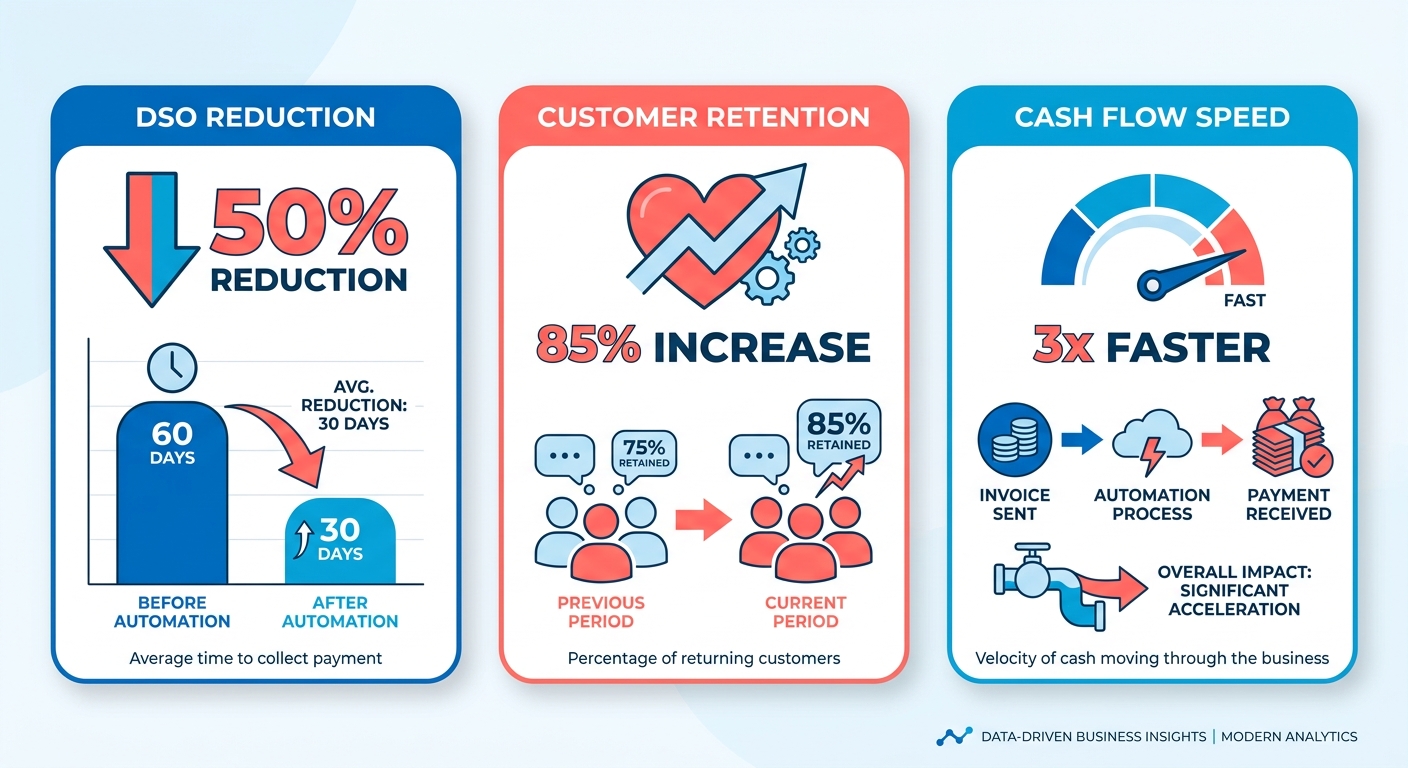
The 5 recurring payment types worth automating
- Subscription billing (monthly SaaS fees): fewer manual invoices, steadier cash flow.
- Usage-based billing (pay-per-API-call): automates the metering and invoicing that otherwise slows everything down.
- Lump-sum renewals (annual contracts): pre-set schedules cut chase time by about 40%.
- Recurring service fees (retainers): cleans up cash application for work that recurs but isn’t a subscription.
- Deferred payments (Net-30 terms): catches late payers early with automated reminders and dunning.
Each one has its own headache. Usage-based billing needs accurate metering. Deferred payments live or die on your aging reports. And a warning: plenty of teams over-automate. Reserve it for the high-volume or high-risk payment types, not every routine invoice.
How much setup each one takes
- Low-effort: subscription billing (2–4 hours, about 80% accurate out of the box).
- Medium-effort: usage-based billing (10+ hours to integrate, 90% accuracy once tuned).
- High-effort: deferred payments (custom workflows, 20+ hours).
For one-off invoices or low-value payments, manual is faster. Skip it. But for anything with a high failure rate, expired cards being the classic case, spend the time on automated retries and a customer portal so problems resolve without a human touching them.
Focus on these five and most teams see DSO drop 20–30% and get back 10–15 hours a month for actual strategic work. The return shows up in the customer experience too. Around 78% of users say timely, clear billing improves how they see a service.
Why manual billing quietly costs you
Manual workflows create drag you can feel. Invoicing errors, slow collections, reconciliation scattered across tools. That combination inflates DSO and annoys customers at the same time. Automation pulls cash application, collections, and billing into one place, which steadies revenue and cuts the late-fee surprises.
The QuickBooks Online angle
A unified recurring-payment platform takes the guesswork out. Automated systems tied to your accounting software match invoices and payments as they happen, which matters most for SaaS companies that depend on steady cash flow. One business reported a 35% jump in payment accuracy after making the switch, which meant fewer disputes and fewer support requests.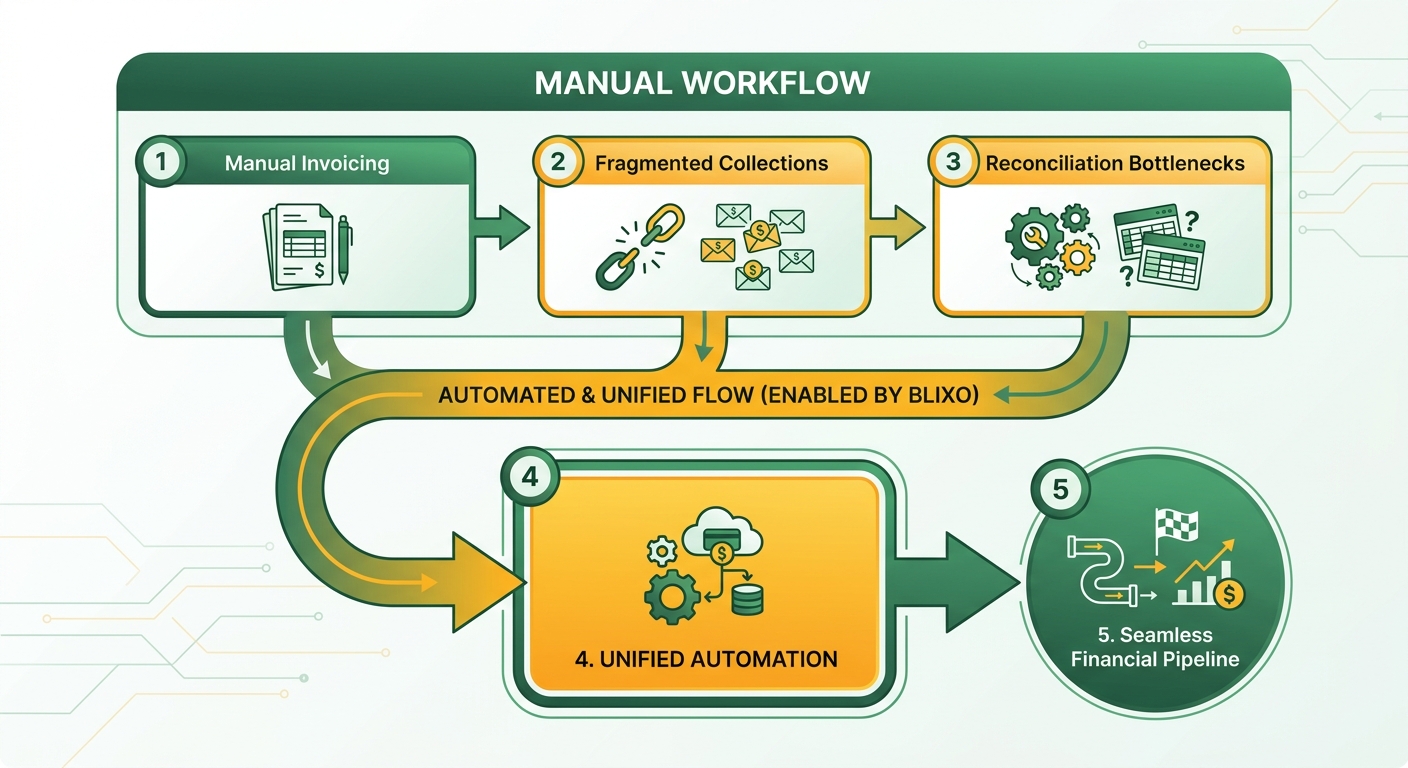
What it actually solves
Manual processes invite errors, and the errors get worse the more complex your billing gets. Usage-based pricing is where it really shows. Automation handles the messy parts:
- Subscription complexity: dynamic price changes and prorated charges get applied automatically, in line with contract terms.
- Plan changes: upgrades and downgrades process cleanly, so you skip the billing disputes.
- Reconciliation: integration with your accounting system flags mismatches on the spot, heading off fraud and month-end scrambles.
Who wins
Both sides, honestly. Finance teams get fewer manual interventions and faster payment recovery. Customers get predictable billing cycles and fewer late-fee surprises, which is what keeps them subscribed. One analysis put the customer satisfaction bump at 22%, driven mostly by clearer payment schedules and transparency.
As Hristo Borisov, a subscription management expert, puts it: “The more things you automate, the less time you waste on manual tasks.” For a SaaS team, that’s the difference between scaling and drowning.
How automated installment plans keep cash flow predictable
Installment plans take friction out of recurring cycles by matching payment schedules to what customers actually expect. For teams on QuickBooks Online, that means structured schedules run themselves instead of someone generating an invoice for every milestone. Link the plans straight to your primary ledger and you can offer flexible terms without losing sight of outstanding balances.
What you get:
- Faster reconciliation: payments match to invoices in real time, no manual ledger updates.
- Fewer errors: no manual data entry, which matters most across complex billing tiers.
- Better retention: transparent plans mean no surprise charges, and surprise charges are what drive people out.
Automating the schedule stops missed payments and handles collections without constant babysitting.
Where it still gets tricky
Automation simplifies the workflow, but installment plans still need careful setup. Prorated fees and mid-cycle upgrades can break a system that isn’t integrated right. Communication is the other trap. Customers need to see payment dates, amounts, and whether a charge succeeded or failed. Without a central platform, your data fragments across accounting and CRM tools, and then disputes and refunds start dragging.
A unified platform closes those gaps three ways:
- Centralized data: billing, accounting, and support live in one interface.
- Automated dunning: smart retries and timely messages manage failed payments so you’re not chasing them by hand.
- Self-service portals: customers view their own payment history and update plans.
The audit-season payoff
Tie installment billing to QuickBooks Online and you get a clean, automated paper trail for every transaction. That means real-time reports and accurate deferred-revenue tracking, which takes a lot of the pain out of tax season. The workflows scale with your user base without your headcount scaling alongside it, and anomaly detection flags odd payment behavior before it turns into a revenue leak.
Tiered pricing and proration without the manual math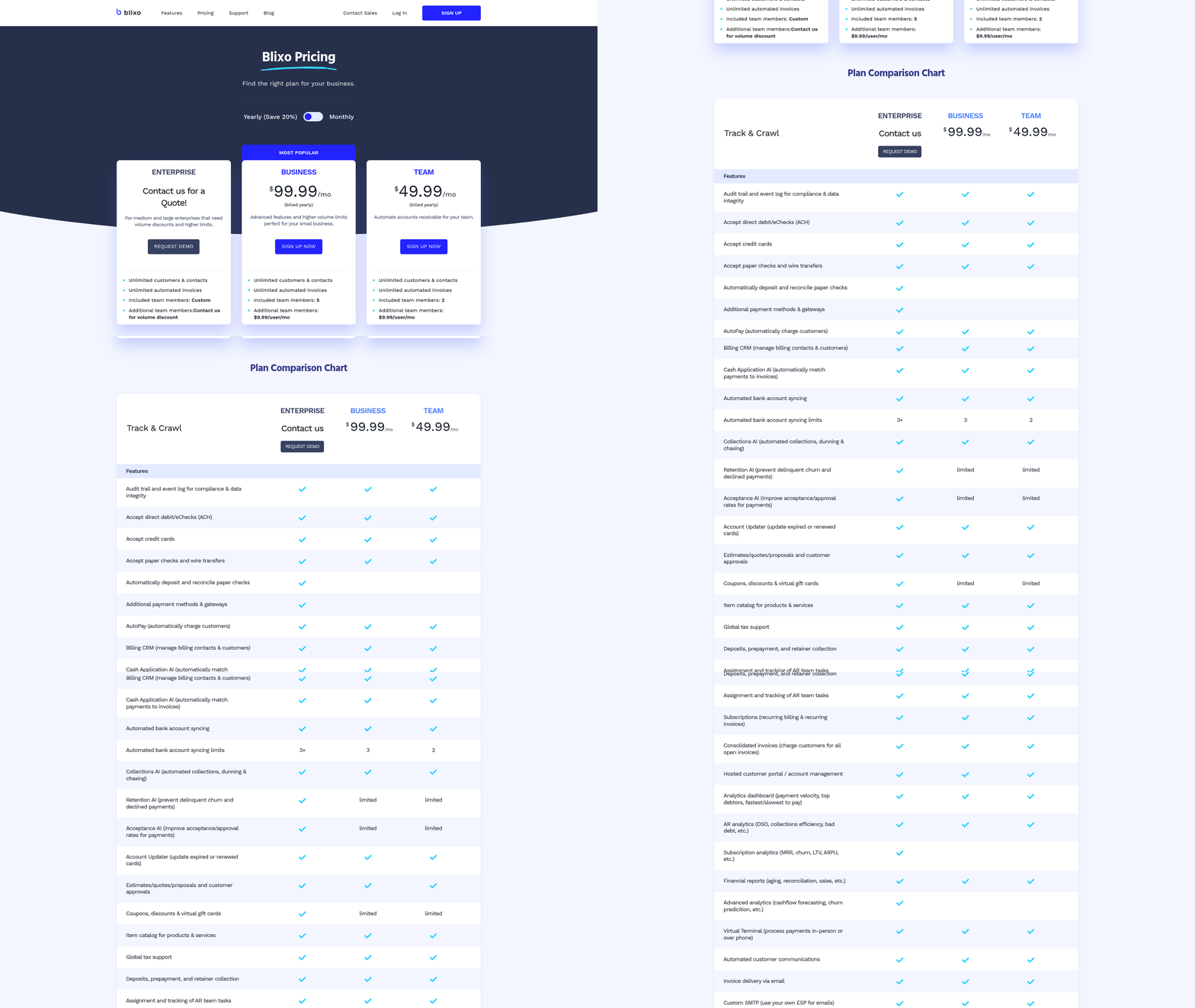
Tiered pricing and prorated billing are table stakes for any SaaS with a scalable product. Managing them by hand is where the bottlenecks start. Run them through a unified platform like Blixo and you get precise invoicing, faster reconciliation, and fewer disputes. Here’s how to structure the plans and where the traps are.
How tiered pricing works
Tiers assign cost by usage: storage, seats, whatever. A project tool might charge $50/month for 10 users, $100 for 50, and $200 for 100+. Proration is what adjusts the charge when someone upgrades or downgrades mid-cycle, so they pay only for what they actually used.
Automation kills the manual math. When a customer upgrades in Blixo, the system recalculates the invoice on the spot, applying the right tier rate for the days remaining. Fewer errors, faster cash application.
Getting proration right
Proration logic is fiddly. You’re splitting charges between the old and new tier, handling partial months, and updating invoices as things change. A unified platform runs those steps automatically.
- Example: a customer on a $100/month plan upgrades to $150 on day 15. The system bills $75, half of $100 for the first 15 days plus half of $150 for the rest.
- Why it helps: the customer sees the exact charge for their exact usage, so there’s nothing to argue about.
It cleans up collections too. If a prorated payment fails, dunning fires immediately and any late fee applies only to the adjusted amount. No overcharging.
Where teams go wrong
Handling tiers and proration by hand invites overcharges and misapplied discounts, and those turn into refunds and DSO delays. Automation fixes it by:
- Centralizing pricing rules: tier thresholds and proration formulas live in one place, consistent across every invoice.
- Linking billing to usage data: sync with your analytics to track activity and auto-adjust invoices.
- Scaling without new headcount: automated workflows absorb volume increases on their own.
Blixo reconciles prorated charges against your accounting system automatically, which shrinks month-end close and keeps DSO low. Bake the pricing logic into the payment system itself and manual overrides mostly disappear. That’s the real win: transparent invoicing that customers actually trust.
Setting up recurring payment automation in Blixo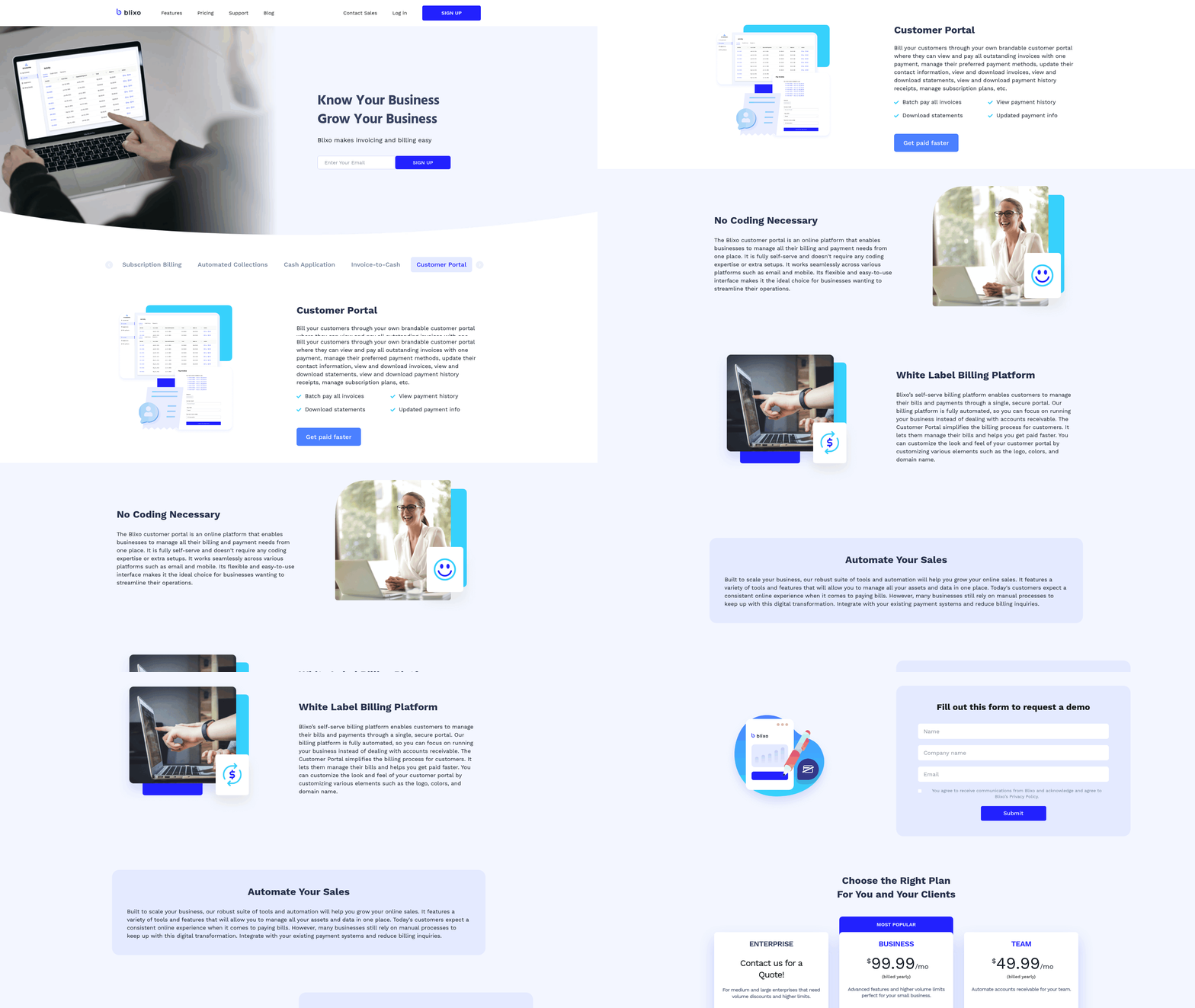
Getting recurring payment automation running in Blixo starts with wiring it into your existing financial workflows. Blixo puts cash application, collections, and billing on one platform, which pays off most if you’re already on QuickBooks Online. Automating reconciliation and dunning cuts the manual load and keeps payments applied accurately. Here’s how to configure it, and where the sharp edges are.
The setup
Start by mapping Blixo’s features onto your current QuickBooks Online setup. You’ve got automated dunning, real-time reconciliation, and customizable billing rules to work with. The dunning module, for instance, retries failed payments on logic you set, say after 3 days, then 7. That’s fewer late fees and faster collections. Then connect Blixo to your accounting system so data syncs on its own, which ends the manual entry errors and keeps invoices matched to payments in real time.
- Configure payment plans: set billing cycles, proration rules, and tiered pricing inside Blixo. For usage-based billing, this keeps charges aligned to customer activity without anyone stepping in.
- Set dunning rules: automate retries based on when customers actually tend to pay, not a fixed guess.
- Turn on real-time reconciliation: link Blixo to QuickBooks so payments match invoices instantly and ledger balances stay current.
What to watch for
Automation isn’t foolproof. The most common miss is a misconfigured payment schedule, which leads to double billing or missed charges. Test every workflow on a small customer segment before you roll it out wide. The other risk is silence. Customers distrust automated billing they don’t understand, so use Blixo’s customer portal to show clear breakdowns, including prorated adjustments and what’s coming next. Keeping communication open during the transition heads off most of the confusion.
Audit your logs regularly to catch mismatched payments or wrong tier charges. Blixo’s reporting flags discrepancies automatically, but you still want a human confirming things line up with the business. Once the reconciliation load drops, the finance team can spend its time on forecasting instead of transactional cleanup.
The failure modes, and the fixes
Migration is where data errors creep in. Validate all your historical payment data before activation, and use Blixo’s sandbox to simulate the move and spot gaps first. The second trap is trusting automation with no backup plan. Set alerts for critical failures like a wave of declined payments, and name someone to handle exceptions by hand.
A bad proration rule can charge customers wrong during upgrades, so use Blixo’s testing tools to simulate upgrades and downgrades and check the math before it ships. And keep customers in the loop on any payment change. Blixo’s templated notifications, retry reminders and plan updates, keep it professional without extra work.
One team’s before-and-after
A mid-sized SaaS company connected Blixo to their accounting software to fix chronic reconciliation delays and constant late-fee disputes. Automating the dunning and real-time reconciliation cut their billing-related support tickets sharply. Month-end close got noticeably smoother, and clients actually praised the clarity of the automated billing summaries. The takeaway holds across all of this: automation isn’t really about efficiency, it’s about making billing predictable and frictionless for the people on both ends of it.
Frequently Asked Questions
1. Which recurring payment type offers the highest ROI for automation?
Subscription billing typically provides the highest ROI. It reduces manual invoicing by 80% and ensures predictable cash flow, with setup taking only 2–4 hours, making it ideal for quick automation wins. Automation here leads to faster revenue recognition and lower DSO.
2. How do automated systems handle prorated billing during plan changes?
Systems like Blixo use real-time logic to calculate prorated charges. Upgrading mid-cycle triggers an instant invoice split between old and new tiers, minimizing disputes and ensuring accurate charges for partial periods.
3. What’s a common mistake when automating deferred payments?
Overlooking custom workflows for aging reports is a key mistake. Teams often assume one-size-fits-all automation, but deferred payments require tailored dunning rules to flag late payments early and avoid revenue leakage.
4. Can automation integrate with QuickBooks Online for reconciliation?
Yes, platforms like Blixo integrate seamlessly with QuickBooks, matching payments to invoices in real time. This synchronization ensures that your general ledger remains accurate and up-to-date, eliminating the need for manual data entry and reducing human error.
5. How to prioritize payment types for automation in a SaaS business?
Start with high-volume, high-risk types like subscription and usage-based billing. These account for 60–70% of revenue and errors. Address lower-volume types last to maximize efficiency gains early.
6. What challenges arise with usage-based billing automation?
Accurate metering integration is critical. Teams often underestimate setup time, which can take 10+ hours. Ensuring real-time data syncing with SaaS tools prevents billing delays and customer disputes.
7. How does Blixo compare to QuickBooks for recurring payments?
Blixo offers specialized dunning, customer portals, and proration tools, whereas QuickBooks focuses primarily on core accounting and general ledger functions. Blixo acts as an intelligent billing layer that automates collections and customer communication, while QuickBooks serves as the system of record.