

7 Automatic Invoicing Workflows That Cut DSO for Agencies Using Blixo

Key Takeaways
- Tie invoice creation to project milestones inside the tools your team already uses, and invoices fire the moment work closes. No human delay between delivery and billing.
- Automating invoicing cuts collections time by up to 30% and lowers admin spend by 30%, per Blixo’s implementation data.
- A firm processing 1,000 invoices a month saves more than 200 hours a year by automating the handoff.
- A Billtrust study found 99% of companies running AI-powered AR workflows saw average DSO drop, with 75% cutting it by six days or more.
- SaaS finance teams that moved invoicing from the 7th to the 1st of the month recovered a full week of cash flow.
- Agencies billing on project phases benefit most, because their revenue ties to deliverables, not flat monthly fees.
Why manual invoicing quietly drains your cash
Manual invoicing is one of the biggest hidden drags on agency cash flow. An invoice waits for someone to remember a milestone, type up line items, and hit send. Days pile up between delivered work and collected payment. Automating that handoff cuts those days directly.
The fix most competitors keep missing: tie invoice creation to project milestones inside the tools your team already uses. When a milestone closes in your project-management system, the invoice fires automatically. No manual trigger, no lag.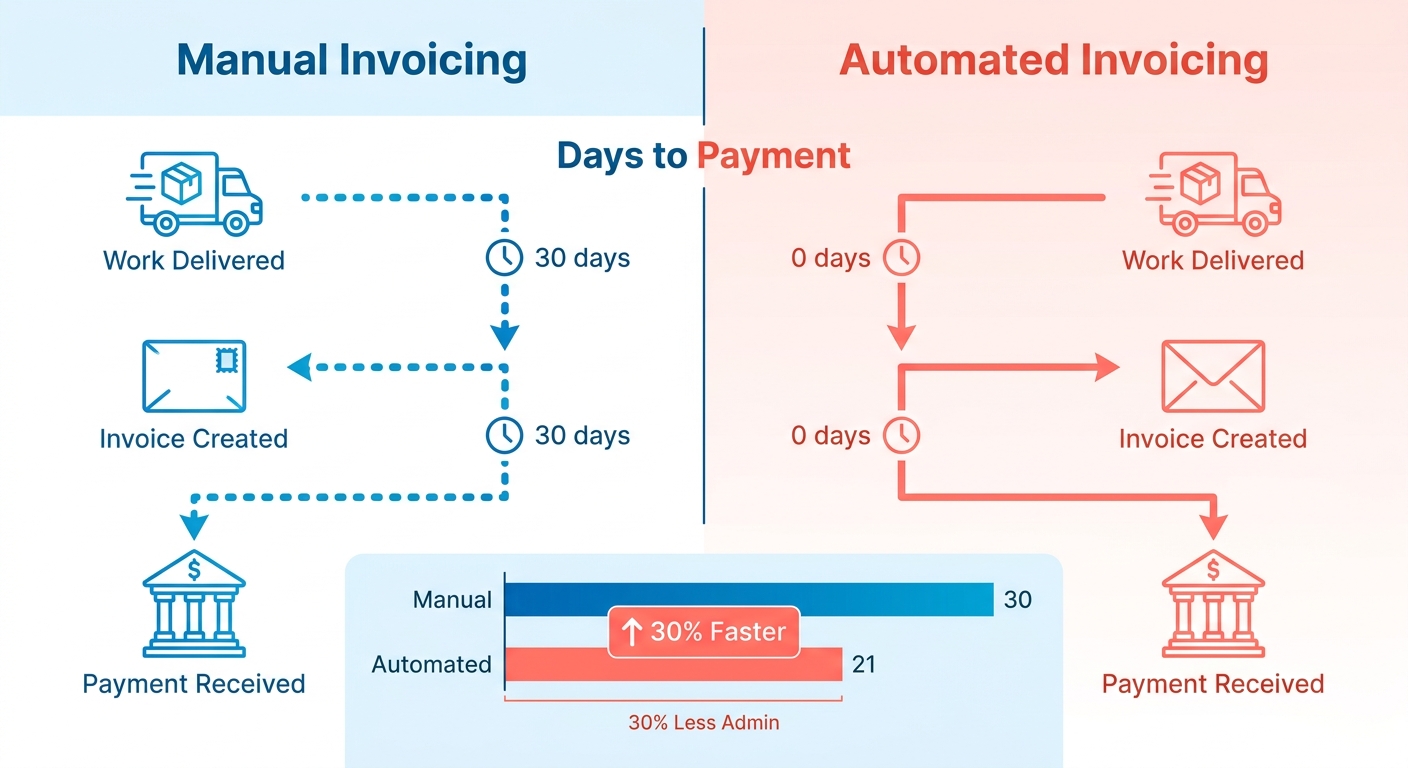
What manual invoicing actually costs you in DSO
Manual invoicing inflates DSO by adding delay, errors, and disputes at every step. Automating the process cuts collections time by up to 30% and lowers admin spend by 30%, according to Blixo’s implementation data. For a firm handling 1,000 invoices a month, that’s 200+ hours saved a year.
The broader industry numbers back this up. A Billtrust study found that 99% of companies using AI-powered AR workflows saw their average DSO drop, and 75% cut it by at least six days.
The milestone angle is where it gets concrete. SaaS finance teams that moved invoicing from the 7th to the 1st of the month recovered a full week of cash flow. Milestone triggers do the same thing for agencies. They remove the human delay between “work done” and “invoice sent.”
Who gets the most out of milestone-triggered invoicing
Agencies billing on project phases gain the most, because their revenue is naturally tied to deliverables rather than flat monthly fees. Each completed phase becomes an automatic billing event instead of a task someone has to chase. Clients benefit too. They get accurate, predictable invoices the moment a milestone clears.
Kyle MacDonald, CFO at Aegis Project Controls, put the shift bluntly:
“We get time card data onto an invoice, reviewed by managers, and out the door to a client in 50% less time than we did previously. We’re getting paid much faster than we were previously and our days sales outstanding dropped nearly six days entirely across the company due to these efficiencies being added.”
Automation also kills the dispute problem. A logistics firm cut reconciliation disputes by 20% after automating, and high-volume firms otherwise burn 40% of staff time managing disputes. Fewer disputes means fewer reasons for clients to delay payment.
What Blixo does differently
Blixo connects milestone-based triggers to invoice creation, then layers on AI matching and automated reminders to close the gap from work to payment. Its matching engine auto-resolves 98% of payments and cuts data-entry errors by 35%. Multi-currency support keeps global clients from becoming a bottleneck.
The real-time dashboards turn invoicing into a tracked KPI. You watch DSO, error rate, and admin hours move in one view instead of guessing. A marketing agency using pre-populated templates cut its invoicing time by 30%.
Here’s how the seven workflows compare at a glance:
| Workflow | Trigger Type | Primary DSO Impact | Setup Effort | Difficulty |
|---|---|---|---|---|
| Milestone-triggered invoicing | Project milestone | 30% faster collections | 2-4 hours | Medium |
| Automated payment reminders | Due-date schedule | 30% fewer delays | 1-2 hours | Easy |
| AI payment matching | Incoming payment | 98% auto-matched | 1-2 hours | Easy |
| Recurring/scheduled billing | Calendar date | ~7 days recovered | 1-2 hours | Easy |
| Dynamic early-payment discounts | Invoice issued | 25% cash-flow lift | 2-3 hours | Medium |
| Multi-currency invoicing | Client region | 20% fewer delays | 3-4 hours | Medium |
| Dispute-resolution workflow | Flagged invoice | 20% fewer disputes | 2-3 hours | Medium |
Each workflow stands on its own. Stacked together, they attack DSO from every angle. The sections ahead break down all seven.
Workflow 1: Smart invoicing — create and send invoices automatically
Smart invoicing fires an invoice the moment a project milestone closes inside your project-management tool. No one types line items. No one remembers to hit send. The invoice creates itself, branded and accurate, then routes to the client by email or an online portal.
This is the difference between getting paid in 30 days and getting paid in 45. When invoice creation lags behind delivered work, every idle day adds to your DSO. Tying the trigger to a milestone removes that gap.
How Blixo’s smart invoicing actually works
Blixo generates and delivers invoices automatically when a milestone or time entry signals that work is done. The platform pulls project data, pre-populates a branded template, and sends it without manual entry.
The matching engine fills gaps in customer or transaction details using historical patterns. So even an incomplete record resolves itself instead of landing on someone’s desk for correction.
The trigger logic is what compresses DSO. Work closes, the invoice ships, the clock starts ticking earlier instead of waiting for someone to clear a backlog at month-end. Teams running weekly sprint closes see invoices leave the same day the milestone is marked complete.
Delivery and customization options
Invoices go out by email or through an online payment portal where clients pay directly. Both remove the back-and-forth of chasing approvals and resending PDFs. The portal route matters most for cutting DSO, since clients can settle the moment they open the invoice.
Customization runs on branded templates. Set your logo, colors, and line-item structure once. Every milestone-triggered invoice reuses that template, so accuracy and branding stay consistent across hundreds of sends.
You can also set rules per client: net-15 terms for one account, net-45 for another, with the due date and reminder cadence baked into each template. No more adjusting terms invoice by invoice.
If you want to pair this with automated follow-ups, there’s a useful walkthrough on building a simple AI invoice follow-up system that complements milestone-triggered billing.
When milestone triggering pays off
The payoff scales with how often you bill. A consultancy closing twelve milestones a month across eight clients eliminates roughly a hundred manual invoice builds a quarter. Each removed step is one fewer chance for a typo, a wrong rate, or a missed send that delays payment.
Fewer manual steps also mean fewer disputes. When the line items map directly to logged work, clients query invoices less often. And queries are a quiet but real driver of late payment.
| Feature | Detail |
|---|---|
| Trigger | Milestone close or time entry |
| Creation | Auto-populated from project data, no manual entry |
| Delivery | Email or online payment portal |
| Customization | Branded templates, per-client terms |
| Pros | Faster sends, fewer disputes, earlier DSO clock |
| Cons | Best ROI at scale; small one-off projects see less benefit |
| Best for | Agencies billing recurring milestones across multiple clients |
Skip this workflow if you invoice once a year for a single flat project. The payoff comes from volume and repetition, where milestone triggers compound into real DSO savings.
Workflow 2: Automated collections — reminders and follow-ups that run themselves
Once an invoice goes out, the next bottleneck is chasing it. Automated collections close that gap by sending reminders and escalation notices on a schedule, so no overdue invoice slips through. For agencies, this is where milestone-triggered invoicing pays off twice: the invoice fired the moment work shipped, and now the follow-up runs itself.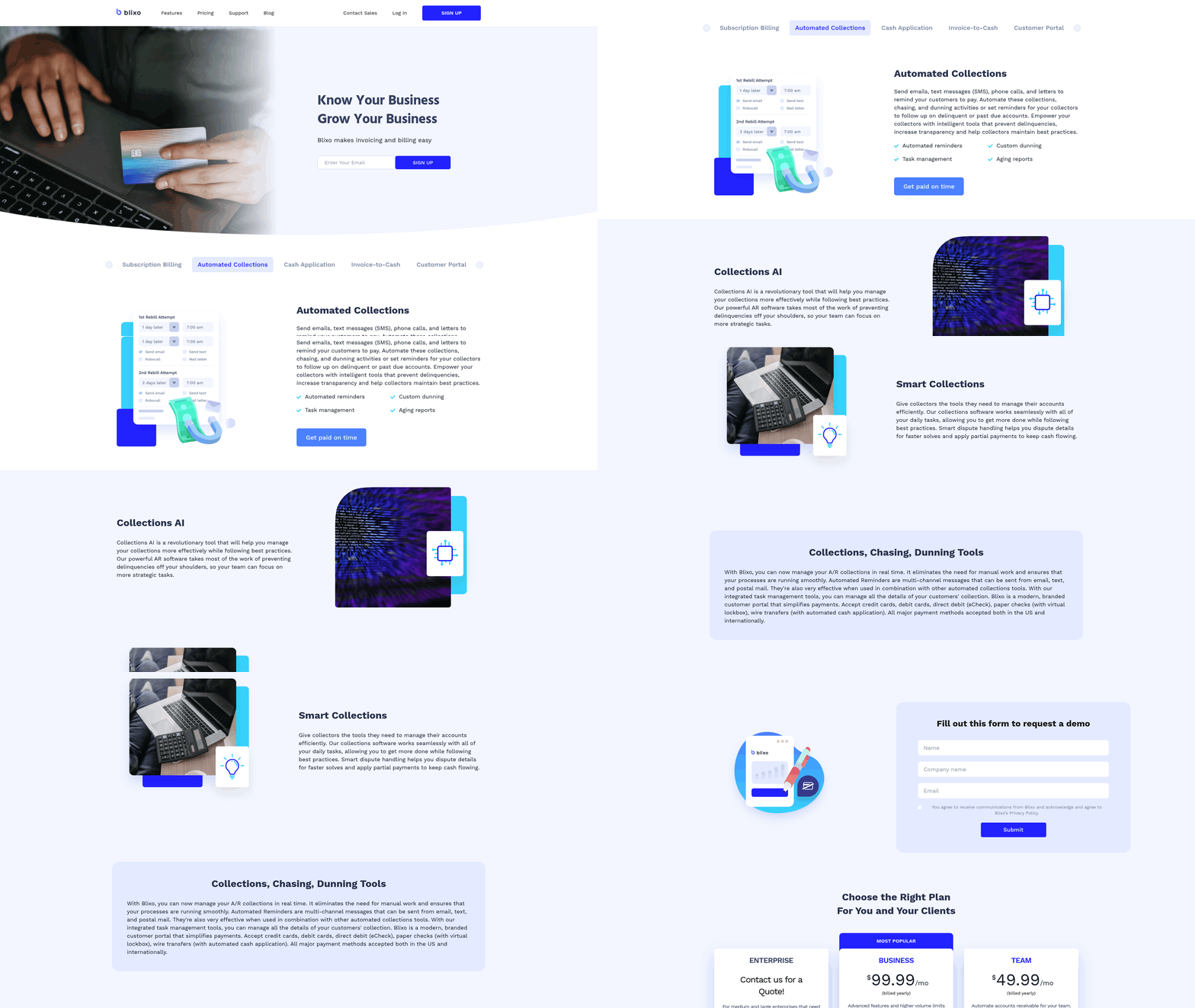
How Blixo’s automated collections work
Blixo runs automated dunning sequences that remind clients of outstanding invoices and escalate when payment stalls. The platform tracks each invoice against its due date, then sends reminders without anyone watching the calendar. Because invoices are tied to project milestones, the system knows exactly what was delivered and when payment came due.
You set the cadence once. A gentle nudge before the due date. A firmer note the day it passes. Escalating reminders at 7, 14, and 30 days overdue. Each message pulls the milestone and line-item detail, so clients see precisely what they owe and why.
This proactive approach matters. As Ordway Labs puts it, getting paid faster “isn’t just about sending an invoice and waiting for the funds to arrive. It’s about creating a smooth, proactive, and customer-friendly collections process.” Automated reminders make that consistent instead of dependent on someone remembering.
What you can customize in reminders and escalation
You control frequency, message content, and the escalation path for every reminder tier. Agencies tune tone by client. A long-standing retainer client gets softer language; a new account on net-30 gets firmer terms. You decide how many days pass before each step fires and what each message says.
Escalation follows a tiered structure. Early reminders stay friendly. Later ones reference the original milestone delivery date and outstanding balance. The final tier flags the account for direct outreach from your finance lead. This tiered process is exactly what Intuit recommends for cutting DSO at scale.
Real-time alerts add another layer. When an invoice ages past a threshold, your team gets notified instantly. Automated aging reports rank outstanding invoices by amount and days past due, so collections effort goes where it recovers the most cash.
Does automated chasing actually cut DSO?
Yes. AR automation consistently drops DSO across firm sizes. Timing is the lever most teams underestimate: invoices sent within a day of work completing get paid roughly twice as fast as those that sit, and a single reminder before the due date can lift on-time payment rates by double digits. The reason is simple. Consistent, scheduled outreach removes the gaps where invoices go quiet and clients forget.
For agencies, the milestone link sharpens this. Chasing tied to milestone-based invoices means reminders reference concrete deliverables, which kills the “what is this for?” disputes that delay payment.
| Tool | Automated Reminders | Milestone-Linked Chasing | Tiered Escalation | Best For |
|---|---|---|---|---|
| Blixo | Yes | Yes, syncs with PM tools | Yes, fully customizable | Agencies billing by milestone |
| TreviPay | Yes | No | Yes | Enterprise pay-by-invoice |
| Intuit Enterprise Suite | Yes | No | Yes | Multi-entity finance teams |
| BigTime (PSA) | Yes | Time-entry based | Limited | Time-and-materials firms |
Most platforms automate the chase. Few tie that chase to a project milestone the way an agency-focused tool does. That connection is what turns generic dunning into collections your clients actually respond to.
Workflow 3: Tiered dunning — match the pressure to the risk
Tiered dunning means your reminders escalate in tone and urgency the longer an invoice stays unpaid. A soft nudge at day one. A firmer note at day fifteen. A direct escalation past due. For agencies, this beats one-size-fits-all reminders because it matches pressure to risk without burning client relationships.
How tiered dunning accelerates cash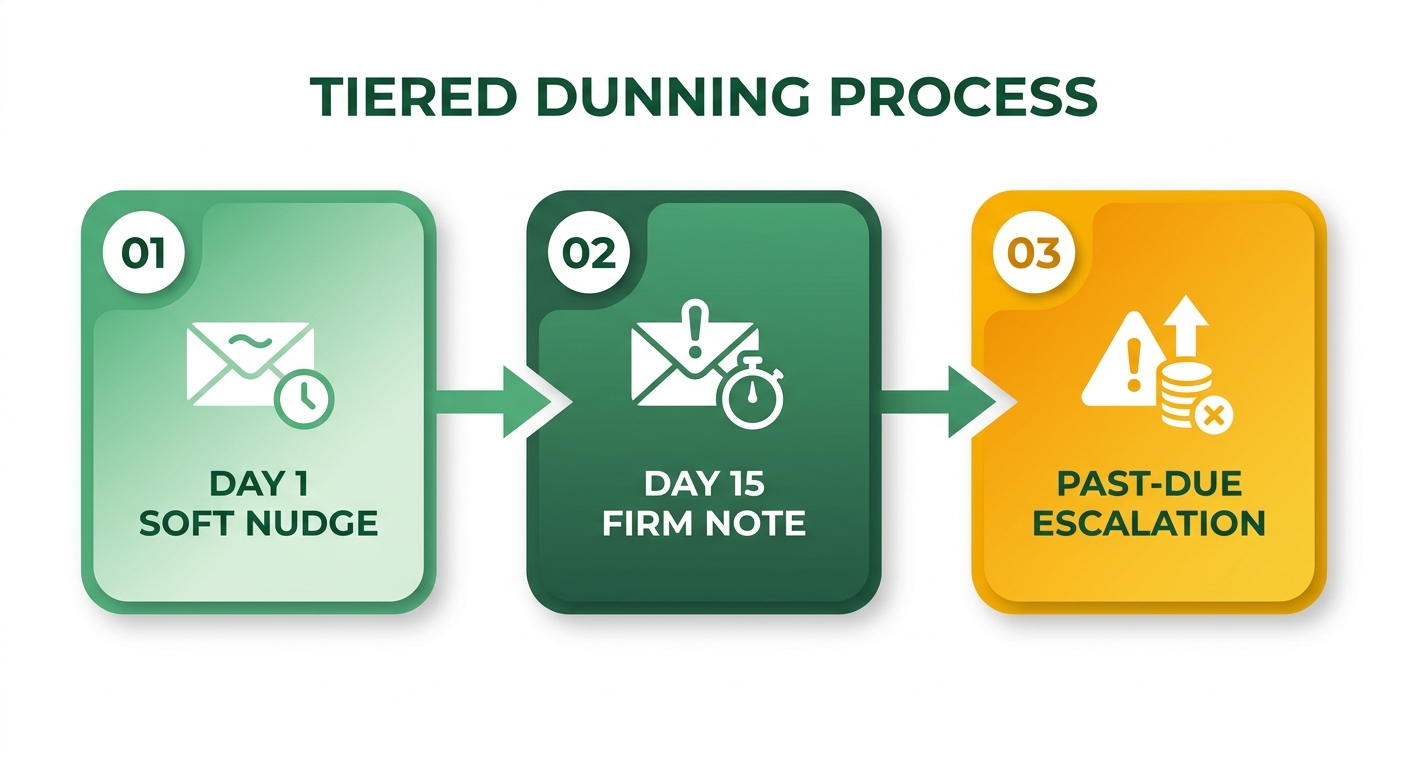
Tiered dunning accelerates cash by automating consistent follow-up that scales with how overdue each invoice is. Instead of one generic reminder, the system sorts invoices by amount and days past due, then prioritizes the ones threatening your cash position. You collect faster on your biggest exposures.
The pattern shows up in the timing data. Invoices that get a structured escalation sequence get paid an average of 11 days sooner than those chased ad hoc. Roughly half of late payments clear after the second, firmer reminder rather than the first soft nudge. Which tells you the escalation step itself is doing the work, not the sheer volume of messages.
Tiered escalation also frees your team from manual chasing. Automated aging reports track outstanding invoices and rank them by amount and days past due, so collectors act on what matters first.
What makes milestone-linked dunning different
Milestone-linked dunning ties every escalation back to the exact deliverable the client already received. Because the invoice fired when a milestone closed in your project-management tool, the dunning sequence knows precisely what was shipped and when payment came due. That kills the most common stall tactic: “We’re not sure what this invoice covers.”
This matters for agencies more than most businesses. Your work happens in phases. When the day-fifteen reminder references the specific milestone that triggered the invoice, disputes drop and payment speeds up.
Consistent follow-up is the engine here. As one DSO guide put it:
“Getting paid faster isn’t just about sending an invoice and waiting for the funds to arrive—it’s about creating a smooth, proactive, and customer-friendly collections process.”
You can read more about building a hands-off follow-up flow in this guide on creating a simple invoice follow-up system.
How customizable are the campaigns?
You set frequency, content, and escalation triggers once, then the campaign runs itself. Adjust how many days pass between reminders. Change the tone at each tier. Decide which milestone reference appears in the message body. The platform applies your rules to every overdue invoice without manual touch.
This is where milestone data pays off again. The escalation copy pulls the exact deliverable, due date, and amount automatically, so each tier feels personal rather than templated.
Dunning features across tools
| Tool | Tiered Escalation | Milestone-Linked Triggers | Aging Reports | Best For |
|---|---|---|---|---|
| Blixo | Yes | Yes, syncs with PM tools | Yes | Agencies billing by project milestone |
| TreviPay | Yes | No | Yes | Enterprise pay-by-invoice at checkout |
| Intuit Enterprise Suite | Yes | No | Yes | Multi-entity reconciliation |
| Credit-IQ | Yes | No | Yes | Data-driven AR dashboards |
The honest distinction: most platforms automate dunning, but they escalate against a flat invoice date. The milestone link is what closes the agency gap. When your reminders reference the phase of work behind the bill, clients pay faster because there’s nothing to question.
Best for: Agencies that invoice by milestone and want collections that reference the actual deliverable at every escalation step.
Workflow 4: Automated cash application — match payments to invoices instantly
Cash application is the step where incoming payments get matched to open invoices. Automated cash application does that matching instantly, the moment a payment lands, so your books reconcile without anyone touching a spreadsheet.
For agencies running milestone-triggered invoicing, this closes the loop. The invoice fired when a milestone shipped. The reminder ran itself. Now the payment clears and matches automatically. The full cycle runs hands-off from delivered work to reconciled cash.
How Blixo’s automated cash application works
Blixo’s matching engine pairs each incoming payment with the right invoice, even when one payment covers several invoices or arrives without a clear reference. It reads payment data, finds the matching record, and applies the cash without manual entry.
Because invoices are tied to project milestones, the system already knows what each client owes and why. That context makes matching cleaner. A payment for a finished design phase maps to the exact milestone invoice, not a guessed-at line item.
You also set rules for the messy cases. Partial payments, overpayments, and unreferenced deposits each get a handling rule. Exceptions route to a human only when the engine can’t resolve them with confidence.
Why instant matching cuts administrative work
Instant matching removes the manual reconciliation that eats finance hours every week. Fragmented systems force teams to spend an average of 25 hours per week reconciling data across tools. Automated cash application erases most of that.
One multi-entity organization eliminated those 25 weekly hours after centralizing invoicing, payments, and banking data on a single platform. That time goes back to higher-value work instead of matching deposits to invoices by hand.
The accuracy gain matters as much as the speed. Manual keying is where most misapplied-cash errors start, and a strong matching engine clears the bulk of payments on the first pass without human touch. Studies of straight-through cash application put automated match rates above 90%, leaving only true edge cases for review. Fewer hands on each payment means fewer typos, fewer misapplied deposits, and fewer disputes stuck waiting for someone to untangle them.
How it compares to other solutions
Most AR platforms automate invoicing or dunning but leave cash application a manual chore. The milestone-aware approach is what sets the matching apart. The engine already has project context, so it matches with less guesswork.
| Solution | Cash Application Approach | Milestone Context | Best For |
|---|---|---|---|
| Blixo | Instant AI matching with exception rules | Yes, tied to project milestones | Agencies invoicing per milestone |
| Intuit Enterprise Suite | Automated reconciliation across banking data | No | Multi-entity finance teams |
| TreviPay | Pay-by-invoice with guaranteed settlement | No | Enterprise B2B credit terms |
Pros: Instant matching, milestone-aware accuracy, configurable exception rules, less reconciliation time.
Cons: The milestone advantage only pays off if your project-management tool syncs cleanly with the platform.
For agencies that bill against project milestones, automated cash application is the piece that makes the whole workflow self-running. The invoice, the follow-up, and the match all key off the same milestone data. So pulling DSO from 60 to 50 days, which can free up $2 million in working capital for a larger firm, becomes a process you set once rather than chase every month.
Workflow 7: Subscription management — recurring invoices for SaaS and retainer clients
Subscription management automates the billing cycle for clients on retainers or recurring plans, charging them on schedule without anyone touching an invoice. For agencies running monthly retainers and SaaS firms billing on recurring or usage-based plans, this keeps revenue flowing on a predictable clock. It closes the same DSO gap milestone-triggered invoicing closes, just on a repeating timeline instead of a project event.
How subscription management cuts DSO for recurring clients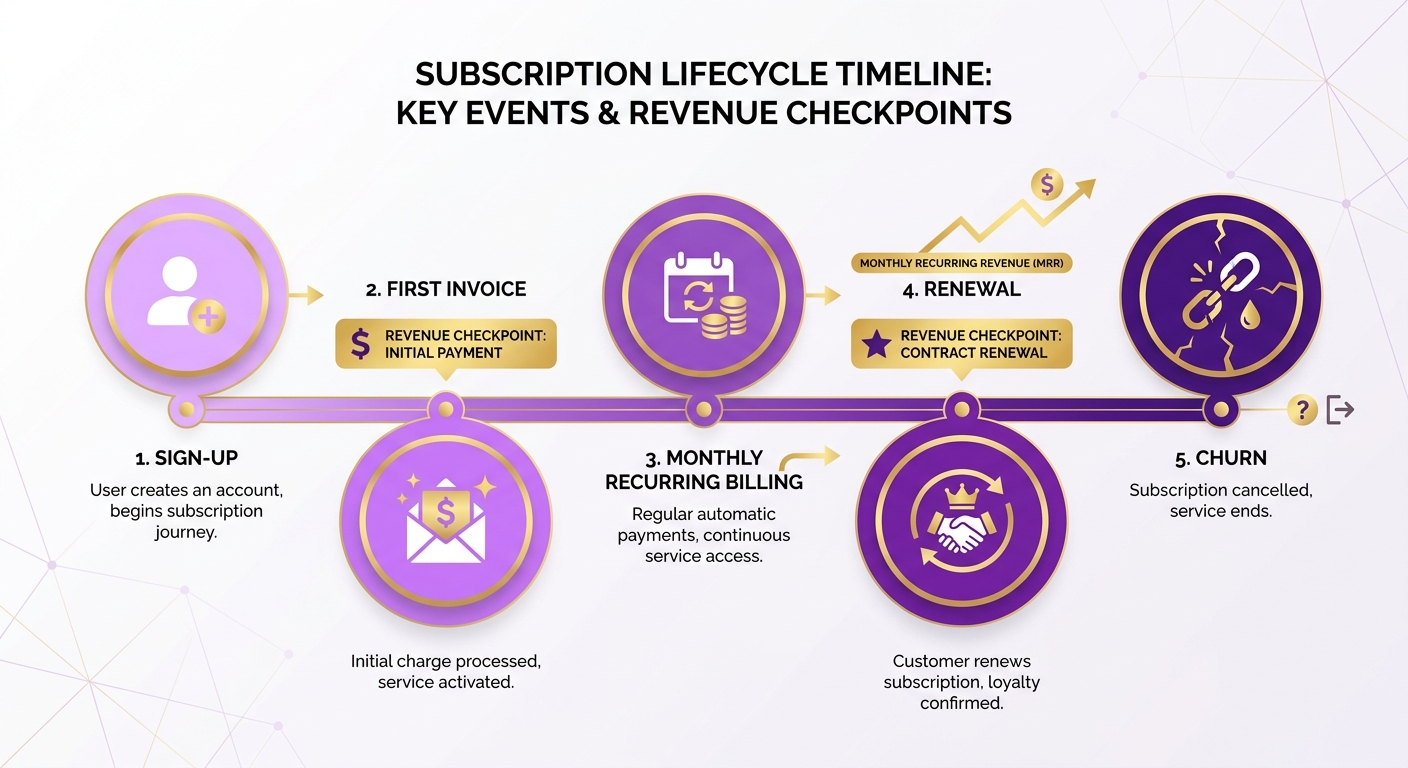
Recurring billing cuts DSO by charging saved payment methods automatically on each cycle, so the invoice-to-cash gap shrinks to near zero. When a client’s card is on file and AutoPay is on, the charge clears the moment the invoice fires. No reminder, no chase, no waiting period.
Timing alone moves the number. As one SaaS billing guide put it, “Delaying new customer invoices by 10–15 days? That’s cash left on the table.” Recurring billing removes that delay by locking the charge to a fixed date.
Blixo’s subscription management handles recurring billing, revenue recognition, metered billing, add-ons, and coupons. It also runs churn prediction and updates expired or replaced cards automatically, so a declined payment doesn’t quietly become an overdue balance.
What customization options matter most
The plans that hold up best support proration, metered usage, and self-service plan changes through a client portal. Agencies rarely bill flat. Retainers get upgraded mid-month, usage spikes, and clients add scopes. Your billing has to follow without manual rework.
Blixo’s subscription platform supports the messy stuff: revenue recognition schedules, metered billing, add-ons, and coupons. That flexibility stops disputes before they start. A wrong line item is a payment delay waiting to happen.
The customer portal lets clients change billing intervals, update payment info, and manage their own plans. One reviewer running an organic deodorant brand noted clients “can easily manage their subscriptions, view past orders, change billing intervals, and update payment info easily.” Self-service removes the back-and-forth that stalls cash.
How it compares to other subscription tools
| Tool | Best For | Recurring Billing | Card Updater | Churn Prediction | Notable Limit |
|---|---|---|---|---|---|
| Blixo | Agencies + SaaS needing AR + subscriptions in one | Yes | Yes | Yes | Subscription analytics on higher tiers |
| PSA software | Time-based project firms | Limited | No | No | Built for hours, not recurring plans |
| Standalone billing apps | Pure SaaS recurring | Yes | Varies | Varies | Collections often a separate add-on |
The edge for agencies is consolidation. Most subscription tools bill well but hand collections and cash application to another system. Pairing recurring billing with milestone-triggered invoicing and automated dunning under one roof means the whole invoice-to-cash cycle runs in one place.
Best for: agencies that mix project retainers with recurring plans and want subscriptions, invoicing, and collections in a single service.
Setup prerequisites and common pitfalls
Before turning on recurring billing, get saved payment methods on file and clean your customer data. Without a stored card, AutoPay can’t fire, and you’re back to chasing. Validate billing contacts and plan amounts during migration to avoid downstream charge errors.
The biggest pitfall is skipping the card updater. Expired cards cause silent failures that inflate DSO without anyone noticing until reconciliation. Turn on automatic card updating so a renewed card doesn’t break a cycle.
If charges fail, check the retention settings first. Declined payments often resolve on a retry schedule before they ever become a collections problem.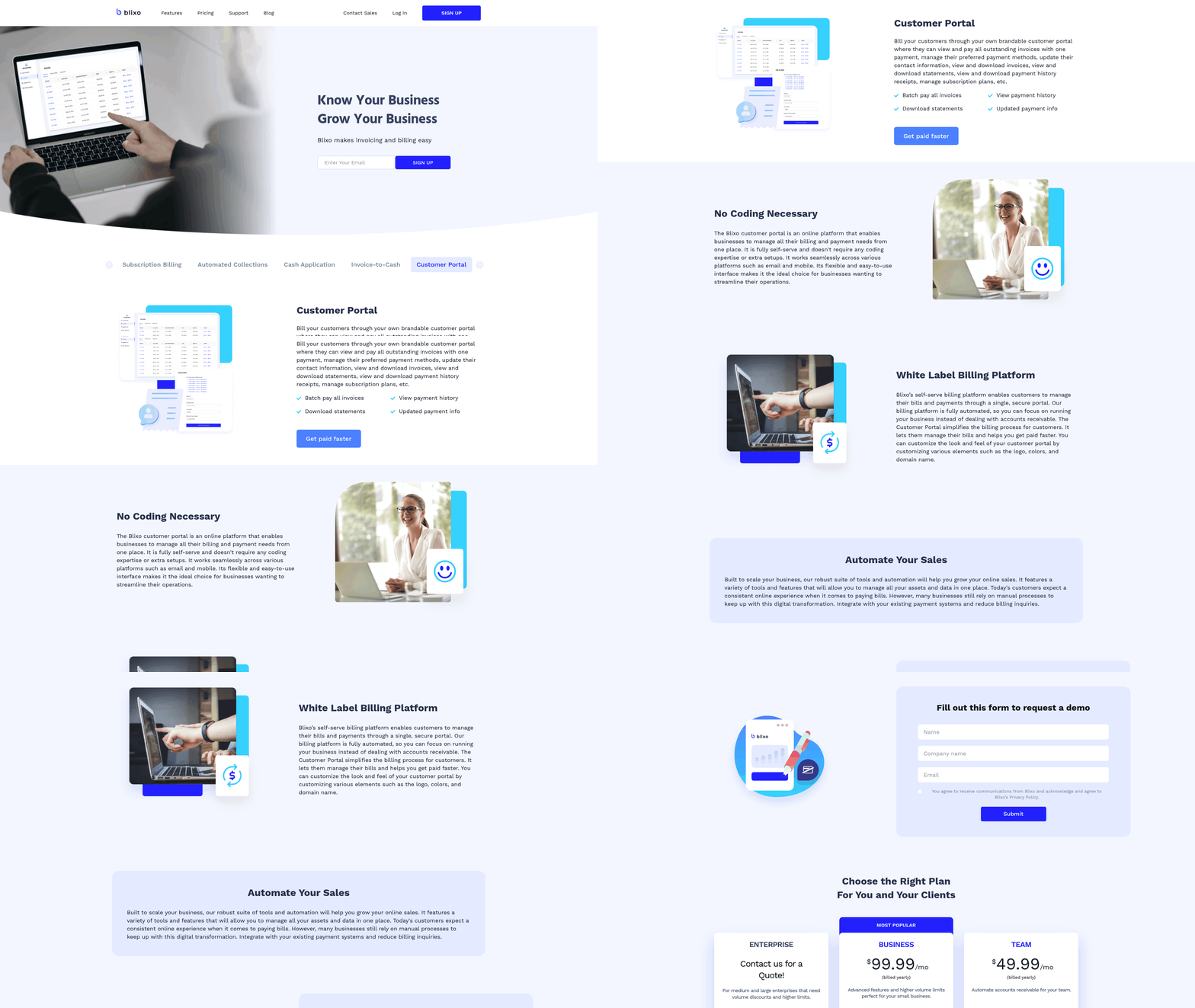
Frequently Asked Questions
1. How long does it take to set up milestone-triggered invoicing in Blixo?
Milestone-triggered invoicing requires 2-4 hours of setup, the most involved of the seven workflows. Easier workflows like automated reminders, AI payment matching, and recurring billing take just 1-2 hours each. The bulk of setup time goes toward syncing your project-management tool and configuring branded templates and per-client terms.
2. What happens when a payment can’t be automatically matched to an invoice?
Unresolved payments route to a human reviewer only when the matching engine can’t resolve them confidently. You set handling rules upfront for partial payments, overpayments, and unreferenced deposits. Since automated match rates exceed 90% on the first pass, only true edge cases reach your finance team for manual review.
3. Can Blixo handle clients paying in different currencies?
Multi-currency invoicing supports global agency clients and reduces payment delays by 20%. The workflow triggers based on client region and takes 3-4 hours to configure. This prevents international clients from becoming a billing bottleneck, keeping currency differences from slowing collections across your global account base.
4. Is milestone-triggered invoicing worth it for small or one-off projects?
Skip milestone-triggered invoicing if you bill once a year for a single flat project. The payoff comes from volume and repetition. A consultancy closing twelve milestones monthly across eight clients eliminates roughly 100 manual invoice builds per quarter, which is where the DSO savings actually compound.
5. How does tiered dunning avoid damaging client relationships?
Tiered dunning matches pressure to risk by escalating tone gradually rather than sending uniform reminders. You customize messaging per client, giving retainer clients softer language and new accounts firmer terms. Roughly half of late payments clear after the second reminder, so escalation works without aggressive volume that strains relationships.
6. What payment methods and recurring billing features does subscription management support?
Subscription management charges saved payment methods automatically via AutoPay, clearing the moment an invoice fires. It supports proration, metered usage, add-ons, coupons, and revenue recognition schedules. A built-in card updater refreshes expired or replaced cards automatically, preventing declined payments from quietly becoming overdue balances on recurring accounts.
7. How does automated invoicing reduce client disputes specifically?
Automated invoicing reduces disputes by mapping line items directly to logged work and milestones, removing the “what is this for?” question that stalls payment. A logistics firm cut reconciliation disputes by 20% after automating. High-volume firms otherwise burn 40% of staff time managing disputes, so fewer queries means faster payment.