

Invoice Processing Solutions Checklist for Blixo Users
Key Takeaways
- Manual invoice errors affect 39% of invoices, costing U.S. businesses $1.3 trillion annually in rework and disputes.
- Manual processing can extend invoice cycles to 45 days, compared to 3.1 days with automation.
- Processing 1,000 invoices monthly manually could mean $140,000 in inaccessible cash each month.
- Disorganized reconciliation consumes 82% of accounts receivable teams’ time, stifling strategic growth efforts.
- Automated collections reduced one company’s invoice processing time by 50%, freeing staff for customer service.
- Blixo’s recurring billing systems increased revenue predictability by 30% for a small SaaS business.
Why Efficient Invoice Processing Matters
Efficient invoice processing isn’t just a financial task-it’s a critical lever for business growth, cash flow stability, and operational agility. For companies using Blixo, the stakes are even higher, as inefficient systems can delay revenue, strain customer relationships, and create avoidable administrative burdens. Let’s break down why this matters.
How Inefficient Invoice Processing Hurts Businesses
Businesses losing control of their invoicing processes face measurable financial losses. Manual data entry errors affect 39% of all invoices, costing U.S. companies an estimated $1.3 trillion annually** in rework and disputes. Worse, manual processing can extend invoice cycles to **45 days**, compared to **3.1 days** with automation. For a business processing 1,000 invoices monthly, this delay could mean **$140,000 in inaccessible cash each month.
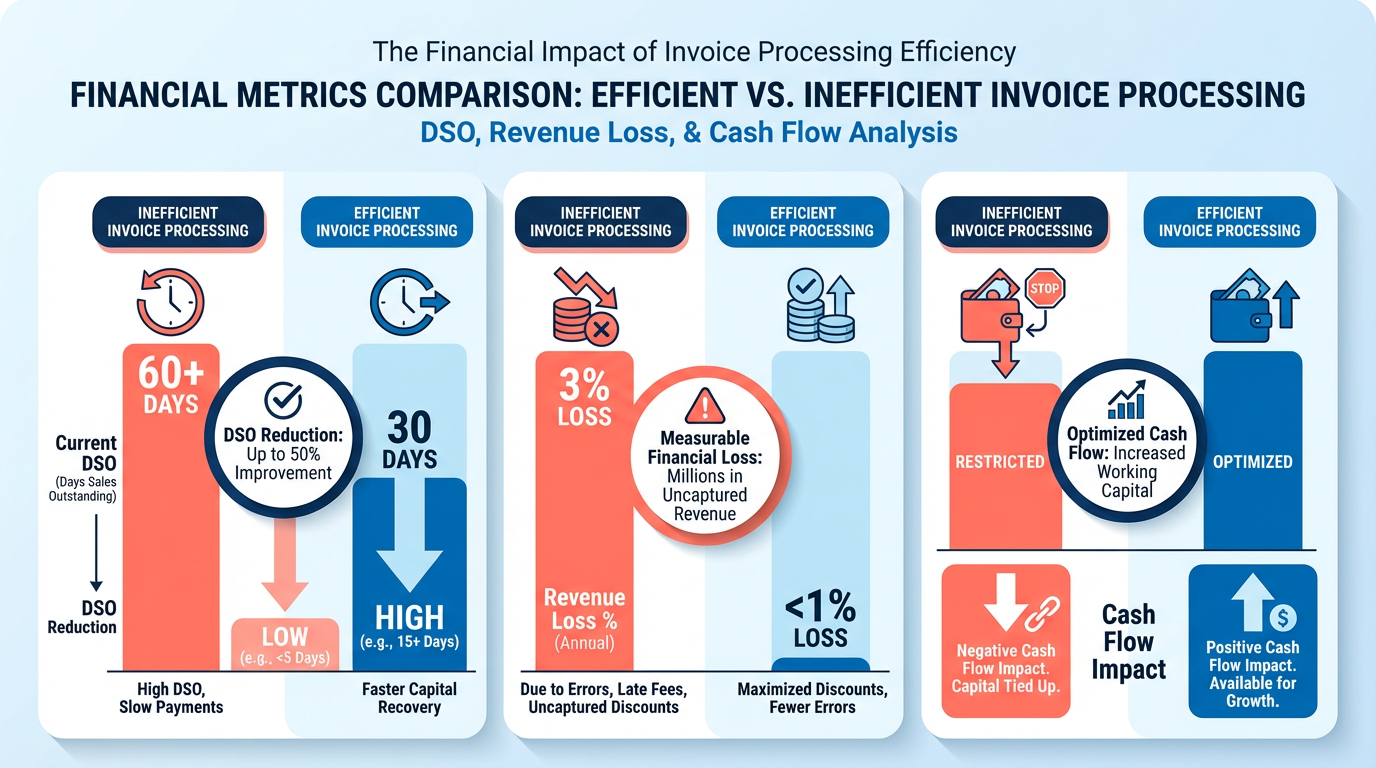
Cash flow isn’t the only casualty. Disorganized reconciliation and manual cash application tasks consume 82% of accounts receivable teams’ time, leaving little room for strategic work. One medium-sized enterprise reduced its invoice processing time by 50% using Blixo’s automated collections, freeing staff to focus on customer service and growth initiatives.
Why Blixo Solves These Problems Better
Blixo’s SaaS service eliminates manual bottlenecks through automation, integration, and intelligent tools. For example:
- Recurring billing systems cut cash flow gaps for subscription-based businesses. A small SaaS company increased revenue predictability by 30% after implementing Blixo’s recurring invoicing, as outlined in the Streamlining Invoicing Workflows with Blixo section.
- Automated cash application reduces reconciliation errors by 97% through intelligent payment matching, as seen in a case where a midsize retailer slashed manual reconciliation hours by 70%.
- Customer engagement tracking (like invoice view notifications) improves collections. One service-based business reduced late payments by 40% by sending payment reminders triggered by customer activity, a strategy detailed in the Implementing Automated Collections and Dunning with Blixo section.
These features benefit businesses with high-volume recurring billing, fragmented payment systems, or struggling collections. A testimonial from Duy, a Blixo user, highlights the platform’s ease of setup and power: “Managing subscriptions used to take hours-now it’s automated, and I focus on scaling my business.”.
Automation’s Role in Reducing Workload and Risk
Automation isn’t just about speed-it’s about reducing risk and human error. Blixo’s integration with QuickBooks, Xero, and ERPs like SAP ensures zero manual data entry, while 256-bit encryption protects sensitive financial data. For businesses handling 200–500 invoices monthly, automation typically delivers a return on investment within six months by cutting processing costs from $9–$15 per invoice to $3–$5, as measured in the Measuring Success and Optimizing Invoice Processing with Blixo section.
Consider a real-world example: A manufacturer using Blixo’s auto-billing feature eliminated 12 hours of weekly manual invoicing, redirecting that time to inventory optimization. Meanwhile, AI-driven fraud detection in Blixo’s SaaS service stopped a $12,000 fraudulent payment attempt, preventing revenue loss.
Who Gains the Most from Blixo?
While all businesses benefit from streamlined invoicing, certain industries see transformative results:
- Subscription-based models (SaaS, gyms, memberships): Blixo’s recurring billing automates 80% of invoicing workflows.
- Service providers with fragmented payments: The platform consolidates credit card, ACH, and check payments into one dashboard.
- High-volume retailers: Automated PO matching and three-way matching reduce invoice disputes by 60%.
“Blixo turned invoicing from a chore into a strategic advantage,” says Matthew Schwartz, founder of Elemental Deodorant, who credits the platform with streamlining accounting for his e-commerce business.
By automating 80% of manual tasks, Blixo doesn’t just improve efficiency-it future-proofs financial operations. As invoice volumes grow and customer expectations for instant payments rise, businesses that adopt tools like Blixo gain a clear edge in scalability and accuracy.
Streamlining Invoicing Workflows with Blixo
Building on concepts from the Why Efficient Invoice Processing Matters section, configuring Blixo’s core features starts with custom invoice templates and payment gateway integration. For businesses looking to automate collections and reduce late payments, the Implementing Automated Collections and Dunning with Blixo section details how payment reminders and customizable workflows enhance cash flow. When integrating with accounting systems, real-time financial reporting aligns with insights from the Measuring Success and Optimizing Invoice Processing with Blixo section, which emphasizes tracking performance metrics to refine invoice processing efficiency.
Automating Cash Application and Reconciliation with Blixo
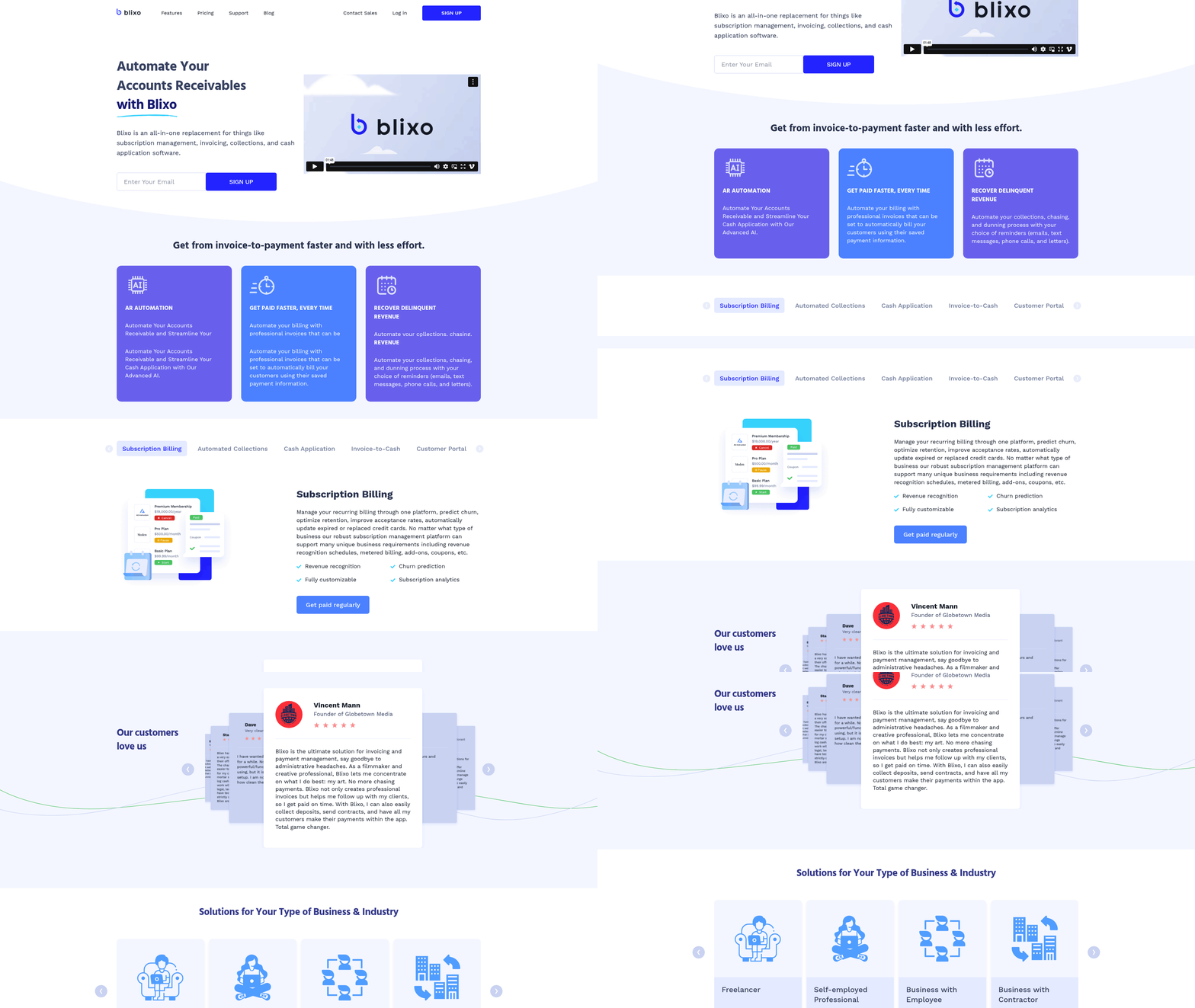
Automating cash application and reconciliation with Blixo streamlines financial workflows by reducing manual effort, minimizing errors, and accelerating payment processing. Blixo’s AI-powered matching engine uses machine learning to analyze payment data, invoices, and customer accounts, automatically reconciling transactions with 97% accuracy in data extraction. This eliminates disputes, cuts processing time from days to minutes, and ensures real-time visibility into cash flow. By integrating with systems like QuickBooks, Xero, and ERP platforms, Blixo adapts to existing workflows without requiring costly overhauls, as outlined in the Streamlining Invoicing Workflows with Blixo section.
How Blixo’s Automation Works in Practice
The platform’s intelligent matching starts by scanning incoming payments-whether via credit card, ACH, or wire-and cross-referencing them with open invoices. For example, if a customer pays $2,500 for a $2,500 invoice, Blixo automatically applies the payment, updates the ledger, and sends a confirmation. Complex scenarios, like partial payments or multiple invoices, are handled through customizable rules. Users define priority logic (e.g., match by invoice date, amount, or customer code), and Blixo learns from past patterns to optimize matches.
Businesses see measurable results:
- Bridgevine reduced AP processing time by 90%, reallocating staff to strategic tasks.
- GEMLUX cut purchase order processing from 30–45 minutes to 3–5 minutes using AI tools.
- A financial institution in Turkey slashed costs by switching from paper-based to digital systems, improving operational efficiency.
Steps to Configure Blixo’s Automation Features
To implement cash application automation, follow these steps:
- Set Up Payment Rules. Define how payments should be applied. For example:
- Prioritize payments for invoices with early-due dates.
- Allocate partial payments to specific line items. Use Blixo’s drag-and-drop rule builder to test scenarios before deployment, similar to the setup process described in the Streamlining Invoicing Workflows with Blixo section.
-
Train the AI Matching Engine. Upload historical payment-invoice pairs to train the system. Blixo’s machine learning models analyze these to recognize patterns, such as recurring clients or common discrepancies. Adjust confidence thresholds for automatic approvals-e.g., require manual review for matches below 85% accuracy.
-
Reconcile Accounts Automatically. Enable daily reconciliation by linking Blixo to your bank and accounting software. The system flags mismatches (e.g., overpayments, duplicate invoices) and generates alerts. For example, if a customer sends $50 extra, Blixo creates a credit memo and notifies the finance team.
Best Practices for Optimizing Workflows
- Monitor Performance Metrics: Track key indicators like match accuracy, processing time, and exception rates using Blixo’s dashboards. One company reduced exceptions by 70% after refining payment rules based on these insights, aligning with the strategies detailed in the Measuring Success and Optimizing Invoice Processing with Blixo section.
- Audit Regularly: Schedule weekly reviews of flagged transactions. Blixo’s audit trail shows who made changes and when, ensuring compliance.
- use Subscriptions and Recurring Billing: Automate recurring invoices for SaaS or membership-based businesses. A service provider used this feature to cut billing errors from 15% to 2%.
Addressing Common Challenges
Automation isn’t foolproof. Potential issues include:
- Data Inconsistencies: If a customer pays via check with a misspelled name, Blixo’s fuzzy matching identifies likely matches. A midsize manufacturer reduced manual checks by 60% using this feature.
- Integration Delays: Blixo’s pre-built connectors for SAP, Oracle, and Stripe minimize setup time, as highlighted in the Streamlining Invoicing Workflows with Blixo section. One client integrated in 48 hours, avoiding the weeks-long delays typical with other providers.
- Fraud Risks: The platform’s AI detects anomalies, such as payments to inactive vendors. Another business prevented $250K in fraud losses by acting on these alerts.
Why Blixo Stands Out
Unlike generic providers, Blixo offers transparent pricing and a customer-centric interface. Users praise its ease of setup-Dave, a long-time finance professional, called it “significantly more powerful than previous tools” due to its intuitive design. Vincent Mann, founder of Globetown Media, added, “Blixo is a major advantage for invoicing, letting me focus on my art instead of chasing payments.”.
By automating cash application and reconciliation, Blixo transforms these tasks from cost centers into strategic advantages. Teams save hundreds of hours annually, reduce errors, and gain actionable insights into revenue trends-all while maintaining control through customizable workflows. The result? A system that scales with your business, adapts to complexity, and keeps cash flow predictable.
Implementing Automated Collections and Dunning with Blixo
The Integration with Accounting Software feature allows businesses to sync with platforms like QuickBooks, Xero, and ERPs, ensuring real-time updates on invoice status and payment history. As mentioned in the Streamlining Invoicing Workflows with Blixo section, configuring these integrations is part of setting up core invoicing workflows, which enhances data accuracy and reduces manual reconciliation efforts.
In the Best Practices for Optimization section, tracking key metrics like days sales outstanding (DSO) and payment success rates aligns with Measuring Success and Optimizing Invoice Processing with Blixo, where businesses are advised to use dashboards to refine workflows based on performance data.
When enabling Blixo’s dunning rules, businesses can use Automating Cash Application and Reconciliation with Blixo to ensure failed payments are automatically retried and matched to the correct invoices, reducing errors and accelerating cash application.
Measuring Success and Optimizing Invoice Processing with Blixo
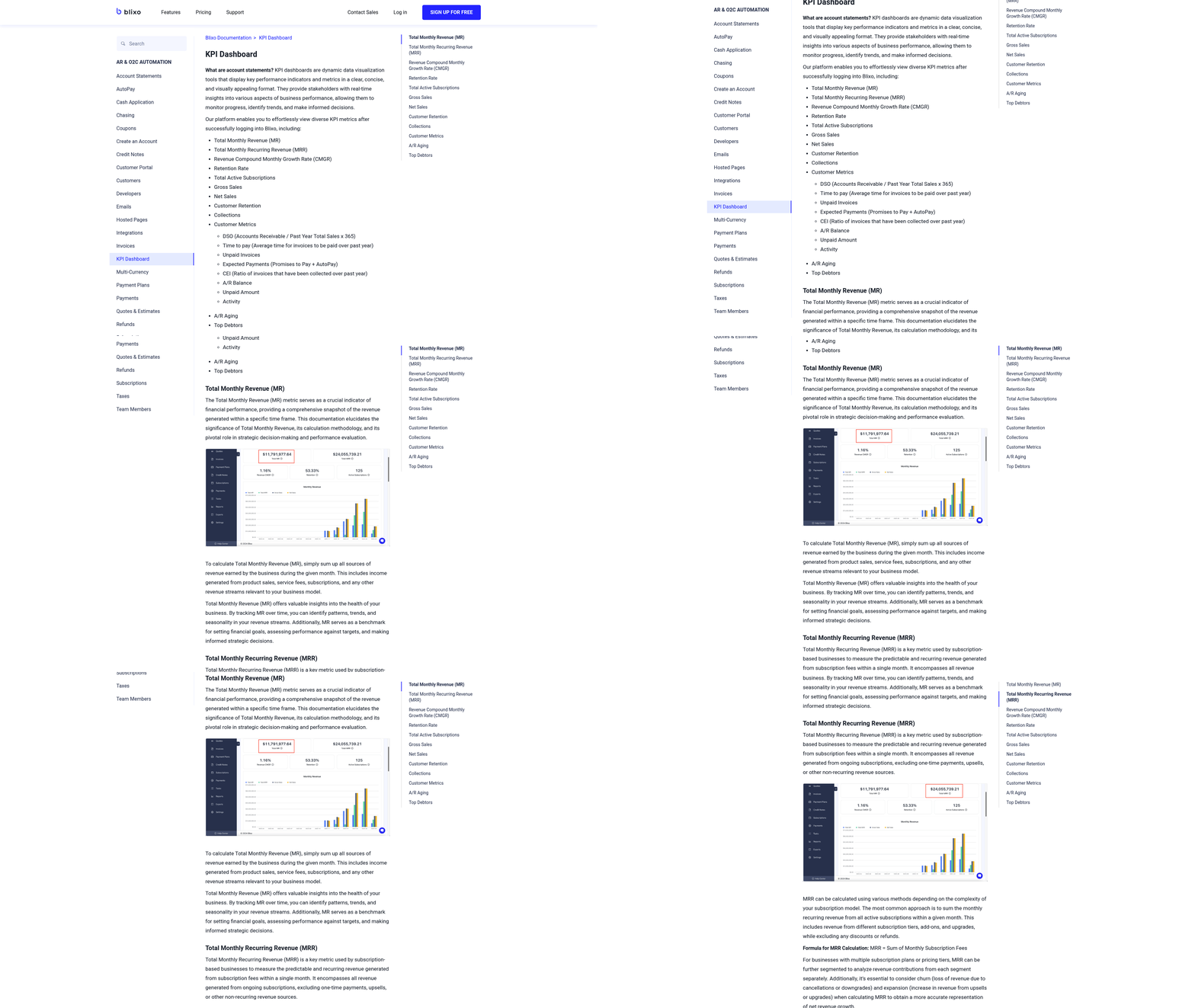
Tracking the performance of your invoice processing workflows is critical to ensuring efficiency, cost savings, and compliance. Blixo’s analytics and reporting tools provide actionable insights into key metrics like processing time, error rates, and cost per transaction. By using these features, businesses can identify bottlenecks, reduce manual effort, and align workflows with strategic goals.
How Can Blixo’s Analytics Help Track Invoice Processing Metrics?
Blixo’s analytics dashboard lets you monitor real-time performance through KPIs such as invoice processing time, error rates, cost per invoice, and approval cycle duration. These metrics are visualized using customizable dashboards, enabling teams to track progress and compare historical data. For example, if the average processing time spikes, the system flags the issue, allowing teams to investigate bottlenecks.
- Track invoice volume trends to forecast workload and resource needs
- Measure automation efficiency by comparing manual vs. automated processing times
- Monitor compliance rates to ensure adherence to tax, VAT, and audit standards
Blixo’s AI-driven system also learns from data patterns, improving accuracy over time. One company reduced invoice errors by 40% within six months by analyzing error logs and refining data extraction rules..
What Do Real-World Blixo Users Prioritize?
Businesses using Blixo often focus on optimizing workflows to save time and reduce costs. A financial services firm in Turkey automated its paperless invoice system, cutting processing costs by 60% and improving vendor satisfaction. Similarly, a midsize manufacturer automated purchase order matching, reducing disputes by 35%. These results highlight how Blixo’s analytics empower teams to make data-driven decisions.
To replicate this success, you can:
- Set thresholds for KPIs (e.g., flag invoices taking >48 hours for review).
- Generate weekly reports to identify trends like seasonal volume changes.
- Compare departmental performance to standardize best practices.
“With the right partner, automation isn’t just about efficiency-it’s about transforming how your team operates.” – AP Manager, Midsize Manufacturer.
How to Set Up and Use Blixo’s Analytics Features
Creating custom dashboards and reports in Blixo is straightforward. Start by logging into the analytics portal and selecting metrics relevant to your goals. For instance, if your priority is cost reduction, track cost per invoice and staffing hours saved. Use drag-and-drop tools to build visualizations and set alerts for anomalies like duplicate invoices or late payments.
Step-by-step setup:
- Access the dashboard: manage to the analytics section and choose a pre-built template or start fresh.
- Customize metrics: Add KPIs like approval cycle time, automation accuracy, or vendor payment delays.
- Export and share: Generate PDF or CSV reports for stakeholders, or integrate with BI tools like Power BI for deeper analysis.
For teams new to analytics, Blixo’s documentation and support team offer guidance on configuring alerts and refining dashboards. As mentioned in the Streamlining Invoicing Workflows with Blixo section, custom templates and pre-trained AI models streamline initial setup..
Best Practices for Continuous Optimization
Optimizing invoice workflows isn’t a one-time task. Regularly review KPIs and adjust strategies based on insights. For example, if the error rate increases, retrain the AI model on new invoice formats or update validation rules. Similarly, if vendor payment delays rise, prioritize automating approval workflows for high-value suppliers.
Key practices include:
- Monthly KPI reviews: Compare current performance against benchmarks.
- Team training: Ensure staff understand how to use dashboards and interpret data.
- Iterative improvements: Test new automation rules on a small scale before full rollout.
Building on concepts from the Automating Cash Application and Reconciliation with Blixo section, minimizing errors through AI-powered matching reinforces the value of automation in reducing rework..
Addressing Common Challenges with Blixo
Measuring success can be tricky when dealing with complex invoice formats or inconsistent vendor data. Blixo tackles these challenges by offering pre-trained AI models for document understanding and real-time error detection. For instance, its OCR technology extracts data from multi-page invoices with 97% accuracy, reducing rework.
Another challenge is user adoption. Blixo simplifies this with intuitive interfaces and role-based dashboards. Finance teams can focus on high-level metrics, while operational staff track daily tasks. This ensures everyone contributes to continuous improvement without overwhelming non-technical users.
By combining Blixo’s analytics with strategic adjustments, businesses turn invoice processing from a cost center into a competitive advantage. For deeper insights, explore how GenAI is advancing invoice processing or how intelligent automation streamlines procure-to-pay.
Frequently Asked Questions
1. How much do manual invoice errors cost U.S. businesses annually?
Manual invoice errors cost U.S. businesses $1.3 trillion yearly in rework and disputes, affecting 39% of all invoices. Automation reduces errors and saves significant resources.
2. How does automation reduce invoice processing time?
Automated systems cut invoice cycles from 45 days (manual) to 3.1 days. One company halved processing time using Blixo’s tools, freeing staff for customer service.
3. What benefits do Blixo’s recurring billing systems offer?
Blixo’s recurring billing increases revenue predictability by 30%, as seen in a SaaS company’s case. It ensures steady cash flow for subscription-based models.
4. How does Blixo improve cash application accuracy?
Blixo’s automated cash application reduces reconciliation errors by 97%, saving 70% of manual hours for a midsize retailer. It matches payments intelligently.
5. How much cash can delays in invoicing cost a business?
Processing 1,000 invoices monthly manually ties up $140,000 in inaccessible cash. Automation accelerates access and improves liquidity.
6. What percentage of AR teams’ time is spent on reconciliation?
Disorganized reconciliation consumes 82% of accounts receivable teams’ time. Blixo’s automation allows teams to focus on strategic growth instead.
7. Can Blixo help reduce invoice disputes?
Blixo’s automation reduces errors causing disputes by 97%, as seen in a case where a retailer slashed manual reconciliation hours by 70%.