

Invoice and AP Automation Checklist for Blixo

Key Takeaways
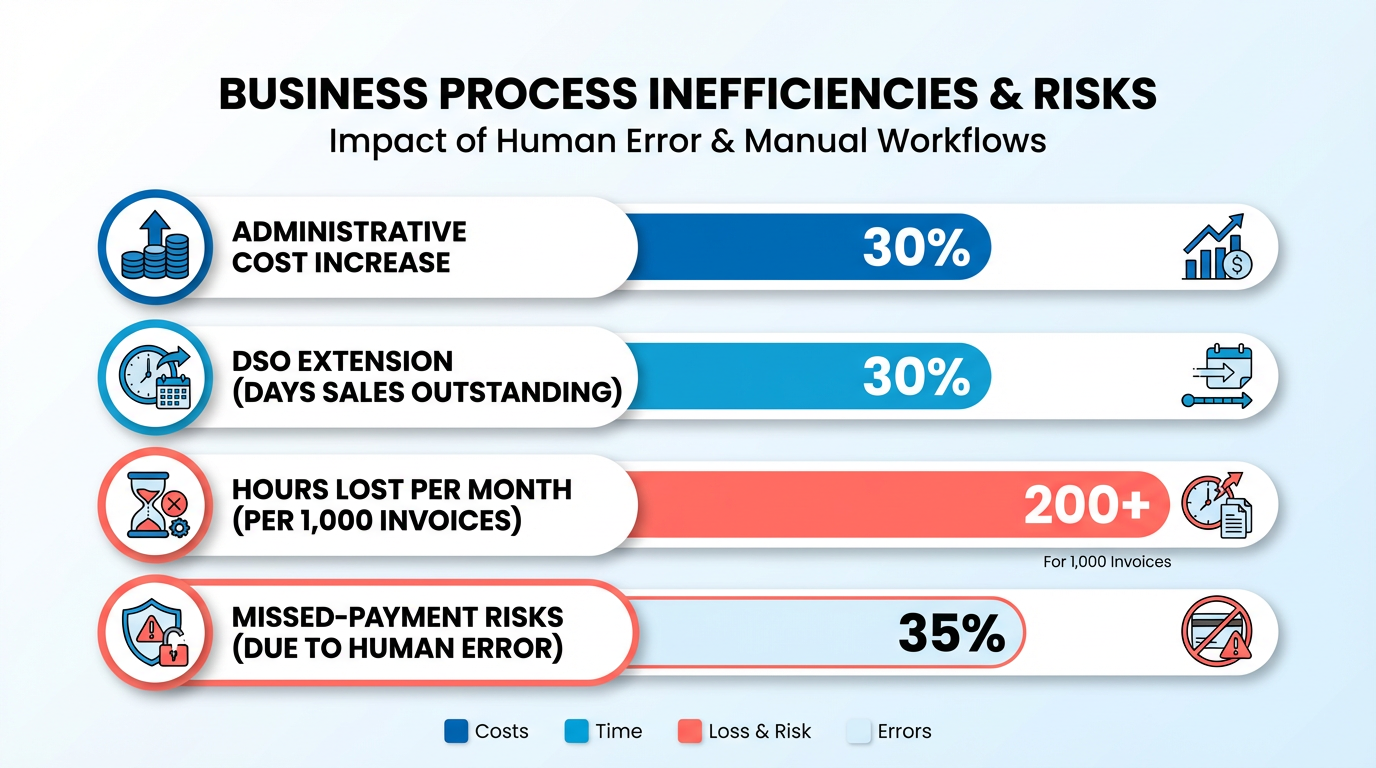
- Manual invoice processes cost businesses 30% higher administrative expenses and delay cash flow by 30% due to extended DSO.
- Companies handling 1,000 monthly invoices waste over 200 hours annually on manual reconciliation tasks.
- 35% of businesses face missed-payment risks from human errors in manual AP workflows, costing U.S. firms $1.3 trillion yearly in penalties.
- Blixo’s AI-powered automation reduces invoice reconciliation disputes by 35% and improves payment accuracy by 35%.
- Automating AP workflows cuts processing costs by 54% and per-invoice expenses by 80% in real-world applications.
- 82% of AP teams still rely on manual invoice entry, contributing to 39% error rates in invoice data.
- Manual data entry causes 35% missed-payment risks for healthcare providers and similar industries.
Why Invoice and AP Automation Matters
Invoice and AP automation isn’t just a convenience-it’s a strategic shift that addresses systemic inefficiencies in financial workflows. Manual processes inflate administrative costs by 30%, delay cash flow by extending Days Sales Outstanding (DSO) by 30%, and waste hundreds of hours annually on tasks like reconciliation. For businesses handling 1,000 invoices monthly, this translates to over 200 hours lost to manual work, while 35% of companies face missed-payment risks due to human errors. As mentioned in the Assessing Current Invoice and AP Processes section, mapping these manual workflows reveals their hidden costs and bottlenecks, making automation a critical next step.
Manual invoice and AP workflows are a financial liability. Spreadsheets and fragmented systems create bottlenecks, with 82% of AP teams still entering invoices manually. This leads to 39% of invoices containing errors, costing U.S. businesses $1.3 trillion annually in late fees and penalties. For example, a mid-sized logistics firm spent 200+ hours yearly reconciling invoices, while a healthcare provider faced 35% missed-payment risks due to manual data entry. These errors don’t just delay payments-they strain vendor relationships and erode trust.
Automation cuts through these challenges with precision and speed. Blixo’s AI-powered OCR and machine learning reduce reconciliation disputes by 35% and improve payment accuracy by 35%, resolving 98% of payments automatically. Real-world results include a 54% reduction in processing costs, an 80% drop in per-invoice expenses, and a 25–30% improvement in DSO. Building on concepts from the Implementing Invoice and AP Automation with Blixo section, Blixo’s bidirectional ERP integrations ensure seamless data flow, minimizing disruptions during adoption. For instance, a small business boosted collection efficiency by 30% using automated reminders, while a retail chain slashed regional payment delays by 20% with multi-currency support.
Automation also frees finance teams from repetitive tasks, enabling them to focus on strategic planning. As highlighted in the Measuring Success and ROI section, businesses can quantify these benefits through metrics like reduced DSO, lower error rates, and faster processing times. One law firm improved cash-flow efficiency by 25% within months, demonstrating how automation transforms financial operations from a cost center to a growth driver. With Blixo, the transition is seamless-starting with an audit of current processes and culminating in a system that scales with your business.
Assessing Current Invoice and AP Processes
By addressing these areas, you’ll uncover where automation can reduce costs, speed up processes, and turn AP from a bottleneck into a strategic asset. As mentioned in the Why Invoice and AP Automation Matters section, this shift addresses systemic inefficiencies that hinder operational agility. When evaluating custom approval hierarchies, building on concepts from the Implementing Invoice and AP Automation with Blixo section ensures workflows align with specific business needs. Finally, reviewing security features ties directly to best practices outlined in the Best Practices for Ongoing Management and Optimization section for sustained process reliability.
Implementing Invoice and AP Automation with Blixo
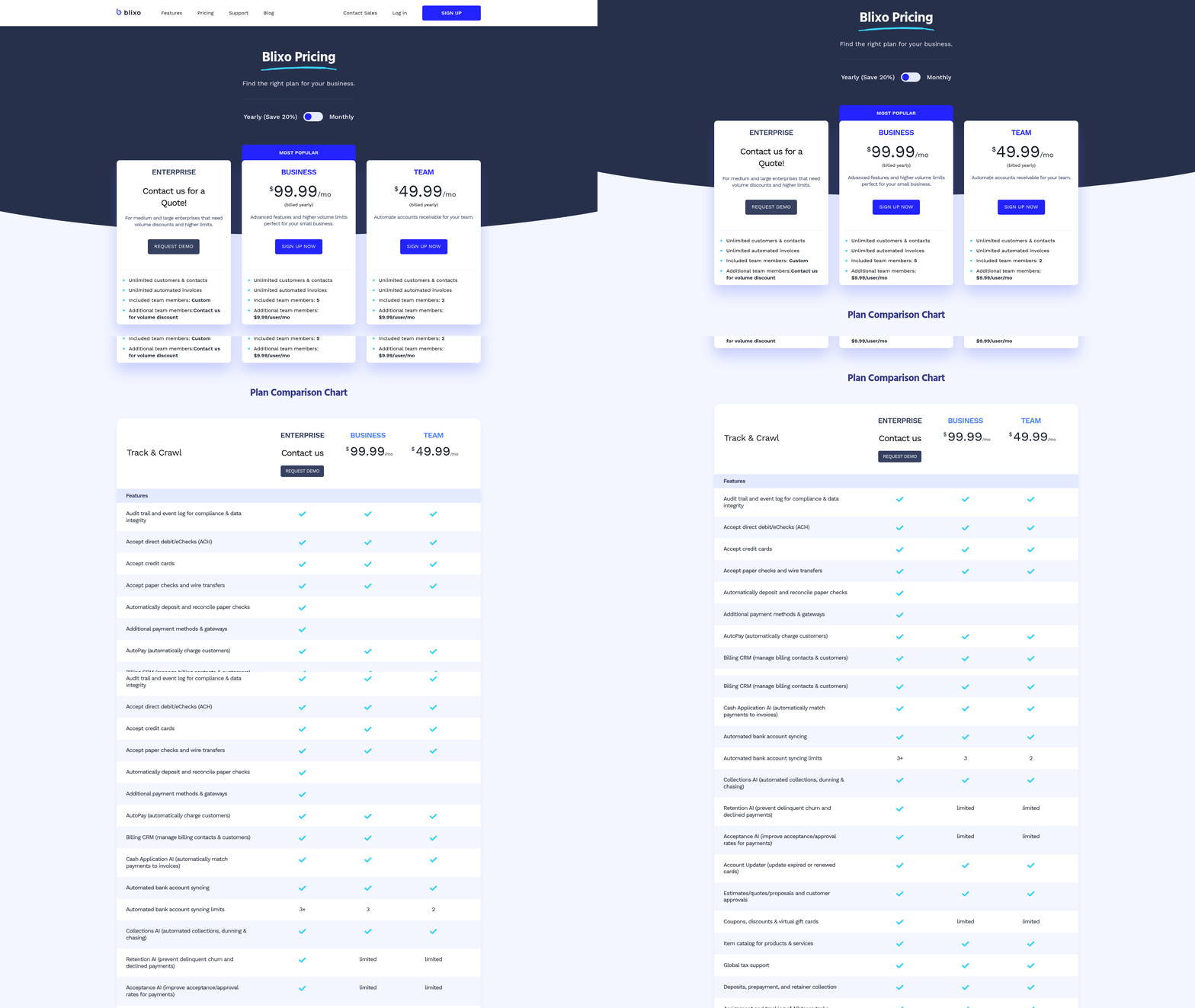
Building on concepts from the Assessing Current Invoice and AP Processes section, defining user roles and cleansing historical data ensures alignment with previously identified inefficiencies in manual workflows. For example, mapping invoice fields to your accounting system (Step 3) directly addresses reconciliation delays highlighted in the Why Invoice and AP Automation Matters section, where 30% of errors stem from inconsistent data.
When configuring AI matching rules in Step 2, teams should refer to the Why Invoice and AP Automation Matters section, which underscores how manual processes result in 39% more errors. By automating these rules, Blixo reduces such risks.
Monitoring KPIs like Days Sales Outstanding (DSO) in Step 5 ties into the Measuring Success and ROI section, where tracking metrics like processing time and error rates is critical for quantifying automation benefits.
Best Practices for Ongoing Management and Optimization
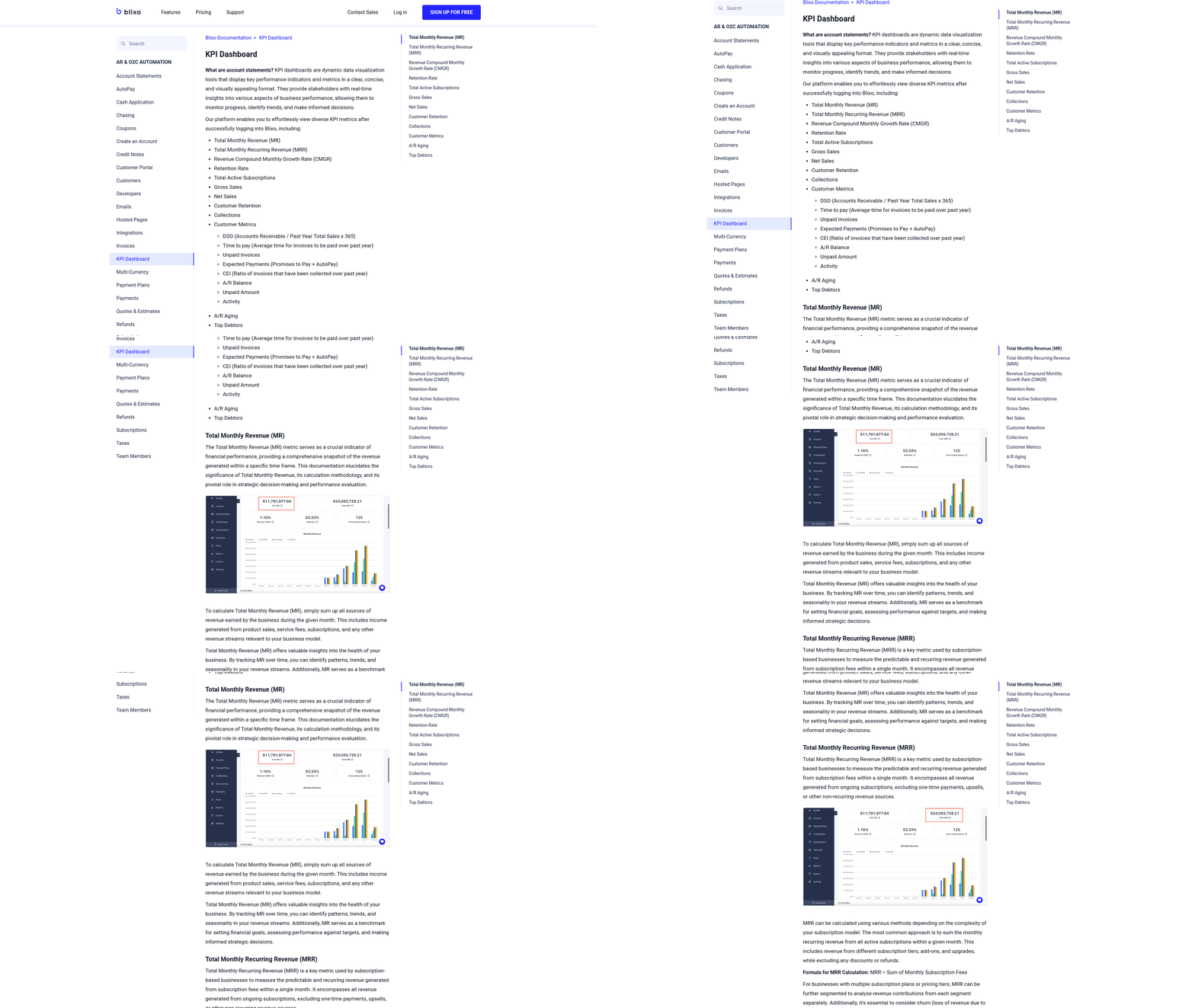
Effective ongoing management of automated invoice and AP processes requires a structured approach to monitoring, refining, and scaling workflows. By using Blixo’s built-in analytics and automation capabilities, teams can maintain efficiency, reduce errors, and adapt to evolving business needs. Below is a categorized checklist to guide continuous optimization..
How Can You Track Automation Performance?
Consistently measuring performance ensures your system operates at peak efficiency. Focus on key metrics like processing time, error rates, and touchless automation success.
- Monitor KPIs weekly: Track metrics such as average processing time (target: <3.1 days), error rates (aim for <3%), and touchless processing percentage (ideally >85%). Blixo’s dashboards provide real-time visibility into these metrics. As mentioned in the Measuring Success and ROI section, defining clear metrics is critical to evaluating automation effectiveness.
- Analyze workflow bottlenecks: Use Blixo’s audit trails to identify steps causing delays, such as manual overrides or failed AI extractions. For example, GEMLUX reduced PO processing from 30–45 minutes to 3–5 minutes by refining their automated workflows.
- Review AI accuracy monthly: Validate Blixo’s data extraction accuracy (target: ≥97%) against a sample of invoices. Adjust training data for complex formats, like handwritten notes or non-English documents, to improve recognition..
What Steps Should You Take for Error Prevention?
Automated systems require proactive error management to maintain trust and compliance.
- Set up exception alerts: Configure Blixo to notify users immediately for discrepancies, such as mismatched three-way matches (PO, receipt, invoice) or duplicate invoices. This reduces manual intervention by up to 80% in ERP integrations.
- Conduct root cause analysis for recurring errors: If errors exceed 3%, investigate patterns (e.g., vendor formatting issues) and update Blixo’s AI models or templates. A Turkish financial institution slashed costs by standardizing invoice formats during automation, as outlined in the Assessing Current Invoice and AP Processes section.
- Run monthly test scenarios: Simulate edge cases like partial payments or disputed invoices to ensure workflows handle exceptions without halting the entire process..
How Do You Stay Ahead with Blixo’s Updates?
Automation tools evolve rapidly, and staying current ensures access to the latest efficiency gains.
- Review Blixo release notes quarterly: New features like enhanced multi-modal AI models (e.g., Gemini 2.5) improve handling of complex documents. For example, AI validation reduced processing time by 75% for a retail chain.
- Participate in training sessions: Blixo’s 24/7 support team offers workshops on advanced features like rule-based approvals or multi-currency processing. One company reported a 20% productivity boost after tailored training.
- Test updates in a sandbox environment: Before deploying changes, validate their impact on existing workflows to avoid disruptions..
How Should You Scale Automation with Growth?
As invoice volumes grow, workflows must adapt to maintain speed and accuracy.
- Assess volume thresholds annually: If processing exceeds 100,000 invoices/month, optimize cloud infrastructure or add parallel processing nodes. Cloud-based systems like Blixo scale seamlessly to handle surges.
- Expand ERP integrations: Ensure bi-directional sync with additional systems (e.g., SAP, NetSuite) to avoid data silos. AI-driven matching reduces PO errors by 80% in scaled environments, as detailed in the Implementing Invoice and AP Automation with Blixo section.
- Refine user roles and permissions: As teams grow, update role-based access controls to ensure compliance while streamlining approvals..
Why Is Continuous Improvement Essential?
Automation is not a “set-it-and-forget-it” solution. Regularly revisiting workflows ensures alignment with business goals.
- Solicit user feedback quarterly: AP staff may identify pain points, such as slow approvals or unclear error messages. A non-profit redeployed staff to strategic tasks after addressing user-reported bottlenecks.
- Benchmark against industry standards: Compare metrics like cost-per-invoice (target: <$1) or late payment rates (aim for <1%) to identify gaps.
- Revisit contracts annually: Ensure Blixo’s pricing and SLAs still meet your needs as volumes or compliance requirements change.
By embedding these practices into your routine, you’ll maintain a resilient, high-performing AP automation system that grows with your business.
Measuring Success and ROI
Measuring the success of Blixo’s invoice and AP automation requires a structured approach to KPIs, ROI calculations, and continuous optimization. Start by defining clear metrics to track efficiency gains, cost savings, and error reduction. Below is a step-by-step framework to evaluate automation performance and refine processes over time..
Define KPIs for Automation Success
Track the right metrics to quantify improvements. Key performance indicators (KPIs) should align with automation goals like speed, accuracy, and cost efficiency. Focus on:
- Processing time: Measure how long it takes to validate, approve, and pay invoices. Blixo’s AI validation can cut processing times by 81% compared to manual workflows.
- Error rates: Track data entry errors, duplicate invoices, or mismatched POs. Blixo’s AI reduces manual errors by 35% through intelligent matching.
- Cost per invoice: Compare pre- and post-automation costs. Manual processing averages $9–$20 per invoice, while Blixo automates this to $2–$4.
- Touchless processing rate: The percentage of invoices processed without human intervention. Blixo aims for 75–85% automation coverage.
- Days Sales Outstanding (DSO): Track how quickly receivables are collected. Automation can reduce DSO by 30–50%, as seen in Blixo’s case studies.
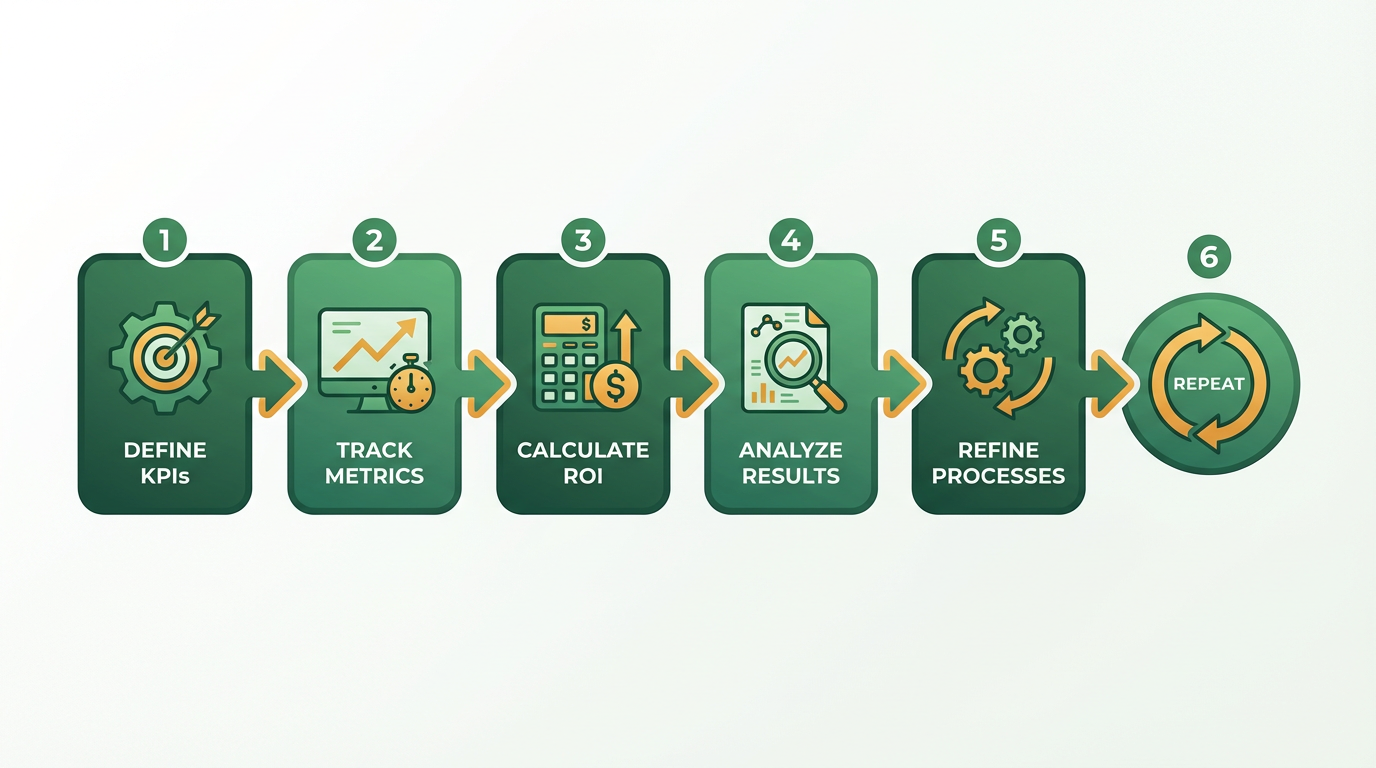
Building on concepts from the Assessing Current Invoice and AP Processes section, these KPIs should reflect baseline metrics gathered during the evaluation of manual workflows..
Track Metrics with Real-Time Tools
Use Blixo’s built-in dashboards and reporting tools to monitor progress dynamically.
What to Track Daily/Weekly
- Invoice volume and processing speed: Use Blixo’s real-time dashboards to compare automation vs. manual workflows.
- Error logs: Review flagged discrepancies (e.g., mismatched POs) to refine AI models.
- Vendor payment compliance: Track late payments before and after automation. One healthcare provider cut billing cycle times by 60% using Blixo.
What to Track Monthly/Quarterly
- Cost savings: Calculate total admin cost reductions. A mid-sized firm saved $1.6M annually by optimizing payment timing with Blixo.
- ROI benchmarks: Subtract automation costs from savings (e.g., $200K implementation cost vs. $500K annual savings).
- User adoption rates: Ensure teams use all features (e.g., multi-currency support, AI validation). As detailed in the Implementing Invoice and AP Automation with Blixo section, user training is critical to maximizing automation benefits..
Calculate ROI and Cost Savings
Quantify financial impact using concrete formulas and Blixo’s historical data.
ROI Formula
ROI (%) = [(Annual Savings – Automation Costs) / Automation Costs] × 100.
- Example: A business automating 1,000 monthly invoices saves $200K annually. Subtracting a $50K implementation cost gives ROI = [(200,000 – 50,000)/50,000] × 100 = 300%.
Cost Savings Breakdown
- Labor savings: Automating 1,000 invoices/month saves 200+ hours/year in manual work.
- Error reduction: Blixo’s AI cuts reconciliation disputes by 35%, avoiding $200K–$500K in annual losses from manual errors.
- Cash flow gains: Faster DSO improvements can free up 10–30% of working capital.
Benchmark Against Pre-Automation
Compare current metrics to historical baselines:
- Before automation: 45-day invoice cycle, 39% error rate, $9/invoice cost.
- After automation: 3.1-day cycle, 3% error rate, $2/invoice cost (per Bridgevine’s results)..
Identify Optimization Opportunities
Regularly audit workflows to uncover inefficiencies and scale automation.
Areas to Improve
- AI training: Refine Blixo’s models with edge cases (e.g., handwritten invoices, non-English documents).
- Integration gaps: Ensure seamless ERP sync for SAP, NetSuite, or QuickBooks users.
- User training: Redeploy staff to strategic tasks using Blixo’s role-specific workshops. As outlined in the Best Practices for Ongoing Management and Optimization section, iterative refinement of automation workflows is essential for sustaining gains.
Continuous Monitoring
- Schedule quarterly reviews of KPIs against goals.
- Use Blixo’s sandbox environment to test new features (e.g., AI proration for subscription billing).
By aligning KPIs with Blixo’s automation capabilities, businesses can achieve measurable efficiency gains, reduce costly errors, and scale operations sustainably. Regular audits and iterative improvements ensure long-term value from the platform.
Frequently Asked Questions
1. How much can AP automation reduce processing costs?
Blixo’s automation cuts processing costs by 54% and per-invoice expenses by 80%, saving businesses handling 1,000 monthly invoices over 200 hours annually on reconciliation tasks.
2. What error risks does manual invoice processing create?
Manual AP workflows result in 39% invoice errors, costing U.S. firms $1.3 trillion yearly in penalties and causing 35% missed-payment risks for healthcare providers and similar industries.
3. How quickly does automation improve payment accuracy?
Blixo’s AI-powered OCR and machine learning improve payment accuracy by 35% immediately, resolving 98% of payments automatically and reducing disputes by 35% in real-world applications.
4. What are the cash flow benefits of AP automation?
Automating AP workflows reduces Days Sales Outstanding (DSO) by 25–30%, accelerating cash flow and minimizing late fees from extended payment cycles in 82% of manually managed teams.
5. How long does AP automation implementation take?
Implementation timelines vary by business size, but Blixo’s bidirectional ERP integrations typically streamline workflows within 4–8 weeks, enabling full automation for 95% of invoice processing.
6. Can automation prevent vendor relationship issues?
Yes, by reducing 35% of reconciliation disputes and eliminating 39% of data errors, automation minimizes payment delays and fosters trust with vendors through consistent, accurate invoice handling.
7. What industries benefit most from AP automation?
Healthcare, logistics, and mid-sized firms see the highest ROI, with automation cutting missed-payment risks by 35% and saving 200+ hours annually on manual reconciliation for high-volume users.