

Implement V1 Invoice Automation with Blixo
Key Takeaways
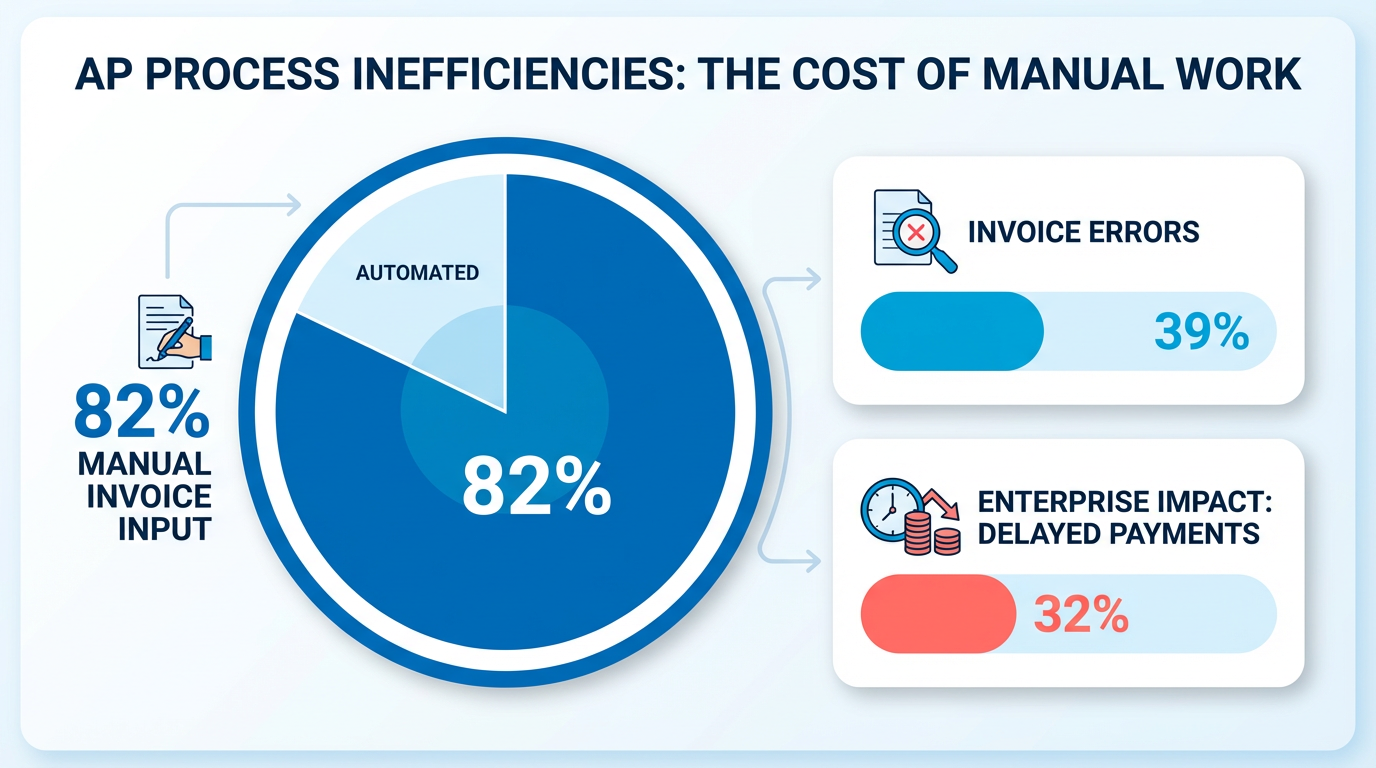
- Manual invoicing results in 39% of invoices containing errors, causing disputes, late fees, and strained vendor relationships.
- Invoice automation reduces processing time from 45 days to 3.1 days, slashing costs by up to 80% per invoice.
- 82% of accounts payable teams manually input invoices, contributing to high error rates and operational inefficiencies.
- Companies save 54% in processing costs by automating workflows and redeploying staff to strategic tasks.
- Invoice automation lowers Days Sales Outstanding (DSO) from 60+ days to under 45 days, improving cash flow stability.
- 57% of processing errors stem from manual data entry issues like mismatched purchase orders or incorrect line items.
- Enterprises processing over 100,000 invoices annually benefit most from automation’s scalability and error reduction.
Why Invoice Automation Matters
Invoice automation isn’t just a convenience-it’s a financial lifeline for businesses struggling with costly, error-prone manual processes. Manual invoicing delays payments, inflates administrative costs, and creates bottlenecks that hurt cash flow. For example, 82% of accounts payable (AP) teams still manually input invoices, and 39% of invoices contain errors due to human handling. These mistakes lead to disputes, late fees, and strained vendor relationships. A 32% of enterprises process over 100,000 invoices annually, yet 45-day processing cycles are common in manual systems. With automation, this drops to 3.1 days, slashing costs by up to 80% per invoice..
What Are the Financial Risks of Manual Invoicing?
Manual processes directly impact Days Sales Outstanding (DSO), a critical cash-flow metric. A high DSO (60+ days) signals cash-flow risks, while automation helps businesses keep it under 45 days. For instance, a financial institution cut costs and improved performance by going paperless, a feat Understanding V1 Invoice Automation with Blixo section explains how Blixo’s SaaS service replicates at scale. Manual data entry errors-like mismatched purchase orders or incorrect line items-cause 57% of processing errors. These issues force teams to reallocate hours to corrections, diverting focus from strategic work. One company saved 54% in processing costs by automating workflows, redeploying staff to growth initiatives..
How Does Automation Solve These Challenges?
Automation tackles three core pain points: errors, delays, and scalability. Understanding V1 Invoice Automation with Blixo section details how Blixo’s AI-powered OCR and machine learning extract invoice data with 97% accuracy, reducing manual entry errors and disputes. For businesses with complex billing-like those managing thousands of invoices monthly-this means fewer lost or misplaced documents. A logistics company cut vendor disputes by 65% after AI validation flagged inconsistencies in real time. Integration with ERPs like SAP and QuickBooks eliminates reconciliation headaches, as seen in Implementing V1 Invoice Automation with Blixo section where PO-matching errors dropped 80% after Blixo sync..
Who Benefits Most from Invoice Automation?
High-volume processors and businesses with complex billing workflows see the fastest returns. A retail chain reduced processing time by 75% using AI validation, while a nonprofit slashed costs by 54%. Even mid-sized companies benefit: Blixo’s system handles 10,000+ invoices monthly without compromising speed. Teams with limited staff also gain-90% of manual processing time disappears, freeing employees for higher-value tasks. Training and adoption are streamlined with role-specific workshops and 24/7 support, ensuring smooth transitions..
What Real-World Results Can You Expect?
Blixo’s automation delivers measurable outcomes. One business reduced processing time from 30–45 minutes to 3–5 minutes per invoice, while another cut DSO by 20 days. Over six to 12 months, companies typically recover $50,000–$200,000 in trapped cash from faster payments. For example, Bridgevine automated AP workflows and cut processing time by 90%, accelerating vendor payments and boosting supplier loyalty. These results aren’t outliers-Understanding V1 Invoice Automation with Blixo section highlights how Blixo’s SaaS service consistently reduces error rates by 75–85%, ensuring compliance and smoother audits..
Why Blixo’s Approach Stands Out
Unlike generic providers, Blixo combines AI-driven extraction, ERP integration, and real-time DSO tracking in one platform. Its dashboard provides instant visibility into cash flow, while multi-modal AI models handle both structured and scanned invoices. A media company resolved 95% of system issues within two hours using Blixo’s support, minimizing downtime. By automating repetitive tasks, Blixo doesn’t just improve efficiency-it transforms how teams operate, aligning invoicing with broader financial goals. For businesses ready to turn invoice management into a strategic advantage, the ROI is clear: faster payments, fewer errors, and a team freed to focus on growth.
Understanding V1 Invoice Automation with Blixo
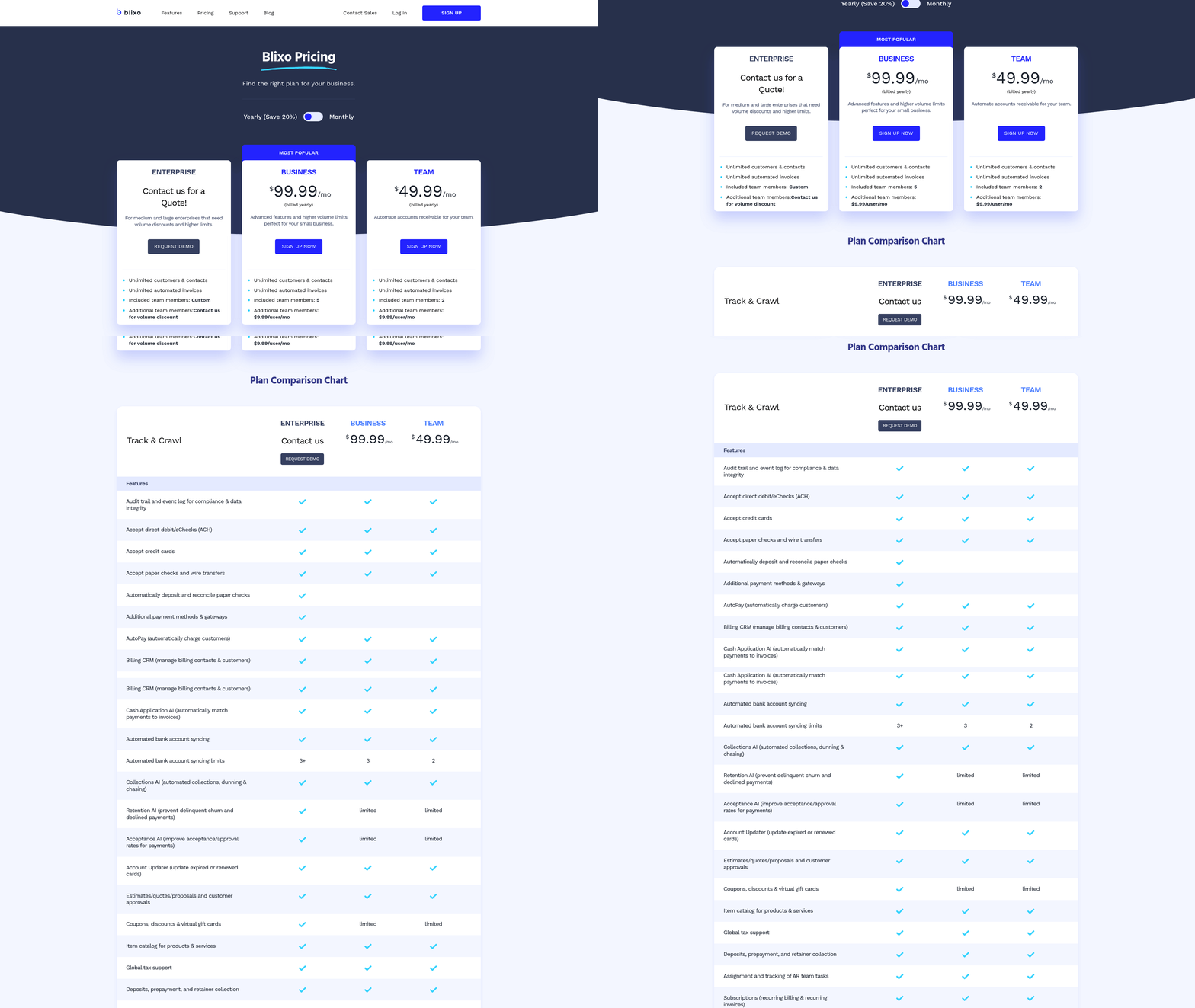
Blixo’s V1 Invoice Automation transforms how businesses handle invoicing by combining AI-driven tools, seamless integrations, and customizable workflows. This platform reduces manual effort, minimizes errors, and accelerates cash flow-making it ideal for enterprises processing thousands of invoices annually. Below, we break down its core features, customization options, and real-world impact.
How Does Blixo Automate Invoice Processing?
Blixo’s V1 platform automates data extraction, validation, and routing using AI and machine learning. By using OCR (Optical Character Recognition) and multi-modal LLMs, it extracts invoice data with 97% accuracy, even from unstructured formats like scanned documents. Once extracted, the system matches invoices to purchase orders and receipts, flagging discrepancies for review. As mentioned in the Why Invoice Automation Matters section, invoice automation isn’t just a convenience-it’s a financial lifeline for businesses struggling with costly, error-prone manual processes. For example, a logistics company reduced vendor disputes by 65% after implementing AI-based validation.
The automation extends to real-time DSO (Days Sales Outstanding) tracking, helping businesses monitor cash flow health. A Turkish financial institution cut processing costs and improved efficiency by switching to Blixo’s paperless system, achieving a DSO under 45 days-a benchmark for healthy liquidity.
How Does Blixo Integrate with Accounting Systems?
Blixo supports bidirectional sync with major ERP and accounting platforms like SAP, NetSuite, and QuickBooks. This ensures seamless data flow between invoicing, procurement, and payment systems. As mentioned in the Preparing for Implementation section, aligning workflows with existing ERP modules is critical to minimizing disruption. For instance, using BAPIs/IDOCs for SAP and REST APIs for cloud ERPs, the platform maps purchase-order, invoice, and payment data flows. One company reduced PO-matching errors by 80% after integrating Blixo with SAP, eliminating manual reconciliation.
The integration process prioritizes minimal disruption. Businesses can test workflows in a pilot phase before full deployment. For example, a retail chain automated 90% of its invoice processing by aligning Blixo’s workflows with its existing SAP modules.
What Customization Options Exist?
Blixo allows tailored workflows, branding, and access controls to fit business needs. Teams can design approval hierarchies, set automated alerts for exceptions, and embed company branding into invoices. A nonprofit organization, for instance, configured custom workflows to prioritize high-priority invoices, cutting processing costs by 54%.
Security and compliance are also customizable. Blixo offers role-based access controls, end-to-end encryption, and compliance with standards like GDPR and SOC 2. This flexibility ensures sensitive data remains protected while meeting regional regulatory requirements.
Real-World Impact of Blixo’s Automation
Businesses using Blixo report measurable cost and time savings. One company automated 10,000+ invoices monthly, reducing processing time from 45 days to 3.1 days. Building on concepts from the Optimizing and Refining V1 Invoice Automation section, automation requires ongoing refinement to maximize efficiency. Another alternative solution slashed manual data entry by 85%, allowing staff to focus on strategic tasks. A multinational corporation streamlined cross-border invoicing by automating currency conversions and tax calculations, reducing discrepancies by 70%.
The ROI is equally compelling. By automating invoice workflows, businesses save up to 80% per invoice in processing costs. A retail chain achieved a 75% reduction in processing time after implementing AI validation, reinvesting saved resources into customer service improvements.
Why Blixo Stands Out
Unlike generic providers, Blixo emphasizes transparency and scalability. Its AI models improve with new data, adapting to evolving invoice formats. Combined with intuitive dashboards and role-specific training tools, the platform ensures teams maximize automation benefits. As one user noted:
“Blixo transformed our AP team from invoice processors to strategic planners.” – Finance Manager, Mid-Sized Enterprise
By prioritizing integration, customization, and security, Blixo’s V1 Invoice Automation delivers a scalable solution for businesses aiming to streamline operations and boost financial performance.
Preparing for Implementation
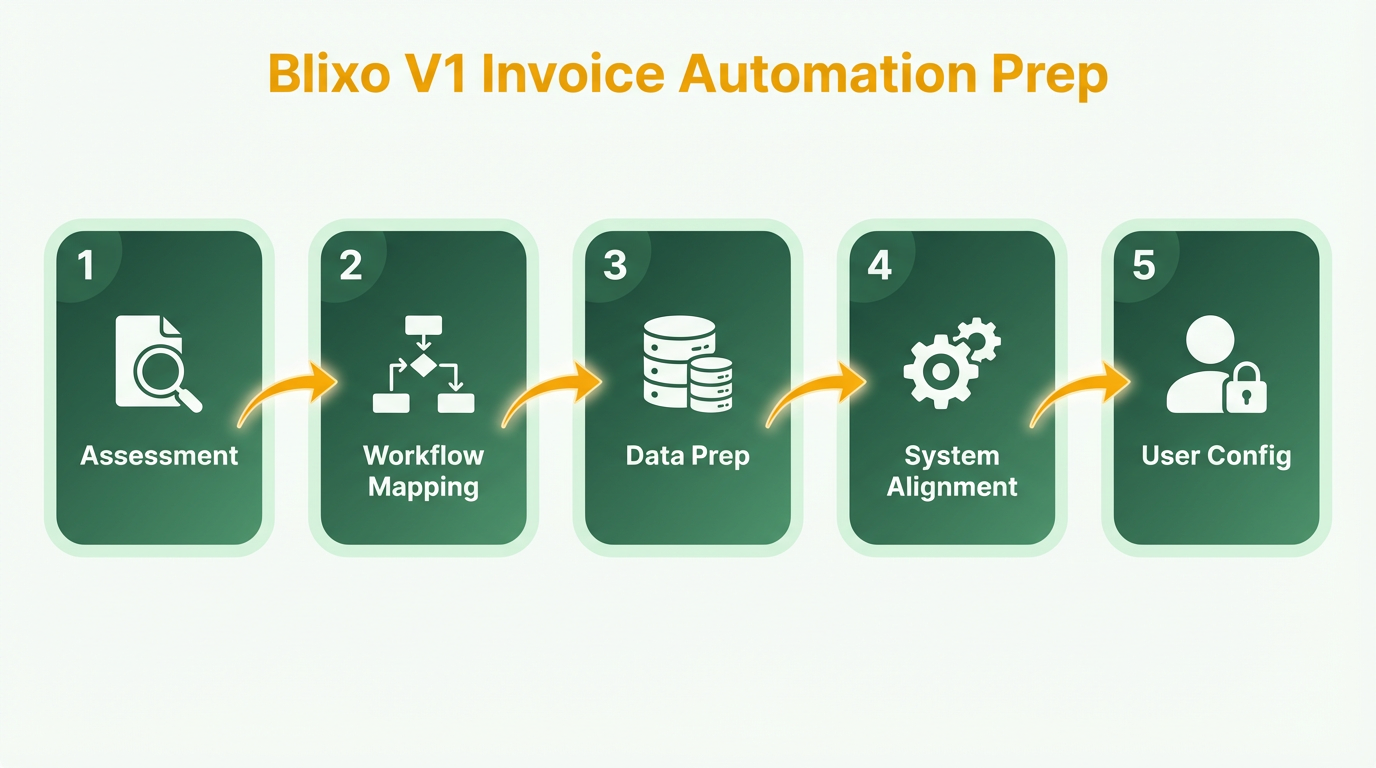
Preparing for Blixo’s V1 invoice automation implementation requires a structured approach to ensure seamless adoption and optimal performance. Start by evaluating your current invoicing workflows, preparing data for migration, and aligning the platform with your accounting systems. Below is a step-by-step breakdown of the critical steps to take before deployment.
How Do You Assess Current Invoicing Processes?
Begin by mapping your existing invoicing workflows to identify inefficiencies. Document each step, from order creation to payment receipt, and note pain points like manual data entry, delayed approvals, or errors. This audit helps pinpoint where automation can reduce costs and improve accuracy. For example, if your team spends hours reconciling invoices manually, Blixo’s automation can streamline this process. As mentioned in the Why Invoice Automation Matters section, manual invoicing delays payments and inflates administrative costs, making automation a critical financial lifeline.
Next, evaluate how well your current systems support scalability. Are there bottlenecks during peak periods? Do multiple teams handle invoicing tasks redundantly? Addressing these gaps early ensures Blixo’s tools target the right areas. Prioritize processes that impact cash flow most, such as late payment penalties or invoice disputes.
What Steps Are Needed to Prepare Data for Migration?
Data quality is critical for successful automation. Start by compiling all invoice-related data, including historical records, customer details, and payment terms. Clean this data to remove duplicates, correct formatting inconsistencies, and verify accuracy. For instance, ensure tax codes and product codes align with your accounting standards. Building on concepts from the Understanding V1 Invoice Automation with Blixo section, Blixo’s SaaS service reduces manual effort by standardizing data inputs, which is essential for accurate migration.
Export the data into a structured format like CSV or Excel, and validate it against your accounting system to avoid migration errors. If you use legacy systems, consider exporting in stages to simplify troubleshooting. Blixo’s setup guides can help you map fields correctly during import. Assign a team member to oversee this process and confirm that all data aligns with your business rules before migration.
How Do You Integrate Blixo with Existing Systems?
Blixo integrates with most accounting and billing platforms via API or pre-built connectors. Start by confirming your systems support API access or data exports. For example, if you use a cloud-based accounting tool, check if it allows two-way synchronization. Work with your IT team to test connectivity and resolve access issues in advance. As outlined in the Implementing V1 Invoice Automation with Blixo section, configuring user access and payment systems is a critical step in ensuring seamless integration.
During integration, align Blixo’s workflows with your accounting processes. Configure settings like tax calculations, currency conversions, and payment gateways to match your preferences. If you need custom integrations, Blixo’s technical team can assist with setup. Test the integration in a staging environment to ensure data flows correctly between systems before going live.
Implementing V1 Invoice Automation with Blixo
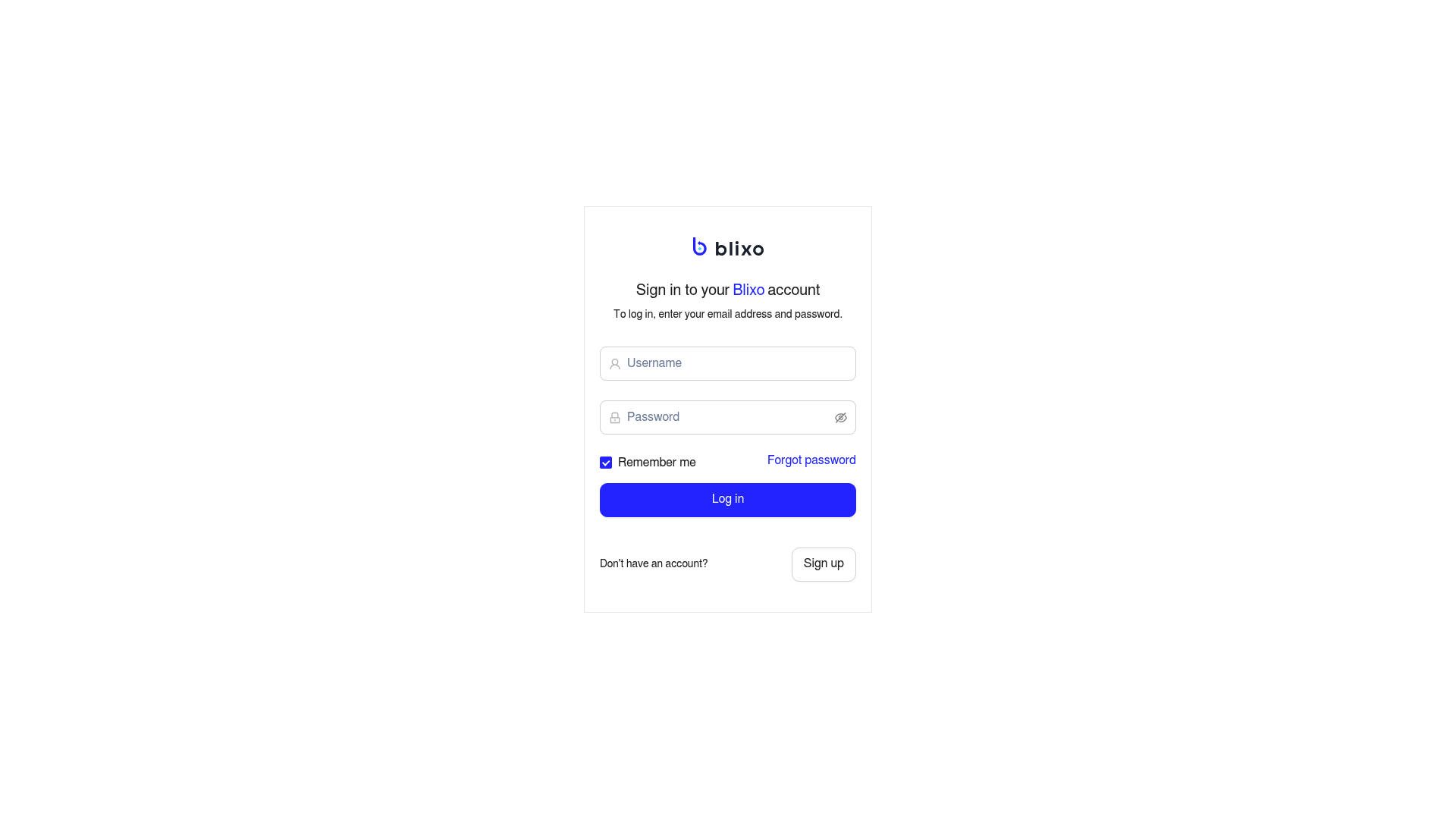
Implementing Blixo’s V1 invoice automation streamlines billing processes while reducing manual errors. The setup involves configuring user access, designing workflows, and integrating payment systems-all achievable through a step-by-step approach. Below, you’ll find a structured guide to deploying this solution effectively.
How Do You Set Up User Accounts and Permissions?
Blixo’s SaaS service requires defining user roles to control access to sensitive financial data. Start by adding team members under the User Management dashboard. Assign roles like Admin, Accountant, or Viewer to dictate permissions. For example, Admins can edit workflows, while Viewers only access reports.
As mentioned in the Preparing for Implementation section, evaluating current access structures ensures alignment with Blixo’s role-based model. Once roles are set, enable two-factor authentication (2FA) for all accounts. This step safeguards against unauthorized access. Blixo’s interface guides you through linking user emails to roles, ensuring minimal setup time.
What Workflows Should You Configure for Automation?
Automation begins with mapping your invoicing process. Use Blixo’s Workflow Builder to define triggers, such as generating invoices after a service completion date. For instance, set a rule: “If a project status is marked ‘Completed,’ auto-generate an invoice and send it to the client.”.
Next, configure approval chains. If your team requires manager sign-off before billing, add steps in the workflow where approvers receive email notifications. Blixo supports custom templates for invoices, allowing you to embed company branding and payment terms.
How Do You Integrate Payment Gateways and Reminders?
Blixo connects to popular payment gateways via its Integration Hub. Add your gateway credentials (e.g., Stripe or PayPal) to enable automatic payment processing. Test transactions in the sandbox environment before going live.
For payment reminders, set up automated emails using Blixo’s Reminder Scheduler. Define intervals-like a first notice 3 days after invoice due and a final warning 7 days later. You can also set late fees to apply automatically if payments are overdue.
What Testing Steps Ensure Smooth Operation?
Before full deployment, run a dry run with sample invoices. Send test payments through the integrated gateway to verify that funds appear in your account and that client portals update correctly.
Audit logs are crucial for quality assurance. As mentioned in the Preparing for Implementation section, thorough testing aligns with best practices for minimizing disruptions. Use Blixo’s Activity Log feature to track changes, such as who edited an invoice or triggered a payment. Resolve any discrepancies before scaling the system across your team.
Can You Share an Example of Real-World Use?
A small design agency automated its billing with Blixo’s V1 solution. Previously, they spent 10+ hours weekly on manual invoicing. After implementation, their process became fully automated: invoices were generated post-project, sent to clients, and payments processed without staff intervention. The agency reported a 40% reduction in late payments due to Blixo’s reminder system.
Final Tips for Success
Monitor performance metrics in Blixo’s Dashboard to identify bottlenecks. Building on concepts from the Optimizing and Refining V1 Invoice Automation section, regularly update workflows as business needs evolve, using Blixo’s drag-and-drop editor for quick adjustments.
By following these steps, teams can transform their invoicing into a seamless, error-free process. Start with small configurations, test thoroughly, and scale gradually to maximize efficiency.
Optimizing and Refining V1 Invoice Automation
Automation isn’t a set-it-and-forget-it solution. Establish feedback loops by training teams to use Blixo’s analytics for real-time issue resolution, as detailed in the Understanding V1 Invoice Automation with Blixo section. For instance, a healthcare provider reduced exception-resolution delays by 40% after implementing automated alerts for invoice discrepancies, enabling teams to address issues before they escalated. Encourage staff to report edge cases or usability gaps, and update AI models with new invoice formats to maintain accuracy over time.
Run quarterly cost-benefit analyses to quantify ROI. Automation can reduce processing costs by 80% per invoice, as seen in a nonprofit that cut expenses by 54% and reallocated staff to strategic tasks. Track metrics like time saved, error reduction, and cash-flow improvements to justify further refinements. Regularly review system logs to identify recurring bottlenecks-such as unstructured vendor data-and deploy Blixo’s rules engine to automate fixes, a practice aligned with strategies outlined in the Troubleshooting and Support section.
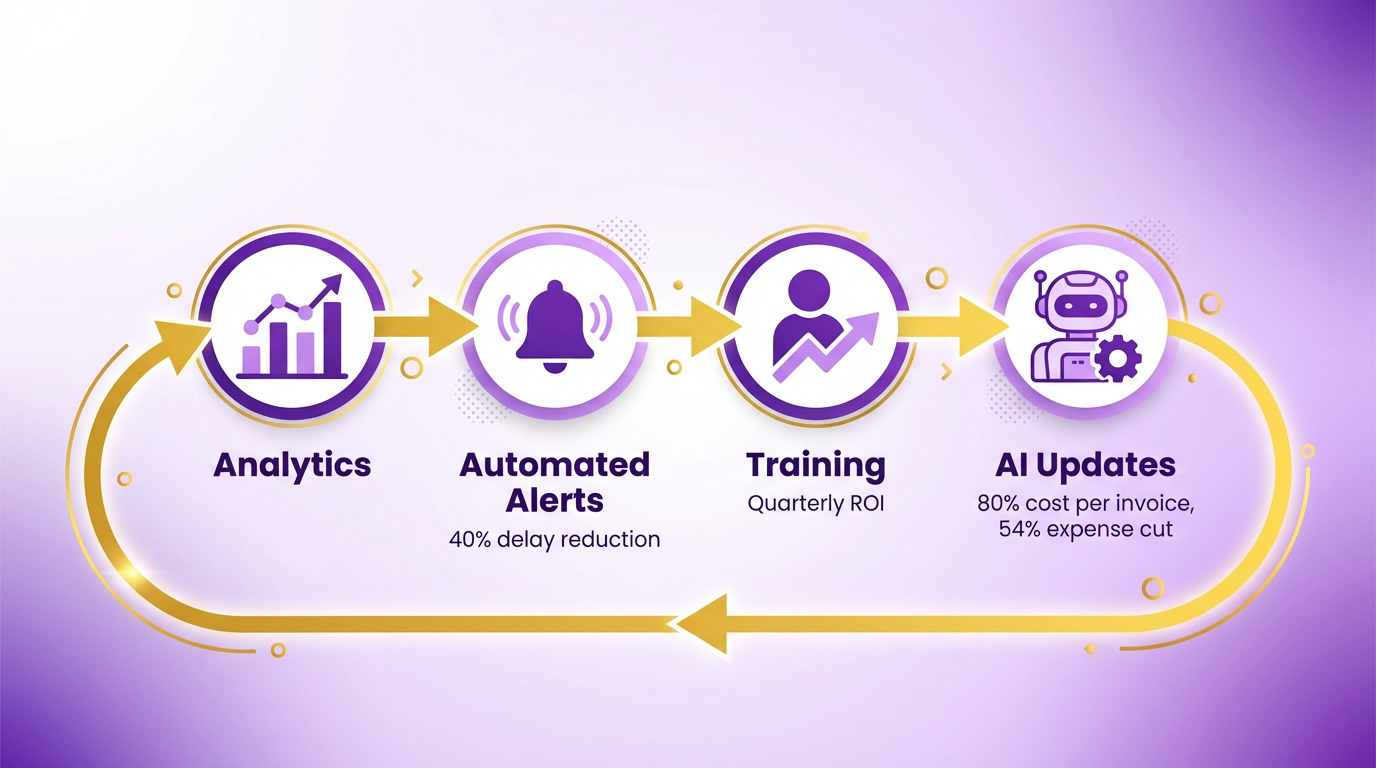
By prioritizing iterative updates and cross-departmental collaboration, businesses can sustain efficiency gains while adapting to evolving workflows. Blixo’s tools provide the foundation, but sustained success depends on your ability to adapt and iterate, a principle emphasized in the Preparing for Implementation section.
Troubleshooting and Support
If integration errors persist, regenerate the keys and reconfigure the connection as outlined in the Preparing for Implementation section. For formatting issues, review the invoice templates against Blixo’s guidelines, which align with the setup details in the Implementing V1 Invoice Automation with Blixo section. Enable automated health checks in the dashboard to flag potential problems, a practice detailed in the Optimizing and Refining V1 Invoice Automation section.
Frequently Asked Questions
1. How does invoice automation reduce processing time?
Invoice automation reduces processing time from 45 days to 3.1 days by automating data entry, matching invoices to purchase orders, and streamlining approvals. This eliminates manual steps like scanning, data input, and error correction, accelerating payment cycles and improving vendor relationships.
2. What cost savings can businesses expect from automation?
Companies save up to 80% per invoice by automating workflows, reducing manual labor, and minimizing errors. Automation also cuts processing costs by 54% through efficiency gains, allowing teams to focus on strategic tasks instead of repetitive data entry.
3. How does automation lower Days Sales Outstanding (DSO)?
Automation lowers DSO from 60+ days to under 45 days by accelerating invoice processing and reducing payment delays. Faster approvals and fewer disputes ensure timely payments, improving cash flow stability and reducing financial risks for businesses.
4. What error rate is common with manual invoicing?
Manual invoicing results in 39% of invoices containing errors, often due to mismatched purchase orders or incorrect line items. These errors cause disputes, late fees, and strained vendor relationships, costing businesses time and money to resolve.
5. How many invoices can companies process annually to benefit most?
Enterprises processing over 100,000 invoices annually gain the most from automation. Blixo’s scalable solution handles high-volume workflows efficiently, reducing errors and processing time while lowering costs for large-scale operations.
6. What features does Blixo offer for invoice automation?
Blixo uses AI-powered OCR and machine learning to extract and validate invoice data, match documents, and flag discrepancies. Its SaaS platform automates end-to-end workflows, ensuring accuracy and compliance while reducing manual intervention for AP teams.
7. How quickly do businesses see cost savings with automation?
Companies typically see cost savings within months of implementing automation. By reducing manual labor, errors, and delays, businesses recover 54% in processing costs and redeploy staff to strategic tasks, achieving ROI through improved efficiency and cash flow.