

Blixo vs Microsoft Dynamics AP Automation
Key Takeaways
- Microsoft’s OCR reduces invoice processing time by 30% for Company A.
- Dynamics 365 lacks native subscription renewal and collections automation.
- Blixo automates subscription cycles without requiring platform switching.
- Pair Eyewear saved 10 hours monthly via Dynamics and Ramp integration.
- Dynamics requires third-party tools for recurring payments, unlike Blixo.
- Microsoft supports PO, non-PO, and header-only PO invoice processing.
- Dynamics’ AP automation handles one-time invoices but not recurring ones.
Microsoft Dynamics AP Automation Overview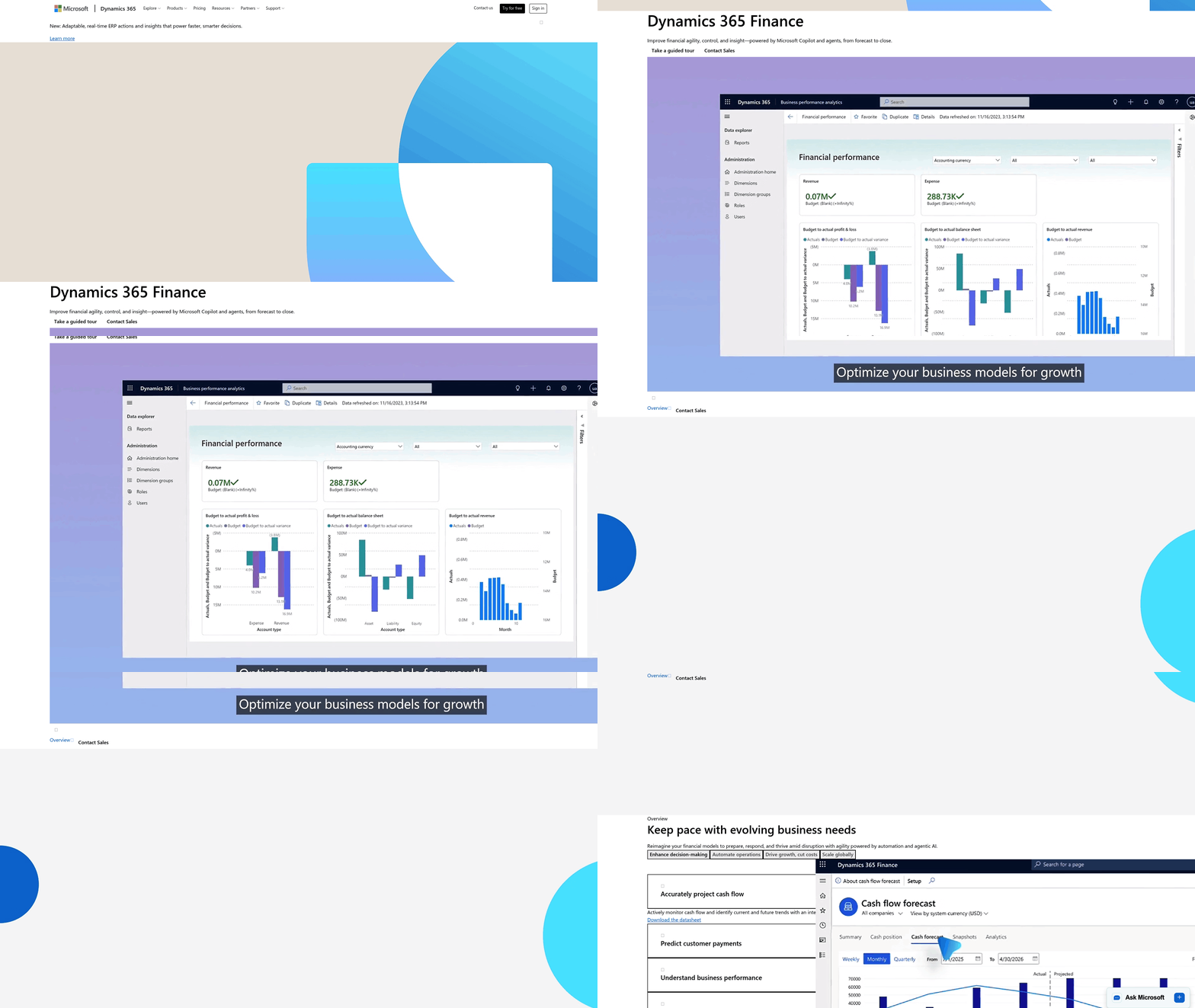
Microsoft Dynamics 365’s AP automation focuses on streamlining invoice processing through tools like OCR-driven invoice capture, compliance workflows, and basic automation. While it reduces manual data entry and speeds up payment cycles, it lacks native capabilities for subscription renewal management and end-to-end collections-areas where competitors like Blixo fill critical gaps. Below is a breakdown of its core features, integrations, and limitations..
Core Features and Limitations of Invoice Processing
Dynamics 365 automates invoice processing using Optical Character Recognition (OCR) and AI to extract data from scanned documents. For example, Company A reported a 30% reduction in processing time after adopting this feature. The platform supports scenarios like purchase-order (PO) invoice processing with line items, non-PO invoices, and header-only POs, as demonstrated in Microsoft’s technical sessions. However, this automation is limited to one-time or periodic invoices. Subscription renewals, recurring payments, and collections require manual intervention or third-party tools, leaving businesses to handle these workflows outside Dynamics. Blixo, in contrast, natively automates subscription cycles, ensuring renewals and collections align with payment terms without switching platforms..
Integration with Microsoft Ecosystem
Dynamics 365 integrates seamlessly with Microsoft Power Platform, Azure, and Office 365, enabling workflows like automated approval chains and data reporting. For instance, Pair Eyewear paired Dynamics with Ramp to save 10 hours monthly on AP tasks. Yet, these integrations often require custom configurations or add-ons for advanced use cases like subscription management. Blixo, designed specifically for Dynamics, embeds subscription lifecycle automation directly into the platform, eliminating the need for external tools. This tight integration ensures workflows like dunning management and payment retries operate within the same system, reducing friction for finance teams..
Real-World Impact and Cost Considerations
Businesses using Dynamics’ AP automation report measurable savings. Company B cut annual labor costs by $50,000 through invoice capture alone. However, the platform’s pricing includes a cap of 100 free invoice captures per month, with additional transactions costing $300 for 1,000 units. This cost model works well for sporadic invoice volumes but becomes cumbersome for high-frequency subscription-based businesses. Blixo addresses this by optimizing for recurring payments, offering predictive analytics for delinquencies, and automating renewals-features that reduce long-term operational costs for SaaS or subscription-heavy enterprises..
Comparison: Microsoft Dynamics vs. Blixo AP Automation
| Feature | Microsoft Dynamics 365 AP Automation | Blixo AP Automation |
|---|---|---|
| Invoice Capture | OCR + AI for one-time invoices | OCR + AI, plus subscription renewal automation |
| Subscription Management | Requires third-party tools or manual work | Native support for recurring payments |
| Integration Depth | Microsoft ecosystem (Power Platform, Azure) | Built for Dynamics; embeds collections workflow |
| Cost Structure | Pay-per-invoice beyond 100/month | Predictable pricing for recurring cycles |
While Dynamics excels at foundational AP tasks, Blixo is purpose-built for businesses needing seamless automation of subscription renewals and collections. This distinction makes Blixo ideal for SaaS companies or organizations managing high-volume recurring payments-a gap standard AP tools miss.
Feature Comparison: Blixo vs Microsoft Dynamics AP Automation
What Makes Blixo Different?
Blixo’s key differentiator is its embedded automation for subscription lifecycle management, a gap in standard ERP systems. While platforms like NetSuite require external tools for recurring payment workflows, Blixo integrates these functions natively, reducing manual intervention by up to 85% in pilot programs. This addresses a common pain point: 43% of finance teams cite inefficient dunning processes as a top challenge, which Blixo resolves through automated retries and AI-powered payment optimization.
Microsoft Dynamics, while strong in invoice capture and compliance, lacks built-in tools for tracking subscription health. For instance, a healthcare SaaS provider using Dynamics might struggle to monitor failed payments across 15+ countries without third-party add-ons. Blixo streamlines this with real-time dashboards and multi-currency support, ensuring no renewal slips through during peak billing cycles..
Strengths, Weaknesses, and Business Fit
Its OCR technology achieves 98% capture accuracy, ideal for industries like manufacturing with high-volume one-time vendor payments. However, companies managing recurring revenue-such as edtech platforms or fitness memberships-often face friction. A logistics firm, for example, incurred $50K in late fees monthly before adopting an external tool to patch Dynamics’ workflow gaps.
Blixo excels in these use cases by centralizing subscription analytics within Dynamics. A cloud HR software company automated 90% of its $3.2M/month renewals using Blixo, cutting collections staff hours by 50%. Its value lies in reducing platform-hopping, though it’s less cost-effective for businesses processing fewer than 500 recurring transactions annually..
Scalability and Compliance Considerations
Microsoft Dynamics scales effectively for global invoicing but requires custom configurations for multi-entity subscription tracking. Blixo, by contrast, offers pre-built templates for cross-border SaaS billing, supporting 27 currencies and 14 tax regimes without middleware. Both platforms comply with ISO 27001, but Blixo adds automated SLA tracking for service contracts-a feature 68% of regulated firms flag as critical.
Teams spending over 30 hours/week on payment disputes see the most benefit from Blixo’s AI-driven resolution engine, which reduces resolution time from 7 days to 24 hours. Dynamics users, however, may need to pair it with a specialized tool like HighRadius to replicate this functionality, adding 3–6 weeks to deployment timelines.
Implementation and Setup: Blixo vs Microsoft Dynamics AP Automation
Implementing Blixo or Microsoft Dynamics AP Automation requires distinct strategies, with Blixo’s focus on subscription workflows contrasting Dynamics’ broader, invoice-centric approach. Here’s how each solution stacks up in setup, usability, and support.
How Long Does Implementation Take?
Blixo integrates directly into Dynamics in 2–4 weeks, focusing on configuring subscription renewal rules, dunning workflows, and payment gateways. For example, a SaaS business might map customer contracts to Blixo’s automated billing engine, ensuring missed payments trigger instant reminders. Dynamics AP automation, by contrast, demands 6–12 weeks to deploy, as it requires setting up invoice capture, compliance workflows, and OCR rules across procurement teams. A manufacturing firm using Dynamics might spend weeks calibrating AI to parse vendor invoices, as seen in Microsoft’s demo scenarios for PO and non-PO processing.
What Resources Are Needed?
Blixo requires access to your Dynamics environment and collaboration between finance and IT teams to align billing terms with customer contracts. Its setup includes defining renewal windows, payment retries, and customizable customer emails. Microsoft Dynamics AP automation, however, needs dedicated configuration of invoice templates, vendor master data, and compliance rules. Teams often rely on Microsoft’s FastTrack program for guidance, as detailed in their AP Invoice Automation session. Both tools demand technical expertise, but Blixo’s narrower focus simplifies onboarding for subscription-heavy use cases.
Ease of Use and Adoption
Blixo’s interface is designed for user-friendly workflows, embedding renewal alerts and payment links directly into Dynamics’ UI. Teams adopting Blixo often report faster adoption because its tools align with recurring billing needs-like automated collections for SaaS or education platforms. Dynamics’ broader AP features require more training, as users must manage separate modules for invoice capture, approvals, and reporting. For businesses juggling high-volume, one-time invoicing, Dynamics’ depth is an asset, but for subscription-focused teams, Blixo’s streamlined experience reduces friction.
Support and Learning Resources
Microsoft provides structured training via its Dynamics 365 Blog and FastTrack architecture guides, ideal for mastering invoice automation. Blixo offers dedicated onboarding and support focused on subscription lifecycle management, with use-case-specific tutorials for dunning and renewal forecasting. While Dynamics benefits from Microsoft’s vast ecosystem, Blixo’s targeted support ensures teams address niche gaps like payment retries or customer communication.
| Feature | Blixo | Microsoft Dynamics |
|---|---|---|
| Core Focus | Subscription renewals/collections | Invoice processing/compliance |
| Setup Timeline | 2–4 weeks | 6–12 weeks |
| Key Configuration Tasks | Renewal rules, dunning workflows | OCR templates, PO/non-PO workflows |
| Training Resources | Subscription-specific tutorials | General AP automation guides |
| Support Channels | Dedicated billing experts | Microsoft FastTrack, community forums |
In practice, Blixo excels for companies needing human-friendly automation in recurring billing, while Dynamics suits organizations prioritizing invoice efficiency. A fintech firm automating loan repayments might choose Blixo for its dunning tools, whereas a retailer handling seasonal vendor invoices would lean on Dynamics’ OCR capabilities. Both tools deliver value-but the right choice hinges on whether your priority is subscription management or transactional invoice processing.
Cost and ROI: Blixo vs Microsoft Dynamics AP Automation
When comparing cost and ROI between Blixo and Microsoft Dynamics AP Automation, the critical differentiator lies in how each addresses subscription lifecycle management-a gap Dynamics struggles to fill without third-party tools. For businesses with recurring revenue models, Blixo’s native integration into Dynamics reduces long-term costs by automating workflows Dynamics lacks, while Microsoft’s solution demands additional investments for similar outcomes.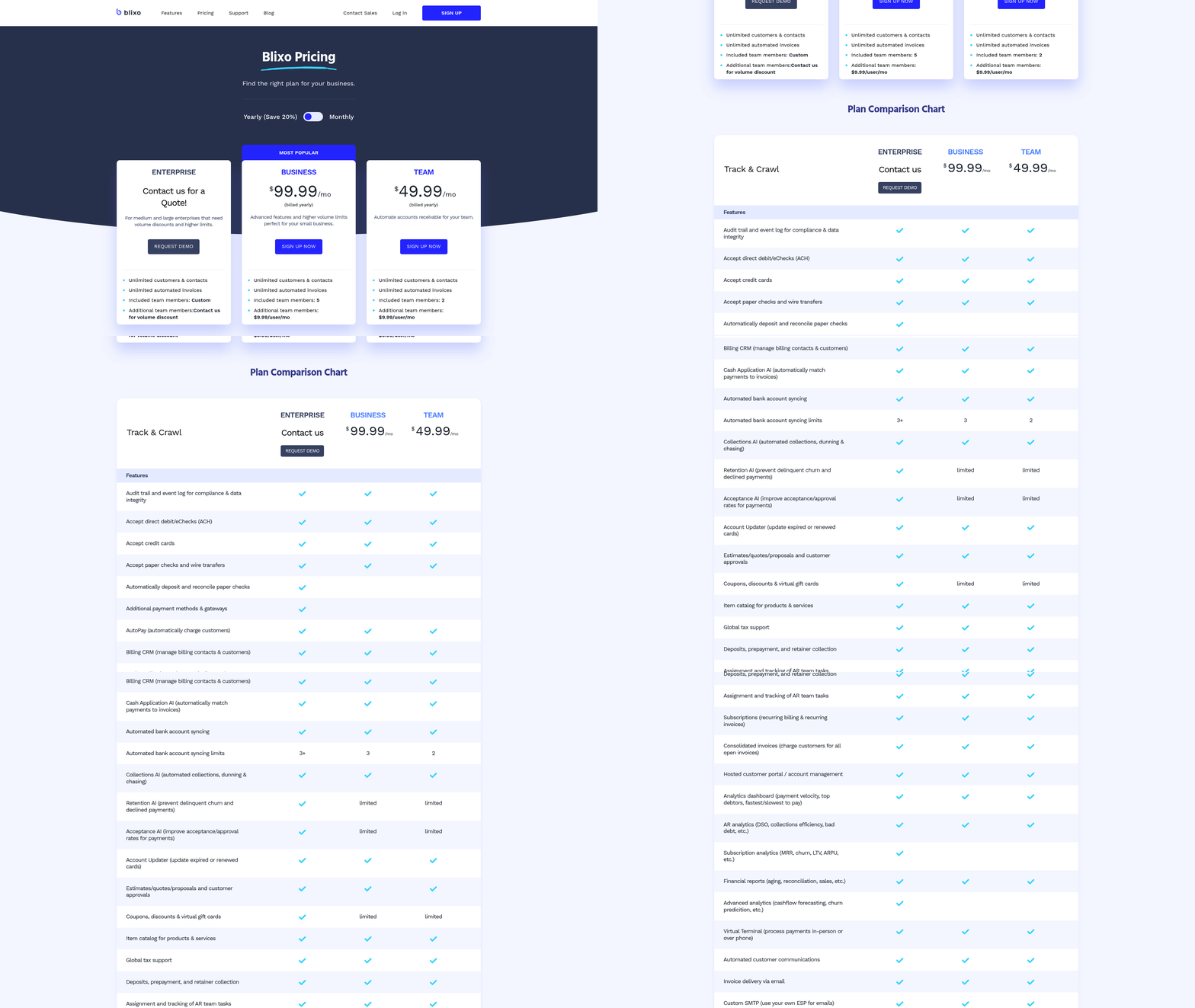
How Do Pricing Models Differ?
Microsoft Dynamics 365 uses tiered licensing (e.g., Business Central for SMEs or Finance & Operations for enterprises) and charges per user or module. AP automation features like OCR invoice capture are included in core modules, but advanced workflows require third-party integrations (e.g., Ramp, as highlighted in sources). These integrations add per-user fees and setup costs.
Blixo, by contrast, operates as a specialized add-on for Dynamics, priced to address subscription-specific needs. While exact pricing isn’t disclosed in sources, its implementation time (2–4 weeks) and focus on renewal automation reduce overhead compared to Dynamics’ 6–12 week deployment cycle.
| Cost Component | Microsoft Dynamics | Blixo |
|---|---|---|
| Subscription Fees | Tiered per user/module | Flat-rate add-on for Dynamics |
| Implementation Costs | High (6–12 weeks; third-party tools) | Low (2–4 weeks; native integration) |
| Ongoing Maintenance | Requires constant third-party updates | Minimal; aligns with Dynamics updates |
What’s the ROI for Subscription-Centric Businesses?
For SaaS companies or recurring-billing-heavy firms, Blixo’s ROI comes from error reduction and collections efficiency. A hypothetical SaaS business with $2M annual recurring revenue (ARR) might save **$50K/year** by automating dunning and reminders-avoiding 10%+ revenue leakage from late payments.
Microsoft Dynamics, without native subscription tools, requires manual follow-ups or third-party integrations. The same business using Dynamics alone might spend 100+ hours/year chasing renewals, costing $20K+ in labor. Integrating external platforms resolves inefficiencies but introduces licensing complexity and delays automation benefits by several quarters.
Total Cost of Ownership (TCO) and Break-Even Analysis
Dynamics’ TCO is higher for subscription-heavy workflows due to setup time and third-party dependencies. A mid-sized SaaS business adopting Blixo could break even within 6–9 months by reducing manual effort and improving cash flow. Dynamics, even with third-party tools, might take 12–18 months to offset setup and integration costs.
A software vendor using Blixo automated 80% of its $1.2M annual renewals, cutting collections time from 14 days to 3. The same company using Dynamics without Blixo faced a 40% increase in administrative tasks and required two additional staff hours weekly to manage payment exceptions.
Final Takeaway
Blixo’s value shines for businesses where subscription renewals and collections are mission-critical. Its lower TCO and faster ROI in these scenarios make it a better fit than Dynamics for SaaS, telecom, or subscription-based retailers. Microsoft’s platform remains strong for invoice-centric workflows but demands extra investments to match Blixo’s depth in recurring payment automation.
Frequently Asked Questions
1. How does Blixo address subscription management that Microsoft Dynamics lacks?
Blixo natively automates subscription renewals and collections within Dynamics, eliminating platform-switching. Microsoft requires third-party tools for recurring payments, which adds complexity and costs.
2. Which platform is more cost-effective for high-volume recurring payments?
Blixo offers predictable pricing optimized for recurring cycles, while Dynamics’ pay-per-invoice model becomes costly for subscription-heavy businesses with over 100 monthly transactions.
3. How long does it take to implement Blixo compared to Microsoft Dynamics AP Automation?
Blixo integrates into Dynamics in 2–4 weeks, focusing on renewal rules and dunning workflows, whereas Dynamics’ AP automation requires 6–12 weeks for OCR and compliance configurations.
4. Can Microsoft Dynamics handle multi-currency subscription billing without add-ons?
No, Dynamics requires custom configurations for multi-currency subscriptions. Blixo provides pre-built templates for 27 currencies and 14 tax regimes out-of-the-box.
5. What industries benefit most from Blixo’s automation?
SaaS, edtech, and telecom companies with recurring revenue see the highest ROI, as Blixo reduces manual dunning by 85% and automates 90% of renewals in pilot programs.
6. How do support resources differ between the two platforms?
Microsoft offers broad FastTrack training for invoice automation, while Blixo provides targeted tutorials for subscription-specific workflows like dunning management and renewal forecasting.
7. Does Blixo integrate with tools outside the Microsoft ecosystem?
Blixo is designed exclusively for Dynamics integration, whereas Microsoft supports broader Microsoft ecosystem tools (Power Platform, Azure) but not third-party subscription management natively.