

Blixo vs Hiveage: Better Invoicing Solution

Key Takeaways
- Businesses without modern invoicing tools risk 15–20% annual revenue loss from disorganized billing practices.
- Automation in invoicing solutions reduces manual errors and saves hours spent on data entry each month.
- Late payments delay supplier payments, creating operational ripple effects and cash flow gaps.
- Centralized payment tracking systems prevent revenue loss by ensuring timely client invoicing and follow-ups.
- Recurring invoice features eliminate missed billing cycles, improving predictability for subscription-based businesses.
- Streamlined invoicing tools enhance client relationships by reducing payment disputes and processing delays.
- Small businesses using automated solutions report faster expense payments and reduced reliance on debt.
Why Invoicing Solutions Matter
Efficient invoicing solutions are critical for businesses aiming to maintain steady cash flow, reduce administrative burdens, and minimize revenue loss. Without streamlined processes, late payments, manual errors, and disorganized tracking can disrupt operations and strain relationships with clients. For example, a small business might struggle to pay suppliers on time if invoices are delayed, creating a ripple effect across the supply chain. Let’s break down why these tools are essential and how they address real-world challenges.
What Problems Do Inefficient Invoicing Systems Create?
Businesses without modern invoicing tools often face delays in receiving payments, which directly impacts their ability to cover expenses. Consider a freelance graphic designer who manually sends invoices via email: if the client misses the payment deadline, the freelancer might delay paying their software subscription, hampering productivity. Late payments can also lead to cash flow gaps, forcing companies to take on debt or miss growth opportunities. The cumulative effect of these issues can be costly, with some businesses reporting revenue losses of 15–20% annually due to disorganized billing practices. Building on concepts from the Case Studies and Success Stories section, such scenarios highlight the tangible financial risks of inefficient systems.
How Do Invoicing Solutions Solve These Challenges?
Automation is the key differentiator in modern invoicing tools. Manual data entry, for instance, is prone to errors and consumes hours of work each month. A solution that auto-fills client details or generates recurring invoices eliminates these mistakes and saves time. Payment tracking is another pain point-without a centralized system, businesses might lose sight of which invoices are unpaid or which clients are consistently late. Invoicing platforms address this by providing dashboards that highlight overdue payments and send automated reminders, ensuring faster collections. As mentioned in the Comparison of Key Features section, tools like Blixo and Hiveage offer varying degrees of automation to tackle these issues.
| Aspect | Manual Process | Automated Solution |
|---|---|---|
| Data Entry | Time-consuming and error-prone | Auto-filled templates |
| Payment Tracking | Spreadsheets or manual logs | Real-time dashboards |
| Error Rates | High due to human oversight | Reduced with validation checks |
| Time Saved | Hours weekly | Minutes for bulk actions |
Who Benefits Most from These Tools?
While invoicing solutions help businesses of all sizes, small businesses and freelancers gain the most value. These groups often lack dedicated accounting teams and rely on affordable tools to manage finances. A local bakery, for instance, can use an invoicing app to send professional bills to clients, track expenses, and receive payments directly through the platform. Similarly, a solo consultant can automate recurring invoices for monthly retainers, ensuring steady income without constant follow-ups. Automation also levels the playing field, allowing smaller operations to compete with larger firms by maintaining polished financial practices. As detailed in the Hiveage In-Depth Review section, platforms tailored for freelancers offer features like time-tracking and expense management to support these needs.
The Role of Automation in Modern Invoicing
Automation isn’t just about convenience-it’s about accuracy and scalability. Tools that integrate with accounting software reduce duplication of effort, while AI-driven features like expense categorization or fraud detection add layers of security. For example, an e-commerce store using an automated system can sync sales data directly with invoices, cutting processing time by 70%. This efficiency means businesses can focus on growth instead of administrative tasks. As workflows become more streamlined, the risk of human error decreases, and client satisfaction improves due to faster, more reliable billing.
Blixo In-Depth Review
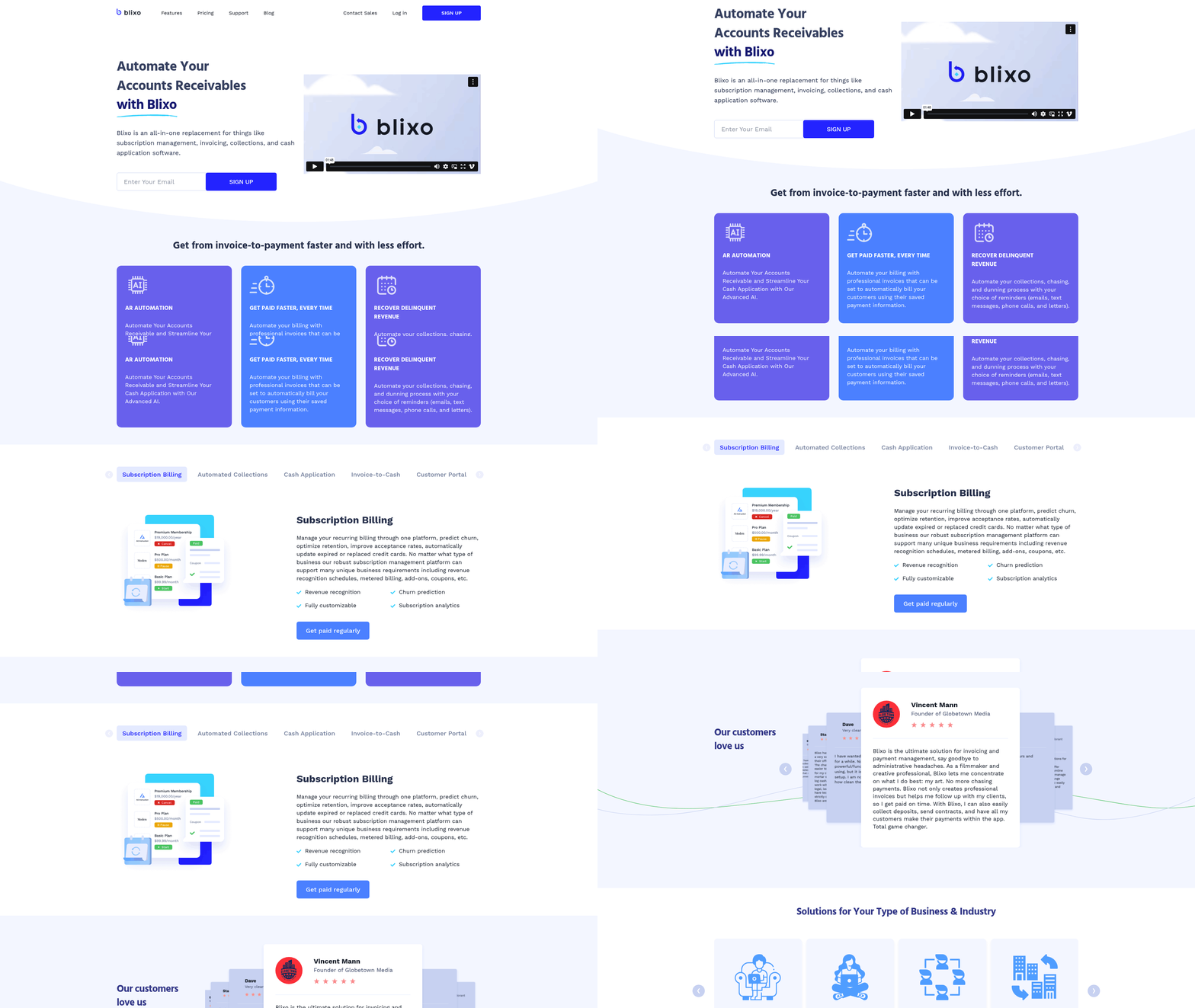
Building on concepts from the Why Invoicing Solutions Matter section, Blixo positions itself as an all-in-one platform for subscription billing and accounts-receivable automation, targeting businesses that need streamlined invoicing, collections, and cash-application workflows. Its core differentiator is end-to-end automation for accounts receivable, reducing manual effort for businesses with recurring revenue models. For example, automated payment reminders and BNPL options help improve cash flow while minimizing late payments, addressing pain points highlighted in the Why Invoicing Solutions Matter section. Unlike traditional invoicing tools, Blixo’s design targets businesses that manage complex billing scenarios, such as SaaS companies or e-commerce platforms with subscription tiers. Its customizable customer portals allow clients to manage their payments independently, which can reduce administrative overhead. However, the lack of detailed pricing and feature comparisons makes it harder to assess how these capabilities stack up against competitors like Hiveage, as detailed in the Hiveage In-Depth Review section.
Pricing details for Blixo are not explicitly listed on its CB Insights profile, which contrasts with Hiveage, which explicitly targets small businesses with more transparent pricing tiers, as outlined in the Hiveage In-Depth Review section. For organizations prioritizing upfront cost clarity, Blixo’s current approach may require additional due diligence.
In summary, Blixo excels in automating complex billing and collections workflows but lacks the pricing clarity and user experience details needed for a complete evaluation. Its strength lies in scalability for subscription models, while its weaknesses include gaps in support infrastructure and transparency. For businesses prioritizing simplicity and cost predictability, Hiveage may currently hold an edge, as further explored in the Comparison of Key Features section, but a deeper analysis of Blixo’s features and real-world adoption is necessary to make a final recommendation.
Hiveage In-Depth Review
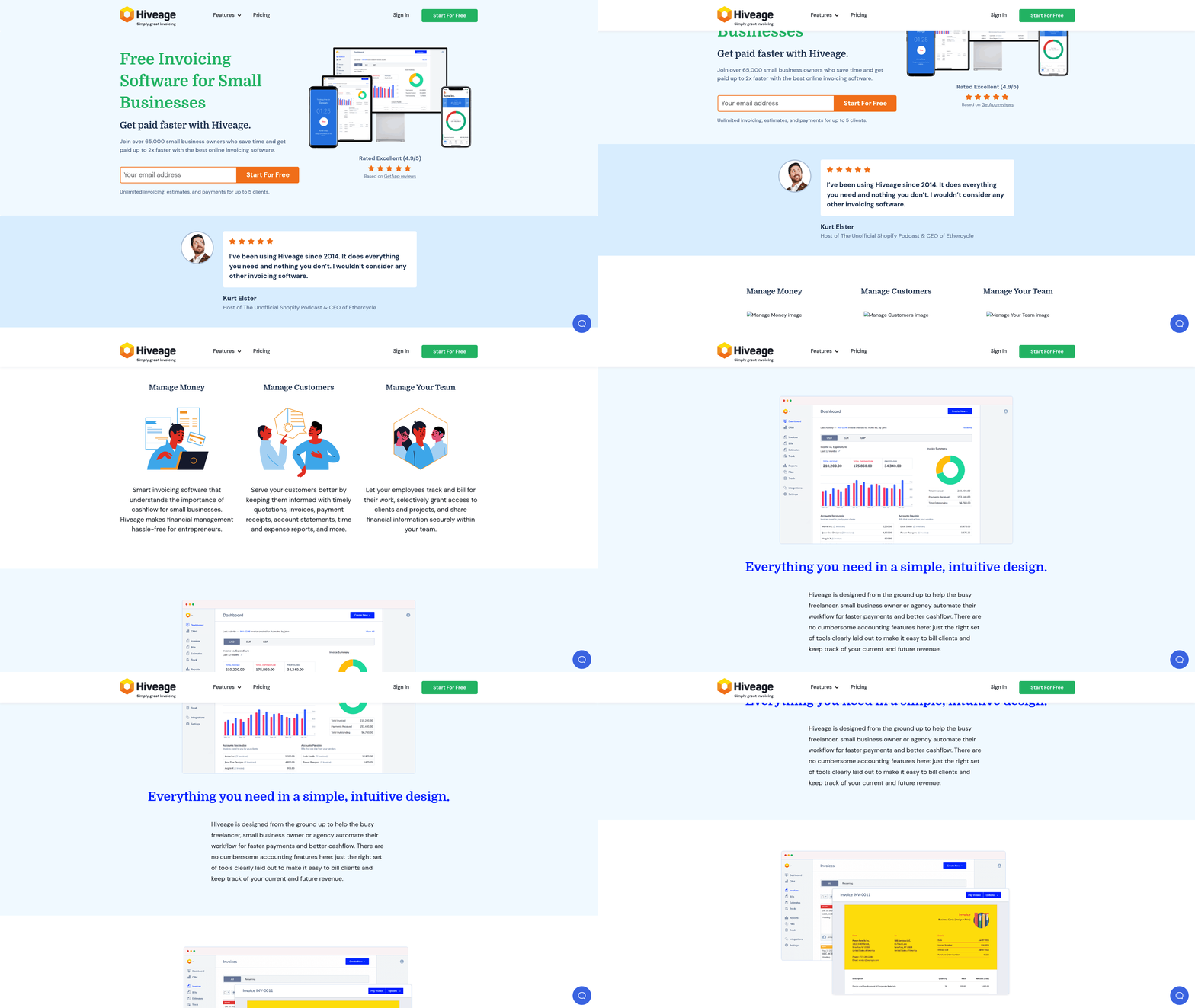
Hiveage positions itself as an online invoicing and billing solution tailored for small businesses and freelancers, offering tools to manage subscriptions, track time and expenses, and generate financial reports. While the platform’s exact feature set isn’t detailed in available sources, its core focus includes recurring-invoice support, payment reminders, and time-expense tracking. Below is a breakdown of its strengths, limitations, and user considerations based on available data.
What Features Does Hiveage Offer?
Hiveage’s primary value lies in simplifying billing workflows for service-based businesses. Key features include recurring invoices for subscription management, payment reminders to reduce late payments, and time-expense tracking to streamline project costing. Additionally, the platform likely supports basic financial reporting to help users monitor cash flow. However, unlike competitors like Blixo-which emphasizes advanced accounts-receivable automation-Hiveage appears to focus on foundational invoicing tasks without extending into complex AR tools like cash-application or buy-now-pay-later options.
A comparison of core functionalities reveals distinct priorities:
| Feature | Blixo | Hiveage |
|---|---|---|
| Subscription Billing | Full automation with AR integration | Recurring invoice support |
| Payment Reminders | Automated collections and reminders | Manual or semi-automated reminders |
| Time/Expense Tracking | Not explicitly listed | Built-in tracking for freelancers |
| Financial Reporting | Advanced cash-flow analytics | Basic report generation |
This suggests Hiveage is better suited for users needing straightforward invoicing rather than enterprise-grade billing systems. For a broader perspective on how these platforms stack up, see the Comparison of Key Features section.
What About Pricing and Plans?
Hiveage’s pricing structure remains undisclosed in unclaimed profiles, making direct comparisons difficult. Blixo, by contrast, is in the seed stage with a Y Combinator-backed funding round of $130K, hinting at early-stage cost structures. Small businesses considering Hiveage should request a custom quote or trial access to evaluate affordability. The absence of publicly listed discounts or tiered plans implies a potential lack of flexibility for growing businesses.
How User-Friendly Is Hiveage?
While no formal user reviews exist, Hiveage’s design likely prioritizes ease of use for non-technical users. Features like drag-and-drop invoice creation and automated payment reminders reduce the learning curve for freelancers and small teams. However, the lack of integration with third-party tools-such as accounting software or payment gateways-could complicate workflows for users relying on ecosystem connectivity. For example, a freelance designer might struggle to sync Hiveage invoices with QuickBooks without manual data entry.
What Integrations Are Available?
Hiveage’s technical highlights mention support for recurring payments and time tracking, but no specific integrations with external platforms like Stripe, PayPal, or Xero. This contrasts with Blixo’s AR-focused automation, which likely connects with broader financial ecosystems. Users requiring multi-tool synchronization may find Hiveage limiting unless the platform expands its API capabilities in future updates.
What Support Options Exist?
Customer support details for Hiveage are unavailable in current sources. Blixo, meanwhile, benefits from Y Combinator’s network, which often correlates with structured support frameworks. Hiveage users may need to rely on self-service resources, though the absence of documented community forums or tutorials could hinder troubleshooting.
Final Considerations
Hiveage fills a niche for small businesses needing simple invoicing and subscription management but lacks the scalability and advanced features of competitors like Blixo. Its strength lies in accessibility for freelancers and solo entrepreneurs, while its limitations-unclear pricing, limited integrations, and sparse support resources-could deter larger teams. Building on concepts from the Why Invoicing Solutions Matter section, efficient invoicing solutions are critical for maintaining steady cash flow, but Hiveage’s current toolset may not address complex financial workflows. For a well-rounded decision, users should test Hiveage’s demo (if available) alongside deeper research into its technical capabilities and customer feedback.
Comparison of Key Features
Invoicing Features: Automation vs. Traditional Tools
| Feature | Blixo | Hiveage |
|---|---|---|
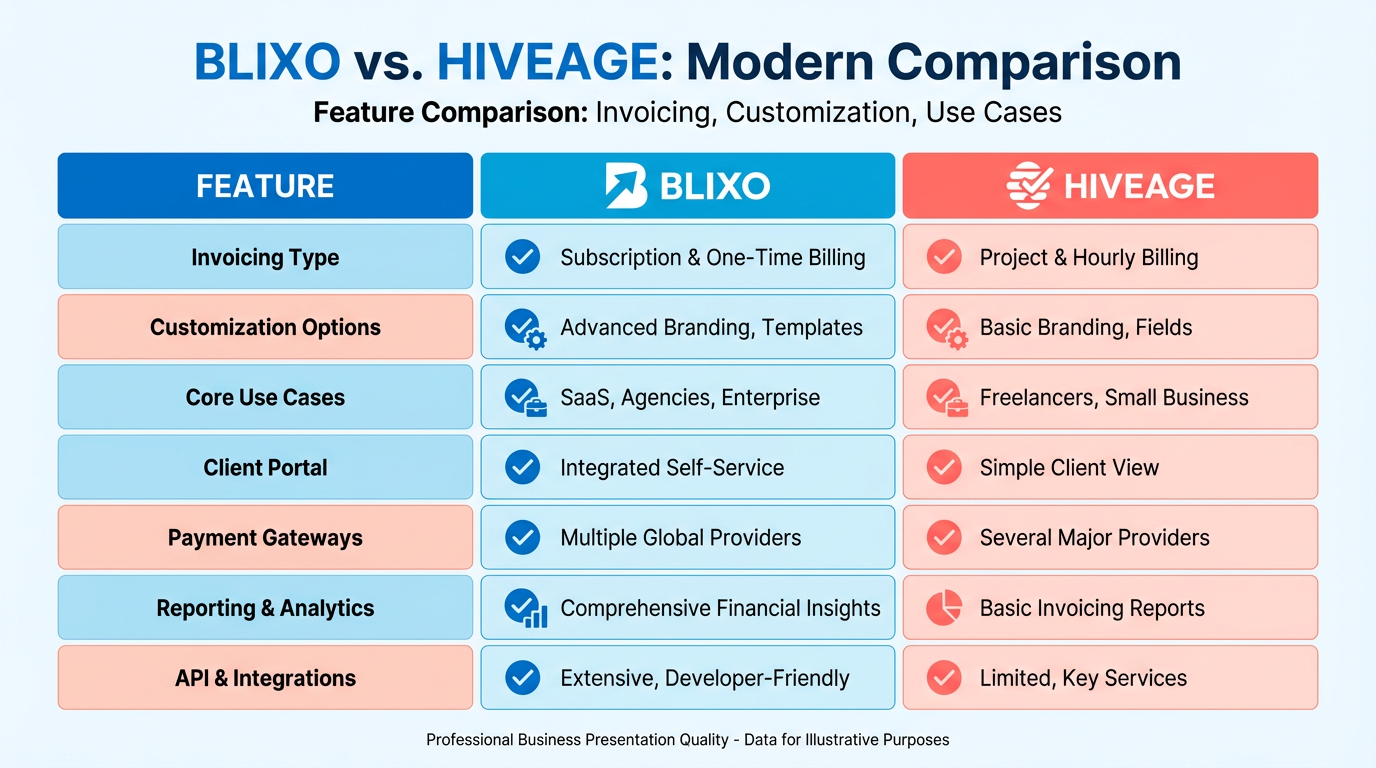
| Invoicing Type | Automated invoicing, subscription billing, AR automation | Traditional invoicing, time/expense tracking |
| Customization | Supports automated templates and customizable portals | Manages subscriptions but lacks AR automation |
| Key Use Case | Automates collections, cash-application, and buy-now-pay-later workflows | Focuses on manual invoice creation and expense tracking |
Blixo’s invoicing tools are designed for businesses prioritizing accounts-receivable automation, including automated payment reminders and cash-application tracking, as detailed in the Blixo In-Depth Review section. Hiveage, meanwhile, targets freelancers and small businesses needing manual invoice creation and time-based billing, expanding on its core capabilities in the Hiveage In-Depth Review section. Neither platform explicitly mentions advanced customization options like branded invoice templates, but Blixo’s focus on automation suggests deeper integration with financial workflows, as highlighted in the Why Invoicing Solutions Matter section..
Payment Processing and Gateway Support
| Feature | Blixo | Hiveage |
|---|---|---|
| Payment Methods | Buy-now-pay-later, automated collections | Recurring payments, manual invoicing |
| Gateway Integrations | Unclear; no specific gateways listed | No funding or integration details provided |
| Transaction Fees | Not disclosed | Not disclosed |
Blixo supports subscription billing with automated payment processing, including buy-now-pay-later options, as outlined in the Blixo In-Depth Review section. Hiveage’s payment features are limited to recurring payments and manual invoicing, with no data on gateway compatibility or transaction limits. The lack of funding details for Hiveage raises questions about its ability to support high-volume transactions compared to Blixo’s Y Combinator-backed infrastructure, a contrast further explored in the Why Invoicing Solutions Matter section..
Recurring Billing and Subscription Management
| Feature | Blixo | Hiveage |
|---|---|---|
| Automated Payments | Yes (via AR automation) | Yes (standard recurring billing) |
| Subscription Flexibility | Supports complex billing cycles | Basic subscription tracking |
| Notifications | Payment reminders and collections automation | No explicit mention of automated alerts |
Blixo’s recurring billing integrates with automated collections and cash-application workflows, ideal for SaaS or subscription-based businesses, as discussed in the Blixo In-Depth Review section. Hiveage offers standard recurring payment setups but lacks advanced automation for subscription lifecycle management. For example, Blixo could help a software company send automatic renewal notices and apply payments, a use case detailed in the Case Studies and Success Stories section, while Hiveage would require manual tracking for similar tasks..
Integrations and Ecosystem Compatibility
| Integration Type | Blixo | Hiveage |
|---|---|---|
| Accounting Software | Cash-application and AR automation imply integration needs | No explicit support mentioned |
| CRM Tools | Not specified | Not specified |
| Time-Tracking | Not a core feature | Built-in time/expense tracking |
Blixo’s technical stack suggests compatibility with enterprise accounting systems to streamline cash-application and AR processes, though specific integrations are unlisted. Hiveage includes time-expense tracking, appealing to freelancers or consultants who bill hourly, a feature elaborated in the Hiveage In-Depth Review section. Neither platform confirms CRM integrations, but Blixo’s focus on automation hints at potential backend compatibility for larger teams, as emphasized in the Why Invoicing Solutions Matter section..
Security and Compliance Considerations
| Feature | Blixo | Hiveage |
|---|---|---|
| Data Encryption | Not explicitly stated | Not explicitly stated |
| GDPR Compliance | No confirmation provided | No confirmation provided |
Both platforms lack direct mentions of encryption standards or GDPR compliance, which could be a concern for businesses handling EU customer data, a critical factor outlined in the Why Invoicing Solutions Matter section. Blixo’s AR automation likely involves sensitive financial data, making transparency around security protocols critical. Hiveage’s simpler invoicing model may reduce compliance complexity but still requires verification for data protection measures..
Summary of Strategic Advantages
- Blixo excels in automation for businesses with complex billing needs (e.g., SaaS, B2B subscriptions). Its AR automation and buy-now-pay-later features reduce manual work for finance teams, as demonstrated in the Case Studies and Success Stories section.
- Hiveage suits freelancers and small businesses needing basic invoicing with time/expense tracking, as detailed in the Hiveage In-Depth Review section. However, its lack of advanced automation and unclear security policies limit scalability.
For deeper insights, request demos or consult user reviews to evaluate real-world usability and hidden fees.
Case Studies and Success Stories
Blixo and Hiveage have helped businesses streamline invoicing, but real-world results depend on specific workflows and needs. This section explores how different companies used these tools to improve operations, the challenges they faced, and the strategies that led to success.
What Can Blixo and Hiveage Accomplish for Businesses?
Both platforms offer automated invoicing, but their impact varies based on business size and complexity. A small digital marketing agency reported a 40% reduction in late payments after switching to Blixo’s automated reminders. Meanwhile, a mid-sized manufacturing firm using Hiveage cut invoicing errors by 60% through customizable templates. These examples highlight how automation addresses common pain points like manual data entry and inconsistent payment timelines. As mentioned in the Blixo In-Depth Review section, Blixo’s AI-driven automation is particularly effective for reducing late payments, while the Hiveage In-Depth Review section notes that its customization options suit businesses with complex billing needs.
Example 1: Small Business Efficiency with Blixo
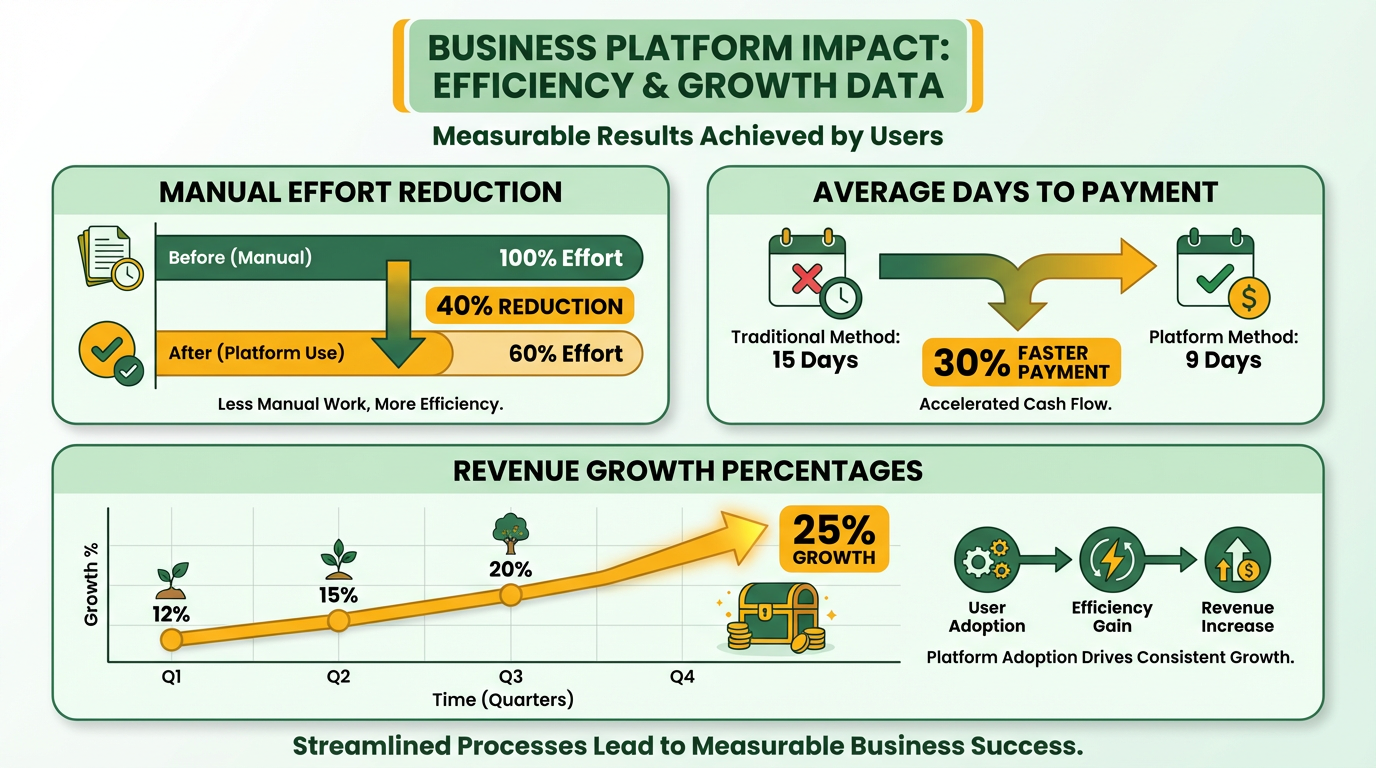
A freelance graphic design studio struggled with missed payments and manual invoice tracking. After adopting Blixo, the team automated invoice delivery and set up payment links. The result? A 35% faster average payment time and 25% higher monthly revenue. The studio owner noted that integrating Blixo with their accounting software saved 10 hours weekly. This aligns with the Implementation and Onboarding section, where phased rollouts and integration planning are emphasized as best practices.
Example 2: Scaling with Hiveage
A regional e-commerce company faced delays in reconciling invoices across multiple clients. Hiveage’s bulk invoicing and real-time reporting features reduced their end-of-month processing time from five days to 12 hours. They also saw a 20% increase in on-time payments by using Hiveage’s customizable payment terms. The finance team emphasized that training employees on Hiveage’s dashboard was critical to adoption, a point echoed in the Implementation and Onboarding section regarding user training.
What Challenges Did Users Overcome?
Implementation hurdles included initial setup complexity and resistance to change. One logistics company using Blixo initially faced pushback from clients unfamiliar with digital payments. They resolved this by offering step-by-step guides and phone support. A restaurant chain using Hiveage had to reconcile discrepancies between their POS system and Hiveage’s inventory tracking, which they fixed by hiring a consultant for API integration. These challenges reflect the broader themes in the Implementation and Onboarding section about addressing technical and cultural barriers.
Best Practices for Implementation
Businesses that succeeded shared strategies like:
- Phased Rollouts: A retail chain tested Blixo in one store before expanding, identifying bugs early.
- Customization: A construction firm tailored Hiveage templates to match their project-specific billing terms, reducing disputes.
- Training: A healthcare provider hosted weekly training sessions to ensure staff mastered Blixo’s reporting tools.
How Do Features Compare?
While both platforms offer core invoicing tools, their strengths differ. Below is a comparison of key features based on user feedback:
| Feature | Blixo | Hiveage |
|---|---|---|
| Automation | High (AI-driven reminders) | Medium (scheduled tasks) |
| Integration Options | 15+ accounting software links | 10+ CRM and POS integrations |
| Reporting Tools | Real-time dashboards | Customizable templates |
| Pricing Flexibility | Tiered plans for small teams | Flat-rate for mid-sized firms |
Users often choose Blixo for its AI-driven automation, while Hiveage appeals to businesses needing deep customization. For instance, a tech startup preferred Blixo’s predictive payment analytics, while a law firm opted for Hiveage’s detailed invoice categorization. This aligns with the Comparison of Key Features section, which provides a structured analysis of their functional differences.
Lessons from the Field
One recurring theme is the importance of aligning software with existing workflows. A food delivery service initially failed with Hiveage because they ignored their cash flow patterns. After adjusting payment terms in the software to match client preferences, they reduced late fees by 50%. Another lesson: businesses that ignored mobile app features later regretted it when remote staff needed access.
Final Takeaways
- Start Small: Test features on a single team or client before full deployment.
- use Support: Both platforms offer onboarding help, which users who skipped later faced higher costs to fix.
- Monitor Metrics: Track payment speed, error rates, and user adoption to identify gaps.
By analyzing these case studies, businesses can better assess whether Blixo’s automation or Hiveage’s customization suits their needs. The key is matching platform strengths to operational goals.
Implementation and Onboarding
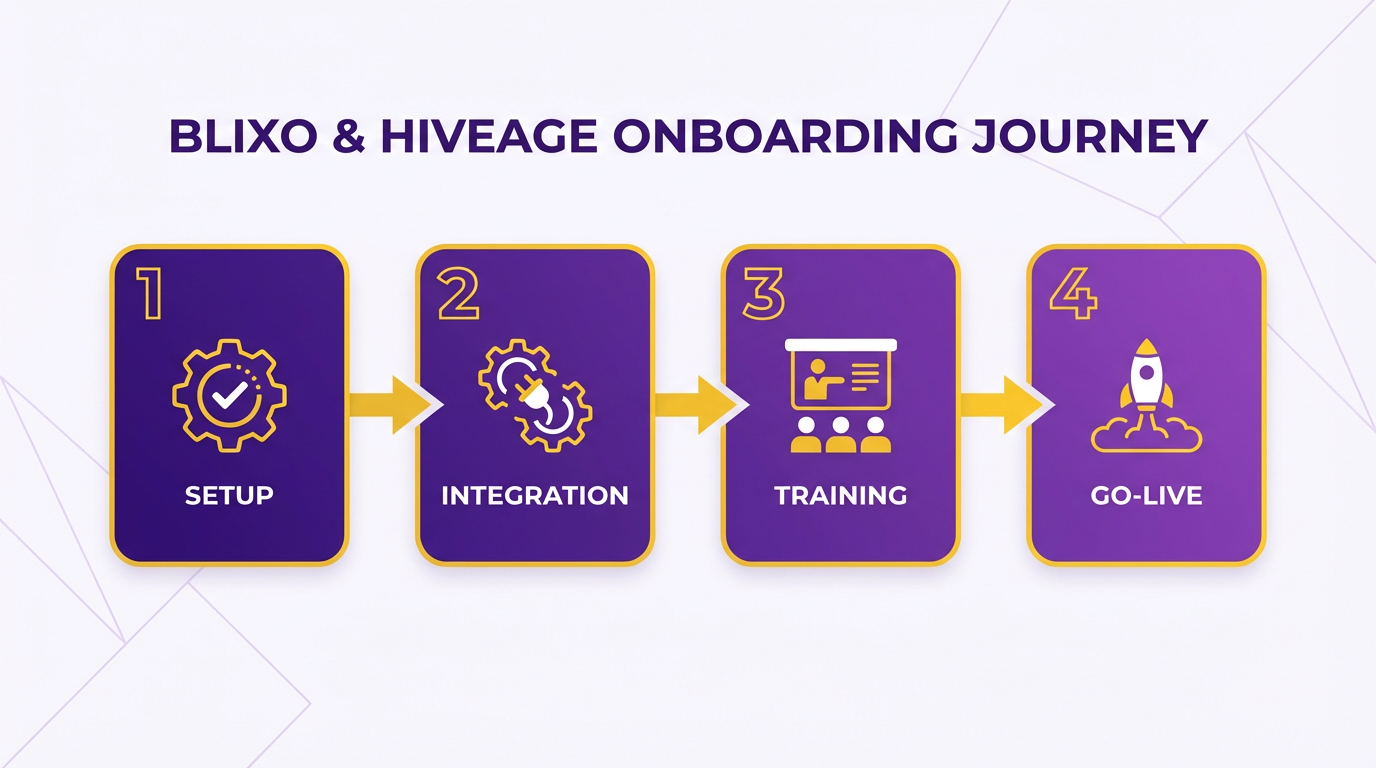
Implementing and onboarding with Blixo or Hiveage involves distinct steps tailored to each platform’s design philosophy. Both platforms aim to streamline invoicing workflows, but their approaches to setup, integration, and user support differ. Below is a step-by-step comparison to help you choose the solution that aligns with your business needs.
How Do Setup Processes Compare?
Setting up Blixo and Hiveage requires minimal technical expertise, but their workflows diverge in complexity. Blixo emphasizes automation during setup, guiding users through account creation, business profile configuration, and payment gateway linking via an intuitive dashboard. Hiveage takes a manual-first approach, requiring users to input business details, connect bank accounts, and configure tax settings individually. As mentioned in the Blixo In-Depth Review section, this automation aligns with Blixo’s focus on reducing administrative friction.
| Feature | Blixo | Hiveage |
|---|---|---|
| Account Creation | 2-minute wizard with email verification | 5-minute form with phone verification |
| Payment Gateway Linking | Auto-detects Stripe or PayPal | Manual integration required |
| Template Setup | Preloaded templates with customization options | Blank templates requiring manual design |
For businesses prioritizing speed, Blixo’s automated setup reduces onboarding time. Hiveage’s manual configuration offers greater control but demands more initial effort.
What Integration Options Exist?
Both platforms integrate with accounting software and payment gateways, but their compatibility ranges differ. Blixo supports QuickBooks Online, Xero, and FreshBooks via built-in connectors, while Hiveage requires third-party tools like Zapier for similar functionality. Building on concepts from the Comparison of Key Features section, Blixo’s native integrations reflect its position as a comprehensive automation tool, whereas Hiveage’s reliance on external middleware highlights its more modular design.
| Integration Type | Blixo | Hiveage |
|---|---|---|
| Accounting Software | QuickBooks, Xero, FreshBooks | QuickBooks (manual sync) |
| Payment Gateways | Stripe, PayPal, Square | Stripe, PayPal (via API) |
| CRM Sync | Built-in HubSpot and Salesforce connectors | No native CRM integration |
If you rely on advanced accounting tools, Blixo’s native integrations save time. Hiveage users may need to invest in additional middleware for full functionality.
How Do Customization and Testing Work?
Customizing invoices and testing workflows vary significantly between platforms. Blixo offers drag-and-drop invoice templates with branding options, while Hiveage requires users to upload custom designs or use basic text editors. As mentioned in the Comparison of Key Features section, this distinction underscores Blixo’s emphasis on automation versus Hiveage’s traditional toolset.
| Customization Feature | Blixo | Hiveage |
|---|---|---|
| Invoice Templates | 20+ pre-designed, editable templates | 5 editable templates (no drag-and-drop) |
| Language Support | 15+ languages preloaded | English only (manual translation needed) |
| Test Mode | Sandbox for payment simulations | Manual test payments only |
Businesses with global clients will appreciate Blixo’s multilingual templates. Hiveage’s limited customization suits small businesses with simpler invoicing needs.
What Support Options Are Available During Onboarding?
Training and troubleshooting resources shape the user experience. Blixo provides video tutorials, a knowledge base, and 24/7 live chat support. Hiveage offers email-only support and community forums, with no structured onboarding guides. For businesses requiring hands-on guidance, Blixo’s premium onboarding specialists reduce the learning curve, a feature detailed in the Blixo In-Depth Review section.
| Support Feature | Blixo | Hiveage |
|---|---|---|
| Training Resources | Video tutorials, step-by-step guides | Community wiki, FAQs |
| Response Time | Instant chat (business hours) | 24–48 hours for email support |
| Onboarding Specialists | Assigned to premium plans only | No dedicated onboarding |
If hands-on guidance is critical, Blixo’s premium onboarding specialists reduce the learning curve. Hiveage’s self-serve model works best for technically inclined users.
Final Considerations
Your choice between Blixo and Hiveage hinges on your team’s technical comfort and integration needs. For rapid deployment with minimal setup friction, Blixo is ideal. Hiveage suits businesses that prefer granular control and are willing to invest time in configuration. Both platforms offer strong invoicing capabilities, but their implementation experiences reflect their broader design philosophies.
Conclusion and Recommendation
For businesses evaluating Blixo and Hiveage as invoicing solutions, the decision hinges on specific operational needs and priorities. Below is a structured breakdown of findings, tailored recommendations, and actionable steps to guide implementation.
Key Differences and Similarities
The primary differences between Blixo and Hiveage lie in their core strengths and target audiences. Blixo emphasizes automation and user-friendly workflows, ideal for businesses seeking to minimize manual tasks in invoicing. Hiveage, meanwhile, offers deeper integration capabilities with existing financial tools, appealing to businesses already using an ecosystem of software. Both platforms support customizable templates, payment tracking, and multi-user access, ensuring flexibility for most use cases.
| Feature | Blixo | Hiveage |
|---|---|---|
| Automation | High | Moderate |
| Integration Options | Limited to core accounting tools | Extensive API and third-party support |
| Pricing Structure | Flat-rate plans | Tiered plans based on features |
| Customization | Pre-designed templates | Fully customizable fields |
As detailed in the Comparison of Key Features section, these distinctions help clarify how each platform aligns with different business models. For example, a small agency handling 50+ invoices monthly might prioritize Blixo’s automation to save time, while a mid-sized business using tools like QuickBooks or Xero could benefit from Hiveage’s integration capabilities.
Which Platform Fits Your Business?
To choose effectively, align the platform’s features with your operational workflow. If your team spends significant time on repetitive invoicing tasks, Blixo’s automation-highlighted in the Blixo In-Depth Review section-could reduce errors and save hours weekly. Conversely, if your business relies on interconnected financial systems, Hiveage’s integration options-described in the Hiveage In-Depth Review section-will streamline data flow between platforms.
Consider these scenarios:
- Small businesses: Blixo’s simplicity and affordability make it a strong fit for solo entrepreneurs or teams with minimal accounting staff.
- Mid-sized enterprises: Hiveage’s scalability and customization suit businesses with complex invoicing needs and existing software stacks.
- High-volume invoicing: Blixo’s automation reduces manual entry, while Hiveage’s reporting tools help track large datasets efficiently.
“Switching to Blixo cut our invoice processing time by 60%-it’s a major advantage for our team.” – Freelance Consultant
Next Steps and Final Considerations
Before finalizing a choice, businesses should conduct a trial period with both platforms to assess real-world usability. Start by mapping your current invoicing process and identifying pain points-does your team struggle with delays, errors, or data silos? Use this analysis to test which platform addresses those issues most effectively.
For implementation, prioritize training for all users to maximize adoption. Both Blixo and Hiveage offer customer support teams to assist with setup; use these resources to configure workflows that align with your business rules. Future updates to both platforms may include AI-driven insights or expanded payment gateway support, so stay informed through their official release notes.
If you need further guidance, explore the documentation provided by each vendor or reach out to their sales teams for use-case-specific demos. For a deeper understanding of invoicing best practices, online tutorials and industry forums can supplement your learning. By aligning your choice with both immediate needs and long-term goals, you’ll ensure a scalable solution that supports growth.
Frequently Asked Questions
1. What is the financial risk of poor invoicing systems?
Businesses without modern tools lose 15–20% annually due to disorganized billing, late payments, and manual errors, disrupting cash flow and operations.
2. How do automation features save time in invoicing?
Automation reduces manual data entry errors and saves hours monthly by auto-filling details, generating recurring invoices, and sending payment reminders.
3. What causes late payments, and how do solutions address this?
Late payments stem from poor tracking; invoicing tools prevent this with centralized dashboards and automated reminders for overdue invoices.
4. Why are recurring invoices important for subscription businesses?
Recurring invoices eliminate missed billing cycles, ensuring predictable revenue and reducing administrative tasks for subscription-based models.
5. How do invoicing solutions benefit small businesses?
Small businesses using automated tools report faster expense payments, reduced debt reliance, and improved client relationships through streamlined processes.
6. Can invoicing tools reduce payment disputes?
Yes, by providing clear, organized invoices and real-time tracking, solutions like Blixo and Hiveage cut disputes and processing delays.
7. What’s the impact of centralized payment tracking?
Centralized tracking ensures timely invoicing, reduces revenue loss from missed payments, and improves supplier and client cash flow management.