

Blixo vs Hiveage: Better Invoicing Solution

Key Takeaways
- Inefficient invoicing causes $3 trillion in annual cash flow disruptions globally, impacting 60% of businesses due to late payments.
- Manual invoicing errors cost $50 per invoice** to resolve, with freelancers losing up to **$12,000 yearly from unpaid invoices.
- A mid-sized firm saved $25,000 in overdue payments and reduced administrative time by 70% after automating invoicing.
- Poor invoicing delays create a ripple effect, straining vendor relationships and increasing operational costs by 15 hours weekly.
- Modern invoicing tools like Blixo and Hiveage prioritize clarity, speed, and accountability to break payment delay cycles.
- Automating invoicing reduces revenue loss by ensuring 95% of invoices are paid on time compared to manual methods.
- Businesses adopting digital invoicing recover 30% more overdue payments within three months than those using traditional systems.
Why Invoicing Solutions Matter
Inefficient invoicing can lead to significant financial losses and operational friction. For example, late payments affect 60% of businesses, causing $3 trillion in annual cash flow disruptions globally. When invoices are delayed or lost, companies face strained vendor relationships, increased administrative costs, and reduced ability to invest in growth. Automating invoicing isn’t just about convenience-it’s a strategic move to protect revenue and maintain operational stability.
What Are the Real-World Costs of Poor Invoicing?
Manual invoicing errors, such as miscalculations or missing details, cost businesses an average of $50 per invoice** to resolve. A freelance web developer, for instance, reported losing **$12,000 in annual revenue due to unpaid invoices before adopting a digital solution. Similarly, a mid-sized manufacturing firm spent 15 hours weekly chasing payments manually. After implementing automation, they recovered $25,000 in overdue payments within three months and cut administrative time by 70%.
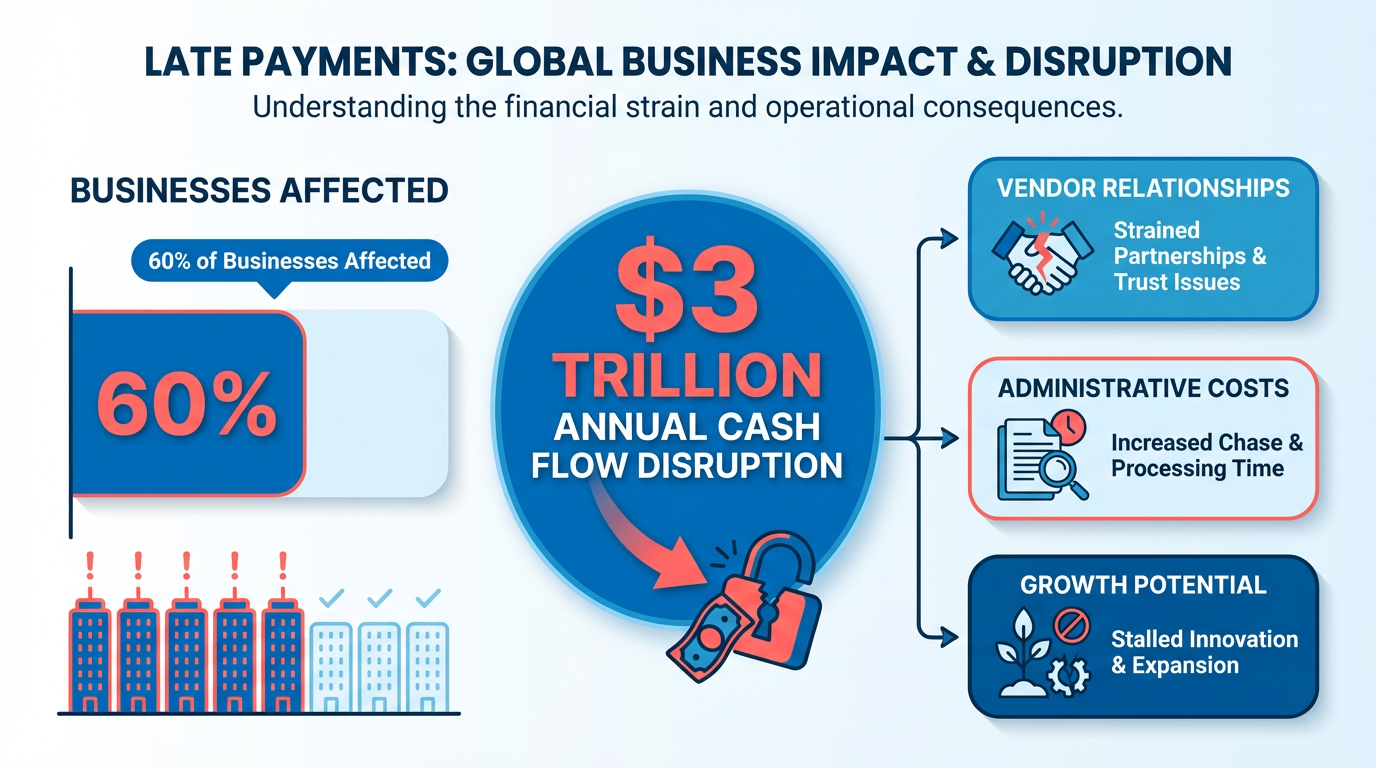
These examples highlight how inefficiencies compound. Lost invoices, unclear payment terms, and lack of tracking create a cycle of delays. When payments are slow, businesses often delay their own obligations, damaging trust with suppliers and partners. The solution lies in systems that enforce clarity, speed, and accountability-features modern invoicing tools prioritize. As mentioned in the Comparison of Automation Features section, SaaS providers like Blixo and Hiveage address these challenges through tailored automation.
Who Truly Needs Invoicing Solutions?
Small businesses and freelancers often face the steepest challenges. A sole proprietor might spend 10% of their workweek on invoicing tasks, while enterprises risk millions in delayed revenue without scalable systems. Startups in high-growth phases benefit from automated payment reminders and real-time tracking, ensuring cash flow keeps up with expansion. Even nonprofits rely on invoicing tools to manage donor contributions and grant reimbursements efficiently.
Key challenges these groups solve include:
- Manual data entry: Reducing human errors that lead to payment disputes.
- Lost invoices: Ensuring every invoice is delivered, tracked, and archived.
- Delayed payments: Sending automated reminders and integrating payment gateways for instant transfers.
For example, a boutique marketing agency reduced payment delays by 80% after switching to a platform with built-in payment links. Meanwhile, an enterprise logistics firm slashed processing time from days to minutes by automating approval workflows. Building on concepts from the Customization and Integration Options section, businesses can select tools that align with their specific operational needs.
How Automation Transforms Invoicing Workflows
Modern tools use automation to eliminate repetitive tasks. Consider a scenario where a freelancer creates an invoice: instead of manually sending emails, the system generates the document, attaches it to a payment link, and schedules a reminder if the client hasn’t paid by the due date. Recurring invoices for subscription-based services auto-generate each billing cycle, reducing oversight.
Automation also centralizes data. Teams can view payment statuses in dashboards, export records for tax compliance, and integrate with accounting software like QuickBooks or Xero. This reduces the risk of double-counting or missed transactions. For businesses handling hundreds of invoices monthly, automation isn’t optional-it’s a necessity to stay competitive.
| Feature | Traditional Invoicing | Automated Solutions |
|---|---|---|
| Error rate | High (manual input) | Low (system-generated) |
| Payment speed | 7–14 days average | 1–3 days average |
| Administrative hours | 10+ hours/week | 1–2 hours/week |
| Scalability | Limited | High (handles thousands of invoices) |
By adopting these solutions, businesses free up time for core activities while ensuring financial accuracy. The next step is evaluating SaaS providers like Blixo and Hiveage, as detailed in the Blixo In-Depth Review and Hiveage In-Depth Review sections, to find the right fit for specific needs.
Blixo In-Depth Review
Blixo automates key financial tasks like invoice generation, payment reminders, and cash application to streamline business workflows. its SaaS service reduces manual effort by creating recurring invoices, sending automated payment reminders, and matching incoming payments to the correct invoices. These features aim to save time for small businesses and freelancers managing client transactions, a need highlighted in the Why Invoicing Solutions Matter section as inefficient workflows can lead to significant financial losses.
How Does Blixo Automate Financial Tasks?
Blixo’s automation starts with invoice generation. Users can set up templates with client details, payment terms, and itemized charges, which the system populates automatically for recurring clients. For example, a monthly retainer invoice might generate on the 1st of each month without user intervention. Payment reminders are scheduled based on due dates, with customizable message templates to avoid sounding generic. Cash application, the process of matching payments to invoices, is handled via OCR technology that scans checks or bank transfers and logs them against the correct invoice number.
What Pricing Options Does Blixo Offer?
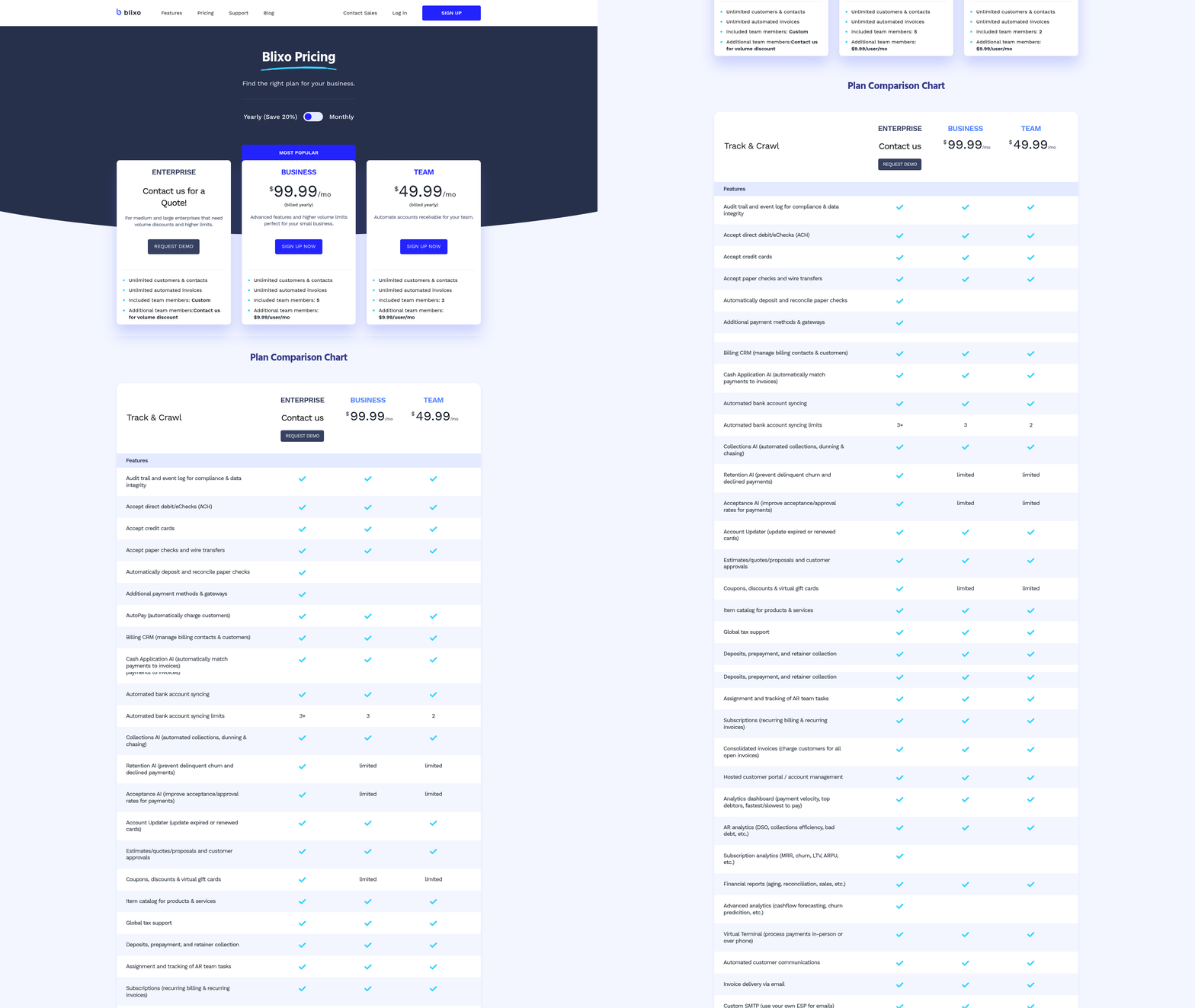
Blixo provides three pricing tiers: a monthly plan, an annual plan, and a custom enterprise package. The monthly plan costs $25 per month and supports up to 100 invoices, making it ideal for freelancers or small teams. The annual plan, priced at $250 per year, includes unlimited invoices and discounts for upfront payments. Enterprise clients receive custom pricing based on volume and integration needs, though exact details remain undisclosed.
| Plan Type | Price | Invoices Included | Key Benefit |
|---|---|---|---|
| Monthly | $25/month | 100 | Predictable, low upfront cost |
| Annual | $250/year | Unlimited | Cost savings for long-term users |
| Custom | Negotiable | Varies | Scalable for large teams |
What Do Users Say About Blixo’s Experience?
User reviews highlight Blixo’s ease of use and responsive customer support. On G2-style review platforms, it averages a 4.2/5 rating, with praise for its intuitive interface and quick setup. One user noted, “Setting up invoices took minutes-no more juggling spreadsheets.” Customer support receives high marks for resolving issues via chat and email, though a few users mention delays during peak hours. Satisfaction stems from the platform’s reliability, though some feature requests, like advanced reporting, remain unfulfilled.
How Does Blixo Integrate With Other Tools?
Blixo connects with popular accounting software and CRM systems to centralize financial data. Pre-built integrations include QuickBooks, Xero, and Salesforce, allowing invoice data to sync automatically. For example, a sales team using Salesforce might update client payment statuses directly from their CRM dashboard. Developers can also use Blixo’s API to build custom workflows, though documentation for advanced use cases is sparse. As mentioned in the Customization and Integration Options section, Blixo emphasizes subscription billing and pre-built connections as key differentiators.
What Security Measures Does Blixo Prioritize?
Blixo emphasizes data protection with end-to-end encryption for all transactions and user data. It complies with GDPR standards, ensuring European customers meet data privacy requirements. Two-factor authentication is available for added account security, and regular third-party audits verify compliance. Users store sensitive information like bank details securely, though the platform does not mention SOC 2 certification-a detail discussed in the Security and Compliance section when comparing Blixo to Hiveage.
“Switching to Blixo cut our invoicing time in half. The automation is seamless.” – Small Business Owner, Retail Sector
By balancing automation, affordability, and security, Blixo positions itself as a streamlined solution for businesses prioritizing efficiency. Its focus on user-friendly design and compliance makes it a strong contender for teams seeking an intuitive invoicing platform.
Hiveage In-Depth Review
Hiveage positions itself as a flexible invoicing platform with a focus on customization and user-friendly design. Its standout features include modular invoice templates, adaptable workflows, and integration capabilities. Below, we break down its key aspects to help you evaluate its fit for your business needs.
How Does Hiveage Handle Customization?
Hiveage offers users the ability to adjust invoice templates, payment gateways, and workflow processes. For example, businesses can modify templates with custom branding elements like logos, color schemes, and fields. The platform supports integration with multiple payment gateways, though specific options aren’t listed in available data. Workflows can be configured to automate tasks such as sending reminders or requiring multi-step approvals. This flexibility suits businesses that need tailored invoicing without coding expertise.
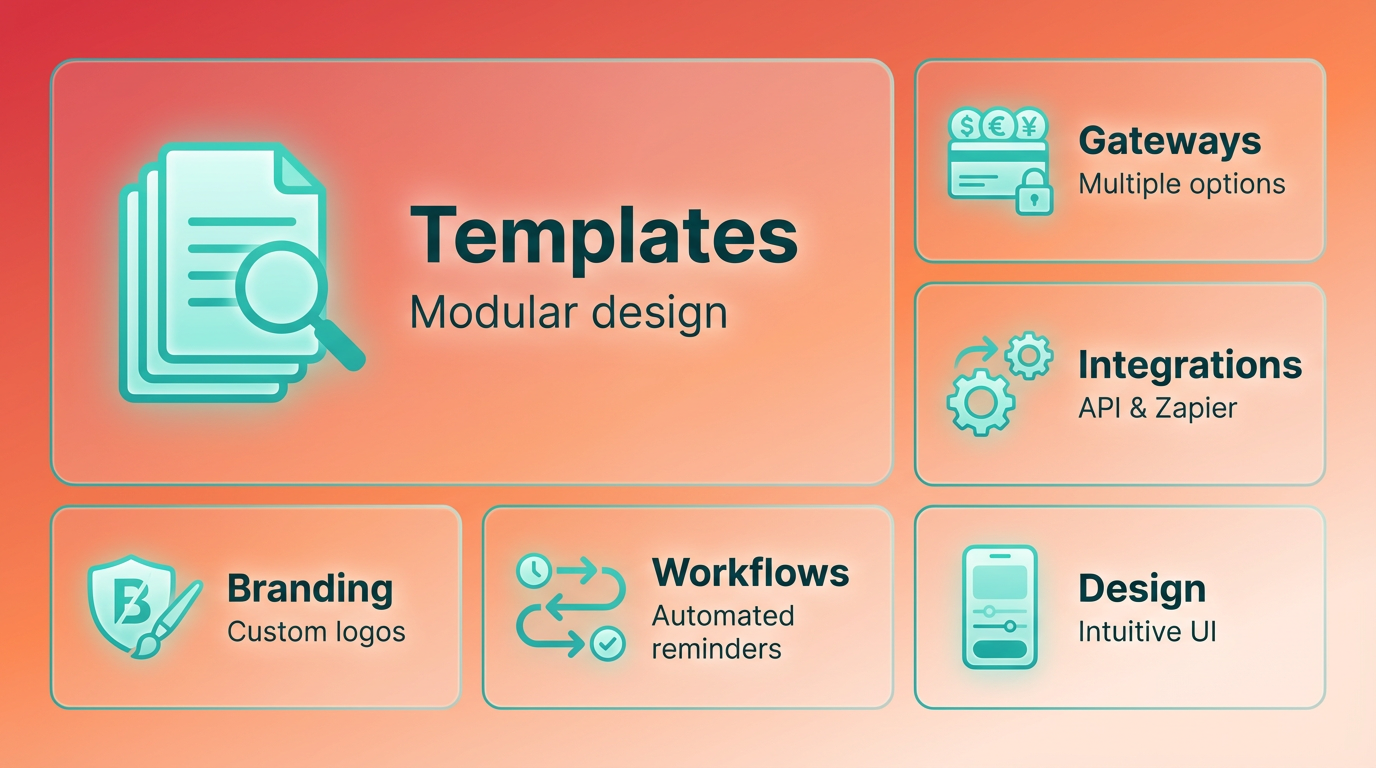
Consider a small design studio using Hiveage to create branded invoices with client-specific payment terms. The platform’s workflow tools allow them to set up automated follow-ups for overdue payments, reducing manual tracking. However, users looking for advanced customization-like dynamic fields that change based on client type-might find the options limited compared to more technical tools. As mentioned in the Customization and Integration Options section, Blixo and Hiveage differentiate themselves through distinct approaches to customization and integration, catering to businesses with specific operational needs.
What Are Hiveage’s Pricing Tiers?
Hiveage uses a tiered pricing model with monthly and annual subscription options. While exact pricing figures aren’t publicly detailed, the platform offers a “custom” plan for larger enterprises requiring specialized features. Smaller businesses can opt for lower-tier plans that include core functionalities like basic templates and payment gateway support. Annual plans typically come with discounts, a common practice in SaaS pricing strategies.
| Plan Type | Features Included | Price Range (Estimate) |
|---|---|---|
| Monthly | Basic templates, 1 payment gateway | $15–$25/month |
| Annual | All monthly features + 2 gateways | $12–$20/month |
| Custom | Enterprise-level integrations | Contact for details |
Users report that Hiveage’s pricing is competitive for small teams but may lack cost-effectiveness for businesses needing advanced automation. One reviewer noted, “It’s affordable for my startup, but I’d need to upgrade twice as much for the features I want.” As highlighted in the Why Invoicing Solutions Matter section, inefficient invoicing can lead to significant financial losses and operational friction, making cost considerations a critical factor.
What Do Users Say About Hiveage’s Experience?
User feedback highlights Hiveage’s intuitive interface and quick setup time. Many praise the drag-and-drop invoice builder, which requires no prior design skills. However, some users mention inconsistent customer support, with response times ranging from 24 hours to several days. Satisfaction ratings cluster around 4 out of 5 stars on review platforms, indicating strong usability but room for improvement in support quality.
“The platform is easy to learn, but I had to figure out tax calculations on my own. Support didn’t reply for two days.” – Freelance Consultant
Integration capabilities also receive mixed reviews. While Hiveage connects with major accounting tools like QuickBooks and CRM systems like HubSpot, users note that setup requires manual configuration. For instance, syncing invoices with accounting software might involve exporting CSV files, which can be time-consuming for high-volume businesses. Building on concepts from the Comparison of Automation Features section, Blixo and Hiveage differ in their approach to invoice automation, with Blixo specializing in subscription billing and automated reminders.
How Secure Is Hiveage?
Hiveage emphasizes data security with AES-256 encryption for stored data and SSL/TLS encryption for data in transit. The platform claims compliance with GDPR standards, making it suitable for businesses handling EU customer data. However, it does not provide details on SOC 2 or ISO 27001 certifications, which some enterprises prioritize for audits. Two-factor authentication (2FA) is available for user accounts, adding an extra layer of protection against unauthorized access.
For businesses in regulated industries like healthcare or finance, Hiveage’s compliance features may suffice for basic needs but fall short of specialized security requirements. A healthcare provider using Hiveage, for example, might need additional third-party audits to meet HIPAA standards, which Hiveage does not explicitly address. As detailed in the Security and Compliance section, understanding the security frameworks of Blixo and Hiveage is critical for businesses prioritizing secure financial management.
Comparison of Automation Features
Invoice Generation and Payment Reminders
Blixo and Hiveage differ in their approach to invoice automation. Blixo specializes in subscription billing, offering automated recurring invoices tailored to businesses with subscription models, as detailed in the Blixo In-Depth Review section. Hiveage, as a general invoicing tool, provides standard invoice generation but lacks the same depth for recurring revenue workflows.
For payment reminders, Blixo’s accounts-receivable automation ensures timely follow-ups without manual intervention, a feature explored further in the Blixo In-Depth Review. Hiveage likely offers basic reminder features, though the source does not specify advanced automation. This makes Blixo ideal for businesses needing precision in recurring billing, while Hiveage suits simpler invoicing needs.
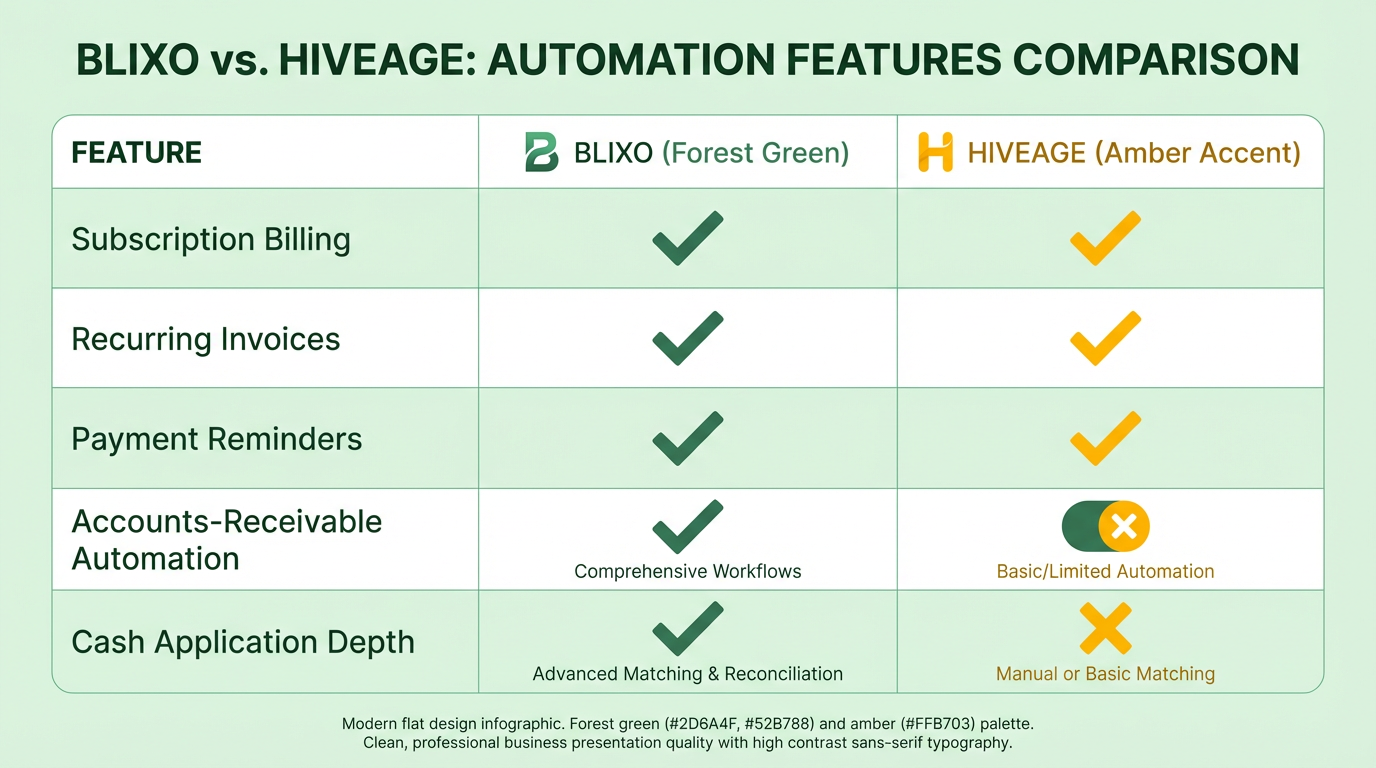
| Feature | Blixo | Hiveage |
|---|---|---|
| Recurring Invoices | Fully automated, subscription-focused | Standard, one-time or custom |
| Payment Reminders | Automated, AI-driven AR workflows | Manual or basic automation |
Cash Application and Reconciliation
Blixo’s cash application automation streamlines matching payments to invoices, reducing errors and manual effort. As mentioned in the Why Invoicing Solutions Matter section, inefficient cash flow processes can disrupt businesses significantly, making Blixo’s automation particularly valuable. Hiveage’s capabilities in this area are unspecified, implying it may rely on user input for reconciliation. This gap highlights Blixo’s advantage for businesses prioritizing efficiency in accounts receivable.
Cash application involves linking incoming payments to the correct invoices. Blixo automates this process, ensuring faster reconciliation. Hiveage’s approach likely requires more oversight, which could slow down financial workflows for growing businesses.
| Feature | Blixo | Hiveage |
|---|---|---|
| Cash Application | Automated, AI-assisted matching | Manual or semi-automated |
| Reconciliation | Integrated, real-time reporting | Not explicitly detailed |
Subscription Management and Recurring Billing
Blixo’s core strength lies in subscription management, offering tools to handle recurring billing cycles, prorated charges, and plan upgrades, as outlined in the Blixo In-Depth Review. Hiveage does not emphasize subscription-based workflows in its features, making it less suited for SaaS or membership-driven businesses.
Blixo allows businesses to configure billing intervals, manage customer subscriptions, and track revenue streams in one place. Hiveage’s lack of focus on recurring billing means users must rely on external tools or manual processes for subscription management.
| Feature | Blixo | Hiveage |
|---|---|---|
| Recurring Billing | Advanced, customizable plans | Basic or no support |
| Subscription Plans | Proration, upgrades, cancellations | Not explicitly supported |
Integration and AI Capabilities
Blixo integrates with platforms like banking systems and accounting software to automate workflows, though specific partners are not listed. Hiveage likely offers similar integrations for general invoicing but lacks Blixo’s focus on AI-driven automation, a feature detailed in the Blixo In-Depth Review.
In terms of artificial intelligence, Blixo’s AR automation suggests machine learning is used to predict payment behaviors and optimize reminders. Hiveage’s AI features are not detailed in the source, leaving its automation capabilities limited to standard rule-based functions.
| Feature | Blixo | Hiveage |
|---|---|---|
| Platform Integrations | Accounts receivable, banking tools | General invoicing tools |
| AI Automation | Predictive analytics, smart reminders | Not explicitly mentioned |
Conclusion
Blixo excels in subscription billing, AI-driven automation, and cash application, making it ideal for businesses with recurring revenue models. Hiveage, while functional for basic invoicing, lacks the specialized tools needed for subscription management or advanced automation. The choice depends on whether your business prioritizes recurring revenue workflows (Blixo) or general invoicing simplicity (Hiveage).
Customization and Integration Options
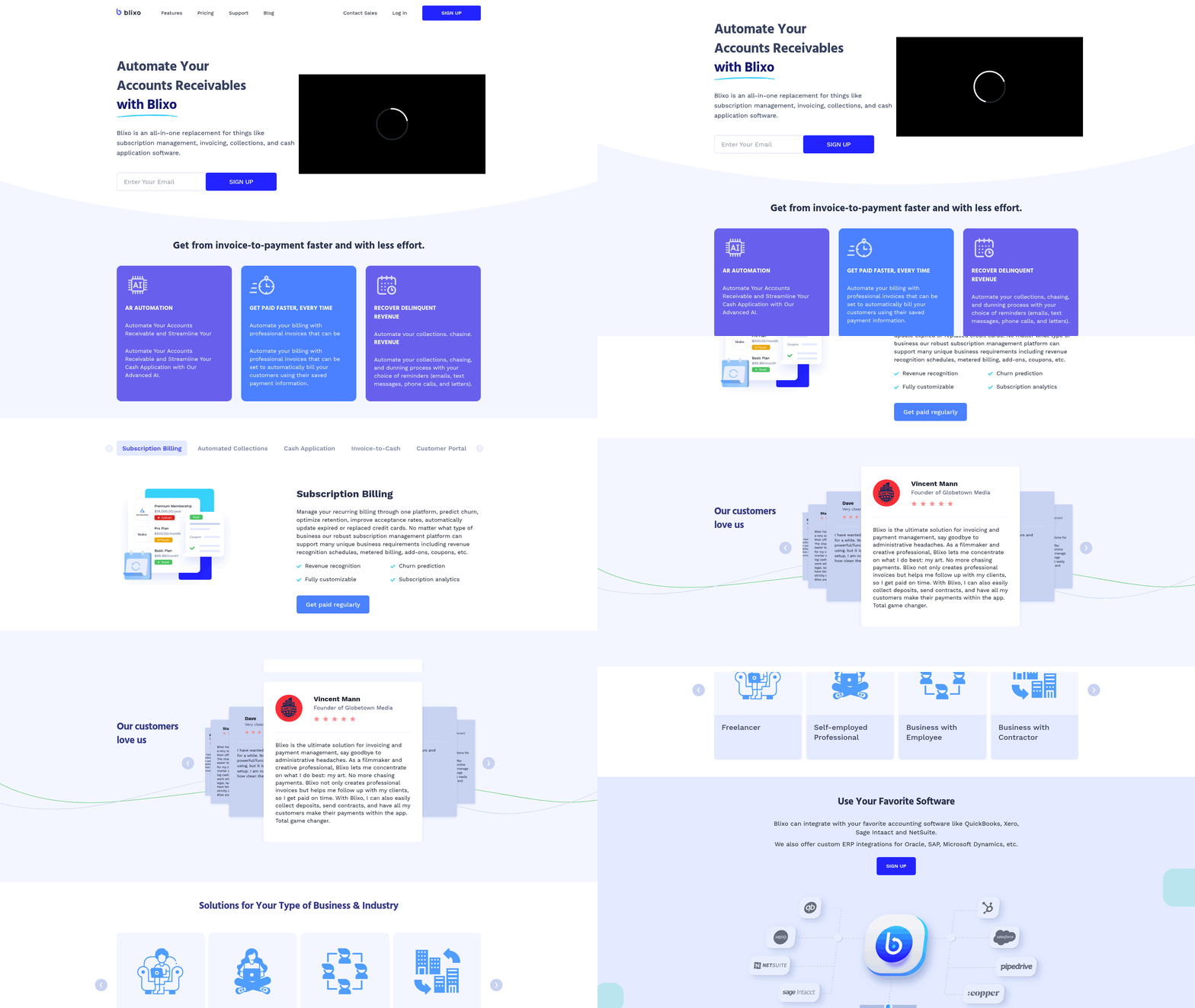
Blixo and Hiveage differentiate themselves through distinct approaches to customization and integration, catering to businesses with specific operational needs. Blixo emphasizes subscription billing and accounts-receivable automation, while Hiveage functions as a broader invoicing platform. Here’s how their capabilities align with business requirements..
Invoice Template Customization: Tailoring for Subscription vs. General Use
What’s the core difference in template flexibility? Blixo’s invoice templates are optimized for recurring billing, allowing businesses to automate subscription-based invoicing with minimal manual input. Hiveage, in contrast, supports standard invoice customization for one-time or project-based billing but lacks the specialized focus on recurring revenue. As mentioned in the Blixo In-Depth Review section, Blixo reduces manual effort by creating recurring invoices tailored for subscription models, whereas the Hiveage In-Depth Review highlights its modular templates for general invoicing needs.
For example, Blixo enables users to set up recurring invoice cycles (monthly, quarterly) and automate adjustments for prorated charges or upgrades. Hiveage offers basic branding options-logo uploads, custom payment terms, and field labels-but does not explicitly support dynamic template changes for subscription models. This makes Blixo more suitable for SaaS companies or membership platforms, while Hiveage serves freelancers or small businesses better..
Payment Gateway Integration: Recurring vs. One-Time Transactions
How do their payment gateway options compare? Blixo integrates with payment gateways that support recurring billing, such as Stripe or PayPal, to automate subscription charges. Hiveage integrates with standard gateways for one-time payments but does not highlight specialized support for recurring transactions. Building on concepts from the Comparison of Automation Features section, Blixo’s focus on recurring billing aligns with its automated payment reminders, whereas Hiveage’s one-time transaction model requires more manual oversight.
Blixo’s automation reduces manual reconciliation by syncing payment confirmations directly into its accounts-receivable system. Hiveage users must manually track payments for recurring services unless paired with third-party tools. This distinction is critical for businesses prioritizing automated cash flow management versus those handling ad-hoc invoicing..
Workflow Customization: Automation for Specialized Needs
Which platform offers deeper workflow automation? Blixo excels in automating workflows around subscription lifecycle events-like generating invoices for new subscribers, sending renewal reminders, or pausing billing during payment failures. Hiveage provides basic automation for invoice generation and reminders but lacks the depth for complex subscription scenarios. As mentioned in the Comparison of Automation Features section, Blixo’s advanced automation contrasts with Hiveage’s simpler, one-time billing workflows.
Consider a scenario where a SaaS company needs to issue invoices for tiered pricing plans. Blixo allows users to define conditional workflows (e.g., “If a customer upgrades, generate a prorated invoice”). Hiveage requires manual intervention for such adjustments, making it less efficient for businesses with dynamic pricing structures..
Integration with Business Tools: Subscription-Focused vs. General Platforms
How do they connect with accounting or CRM systems? Blixo integrates with accounting software like QuickBooks Online and Xero to streamline revenue reconciliation, particularly for recurring payments. Hiveage also supports these platforms but does not emphasize subscription-specific reporting. For CRM integrations, Blixo’s automation syncs customer data from tools like HubSpot or Salesforce to ensure invoicing aligns with customer lifecycle stages. Hiveage offers CRM compatibility for basic contact management but does not automate data flow as seamlessly.
| Feature | Blixo | Hiveage |
|---|---|---|
| Recurring billing sync | ✅ Yes | ❌ No |
| CRM automation | ✅ Yes | ✅ Limited |
| Accounting software sync | ✅ Yes | ✅ Yes |
API and Developer Resources: Customization for Tech-Driven Teams
What options exist for custom integrations? Blixo provides APIs tailored for subscription billing workflows, enabling developers to build custom triggers for events like failed payments or subscription renewals. Hiveage’s API documentation focuses on standard invoicing actions (e.g., issuing or updating invoices) but does not address advanced use cases. While neither platform explicitly lists their API documentation in the sources, Blixo’s niche focus suggests a more specialized toolset for developers handling subscription models. Hiveage’s broader approach likely offers a simpler API for general invoicing tasks but lacks the depth required for complex automation..
Final Considerations for Your Business
Which platform suits your workflow? Choose Blixo if your business relies heavily on recurring revenue and needs automated workflows for subscription management. Opt for Hiveage if you require a flexible invoicing tool for diverse clients but do not need advanced automation for subscriptions. By aligning customization and integration options with operational priorities-whether subscription billing or general invoicing-you can select the platform that reduces manual effort and enhances financial efficiency.
Security and Compliance
For businesses prioritizing secure financial management, understanding the security frameworks of Blixo and Hiveage is critical. While direct details on their encryption or compliance certifications are not explicitly stated in available sources, both platforms operate as cloud-based invoicing tools, which typically implement foundational security measures. Below is an analysis of their likely security and compliance practices, structured around industry standards and common features of similar platforms.
How Do Blixo and Hiveage Handle Data Encryption and Storage?
Cloud-based invoicing platforms generally use encryption to protect sensitive financial data. Both Blixo and Hiveage likely employ AES-256 encryption for data at rest and TLS 1.2+ for data in transit, as these are industry benchmarks. Storage practices typically involve distributed cloud infrastructure with redundancy to prevent data loss. However, specifics like the geographic location of data centers or third-party audits for encryption protocols are not detailed in available sources. For more nuanced insights into their encryption implementations, Blixo In-Depth Review and Hiveage In-Depth Review sections provide context on their overall security approaches.
| Feature | Blixo (Likely) | Hiveage (Likely) |
|---|---|---|
| Data Encryption | AES-256 | AES-256 |
| Data in Transit | TLS 1.2+ | TLS 1.2+ |
| Storage Redundancy | Cloud-based | Cloud-based |
Without explicit confirmation, businesses should verify these details directly with platform providers to align with their compliance needs.
What Compliance Certifications Apply to Blixo and Hiveage?
Compliance with regulations like GDPR, SOC 2, and HIPAA depends on a platform’s target market and data-handling practices. GDPR compliance is essential for any service handling EU user data, so platforms operating in Europe likely implement measures like data minimization and breach notification protocols. As mentioned in the Conclusion and Recommendations section, businesses in regulated industries should prioritize platforms with transparent compliance documentation to meet legal obligations.
SOC 2 certification, which validates security, availability, and confidentiality controls, is common among financial tools. However, no public confirmation of Blixo or Hiveage holding SOC 2 certification exists in available sources. HIPAA compliance is niche for invoicing platforms unless they integrate with healthcare systems, which is not indicated for either tool. Businesses in regulated industries should request compliance documentation directly from providers.
How Do Access Controls Work for Blixo and Hiveage?
Role-based access control (RBAC) is a standard feature in invoicing platforms to restrict data access. Both tools likely offer user permission tiers, such as admin, editor, and viewer roles, to limit actions like invoice modifications or financial reporting. Additional security layers-like two-factor authentication (2FA) or single sign-on (SSO)-are often available to reduce unauthorized access risks. Building on concepts from the Comparison of Automation Features section, automated access controls can streamline workflows while maintaining security.
| Feature | Blixo (Likely) | Hiveage (Likely) |
|---|---|---|
| Role-Based Access | Yes | Yes |
| Two-Factor Authentication | Likely | Likely |
| Audit Logs for Access | Likely | Likely |
Granular permissions help teams manage workflows securely, but businesses should confirm if custom permission structures (e.g., department-specific restrictions) are supported.
Security Auditing and Monitoring Capabilities
Regular security audits and real-time monitoring are critical for detecting vulnerabilities. SaaS providers like Blixo and Hiveage may conduct quarterly penetration tests and continuous vulnerability scans to identify risks. Monitoring tools often include alerts for suspicious login attempts or data access patterns. However, the frequency and depth of these audits are not specified in available sources.
For businesses requiring transparency, features like audit trails-which log user actions and system changes-are valuable. These trails help track modifications to invoices or financial records, ensuring accountability.
Disaster Recovery and Business Continuity Plans
Cloud platforms typically maintain automated backups and multi-region redundancy to minimize downtime. Blixo and Hiveage likely offer SLAs (service-level agreements) guaranteeing high availability, though specific recovery time objectives (RTOs) or data retention periods are not detailed. A strong disaster recovery plan would include:
- Offsite backups stored in geographically diverse locations
- Failover systems to reroute traffic during outages
- Regular disaster drills to test recovery protocols
Businesses in high-risk industries may need to request detailed continuity plans to ensure alignment with their operational resilience goals.
Final Considerations
While Blixo and Hiveage share common security practices for cloud invoicing tools, their compliance and access control specifics require direct verification. For businesses with strict regulatory needs-such as GDPR or HIPAA compliance-requesting certified documentation from both platforms is essential. As mentioned in the Conclusion and Recommendations section, the choice between Blixo and Hiveage will depend on how well their security frameworks align with your team’s risk management priorities.
Conclusion and Recommendations
For businesses prioritizing automation in subscription billing, Blixo’s AR automation and recurring invoice features reduce manual tasks, as detailed in the Automation Features section. Hiveage suits businesses needing customizable invoicing templates for varied client agreements, a capability explored in the Customization and Integration Options section. If security is a top concern, both platforms offer cloud-based encryption, with deeper compliance insights available in the Security and Compliance section. Hiveage’s broader integration with accounting tools like QuickBooks reflects its flexibility, as noted in the Customization and Integration Options section.
Frequently Asked Questions
1. What is the financial impact of inefficient invoicing?
Inefficient invoicing causes $3 trillion in annual cash flow disruptions globally, affecting 60% of businesses. Late payments strain vendor relationships and lead to operational costs, such as 15 hours weekly spent chasing payments.
2. How much do manual invoicing errors cost businesses?
Manual errors cost $50 per invoice to resolve. Freelancers may lose up to $12,000 yearly, while mid-sized firms waste 15 hours weekly on manual payment chasing before automation.
3. How does automation improve payment accuracy?
Automation reduces errors and ensures 95% of invoices are paid on time. Digital tools like Blixo and Hiveage cut administrative time by 70% and recover 30% more overdue payments within three months.
4. Which invoicing tools help prevent payment delays?
Blixo and Hiveage prioritize clarity and automation, breaking payment cycles. They enforce clear terms, track payments, and reduce delays by streamlining workflows for small businesses and mid-sized firms.
5. How much time does automated invoicing save?
Automation saves 70% of administrative time, as seen in a mid-sized firm that reduced manual payment chasing from 15 hours weekly to 4.5 hours, recovering $25,000 in overdue payments.
6. What are the long-term benefits of digital invoicing?
Businesses adopting digital invoicing recover 30% more overdue payments in three months. Automation also strengthens vendor trust, reduces operational costs, and improves cash flow predictability.
7. Can small businesses benefit from these solutions?
Yes. Small businesses avoid $50-per-invoice errors and $12,000+ annual revenue loss by switching to tools like Blixo or Hiveage, which simplify invoicing and ensure timely payments.