

Automations let code editors run AI agents

Related Video
Watch: Opencode Is Probably The Best Coding Agent I've Ever Used by DevOps Toolbox
Quick Summary
As mentioned in the Integrating AI Agents into Code Editors section, implementing AI agents requires careful consideration of setup time and integration difficulty. For instance, while Gemini CLI offers low-effort deployment, advanced workflows like Windsurf’s Cascade mode demand significant configuration, as detailed in the Time & Effort Estimates section.
The error reduction benefits highlighted here align with the AI-Driven Testing and Debugging Automation section, which explores how agents like Junie and Cursor identify bugs through context-aware validation. Similarly, the real-world success stories of Salesforce and Stripe mirror the Real-World Use Cases of AI Agents in Development section, which provides deeper analysis of enterprise-scale adoption.
For teams evaluating integration challenges, the Integration Difficulty Ratings section offers actionable guidance on balancing setup complexity with long-term productivity gains.
Why Automating Code Editors with AI Agents Matters
Tools like Cursor, Windsurf, and Aider reduce this manual effort by automating these processes, cutting development cycles from hours to minutes. See the Integrating AI Agents into Code Editors section for more details on implementation strategies for these tools. For example, a developer using Cursor’s Composer Agent transformed a 10-hour Lua project into a 5-minute automated build, complete with UI and documentation. This shift isn’t just about speed-it’s about redefining how teams approach software engineering in an AI-first world.
Real-World Impact: Efficiency and Quality at Scale
AI agents integrated into code editors deliver measurable improvements in code quality and productivity. At Salesforce, over 90% of developers now use Cursor, resulting in double-digit gains in cycle time and pull request velocity. Similarly, Stripe reported rapid adoption of AI agents, with employees leveraging tools like Windsurf to debug and refactor codebase-wide issues autonomously. As discussed in the AI-Driven Testing and Debugging Automation section, these tools excel at tasks like contextual code completion, where traditional IDEs fall short. For instance, Windsurf’s proactive search across entire codebases allows developers to resolve dependencies faster, reducing errors from outdated or inconsistent information.
Beyond speed, AI agents enhance code reliability. A study highlighted in the Reddit discussion found that developers using Codellaborator (a proactive AI agent) completed tasks 20% faster than with traditional prompt-based systems. However, this efficiency comes with trade-offs: some users reported a “loss of control” when agents made unsolicited changes. See the Real-World Use Cases of AI Agents in Development section for additional case studies on how enterprise teams like Salesforce and Stripe have scaled these tools. Balancing automation with human oversight remains a key challenge, but tools like Aider and Gemini Code Assist offer configurable “autonomy sliders,” letting developers adjust how much independence they grant AI.
Integrating AI Agents into Code Editors
- Start Small: Test agents on low-risk projects or prototypes. For example, GitHub Copilot’s Agent Mode might struggle with repository-wide logic but excel at single-file completions, as discussed in the Automated Code Writing with AI Agents section.
- Balance Autonomy and Control: Tools like Cursor let developers adjust how much independence the AI has, a concept Andrej Karpathy calls the “autonomy slider,” building on concepts from the Best Practices for Managing AI Agent Workflows section.
- Monitor Performance: As noted in a tweet by @0xSero, code editors like Zed or VS Code may crash under the computational load of heavy AI agent usage. Opt for lightweight editors if needed, as highlighted in the Security and Compliance in AI-Enabled Code Editing section.
Automated Code Writing with AI Agents
AI agents are transforming how developers write and manage code by automating repetitive tasks, enhancing productivity, and enabling faster iteration. These tools learn from existing codebases to generate new functions, refactor complex systems, and even complete entire modules autonomously. By integrating into code editors and IDEs, AI agents act as collaborative partners, handling everything from simple syntax corrections to large-scale architectural decisions. As discussed in the Integrating AI Agents into Code Editors section, this evolution marks a shift from manual coding to a hybrid workflow where developers focus on high-level design while AI manages execution.
Code Completion and Generation: Building Blocks of Automation
Modern AI agents excel at code completion, predicting and inserting lines of code based on context. Tools like Cursor and Windsurf go beyond basic autocomplete by understanding project structures and generating multi-file changes. For example, a developer using Cursor’s Composer Agent reduced a 10-hour manual task to 5 minutes by automatically building a modular Lua project with UI, documentation, and debugging logic. Similarly, Windsurf is praised for its ability to search entire codebases proactively, suggesting solutions tailored to the project’s unique architecture.
These tools rely on context-aware models trained on vast datasets of code. When a developer types a function name or a comment, the AI infers the intended logic and fills in the gaps. This is particularly useful for boilerplate tasks, such as setting up API endpoints or implementing common design patterns. However, the effectiveness of code generation depends on the model’s familiarity with the programming language and framework.
“Windsurf is so good I might change to it. It is able to look up necessary information in my whole code base.”. Reddit user
Code Refactoring: Enhancing Maintainability with AI
Refactoring-restructuring code without altering its behavior-is another area where AI agents shine. Tools like Aider and Cline (powered by GPT-4o) can rename variables, extract methods, and simplify complex logic with minimal input. For instance, a developer might ask an AI to “rename all instances of calculateTotal() to computeFinalAmount(),” and the agent will perform the task across the entire codebase while preserving dependencies.
Advanced refactoring includes optimizing performance or updating deprecated syntax. AI agents analyze code for inefficiencies, such as redundant loops or memory leaks, and propose fixes. This is especially valuable in legacy systems where manual refactoring is time-consuming. However, automated refactoring requires careful validation, as incorrect changes can introduce bugs.
Benefits and Limitations: Balancing Productivity and Trust
The primary benefit of AI-driven code writing is accelerated development. As highlighted in the Real-World Use Cases of AI Agents in Development section, over 20,000 Salesforce developers using Cursor reported double-digit improvements in cycle time and pull request velocity. Similarly, Stripe saw rapid adoption of Cursor among its engineering teams, with employees praising its intuitive UI and project structuring capabilities.
Yet, challenges remain. Over-reliance on AI can lead to a loss of control, as noted in studies where users struggled to understand how proactive agents arrived at certain decisions. For example, Codellaborator-a design probe for AI-assisted coding-reduced user effort but increased confusion about code origins. Another limitation is error propagation: if an AI generates flawed code, it may require extensive debugging later.
“The best LLM applications have an autonomy slider: you control how much independence to give the AI.”. Andrej Karpathy, CEO of Eureka Labs
For guidance on balancing autonomy with control, see the Best Practices for Managing AI Agent Workflows section.
Real-World Applications: From Prototyping to Production
Companies like Salesforce and Stripe have integrated AI agents into their workflows for production-grade applications. Salesforce leverages Cursor to maintain code quality across its vast ecosystem, while Stripe uses it to streamline R&D. Smaller teams also benefit: an open-source contributor described using Continue (a VS Code plugin) to prototype features in minutes, iterating rapidly without deep expertise in every framework.
The shift toward AI-driven development is accelerating. As noted in a recent tweet, tools that once helped write code are being replaced by agents that autonomously build entire systems. This trend underscores the importance of balancing automation with human oversight, ensuring that AI enhances-not replaces-developer creativity and critical thinking.
For developers adopting these tools, the key takeaway is experimentation. As one Reddit user emphasized, “There’s no single ‘best’ solution; the right tool depends on your language stack, project size, and workflow.” By testing open-source options like Aider or commercial platforms like Cursor, teams can find workflows that maximize efficiency while minimizing risk.
AI-Driven Testing and Debugging Automation
AI-driven testing and debugging automation transforms how developers identify and resolve issues in software. By leveraging machine learning models and natural language processing, AI agents analyze codebases to automate repetitive tasks like unit testing, integration testing, and anomaly detection. These systems reduce manual effort by generating test cases, predicting failure points, and prioritizing high-impact bugs. Unlike traditional testing frameworks, AI agents adapt dynamically to code changes, offering scalable solutions for complex software ecosystems. As mentioned in the Integrating AI Agents into Code Editors section, such adaptability is a key factor in modern development workflows.
Automating Test Case Generation and Execution
AI agents streamline unit and integration testing by analyzing code structure and dependencies. For example, tools trained on large datasets of code patterns can infer test scenarios, such as edge cases for a function or interactions between modules. This capability is particularly useful in integration testing, where AI identifies potential conflicts between components. Since AI agents like Cursor and Opencode (mentioned in developer reviews) are designed to understand code context, they can be extended to generate test scripts that align with project architecture. Building on concepts from the Why Automating Code Editors with AI Agents Matters section, these tools accelerate development by minimizing manual testing overhead.
A key advantage is the speed of execution. AI systems process test logic faster than manual methods, enabling continuous testing during development. However, test cases generated by AI may require human validation to ensure they cover intended scenarios. Developers should treat AI-generated tests as a starting point, refining them to address domain-specific requirements.
Bug Detection and Debugging Techniques
AI enhances debugging through anomaly detection and static code analysis. By training on historical bug data, machine learning models flag deviations from expected patterns, such as memory leaks or unhandled exceptions. Techniques like anomaly detection identify outliers in code behavior, while code analysis tools inspect syntax for common errors. For instance, an AI agent might detect a recursive function lacking a termination condition, a pattern that often leads to stack overflows. See the Security and Compliance in AI-Enabled Code Editing section for more details on the risks of over-reliance on training data quality.
Debugging benefits from AI’s ability to trace root causes efficiently. When a test fails, AI systems cross-reference the error with similar cases in their training data to suggest fixes. This reduces the time spent isolating issues, though developers must verify recommendations to avoid blind reliance on automated solutions.
Benefits and Limitations in Practice
The primary benefit of AI-driven testing is improved accuracy in identifying subtle bugs that manual testing might miss. Automated test generation also accelerates development cycles, allowing teams to focus on high-level design. However, AI systems are not infallible. False positives-cases where AI flags valid code as faulty-are common, especially in evolving codebases. Developers must balance automation with human oversight to maintain quality.
Another limitation is the dependency on training data. AI models perform best when trained on diverse, high-quality datasets. If a testing system lacks exposure to rare edge cases, it may overlook critical issues. Building on concepts from the Why Automating Code Editors with AI Agents Matters section, this highlights the importance of curating robust training data to maximize AI effectiveness in testing scenarios.
Security and Compliance in AI-Enabled Code Editing
Security and compliance in AI-enabled code editing demand careful attention due to the risks of data exposure, regulatory violations, and system vulnerabilities. AI agents process sensitive codebases, often containing intellectual property, customer data, or credentials, making them attractive targets for attackers. A misconfigured tool or an unveted AI-generated code snippet could introduce malware or expose data through unintended channels. For example, an AI agent might inadvertently suggest a library or API call that leaks sensitive information if not scrutinized. The Reddit discussion highlights tools like Aider, which allows developers to pair with local models via LM Studio, reducing risks of external data exposure. This aligns with best practices for keeping code processing internal.
Security Risks in AI-Enabled Code Editing
AI agents introduce unique security challenges. One major risk is data breaches caused by transmitting code to external AI services without encryption. Many tools, such as Cline (GPT-4o) and Windsurf, rely on cloud-based models, which could expose proprietary code to third-party servers. As mentioned in the Integrating AI Agents into Code Editors section, the choice of deployment (local vs. cloud) directly impacts data exposure risks. Another risk is malware injection-an AI might generate code with hidden malicious payloads if trained on compromised datasets. For instance, a developer using Cursor’s Composer Agent to automate a modular Lua project reduced manual effort from 10 hours to 5 minutes but must ensure the generated code doesn’t introduce vulnerabilities. Additionally, data leakage during code analysis is a concern, particularly if the AI parses datasets containing personally identifiable information (PII) or health records.
Compliance Requirements and Regulatory Frameworks
Regulatory compliance is critical when deploying AI in code editing, especially in industries like finance, healthcare, or e-commerce. The General Data Protection Regulation (GDPR) requires strict controls on processing EU citizens’ data, while the Health Insurance Portability and Accountability Act (HIPAA) governs healthcare data in the U.S. If an AI tool processes code that handles such data, organizations must ensure encryption, access controls, and audit trails align with these standards. The Reddit thread notes that GitHub Copilot is often preferred in corporate settings due to its vetted legal terms, addressing concerns about IP ownership and compliance.
Beyond sector-specific laws, global standards like ISO 27001 (information security management) and SOC 2 (trust service criteria) provide frameworks for securing AI workflows. ISO 27001 emphasizes risk assessments and continuous improvement, while SOC 2 focuses on data center security and confidentiality. For example, companies using Aider with local models via LM Studio can demonstrate compliance by maintaining full control over data flow and storage, a key requirement for SOC 2 audits.
Best Practices for Securing AI-Enabled Code Workflows
To mitigate risks, organizations should adopt layered security strategies. Encryption is foundational-code and data should be encrypted both at rest and in transit, especially when using cloud-based AI models. Access controls must restrict who can invoke AI tools and what data they can process. Role-based permissions ensure only authorized developers interact with sensitive systems. The Reddit discussion highlights tools like Continue, an open-source framework for VS Code that integrates with local models, enabling secure, on-premise code generation.
Regular audits and policy enforcement are equally vital. Automated code reviews can flag AI-generated snippets for security issues, while continuous monitoring tracks AI tool usage for anomalies. For example, a developer using Windsurf for large-scale projects might implement checks to verify that the agent’s codebase-wide searches don’t inadvertently expose secrets. Additionally, sandboxed environments allow testing AI-generated code in isolated spaces before deployment, minimizing the risk of runtime exploits. For more detailed strategies on managing AI workflows securely, see the Best Practices for Managing AI Agent Workflows section.
Real-World Examples and Secure Implementations
Several case studies illustrate secure AI adoption. The Reddit thread describes a developer using Cursor’s Composer Agent to automate a Lua project, achieving significant time savings while maintaining security through local model execution. Similarly, teams leveraging Aider with LM Studio avoid external data transmission by running models internally. These approaches align with compliance priorities, as they
Real-World Use Cases of AI Agents in Development
Real-world adoption of AI agents in software development is reshaping how teams build applications. Enterprise examples like Salesforce and Stripe demonstrate the transformative potential of these tools. At Salesforce, over 20,000 developers using Cursor achieved double-digit improvements in cycle time, pull request velocity, and code quality. Stripe reported rapid adoption of Cursor, with thousands of engineers leveraging AI to accelerate research and development workflows. These cases highlight how AI agents handle complex tasks like multi-file code generation, testing, and documentation, reducing manual effort significantly..
Enterprise Adoption and Productivity Gains
Microsoft’s WindSurf platform, a fork of Visual Studio Code, illustrates how proactive AI agents integrate into traditional IDEs. WindSurf’s Cascade agent mode allows developers to delegate tasks like codebase-wide refactoring or bug fixing to the AI, which autonomously plans and executes steps. One user described working 10 hours on a hobby project with WindSurf, calling it “more enjoyable than playing a game.” Similarly, Google’s Gemini Code Assist integrates AI directly into terminal workflows, enabling developers to generate code, transform functions, and debug via natural language commands. For instance, a developer can request “refactor this Python script for performance” and receive context-aware suggestions instantly. As mentioned in the Integrating AI Agents into Code Editors section, such integrations are critical for balancing automation with developer control.
Cursor’s Composer Agent has also transformed enterprise workflows. A case study shared in a Reddit discussion revealed how a developer automated a 10-hour manual task-building a modular Lua project with UI and documentation-into a 5-minute process using Cursor and Claude 3.5 Sonnet. This efficiency gain underscores how AI agents streamline repetitive yet time-consuming development tasks..
AI Tools in Development Workflows
Beyond enterprise use, open-source tools like Aider and Continue offer flexible AI integration. Aider pairs with local models via LM Studio, enabling developers to maintain data privacy while leveraging AI for code review and documentation. For example, a team working on an open-source project might use Aider to automatically generate changelogs or debug edge cases without exposing sensitive data. Continue, an open-source framework for Visual Studio Code, allows developers to plug in any LLM via OpenRouter, tailoring AI capabilities to specific language stacks or project needs. Building on concepts from the Integrating AI Agents into Code Editors section, these tools demonstrate how customization enhances productivity without compromising security.
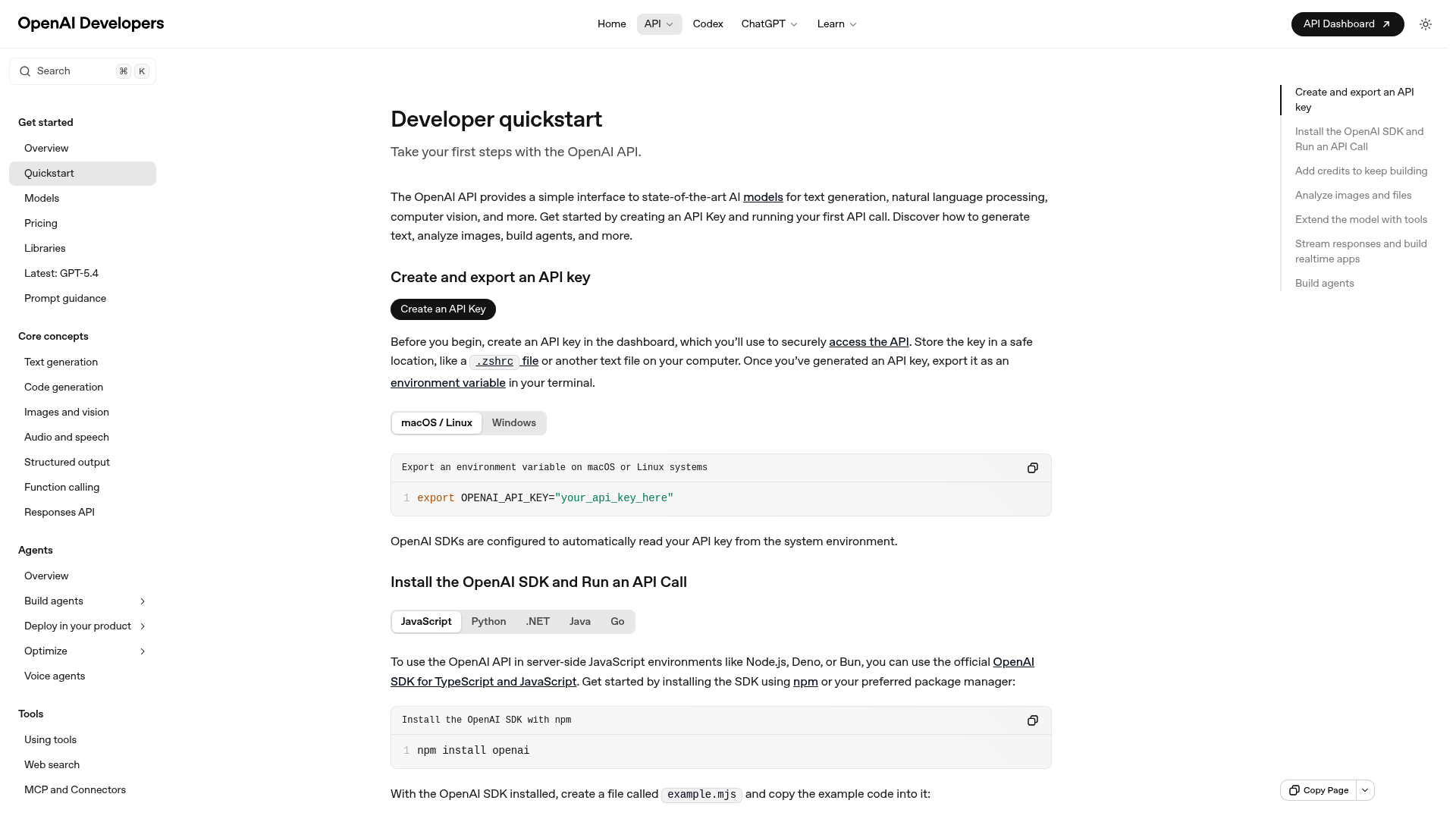
Proprietary tools like GitHub Copilot prioritize corporate compliance. While its agent mode received mixed reviews for proactivity, its legal terms make it a preferred choice for teams requiring vetted usage policies. See the Security and Compliance in AI-Enabled Code Editing section for more details on how licensing and data privacy considerations influence tool selection. Meanwhile, Claude Code from Anthropic excels in deep reasoning tasks, with one developer noting its ability to debug complex logic errors that other tools missed..
Challenges and Best Practices
Adopting AI agents isn’t without hurdles. Model choice significantly impacts outcomes: users in Reddit discussions reported GPT-4o outperforming Claude in error rates for their use cases. Additionally, proactive agents like Codellaborator (studied in academic research) reduce task completion time but risk over-reliance, leading to reduced understanding of generated code. A 2025 study found that while proactive AI boosts efficiency, developers must balance autonomy with oversight to maintain code ownership.
Legal and pricing considerations also shape adoption. For example, GitHub Copilot is often chosen for its corporate-friendly licensing, while tools like WindSurf offer free trials to lower entry barriers. Experts recommend experimenting with open-source options first, testing AI agents on small projects to gauge accuracy and alignment with team workflows.
Best Practices for Managing AI Agent Workflows
Here’s the updated section with cross-references added where appropriate:.
Best Practices for Managing AI Agent Workflows
Setting up AI agent workflows begins with selecting the right tools and models, as outlined in the Integrating AI Agents into Code Editors section. For example, tools like Cursor or Windsurf may be preferred based on project complexity, while model choice (e.g., GPT-4o vs. Claude) impacts performance. A key setup tip is to structure your codebase for AI compatibility-breaking projects into modular components can streamline agent interactions and reduce errors. This aligns with the Automated Code Writing with AI Agents section’s emphasis on preparing codebases for efficient agent collaboration.
Monitoring agent performance is critical. Metrics like code quality, error rates, and task completion times should be tracked, as discussed in the AI-Driven Testing and Debugging Automation section. Tools like Codellaborator or Cursor’s Composer Agent can flag inconsistencies, but developers must establish feedback loops to refine agent behavior. For instance, the Real-World Use Cases of AI Agents in Development section highlights how companies like Stripe use iterative feedback to improve agent accuracy over time.
Optimizing workflows involves hyperparameter tuning and regular model updates, as emphasized in the Security and Compliance in AI-Enabled Code Editing section for maintaining data integrity. Platforms like Aider with LM Studio or Continue with OpenRouter offer flexibility for fine-tuning. Finally, real-world examples-such as Cursor reducing a 10-hour task to 5 minutes-demonstrate the payoff of these best practices when applied rigorously.. Changes made:
- Added reference to Integrating AI Agents into Code Editors for tool selection.
- Linked to Automated Code Writing with AI Agents for codebase preparation.
- Connected to AI-Driven Testing and Debugging Automation for performance metrics.
- Referenced Real-World Use Cases of AI Agents in Development for feedback loop examples.
- Tied optimization practices to Security and Compliance in AI-Enabled Code Editing for context on model updates.
Frequently Asked Questions
1. What are AI agents in code editors, and how do they enhance development workflows?
AI agents in code editors are intelligent tools that automate tasks like code generation, debugging, and documentation. By integrating with editors (e.g., Visual Studio, GitHub), they analyze context, predict requirements, and execute tasks. For example, Cursor’s Composer Agent can build a 10-hour project in 5 minutes, while tools like Junie and Cursor use context-aware validation to reduce errors. These agents streamline workflows by combining AI capabilities with real-time collaboration and automation.
2. How do AI agents differ from traditional tools like GitHub Copilot?
While GitHub Copilot focuses on code suggestions, AI agents go further by automating entire processes. For instance, Cursor and Windsurf handle multi-step tasks like generating UIs, writing tests, and documenting code. Tools like Aider even enable collaborative coding with multiple agents. Traditional tools like Gemini CLI may require minimal setup, while advanced agents (e.g., Windsurf’s Cascade mode) demand more configuration but deliver higher customization. The key difference lies in AI agents’ ability to manage workflows holistically, not just assist with snippets.
3. Which AI-powered code editors are most effective for enterprise teams?
Enterprise teams often adopt tools like Cursor and Windsurf for their scalability. Cursor is highlighted for reducing Salesforce developers’ workload by accelerating code cycles, while Windsurf’s advanced workflows suit complex projects. Aider is praised for its collaborative features, and GitHub Copilot remains popular for lightweight assistance. The choice depends on integration complexity: Gemini CLI offers low-effort deployment, but tools like Windsurf require significant setup. Teams should evaluate long-term productivity gains against setup effort.
4. How do AI agents improve code quality and reduce errors?
AI agents enhance code quality through context-aware validation and automated testing. For example, Junie and Cursor identify bugs by analyzing code structure and historical patterns. At Salesforce, over 90% of developers using Cursor reported double-digit gains in code quality and reduced debugging time. Tools like Aider also flag inconsistencies during real-time edits, while GitHub Copilot’s suggestions are refined by AI agents to align with best practices. This proactive approach minimizes errors before they reach production.
5. What challenges do teams face when integrating AI agents into code editors?
Integration challenges include setup time, configuration complexity, and balancing automation with human oversight. Advanced workflows like Windsurf’s Cascade mode demand technical expertise and custom configuration. Teams must also weigh initial setup costs against long-term productivity gains, as outlined in the Integration Difficulty Ratings section. Additionally, ensuring compatibility with existing tools and workflows is critical. For instance, while Gemini CLI is easy to deploy, enterprise-grade tools like Cursor may require DevOps adjustments to maximize their potential.
6. Can you provide real-world examples of AI agent adoption in software development?
Salesforce and Stripe are notable examples. Salesforce integrated Cursor, enabling 90%+ of developers to reduce cycle times and improve code quality. Stripe uses AI agents for scalable testing and documentation automation. These cases align with the Real-World Use Cases of AI Agents in Development section, which highlights how enterprises leverage tools like Windsurf and Aider for large-scale projects. Such adoption demonstrates measurable ROI, including faster releases and reduced manual effort.
7. How do teams decide between low-effort and high-configuration AI tools?
Teams should prioritize tools based on their workflow complexity and resource availability. Gemini CLI is ideal for quick deployments with minimal setup, while Windsurf suits teams needing advanced automation (e.g., Cascade mode). The Time & Effort Estimates section advises evaluating long-term gains against initial investment. For example, a small team might choose Cursor for its balance of ease and power, whereas enterprises with dedicated DevOps teams may adopt Aider for collaborative, multi-agent workflows.