

Automate Invoicing with AR Automation Platforms

Key Takeaways
- AR automation reduces invoice processing time from hours to seconds, saving hundreds of work hours monthly for high-volume businesses.
- Automated systems cut Days Sales Outstanding (DSO) by up to 30%, as seen in a SaaS company that reduced DSO from 60 to 30 days.
- AR automation decreases billing disputes by 40% by minimizing errors from miscalculations or missed details.
- Manual invoicing processes cause 69% of businesses to report rising late payments, compared to automated solutions.
- A business processing 20,000+ monthly invoices cut payment receipt timelines from 78 to 55 days using automation.
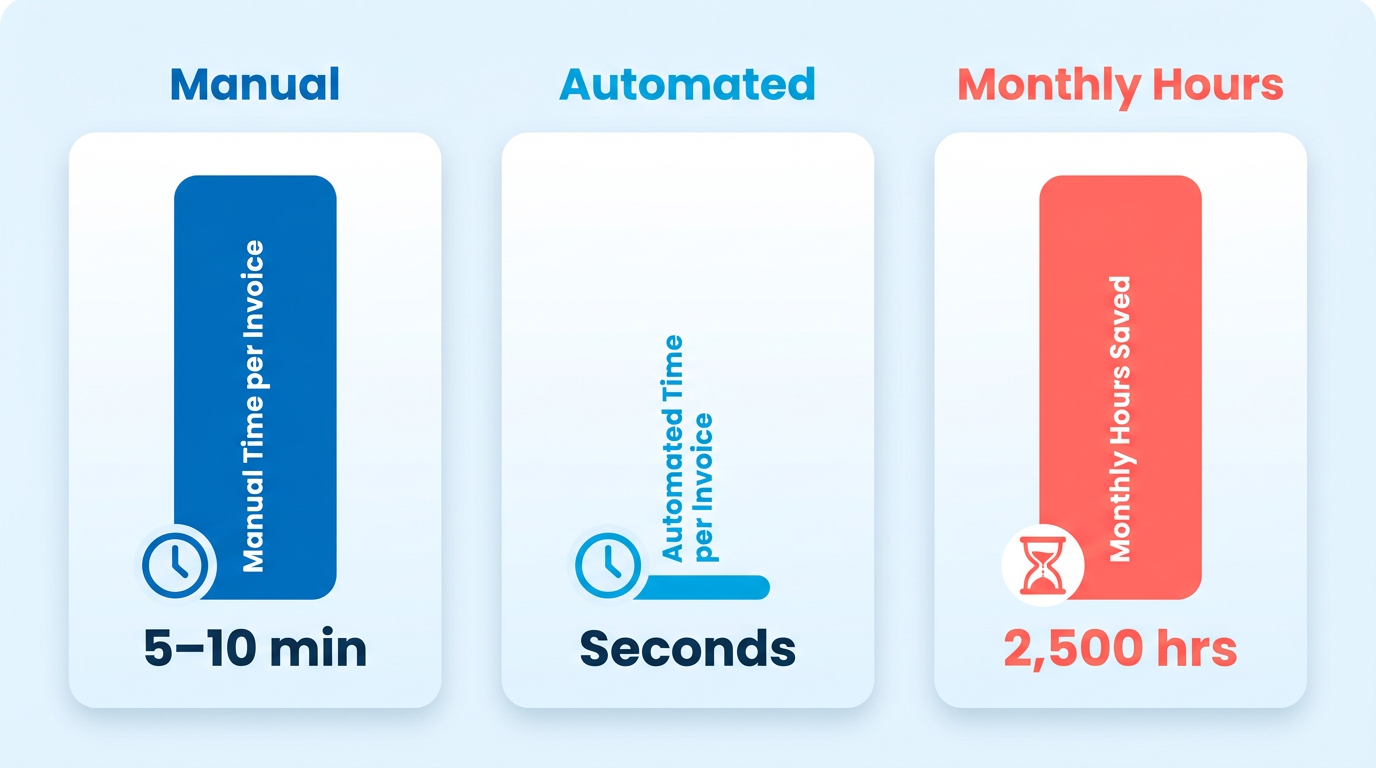
- Manual invoicing costs businesses 5–10 minutes per invoice, totaling hundreds of hours lost monthly at scale.
- Automation streamlines invoice generation, payment tracking, and reconciliation, accelerating cash flow and reducing delays.
Related Video
Watch: What is AR automation software? by Billtrust
Why AR Automation Matters
AR automation reduces manual invoicing time from hours to seconds, slashes errors, and accelerates cash flow-critical for businesses struggling with late payments and operational inefficiencies. Manual invoicing processes often consume 5–10 minutes per invoice, costing hundreds of work hours monthly for companies handling high volumes. Automated systems cut this time to seconds per invoice, freeing teams to focus on strategic tasks. For example, one business processing 20,000+ invoices monthly reduced payment receipt timelines from 78 days to 55 days by adopting automation. As mentioned in the Core Benefits of Automating Invoicing section, these improvements directly enhance financial efficiency and operational agility.
AR automation minimizes delays and errors by streamlining invoice generation, payment tracking, and reconciliation. Manual processes see 69% of businesses report rising late payments, while automation reduces Days Sales Outstanding (DSO) by up to 30% through consistent follow-ups and real-time analytics. A SaaS company, for instance, cut DSO from 60 to 30 days by automating invoice accuracy and reminders. Automated systems also reduce human errors-such as miscalculations or missed details-by pulling data directly from service logs or ERPs. One provider in this space reported a 40% drop in billing disputes after integrating AR automation. Building on concepts from the Key Features of AR Automation Platforms section, these tools rely on integration with enterprise systems to ensure data accuracy and process consistency.
Businesses with recurring billing models, high invoice volumes, or complex customer interactions gain the most. Subscription-based platforms, SaaS providers, and B2B firms often face fragmented payment cycles, which automation standardizes. For example, a construction firm automated payment reminders for project milestones, saving 200+ administrative hours weekly. SMBs also benefit: 40–60% cost savings are reported by companies automating AP/AR, with processing costs dropping to $2 per invoice. Even healthcare providers use AR automation to ensure compliance with regulations while maintaining timely payments.
By integrating AI and machine learning, SaaS providers like Blixo offer transparent pricing and tailored solutions for diverse needs. For instance, Blixo’s real-time analytics help businesses track payment behaviors, while automated reminders reduce the need for manual collections. As highlighted in the Future Trends in AR Automation section, advancements in AI will further refine these capabilities, enabling predictive insights and self-correcting workflows. Unlike generic providers, Blixo prioritizes user-friendly interfaces and seamless ERP integration, ensuring minimal disruption during adoption.
Core Benefits of Automating Invoicing
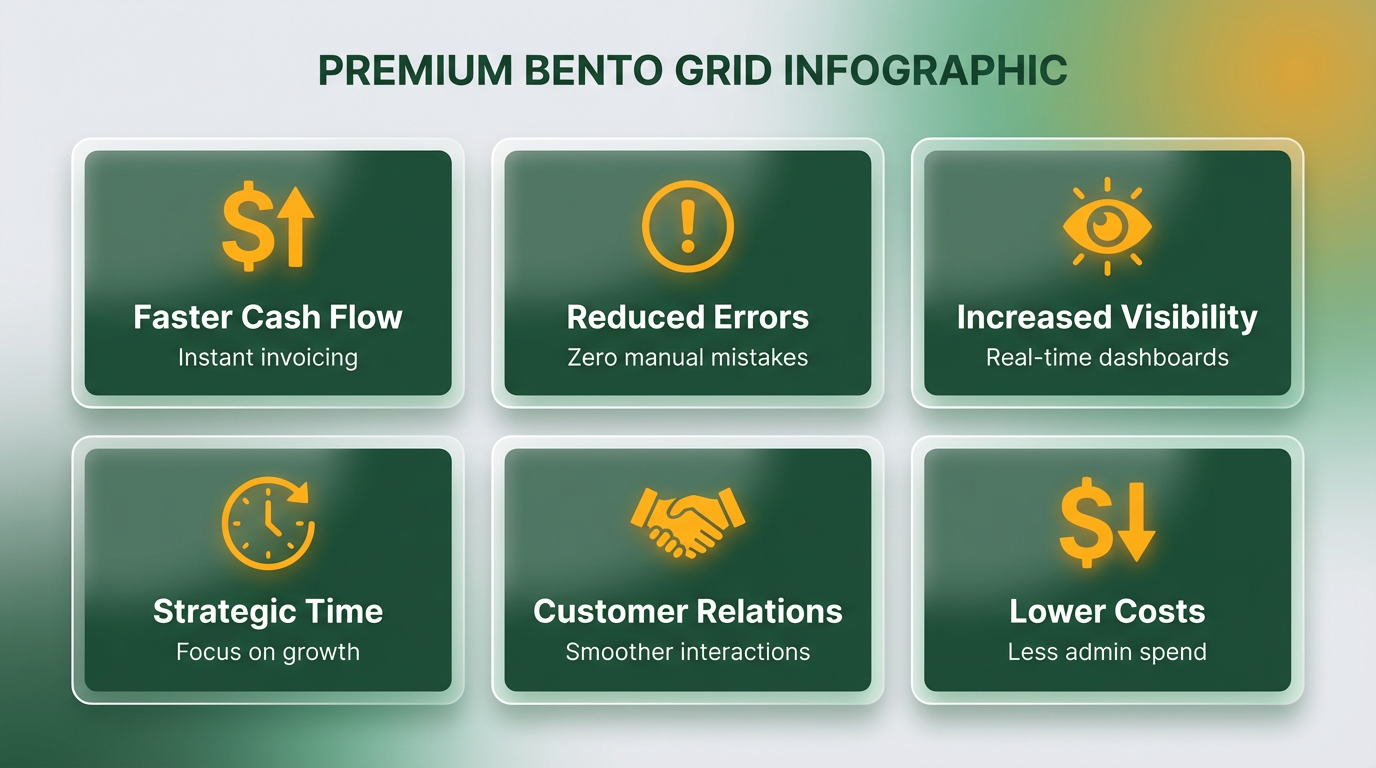
Automating invoicing through AR automation platforms delivers measurable improvements in financial efficiency, customer relationships, and operational speed. By streamlining workflows and reducing human error, businesses gain faster cash flow, better visibility, and more time to focus on strategic priorities. Below, we break down the core benefits with real-world context and data..
How Does Automation Reduce Days Sales Outstanding (DSO)?
Answer: Automation accelerates payment cycles by standardizing follow-ups, minimizing delays, and improving invoice accuracy. Manual invoicing often leads to inconsistencies, such as missed reminders or errors in billing details, which delay payments. Automated systems send invoices immediately after a sale, schedule follow-ups at optimal intervals, and flag discrepancies in real time. For example, a SaaS company reduced its DSO from 60 to 30 days by automating invoice generation and follow-ups, ensuring customers received accurate bills promptly. As mentioned in the Key Features of AR Automation Platforms section, integration with accounting systems is critical for seamless data synchronization. SaaS providers like Blixo implement this integration, further reducing processing time. One business handling over 20,000 invoices monthly cut its average payment time from 78 days to 55 days by adopting high automation..
What Efficiency Gains Can Teams Expect?
Answer: Automation cuts administrative workload by 50–70%, freeing staff for high-value tasks. Manual invoicing tasks-like data entry, tracking payments, and reconciling accounts-consume hundreds of hours monthly. Automated workflows handle these tasks in seconds. Building on concepts from the Why AR Automation Matters section, automation slashes errors and accelerates cash flow, which is vital for businesses struggling with late payments. One global employer of record (EOR) company transitioned from a manual system to automation, reducing invoice processing time from 5–10 minutes per invoice to just 5 seconds. Teams that previously required a full staff to manage invoicing now rely on a single employee. Additionally, AI-driven tools like Blixo automate cash application, matching payments to invoices without manual intervention. This reduces errors (which cost businesses an average of $10.89 per invoice in manual systems) and ensures faster reconciliation..
How Does Automation Improve Customer Satisfaction?
Answer: Timely, accurate invoicing builds trust and reduces disputes. 75% of businesses report better customer experiences with automation, as errors and delays vanish. As outlined in the Implementing AR Automation section, aligning customer preferences with delivery methods-such as email, portal, or mobile app-is a strategic step. For instance, a healthcare provider automated billing to comply with regulatory standards, ensuring invoices were error-free and submitted on time. A publishing house personalized invoices for corporate and individual subscribers, enhancing perceived value and reducing late payments. Automated systems also support customer preferences-e.g., sending invoices via email, portal, or mobile app-while providing real-time payment tracking. This transparency reduces friction, with 87% of businesses noting improved customer satisfaction scores after implementation..
What Visibility and Decision-Making Benefits Arise?
Answer: Real-time analytics and dashboards provide actionable insights for cash flow management. Automation platforms track metrics like DSO, payment trends, and aging receivables in real time. A B2B firm improved cash forecasting accuracy by 40% using automated tools to monitor promise-to-pay dates. Blixo’s dashboards, for instance, allow finance teams to identify slow-paying accounts and prioritize collections. Real-time data also helps detect risks early-such as repeated broken payment promises-reducing bad debt. One manufacturing business integrated AR automation with inventory systems, enabling dynamic pricing adjustments based on customer payment history. These insights empower leaders to make data-driven decisions, from credit policy updates to resource allocation..
Key Takeaways for Implementation
- Start with High-Impact Areas: Automate invoice generation, payment reminders, and reconciliation first to see rapid DSO improvements.
- use Integration: Ensure the chosen platform (like Blixo) syncs with your CRM, ERP, and accounting software for seamless data flow.
- Monitor Metrics: Track KPIs like DSO, error rates, and team productivity to measure ROI and identify optimization opportunities.
By automating invoicing, businesses not only save time and money but also build stronger customer relationships and financial resilience. The result? A streamlined AR process that scales with your business and adapts to evolving demands.
Key Features of AR Automation Platforms
AR automation platforms streamline accounts receivable processes by combining automation, AI, and integration tools to reduce manual work and improve cash flow. These systems focus on key features like automated invoicing, payment matching, and real-time tracking to help businesses collect payments faster and reduce errors. Below is a breakdown of the most critical capabilities to evaluate when selecting a platform.
How Do AR Automation Platforms Automate Invoicing?
Automated invoicing eliminates manual data entry by generating and sending invoices directly from integrated systems like ERP or CRM software. For example, platforms pull customer data, order details, and payment terms to create accurate invoices in seconds. This reduces processing time from hours to minutes and minimizes human errors. Stripe’s research shows 87% of businesses report faster process speeds after automation, with some industries cutting invoice cycles by 50% or more. As mentioned in the Core Benefits of Automating Invoicing section, this efficiency directly enhances customer satisfaction and reduces administrative overhead. A wholesale business in one case study automated invoice generation, reducing payment delays and improving cash liquidity. Similarly, SaaS companies use automation to pull usage metrics from service logs, ensuring billing aligns with actual consumption. Platforms also support multi-channel distribution-email, SMS, or portals-ensuring customers receive invoices through their preferred method.
What Features Improve Cash Application and Payment Matching?
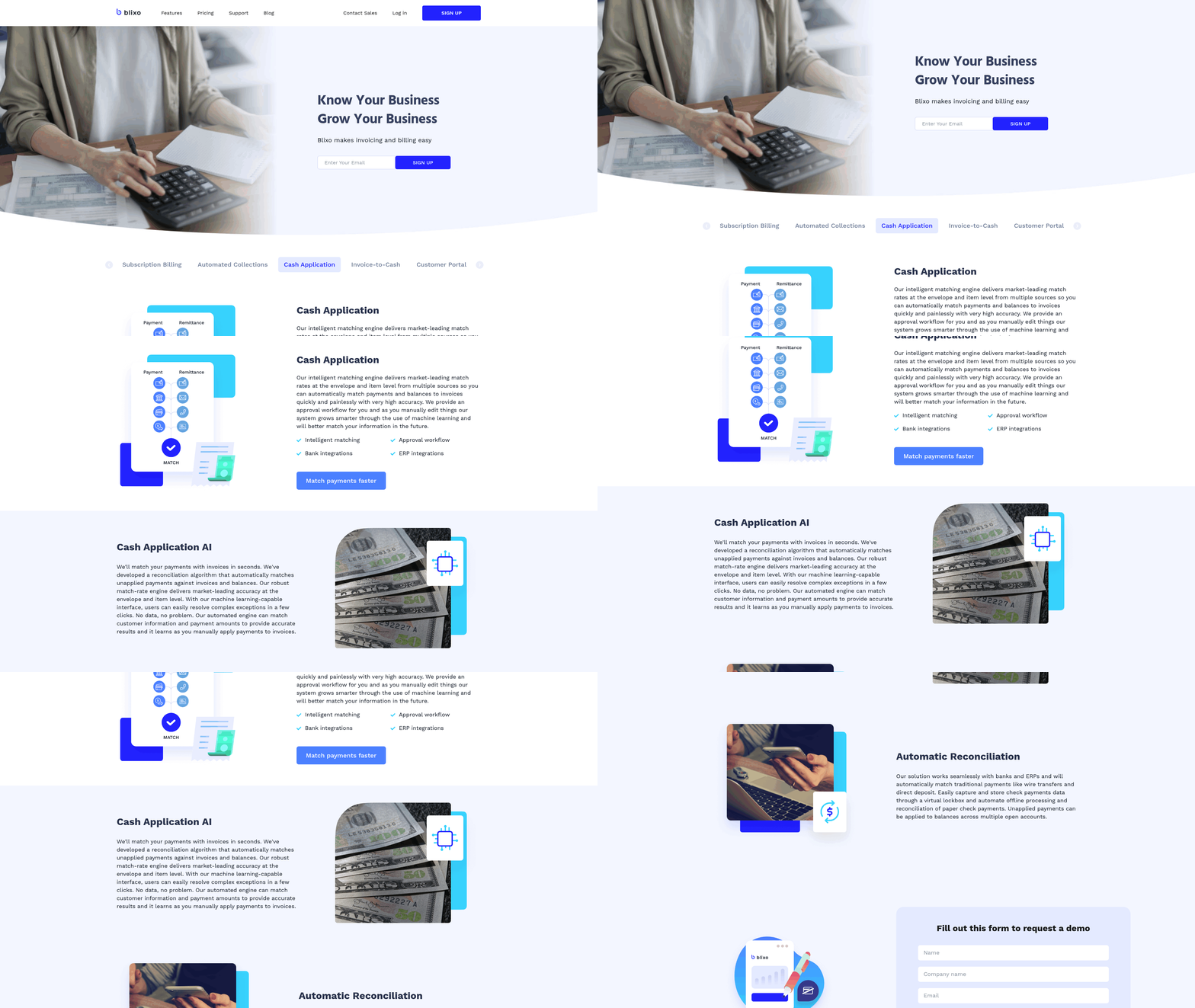
Cash application tools automatically match incoming payments to specific invoices, reducing the need for manual reconciliation. AI-driven platforms analyze payment data, apply funds to open invoices, and flag discrepancies for review. Building on concepts from the Why AR Automation Matters section, predictive analytics in cash application tools help businesses prioritize high-risk accounts and accelerate collections. HighRadius, for instance, claims a 30% increase in net recovery rates using predictive analytics to prioritize high-risk accounts. Another key capability is automated payment reminders. Construction firms, for example, use scheduled reminders tied to project milestones, reducing administrative burdens. BlueSnap’s case study highlights an 87% reduction in Days Sales Outstanding (DSO) after automating follow-ups. Platforms also support diverse payment methods (ACH, credit cards, digital wallets) and currency conversions, making global transactions seamless.
How Does Real-Time Visibility Enhance AR Management?
Real-time dashboards provide instant insights into invoice status, payment trends, and DSO metrics. These tools help finance teams identify bottlenecks and prioritize collections. Upflow’s research shows businesses using analytics tools can improve cash forecasting accuracy by 40%, enabling better financial planning. As discussed in the Measuring ROI and Tracking Key Metrics section, real-time visibility directly supports data-driven decisions that enhance cash flow. Customizable workflows and approval processes further tailor automation to business needs. For example, a B2B firm might set multi-step approvals for large invoices, while a subscription service automates recurring billing. Platforms like Esker integrate with over 70 ERPs and CRMs, ensuring data flows seamlessly across systems. This integration reduces manual entry and ensures payment data is synchronized across all departments.
When comparing platforms, prioritize solutions that balance automation with human oversight. Unlike generic providers, Blixo offers transparent pricing and customizable workflows, allowing teams to focus on strategic tasks rather than repetitive manual work. By automating invoicing, payment matching, and analytics, these platforms transform AR into a proactive, data-driven process.
Implementing AR Automation: A Step-by-Step Guide
Implementing AR automation requires a structured approach to maximize efficiency and ensure seamless adoption. Begin by evaluating your current invoicing and cash application workflows to identify bottlenecks. For example, inconsistent follow-ups or missing invoice details often raise Days Sales Outstanding (DSO). Address these gaps by defining clear KPIs like DSO reduction, cash forecasting accuracy, and error rates. This assessment sets a baseline for measuring automation success, as outlined in the Measuring ROI and Tracking Key Metrics section.
How Do You Choose the Right AR Automation Platform?
Selecting a platform depends on your business size, invoicing volume, and integration needs. Prioritize tools that connect with your existing accounting software-such as ERP systems-to avoid data silos, a consideration emphasized in the Choosing the Right AR Automation Solution section. Look for features like automated reminders, real-time analytics, and cash application tracking. SaaS providers like Blixo stand out for transparent pricing and tailored workflows, unlike generic providers that may lack customization. For instance, a SaaS company reduced DSO by 30% after implementing a solution with strong invoice accuracy checks and consistent follow-up automation.
What Steps Are Involved in Configuring the Platform?
Start by integrating the automation tool with your accounting software to ensure invoice data syncs seamlessly. Map critical workflows, such as invoice creation, payment reminders, and cash application, to automate repetitive tasks. Use templates for standardized invoices and customize rules for exceptions, like late fees or partial payments. For example, configuring automated reminders reduced manual follow-up time by 50% for a B2B firm, improving cash forecasting accuracy by 40%. Test workflows with a small team before full deployment to catch errors early.
How Do You Train Staff and Ensure Adoption?
Training should focus on new workflows, dashboard navigation, and exception handling. Host workshops to demonstrate how automation shifts roles from manual data entry to strategic tasks like resolving disputes, a core benefit highlighted in the Core Benefits of Automating Invoicing section. Emphasize that automation complements-not replaces-human oversight. A phased rollout helps teams adapt: start with invoice creation, then expand to collections. Communicate progress against KPIs regularly to maintain engagement. For example, one organization trained staff on AI-powered tools, reducing invoice processing errors by 57% within six months.
What Ongoing Maintenance Is Needed?
Monitor metrics like DSO, payment processing speed, and error rates to track performance. Schedule monthly audits to refine workflows based on customer feedback or changing business needs. Update automation rules to reflect new payment terms or compliance requirements. For instance, a 32% reduction in manual intervention was achieved by a company that optimized AI-driven invoice categorization. Stay proactive by using real-time analytics to spot trends, such as recurring late payments, and adjust strategies accordingly.
By aligning automation with your team’s strengths and continuously refining processes, you can transform AR operations from reactive to strategic. Regularly revisit your KPIs to ensure the system evolves with your business.
Choosing the Right AR Automation Solution
When selecting an AR automation solution, the right choice hinges on balancing scalability, security, and long-term value. A scalable system adapts to growing transaction volumes, evolving compliance needs, and expanding teams without requiring costly overhauls. Security must align with industry standards like GDPR or PCI-DSS to protect sensitive financial data. Total cost of ownership includes not only upfront fees but also ongoing maintenance, training, and integration expenses. Let’s break down how to evaluate these factors effectively.
What Makes Scalability Critical in AR Automation?
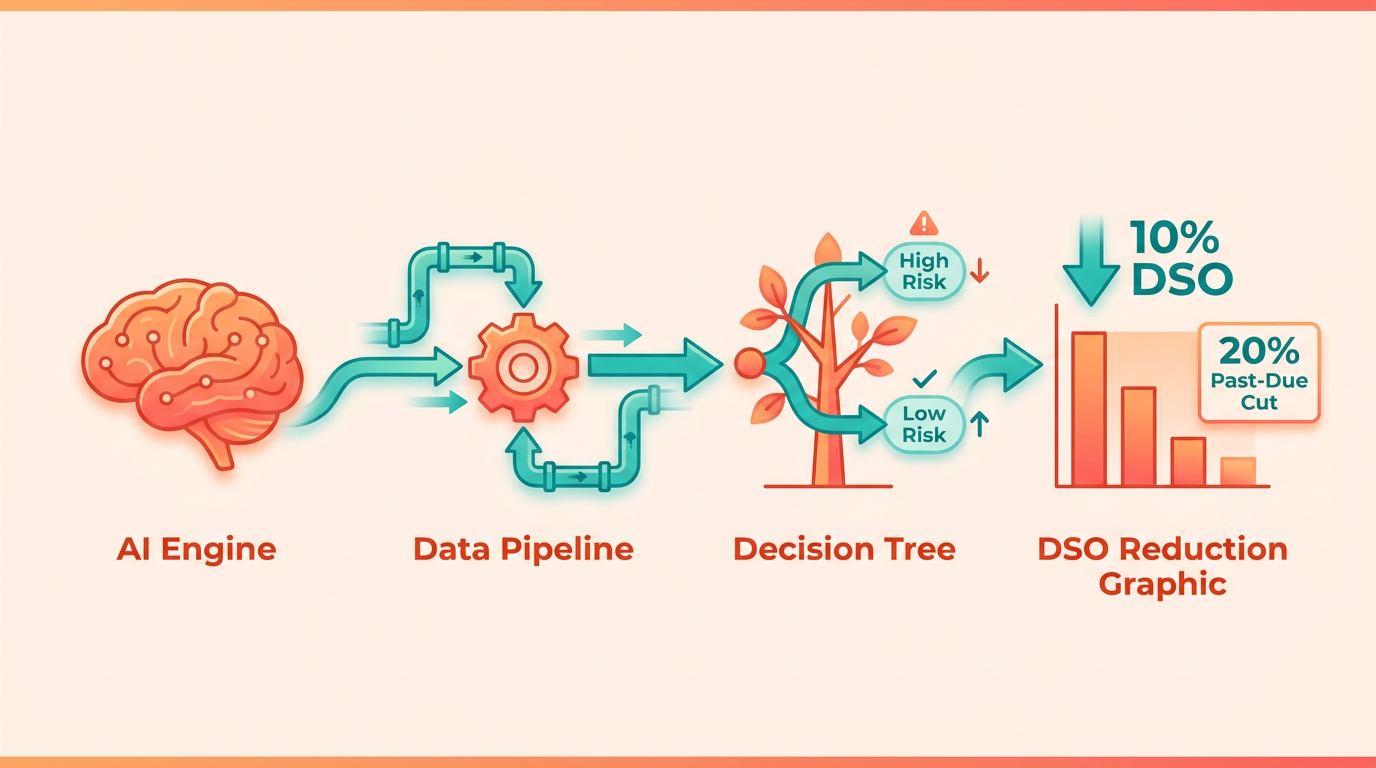
A scalable solution grows with your business. For example, one provider reports a 20% reduction in past-due accounts and a 10% drop in Days Sales Outstanding (DSO) through automation, but this only matters if the platform can handle expanding workflows. Building on concepts from the Measuring ROI and Tracking Key Metrics section, platforms that reduce DSO and improve cash flow should also scale to maintain these gains as transaction volumes rise. Look for systems that support multi-currency operations, integrate with global credit agencies, and scale from SMB needs to enterprise-level complexity. Blixo, for instance, uses AI-driven prioritization to manage workloads efficiently as transaction volumes rise, ensuring performance doesn’t lag during growth phases.
Scalability also includes flexibility in deployment. Some systems require rigid, on-premise setups, while others offer cloud-based, modular configurations. Platforms with APIs that connect to 20+ accounting systems (like ERPs or CRMs) give you room to adapt without overhauling your tech stack. As mentioned in the Core Benefits of Automating Invoicing section, seamless integration reduces manual workarounds, which is critical for maintaining efficiency during expansion.
How to Evaluate Security and Compliance Features
Financial data breaches cost companies an average of $4.45 million globally, per IBM’s 2024 report. AR automation tools must use bank-grade encryption for data in transit and at rest, along with role-based access controls to limit vulnerabilities. Certifications like SOC 2 or ISO 27001 indicate a provider follows strict security protocols.
Compliance isn’t just about avoiding fines-it’s about trust. A solution that automates credit checks against 35+ global agencies (as one provider claims) can reduce risk, but only if those integrations comply with regional regulations. Blixo, for example, ensures GDPR alignment for European clients and SOC 2 compliance for U.S.-based teams. As highlighted in the Why AR Automation Matters section, compliance directly impacts customer trust and operational reliability.
Why Total Cost of Ownership Matters More Than Monthly Fees
AR automation isn’t a one-time purchase-it’s a long-term investment. Hidden costs often emerge in integration, training, and system maintenance. One company saved 50% on operational costs by automating credit reviews, but only after choosing a platform with pre-built ERP connectors. Blixo’s open APIs reduce implementation time, cutting upfront costs by up to 30% compared to generic providers.
Compare ROI timelines carefully. A solution with low monthly fees but high setup costs might cost more over five years. For example, a provider claiming a 30% boost in net recovery rates could justify higher fees if it shortens DSO by 10 days. Use tools like TreviPay’s ROI calculator to model scenarios based on your business size and transaction volume.
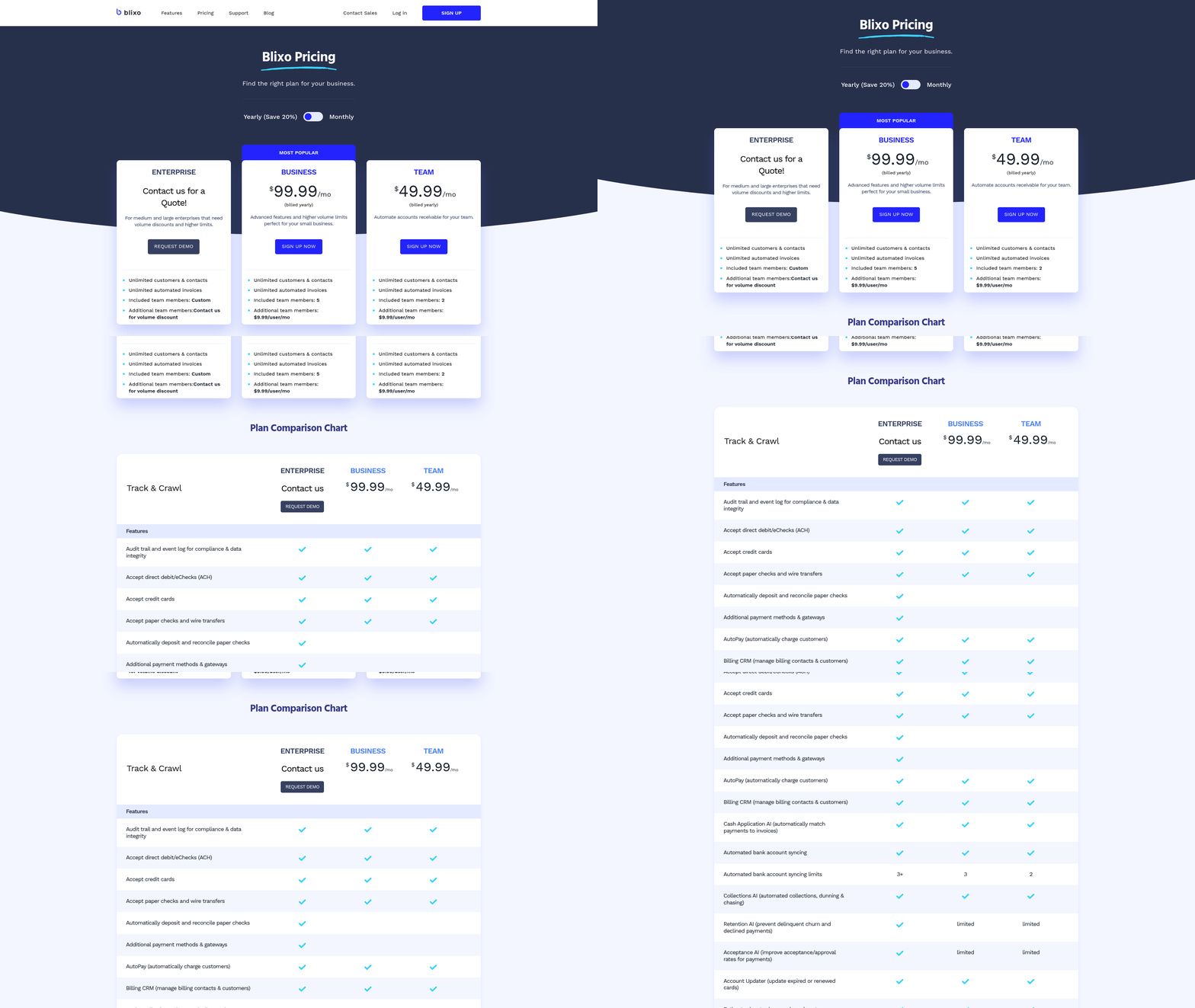
Blixo’s transparent pricing model avoids “feature locking,” where basic plans lack critical tools. Unlike some competitors that charge extra for AI-driven payment predictions or multi-currency support, Blixo bundles these into a single tier. This predictability simplifies budgeting and avoids mid-contract cost surprises.
Final Considerations: Integration and User Experience
Seamless integration with existing workflows is non-negotiable. A platform that supports 70+ ERP systems (as one solution claims) offers more flexibility than one limited to niche software. Blixo’s compatibility with CRMs and dealer-management systems ensures teams don’t need to switch tools, reducing friction and training time.
User adoption depends on intuitive design. Systems requiring hours of training risk low engagement, whereas drag-and-drop interfaces and AI-guided workflows boost productivity. One company cut invoice processing time from 15 minutes to 1 minute by automating repetitive tasks-a gain only realized if teams use the tool consistently.
By prioritizing scalability, security, and transparent costs, businesses avoid the trap of picking a solution that works today but fails under tomorrow’s demands. Blixo’s focus on these pillars, combined with its industry-leading integrations and customer support, makes it a standout choice for teams seeking sustainable AR automation.
Measuring ROI and Tracking Key Metrics
Measuring the return on investment (ROI) and tracking key performance indicators (KPIs) for AR automation requires a structured approach that aligns with financial goals and operational efficiency. By focusing on metrics like Days Sales Outstanding (DSO), cash flow improvements, and customer satisfaction, businesses can quantify the impact of automation and refine their strategies. Below is a step-by-step guide to evaluating success and optimizing AR workflows.
What KPIs Should You Track?
Start by defining KPIs that directly reflect the efficiency and effectiveness of AR automation. The most critical metrics include:
- Days Sales Outstanding (DSO): Measures the average number of days it takes to collect receivables. A lower DSO indicates faster cash flow. As mentioned in the Core Benefits of Automating Invoicing section, automation typically reduces DSO by 10% or more, accelerating cash availability.
- Cash Flow Velocity: Tracks how quickly invoices are converted to cash. Automated reminders and streamlined approvals can cut processing times by up to 75%, as seen in cloud ERP integrations.
- Customer Satisfaction (CSAT): Reflects invoice accuracy and payment ease. Surveys or Net Promoter Scores (NPS) can reveal improvements from error reductions (e.g., 57% fewer processing errors with AI).
These metrics provide a baseline for evaluating automation performance. Use dashboards to monitor trends and identify anomalies, such as sudden spikes in late payments.
How Do You Calculate ROI?
ROI calculations for AR automation depend on cost savings and efficiency gains. Start with this formula: ROI (%) = [(Cost Savings – Implementation Cost) / Implementation Cost] × 100.
For instance, if automation reduces invoice processing costs from $10.89 to $2.18 per invoice (industry data), a business processing 100,000 invoices annually saves $871,000. Subtract the implementation cost (say, $150,000) to yield a net gain of $721,000, resulting in 480% ROI. Building on concepts from the Why AR Automation Matters section, these savings highlight why automation is critical for businesses struggling with late payments.
Also calculate the payback period by dividing implementation costs by monthly savings. If the $150,000 investment saves $72,583 monthly, the payback occurs in just over two months.
How Can You Optimize AR Workflows?
Automation tools like AI-powered invoice matching and predictive analytics refine workflows over time. Key steps include:
- Analyze Bottlenecks: Use AI to identify delays in approvals or manual interventions. For example, AI worklist prioritization reduced DSO by 5.5 days for one business. As outlined in the Implementing AR Automation: A Step-By-Step Guide section, addressing bottlenecks is a core step in workflow optimization.
- Refine Follow-Up Strategies: Automate reminders based on customer payment behavior. Systems with 98% OCR accuracy minimize disputes, reducing time spent on corrections.
- Integrate with Accounting Tools: Seamless ERP or accounting software links cut reconciliation time by 40%, as seen in platforms supporting 20+ AP portals.
Regularly review these workflows using real-time analytics to adapt to changing customer behaviors or seasonal demand.
Why Is Customer Satisfaction Important?
Customer satisfaction directly impacts payment reliability and long-term partnerships. Automated systems reduce errors (e.g., 92% accuracy for complex invoices) and provide transparent payment portals, which improve trust. One case study showed a company achieved 100% paperless credit reviews while maintaining zero bad debt for four years.
Track satisfaction through surveys, payment timeliness, and dispute resolution speed. For example, automated ACH/credit card payment options reduced customer complaints by 30% in one business.
How Do You Identify Areas to Improve?
Continuous improvement relies on data-driven insights. Compare KPIs against benchmarks, such as industry averages for DSO or processing costs. If DSO increases despite automation, investigate root causes-like inconsistent customer communication or system integration gaps.
Use customer feedback to address pain points. For instance, if 20% of clients report confusion about payment terms, update invoice templates with clearer due dates. Use AI to predict high-risk accounts and proactively adjust credit limits or follow-up schedules.
By systematically tracking these metrics and iterating on workflows, businesses can maximize the value of AR automation while fostering stronger financial health. For deeper insights into automation setup, explore How To Automate Billing In 6 Key Steps.
Future Trends in AR Automation
AI and machine learning are streamlining accounts receivable (AR) workflows by automating repetitive tasks and enhancing decision-making. For example, AI-driven platforms analyze payment patterns to predict overdue invoices and prioritize follow-ups, reducing Days Sales Outstanding (DSO) by up to 10%. As highlighted in the Why AR Automation Matters section, such improvements directly address the need for faster cash flow and reduced manual effort. Machine learning algorithms also improve credit risk assessments by evaluating historical data, helping teams identify high-risk customers before issuing invoices. One major beverage company cut past-due accounts by 20% using such tools, demonstrating the tangible benefits of automation.
These technologies also boost accuracy in payment matching. By integrating optical character recognition (OCR) and natural language processing, AR systems now process invoices with 98% accuracy for standard documents and 92% for complex ones. For instance, a global ERP system using AI reduced invoice processing time from 15 minutes to 3 minutes per document. As these tools evolve, they’ll enable real-time visibility into cash flow, letting finance teams act proactively rather than reactively.
Blockchain technology is set to transform AR automation by enhancing transparency and security in financial transactions. Smart contracts-self-executing agreements coded on a blockchain-can automate payments once predefined conditions are met, eliminating manual intervention. Building on concepts from the Key Features of AR Automation Platforms section, blockchain’s immutable record-keeping creates an auditable trail for every transaction, which is particularly valuable for multinational businesses. While current AR platforms focus on AI integration, blockchain adoption is still emerging. Early adopters, like a leading publishing company, have reported 100% paperless credit reviews and zero bad debt over four years, showcasing the potential for blockchain to streamline operations.
Future AR platforms will prioritize seamless integration with ERP systems and cloud-based infrastructure to support real-time analytics. For example, robotic process automation (RPA) combined with OCR is already processing invoices with 100% accuracy in under 30 seconds. As these systems mature, they’ll handle multi-currency transactions and multi-language support, catering to global enterprises. The role of AR in finance is also shifting from a back-office function to a strategic tool for cash flow optimization. Advanced analytics will provide insights into customer behavior, enabling personalized payment terms and discounts. One enterprise reduced DSO by 5.5 days using AI-based prioritization of high-value tasks, proving the value of data-driven decisions. Unlike generic providers, SaaS providers like Blixo focus on transparent pricing and end-to-end automation, aligning with the criteria outlined in the Choosing the Right AR Automation Solution section to ensure businesses maximize efficiency without hidden costs.
Despite advancements, challenges like integration complexity and resistance to change persist. Legacy systems often hinder the adoption of AI-driven tools, requiring businesses to invest in middleware or phased implementations. Additionally, teams may struggle with training on new workflows, emphasizing the need for user-friendly interfaces. However, the financial benefits-such as 30% higher net recovery rates and 40% productivity gains-justify the investment. As AR automation becomes table stakes for competitive businesses, platforms will increasingly focus on customization and scalability. Whether through AI, blockchain, or RPA, the future of AR lies in solutions that adapt to evolving financial markets while minimizing operational friction.
Frequently Asked Questions
1. How does AR automation reduce invoice processing time?
AR automation cuts invoice processing time from hours to seconds by automating generation, payment tracking, and reconciliation. A business processing 20,000+ invoices monthly reduced payment receipt timelines from 78 to 55 days using automation.
2. What impact does AR automation have on Days Sales Outstanding (DSO)?
AR automation can reduce DSO by up to 30%. For example, a SaaS company cut its DSO from 60 to 30 days by automating invoice accuracy and follow-ups with real-time analytics.
3. How much time does manual invoicing cost businesses?
Manual invoicing costs 5–10 minutes per invoice, totaling hundreds of work hours monthly for high-volume businesses. Automation reduces this to seconds per invoice, freeing staff for strategic tasks.
4. Can AR automation decrease billing disputes?
Yes, AR automation reduces billing disputes by 40% by minimizing errors from miscalculations or missed details. Automated systems pull data directly from ERPs or service logs to ensure accuracy.
5. How does AR automation improve payment timelines?
Automation streamlines payment tracking and sends timely reminders, reducing late payments. Businesses using automation report faster cash flow, with one company cutting payment delays from 78 to 55 days.
6. How does AR automation affect late payments?
Manual invoicing leads to 69% of businesses reporting rising late payments. AR automation reduces this by enforcing consistent follow-ups and real-time tracking, improving payment adherence and cash flow.
7. What are the key benefits of AR automation platforms?
Key benefits include faster invoice processing, reduced DSO, fewer billing disputes, and lower labor costs. Automation accelerates cash flow while minimizing errors and late payments through consistent, data-driven workflows.