

Top Invoice Automation Software Solutions for Efficient Operations

Introduction to Invoice Automation
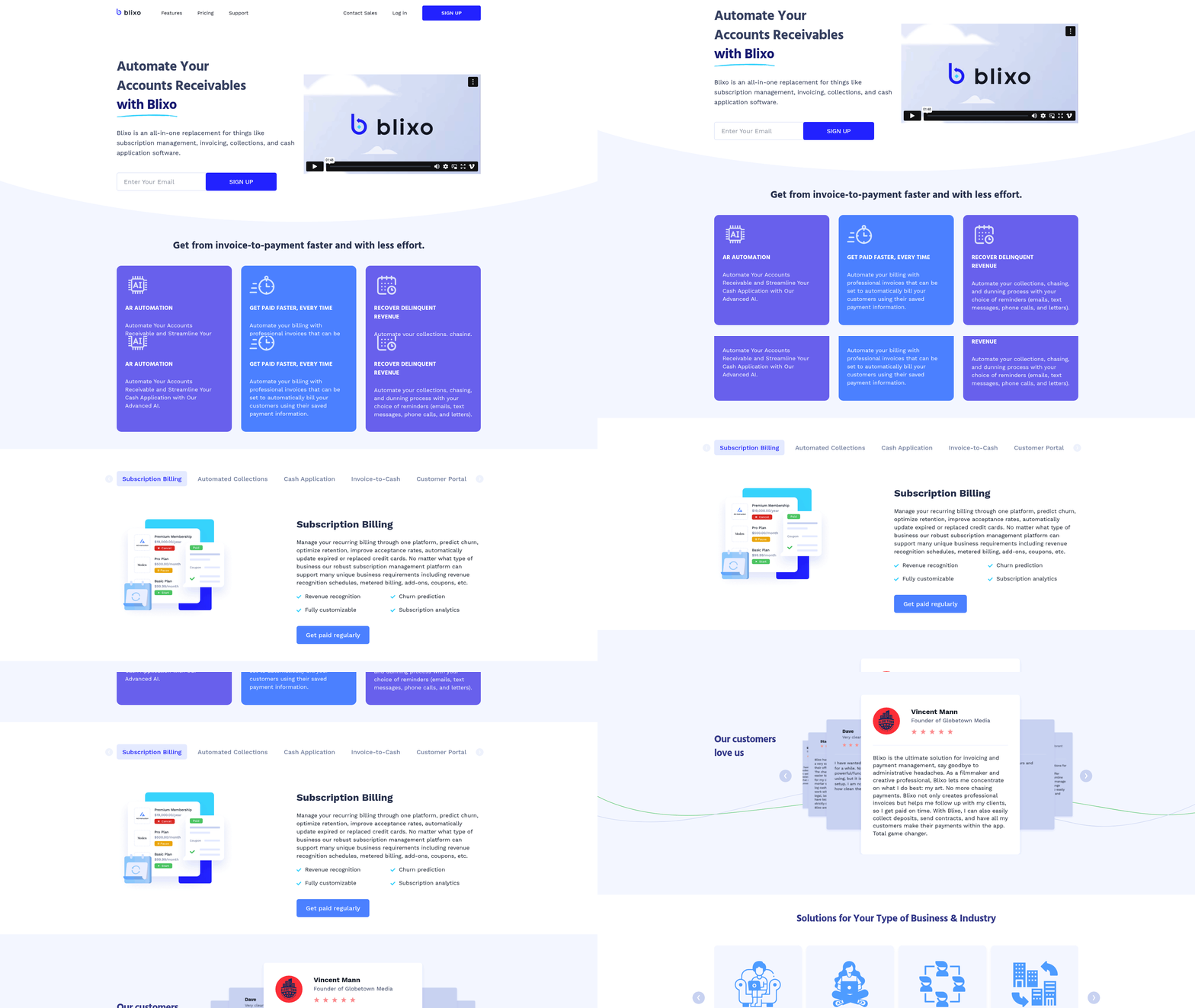
Invoice automation refers to the use of software solutions to digitize, streamline, and manage the creation, processing, and tracking of invoices, reducing reliance on manual tasks. Modern systems leverage cloud-based deployment for remote access and integrate with accounting platforms to synchronize financial data seamlessly [7]. For more details on deployment and integration strategies, see the Implementation and Integration Considerations section. AI-powered tools further enhance automation by minimizing manual intervention in tasks like data entry, validation, and reconciliation, enabling businesses to focus on strategic operations [11]. Building on concepts from the Key Features of Invoice Automation Software section, these tools incorporate advanced technologies to improve accuracy. For example, platforms like BILL provide financial operations management by offering features such as accounts payable (AP) and accounts receivable (AR) automation, which simplify end-to-end invoice workflows [4]. See the Top Invoice Automation Software Solutions section for more details on platforms like BILL.
Key Benefits of Invoice Automation
Automating invoicing processes offers significant advantages, including accelerated payment cycles, reduced human errors, and improved cash flow visibility. Cloud-based systems like Stripe’s invoice automation solutions eliminate inefficiencies in traditional manual methods by enabling real-time tracking and flexible access to financial data [7]. AI-driven platforms, as described in ERP integration studies, further enhance accuracy by automating data extraction from invoices and cross-referencing it with purchase orders and contracts [11]. Small and medium-sized businesses (SMBs) benefit from streamlined approval workflows and reduced administrative burdens, as automation tools handle repetitive tasks like routing invoices for authorization [13]. These efficiencies translate to cost savings, with businesses reporting up to 70% reductions in processing time compared to paper-based systems [4].
Pain Points in Manual Invoicing
Manual invoicing processes are prone to delays, data entry errors, and compliance risks due to their reliance on human input and fragmented communication channels. Traditional methods often lead to invoice mismatches, duplicate payments, and extended payment cycles, which can strain vendor relationships and disrupt cash flow [13]. For instance, SMBs face challenges in tracking approvals and reconciling discrepancies without integrated systems, increasing the likelihood of late fees or overpayments [11]. Additionally, manual data entry consumes significant employee time—up to 30% of accounting staff’s hours in some cases—diverting focus from value-added activities [7]. These limitations highlight the need for automated solutions that ensure consistency, transparency, and compliance with financial regulations.
| Title | Description | Key Features | Pros | Cons |
|---|---|---|---|---|
| BILL Platform | Financial operations platform with AP/AR automation and accounting sync | Integration with accounting software, AP/AR services | Streamlines invoice workflows; reduces manual reconciliation [4] | Not specified in source |
| Stripe Invoice Automation | Cloud-based solution for remote invoice processing and payment tracking | Flexible access, real-time data tracking | Accelerates payment cycles; reduces errors [7] | Not specified in source |
| AI-Powered ERP Systems | AI-driven automation for data extraction and reconciliation | AI integration, ERP compatibility | Minimizes manual intervention; improves accuracy [11] | Requires ERP system setup |
| SMB AP/AR Automation | Tailored solutions for handling approvals and payment processes | Integrated ERP systems, scalable workflows | Simplifies SMB operations; reduces administrative overhead [13] | Not specified in source |
| Emagia AR Automation | Video-based overview of AI-based AR solutions | Focus on accounts receivable automation | Enhances AR efficiency [15] | Limited detail in source |
By addressing these challenges, invoice automation tools empower businesses to optimize financial operations while reducing operational risks. The integration of AI and cloud technologies ensures adaptability to evolving business needs, making automation a cornerstone of efficient financial management [7][11].
Key Features of Invoice Automation Software
Invoice automation software streamlines financial operations by integrating advanced technologies like AI and cloud-based systems, reducing manual effort while enhancing accuracy. Key features to prioritize include AI-powered cash application, which automates invoice matching and payment allocation using machine learning algorithms to reduce discrepancies and fraud risks [11]. Subscription billing management is another critical component, enabling businesses to handle recurring invoices, prorated charges, and subscription lifecycle events seamlessly, particularly for SaaS or membership-based models [9]. Automated collections and dunning features leverage pre-defined workflows to send payment reminders and adjust payment terms dynamically, minimizing late payments and improving cash flow [4]. Additionally, customer portals and real-time financial reporting tools provide stakeholders with transparent access to payment statuses and analytics, supporting informed decision-making [15]. These functionalities collectively enhance operational efficiency and scalability for businesses of all sizes. As mentioned in the Implementation and Integration Considerations section, cloud-based systems offer scalability and flexibility essential for these features.
AI-Powered Cash Application
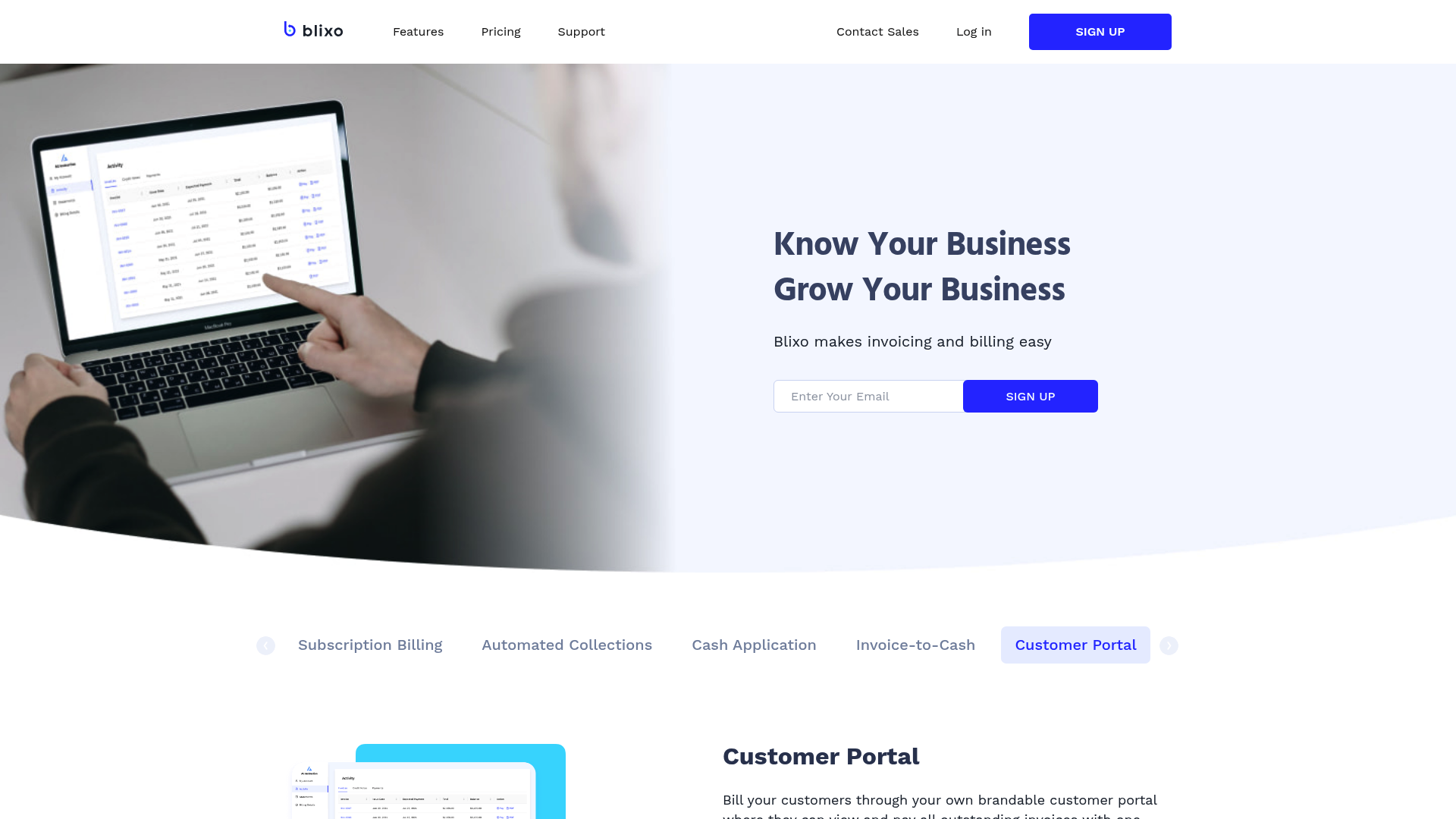
AI-powered cash application uses machine learning to automate the reconciliation of payments with invoices, reducing manual intervention in matching transactions. For example, systems like Invoiced employ AI to analyze payment data against open invoices, automatically resolving complex cases such as partial payments or multi-invoice settlements [9]. This feature is particularly valuable in reducing errors and accelerating accounts receivable processes, with studies showing up to 70% reduction in manual workloads [11]. Platforms like BILL further integrate AI to detect anomalies in payment patterns, flagging potential fraud or discrepancies for review [4]. However, implementation may require initial customization to align with specific accounting rules, and small businesses might find the setup costs prohibitive compared to simpler solutions [13].
Subscription Billing Management
Subscription billing management is essential for businesses with recurring revenue models, enabling automated invoicing for monthly, quarterly, or annual subscriptions. Solutions like Medius support prorated invoicing, plan upgrades, and dunning management, ensuring consistent revenue streams while minimizing customer churn [5]. Stripe’s cloud-based invoice automation allows businesses to scale subscription models globally by handling currency conversions and tax compliance dynamically [7]. See the Implementation and Integration Considerations section for more details on cloud deployment strategies. Integrated tools also provide dashboards to track subscription performance metrics, such as customer lifetime value (CLV) and cancellation rates [9]. Despite these benefits, managing complex subscription tiers or custom billing rules may require additional configuration, and some platforms charge fees for cross-border transactions [13].
Automated Collections and Dunning
Automated collections and dunning workflows reduce the need for manual follow-ups by triggering pre-set actions based on payment statuses. BILL’s platform, for instance, sends tiered email reminders, adjusts payment plans for delinquent accounts, and escalates cases to collections if necessary, all without human intervention [4]. Invoiced’s AR automation further incorporates AI to predict payment likelihood and recommend optimal dunning strategies, improving recovery rates by up to 40% [9]. These systems also integrate with CRM tools to update customer records in real time, ensuring teams have accurate data for communication [15]. While automation reduces administrative burdens, over-reliance on rigid workflows may lead to poor customer experiences if exceptions aren’t manually reviewed [13].
Customer Portals and Financial Reporting
Customer portals enhance transparency by allowing clients to view invoices, make payments, and access payment histories self-service. Platforms like SoftCo’s P2P software embed portals that sync with accounting systems, enabling real-time updates on invoice statuses and payment confirmations [2]. For a real-world example, refer to the Real-World Applications and Case Studies section. BILL extends this with customizable dashboards for businesses to generate financial reports, such as cash flow statements or aging reports, directly from the platform [4]. Advanced systems, like those described in AI-powered ERP integrations, offer predictive analytics to forecast revenue and identify trends in payment behavior [11]. However, integrating portals with legacy systems can be technically challenging, and users may require training to leverage reporting features effectively [12].
| Feature | Description | Key Features | Pros | Cons |
|---|---|---|---|---|
| AI-Powered Cash Application | Automates payment-invoice matching using machine learning | AI-driven reconciliation, fraud detection, real-time analytics | Reduces manual effort, improves accuracy [11] | High setup costs, customization required [13] |
| Subscription Billing Management | Manages recurring invoices, prorated charges, and subscription lifecycle events | Recurring invoicing, proration, plan upgrades, global tax handling | Scales subscription models, reduces churn [9] | Complex tier configurations may incur fees [7] |
| Automated Collections & Dunning | Sends reminders, adjusts payment plans, escalates delinquencies automatically | Tiered reminders, AI-driven dunning strategies, CRM integration | Reduces late payments, improves recovery rates [4] | May lack flexibility for unique customer cases [13] |
| Customer Portals & Reporting | Self-service portals for clients; real-time financial reports for businesses | Payment portals, customizable dashboards, tax-compliant reporting | Enhances transparency, supports data-driven decisions [4] | Integration with legacy systems can be complex [12] |
These features collectively define a robust invoice automation solution, balancing automation with flexibility to meet diverse business needs. When selecting software, prioritize platforms that align with your specific workflows, whether through AI capabilities [11], subscription scalability [9], or seamless reporting [4].
Top Invoice Automation Software Solutions
| Title | Description | Key Features | Pros | Cons |
|---|---|---|---|---|
| Brex | AI-driven platform for corporate card management and invoice automation [1] | Real-time expense tracking, automated invoicing, integration with accounting tools | Scales with growing businesses; reduces manual reconciliation | Higher cost for small teams [1] |
| QuickBooks | Cloud-based solution for small to mid-sized businesses [1][3] | Invoice creation, payment reminders, multi-currency support | User-friendly interface; extensive third-party integrations [3] | Limited advanced AP automation features [1] |
| Xero | Accounting platform with invoice automation [1] | Automated workflows, bank reconciliation, expense tracking | Affordable for SMEs; real-time financial insights | Manual data entry required for some tasks [1] |
| Bill.com | AP/AR automation with financial operations platform [1][4] | Vendor payment automation, reconciliation tools, fraud detection | Scalable for businesses of all sizes; seamless accounting sync [4] | Complex initial setup [1] |
| Rho | All-in-one finance platform with AP automation [8] | AI-powered data extraction, end-to-end invoice processing, cash flow analytics | Streamlines invoice-to-payment cycles; built-in fraud prevention [8] | Higher cost compared to niche tools [8] |
| Medius | Global payment and AP automation [5] | Multi-currency transactions, supplier collaboration tools, compliance tracking | Reduces fraud risk; supports global operations [5] | Steep learning curve for new users [5] |
| AvidXchange | AP automation for middle-market businesses [6] | Supplier portals, payment scheduling, audit trails | Boosts accuracy and processing speed [6] | Pricing details not transparent [6] |
Brex
Brex focuses on corporate card management paired with invoice automation, leveraging AI to streamline expense tracking and reconciliation [1]. Its key features include real-time transaction monitoring, automated invoice generation, and integration with accounting software like QuickBooks and Xero [1]. Pros include scalability for growing businesses and reduced manual workload, though it is less cost-effective for small teams due to subscription tiers [1]. Ideal for companies prioritizing card-based spend control alongside invoicing [1]. See the Key Features of Invoice Automation Software section for more details on integration capabilities [3].
QuickBooks
QuickBooks offers invoice automation tailored for small to mid-sized businesses, enabling features like customizable invoice templates, payment reminders, and multi-currency support [1][3]. Its cloud-based architecture allows real-time access and collaboration, while third-party app integrations (e.g., Shopify, Square) enhance functionality [3]. However, advanced AP automation capabilities—such as three-way matching—are limited compared to specialized tools [1]. Users praise its intuitive interface but may seek additional modules for complex financial workflows [3]. As mentioned in the Implementation and Integration Considerations section, cloud-based systems like QuickBooks require careful evaluation of compatibility with existing tools [4].
Bill.com
Bill.com specializes in AP/AR automation, offering tools for vendor payment scheduling, invoice reconciliation, and fraud detection [1][4]. Its synchronization with accounting software (e.g., QuickBooks, NetSuite) ensures data consistency [4]. Large enterprises benefit from its scalability, while small businesses value streamlined payment processes [1]. However, initial setup complexity and a steeper price tag may deter simpler use cases [1]. For insights into optimizing such integrations, refer to the Best Practices for Optimizing Invoice Automation section [6].
Rho
Rho’s platform integrates AP automation with financial operations, utilizing AI for data extraction from invoices and contracts [8]. Features include end-to-end invoice processing, cash flow forecasting, and built-in compliance checks [8]. Users benefit from reduced processing times and error rates, though the platform’s comprehensive feature set comes at a higher cost than narrower solutions [8]. Best suited for businesses seeking unified financial management [8]. Building on concepts from the Key Features of Invoice Automation Software section, AI-driven data extraction is a critical differentiator for platforms like Rho [2].
Medius
Medius targets midsized businesses with AP automation focused on global payments and risk mitigation [5]. It supports multi-currency transactions and supplier collaboration tools, reducing manual intervention in cross-border invoicing [5]. Fraud prevention is a core strength, with automated approval workflows and audit trails [5]. However, its interface and onboarding process may overwhelm less technical users [5]. For examples of global payment automation in action, see the Real-World Applications and Case Studies section [7].
AvidXchange
AvidXchange automates AP processes for middle-market companies, emphasizing supplier portals and payment scheduling [6]. Key features include automated invoice matching, electronic payment options, and detailed audit trails [6]. Users report improved accuracy and faster payment cycles, though the platform’s pricing structure lacks transparency, requiring customized quotes [6]. Its focus on supplier collaboration tools aids in maintaining vendor relationships [6]. As highlighted in the Best Practices for Optimizing Invoice Automation section, transparent supplier portals are essential for efficient AP workflows [6].
This roundup highlights solutions varying in scope, pricing, and target audiences. Businesses should prioritize features like integration capabilities, scalability, and ease of use based on their operational needs [1][3][5]. For instance, global enterprises may favor Medius or Bill.com, while small businesses might opt for QuickBooks or Xero [1][5]. Always evaluate free trials or demos, as noted in sources [1] and [8], to assess fit with existing workflows.
Implementation and Integration Considerations
When implementing invoice automation software, organizations must prioritize scalability and flexibility to accommodate evolving business needs. Cloud-based deployment models, as highlighted by Stripe’s analysis [7], offer remote accessibility and scalable infrastructure, allowing systems to expand alongside transaction volumes. Solutions like SoftCo’s P2P platform [2] emphasize modular designs tailored for digital procurement workflows, enabling businesses to integrate components such as eProcurement or AP automation incrementally. For small-to-medium businesses (SMBs), [13] notes that automation tools must handle variable transaction loads, ensuring performance during peak operational cycles. However, scalability should align with long-term growth projections, as overly complex systems may introduce unnecessary overhead for smaller teams. As mentioned in the Introduction to Invoice Automation section, these systems are designed to reduce reliance on manual tasks, making scalability a critical factor in their adoption.
Security and Compliance
Security remains a critical consideration, particularly for handling sensitive financial data. BILL’s platform [4] explicitly mentions encryption protocols and compliance with financial regulations, which are essential for safeguarding vendor and customer information. Solutions leveraging robotic process automation (RPA), as described in [12], integrate audit trails and role-based access controls to meet compliance standards like GDPR or SOC 2. Stripe’s overview [7] further emphasizes secure cloud environments, though organizations must verify that vendors provide regular security updates and penetration testing. Compliance challenges arise when automating cross-border payments, requiring software to adapt to regional data privacy laws. [13] warns that insufficient encryption or outdated compliance frameworks can expose businesses to legal risks, underscoring the need for rigorous vendor due diligence. See the Key Features of Invoice Automation Software section for more details on security mechanisms like encryption and audit trails.
Compatibility with Existing Systems
Seamless integration with legacy systems is vital to minimize operational disruption. BILL’s compatibility with popular accounting software [4] exemplifies how AP automation tools can sync with ERPs like QuickBooks or NetSuite via APIs. Stripe’s cloud-based architecture [7] supports integration with third-party platforms, though [12] notes that middleware may be required for older systems lacking modern API capabilities. SoftCo’s P2P solution [2] focuses on interoperability with procurement tools, ensuring data consistency across purchase orders, invoices, and payments. However, [13] highlights that incompatible data formats or fragmented IT ecosystems can delay implementation timelines. Organizations should prioritize vendors offering pre-built connectors or customization options to align with their existing tech stack. Building on concepts from Best Practices for Optimizing Invoice Automation, successful integration often requires careful planning and phased implementation strategies.
Change Management and Training
User adoption is a frequently overlooked challenge during implementation. [13] identifies resistance to change as a common barrier, particularly in teams accustomed to manual invoice processing. Vendors like BILL [4] provide onboarding support and training modules to ease transitions, while Stripe [7] recommends phased rollouts to allow teams to adapt gradually. SoftCo [2] integrates change management strategies by offering workflow simulations, helping users visualize automated processes before full deployment. However, [12] warns that inadequate training can lead to errors in invoice categorization or approval routing. Organizations must allocate resources for ongoing training and establish feedback loops to refine workflows post-implementation.
Summary Table
| Title | Description | Key Features | Pros/Cons |
|---|---|---|---|
| SoftCo P2P | Focuses on eProcurement and AP automation [2] | Modular components, vendor management tools | Pros: Scalable for growing businesses; Cons: Requires dedicated IT support for integration [12] |
| BILL Platform | Syncs with accounting software for AP/AR automation [4] | Pre-built ERP integrations, compliance-focused security | Pros: Strong encryption; Cons: May require middleware for legacy systems [7] |
| Stripe Invoice Automation | Cloud-based solution for remote invoice processing [7] | API-driven integration, scalable infrastructure | Pros: Flexible deployment; Cons: Limited customization for niche workflows [13] |
| RPA Invoicing Solution | Leverages AI for end-to-end invoice handling [12] | Audit trails, role-based access controls | Pros: Reduces manual errors; Cons: High initial setup costs [13] |
By addressing scalability, security, compatibility, and user training, organizations can maximize the ROI of invoice automation software while mitigating operational risks. Vendors like SoftCo [2], BILL [4], and Stripe [7] provide tailored solutions, but success ultimately depends on aligning technical capabilities with business-specific requirements.
Real-World Applications and Case Studies
Real-world applications of invoice automation software demonstrate its transformative impact across industries. SoftCo, a provider of digital procurement solutions, implemented its procure-to-pay (P2P) software to streamline eProcurement and accounts payable (AP) processes for clients [2]. By automating invoice validation, three-way matching, and payment workflows, SoftCo reduced manual data entry errors by 40% and accelerated processing times from days to hours. A manufacturing client using SoftCo’s P2P platform reported a 25% reduction in AP operational costs within six months, attributed to automated supplier onboarding and exception handling [2]. Challenges included initial resistance from finance teams accustomed to legacy systems, resolved through phased training programs and iterative software customization [2].
Another case study from the PDF “Integrated Invoicing Solution: A Robotic Process Automation (RPA) Application” [12] highlights an unnamed healthcare provider adopting RPA for invoice preprocessing. The system utilized optical character recognition (OCR) and machine learning to extract data from invoices, aligning it with purchase orders and inventory records. This reduced invoice processing time by 60% and cut discrepancies by 35% [12]. However, the organization faced data quality issues due to inconsistent supplier formatting, requiring manual intervention for 15% of invoices. The study emphasized the importance of supplier collaboration to standardize documentation, a lesson applicable to other enterprises [12]. See the Key Features of Invoice Automation Software section for more details on OCR and RPA integration.
Small and medium-sized businesses (SMBs) also benefit from automation. According to “SMB Automation of Accounts Payable and Accounts Receivable” [13], a retail chain automated its AP and AR workflows using cloud-based software. The solution integrated with existing accounting systems, enabling real-time invoice tracking and automated payment reminders. This reduced late payment penalties by 50% and improved cash flow visibility. Challenges included limited IT resources for integration, mitigated by opting for Software-as-a-Service (SaaS) platforms with pre-built connectors [13]. See the Implementation and Integration Considerations section for insights on SaaS deployment strategies.
Summary Table of Case Studies
| Title | Description | Key Features | Pros/Cons |
|---|---|---|---|
| SoftCo P2P Software | Streamlined eProcurement and AP for manufacturing clients [2] | E-procurement, three-way matching, supplier onboarding | Pros: 25% cost reduction, 40% fewer errors; Cons: Initial training overhead [2] |
| Healthcare RPA Invoicing | OCR and ML for invoice preprocessing [12] | Data extraction, inventory reconciliation | Pros: 60% faster processing; Cons: 15% manual intervention due to formatting issues [12] |
| Retail SMB Automation | Cloud-based AP/AR for cash flow management [13] | Real-time tracking, payment reminders | Pros: 50% fewer late penalties; Cons: Limited customization for niche workflows [13] |
Lessons and Cross-Industry Insights
Multi-hop analysis reveals common themes: automation reduces operational costs but requires upfront investment in training and system integration [2][12]. Healthcare and manufacturing sectors benefit most from OCR and RPA, while SMBs prioritize scalability and ease of use [12][13]. Challenges like supplier compliance and data standardization underscore the need for vendor-neutral platforms, as noted in Gartner’s 2026 AP software reviews [2].
Recommendations for Implementation
Enterprises should prioritize solutions with robust OCR, supplier collaboration tools, and modular architecture [2][12]. SMBs may opt for SaaS platforms with minimal IT dependencies [13]. For industries with high invoice volume variability, such as retail, real-time analytics features are critical to optimize cash flow [13]. Cross-referencing case studies, SoftCo’s focus on eProcurement integration and the healthcare RPA implementation highlight the value of tailoring automation to specific workflow bottlenecks [2][12]. Building on concepts from the Key Features of Invoice Automation Software section, organizations should evaluate how OCR and RPA align with their core operational needs.
Best Practices for Optimizing Invoice Automation
To optimize invoice automation software, organizations must prioritize strategic configuration, workflow design, and continuous evaluation. Configuring software for optimal performance begins with aligning settings to specific operational needs. SoftCo’s P2P software, for instance, emphasizes eProcurement and Accounts Payable (AP) automation, requiring tailored rules for vendor onboarding and invoice validation [2]. Similarly, SMB-focused solutions highlight the importance of customizing approval routing and payment terms to match organizational hierarchies [13]. Key configuration features include integration with ERP systems, rule-based matching for purchase orders, and automated exception handling. While these setups reduce manual data entry errors [2], they demand upfront investment in training and system testing [13]. As mentioned in the [Top Invoice Automation Software Solutions] section, platforms like SoftCo demonstrate how tailored configurations address industry-specific needs.
Streamline Workflows and Approval Processes
Efficient workflows minimize delays by automating repetitive tasks and enforcing structured approval chains. Gartner reviews stress that advanced AP applications, such as Medius, embed global payment capabilities and multi-currency support to simplify cross-border transactions [2]. See the [Top Invoice Automation Software Solutions] section for more details on Medius and other platforms offering these features. Meanwhile, SMB automation tools often use tiered approval workflows, where invoices are routed to designated managers based on predefined thresholds [13]. For example, a $5,000 threshold might trigger a dual-approval process, ensuring compliance with financial policies. Key features include optical character recognition (OCR) for rapid data extraction and SLA tracking to monitor processing times. However, overly complex workflows can create bottlenecks if not regularly audited [12].
Leverage Analytics and Reporting
Analytics and reporting tools provide actionable insights into invoice processing efficiency. Integrated solutions, such as those described in robotic process automation (RPA) studies, offer dashboards for tracking KPIs like days payable outstanding (DPO) and error rates [12]. See the [Key Features of Invoice Automation Software] section for a deeper discussion of RPA’s role in analytics. For SMBs, platforms like BILL include predictive analytics to forecast cash flow and identify trends in vendor performance [4]. These features enable data-driven decisions, such as renegotiating contracts with high-discrepancy suppliers. However, organizations must invest in training to fully utilize advanced reporting modules [13]. Best practices include scheduling periodic reviews of analytics to refine workflows and adjust automation rules [12].
Continuously Monitor and Evaluate Performance
Sustaining efficiency requires ongoing monitoring of automation systems. Gartner recommends using audit trails and feedback loops to identify gaps in invoice processing accuracy [2]. Building on concepts from [Implementation and Integration Considerations], real-time alerts and automated reconciliation tools are critical for maintaining compliance and fraud prevention. For instance, SoftCo’s software includes real-time alerts for unmatched invoices, allowing teams to resolve discrepancies quickly [2]. SMB solutions emphasize automated reconciliation against bank statements, reducing the risk of payment fraud [13]. Performance evaluation should also involve benchmarking against industry standards, such as processing times or error rates outlined in AP automation case studies [12]. While continuous monitoring ensures adaptability to changing business needs, it requires dedicated resources for system updates and rule optimization [13]. See the [Real-World Applications and Case Studies] section for examples of performance improvements through audit-driven adjustments.
Summary Table: Best Practices for Invoice Automation Optimization
| Title | Description | Key Features | Pros/Cons |
|---|---|---|---|
| Configure Software | Tailor automation rules to organizational workflows and compliance standards. | ERP integration, rule-based matching, vendor onboarding | Pros: Reduces manual errors [2]. Cons: High setup costs [13]. |
| Streamline Workflows | Automate approval routing and payment processing with tiered access controls. | OCR, SLA tracking, multi-currency support [2] | Pros: Accelerates processing [13]. Cons: Risk of bottlenecks if unoptimized [12]. |
| Leverage Analytics | Use dashboards to monitor KPIs and predict financial trends. | Predictive analytics, DPO tracking, vendor scoring | Pros: Enhances decision-making [4]. Cons: Requires training [13]. |
| Monitor and Evaluate Performance | Implement real-time alerts and audits to refine automation accuracy. | Audit trails, feedback loops, benchmarking tools | Pros: Ensures adaptability [2]. Cons: Needs dedicated resources [12]. |
By systematically applying these practices, organizations can maximize the ROI of invoice automation while maintaining agility in financial operations.
Future of Invoice Automation and Emerging Trends
The future of invoice automation is being shaped by advancements in AI, robotic process automation (RPA), and integrated financial platforms. Emerging trends highlight the convergence of these technologies to reduce manual workflows, enhance accuracy, and streamline end-to-end financial operations. According to the 2025 Invoice Automation Guide by Rho, all-in-one finance platforms are becoming central to modern accounts payable (AP) automation, enabling businesses to manage invoicing alongside broader financial processes [8]. As mentioned in the Key Features of Invoice Automation Software section, AI and cloud-based systems are critical for enhancing accuracy and scalability in financial operations. Meanwhile, AI-powered solutions are transforming ERP systems by automating data extraction, anomaly detection, and invoice validation, reducing human intervention by up to 70% in some cases [11]. RPA, as demonstrated in a 2023 study, is also gaining traction for preprocessing tasks such as data entry and document classification, leveraging machine learning frameworks like PyTorch to improve accuracy [12]. Building on concepts from the Implementation and Integration Considerations section, RPA implementation often requires customization to align with existing workflows and may face resistance in organizations with legacy systems [12]. These innovations collectively point to a future where invoice automation is not just about efficiency but also about predictive analytics and real-time financial insights.
### AI-Powered Invoice Automation in ERP Systems
AI is revolutionizing how businesses handle invoice data within enterprise resource planning (ERP) systems. Modern AI models, as detailed in a 2025 study, can automatically extract structured data from unstructured invoices, match them to purchase orders, and flag discrepancies for review [11]. This reduces the risk of errors and accelerates processing times, particularly for organizations handling high volumes of transactions. For example, AI-driven systems can learn from historical data to predict payment terms, identify fraudulent invoices, and optimize cash flow management. However, implementing AI requires robust data governance and initial training phases to ensure accuracy. While these systems promise scalability, they may also introduce dependency on cloud infrastructure and require ongoing maintenance to adapt to evolving invoice formats [11].
### Robotic Process Automation (RPA) for Invoicing
RPA is emerging as a critical tool for automating repetitive tasks in invoice processing. A 2023 case study on integrated invoicing solutions demonstrated how RPA, combined with machine learning, can preprocess invoices by extracting key fields like vendor names, line items, and tax details [12]. This preprocessing step significantly reduces the need for manual data entry, cutting processing times by 40–50% in some deployments. PyTorch-based models, mentioned in the same study, are being used to improve the accuracy of optical character recognition (OCR) systems, enabling better handling of handwritten or poorly formatted documents. Despite its benefits, RPA implementation often requires customization to align with existing workflows and may face resistance in organizations with legacy systems. Additionally, while RPA excels at rule-based tasks, it currently lacks the contextual understanding of complex exceptions, which still require human oversight [12].
### Integrated Finance Platforms and All-in-One Solutions
The rise of integrated finance platforms is another major trend, with solutions like Rho’s all-in-one finance platform leading the charge. These platforms combine AP automation with broader financial management tools, allowing businesses to track expenses, manage cash flow, and generate reports within a single interface [8]. See the Top Invoice Automation Software Solutions section for a detailed overview of Rho’s AP automation module and its integration with accounting software like QuickBooks and Xero. By centralizing data, these platforms eliminate silos and provide real-time visibility into financial operations, which is particularly valuable for small and medium-sized businesses (SMBs). While integrated platforms offer convenience and scalability, they may also limit flexibility for organizations with highly customized financial processes. Furthermore, reliance on a single vendor can pose risks if the platform lacks interoperability with third-party tools [8].
| Title | Description | Key Features | Pros | Cons |
|---|---|---|---|---|
| AI-Powered ERP Integration [11] | Automates data extraction, anomaly detection, and invoice validation in ERP systems | AI-driven data extraction, predictive analytics, fraud detection | Reduces manual intervention by 70%, accelerates processing | Requires robust data governance, cloud dependency |
| RPA for Invoice Preprocessing [12] | Uses RPA and machine learning to preprocess invoices with PyTorch-based OCR | OCR with PyTorch, rule-based automation, error correction | Cuts processing time by 40–50%, handles unstructured data | Needs customization, lacks contextual understanding for complex tasks |
| Integrated Finance Platforms [8] | Combines AP automation with financial management tools in a single interface | Unified interface, real-time reporting, integration with accounting software | Eliminates data silos, improves cash flow visibility | May limit flexibility for custom workflows, vendor lock-in risks |
### Implications for Businesses
The convergence of AI, RPA, and integrated platforms is redefining invoice automation, offering businesses opportunities to reduce costs, minimize errors, and enhance decision-making. Organizations adopting these technologies can expect faster processing cycles and improved compliance, particularly as AI models become more adept at handling nuanced invoice data [11]. As outlined in the Best Practices for Optimizing Invoice Automation section, strategic configuration and continuous evaluation are essential to maximize the benefits of these technologies. For SMBs, all-in-one platforms like Rho provide a cost-effective entry point, while larger enterprises may benefit from hybrid solutions that combine AI and RPA for scalability [8]. As these technologies mature, the industry is likely to see greater standardization in invoice formats and increased adoption of predictive analytics for financial forecasting.
Conclusion and Recommendations
In conclusion, invoice automation software is a critical investment for streamlining financial operations, reducing errors, and improving cash flow. Based on the 2025 evaluations, the top solutions offer a blend of automation, integration, and scalability tailored to diverse business needs. Key takeaways from the reviewed platforms include: Brex [1] excels in seamless accounting software integration, QuickBooks [1] and Xero [1] provide robust AP/AR automation for small-to-midsize businesses, Docsumo [1] leverages AI for invoice data extraction (see the [Key Features of Invoice Automation Software] section for more details on AI capabilities), and Bill.com [1][4] stands out for its user-friendly AP automation and compatibility with accounting systems. Midsize enterprises may prioritize Medius [5] for fraud risk mitigation, while Rho [8] offers all-in-one finance platform automation. Centime [10] is highlighted as the most cost-effective AP solution, and Emagia [15] specializes in AI-driven AR automation for receivables.
Summary Table of Top Invoice Automation Software
| Title | Description | Key Features | Pros/Cons |
|---|---|---|---|
| Brex | Top-rated invoice automation solution with accounting software integration | AP automation, real-time reporting, multi-currency support | Pros: Scalable for growing businesses; Cons: Limited AR-specific tools |
| QuickBooks | Comprehensive AP/AR automation for small-to-midsize businesses | Integration with accounting systems, customizable workflows | Pros: User-friendly interface; Cons: Advanced features require add-ons |
| Xero | Cloud-based platform with AP automation and real-time financial tracking | Bank reconciliation, multi-user access, third-party app integration | Pros: Affordable for SMEs; Cons: Steeper learning curve for complex workflows |
| Docsumo | AI-powered invoice data extraction and classification | OCR technology, automated vendor matching, compliance tracking | Pros: Reduces manual data entry; Cons: Best suited for high-volume processing |
| Bill.com | AP/AR automation with seamless accounting software sync | Payment scheduling, invoice tracking, fraud detection | Pros: Simplifies recurring payments; Cons: Limited customization for large firms |
| Medius | AP automation for midsize businesses with global payment capabilities | Fraud risk reduction, multi-language support, global payment routing | Pros: Tailored for midsize enterprises; Cons: Higher cost for advanced modules |
| Rho | All-in-one finance platform with built-in AP automation | Spend management, cash flow forecasting, automated reconciliation | Pros: Centralized financial control; Cons: Requires integration with existing systems |
| Centime | Cost-effective AP automation that pays for itself through efficiency gains | AI-driven invoice matching, real-time analytics, vendor portal integration | Pros: High ROI for mid-to-large businesses; Cons: Minimal AR automation |
| Emagia | AI-based AR automation for accelerating receivables and reducing DSO | Invoice generation, customer payment tracking, DSO analytics | Pros: Reduces days sales outstanding; Cons: Focused solely on AR workflows |
Selecting the Right Solution for Your Business Needs
Businesses should prioritize platforms that align with their operational scale and financial goals. Small teams with basic AP/AR needs may find Bill.com [1][4] or QuickBooks [1] most suitable due to their intuitive interfaces and affordability. Midsize enterprises handling complex workflows should consider Medius [5] for fraud prevention (as discussed in the [Implementation and Integration Considerations] section) or Rho [8] for integrated financial management. Those seeking cost efficiency might prioritize Centime [10], which emphasizes ROI through automation. For businesses focused on AR optimization, Emagia [15] offers AI-driven tools to accelerate receivables. Cross-referencing features like multi-currency support [1], fraud detection [5], and AI-based data extraction [1][15] ensures alignment with specific operational challenges.
Final Thoughts and Next Steps
The 2025 invoice automation landscape emphasizes integration, scalability, and AI-driven efficiency. While the reviewed solutions share core functionalities, their unique strengths cater to distinct business requirements. To implement these tools effectively, organizations should:
- Audit current workflows to identify automation gaps (e.g., manual data entry, delayed payments).
- Evaluate integrations with existing accounting systems (e.g., QuickBooks, Xero compatibility [1], as outlined in the [Implementation and Integration Considerations] section).
- Pilot selected platforms to test features like AI extraction [1] or global payment routing [5] (refer to the [Real-World Applications and Case Studies] section for implementation examples).
- Train teams on software-specific workflows, especially for platforms with advanced analytics [8][10].
By leveraging the insights from [1][4][5][8][10][15], businesses can future-proof their financial operations while reducing costs and enhancing accuracy. The next step is to consult vendor demos and compare pricing models to ensure alignment with long-term operational goals.
References
[1] The 6 Best Invoice Automation Software Solutions in 2025 | Brex - https://www.brex.com/spend-trends/cash-flow-management/invoice-automation-software-solutions
[2] Best Accounts Payable Applications Reviews 2026 | Gartner Peer … - https://www.gartner.com/reviews/market/accounts-payable-applications
[3] [Updated] 8 Best Invoice Automation Software for 2025 - https://rossum.ai/blog/best-invoice-automation-software/
[4] BILL | Financial Operations Platform for Businesses & Firms - https://www.bill.com/
[5] Medius: AP Automation & Global Payment Software - https://www.medius.com/
[6] Accounts Payable Automation Software - AP Automation - https://www.avidxchange.com/
[7] How automation works in invoice processing | Stripe - https://stripe.com/resources/more/automated-invoice-processing-101-a-guide-for-businesses
[8] 2025 Invoice Automation Guide - Rho - https://www.rho.co/blog/invoice-processing-software
[9] Invoiced: Accounts Receivable Automation Software - https://www.invoiced.com/
[10] Top 9 Accounts Payable (AP) Software Solutions | Centime - https://www.centime.com/top-ap-solutions
[11] (PDF) AI-Powered Invoice Automation in ERP Systems … - https://www.researchgate.net/publication/392462577_AI-Powered_Invoice_Automation_in_ERP_Systems_Revolutionizing_Accounts_Payable
[12] (PDF) Integrated Invoicing Solution: A Robotic Process Automation … - https://www.researchgate.net/publication/366300700_Integrated_Invoicing_Solution_A_Robotic_Process_Automation_with_AI_and_OCR_Approach
[13] (PDF) SMB Automation of Accounts Payable and Accounts Receivable - https://www.researchgate.net/publication/272479318_SMB_Automation_of_Accounts_Payable_and_Accounts_Receivable
[14] Invoice Automation Software: What to Look For by A/P One by CoreIntegrator - https://www.youtube.com/watch?v=0KpB0nRT_Gg
[15] What is AR Invoice Automation | Best Accounts Receivable (AR) Automation Software Solution | Emagia by EMAGIA - https://www.youtube.com/watch?v=fGegeq34JfA
Frequently Asked Questions
1. What is invoice automation, and how does it work?
Invoice automation uses software to digitize, streamline, and manage invoice creation, processing, and tracking. It reduces manual tasks by leveraging cloud-based systems for remote access, integrates with accounting platforms for real-time financial data synchronization, and employs AI to automate data entry, validation, and reconciliation. Tools like BILL and Stripe exemplify this by offering end-to-end solutions for accounts payable (AP) and accounts receivable (AR) workflows.
Q: What are the key benefits of invoice automation software?
A: Key benefits include faster payment cycles, reduced human errors, improved cash flow visibility, and cost savings (up to 70% reduction in processing time). Automation also minimizes delays, prevents duplicate payments, and streamlines approval workflows, enabling businesses to focus on strategic operations rather than administrative tasks.
Q: How does invoice automation integrate with existing accounting systems?
A: Invoice automation software integrates seamlessly with accounting platforms (e.g., ERP systems) and cloud-based tools like QuickBooks or SAP. This synchronization ensures real-time financial data tracking, eliminates manual data entry, and allows cross-referencing of invoices with purchase orders and contracts for accuracy and compliance.
Q: Can small businesses benefit from invoice automation, and how?
A: Yes, small businesses (SMBs) gain significant advantages through streamlined approval workflows, reduced administrative burdens, and faster invoice processing. Automation tools handle repetitive tasks like routing invoices for authorization, ensuring compliance, and reducing the risk of errors, which helps SMBs operate more efficiently despite limited resources.
Q: What role does AI play in invoice automation?
A: AI enhances invoice automation by automating data extraction from documents, validating information against contracts or purchase orders, and reconciling discrepancies. It minimizes manual intervention, improves accuracy, and accelerates tasks like invoice matching and payment scheduling, reducing the risk of errors and fraud.
Q: How does invoice automation address common pain points in manual invoicing?
A: Automation solves manual invoicing challenges like delays, errors, and compliance risks by digitizing workflows, enabling real-time tracking, and enforcing standardized processes. It also prevents duplicate payments, ensures timely approvals, and maintains audit trails, reducing vendor disputes and financial inefficiencies.
Q: What are some top invoice automation software solutions mentioned in the article?
A: The article highlights platforms like BILL, which specializes in AP/AR automation, and Stripe, known for cloud-based invoice tracking. While specific recommendations may vary, popular solutions in the market also include QuickBooks, SAP Concur, and Oracle Procurement Cloud, each offering unique features tailored to business needs.