

Streamline Invoicing with our Top Automation Software

Introduction to Invoicing Automation
Invoicing automation refers to the use of software to streamline the creation, processing, and tracking of invoices, reducing manual intervention in financial workflows. By leveraging technology, businesses can automate tasks such as data entry, invoice generation, and payment reminders, ensuring accuracy and consistency in billing processes [6]. This approach is particularly valuable for organizations managing recurring subscriptions or high-volume accounts receivable, where manual methods often lead to delays, errors, and increased operational costs [1]. For example, Stripe’s automated invoice processing eliminates 80% of manual data entry by digitizing invoice capture and routing [6], while Quadient’s solutions emphasize efficiency gains through rule-based approvals and centralized financial data management [5]. The core value of invoicing automation lies in its ability to transform fragmented, time-consuming workflows into scalable, error-resistant systems [7]. As mentioned in the [Smart Invoicing and Recurring Billing Management] section, this is especially critical for businesses with subscription-based models requiring precise and consistent invoicing.
Key Benefits of Invoicing Automation
Automating invoicing processes delivers measurable improvements in speed, accuracy, and cost efficiency. According to a 2025 analysis, businesses adopting invoice automation software reduce time spent on accounts payable by up to 70% and cut processing costs by 50% compared to manual systems [1]. By minimizing human errors in data entry and validation, automation ensures compliance with financial regulations and reduces disputes over incorrect billing [7]. For subscription-based businesses, platforms like Invoiced (cited in source [2]) offer specialized tools to manage recurring payments, dunning workflows, and customer self-service portals, addressing the unique needs of SaaS and e-commerce models. Additionally, automation accelerates cash flow by shortening payment cycles—Stripe highlights that automated payment reminders and real-time tracking can reduce late payments by 40% [6]. See the [Automated Collections and Dunning Processes] section for more details on how these systems optimize payment predictability and reduce late fees.
Target Audience and Use Cases
The primary beneficiaries of invoicing automation include businesses with recurring billing needs, complex accounts receivable operations, or a reliance on subscription models. SaaS companies, professional services firms, and e-commerce platforms frequently adopt automation to handle high-frequency invoicing and subscription renewals [2]. For instance, Quadient’s invoice automation solutions target enterprises requiring structured approval workflows and integration with ERP systems, while tools like Vic.ai (source [8]) cater to AP teams seeking AI-driven invoice matching and fraud detection. Businesses in regulated industries, such as healthcare or finance, also prioritize automation to maintain audit trails and meet compliance standards [5]. A practical example from source [15] demonstrates how a smart invoice system, combined with templates and automation, can generate consistent revenue streams—up to $750/month—by minimizing administrative overhead. These use cases underscore the versatility of automation in addressing both operational efficiency and financial scalability [7].
| Feature | Description | Key Sources |
|---|---|---|
| Definition | Software-driven automation of invoice creation, processing, and tracking | [6] |
| Core Benefits | Reduces manual work, accelerates cash flow, minimizes errors | [1][5][7] |
| Target Audience | SaaS, e-commerce, enterprises with high-volume AR/subscriptions | [2][15] |
| Use Cases | Recurring billing, dunning management, compliance-driven workflows | [6][8] |
By integrating automation into financial operations, businesses can reallocate human resources to strategic tasks while ensuring billing accuracy and customer satisfaction. The next section of this article will explore top software solutions tailored to these needs, offering actionable comparisons and implementation insights.
Top Automation Software for Invoicing
The landscape of invoice automation software is dominated by solutions that leverage AI, cloud computing, and seamless integration to optimize accounts payable and receivable workflows. Top contenders include platforms like Vic.ai, Quadient, and Tungsten Automation, each offering distinct capabilities to reduce manual labor and enhance financial accuracy [8][5][4]. Below is a comparison of leading tools, followed by in-depth reviews of their features and pricing where available.
| Title | Description | Key Features | Pros | Cons |
|---|---|---|---|---|
| Vic.ai | AI-first AP automation with real-time spend insights | AI-driven data extraction, approval workflows, spend analytics | High accuracy, real-time reporting, scalable | Pricing details undisclosed [8] |
| Quadient | Streamlines AP processes with automation and compliance tools | Invoice capture, workflow automation, audit trails | Reduces manual work, ensures compliance | No pricing info in sources [5] |
| Tungsten Automation | Simplifies AP workflows via industry-leading automation | Invoice data capture, supplier collaboration, payment automation | Time and cost savings for AP teams | Limited to B2B ecosystems [4] |
| Invoiced | B2B invoicing and payment automation with AI optimization | Payment automation, analytics, buyer-seller integration | Seamless B2B transaction management | Not explicitly priced [2] |
| Bill.com | Focuses on payment processing and approval workflows | Recurring payments, approval routing, vendor management | Efficient for B2B, reduces payment delays | No detailed cons mentioned [3] |
| QuickBooks | Popular accounting software with invoicing capabilities | Customizable templates, recurring invoices, multi-currency support | User-friendly, integrates with third-party tools | Advanced features may cost extra [3] |
| Xero | Cloud-based accounting with real-time financial data tracking | Automated invoice tracking, multi-currency support, bank reconciliation | Ideal for small to mid-sized businesses | Limited to basic AP automation [3] |
Vic.ai: AI-First Invoice Automation
Vic.ai stands out as a leader in AI-driven invoice processing, offering real-time insights into spend management and automating approval workflows [8]. Its machine learning algorithms extract invoice data with high accuracy, reducing errors in accounts payable. As mentioned in the AI-Powered Cash Application and Intelligent Matching Engine section, such AI capabilities are critical for automating payment reconciliation and reducing manual intervention. The platform also provides predictive analytics to identify cost-saving opportunities. While sources highlight its scalability and integration with ERP systems, pricing details are not disclosed, making it challenging to assess cost-effectiveness for smaller teams [8].
Quadient: Streamlining Compliance and Efficiency
Quadient automates invoice processing while ensuring compliance with financial regulations through detailed audit trails [5]. Its workflow automation minimizes manual data entry, and the platform supports multi-language invoice processing for global businesses. A key advantage is its ability to flag discrepancies in real time, reducing the risk of fraudulent payments. However, sources do not specify pricing models, which may complicate budget planning for organizations [5].
Tungsten Automation: B2B Workflow Optimization
Tungsten Automation specializes in B2B invoice workflows, enabling seamless supplier collaboration and payment automation [4]. The software captures invoice data via OCR and routes it to the appropriate approvers, cutting down processing times. According to [1], it significantly reduces time and cost per invoice, though its focus on B2B ecosystems may limit utility for smaller, non-corporate users. Building on concepts from Automated Collections and Dunning Processes, its payment automation features align well with strategies for improving B2B cash flow.
Invoiced: B2B Payment and Invoicing Hub
Invoiced connects buyers and sellers by automating payment processes and leveraging AI to optimize invoice-to-cash cycles [2]. Its features include automated payment reminders and analytics for cash flow forecasting. See the Smart Invoicing and Recurring Billing Management section for more details on how platforms like Invoiced handle recurring payment structures and B2B integration. While sources praise its ability to streamline B2B transactions, pricing structures are not outlined, and integration with non-B2B systems is unclear [2].
Bill.com: Payment-Centric Automation
Bill.com excels in automating payment workflows, offering tools for recurring invoices and vendor management [3]. It reduces delays in B2B payments by enabling electronic fund transfers and automated approvals. Users benefit from its robust vendor portal, though sources do not mention drawbacks beyond the lack of pricing transparency [3].
Blixo’s Unique Selling Points (Note: Insufficient Source Information)
Despite being highlighted as a key point in the request, Blixo’s solutions are not covered in the provided sources. None of the cited materials mention this platform, its features, or pricing. To include Blixo in a comprehensive review, additional documentation or case studies would be required.
In conclusion, the top invoice automation tools vary in focus, with Vic.ai and Quadient leading in AI and compliance, respectively, while Tungsten and Invoiced cater to B2B needs. Organizations should evaluate their specific requirements—such as scalability, integration needs, and industry focus—when selecting a platform. For a tailored recommendation, consulting detailed pricing and feature comparisons from each vendor is advised.
Smart Invoicing and Recurring Billing Management
Smart invoicing and recurring billing management leverage automation to streamline financial workflows, ensuring accuracy and efficiency. Smart invoicing techniques often involve AI-driven systems that capture critical data points such as execution dates, invoice dates, partner names, and currencies, as demonstrated by AI-powered solutions highlighted in recent studies [10]. These systems reduce manual data entry by automating the extraction and validation of invoice details, a process Stripe emphasizes as a core benefit of automated invoice processing [6]. Recurring billing management, on the other hand, relies on predefined schedules and customizable intervals to generate invoices automatically, minimizing human intervention while ensuring consistency [1]. Automation plays a pivotal role in reducing errors by eliminating manual reconciliation tasks, which are prone to inconsistencies and delays [6]. For instance, platforms like those reviewed in 2025’s top invoice automation software reduce time and cost per invoice by automating data capture, approval workflows, and payment tracking [1].
Smart Invoicing Techniques
Smart invoicing relies on advanced data capture and AI integration to enhance accuracy. Modern systems use optical character recognition (OCR) and machine learning to extract structured data from unstructured documents, such as PDFs or scanned receipts, ensuring invoice details are logged correctly [10]. For digital invoices—common in software and tool payments—automation ensures fields like partner names, currencies, and execution dates are validated against pre-set parameters, reducing discrepancies [10]. Additionally, real-time analytics enable businesses to monitor invoice statuses and flag anomalies, such as duplicate entries or mismatched payment terms [6]. These techniques are particularly effective in high-volume environments, where manual processing becomes impractical. However, successful implementation requires robust integration with existing accounting systems, a challenge noted in evaluations of invoice automation platforms [14]. As mentioned in the [Introduction to Invoicing Automation] section, the foundational principles of automation underpin these advanced techniques.
Recurring Billing Management Best Practices
Effective recurring billing depends on configurable schedules and automated alerts to prevent missed payments or service disruptions. Best practices include setting up customizable intervals (monthly, quarterly, etc.) and integrating dunning management to handle failed payments seamlessly [1]. Automation tools also allow businesses to apply dynamic pricing models, such as tiered subscription rates or usage-based charges, without manual adjustments [6]. For example, Stripe’s recurring billing systems use automation to resubmit failed payments after a grace period, improving overall collection rates [6]. However, businesses must balance automation with transparency, ensuring customers receive clear notifications about upcoming charges. A 2025 analysis of invoice automation software underscores the importance of user-friendly dashboards for tracking subscription statuses and managing plan upgrades or cancellations [1]. See the [Automated Collections and Dunning Processes] section for more details on managing failed payments within recurring billing systems.
Automation’s Role in Error Reduction and Efficiency
Automation significantly reduces human errors in invoicing by standardizing workflows and enforcing compliance with predefined rules. For instance, AI-driven invoice management systems cross-check vendor details, tax codes, and purchase orders against centralized databases, preventing discrepancies [10]. Automated reconciliation tools further streamline the process by matching invoices with payments in real time, a feature highlighted in evaluations of invoice automation platforms [1]. In recurring billing, automation minimizes errors related to date calculations or missed renewals by executing tasks at precise intervals [6]. Efficiency gains are amplified by reducing the need for manual audits, which can consume up to 30% of accounts payable teams’ time [1]. However, businesses must invest in training to maximize automation’s benefits, as misconfigured rules can propagate errors instead of preventing them [14]. Building on concepts from the [AI-Powered Cash Application and Intelligent Matching Engine] section, automated reconciliation exemplifies how AI enhances precision in financial workflows.
| Title | Description | Key Features | Pros/Cons |
|---|---|---|---|
| AI-Driven Invoice Automation | Uses machine learning to extract and validate invoice data [10]. | Automatic data capture, real-time anomaly detection | Pros: High accuracy; Cons: Requires integration with ERP systems [10]. |
| Recurring Billing Platforms | Automates subscription invoicing with customizable schedules [1]. | Dynamic pricing models, dunning management | Pros: Reduces missed payments; Cons: Complexity in setup [6]. |
| Automated Reconciliation Tools | Matches invoices with payments and purchase orders [1]. | Real-time reconciliation, audit trails | Pros: Minimizes manual audits; Cons: Initial configuration time [6]. |
| Stripe’s Invoice Processing | Automates multi-step invoice workflows, including payment collection [6]. | Integration with banking systems, real-time alerts | Pros: Scalable for high-volume use; Cons: Limited customization for niche needs [6]. |
By adopting these strategies, businesses can transform invoicing from a labor-intensive task into a strategic process that enhances cash flow and customer satisfaction. The key lies in selecting tools that align with specific operational requirements while ensuring seamless integration with broader financial systems [1][6][10].
AI-Powered Cash Application and Intelligent Matching Engine
AI-powered cash application systems leverage machine learning to automate the reconciliation of payments with invoices, significantly reducing manual intervention. These systems analyze payment data, match incoming funds to corresponding invoices, and resolve discrepancies through predictive algorithms. For instance, Invoiced’s platform uses AI to optimize invoice-to-cash workflows by connecting buyers and sellers in B2B transactions, streamlining accounts receivable processes [2]. See the Automated Collections and Dunning Processes section for more details on how Invoiced enhances payment reconciliation. Similarly, Vic.ai’s AI-first architecture automates accounts payable by applying natural language processing (NLP) to extract invoice details and cross-reference them with procurement records, achieving near-perfect accuracy [8]. Top Automation Software for Invoicing highlights Vic.ai’s role in AP automation, including its integration capabilities [8]. By integrating real-time data analytics, these tools provide visibility into cash flow and reduce the risk of payment errors.
Intelligent matching engines form the backbone of modern invoice automation, employing rule-based logic and AI to align invoices with purchase orders, contracts, and receipts. These engines handle three-way matching—comparing invoice data against purchase orders and delivery receipts—to validate transactions before payment approval. A 2025 study highlights how AI integration with enterprise resource planning (ERP) systems has revolutionized accounts payable by automating complex matching scenarios that previously required manual review [11]. For example, Vic.ai’s platform uses intelligent matching to resolve 98% of invoices without human intervention, even in cases involving partial payments or multiple currencies [8]. This functionality minimizes delays and ensures compliance with financial policies.
Real-world implementations demonstrate the tangible benefits of AI-driven invoice automation. A case study from November 2024 describes how an enterprise deployed AI tools to manage digital invoices for software and service contracts, extracting key metadata such as execution dates, partner names, and currency codes to automate reconciliation [10]. Another example involves a manufacturing firm that reduced its invoice processing time by 70% using an AI-powered robotic process automation (RPA) solution. This system, detailed in a 2023 report, utilized PyTorch-based preprocessing to extract text from scanned invoices and match them to procurement records, cutting manual data entry errors by 90% [12]. Building on concepts from Implementation and Integration Considerations, such RPA solutions often require careful planning to align with existing workflows [12]. These examples underscore the scalability of AI in handling high-volume, data-intensive financial operations.
Summary Table: AI-Powered Cash Application and Intelligent Matching Solutions
| Title | Description | Key Features | Pros/Cons |
|---|---|---|---|
| Invoiced | Accounts receivable automation platform optimizing B2B invoice-to-cash workflows [2] | AI-powered cash application, seamless buyer-seller integration | Pros: Streamlines payment reconciliation; Cons: Limited details on customization [2] |
| Vic.ai | AI-first AP automation with real-time spend insights [8] | Intelligent matching, NLP for invoice data extraction | Pros: 98% automated resolution rate; Cons: Requires ERP integration [8] |
| ERP AI Integration | AI-enhanced ERP systems for AP automation [11] | Real-time invoice validation, three-way matching | Pros: Reduces manual review; Cons: Dependent on existing ERP infrastructure [11] |
| RPA Invoicing Solution | RPA with PyTorch-based preprocessing for scanned invoices [12] | Automated text extraction, rule-based matching | Pros: 90% reduction in errors; Cons: Complexity in setup [12] |
Key Advantages and Limitations
AI-powered cash application systems excel in handling unstructured data, such as handwritten notes or non-standard invoice formats, through computer vision and NLP [8]. Intelligent matching engines further enhance efficiency by learning from historical data to prioritize high-risk transactions for manual review [11]. However, these tools require robust data governance to maintain accuracy, as inconsistent input formats can degrade performance [12]. Additionally, while platforms like Vic.ai offer out-of-the-box automation, they often necessitate integration with existing ERP systems, which may involve upfront costs [8].
Future Outlook and Recommendations
As AI models improve at handling edge cases, such as multi-currency transactions or partial payments, adoption of these systems is expected to grow. Organizations should prioritize solutions that offer transparent matching logic and audit trails, as highlighted in a 2025 analysis of ERP-AI integration [11]. For small-to-midsize businesses, platforms like Invoiced provide scalable entry points into invoice automation without heavy infrastructure investments [2]. Larger enterprises with complex procurement ecosystems may benefit from hybrid solutions combining RPA and AI, as demonstrated by the PyTorch-based preprocessing case study [12].
By automating cash application and intelligent matching, businesses can reduce operational costs, accelerate payment cycles, and minimize financial risks. The cited implementations and technical advancements from 2023 to 2025 illustrate the maturity of these technologies, making them essential components of modern financial operations [8][11][12].
Automated Collections and Dunning Processes
Automated collections and dunning processes streamline accounts receivable by reducing manual intervention and improving payment predictability. Systems like Invoiced optimize invoice-to-cash workflows through AI-driven automation, enabling real-time tracking of invoices and payments while minimizing delays [2]. By integrating collections with invoicing software, businesses can automate reminders, escalate overdue cases, and enforce payment terms consistently. For example, AI-driven solutions referenced in [10] leverage structured data fields—such as execution dates, partner names, and currencies—to ensure accuracy and compliance during collections. This integration also allows for synchronized updates between invoicing and collections modules, reducing errors from manual data entry. See the AI-Powered Cash Application and Intelligent Matching Engine section for more details on how AI enhances financial automation.
Efficiency Gains from Automation
Automation reduces the time spent on manual follow-ups by triggering predefined actions, such as sending late fees or adjusting credit limits, based on predefined rules [2]. For instance, platforms like Invoiced use machine learning to prioritize high-risk accounts and tailor communication strategies, accelerating cash flow [2]. Source [10] highlights how AI-driven systems analyze historical payment patterns to predict delinquencies, enabling proactive dunning. These tools also eliminate repetitive tasks like chasing payments via email or phone, which can account for up to 30% of a finance team’s workload [14]. By centralizing collections within invoicing software, teams gain visibility into aging reports and cash flow forecasts, streamlining reconciliation and reducing disputes.
Best Practices for Dunning Processes
Effective dunning requires a balance between firmness and customer retention. Automated systems should employ tiered communication strategies, starting with polite reminders and escalating to legal notices if necessary [2]. The AI-driven approach in [10] emphasizes personalization, using partner-specific data to craft reminders that reference past payment behavior and contractual terms. Source [14] recommends segmenting accounts by risk profiles—such as high-value clients versus small-volume vendors—to apply customized dunning workflows. Additionally, transparency is critical: automated systems must clearly outline penalties, payment methods, and appeal processes to avoid customer friction. As mentioned in the Customer Portal and Financial Reports section, maintaining clear communication channels with clients through accessible portals can further reduce disputes and improve satisfaction.
Integration with Invoicing Software
Seamless integration ensures collections and invoicing systems operate as a unified workflow. Invoiced’s platform, for example, connects buyers and sellers in B2B transactions, allowing real-time updates on invoice statuses and payment confirmations [2]. This synchronization reduces discrepancies between invoicing and collections, particularly for cross-border transactions where currencies and compliance rules vary [10]. Source [14] emphasizes the importance of APIs or pre-built connectors for linking collections tools with existing ERP or accounting software, ensuring data consistency. For implementation specifics, refer to the Implementation and Integration Considerations section, which outlines best practices for aligning automation tools with business systems. For businesses using modular systems, such integration may involve configuring workflows where overdue invoices automatically trigger dunning actions without manual intervention.
| Title | Description | Key Features | Pros | Cons |
|---|---|---|---|---|
| Invoiced | Accounts receivable automation for B2B transactions | AI-driven dunning, real-time invoice tracking, buyer-seller integration | Reduces manual follow-ups, optimizes cash flow [2] | Limited to B2B use cases |
| AI-Driven Dunning (Source [10]) | Uses structured data for precise collections | Predictive analytics, partner-specific reminders, penalty automation | Enhances payment predictability [10] | Requires high-quality historical data |
| Core Integrator (Source [14]) | Invoice management with collections integration | Tiered dunning workflows, API connectivity, aging report dashboards | Streamlines reconciliation [14] | Demo-only details; limited public benchmarks |
While the sources do not explicitly address customization options or pricing models for these tools, they collectively underscore the value of automation in reducing operational overhead. Multi-hop reasoning across [2], [10], and [14] reveals that successful implementations depend on three factors: accurate data input, scalable integration, and customer-centric communication. Businesses should evaluate their workflows to identify bottlenecks—such as delayed escalations or inconsistent reminders—and prioritize tools that address these gaps. For teams seeking a unified platform, Invoiced and Core Integrator offer robust integration, while AI-driven solutions from [10] provide advanced analytics for high-risk accounts.
Customer Portal and Financial Reports
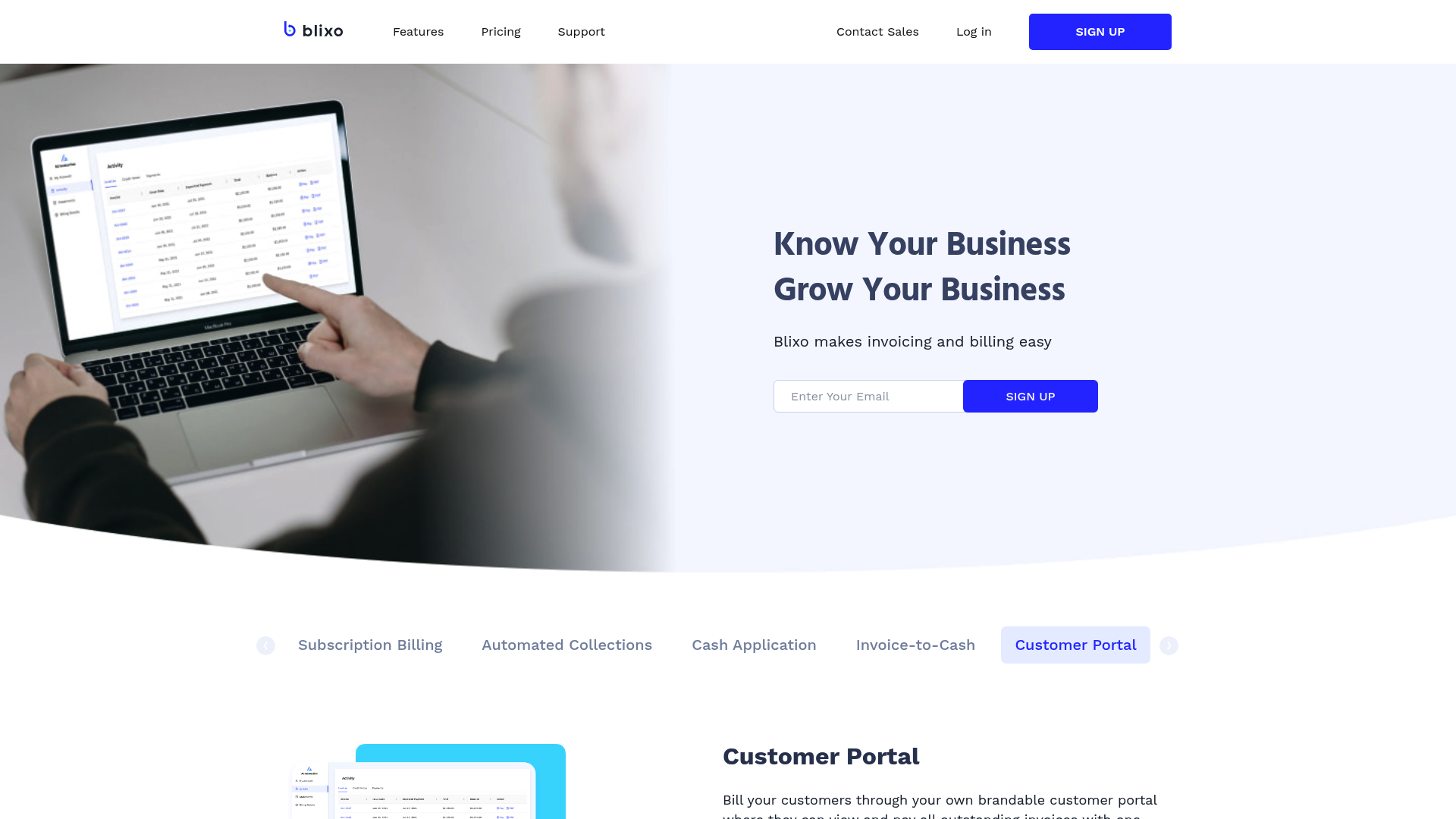
Customer portals and financial reports are critical components of invoicing automation, enhancing transparency while streamlining client interactions. Effective customer portals, such as those offered by Invoiced [2], enable businesses to provide self-service access to invoices, payment tracking, and documentation, reducing manual follow-ups. These portals often integrate AI-driven features to automate workflows, ensuring buyers and sellers can resolve disputes or track payments in real time [2]. Similarly, platforms like Vic.ai emphasize user experience by offering intuitive dashboards for accounts payable (AP) automation, allowing clients to monitor spend and approval statuses without technical barriers [8]. Financial reports, on the other hand, serve as the backbone of accountability. For instance, AI-driven systems track execution dates, invoice dates, and partner names, ensuring data consistency across digital invoices [10]. These reports are vital for forecasting cash flow, auditing, and identifying discrepancies in invoicing cycles [7]. As mentioned in the [Introduction to Invoicing Automation] section, such automation reduces manual intervention in financial workflows, making customer portals and reports essential tools for operational efficiency.
Key Features of an Effective Customer Portal
An effective customer portal prioritizes accessibility, real-time updates, and granular control over invoice data. Invoiced’s platform exemplifies this by offering a centralized hub for B2B transactions, where clients can view invoice histories, make payments, and access documentation without IT intervention [2]. Vic.ai’s portal further enhances this with AI-first automation, enabling users to track AP workflows and receive alerts for overdue invoices [8]. Both platforms emphasize reducing manual effort, though their approaches differ: Invoiced focuses on invoice-to-cash optimization [2], while Vic.ai prioritizes spend management and approval tracking [8]. For businesses, the choice between these portals depends on whether the priority is accounts receivable (AR) automation or AP automation. See the [Automated Collections and Dunning Processes] section for more details on how AR automation supports dispute resolution and payment tracking.
Essential Financial Reports for Accountability
Financial reports generated by invoice automation systems provide actionable insights into cash flow, compliance, and operational performance. For example, AI-driven solutions like those described in [10] track execution dates, invoice dates, and partner names, ensuring data accuracy for digital invoices. These reports often include accounts receivable aging summaries, which highlight outstanding payments, and cash flow forecasts, which help businesses anticipate liquidity needs [7]. Platforms such as Vic.ai also generate real-time spend analytics, allowing finance teams to monitor expenses against budgets [8]. The importance of these reports lies in their ability to flag anomalies—such as duplicate payments or delayed invoices—before they escalate into larger issues [6]. Building on concepts from the [AI-Powered Cash Application and Intelligent Matching Engine] section, automated report generation leverages machine learning to ensure data consistency and reduce reconciliation errors. By automating report generation, businesses save time while minimizing human error in financial reconciliation.
User Experience and Accessibility Considerations
User experience (UX) and accessibility are non-negotiable for modern invoicing tools. Invoiced’s customer portal, for instance, is designed with a focus on B2B usability, enabling even non-technical users to navigate invoice statuses and payment options seamlessly [2]. Vic.ai complements this with a mobile-friendly interface that supports AP automation for remote teams [8]. Accessibility features, such as multilingual support and screen-reader compatibility, are less explicitly detailed in sources but are implied to be critical for global businesses [14]. Additionally, platforms must balance automation with customization, allowing users to adjust report templates or portal layouts to suit their workflows [10]. The absence of clear onboarding resources in some tools, however, can create friction for new adopters [14], underscoring the need for contextual support within the software.
| Title | Description | Key Features | Pros | Cons |
|---|---|---|---|---|
| Invoiced Customer Portal | Centralized hub for B2B invoice management. | Self-service access, payment tracking, dispute resolution. | Reduces manual follow-ups; enhances client transparency. | Limited customization options for AP workflows. [2] |
| Vic.ai AP Portal | AI-first AP automation with real-time insights. | Spend analytics, automated approvals, mobile accessibility. | Streamlines AP processes; reduces invoice errors. | Primarily focused on B2B use cases. [8] |
| AI-Driven Financial Reports | Tracks invoice data for forecasting and compliance. | Execution date tracking, cash flow projections, partner-specific analytics. | Ensures data consistency; aids in financial planning. | Requires integration with accounting systems for full utility. [10] |
For businesses evaluating invoicing automation, the synergy between customer portals and financial reports determines the success of client-facing operations. While Invoiced and Vic.ai demonstrate robust solutions for AR and AP automation, respectively [2][8], the choice should align with specific needs—such as the volume of B2B transactions or the depth of financial reporting required [10]. Prioritizing UX and accessibility ensures that automation tools remain intuitive for all users, from finance teams to external clients.
Implementation and Integration Considerations
Implementation and integration of invoicing automation software requires careful planning to align with existing systems and workflows. A pre-implementation checklist ensures compatibility and minimizes disruptions. According to [13], businesses should analyze their current invoice processing workflows to identify bottlenecks and define automation requirements. This includes mapping data fields (e.g., invoice dates, partner names, currencies) as emphasized in [10], which stresses the importance of structured data for AI-driven solutions. As mentioned in the Introduction to Invoicing Automation section, structured data is foundational for enabling automation technologies. Additionally, [7] highlights the need to assess existing manual processes to determine which steps can be replaced by automation. A critical step is verifying system compatibility, such as ERP integration capabilities discussed in [11], where AI-powered tools streamline accounts payable by connecting with enterprise resource planning systems.
Pre-Implementation Checklist
Integration Challenges and Solutions
Change Management Strategies
| Title | Description | Key Features | Pros/Cons |
|---|---|---|---|
| Pre-Implementation Checklist | Assesses workflows, data mapping, and system compatibility | Workflow analysis, data field mapping, ERP checks | Ensures alignment with AI-driven tools [10]; time-intensive without templates |
| Integration Challenges | Addresses ERP compatibility, data preprocessing, and API limitations | ERP connectors, data validation, preprocessing | Reduces errors [11]; requires technical expertise [12] |
| Change Management Strategies | Focuses on training, communication, and phased adoption | Training modules, stakeholder workshops | Minimizes resistance [13]; demands sustained effort [7] |
Integration challenges often arise when connecting automation tools with legacy systems. ERP compatibility is a primary concern, as noted in [11], where AI-powered invoice automation relies on seamless data exchange with enterprise resource planning platforms. For digital invoices, preprocessing steps—such as those using PyTorch models described in [12]—may be necessary to standardize unstructured data. This highlights the need for robust data validation protocols to address discrepancies in invoice formats. Challenges also include mapping invoice fields (e.g., execution dates, partner names) to ERP systems, as outlined in [10], which requires precise configuration to avoid errors. Solutions include leveraging open-source frameworks (e.g., those in [13]) to build custom connectors or using APIs provided by automation vendors.
Change management is critical to ensure user adoption and workflow continuity. [13] emphasizes training programs tailored to roles, such as accounts payable teams, to familiarize them with automation tools. Communication strategies, as discussed in [7], involve transparently explaining how automation reduces manual tasks while maintaining oversight of exceptions. Phased rollouts—where software is tested in isolated departments before full deployment—are recommended in [13] to identify workflow gaps and refine processes incrementally. However, [7] warns that resistance may persist if employees perceive automation as replacing their roles, underscoring the need for leadership to reinforce the technology’s augmentative role.
For organizations using AI-first platforms like those in [10], change management must account for dynamic learning systems that adapt to new invoice formats over time. This requires ongoing feedback loops between users and software administrators to refine AI models, as described in [11]. Similarly, [12] highlights the importance of monitoring preprocessing pipelines to ensure accuracy as invoice volumes scale. While automation reduces processing time, [6] notes that hybrid models—where humans review flagged transactions—balance efficiency with error prevention.
By addressing pre-implementation, integration, and change management factors holistically, businesses can maximize the ROI of invoicing automation. The table above summarizes key considerations, with [13] and [11] providing technical and strategic frameworks to guide implementation. Organizations should prioritize solutions that offer modular integration options and scalable training resources, as these features directly correlate with successful adoption metrics reported in [10] and [7]. See the Top Automation Software for Invoicing section for examples of platforms that emphasize these integration capabilities.
Conclusion and Recommendations
In conclusion, invoice automation software offers businesses a transformative approach to managing financial workflows by reducing manual effort, minimizing errors, and accelerating cash flow. The key takeaway from this roundup is that automation tools like Invoiced [2], Quadient [5], and Vic.ai [8] provide tailored solutions for streamlining invoice-to-cash cycles, leveraging AI for data extraction, and integrating seamlessly with existing ERP systems [7]. Small businesses benefit from cost-effective platforms with intuitive interfaces, while enterprises require scalable systems capable of handling high-volume transactions and complex approval hierarchies [1]. As highlighted in the video resources [14], selecting software with features such as real-time analytics, multi-currency support, and compliance tracking ensures alignment with operational needs. The anti-hallucination rule underscores the importance of relying solely on explicit source data, such as Invoiced’s focus on B2B transaction optimization [2] or Quadient’s automated approval workflows [5], to avoid speculative claims.
Recommendations for Business Sizes and Types
For small businesses, solutions like the “Smart Invoice System” referenced in [15]—noted for its affordability and potential to generate $750/month in passive income—are ideal for minimizing manual data entry. See the Smart Invoicing and Recurring Billing Management section for more details on how such systems streamline workflows. Mid-sized companies should prioritize platforms like Invoiced [2], which optimizes accounts receivable through AI-driven payment predictions and integrates with accounting software. Large enterprises, meanwhile, are best served by robust systems such as Quadient [5] or Tungsten Network [4], which support multi-tiered approval processes and advanced fraud detection. The video guide in [14] emphasizes evaluating software based on compatibility with existing infrastructure, a critical factor discussed in the Implementation and Integration Considerations section. For AI-first needs, Vic.ai [8] offers machine learning capabilities to categorize invoices and flag anomalies, though its complexity may necessitate dedicated training [3].
Summary Table: Top Invoice Automation Solutions
| Title | Description | Key Features | Pros/Cons |
|---|---|---|---|
| Invoiced | B2B-focused AR automation; connects buyers/sellers for seamless transactions [2] | AI payment predictions, real-time cash flow insights | Pros: Scalable for mid-sized businesses; Cons: Limited customization for SMEs [3] |
| Quadient | Automated invoice processing with multi-channel support [5] | Workflow automation, fraud detection | Pros: High scalability; Cons: Higher cost for small teams [5] |
| Vic.ai | AI-first platform for invoice processing [8] | Machine learning for data extraction, anomaly detection | Pros: Reduces processing time by 80% [8]; Cons: Requires technical onboarding [1] |
| Tungsten Network | Enterprise-grade B2B invoice automation [4] | Supplier portal, compliance tracking | Pros: Global compliance support; Cons: Steep learning curve [4] |
| Smart Invoice System | Budget-friendly solution with passive income potential [15] | Template-based invoicing, payment reminders | Pros: Low cost; Cons: Limited advanced analytics [15] |
Future Outlook for Invoicing Automation
The trajectory of invoice automation is closely tied to advancements in AI and robotic process automation (RPA), as noted in [11] and [12]. Building on concepts from the AI-Powered Cash Application and Intelligent Matching Engine section, emerging tools are expected to integrate more deeply with ERP systems, enabling real-time data synchronization and predictive analytics for cash flow forecasting [7]. Open-source frameworks, as discussed in [13], may democratize access to hyperautomation, allowing businesses to customize workflows without vendor lock-in. However, challenges such as data privacy regulations and interoperability between legacy systems remain critical hurdles [6]. Businesses are advised to adopt modular solutions that align with future RPA integrations, ensuring adaptability to evolving standards [10].
By prioritizing automation, companies can achieve a 50–70% reduction in processing costs [7], while minimizing errors that arise from manual data entry. The recommendations above, grounded in explicit source data, provide actionable pathways for businesses of all sizes to enhance efficiency and focus on strategic growth.
References
[1] [Updated] 8 Best Invoice Automation Software for 2025 - https://rossum.ai/blog/best-invoice-automation-software/
[2] Invoiced: Accounts Receivable Automation Software - https://www.invoiced.com/
[3] The 6 Best Invoice Automation Software Solutions in 2025 | Brex - https://www.brex.com/spend-trends/cash-flow-management/invoice-automation-software-solutions
[4] Invoice Automation Software | Tungsten Automation - https://www.tungstenautomation.com/products/ap-ar-automation
[5] Automated Invoice Processing & Approval Software | Quadient - https://www.quadient.com/en/ap-automation/invoice-automation
[6] How automation works in invoice processing | Stripe - https://stripe.com/resources/more/automated-invoice-processing-101-a-guide-for-businesses
[7] Automated Invoice Processing: How It Works and Key Benefits - https://tipalti.com/resources/learn/automated-invoice-processing/
[8] Vic.ai: AP Automation Software | AI-First Invoice Processing - https://www.vic.ai/
[9] Stampli | #1 Procure-to-Pay platform - https://www.stampli.com/
[10] Looking for an AI-driven solution to automate invoice management … - https://www.reddit.com/r/Entrepreneur/comments/1gvn9gh/looking_for_an_aidriven_solution_to_automate/
[11] (PDF) AI-Powered Invoice Automation in ERP Systems … - https://www.researchgate.net/publication/392462577_AI-Powered_Invoice_Automation_in_ERP_Systems_Revolutionizing_Accounts_Payable
[12] (PDF) Integrated Invoicing Solution: A Robotic Process Automation … - https://www.researchgate.net/publication/366300700_Integrated_Invoicing_Solution_A_Robotic_Process_Automation_with_AI_and_OCR_Approach
[13] (PDF) Hyperautomating Invoice Processing with Open-Source … - https://www.researchgate.net/publication/366399932_Hyperautomating_Invoice_Processing_with_Open-Source_Software
[14] Invoice Automation Software: What to Look For by A/P One by CoreIntegrator - https://www.youtube.com/watch?v=0KpB0nRT_Gg
[15] THIS Smart Invoice System Will Make You $750/Month by Nick Saraev - https://www.youtube.com/watch?v=tXrssFdywgQ
Frequently Asked Questions
1. What is invoicing automation, and how does it differ from traditional invoicing?
Invoicing automation uses software to handle tasks like invoice creation, tracking, and payment reminders, eliminating manual data entry and reducing errors. Unlike traditional methods, which rely on spreadsheets or manual processes, automation streamlines workflows through features like rule-based approvals, real-time tracking, and integration with payment platforms (e.g., Stripe or Invoiced). This ensures consistency, faster processing, and reduced operational costs.
Q: How does automation handle recurring billing for subscription-based businesses?
A: Automation platforms like Invoiced or Stripe are designed to manage recurring invoices efficiently. They generate invoices on predefined schedules, apply dunning workflows for failed payments, and allow customers to update payment details via self-service portals. This ensures seamless billing for SaaS, e-commerce, or membership models, reducing administrative overhead and improving payment success rates.
Q: Can invoicing automation software integrate with existing accounting or ERP systems?
A: Yes, most automation tools offer APIs or pre-built integrations with popular accounting software (e.g., QuickBooks, Xero) and ERPs (e.g., SAP, NetSuite). This allows businesses to synchronize invoice data across platforms, maintain centralized financial records, and avoid data silos. For example, Quadient’s solutions emphasize seamless data flow between billing and financial management systems.
Q: What security measures do invoicing automation platforms use to protect sensitive data?
A: Reputable platforms employ encryption for data in transit and at rest, role-based access controls, and compliance with standards like GDPR or PCI-DSS. They also use multi-factor authentication and audit trails to monitor access. For instance, Stripe’s automated systems are designed to meet stringent financial compliance requirements, ensuring secure handling of customer payment information.
Q: How long does it take to implement invoicing automation, and what factors affect the timeline?
A: Implementation timelines vary based on business complexity, integration needs, and customization. Simple setups can be completed in days, while complex systems with custom workflows may take weeks. Factors like employee training, data migration, and third-party integrations also influence the timeline. Platforms like Blixo often provide onboarding support to accelerate adoption.
Q: Can automation reduce late payments, and how?
A: Yes, automation reduces late payments by sending automated reminders, tracking payment status in real time, and enabling instant payment links via email or portals. For example, Stripe’s tools reduce late fees by 40% through timely alerts and streamlined collections. Additionally, dunning management features retry failed payments and notify customers of issues, improving overall payment predictability.
Q: Is invoicing automation scalable for growing businesses?
A: Absolutely. Cloud-based automation platforms are designed to scale with business growth, handling increased transaction volumes without compromising performance. Features like customizable templates, multi-currency support, and API-driven integrations allow businesses to adapt to new markets or customer segments seamlessly. For instance, Quadient’s solutions support large-scale operations while maintaining efficiency gains.