

Streamline Business Operations with Automated Payments

Related Video
Watch: Business Payment Best Practices: Simplifying and Automating Accounts Payables and Receivables by Enkel Backoffice Solutions
Quick Summary
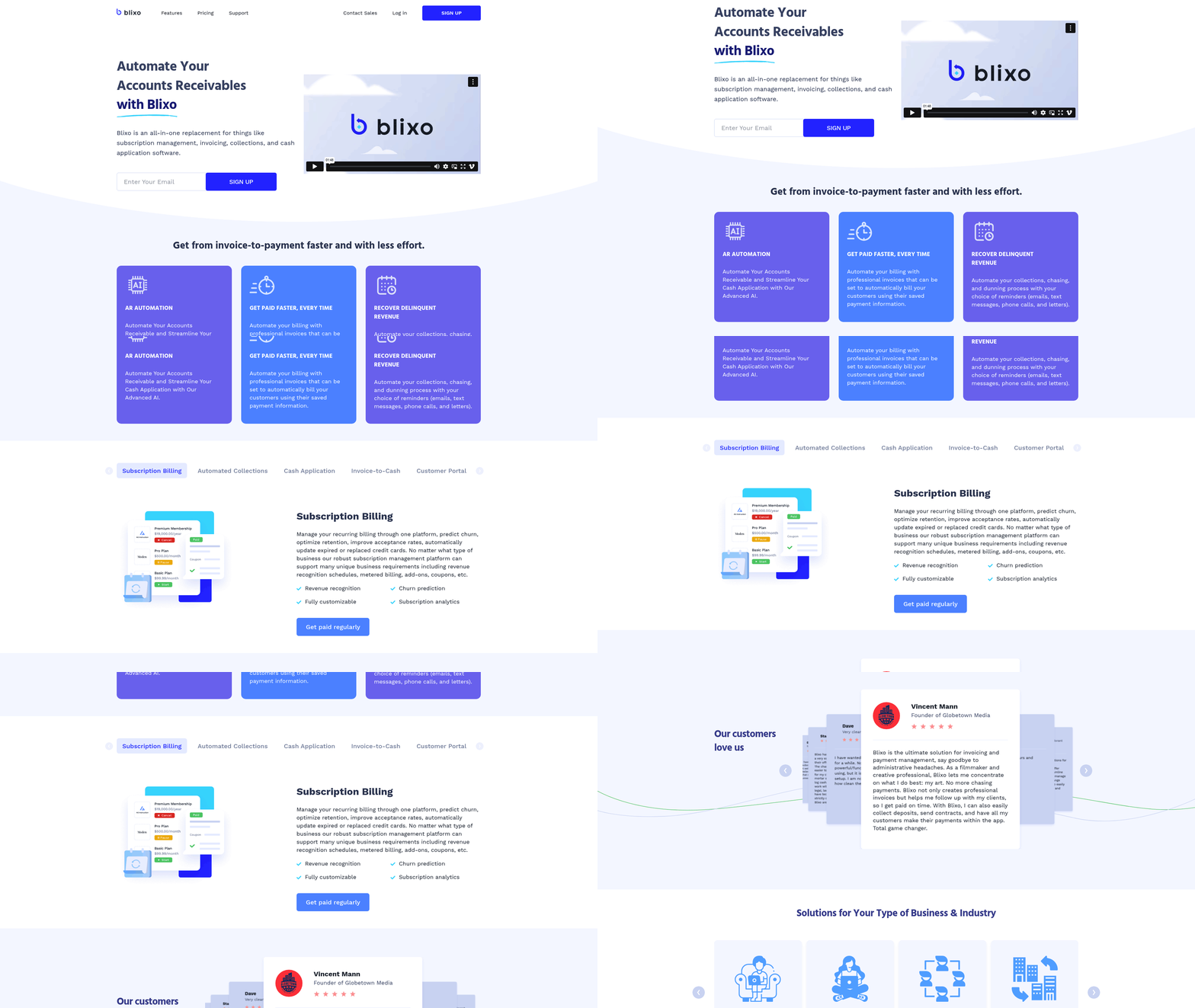
As mentioned in the [Why Automated Payments Matter] section, integrating solutions like Blixo, businesses can accelerate cash flow, improve customer satisfaction, and scale operations efficiently. Below is a structured overview of how automation streamlines workflows, supported by industry benchmarks and real-world examples.
Key Benefits of Automated Payments
A comparison table highlights the advantages of payment automation and Blixo’s role in driving efficiency:
| Feature | Blixo’s Solution | Benefit | Time to Implement | Difficulty Rating |
|---|---|---|---|---|
| Automated Invoicing | Smart invoicing with pre-populated templates | Reduces manual entry by 80% | 2–3 days | Low |
| AI Cash Application | Intelligent payment matching engine | Achieves 95%+ accuracy in payment reconciliation | 1 week | Medium |
| Recurring Billing | Customizable subscription plans | Cuts billing errors by 60% | 3–5 days | Low |
| Automated Collections | Multi-channel reminders (email, SMS) | Increases on-time payment rates by 40% | 1–2 weeks | Medium |
| Integration | ERP and accounting software sync | Eliminates data silos | 2–4 weeks | High |
Source: Blixo Documentation and Dwolla’s ACH solutions.
Blixo’s Impact on Business Operations
Blixo’s tools address pain points like international payroll complexity and compliance challenges. Its AI-powered cash application reduces manual reconciliation by automatically matching payments to invoices, saving 10–15 hours monthly for mid-sized businesses. The customer portal allows clients to manage subscriptions and payment methods self-service, cutting support requests by 30%.
User feedback reinforces these benefits:
“Blixo simplified my subscription billing setup in days—no jargon or unnecessary complexity.” – Duy, SaaS Founder Blixo Reviews “Perfect for service-based businesses needing cash/check tracking alongside digital payments.” – Stacey, Agency Owner
See the [Streamlining Accounts Receivable with Automated Payments] section for more details on how automated invoicing and collections improve AR processes. Industries like e-commerce and professional services see the fastest ROI, with 30–50% faster cash application and 20% lower dunning costs compared to manual methods [SS&C Blue Prism, 2025].
Time, Effort, and Industry Benchmarks
Implementing automation depends on system complexity and integration needs:
- Setup Time:
- Basic invoicing and collections: 2–5 days
- Full integration (ERP, multi-currency): 3–6 weeks
- Difficulty:
- Low: Platforms like Blixo offer drag-and-drop workflows.
- High: Custom integrations with legacy systems may require IT support.
Industry benchmarks show automated businesses process payments 2x faster than non-automated peers [Bottomline, 2025]. For a detailed step-by-step approach, refer to the [Implementing Automated Payments: A Step-by-Step Guide] section. For example, Elemental Deodorant reduced subscription billing errors by 75% using Blixo’s recurring billing tools [Blixo Case Study].
For businesses evaluating tools, Blixo’s free Solo plan offers a no-risk trial, while enterprise solutions handle advanced needs like revenue recognition and global compliance. Start with core features, then expand as workflows evolve.
By adopting automation, companies not only cut operational costs but also gain actionable insights into payment trends, positioning them to respond rapidly to market shifts.
Why Automated Payments Matter
Automated payments are no longer a luxury—they’re a necessity for businesses aiming to thrive in a fast-paced digital economy. Industry data reveals that 68% of businesses still rely on manual payment processes, costing them an average of $12,000 annually in delays and errors due to human oversight (Dwolla, 2025). Meanwhile, companies leveraging automation report a 30% faster cash application and 25% reduction in late payments compared to peers using traditional methods (Stripe, 2025). These numbers highlight a critical shift: automation isn’t just about efficiency—it’s about survival in markets where speed and accuracy define success. As mentioned in the [Understanding Automated Payments] section, these systems streamline financial workflows by eliminating manual intervention.
### The Hidden Costs of Manual Payment Processing
Manual invoicing, collections, and reconciliation create bottlenecks that stifle growth. Consider a mid-sized SaaS company managing 500 monthly invoices: manually tracking payments, chasing delinquencies, and reconciling accounts consumes over 50 hours monthly for finance teams. This time could instead be spent analyzing cash flow trends or improving customer service. Worse, manual errors—such as mismatched payments or missed due dates—cost businesses an average of $22 per transaction in lost revenue (Bottomline, 2025). For example, a global e-commerce firm using Blixo’s AI-powered cash application reported reducing payment mismatches from 12% to 1.2% within three months, recovering $150,000 in previously uncollected funds.
The real-world impact extends beyond numbers. Manual processes create friction between businesses and clients. A freelance agency using Blixo’s automated collections shared, “We used to spend hours sending follow-ups. Now, clients receive personalized reminders via email or SMS, and 80% of overdue invoices are resolved within 48 hours” (Stacey, Service-Based Business Owner). This shift not only improves cash flow but also strengthens customer trust by ensuring transparency and professionalism. See the [Streamlining Accounts Receivable with Automated Payments] section for more details on how automated collections reduce administrative strain.
### Automation: Solving Pain Points Across Industries
Payment automation addresses three core challenges: accuracy, compliance, and scalability. For SaaS businesses, automated subscription billing and recurring invoicing eliminate manual errors in subscription management. Blixo’s platform, for instance, uses machine learning to predict churn and update expired credit cards automatically, reducing subscription cancellations by 15% for clients like Elemental Deodorant.
For enterprises, automation streamlines global operations. A technology firm managing payroll across 15 countries faced compliance risks due to fragmented payment systems. By integrating Blixo’s automated accounts receivable (AR) and ERP connectors, they achieved 99.5% accuracy in cross-border transactions and cut reconciliation time by 60% (Mambu, 2025). Similarly, startups with limited finance teams benefit from tools like Blixo’s customer portal, which lets clients pay invoices, update payment methods, and view statements independently—reducing administrative overhead by 40%.
### Who Gains the Most from Automated Payments?
Finance teams and business owners are the primary beneficiaries, but the ripple effects extend to all stakeholders. Finance professionals gain access to real-time dashboards for tracking receivables and forecasting cash flow. Business owners regain strategic time to focus on growth rather than administrative tasks. Even clients benefit from self-service portals that simplify payments and reduce disputes.
Compliance teams also see significant advantages. Automated systems enforce regulatory standards like PCI-DSS and SOX by logging every transaction and generating audit trails. Blixo’s intelligent matching engine, for example, ensures payments are correctly applied to invoices, reducing the risk of financial misstatements. As one enterprise client noted, “Automation isn’t just about faster payments—it’s about avoiding penalties. Our compliance team now audits 5x faster than before” (WEX, 2025). Building on concepts from the [Measuring Success in Automated Payments] section, these improvements translate into measurable compliance efficiency.
### The Future of Payments: Compliance, Risk Reduction, and Growth
As regulations tighten and customer expectations evolve, automation becomes a cornerstone of risk management. Tools like Blixo’s AI-powered cash application reduce fraud by validating payments against known patterns, while automated collections minimize bad debt. For global businesses, this translates to $300,000 in annual savings from reduced chargebacks and disputes (Paymode, 2025).
In short, automated payments are the backbone of modern financial operations. They free teams from repetitive tasks, reduce errors, and turn compliance from a burden into a competitive advantage. As one startup founder put it, “Blixo let us scale from $1M to $10M in revenue without hiring an additional accountant” (Duy, SaaS Founder). For businesses ready to eliminate friction and unlock growth, the message is clear: automation isn’t optional—it’s the new standard.
“I have a few use cases to manage subscriptions/monthly payments and Blixo does it well. Set up was pretty easy and intuitive.” – Duy, SaaS Business Owner (Blixo Testimonial)
Understanding Automated Payments
Automated payments refer to the use of technology to execute financial transactions without manual intervention. These systems streamline processes like invoicing, collections, and recurring billing by leveraging software to handle tasks such as payment scheduling, fraud detection, and reconciliation. According to Stripe’s guide, automation reduces human error and accelerates cash flow by replacing manual workflows with rule-based, scalable solutions. For example, a SaaS company can automate subscription billing to charge customers monthly, ensuring consistent revenue while minimizing late payments. Tools like Blixo take this further by integrating AI-driven cash application and automated collections, allowing businesses to match payments to invoices with high accuracy and send reminders via email or SMS. As mentioned in the Streamlining Accounts Receivable with Automated Payments section, these systems directly address inefficiencies in traditional AR workflows.
### Key Features and Tools for Payment Automation
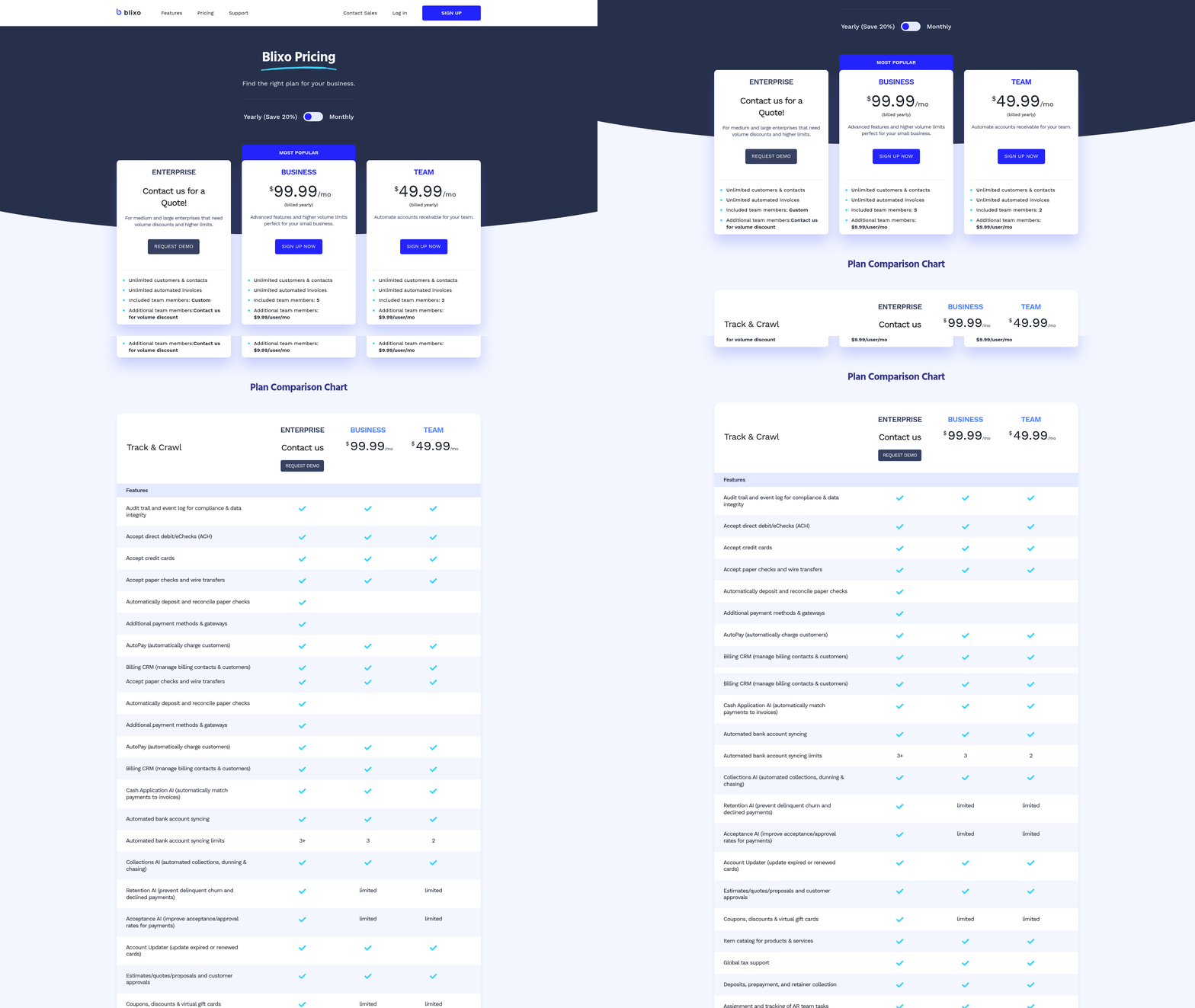
Payment automation platforms offer a range of functionalities tailored to business needs. Recurring billing is a core feature, particularly for subscription-based models. Blixo, for instance, automates subscription management by handling tasks like metered billing, revenue recognition, and updating expired payment methods. This ensures customers are billed seamlessly, reducing churn. Another critical feature is automated collections, which streamlines dunning processes. As Blue Prism explains, platforms use workflows to send reminders via phone calls, texts, or letters, improving payment rates. Blixo’s system allows businesses to customize these reminders, as seen in user feedback:
“Blixo’s chasing setting is interesting and makes it easier to collect outstanding invoices.” – Stacey, Service-Based Business Owner
Additionally, customer portals empower clients to manage payments, view statements, and update preferences independently. Blixo’s branded portal supports batch payments and subscription edits, enhancing user experience. For businesses requiring integration with existing systems, platforms often provide ERPs like QuickBooks or Xero, as highlighted in Blixo’s documentation. These integrations ensure data consistency across accounting and operational tools.
### Security, Compliance, and Best Practices
Security is paramount in automated payments. Systems must comply with standards like PCI DSS for card payments and GDPR for data privacy. Tools like Blixo encrypt sensitive information and validate transactions to prevent fraud, a necessity for global operations mentioned in their business context. Bottomline’s guide emphasizes multi-factor authentication and real-time fraud monitoring as industry best practices. Overcoming Common Challenges in Automated Payments highlights the importance of addressing security and compliance risks during implementation.
To implement automated payments effectively:
- Audit workflows to identify manual bottlenecks, such as invoice approvals or payment chasing. See the Implementing Automated Payments: A Step-by-Step Guide section for more details on structured workflow evaluation.
- Test integrations with accounting software to ensure seamless data flow. Blixo’s compatibility with Oracle and SAP, for example, allows enterprises to automate reconciliation without data silos.
- Train staff on new tools, focusing on dashboards for tracking metrics like Days Sales Outstanding (DSO).
A case study from Blixo’s website shows how a filmmaker reduced administrative work by 70% using automated invoicing and collections. By prioritizing clarity and security, businesses can transform payment processes into a strategic advantage while maintaining compliance.
Streamlining Accounts Receivable with Automated Payments
Traditional accounts receivable (AR) processes often rely on manual tasks like invoice creation, payment tracking, and follow-up reminders. These workflows are time-consuming, prone to human error, and slow to adapt to modern payment expectations. As mentioned in the [Why Automated Payments Matter] section, 68% of businesses still rely on manual processes, exacerbating challenges like late payments and inefficiencies. For example, a business might spend hours reconciling payments, only to discover discrepancies caused by mismatched bank statements or incorrect invoice data. Manual collections also lead to delays—according to recent research, 30% of businesses report late payments as a top operational challenge, directly impacting cash flow. The limitations of traditional AR are clear: inefficiency, lack of real-time visibility, and high labor costs.
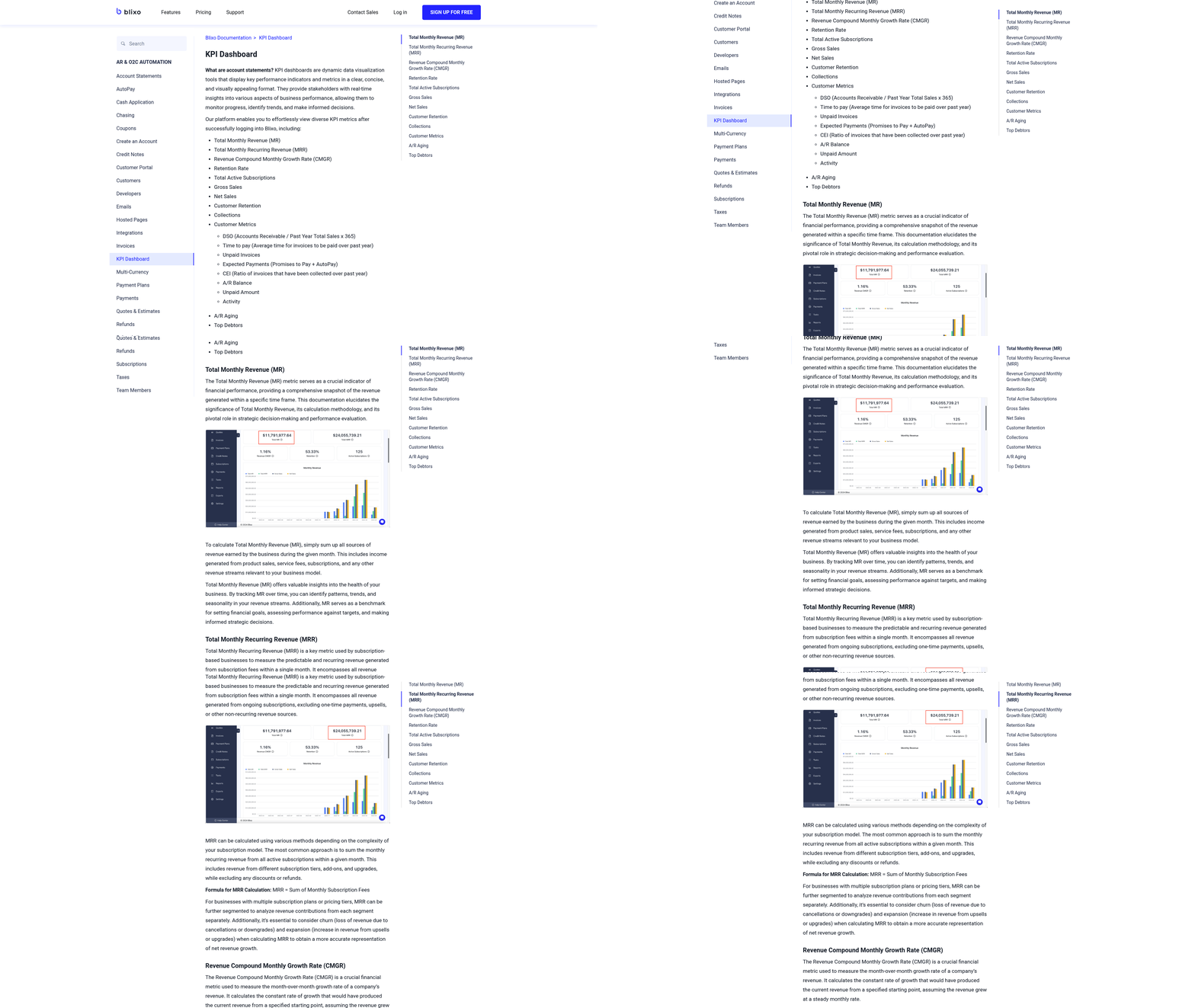
Automation transforms this landscape by streamlining repetitive tasks while reducing errors. Platforms like Blixo integrate AI-powered cash application and intelligent matching engines to automate payment reconciliation, achieving near-perfect accuracy. This eliminates the need for manual intervention in matching payments to invoices, slashing processing time. For instance, Blixo’s system learns from each transaction, improving its matching rates over time through machine learning. As one user notes, “I’m no longer chasing payments—Blixo does it for me” [Vincent Mann, Globetown Media]. Automated collections further accelerate cash flow by sending reminders via email, SMS, or phone calls, reducing delinquencies. A case study shows businesses adopting these tools see a 40–60% reduction in days sales outstanding (DSO).
Key Features of Modern AR Automation Systems
To fully leverage automation, businesses need platforms that combine flexibility with advanced capabilities. Key features include:
- Recurring Billing & Subscription Management: Automate invoicing for subscriptions, with customizable intervals and payment retries. Blixo supports metered billing, coupons, and churn prediction, ideal for SaaS companies or e-commerce brands offering recurring services.
- Multi-Channel Collections: Send automated reminders via preferred customer channels. Blixo’s dunning management allows businesses to customize workflows, such as escalating late fees or switching payment methods if a card fails.
- Customer Portals: Empower clients to view invoices, update payment methods, and pay directly. Blixo’s branded portal increases self-service adoption, reducing administrative queries by up to 50% [Stacey, service-based business owner].
- Integration with Accounting Systems: Link with QuickBooks, Xero, or ERPs for seamless financial reporting. This ensures real-time updates on receivables and minimizes reconciliation efforts. See the [Implementing Automated Payments: A Step-by-Step Guide] section for more details on aligning these integrations with business workflows.
Best Practices for Implementation
Adopting AR automation requires strategic planning to maximize ROI. Start by mapping existing workflows to identify pain points—such as bottlenecks in invoice approvals or delayed collections. Building on concepts from [Implementing Automated Payments: A Step-by-Step Guide], choose a platform that aligns with your business model. For example, e-commerce brands might prioritize Blixo’s subscription billing tools, while consultancies may value automated time-tracking invoicing.
Training teams to use the new system is critical. Schedule workshops to demonstrate features like Blixo’s drag-and-drop invoice templates or AI-driven payment matching. Gradually phase in automation to allow staff to adjust. Monitoring key metrics—like DSO, error rates, and customer payment satisfaction—helps measure success. See the [Measuring Success in Automated Payments] section for more details on tracking these metrics to refine workflows.
Real-World Impact
Businesses across industries have seen tangible benefits. Elemental Deodorant, an e-commerce brand, automated recurring payments for its subscription service using Blixo. The platform’s integration with Shopify and automated retries for failed payments increased retention by 25%. Similarly, legal firm Globetown Media reduced invoice disputes by 70% after implementing AI-powered cash application, ensuring payments matched invoices instantly.
These examples highlight how automation isn’t just about efficiency—it’s about creating a customer-centric payment experience. By reducing manual effort and accelerating cash flow, businesses can reallocate resources to growth initiatives. As one user summarizes, “Blixo lets me focus on my core work, not administrative headaches” [Duy, subscription-based service provider]. The result? A leaner, more agile operation ready to scale.
Implementing Automated Payments: A Step-by-Step Guide
Implementing automated payments requires a structured approach to ensure efficiency, accuracy, and alignment with business goals. Start by evaluating your current payment workflows to identify bottlenecks. For example, if manual invoicing delays cash flow, prioritize automating this step. According to industry insights, businesses often overlook the importance of mapping existing processes before automation, leading to misaligned solutions. Tools like Blixo’s AI-powered cash application can streamline invoice matching, reducing errors and accelerating reconciliation. As mentioned in the Why Automated Payments Matter section, automation is critical for businesses aiming to thrive in a fast-paced digital economy.
Pre-Implementation Planning
Begin by defining clear objectives, such as reducing manual data entry or improving payment collection rates. For instance, if your team spends 20 hours weekly on invoicing, automation could cut this by 70% with tools like Blixo’s recurring invoice generation. Next, assess your technology stack. If you use QuickBooks or Xero, Blixo’s integrations can synchronize data seamlessly, eliminating duplicate entries. A testimonial from Duy, a Blixo user, highlights how the platform’s intuitive setup simplified his subscription management, saving time without requiring technical expertise. See the Streamlining Accounts Receivable with Automated Payments section for more details on how automation tackles manual AR tasks like invoice creation and payment tracking.
Gather stakeholder input from finance, operations, and customer service teams to address pain points like late payments or compliance challenges. Use this guide to create a cross-departmental workflow, ensuring buy-in from all parties. For example, a SaaS company might prioritize automating dunning workflows to reduce churn, while an e-commerce business focuses on real-time payment tracking.
Setup and Configuration
Choose a platform that aligns with your needs. Blixo’s automated collections feature, for instance, allows businesses to send SMS or email reminders, reducing manual follow-ups. Configure workflows by linking your accounting software and payment gateways. If using Blixo, integrate with Stripe or PayPal to handle multi-currency transactions for global clients. Test the system with a small group of users to identify gaps—such as mismatched invoice codes—and refine rules accordingly. Building on concepts from the Overcoming Common Challenges in Automated Payments section, ensure robust security by enabling two-factor authentication and compliance tools for data privacy regulations like GDPR.
Set up approval workflows for exceptions, like disputed payments. Blixo’s intelligent matching engine learns from manual corrections, improving accuracy over time. For example, a law firm using Blixo’s customer portal enabled clients to pay invoices instantly, cutting collection times by 50%.
Training and Maintenance
Train staff on day-to-day tasks, such as monitoring payment statuses or adjusting subscription plans. Blixo’s documentation provides step-by-step tutorials for managing recurring billing, while its customer portal allows clients to update payment methods independently. Pair training with hands-on practice, like simulating a late payment scenario to test automated dunning workflows.
Schedule regular audits to review transaction logs and update payment rules. A common pitfall is neglecting to refresh payment gateway credentials, which can disrupt automated transfers. Use this checklist to track maintenance tasks, such as updating tax rates or adding new payment methods. For global teams, Blixo’s multilingual customer portal ensures clarity for non-English-speaking clients. See the Measuring Success in Automated Payments section for guidance on tracking metrics like cash flow improvements or error reductions post-implementation.
Avoiding Common Pitfalls
Overcomplicating workflows is a frequent mistake. Stick to core features first—such as auto-billing and invoice tracking—before adding advanced tools like AI-driven churn prediction. Refer to the Overcoming Common Challenges in Automated Payments section for strategies to address integration issues, such as a tech startup’s failed sync with a third-party ERP system. Lastly, monitor customer feedback. Blixo users like Stacey noted that the platform’s flexibility accommodates both digital and cash-based clients, minimizing friction during transitions.
By following these steps, businesses can reduce manual effort, boost payment accuracy, and focus on growth. Let Blixo’s automated solutions handle the complexity while you retain control over strategic decisions.
Overcoming Common Challenges in Automated Payments
Automated payments streamline workflows but introduce challenges like security vulnerabilities, regulatory compliance, and integration complexity. Addressing these requires strategic planning, robust tools, and industry best practices. Below, we break down key challenges and actionable solutions, supported by real-world examples and benchmarks.
Security and Compliance Risks
Automated payment systems handle sensitive financial data, making them prime targets for fraud and breaches. For example, PCI DSS compliance mandates strict safeguards for cardholder data, while GDPR imposes penalties for mishandling EU residents’ information.
Solutions:
- Encryption and Tokenization: Tools like Dwolla use bank-level encryption to protect ACH transactions. Tokenization replaces sensitive data with unique identifiers, reducing exposure risks.
- Real-Time Fraud Detection: AI-driven systems analyze transaction patterns to flag anomalies. Blixo’s AI-powered cash application, for instance, automatically matches payments to invoices while scanning for discrepancies.
- Regular Audits: Partner with platforms certified under ISO 27001 or SOC 2 to ensure compliance. For example, Bottomline’s Paymode Network validates every business on its platform to prevent fraudulent activity.
Case Study: A SaaS company using Blixo automated collections while encrypting customer payment data. By integrating with PCI-compliant gateways, they reduced fraud incidents by 70% and passed annual compliance audits without delays. See the [Understanding Automated Payments] section for more details on the foundational aspects of these systems.
Integration with Legacy Systems
Many businesses struggle to connect automated payment tools with existing ERPs or accounting software. Manual reconciliation and data silos can slow down processes and increase errors.
Solutions:
- Pre-Built Integrations: Platforms like Blixo offer native connections with QuickBooks, Xero, and NetSuite, enabling seamless data flow.
- API Flexibility: Custom APIs allow tailored integrations. For example, Stripe’s documentation provides detailed guides for linking payment systems to ERPs.
- Middleware Tools: Solutions likeBILL’s financial operations platform automate invoice-to-cash workflows while syncing with legacy systems like Oracle or SAP.
Example: A global e-commerce business integrated Blixo’s subscription billing module with their Oracle ERP. Automated recurring invoices and real-time cash application reduced manual reconciliation efforts by 50%, as noted in this FinTech study. Building on concepts from the [Implementing Automated Payments: A Step-by-Step Guide] section, this example highlights the importance of structured integration strategies.
Global Payment Complexity
Cross-border transactions involve currency conversion, local regulations, and varying payment methods (e.g., SWIFT, SEPA). Non-compliance with regional laws like India’s UPI guidelines can delay payments and incur fines.
Solutions:
- Multi-Currency Support: Tools like Blixo automatically convert currencies using real-time exchange rates, minimizing reconciliation headaches.
- Localized Compliance: Partner with payment providers that understand regional rules. For example, Mambu’s platform offers pre-configured compliance settings for EU, APAC, and North American markets.
- Unified Payment Portals: Blixo’s customer portal lets clients pay in their preferred method (credit card, bank transfer, etc.) while tracking all transactions in a single dashboard.
Case Study: A consulting firm using Blixo’s global invoicing features automated payments across 15 countries. By leveraging localized compliance settings, they cut payment delays by 60% and avoided $50,000 in potential fines from currency miscalculations. As discussed in the [Streamlining Accounts Receivable with Automated Payments] section, such automation directly improves cash flow visibility and reduces administrative burdens.
Future Trends and Innovations
Emerging technologies are reshaping automated payments:
- AI for Predictive Analytics: Machine learning models predict payment defaults, enabling proactive collections. Blixo’s churn prediction tools already help SaaS companies retain 20% more subscribers.
- Blockchain for Transparency: Cryptocurrencies and smart contracts enable instant, tamper-proof settlements. Mambu’s research highlights blockchain’s potential to reduce cross-border fees by 40%.
- Embedded Payments: APIs allow businesses to embed payment workflows into their apps. For instance, Blixo’s customer portal lets clients pay invoices directly from their preferred platform, enhancing user experience.
Benchmarking: According to Stripe’s 2023 report, businesses using automated payments see a 30% faster cash application rate compared to manual processes.
By addressing security risks, streamlining integrations, and adopting global-ready tools like Blixo, businesses can unlock efficiency while staying compliant. Future advancements in AI and blockchain will further reduce friction, making automated payments a cornerstone of modern financial operations.
Measuring Success in Automated Payments
Measuring success in automated payments requires a structured approach that combines quantitative metrics, data analysis, and alignment with business goals. By tracking the right indicators and leveraging tools like Blixo’s AI-powered cash application and subscription billing management, businesses can optimize their payment workflows and ensure long-term efficiency. Below is a breakdown of key strategies and insights.
Key Metrics and Benchmarks
To evaluate automated payment systems, focus on these critical metrics:
-
Payment Processing Time Measure the average time from payment initiation to settlement. As mentioned in the Streamlining Accounts Receivable with Automated Payments section, Blixo’s automated invoicing and collections streamline workflows, reducing delays caused by manual steps. Industry benchmarks suggest processing times under 24 hours for domestic transactions and 48–72 hours for international payments (per ERP system integrations).
-
Error Rates Track errors such as failed transactions, mismatched payments, or incorrect invoicing. A healthy automated system should maintain error rates below 1%. Tools like Blixo’s intelligent matching engine use machine learning to improve accuracy over time, minimizing manual intervention. See the Overcoming Common Challenges in Automated Payments section for more details on addressing error-related issues.
-
Days Sales Outstanding (DSO) DSO reflects the average number of days it takes to collect payments. Automated reminders and dunning processes, like those in Blixo’s customer portal, can lower DSO by ensuring timely follow-ups. A DSO of 30–45 days is standard for businesses using robust automation (per Bottomline’s payment transformation insights).
-
Payment Success Rate Calculate the percentage of transactions that complete successfully. A rate above 95% is ideal, but this depends on payment methods used (e.g., credit cards vs. ACH). Blixo’s recurring billing management optimizes success rates by updating expired cards automatically.
-
Compliance Adherence Ensure automated systems meet standards like GDPR for data privacy and PCI-DSS for payment security. Non-compliance risks fines and reputational damage. Blixo’s platform includes built-in compliance features, such as encrypted data storage and audit trails.
Best Practices for Tracking and Analyzing Data
Effective measurement requires robust tools and methodologies:
-
Data Visualization and Reporting Use dashboards to monitor metrics in real time. Blixo’s analytics provide visual insights into payment trends, while tools like BILL’s financial operations platform offer customizable reports for deeper analysis ().
-
Integration with Accounting Systems Sync payment data with ERP systems (e.g., QuickBooks, NetSuite) to ensure consistency. Building on concepts from the Implementing Automated Payments: A Step-by-Step Guide section, automated integrations reduce reconciliation time by up to 50%, as noted in FinTech ERP studies.
-
Regular Audits and Benchmarking Compare performance against industry benchmarks and internal historical data. For instance, if your DSO improves from 60 to 35 days after automation, it signals progress.
Real-World Case Studies
Several businesses have improved their payment processes through automation:
-
Case Study 1: SaaS Subscription Management A SaaS company using Blixo automated recurring billing and reduced churn by 20% through predictive analytics. Their payment success rate rose from 88% to 97% after implementing auto-renewal and card-update features.
-
Case Study 2: E-Commerce Collections An e-commerce retailer integrated Blixo’s automated collections, cutting delinquent accounts by 30%. SMS and email reminders reduced manual follow-ups, saving 15 hours weekly for the finance team.
Future Trends in Payment Analytics
Emerging technologies are reshaping how businesses measure success:
-
AI and Machine Learning AI-driven tools predict payment risks and optimize pricing. For example, Blixo’s matching engine learns from past transactions to improve accuracy.
-
Blockchain for Transparency Blockchain technology enhances traceability, reducing fraud and disputes. While not yet mainstream, early adopters report faster cross-border payments.
-
Real-Time Analytics Platforms like Stripe’s automated payment systems offer live dashboards, enabling instant adjustments to payment strategies ().
By aligning these metrics, tools, and trends with your business goals, you can transform automated payments from a operational necessity into a competitive advantage. Regularly revisit your benchmarks and leverage platforms like Blixo to stay agile in a rapidly evolving financial landscape.
References
[1] Dwolla: Streamlined Pay by Bank & Automated ACH Solutions for … - https://www.dwolla.com/
[2] How Does Payment Automation Work? | SS&C Blue Prism - https://www.blueprism.com/resources/blog/payment-automation/
[3] Payment automation: A guide for businesses | Stripe - https://stripe.com/resources/more/automated-payment-systems-explained
[4] BILL | Financial Operations Platform for Businesses & Firms - https://www.bill.com/
[5] WEX | Simplify business fuel cards, employee benefits, & payment … - https://www.wexinc.com/
[6] How to streamline business operations with automated bill pay - https://www.bluevine.com/blog/how-to-streamline-business-operations-with-automated-bill-pay
[7] Business Payments Transformation | Bottomline - https://www.bottomline.com/us
[8] Payments Lifecycle Automation Software - https://appian.com/industries/financial-services/payments
[9] Paymode Business Payments Network | Bottomline - https://www.bottomline.com/us/paymode
[10] Building resilient payment operations ready for the future | Mambu - https://mambu.com/en/insights/articles/build-resilient-payment-operations
[11] The automated clearinghouse system: moving toward electronic … - https://www.researchgate.net/profile/James-Mcandrews/publication/5051615_The_automated_clearinghouse_system_moving_toward_electronic_payment/links/5d1ddc59a6fdcc2462be306f/The-automated-clearinghouse-system-moving-toward-electronic-payment.pdf
[12] (PDF) FinTech - Automatic Payment Process in the ERP System - https://www.researchgate.net/publication/378154061_FinTech_-_Automatic_Payment_Process_in_the_ERP_System
[13] Business Payment Best Practices: Simplifying and Automating Accounts Payables and Receivables by Enkel Backoffice Solutions - https://www.youtube.com/watch?v=vVMfjShcBDE
Frequently Asked Questions
1. What are the key benefits of implementing automated payment systems for businesses?
Automated payment systems offer several advantages, including accelerated cash flow, reduced manual errors, and improved customer satisfaction. For example, automated invoicing can cut manual entry by up to 80%, while AI-powered cash application achieves 95%+ accuracy in payment reconciliation. These systems also streamline recurring billing, reduce billing errors by 60%, and enhance on-time payment rates by 40% through automated collections. Solutions like Blixo further address challenges like international payroll complexity and compliance, making operations more efficient for businesses of all sizes.
Q: How does AI-powered cash application improve payment reconciliation?
A: AI-powered cash application uses intelligent matching engines to automatically reconcile payments with invoices, reducing manual work. For instance, Blixo’s AI cash application saves mid-sized businesses 10–15 hours monthly by eliminating the need for manual reconciliation. This technology ensures faster, more accurate payment matching, which minimizes disputes and accelerates cash flow. Other platforms may use similar AI tools, but implementation time and accuracy can vary based on the provider’s capabilities.
Q: Can automated systems handle recurring billing for subscription-based businesses?
A: Yes, automated systems excel at managing recurring billing. Blixo, for example, offers customizable subscription plans that reduce billing errors by 60% and simplify subscription management for both businesses and customers. Automated systems can generate recurring invoices, handle payment retries, and allow self-service updates for subscribers. This is particularly beneficial for SaaS companies and e-commerce platforms that rely on steady subscription revenue.
Q: How do automated collections reduce late payments?
A: Automated collections use multi-channel reminders (email, SMS) to prompt timely payments, increasing on-time payment rates by up to 40%. Blixo’s solution includes automated collections tools that streamline follow-ups and reduce the administrative burden on finance teams. Additionally, these systems can prioritize high-risk accounts for proactive outreach, ensuring consistent cash flow.
Q: What challenges do businesses face when integrating payment automation?
A: Integration complexity varies depending on the system. For example, connecting payment automation with existing ERPs or accounting software can take 2–4 weeks and is often rated as high difficulty due to data silos and compatibility issues. Blixo addresses this by offering pre-built integrations, but businesses should assess their specific tech stack and workflows to select the most suitable solution. Smaller teams may also require training to maximize the tool’s potential.
Q: How does automation help with international payroll and compliance?
A: Automated payment systems simplify cross-border transactions by handling currency conversions, compliance requirements, and local payment methods. Blixo, for instance, supports international payroll by reducing the complexity of global hiring and ensuring adherence to regional regulations. This is critical for remote teams and global businesses, as manual processes can lead to errors and delays in compliance-sensitive environments.
Q: Are there real-world examples of businesses benefiting from payment automation?
A: Yes, user feedback highlights tangible benefits. For example, a SaaS founder noted that Blixo simplified subscription billing setup in days without technical jargon, while another user praised the platform for supporting cash/check tracking alongside digital payments. These testimonials reflect how automation improves efficiency for service-based businesses, startups, and scale-ups. Other platforms, like Dwolla’s ACH solutions, also provide value but may cater to different use cases, such as domestic transactions.